• Features
  • Pricing
  • Migration
  • Integrations
  • Resources

Main meniu
Main meniu
Main meniu
Main meniu
Migration

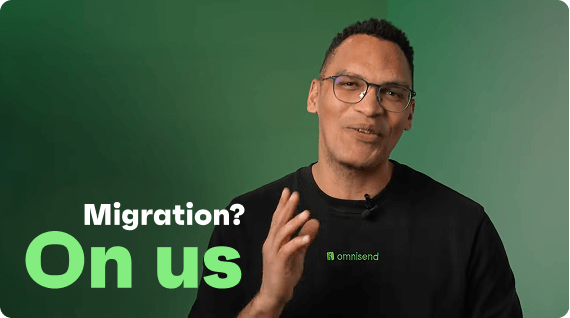
Migration is stressful. We'll do it for you.

In 5 days, our team rebuilds your automations, segments, forms, and templates by hand. You just show up when it's done.

4.8/5 on Shopify

4.8/5 on Wordpress

4.6/5 on G2

4.5/5 on BigCommerce

How will it work?

Migrating to Omnisend is less complicated than you'd think. Here's a quick explanation.

Ready to switch?

Fill out the form. We'll take it from there.

Request migration
1
Connect your store

Before anything else, create an Omnisend account a connect your store.

2
Request a migration service

Fill out the migration request form. Our onboarding team will reach out to you.

3
Give account access

To start the migration, we need access to your current platform and Omnisend accounts. You'll receive an access invitation by email — once you accept it, we can begin.

4
We handle the setup

After access is granted, our team recreates your workflows, segments, and forms in Omnisend.

Your data is confidential, and you are always in control. You will be
able to remove access anytime.

What comes with you

Sender email verification

We'll verify your sender email so you can send your campaigns without any hassle

Contacts

We’ll move your contacts from your current email platform to your Omnisend account

Workflows

We'll migrate up to 4 automations of your choice and up to 3 templates per automation

Segments

We’ll set up up to 5 segments based on the criteria you provide

Forms

We’ll create up to 3 signup forms or popups of your choice

Templates

We’ll recreate 1 master template in Omnisend — just tell us which one to clone from your existing tool

Yes, but what about…?

We had a feeling you'd ask. Here are the answers.

How long does migration take? When is it safe to cancel my old platform?

Contact import typically completes within 1–24 hours. Full migration — including rebuilding automations, verifying your sender domain, and testing — usually takes 5 business days. Keep your old platform active until you have confirmed that automations are triggering correctly in Omnisend and you have exported any reports you need. Once everything is running smoothly, you can cancel your old account with confidence.

Will my historical reports, campaign data, and revenue analytics transfer to Omnisend?

Your contacts, subscription statuses, and custom properties transfer to Omnisend. For historical campaign reports and revenue data, we recommend exporting them as PDF files from your current platform before you switch — that way you keep a full record. Going forward, Omnisend's reporting suite tracks campaign performance, automation results, revenue attribution, and audience growth all in one place, so you will start building a clean, unified view of your performance from day one.

Can I transfer my automation flows (workflows) from Klaviyo or another platform directly into Omnisend?

While automation flows cannot be directly imported from another platform, rebuilding them in Omnisend is straightforward using the pre-built workflow templates. If you have more than 500 contacts, Omnisend's free Kickstart Service will rebuild up to 4 workflows of your choice, so your core automations are up and running quickly. For any remaining flows, you can use Omnisend's templates and copy your existing message content directly into the editor.

Will importing a large list of non-subscribed contacts increase my Omnisend plan cost?

Omnisend pricing is based on billable contacts, which includes both subscribed and non-subscribed contacts. Unsubscribed contacts (those who opted out) are not counted. If you are importing contacts from a previous platform that includes a large number of non-subscribed contacts, this will increase your billable contact total and may move you to a higher pricing tier. Before importing, we would recommend to clean your list and remove contacts you no longer intend to use.

Same power. Smaller bill.

You get everything you need — and then some — yet the prices
don’t creep up on you as they do with other platforms.

Same power. Smaller bill

Why pay more for the same emails? Save up to 35%* compared to Klaviyo.

Dedicated Account Experts

On Omnisend plans of $400/month or more, a dedicated Account Expert comes included with your subscription. Expect regular check-ins, personalised growth strategies, and honest care for your business success.

AI segmentation and RFM analysis

Describe your audience, and Omnisend AI will build it — from high spenders to at-risk customers, all grounded in real data

Email and SMS in one automation

Start with email-only automation, then add SMS or push later, all in the same pipeline

Global compliance and deliverability

Built-in TCPA/GDPR tools for SMS and email, plus reliable inbox delivery

We’re ready when
you are

Five days from now, you could be sending from Omnisend. We'll handle everything in between.

Learn more

See how we compare

Omnisend vs Klaviyo
Comparisons
Omnisend vs Klaviyo
Omnisend vs Mailchimp
Comparisons
Omnisend vs Mailchimp
Omnisend vs Attentive
Comparisons
Omnisend vs Attentive

Built on feedback of 150,000+ brands. Try Omnisend and see why they stay.