Omnisend AI


 OFFER
OFFER










A refund email isn’t just a transactional update — it’s a key part of your customer experience. When refunds are handled poorly, you may lose customer trust. That hurts your brand, as most customers leave after a bad experience.
Anyone who’s requesting a refund is likely already frustrated and has had a poor experience with your brand. What you say next will shape how they see your brand.
A well-written refund email can reassure them that they will receive a refund. It also reduces follow-ups and gives you a chance to improve their experience.
In ecommerce, where product returns and service cancellations are unavoidable, getting this right matters.
This guide covers all you need to know to write an effective refund email. With real examples and templates, you can handle refunds effectively.
What is a refund email?
A refund email is a message you send to a customer to confirm, process, or respond to a refund request. You can use it not just to inform but to shape customer experience.
You’ll typically send a refund email to a customer for:
- Product returns
- Order cancellations
- Damaged or incorrect items
- Billing errors
Now, here is how it happens:
A customer receives a damaged or wrong product and requests a return. The business sends an acknowledgment email first. If approved, an approval email follows. A confirmation email is then sent once the refund is issued.
Proper and prompt responses at each step are critical. Missing one or doing it wrong confuses customers. Clarity matters more here than anywhere else.
And here is the thing:
Customers don’t separate support from brand experience. If support is poor, your brand suffers. According to research by Qualtrics, companies worldwide risk losing $2.8 trillion after their customers have a bad experience.
5 great refund email examples
Refunds happen for different reasons, so a refund email shouldn’t sound the same every time. Looking at a professional refund email example helps you see how to tone and structure your email based on the situation. Let’s check out a few examples.
1. Confirm the refund clearly and include the returned items
Today’s customers don’t want to waste time on back-and-forth emails.
When they open your email, they want to know one thing: what’s next? That can be:
- Is the order being refunded?
- When is the amount reflected?
- Is there anything they need to know?
Your refund confirmation email should address all of that up front. It leaves no room for second-guessing or unnecessary follow-ups.
Customers want confirmation and to feel acknowledged. Be empathetic, acknowledge their issues, and offer an apology to look caring.
Here’s what a refund confirmation email should look like:
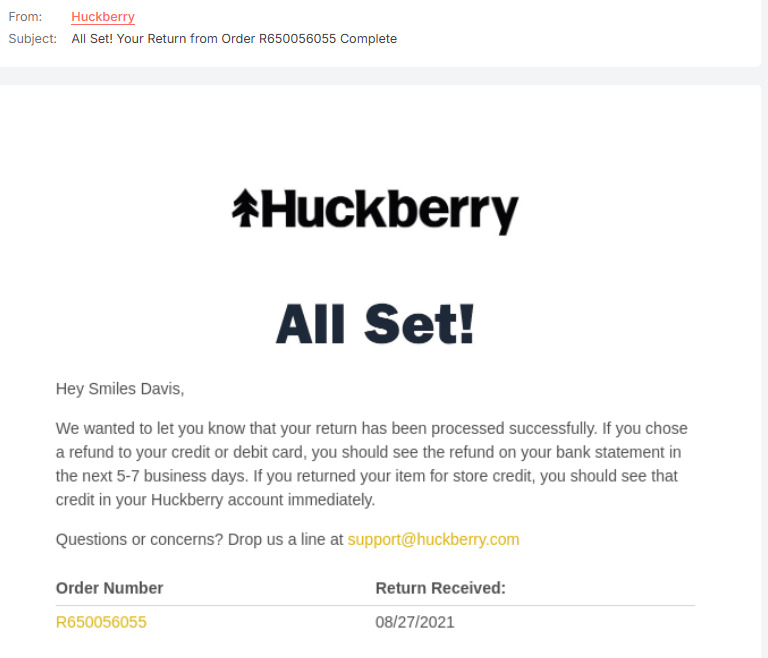
2. Keep refund confirmations short and transaction-focused
The best emails should get straight to the point because not every situation needs detail.
If there’s no delay expected, simply include:
- One clear confirmation line
- The refund amount
- The expected timeline
This email should show the amount, the item being refunded, and the time until the customer gets funds. Here is a great refund email sample:
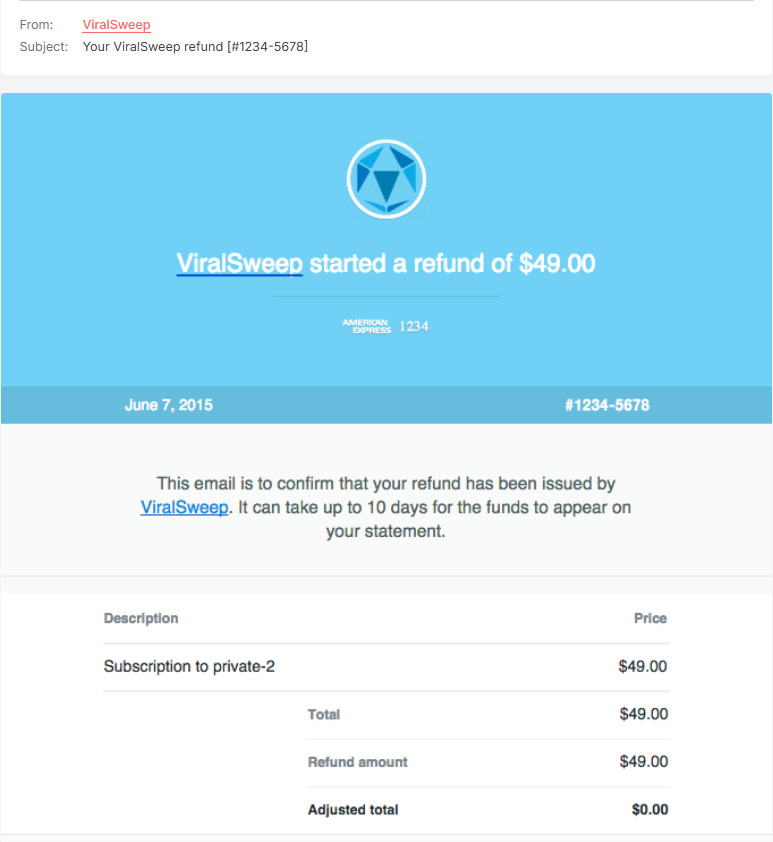
3. Turn refunds into a promotional opportunity
When handled well, a refund period can be the time when you win the customer back. It doesn’t have to signal the end of the relationship.
Brands that get it offer attractive incentives to offset the inconvenience.
It can include:
- An exchange option
- A small discount for a future purchase
- Store credit
- A relevant product recommendation
However, what most people don’t realize is that refunds can be a powerful promotional tool.
It takes a different approach from the usual refund emails. Instead of waiting for issues to arise, you use proactive refunds or cashbacks as incentives.
You can use it to promote product visibility and improve sales.
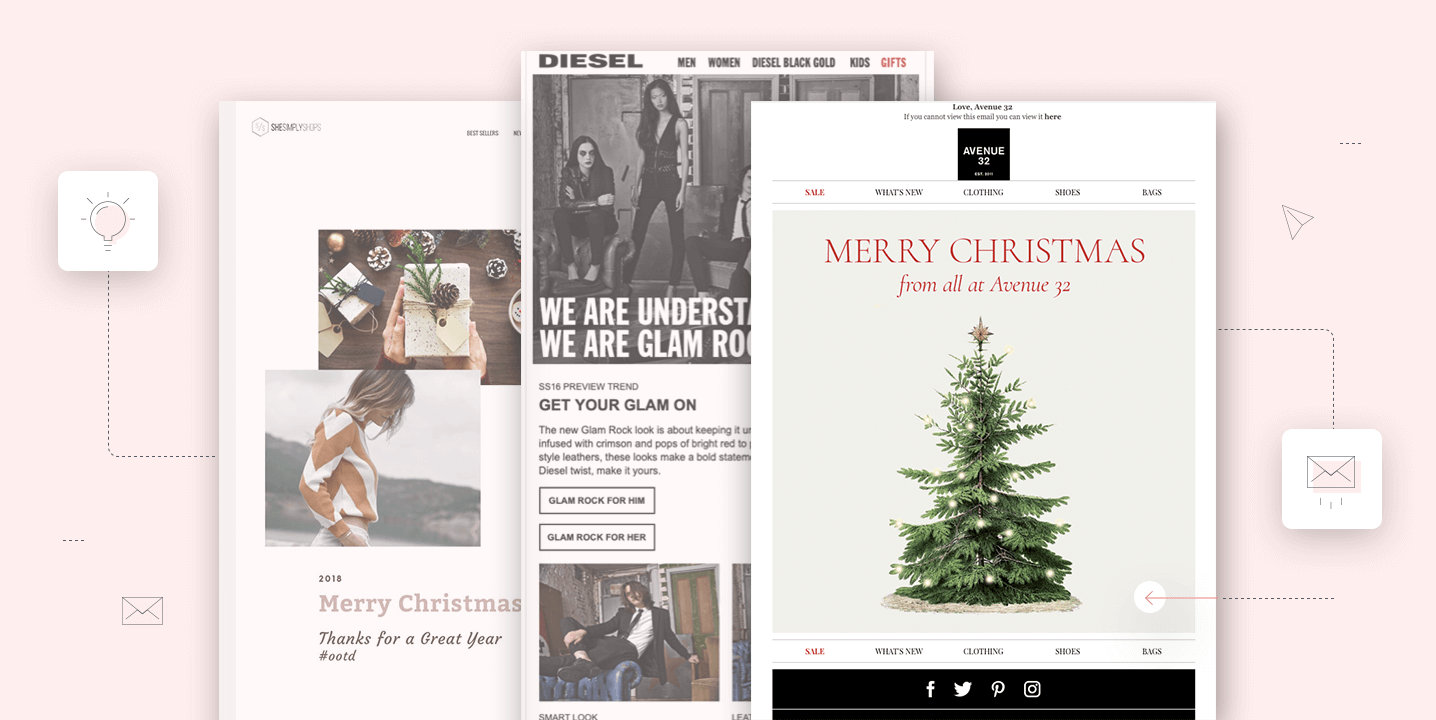
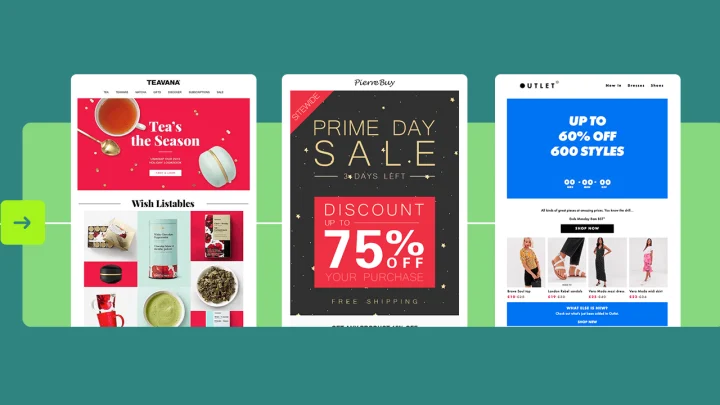
Here is an example of an email that offers cashback for purchases exceeding $100:
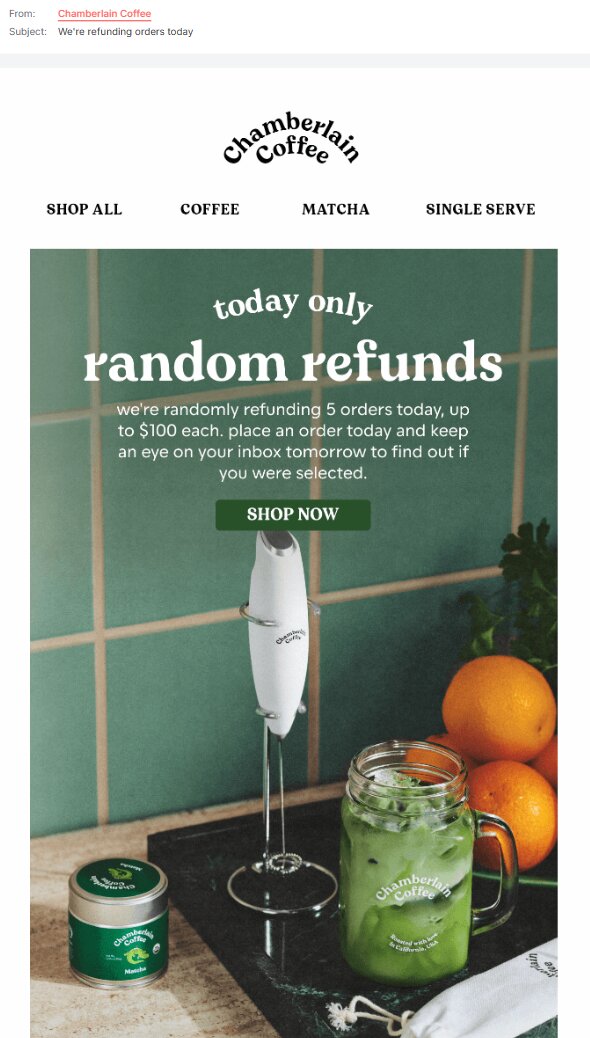
Use a tool like Omnisend to automate follow-up messages that recommend products. Since these are triggered after a refund, they feel thoughtful rather than promotional.
When refunds are issued, they help you regain customer loyalty effortlessly. And that shifts you from a loss to an opportunity for customer retention.
4. Reassure customers and provide refund tracking
Most customers don’t mind waiting a few days to get their refund. However, they don’t like not knowing how long it will take to process.
That’s why your refund email should provide a clear timeline (for example, 3 to 5 business days) or a tracking method. The latter is best because it provides real-time updates.
Here’s an example of a refund email that provides a way to track the refund status:
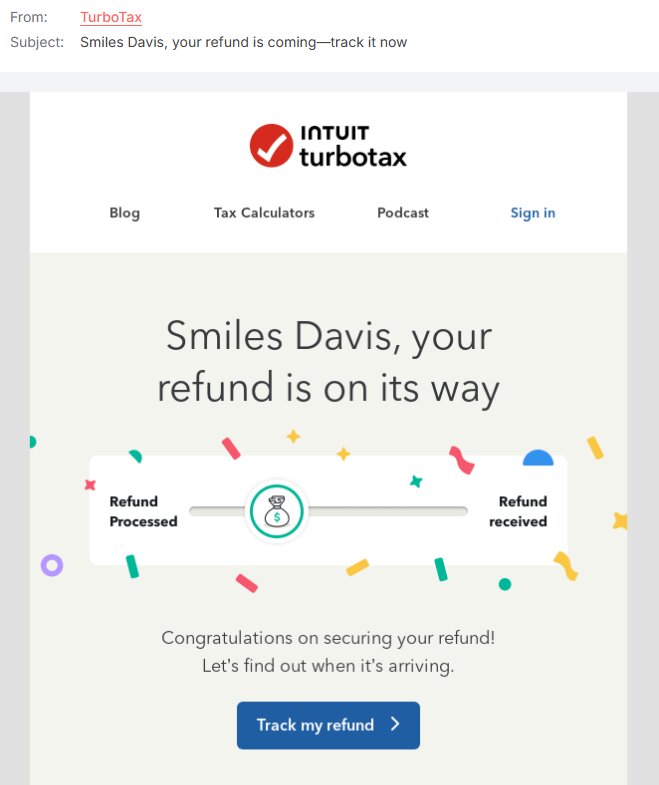
Such transparency helps eliminate uncertainty, frustrations, and follow-ups. And platforms like Omnisend automatically include timelines, tracking links, and reassuring notes in your refund emails.
5. Show a detailed refund breakdown to build transparency
Refunds can be complex when they include multiple items, taxes, partial returns, or shipping charges. That’s why clarity is essential.
If the numbers don’t add up clearly, customers lose trust. So, switch summaries for a breakdown like in this example:
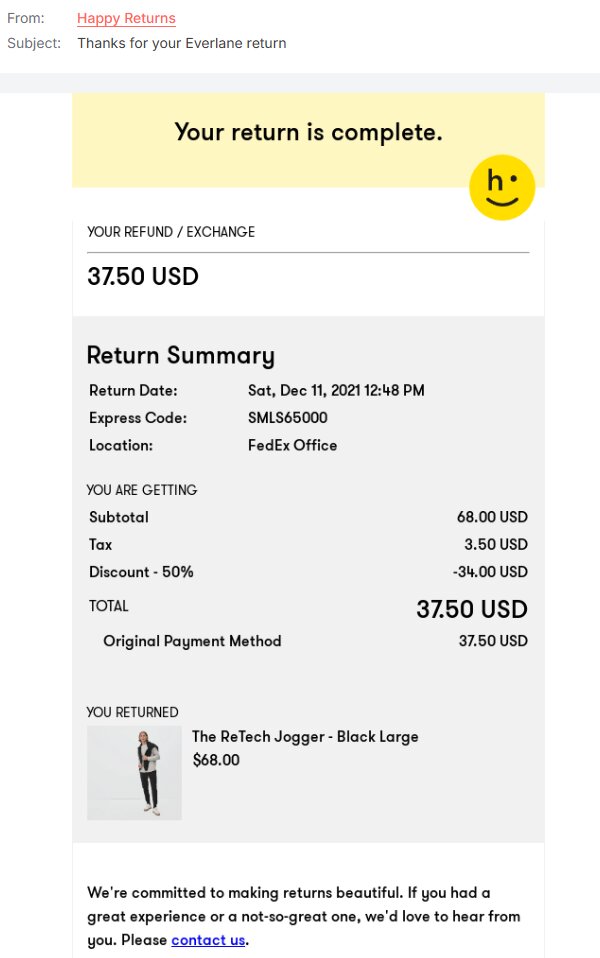
When customers can see the breakdown, you build trust. Beyond that, it helps resolve disputes later since your email already contains the explanation.
Detailed refunds should both inform and strengthen credibility. That protects your business.
How to write a refund email
Getting a refund email right isn’t about sounding perfect. It needs to be clear, timely, and human. Let’s look at the key steps involved.
1. Start with a clear subject line
A good subject line does the heavy lifting, telling the customer exactly what to expect.
So, stick to a clear structure. After all, professional emails use direct language to reduce confusion.
Most people check emails on mobile and quickly. If the subject is vague, it easily gets ignored or misunderstood.
Examples:
- “Your refund has been processed”
- “Refund confirmation for order #1234”
Be short and direct. It prepares them for the rest of the message at first glance.
![Refund email: Screenshot of email fields. For: Refund confirmation and Subject: Your refund for order #[order_number] are displayed on a light green background.](https://www.omnisend.com/blog/wp-content/uploads/2026/04/6.-Refund-Confirmation-Subject-Line.jpg)
2. Confirm refund details
Customers don’t want to piece things together. That’s why the message should be concise and detailed.
Example:
Subject: Your refund has been processed
Hi Paul,Your refund for order #78421 has been successfully processed.
Amount: $49.99
Payment method: Visa ending in 1234
Items refunded: Classic Denim Jacket
Timeline: Funds will reflect in your account within three to five business days
If you have any questions, feel free to reach out.
Best regards,
Brand name
Tools like Omnisend allow you to automatically populate refund details from order data. That ensures each email is accurate and consistent, which is hard to maintain with manual editing
3. Maintain a professional and empathetic tone
Stating facts is important, but how you say it matters. Being too formal or blunt could cause more damage.
Remember, refunds are issued for unmet expectations or incorrect delivery. Your message should reflect that awareness. Email automation can help you maintain consistency.
Omnisend can help with that. Users report that 30% of revenue comes from just 2% of sends via email automation. Compared to other tools, you get high ROI without added complexity or missing features that drive meaningful results.
Let’s understand this with the help of an example.
Don’t sound flat like:
- “Your refund has been issued”
Instead, you can say:
- “We’re sorry for the inconvenience and have processed your refund”
While it’s important to show that you care, don’t overdo it. Keep it short and to the point.
4. Provide next steps or contact information
At this point, the customer understands the issue. The next question is: what now? And that’s what your email should address.
Here’s a refund request email sample reply:
Hi Carol,
Your refund for Order #756524 is being processed.
Amount: $59.99
Timeline: Three to four business days to reflect in your account
Please note that processing time between banks varies. If you don’t see the funds after this period, contact your bank first.
If the issue is not resolved, contact us for help right away.
Best,
[Your Brand Name]
Reassuring customers lets them know that you’re there to help if something goes wrong.
Refund email templates
Now that you know what to say, having ready customer service email templates saves time. It saves you from rewriting every email from scratch.
Here are three examples you can use and adjust.
Refund confirmation template
This refund email template confirms that a refund has been processed.
Subject: Your refund has been processed
Hi [Name],
Your refund for order #[Order Number] has been successfully processed.
Amount: [Refund Amount]
Payment method: [Method]
The amount should reflect in your account within [X] business days.
If you have any questions, feel free to reach out.
Best regards,
[Your Brand Name]
Refund request email template
This refund email template simply acknowledges receipt of a refund request.
Subject: Refund request received
Hi [Name],
We’ve received your refund request for order #[Order Number].
Our team will review it and get back within [timeframe].
If you’d like to share more details, please reply to this email.
Thank you for your patience.
Best regards,
[Your Brand Name]
Refund approval email template
This refund email template confirms that the refund request has been approved after various validity checks.
Subject: Your refund request has been approved
Hi [Name],
Good news — your refund request for order #[Order Number] has been approved.
We’re processing the refund, and you’ll receive it within [X business days].
If you have any questions, we’re here to help.
Best regards,
[Your Brand Name]
Ready to automate refund emails?
Writing a good refund email once is easy. But keeping that same clarity and speed across every email is where things get harder.
As your order volume grows, so do refund requests. Refund delays, missed updates, and inconsistent messaging are damaging.
That’s where automation makes a difference.
Platforms like Omnisend are built specifically for ecommerce. Through transactional email automation messages connected directly to order data. So, every email reflects exactly what’s happening — no generic updates or manually sending every update.
Beyond automation, Omnisend helps you maintain consistent post-purchase communication. From refund confirmations to order updates, everything works together to create a smoother customer experience.
Quick sign up | No credit card required
FAQ
What should a refund confirmation email include?
A confirmation email should include the refund amount, payment method, wait time, and order reference number. Clear information prevents follow-up questions.
How long should it take to send a refund email?
Refund emails should be sent as soon as the customer initiates the refund. Even during processing, providing updates is essential. Delays create uncertainty and support tickets. Verify the refund is valid, then communicate quickly.
Can refund emails be automated?
Yes, most email marketing tools support automation. The refund email is triggered automatically when the order status changes, so customers receive instant updates. Automation keeps communication smooth and eliminates missed messages.
What is the difference between a refund email and a refund request email?
The customer sends a refund request to initiate the process. It explains the issue with the product or service and asks for a refund. The business sends a refund email in response. It confirms receipt of the refund request, provides updates, or notifies the customer once the refund has been processed. It includes key details such as the amount, method, and timeline.