Omnisend AI


 OFFER
OFFER










Email automation is the use of software to send emails automatically based on predefined triggers, schedules, or user behavior.
Instead of manually sending every email, you build a system with a set of rules that react to what your subscribers do or don’t do.
A customer signs up for your newsletter, and within minutes, they get a welcome message. Someone adds products to their cart but leaves your site, and hours later, they receive a reminder.
Email automation reduces manual effort and improves campaign performance. This blog post explores everything you need to know about email automation and its impact on marketing.
What does email automation mean in marketing?
Email automation means using software to handle repetitive tasks without your constant input. In email marketing, automation shifts you from sending one-off campaigns to building trigger-based systems.
Manual campaigns, on the other hand, require you to pick a list, write messages, and hit send each time.
Automation flips that model by allowing you to design a workflow once, and the software runs it forever. It becomes essential because customers expect instant, relevant communication.
How does email automation work?
Email automation follows a simple three-step pattern: Trigger, condition, and action.
First, an event happens that triggers the process to begin. Second, the system checks any rules you set. Third, it sends a message or adds the person to an email sequence.
Email automation runs on logic-based workflows and timing. You define how the system should respond to specific behaviors, and it executes those actions automatically.
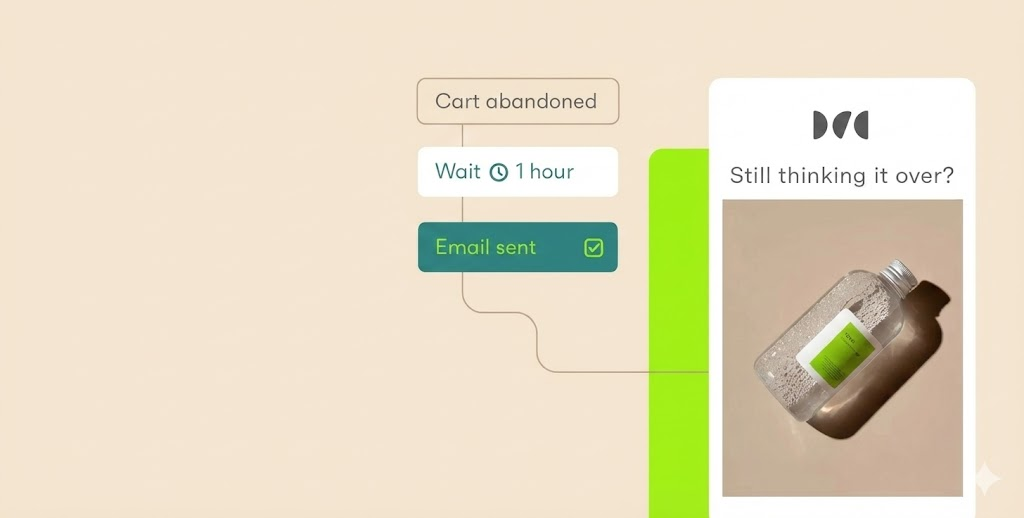
An example of this in practice is when a customer places a $50 jacket in their cart but leaves without checking out. The abandoned cart becomes the trigger.
The condition would be waiting for 30 minutes to give the customer time to return to the cart. If they don’t, it turns into an action where they’re sent a reminder email with the jacket image.
Triggers: What starts an automated email?
A trigger is any action a person takes that your system notices. For example, someone signing up for your email list triggers a welcome message. Clicking a link about running shoes could also trigger a follow-up email featuring similar products or a limited-time discount on athletic gear.
Making a purchase triggers a thank you email. Even inaction works as a trigger. For instance, if someone doesn’t open your emails for 60 days, that lack of engagement can trigger a re-engagement campaign.
The key is that customer behavior determines when they hear from you. Your role is to set up the system so it responds appropriately to those signals.
Workflows and sequences
A workflow is the full path a customer follows after a trigger. A sequence is the series of automated emails they receive along that path.
Most workflows use drip campaigns, meaning messages get sent out at set intervals:
- Immediately after sign-up: Welcome email
- Day three: Introduction to your best-selling products
- Day seven: Customer success story
In short, each message builds on the last one. The important thing is not to overwhelm someone with five emails in two days. Smart spacing keeps your brand top of mind without feeling pushy.
The best workflows also have branches. If a customer clicks a link about product A, they skip product B emails and go deeper on product A.
Segmentation and personalization
Segmentation means splitting your list into smaller groups based on behavior, preferences, or purchase history. Email personalization focuses on using that data to deliver more relevant messages to each group.
Consider a scenario where you sell pet supplies. One customer buys cat food while another buys dog toys.
Without email segmentation, both customers would get the same messages. With segmentation and personalization, cat owners hear about litter boxes and scratching posts while dog owners hear about chew toys and leashes.
Automation platforms handle this process in the background by continuously organizing contacts based on their actions. Whenever a new cat owner signs up, the system instantly places them in the cat segment.
As a result, your emails align closely with each subscriber’s interests and behavior, leading to greater relevance and improved engagement. This relevance drives higher open rates and more sales.
Key components of email automation
Building a complete automation system requires three core pieces:
- A way to collect email contacts
- Analytics to track performance
- Optimization features to improve over time
Each piece connects to the others.
Without contacts, you have no one to message. Without analytics, you can’t know what works or what to optimize. Finally, you can optimize performance only by using insights gleaned from your analytics.
Smart marketers build all the pieces together rather than adding them one by one later. An automation system should also ideally be multi-channel to reach customers more effectively.
Contact collection and list building
Automation starts the moment someone joins your email list, and to do that, you need entry points everywhere customers spend time. Common entry points include signup forms, popups, and other opt-ins placed on key pages.
You can use pop-up forms on your website to capture visitors before they leave. Embedded forms on your blog posts could catch engaged readers.
Each signup immediately triggers your welcome workflow. The best collection tools also track where each person came from.
For example, someone who signs up for a discount may receive promotional emails, while someone downloading a guide may receive product recommendations or targeted offers.
Analytics and optimization
Every automated email gives you data. Open rates tell you if your subject lines work. Click-through rates show if your content drives action, and conversion rates reveal the real business impact.
The best email automation platforms automatically track these numbers and display them clearly on dashboards. You can see exactly which workflows produce revenue and which need work.
You also need optimization to test changes against your current results. This could involve trying a different subject line for your welcome email or sending your abandoned cart message after 15 minutes rather than 30.
It’s the small tweaks that add up to big gains over time.
Pro Tip: Extend Your Automation to Other Channels
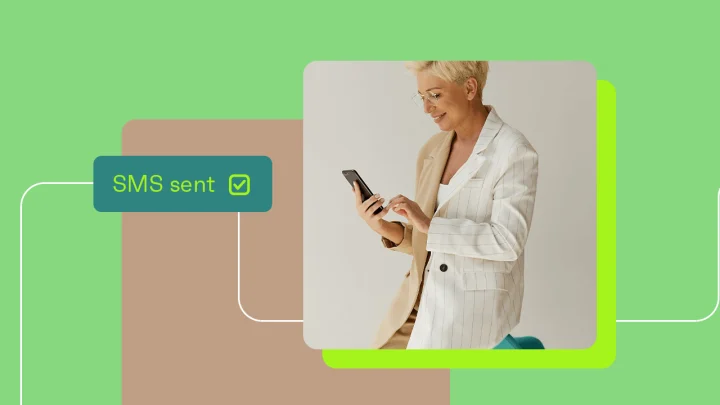
Modern automation extends far beyond email. Short text messages reach customers who ignore email, while push notifications from your app or browser grab attention on screens. SMS works well for customer support and order updates.
The same trigger that sends an abandoned cart email can also send an SMS an hour later if the email stays unopened.
For example, if a customer leaves items in their cart, your automation sends an email after 30 minutes. No email open after two hours? Send a text message. Still no purchase? Try a push notification the next day.
Multi-channel automation reaches customers across their preferred channels without any extra work from you.
Using MCP to analyze and improve automations
Omnisend MCP adds another way to work with automation data inside ChatGPT. Once connected, you can ask plain-language questions about campaign performance, automation workflows, subscriber trends, deliverability, and revenue, then use the answers to decide what to adjust next. For a broader look at how this fits into Omnisend’s approach to connected marketing data, read about the AI data lifecycle in Omnisend.
Why email automation matters for businesses
The most important thing email automation saves you is time. If you were to ask what an automated email is, it’s simply an email sent automatically by software, not by a person. A single workflow replaces hours of manual work, giving you the space to focus on strategy, product development, or customer service.
Automation also scales perfectly. Manual campaigns tend to break when your list grows from 1,000 to 10,000 people. You simply can’t send personal messages to that many people by hand.
Email automation also lets you personalize every message based on each person’s actions. You send relevant content that matches their specific interests and behavior, which drives more opens, clicks, and sales.
Numbers from Omnisend also prove that automation improves revenue.
Omnisend helped Dukier, a pet accessories shop in Madrid, grow its revenue by 525%. This was achieved through behavior-based emails, segmentation, and smart targeting.
Common examples of email automation
Most businesses start with four core automation workflows, and each serves a different stage of the customer journey. They include the following:
Welcome emails
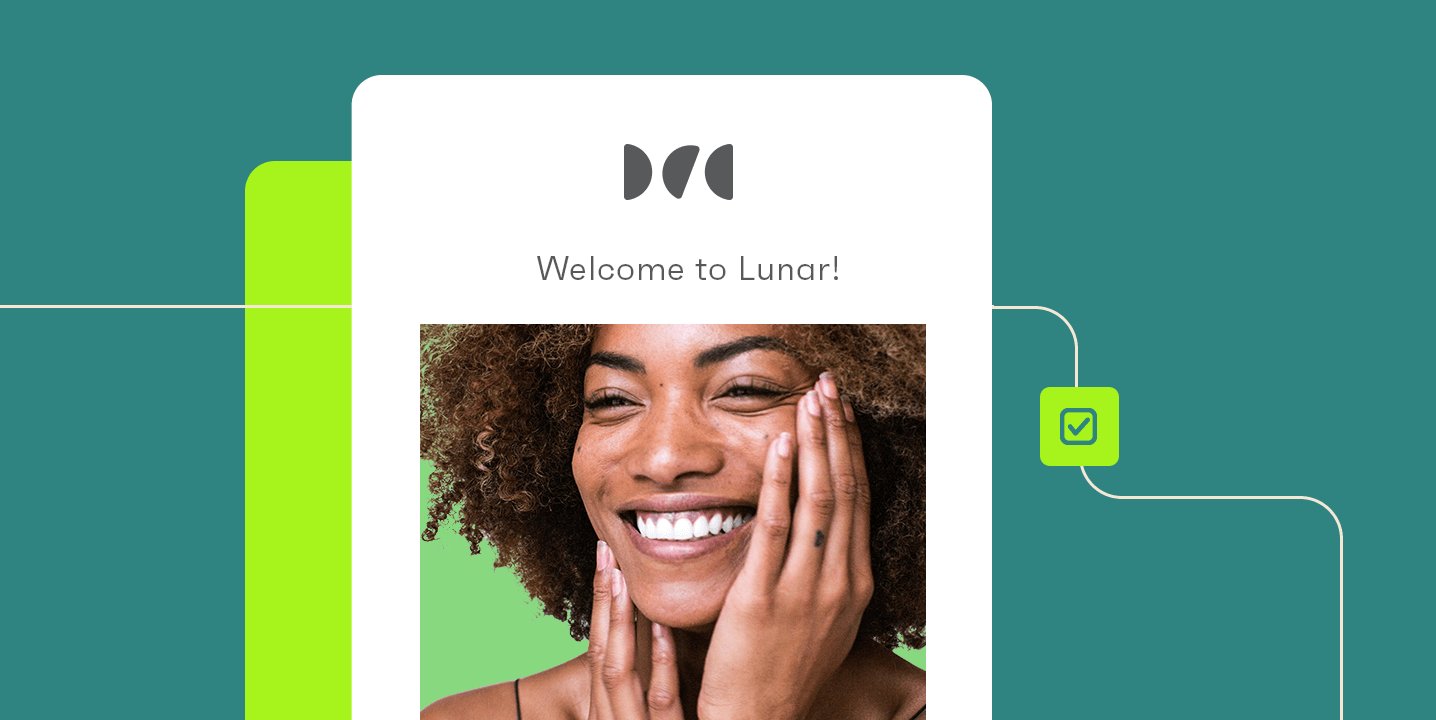
Welcome emails set the tone for your entire relationship with a new subscriber. They typically arrive within minutes of signup while your brand is still fresh in the person’s mind.
The best welcome emails deliver on whatever promise got the signup. If you offered a discount code, put it front and center. If you promised a guide, link to it immediately.
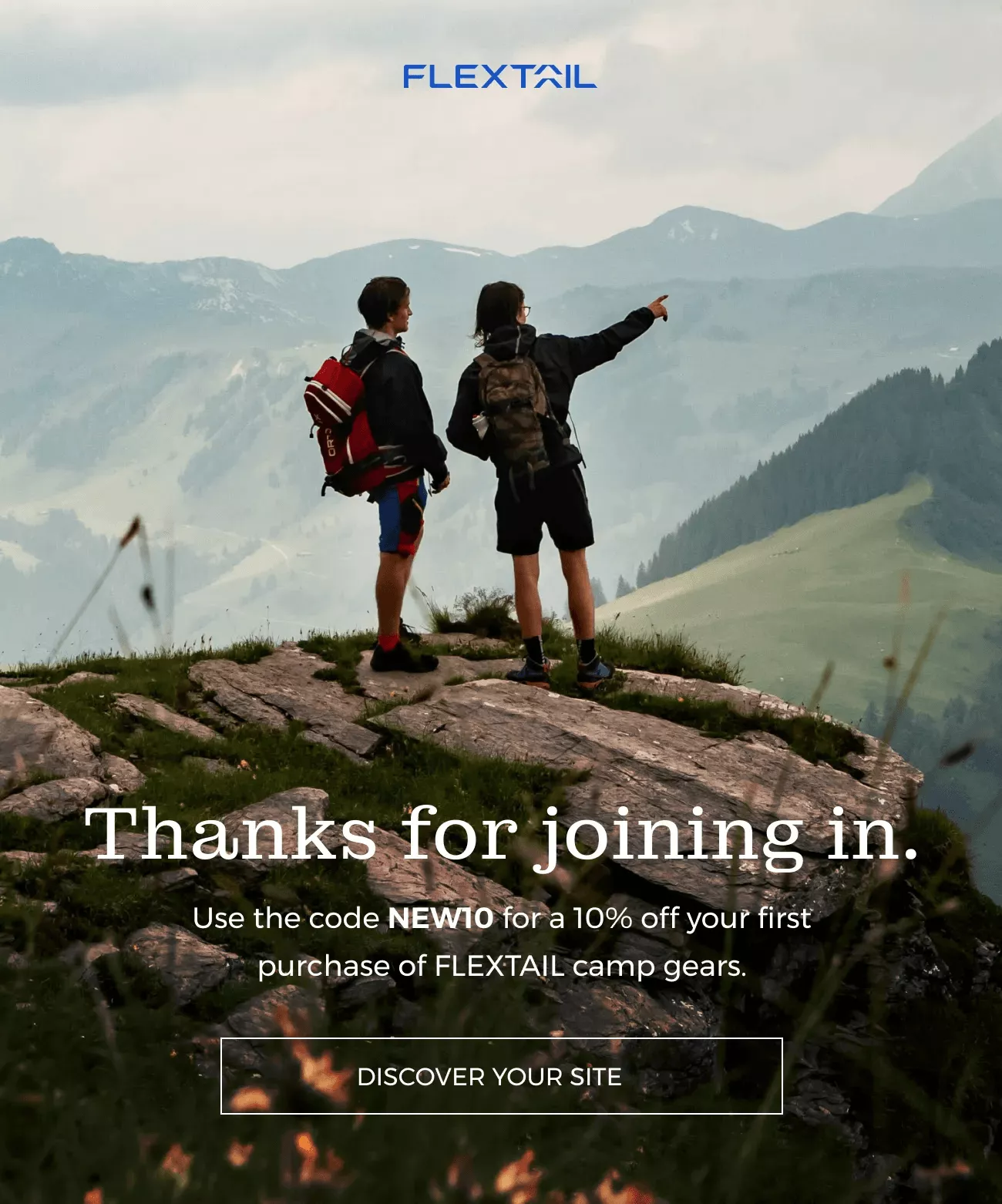
This is how Flextail adopted Omnisend’s welcome email workflow, leading to over $234,000 in attributed sales with over 3,000 placed orders:

And here is the Flextail welcome email responsible for this performance:
Abandoned cart emails
Cart abandonment happens when someone adds products to their cart but leaves before completing the purchase. According to Baymard Institute, the average cart abandonment rate currently stands at 70.22%.
For this, you need a recovery strategy that involves a planned sequence of messages to win back lost sales.
Correctly timing your automated cart recovery emails can bring many of them back. Send the first email within one hour of abandonment to remind the person of what they left behind.
Follow this up with a second email 24 hours later, maybe with an offer of free shipping or a small discount. Send a third and final email after 48 hours to create urgency by mentioning low stock or a soon-to-expire offer.
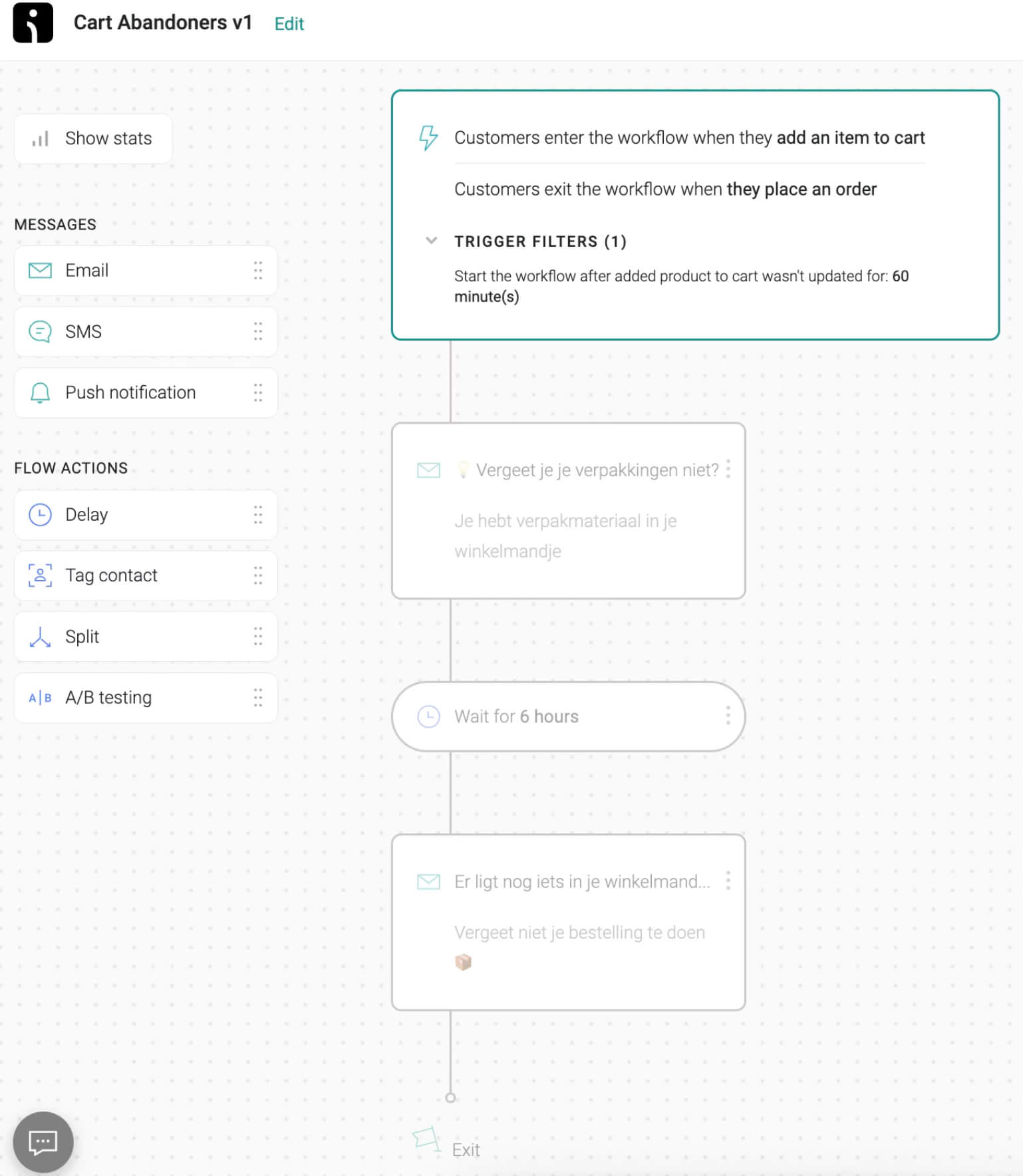
Here’s an example of a cart abandonment email automation setup by Verpakgigant through Omnisend. It increased open rates by 46.4% and generated over €25,000 from 147 recovered orders:
Post-purchase follow-ups
The moment after someone buys from you is the best time to build loyalty. They feel good about their purchase and trust your brand. Post-purchase emails thank the customer, confirm order details, and provide tracking information.
But don’t stop there. A few days after delivery, send another email asking for a product review. Two weeks later, suggest complementary products based on what they bought.
This is how you turn one-time buyers into repeat customers.
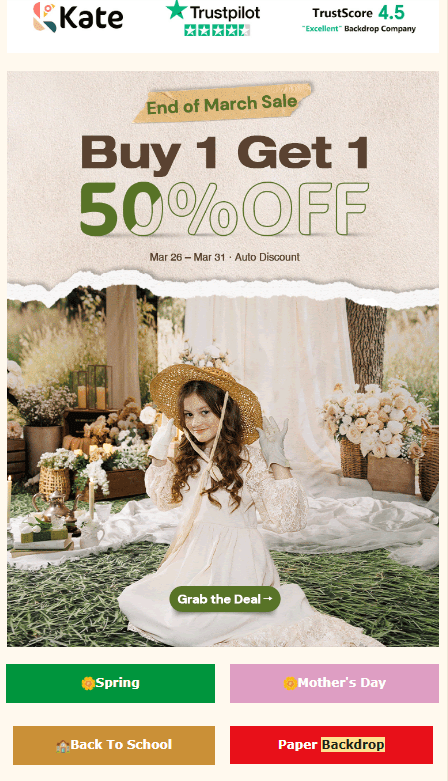
For illustration, Kate Backdrop, a photography company, used Omnisend’s email follow-up automation to achieve an 87% post-purchase email open rate. Below is an example of the email they used:
Re-engagement campaigns
Every email list loses people over time, and that happens to almost every business. Subscribers go from active to inactive as their priorities change or your content stops resonating.
Re-engagement emails are designed to win these people back before you remove them entirely.
Most marketers consider a subscriber to be inactive if they go 60 to 90 days without opening an email. Start with a simple message asking if the person still wants to hear from you. Offer a small incentive, like a discount code, to renew their interest.
If they don’t respond to two or three messages, remove them from your active list. Keeping unengaged subscribers hurts your deliverability and skews your data.
A good example is AcreValue, an online land technology platform that was struggling to maintain a healthy subscriber list. It partnered with Omnisend and implemented a sunset automation to handle disengaged subscribers.
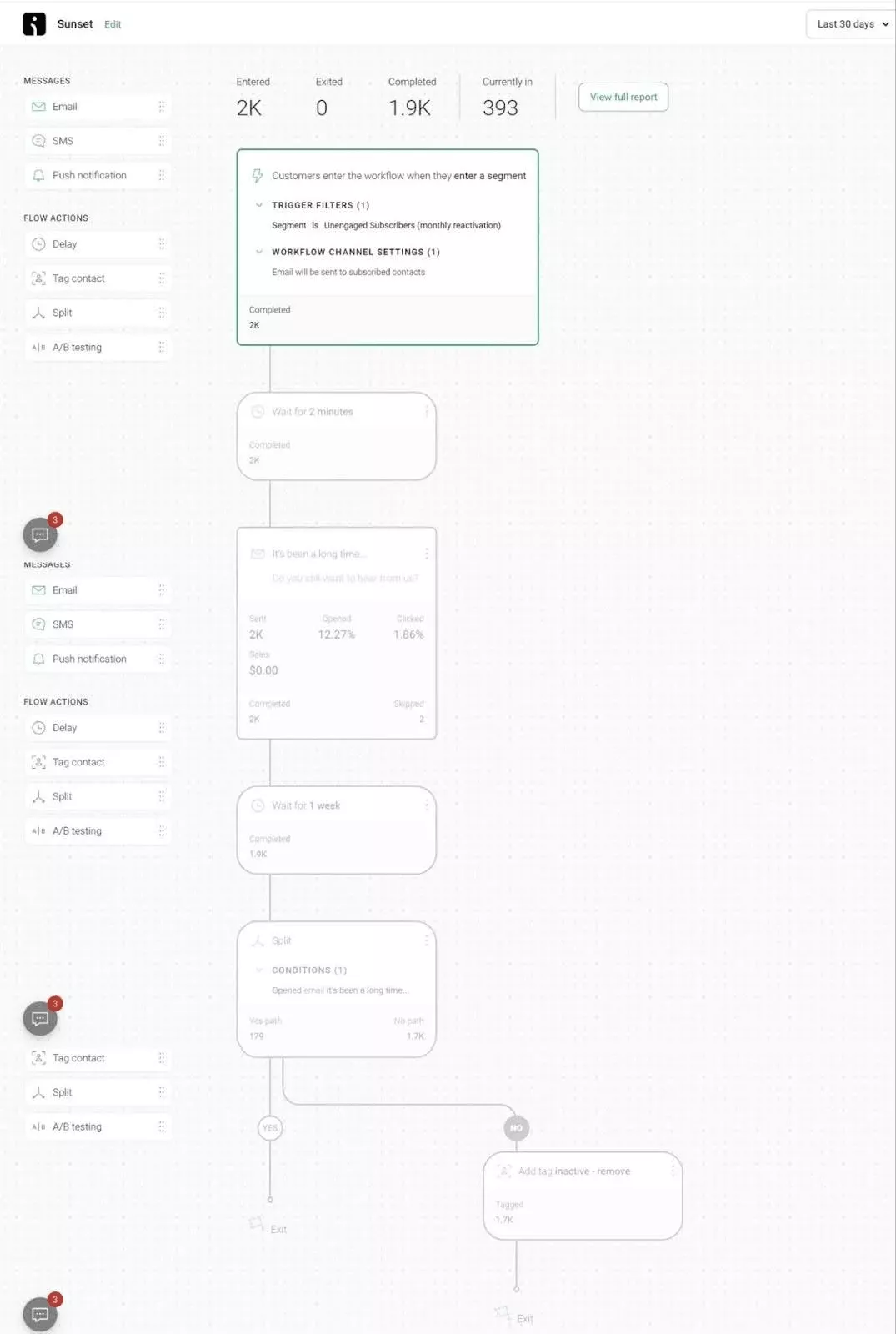
Here’s what AcreValue had to say about this change.
“We’ve learned that sending a high volume of emails is only sustainable if you’re targeting the right people. With Omnisend’s help, we built a sunset automation that re-engages inactive subscribers while keeping our active audience highly engaged.”
Email automation vs. manual email campaigns
Manual campaigns are best for one-off messages, such as promotions and product launches, while automation handles recurring, personalized emails triggered by customer behavior. Using both lets you combine timely campaigns with consistent, scalable customer communication.
| Aspect | Manual campaigns | Email automation |
|---|---|---|
| Process | Write each email, select a segment, pick a send time | Handles these recurring tasks without mistakes or delays |
| Personalization | Limited at scale | Adapts based on behavior, timing, and customer data |
| Follow-up consistency | Requires manual tracking | Runs automatically, freeing up time for other priorities |
| Best for | One-off announcements, such as a flash sale or a product launch | Sustained, ongoing communication |
Ready to start automating your email marketing?
You now understand what email automation does and why it matters for your business. The next step is putting these concepts into practice with a platform that makes automation accessible.
Omnisend provides pre-built workflows for welcome emails, abandoned cart recovery, post-purchase follow-ups, and re-engagement campaigns. You can launch your first automation in minutes and start seeing results immediately.
Already running automations on Klaviyo or another platform? Omnisend’s team migrates your full setup — flows, lists, templates – in 5 days, free of charge. On most contact tiers, the equivalent paid plan also lands at up to 35% less than Klaviyo for comparable features. Not sure where to start? See how Omnisend compares to other Klaviyo alternatives before you migrate.
Start with one workflow, measure results, then add more as you grow.
Quick sign up | No credit card required
Email automation FAQs
What is email automation in simple terms?
Email automation means setting up emails to be sent automatically when someone takes a specific action. Sign up for a newsletter, get a welcome email. Abandon a cart, get a reminder. You write the emails once, and the software handles the rest.
How does email marketing automation actually work?
Email marketing automations work through triggers and actions. A trigger, like a sign-up or purchase, starts the process. The system then follows your rules about timing and content. It sends the right message to the right person without you having to do anything manually each time.
Is email automation only for large businesses?
No. Small businesses benefit a lot from automation, too. You don’t have a team to send manual emails. Automation handles welcome messages, cart recovery, and follow-ups while you focus on running your business.
How do you get started with email automation?
Pick an email platform with automation features. Start with a simple workflow that fits your business needs, then set the trigger to new sign-ups. Write two or three emails to send over one week, launch them, then check your results.