Omnisend AI


 OFFER
OFFER










Spam score can mean two entirely different metrics, depending on the context. In SEO, a website’s spam score measures how likely a domain is to face search engine penalties. In deliverability, an email spam score determines if your campaign lands in the inbox or dies in the spam folder.
We’re covering both variations here, so you know exactly what you’re dealing with. We’ll explain what these numbers mean, how algorithms calculate them, what a good rating looks like, and how to reduce yours.
If you’re in ecommerce, you need to understand this to protect your bottom line, since a high spam score will land most of your email campaigns in the spam folder, not the primary inbox. As a result, your email metrics will drop, and your revenue will drop along with them.
Quick sign up | No credit card required
What is spam score?
A spam score is a metric that evaluates trust, but the definition changes when talking about different contexts: SEO (website spam score) and deliverability (email spam score). To solve your problem, you must first identify which metric you’re actually trying to fix.
| Type | What it measures | Who is it relevant for | Scale used |
|---|---|---|---|
| Website spam score | How likely your domain is to receive a search engine penalty | SEO specialists | Percentage (0-100%) |
| Email spam score | How likely your email is to trigger spam filters | Email marketing specialists | Numeric rating (typically 0-10 or 0-100) |
Website spam score (SEO)
A website spam score is defined by your domain’s link profile and site structure. Keep in mind, however, that this is not an official Google metric. It’s a proprietary calculation created by the SEO software company Moz, and it grades domains on a percentage scale from 0 to 100%.
The lower the score, the better your site’s health is in terms of spam. It uses Google’s historical data on penalized websites to calculate this risk. In short, it’s a great tool to audit your backlinks and ensure you avoid gambling, adult, crypto, and other sites in your domain.
Email spam score (deliverability)
An email spam score is a diagnostic metric that estimates how likely an email is to trigger spam filters based on factors such as sender reputation, authentication, content quality, links, formatting, and sending patterns. However, spam score is not a direct measure of inbox placement. It does not tell you whether an email actually landed in the inbox, spam folder, promotions tab, or another filtered location.
Spam scoring systems also vary by tool. Inbound filters like Apache SpamAssassin assign penalty points for suspicious signals, where a lower score is better. Reputation and deliverability monitoring tools may use different scoring models, such as 0–100 reputation-style scores, where a higher score is usually better.
For ecommerce senders, spam scores are best used as a trend-monitoring and risk-detection tool rather than an absolute deliverability metric. A worsening score can indicate issues with authentication, content, list quality, or sender reputation that may affect inbox placement over time.
To get a fuller view of sending health, the spam score should be reviewed alongside other deliverability signals such as bounce rates, spam complaints, engagement trends, domain reputation, and mailbox provider feedback.
How is spam score calculated?
The calculation methods for these two metrics are fundamentally different. A website’s rating is an SEO calculation based on domain architecture and backlink quality. An email’s rating is a point-in-time email deliverability diagnostic that estimates potential spam-filtering risk. Here’s what the algorithms evaluate.
Website spam score signals
Moz relies on machine learning to identify signals and patterns that are often found on sites that Google has historically penalized or banned. The algorithm evaluates multiple overlapping structural and backlink factors to show the percentage of similar sites that Google has penalized.
Here’s what triggers a high website spam score:
- Link profile quality: An unnatural ratio of external to internal links, or a heavily skewed percentage of follow-to-nofollow links.
- Anchor text patterns: Overusing exact-match anchor text or linking out using high-CPC, webspam-associated keywords.
- Domain characteristics: Ridiculously long URLs, domains packed with hyphens and consecutive vowels, or top-level domains famous for housing spam.
- Site structure signals: Missing the basics of a legitimate business, like no SSL certificate, zero contact information, or a complete absence of standard tracking tools like Google Marketing Platform and Meta Pixel.
Email spam score signals
Inbound filters don’t care how much time you spent designing your campaign. They run your message through strict rulesets to decide if it gets delivered or dumped.
If you fail these anti-spam systems, the consequences are no longer just the spam folder. Under the 2026 Microsoft/Outlook enforcement, systems now strictly reject non-compliant bulk mail outright, returning an Error 550 5.7.15.
Here is what triggers those filters:
- Content triggers: Filters analyze spam words, link ratios, and the overall image-to-text ratio. With the SpamAssassin 4.0.2 update, filters now use the ExtractText plugin with Optical Character Recognition (OCR) to scan for spammy text inside images and PDF attachments, which is a critical detail for ecommerce brands relying on visually heavy campaigns.
- Sender reputation: Your track record that measures how much trust your sending IP and domain have actually earned over time.
- Authentication status: Proving you are who you claim to be by having the right technical records set up.
- Engagement history: Subscriber interactions, such as opens, clicks, replies, and spam complaints, continuously update your score.
If you want to learn more about why your emails are going to spam, we highly recommend watching this video:
What is a good spam score?
A “good” spam score depends entirely on the platform evaluating your data. Different systems measure risk using completely different scales.
Moz grades websites using a percentage, whereas SpamAssassin evaluates emails on a numeric scale. Major inbox providers like Gmail skip numbers altogether and instead rely on internal pass/fail behavioral signals to decide if your message reaches the primary inbox.
For SEO, Moz calculates your site’s risk from 1% to 100%. The vast majority of healthy domains naturally sit in the lower tier.
For email deliverability, lower is always better. Systems like SpamAssassin usually set a failure threshold of 5.0. Hit that mark, and your campaign is practically guaranteed to land in the junk folder or get rejected entirely. Aim for zero.
Here’s how you can interpret your results for email spam scores:
| Email spam score range | Risk level | What to do |
|---|---|---|
| 0.0–2.0 | Low | Safe to launch campaigns |
| 2.1–4.9 | Medium | Review content triggers and authentication |
| 5.0+ | High | Stop sending and fix errors immediately |
And for SEO spam scores:
| Website spam score range | Risk level | What to do |
|---|---|---|
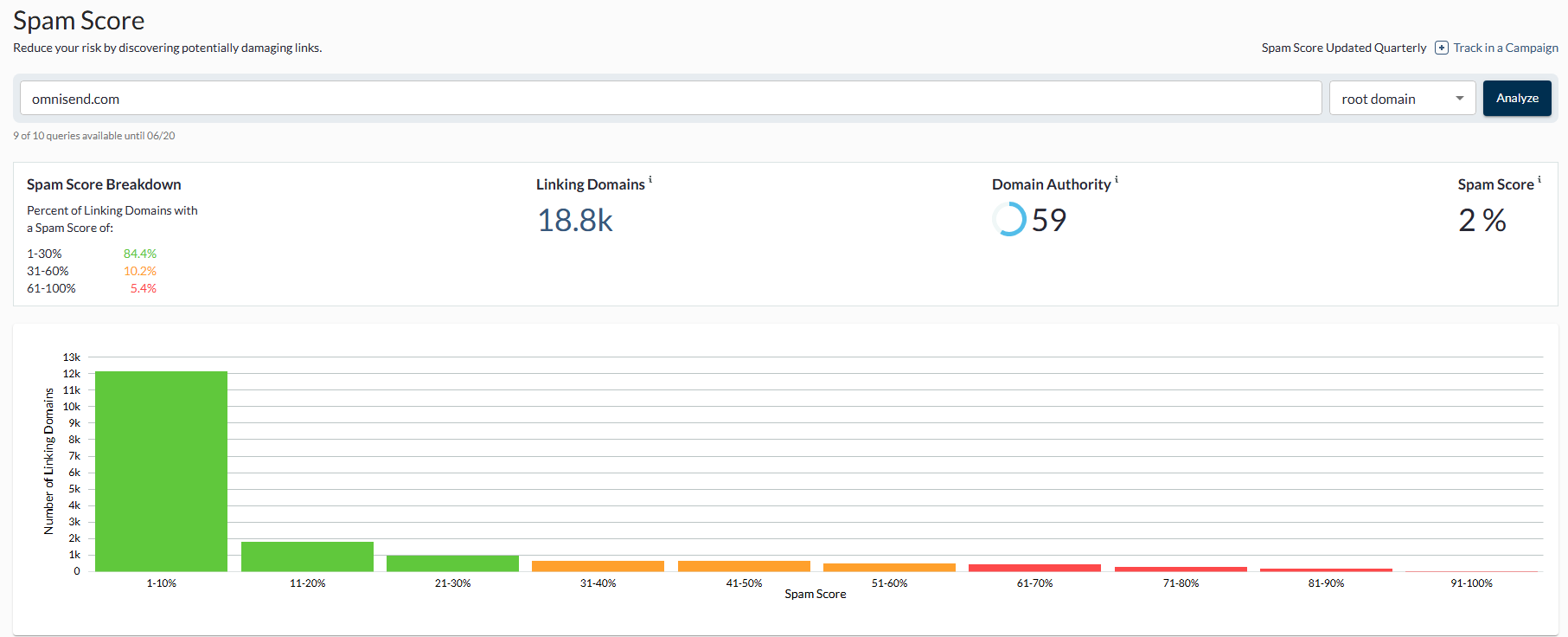
| 1–30% | Low | Continue normally |
| 31–60% | Medium | Audit your backlinks |
| 61–100% | High | Investigate immediately |
How to check your spam score
You can’t use an SEO tool to check your email deliverability, and an email tester won’t tell you if Google penalized your website. Here is how to measure both accurately.
Tools to check website spam score
To accurately assess your domain’s SEO risk, you need software that evaluates your specific backlink profile and site architecture.
- Moz Link Explorer: This is the primary authority on website spam score. You input your domain, and Moz evaluates your backlink profile against its proprietary signals to return a clear, percentage-based risk level.
- SmallSEOTools: A free web utility that processes bulk URLs simultaneously. It returns the exact same Moz-based metrics without requiring a paid subscription, which makes it useful for larger audits.
- DA PA Checker: Another active free utility offering instant spam score percentage and domain authority checks. It helps you quickly identify toxic referring domains.
Tools to check email spam score
To ensure your emails reach the inbox, you need to test your campaigns before sending the message. Here are some tools that analyze your authentication protocols and content triggers to prevent sudden routing failures:
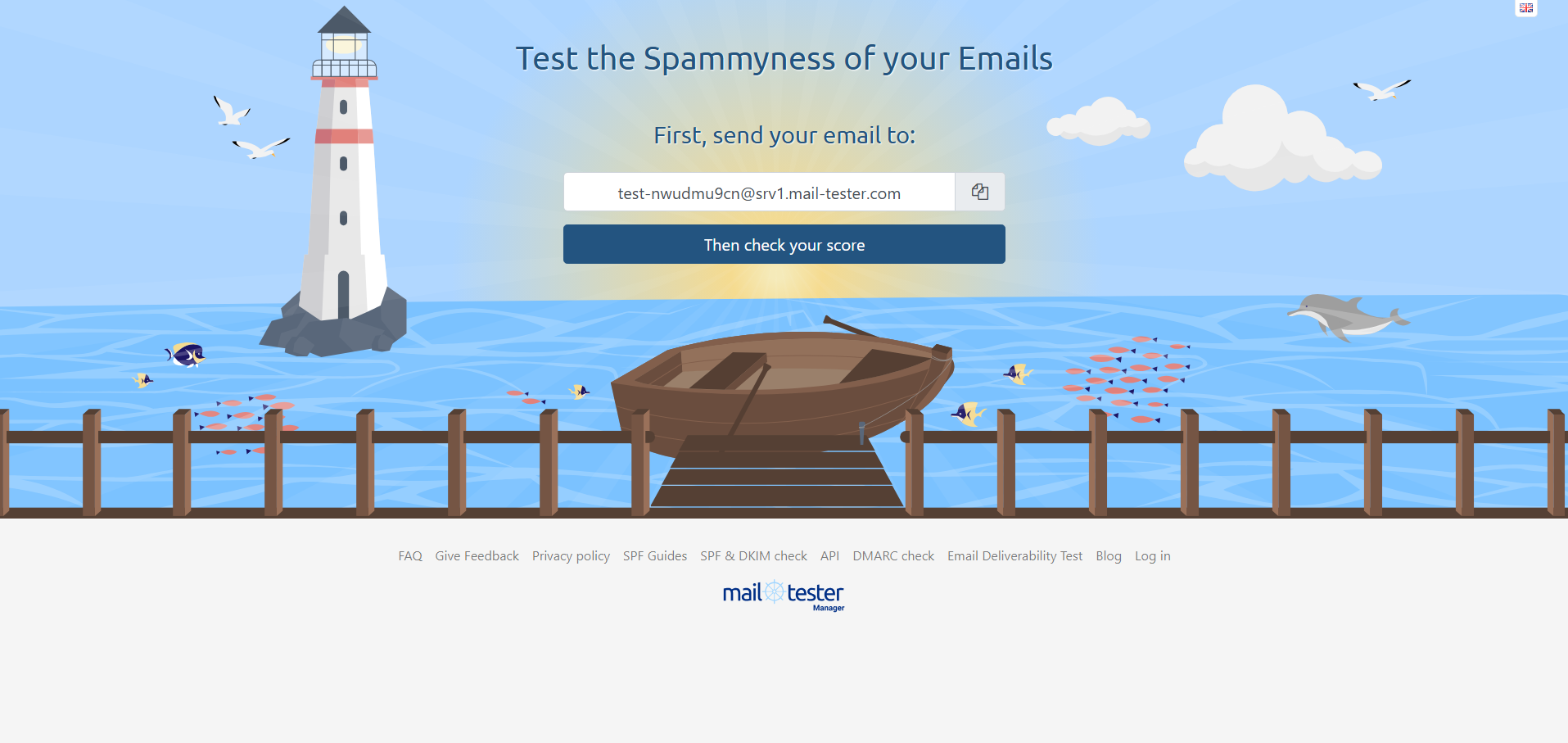
- Mail-Tester: You send your draft campaign to a unique, temporary email address provided by the system. It scans your authentication records and content, returning a definitive score out of 10 along with specific formatting errors to fix. Note that free users are restricted to three tests per 24 hours, and results disappear after seven days.
- GlockApps: This tool tests your emails against major providers like Gmail and Outlook. You get to see exactly where your message lands across different systems. It also does the heavy lifting of flagging any IP blocklist issues for you.
- Omnisend: Omnisend includes built-in pre-send spam testing directly in your campaign workflow. You can rest assured that once you hit send, the campaign will go to its intended destination.
How spam score affects ecommerce email performance
A high spam score is basically a revenue guardrail for ecommerce brands. If you have this problem, your emails won’t reach the recipients’ primary inbox, and all your efforts to sell will be in vain.
In 2026, ecommerce email marketing delivers an average ROI of $68-$79 for every $1 spent, according to Omnisend, but that’s only the case if your messages actually reach the inbox as intended.
When spam filters block your sends, your open rates, click rates, and final conversion numbers flatline immediately. Here’s what that missed inbox placement looks like in practice:
- Botched promotional campaigns: You send a massive seasonal sale announcement to 50,000 subscribers. If a poor rating routes just 20% of those messages to the junk folder, you instantly lose 10,000 potential buyers before the sale even begins.
- Failed automated flows: A customer gets distracted and abandons a $200 cart. Normally, your abandoned cart email would remind them and get the conversion, but your recovery email gets flagged by a spam filter. That high-probability conversion is permanently lost because the customer never saw the reminder.
To protect your bottom line and stop burning through your marketing budget, you must diagnose the root cause of these routing failures and understand why your email goes to spam.
How to reduce your spam score
Learning how to reduce your spam score requires ongoing maintenance. If you need to know how to reduce the spam score of a website, your focus must be on avoiding toxic backlinks and fixing structural site errors. For email marketers, you need to constantly manage the five core deliverability elements noted below.
Practice list hygiene
List quality directly impacts your sender reputation over time. If you keep misspelled or outright invalid addresses and inactive subscribers on your list, your emails will either bounce or not be engaged with. Either way, it’s not ideal.
When internet service providers see continuous sends to dead accounts, they begin to penalize your domain. You need to regularly monitor and clean your audience list to maintain a healthy audience that wants to hear from you.
- Require double opt-in: Make new subscribers confirm their email address before joining your list. It adds an extra step, but it completely eliminates the issue of fake addresses and bot signups.
- Implement sunset policies: Automatically remove subscribers who haven’t opened or clicked an email in the last 90 to 120 days.
- Update suppression lists: Immediately address hard bounces and users who mark your messages as spam. Continuing to email these accounts will destroy your deliverability.
- Scrub for spam traps: Regularly clean your database to remove honeypot addresses. ISPs use these hidden emails specifically to catch and block negligent senders.
Set up email authentication (SPF, DKIM, DMARC)
Email authentication verifies your identity to receiving servers so they can trust you and allow you through. Without these protocols, inbox providers will assume you’re a malicious sender spoofing a legitimate brand. Configuring these DNS records is a non-negotiable requirement for modern ecommerce email communications.
| Protocol | What it does | Why does it reduce the spam score |
|---|---|---|
| SPF | Lists the specific IP addresses authorized to send emails on behalf of your domain | Prevents spammers from forging your sender address |
| DKIM | Adds a cryptographic digital signature to your messages | Proves that the email content wasn’t tampered with during transit |
| DMARC | Tells receiving servers exactly what to do if an email fails SPF or DKIM checks | Gives you strict control over your domain’s security policy |
Authentication also unlocks advanced inbox branding. For your brand logo to successfully appear in 2026. BIMI requires a strict DMARC policy of p=quarantine or p=reject with pct=100. Furthermore, Gmail and Apple Mail now explicitly require a Verified Mark Certificate (VMC) to display that logo, while Yahoo may accept self-asserted setups.
Improve your email content
Inbound filters scrutinize the actual content of your email to a rather significant extent. A single poorly formatted layout can trigger routing failures, regardless of your sender reputation. To avoid triggering spam filters, you need to balance visual elements with plain text and cut the aggressive sales language.
- Balance the image-to-text ratio: Don’t send image-only emails, since filters cannot accurately read heavy graphics and will most likely flag them instantly. Always include substantial supporting text. Or better yet, make images the supporting element, keeping text primary.
- Eliminate spam trigger words: Avoid excessive use of terms like “FREE,” “Act Now,” or “100% Satisfied” in your subject lines and email body.
- Limit URL volume: Keep your links to a minimum, and only link to reputable and secure domains. Also, using URL shorteners is a massive red flag for spam filters.
- Align subject lines with content: Never use misleading or clickbait subject lines just to get your open rates a little higher.
Manage sending behavior
Filters closely monitor the volume and frequency of your campaigns. If you suddenly launch a massive blast of emails from a new domain, it will instantly trigger security blocks. You need to warm up your domain and establish a predictable sending pattern to build trust with internet service providers.
- Warm up new IPs: Gradually increase your sending volume over several weeks when using a new domain or dedicated IP address. Never blast your entire list on day one.
- Maintain schedule consistency: Send your newsletters and promotional materials at regular and predictable intervals.
- Follow the 30/30/50 rule: For 2026 benchmarks, campaign success is split into 30% content strategy, 30% list quality, and 50% follow-up and consistency. Half of the job is just being persistent, since most conversions happen after multiple touchpoints. Just don’t allow your persistence to turn into spam by limiting your sends to a specific number.
Monitor engagement signals
ISPs track every single open, click, and reply. If your audience consistently ignores your messages, ISPs will assume that your emails belong in the trash and will indirectly raise your spam score. To avoid that, start segmenting your audience properly and run re-engagement campaigns for the quiet ones.
- Segment by engagement: Separate your highly active buyers from those who barely interact. To maintain high open rates, send your best emails only to those active subscribers.
- Launch re-engagement workflows: Inactivity doesn’t mean the relationship is dead. Try bringing them back with automated win-back campaigns. If they don’t budge, then delete them from your list.
- Encourage direct replies: Ask your audience specific questions that encourage them to hit reply. A direct response is one of the strongest positive signals you can send to an inbox provider.
Conclusion
The spam score defines the visibility of your brand across two primary channels: search engines and the email inbox. The SEO metric indicates your risk of Google penalties to help you protect organic traffic, while the email metric determines if your messages actually reach your subscribers.
The important thing to remember is that neither rating is a static number you can fix once and forget. Keeping your sender reputation intact requires you to actually pay attention to your data. You must consistently enforce strict list hygiene, update your authentication protocols (if needed), optimize your content, and monitor subscriber engagement. The same applies to SEO spam score, just with different tasks.
By managing these factors, you can confidently secure primary inbox placement of your campaigns, which will drive open rates, increase campaign performance, and generate revenue for your ecommerce business.
Quick sign up | No credit card required
FAQ
What is a spam score?
A spam score measures the risk of your operations getting flagged. In SEO, it calculates the probability that your domain may face search engine penalties. For email marketing, it’s a rating that determines if your outgoing message reaches the primary inbox or the spam folder.
What’s a good spam score?
A low spam score is a good spam score. Generally speaking, anything between 1% and 30% is considered low-risk for websites, but it’s better to keep it on the lower end. For email deliverability, keep it as close to 0.0 as possible and continuously monitor for any changes. If you reach 2.0+, you need to start looking for potential issues.
What is spam score 1%?
A 1% website spam score is the best possible SEO rating Moz can assign to a domain. It indicates an extremely clean backlink profile, proper site architecture, and a negligible risk of facing any search engine penalties.
What does a 3 spam score mean?
In email deliverability, a score of 3.0 indicates that your message triggered several minor content or authentication filters. While it may pass some providers, it approaches the standard 5.0 failure threshold, and you should be proactive about fixing it instead of waiting.
How do I check my spam rate?
To check website risk, run your domain through Moz Link Explorer or SmallSEOTools. For email campaigns, use pre-send testing platforms like Mail-Tester, GlockApps, or simply use Omnisend’s built-in deliverability checks to make sure your email will end up where it’s supposed to.
What is the 30/30/50 rule for cold emails?
In 2026, campaign success relies 30% on content strategy, 30% on list quality and targeting, and 50% on persistent follow-ups. In short, consistency drives conversions, as most purchases only occur after multiple touchpoints over time.