Omnisend AI


 OFFER
OFFER










Double opt-in saves you time and resources by verifying unconfirmed email addresses. Low-quality or disorganized email lists don’t just lose value — they can actually damage your sender reputation and the ROI of future campaigns.
Instead of manually verifying subscribers, catching bots, correcting typos, and clearing inactive recipients, ecommerce companies choose double opt-in to improve email deliverability and success effectively.
This article breaks down everything you should know about the double opt-in feature, how it compares to single opt-in, the key principles to consider when using it, and how to set up double opt-in in Omnisend.
Quick sign up | No credit card required
What is double opt-in?
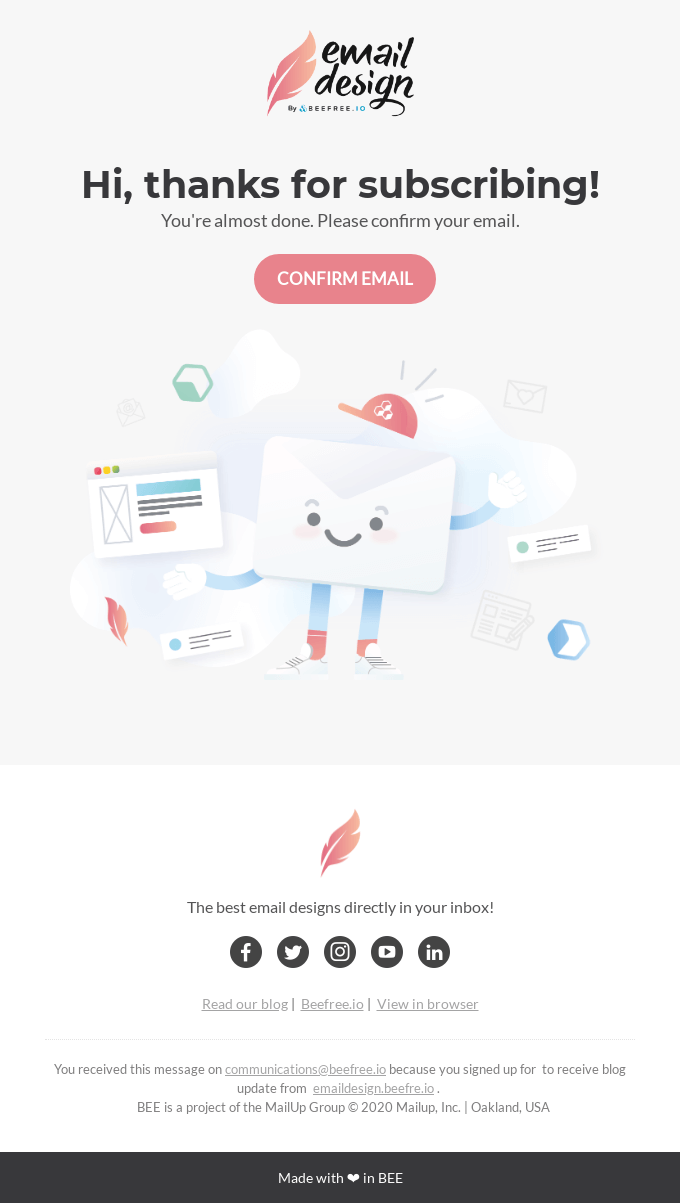
Double opt-in, also known as confirmed opt-in, is a two-step email subscription process used for both email and SMS marketing and is a part of an overall opt-in email marketing campaign. Companies send their email addresses via a designated signup form, after which they receive an automated confirmation email containing a unique verification link.
It’s called “double” because all customers are required to complete two steps: to submit an email address and confirm it. Since literally anyone can enter an email address, double opt-in ensures not only that the email is legit, but also that it belongs to the person who entered it in the first place.
The double opt-in verification process isn’t a legal requirement in all countries, but it’s still considered best practice to ensure email lists contain valid addresses. Besides, unconfirmed email lists can hide significant growth potential, as in 2026, there are 4.48B global email accounts.
How does the double opt-in process work? (step-by-step)
The double opt-in process follows the same principles across the board, but there may be variations in the unique email text, links, and visuals.
- Initial sign-up form. Visitors fill out a signup form on your website by clicking on popups, embedded forms, or landing page CTAs.
- Confirmation email. They receive an automated confirmation email containing a unique verification link that typically expires after 24–72 hours, depending on individual platform settings.
- Email verification. They click the link and are redirected to a thank-you or confirmation page, and are added to the active subscriber list.
If recipients don’t complete the double opt-in verification process within the 24–72 hour timeframe, their email addresses move to a “pending” or “unconfirmed” stage. In this case, they don’t receive any marketing emails and often end up in a sort of limbo of untapped potential that few brands come back to.
Double opt-in vs. single opt-in: Key differences
Double opt-in and single opt-in are both key parts of the opt-in email marketing process and represent two distinct aspects. Single opt-in allows companies and marketing teams to expand their email lists quickly. In contrast, double opt-in ensures follow-up by verifying that each newly submitted email address is associated with an active inbox.
Here’s a detailed comparison table explaining the key differences between double opt-in and single opt-in:
| Factor | Single opt-in | Double opt-in |
|---|---|---|
| List growth speed | Fast, adds email addresses immediately | 20–30% slower growth due to email address verification |
| Subscriber quality | Mixed, can include bots and typos | High-intent, includes verified humans |
| Spam complaint rate | High risk | Low risk |
| Email deliverability | Variable | Stronger sender reputation |
| GDPR compliance | Sufficient with proper records | Stronger, documented consent |
| Best use case | Fast launches, promotions | Long-term email address list growth and health |
| Ecommerce automation | Triggers immediately | Triggers only after confirmation |
| Setup complexity | Minimal | Moderate, requires confirmation emails |
All in all, both single opt-in and double opt-in can be great tools in any marketer’s toolkit, but their use cases depend on specific goals. While single opt-in can bring great benefits to businesses seeking high-volume marketing, double opt-in emphasizes quality over quantity to attract more engaged leads.
When to choose double opt-in
- You sell to EU customers and need to comply with the GDPR.
- Your spam complaint rate is above 0.1%.
- You rely on automation flows like welcome series or abandoned cart, and need high-quality triggers.
- You’re building a long-term brand and prioritize deliverability over fast list growth.
- You’re running SMS marketing in the USA or Canada and need to comply with carrier requirements.
When to choose single opt-in
- You’re launching a new store and need to build an email list quickly.
- You’re running a short-term or experimental promotional campaign.
- You’re in a market with low spam risk and a non-European audience.
- Your signup form already has high friction, such as requiring visitors to create accounts.
- You have strong email address list cleaning processes.
Benefits of double opt-in for ecommerce brands
Double opt-in isn’t just a choice — to most ecommerce businesses, it’s an intentional financial decision. Besides ensuring compliance, double opt-in helps maintain healthier subscriber lists consisting of active recipients. Inevitably, this has a direct impact on higher conversion rates.
Here’s how verified email address lists benefit ecommerce business operations long-term.
- Improved deliverability. Fewer unverified email addresses result in lower spam complaint rates and hard bounces. As reported by Validity’s 2026 Email Deliverability Benchmark Report, sender reputation was and remains the most important factor in inbox placement decisions.
- Higher engagement rates. 2026 is seeing a major shift from open rates to click-through rates (CTR) and revenue per email. Double opt-in helps to improve these two metrics by filtering out unengaged customers. This is further supported by Google and Yahoo’s 2026 bulk sender requirements, which mandate that spam complaint rates remain below 0.10%.
- Stronger sender reputation. Reputation can quickly rise or fall, depending on your subscriber lists and email marketing strategy. A good sender reputation can lead to better inbox placement and, ultimately, increased revenue from more subscribers being aware of your campaigns.
- Bot and fake signup protection. Paid campaigns are especially vulnerable to list bombing and bot-generated signups. Double opt-in filters out bots, typos, and competitor signups, reducing some of the biggest risks to ecommerce brand campaigns.
- Legal compliance confidence. Global ecommerce businesses have to have documented consent to protect against GDPR fines and CAN-SPAM complaints. Double opt-in helps brands to create timestamped and transparent records of consented email lists.
- Better automation performance. Most ecommerce businesses set up welcome series, abandoned cart, and post-purchase automation flows to drive ROI. According to Omnisend’s 2026 Ecommerce Marketing Report, automated emails consistently outperform campaign sends and drive 30% of revenue.
“For ecommerce brands running automated flows, the quality of your subscriber list is directly tied to your revenue per email. Double opt-in is the most reliable way to ensure your automation triggers are reaching real, interested people by a large margin.”
— Evaldas Mockus, VP of Marketing, Omnisend
Is double opt-in required? Country-by-country breakdown
Currently, double opt-in isn’t required by law globally, but it is the strongest form of documented subscription consent in most jurisdictions. Some countries require double opt-in, while others only recommend it.
Many ecommerce businesses struggle to navigate the legal ins and outs of using double opt-in, so here’s an in-depth compliance table detailing where double opt-in is required.
| Country/Region | Regulation | Is double opt-in required? | Practical guidance |
|---|---|---|---|
| European Union | GDPR | No, but strongly recommended | Use double opt-in as proof of unambiguous consent |
| Germany | GDPR + national courts | Required by court precedent | Treat as mandatory |
| Austria | GDPR + national | Strongly recommended | Treat as mandatory |
| United Kingdom | UK GDPR | No, but recommended as a best practice | Recommended for all UK lists |
| United States | CAN-SPAM Act | No | Recommended to reduce spam complaints |
| Canada | Canada's Anti-Spam Legislation (CASL) | Express consent required | Double opt-in is the safest way to document express consent |
| Australia | Spam Act 2003 | No | Recommended for compliance documentation |
*NOTE: In the case of Canada, the subscription confirmation email itself is legally treated as a Commercial Electronic Message (CEM), meaning that at least implied consent is required from the recipient just to send it.
If some of your target audience reside in the EU, the safest course of action is to choose double opt-in for both cases to avoid any issues in the long run, regardless of where your business is headquartered.
Additionally, in the United States and Canada, mobile carriers effectively require double opt-in for SMS marketing, even where email regulations do not. See SMS Opt-in Message Examples for more details.
*DISCLAIMER. This section of the article provides general guidance only, which should not be considered as legal advice. Consult qualified legal counsel for jurisdiction-specific advice.*
How double opt-in affects ecommerce automation workflows
While double opt-in provides greater security and GDPR compliance, it also introduces an extra step in automation processes that can create friction.
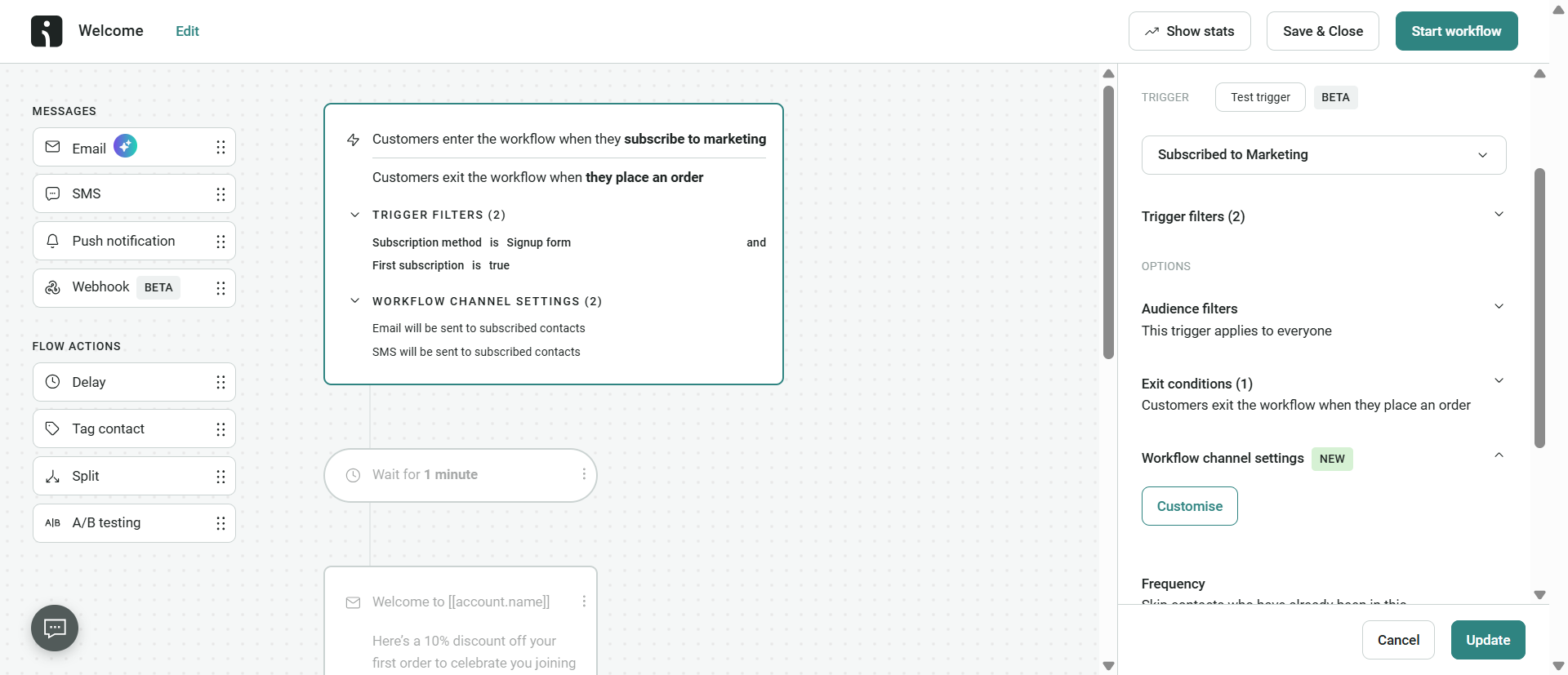
Once double opt-in is enabled, automation flows will only trigger after subscribers confirm their email addresses. As a result, common flows like welcome emails, abandoned cart, and post-purchase flows have to wait. For some businesses, this is acceptable and planned. For others, the email delays can pose some obstacles.
Moreover, some emails are more time-sensitive than others. One possible way to mitigate double opt-in-related delays is to set up single opt-in for cart abandonment capture and double opt-in for newsletter signups.
But what happens if unconfirmed emails stay that way? To know how to manage unconfirmed contacts:
- Don’t ignore them. Unconfirmed contacts sitting in a pending state are a missed opportunity. Instead, set up reminder emails to reach out to possible subscribers for confirmation.
- Don’t market to them. Sending campaigns to unconfirmed contacts violates most platform terms of service and undermines the entire purpose of double opt-in.
- Purge after 30 days. If your contacts remain unresponsive for 30 days or more, it’s best to purge those contacts altogether to keep your list metrics clean and accurate.
Omnisend’s automation builder can help navigate delays caused by double opt-in by allowing brands to configure flow triggers based on the status of an individual confirmation. This gives more control over separate email sequences and can prevent missing out on crucial opportunities.
How to set up double opt-in in Omnisend
Setting up double opt-in in Omnisend takes less than five minutes and can be configured directly from your signup form settings.
- Log in to your Omnisend account and navigate to [Forms] or [Audience Settings].
- Select the signup form you want to configure.
- Enable the double opt-in toggle in form settings.
- Customize your confirmation email (subject line, body copy, CTA button).
- Set your confirmation link expiry window.
- Configure your thank-you/confirmation page redirect.
- Save and publish.
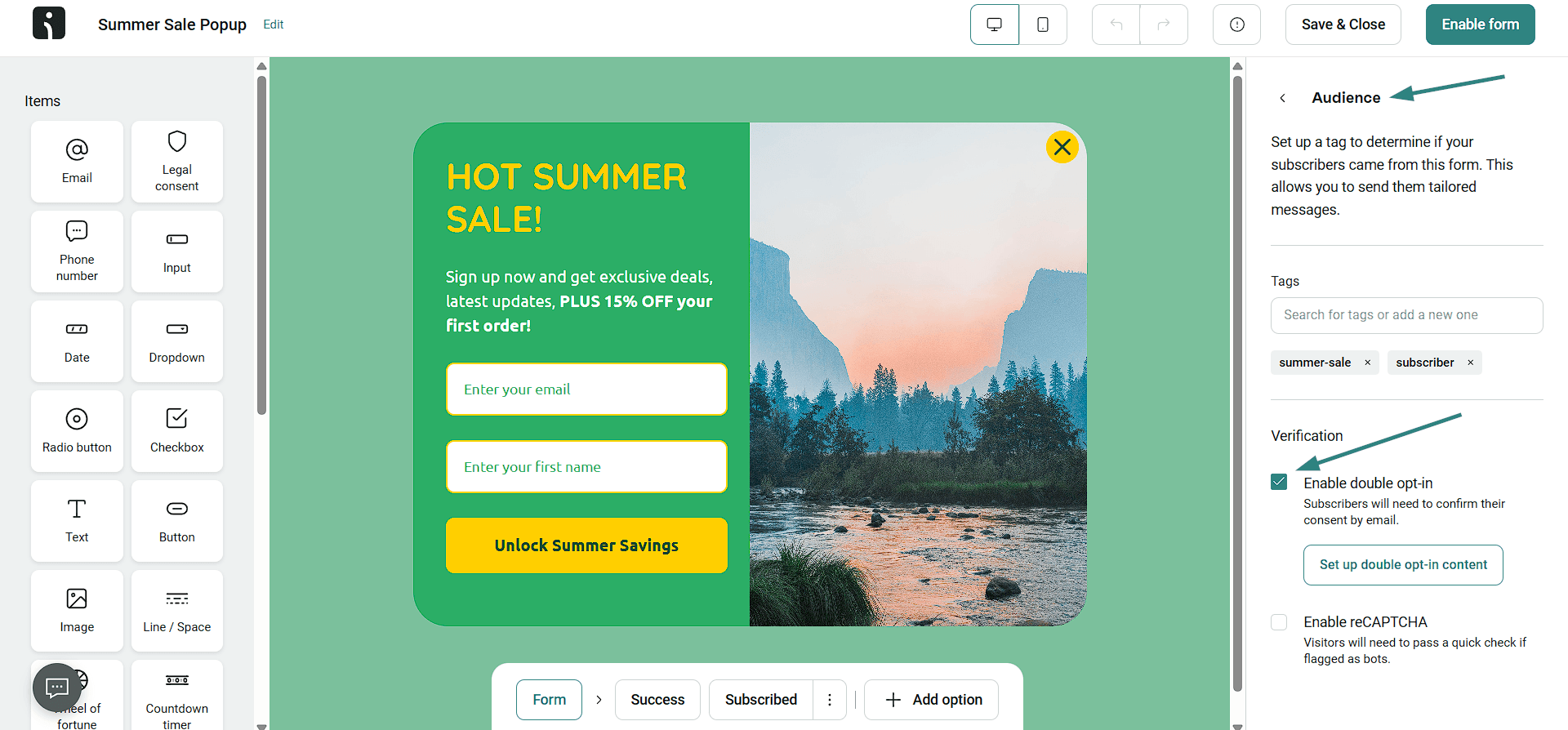
Now, if you notice that there are contacts who’ve submitted the initial form but haven’t confirmed their email addresses, don’t worry. Omnisend won’t send any marketing campaigns or trigger automation flows to unconfirmed contacts by default.
Plus, Omnisend provides a clear confirmation email template that is easy to use. At the same time, it’s important to emphasize that customizing templates to reflect your brand and improve open rates remains essential.
Customizing your confirmation email in Omnisend
The goal of any email is to catch the recipient’s attention, and for confirmation emails, it’s especially important. That’s where email customization comes in.
- Subject line recommendations: keep it clear and action-oriented (for example, “Please confirm your email address” or “One click to confirm your subscription”).
- Body copy tips: single clear CTA, minimal distractions, brand-consistent design.
- CTA button copy: “Confirm my subscription” outperforms generic “Click here”.
- Sender name: use your brand name, not a generic “noreply” address.
- Mobile optimization: over 60% of emails are opened on mobile, so make sure that the confirmation button is thumb-friendly.
- Timing: the confirmation email should be sent immediately after signup, as any delay reduces confirmation rates.
Double opt-in best practices
Getting the double opt-in feature set up is step one. Getting subscribers actually to confirm is where most ecommerce brands leave revenue on the table. Many ecommerce businesses overlook the one-click unsubscribe standard (RFC 8058) requirement.
According to this standard, all double opt-in processes that include two steps must offer subscribers the ability to unsubscribe with a single click. As mandated by Google and Yahoo’s 2026 bulk sender guidelines, the overall opt-out process has to be simple, immediate, and with no additional steps or information required.
Writing a high-converting confirmation email
Confirmation emails can be pretty standard, which can lead recipients to close them before completing the verification process. To combat this, the first step is to run A/B testing to identify the best-performing subject line.
You can start by comparing how ultra-specific copy like “Confirm your email” compares to brand-specific copy like “You’re almost in — one click to go”.
Additionally, don’t forget personalization — this is where your email success can lie. By adding a few personal details like a greeting with a contact name and using it in the subject line, and offering a 10% discount, you can grab a low-hanging fruit.
As for the email body, it’s important to reinforce the value to back up the request to confirm the email, and emphasize urgency in a way that helps customers understand the value they can get, while making it clear that it comes with an expiration date.
What to leave out:
- Promotional content or product recommendations.
- Multiple CTAs on top of the confirmation link.
- Heavy images or complex layouts can trigger spam filters or slow load times on mobile.
Setting up a reminder sequence for unconfirmed contacts
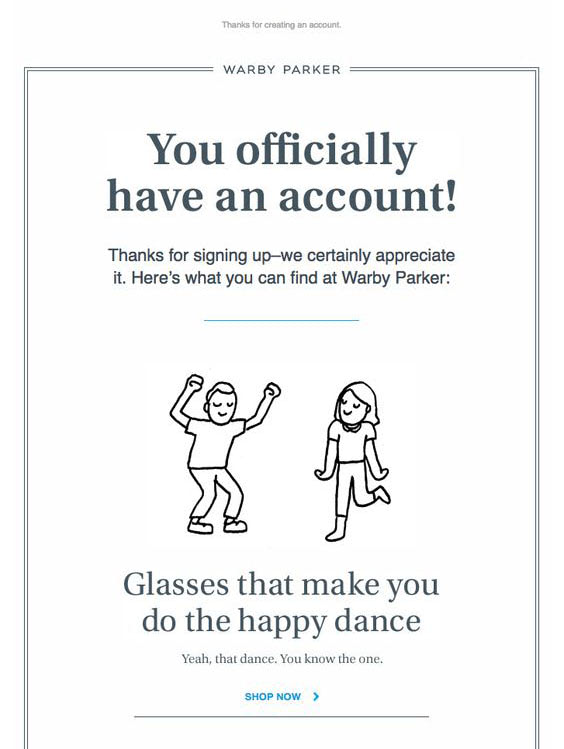
Most visitors go ahead and confirm their email right after receiving it, often to get something they want. However, not everyone feels the need to confirm as soon as they get a confirmation email, leading to a basic case of forgetfulness. A reminder email sequence can help reach these possible subscribers, often recovering 0–20% of unconfirmed contacts.
Here’s a recommended reminder sequence:
- Reminder setup: Create a clear automation process or use Omnisend’s automation builder to send reminder emails to contacts in “pending” status.
- Reminder 1: Send 24 hours after initial confirmation email — subject: “Did you miss this? Confirm your email”.
- Reminder 2 (optional): Send 48–72 hours after — final reminder before the link expires.
If, however, you don’t receive any confirmation after 30 days, delete the unconfirmed emails. Additionally, for brands using SMS opt-in flows, you can view Omnisend’s SMS Opt-in Message Examples.
Conclusion
Double opt-in is a deliberate trade-off brands choose to secure their email sequences and adhere to global GDPR compliance. Introducing two-step email address verification may slow list growth, but in exchange, brands get a higher-quality subscriber base, better deliverability, and improved automation performance.
Omnisend helps to make this process less troublesome for ecommerce brands by providing a straightforward dashboard where businesses can easily enable double opt-in, use built-in confirmation email templates, and automation support. Whether you’re building a new list or cleaning up old ones, double opt-in email marketing can prove to be a future-proof investment.
Quick sign up | No credit card required
FAQ
What does double opt-in mean?
Double opt-in is an email marketing mechanism that requires two steps to verify email addresses. When a visitor submits their email address, they receive follow-up confirmation emails prompting them to click a link to confirm their email.
What is the difference between single and double opt-in?
The biggest difference between single opt-in and double opt-in is that the former adds email addresses to brand lists immediately after submission. Double opt-in systems require customers to submit and confirm their email addresses before being added to subscriber lists.
Is double opt-in required in the USA?
No, in the USA, double opt-in isn’t required as stated by the CAN-SPAM Act. However, due to Google and Yahoo’s 0.10% spam complaint rate threshold, it’s recommended to enable double opt-in to protect sender reputation over time.
Is double opt-in worth it?
The short answer is yes, double opt-in is worth it, especially with privacy policy and stricter anti-bot system developments. At the same time, the reality is that not all ecommerce businesses need double opt-in, especially if their strategy centers around expedited growth.
Should I enable double opt-in?
If you operate globally and rely on email automation for revenue, you should enable double opt-in. Other factors for double opt-in could include paid traffic campaigns, which often fall victim to bot activity.
What is double opt-in in email marketing?
Double opt-in is part of broader opt-in email marketing. It’s essentially a confirmation method that allows brands to verify their email lists, prevent bot activity, improve campaign performance, and ensure compliance with global regulations.