Omnisend AI


 OFFER
OFFER










Your lead-capture forms can show you where subscribers come from, which offers work, and which forms need attention. With Omnisend MCP, you can ask an AI assistant questions about your forms in plain language and get answers you can use to review and improve performance.
MCP stands for Model Context Protocol, an open standard that lets AI assistants like Claude connect securely to tools and data. Omnisend provides an MCP server, so once you connect it to your AI assistant, you can query your Omnisend data conversationally.
Below are six ways to use Omnisend MCP to review form performance, compare results, and make better decisions.
Before you start
To follow along, you’ll need:
- An Omnisend account with form data
- An AI assistant that supports MCP connectors, such as Claude
- The Omnisend MCP server connected in your assistant’s connector settings
You can find more information on connecting MCP with Omnisend here. Once connected, start a new chat and use the prompts below. You can copy them as they are or adapt them with your own form names and date ranges.
1. Review overall form performance
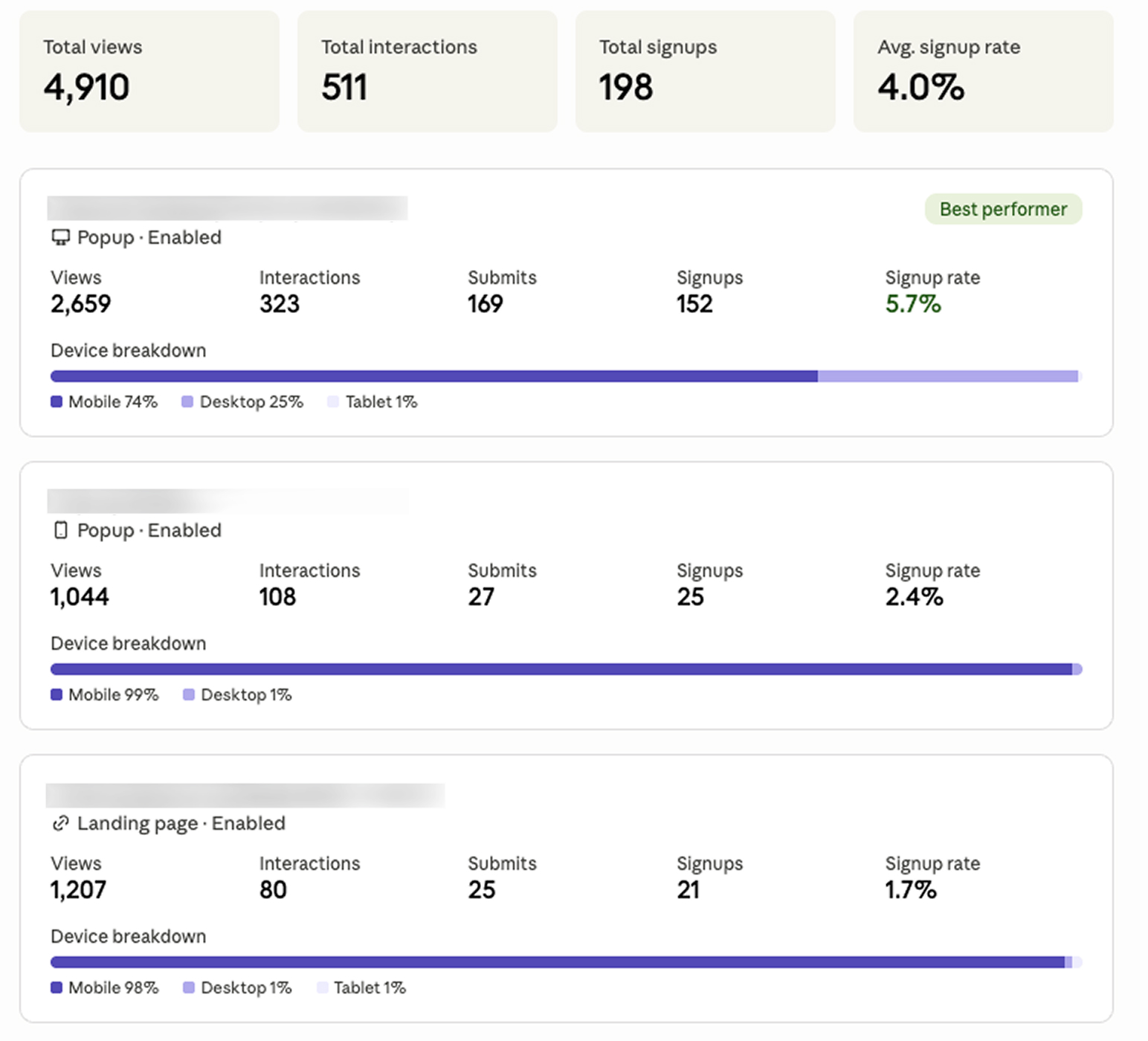
Start with a broad view of how your forms are performing across a specific time range, such as the past year, month, or week.
Your AI prompt
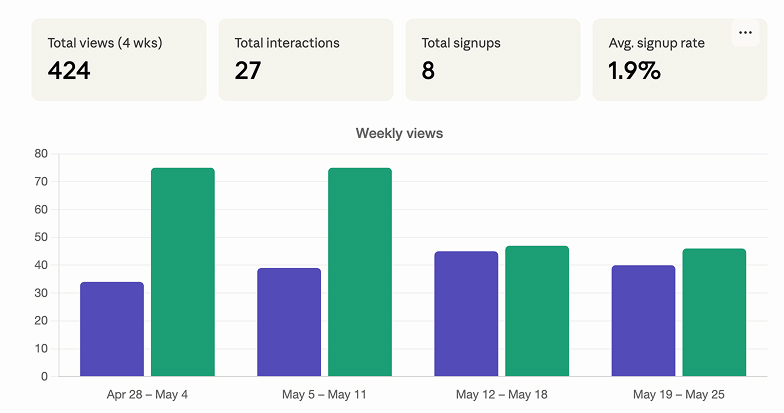
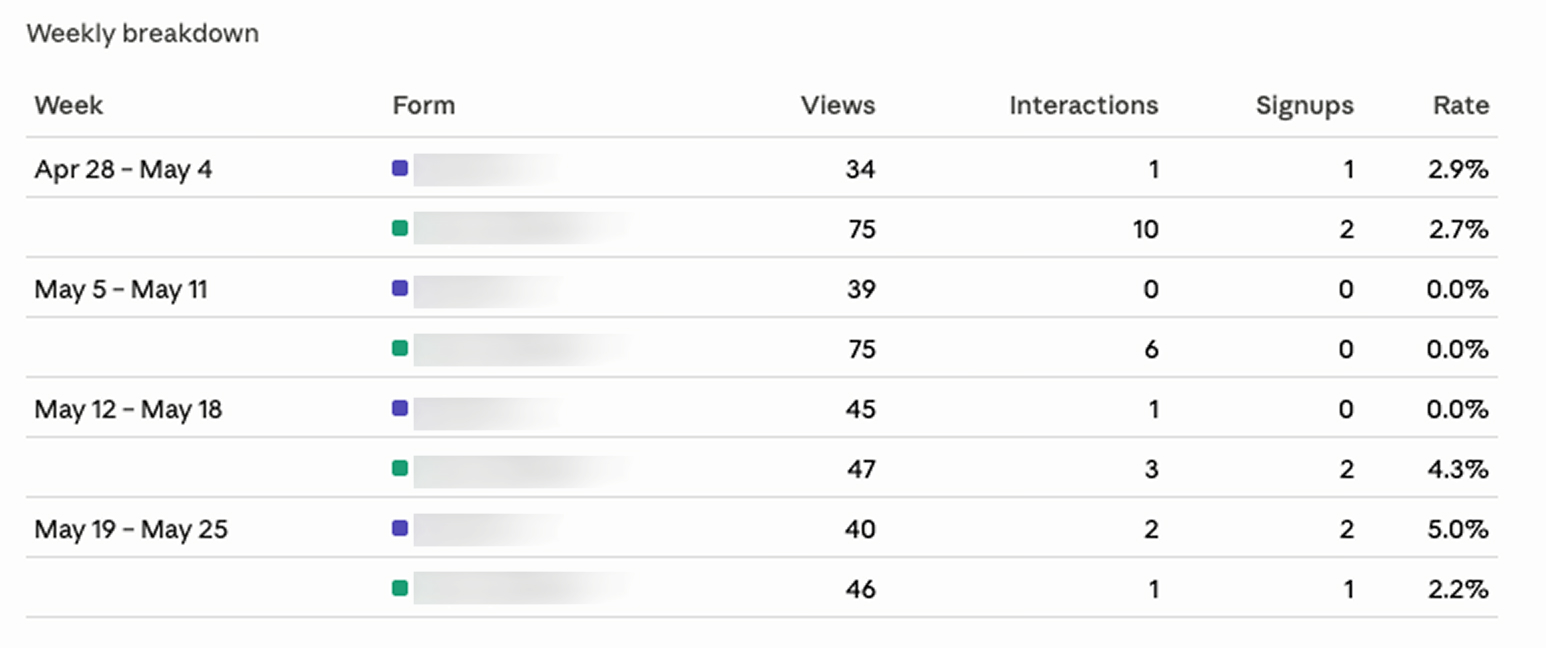
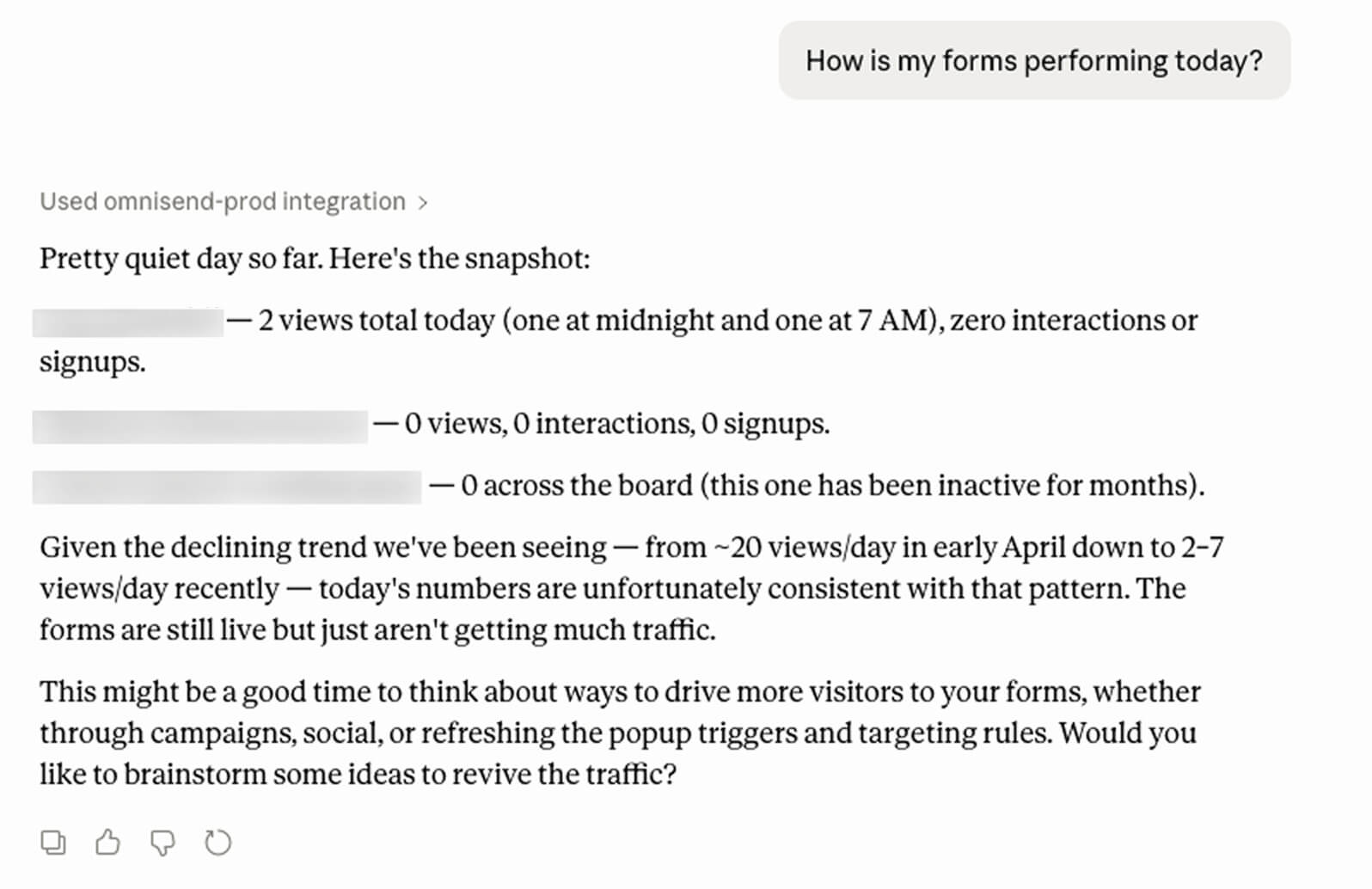
You’ll get a high-level performance overview, including key engagement metrics across forms or variations. This is a useful way to see which forms are performing well, track changes over time, and review week-over-week or daily figures without checking each form individually.
Here’s how the week-over-week performance looks:
Here’s how the daily performance looks:
2. Find your top-performing forms
Use MCP to rank your forms by performance and compare them side by side.
Your AI prompt
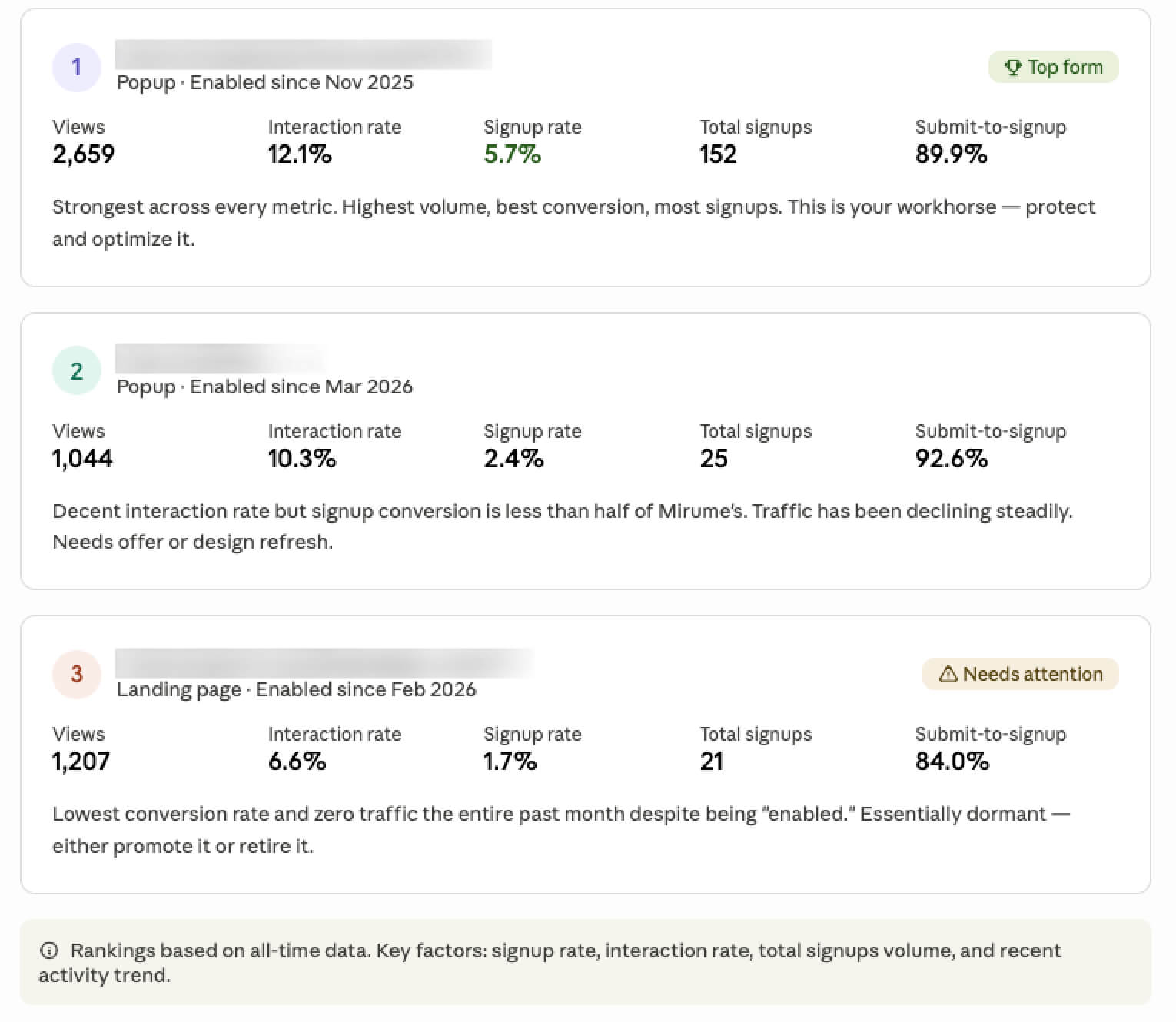
You’ll receive an ordered breakdown that makes your strongest and weakest forms easier to spot, so you know where to focus next.
3. Spot underperforming forms
Finding your best forms is useful, but improving weaker ones is where you can make the biggest gains. MCP can highlight forms that are underperforming.
Your AI prompt
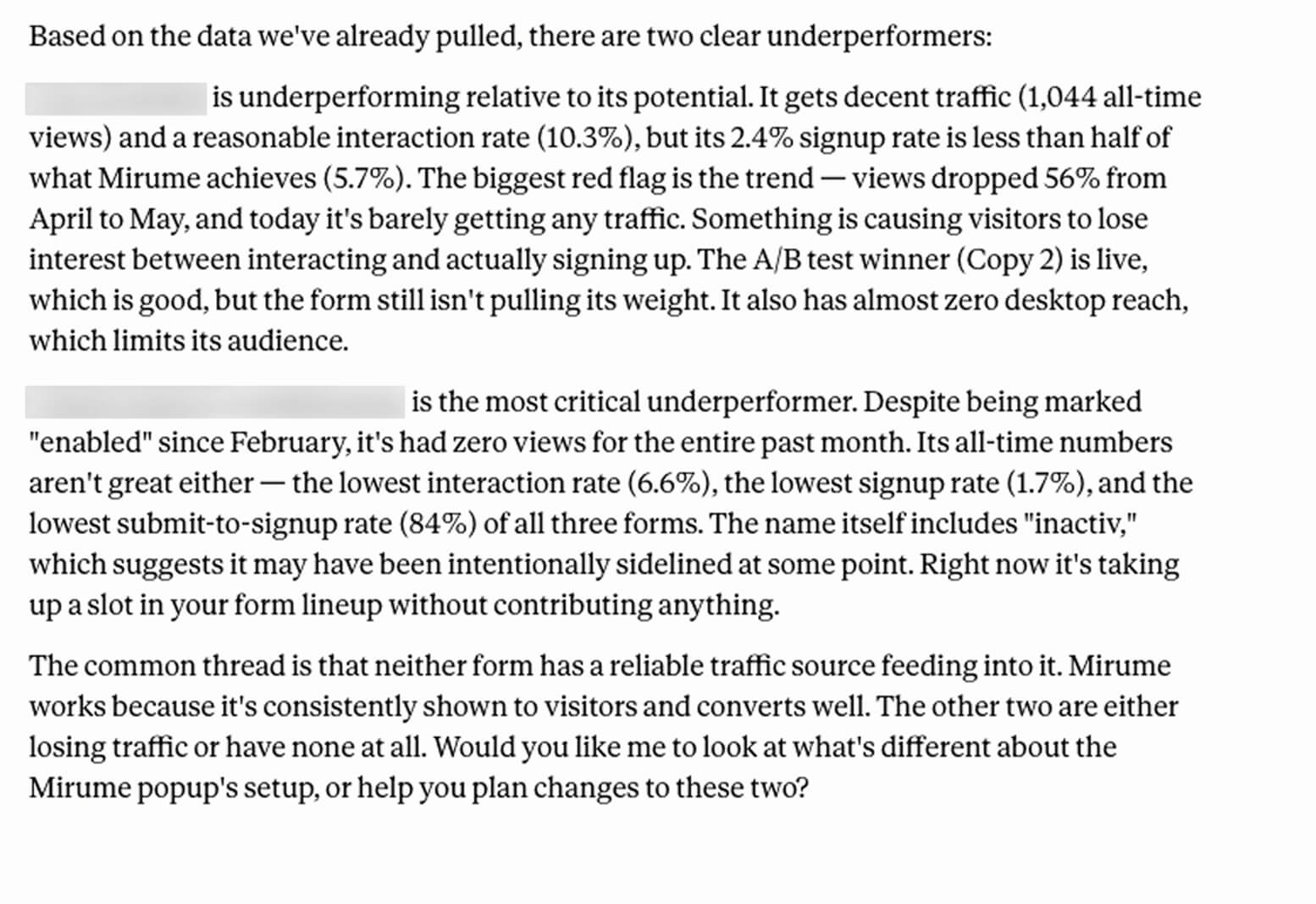
Alongside the flagged forms, you’ll get suggestions you can review and act on, such as adjusting the offer, changing the timing, or testing a different form type.
4. Review A/B test results
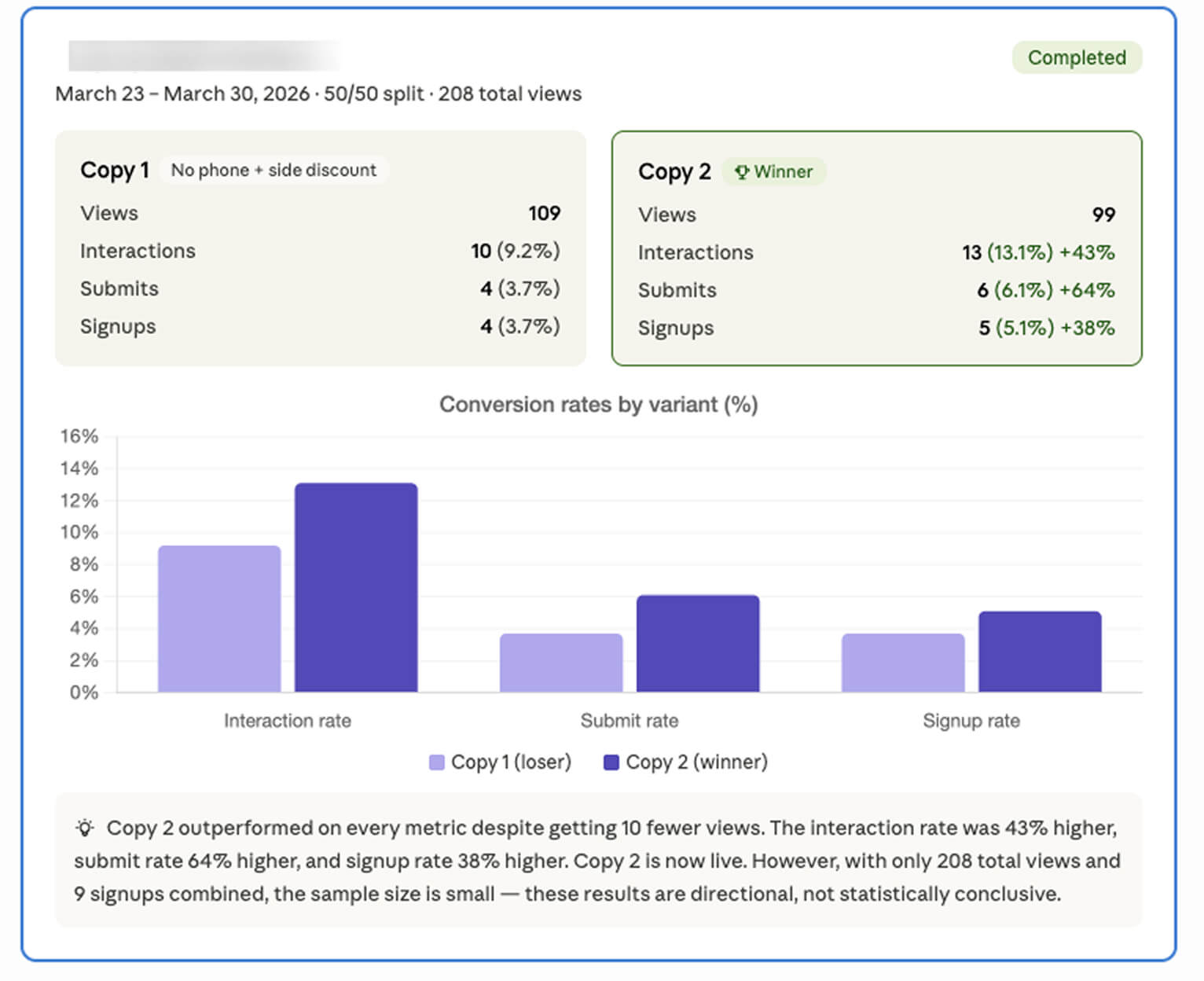
A/B testing helps you compare different versions of a form. Completed tests can show which version performed better, while tests that are still running show the data collected so far.
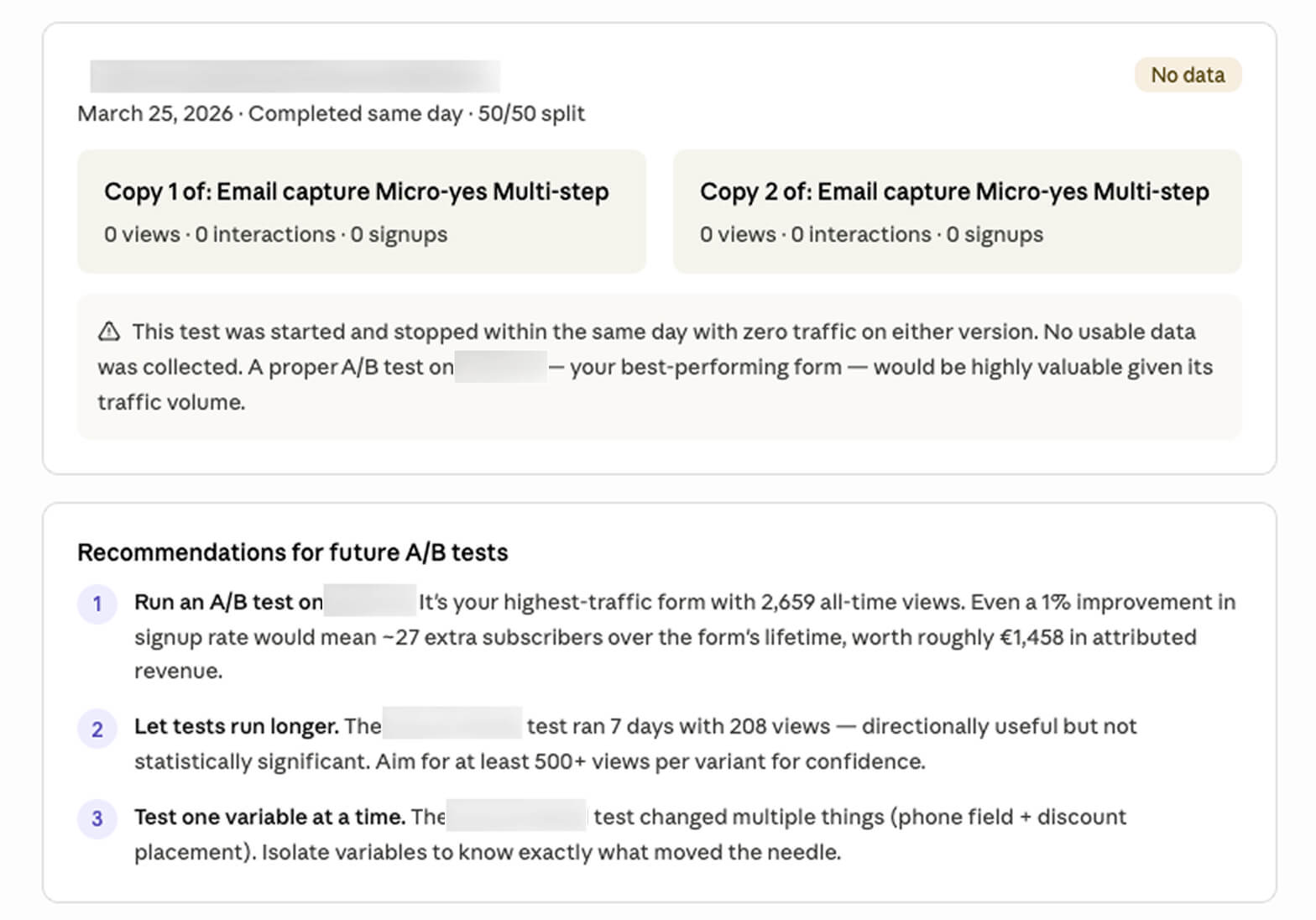
MCP can help you review your test results and identify what to try next.
Your AI prompt
Use the results to compare variations, review conversion rates, and decide whether to keep testing or apply the better-performing version.
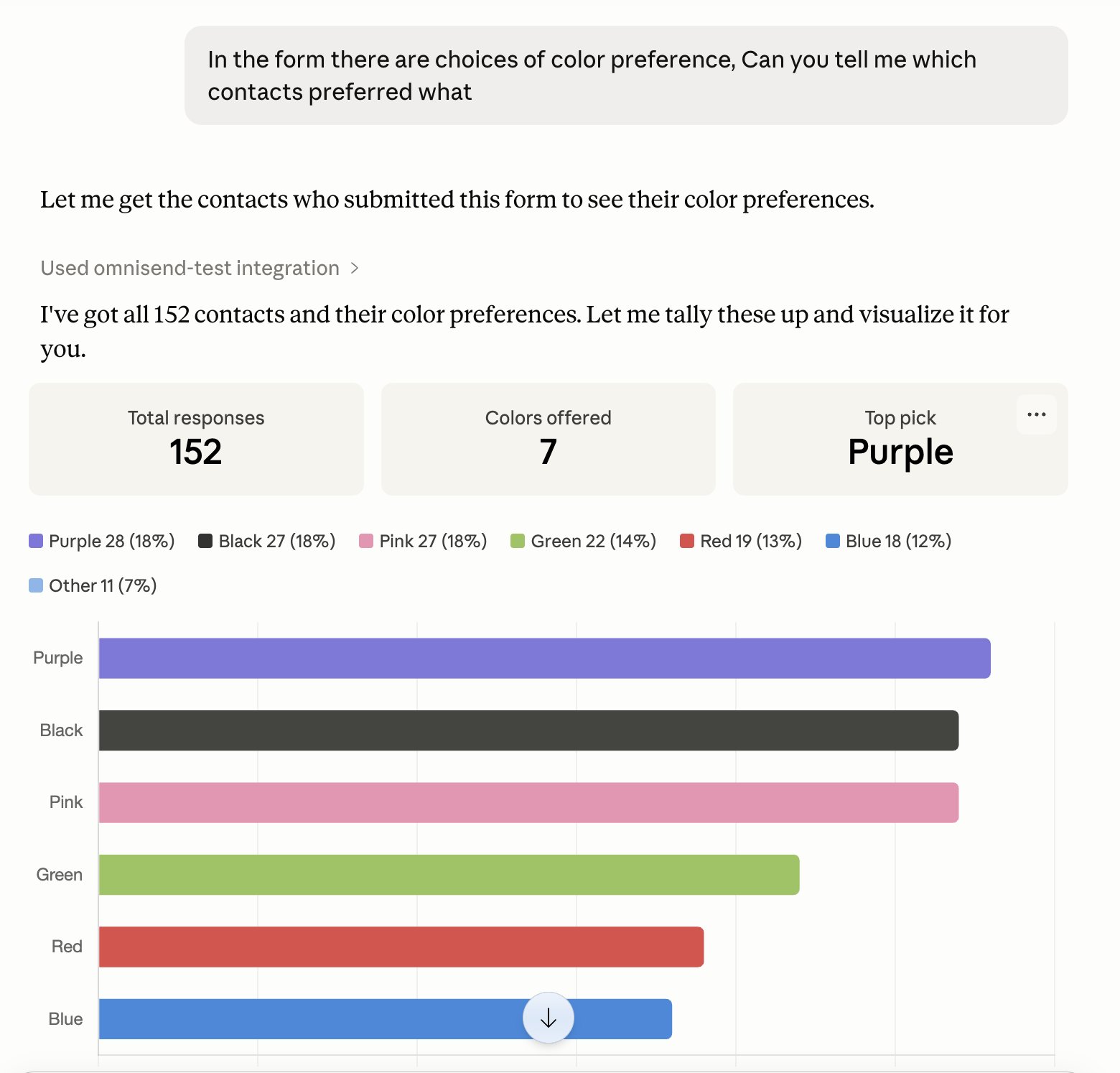
5. Review contact preferences
Forms often collect more than an email address. For example, if you ask subscribers to choose their favourite product category, colour, or content preference, you can use MCP to review how contacts responded.
Your AI prompt
You’ll see the contact information collected through the form, along with a breakdown of the selected preferences. This can help you build more relevant segments and personalise future campaigns.
6. Compare attributed revenue
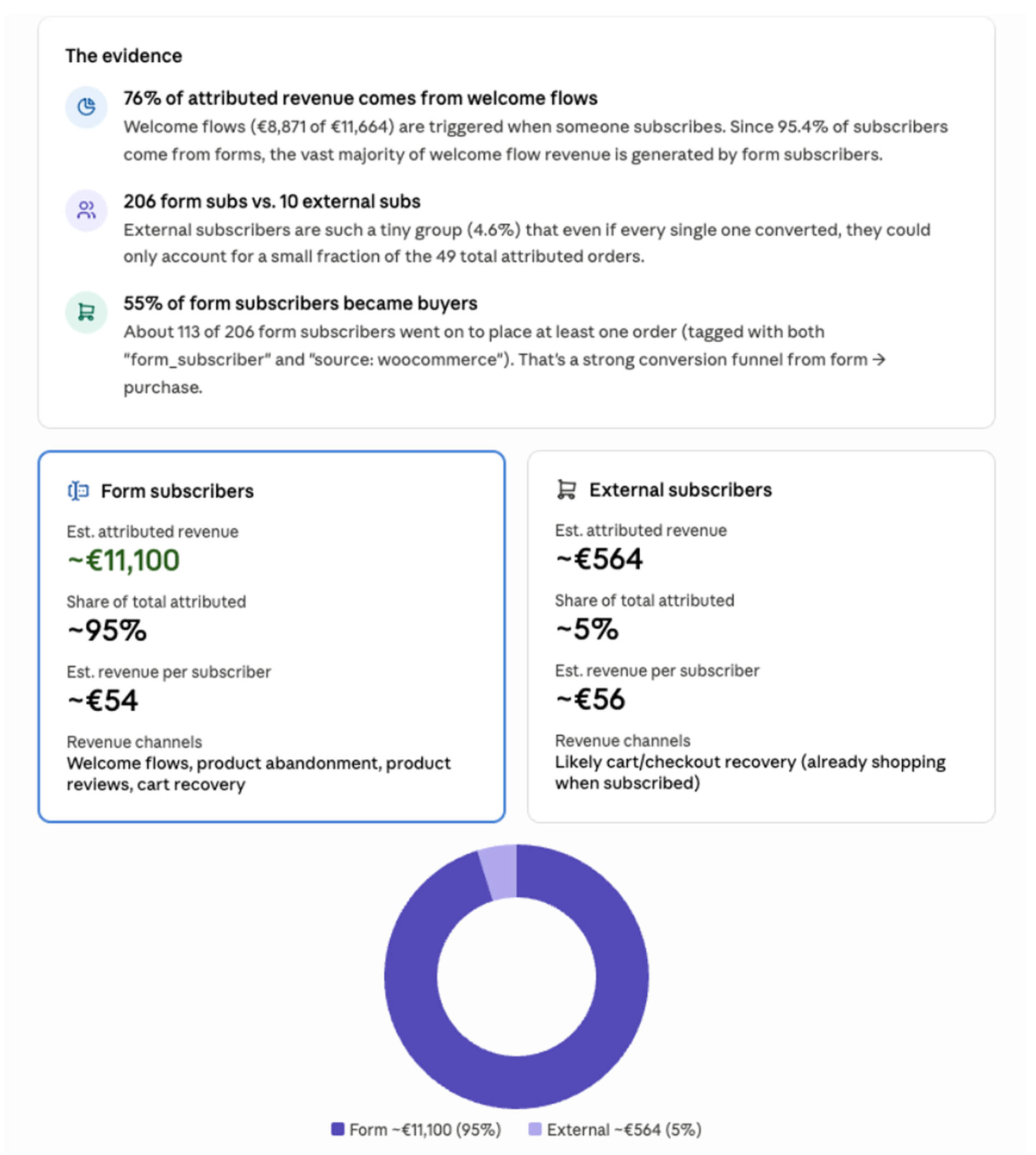
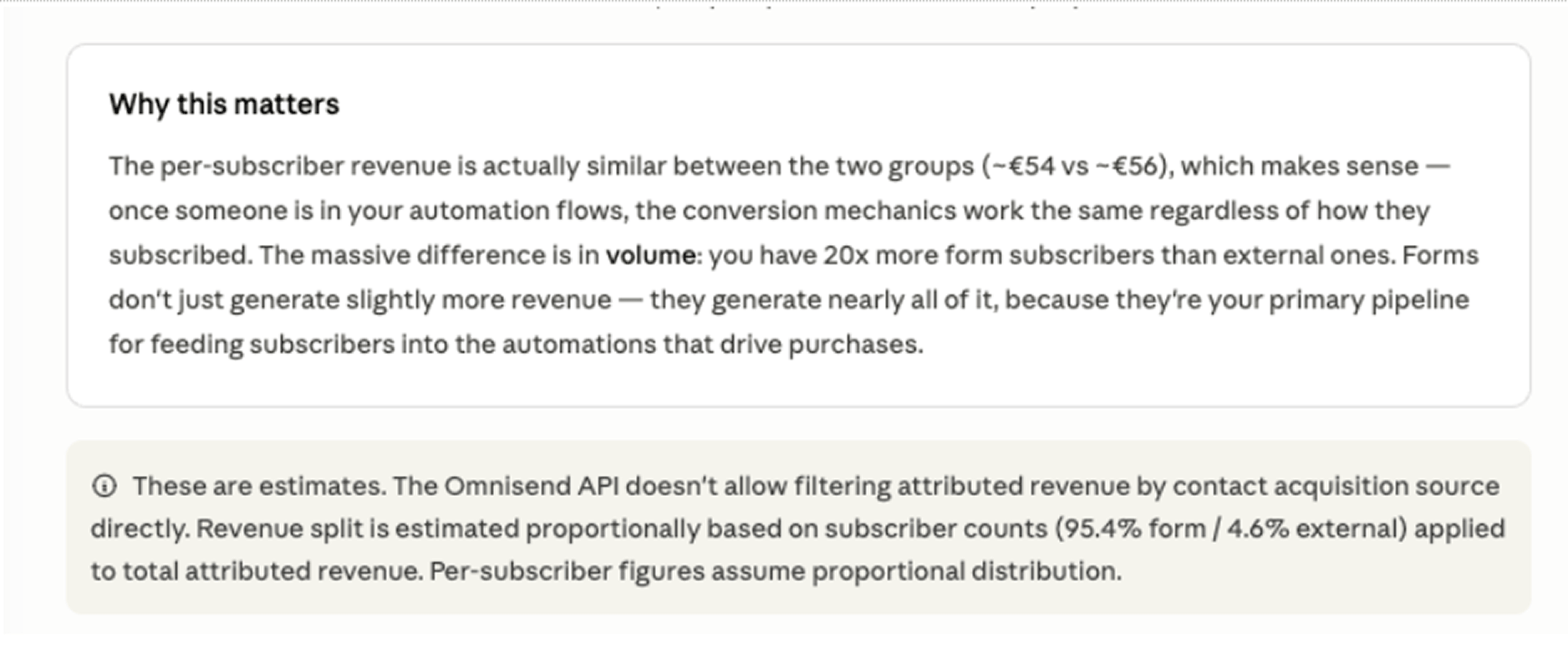
Revenue shows which forms are doing more than collecting subscribers. With MCP, you can compare contacts who joined through a specific form against contacts from other sources to understand how each group contributes to attributed revenue.
Your AI prompt
Use this comparison to understand which forms bring in subscribers who are more likely to buy, then apply those findings to your form strategy.
Putting it together
Omnisend MCP gives you a faster way to review form performance without building reports manually. Start with the general overview, rank your forms, check underperformers, review tests and preferences, then connect your findings to revenue.
Use the prompts above as a repeatable workflow for keeping your lead capture clear, measurable, and easier to improve.