
 Omnisend AI


 OFFER
OFFER







Tools

Drive sales on autopilot with ecommerce-focused features
See FeaturesKey takeaways 
AWeber excels in creating newsletters and ecommerce landing pages with built-in payment options, making it ideal for digital product sellers and small businesses.
While AWeber offers a generous free plan, its pricing can become higher than competitors like Omnisend, especially for larger subscriber lists.
The platform's automation capabilities are limited, lacking essential ecommerce flows like cart abandonment and customer re-engagement, which can hinder revenue generation.
AWeber integrates with over 750 tools via Zapier but falls short in native ecommerce support, making it less suitable for complex online stores compared to more robust platforms like Omnisend.
Reveal key takeaways
Our AWeber review found its unique selling point straight away. It nails newsletters and ecommerce landing pages with built-in payments, so it’s worth your shortlist if you’re a digital product seller, small business, or creator.
You’ve likely heard of AWeber, and that’s no surprise given it’s from way back in 1998 and has stayed competitive in the email space since.
Limitations include no SMS, no pre-built ecommerce flows, and no native apps for Shopify, WooCommerce, and many others (it uses Zapier instead).
In this article, we’ll cover AWeber’s use cases, pricing, features, and compare it against Omnisend, ActiveCampaign, Mailchimp, and Constant Contact to help you determine which tool is best for your business.
Generate and recover more revenue with Omnisend’s email, SMS, and push notification flows
Quick sign up | No credit card required
What is AWeber?
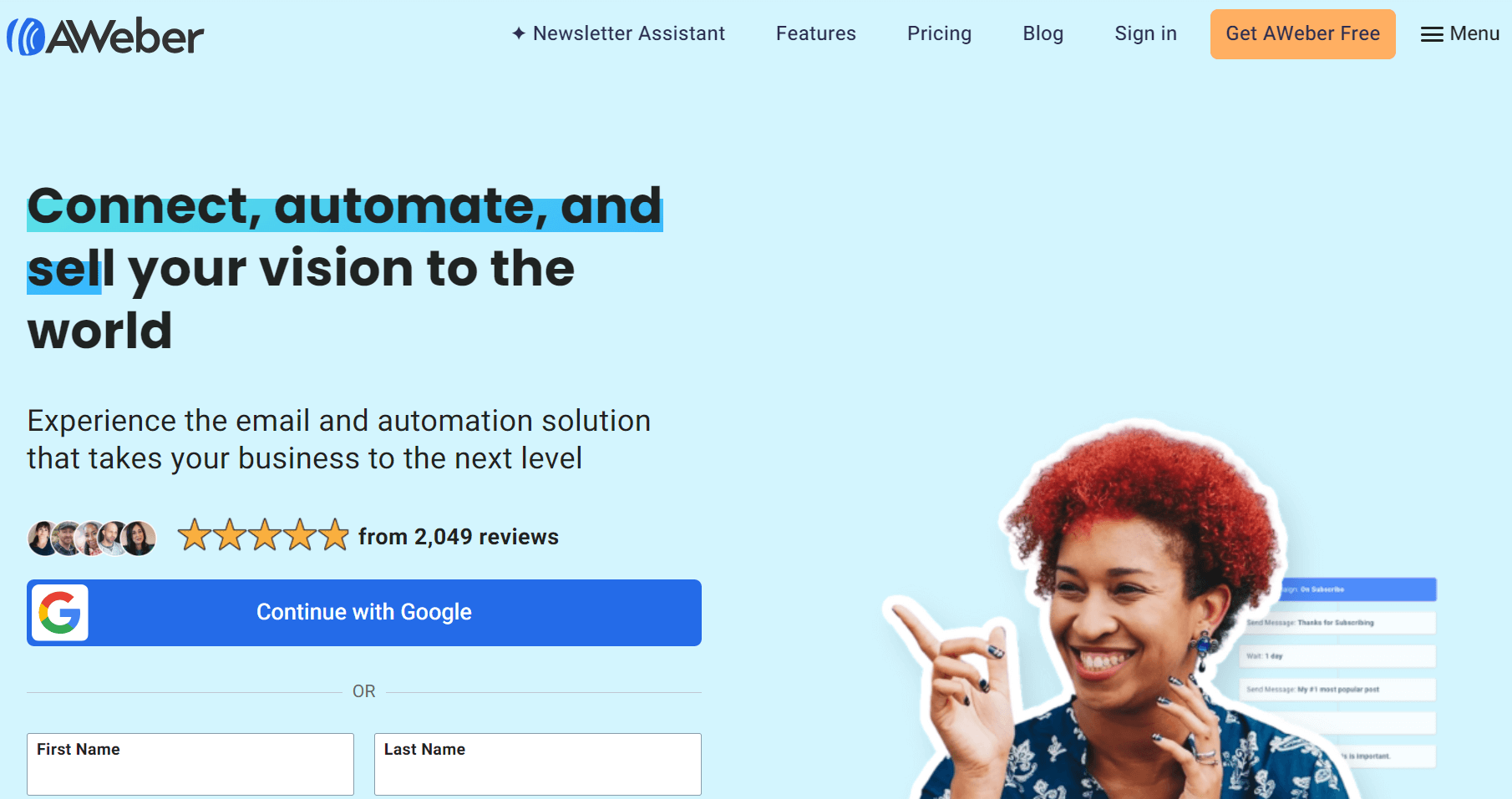
AWeber is an email marketing and automation tool for creators and small businesses who want something that works without tinkering. 1998 is its founding year, making it the second-longest-running such tool behind Constant Contact, founded in 1995.
Over the years, it has improved its newsletter capabilities with AWeber autoresponder sequences, landing pages for list building, and email automations.
Generous quotas for email lists and sends (both are unlimited from Plus) look impressive on paper. Pricing is actually based on the number of subscribers, with plans exceeding the costs of many specialized tools, such as Omnisend, across tiers.
That puts AWeber firmly in the camp for creators, blogs, info-product sellers, service businesses, and small (eBay-style) gigs rather than complex ecommerce stores.
AWeber pricing: Plans and costs explained
AWeber pricing is affordable. It’ll appeal to you with its generous free plan and unlimited subscribers. Here’s what you need to know about AWeber pricing plans.
Free plan
AWeber’s free plan is for beginners to email marketing. It lets you send up to 3,000 emails/month to 500 subscribers, with access to:
- All email design tools
- Campaign automations
- Signup forms
- Landing pages
- 24/7 phone, email, and live chat support
Basically, if you’re sending newsletters and growing your list, then AWeber’s free plan gives you a starting point without forcing you to upgrade immediately.
Paid plans
AWeber offers three paid plans, all priced based on your number of subscribers. The plans accept any list size, but your monthly price increases with more subscribers. “Unlimited” is a word AWeber uses a lot, but it means no hard cap, not free scaling.
The entry prices are as follows:
- Lite. $15/month for 500 subscribers, a 10x subscriber volume send limit. Reduced to $12.50/month with an annual payment. Only includes one email list, three landing pages, three automations, three users, and one segment.
- Plus. Doubles the cost versus Lite for 500 subscribers at $30/month and increases your send limit to 12x list size. You can get the annual plan for $20/month. Replaces Lite’s quotas with unlimited quotas and removes the AWeber branding.
- Done For You. Same price as Plus, plus an additional $599 setup fee. That setup includes list building and brand setup, one branded template, one landing page, one thank-you page, and one signup form. You also get a 1:1 setup call.
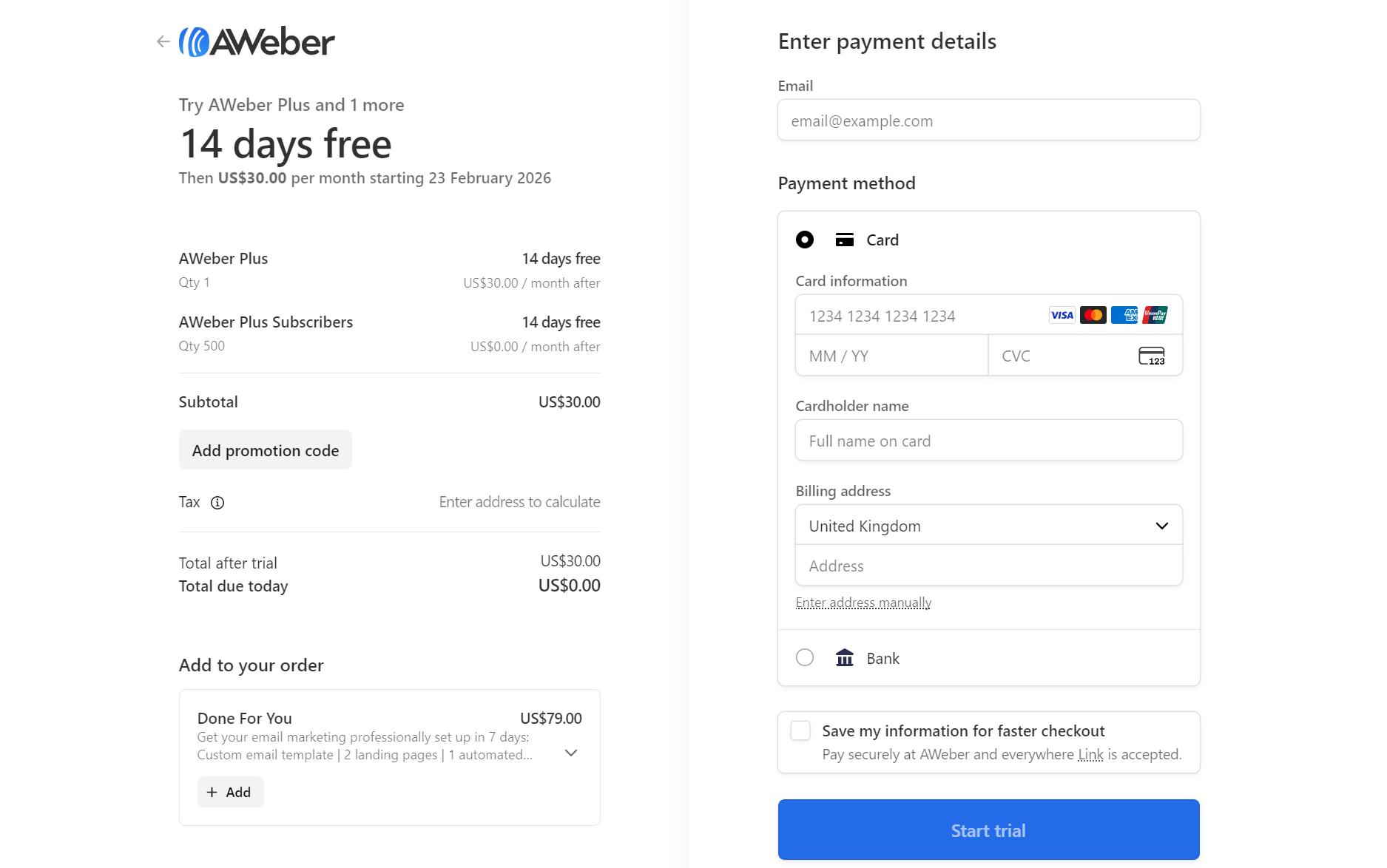
All these paid plans come with a 14-day trial. Something most AWeber reviews miss is that you have to hand over your payment information to access the trial, so note your signup date to avoid paying for it if you don’t want to:
Pricing table
The table below shows the monthly and annual prices for common subscriber counts:
| Subscribers | Lite monthly | Lite annual | Plus monthly | Plus annual | Done For You monthly | Done For You annual |
|---|---|---|---|---|---|---|
| 0-500 | $15.00 | $12.50 | $30.00 | $20.00 | $30.00 | $20.00 |
| 1,001-2,500 | $35.00 | $29.17 | $55.00 | $45.83 | $55.00 | $45.83 |
| 2,501-5,000 | $60.00 | $50.00 | $90.00 | $75.00 | $90.00 | $75.00 |
| 5,001-7,500 | $85.00 | $70.83 | $120.00 | $100.00 | $120.00 | $100.00 |
| 7,501-10,000 | $100.00 | $83.33 | $135.00 | $112.50 | $135.00 | $112.50 |
Those prices look fair until you compare them with other tools. At 3,000 contacts, AWeber Plus costs $90/month, but Omnisend Pro is $70/month, includes $70 in bonus SMS credits, and has deeper Shopify integration. The AWeber cost is higher for less.
AWeber key feature breakdowns
We’ll now review AWeber’s features with expert analysis from first-hand testing. You’ll learn about its capabilities and suitability for your ecommerce email marketing, and where it suits different use cases, such as creators.
Email builder and templates
You can build your first campaign with AWeber’s Newsletter Assistant or by navigating to Messages > Broadcasts in the sidebar and selecting Create a message.
You then get access to AWeber’s newsletter builder. The right-hand sidebar here lets you select Templates, which load within the editor as a flyout:
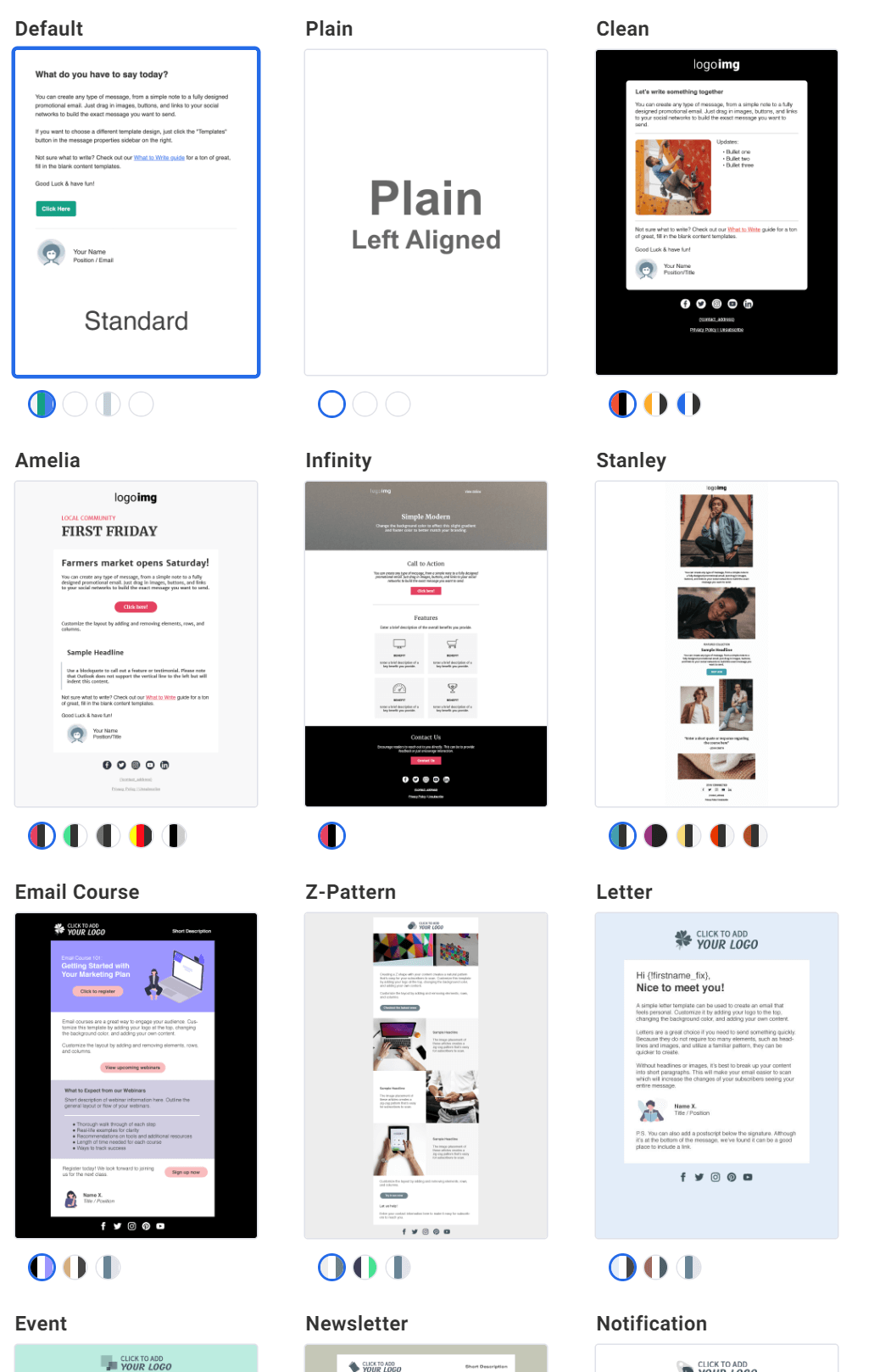
In total, AWeber offers more than 700 email templates, dwarfing most other tools, and all of them allow editing of their design and elements.
Its templates lack an ecommerce focus, though. Categories include animated, events, generic, holiday, industry, newsletters, promotional, stationery, transactional, and WordPress. None have dynamic product layouts for abandoned carts, upsells, and other product recommendations.
Pro tip
Omnisend’s newsletter templates suit ecommerce. On the Pro plan, you can add personalized product recommendations based on past purchases and recently viewed items, so your newsletters generate revenue instead of just providing updates.
The templates use stock images and have mobile-friendly layouts, properly sized headings and text, and attractive CTA buttons. For instance, the template below is 100% stock and looks good enough to send, pending personalization:
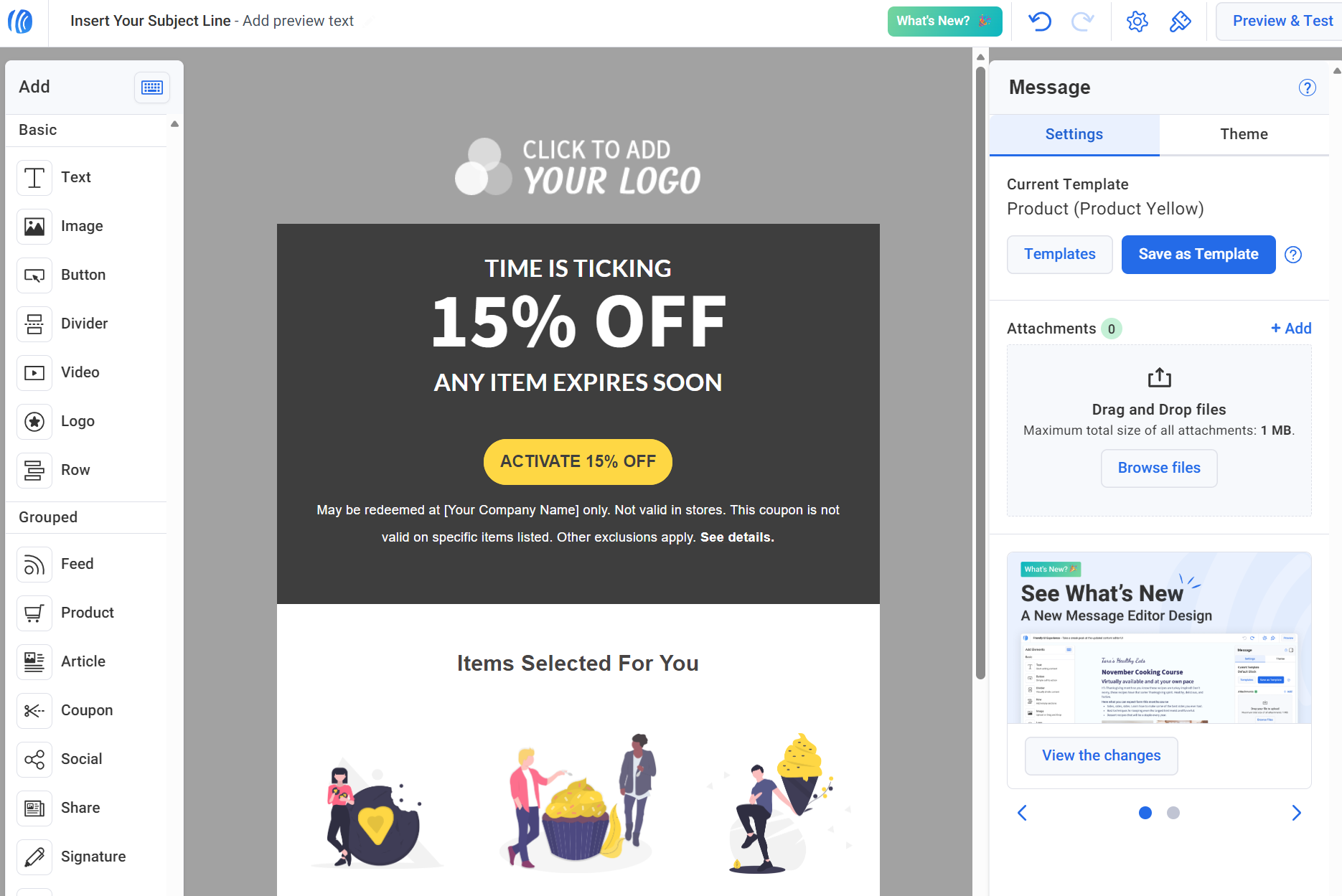
The left-hand sidebar contains all the drag-and-drop elements, including text, images, buttons, rows, and products. AWeber recently released keyboard shortcuts for these, such as adding a slash ‘/’ in a text element to write with AI.
Another way to build a newsletter is via the Newsletter Assistant, an AI feature that analyzes your website, writing, and audience. It uses prompts to start:
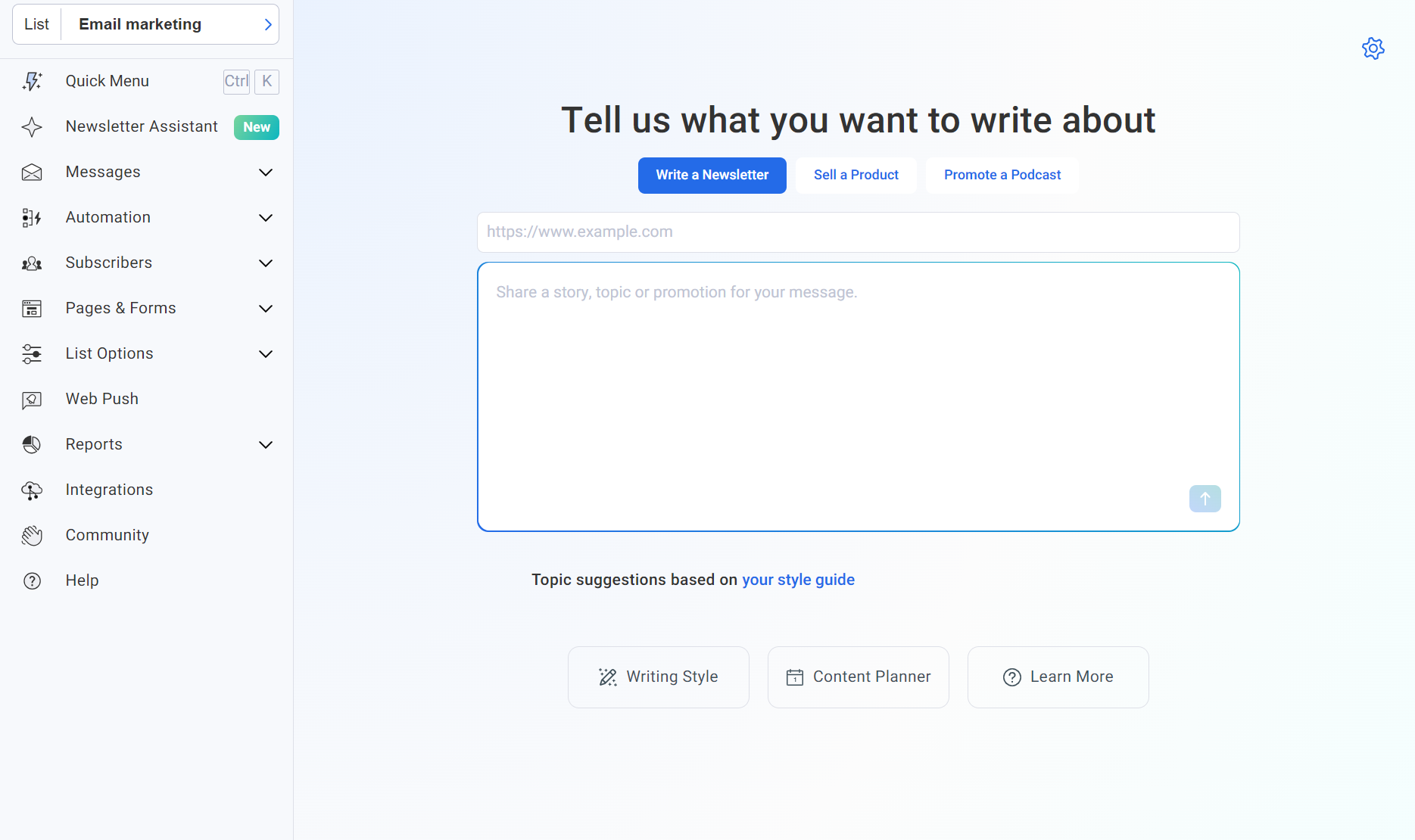
We entered, “Announcing the launch of our new cordless lawnmower.” After entering the prompt, it gave us a progress screen with loading icons:
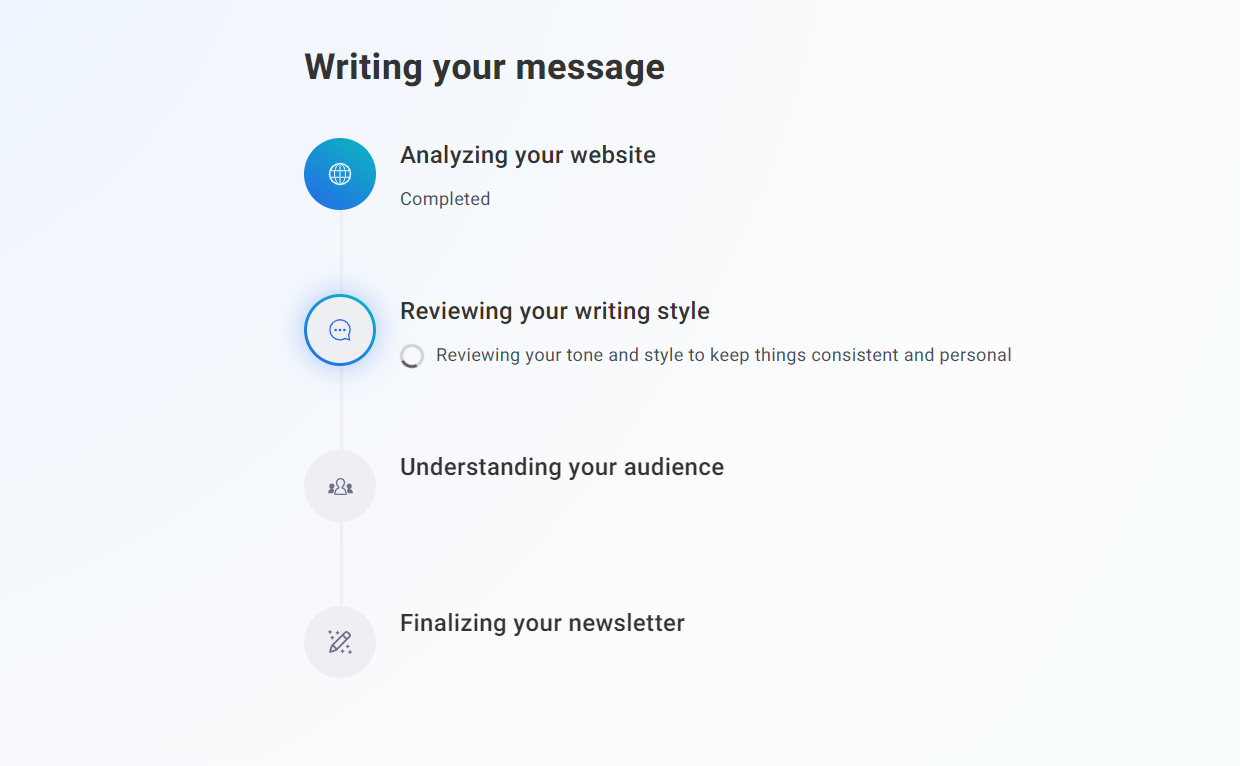
That screen took 37 seconds to complete. And here’s the tool’s first attempt:
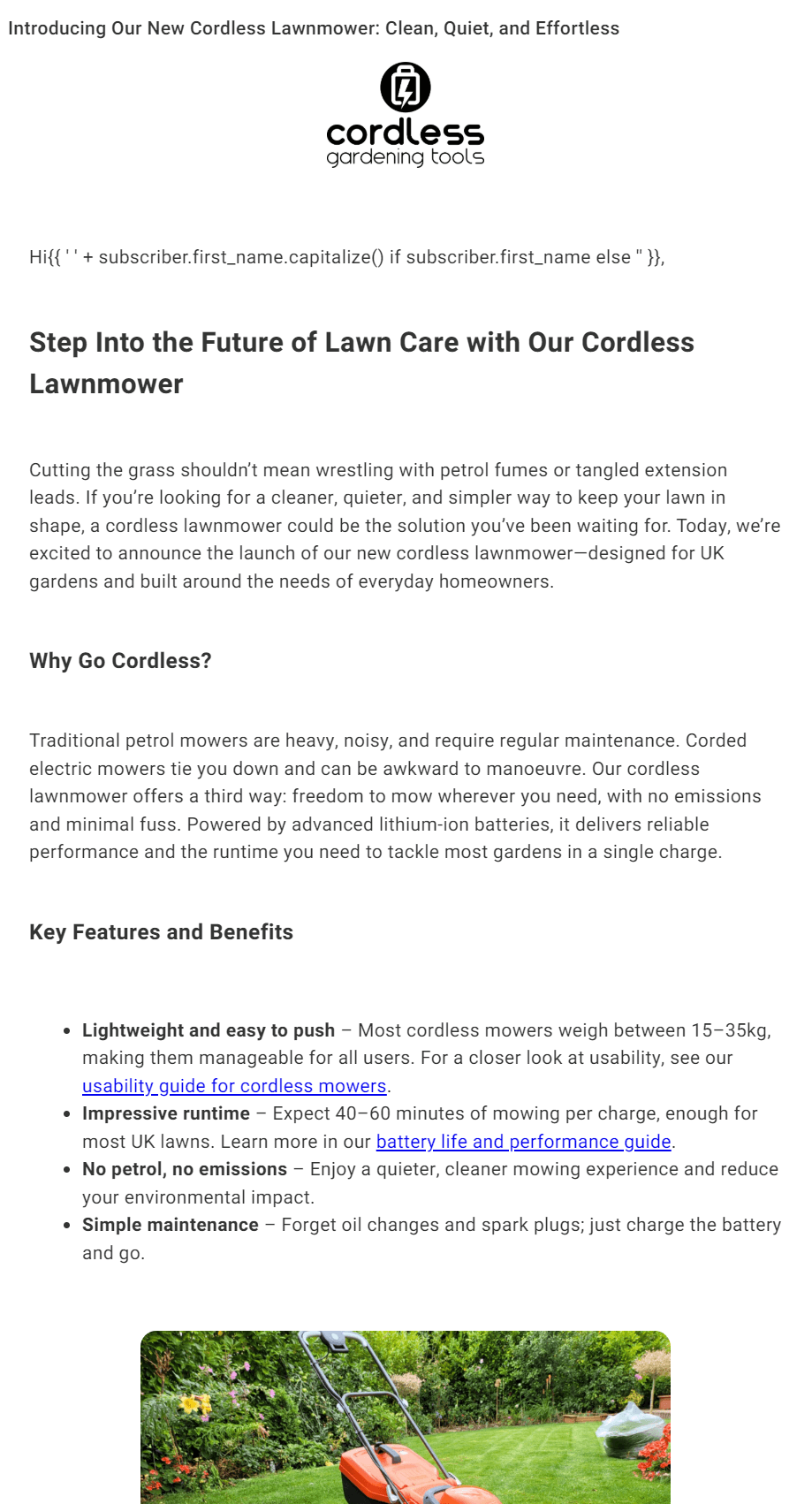
The template above required no importing of a logo on our part, with AWeber importing it from our test website. Likewise, for the text tone, it basically took what’s already on the site and used similar adjectives and punctuation to match the style.
Within that email builder, you can find the AI assistant to the right. It lets you add new prompts and refine your newsletter without manual edits.
The edit below looks much better. All we asked was, “Give it a light grey background, and remove half the adjectives, shift the image below the first heading,” and it gave us this version:

You can save a draft anytime. After saving your draft, you can access the template editor:
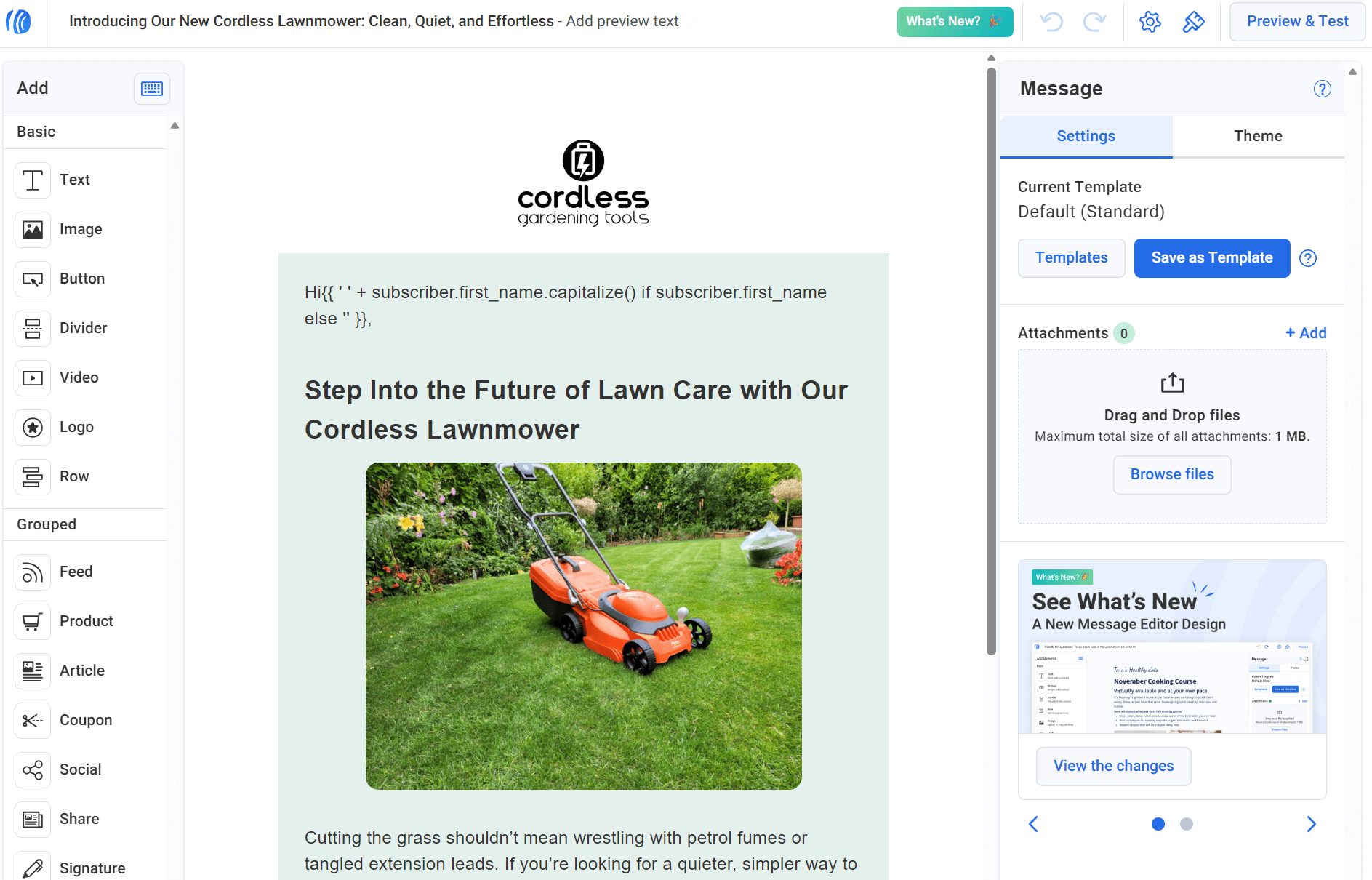
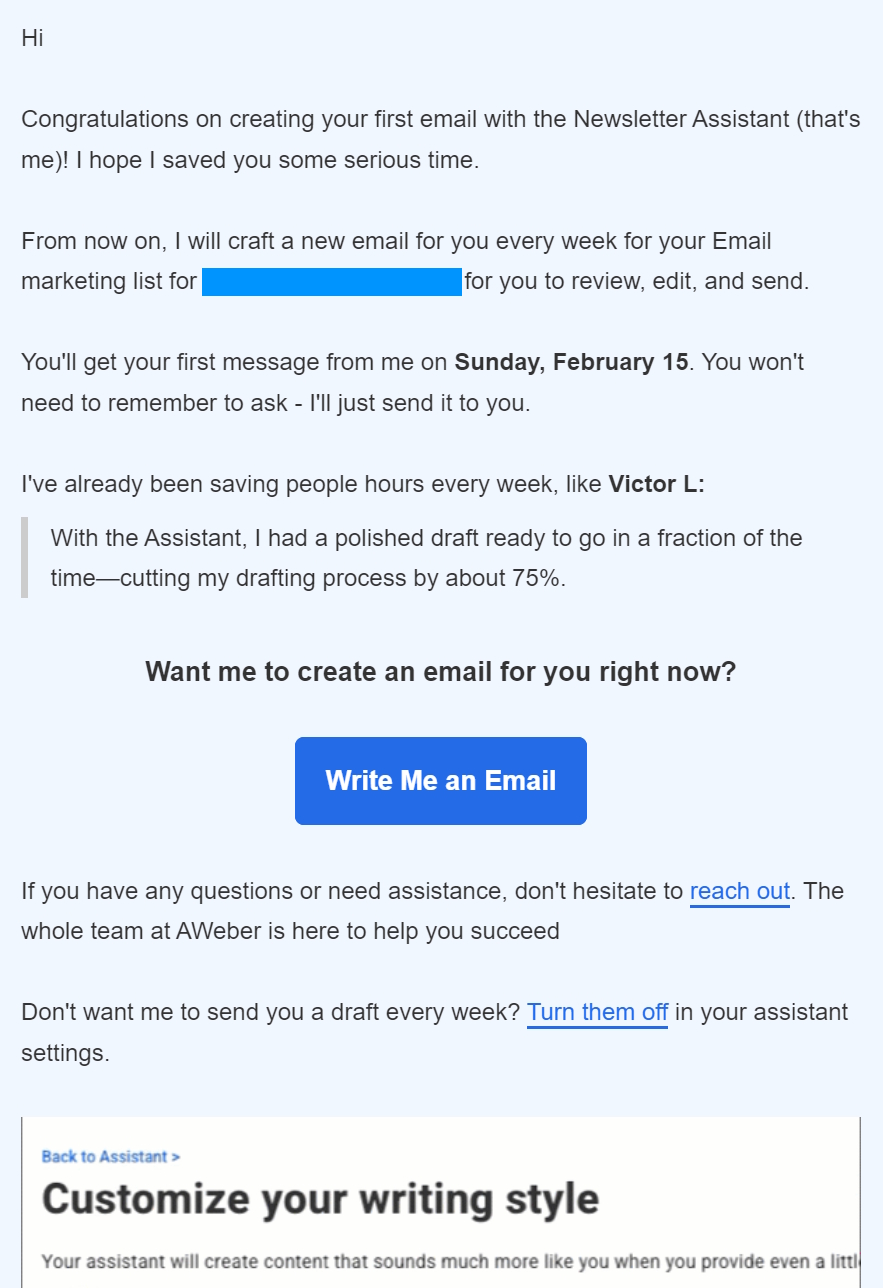
Later that day, we received an email during our AWeber email marketing review to confirm the Newsletter Assistant would draft a new email for our list every week, ready to review, edit, and send. A nice touch for keeping up a regular sending schedule:
The email editor is a drag-and-drop. However, a notable limitation is the inability to drop new items into the AI-generated newsletter.
Any new items you add must go above or below it, so if AI doesn’t design what you want, you can’t do much about it. You can drag the elements that already exist in the AI newsletter, though.
The overall appearance of the email editor is functional, but outdated compared to Omnisend and other alternatives, such as Mailchimp. It’s something multiple reviewers have pointed out:
- “The WYSIWYG email builder is wonky; the form generator is ancient; the templates are at best not-bad and at worst atrocious; and the overall interface is lagging behind other companies,” Anthony, Capterra.
- “Some of the email templates appear somewhat outdated, and the automation features seem more limited than those offered by other tools.” Verified user, G2.
Automation and autoresponder capabilities
Workflows/automations are AWeber’s autoresponders. It only has seven pre-built workflow templates in its backend for the following scenarios:
- Welcome subscribers
- Share feed content
- Get leads
- Re-engage
- Teach something
- Confirm event signup
- Sell something
You access these by navigating to Automation > Workflows > Create Workflow. Selecting one requires hovering over these boxes and clicking Select:
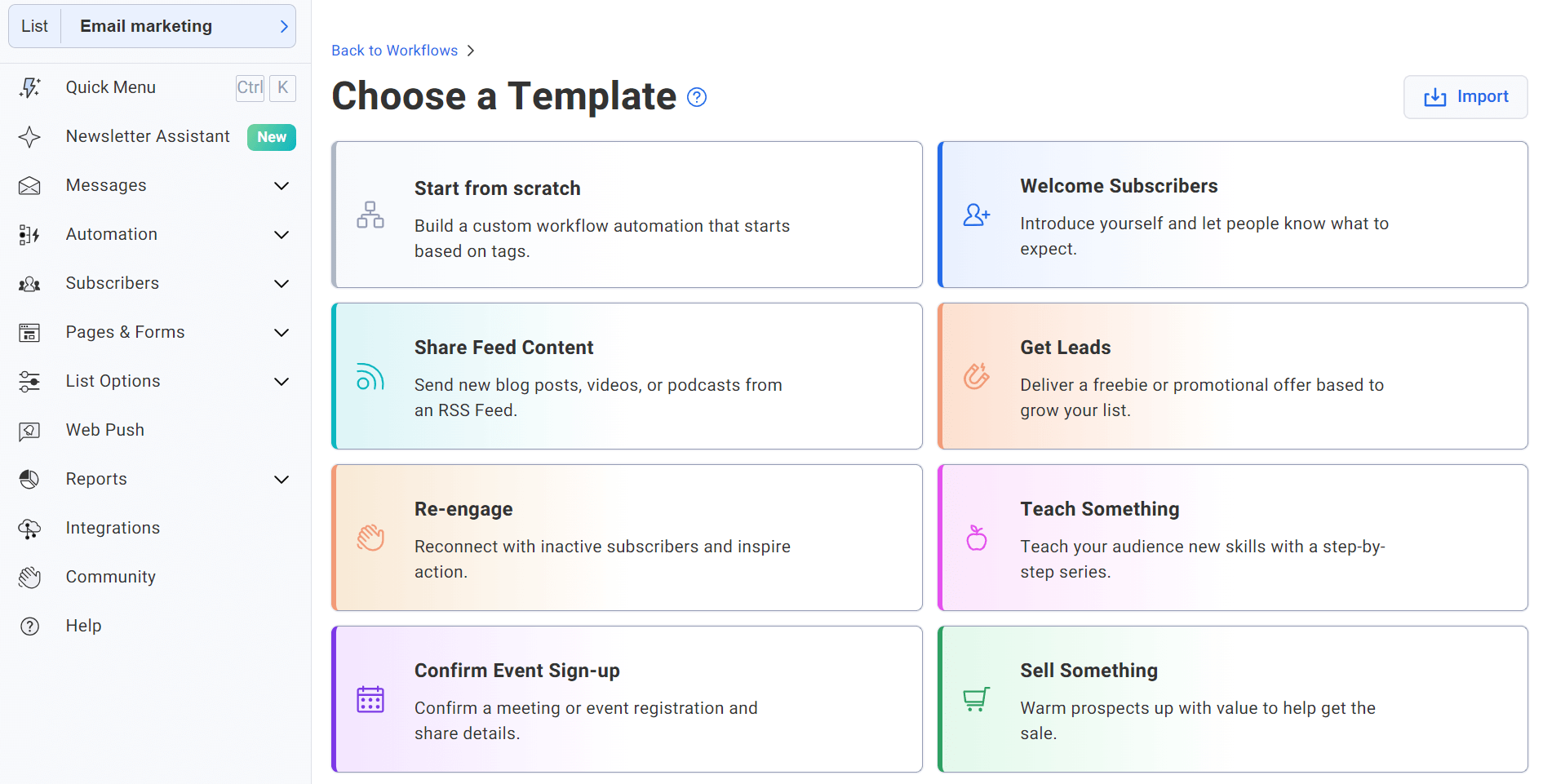
Our AWeber autoresponder review found that its flows are primarily for creators and small businesses, not ecommerce, with no templates for:
- Abandoned carts
- Browse abandonment
- Back-in-stock
- Cross-sells
- Order follow-ups
- Customer reactivation
Additionally, our AWeber review found that there are no transactional flows available.
The flow builder is old-fashioned compared to other tools, including Omnisend and ActiveCampaign. It doesn’t have labels for actions and settings without hovering over icons, and it isn’t always clear what you need to do next:
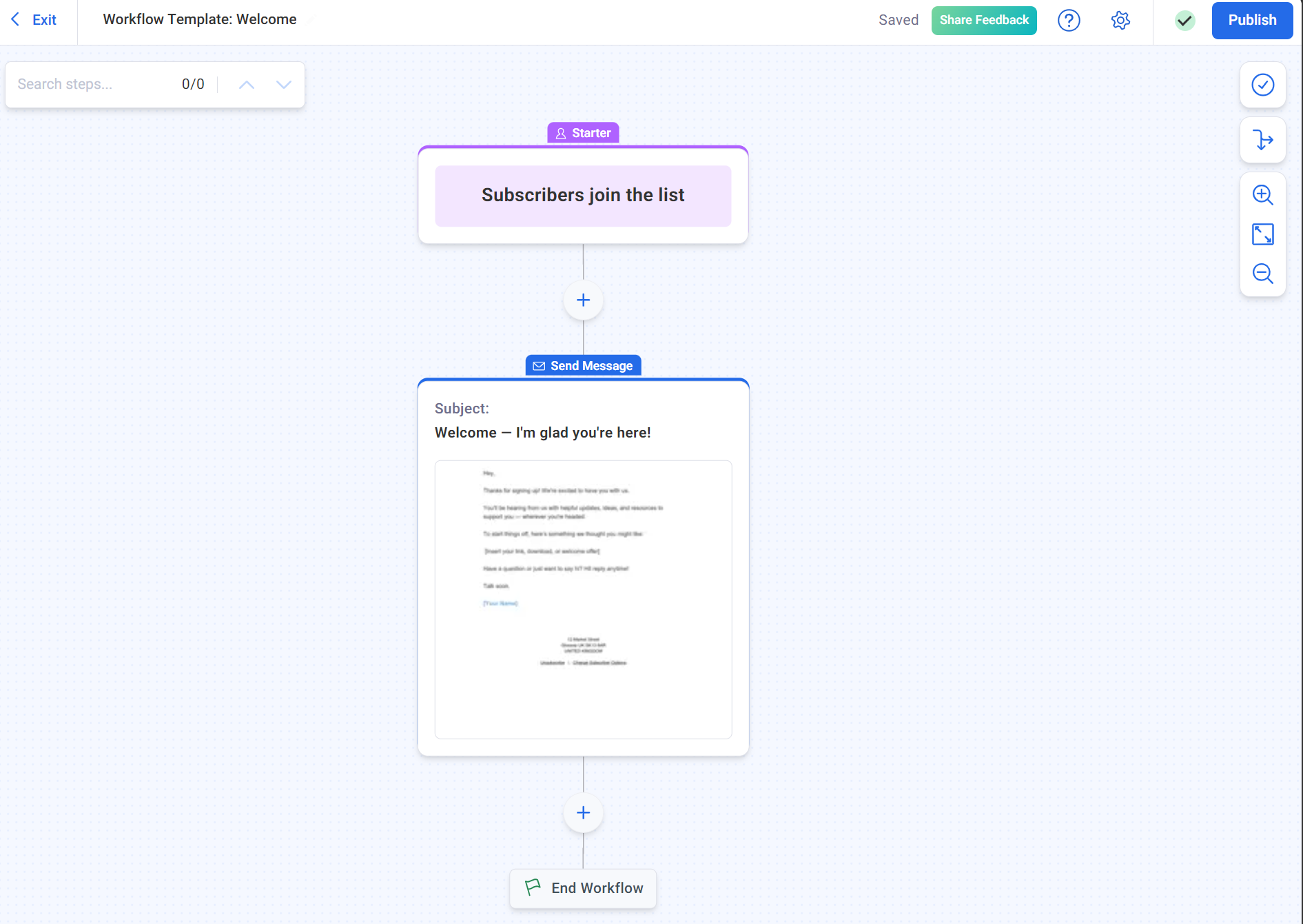
AWeber’s automations have two starter types and use basic if/then logic:
- “Add all new subscribers who join my list” with optional filters for source (API, import, sign up form), ad tracking value, or country
- “Tag applied,” which starts a workflow when a tag is added to a subscriber
Triggers include link clicked, message opened, and page hit (website visit). These add or remove tags, which can then start other workflows. Most workflows are time-based rather than behavior-based.
In comparison, Omnisend has 15+ event-based triggers that respond to ecommerce actions like placed order, abandoned checkout, added to cart, and order fulfilled, each carrying order data you can use in filters, splits, and message content.
AWeber’s workflow gaps matter for your ecommerce store because automated flows like cart recovery generate 30% of email revenue from just 2% of sends, and none of them are possible here without third-party workarounds.
Landing page builder
AWeber’s landing page builder is one of its best features and is definitely worth considering for building your list if you’re a small business or creator.
You access landing pages via Pages & Forms > Landing Pages, where you can create a landing page from scratch or select one of AWeber’s templates:
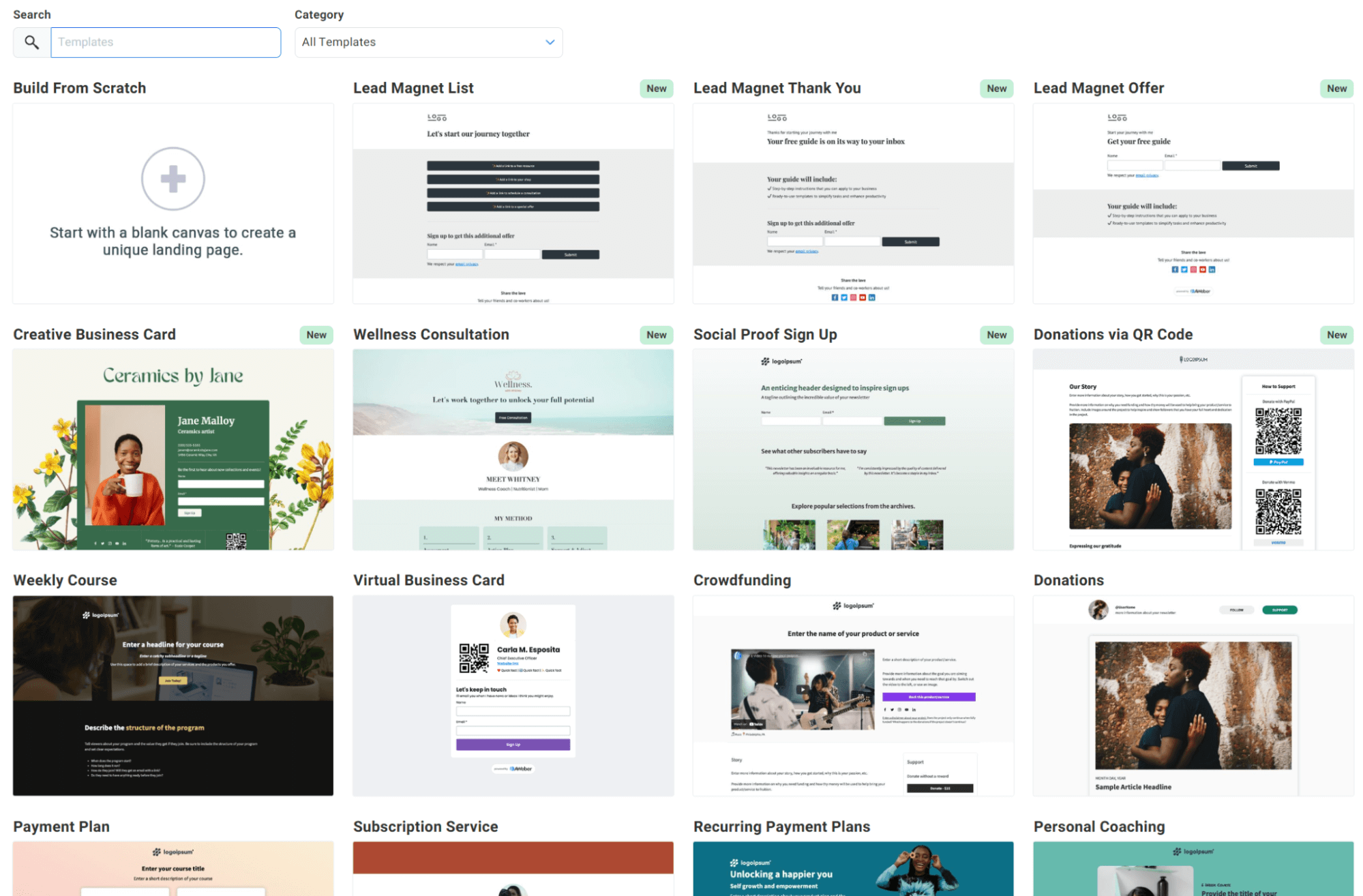
The template library’s quality is decent, and AWeber appears to be adding new templates every week to freshen it up. There are 155+ landing page templates, all of which are editable using an intuitive drag-and-drop editor:
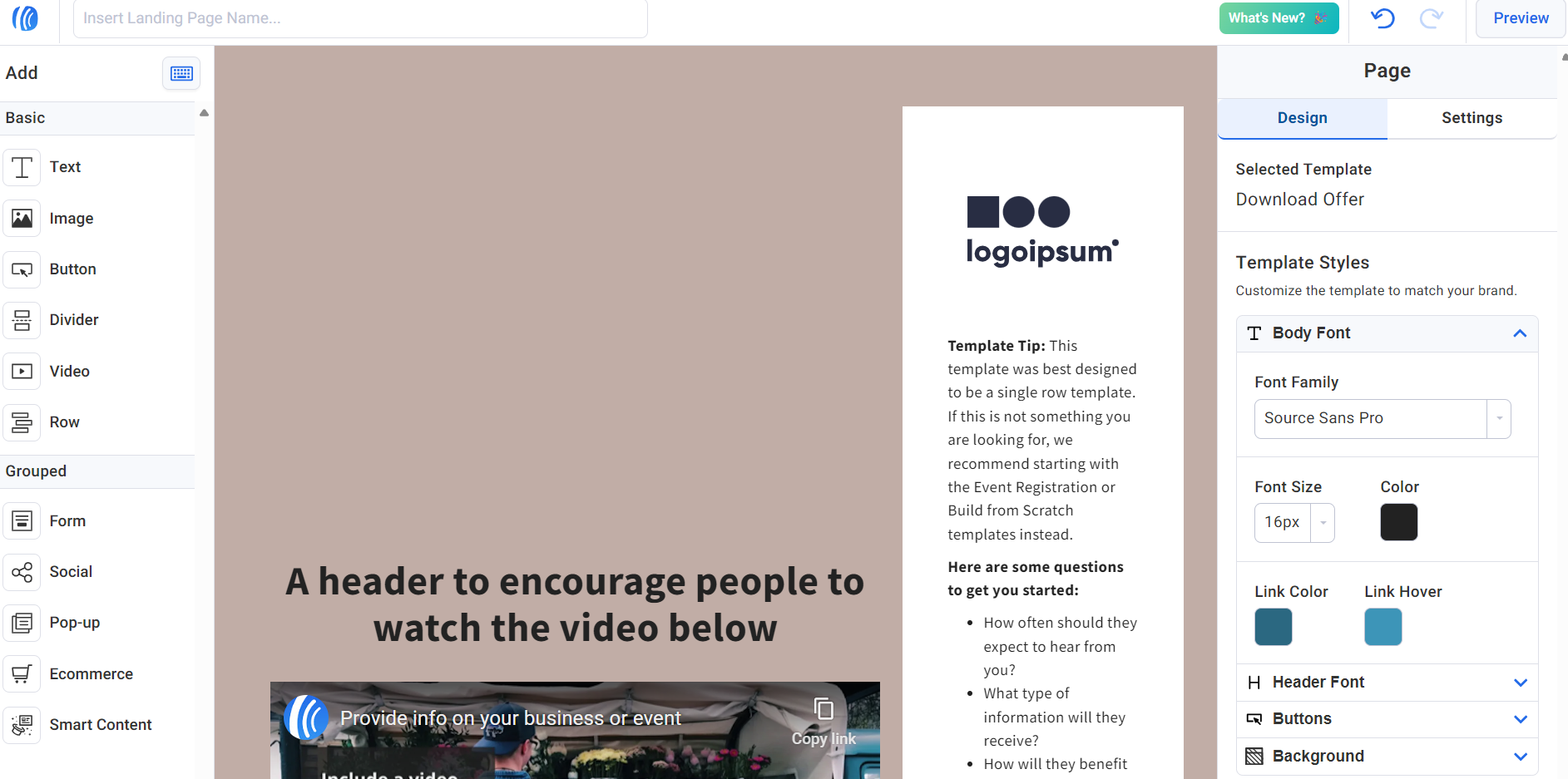
The editor has a right-hand sidebar for text, images, and other elements, and has an Ecommerce grouped item. The Ecommerce item isn’t for product recommendations, but rather, product listings with payment functionality:
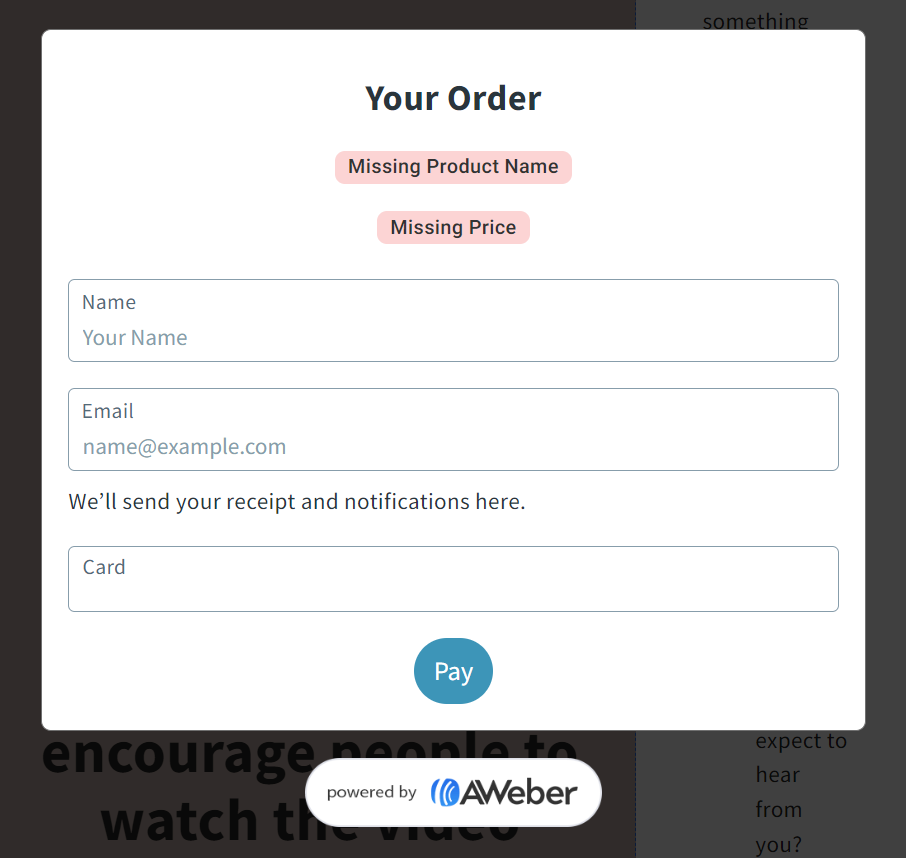
With the Ecommerce item, you can sell digital products on your AWeber landing pages once you integrate Stripe. The transaction fees are 1% or 0.6%, depending on your plan.
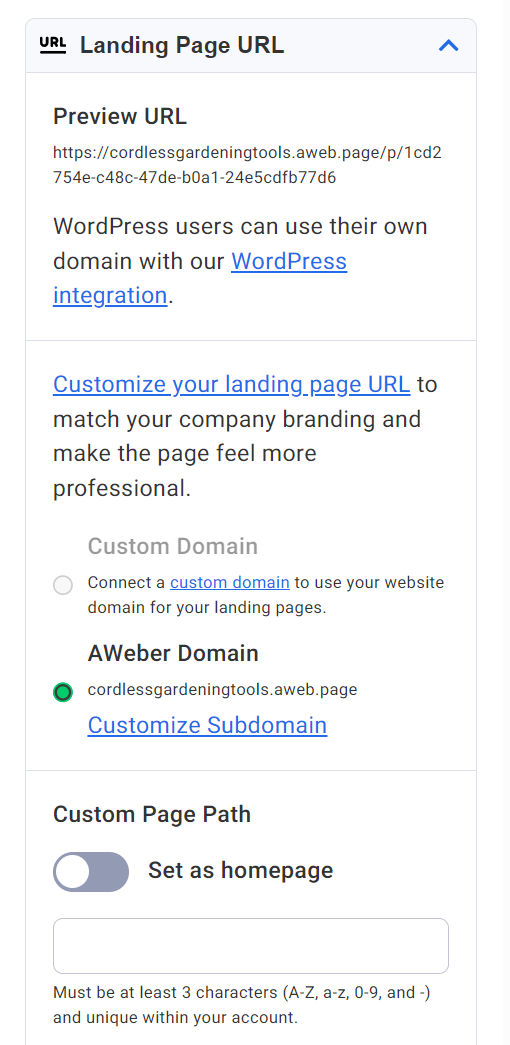
AWeber gives you an AWeber domain for landing pages, such as yourbusiness.aweb.page, or you can connect a custom domain to use your website domain for landing pages. The settings panel also lets you assign landing pages as your homepage:
Email deliverability
Third-party testers show that AWeber’s deliverability is decent:
- EmailDeliverabilityReport sent 63,941 emails through AWeber and recorded an 81.48% inbox rate, ranking it second out of 24 providers behind GetResponse
- EmailTooltester sent emails through AWeber across 12 rounds from 2017 to 2024 and recorded deliverability rates ranging from 71.8% to 93.2%, averaging 83.1% most recently
AWeber’s sending infrastructure has been around since 1998, so it has an excellent reputation among ISPs and inbox providers. A significant aspect of deliverability is authentication records, and AWeber supports the current standards.
- AWeber’s automated domain connection tool configures both DKIM and DMARC records at the same time, supporting 40+ DNS providers
- SPF is optional and won’t pass alignment because AWeber controls the return-path domain, so AWeber relies on DKIM alone to pass DMARC
G2 reviewer Wiard v. appreciates AWeber’s deliverability: “What I like most about AWeber is its user-friendly interface, extensive range of features, and excellent deliverability rates, which have greatly enhanced my email marketing campaigns.”
Analytics and reporting
AWeber tracks the following metrics across broadcasts and workflows:
- Opens and unique opens
- Click-through rates and link-level click tracking
- Unsubscribes and bounces
- New subscribers over time
- Geographic location based on the signup IP
- Sales over time for landing page purchases
- Form displays and submissions
The Reports tab gives you account-wide stats at the top and list-level breakdowns below, with graphs for each metric:
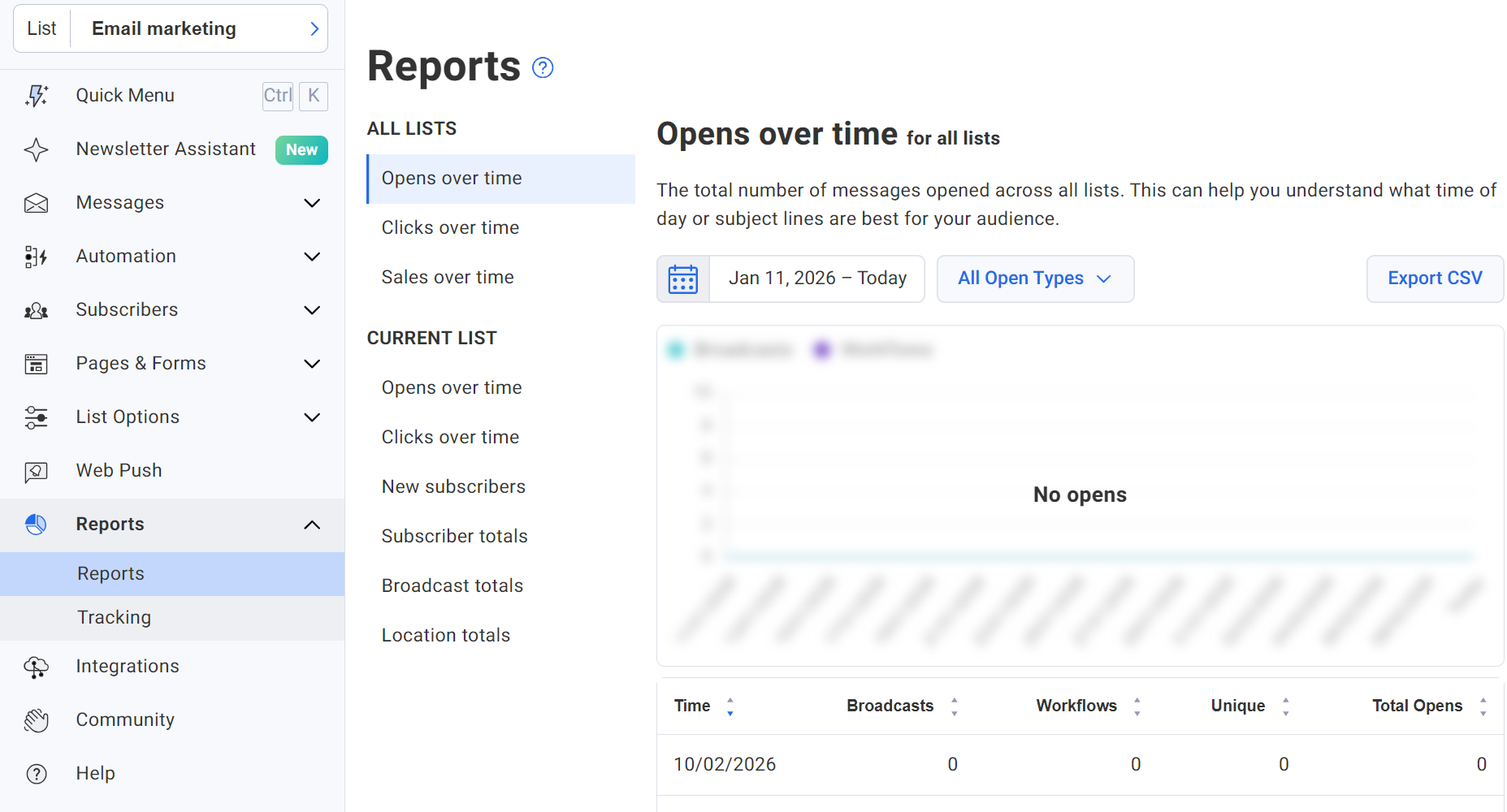
Broadcast QuickStats show opens, clicks, and bounces for individual sends. However, multiple crucial email marketing metrics are missing for ecommerce, including:
- Revenue attribution per email or workflow
- Customer lifetime value
- Product performance tracking
- Revenue segmentation by campaign or automation
- Predictive analytics, such as purchase likelihood
Sales tracking only covers landing page transactions through Stripe. So, if you sell through Shopify, Wix, WooCommerce, or any external store, AWeber has no visibility into which emails generate purchases.
Omnisend is a much more capable email tool for reports. It attributes revenue to individual emails, workflows, and channels with adjustable attribution windows and last-touch rules so you can measure which messages generate sales.
Integrations and ecommerce support
AWeber integrates with 750+ other tools using Zapier, and it also supports Apiant and Make (formerly known as Integromat) for third-party connections:
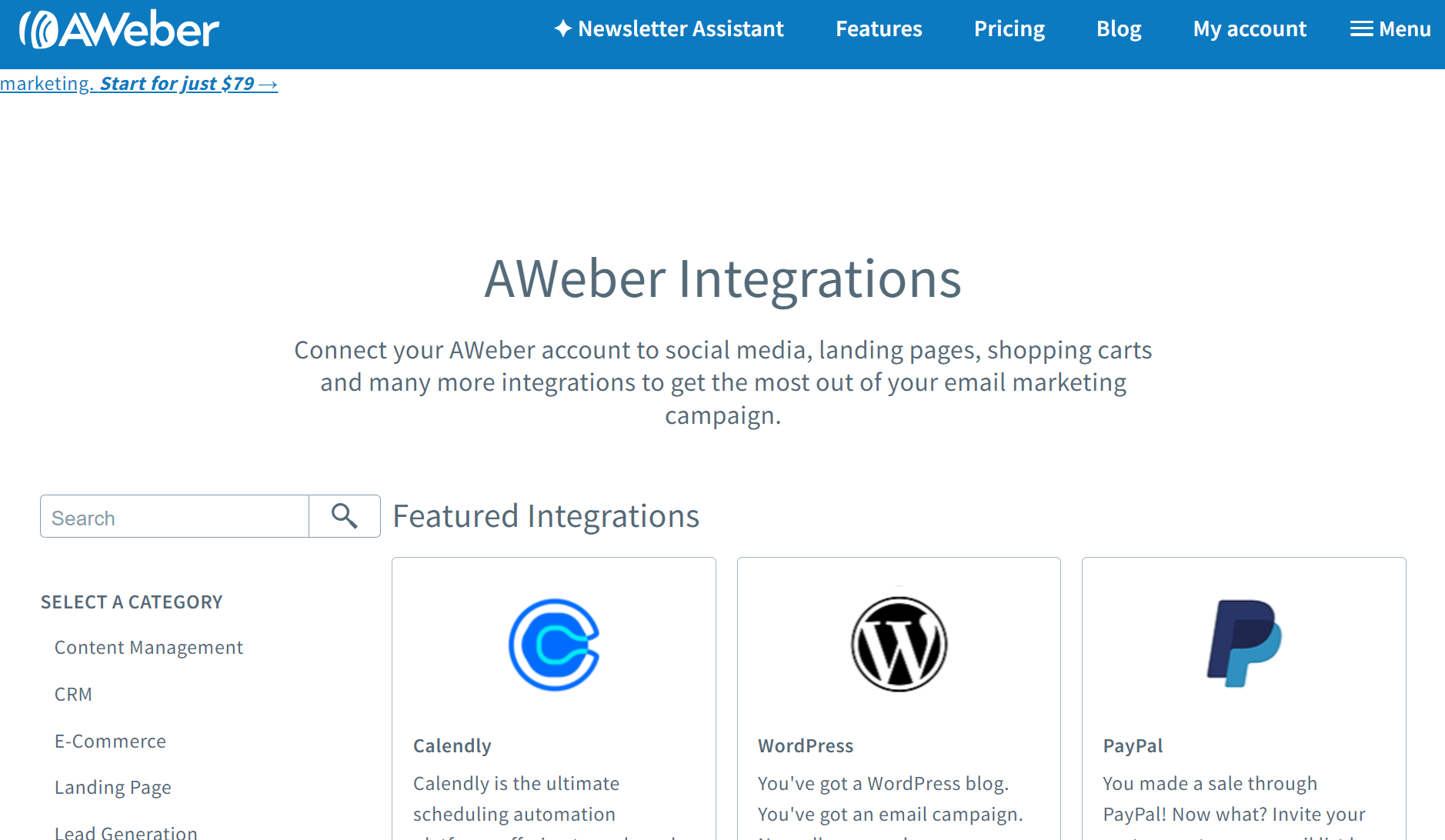
We’ve listed the categories below, plus some examples from each:
- Content management, including Elegant Themes, Elementor, and Ghost
- CRM, such as Agile CRM, Salesforce, and Streak
- Ecommerce, 3dcart, BigCommerce, Shopify, WooCommerce
- Landing page, including Card, Instapage, and Unbounce
- Lead generation, AddThis, Cognito Forms, Contact Form 7
- Membership, JoinIt, MemberPress, ARMember
- Productivity tools, notable ones include Google Calendar and Google Forms
- Social, all popular social networks, and tools such as Facebook Lead Ads
- Survey, including SmartSurvey and Zenloop
- Video, SproutVideo, ClickMeeting
- Webinar, tools such as Easywebinar, Demo, and StealthSeminar
The limitation here is its ecommerce integrations, especially Shopify, which requires Zapier or another one of the third-party app connector tools.
What it can do:
- Add customers who complete a Shopify purchase to an AWeber mailing list
- Tag new or existing subscribers based on the product purchased or any completed purchase
- Through Zapier, trigger subscriber creation from new paid orders, new customers, cancelled orders, and abandoned carts
What it can’t do:
- Sync product catalog or order history
- Track purchase behavior or customer lifetime value
- Attribute revenue to emails or workflows
- Trigger automations based on ecommerce events like cart abandonment
- Report on product performance or revenue per campaign
- Connect more than one Shopify store per AWeber account
In practice, AWeber’s Shopify integration adds buyers to your list and nothing more. You can’t build automations or measure revenue from that alone.
Omnisend’s Shopify integration syncs customers, products, orders, cart activity, browsing behavior, and purchase history automatically. That data powers abandoned cart flows, revenue attribution, and segmentation you can’t get with AWeber.
AWeber pros and cons
Our AWeber review shows that it is great for growing your list, sending newsletters, and covering your customer journey with basic automations.
Its overall rating of 4.2/5 on the reviews platform G2 shows positive feedback for its customer support and email campaigns. Some customers think that its templates are too restrictive, and some find its interface a bit dated.
Pros
- Generous free plan: 3,000 emails/month to 500 subscribers is a decent quota, plus it doesn’t restrict access to standard AWeber features.
- Easy to start with: Its dashboard gives you steps to complete following sign up, and its Newsletter Assistant helps you build your first newsletter with AI.
- Landing pages: 40+ pre-built templates for ecommerce, blogs, podcasts, and more, with a drag-and-drop builder that works great.
- Integrations: Its integrations page lists 300+ of them. Shopify, WordPress, WooCommerce, Wix, Weebly, Squarespace, and Elementor make the list, so there’s a decent chance you can connect to your store with an app.
- 24/7 support: Across all plans, and it includes phone support, a rarity in the space.
- Free migration service: A helpful bonus if you purchase the Plus plan (from $30/month) with or without the Done For You service.
Cons
- Campaign-heavy features: Omnisend’s data shows that email campaigns accounted for 98% of sends in 2025, but only 70% of revenue. Automations generated 30% of revenue from 2% of sends. AWeber’s basic flows don’t sufficiently let you capture this revenue.
- Limited pre-built automations: There are only seven pre-built flows, none of which cover revenue-generating ecommerce scenarios, such as abandoned carts and checkout, back-in-stock alerts, and post-purchase follow-ups.
- No customer breakdowns: Your customers don’t filter into lifecycle stages. You aren’t able to see average order value, the % of contacts you’re about to lose, the % with high potential, the % at risk, etc.
- No SMS or multichannel: It handles email and web push notifications only, no SMS marketing, a significant restriction if your marketing or customer preferences demand those channels.
- More expensive than other tools: AWeber is affordable, but it’s more costly than Omnisend, Sender, and many other platforms.
In summary, AWeber’s pros favor newsletters, creators, bloggers, and service businesses, but there are too many cons for ecommerce to recommend it if you sell stuff online.
AWeber vs. competitors
AWeber competes for your money with multiple tools. Omnisend for ecommerce, ActiveCampaign for complex, large-scale campaigns, and Mailchimp for small businesses. We’ll run through the crucial comparisons below.
AWeber vs. Omnisend
Omnisend is an ecommerce automation tool with email + SMS + web push notifications. It covers revenue-generating moments in your customer journey with flows and segments that update based on orders, behavior, and engagement.
ActiveCampaign does not cover any ecommerce scenarios by default, and it lacks SMS entirely, making it suitable for newsletters, but not marketing flows.
The table below compares AWeber vs. Omnisend in more detail:
| AWeber | Omnisend | |
|---|---|---|
| Primary use case | Newsletters and autoresponders | Ecommerce email and SMS |
| ROI (claimed) | No data provided | $79 for every $1 spent across email + SMS + web push in 2025 |
| G2 rating | 4.2/5 | 4.6/5 |
| Free plan | Yes | Yes |
| Starting price | $15/month (Lite) | $16/month (Standard) |
| Email + SMS | Email only, no SMS | Both included, Pro gets bonus SMS credits |
| Abandoned cart automation | No | Yes, pre-built |
| Product recommendations | No | Yes, included on Pro and Custom |
| Ecommerce integration depth | Basic data connections to Shopify, WooCommerce, PayPal, sometimes requiring third-party apps such as Zapier | Deep native integrations with Shopify, BigCommerce, WooCommerce, Wix |
| Revenue attribution | Basic sales tracking | Full revenue attribution per campaign/automation |
| Customer support | 24/7 phone, email, and live chat on all plans, priority on Plus | 24/7 live chat and email on all paid plans |
Here’s an honest take on the winner by use case:
- Ecommerce: Omnisend
- Newsletters: ActiveCampaign
- Multichannel marketing: Omnisend
If you’re a creator or small business wanting to send campaigns, grow your list, and build a welcome series, AWeber is all you need for now. If you sell online, Omnisend gives you the flows, segments, and data to maximize revenue. So, Omnisend > AWeber for ecommerce.
Join Omnisend to grow your ecommerce sales with multichannel automations
Quick sign up | No credit card required
AWeber vs. Mailchimp
Mailchimp is a general email marketing tool much like AWeber, pitched for bloggers, service businesses, and small stores. It’s further along than AWeber for ecommerce with more pre-built flows and SMS as an add-on.
The table below reveals all:
| AWeber | Mailchimp | |
|---|---|---|
| Primary use case | Newsletters and autoresponders | General email marketing and automation |
| ROI (claimed) | No data provided | Up to 24x |
| G2 rating | 4.2/5 | 4.4/5 |
| Free plan | Yes, up to 500 subscribers | Yes, up to 250 contacts |
| Starting price | $15/month (Lite) | $13/month (Essentials) |
| Email + SMS | Email only | SMS as a paid add-on |
| Abandoned cart automation | No | Yes, pre-built |
| Product recommendations | No | Yes, on Standard and Premium |
| Ecommerce integration depth | Basic data connections to Shopify, WooCommerce, PayPal, sometimes requiring third-party apps such as Zapier | Deeper with purchase behaviour, predictive segmentation, and CLV on Standard+ |
| Revenue attribution | Basic sales tracking | Custom reports with purchase likelihood and CLV on Standard+ |
| Customer support | 24/7 for all plans, priority on Plus | 24/7 email and chat on paid plans, phone on Premium only |
Match these recommendations to your use case:
- Ecommerce: Mailchimp
- Newsletters: Draw, both work well
- Multichannel marketing: Mailchimp
Mailchimp is a more capable email marketing and automation tool than AWeber. However, it restricts generative AI in its Essentials plan and only allows up to 200 flows from Standard. In other words, you have to pay to access standard features.
Omnisend is even more capable than Mailchimp, and it provides access to all standard features in all plans. So, Omnisend > Mailchimp > AWeber is the order if you sell stuff online.
AWeber vs. ActiveCampaign
ActiveCampaign is a much more comprehensive automation tool than AWeber for mid-to-large businesses, including ecommerce stores and magazines. Its 950+ automation recipes (pre-built flows) are unequaled for sheer numbers in the industry.
Check out the AWeber vs. ActiveCampaign comparison table below:
| AWeber | ActiveCampaign | |
|---|---|---|
| Primary use case | Newsletters and autoresponders | Marketing automation, CRM |
| ROI (claimed) | No data provided | No figures, but 67% of customers achieved ROI within six months |
| G2 rating | 4.2/5 | 4.5/5 |
| Free plan | Yes, up to 500 subscribers | No, 14-day trial only |
| Starting price | $15/month (Lite) | $15/month (Starter, billed annually) |
| Email + SMS | Email only | SMS as a paid add-on |
| Abandoned cart automation | No | Yes, pre-built ecommerce automation |
| Product recommendations | No | Yes, predictive and conditional content on Pro+ |
| Ecommerce integration depth | Basic data connections to Shopify, WooCommerce, PayPal, sometimes requiring third-party apps such as Zapier | Attribution and conversion tracking on Pro+ |
| Revenue attribution | Basic sales tracking | Custom reports with purchase likelihood and CLV on Standard+ |
| Customer support | 24/7 for all plans, priority on Plus | Email and chat on all plans, priority on Pro+, dedicated account team on Enterprise |
These scenarios are where both tools work best:
- Ecommerce: ActiveCampaign
- Newsletters: AWeber
- Multichannel marketing: ActiveCampaign
ActiveCampaign has an SMS add-on with automated SMS sends and replies and two-way messaging. Additionally, it covers WhatsApp with separate and combined plans if it’s a crucial channel for your business.
The order based on all our tools so far for ecommerce is Omnisend > ActiveCampaign > Mailchimp > AWeber. Omnisend ranks ahead of ActiveCampaign because it is more intuitive and doesn’t restrict any standard features in its plans.
AWeber vs. Constant Contact
Constant Contact is for local businesses, nonprofits, and service providers that need email, social media, ads, event hosting, and payments in one platform. It is not suitable for ecommerce but is decent for small businesses that occasionally sell online.
Here’s a comparison table for AWeber vs. Constant Contact
| AWeber | Constant Contact | |
|---|---|---|
| Primary use case | Newsletters and autoresponders | Small business email and social media marketing |
| ROI (claimed) | No data provided | No data provided |
| G2 rating | 4.2/5 | 4.1/5 |
| Free plan | Yes, up to 500 subscribers | No, trial only |
| Starting price | $15/month (Lite) | $12/month (Lite) |
| Email + SMS | Email only | SMS starting at $10/month add-on, 500 messages included on Premium |
| Abandoned cart automation | No | Ecommerce automation templates on Premium only |
| Product recommendations | No | No |
| Ecommerce integration depth | Basic data connections to Shopify, WooCommerce, PayPal, sometimes requiring third-party apps such as Zapier | 300 integrations, including Shopify, ecommerce segmentation on Premium only |
| Revenue attribution | Basic sales tracking | Revenue reporting on Premium only |
| Customer support | 24/7 for all plans, priority on Plus | Live phone and chat all plans, dedicated priority team on Premium |
These scenarios are where both tools work best:
- Ecommerce: AWeber
- Newsletters: AWeber
- Multichannel marketing: Constant Contact
Constant Contact is one of the few tools AWeber beats for ecommerce because it provides access to automations immediately, whereas Constant Contact restricts ecommerce templates to its expensive Premium plan. It is also better for newsletters.
If you send emails, SMS, and post on social media, and want them in one place, then Constant Contact combines these channels and is extremely helpful. The final order for ecommerce is Omnisend > ActiveCampaign > Mailchimp > AWeber > Constant Contact.
Who should use AWeber?
Small businesses, creators, and digital product sellers are AWeber’s core user base. The factors below will help you decide if it’s right for you:
AWeber is right for you if
- You’re new to email marketing and intend to send newsletters
- You want to grow your list with landing pages and forms
- You need autoresponders in your customer journey
- You are a creator, blogger, or service business with a small or growing list
- You want one platform to build landing pages and sell digital products with low transaction fees
AWeber isn’t ideal for you if:
- You have an ecommerce store, because it lacks the pre-built flows and trigger complexity to cover your customer journey
- You plan to scale your service business into selling multiple products online
- You plan to grow your business on Shopify, WooCommerce, or Wix
- You send SMS, since it doesn’t support it via either campaigns or automations
- You want to track revenue attribution to your marketing channels, and access customer breakdowns, to understand your ROI and best-performers
Why ecommerce businesses choose Omnisend
AWeber is an email tool. It doesn’t handle cart recovery with multiple triggers, product recommendations, follow-up sequences, or SMS for multichannel marketing. If you sell online and plan to scale, that’s a problem.
Your online store needs:
- Store integrations that sync products, orders, and customer data
- Cart and browse abandonment workflows
- Product recommendations based on purchase history
- Email and SMS in one platform
- Segments that update based on what customers buy and do
- Revenue tracking per campaign and automation
Omnisend handles all these elements, with native ecommerce integrations that pull in your order history and customer information for appropriate targeting.
With Omnisend, you get:
- 27 pre-built flows for ecommerce, including cart abandonment, post-purchase, and transactional automations
- Omnichannel support for all flows, letting you combine SMS + email + web push notifications
- Standalone campaigns for email, SMS, and web push notifications
- 18 pre-built segments and an AI segment builder that will create unique segments for you with prompts
- Detailed channel reporting features and revenue attribution, plus a customer breakdown with lifecycle stage maps
- Proven ROI to benchmark against, with Omnisend customers generating $79 for every $1 spent across email + SMS + web push in 2025
- All standard features from the start, even with the Free Forever plan
- Bonus SMS credits on the Pro plan, equal to the price of your monthly plan, letting you send email + SMS in a cost-effective manner
Watch this video for an Omnisend demo and walkthrough:
Final verdict
AWeber gives you newsletters, autoresponders, and landing pages with built-in payments. If that’s what you need, it works, and it works well.
It falls short when your needs go beyond email, with no SMS, limited sales attribution, and ecommerce integrations that depend on third-party apps.
What it does well:
- Free plan with 3,000 emails/month to 500 subscribers and no feature restrictions
- Landing pages with built-in payments so you can sell without a separate checkout
- 24/7 phone, email, and live chat on every plan, including free
- Free migration when you sign up for Plus or Done For You
- Guided setup dashboard and AI newsletter assistant for getting started quickly
- 0.6% transaction fees on Plus plans, relatively low even with Stripe’s additional fees
Choose AWeber if newsletters are what you need most and you’re happy with how it integrates with your website. Move on to Omnisend instead if you’re an ecommerce store or have complex customer journeys that demand an omnichannel approach.
Automate your ecommerce email and SMS marketing with Omnisend
Quick sign up | No credit card required
FAQ
Is AWeber legit?
Our AWeber review shows that it’s as legit as it gets. It’s a reputable and proven email marketing tool, best for newsletters, with a history stretching back to 1998.
AWeber vs. Mailchimp, which is best?
Mailchimp has better automations and supports SMS. AWeber is a decent newsletter tool with landing pages that let you sell with 1% to 0.6% transaction fees (plus Stripe’s fees), worth considering if you’re a service business with digital products.
What is AWeber used for?
Primarily for growing email lists via landing pages and forms, and then sending newsletters to everyone or segments. It lacks complex automations for ecommerce but covers welcome series and other touchpoints, such as event signups.
How much does AWeber cost?
The cheapest AWeber email marketing plan is Lite, which starts from $15/month for 500 subscribers and a 10x list size send limit.
Is AWeber free?
It has a free plan, which will match your needs if you have <500 subscribers and you send fewer than 3,000 emails/month.
Does AWeber work with Shopify?
Yes, but not with a native app. It requires signing up to Zapier, Apiant, or Integromat and integrating AWeber there. These are all third-party apps that connect AWeber to Shopify, and the level of integration is nowhere near as good as with Omnisend, which has a native app with a 4.7/5 rating based on 2,900+ reviews.
This article was researched and written by our experts following a precise process.
See the process
TABLE OF CONTENTS
TABLE OF CONTENTS


Subscribe and don’t miss any updates!
No fluff, no spam, no corporate filler. Just a friendly letter, twice a month.