Omnisend AI


 OFFER
OFFER










The best MailerLite alternatives are Omnisend Standard for omnichannel automation at $132/month vs. MailerLite’s Power plan at $129/month for 10,000 contacts, Brevo for volume-based plans from $32/month for 20,000 emails and 500,000 contacts, and Sender for a free plan with 15,000 emails/month for 2,500 contacts.
Other good options include ActiveCampaign, Kit, Mailchimp, Drip, Moosend, GetResponse, Campaign Monitor, EmailOctopus, and AWeber.
Our comparison covers each tool’s price, key features, and where it beats or concedes to MailerLite to help you pick the best alternative. Accurate as of September 2026.
Why look for a MailerLite alternative?
You’ll outgrow MailerLite when you need more channels, like SMS, or when you sell at volume and retention is core to your strategy. It’s best for small businesses and creators whose email revolves around a regular newsletter and basic automations like welcome emails.
The free plan doesn’t cut it anymore
MailerLite cut the Free plan’s active subscriber allowance from 500 to 250 and the send quota from 12,000 to 2,500 emails/month in June 2026.
The Free plan also limits the number of automations, landing pages, active forms, websites, and newsletter templates you can use, and it doesn’t have the AI writing assistant.
You want marketing and transactional email in one plan
MailerLite doesn’t support transactional emails such as order confirmations. You’ll need a separate MailerSend plan for those, at an extra cost.
The Free MailerSend plan supports 500 emails/month; above that, you’ll spend $7/month for the Hobby plan for up to 5,000 emails. Sending more than 5,000 emails requires the Starter plan, priced from $35/month for up to 50,000 emails/month.
You want to use SMS marketing
Omnisend’s 2026 Ecommerce Marketing Report shows that automated SMS, such as abandoned cart texts, generated $0.74/send in 2025 versus $0.15/send for campaigns. Only a multichannel tool can help you capitalize on that.
MailerLite doesn’t have native SMS marketing capabilities, and MailerSend’s Starter and Professional plans support only transactional SMS.
Your focus is customer lifecycles, lifetime value, and retention
A MailerLite alternative is needed to track customer lifetime value (CLV) and access lifecycle stage maps and predictive metrics, such as churn risk.
MailerLite handles campaigns and basic email automations such as a welcome series. You can’t segment customers based on lifecycle stage or trigger automations based on what they’re likely to do next.
The best MailerLite alternatives compared
| Tool | Starting price/month | G2 rating |
|---|---|---|
| Omnisend | $16 (500 contacts) | 4.6/5 |
| Brevo | $9 (500 contacts) | 4.5/5 |
| Sender | $9 (500 contacts) | 4.7/5 |
| ActiveCampaign | $19 (1,000 contacts) | 4.4/5 |
| Kit | $33 (1,000 contacts) | 4.4/5 |
| Mailchimp | $13 (500 contacts) | 4.4/5 |
| Drip | $39 (2,500 contacts) | 4.4/5 |
| Moosend | $9 (500 contacts) | 4.6/5 |
| GetResponse | $19 (1,000 contacts) | 4.3/5 |
| Campaign Monitor | $13 (500 contacts) | 4.1/5 |
| EmailOctopus | $10 (500 contacts) | 4.2/5 |
| AWeber | $15 (500 contacts) | 4.2/5 |
Accurate as of September 2026.
How we tested and selected the best MailerLite alternatives
We narrowed down our list of MailerLite alternatives based on popular Shopify apps and what marketers and ecommerce stores frequently install on their sites.
We reviewed each tool’s pricing and documentation, and we signed up for a free account or the cheapest paid plan when a free plan wasn’t available. We imported a contact list and, in some tools, created a campaign, automation, or segment, then connected to a Shopify store.
Top 12 MailerLite alternatives for 2026: detailed list
Our list of MailerLite competitors includes tools with contact- and volume-based pricing, ecommerce and creator focuses, and other parallels. You’ll learn who they are best for, their key features, pricing, and why we recommend them.
Click any of the jump links below to skip to a tool:
- Omnisend: best for ecommerce stores needing email + SMS automation
- Brevo: best for email marketing with customer relationship management (CRM)
- Sender: best free MailerLite alternative
- ActiveCampaign: best for AI marketing and automation with a CRM
- Kit: best for creators and paid newsletters
- Mailchimp: best for small stores and businesses
- Drip: best for ecommerce email automation with a flat plan
- Moosend: best for custom reporting and affordable automation
- GetResponse: best for course and webinar-based businesses
- Campaign Monitor: best for agencies managing client accounts and teams building on-brand campaigns
- EmailOctopus: best for sending low-cost newsletters
- AWeber: best for selling products and subscriptions in emails and landing pages
1. Omnisend: best for ecommerce stores needing email + SMS automation
G2 rating: 4.6/5 (1,240+ reviews)
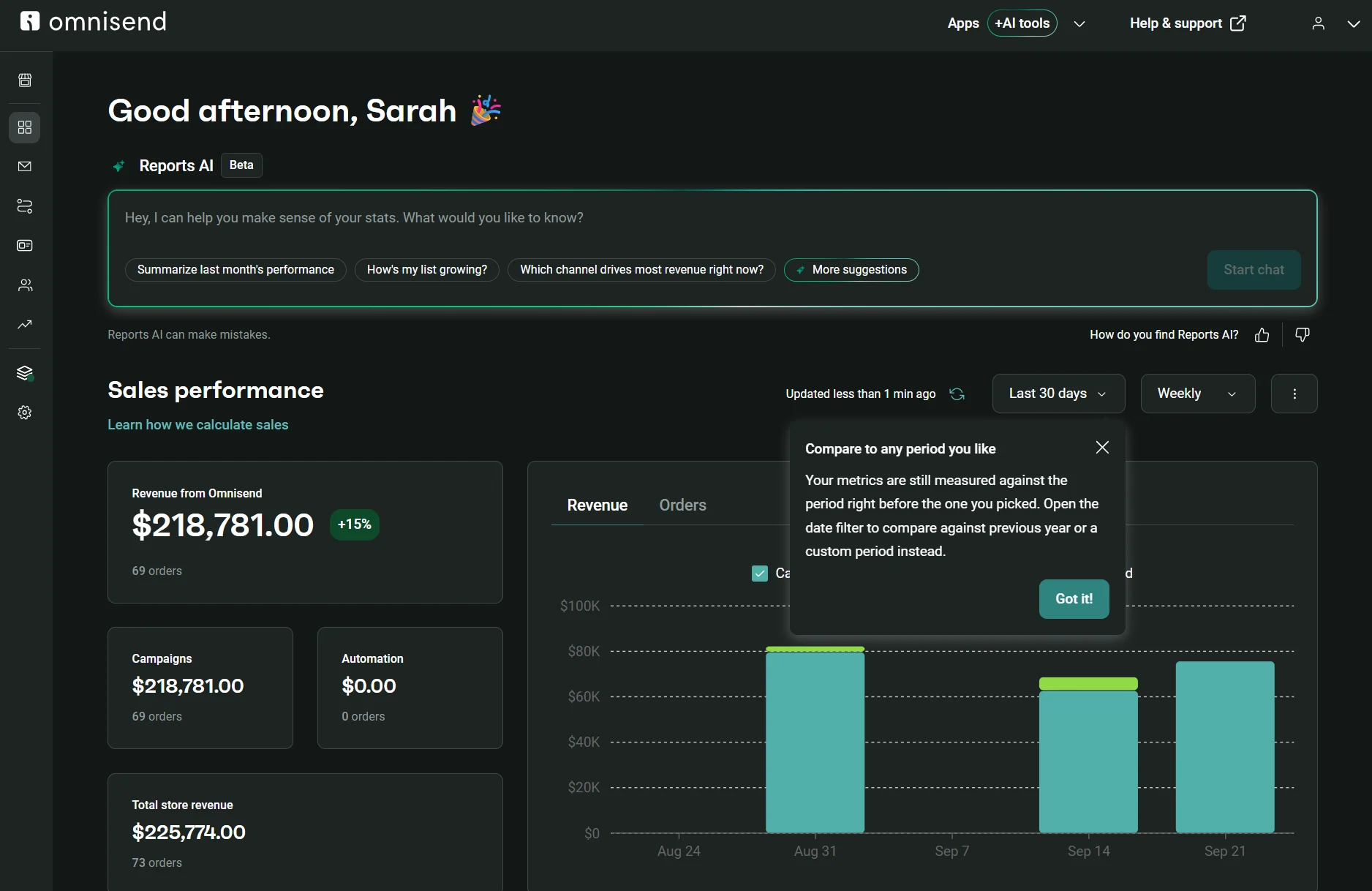
Omnisend offers native SMS and web push notifications, plus omnichannel automations and standalone campaigns. All plans have AI customer lifecycle maps based on recency, frequency, and monetary value (RFM) analysis. They sort customers into eight stages, including At risk and Loyalists, and you can target each with its own segment and suggested retention tactics.
Key features
- Personalization: The AI product recommender in the Pro plan shows customers recently viewed products and products similar to their past purchases in emails. All plans let you add your customer’s name to all channels.
- More than 250 email templates: Newsletters, seasonal themes, confirmations, thank-yous, announcements, year-in-reviews, plus more. That’s significantly more templates than MailerLite, which has 120+.
- Native ecommerce integrations: Shopify, WooCommerce, Wix, BigCommerce, Shoplazza, Ecwid, and SureCart have apps. Any custom store can connect using the Omnisend application programming interface (API) with backend or frontend integration.
Pricing
Omnisend Standard costs $5–$19/month less than MailerLite Power up to 2,500 contacts and $3–$46 more from 5,000 up. It also adds lifecycle stage maps, an AI segment builder, unlimited automations and landing pages, and web push notifications.
| Contacts | Omnisend Standard | Omnisend Pro | MailerLite Comfort | MailerLite Power |
|---|---|---|---|---|
| 500 | $16 | – | $12 | $25 |
| 1,000 | $20 | – | $19 | $39 |
| 2,500 | $44 | $59 | $33 | $49 |
| 5,000 | $81 | $90 | $49 | $69 |
| 10,000 | $132 | $150 | $89 | $129 |
| 20,000 | $265 | $375 | $159 | $219 |
Accurate as of September 2026.
Omnisend supports transactional email in all plans, whereas MailerLite requires a paid MailerSend plan starting at $7/month for over 500 transactional emails.
You can compare Omnisend pricing with other platforms with our provider comparison tool. For a feature-by-feature view, see how it compares with other Omnisend alternatives.
Where it beats MailerLite
Omnisend beats MailerLite for support, channel coverage, automation, and segmentation.
You get live chat and email support in all plans. SMS is available as a monthly subscription on Pro plans with coverage in 190+ countries, and web push is available on all plans, with an unlimited send quota in paid plans.
You can access 30+ automation templates compared to MailerLite’s 18, and MailerLite’s abandoned cart trigger isn’t available on Shopify, BigCommerce, or Squarespace, whereas Omnisend’s is. Abandoned checkout is available in MailerLite for Shopify, but only for returning customers who have placed at least one order.
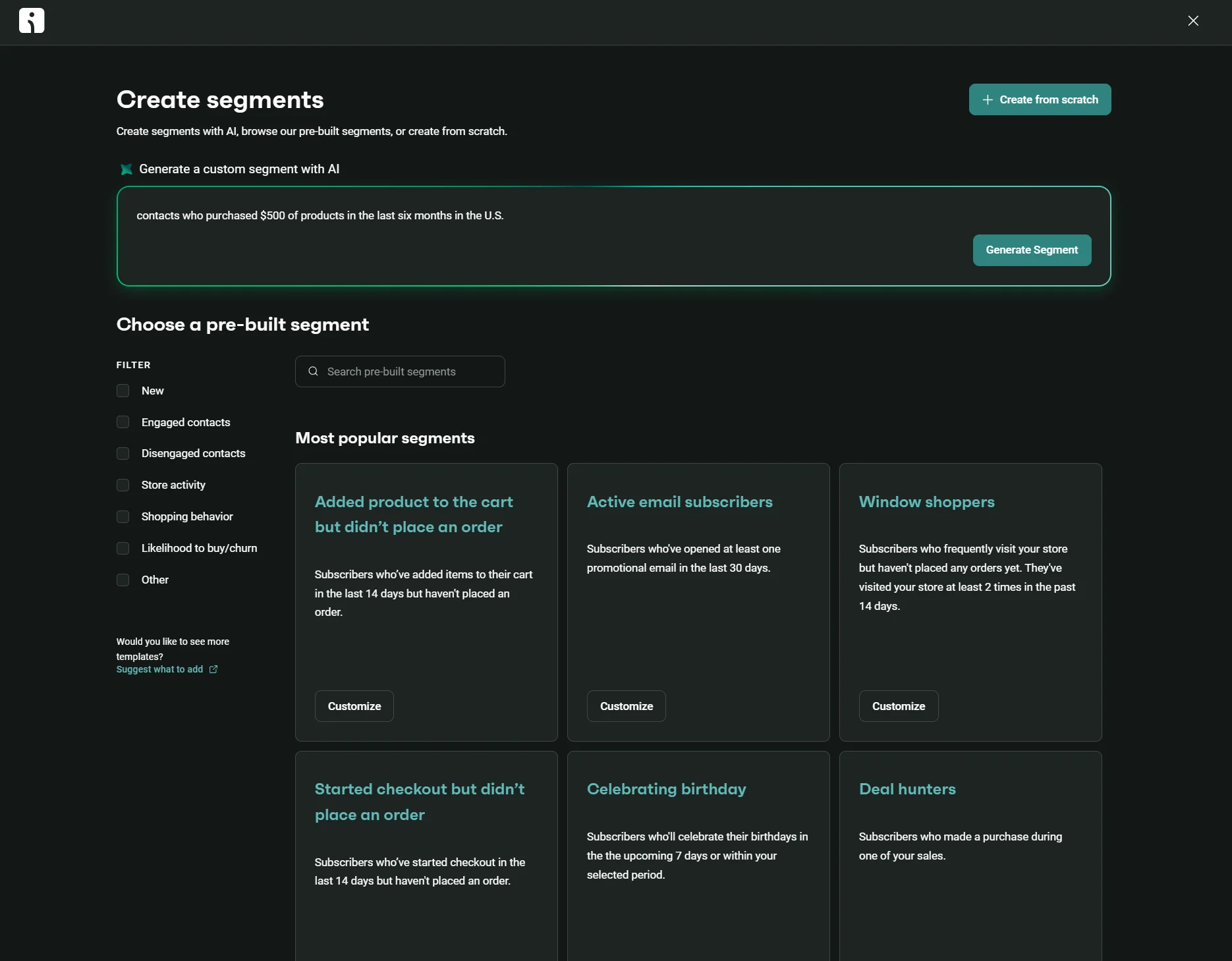
There are 30+ segmentation templates compared to MailerLite’s seven, including segments based on likelihood to buy or churn and shopping behavior such as “deal hunters” and “received a voucher but didn’t use it”. Plus, you can build segments with AI.
Where MailerLite is better
MailerLite delivers blog content to subscribers via an RSS feed (available on Comfort and Power plans), and Stripe integration lets you sell products, bookings, and paid newsletters from emails and landing pages without a store.
Why choose Omnisend over MailerLite?
Omnisend is a better choice than MailerLite when you’re an ecommerce store and repeat customers bring in a large share of your revenue.
2. Brevo: best for email marketing with CRM
G2 rating: 4.5/5 (2,700+ reviews)
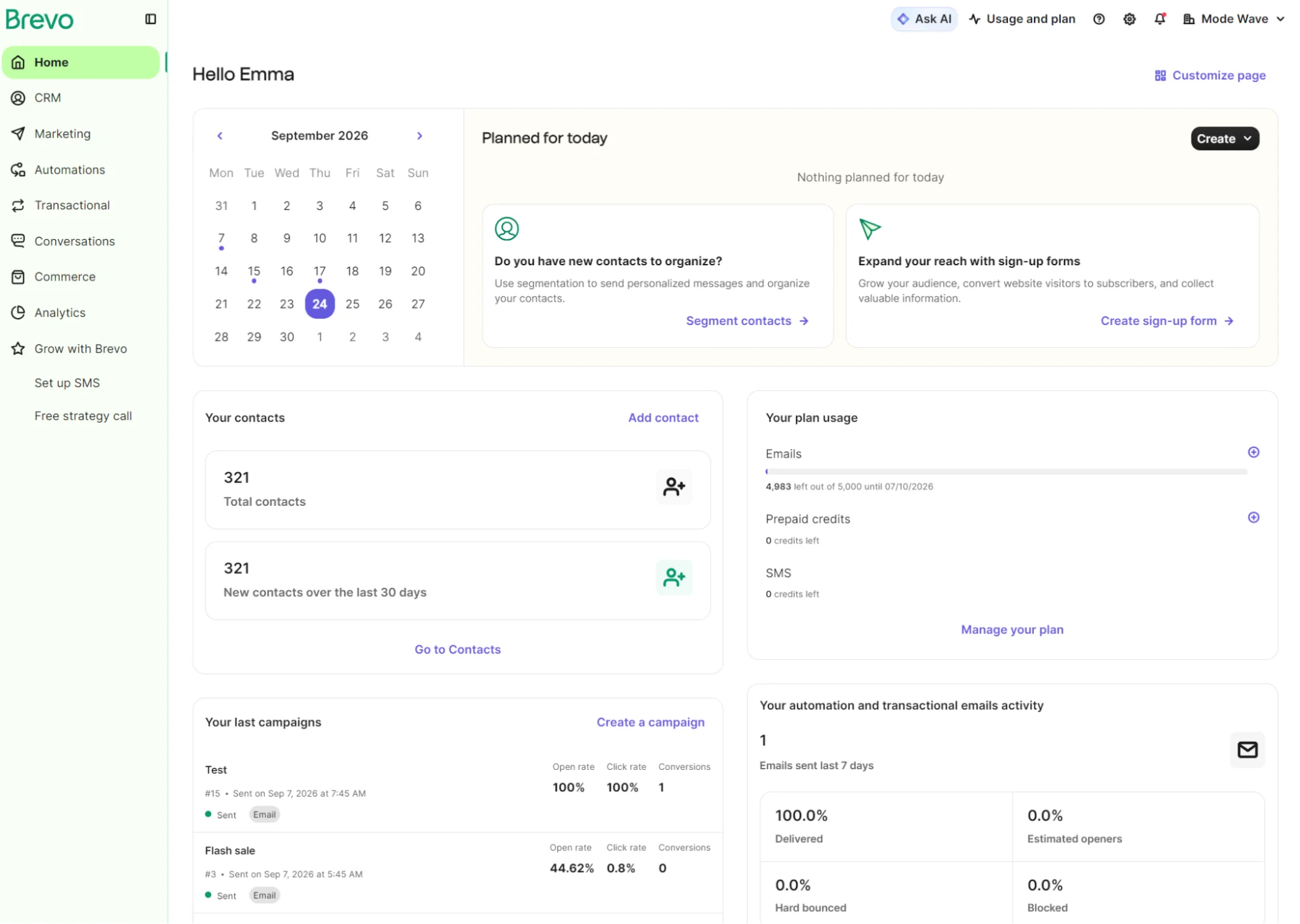
Brevo suits business-to-business (B2B) companies with an ecommerce side, with a sales pipeline and open deals in all plans for contacts and companies. It also works well for larger lists and infrequent senders, with plan prices based on monthly email volume.
Key features
- Multichannel campaigns: Build email, SMS, WhatsApp, and web push campaigns
- Built-in sales CRM: Included free for one pipeline and 50 open deals; you can purchase an add-on for unlimited quotas
- Transactional email API: Send order confirmations, password resets, and other emails alongside your marketing campaigns
Pricing
Brevo is cheap to hold a list and charges you to mail it. MailerLite is the reverse: it costs more to hold your list but offers unlimited emails on the Power plan and a 10x contact send limit on the Comfort plan.
| Contacts | Brevo Starter | Brevo Standard | Brevo sends | MailerLite Comfort | MailerLite Power |
|---|---|---|---|---|---|
| 500 | $9 | $18 | 5,000 | $12 | $25 |
| 1,000 | $17 | $35 | 10,000 | $19 | $39 |
| 2,500 | $25 | $49 | 15,000 | $33 | $49 |
| 5,000 | $32 | $69 | 20,000 | $49 | $69 |
| 10,000 | $32 | $69 | 20,000 | $89 | $129 |
| 20,000 | $32 | $69 | 20,000 | $159 | $219 |
Accurate as of September 2026. Brevo’s 10,000-send tier holds up to 1,500 contacts.
At 20,000 sends, Brevo’s Starter and Standard tiers hold up to 500,000 contacts. Both 10,000 and 20,000 contacts fall within that cap, so the price and send allowance don’t change.
Where it beats MailerLite
Brevo’s free contact storage and AI features beat MailerLite’s offerings.
Brevo’s Free plan stores up to 100,000 contacts with a send quota of 300 emails/day; MailerLite’s Free plan stores up to 250 contacts and supports 2,500 emails/month. It’s the most generous free plan to store a large list.
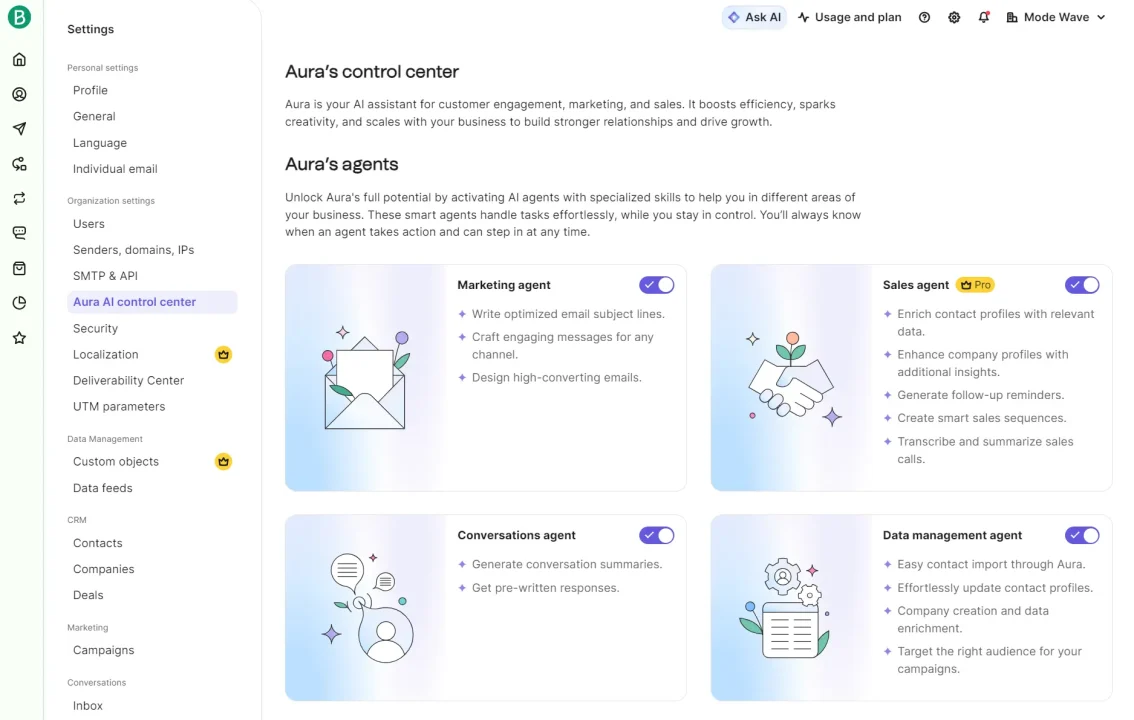
Aura AI in Brevo does much more than MailerLite’s generative AI. It includes four agents: marketing for subject lines and email design, data management for imports and enrichment, conversations for chat summaries and replies, and sales for profile enrichment, sequences, and call transcription with the Sales Advanced add-on.
Where MailerLite is better
MailerLite is best when you want to create newsletters and build your email list with pop-ups using templates. There are 120+ email templates compared to Brevo’s 50+, and Brevo only supports pop-ups from the $499/month Professional plan.
Why choose Brevo over MailerLite?
Pick Brevo if you’d otherwise be paying for MailerLite to send marketing emails, MailerSend for transactional emails, and a separate CRM tool to manage your customers.
3. Sender: best free MailerLite alternative
G2 rating: 4.7/5 (270+ reviews)
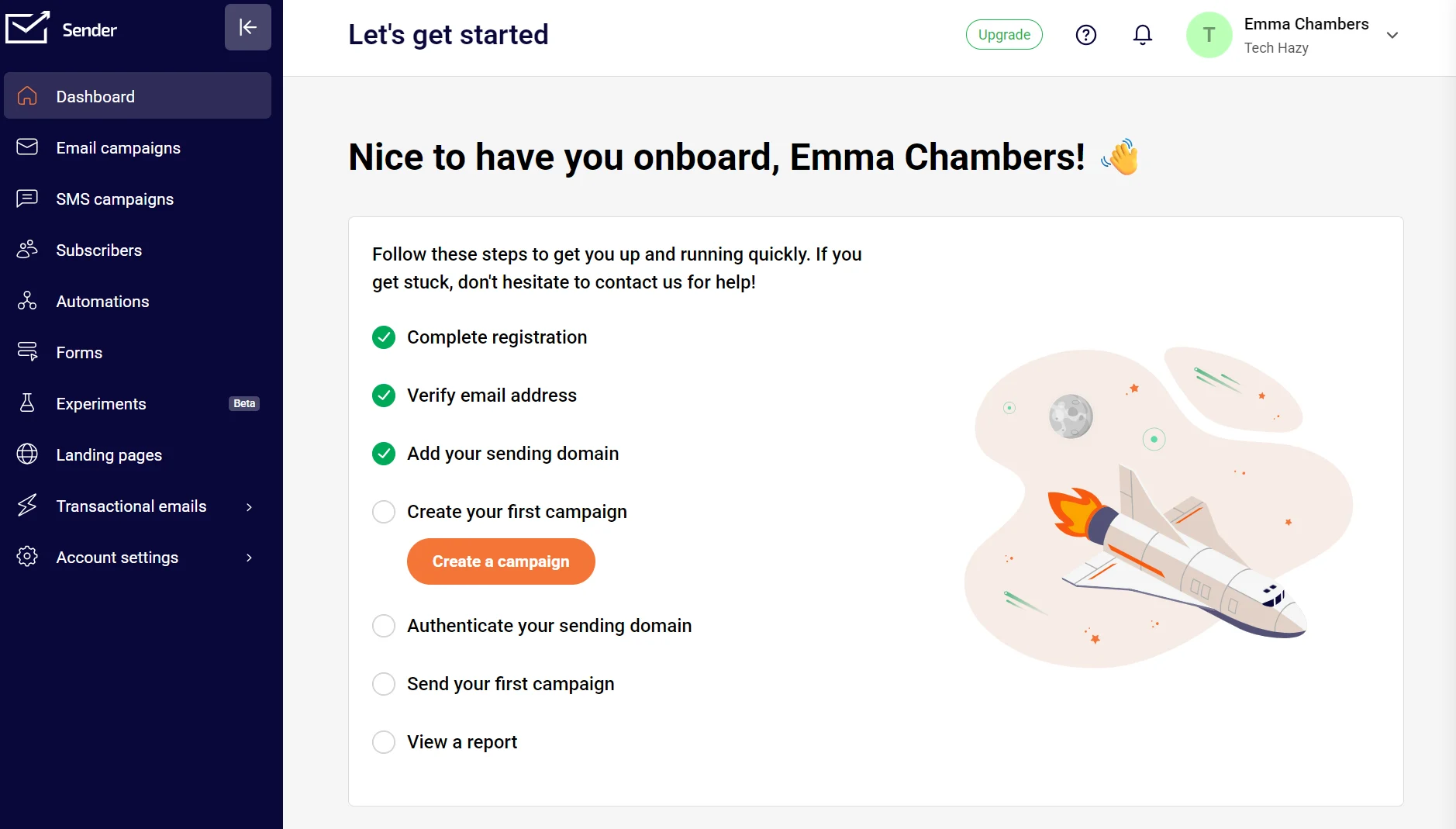
Sender suits small stores and new businesses that want to create a complete email program before paying anything. Unlike MailerLite Free, Sender’s Free plan doesn’t restrict automation triggers, and the main reasons to upgrade are SMS and a growing list.
Key features
- Free access to all 90+ email templates: Sender gives you complete access regardless of plan; MailerLite provides limited access in its Free plan
- Dynamic content: Email editor blocks on every plan can show abandoned cart products, order summaries, and more; MailerLite restricts dynamic content to paid plans
- Over 35 pop-up templates: Including four spin-to-win wheel pop-ups and seasonal pop-ups for events such as Black Friday and Thanksgiving
Pricing
Sender Standard undercuts MailerLite Comfort at every list size, saving $3–$32/month. Sender Professional is $2–$19/month cheaper than MailerLite Power at most list sizes, but costs $10 more at 5,000 contacts and $31 more at 20,000.
| Contacts | Sender Standard | Sender Professional | MailerLite Comfort | MailerLite Power |
|---|---|---|---|---|
| 500 | $9 | $15 | $12 | $25 |
| 1,000 | $15 | $20 | $19 | $39 |
| 2,500 | $27 | $44 | $33 | $49 |
| 5,000 | $39 | $79 | $49 | $69 |
| 10,000 | $69 | $127 | $89 | $129 |
| 20,000 | $127 | $250 | $159 | $219 |
Accurate as of September 2026.
Sender’s Free plan has the highest send limit on our list. It supports 15,000 emails/month and can store up to 2,500 contacts.
Where it beats MailerLite
Sender’s transactional email, SMS, automation templates, and support beat MailerLite’s.
It supports transactional email with one event webhook in its Free plan, and those emails share the 15,000/month quota with your campaigns. MailerLite needs a separate MailerSend plan for transactional email, which costs $35/month once you pass 5,000.
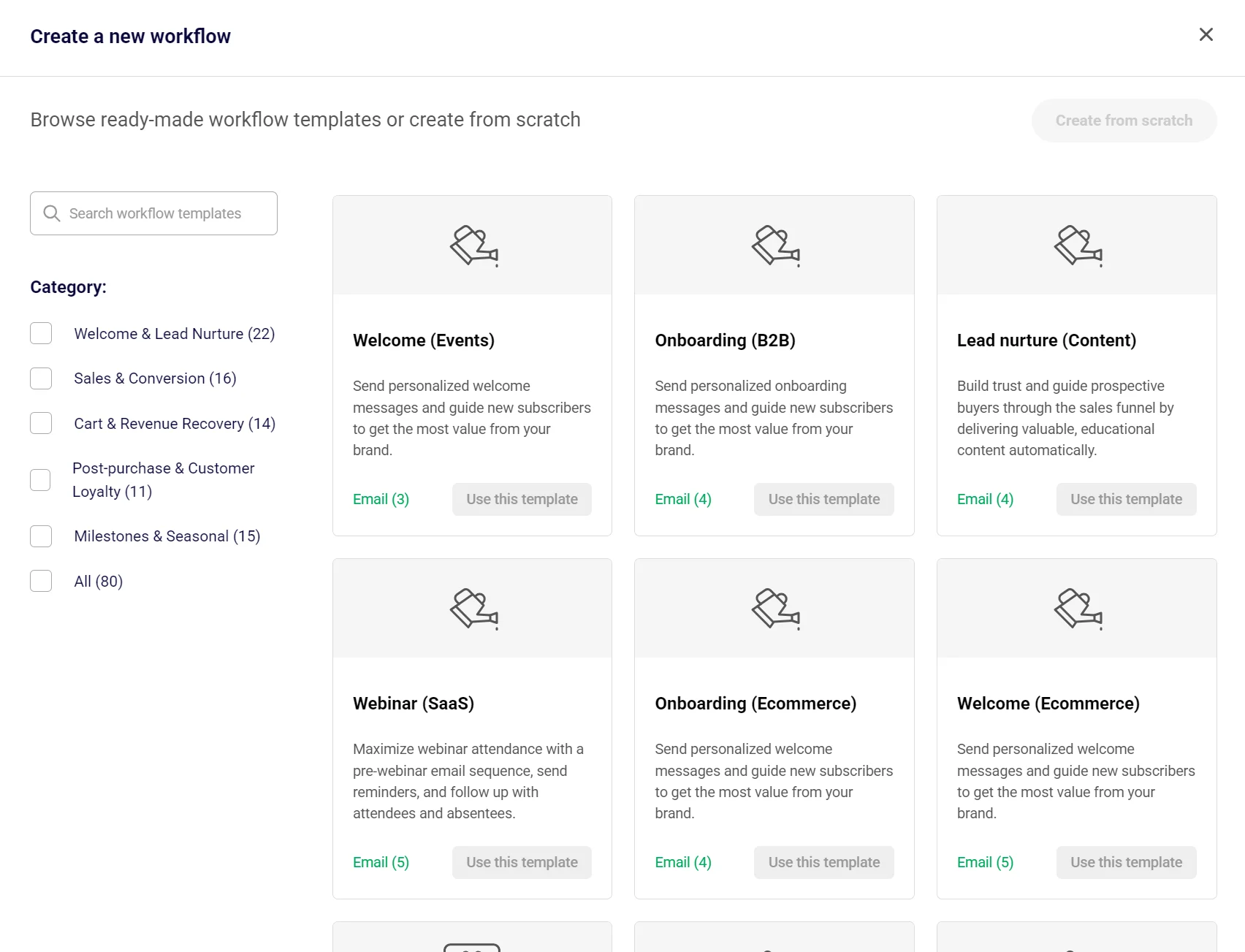
The cheapest Sender plan, Standard, supports SMS campaigns. There are 80 automation templates, including 22 for welcome and lead nurturing and 14 for cart and revenue recovery, and all plans have 24/7 email and live chat support.
Where MailerLite is better
MailerLite has a website builder with native monetization capabilities, interactive email and landing page elements for your audience (such as quizzes and surveys), and pre-built segment templates. Sender lacks all of these.
Why choose Sender over MailerLite?
Sender is a better choice than MailerLite when you’re a small store that wants to keep costs down and doesn’t need a website builder or paid newsletters.
4. ActiveCampaign: best for AI marketing and automation with a CRM
G2 rating: 4.4/5 (14,700+ reviews)
ActiveCampaign has more channel reach than MailerLite across email, SMS, and WhatsApp in one tool. SMS supports two-way conversations, and automations can include all three channels in the same workflow. You also get a CRM and access to 1,000+ integrations.
Key features
- More than 950 automation templates: Templates include sales and marketing automations, including 1:1 email ones, only available with an add-on
- Recipe complexity: The Plus plans and above let you assign unlimited automation actions and create multi-step flows
- Business Goals: You can track progress for building your list, increasing first-time purchases and CLV, and more
Pricing
ActiveCampaign only matches MailerLite Comfort once: $19/month for 1,000 contacts on the entry plans. Otherwise, its Starter plan is $16–$230 above MailerLite Comfort, and its Plus plan outprices MailerLite Power by $20–$190.
| Contacts | ActiveCampaign Starter | ActiveCampaign Plus | ActiveCampaign Pro | MailerLite Comfort | MailerLite Power |
|---|---|---|---|---|---|
| 500 | – | – | – | $12 | $25 |
| 1,000 | $19 | $59 | $89 | $19 | $39 |
| 2,500 | $49 | $119 | $169 | $33 | $49 |
| 5,000 | $99 | $179 | $235 | $49 | $69 |
| 10,000 | $189 | $239 | $419 | $89 | $129 |
| 20,000 | $389 | $409 | $619 | $159 | $219 |
Accurate as of September 2026.
There’s one more ActiveCampaign email plan: Enterprise from $145/month for 1,000 contacts, increasing to $879/month for 20,000. WhatsApp is available as a separate plan from $99/month for 5,000 WhatsApp contacts, or bundled into the email plans.
Where it beats MailerLite
ActiveCampaign is a better choice than MailerLite for AI-assisted automation, segmentation, and CRM capabilities.
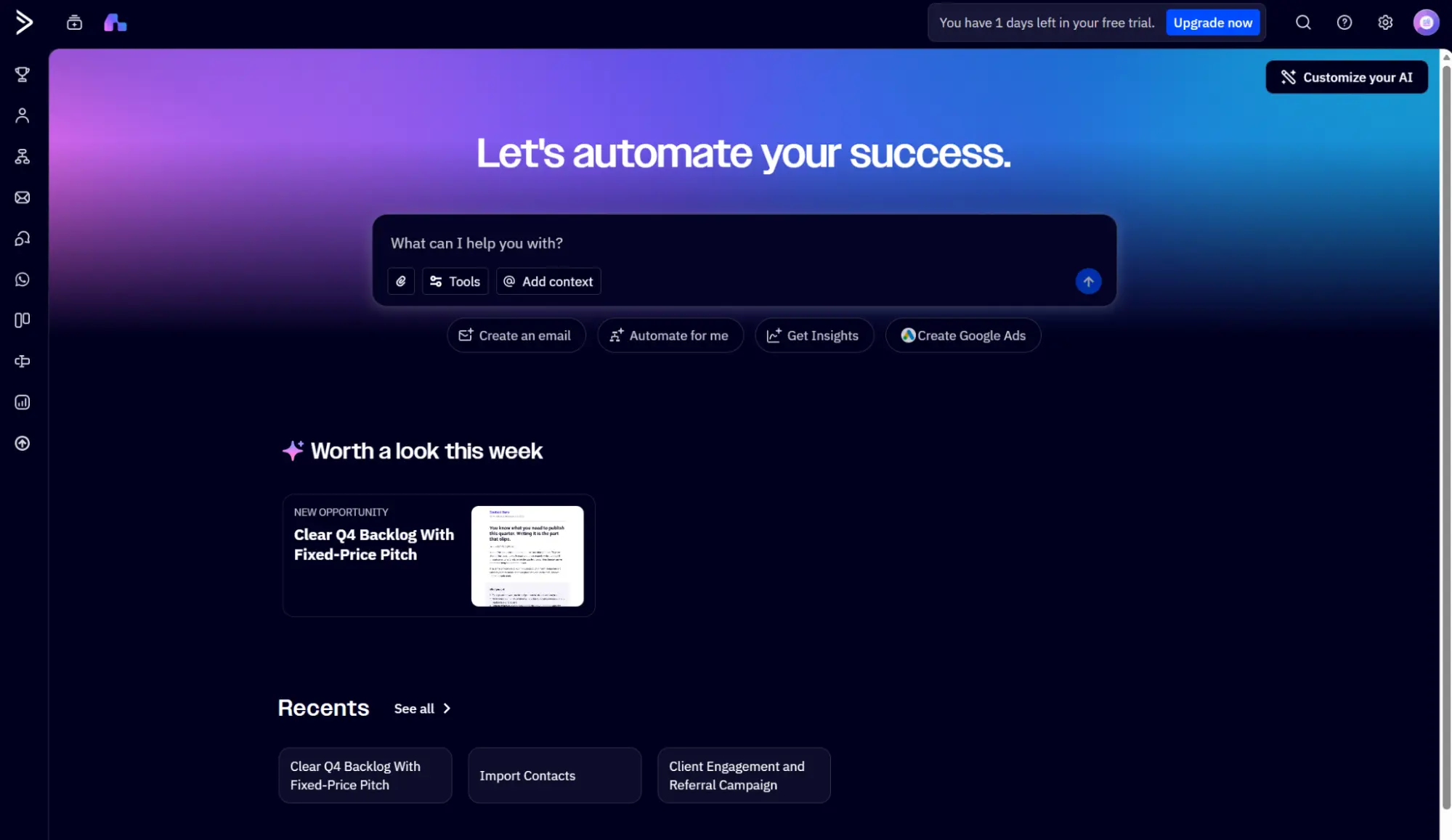
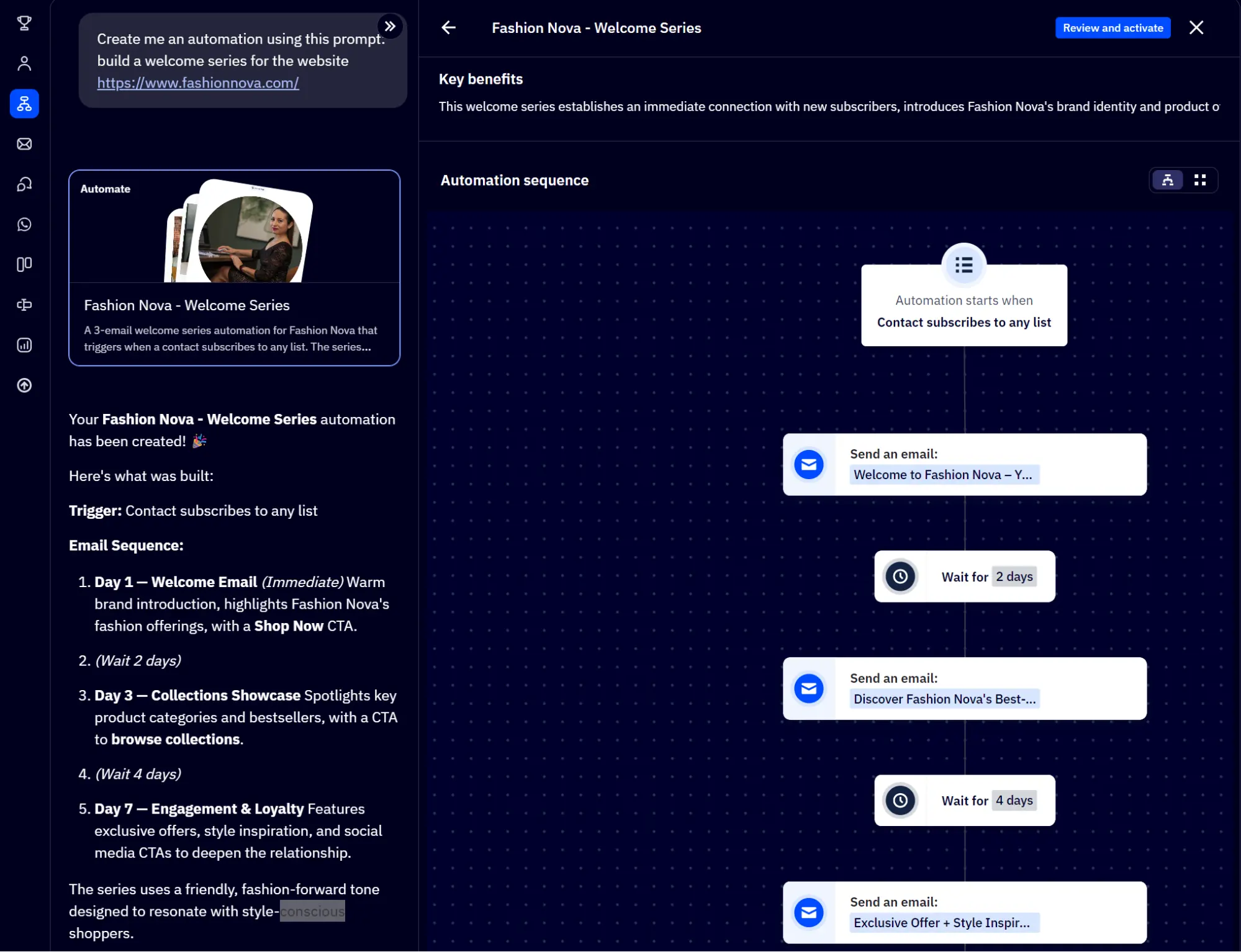
Active Intelligence can generate an automation and a segment with prompts and provides a visual when complete. It can build segments based on what contacts did and didn’t do, and use CRM data such as deals, sales activity, and custom fields.
The CRM is available in all plans with contact profiles, custom fields, tags, and lists. There’s an Enhanced CRM add-on with pipeline management, deal records, and lead scoring starting at $49/month in the Plus plan, a feature that MailerLite doesn’t offer in any plan.
Where MailerLite is better
MailerLite’s newsletters and segmentation are better for small businesses or bloggers. ActiveCampaign has four plan-dependent segmentation levels and paid add-ons, such as the Enhanced CRM and Custom Reporting, that can increase your bill.
Why choose ActiveCampaign over MailerLite?
ActiveCampaign is your top pick when you’re tracking customers through a long buying cycle and need the CRM, business goals, and automation to manage it.
5. Kit: best for creators and paid newsletters
G2 rating: 4.4/5 (230+ reviews)
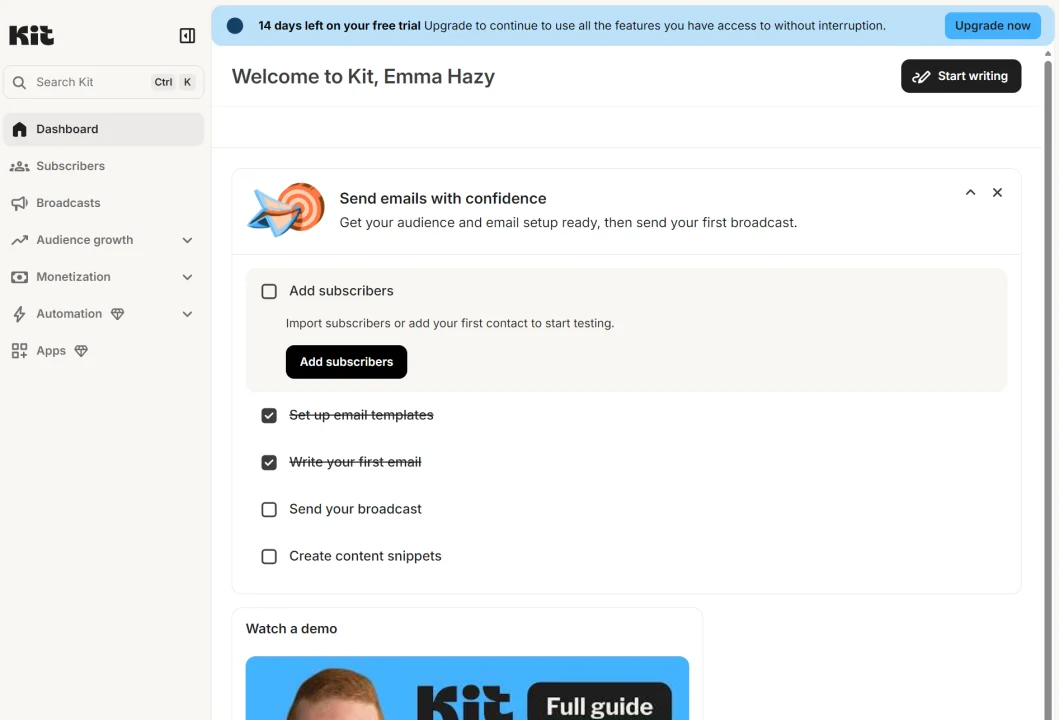
Kit is a top MailerLite alternative if you’re a creator wanting to run paid newsletters and sell digital products and recurring subscriptions in one tool. You can also earn from recommending other creators and newsletters in paid plans.
Key features
- Content monetization: Including virtual tip jars, digital product sales, chargeable newsletters, and subscriptions, all with a checkout flow
- Landing pages and forms: These let you create funnels that link into email automations to capture and welcome new subscribers
- Detailed analytics: Audience growth and what forms, pages, and emails your customers are engaging with most, plus sales data, including average order value (AOV) and CLV
Pricing
Kit costs more than the equivalent MailerLite plan at every list size and has no paid plan below 1,000 contacts. Kit Creator is $14–$50/month above MailerLite Comfort, and Kit Pro is $27–$70/month above MailerLite Power.
| Contacts | Kit Creator | Kit Pro | MailerLite Comfort | MailerLite Power |
|---|---|---|---|---|
| 500 | – | – | $12 | $25 |
| 1,000 | $33 | $66 | $19 | $39 |
| 2,500 | $50 | $83 | $33 | $49 |
| 5,000 | $89 | $139 | $49 | $69 |
| 10,000 | $139 | $189 | $89 | $129 |
| 20,000 | $189 | $269 | $159 | $219 |
Accurate as of September 2026. Kit’s 2,500-contact tier holds up to 3,000 contacts.
Where it beats MailerLite
Kit beats MailerLite for monetization features and audience growth tools.
With Kit, you can set up virtual tip jars and charge for recurring memberships in all plans, whereas MailerLite restricts subscriptions to paid plans. The product builder includes a hosted web page with checkout and confirmation screens.

A recommendations network connects you to other Kit creators, who can recommend your products and newsletter, and vice versa, with earning opportunities. You can also get matched with brands and grow and earn with sponsorships.
Where MailerLite is better
MailerLite has a native bookings feature that Kit lacks, and it lets you sell digital products and subscriptions with lower plan prices per contact tier.
Why choose Kit over MailerLite?
Kit has more earning opportunities than MailerLite for your content. Its paid recommendations network doesn’t have a MailerLite equivalent, and the integration library is creator-first, with apps for the likes of Patreon and TeachKit.
6. Mailchimp: best for small stores and businesses
G2 rating: 4.4/5 (5,400+ reviews)
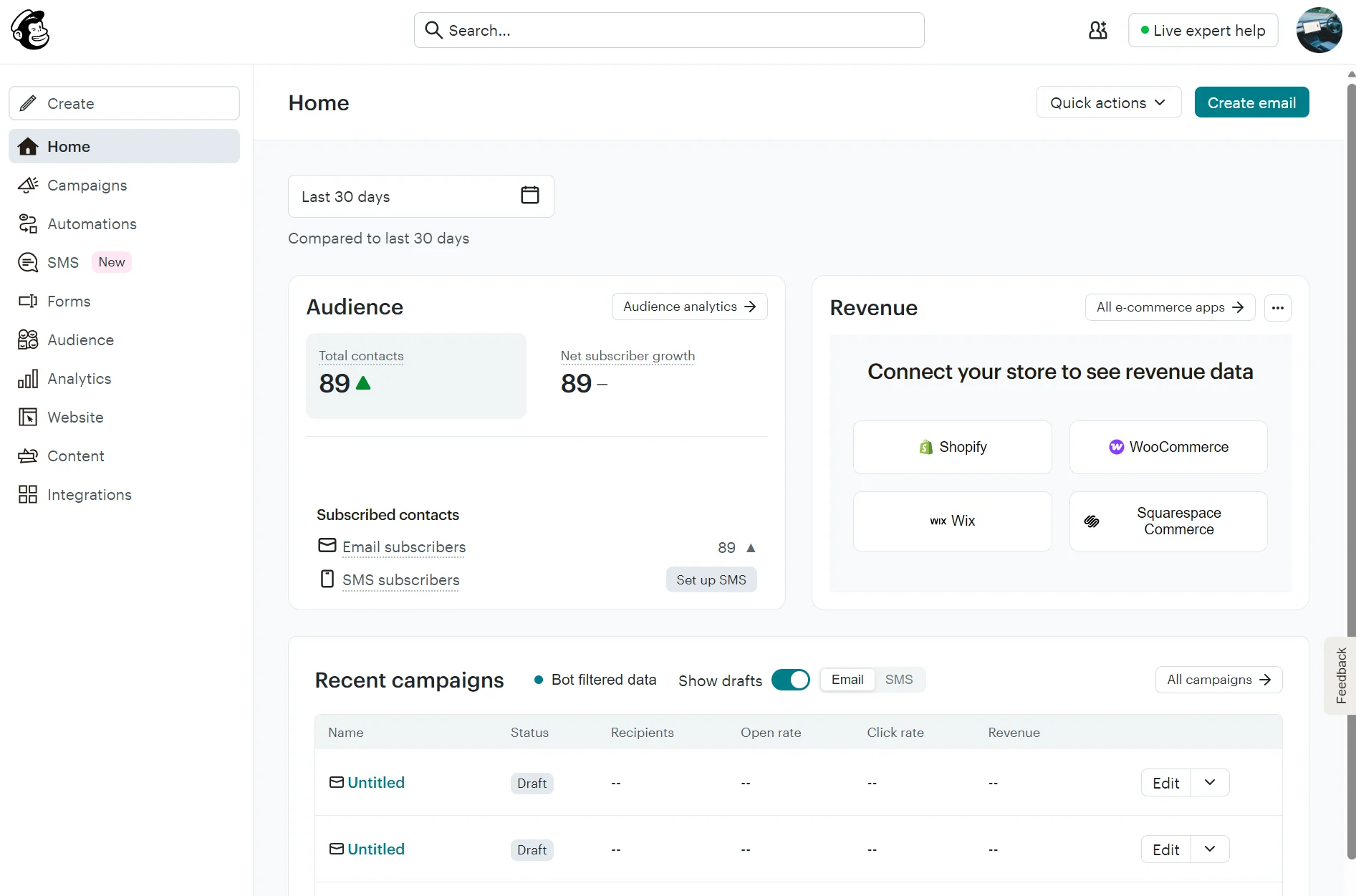
Mailchimp is a broader all-purpose marketing tool than MailerLite. It supports SMS in paid plans and has a website builder and social posting capabilities. Standard plans and above have predictive segmentation and track purchase likelihood and CLV.
Key features
- Social posting: All plans let you automatically publish posts to Facebook, Instagram, and X when you send an email, and you can schedule those posts on Standard plans
- Marketing calendar: Available on Standard, it visualizes your email, SMS, social posts, and ads in one place
- More than 350 integrations: For Shopify, Meta Leads, Gravity Forms, Zoho, and more, beating MailerLite’s 140+ count
Pricing
Mailchimp costs more than the equivalent MailerLite plan at almost every list size. Mailchimp Essentials is $1–$71/month above MailerLite Comfort, and Mailchimp Standard is $6–$66/month above MailerLite Power, except at 500 contacts, where it’s $5 cheaper.
| Contacts | Mailchimp Essentials | Mailchimp Standard | MailerLite Comfort | MailerLite Power |
|---|---|---|---|---|
| 500 | $13 | $20 | $12 | $25 |
| 1,000 | $26.50 | $45 | $19 | $39 |
| 2,500 | $45 | $60 | $33 | $49 |
| 5,000 | $75 | $100 | $49 | $69 |
| 10,000 | $110 | $135 | $89 | $129 |
| 20,000 | $230 | $285 | $159 | $219 |
Accurate as of September 2026. Mailchimp’s 1,000-contact tier holds up to 1,500 contacts.
Mailchimp also has a Premium plan priced at $350/month for 10,000 contacts. It has a 15x contact send limit and unlimited users.
Where it beats MailerLite
Mailchimp has better analytics, automations, and channel availability.
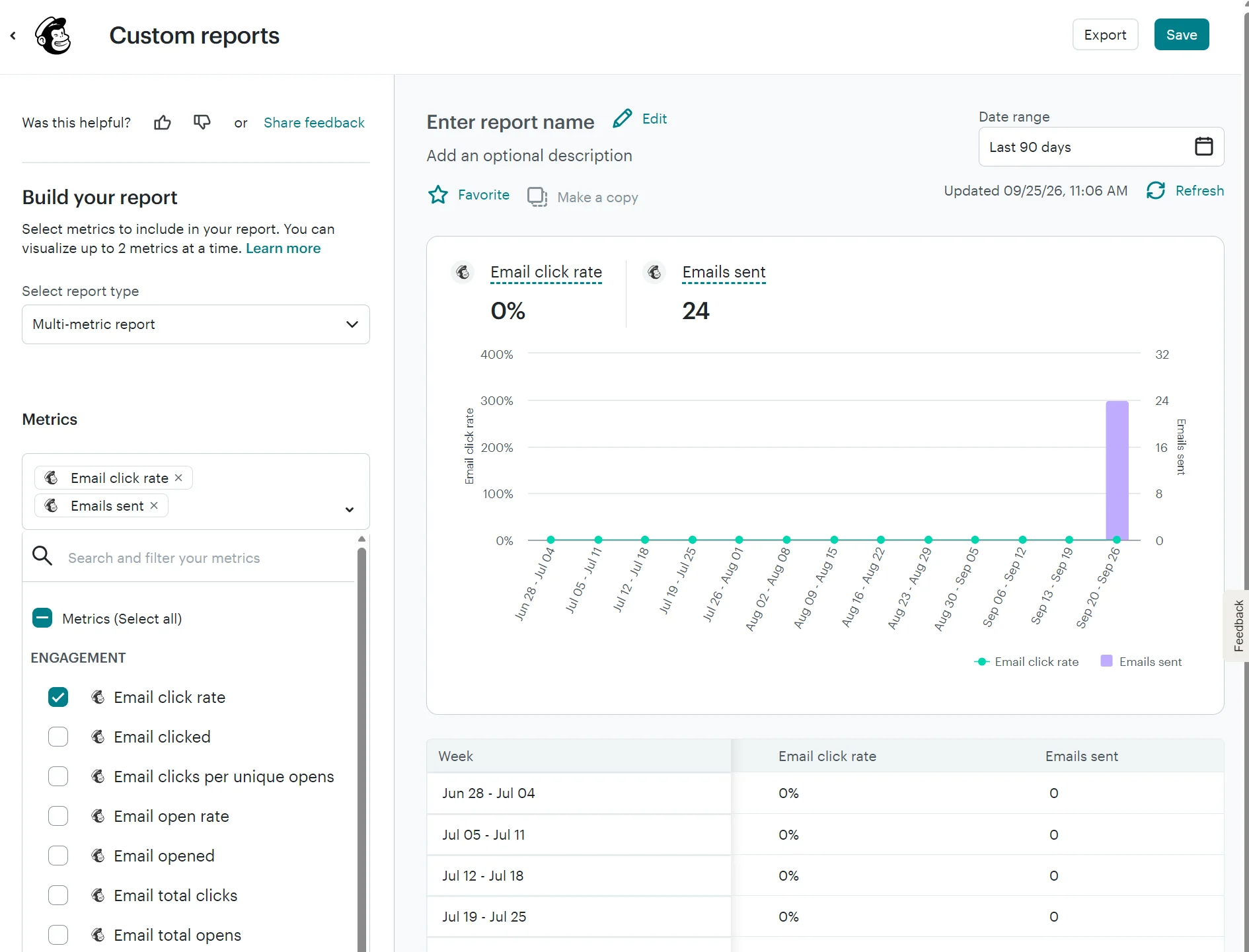
Analytics in Mailchimp includes conversion insights based on your connected store. Standard plans let you build custom reports with nine delivery metrics and seven engagement metrics, a capability that MailerLite doesn’t have in any plan.
The flow template library in Mailchimp includes 100+ pre-built templates, and if you’re on the Standard plan or above, AI can generate emails for those flows. MailerLite’s AI only generates content in the email editor.
SMS is available as an add-on on paid plans, with pre-built templates for abandoned cart and support for multichannel flows.
Where MailerLite is better
MailerLite sends newsletters at a lower cost than Mailchimp. Its plans are cheaper at most contact tiers, and it doesn’t count unsubscribed and non-subscribed contacts toward your bill, only active subscribers.
Why choose Mailchimp over MailerLite?
Pick Mailchimp when your marketing is spread across ads and social as well as email, and you want your schedule in one calendar.
7. Drip: best for ecommerce email automation with a flat plan
G2 rating: 4.4/5 (480+ reviews)
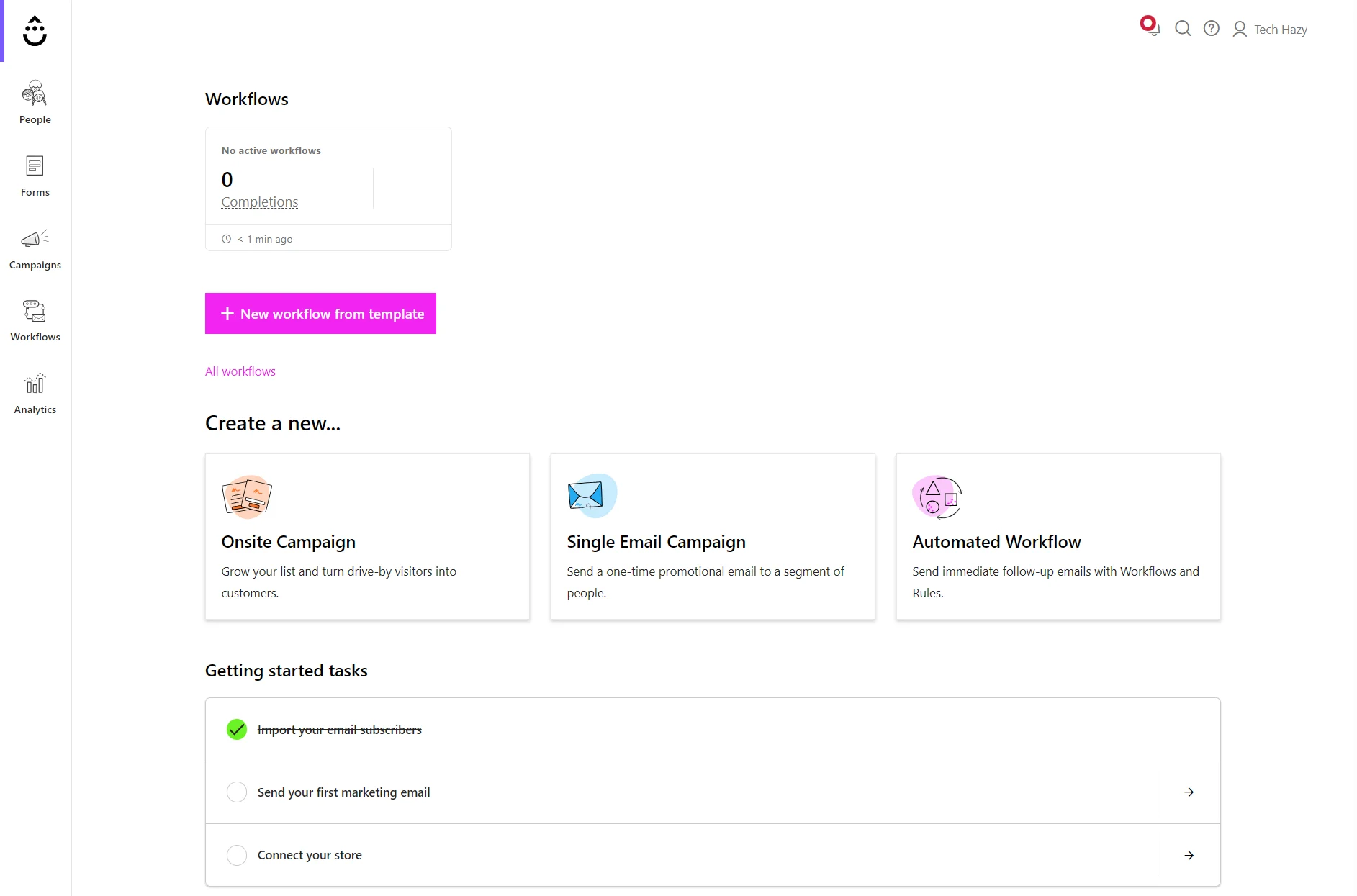
Drip is ecommerce-first, with more pre-built automations and behavior-tracking capabilities than MailerLite. It puts all email features in one plan without any add-ons compared to MailerLite’s three-plan approach, and supports transactional email without a separate plan.
Key features
- Unlimited email sends: Drip has unlimited email sends regardless of contact count; you only get unlimited sends in MailerLite on the Power plan
- Multiple triggers in workflows: One rule can start from any number of events, across Drip and your connected apps, so a win-back sequence triggered three ways is one workflow rather than three
- More than 80 automation templates: These include workflows for ecommerce, service providers, events, and online education, with Shopify, WooCommerce, and BigCommerce getting dedicated templates
Pricing
Drip’s single plan starts at 2,500 contacts, where it costs $6/month more than MailerLite Comfort but $10 less than MailerLite Power. From 5,000 contacts up, it’s pricier than both: $40–$130 above Comfort and $20–$70 above Power.
| Contacts | Drip | MailerLite Comfort | MailerLite Power |
|---|---|---|---|
| 500 | – | $12 | $25 |
| 1,000 | – | $19 | $39 |
| 2,500 | $39 | $33 | $49 |
| 5,000 | $89 | $49 | $69 |
| 10,000 | $154 | $89 | $129 |
| 20,000 | $289 | $159 | $219 |
Accurate as of September 2026.
Where it beats MailerLite
Behavior tracking and ecommerce automation are Drip’s strengths over MailerLite.
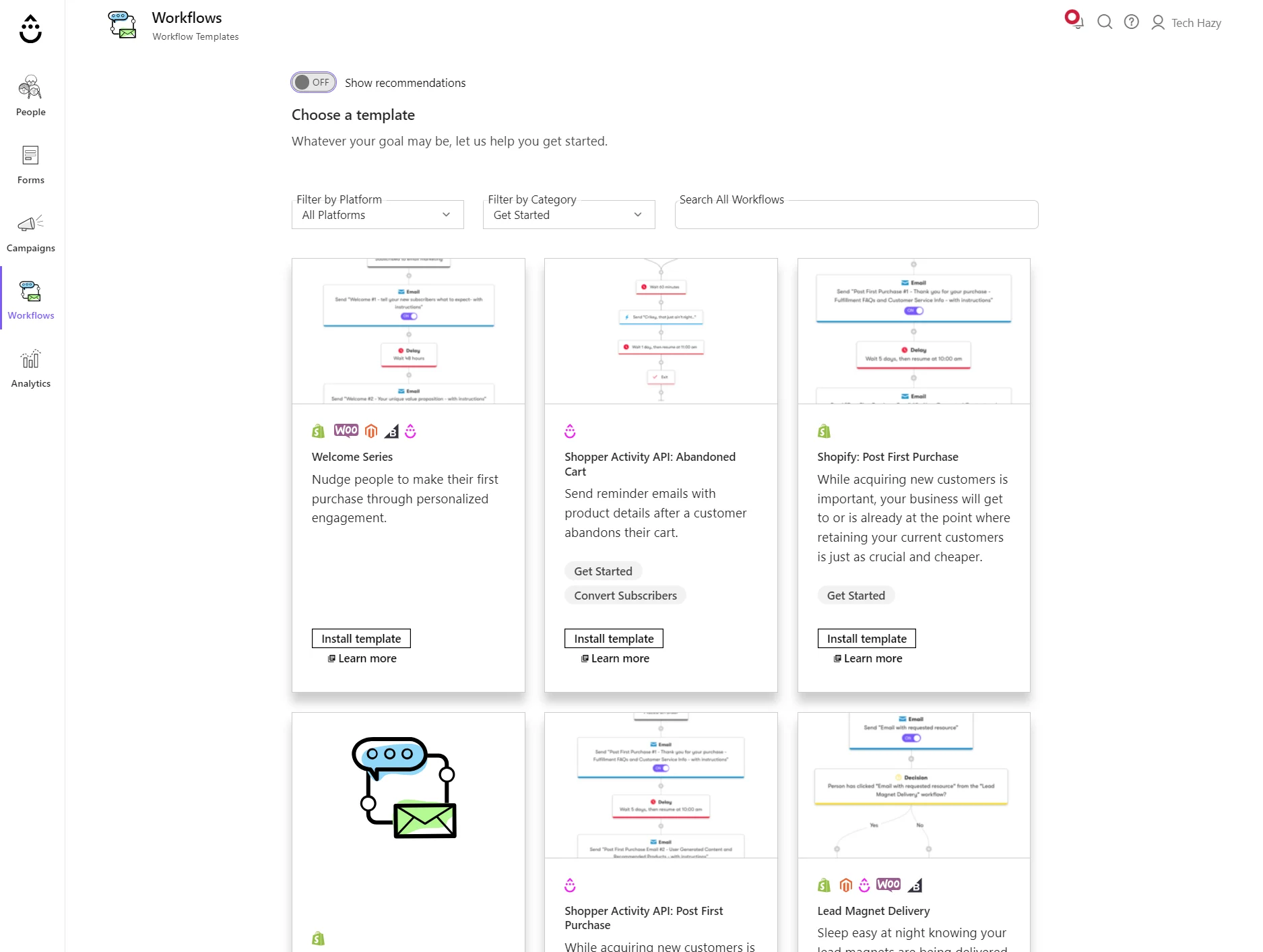
Drip groups site activity into daily sessions on contact profiles, with the events and revenue attached. Product views, cart activity, and checkouts all trigger workflows, so someone who browsed without buying becomes a segment you can email. MailerLite tracks purchases and abandoned checkouts, with nothing on browsing.
The Shopper Activity API attributes revenue to each campaign and workflow and calculates CLV from that. MailerLite’s ecommerce API exposes comparable objects, but the integration provides total spend rather than having MailerLite calculate it.
Where MailerLite is better
MailerLite can build a website in the same tool you send emails from. Its website and landing page builders, paid newsletters, and Stripe integration to collect payments have no Drip equivalent, and it costs less at every tier from 5,000 contacts up.
Why choose Drip over MailerLite?
Drip is a better choice than MailerLite when you want to target customers earlier in their journey, such as after browse abandonment, and start workflows from several triggers at once.
8. Moosend: best for custom reporting and affordable automation
G2 rating: 4.7/5 (740+ reviews)
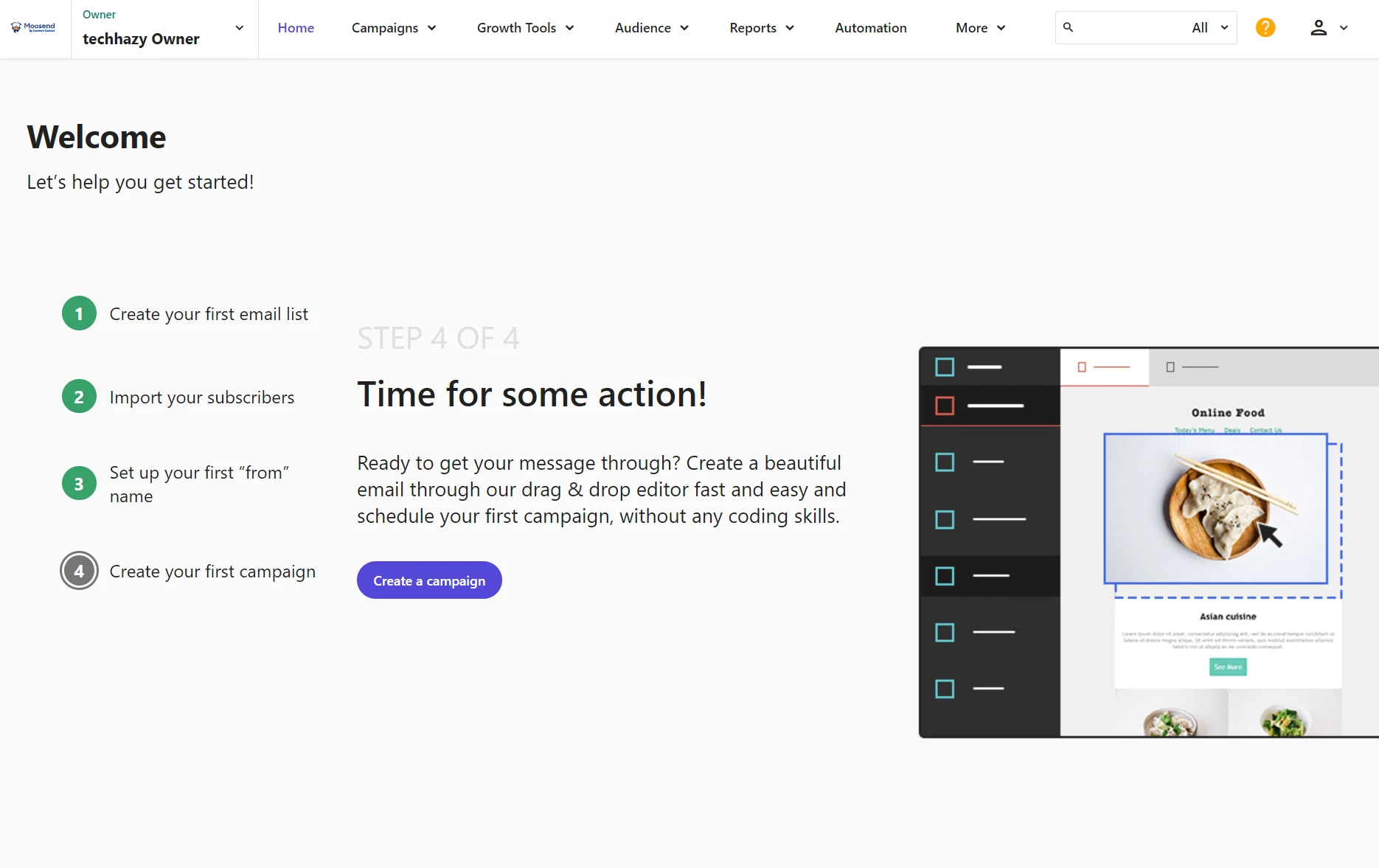
Moosend brings affordable automation to your toolkit with workflow templates for carts, reminders, surveys, and upsells/cross-sells. It also has 130+ customizable email templates and lets you build custom reports for performance breakdowns.
Key features
- RSS and repeatable newsletter campaigns: Email your latest blog posts and other content updates to subscribers
- List-building tools for your site: These include pop-up, inline, floating bar, floating box, fullscreen, and promotional pop-up formats with templates
- Unlimited email sends: There isn’t a monthly limit or daily cap for how many emails you can send
Pricing
Moosend Pro stays within $3/month of MailerLite Comfort at every list size and costs $16–$59/month less than MailerLite Power.
| Contacts | Moosend Pro | MailerLite Comfort | MailerLite Power |
|---|---|---|---|
| 500 | $9 | $12 | $25 |
| 1,000 | $16 | $19 | $39 |
| 2,500 | $32 | $33 | $49 |
| 5,000 | $48 | $49 | $69 |
| 10,000 | $88 | $89 | $129 |
| 20,000 | $160 | $159 | $219 |
Accurate as of September 2026. Moosend’s 2,500-contact tier holds up to 3,000 contacts; the 20,000-contact tier holds 25,000.
Moosend has two more plans: Moosend+ with transactional emails, and Enterprise with an account manager. Both are custom-priced.
Where it beats MailerLite
Moosend is a better tool for custom reporting and triggering automations based on what someone does on your site rather than in your inbox. Page visits and custom field changes can both start workflows, which MailerLite doesn’t offer.
Its Special offer reminder sends when someone views a page, then splits buyers from non-buyers before sending. The two-part Loyalty sequence sets a custom field in one workflow and triggers the next from that value.
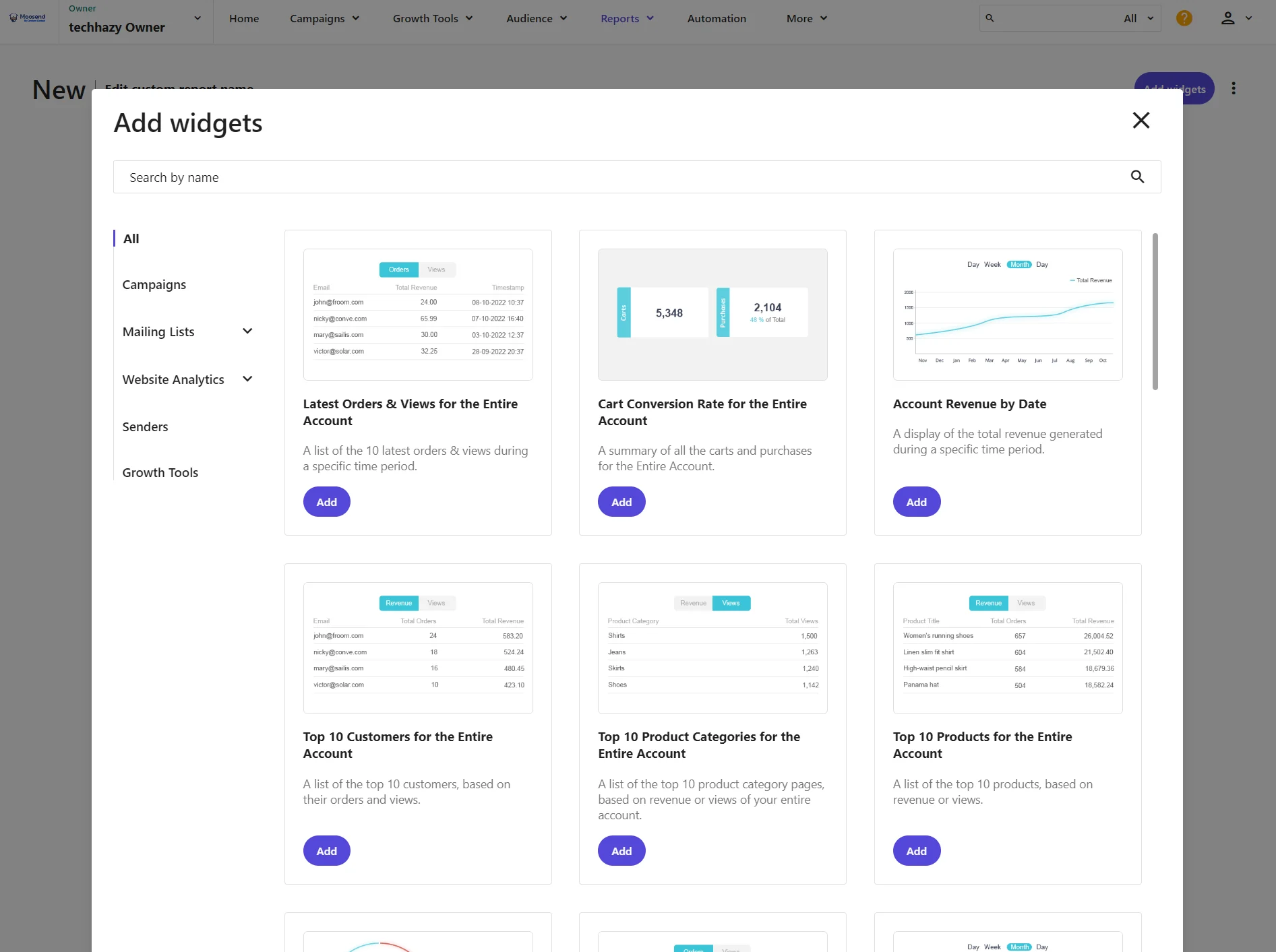
The custom reports builder includes 51 widgets, spanning campaigns, mailing lists, website analytics, senders, and growth tools. MailerLite lacks any custom reporting.
Where MailerLite is better
MailerLite can build a website in addition to landing pages and lets you sell digital products and subscriptions on those pages and in emails. Moosend lacks a website builder and has no native sales capabilities.
Why choose Moosend over MailerLite?
Choose Moosend to send unlimited emails for less: $9/month for Moosend Pro compared to $25/month for MailerLite Power. Also choose it for more behavior-based automation templates and better campaign visibility, such as engagement breakdowns with a donut chart.
9. GetResponse: best for course and webinar-based businesses
G2 rating: 4.3/5 (1,140+ reviews)
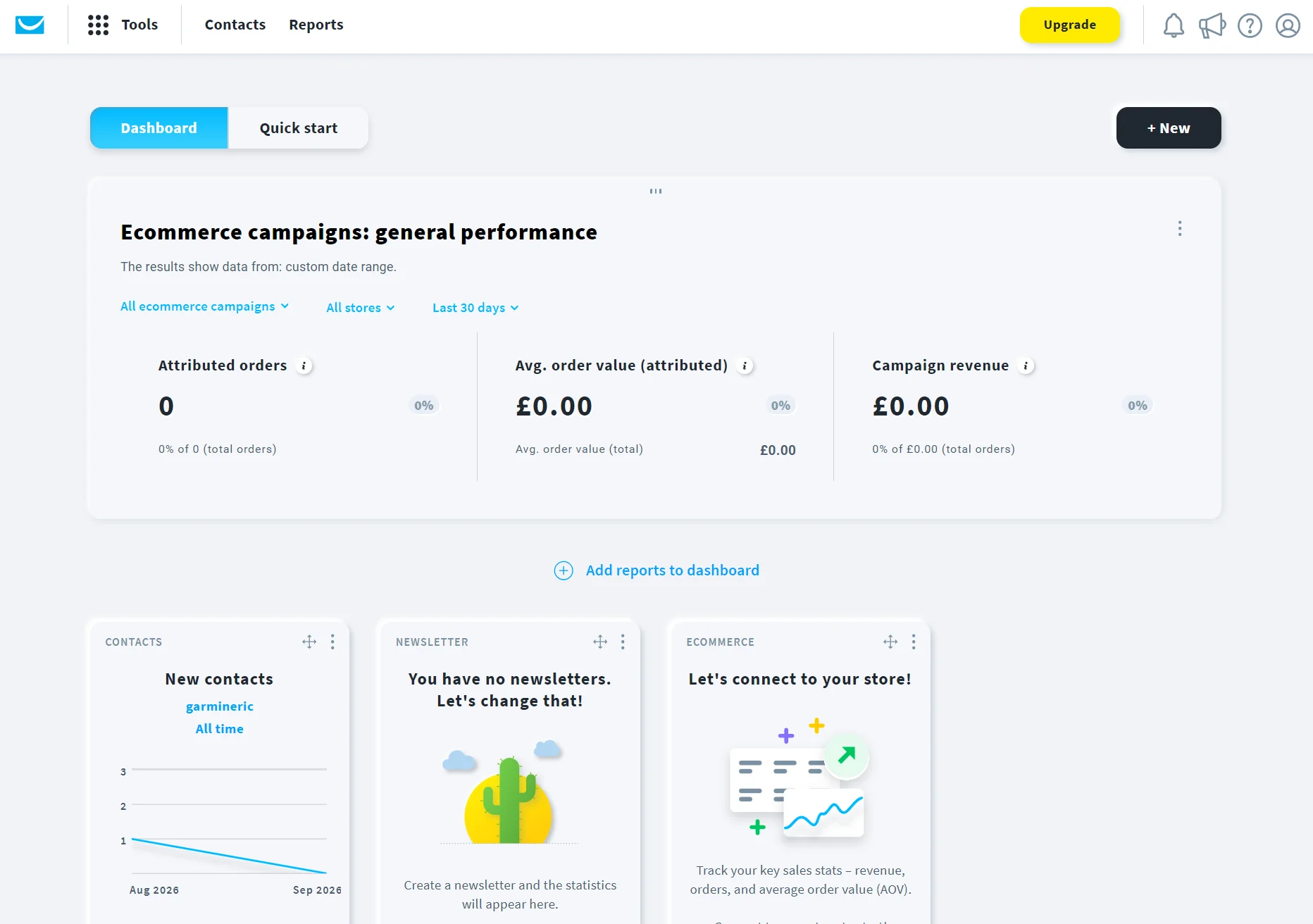
GetResponse Marketer plans have conversion funnels, and the Creator plan adds webinars to your toolkit. All plans have unlimited email sends. The $19/month Starter plan competes directly with MailerLite’s Comfort plan for newsletters.
Key features
- Course creator: Available in the Creator plan, it lets you sell unlimited courses and collect payments without an external store
- Conversion funnels: Pre-built funnels for leads, lead magnets, and sales, with webinar funnels added in the Creator plan
- SMS and push capabilities: Marketer plans and above have unlimited web push notifications; the custom-priced Enterprise plan supports SMS marketing and bundles 5,000 SMS credits into the plan
Pricing
Marketers who need funnels or webinars will pay more with GetResponse than MailerLite, as they’ll need its Marketer or Creator plan. Both cost more than MailerLite Power, except Marketer at 10,000 and 20,000 contacts, which is $4–$15/month cheaper.
| Contacts | GetResponse Starter | GetResponse Marketer | GetResponse Creator | MailerLite Comfort | MailerLite Power |
|---|---|---|---|---|---|
| 500 | – | – | – | $12 | $25 |
| 1,000 | $19 | $59 | $69 | $19 | $39 |
| 2,500 | $29 | $69 | $79 | $33 | $49 |
| 5,000 | $54 | $95 | $109 | $49 | $69 |
| 10,000 | $79 | $114 | $134 | $89 | $129 |
| 20,000 | $174 | $215 | $249 | $159 | $219 |
Accurate as of September 2026. GetResponse’s 20,000-contact tier holds 25,000 contacts.
Where it beats MailerLite
GetResponse’s course creator is unique and better suited than MailerLite’s digital product selling tools for educational subscriptions.
The course creator includes a manual builder option and an AI Course Wizard. You can create and issue certificates to customers and build sales funnels that send nurturing emails to those who subscribed to your course.
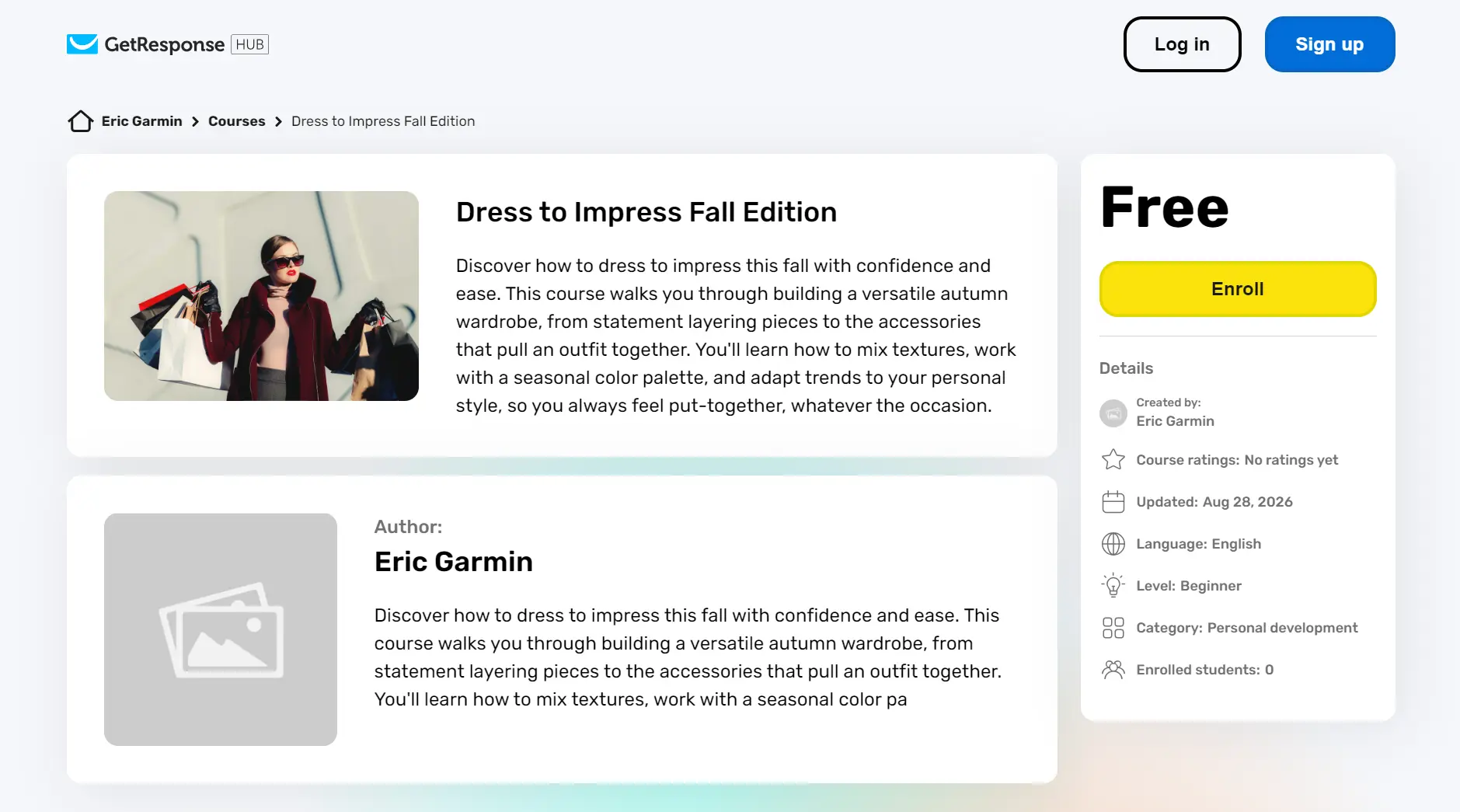
Marketer plans support product boxes and recommended products in email templates, plus contact scoring and purchase-based automations.
Where MailerLite is better
MailerLite can sell bookings and offers lower email marketing prices at most list sizes. Also, its website builder is available on all plans, whereas GetResponse restricts it to the $69/month Creator plan.
Why choose GetResponse over MailerLite?
Choose GetResponse when you’re selling digital products and need funnel-level insights, plus SMS and web push notifications as channels.
10. Campaign Monitor: best for agencies managing client accounts and teams building on-brand campaigns
G2 rating: 4.1/5 (730+ reviews)
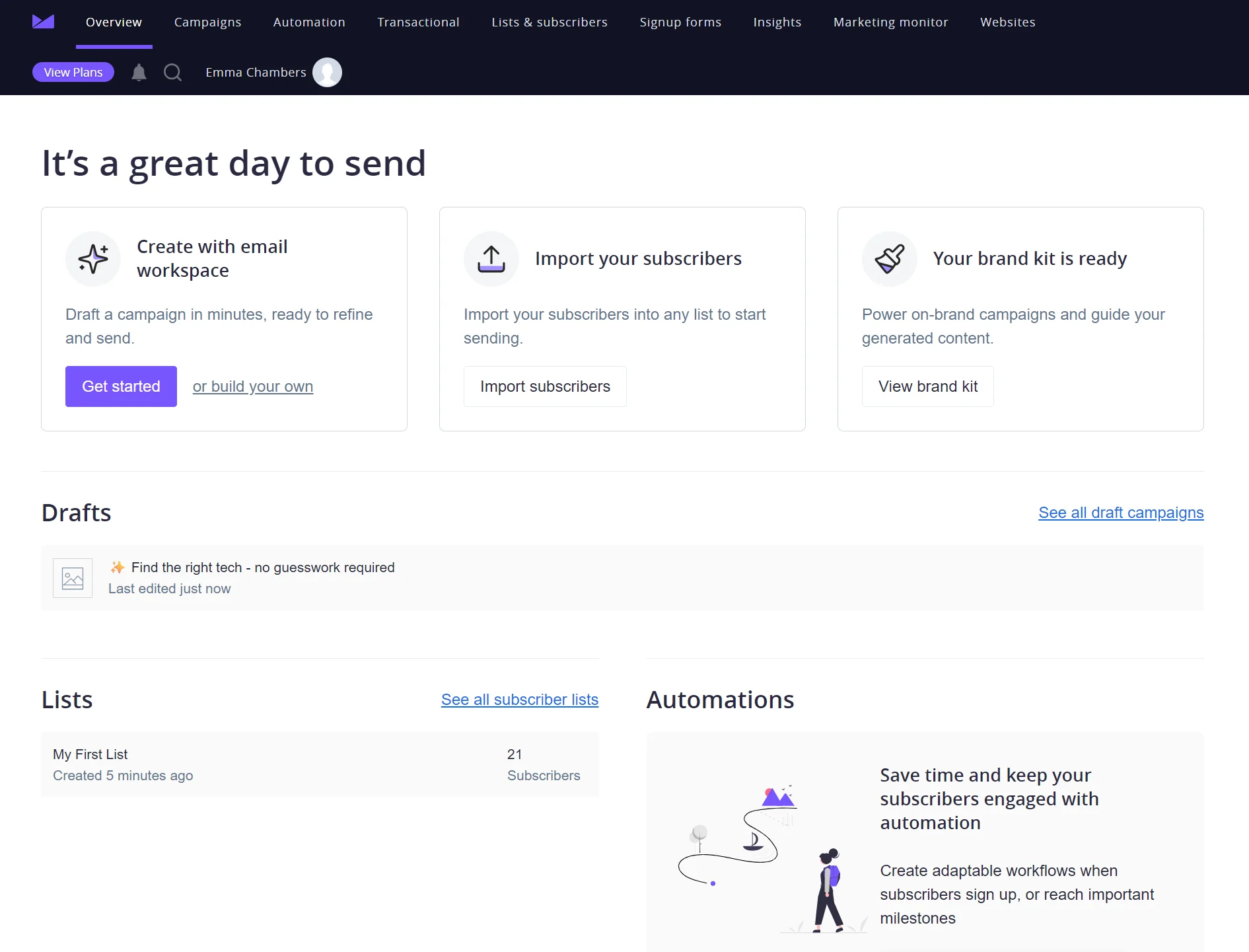
Agencies and teams managing campaigns for several accounts suit Campaign Monitor. Marketing Studio generates on-brand emails, images, translations, and social posts from a single campaign, and Essentials has unlimited sends from $31/month.
Key features
- My Dashboard: You can add up to 30 clients to it and share a dashboard view with your admin team
- Marketing Studio: It can generate a campaign from your website URL and a goal, apply your brand kit automatically, and translate emails for subscribers in other languages
- Drip Campaigns: These connect an email series across multiple lists and let you branch deliveries on subscriber behavior
Pricing
Campaign Monitor costs more than the equivalent MailerLite plan at every list size. The Lite plan is $1–$82/month more than MailerLite Comfort, Essentials is $6–$210 above MailerLite Power, and Premier is at least $133 more than MailerLite Power.
| Contacts | Campaign Monitor Lite | Campaign Monitor Essentials | Campaign Monitor Premier | MailerLite Comfort | MailerLite Power |
|---|---|---|---|---|---|
| 500 | $13 | $31 | $171 | $12 | $25 |
| 2,500 | $47 | $74 | $182 | $33 | $49 |
| 5,000 | $75 | $117 | $203 | $49 | $69 |
| 10,000 | $117 | $182 | $300 | $89 | $129 |
| 20,000 | $241 | $429 | $547 | $159 | $219 |
Accurate as of September 2026. Campaign Monitor’s contact tiers jump from 0–500 to 501–2,500. The 20,000-contact tier stores 25,000 contacts.
Where it beats MailerLite
Campaign Monitor beats MailerLite for AI-assisted campaign creation, on-brand email designs, and agency features.
Email Workspace, part of the Marketing Studio, analyzes your URL and asks for descriptions of what you want your email to do. It then builds an email with a subject line, preview text, logo, images, and a layout, all editable in the email builder.
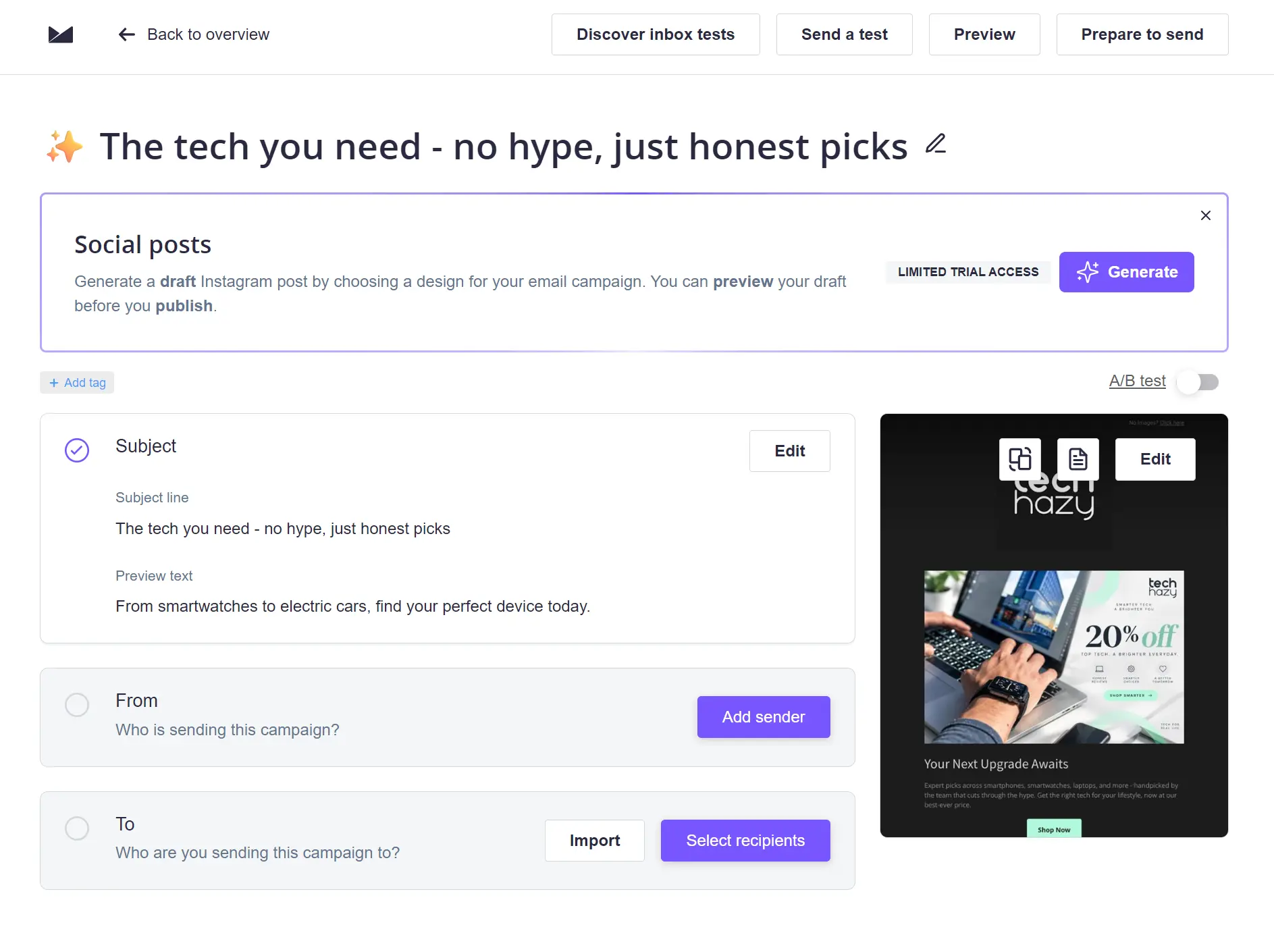
All plans include markup options for agencies, with contract and pay-as-you-go (PAYG) billing, private labeling, template sharing, and automation sharing.
Where MailerLite is better
MailerLite is the only choice between the two if you want a free plan, and its paid plans are cheaper at all contact tiers. Send time optimization also has a lower threshold, available in the Comfort plan from $12/month; Campaign Monitor gates it to the $171/month Premier plan.
Why choose Campaign Monitor over MailerLite?
Choose Campaign Monitor if you have a team, agency, or business that wants to minimize design work and collaborate on email marketing tasks.
11. EmailOctopus: best for sending low-cost newsletters
G2 rating: 4.3/5 (40+ reviews)
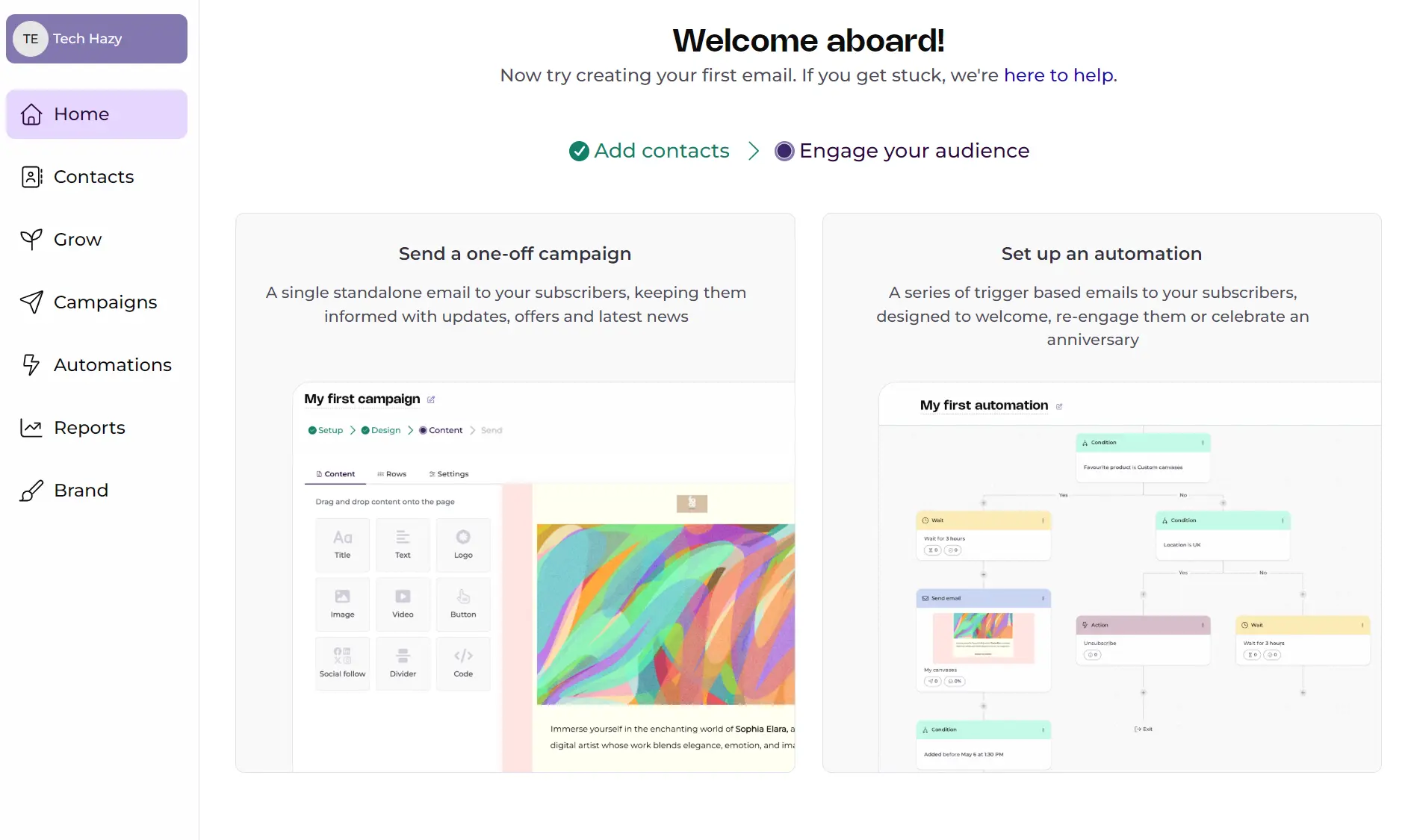
EmailOctopus is better value than MailerLite for newsletters. Its Free plan stores 2,500 contacts and supports 10,000 emails/month; that’s 10x more contacts and 7,500 more emails than you get on MailerLite Free. Its Pro plan also undercuts MailerLite at all contact tiers.
Key features
- Unlimited users: The Pro plan lets you add as many users as you like; only MailerLite’s Power plan supports that
- More than 100 email templates: These are niche and goal-based, such as for accountants, book clubs, case studies, blog updates, and announcements
- Separate Amazon SES pricing with EmailOctopus Connect: If you use Amazon’s email infrastructure, EmailOctopus Connect Free supports 2,500 subscribers, or the Pro plan is $10/month for the same contact count
Pricing
You’ll save $2–$81/month with EmailOctopus Pro compared to MailerLite Comfort, with the same 10x send limit. At 10,000 and 20,000 contacts, it’s around half Comfort’s price.
| Contacts | EmailOctopus Pro | MailerLite Comfort | MailerLite Power |
|---|---|---|---|
| 500 | $10 | $12 | $25 |
| 1,000 | $13.50 | $19 | $39 |
| 2,500 | $20 | $33 | $49 |
| 5,000 | $31.50 | $49 | $69 |
| 10,000 | $44.50 | $89 | $129 |
| 20,000 | $78 | $159 | $219 |
Accurate as of September 2026.
Where it beats MailerLite
EmailOctopus beats MailerLite for low-cost newsletters, building forms, and running a welcome email.
The forms include inline, pop-up, hello bar, and slide-in formats, and campaigns let you select whether to track opens and clicks and add UTM parameters.
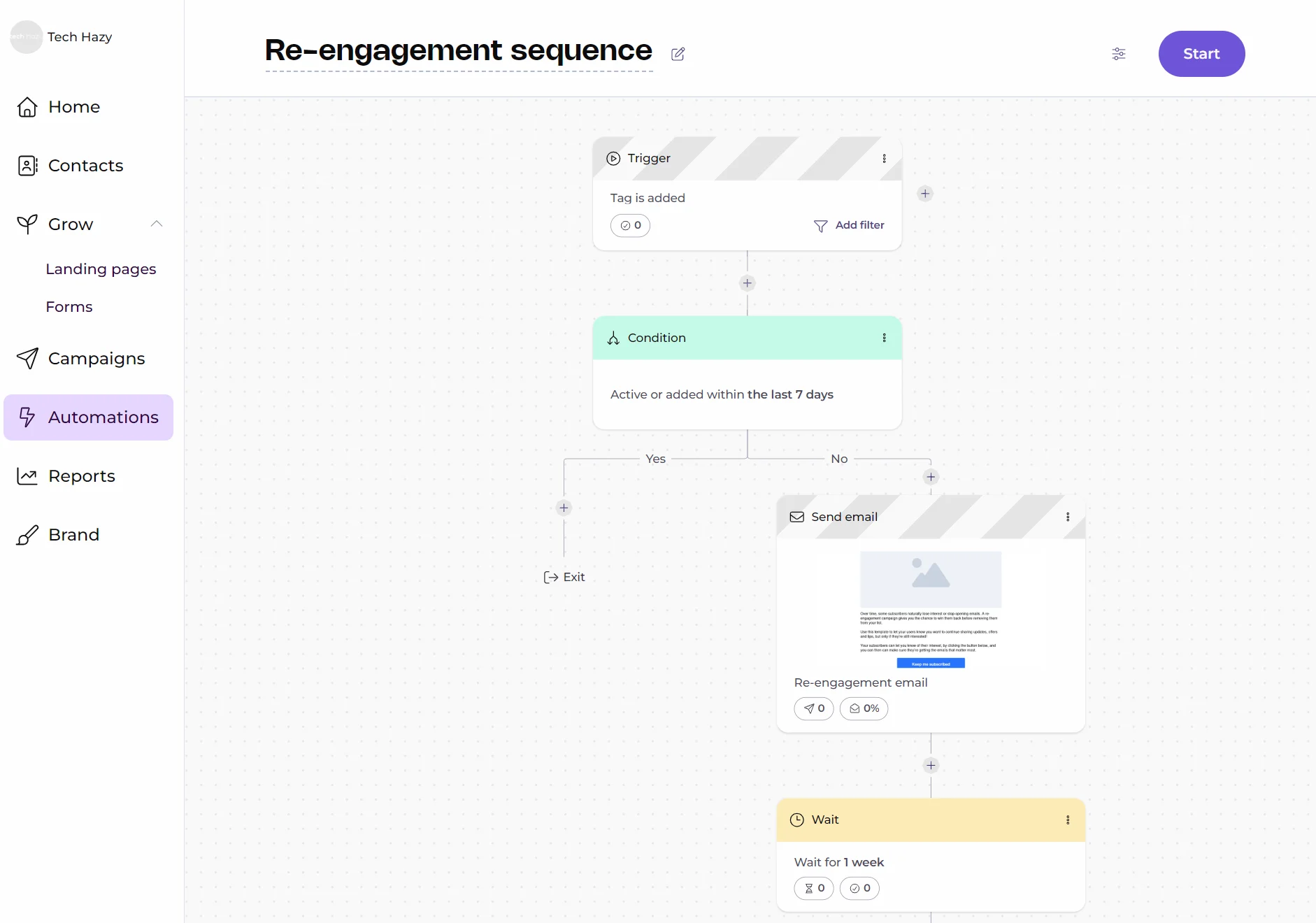
You can build automations with triggers based on sign-ups, dates, and inactivity. The visual canvas uses an element selector instead of drag-and-drop, so it’s best for short sequences rather than long multi-step journeys.
Where MailerLite is better
MailerLite does automations, monetization, and integrations better than EmailOctopus. It has 18 automation templates to EmailOctopus’s six, sells digital products, bookings, and subscriptions natively, and connects to 140+ apps against EmailOctopus’s 50+ native connections.
Why choose EmailOctopus over MailerLite?
Choose EmailOctopus when you want to send emails at the lowest possible price and don’t want to climb plan tiers to access features.
12. AWeber: best for selling products and subscriptions in emails and landing pages
G2 rating: 4.2/5 (640+ reviews)
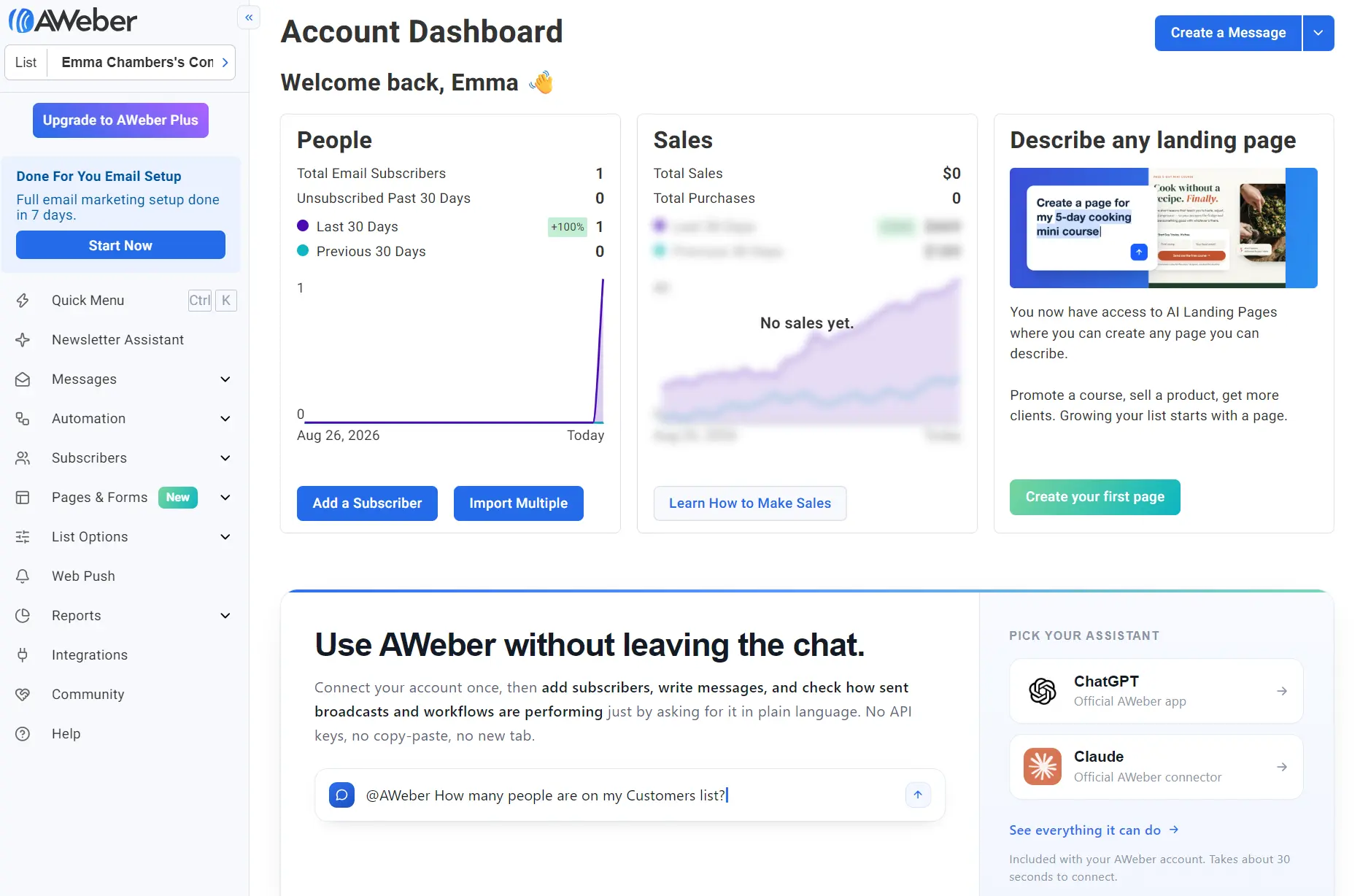
AWeber’s audience includes creators and small businesses selling directly to subscribers. Emails and landing pages can sell products and recurring subscriptions without a separate store. All plans support web push notifications, and you can call support.
Key features
- More than 700 email templates: For ecommerce, newsletters, events, and more, compared to 120+ in MailerLite
- AWeber Ecommerce: Emails and landing pages can sell and collect recurring payments without Shopify or another platform
- AMP emails: These emails let subscribers buy, book, or answer surveys inside the inbox, cutting the steps to conversion
Pricing
Expect to pay more with AWeber than with the equivalent MailerLite plan. Its Lite plan costs $2–$26/month more than MailerLite Comfort, and its Plus plan costs $5–$21 more than MailerLite Power, though Plus comes in $4 cheaper at 20,000 contacts.
| Contacts | AWeber Lite | AWeber Plus | MailerLite Comfort | MailerLite Power |
|---|---|---|---|---|
| 500 | $15 | $30 | $12 | $25 |
| 1,000 | $25 | $45 | $19 | $39 |
| 2,500 | $35 | $55 | $33 | $49 |
| 5,000 | $60 | $90 | $49 | $69 |
| 10,000 | $100 | $135 | $89 | $129 |
| 20,000 | $185 | $215 | $159 | $219 |
Accurate as of September 2026.
Where it beats MailerLite
AWeber is better for AI features. It has an AI Newsletter Assistant that reviews your website’s branding, writing style, and business, and then builds a personalized writing assistant for you. You can chat with it, write newsletters with it, and plan content topics.
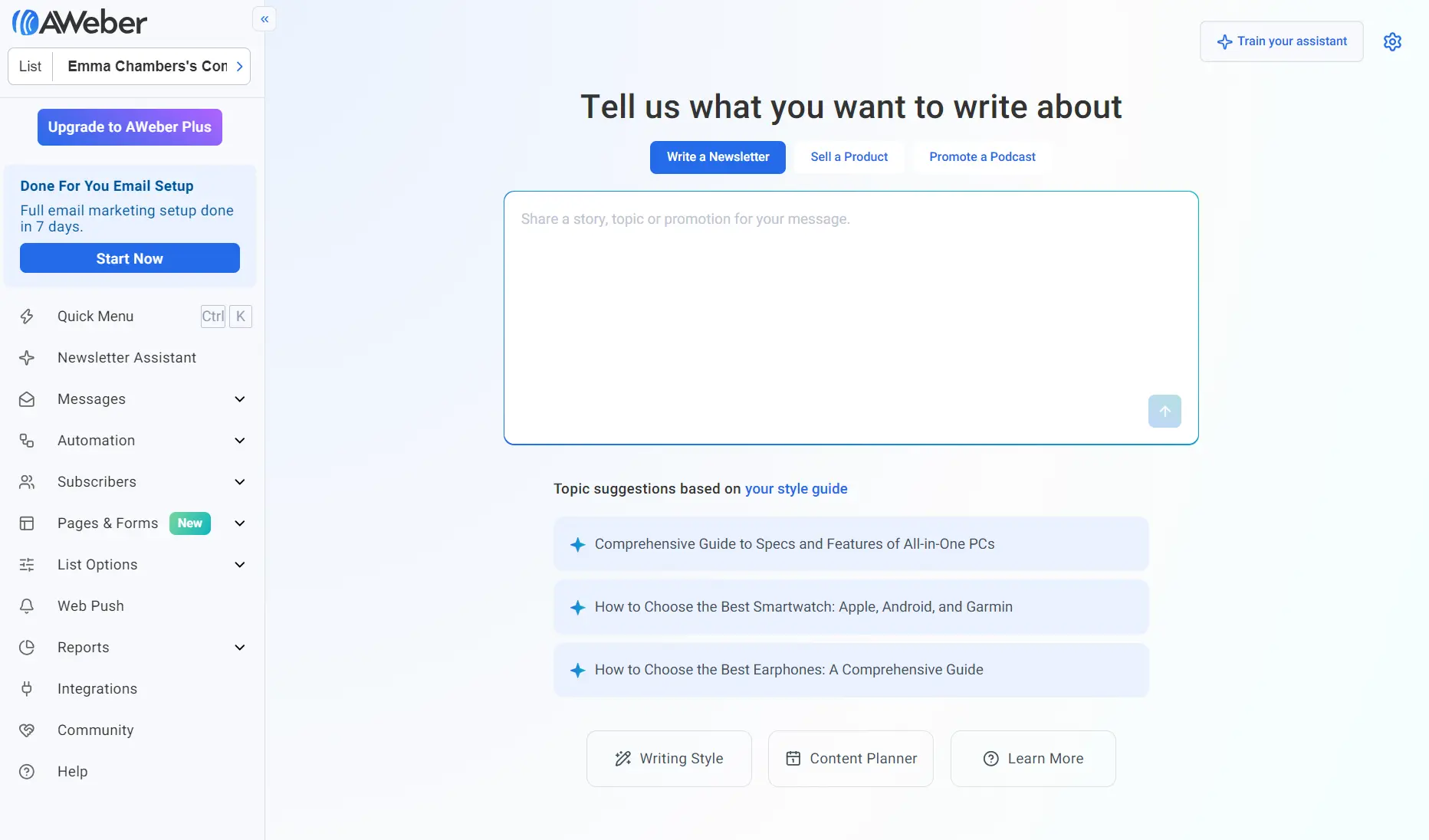
There’s also an AI landing page and form builder in AWeber; MailerLite lacks equivalent features and requires manually building campaigns and list-building assets or editing templates.
Where MailerLite is better
MailerLite suits you more than AWeber when a regular newsletter is core to your marketing strategy, and you want to send it at a lower price. It’s also better when you want to host a website in the same tool you send emails from.
Why choose AWeber over MailerLite?
AWeber is a better choice than MailerLite when you’d rather have AI write your newsletters and build your pages, and you want phone support on hand.
Which MailerLite alternative should you choose?
Omnisend is the best MailerLite alternative if you take a lifecycle approach to your marketing, with email and SMS automations and segments that feed off customer stages and behavior.
For B2B sales or a large list you rarely email, go with Brevo. Budget-conscious senders get the most from Sender: 15,000 free emails/month for 2,500 contacts.
Drip is also worth considering for ecommerce, with unlimited sends on its single plan. For the lowest prices, EmailOctopus costs around half of MailerLite Comfort at 10,000+ contacts. Moosend includes automation and unlimited sends at around Comfort’s price.
ActiveCampaign is the best pick for AI marketing and sales workflows, Kit lets you sell paid newsletters, and GetResponse covers courses and webinars.
Campaign Monitor suits agencies, which can bill clients directly with a markup. For general small business email, Mailchimp works for small stores, and AWeber lets you sell products and subscriptions straight from emails and landing pages.
Quick sign up | No credit card required