
 Omnisend AI


 OFFER
OFFER








Drive sales on autopilot with ecommerce-focused features
See FeaturesKey takeaways 
WooCommerce offers a cost-effective, open-source solution for eCommerce, eliminating ongoing subscription fees and allowing for complete control over hosting and customization.
With over 1,250 extensions and 61,000 plugins available, WooCommerce provides unmatched flexibility and choice for enhancing your online store's functionality.
The seamless integration with WordPress allows for superior SEO capabilities, enabling users to optimize their site for better visibility and performance.
WooCommerce is scalable for any business size, supporting everything from single-product stores to complex inventories, while offering customizable payment and shipping options.
Reveal key takeaways
No monthly plan to pay for, the excellent WordPress CMS underpinning your content efforts, plus more plugins than any other platform. And those are the obvious benefits of WooCommerce. The kicker underneath all that is having absolute control over your stack.
We’re not just talking theme customization and a bit of code here and there. You can do that in Shopify. You have control over your host, security setup, database, and caching. Performance is your advantage across your infrastructure and customer experience.
In this guide, you’ll learn all about WooCommerce advantages, including costs, its open source nature, customization, plugin scope, SEO, and more.
Join Omnisend to bake email + SMS automation into your WooCommerce store and maximize revenue
Quick sign up | No credit card required
Considering WooCommerce? Read this next:
The ultimate WooCommerce review: Is it worth it?
Who should use WooCommerce?
WooCommerce makes sense for your ecommerce store if:
- You don’t want a monthly or annual ecommerce platform subscription
- You already use WordPress, or plan to, for content management
- Your existing WordPress website has excellent authority your ecommerce store can piggyback off
- You want a larger pool of plugins with annual and one-time fees rather than the monthly fees common with Shopify/Wix
- Your technical requirements are great enough that you’ll want to build your own plugins, tools, and integrations
- You like, or have found, a high-quality WooCommerce theme with a page builder that’s easy to learn, such as Elementor or Divi
Add these factors together, and you’re probably:
- Wanting control over all costs, including your hosting, domain renewals, payment processor fees, and plugin subscriptions.
- A content-first brand already investing in WordPress for SEO and blogging, now adding ecommerce to that foundation with physical or digital goods
- Technical enough to manage a WordPress and WooCommerce build, and confident enough to own the security and availability factors
- Knowledgeable of customer experience and want granular configurability for email, SMS, and push notifications from pre- to post-purchase
- Appreciate community assistance and want to lean on public knowledge and forums
Of course, there are factors in between. Some pick WooCommerce because they know WordPress. Others switch from Shopify due to costs. You won’t be alone in any case, with over 4.2 million sites running WooCommerce in 2026 (Store Leads).
Get inspired by top WooCommerce stores:
30 Stunning WooCommerce Store Examples for 2026
Key benefits of WooCommerce
There’s a whole lot of choice for your next ecommerce platform. Should you go for WooCommerce, the free one with more plugins than you can count? Below, we’ll make the case for doing just that with eight compelling benefits.
Free and open-source
Cost or lack thereof is among the most significant benefits of WooCommerce. It’s free to install on your WordPress site, and you won’t pay for an ongoing subscription, ever.
Consider that Shopify and BigCommerce plans start from $39/month. Wix is $29/month for basic ecommerce. You can realistically host your WooCommerce store for a third of that and skip price hikes you have no control over.
There are other costs to WooCommerce, but they are relative to other platforms and don’t have to be any greater. For instance:
- WooPayments has transaction fees, but so does Shopify Payments
- Premium plugins cost money, but it’s the same with any ecommerce system
- Development time is expensive, even if you do it yourself, but any site needs it
WooCommerce’s open source nature means that developers and the community maintain and improve it, not a business seeking profits. That has typically led to new features based on what store owners want, rather than what shareholders want.
Full design and code customization
Every ecommerce platform has a theme editor for frontend customization. Some, such as Shopify, give you access to the code. But any platform that charges you determines the extent to which you can customize it. There’s a ceiling.
Nobody controls WooCommerce’s layers except you. You can modify your theme files, plugins, templates, and write your own hooks. That means you can:
- Build unique customer journeys
- Publish apps and onsite features found nowhere else
- Hone your code-level infrastructure, from caching to security
- Take any theme and make it unique, such as this one called Open WooCommerce (available for free, search for it via Appearance > Themes in your WordPress backend):
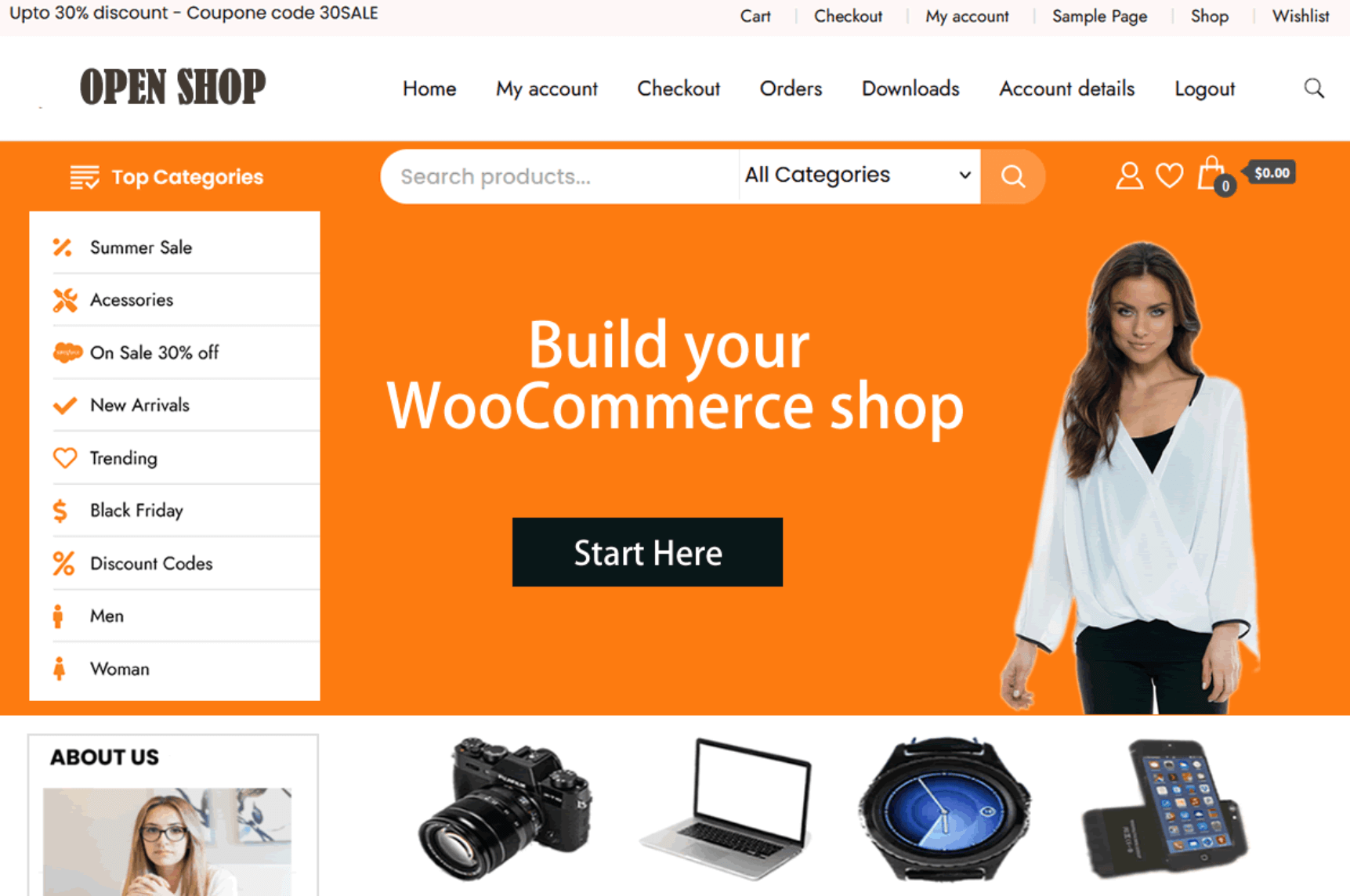
Even if the customization you have in mind for now is minimal, being able to have granular control remains one of the top benefits of using WooCommerce for ecommerce.
Wide plugin ecosystem
WooCommerce has 1,250+ extensions available via its Extensions page, in addition to over 61,000 plugins available in the WordPress repository.
Not all those 61,000 plugins are built for WooCommerce, and almost certainly, you will pick only half a dozen (maybe a few more) for your store.
Your tech stack could include:
- A payment processor, such as WooPayments
- An email marketing app, such as Omnisend or Mailchimp
- An SEO plugin, such as Rank Math
- A subscription plugin, such as WooCommerce Subscriptions
- A chatbot plugin, such as WoowBot
The point is choice. And lots of it. You can view community and commercial plugins within the plugin directory. Additionally, you can find them in WordPress. Navigate to Plugins in the sidebar, and you can search:
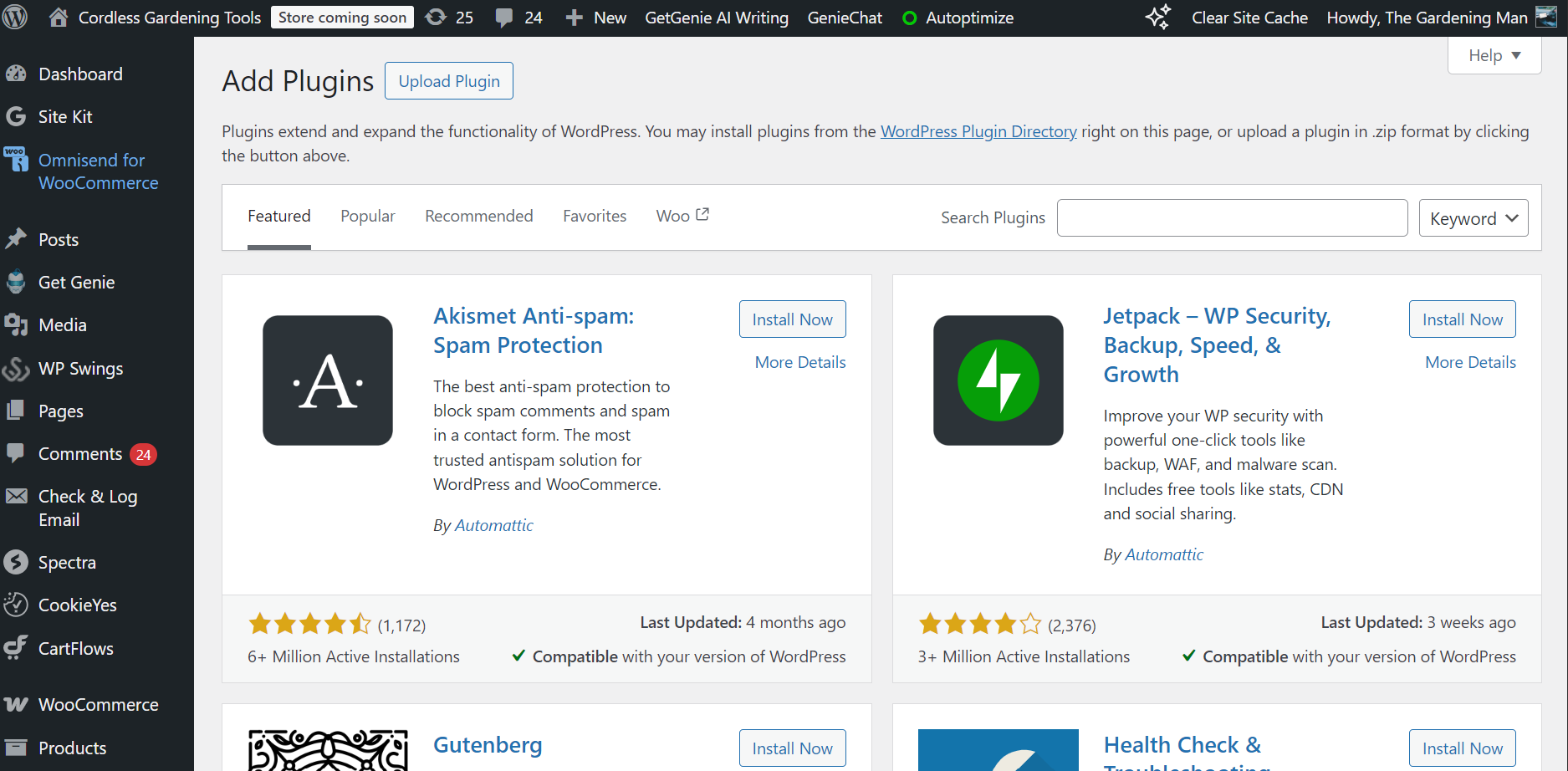
The drawback to all those plugins is the lack of quality control. There are duds, and there are listings that haven’t seen an update since time began. Do your research, look at recent reviews, and for the sake of your marketing budget, check their costs.
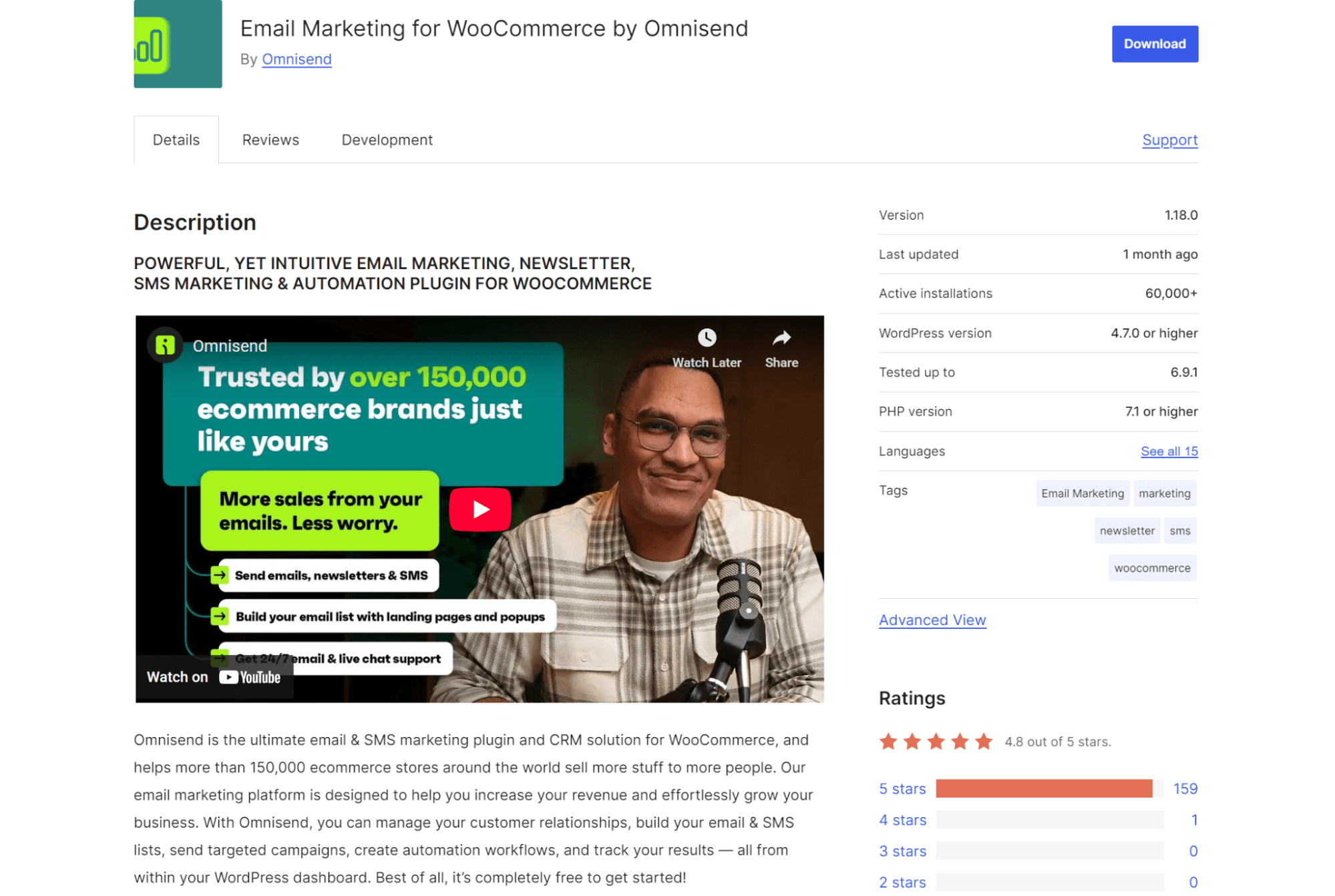
Plugins with transparent fees and free plans are best. Omnisend, for instance, is an omnichannel marketing plugin. It brings email + SMS + push notification flows to your customer journey, and it has a Free Forever plan good for 250 contacts and 500 emails/month:
Seamless WordPress integration
WordPress is non-negotiable if you’re going to use WooCommerce. The relationship is interconnected:
- You install WordPress on your site via your host
- You then install the WooCommerce plugin on your store
You can’t run WooCommerce without WordPress. To that end, you’d better enjoy using WordPress. The good thing is, the backend is intuitive and fast to master. Finding where things exist is the only frustrating part. It soon passes.
Because WooCommerce is a native WordPress integration, it is fully compatible with its CMS, so you can blog in ways that are impossible with Wix or Shopify. We’re talking proper categories, tags, configurable layouts based on your theme, and the Gutenberg editor:
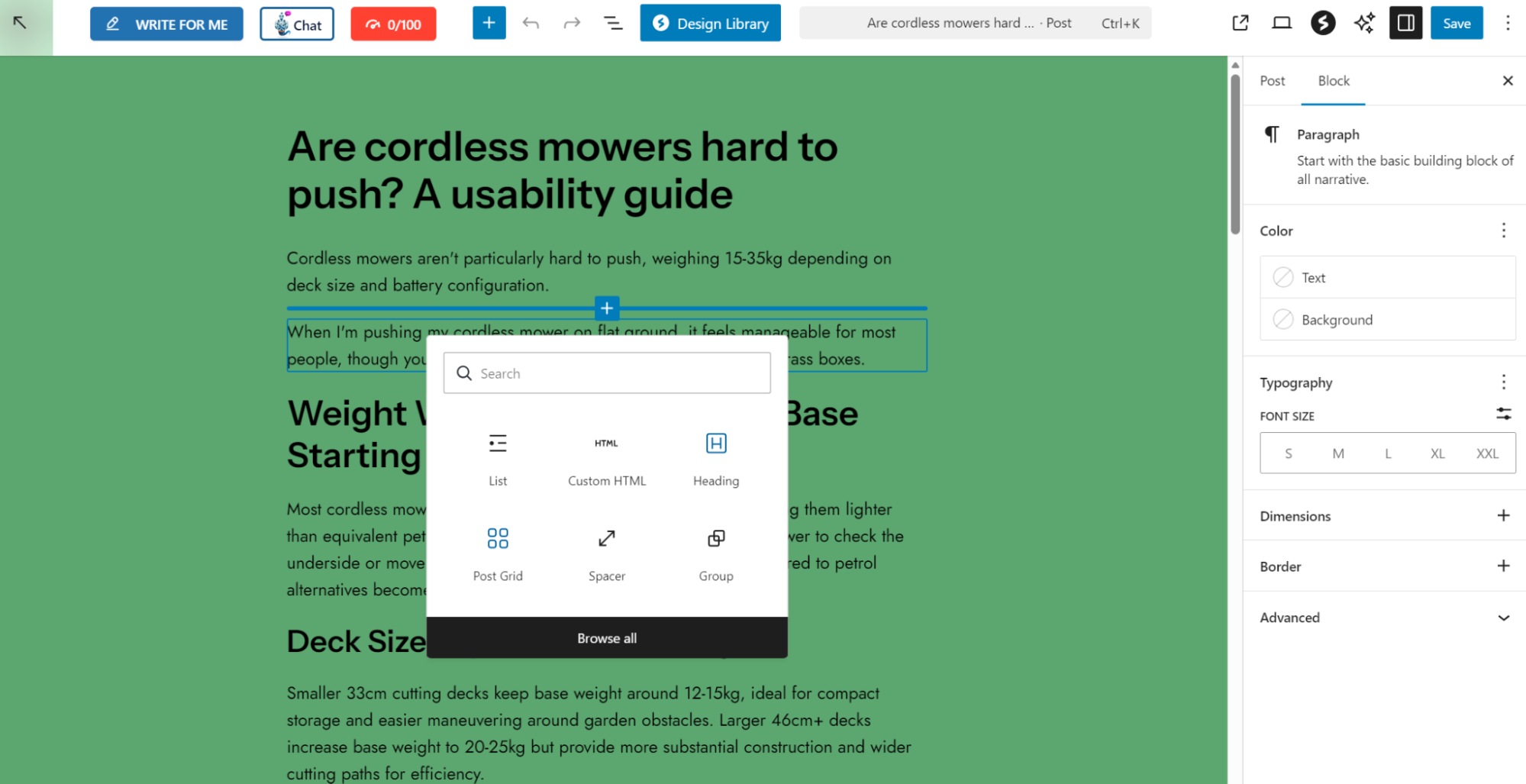
Overall, WordPress is one of the benefits of WooCommerce. Other platforms can’t match it as a CMS, and in fact, some have tried to bridge it, such as Shopify with its Shopify Plugin.
Control over SEO and performance
Loading times and on-page performance impact your conversion rates and rankings.
Google PageSpeed Insights is considered the de facto speed test, but it is notoriously difficult to achieve high scores when relying on built-in hosting from the likes of Wix.
You can turn WooCommerce to your advantage with your own hosting. Reducing Largest Contentful Paint (LCP), one of Google’s Core Web Vitals, from 2.5 seconds to 1.3 seconds can result in a 50% increase in conversions (Yottaa).
Your organic visibility matters because once you rank on the first page of Google and other search engines for high-intent keywords, the traffic has no acquisition cost. More profits follow, and you can outcompete those using only ads.
WooCommerce is an SEO-friendly ecommerce platform for a few reasons:
- Permalinks. These set your URL structure. WooCommerce lets you define them with complete control. Shopify, in comparison, adds /products and /collections to your URLs. With Woo, your permalinks have no filler.
- Core Web Vitals. A Google signal for SEO, measuring user experience, including speed, layout shifts, scripts, and accessibility. Because you have control over all code, you can optimize these elements for a high score.
- SEO plugins. WordPress has an unbeatable range of them. The SEO Framework is a personal favorite. Rank Math SEO and Yoast SEO have the most active installs. Any will assist in improving your onsite SEO.
- Cache plugins. Caching helps decrease your loading times, and again, WordPress offers the best plugins. Check out LiteSpeed Cache.
Scales with your business
WooCommerce suits you no matter your store size. You could run a single product store or an electronics store with hundreds of SKUs. The branding potential is unlimited, too, something that Nutribullet uses to its advantage with a premium store design:
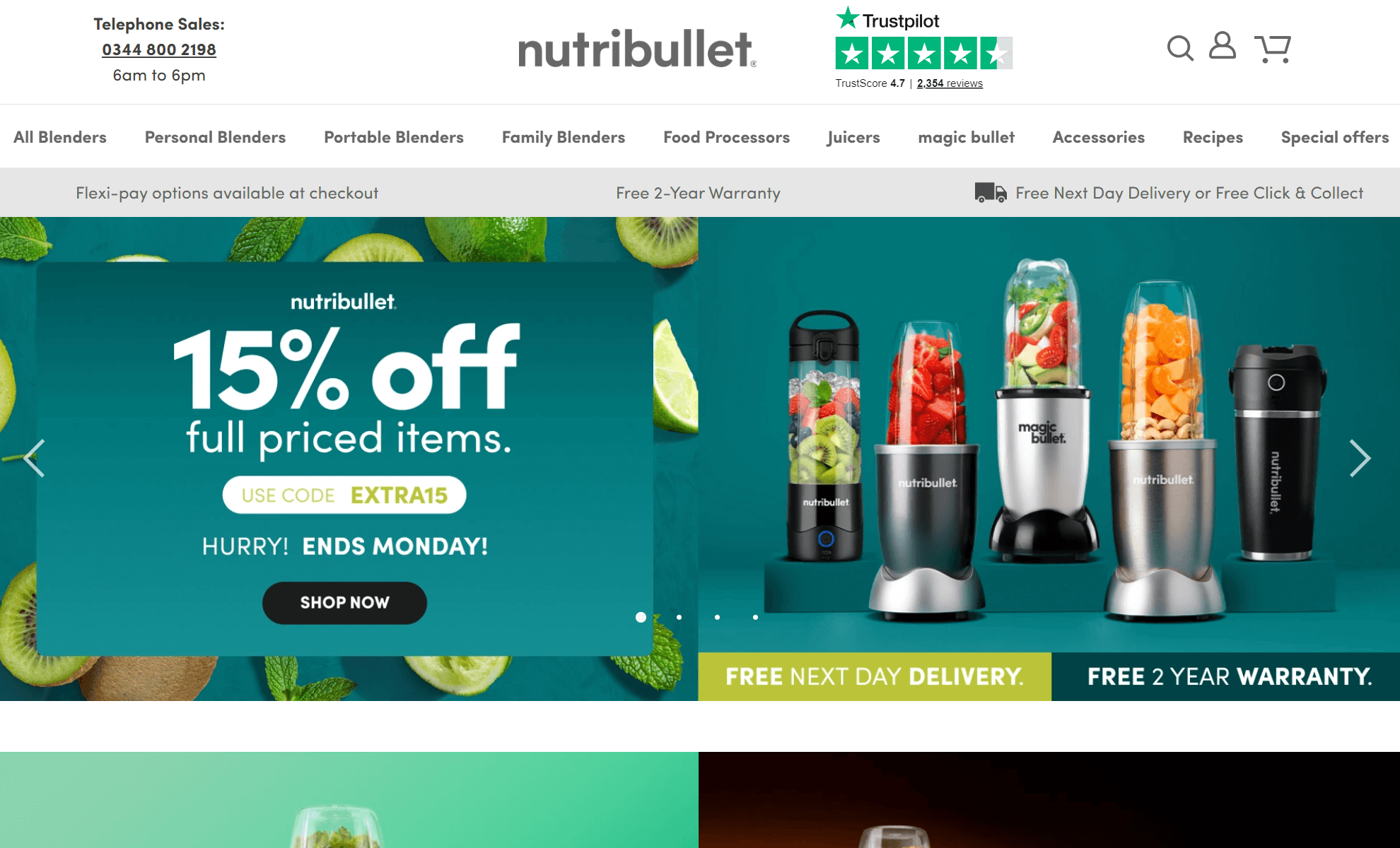
The infrastructure scales because it lives on your own hosting. Building out your store requires only more resources rather than a more expensive ecommerce subscription.
Additionally, WooCommerce is fantastic for branching into subscriptions, loyalty programs, dropshipping, bundles, and other marketing channels, such as SMS automation.
Your CRM, ESP, and other tools probably integrate with a native application or provide an API to connect your WooCommerce store for data sharing.
Flexible payment and shipping options
WooPayments is the standard install for most stores, with support for 135+ currencies and availability in 38 countries for cross-border selling. Its base fee for card payments in the US is 2.90% + $0.30, which coincidentally is the same as Shopify Payments.
If WooPayments isn’t cheap enough, or feature-rich enough, you can swap it out for something else, such as PayPal Payments, Stripe, or Amazon Pay.
Complete customization control over your checkout and payment processing means you can create highly optimized customer experiences.
The same applies to your shipping options. WooCommerce Shipping is the official Woo plugin, or you can opt for a third-party extension, such as ShipStation:
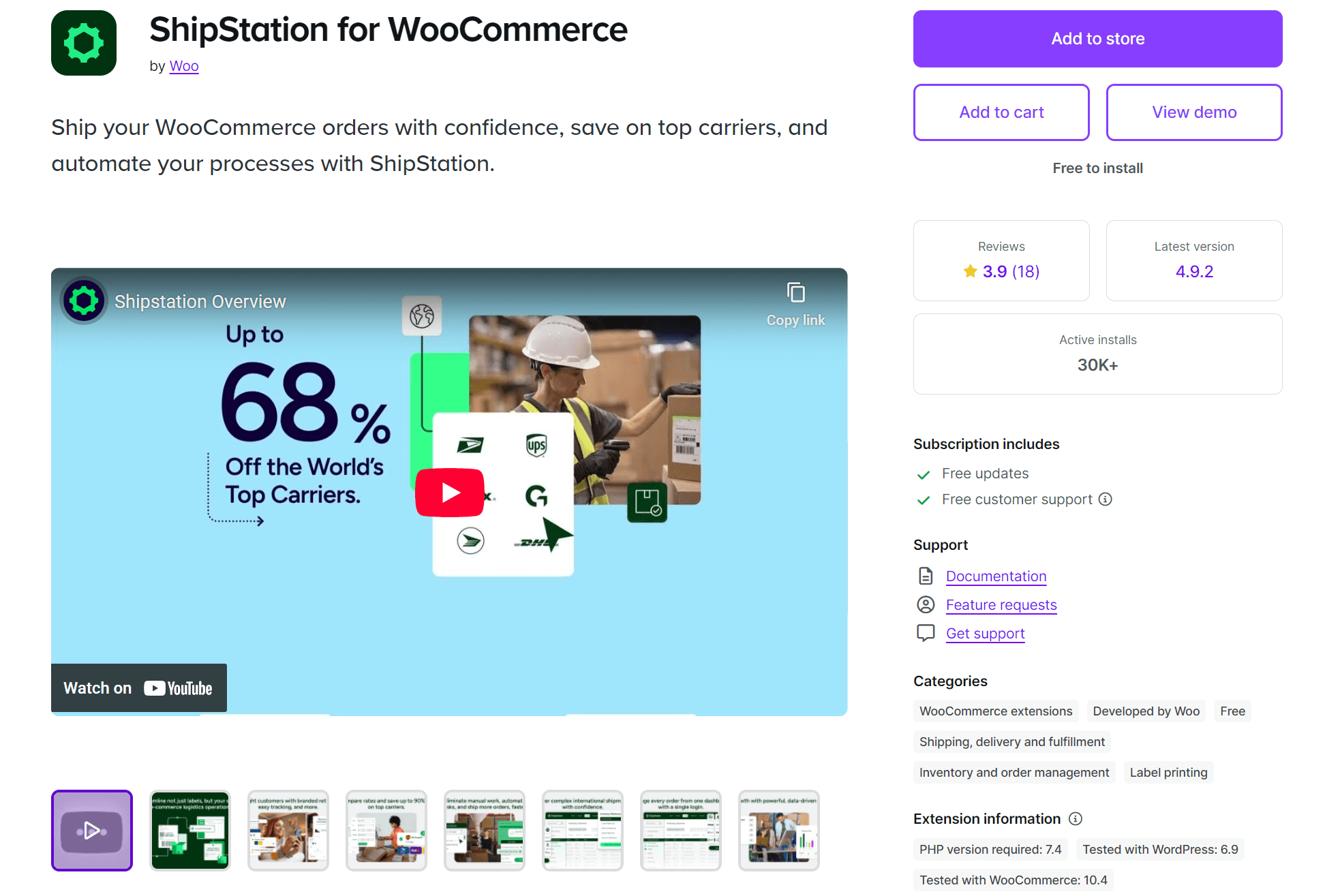
Being able to customize your shipping zones, carriers, and in some cases, negotiate with them for better rates, is one of the most significant WooCommerce advantages.
Marketing and automation-ready
Your base install of WooCommerce handles order confirmations and customer account notification emails. It even has basic cart abandonment emails, so it’s possible to automate and provide a basic customer experience by default.
Of course, you can do better with plugins/integrations. Omnisend, AWeber, Klaviyo, and Mailchimp will make your WooCommerce store marketing-ready with forms, a welcome series, better cart abandonment emails, and followups.
Omnisend is the standout platform. Here’s why:
- Deep WooCommerce integration with zero complicated steps, syncing your products, customers, and orders with automatic updates
- Build your list with 95+ forms, including the gamified Wheel of Fortune
- Add brand assets that auto-apply to 250+ customizable email templates
- It provides 30+ pre-built segments and an AI segment builder, helping group customers for appropriate multichannel targeting:
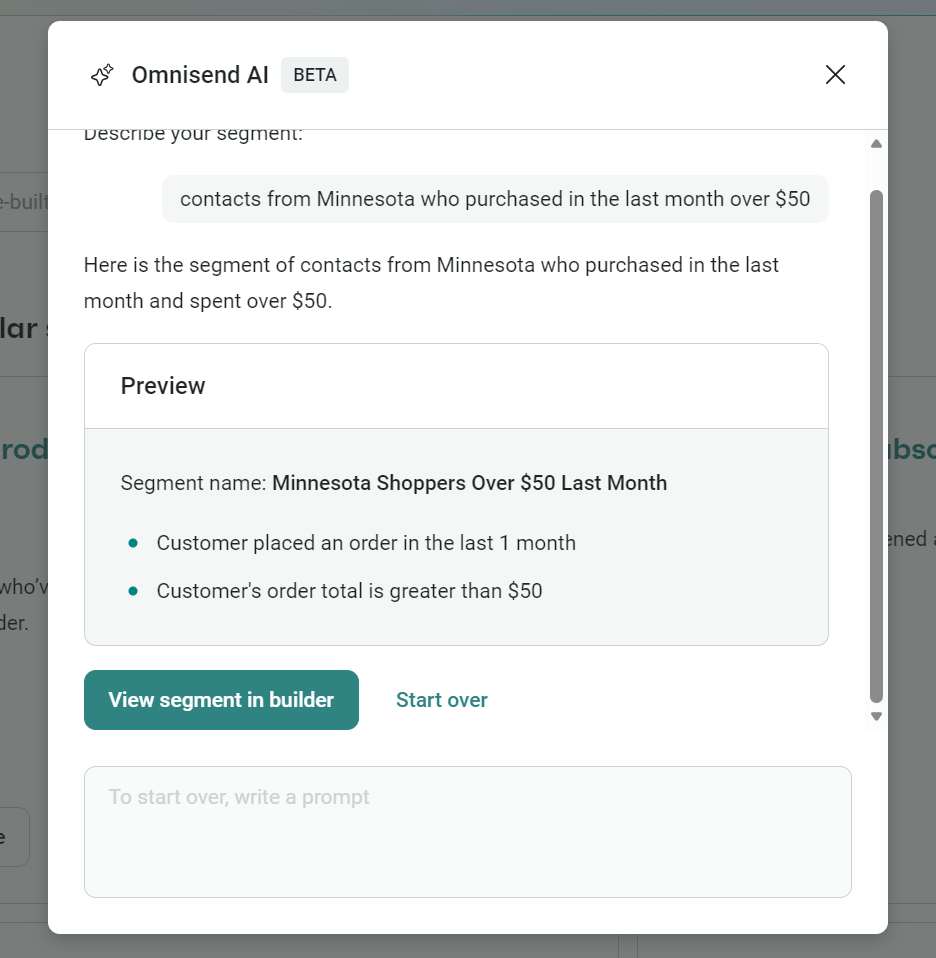
- Cover your customer journey in no time with 27+ pre-built automations, including:
- Abandoned cart
- Abandoned checkout
- Welcome series
- Back-in-stock
- Order followups
- Product reviews
- Customer reactivation
- Replenishment reminders
- Add an email, SMS, or web push notification to any flow
- Track your campaigns, automations, and sales, plus get a customer breakdown with average order value (AOV) and lifecycle stages
In 2025, Omnisend customers achieved a $79 ROI for every $1 spent across email, SMS, and web push, with email automations generating 30% of revenue from 2% of sends.
Ready to build your store with WooCommerce?
The benefits of WooCommerce give you scalability, low costs, untold customization possibilities, control over your stack, and a top-tier CMS in WordPress. You can build it into anything, unconfined by what a paid platform lets you do.
Next steps:
- Pick a host
- Get a domain
- Install WordPress on your domain
- Add the WooCommerce plugin to it
Go ahead and test WooCommerce from there. It has a default theme, so you can test it out and access all the backend shenanigans without committing to a theme yet.
Also worth exploring immediately to build your list are marketing and automation plugins for email and SMS. Omnisend covers both and offers a Free Forever plan.
Omnisend integrates seamlessly with WooCommerce and maximizes revenue from email + SMS automations
Quick sign up | No credit card required
FAQ
Is WooCommerce better than Shopify?
Customization, plugin count, and WordPress compatibility go to WooCommerce, and out-of-the-box customer experience goes to Shopify due to its pre-built system. You’ll be at your computer more, configuring Woo, in return for complete control over it.
Can WooCommerce handle large stores?
It’s known to power stores with 100,000 SKUs or more, but of course, how it performs has nothing to do with the standard installation, but the hosting infrastructure and configuration.
Is WooCommerce good for SEO?
Really good because you can edit every element of your permalinks and work through your content and pages to meet the criteria set out by the likes of Rank Math, Yoast, and All in One SEO (plugins that keep your SEO in shape).
Do I need a developer to use WooCommerce?
The answer’s no for an install and getting it selling. You can install the WooCommerce plugin, upload a theme, add products, and install WooPayments with no technical know-how. If you don’t know code or lack the confidence to edit it even with some learning (or AI), a developer is necessary for custom changes.

TABLE OF CONTENTS
TABLE OF CONTENTS


Subscribe and don’t miss any updates!
No fluff, no spam, no corporate filler. Just a friendly letter, twice a month.