Omnisend AI

 OFFER




A best sellers email showcases your top-performing products in a promotional campaign to increase sales. The strongest ones let popularity do the selling with ranked picks, customer reviews, and one clear call to action.
Five of the 10 examples below add customer reviews or award badges, and seven skip the discount. Three group the picks by price, audience, or color family to match the reader.
Each comes with its subject line, trigger, and send timing, plus what to copy. After the examples come tips and 16 subject lines.
Quick sign up | No credit card required
10 best sellers email examples
Each example was chosen because it was sent between August 2025 and October 2026 and teaches a tactic the other nine don’t. For other campaign types, see our best email marketing campaigns.
- Merit — welcome series best sellers
- Peacock Alley — monthly top 3 ranking
- LILYSILK — picks for every budget
- tuft + paw — five-star customer favorites
- Zingerman’s Mail Order — decade-long best sellers
- Everist — travel-size best sellers
- Clare — curated around one need
- Red Clay — low-stock urgency
- MaryRuth’s — year-end favorites recap
- Faherty — shortcut to the bestsellers
1. Merit — welcome series best sellers
Subject line: “The best of MERIT”
Trigger: Welcome series, email 4
Sent: October 22, 2025, four days after the welcome email
Why this email works
MERIT’s subject line, “The best of MERIT,” tells you what’s inside in four words. It’s the fourth email in the brand’s welcome series, following “Welcome to MERIT,” “Inside MERIT,” and “10% off for you and a friend.”
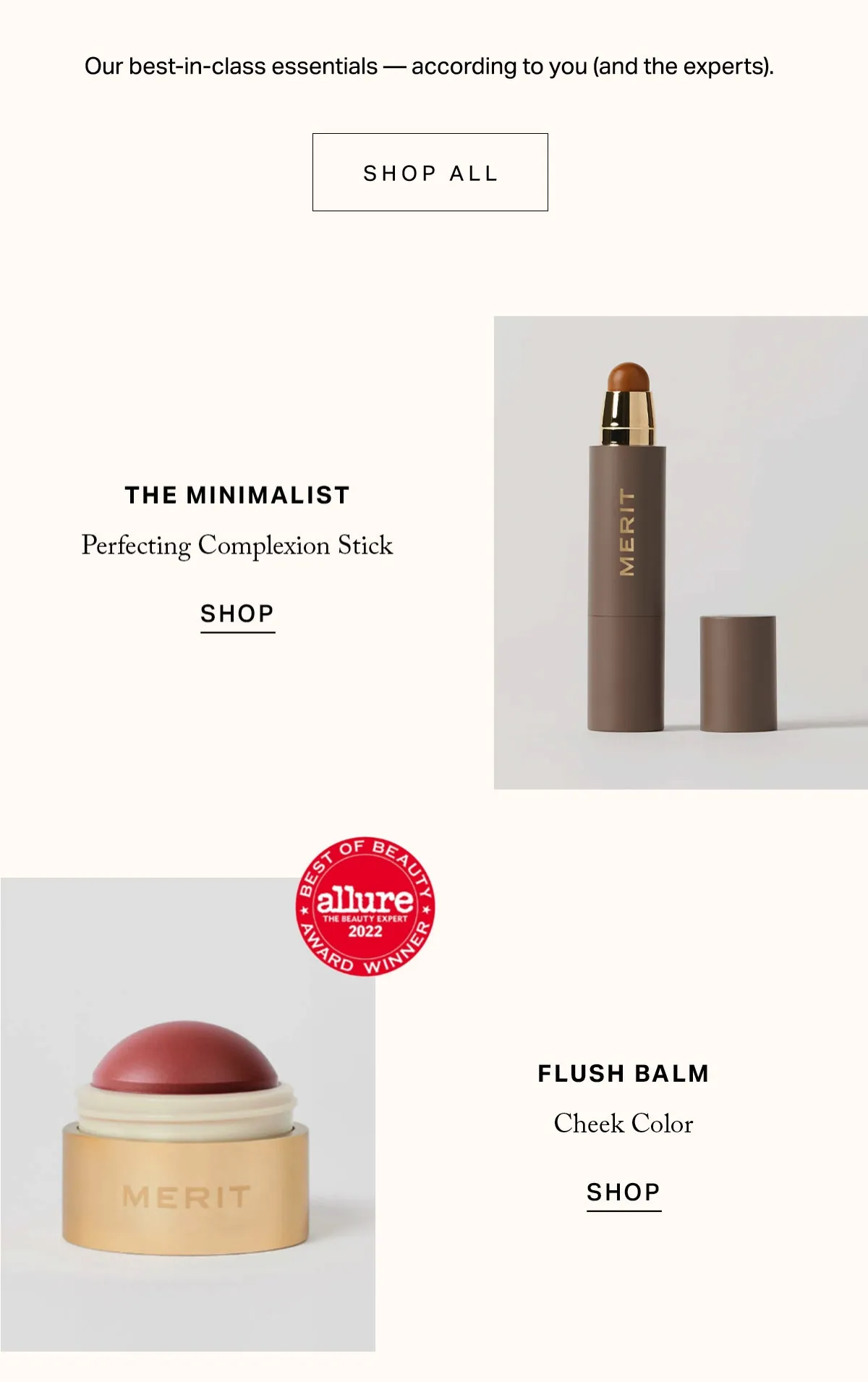
Body copy is a single line: “Our best-in-class essentials — according to you (and the experts).” “According to you” turns sales data into social proof, and Allure award badges on two of the products back up “the experts.”
Five products follow in alternating image-and-text rows, each with a name, a product type, and one “SHOP” link. The email shows no prices and no discount, so the products’ popularity carries the pitch.
What you can learn from it
Add a best sellers email to your welcome series after your brand story and first-order discount, and let the products’ popularity speak for itself.
Try it with Omnisend: add a best sellers email to your welcome automation.
2. Peacock Alley — monthly top 3 ranking
Subject line: “September’s Top 3”
Trigger: Campaign featuring the previous month’s best sellers
Sent: October 1, 2026
Why this email works
The subject line promises a short list, and the email delivers it in one scroll. Sending on the 1st means the picks cover a full month of sales.
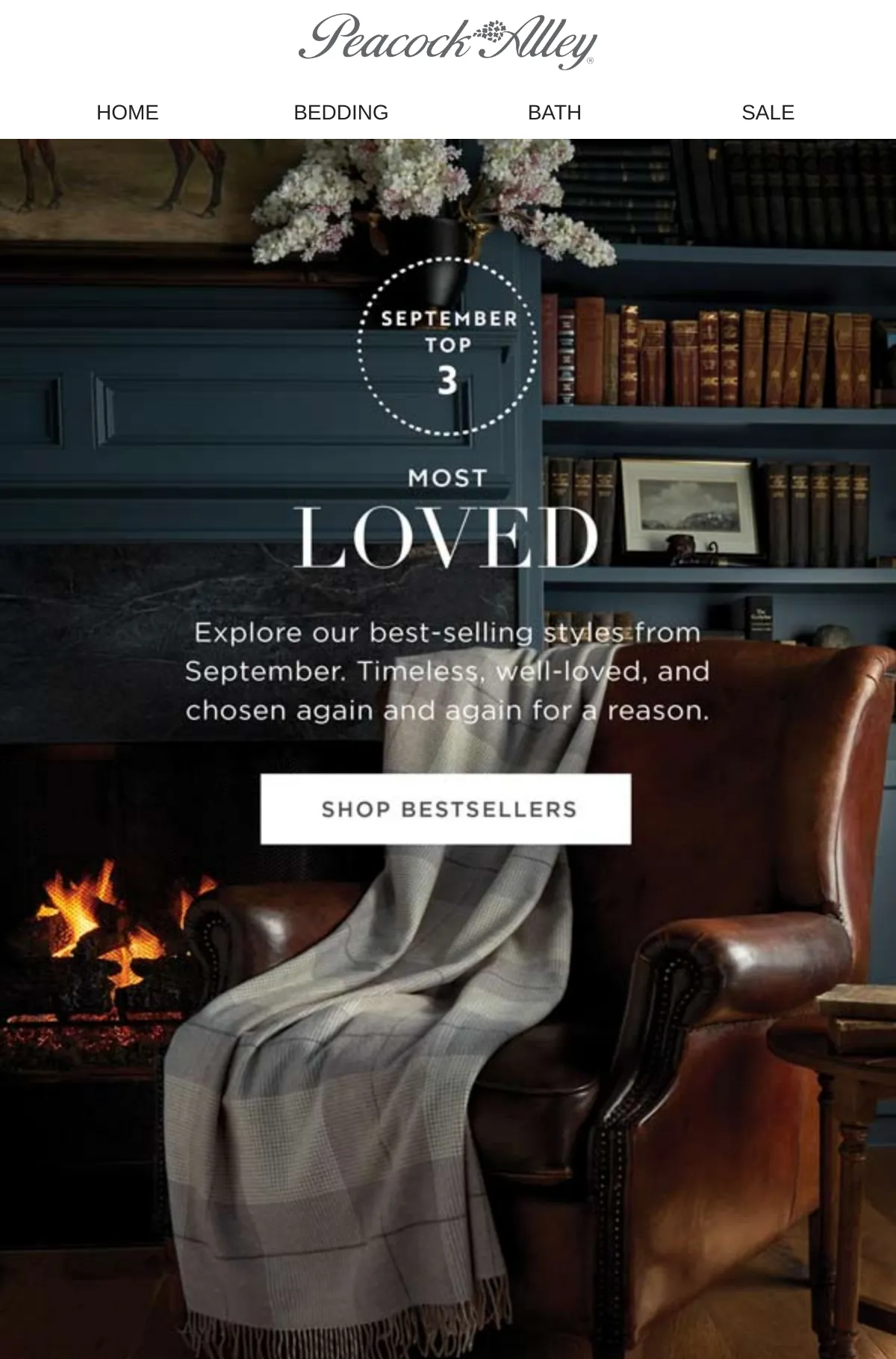
Body copy puts a “September Top 3” badge above the headline “Most Loved.” Its product images do the selling: the York Throw is draped over a leather armchair next to a fire.
Each of the three products gets its own block with one customer review, the reviewer’s name, and a “SHOP NOW” button. A “New color” badge on the Clara Sheet Set gives past buyers a reason to look again.
What you can learn from it
Send a best sellers email at the start of each month that names the previous month in the subject line and features its top three products.
Try it with Omnisend: copy this hero-plus-three-blocks layout with one of Omnisend’s email templates.
3. LILYSILK — picks for every budget
Subject line: “Bestsellers for Every Budget”
Trigger: Autumn best sellers campaign
Sent: October 14, 2026
Why this email works
The subject line “Bestsellers for Every Budget” answers the price question before the email is opened. The preview text, “Our most-loved silk pieces, find yours in seconds,” promises a quick match.
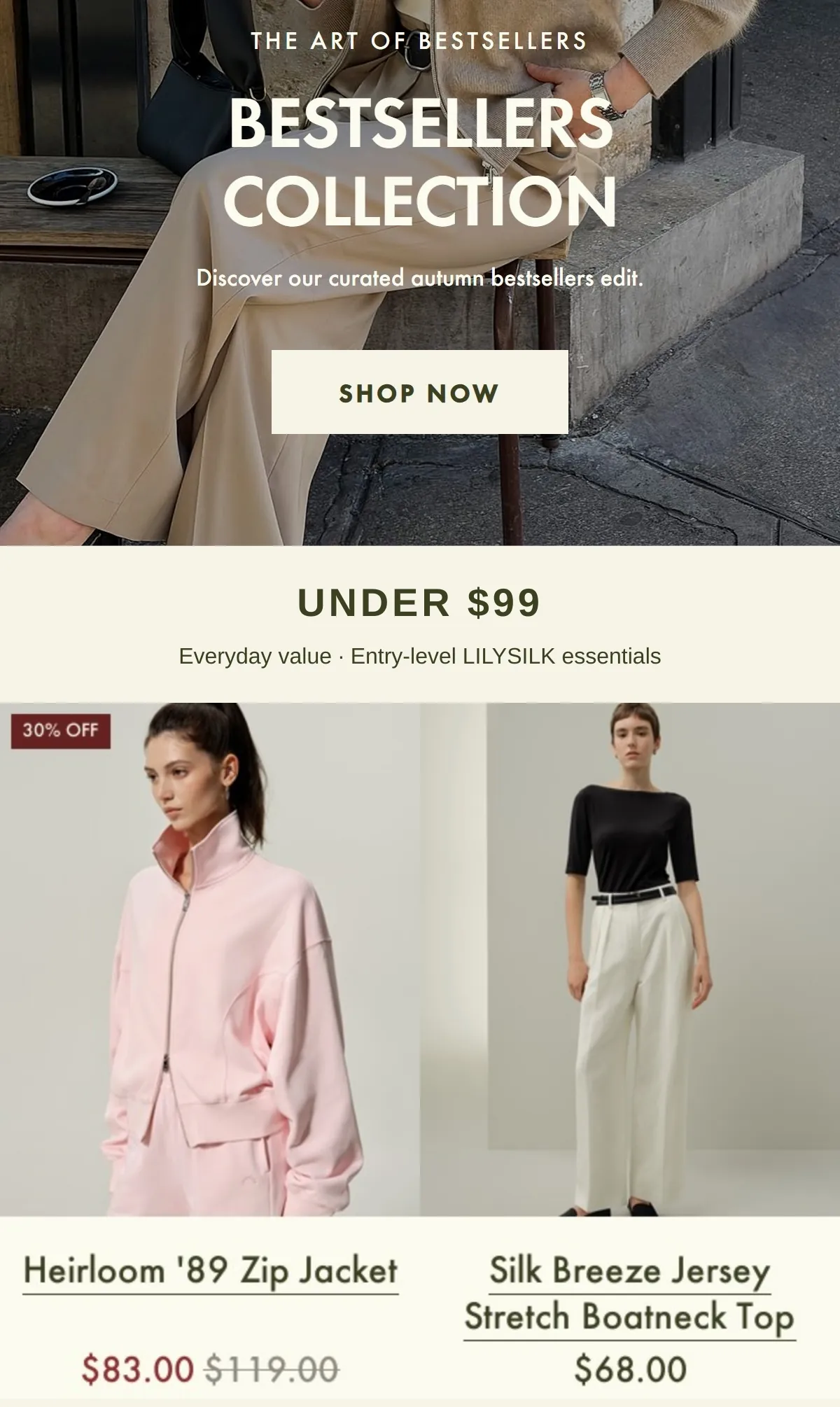
Below the hero, LILYSILK sorts 16 best sellers into four price tiers. Each tier has a one-line label, from “Everyday value” for the cheapest to “Luxurious LILYSILK” for the most expensive, and its own link.
Discounted items carry a “30% OFF” or “20% OFF” corner badge, with the original price struck through. A shopper can scroll straight to the tier that fits their budget.
What you can learn from it
Group your best sellers into three or four price tiers, each under a heading that names the range.
4. tuft + paw — five-star customer favorites
Subject line: “Best sellers, now even better ⭐️⭐️⭐️⭐️⭐️”
Trigger: International Cat Day sale campaign
Sent: August 9, 2025, the day after International Cat Day
Why this email works
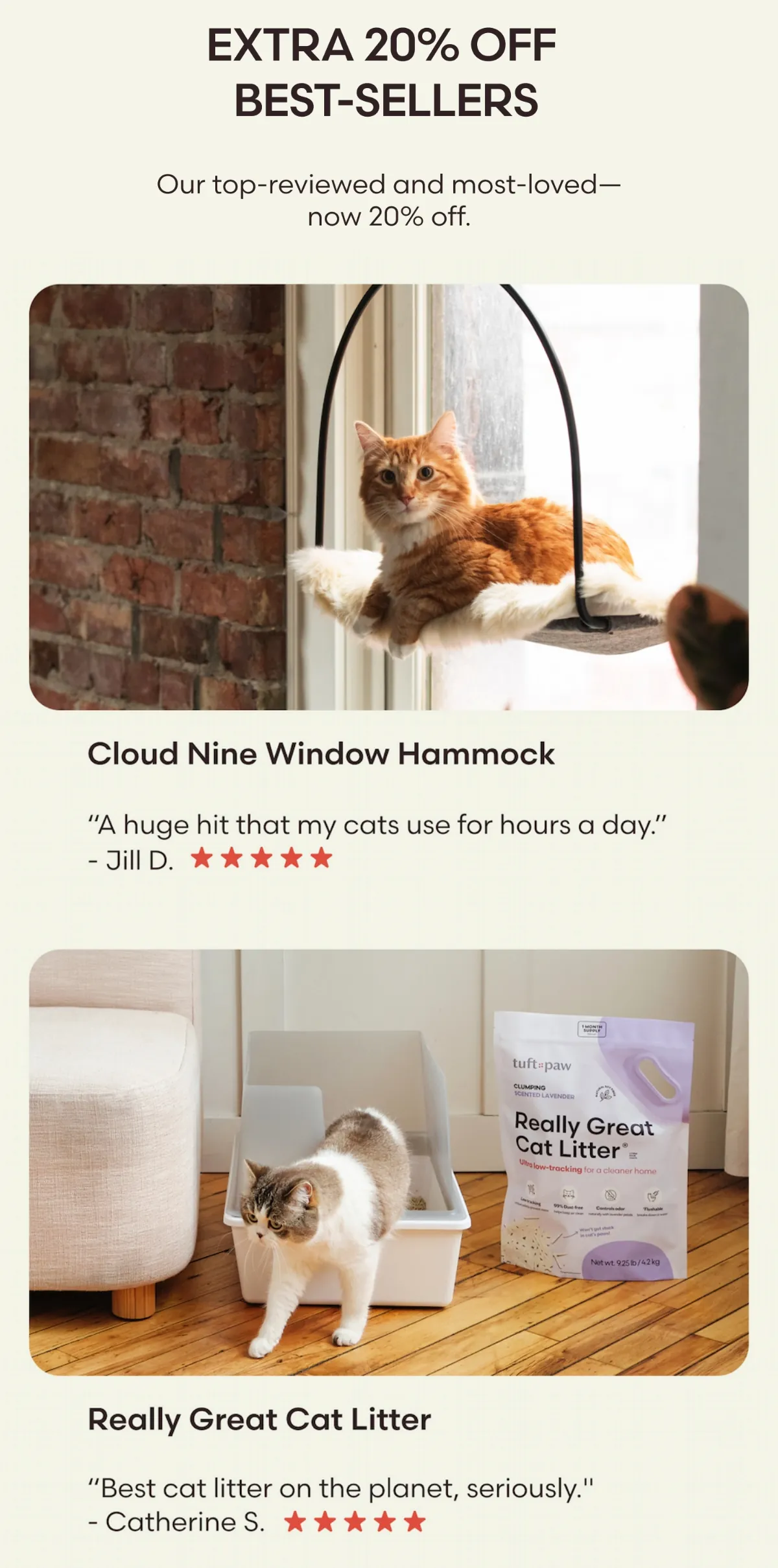
The subject line “Best sellers, now even better ⭐️⭐️⭐️⭐️⭐️” ends in five star emojis, so a five-star signal shows in the inbox before the email is opened. The subhead “Our top-reviewed and most-loved — now 20% off” spells it all out.
The sale is tied to International Cat Day: the body copy opens with “The celebration continues,” and the code CATDAY20 provides the savings.
Each product gets a photo of a cat using it, a one-sentence review with the customer’s name, and five red stars. The litter’s review reads: “Best cat litter on the planet, seriously.”
What you can learn from it
Put your rating in the subject line, then back it up under every product with a one-sentence review and a rating. Make sure ratings in the subject line, the email, and the website match.
5. Zingerman’s Mail Order — decade-long best sellers
Subject line: “Meet the five gifts that have been our best sellers for the last decade.”
Trigger: Gift guide campaign
Sent: March 26, 2026
Why this email works
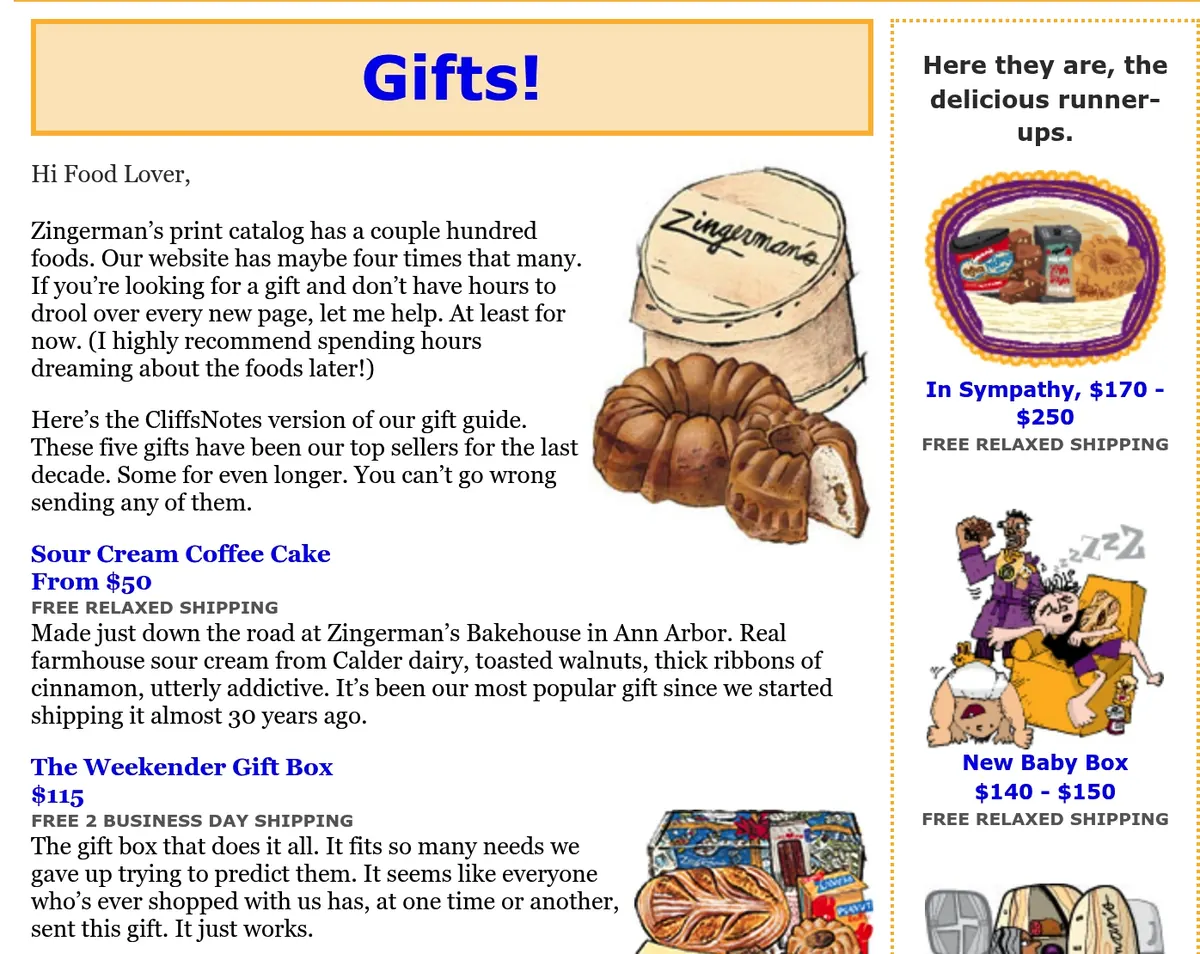
The subject line “Meet the five gifts that have been our best sellers for the last decade” offers a simple gift-buying answer: pick a proven classic. The copy later adds, “You can’t go wrong sending any of them.”
The Zingerman’s Mail Order email reads like a personal note. It calls the list “the CliffsNotes version of our gift guide,” and ends with Brad’s handwritten signature.
Each gift gets a price, a shipping note, and a few sentences of description. The Sour Cream Coffee Cake’s description says it has been the most popular gift since Zingerman’s started shipping it almost 30 years ago.
What you can learn from it
If your best sellers have sold for years, put the time span in the subject line and lean on the sales history.
6. Everist — travel-size best sellers
Subject line: “We shrunk our best sellers! 🔍”
Trigger: Product launch campaign
Sent: October 10, 2026
Why this email works
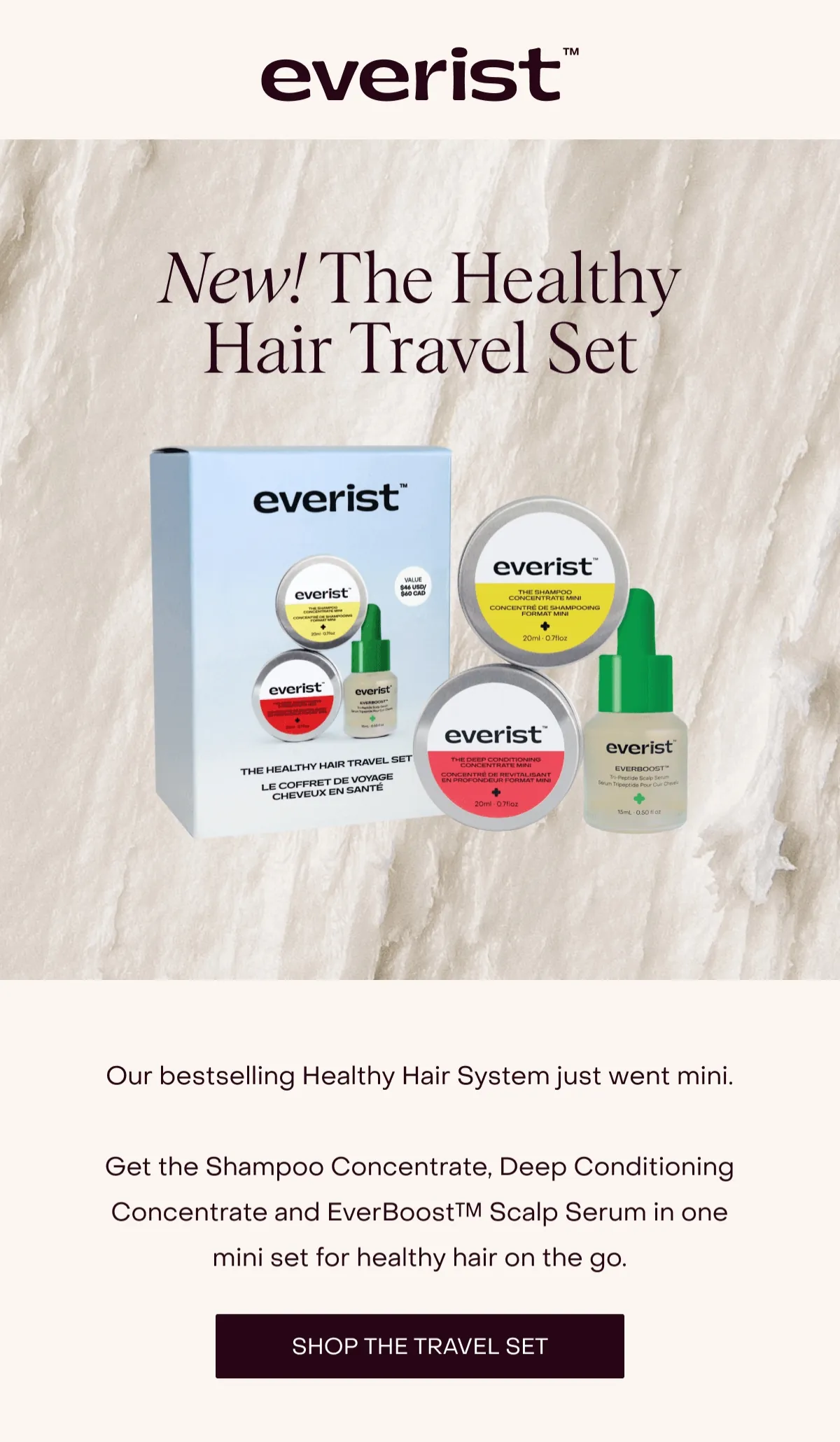
“We shrunk our best sellers! 🔍” turns a product launch into a best-sellers announcement. The magnifying glass emoji plays on the smaller size, while the hero text below names the specific product.
Everist makes the link in one line under the hero: “Our bestselling Healthy Hair System just went mini.” The next sentence lists the three products in the set, followed by a single button.
The rest of the email borrows proof from the full-size system. A block lists four results and a five-star review from Lucie L. The closing buttons, “TRY IT,” “GIFT IT,” and “TRAVEL WITH IT,” give reasons to buy the mini.
What you can learn from it
When you launch a new size, bundle, or format of a best seller, say so in the subject line and reuse the reviews as proof.
7. Clare — curated around one need
Subject line: “Meet the best-selling neutrals that go with literally everything.”
Trigger: Product category campaign
Sent: September 9, 2026
Why this email works
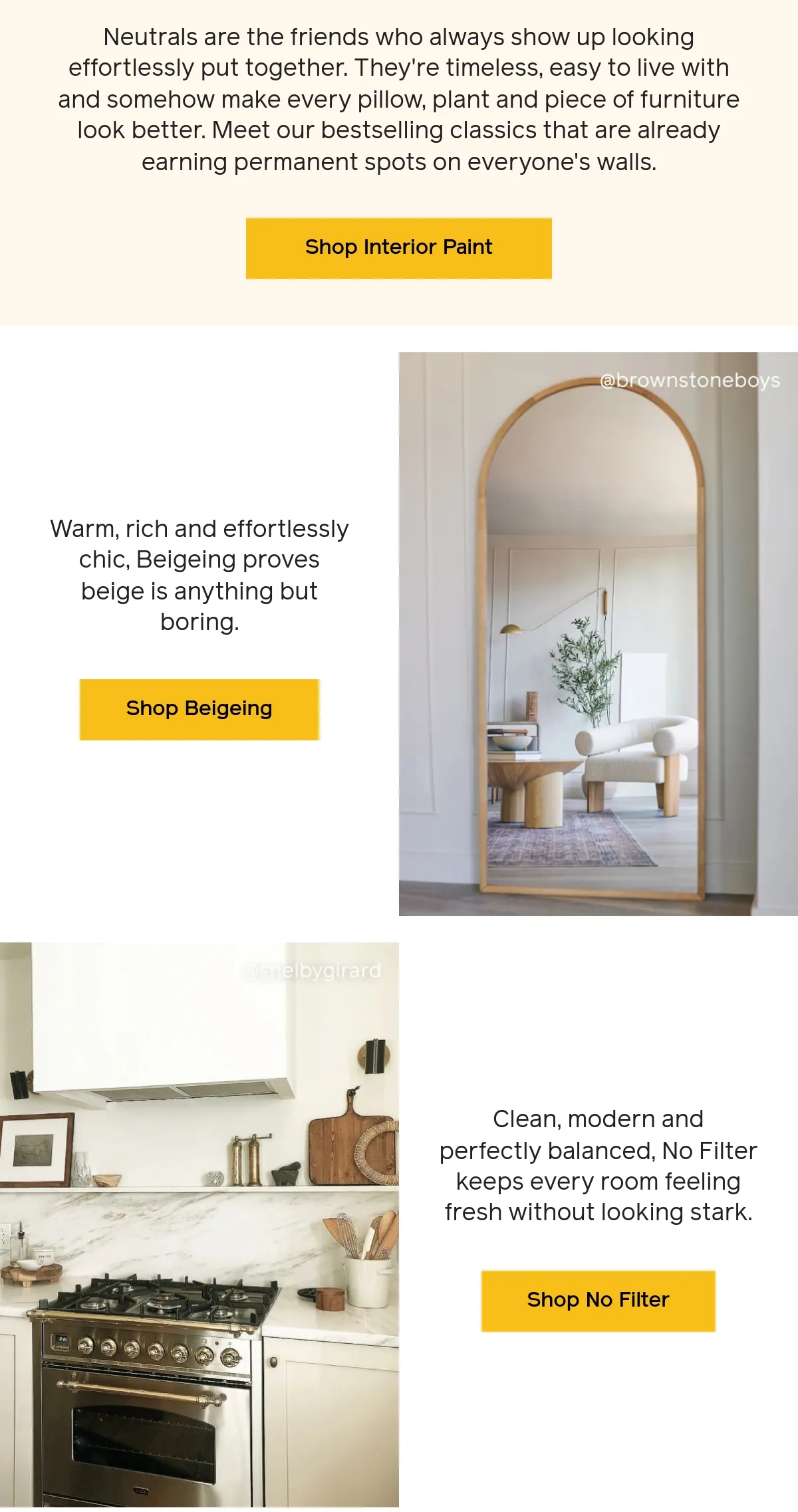
Clare’s subject line “Meet the best-selling neutrals that go with literally everything” narrows the best sellers to one color family before the email is opened.
Clare features four paint colors, each in its own block with a one-line description and a matching button, such as “Shop Beigeing.” Every color appears in a room photo credited to an Instagram account, so shoppers see the paint on a wall instead of a swatch.
The email ends with help for shoppers who still can’t decide: a color quiz that promises to match them with a neutral that fits their home, then a peel-and-stick swatch kit to test colors in their own lighting.
What you can learn from it
Build your best sellers email around one category that answers one buying question, and end it with a quiz or sample kit for shoppers who still can’t choose.
8. Red Clay — low-stock urgency
Subject line: “Best Sellers, Low Stock 🔥”
Trigger: Low-stock campaign
Sent: June 6, 2026
Why this email works
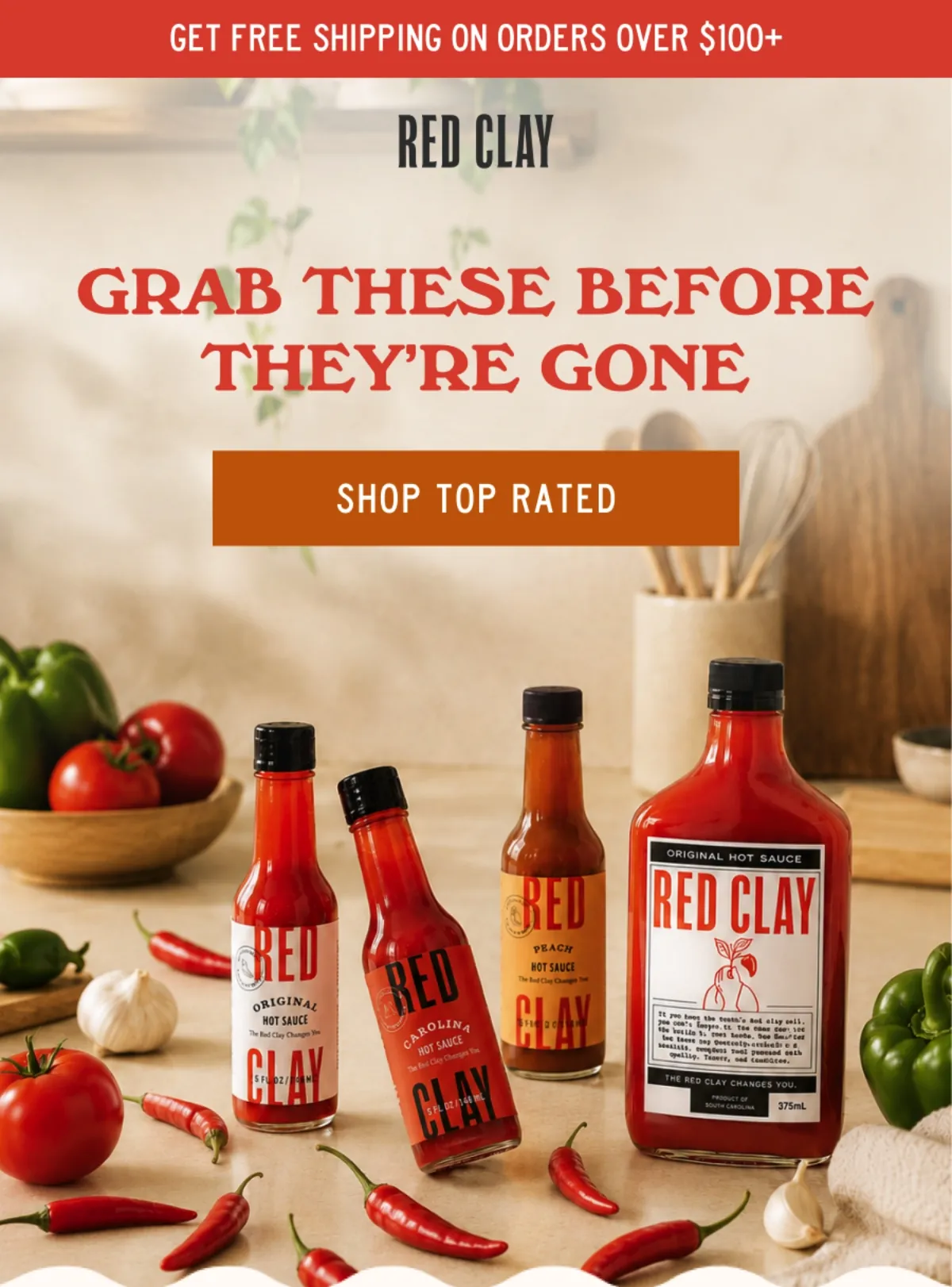
“Best Sellers, Low Stock 🔥” puts popularity and scarcity in four words. The hero repeats the warning in large typeface and gives a button for immediate action.
The opening paragraph explains why these bottles run out and describes Red Clay’s best sellers as bottles people come back for before the first one is halfway gone.
Three best sellers follow, each with a product tag and two five-star reviews. The closing block repeats the message, “Grab the top-rated favorites and the limited flask while they’re still standing,” and gives a button for the reader to act.
What you can learn from it
When a best seller is really running low, say so in the subject line, and save this email for those moments.
9. MaryRuth’s — year-end favorites recap
Subject line: “Our Favorites from 2025 — Now 26% Off 🎉”
Trigger: New Year sale campaign, sent during a 26% off promotion
Sent: December 31, 2025
Why this email works
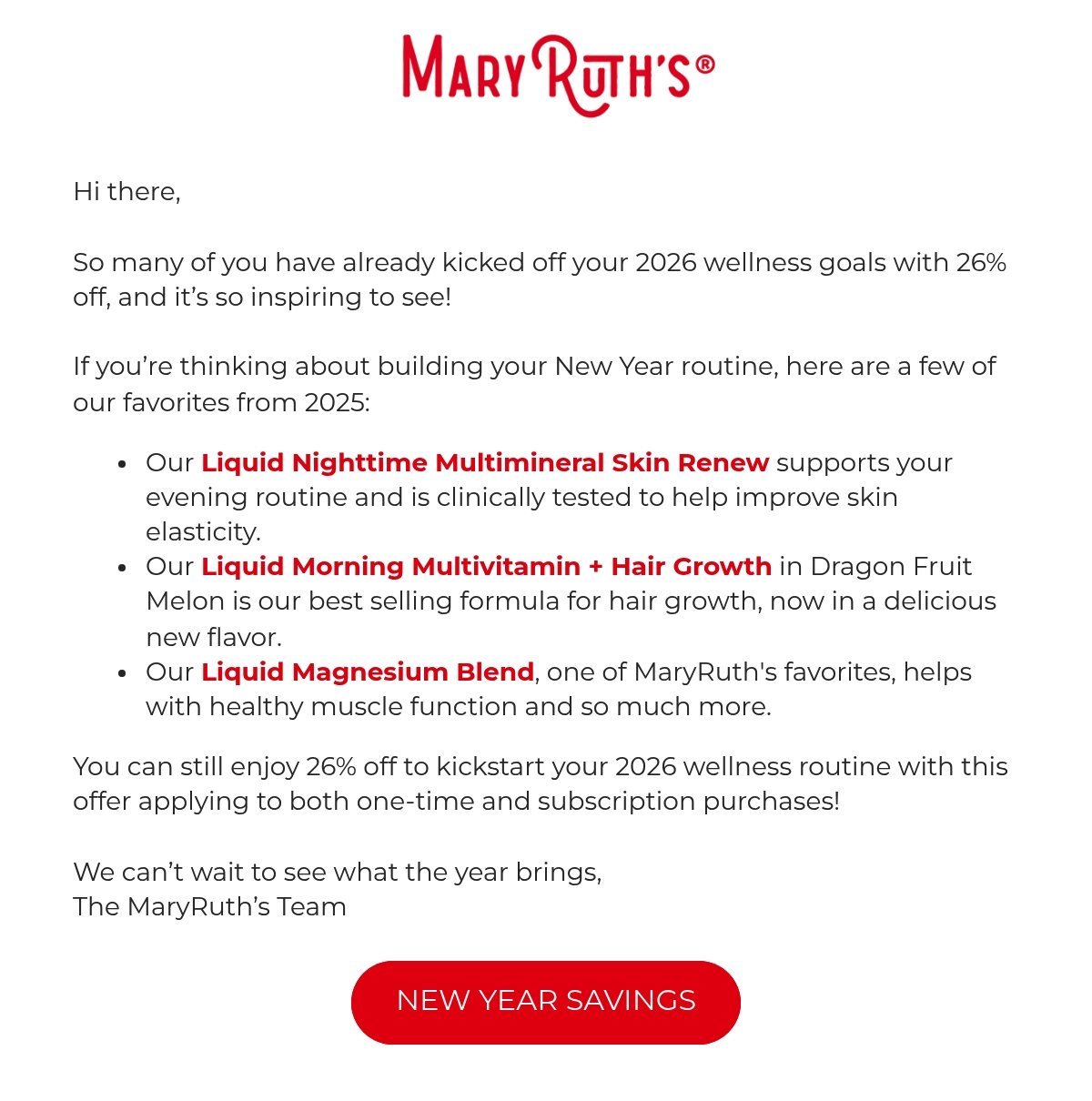
The subject line “Our Favorites from 2025 — Now 26% Off 🎉” ties the products to the year that’s ending and the discount to the year that’s starting. The 26% playfully matches the year 2026.
MaryRuth’s wrote the email as a short letter from “The MaryRuth’s Team” that opens with social proof. Three favorites from 2025 follow as bullets, each with the product name in bold red and one line on what it does.
MaryRuth’s calls its Liquid Morning Multivitamin + Hair Growth “our best-selling formula for hair growth.”
The letter ends with a clear red CTA button that leans into the theme of New Year savings.
What you can learn from it
Send a “favorites of the year” email in the last days of December, and tie the discount in your subject line to the new year.
10. Faherty — shortcut to the bestsellers
Subject line: “Your Shortcut To The Bestsellers”
Trigger: Best sellers campaign
Sent: October 11, 2026
Why this email works
“Your Shortcut To The Bestsellers” tells readers the email will save them time. The email opens with a black-and-white hero photo, headline, and a “SHOP BESTSELLERS” button right after the headline.
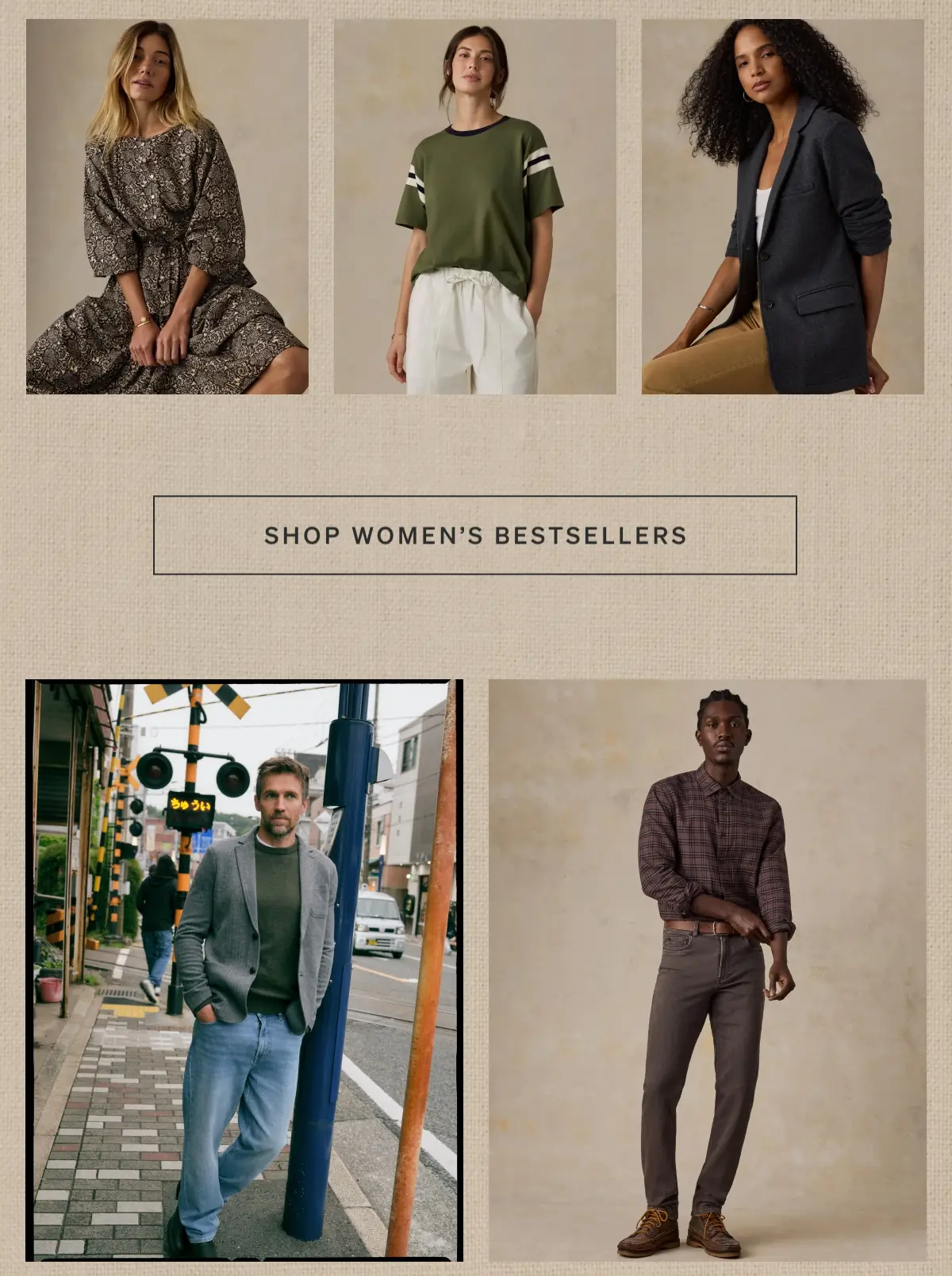
Two short sentences of copy follow, positioning the products as sought-after items and playing on the reader’s fear of missing out. The email then splits into a women’s edit and a men’s edit.
Each edit has six lifestyle and studio photos and its own button, with no product names or prices, so the photos do the selling.
What you can learn from it
Let the product photos speak for themselves and split the best sellers into separate edits if you’re selling for more than one audience.
Try it with Omnisend: send women’s and men’s versions to separate segments based on purchase history.
What makes a great best sellers email
A great best sellers email proves the products are popular, gives shoppers a reason to buy beyond a discount, and matches the picks to the reader.
Back the claim with customer reviews
Four of the 10 best sellers email examples (Peacock Alley, tuft + paw, Red Clay, and Everist) include customer reviews. Merit uses expert proof instead: Allure award badges on two of its five products.
Let popularity sell before the discount
Discounts are rare in these examples: seven of the 10 emails offer no discount on the featured products. In these seven emails, popularity is the main reason given to click. Two of the three discounts are tied to an occasion: International Cat Day for tuft + paw and New Year for MaryRuth’s.
For context, Omnisend data on 11,600 best sellers campaigns from 3,578 brands shows a median of $17.63 in revenue per 1,000 sends, with sales recorded in 64% of campaigns.
Tailor the picks to the reader
Tailor the picks by grouping best sellers around a price range, an audience, or a single need.
LILYSILK sorts its best sellers by price, Faherty by women’s and men’s styles, and Clare narrows them to one color family. To go further, use email personalization to segment your audience and base recommendations on purchase history.
Best sellers email subject lines
These best sellers email subject lines are grouped by approach and can work as-is, but feel free to tweak them. Add your brand’s tone, personalize for your audience, or use emojis.
| Curiosity | Urgency | Benefit-led | Personal |
|---|---|---|---|
| Can you guess our No. 1 best seller? | Our top 5 are running low | Not sure what to buy? Start with our best sellers | Picked for you: Best sellers in your size |
| The product our customers reorder most | Best sellers are back, but not for long | Best sellers under $50 | Your favorites, plus the best sellers that pair with them |
| We counted the orders. Here’s the winner. | Last chance: 20% off best sellers ends tonight | Five-star favorites, ready to ship | The best sellers our team uses every day |
| This month’s top 3 (one surprised us) | Only a few left of our most-wanted pieces | The best sellers that make gifting fun | Best sellers chosen just for you ✨ |
Generate more variations with Omnisend’s subject line generator.
How to create best sellers emails with Omnisend
Using Omnisend’s email builder, add a product recommender block set to Best-selling products. The product recommender will rank products by the purchases tracked over a period you choose (up to 12 months). The process is automated and stays current without manual edits.
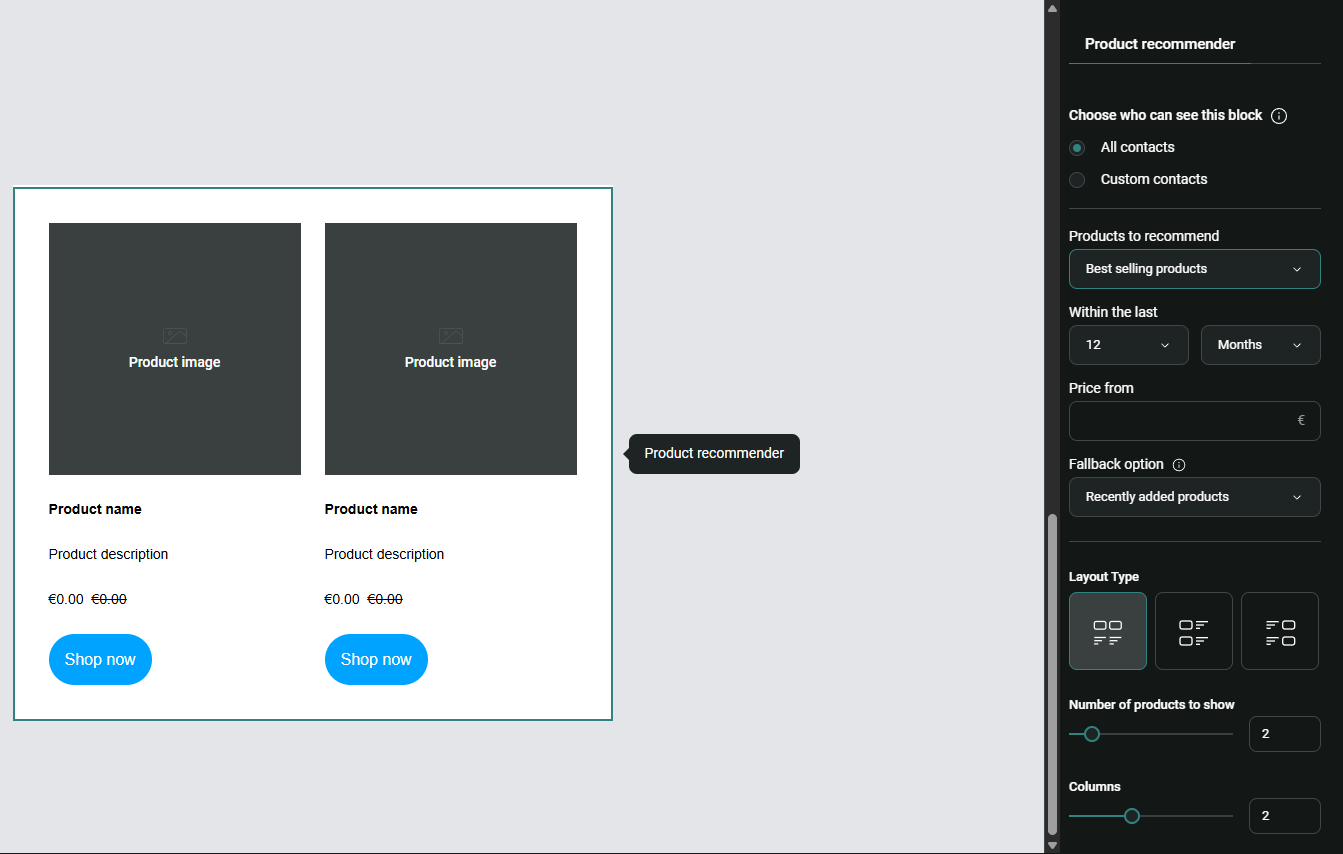
You can send a best sellers email to your whole list or add it to an automation, such as a post-purchase flow for customers who just placed an order.
In a post-purchase flow, turn on Exclude recently bought products (up to 60 days) so customers don’t see the item they just ordered. To tailor the picks to each customer, use the Pro plan or the add-on on Standard.
Wrap-up
The 10 emails above range from a monthly top 3 to a year-end favorites recap. Choose the example closest to your store and copy its main tactic in your next top sellers campaign.