Omnisend AI


 OFFER
OFFER










Your company has internal updates to share, but no channel to share them. A company newsletter is the answer, but not the borefest that plagues some corporate inboxes. You can do much better with our company newsletter examples.
The crux here is having something worthwhile to share with people at work, and sending it to the employees and teams for whom it’s beneficial and interesting.
This article provides 21 company newsletter examples you can use to communicate with employees, teams, and the departments in between. We’ve also provided design examples for many of them to inspire your approach.
Quick sign up | No credit card required
What is a company newsletter?
A company newsletter is a recurring internal email for sharing business updates, milestones, stories, and feedback that only employees and teams should see.
Company newsletters are branded, high-quality publications, not text emails. Building yours requires an email marketing tool, such as Omnisend, which also lets you create a segment for employees and assign the email campaign accordingly.
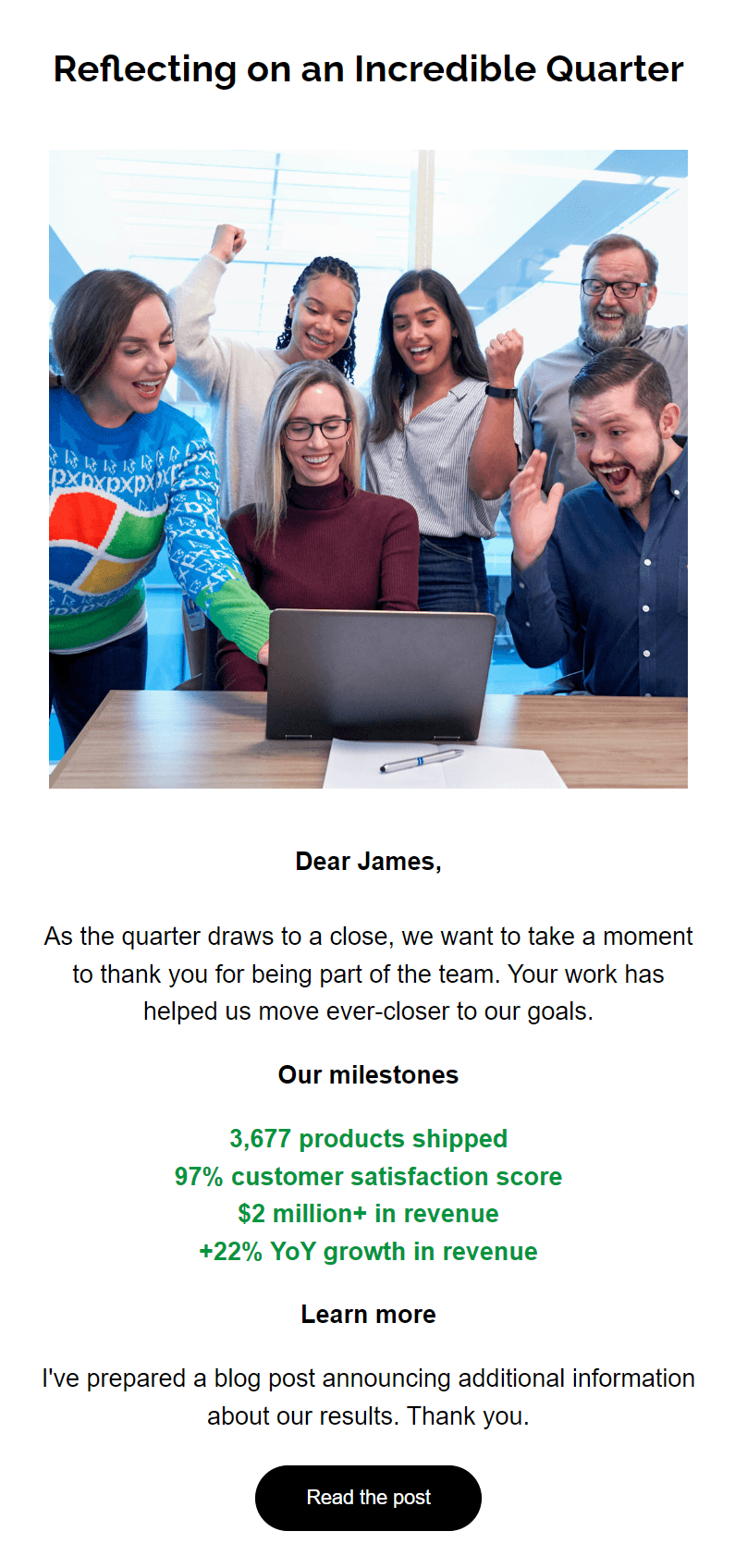
The newsletter example below, created in Omnisend using one of its 250+ templates, highlights milestones and leads with a team image to establish rapport:
The recurring aspect makes a newsletter what it is, rather than a one-off update. You could create a weekly, monthly, or quarterly newsletter.
One last word on newsletter types: an internal newsletter is not the same as an external newsletter, which you create for customers who have opted in to receiving marketing updates.
21 company newsletter examples
We’ve grouped our 21 examples by purpose to help you narrow down ideas.
Company updates
Company updates can make it into your routine newsletters or be a dedicated series split for departments. These are the updates worth creating a newsletter about:
1. Product and service launch announcements
Any launch is a milestone worth covering extensively in your company newsletter, or even creating a dedicated newsletter for.
Your subject line should contain any of the words “Launch,” “Announcing,” or “Introducing” to set the scene for the primary content. A hero image of the product should sit near the top, and your content should aim to capture excitement.
Best for
Sending to employees and teams who work in sales, product development, and marketing. It brings everyone up to speed and can confirm launch dates and availability.
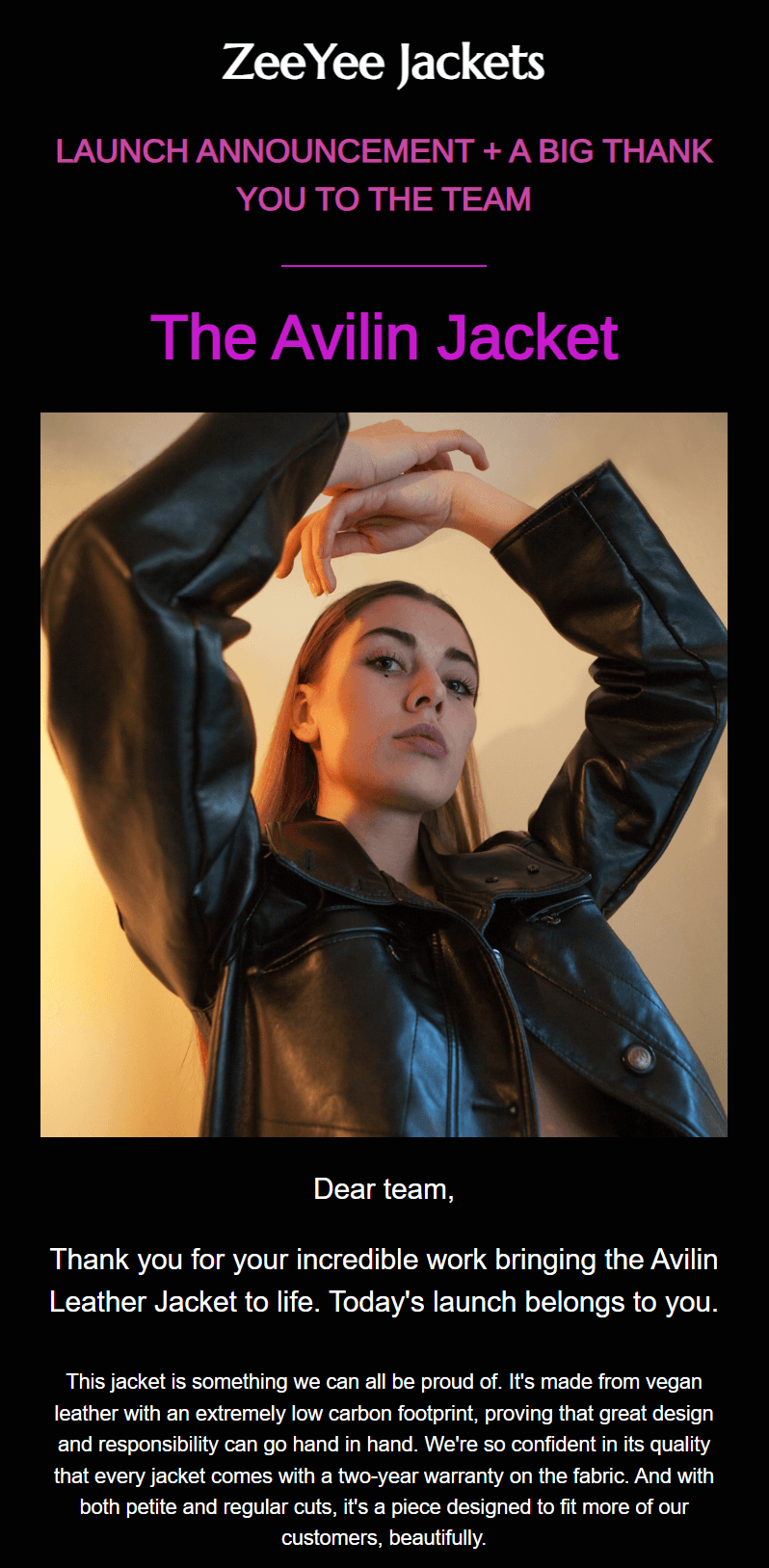
The example below, created in Omnisend, announces a new jacket with content that praises the team. The hero image and dark background give it a professional look:
Additional reading
10 product launch email examples + templates you can steal
2. Milestones and achievements
Create a company newsletter for milestones and achievements when your team is working towards goals you track. Your newsletter can share progress and results with all departments that are relevant, keeping everyone up to date.
Any company newsletter examples you draft for milestones and achievements should list the data early for easy viewing. Don’t make your team scroll for it.
Best for
Fast-moving companies with plenty of tracked milestones. Yours could be around customer satisfaction, development timelines, or products sold.
3. Leadership and team changes
Changes in company structure call for a separate company newsletter. Employees need to know if someone is leaving, adjusting roles, or when a new addition is coming to the team, so they can plan their work and make adjustments.
There isn’t anything particularly exciting about a leadership or team change; it’s more of an informational update for those who need to know.
Create a descriptive subject line, such as “A new member is joining our team” or “New hire: Welcome to [brand name, name]”. Also, include a photo of the new hire or the entire team in your email template to create a visual connection.
Best for
Any changes in your company structure for the teams it affects. It’s typical to send this company newsletter prior to the new employee arriving or any change that has taken place.
Employee spotlights
An employee spotlight company newsletter helps to increase morale and productivity, plus it provides a welcome break from any corporate structure.
Consider these newsletter opportunities:
4. Monthly employee feature
Your employees are people, and that’s worth creating a newsletter about. A monthly employee feature provides your people an opportunity to tell their story, get involved in company-wide communication, and become more recognizable by other team members.
There are two ways to go about your employee feature. Either you mention personal stuff, such as hobbies, or you keep it strictly about business.
Which is best depends on your brand and internal ethos. For DTC brands, taking a more human approach to coverage is the norm to build team rapport.
Best for
Any business building a team bond, particularly ecommerce ones with lots of staff. It works less well for small teams.
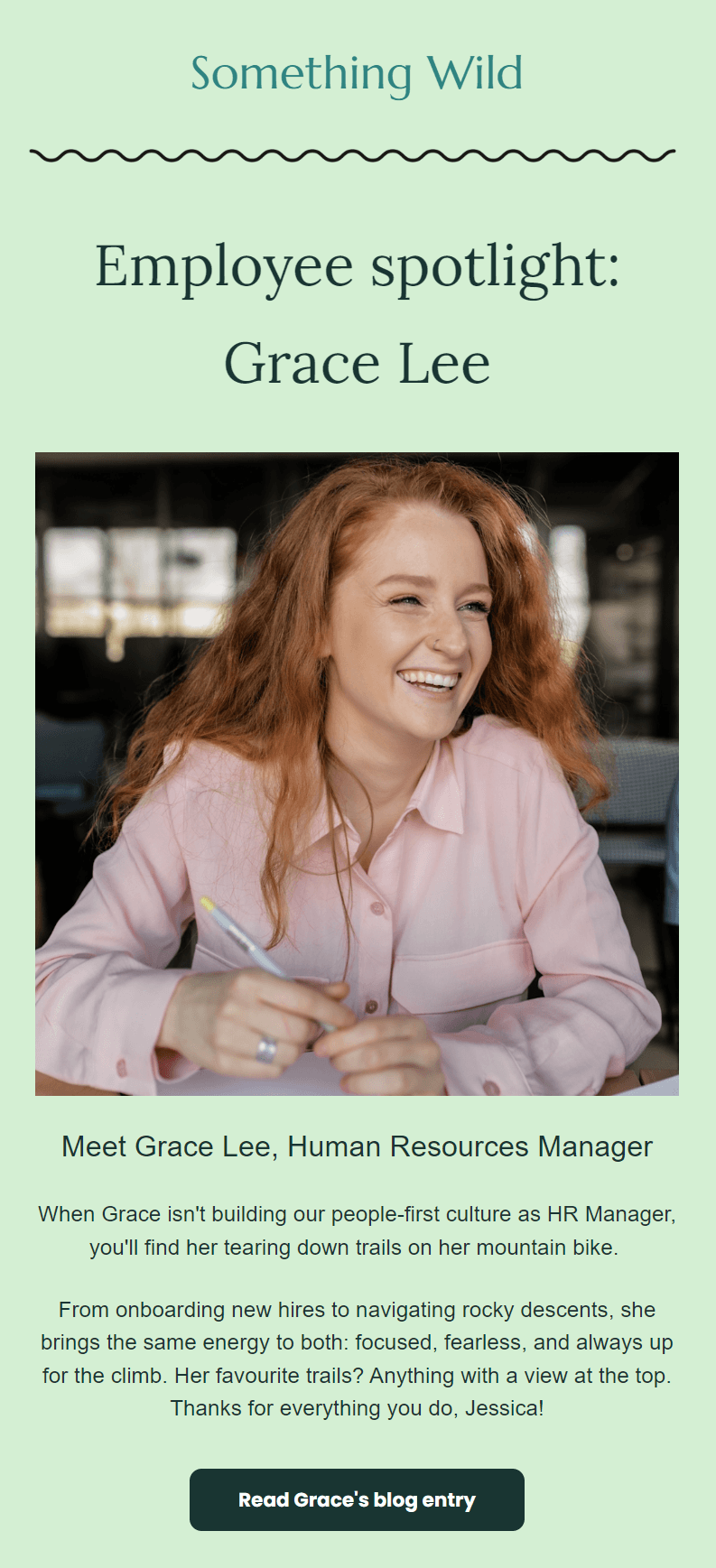
The company newsletter example below spotlights the fictitious Grace Lee, who works for Something Wild. The email, created in Omnisend, works well because it names the employee upfront and includes a high-quality photo:
5. A day in the life series
An “A day in the life” series provides additional company newsletter scope when employee features aren’t suitable or run dry. You could lead with the subject line “Inside the [department]” and then create a story-style email with employee quotes and images.
The best thing about this series is that it educates teams and departments on the work of others and how they affect one another.
It isn’t unusual to see this series share two stories or more for different departments in one newsletter. It’s a classic tactic for creating contrast and appealing to a broader internal group.
Best for
Companies with interesting departments, processes, and workings. Such coverage can improve knowledge among teams and educate them on the differences between them.
6. Work anniversary highlights
A work anniversary company newsletter is a limited series. You’ll build a template and create unique content for employees in the lead-up to important dates. It’s different from an employee feature as it doesn’t cover the same story.
Your work anniversary newsletters celebrate employee milestones, such as after one year on the job, birthdays, returning from parental leave, and retirements.
Creating newsletters for important dates makes those employees feel valued. It’s the same concept as remembering someone’s birthday and their total surprise when you give them some flowers. You can use those moments to create connections.
Additional reading
7 anniversary email examples + best practices for ecommerce
Best for
Celebrating employees and sharing company culture. The message a company anniversary newsletter sends out is that you value people.
Community and external coverage
Culture and community newsletters bring your team together, can expand into suppliers, and cover any crucial company events, outings, and moments.
7. Culture corner
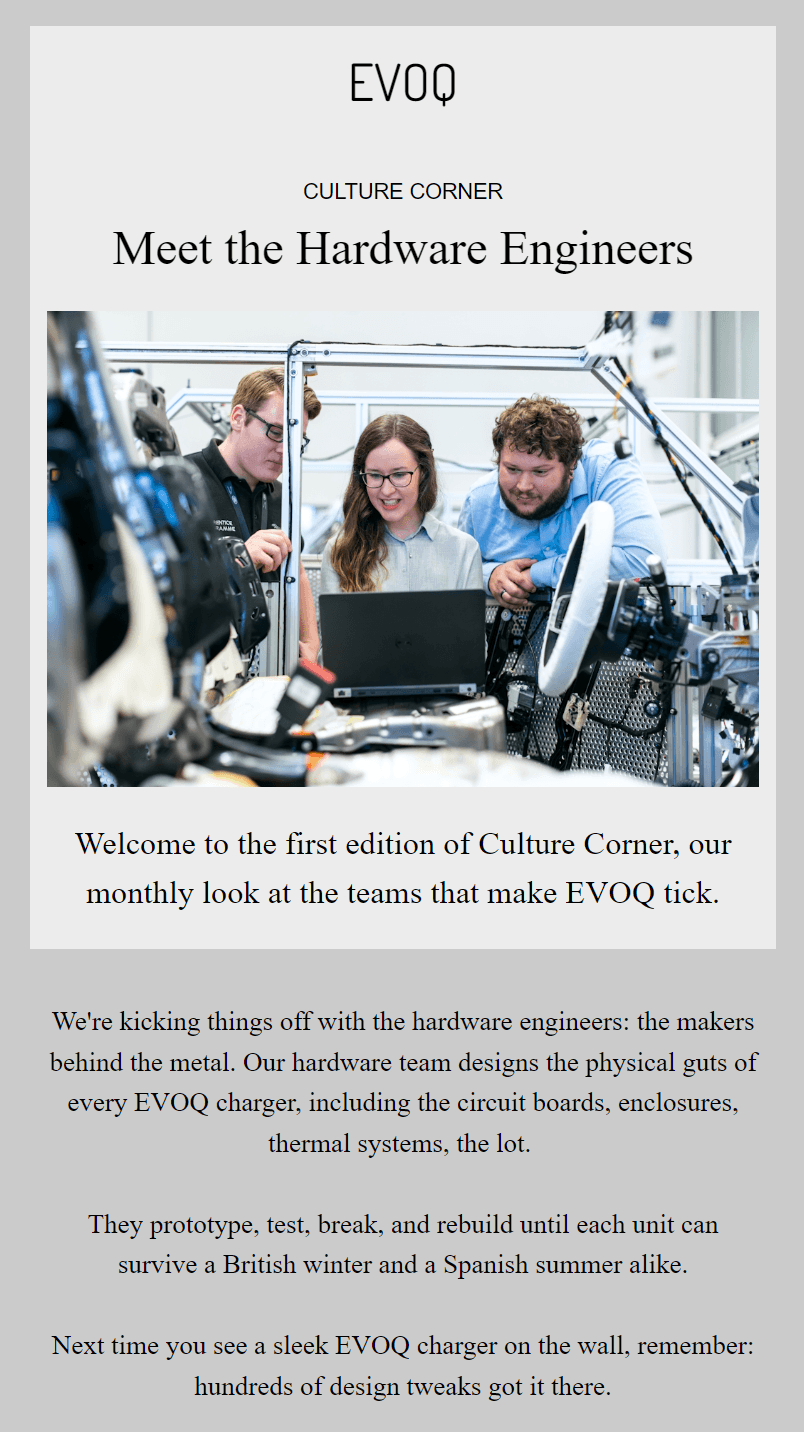
You’ll publish this company newsletter monthly as a highlight for your different teams and departments. Tell the story of what they do and why it matters for your company, helping colleagues understand their work and see the bigger picture.
Employees will find this series interesting if they’re working with those different departments or considering applying for roles in them.
Best for
Companies with complex and unique products. The more interesting the work is to engineer, develop, and create, the more exciting your newsletter. Of course, not every ecommerce store is so interesting, but you can still share stories.
The company newsletter example below, created in Omnisend, uses a light grey background and the Times font to create premium positioning:
8. Event coverage and recaps
Your company events newsletter can form part of a series for before, during, and after the occasion. Building anticipation and collecting feedback are additional opportunities alongside your post-event newsletter with a recap.
All the buzz around events, shows, and other outings can easily fade away, so coverage of the event in an email makes sense.
Create either one newsletter for after the event, or build a two-part series, with your first email announcing attendance and dates, and the second covering your attendance as it happened.
Best for
Internal marketing and news coverage for those who didn’t attend. Plus, you can include a link to a photo gallery for those who did.
9. Partner and supplier coverage
Employees and workplace culture are the internal angle for your newsletter. You can also venture outside those with partners and suppliers, who make excellent subject matter for your newsletter when your teams depend on them to do their jobs.
For instance, if you operate a print-on-demand store, you might create a newsletter for suppliers of your packaging and other print materials.
Any partner/supplier series for your company should be written in collaboration with them to collect unique content, such as interviews and photos. Structure your newsletter to prioritize their story rather than why you use them.
Best for
Companies that are transparent about suppliers and treat them as valued partners. It’ll build your relationship with them and connect employees.
Learning and development
Some of the best business newsletter examples share educational materials, skills, and training to help employees improve their performance. Your newsletter could also include employees’ thoughts and recommendations for podcasts and books.
10. Monthly employee recommendation
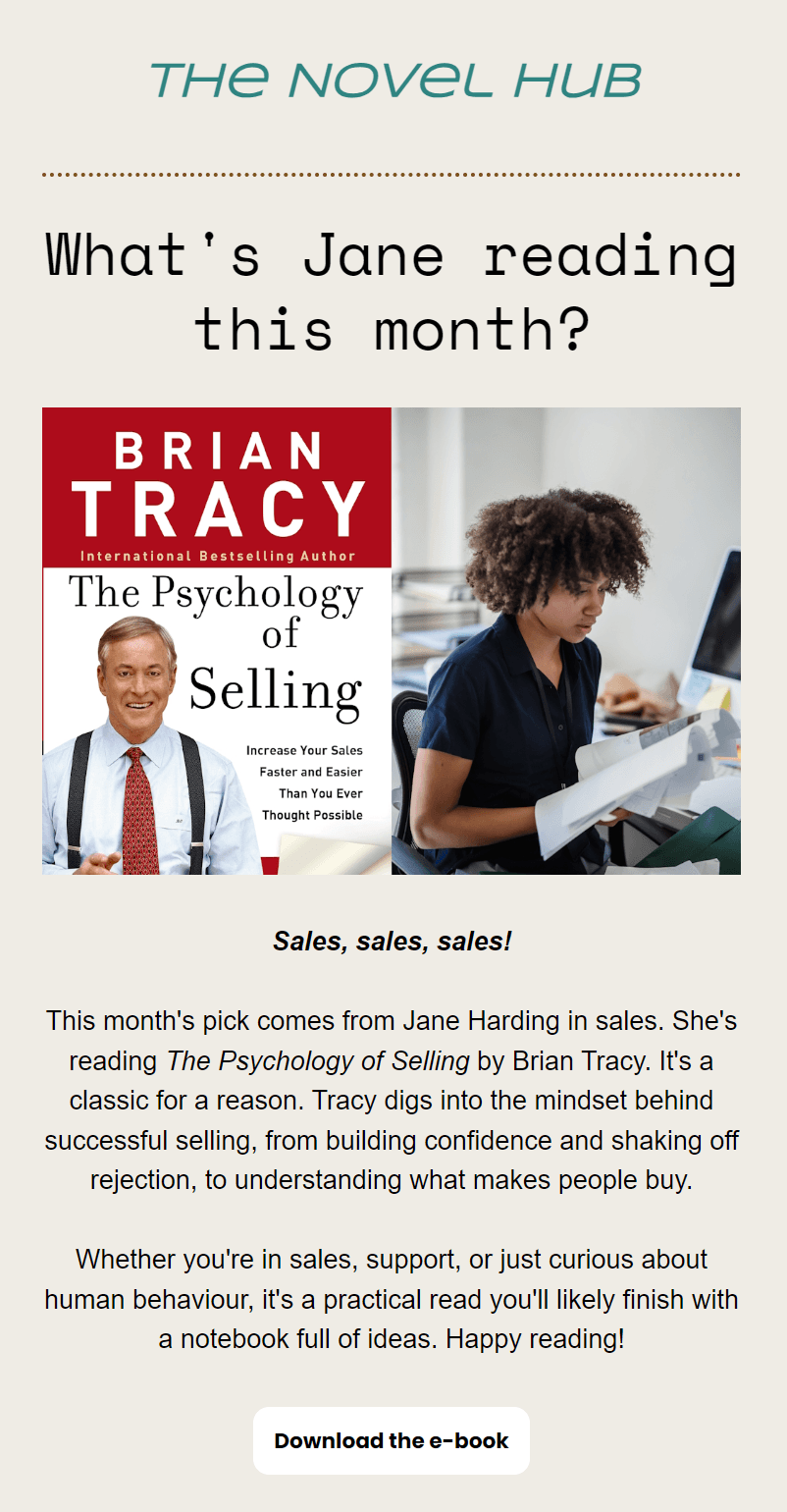
Ask your employees to submit their favorite content, such as blogs, books, and podcasts, and then review their favorites. Covering what others like helps your team discover new things that are separate from what your company recommends.
For more control, you can guide their recommendations. For instance, you could ask an employee to explore Google Skills or another platform and pick a course they like. Give them the time to explore it and then write their thoughts.
Best for
Companies with limited internal content opportunities. Recommendations always go down well. Keep things non-political and check the profile of authors to ensure they’re reputable.
The newsletter example below was created in Omnisend. It splits the hero image half and half for the book cover and the employee:
11. Skill of the month
Create a newsletter sharing skills your employees can sign up for and learn. Link to platforms that are free and recommend a course relevant to them. Or, offer to pay for the skill, and provide a sign-up form to get started.
Some employees will be uninterested in learning new skills, so it’s worth adding additional value to your newsletter. Add social proof with employee quotes and mention that the skill in question is one of the things you look for when reviewing internal promotions.
Best for
Companies that want a competitive advantage with highly skilled employees. Helping your own people learn new skills also improves productivity and satisfaction.
12. Certification/accreditation spotlight
Your company might have accreditations and certifications. Celebrating these in a newsletter is worthwhile to spread knowledge and reinforce your leadership.
We’ve seen corporate newsletter examples where the focus is entirely on quality, innovation, and the supply chain in general. That’s where certification coverage makes most sense.
Company newsletters covering your accreditations can be equally suitable for suppliers, too, to show that you’re continuing to meet their expectations.
Best for
Companies that sell highly regulated products, such as supplements, medicines, and electronics. Your quality markers can differentiate your brand and instill a sense of reliability in employees and suppliers.
Behind the scenes
Going behind the scenes with your projects provides new insights into your company for employees. Not everyone will know about what you’re up to across other departments, so it’s a fantastic company newsletter to spread the word.
13. Sneak peeks
Charities, sponsorships, local events, and even some of your team’s internal initiatives are more worthy of a newsletter than most other topics.
A sneak peek into product development, covering your sponsorship of a local sports team, or highlighting what you’re doing to improve happiness at work, are all opportunities.
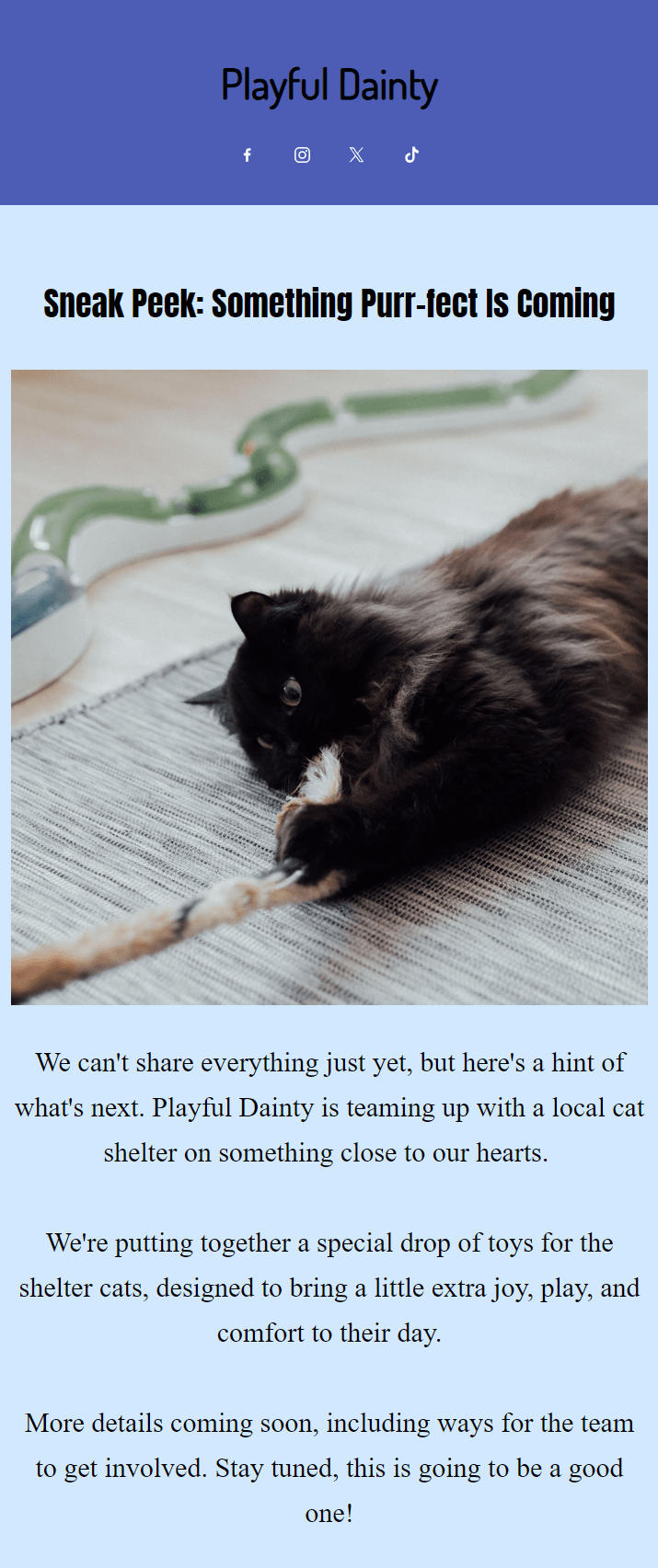
Your newsletter should be a teaser that encourages your employees to keep an eye on their inboxes. You can then create a series with additional updates.
Best for
Sending to teams who’ll benefit from ongoing visibility into upcoming projects. Any company that thrives on internal buzz and external collaborations.
The company email newsletter example below, built in Omnisend, offers a sneak peek into a pet brand’s collaboration with a local cat shelter:
14. Video tours
Newsletters can have embedded video thumbnails with play buttons, links to landing pages or video platforms, and use GIFs as video previews.
These integration options let you share department tours, employee interviews, and more to showcase the inside happenings of your company.
It’s good practice to use the word “Watch” or “Video” in your subject line to let people know that your newsletter has an interactive element to it.
Best for
Companies with hands-on work they can showcase, such as manufacturers and ecommerce stores that design and physically handle products.
Additional reading
How to use video in email marketing: 7 best examples
15. Challenge stories
Messy projects make for great stories, as do the challenges you and employees faced but overcame. Cover your obstacles in a company newsletter, and don’t be afraid to be frank about them. The more realistic your story, the more interesting it will be.
Create a subject line that teases the challenge, such as “How we solved…” or “Behind the scenes of…” to encourage open rates.
As for your newsletter template, master a documentary feel, with real-world photos, quotes, and headings that move your employees from “The challenge” to the solution.
Best for
Creating a learning culture in your company and encouraging teams to discuss what’s happening, rather than letting their problems stagnate.
Feedback and engagement
Not all company newsletters need to have news in them. Yours could collect feedback, share results, and deliver performance figures for teams.
16. Employee surveys
A company newsletter that collects feedback is among your best ways to find out what employees are thinking and what you could do about it.
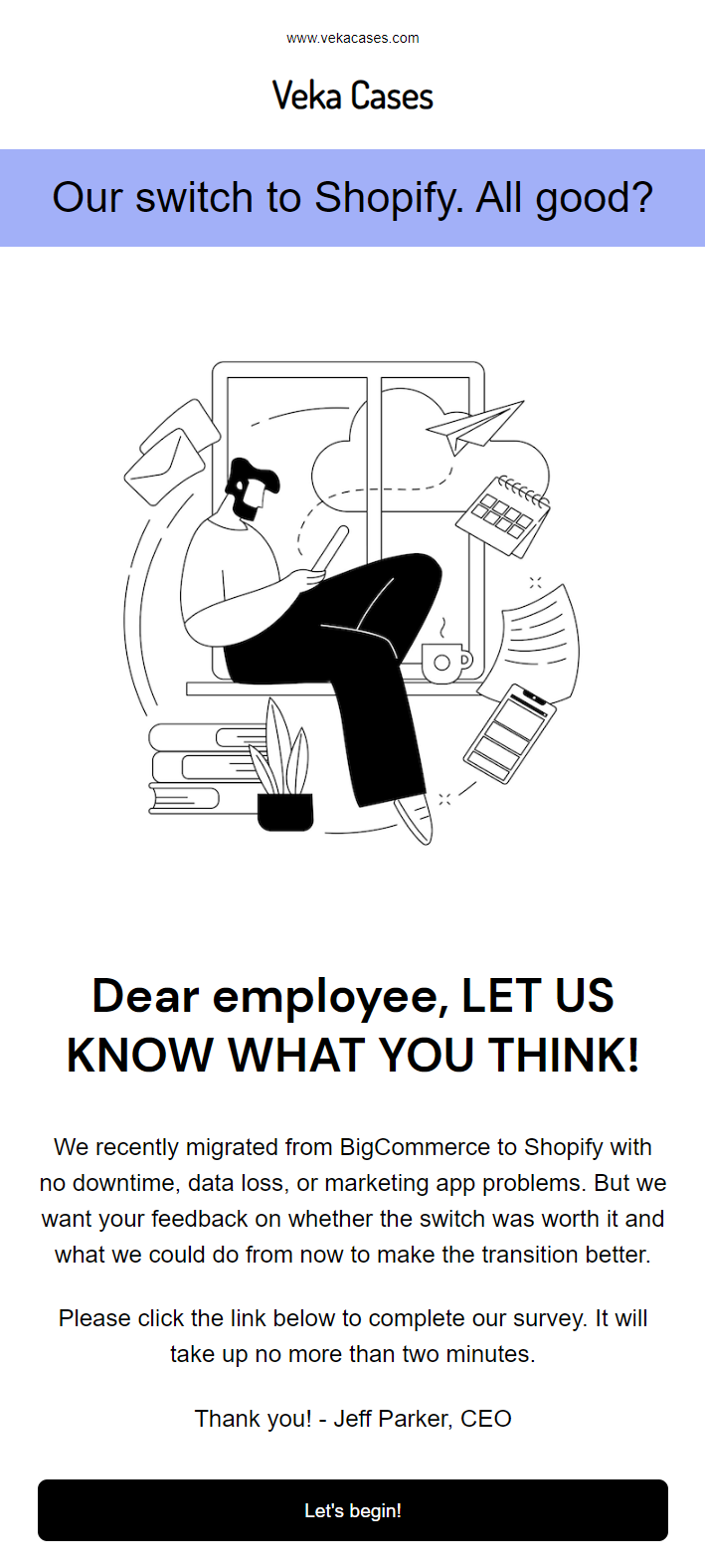
It’s normal for ecommerce stores to survey their employees after product updates and other changes that impact their work. Give your newsletter a subject line that says “Survey” or “Leave your feedback,” so people know what it’s about straight away.
The internal survey email example below, created in Omnisend, has a minimal design with lots of whitespace to draw attention to the heading with a purple background:
Best for
Gaining an understanding of employee sentiments and thoughts following any company updates that affect them.
17. Customer feedback highlights
Something a bit more fun for your company newsletter, and one that bridges the gap between employees and customers.
Share social proof and write a story about how the team’s efforts are contributing to those high customer satisfaction ratings.
Your employees will appreciate the lift and see that the work they do has a knock-on effect. Use a warm subject line, such as “What our customers are saying,” and add a quote in the email from a project manager or team leader thanking everyone for their work.
Best for
Ecommerce businesses that gather lots of feedback. You can collect feedback to share in your company newsletter with post-purchase review requests.
Additional reading
6 review request email examples (+ how to write your own)
18. Performance reviews
Run a synopsis of team performance for the month in your email. Create one newsletter per team so they’re personalized for them.
Your marketing team might receive the low-down on open and conversion rates from email marketing, whilst your packing team might receive average fulfillment times.
Be contextual and only include the good stuff, as you don’t want to damage morale. Use a subject line that opens with “Results from” or “Team performance.” Your newsletter content is best off with bullets or easily distinguishable sections for data.
Best for
Data-led companies. Send it to only teams with performance targets, and match the send frequency to their preferences to avoid pressurizing them.
Well-being and seasonal
A seasonal newsletter is a must-have for your schedule. Well-being emails are also worthwhile because they give you a more human topic to discuss with employees.
19. Health and wellness tips
Provide practical advice that’s seasonal where relevant. Tips on staying hydrated, beating the winter slump, or making the most of lunch breaks work well.
Add some guidance from qualified experts when you can, rather than purely opinion, and use any internal advantages your company has as talking points.
Best for
Building a positive work environment and encouraging productivity. Businesses with small teams will benefit most.
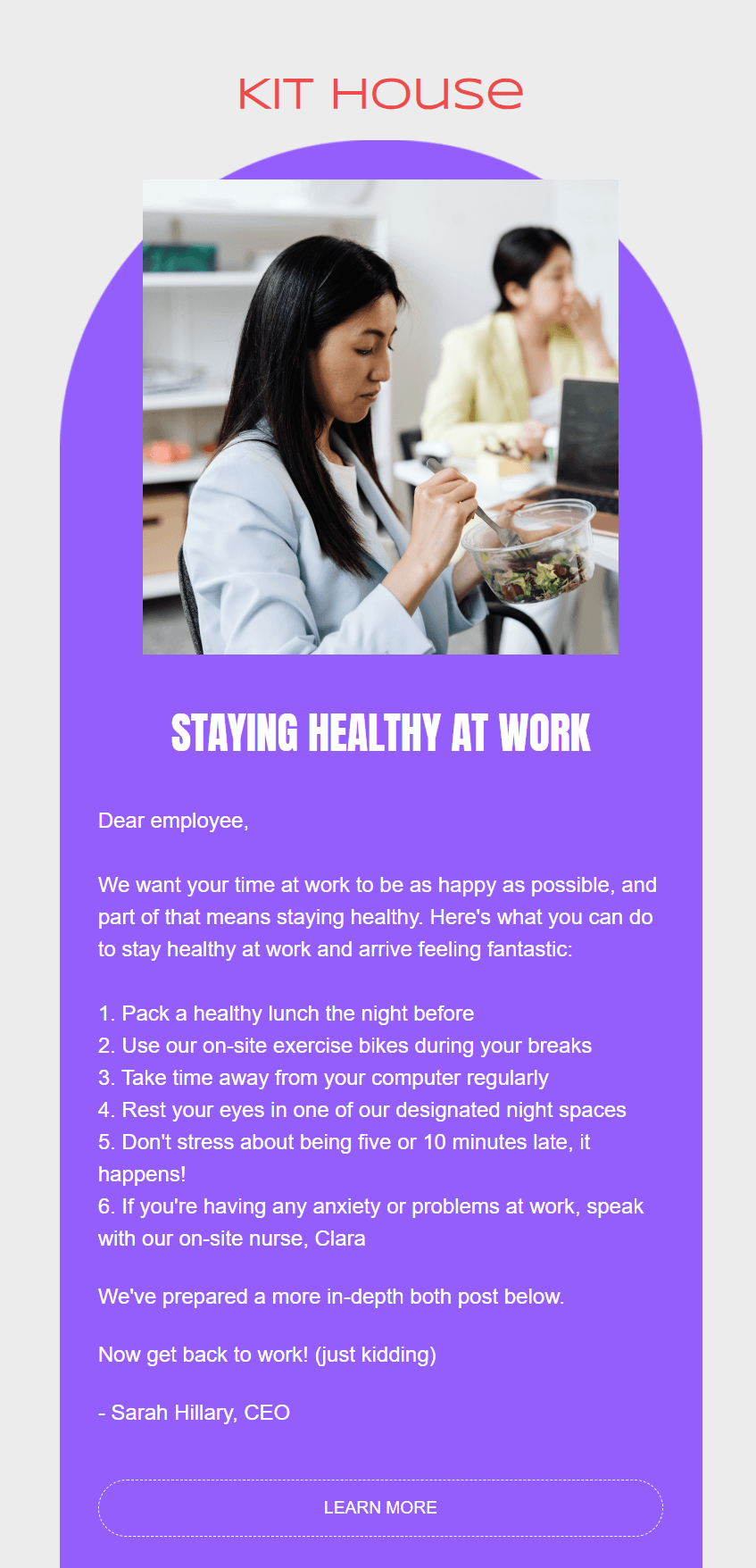
The company newsletter example below is a good one. Built in Omnisend, it includes five tips for employees to stay healthy at work:
20. Holiday coverage
Holiday newsletters are quick wins for your company. Plan them for every major holiday that’s relevant to your team, from Christmas to New Year’s Day and so on.
You’ll appreciate being able to cover so many different topics. Share advice, recommend some films, thank your team, and dish out some unique staff discount codes.
Best for
All companies, especially those with diverse teams. Cover a mix of holidays and invite your employees to share what they’re celebrating.
21. Motivational stories
What’s working for others in your company? One of the best company newsletter examples is stories from employees about how they bounced back from bad results.
Anyone in your business with a positive story to tell is a potential newsletter topic, but be careful not to fall into hollow corporate territory with something about never giving up. Only publish stories that are relatable and anchored in experience.
Best for
Teams that are showing signs of morale and performance problems. A good motivational story can reignite them and keep their results up.
Additional reading
35 company email newsletter ideas to boost engagement
What to include in a company newsletter
These are the essential elements your company newsletter needs:
- Subject line. It should describe what your employee will open. That basically means saying the words “company newsletter” or using the name for the publication.
- Preheader. The text that appears next to your subject line in some email clients. It’s an opportunity to preview the content in your newsletter.
- Sender’s name. You can sometimes change this. Omnisend lets you assign a custom sender name to campaigns. Do this when you want to change from your brand name to an executive’s name, or something else.
- High-quality content. Write on-brand copy and run it through Grammarly to ensure there are no typos and other mistakes before sending.
- CTA buttons. For your employees to click to find out more. You could link to blog posts, PDF reports, or landing pages, depending on your campaign.
- Targeted email recipients. That means choosing a segment. In this case, your segment is employees, or any other internal group. List management is crucial to ensure that employees and customers are always in different segments.
How to write a company newsletter
Open Word or Google Docs and get writing, or ask an AI tool to do it for you. That’s the basic writing process, but not the blueprint to deliver substance and value. Your company newsletter is a quality publication, so it needs care and attention.
Here’s how we write professional company newsletters, and how you can too:
- Decide on the purpose. It could be about a recent project, cover quarterly performance, or provide tips to help your employees enjoy time at work. Regardless, each and every publication needs a point to it. You might also need to fold two purposes into one newsletter, should one of them be slightly thin on its own.
- Write a descriptive subject line. We’re big fans of simple “Company newsletter for August” and “Our latest internal newsletter” subject lines. They describe what your employees can expect from opening the email with no fluff. Our email subject line best practices will help you refine your efforts.
- Match your heading to the lead stat or purpose. Such as, “Announcing Our Annual Performance Figures” or “98% customer satisfaction in December.” A headline like that sets the tone for your company newsletter and is never boring.
- Use personalization tags. Your company newsletter could go out to hundreds of employees, but that’s no excuse to omit their names. Some email tools, such as Omnisend, let you add Liquid templating for message personalization.
- Produce content in bite-sized paragraphs. 25-word sentences and 30-word two-sentence paragraphs keep everything neat.
- Design your email in sections. What we mean by that is splitting the stories and key points up, rather than throwing everything into one text block. Consider changing colors for the sections between the intro, body, and footer for scannability.
Additional reading
Newsletter design examples, expert tips, and templates
How to create and send your company newsletter in Omnisend
Omnisend is an omnichannel marketing tool for ecommerce, covering email, SMS, and web push notifications natively. Its primary use case is customer-facing emails, but it works equally as well for your company newsletter.
You can now use Omnisend MCP to automate newsletter campaign creation in Claude and ChatGPT. It lets you prompt AI to create a segment, draft a newsletter with a subject line, and use recent data for copy inspiration.
Should MCP be something you want to try later, then follow the steps below:
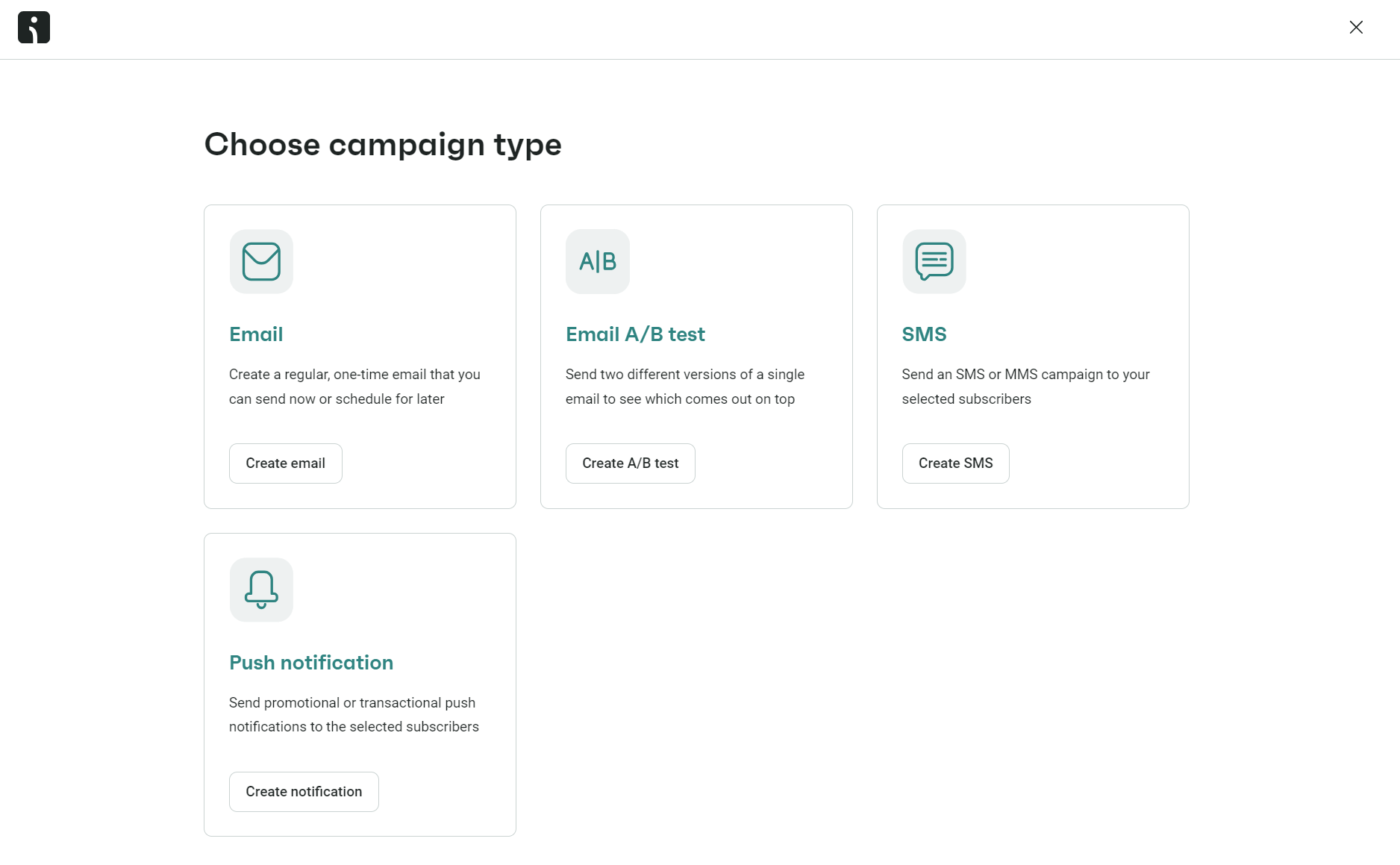
- Head to Campaigns in Omnisend
- Click + Create campaign
- Select Create email:
4. Enter a subject line for your Campaign
5. Click Choose email template to start designing
6. Click Save & choose recipients
7. Click Review campaign
8. Select Send now or Schedule for later
You can build your company newsletter using any one of the 250+ pre-built email templates in Omnisend. Assign brand assets, and your logo and colors will apply, plus you can share assets across your brands with one-click store switching.
You’ll also need an employee segment for targeting. You can upload a spreadsheet of company email addresses or send a link to your employees with a form built in Omnisend, asking them to input their preferred email address to receive your newsletter.
Learn more about email list segmentation with our video:
Conclusion
Your ecommerce store probably straddles the line between corporate and human. Some company newsletters call for a strict, professional approach. Others can be more candid. You can use both depending on the topic.
The ones that are easiest to create content for are company milestones, employee spotlights, customer feedback shares, and health and wellness tips.
Omnisend’s drag-and-drop email builder gets you going, plus you can use any one of its 250+ email templates for a head start in your designs.
Quick sign up | No credit card required