Omnisend AI


 OFFER
OFFER









What’s new: Omnisend’s January 2023 updates
With over 130+ pre-built integrations and flexible APIs, you can easily centralize data from across your tech stack
Make the most out of your data and unlock powerful growth marketing possibilities with these other top marketing tools.
Build any custom integration with our open, flexible APIs that are simple to use and implement.
Check out apps that have been stealing all the spotlight.
Email and SMS marketing insights, ecommerce resources, and the latest Omnisend news
Expert-led sessions covering email, SMS, and ecommerce marketing strategies.
Educational video and live training to help you make the most out of Omnisend.
Drive sales on autopilot with ecommerce-focused features
See FeaturesFebruary. The shortest month of the year, but don’t let that fool you — we’ve packed it with updates. Multi-store management, smarter automations, clearer billing, and more. It’s been a busy few weeks, and we’re excited to share what we’ve been working on.
Here’s everything that’s new.
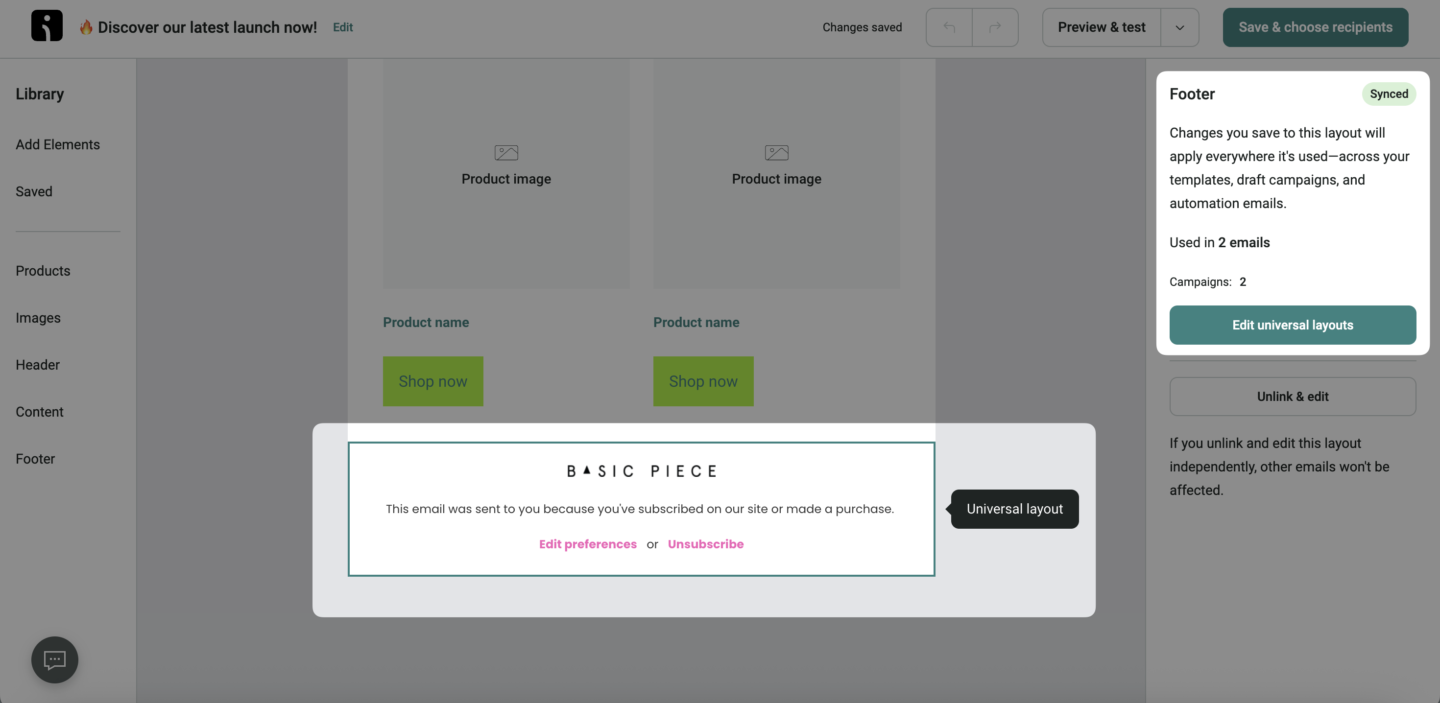
Ever deleted a Universal Layout and immediately regretted it? Yeah, we’ve heard that one before.
We’ve made a handful of improvements to Universal Layouts that should give you a lot more confidence when you’re managing them. Each layout now shows a usage count, so you can see at a glance exactly where it’s being used. And when you go to delete one, that same info shows up as a reminder — just in case you’re about to remove something more important than you thought.
We’ve also added a transparent grid background inside the Universal Layout editor. It sounds small, but it makes it genuinely easier to tell when you’re editing a layout versus a regular email template. No more confusion.
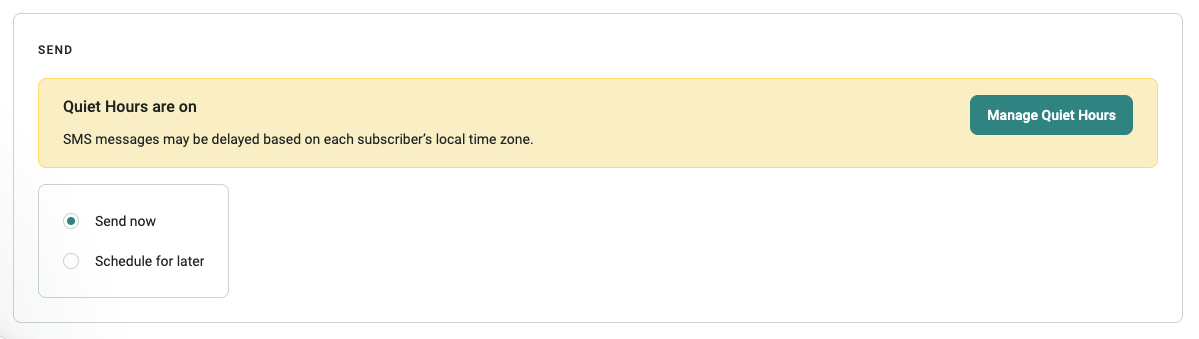
If you’ve ever stared at a grayed-out schedule button wondering what on earth is going on — this update is for you.
When quiet hours are enabled on your account, we now show a clear message while you’re setting up your SMS campaign, so you know upfront why scheduling might be restricted. No more digging around to figure it out. It’s just… right there.
👉 Learn more about SMS quiet hours
This one came straight from the “why did this take so long?” file.
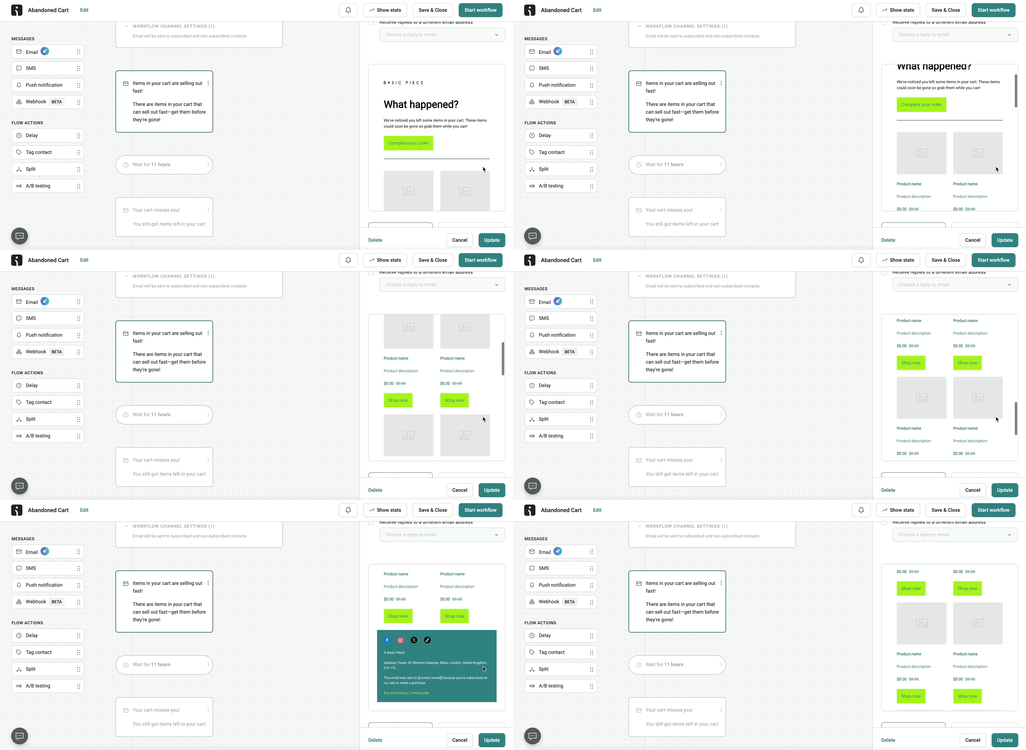
You can now scroll through your full email preview directly inside the Automations Builder. No more clicking Edit, loading the Email Builder, scrolling to the bottom, and clicking back out. Just scroll. See the whole thing. Move on with your day.
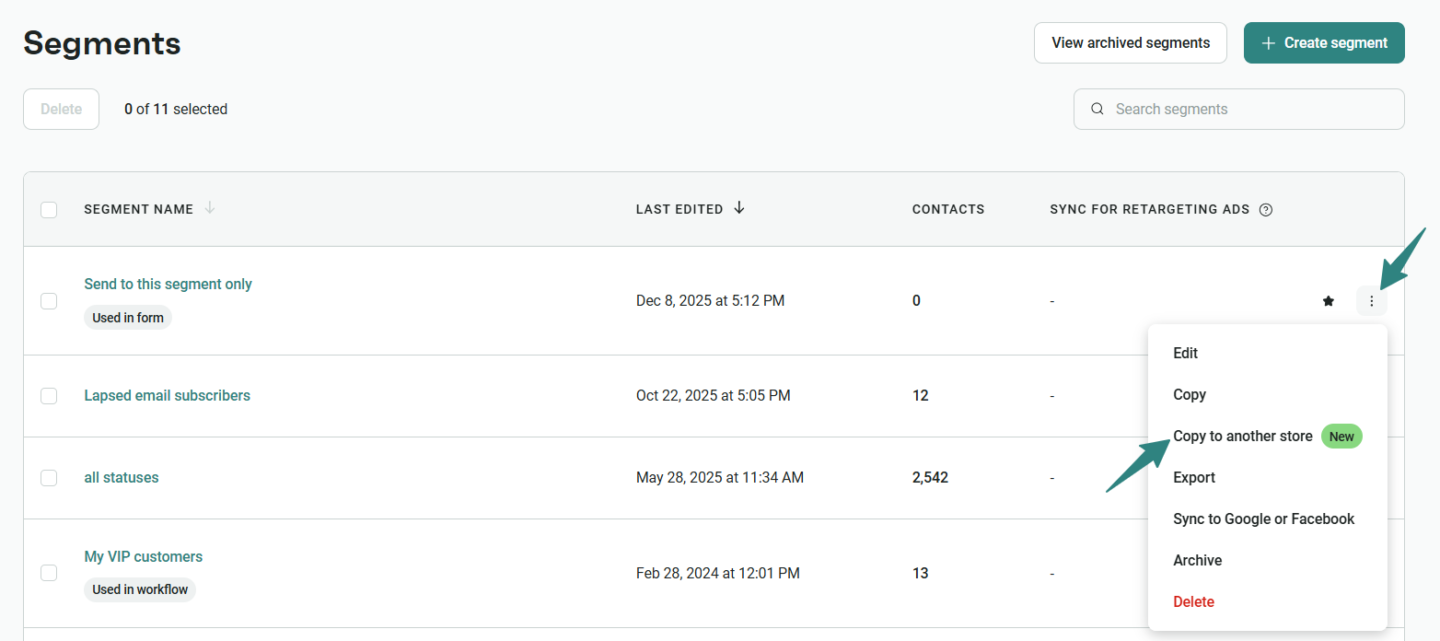
Building the same segment five times across five different stores is nobody’s idea of a good time. So we fixed it.
You can now copy a segment from one store to another — rename it on the way, pick multiple destination stores, and get it done in a few clicks. The only requirement is that all your stores run on the same ecommerce platform.
For agencies, multi-brand teams, and anyone using Templated Accounts, this is going to save a serious amount of time. Build your strategy once and roll it out everywhere, instead of starting from scratch every single time.
👉 Learn more about segment copying
A small but handy one for anyone using the AI Forms Assistant.
Forms generated with AI can now include a teaser — and if you copy an AI form that already has one, the teaser comes with it. One less thing to rebuild manually.
👉 Learn about the AI Forms Assistant
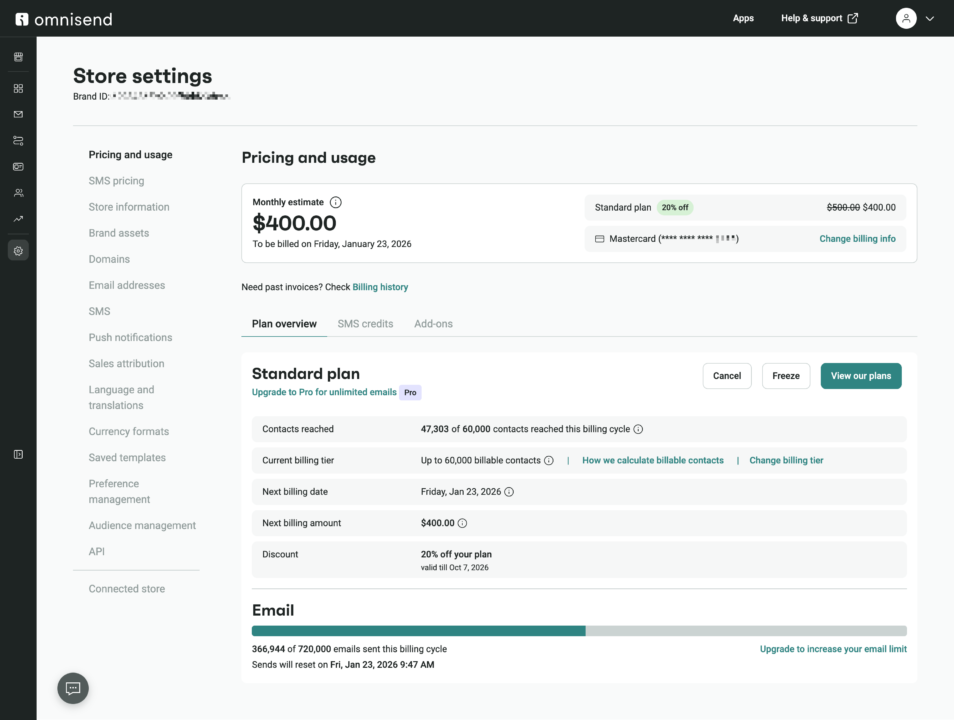
We’ve renamed the Pricing plan page to Pricing and Usage and added a Monthly Estimate block to go with it. The idea is simple: you should be able to open that page and immediately know what you’re going to be charged and why.
The estimate shows your total price, tax included, your next billing date, and a full breakdown of everything you’re subscribed to — plan, SMS, add-ons, the lot. It also handles the trickier situations, like having two different billing dates, being on a free plan with a paid SMS subscription, or having prepaid items alongside a monthly one.
Everything else on the page is now neatly organized into three tabs: Plan Overview, SMS Credits, and Add-ons.
There’s a new face in the App Market.
Influencer Hero is an all-in-one influencer marketing platform — think influencer discovery, UGC capture, a built-in CRM, and affiliate tracking, all in one place. Connect it to Omnisend and you can find influencers who are already in your contact list, then pull their profiles straight into Omnisend for segmentation and targeted campaigns.
👉 Learn how to connect Influencer Hero with Omnisend
As always, we’ve been quietly chipping away at the smaller stuff too. You’ll notice a handful of UI and UX improvements scattered across the app — nothing earth-shattering, but all the kind of small touches that make things feel a bit more polished and a bit less frustrating.

TABLE OF CONTENTS
TABLE OF CONTENTS

What’s next


No fluff, no spam, no corporate filler. Just a friendly letter, twice a month.