Omnisend AI


 OFFER
OFFER











We’re officially halfway through 2026. Wild.
If you’re squeezing in summer sends between PTO requests, here’s a roundup of everything we shipped this month to make that easier — including one feature your eyes have been asking for since roughly forever.
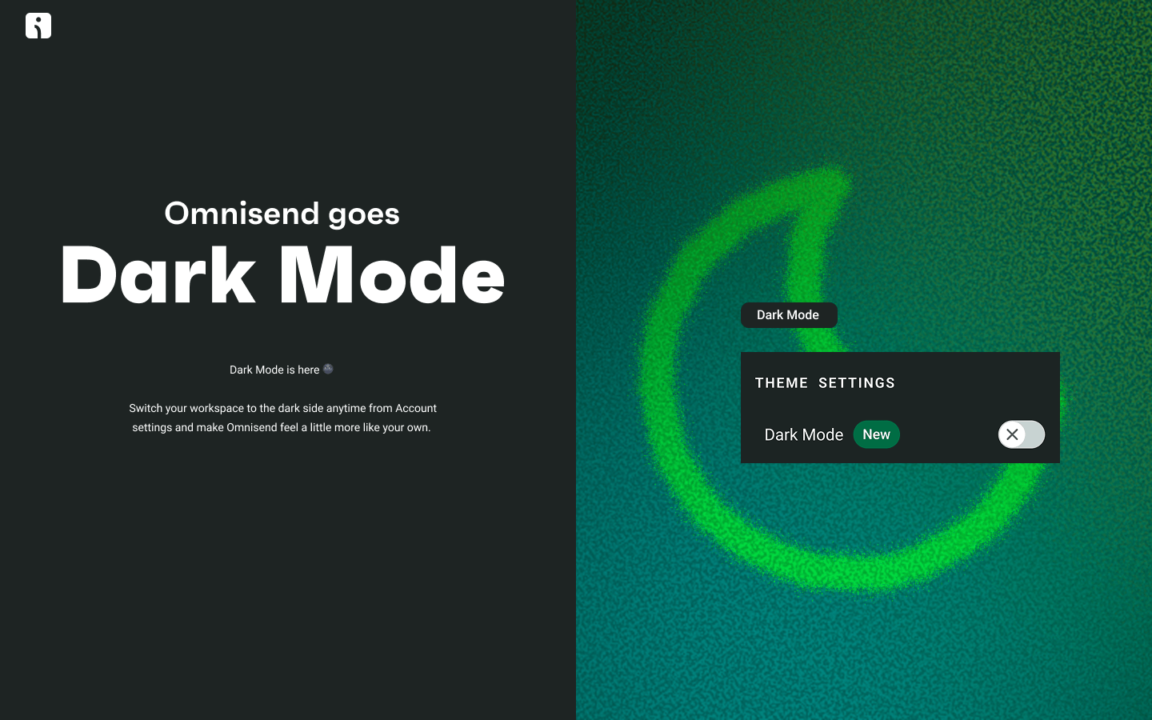
Dark Mode is here
You asked, we built. Dark Mode is now available across all of Omnisend, toggleable any time from your Account settings.
Easier on the eyes during long sessions, kinder to your screen at 11pm, and just generally a vibe. Quick heads-up: we’re rolling it out gradually, so if it’s not in your account yet, hang tight — it’s on the way.
More accurate segment-gated Automations
If you’ve ever had a repeat buyer slip into your first-time buyer workflow because the segment data hadn’t caught up yet, this one’s for you.
Omnisend now waits a beat before checking whether a contact meets your segment conditions when they enter an Automation. That small pause gives segment data time to update, so the right people land in the right workflows.
Nothing to set up — it just works in the background. Applies to Automations using segments in trigger filters, audience filters, and conditional splits.
Mobile editing in Forms Builder
You can now make basic edits to your forms from your phone. Caught a typo on the train? Want to tweak a CTA between meetings? Now you can, without firing up your laptop.
It’s intentionally lightweight — desktop is still where you want to be for the full form-building experience — but it covers the core actions.
Reports AI: ask your data questions in plain English (Beta)
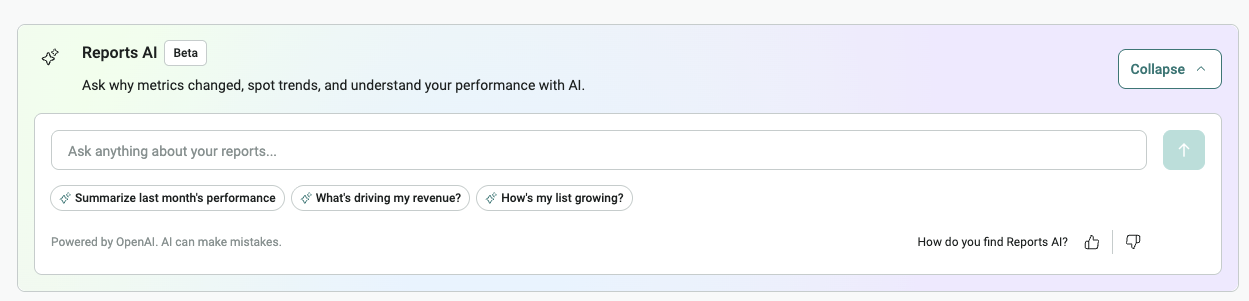
We’re also launching Reports AI, a new in-app chat assistant that answers questions about your Omnisend performance in plain language — no dashboards to cross-reference, no numbers to stitch together by hand.
Open it from Dashboard Overview and ask things like:
- “How did my last campaign perform?”
- “Why is my revenue lower than last month?”
- “Summarize how my automations are doing”
It reads your own Omnisend data and writes back a clear answer. You’ll find it across Reports → Sales, Products, Campaigns, and Automations, with suggested prompts to get you started.
A few things to know:
- It’s in Beta, available to all paying Omnisend users
- It can see sales, campaign, and automation performance across channels, plus audience growth data
- It can’t see Forms data, workflow builder stats, or back-in-stock reports yet
- It only reads your data — it can’t change campaigns, segments, or settings
- It’s powered by OpenAI, which means it’s smart but not infallible. Treat suggestions as a starting point only, not a definitive answer
Attribution setting, now in Dashboard Overview
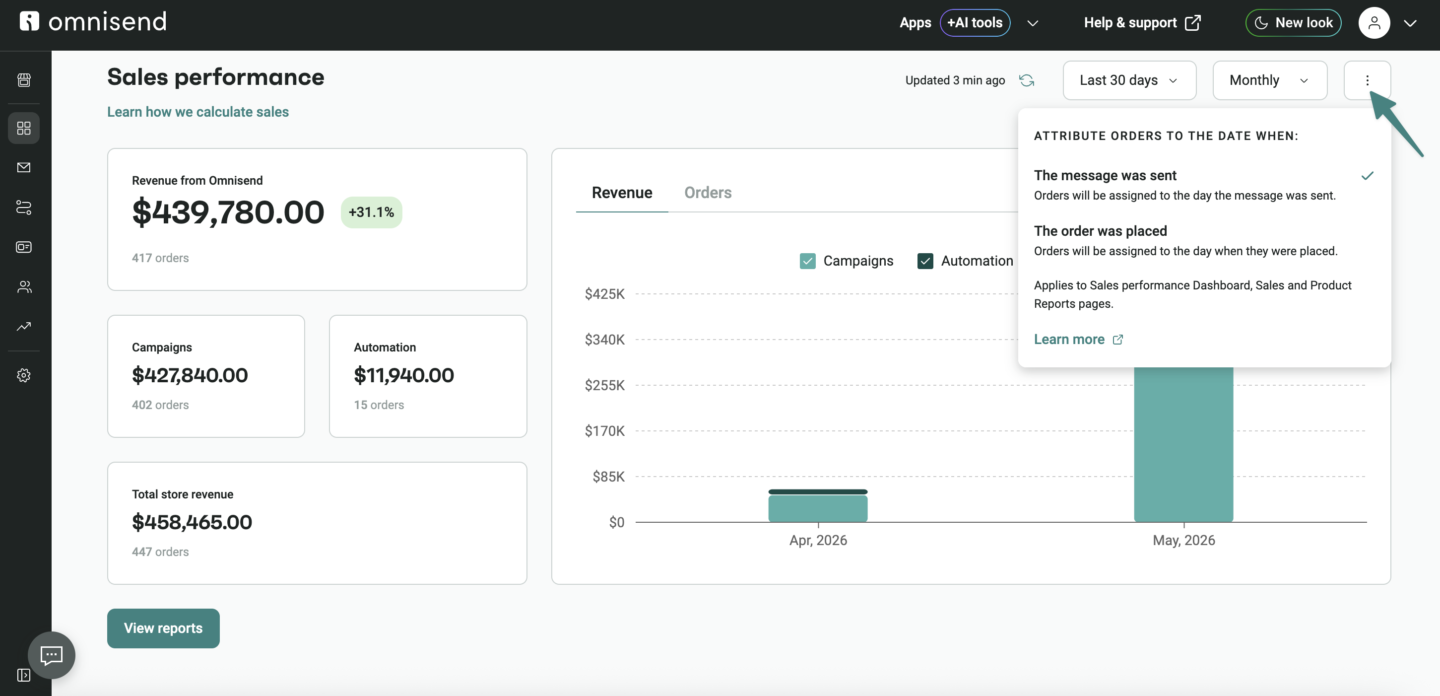
You can now change how revenue is attributed directly from Dashboard Overview → Sales Performance, without hopping over to Reports first.
The setting is shared across Dashboard Overview, Sales Reports, and Product Reports — change it in one place, it updates everywhere. Makes comparing data across pages a lot less confusing.
👉 Learn more about navigating your Omnisend Dashboard
SMS Sender ID registration: Finland, Spain & Australia
If you send branded SMS to any of these markets, regulators are now requiring Sender IDs to be registered before use. We’ve built the whole registration workflow into Omnisend — head to Store Settings → SMS to get started, and we’ll submit it on your behalf.
The dates to know:
- Finland — enforcement started May 4, 2026. Unregistered Sender IDs show up as “Unknown.”
- Spain — enforcement started June 7, 2026. Unregistered Sender IDs are blocked entirely.
- Australia — enforcement starts July 1, 2026. Unregistered Sender IDs will display as “Unverified.”
If you send to any of these countries, worth checking your setup this week.
Canva is now with Omnisend
For anyone who designs in Canva: you can now connect it to Omnisend and have your designs sync automatically to your Image Library. No more “download, switch tabs, upload, find the file, oh wait wrong version.”
Create an Omnisend folder in your Canva Projects, drop your designs in, and they’ll show up ready to use in campaigns and automations. Auto-sync runs every 12 hours, or you can trigger it manually when you need something now.
👉 Learn more about integrating Canva with Omnisend
Klaviyo segments: now self-serve
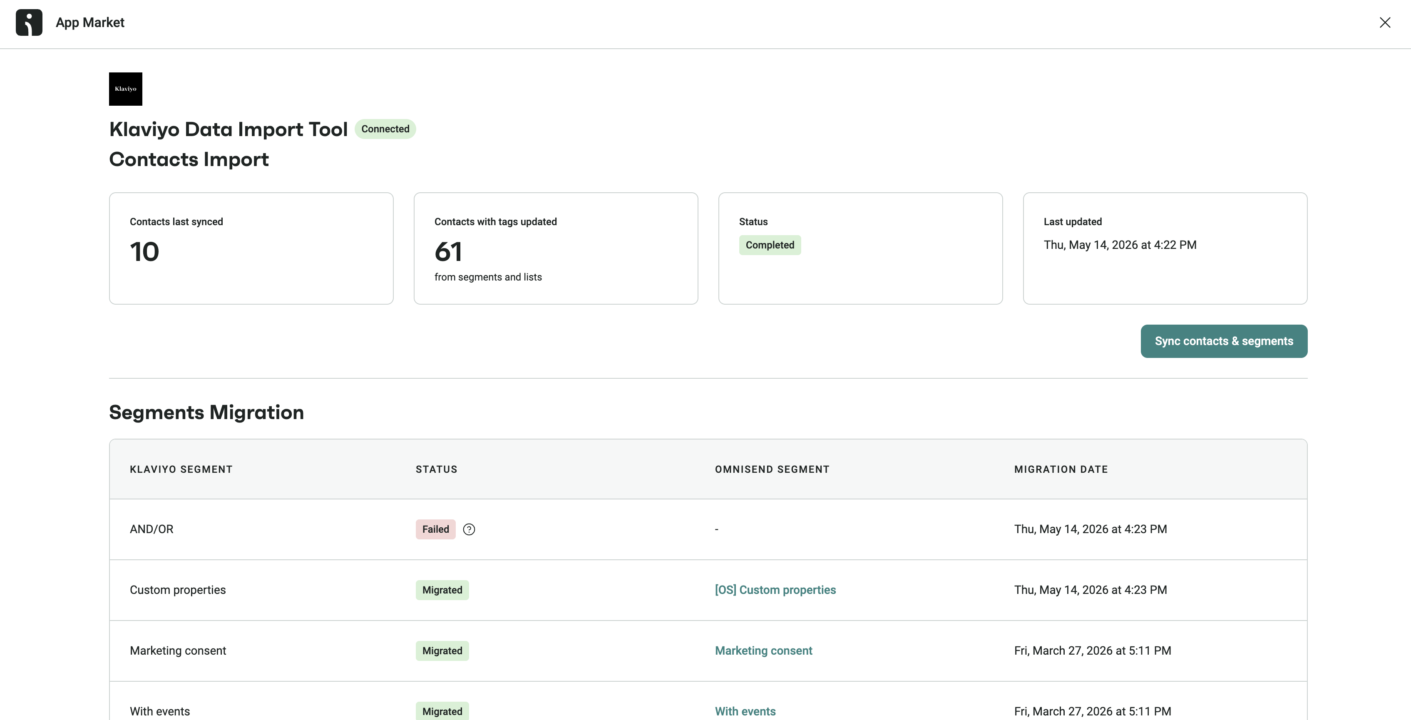
Migrating from Klaviyo? You can now import your segments directly into Omnisend yourself — no support ticket required.
Just head to Apps → Klaviyo Data Import Tool.
👉 Learn more about importing Klaviyo contacts & segments
Two more new integrations
- Buy Again & Reorder Reminders — help customers reorder past purchases with 1-click reorder, reminders via Omnisend, and “buy again” touchpoints throughout the customer journey.
- StockIQ — manage out-of-stock products, collect back-in-stock subscribers, and trigger back-in-stock emails when items return.
Small wins across the app
A handful of UI improvements worth knowing about:
- Clearer error messages. They now tell you what went wrong, how to fix it, and let you open support chat with the relevant details pre-filled.
- Mobile-friendly Email Editor. Side panels are hidden on mobile, quick text edits are available, and there’s a clear nudge that the full experience lives on desktop.
- Forms AI updates. Generated form options now appear in a carousel, so you can browse and compare results instead of clicking through one by one.
- SMS settings, now in two sections. SMS Setup and Sending Rules are now separate pages — easier to navigate now that there are more Sender Name settings.
- Domain & sender setup improvements. Confirmation messages after domain verification, the ability to go back and fix a wrong sender email choice, and TFN verification now saves your progress.
- Smarter mid-campaign segment creation. Create a segment from the audience selector in Campaigns, and it appears in the dropdown automatically — no refresh needed.
- Faster segment building on large stores. No more flickering contact counts, and you can adjust a segment without waiting for the previous build to finish.
- Automation Builder UX tweaks. Setup steps are clearer and more consistent.
- Reports UX updates. Cleaner graph components, metric cards, and Audience Growth chart defaults.
Plenty more small upgrades you’ll notice as you click around.