Omnisend AI


 OFFER
OFFER









What’s new: Omnisend’s January 2023 updates
With over 130+ pre-built integrations and flexible APIs, you can easily centralize data from across your tech stack
Make the most out of your data and unlock powerful growth marketing possibilities with these other top marketing tools.
Build any custom integration with our open, flexible APIs that are simple to use and implement.
Check out apps that have been stealing all the spotlight.
Email and SMS marketing insights, ecommerce resources, and the latest Omnisend news
Expert-led sessions covering email, SMS, and ecommerce marketing strategies.
Educational video and live training to help you make the most out of Omnisend.
Drive sales on autopilot with ecommerce-focused features
See FeaturesMarch is here, and so is another solid batch of updates. We’ve been heads down on some features that have been a long time coming — a campaign cancellation safety net, deeper product reporting, custom click tracking domains, and more.
Here’s everything that landed this month.
We’ve all been there. You hit send, and about thirty seconds later you notice the typo, the wrong link, the subject line that went out to the wrong segment. Previously, that was just your problem to live with.
Not anymore. You can now cancel an email campaign even after sending has started. Once a campaign kicks off, you have a limited window — typically several minutes, depending on how many recipients you have — to pull the plug before emails are handed off for final delivery. This applies to regular campaigns, A/B tests, boosters, and Time Zone Optimized campaigns.
If you cancel, the campaign moves to Canceled status, and you can still see reports for any emails that went out before you stopped it.
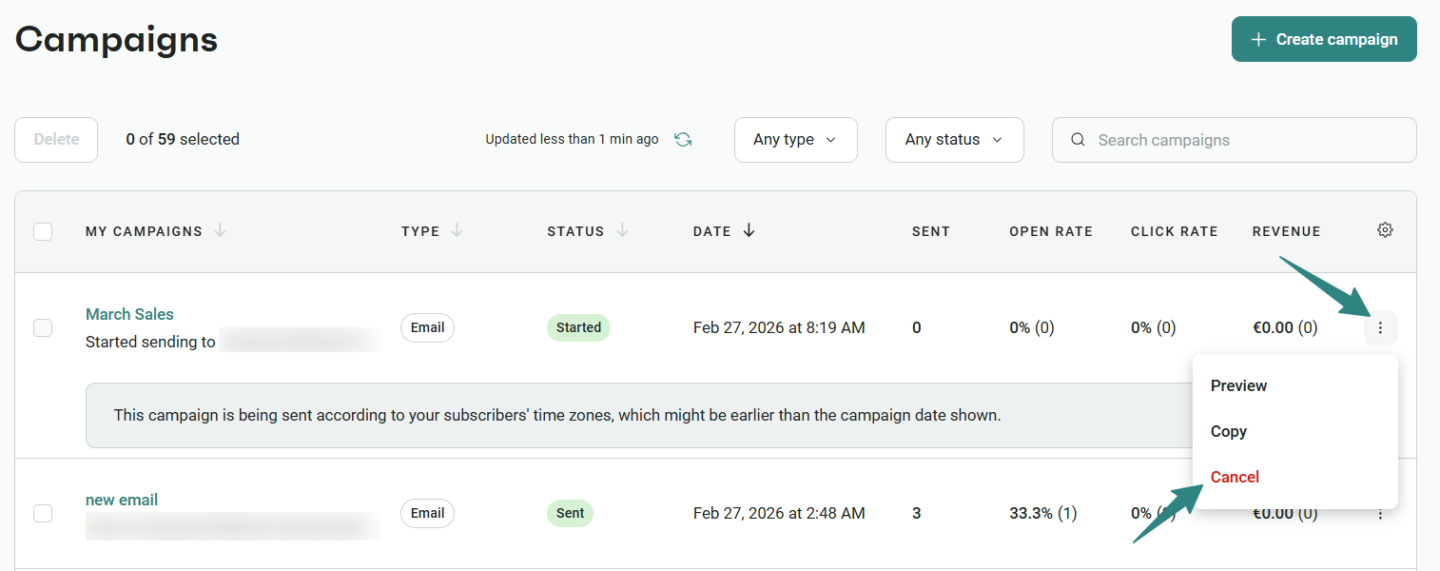
👉 Learn more about canceling a campaign that started sending
Deleted a segment that was still powering a workflow? That used to be a silent problem — your automation would just quietly stop working as expected, and you might not notice for a while.
Now, Automation Alerts will flag it as an error so you can catch and fix it before it causes any real damage. It’s one of those updates that you’ll hopefully never need, but you’ll be very glad it’s there when you do.
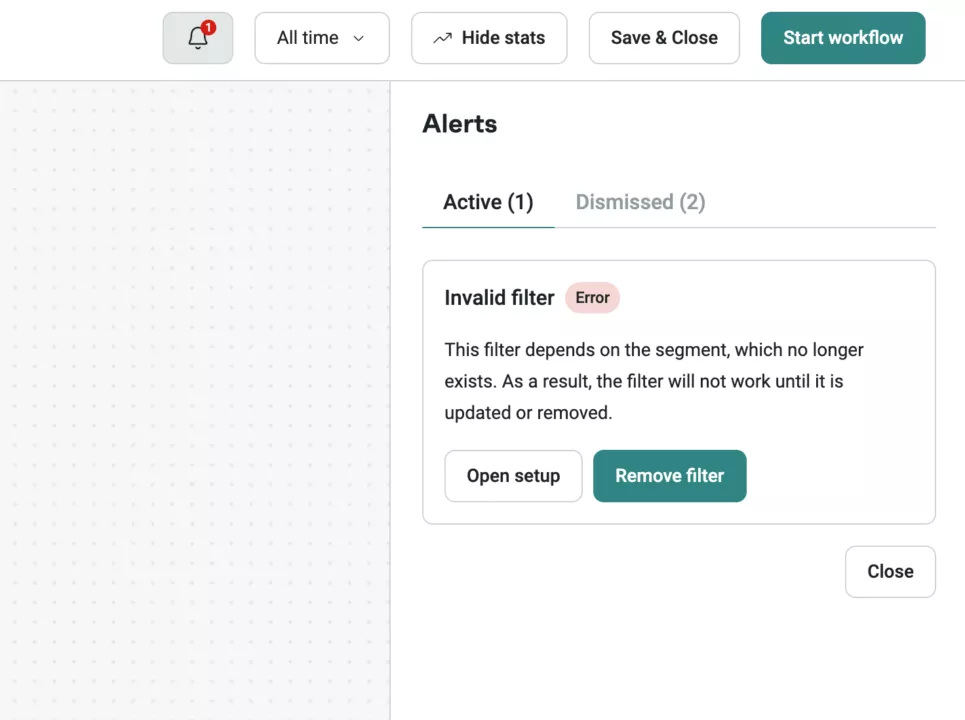
👉 Learn more about Automation Alerts
If you’ve ever tried to manually embed a form into a Shopify theme and ended up in a rabbit hole of theme code, this one will make you happy.
We’ve introduced a guided setup experience for embedded forms on Shopify. When you enable your form, just hit the “Open Shopify settings” button and Omnisend takes it from there — it checks whether the app embed is enabled in your active theme, and either redirects you to turn it on or adds the form block directly to your theme. Done.
The manual embed code option is still available for older Shopify themes and other platforms like WooCommerce and BigCommerce.
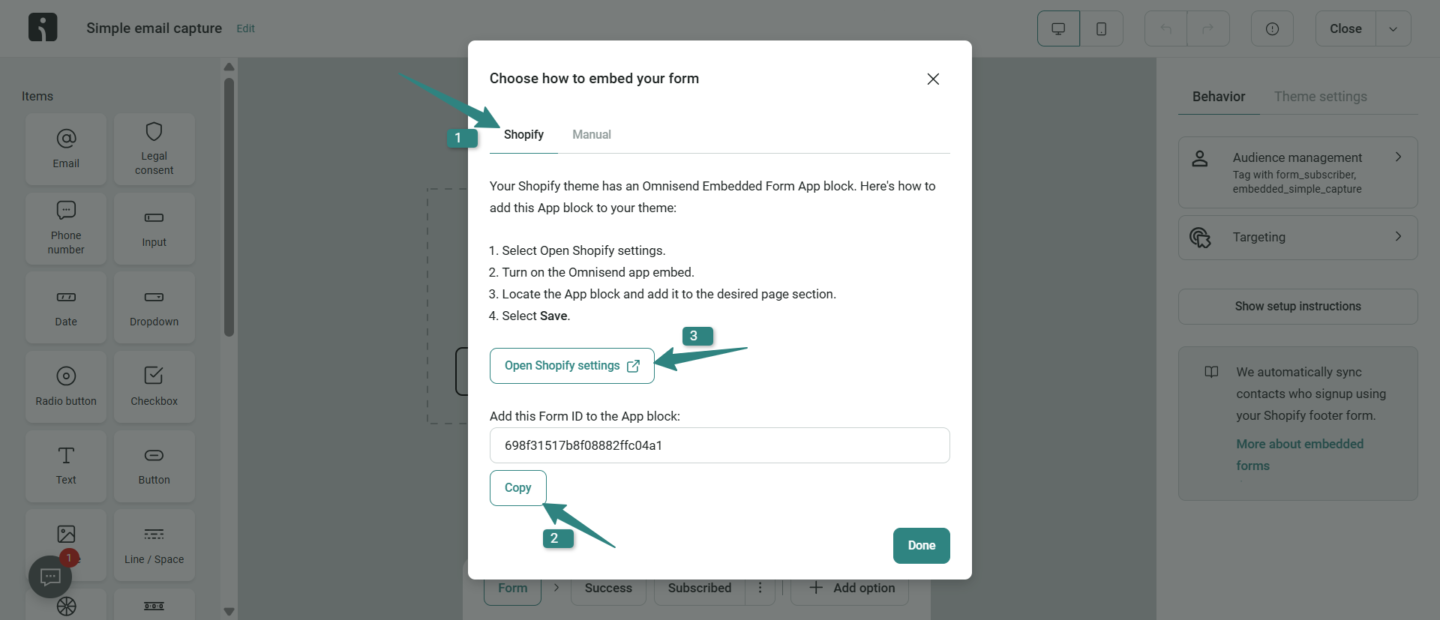
👉 Learn more about Embedded Signup Forms for Shopify
A small change with a potentially meaningful impact on your signup rates.
There’s now a toggle under Theme settings that lets you hide the X button on your forms. Fewer easy exits can mean more people actually engaging with what you’re showing them. Worth testing.
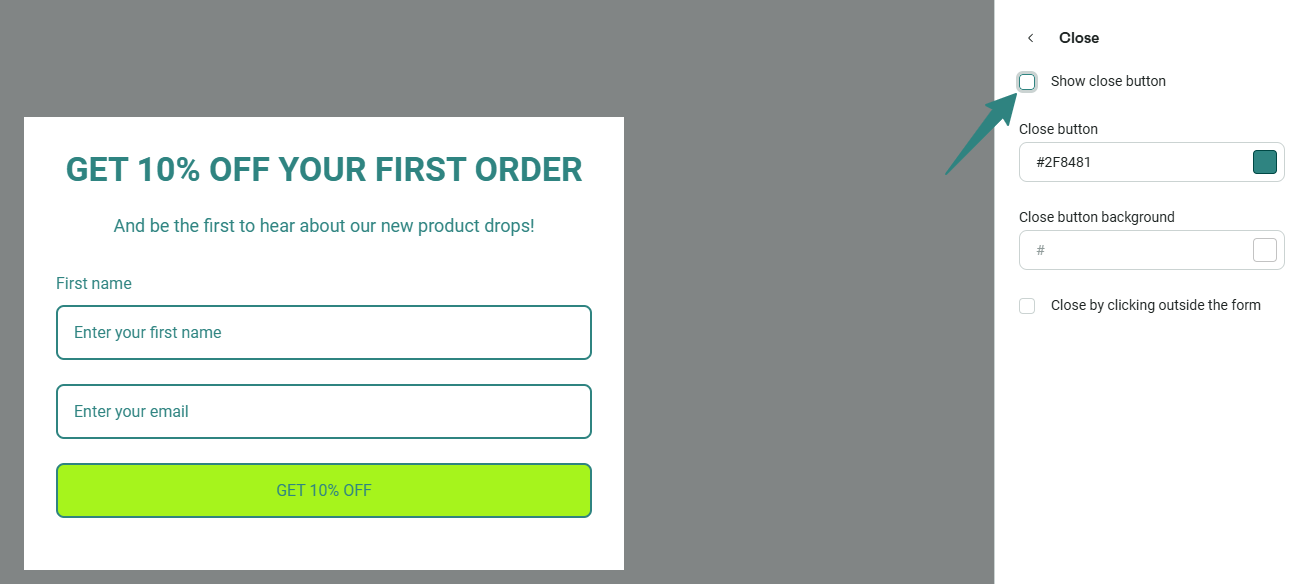
👉 Learn more about Close button settings in Signup Forms
If you’re migrating SMS subscribers between brands or accounts, this one matters.
Contact exports now include SMS opt-in and opt-out dates, giving you the same subscription date visibility for SMS that you’ve always had for email. No more losing that data in the move.
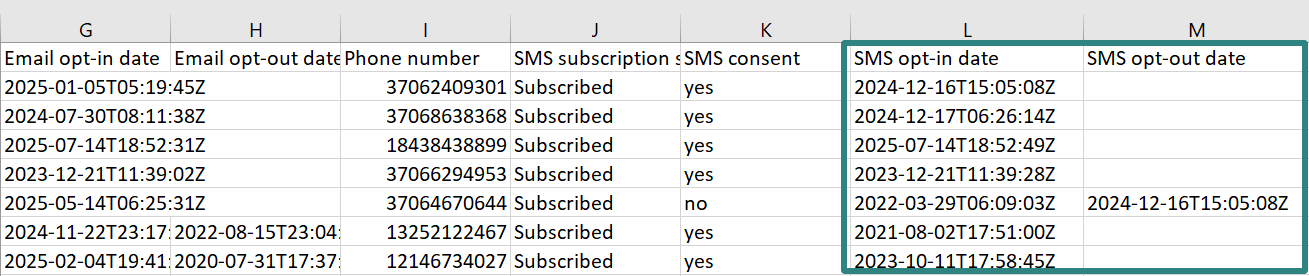
👉 Learn more about exporting contacts to a file
Until now, Ordered Product Reporting was a campaigns-only thing. That changes this month.
You can now see product performance data across your automations too — which means you can track what’s actually being purchased as a result of your workflows, not just your one-off sends. The data is available at the workflow level:
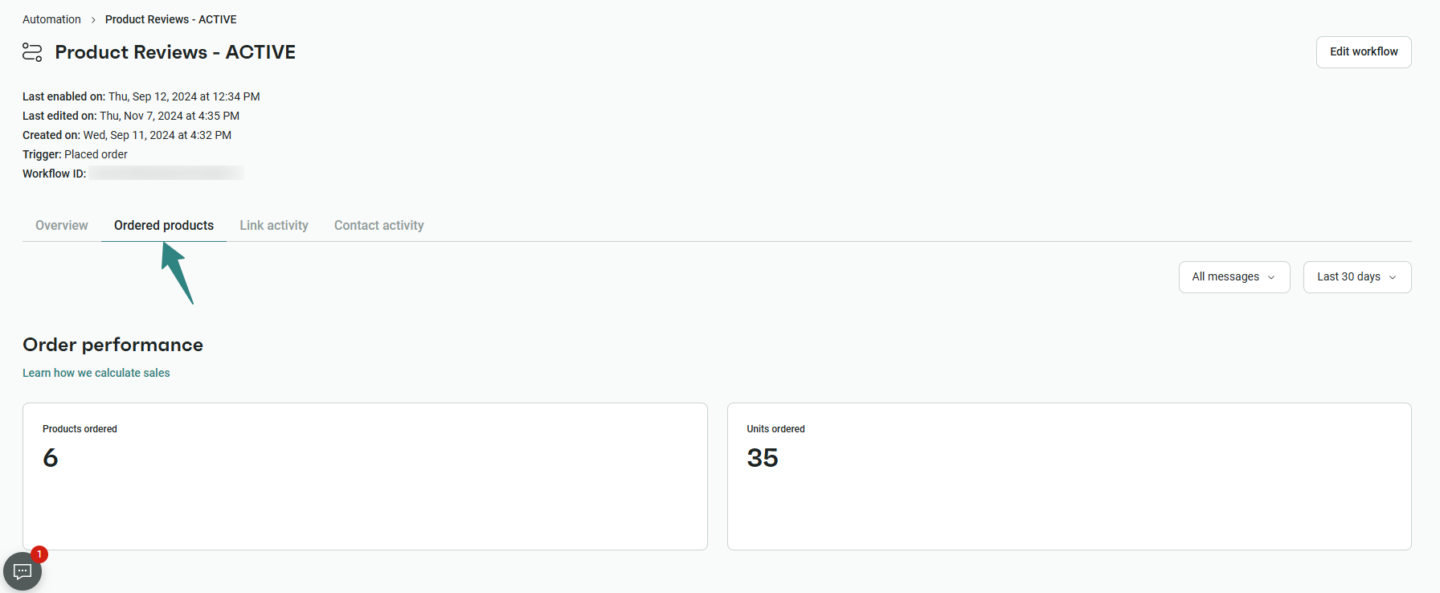
In Contact Activity for individual contacts:
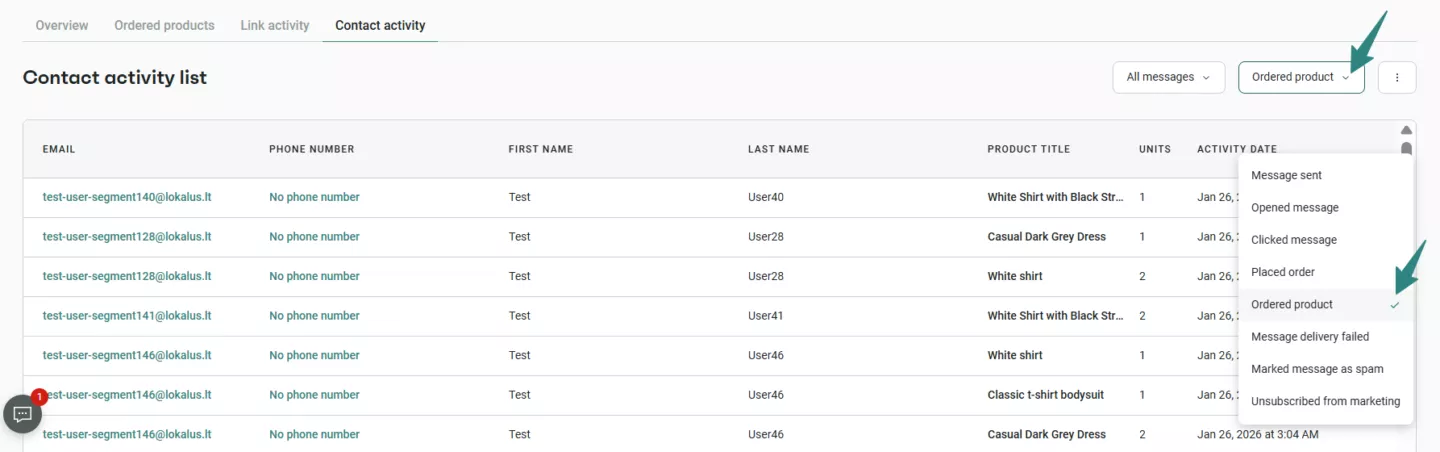
On the new store-level Products page:
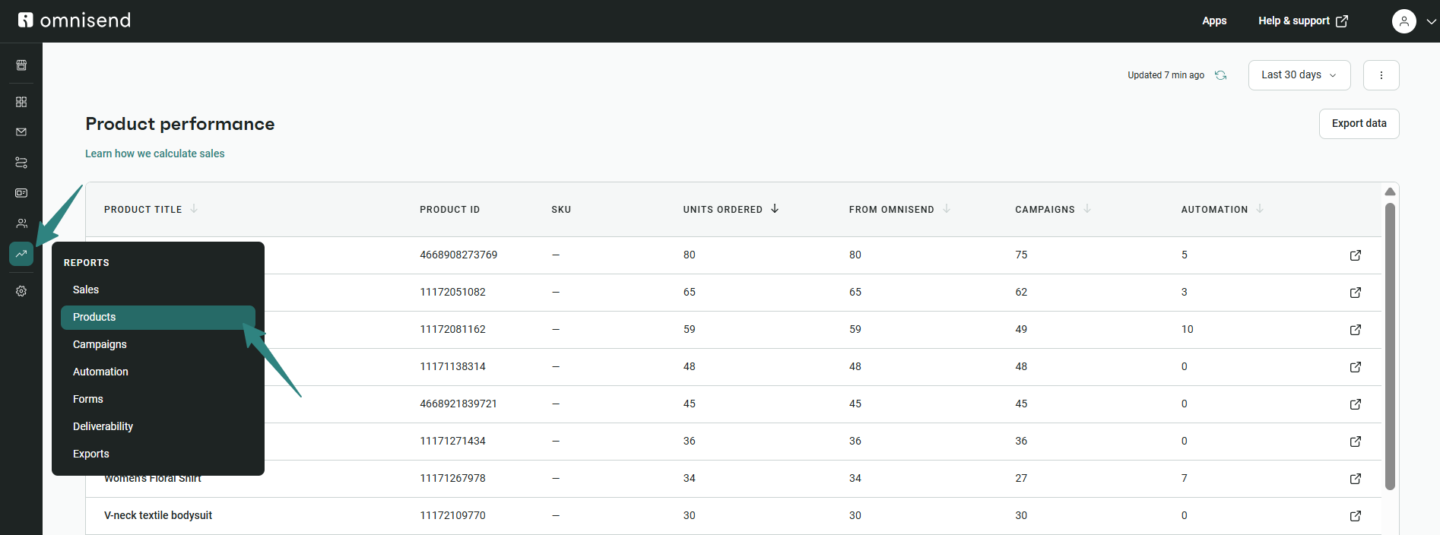
And in exports for anyone who wants to dig deeper:
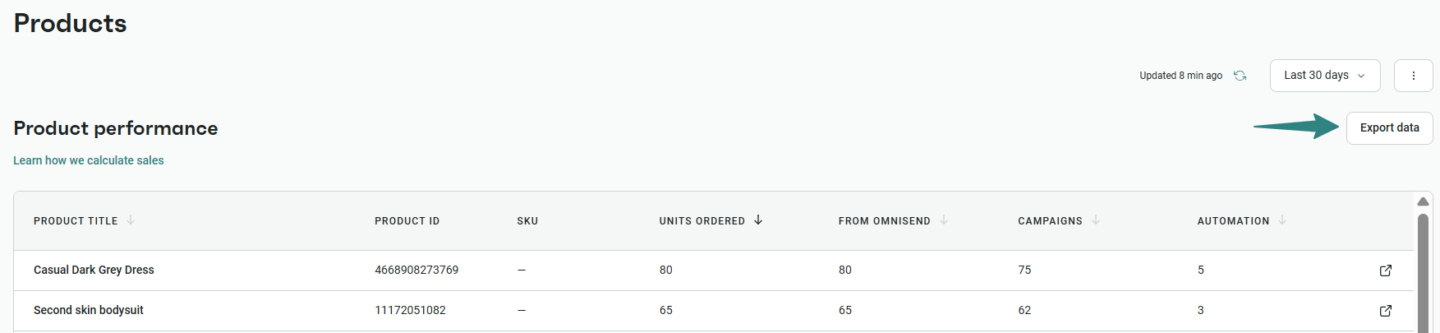
This gives you a consistent view of product performance across your entire Omnisend account, from a single automation right up to store-wide trends.
Note: Historical data is available from November 1st for all Ordered Products reports.
👉 Learn more about Ordered Products Reports in Automation, Contact Activity Reports in Campaigns and Automation, and Products reports page
A quick but important fix. The Contact Activity tab in Form Reports now shows all contacts who submitted your form, regardless of whether it was their first time subscribing or not. So if someone was already in your list and filled out a form, you’ll actually see it now.
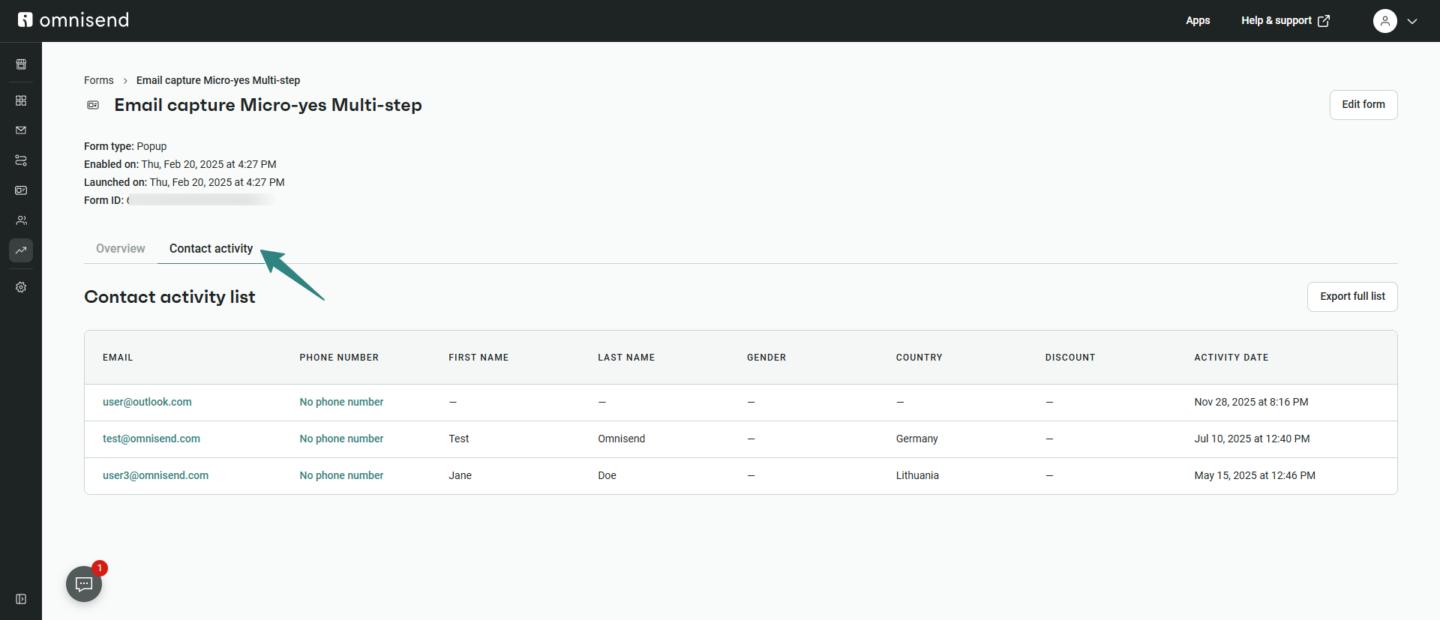
👉 Learn more about Form Reports Contact Activity
This is a big one for deliverability and trust.
When recipients hover over links in your emails, they’ll now see something like click.yourbrand.com/… instead of a generic shared Omnisend tracking domain. It looks more professional, it feels less spammy, and it can genuinely help your click-through rates.
If you’ve already set up a subdomain for SMS short links, good news — you can use the same domain for email click tracking with no extra DNS setup needed.
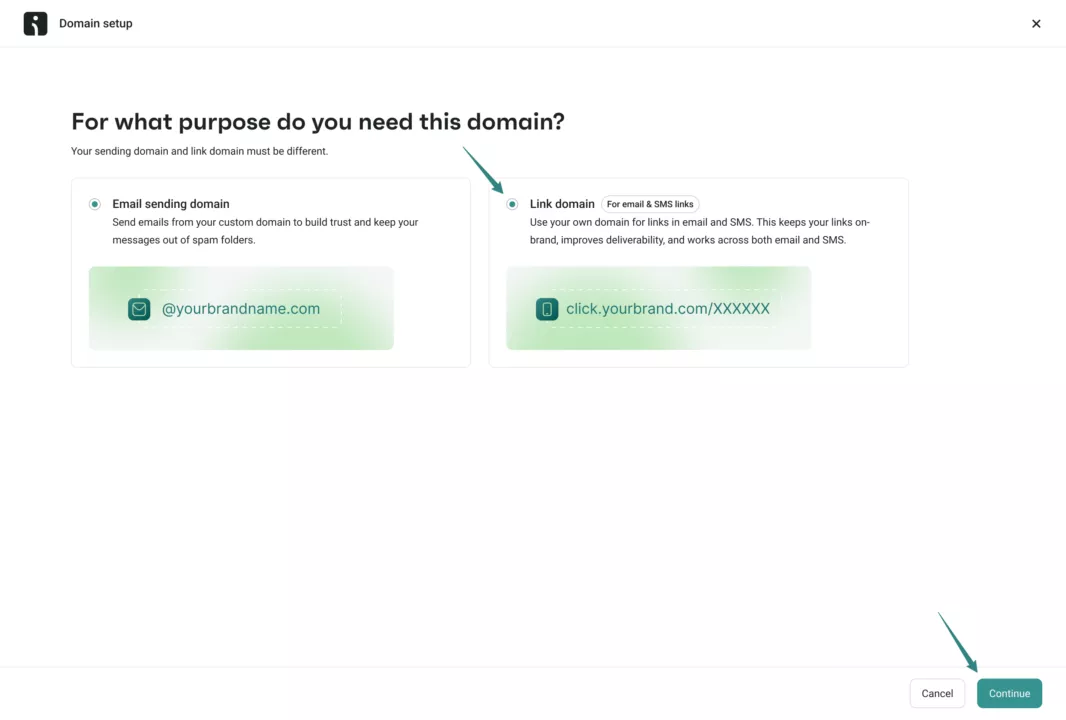
👉 Learn more about setting up a click tracking domain for emails
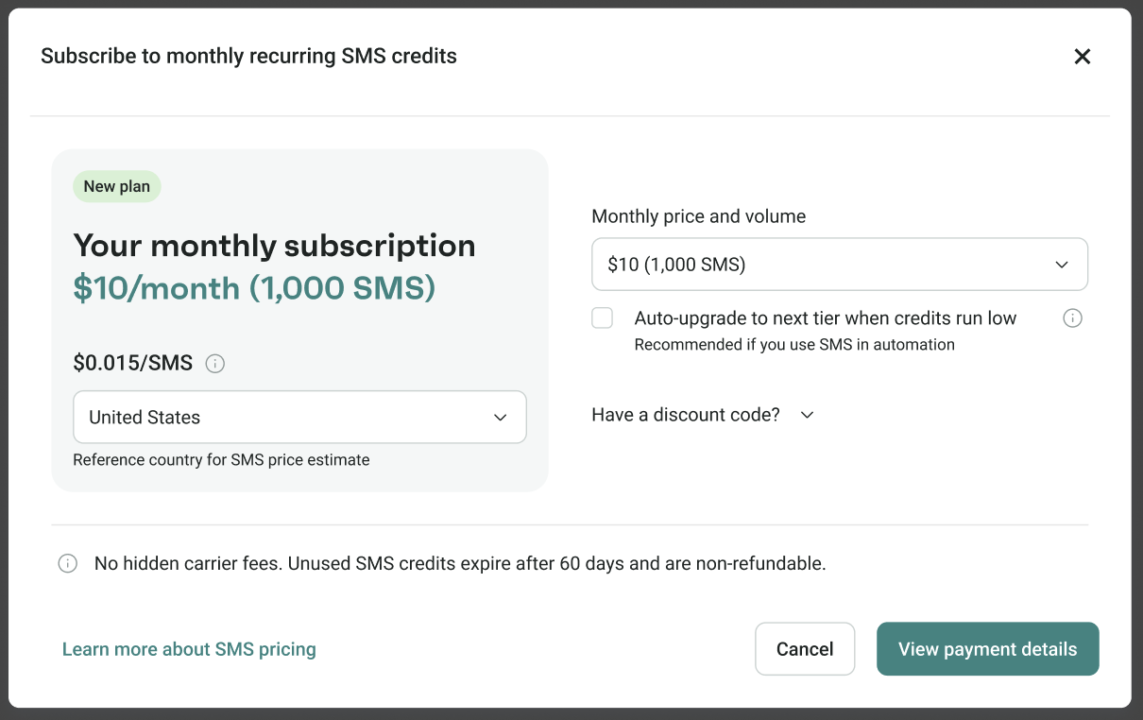
We’ve overhauled the SMS purchase flow to make it a lot clearer what you’re getting and what you’re paying.
You now pick your monthly price and SMS volume first, then see the price per SMS based on your reference country. You can change the reference country on the fly to see how it affects your volume, auto-renewal options are always visible while you’re subscribing, and you can manage your SMS subscription directly from the SMS tab in Store settings → Pricing and usage.
We’re all in for more clarity.
For the data people out there — this one’s been on the wishlist for a while.
We’ve launched an Analytics Statistics API (Beta) that lets you sync your Omnisend analytics with BI platforms, dashboards, data warehouses, or pretty much anything else you’re working with. You can pull campaign and workflow performance metrics, engagement and revenue attribution data, deliverability stats, and audience growth numbers — all queryable by event date.
One thing to keep in mind: the API groups data by event date (when the action happened), not send date, so numbers will look a little different from what you see in-app. That’s by design.
👉 Learn more about the Analytics Statistics API
There’s a new integration in the App Market worth a look.
Checkout Champ is a hosted checkout and CRM platform built for ecommerce businesses that want faster checkout experiences and more control over post-purchase flows. Connect it with Omnisend and you can trigger automations for checkout started, orders placed, cancellations, and refunds — plus segment contacts using order, product, and campaign data, with email and SMS subscription status syncing automatically.
👉 Learn how to connect Checkout Champ with Omnisend
A few more improvements that are small but genuinely useful: there’s now a search field for segments inside automation audience filters, renamed segments now sync correctly into Automations, the file size limit for TFN SMS consent screenshots has jumped from 500 KB to 5 MB (goodbye “file too large” errors), and there’s a new animated badge so you can see at a glance when your TFN verification is actively running.
And as always, there’s more to discover as you explore the app.

TABLE OF CONTENTS
TABLE OF CONTENTS

What’s next


No fluff, no spam, no corporate filler. Just a friendly letter, twice a month.