
 Omnisend AI


 OFFER
OFFER








Drive sales on autopilot with ecommerce-focused features
See Features
Offering personalized products on Shopify enhances customer satisfaction, leading to increased average order value and conversion rates.
A strong customization strategy combined with effective marketing automation is essential for maximizing the potential of personalized products.
Choose the right apps and themes to ensure seamless integration and a smooth customer experience when setting up personalized products.
Utilize Omnisend's email and SMS automation to nurture customer relationships and drive repeat purchases from those who buy personalized items.
Shopify personalized products give customers exactly what they want. They also boost your average order value and conversion rates.
Many merchants focus only on setup and miss the bigger opportunity. You need the right customization strategy paired with smart marketing automation.
This guide shows you how to choose apps and themes that work. You’ll learn how to set up personalized products on Shopify without running into any technical issues.
You’ll also discover how to use Omnisend’s email and SMS automation. This turns custom orders into loyal, repeat customers.
We cover the full strategy. This includes product setup and lifecycle marketing. Every tip is data-informed and focused on measurable results.
Quick sign up | No credit card required
Why Shopify’s personalized products are a growth engine
Selling personalized products on Shopify increases revenue and builds loyalty.
Customers often pay more for the ability to customize products. This also improves their buying experience, so they come back more often.
But first, let’s clear some basics.
What counts as a personalized product on Shopify
Personalized products let customers add their own details before purchase. This can include:
- Names or short messages
- Uploaded photos
- Color, size, or design choices
Common examples are engraved jewelry, monogrammed totes, custom apparel, and build-your-own gift boxes.
The customer gets something unique. You get higher margins and a stronger connection with buyers.
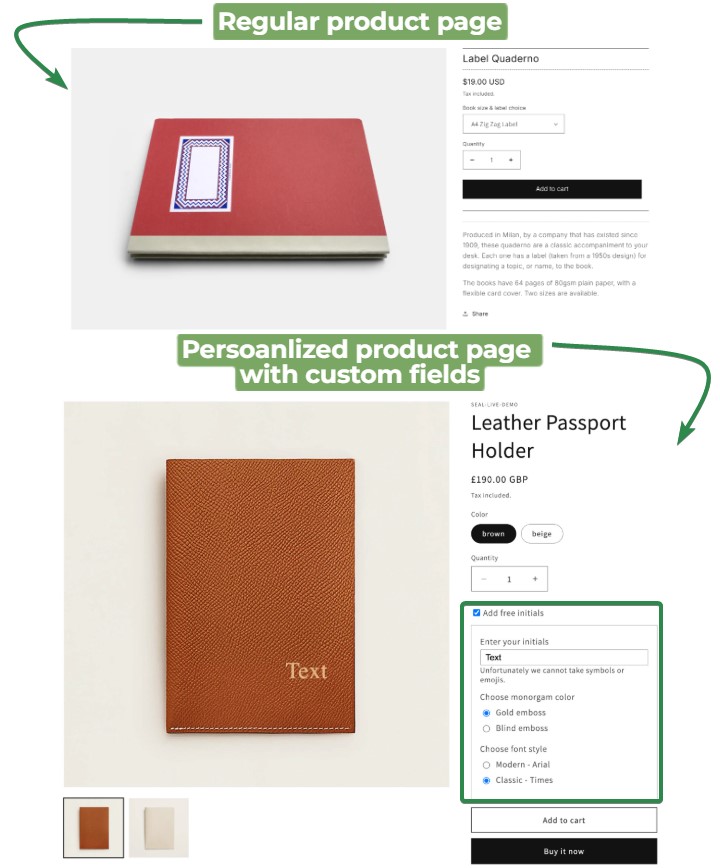
Here’s a side-by-side of a regular vs. a personalized product page:
Key business benefits (AOV, conversion rate, loyalty)
Personalization affects your numbers in measurable ways:
- Higher average order value: Customers focus less on price and more on value. They pay more for items made just for them.
- Better conversion rates: 81% of customers prefer brands that offer personalized experiences. When they customize a product, they feel more invested in finishing the purchase.
- Increased customer loyalty: The ability to create unique products enhances the customer experience. They feel more valued and form a stronger bond with your brand.
- Reduced price sensitivity: Unique products are harder to compare. So customers don’t place much emphasis on finding the cheapest option.
Personalized products help you stand out in crowded niches like gifts, home décor, and apparel.
If you offer custom products, you should market them well. That’s where email and SMS campaigns can help. Use a tool like Omnisend to run targeted campaigns for different customer segments.
When personalization makes sense (and when it doesn’t)
Personalization works best when:
- Your margins are healthy
- You can handle custom production well
- Your system captures custom details correctly
Avoid it if:
- Your margins are thin
- Speed matters more than uniqueness
- You sell fast-moving, low-cost items
Start small and test your workflow. Adding names or custom prints requires different processes than regular inventory. So, confirm demand and profit before you scale.
Types of product customization in Shopify
Your approach affects setup, production, and delivery. Some methods are simple while others need more tools and planning. Let’s look at some common options for you to choose from.
Types of product customization in Shopify:
- Simple personalization: Text boxes, notes, and gift messages
- Variant-based customization: Sizes, colors, and bundles
- Advanced visual customizers and product configurators
- Operational considerations: Production, fulfillment, and returns
Simple personalization: Text boxes, notes, and gift messages
Customers type names, messages, or instructions into text fields. Common uses include:
- Engraved jewelry with names or dates
- Monogrammed apparel or accessories
- Gift messages for direct shipping
- Special instructions for made-to-order items
Here’s a great example of simple product personalization:
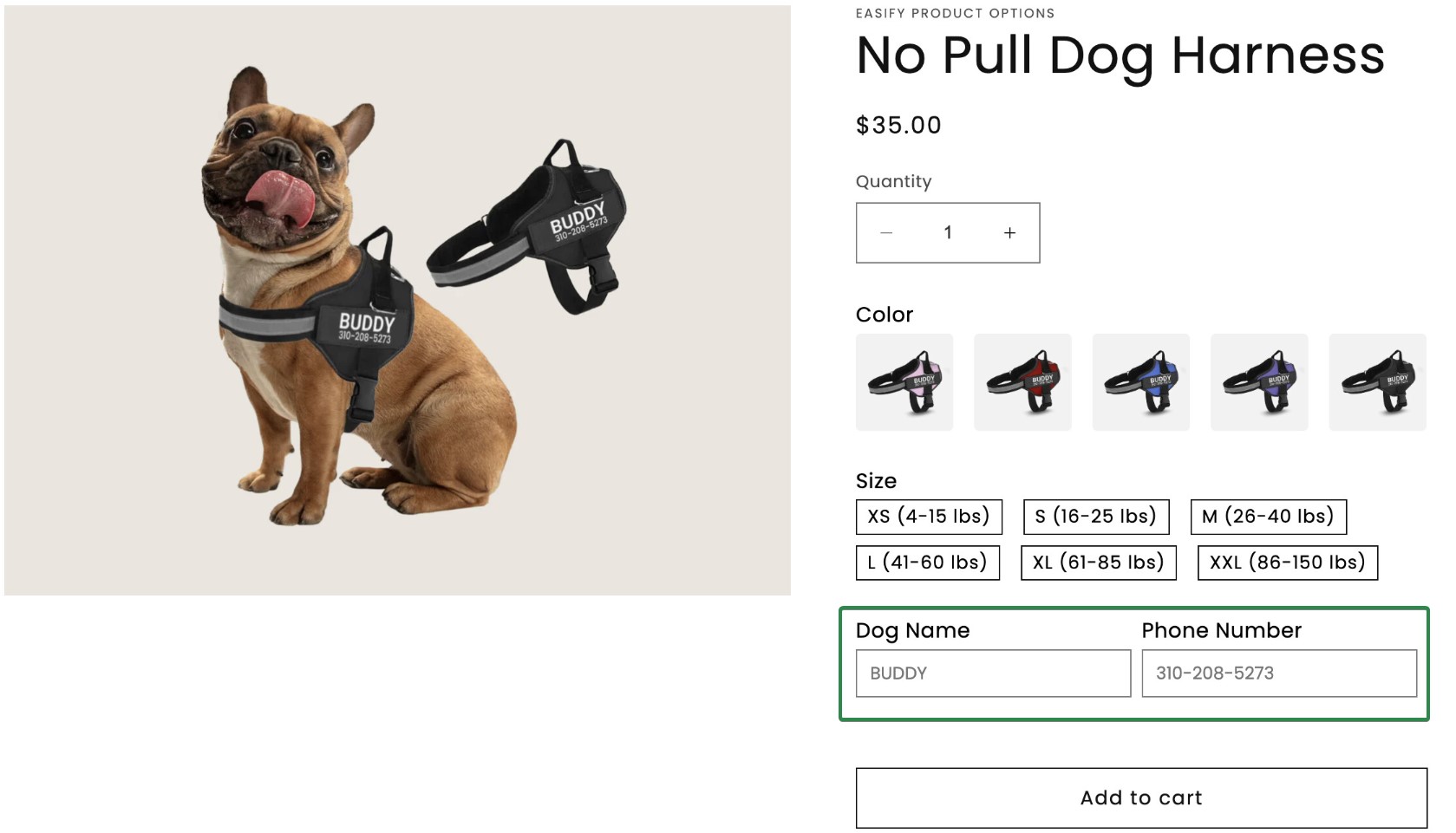
This is easy to set up and works with most Shopify themes.
The downside? Customers can’t see a preview. That can lead to spelling errors and an increase in support tickets.
Variant-based customization: Sizes, colors, and bundles
Customers choose from preset options like size, color, material, or bundles. This works well for:
- Apparel with many sizes and colors
- Products with different materials or finishes
- Bundles or gift sets
- Build-your-own sets with fixed options
Shopify already supports product variants. You can track inventory for each option and set different prices for each. This method is simple but still flexible.
Advanced visual customizers and product configurators
These let customers see live previews. They can upload images or see design changes in real time. It’s best for:
- Custom-printed products (t-shirts, phone cases, canvas prints)
- Items with many areas that can be customized
- High-value products where previews build confidence
These need specialized Shopify apps and a more technical setup. They offer the best experience, but can slow page load times.
Take a look at this detailed interface on Kickflip:
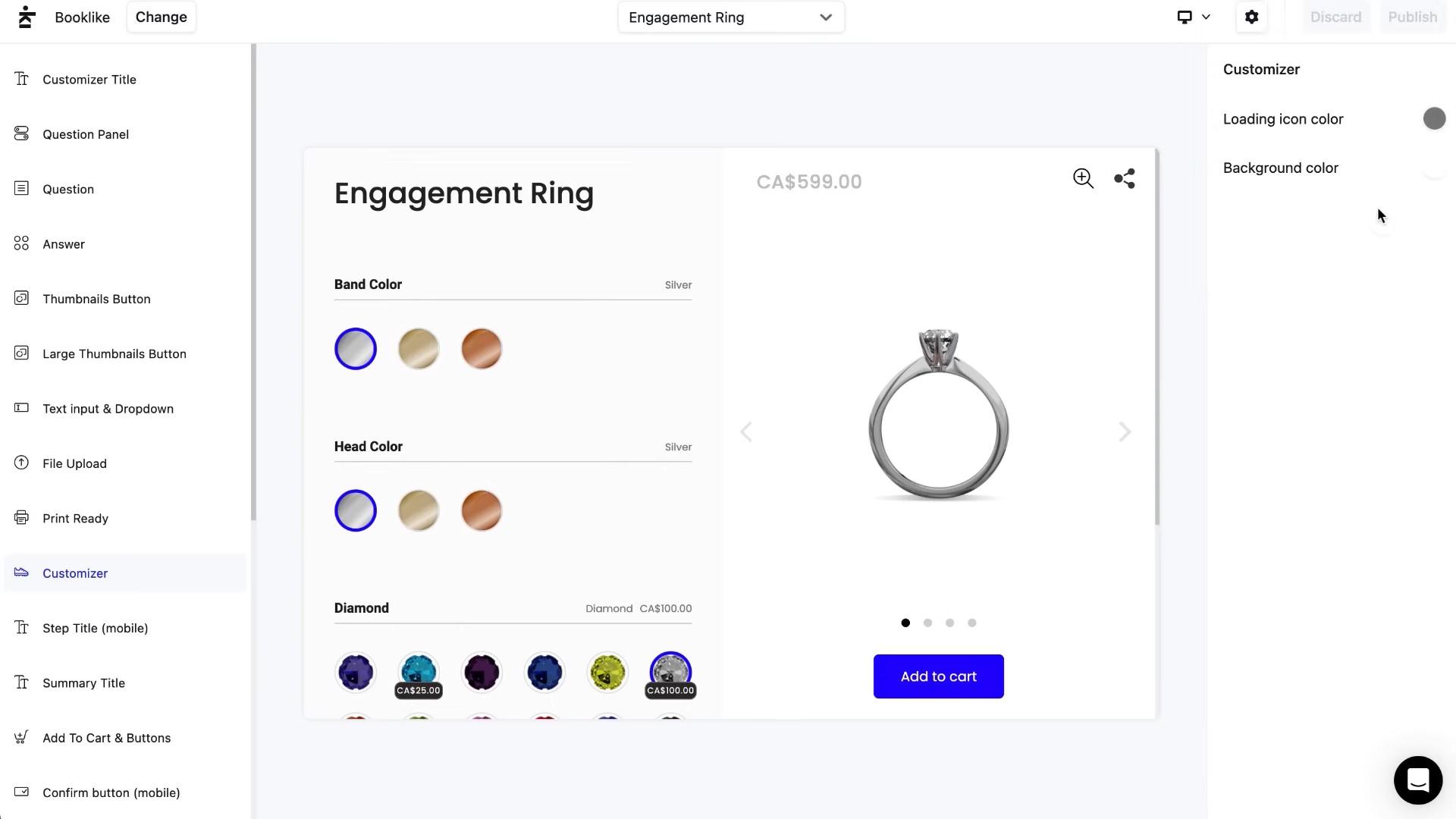
Different approaches work for different products. A jewelry store might only need a simple text field. A furniture brand may need a full visual builder.
The goal is to achieve balance. Many Shopify merchants have a common question in the Shopify Community. They ask how to offer product customization without confusing customers.
This highlights a common concern that too many options can hurt conversion.
Operational considerations: Production, fulfillment, and returns
Each method affects your workflow:
- Text-based personalization requires careful order review
- Variant-based systems need strong inventory tracking
- Visual customizers generate files that must be checked before production
Returns are also harder with custom products. Most can’t be resold. So you need a clear return policy.
Also, add extra production time to delivery estimates. Test your process before scaling.
How to create customizable products in Shopify step by step
Setting up personalized products on Shopify requires time and effort. You need a clear plan for pricing, production, and process.
Step 1 – Define your personalization options and pricing
Before touching the Shopify admin, map out exactly what customers can customize. Also, understand how it will affect costs.
Key decisions to make include:
- What can customers personalize (text, images, material choices, colors)
- Character limits for text fields to prevent production issues
- Price adjustments for customization (flat fee, tiered pricing, or included)
- Production time impact on shipping estimates
For example, you might allow 20 characters of text at no extra charge. But you could charge $5 more for custom image uploads that need design review.
Calculate your costs in detail. Factor in extra production time and error rates. Also, consider that Shopify personalized products can’t be resold if returned.
Step 2 – Set up product options and variants in Shopify
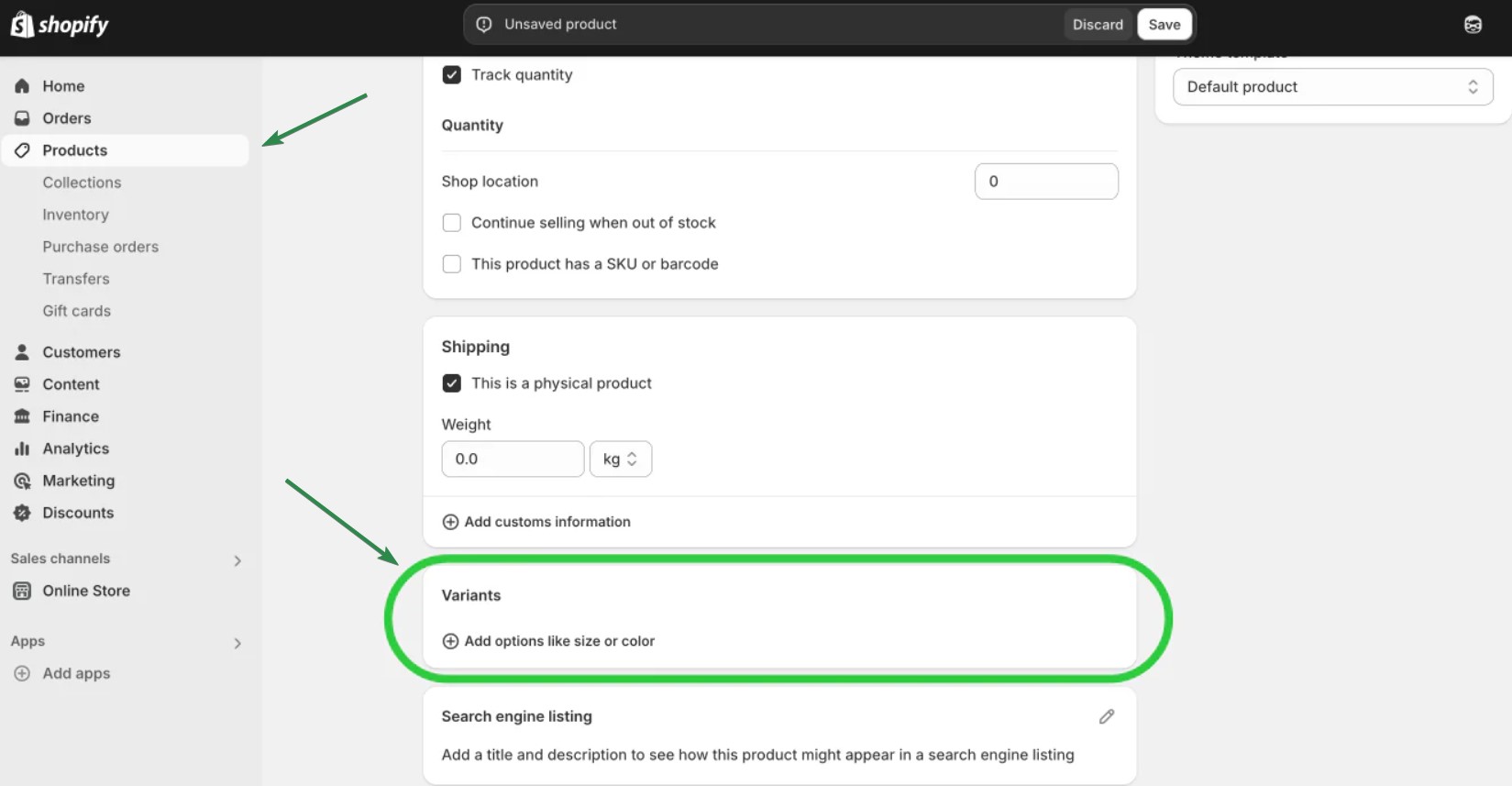
Log in to the Shopify admin and navigate to Product. For variant-based customization, Shopify’s built-in options work well.
In the product editor:
- Click on Add variant under the Options section:
- Create option names like “Size,” “Color,” or “Material”
- Add values for each option (Small/Medium/Large, Red/Blue/Green)
- Set different prices or SKUs for each variant combination
Step 3 – Add custom input fields to your product page
For text-based personalization, you have two main options:
Option A: Line item properties (built-in)
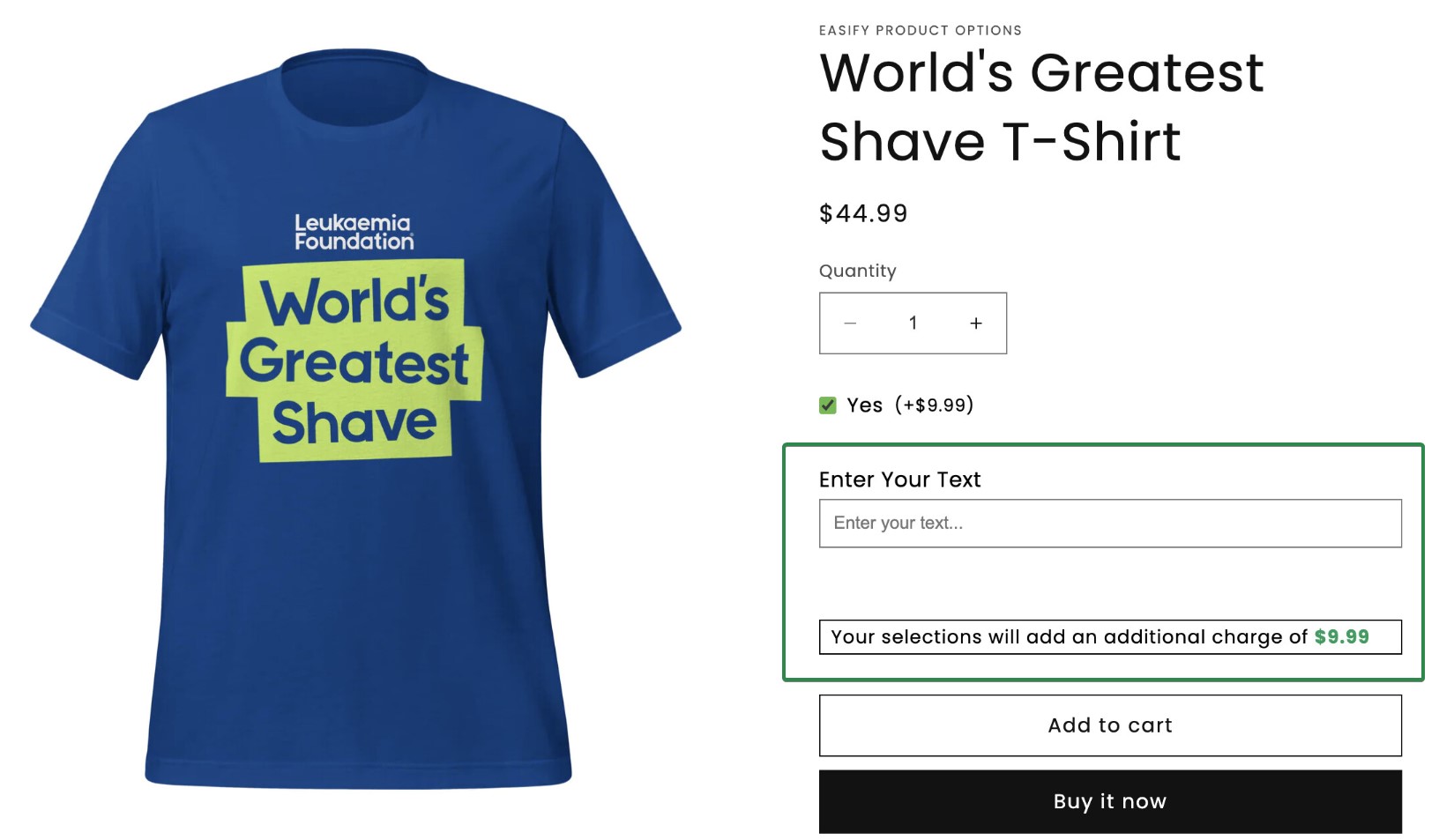
Shopify’s line item properties let you add custom text fields without apps. This requires editing your theme code in Online Store > Themes > Edit code. The customization details appear in your orders as “properties.”
Here’s an example of a product checkout page with line item properties:
Option B: Use a customization app (recommended)
Product Customizer or Infinite Options lets you add custom fields without coding. They provide drag-and-drop field builders, file upload capabilities, and price adjustments.
Choose apps that write customization data into line item properties or order notes. This ensures information flows through to fulfillment.
Step 4 – Test the full customer journey (desktop & mobile)
Before launching, test everything as a customer would experience it. Create test orders to verify:
- Custom fields display well on product pages
- Mobile layout works (over 60% of ecommerce traffic is mobile)
- Customization details appear in the cart and checkout
- Order confirmation emails include personalization information
- You can see customization details in the Shopify admin orders
Common pitfalls include text fields without character limits. Customization info can disappear at checkout. And details might not print on packing slips.
Step 5 – Prepare fulfillment workflows for personalized orders
Your production team needs clear systems for handling custom orders. Set up your fulfillment process with these steps:
- Create a checklist for reviewing customization details before production
- Establish quality control steps (spell-check text, verify image quality)
- Train staff on where to find customization info in orders
- Build in review time for uploaded images or complex requests
- Set up templates for contacting customers about unclear requests
Link fulfillment data back to your marketing. Omnisend uses purchase data to create customer segments. These segments include customers who bought personalized products. It can then target them with relevant follow-up campaigns.
Best Shopify apps for personalized products
The right app can make or break your personalization strategy. A good app helps you collect custom details smoothly, while a bad one can slow down your store.
Most apps connect easily with Shopify. They pass order data to tools like Omnisend for targeted campaigns.
What to look for in a Shopify app for personalized products
Before comparing specific apps, test them on these criteria:
- Type of customization supported: Text input, image uploads, or full visual configurators
- Performance and mobile experience: Page load speed and mobile responsiveness matter for conversion
- Pricing model: Monthly fees, transaction limits, and whether features scale with your growth
- Data integration: How customization details appear and connect to marketing tools like Omnisend
- Support quality: Response times and documentation when you need help
Visual product customizers (design-your-own products)
These apps let customers create and preview customized designs in real time.
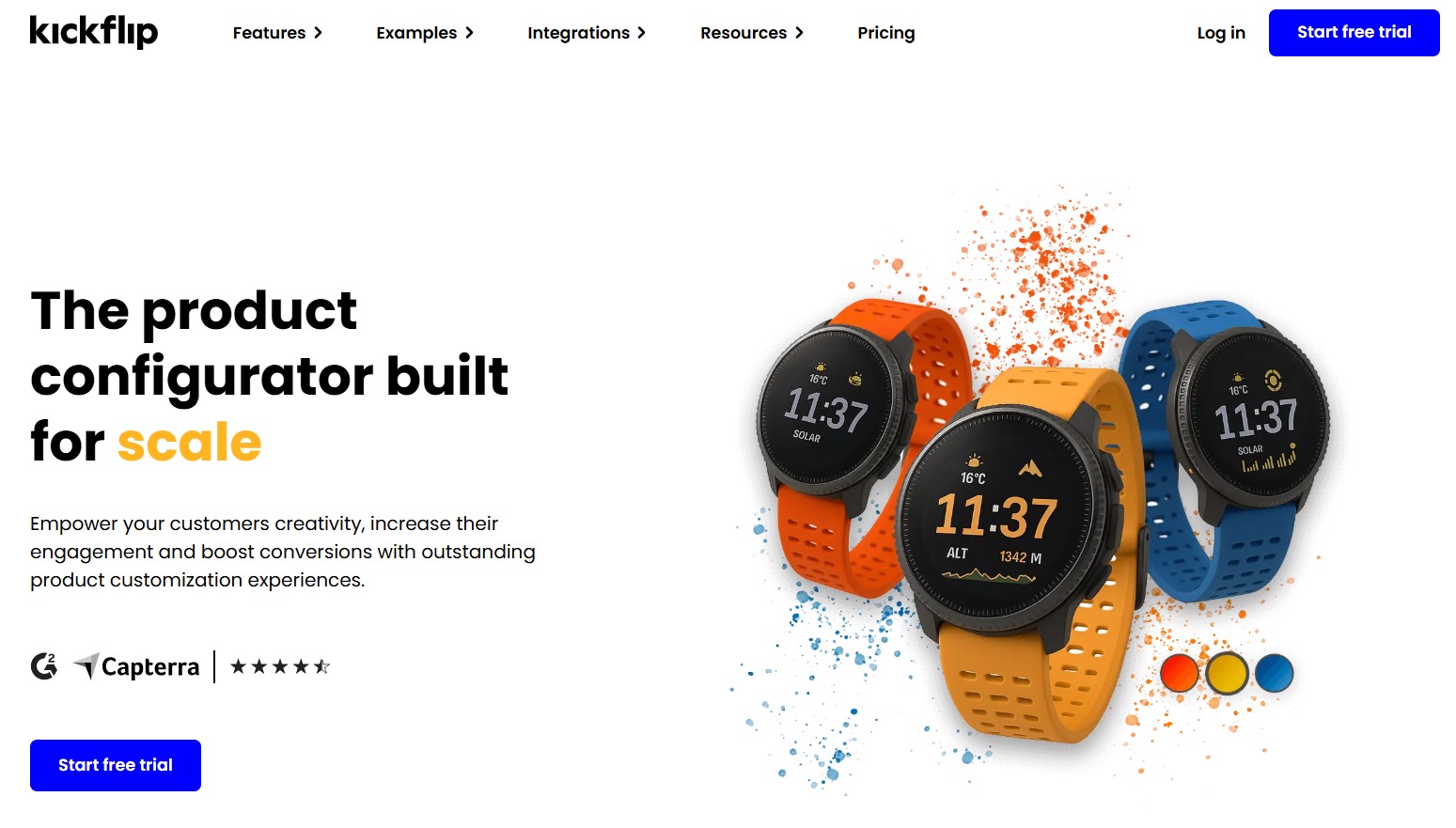
- Best for: Custom apparel, accessories, and products requiring live previews
- Key features
- Real-time 3D visualization
- Mobile-optimized interface
- Unlimited product variants
- Considerations: Higher price point but strong support for complex configurations
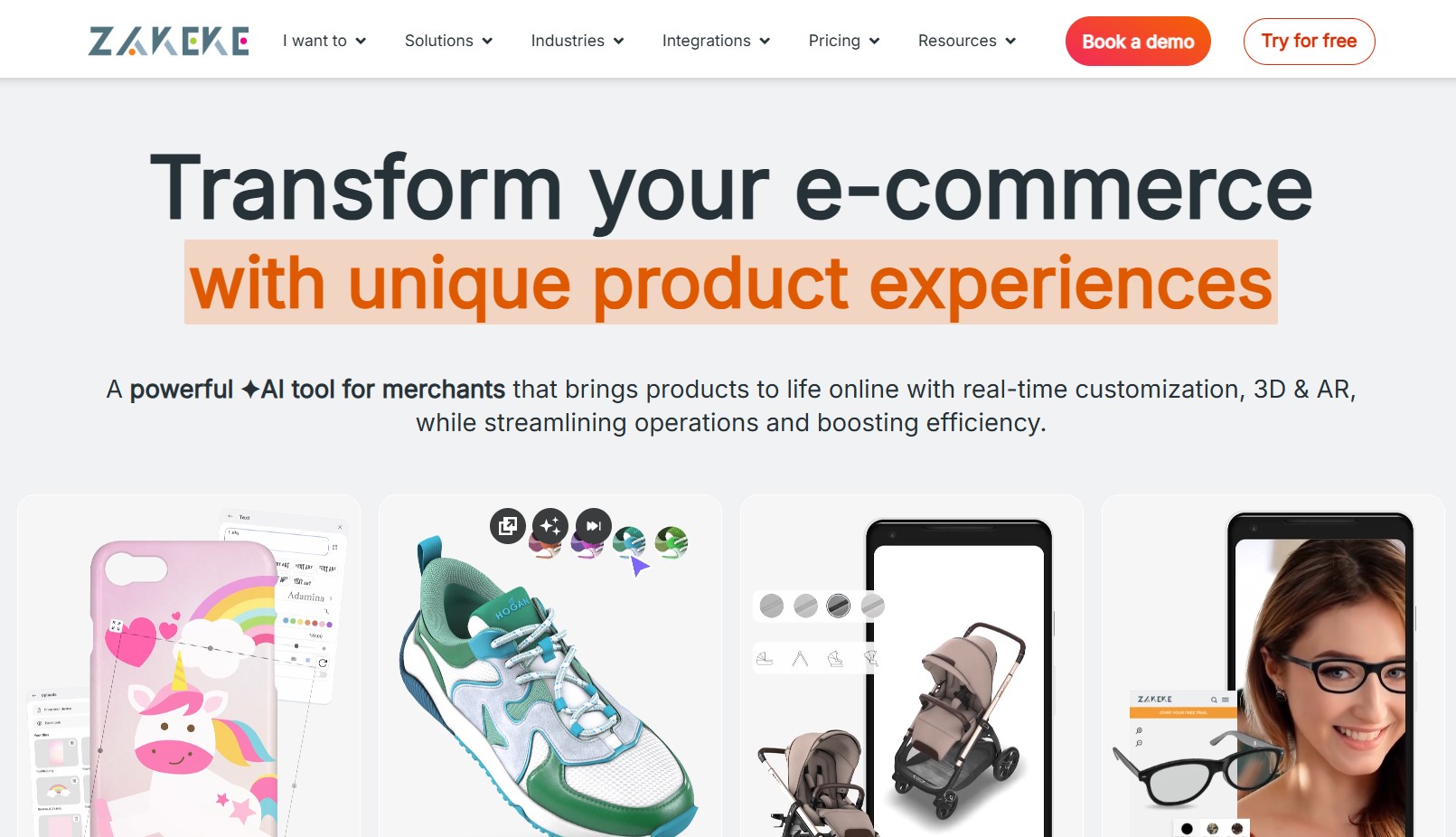
- Best for: Print-on-demand and made-to-order products with 3D configuration needs
- Key features:
- 3D product configurator
- Virtual try-ons
- AR capabilities
- Considerations: Learning curve for setup, but powerful visual capabilities
According to a Shopify App Store review, “Zakeke is a fantastic personalization tool! Easy to use, seamless Shopify integration, and great support.“
Text and option-based customizers (engraving, monograms)
For simpler personalization needs without heavy visual requirements.
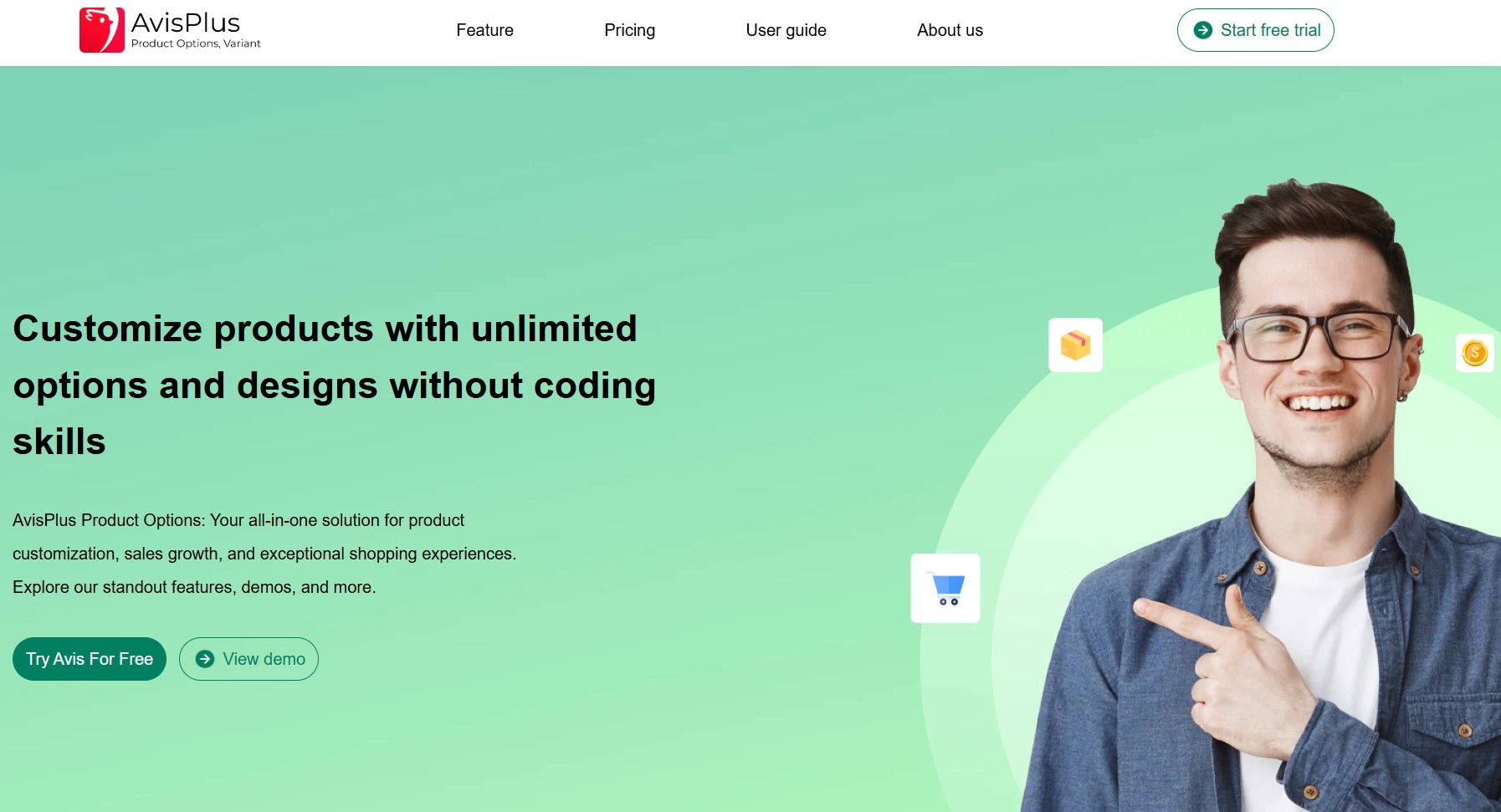
- Best for: Jewelry, engraved items, and products with text personalization
- Key features:
- Unlimited product variants
- Conditional logic
- File uploads
- Price add-ons
- Considerations: Free plan available, scales well for growing businesses
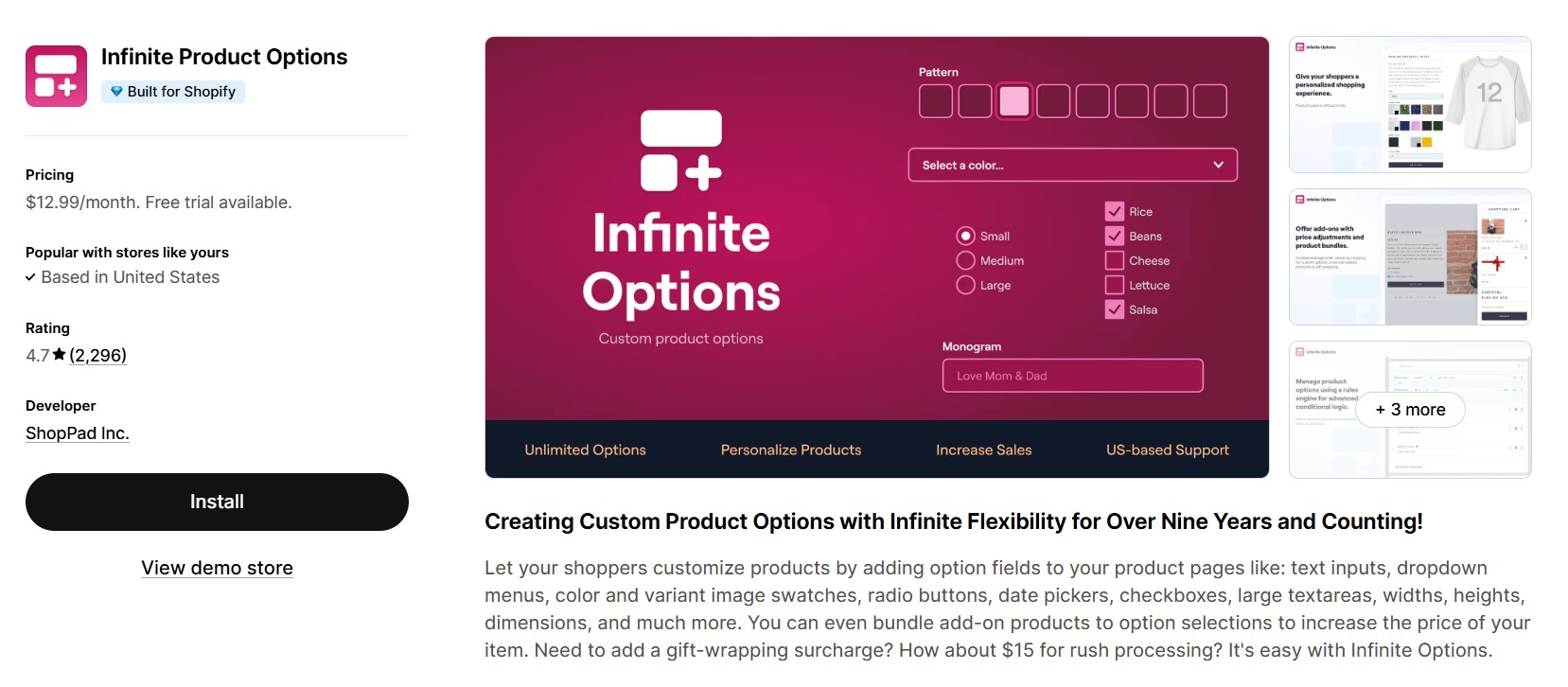
- Best for: Stores needing flexible custom fields across many products
- Key features:
- Text fields
- Checkboxes
- Date pickers
- File uploads
- Considerations: High rating (4.7 stars) but requires a monthly plan starting at $12.99
Print-on-demand and personalization (Printful-style setups)
Apps designed for POD businesses selling customizable products.
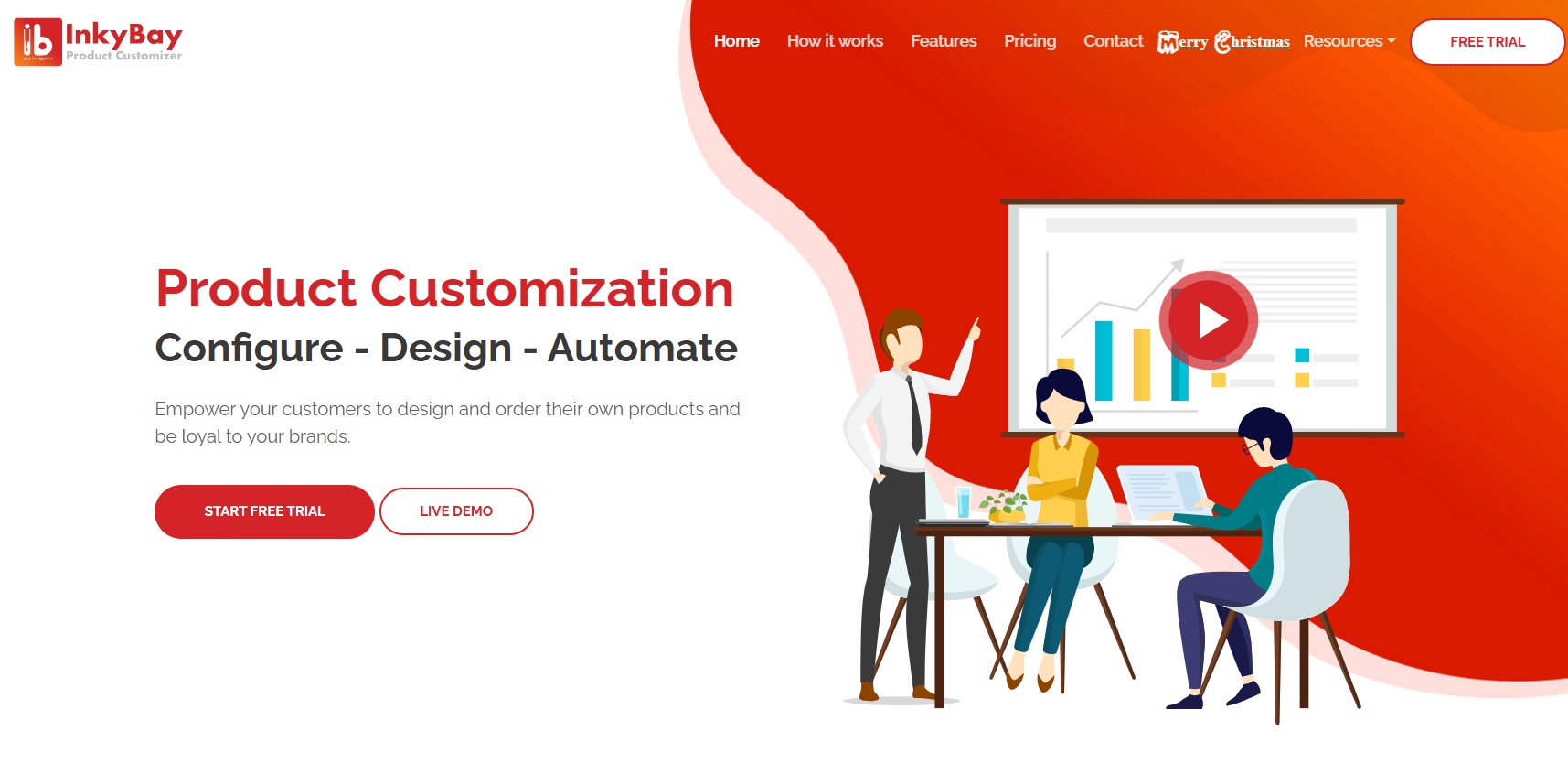
- Best for: Print-on-demand stores with custom design needs
- Key features
- Font and clip art libraries
- Customer design uploads
- Dynamic pricing
- Considerations: Starts at $19.99/month, better suited for established stores
Comparing pricing, performance, and integrations
Here’s a quick comparison of leading Shopify apps for personalized products:
| App | Best for | Starting price | Key strength |
|---|---|---|---|
| Kickflip | Visual customizers, 3D preview | $59/month | Real-time visualization |
| Zakeke | 3D product configuration | $79.90/month | AR and virtual try-on |
| Avis Product Options | Text personalization, variants | $12/month | Unlimited options |
| Infinite Options | Flexible custom fields | $12.99/month | Easy setup |
| Inkybay | Print-on-demand | $19.99/month | Design tools |
Most customization apps use similar pricing models. Free or low-cost plans cover basic needs. If you need advanced tools or expect high order volumes, expect to pay around $20-100 per month.
Speed matters more than fancy features. A slow visual customizer can hurt your conversion rates even if it looks great. So, test apps on mobile devices, where most of your traffic comes from.
Also, check how custom details show in Shopify orders. They should appear as line item properties or order notes. This allows tools like Omnisend to use that data for segmentation and personalized campaigns.
Choosing a Shopify theme for personalized products
Your theme affects how well customization apps work. The wrong theme can break apps. It can also create confusing experiences that hurt sales.
Must-have theme features for personalization
Look for themes with these essential capabilities:
- Clean product pages with room for custom fields
- Fast loading speed, especially on mobile devices
- Clear layout that shows options without clutter
- Compatibility with apps you plan to use
Examples of themes that work well for custom products
Themes like Prestige, Booster, and Retina handle complex product pages well. They support custom fields, visual preview tools, and several options.
When choosing Shopify themes, focus on those built for product detail. Don’t choose simple catalog displays.
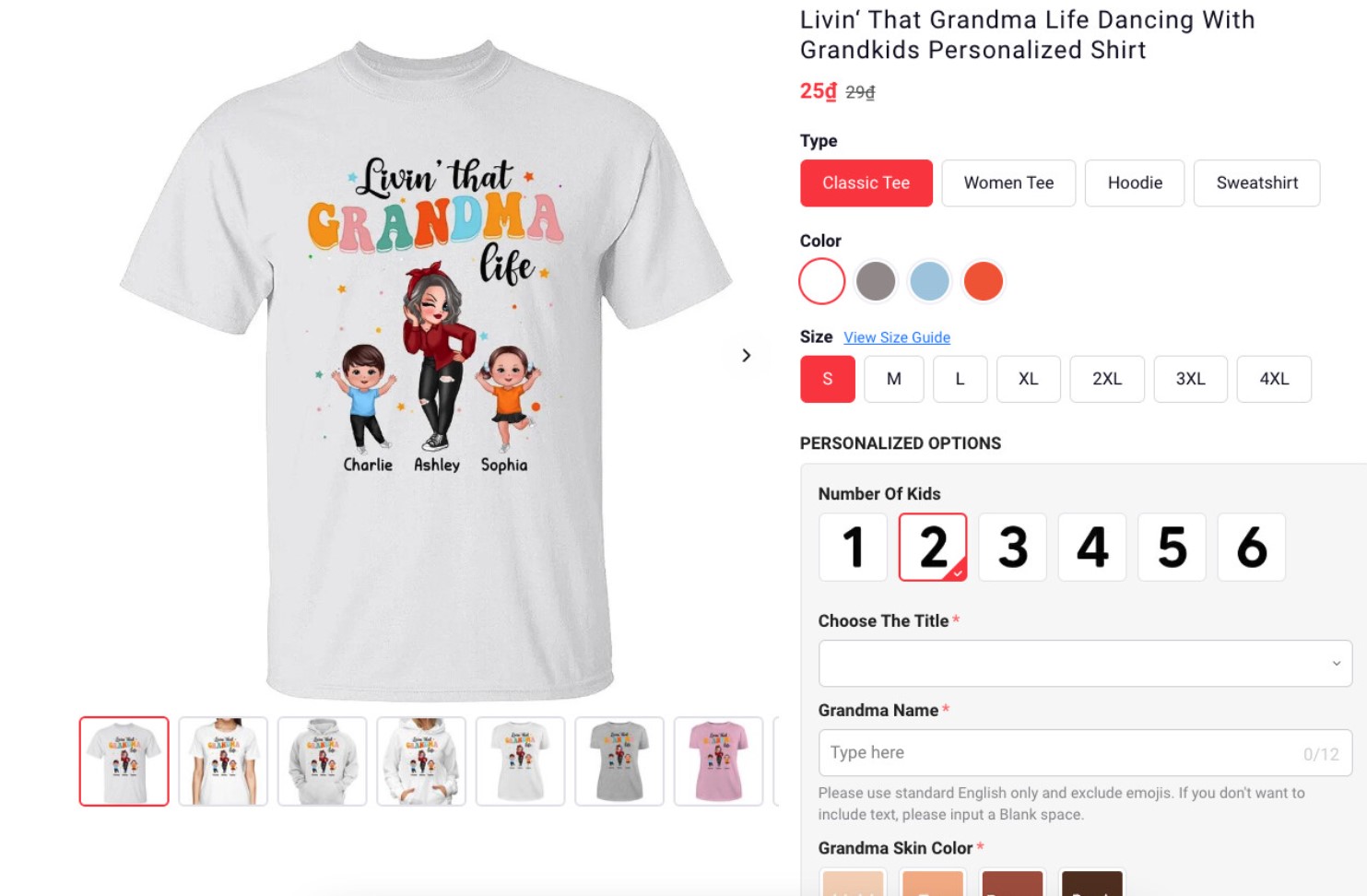
Here’s a great example of a complex product page:
UX tips for high-converting personalized product pages
Make customization options easy to find.
Group related options together. Put text customization in one section and material choices in another.
Show clear pricing for add-ons. Customers should see how their choices affect the final price before they add to the cart. Following Shopify’s best practices for product pages can help.
Better UX leads to more engaged subscribers and more effective automated campaigns when you connect your store to Omnisend.
Marketing Shopify personalized products with Omnisend
Selling custom products is just the start. The real way to make money is via repeat orders. Email and SMS campaigns can help you stay in touch and bring customers back.
Omnisend connects directly to your Shopify store. It collects personalization data and uses it to target campaigns.
Connecting Shopify personalized products to Omnisend
Omnisend integrates with Shopify through the Shopify App Store. Once connected, it syncs your products, customer data, and order information. This includes customization details captured in line item properties.
You can then segment customers based on what they personalized. This allows you to send relevant follow-up campaigns.
Essential automation workflows for personalized products
Set up these automated flows to maximize revenue from custom products:
Welcome series
- Trigger: New subscriber
- Message focus: Show top customizable products and explain how personalization works
- Next-step offer: First-order discount on personalized items
Browse abandonment
- Trigger: Visitor spends time on the custom product page but doesn’t add to cart
- Message focus: Remind them of the product they were designing, and show similar items
- Next-step offer: Limited-time discount to encourage completion
Cart abandonment
- Trigger: Cart abandoned with personalized product
- Message focus: Reference their specific customization details (name, design choice)
- Next-step offer: Free shipping or expedited production
Post-purchase review request
- Trigger: 14-21 days after delivery of personalized product
- Message focus: Ask for photos and reviews of their custom item
- Next-step offer: Discount on the next personalized order
Replenishment and gift occasion reminders
- Trigger: Six to 12 months after purchasing a personalized gift item
- Message focus: Suggest reordering for upcoming occasions (birthdays, holidays)
- Next-step offer: New personalization options or complementary products
Success story BMO Media
BMO Media, a lifecycle marketing agency, generated $1.5M in extra revenue for client Grez Way using Omnisend.
It sent fewer, but more targeted messages. This increased open rates by 25% and click rates by eight percent.
Campaign ideas to promote customized products year-round
Beyond automation, send targeted campaigns for:
- Holiday gift guides featuring personalized products
- Announcements for new fonts, colors, or materials
- Customer showcase emails with photos
- Seasonal promotions like Mother’s Day or weddings
Omnisend’s product recommender lets you suggest items based on browsing and purchase history. It’s easy to set up:
Using segmentation and personalization data in email & SMS
Create segments based on behavior:
- Customers who bought custom jewelry, clothes, or home goods
- High-value customers who customized their first order
- Those who started but didn’t complete customization
- Customers who bought gifts (likely to reorder)
Omnisend’s AI Segment Builder makes this easier. You define the audience, and the tool translates it into working segment rules:
According to Capterra reviews, users really appreciate Omnisend’s segmentation capabilities.
One reviewer said, “Omnisend has grown on me; they integrate with Judge.me reviews and allow us deeper customer segmentation. Compared to what most of these email/sms services are charging, Omnisend is a lifesaver.“
Omnisend delivers strong value for ecommerce businesses. It delivers an ROI of $79 for every dollar spent.
The free plan includes all ecommerce features. Paid plans start at $16/month with bonus SMS credits equal to your subscription cost.
Optimizing and scaling your personalized product strategy
Setting up personalized products on Shopify is a start. To grow revenue, you need to track results and improve over time.
Metrics to track for Shopify personalized products
Track these metrics to understand how personalization affects your bottom line:
- Conversion rate: Compare visitors who view custom products versus regular products
- Average order value: Track AOV for orders with personalized products vs. without
- Repeat purchase rate and CLV: See if customers who buy custom products come back more often
- Abandonment rates at customization steps: Find where customers quit the process
- Production error rates: Track mistakes caused by unclear custom details
These metrics show whether personalization helps margins or just adds more work.
A/B testing product options, pricing, and messaging
Test the following to improve performance:
- Number of options: Find out if offering, say, 10 colors converts better than five, or if it overwhelms customers
- Pricing structures: Test flat fees versus tiered pricing
- Field placement: Compare putting customization options above the fold versus below product details
- Messaging: Test “Add your name” versus “Personalize this gift” as field labels
Using customer data to plan inventory and new offers
Omnisend’s reporting dashboard shows which personalized products drive the most revenue on Shopify. It also shows which customization options customers choose most often. Use this data to focus more on popular ones and retire those that don’t convert.
A/B test subject lines, sender names, and content in your email campaigns. Track which automation workflows generate the highest revenue per recipient. Then invest more in what works.
Common challenges with Shopify personalized products
Personalization can drive sales, but it also adds extra steps. If you plan ahead, you can avoid most problems that this may cause.
Technical issues and theme/app conflicts
Customization apps sometimes conflict with themes or other apps. This could cause problems like:
- Custom fields not appearing on mobile devices
- Personalization options disappearing at checkout
- Slow page load times from heavy visual customizers
- Customization details don’t sync to the order data correctly
Always test your Store on several devices before launch. Choose apps and themes known to work well together.
Managing customer expectations and lead times
Custom products take longer to make. If you do not explain this clearly, customers may expect fast shipping. So, show production and shipping times clearly on the product page. Place it above the add-to-cart button.
A merchant selling custom jewelry asked the Shopify Community about managing customer expectations. The advice was:
“Having clear policies laid out for your customers is the best way to avoid any issues. I would definitely suggest having the information clearly laid out on as many surfaces as you can onto the product pages, order confirmation emails, etc.”
Many sellers say clear communication prevents most issues. So, provide details in product pages, order confirmation emails, and FAQ pages.
You can use Omnisend to send automatic updates, such as:
- Production started
- Item shipped
- Shipment delayed
Also, make a clear return policy. Clear rules build trust and reduce complaints.
Handling returns, edits, and customer support
Personalized products are harder to return. In most cases, you can’t resell them, so they go to waste. So, you need a clear return policy to convey terms.
Follow these best practices to ensure customers understand your policy:
- Clearly mention your return policy before checkout
- Offer a preview before production begins
- Set a simple process for customer-requested changes
Let customers know when changes are allowed. For example, you could allow changes within 12-24 hours of ordering. This reduces confusion and support tickets.
You can also use Omnisend to help manage support at scale. It can send automated emails about timelines or share FAQ about returns and changes.
Conclusion
Shopify personalized products can improve your AOV, conversion rates, and customer loyalty. But results depend on how well you execute.
Choose the right type of customization for your business. Pick apps and themes that work well together. Lastly, build clear workflows for production and support.
The real growth comes from connecting product personalization to lifecycle marketing.
Pair custom products with targeted email and SMS automation through Omnisend. This helps you convert one-time customers into repeat ones.
Omnisend is built for ecommerce brands. It has one of the highest marketing ROIs at $79 per dollar spent. With 24/7 support on every plan and an intuitive interface, you can scale personalization without any technical skills.
Quick sign up | No credit card required
FAQs
These are items customers can customize before purchase. They can add text, upload images, or choose materials or colors. Examples include engraved jewelry, monogrammed clothing, and custom home décor.
Use Shopify apps like Kickflip, Avis Product Options, or Infinite Options. These provide drag-and-drop builders. They let you add custom text fields, image uploads, and variants without coding.
It depends on your needs:
— Kickflip and Zakeke work well for visual customizers with live previews
— Avis Product Options and Infinite Options handle text-based personalization
— Inkybay suits print-on-demand stores
Look for themes with clean product pages, fast mobile performance, and third-party compatibility. Prestige, Booster, and Retina handle complex product pages well without looking messy.
Calculate your customization costs. Include labor, materials, and production costs. Test flat fees versus tiered pricing. Most merchants charge $5-15 for text personalization and $10-25 for image customization.
Use email and SMS automation. Omnisend can help you send:
— Cart reminders that mention the customer’s chosen design
— Post-purchase follow-ups
— Replenishment or gift reminder emails
Segment customers based on their customizations. Then, send targeted offers that match their interests.

TABLE OF CONTENTS
TABLE OF CONTENTS


No fluff, no spam, no corporate filler. Just a friendly letter, twice a month.