Omnisend AI


 OFFER
OFFER









What’s new: Omnisend’s January 2023 updates
With over 130+ pre-built integrations and flexible APIs, you can easily centralize data from across your tech stack
Make the most out of your data and unlock powerful growth marketing possibilities with these other top marketing tools.
Build any custom integration with our open, flexible APIs that are simple to use and implement.
Check out apps that have been stealing all the spotlight.
Email and SMS marketing insights, ecommerce resources, and the latest Omnisend news
Expert-led sessions covering email, SMS, and ecommerce marketing strategies.
Educational video and live training to help you make the most out of Omnisend.
Drive sales on autopilot with ecommerce-focused features
See FeaturesNew year, new features.
Because nothing says “fresh start” like tweaking your email button styles!
But all jokes aside – you will actually have more control over buttons in emails (which is really useful), better previews for product blocks, smarter forms, and a few updates that make the Partner Portal and billing information less of a pain to work with.
You can watch the quick video below if you’re in multitasking mode — or scroll on for the full breakdown. Your call.
Here’s what’s new this month:
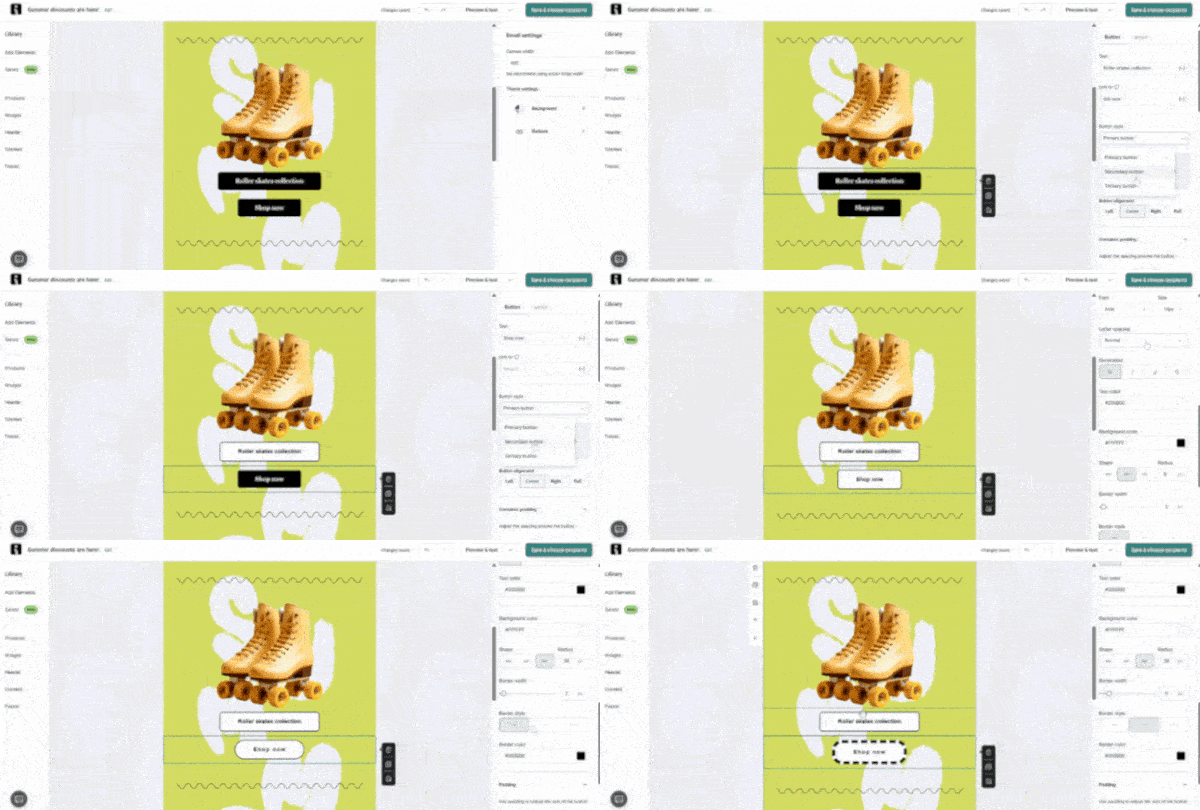
If you’re reusing button styles across an email but want to tweak just one of them, now you can.
After choosing a button type — primary, secondary, or tertiary — you can change its color, font, corner radius, and padding on a per-button basis. This gives you more freedom to adjust buttons for different messages or sections, without breaking design consistency elsewhere in the email.
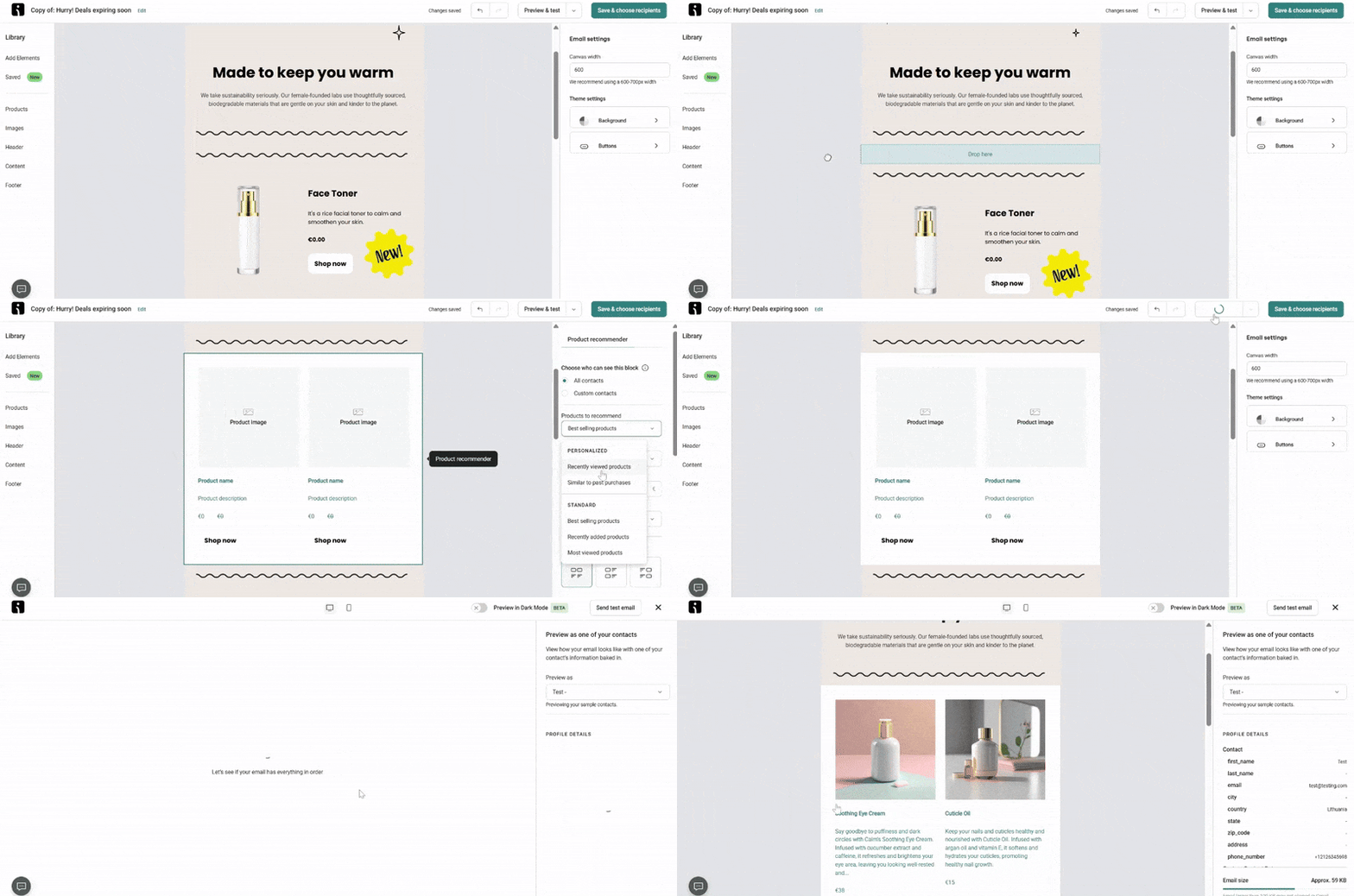
Before, personalized product blocks like “Recently Viewed” and “Past Purchases” could show up empty in previews or test emails. But that’s now fixed.
These blocks will now display fallback products in Campaign previews and tests, so you can get an accurate idea of how your email will actually look – no need to visualise things anymore. Though in Automations you’ll still see real product data if it’s available.
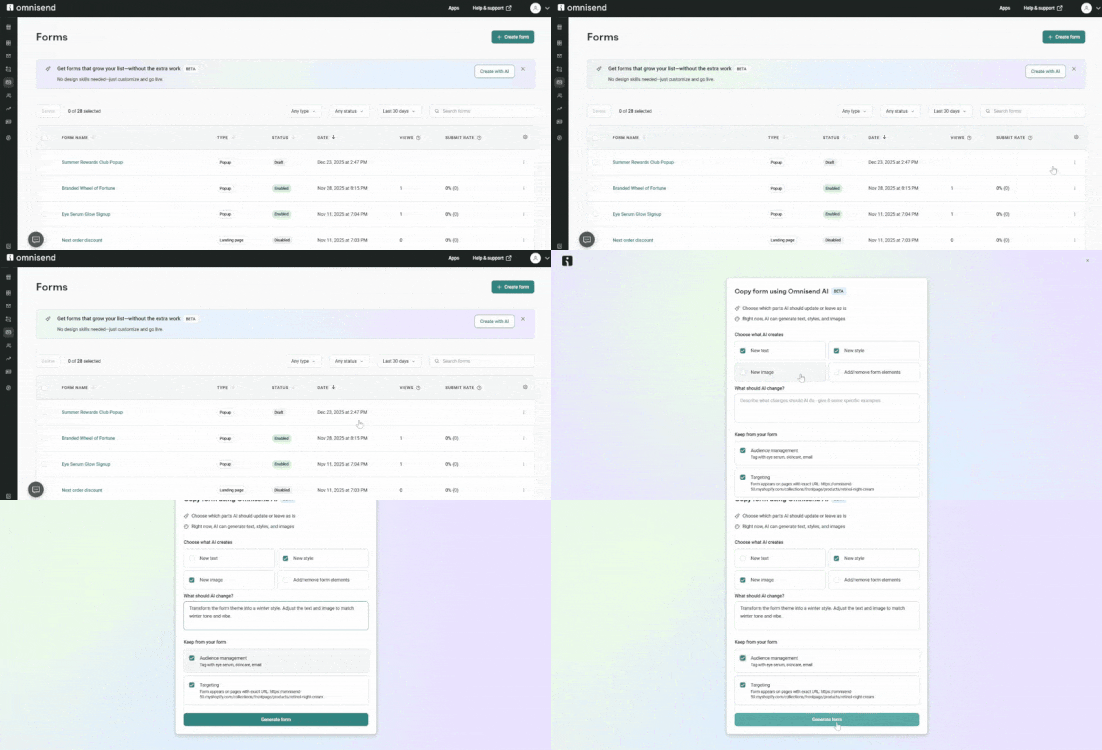
The AI Assistant for Forms now lets you copy a form and update it just by describing what you want to change. That could be new messaging, different images, layout tweaks, or even a full language swap.
It’s great for seasonal updates, quick A/B tests, or building forms for international audiences. And if you want to keep your targeting rules from the original – you absolutely can.
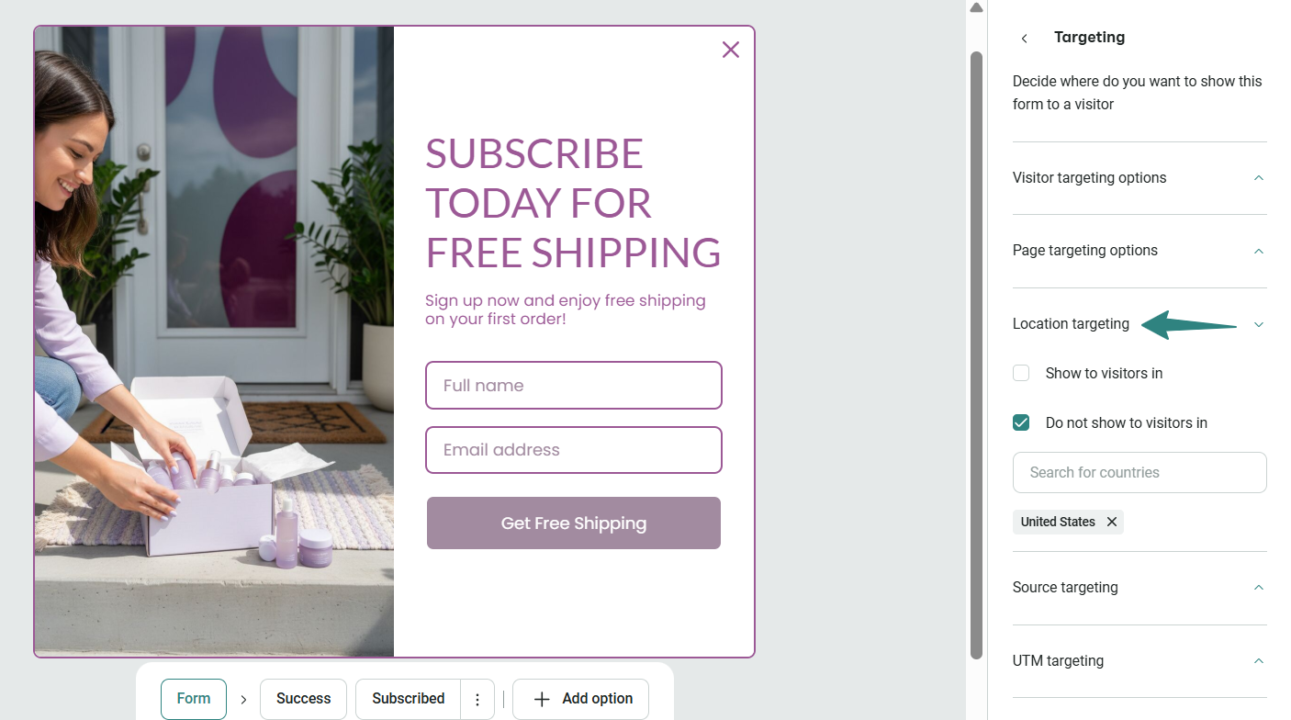
You can now show or hide a form based on where a visitor is located. Just choose which countries to include or exclude, and Omnisend will handle the rest.
This is ideal for location-based promos, language-specific messaging, or simply making sure your forms are relevant to the right people.
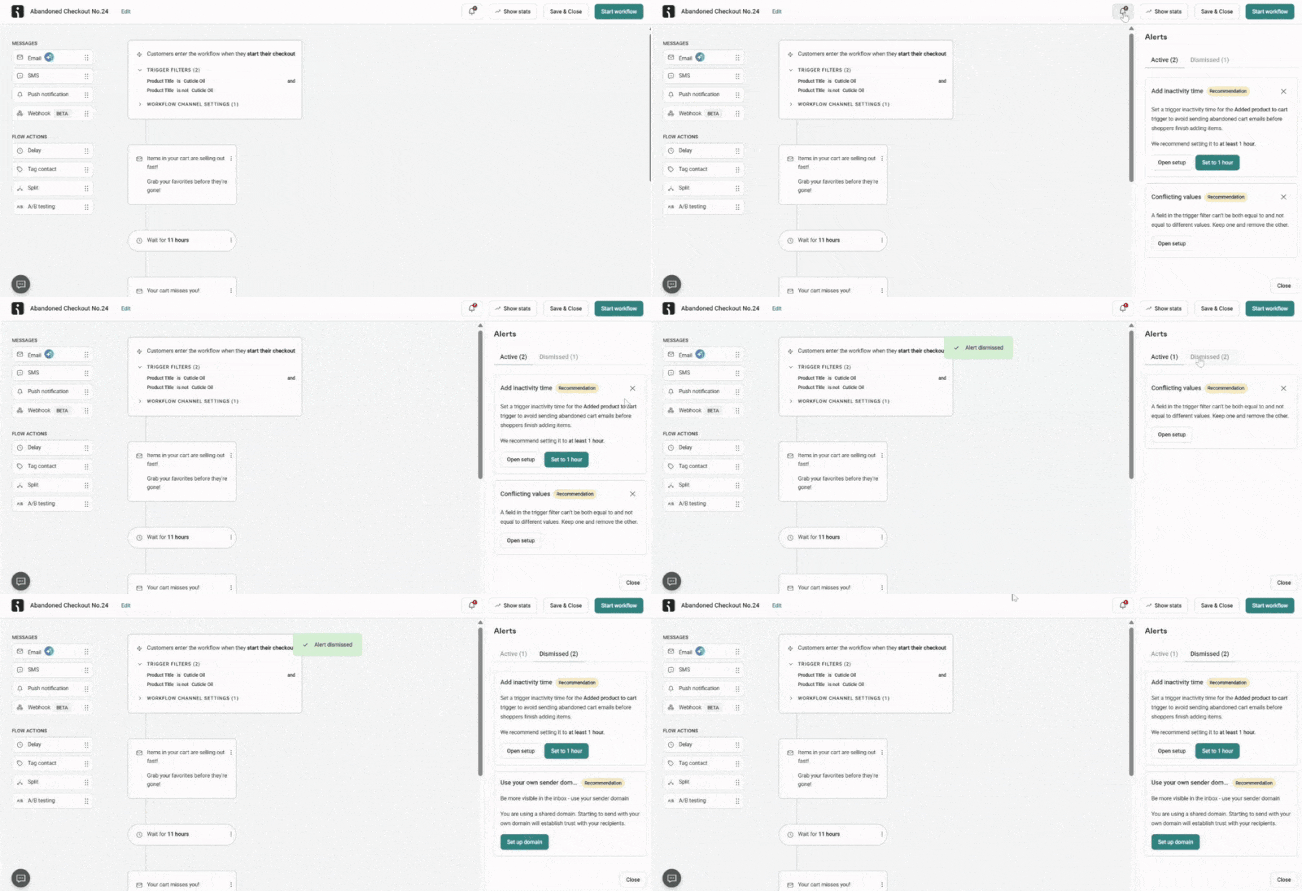
Automation Alerts help you catch setup issues and follow best practices — but not every suggestion is immediately relevant.
You can now dismiss recommendations (but not errors) from the main view in the Automations builder. Dismissed recommendations are moved to a separate tab so you can revisit them later.
This update helps you stay focused on critical issues while keeping useful guidance within reach.
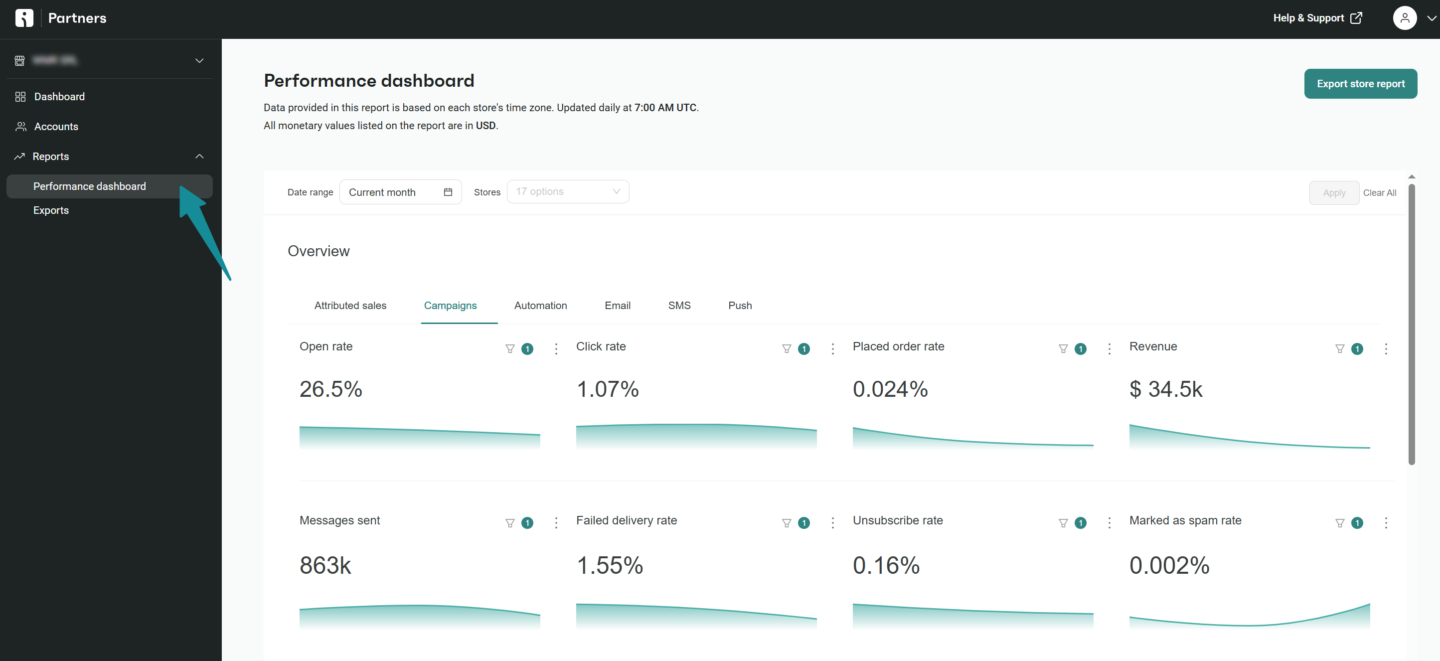
The Partner Portal has a few big updates this month that make managing multiple brands or clients more straightforward. First, there’s a new performance dashboard that gives you a centralized view of how all your connected stores are doing — including key metrics like revenue, attribution, engagement, and deliverability. You can filter the data by brand, date range, or metric to get a clearer picture and quickly spot any stores that need attention.
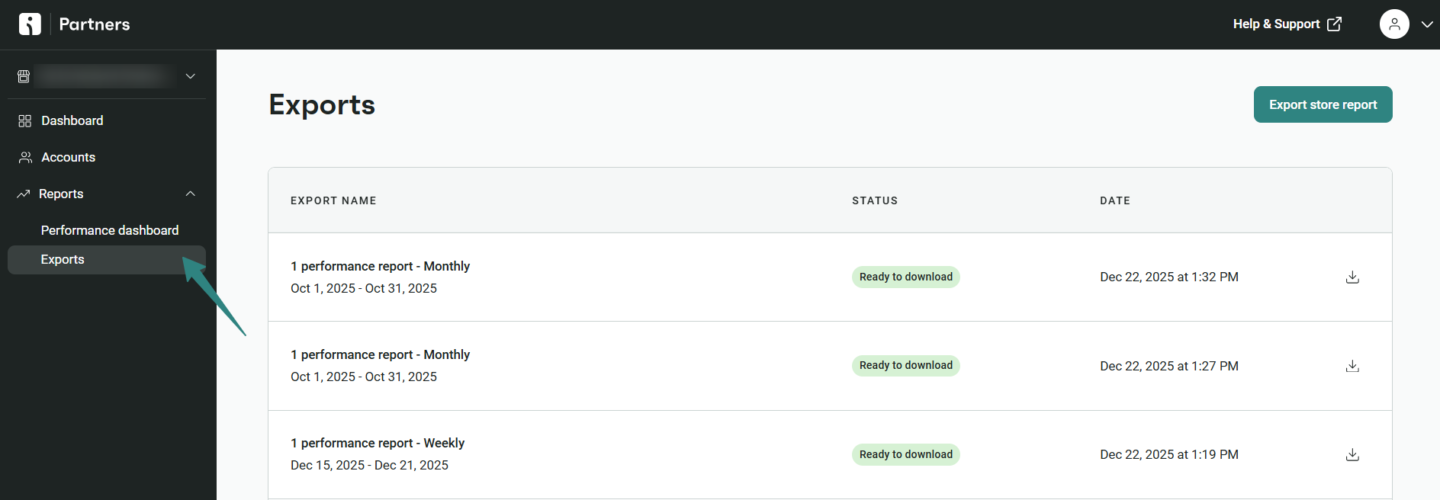
You can also now export brand performance reports directly to PowerPoint (.pptx) format. Just select one or more brands, pick a timeframe, and generate a ready-to-share report for clients or internal updates.
For agencies, individual team members now have their own user access to client accounts. Their actions are tracked separately for better internal visibility, but your clients will still see a single unified partner user. This makes it easier to manage accountability across your team without changing how things look on the client side.
In the background, account syncing has also been improved. Any new store you create on omnisend.com will now show up in the Partner Portal automatically — no manual syncing required. Previously deleted or hidden brands also stay fully in sync, so what you see is always accurate.
Finally, the interface itself has been refreshed in a few small but helpful ways. The Teams and Profile pages have been updated for easier navigation, and the registration flow has been improved to make onboarding new partners simpler and faster.
You can now connect these new apps to your Omnisend account:
We’ve made a few small changes to how billing information is displayed — both in the app and in invoice emails — to make things easier to follow.
Here’s what’s improved:
And that’s everything for January.
All of these updates are already live and ready to use. If you’d like a quick walkthrough, want help testing something new, or need advice on how to use any of these updates in your current setup, our support team is always available via in-app chat or email.

TABLE OF CONTENTS
TABLE OF CONTENTS

What’s next


No fluff, no spam, no corporate filler. Just a friendly letter, twice a month.