Omnisend AI


 OFFER
OFFER










Preparing for Black Friday requires getting your WooCommerce store’s product pages, offers, and email and SMS marketing ready for customers. In 2026, Black Friday falls on November 27 and Cyber Monday on November 30; ideally, you’ll plan six to eight weeks out.
Our WooCommerce Black Friday 2026 guide helps you prepare for the weekend event with a timeline, marketing strategy advice, email and SMS setup, and store optimization tips.
Quick sign up | No credit card required
WooCommerce Black Friday 2026: Key dates and preparation timeline
The key dates for WooCommerce Black Friday are October 1–14, October 27, November 13, and November 24–27. The timeline below provides a framework for what to do in the build-up to, during, and after Black Friday. If you’re late or between dates, work through the earlier steps quickly and then carry on from the phase you’re in.
6–8 weeks before (October 1–14)
- Audit hosting: Ask your web host whether your current plan will support the number of visitors you expect over the Black Friday period
- Review sales data: Find your bestsellers and early high-potential products based on last year’s WooCommerce BFCM data or the last six months of sales
- Shortlist your offers: Free shipping is always popular; bundles, gifts, buy one get one free/half price, and percentage savings are other options
- Map your site’s limitations: Determine which of your planned offers and design ideas you can’t deliver yet, so you know which plugins to look for
- Connect your email tool: Use Omnisend or another email marketing plugin to sync your store data and start building your Black Friday list with a pop-up
4 weeks before (October 27)
- Install plugins: Fill the gaps you mapped earlier with extensions like Smart Coupons or Gift Cards for WooCommerce
- Set up discounts: Create these with conditions that include and exclude buyers based on what works for your offers
- Work on product presentation: Write product copy for impulse buyers and review each product’s image gallery for quality
- Draft BFCM pages: Build landing pages you can switch on and off separate from your standard ones with timers, crossed-out prices, social proof, bundles, and other elements
- Set up customer segments: Place your email and SMS subscribers into groups based on their purchase data, browsing history, location, and engagement
- Configure email and SMS flows: Start with a welcome series, abandoned cart, thank-you, back-in-stock, and cross-sell flow for your basic customer journey
- Create your launch campaign: Use one of your marketing tool’s pre-built Black Friday templates for a head start and draft your email and SMS copy
2 weeks before (November 13)
- Test purchase paths: Visit your landing pages, navigate the content, add products to cart, and move toward checkout
- Place test purchases: Check that purchases go through, and that your customer information syncs into your store and email tool correctly
- Check automated flows: Abandon a checkout to confirm the reminder works and do the same for order confirmations and other automated messages
- Optimize checkout: Help people buy without creating an account with Social Login for WooCommerce and allow them to change their order with Update Cart on Checkout
- Activate pop-ups: Capture eager sign-ups with offers of BFCM savings and segment them for communication on the day
- Send early campaigns: Create an early-bird Black Friday strategy for VIPs and highly engaged customers to build anticipation and capture early revenue
Week of Black Friday (November 24–27)
- Push your BFCM changes live: Customers should see your newly revamped product pages, banners, countdowns, and other elements
- Send your launch campaign: Include all contacts and segments opted into marketing and deliver the email at 7–8 am for maximum conversions
- Send reminders: Follow up via email and SMS with customers who didn’t open your initial campaign or visit your store over the first 24 hours
- Manage stock proactively: Track your inventory in WooCommerce and make changes to offers and prices that can increase volume or pivot customers into other items
- Track revenue attribution: Check which campaigns, flows, and offers are pulling their weight in your email tool’s reports, and adjust those that could do better
- Monitor site performance: Use WooCommerce Analytics and Google Analytics for traffic and conversions, and an external monitoring tool such as UptimeRobot for alerts
After BFCM: retention and repeat purchases
- Follow-up emails (send after one day): Thank your customers for their purchase and recommend cross-sells they might enjoy
- Second-chance emails (send after one or two days): Target warm non-buyers with a discount or other offer that beats your original
- Segment your BFCM audiences (within one or two weeks): Now that you have all the data, group customers by order value, frequency, channels, and engagement
- Request reviews (within seven days post-delivery): Automate them with the Customer Reviews for WooCommerce plugin or your email tool, such as Omnisend
- Review performance: List your winning elements across email and SMS, on-site offers, products, and channels for use in BFCM 2027
WooCommerce Black Friday marketing strategy: What to offer and how
There are three main things you can do to get ready for this year. You must decide on your sales and marketing strategy and goals for this holiday season. Then, prepare your website. Last, add the online tools that will help achieve your sales goals.
1. Choosing your Black Friday offer strategy
Here are some marketing and sales strategies and goals to consider for Black Friday and Cyber Monday 2026:
Feature certain products
Feature a handful of proven winners on your homepage and push them with compelling copy and offers. Place your lead product in a slider at the top and link to it across every page as a recommendation block at the bottom of the page or wherever a cross-sell is relevant.
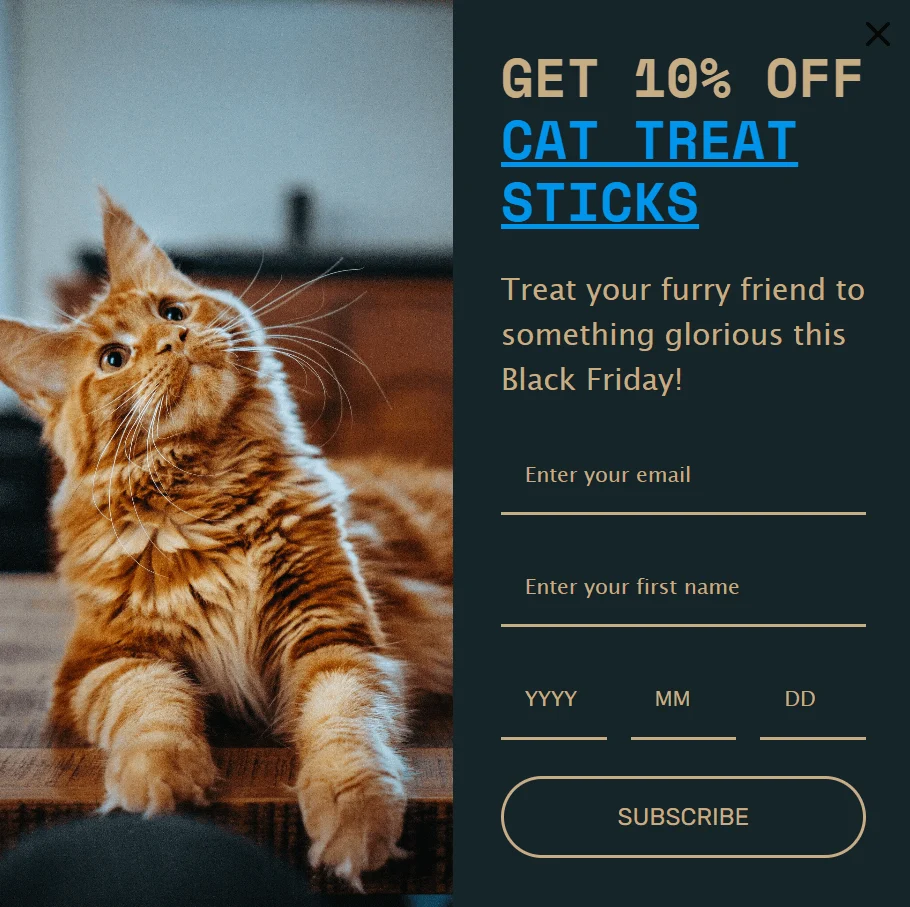
With Omnisend, you can also add products to your pop-ups as links; those can then trigger on exit intent to steer customers toward your best items.
Offer special deals
Another approach is to make the deal the reason to buy from your store. Here are some possible deals you can offer that will motivate more buyers:
- Free shipping: Works well for you if you offer it for orders above a certain amount
- Free gift with purchase: Make the gift something people want, and use a plugin such as Free Gifts for WooCommerce for tiers and bulk pricing
- Percentage discounts: These are the most basic and are pretty common during WooCommerce Black Friday sales events, so you have to make it big enough to get attention
- Buy one get one free (BOGO): BOGO offers increase perceived value to lift your sales, while also helping you move more stock
- Buy now, pay later: A payment plan, via Klarna or another plugin, that lowers the barrier to purchase and can get even the most hesitant browsers to buy
- Contests and giveaways: These can build excitement into purchases without sacrificing your margins; check out the WinRocket plugin
- Flash sales: For recent buyers and other highly engaged customers such as VIPs, send them an email or text with your sale items
There are many other special offers and deals you can come up with. For example, if you have a membership or loyalty program, tying that to your Black Friday and WooCommerce Cyber Monday sale can be great for long-term revenue and customer loyalty.
Increase average order value (AOV)
Increase average order value with free shipping above a set spend, quantity breaks, tiered discounts, or flat dollar-off deals.
Sometimes, your holiday marketing plans arise from internal sales goals, such as increasing average order sizes over greater customer volume. In other words, you’d rather have fewer but bigger orders. These tend to increase profits, and you’ll probably have fewer returns, too.
If your goal is to increase average order value, you’d want to use a marketing strategy that aligns with that. Offering free shipping above a certain order size is a great one, as are quantity breaks and discounts. The Bundler plugin works well for those.
You can also increase the percentage of incentives as order size increases. For instance, a 10% discount up to $50, 20% off orders up to $200, and 30% off orders above that.
You can make this even more lucrative if, instead of a regular price discount percentage, you give flat dollar-off deals. That way, the discount amount will be the same for everyone.
For example, if the deal is $20 off orders above $100, the customer gets $20 off whether they spend $100, $150, or $500. But your profits increase, and the discount gets lower and lower the more they spend above the threshold.
“Buy now, pay later” offers can also increase average order size because the customer doesn’t have to pay for the whole thing right away. Conveniently, “buy now, pay later” is available through WooCommerce with services such as Klarna and Affirm.
Move more inventory
Move slow-selling stock by making it a gift with purchase, discounting it steeply for customers who buy other items, or bundling it above a spend threshold.
Alternatively, move more inventory with high-percentage discounts on items where your margins allow it, and more general discounts when customers purchase above a certain amount.
You’ll also move more products with contextual recommendations. Suggest what you want customers to buy to get your BFCM sales moving in the right direction. The official Product Recommendations for WooCommerce extension will help.
Gain new customers and email subscribers
Turn Black Friday traffic into email subscribers you can market to all year. All you need to do is capture sign-ups with a pop-up and a checkout opt-in checkbox.
Omnisend’s WooCommerce plugin helps you grow your list with pop-ups, segment audiences with pre-built templates and AI, and reach them in campaigns and flows.
Also, Omnisend’s checkout opt-in checkbox for WooCommerce lets you ask customers to opt into marketing, rather than having them all non-subscribed by default.
Encourage customers and visitors to join your list using special offers and benefits exclusively for subscribers, and you can grow your email list to create more long-term revenue.
If you already have an email list, you can use your existing one to notify customers about your Black Friday and WooCommerce Cyber Monday sales events. Here’s a list with more Black Friday and Cyber Monday email marketing tips.
2. Technical preparation: get your WooCommerce store ready for traffic
Prep your store with changes to your checkout and product pages that move customers to purchase as fast as possible. Also, test your site speed and hosting capacity, and load everything on a smartphone to test the customer experience for yourself.
Imagine paying to bring visitors to your WooCommerce store for Black Friday, only for them to leave because it’s nowhere near their standard for a high-quality customer experience.
Your WooCommerce store can’t look generic this Black Friday or make it difficult for visitors to find and buy what they want. Here’s how to prepare your store technically and deliver an experience that your customers appreciate:
Add banners and sign-up pop-ups
Your theme might already support banners as a widget. Install the Simple Banner plugin if not; it doesn’t require any code and lets you customize banner colors to match your brand.
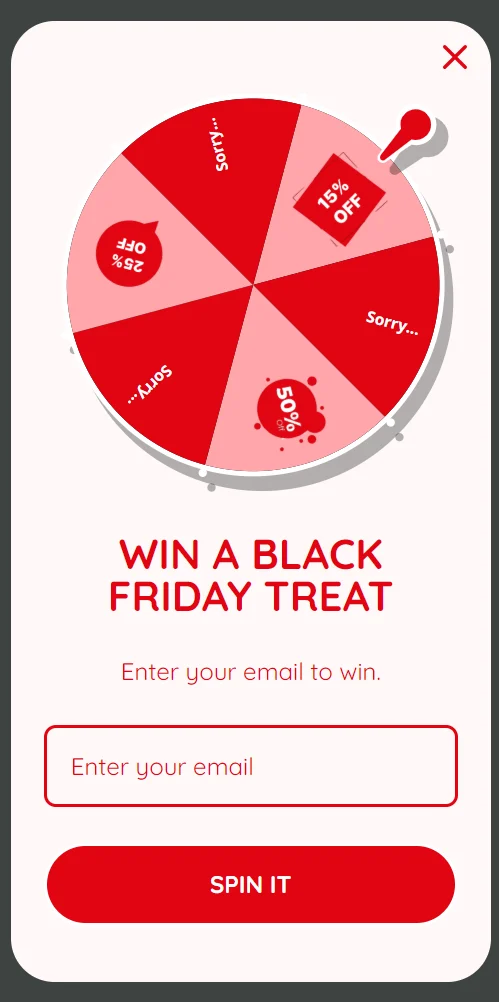
Pop-ups are interruption-based assets that can trigger on exit intent, scroll depth, page views, and more. They do two jobs that announcement banners don’t: they grow your email and SMS list, and can present offers, deals, and products for discovery.
Omnisend’s research shows that pop-ups have an average sign-up rate of 3.77%, with shoppers responding particularly well to gamified forms.
Optimize the checkout page and product pages
Unless you’ve got a custom checkout, you’re using the default WooCommerce checkout of the classic or block variety, which isn’t the most optimal approach.
The way to make either checkout better: reduce form fields, allow guest checkout, let people log in with Google or another account, and provide express payment options. Alternatively, install PeachPay to try a new checkout entirely.
Potential customers also need to know you’re legitimate. According to 2026 research from Baymard Institute, at least 19% of people abandon purchases at checkout because they don’t trust the website with their credit card. Payment icons, padlock symbols, star ratings, and return and warranty policy wording all help.
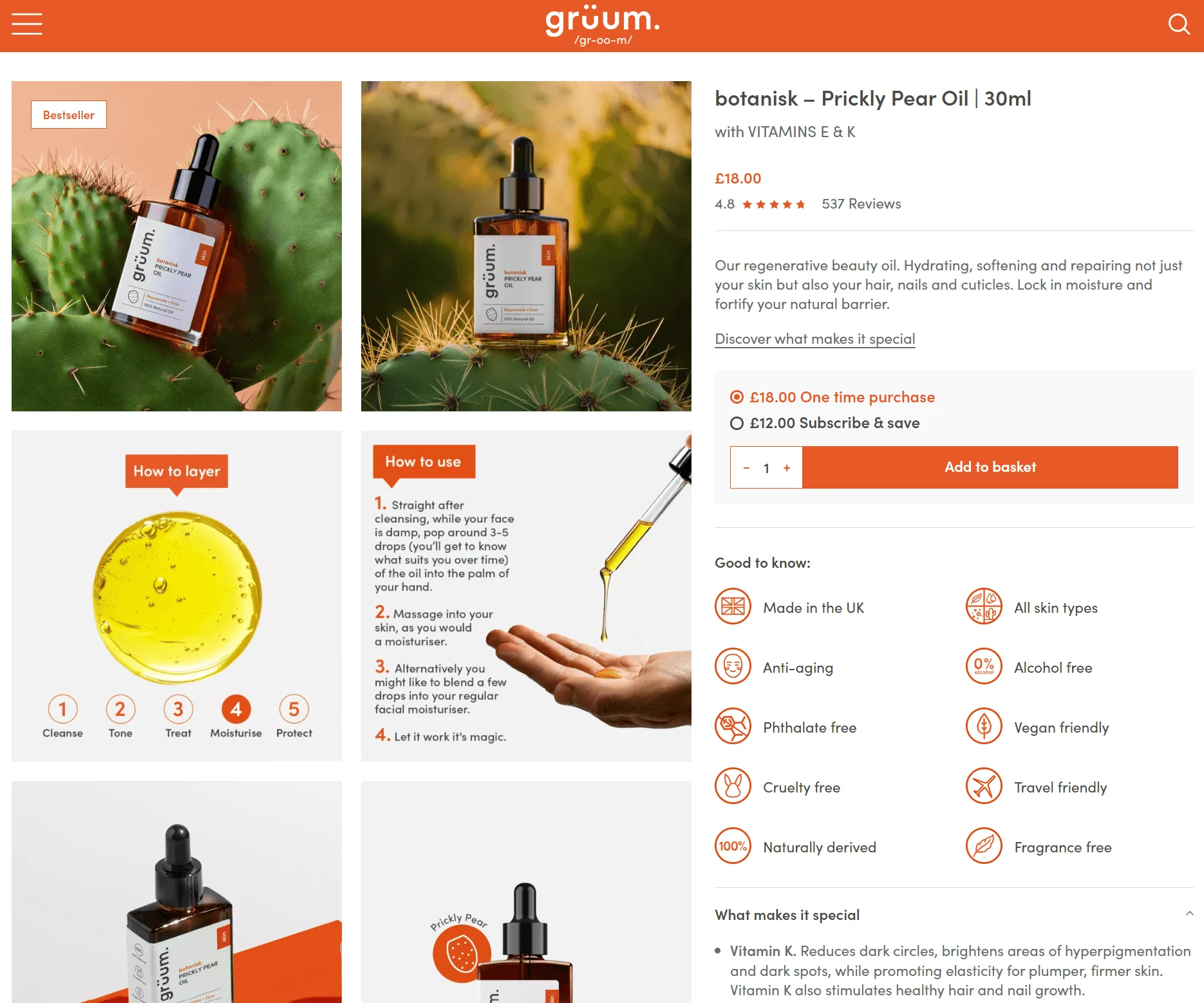
Product pages benefit from those trust signals too, although the most important conversion aspects for listings are speed (see below) and stack order.
By stack order, we mean the flow from your product title to its price > add-to-cart buttons > product description. Customers shouldn’t have to scroll to the bottom of your page to see your product rating, warranty, shipping information, or original price.
For example, check out grüum’s informative product page stack:
Test your site speed and hosting capacity
Ask your web host what traffic volume your plan can handle; provide your expected volume (e.g., 10,000 visitors over BFCM), and move up a tier or switch accordingly. Hostinger and Pressable are recommended by WooCommerce.
Next, install an optimization plugin, such as WP Rocket or Jetpack Boost, and configure it alongside Google PageSpeed Insights and GTmetrix. Use the real-time test results from those to see how your optimizations impact performance.
Once your hosting and on-site optimizations are complete, run a load test at least two weeks before WooCommerce Black Friday. LoadView simulates thousands of browser users and can replicate a traffic spike on your store, with free tests available.
Optimize for mobile
Test your BFCM landing pages on an actual smartphone to ensure your customers can find products and check out without trouble.
Review elements like pop-ups, banners, titles, prices (including crossed-out prices), image resolution and load times, the slide-out cart, sticky add-to-cart buttons, and calls to action (CTAs).
No elements should block the screen, create impossible-to-remove overlays, load slowly, lag, or not work when tapped or slid.
Checkout is your most important review for reducing abandonment. WooCommerce’s classic checkout has known friction points around form fields, forced account creation, and coupons.
You’ll get more control over the customer experience using the newer Blocks checkout, but bear in mind that some payment gateways aren’t yet block-compatible, so check first.
3. Essential WooCommerce plugins and tools for Black Friday
WooCommerce’s plugin ecosystem provides everything needed to create discounts, sell gift cards, add free shipping bars, optimize your site speed, and more ahead of Black Friday. These are the tools we recommend you consider:
Social media marketing plugins
With social media platforms, you can pay for ads, or you can post for free on your current channels. These WooCommerce social media extensions can help make this easier and more effective:
- TikTok for WooCommerce: Create ads, track website traffic and campaign engagement, and showcase your products on TikTok
- Pinterest for WooCommerce: Present your product catalog on Pinterest and let shoppers looking for your types of products more easily find them
- Meta for WooCommerce: Create Facebook and Meta ads, track your campaign traffic, and share your products across the Meta empire
Google Ads
The Google Listings and Ads extension lets you manage all your Google Ads, including search, YouTube, Google Shopping, display ads, maps, and more, all from one dashboard. It provides an overview of your ads with bidding and budget settings.
Another worthwhile integration ahead of BFCM is Omnisend with Google Ads Customer Match. It syncs Omnisend segments to Google Ads and YouTube audiences, which you can then target in ads based on purchase history and email engagement.
WooCommerce coupon and discount plugins
The native coupons in WooCommerce let you set up a percentage discount, fixed cart discount, and fixed product discount with or without free shipping.
WooCommerce also offers several plugins to make it easier for you to provide various types of coupon offers, such as store credits and buy one get one free:
- Smart Coupons for WooCommerce: A good pick for adding buy-one-get-one-free, gift cards, free shipping, and store credits to your BFCM offerings.
- Conditional Coupons for WooCommerce: Customize coupons for each customer for various situations. For instance, make offers like “save $20 when you spend over $150.”
- WooCommerce Coupon Campaigns: Lets you track and categorize your coupons, so you know which are working best.
- Gift Cards for WooCommerce: Best for offering fixed and variable gift cards with expiry dates, such as cards that are to be used within 30 days after BFCM.
Email marketing for WooCommerce
WooCommerce handles transactional emails, such as order confirmations, but not abandoned cart recovery without a plugin. You also need a plugin to grow your list, build campaigns and flows, create segments, or attribute revenue.
Omnisend’s native WooCommerce plugin is the logical addition to your store for email and global SMS marketing capabilities in one tool.
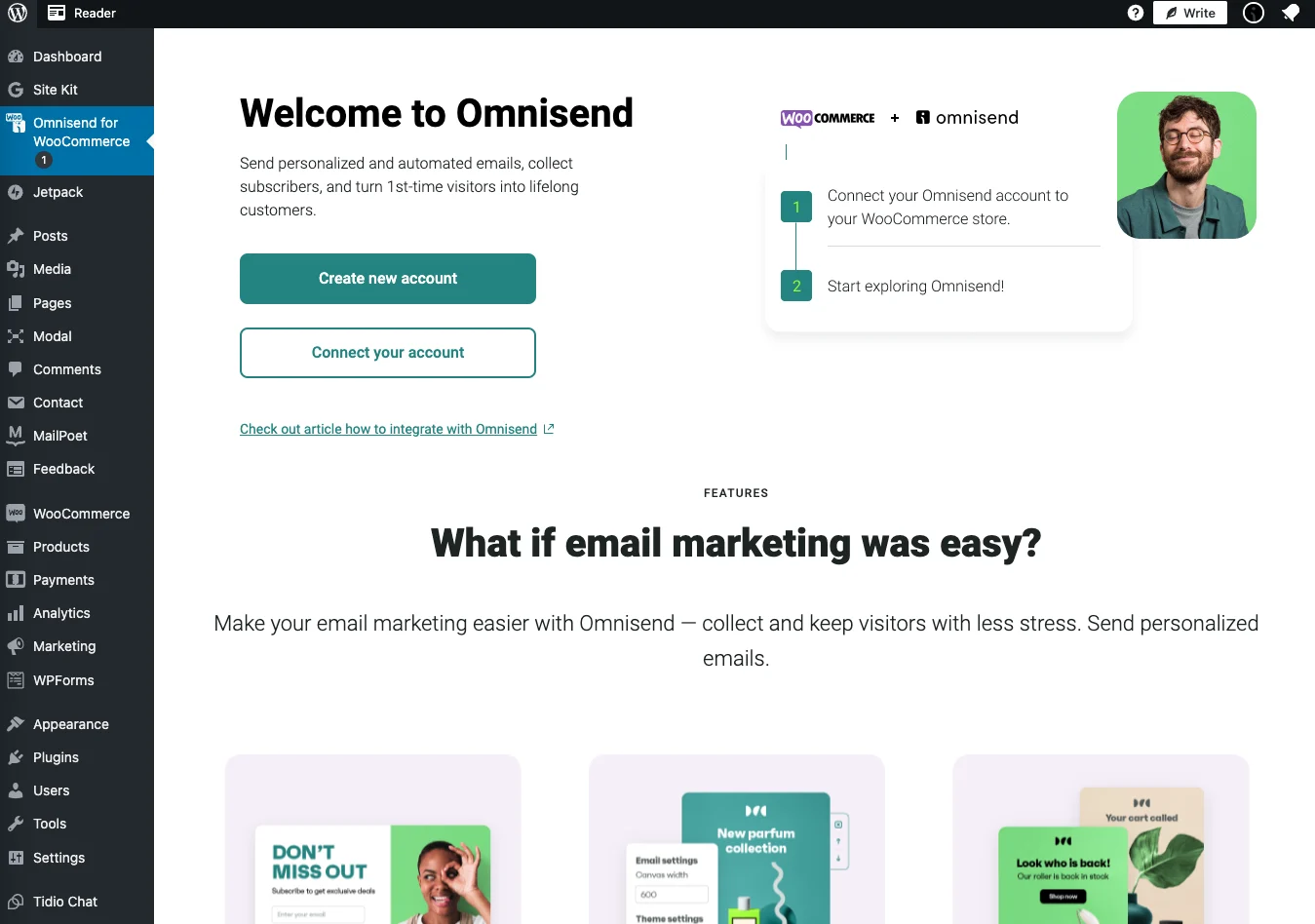
Your WooCommerce products, inventory, and customer data and behavior sync to Omnisend.
Design emails and build flows, segments, and forms with pre-built templates, or skip the setup and use AI to create Black Friday subject lines and segments. If you’re on a paid plan, Forms AI creates pop-ups for you with a prompt.
Forms tie into segments for targeting, as does on-site behavior, such as purchases, cart and browse abandonment, and back-in-stock requests. Your complete customer journey is mapped and available for action in your Black Friday flows.
Site speed and performance plugins
A fast WooCommerce store, particularly for product listings and cart/checkout pages, is necessary for a good customer experience and reducing friction that leads to abandonment.
Several third-party plugins can improve your WooCommerce loading times.
Jetpack Boost delivers the content on your website more efficiently, so it loads faster. Another optimization plugin is WP Rocket, arguably the best of its kind for caching.
Adding a CDN is another option. It stores copies of your assets on global servers that serve visitors from the nearest one, improving load times. Cloudflare is a common choice.
And if your store is image-heavy, Smush compresses and lazy-loads your images so they’re smaller before they even load.
Omnisend’s Black Friday marketing hub offers a number of other tips, tools, and strategies you may find helpful.
WooCommerce Black Friday email and SMS marketing with Omnisend
Omnisend is an ecommerce-first email and SMS marketing tool with a 4.9/5 rated WooCommerce plugin. You can create standalone campaigns and multichannel flows for all your Black Friday email marketing ideas.
Setting up automated flows before Black Friday
Automated email and SMS marketing can target your customers’ most common journeys leading up to, during, and after purchase this Black Friday. In 2025, automations made up 2% of email sends, yet generated 30% of total email revenue.
Consider your customer’s lifecycle and create these five flows for your WooCommerce store:
- Welcome series email with a BFCM offer (pre-purchase) for all new form sign-ups; for buyers, your order confirmation can provide the welcome
- Abandoned cart email (pre-purchase) for revenue recovery, with a shortened delay window of 30 minutes for BFCM
- Browse abandonment (pre-purchase) for customers who shared their email and left without adding products to their cart
- Review request email (post-purchase), set to go out three to five days after delivery
- Cross-sell email (post-purchase) recommending additional products to increase customer lifetime value in the period following BFCM
Omnisend has 30 pre-built flow templates for your complete customer experience, all with triggers pre-configured in the flow builder. You can automate your WooCommerce emails with little setup or amendment.
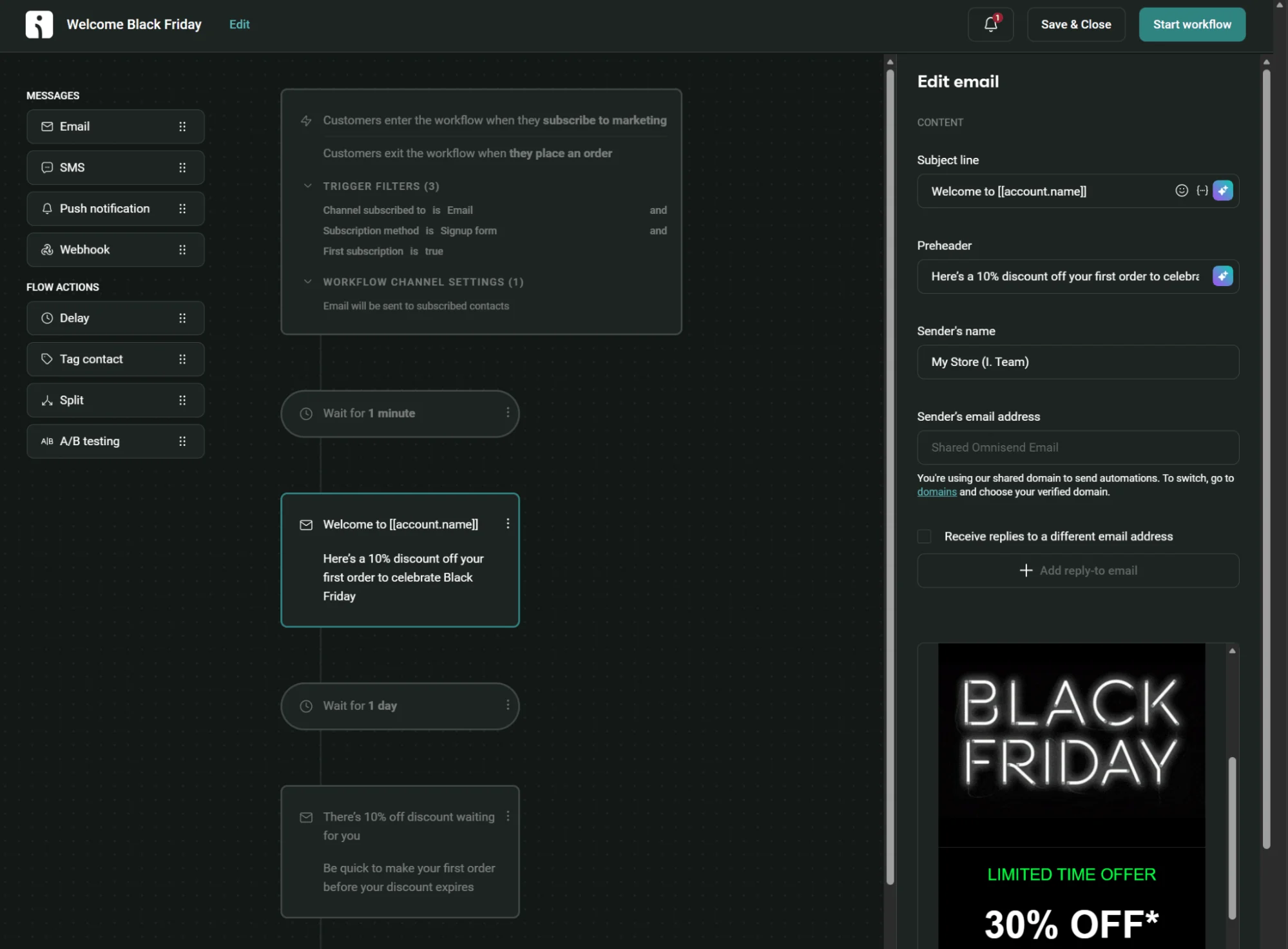
Building and segmenting your WooCommerce email list
Grow your list before Black Friday with a sign-up pop-up; offer early access to your deals or a subscriber-only discount as the hook.
Next, capture marketing opt-ins at checkout by turning on Omnisend’s checkout opt-in checkbox for your WooCommerce store. Checkout emails sync as non-subscribed by default, so without it, you’re gathering buyers you can’t send marketing campaigns to.
Build segments for customer lifecycle stages, engagement, and behavior. Omnisend has 32 pre-built segments and an AI segment builder, which can get granular, such as “new email subscribers over the last 30 days from the UK.”
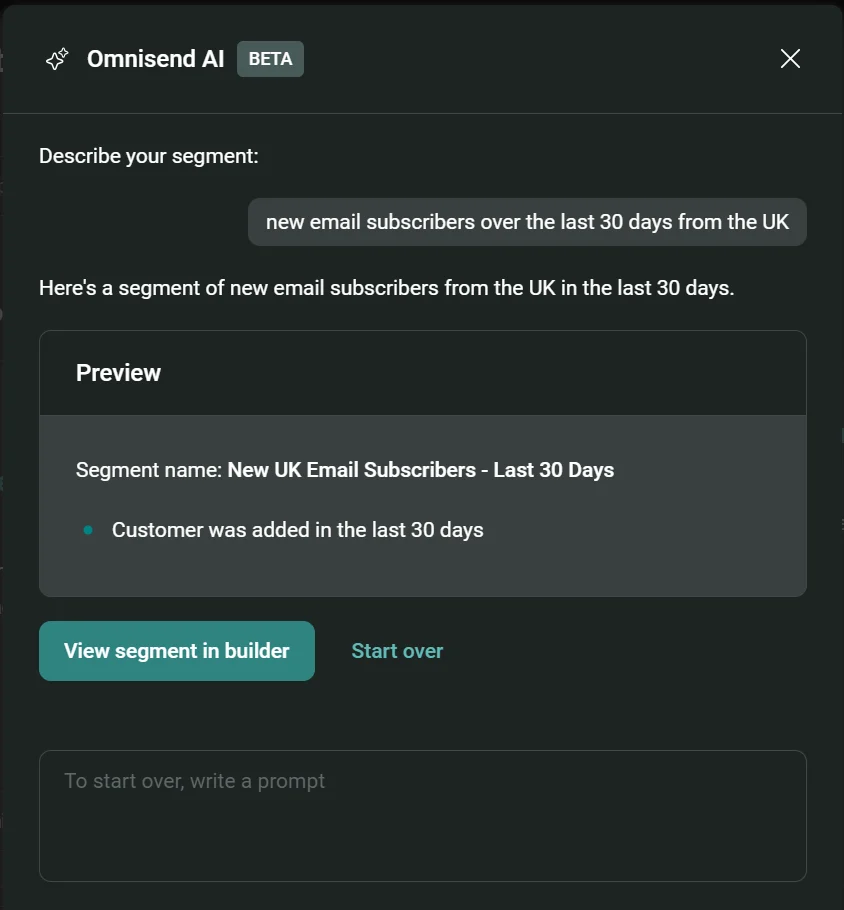
Pre-built segments include Deal hunters for your sale shoppers, High-value subscribers for your VIPs, Lapsed email subscribers for win-back targets, and First-time buyers worth a second-purchase push.
Spend your steepest discounts on lapsed customers. Your regulars will buy at a smaller markdown, and every extra point you knock off them is margin you didn’t need to give away.
SMS marketing for Black Friday on WooCommerce
SMS can work as a standalone channel and in multichannel flows for Black Friday.
Campaigns reach your opted-in customers with an immediate or scheduled send, most suited to flash sales and other time-sensitive alerts, such as low-stock notifications.
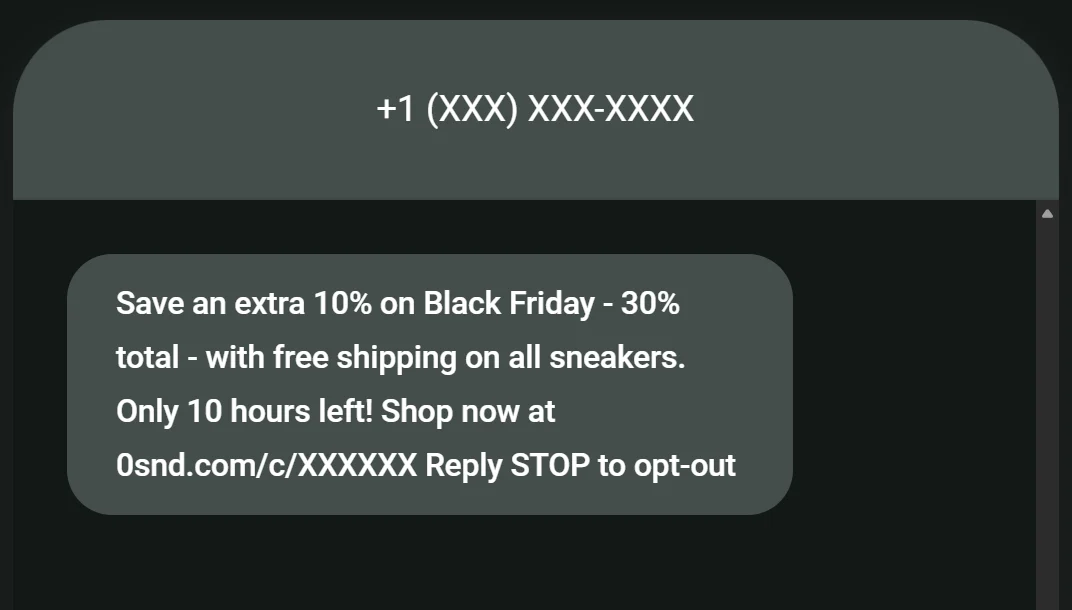
Your flows trigger for your customers based on behavior and engagement, such as on cart abandonment or after clicking an email. In 2025, automated texts earned an average of $0.74 per send compared to $0.15 for campaigns.
In either case, a text message is your most direct channel for Black Friday and carries a high likelihood of being seen within the first few minutes of delivery.
Omnisend’s global SMS coverage across 190+ countries and built-in opt-in compliance help you make the most of text messaging over BFCM.
The Campaigns tab in Omnisend lets you create a standalone SMS to send now or schedule, and you can head to Automation for 30 pre-built ecommerce templates. Install the Omnisend WooCommerce plugin to get started.
Start your WooCommerce Black Friday campaign with Omnisend
Email and SMS are owned channels you control completely over BFCM, and they can generate revenue in all stages of your customer lifecycle.
Preparing for Black Friday six to eight weeks out gives you time to set up your offers, segments, and flows properly.
Omnisend supports your Black Friday revenue, and your retention and customer lifetime value after it. Get a head start today with its pre-built email templates, automations, and AI tools that cut the time-intensive setup.
Quick sign up | No credit card required