
 Omnisend AI


 OFFER
OFFER








Drive sales on autopilot with ecommerce-focused features
See FeaturesKey takeaways 
A Shopify music store empowers musicians to sell music directly to fans, keeping over 90% of revenue compared to the minimal payouts from streaming platforms.
Musicians can control pricing, inventory, and customer relationships, allowing for personalized marketing and direct fan engagement without relying on algorithms.
By offering a variety of products, including physical merchandise and exclusive content, artists can diversify their income streams and reduce dependence on streaming royalties.
Implementing effective email marketing strategies with tools like Omnisend can significantly boost sales and fan loyalty, turning casual listeners into dedicated supporters.
Reveal key takeaways
A Shopify music store lets you sell music directly to fans. It’s an alternative to streaming platforms like Spotify, Apple Music, or Amazon Music.
Because streaming royalties are often small, many independent musicians are looking for better ways to earn. Spotify calculates payments based on your share of total streams rather than a fixed rate, and you’ll need hundreds of plays just to earn one dollar.
But a Shopify music store offers more control. You set prices for tracks, albums, or bundles and keep most of the revenue. One purchase can equal the value of hundreds or even thousands of streams.
In this guide, we’ll compare a Shopify music store to streaming revenue, how to set it up, and which apps handle digital delivery. We’ll also discuss marketing strategies that help you build a steady income.
Grow your music store easily with automation powered by Omnisend
Quick sign up | No credit card required
Can you sell music on Shopify?
Yes, you can absolutely sell music on Shopify. You can sell either physical (vinyl, CDs, cassettes) or digital products (MP3, WAV, FLAC).
A Shopify music store allows you to control pricing, inventory, and payments while connecting directly with fans. Shopify also handles storefront design, secure checkout, and payment processing.
However, to automatically send audio files (like MP3s), you’ll need a digital delivery app (like Digital Downloads) from the Shopify App Store. We’ll cover this in detail in the next section.
After setting this up, your fans can automatically receive download links, letting you focus on creating, releasing, and promoting your music. Before discussing how to sell music on Shopify, here are the types of content you can sell:
- Digital music downloads: Singles, albums, and EPs in MP3, WAV, or FLAC formats
- Physical music: Vinyl, CDs, and cassettes for collectors and loyal fans
- Bundles: Digital albums paired with vinyl or exclusive merchandise
- Merchandise: T-shirts, posters, stickers, hats, and hoodies with your branding
- Exclusive content: Unreleased tracks, remixes, instrumentals, and behind-the-scenes recordings
- Tickets and experiences: Concert tickets, VIP packages, and virtual listening parties
- Pre-orders: Let fans buy your music before it’s released, helping you gauge demand
Shopify for musicians is appealing due to its strong earning potential. Other streaming platforms like Spotify pay $0.003–$0.005 per stream, so hundreds of streams may yield only $1.
On the other hand, you can sell a $0.99 single or a $9.99 album through your Shopify music store. You also keep most of the revenue after standard Shopify Payments fees on online transactions (2.4% – 2.9% + $0.30 per transaction).
Beyond music sales, a Shopify music store lets you own your brand, grow your email list, and build sustainable income.
Why musicians should sell music on Shopify
Streaming platforms like Spotify and Apple Music can introduce your music to new listeners. However, streaming means settling for small payouts and limited control. This pushes many artists to sell music on Shopify as well.
Direct sales through Shopify offer advantages that streaming doesn’t.
Keep 90%+ of your revenue:
- Spotify pays roughly two-thirds (70%) of revenue to rights holders (labels and distributors), who then pay artists. Apple Music pays record labels 52% of subscription revenue. Bandcamp pays 82%–85%, but you handle your own marketing.
- With a Shopify music store, you keep 90%+ of each sale after processing fees (2.4% – 2.9% + $0.30). For example, if you sold a $10 album on Shopify, you get about $9. The same album, streamed 2,000 times on Spotify (at roughly $0.003–$0.005 per stream), generates about $6–$10.
Own your customer data and fan relationships:
- Streaming platforms don’t provide buyer email addresses
- Meanwhile, a Shopify music store captures customer emails, order history, and purchase data
- You can promote releases, tours, and exclusives without relying on algorithms
Complete control over pricing and presentation:
- Streaming runs on fixed subscriptions (Apple Music costs $10.99/month). You can’t set individual album prices.
- With a Shopify music store, you decide the value of your work ($15 deluxe editions, $50 vinyl, or $200 signed copies). You control branding, visuals, and storytelling.
Sell more than just music:
- Sell albums, merch, vinyl, tickets, and experiences in one store
- Fans who buy music often buy merchandise
- This revenue diversification reduces dependence on streaming platforms
Build a sustainable music career:
- With Shopify, 1,000 fans spending $100 per year equals $100,000 annually, rather than chasing millions of streams
- Your email list also becomes a long-term asset
No platform algorithm controlling your visibility:
- Streaming platforms decide who sees your content
- With your own store and email list, you control distribution
Launch albums strategically:
- Have full control over your release strategy by offering pre-orders, limited editions, and tiered pricing
- You can also test demand before releases
Streaming platforms support discovery, while a Shopify music store supports income and ownership.
Setting up your Shopify music store
Setting up a Shopify music store is easy and takes just a few hours. Begin by creating your Shopify account and selecting a plan. The Basic plan starts at $27/month. You can upgrade as your store grows.
Since Shopify doesn’t automatically deliver digital files, the next step is to install a delivery app from the Shopify App Store. Popular options include:
- Digital Downloads: Free and simple, made by Shopify
- FetchApp: $0–$10+, scales with file size
- SendOwl: $39–$159/month, includes marketing features
Installation takes only minutes and connects directly to your Shopify music store, enabling automatic file delivery.
Once your app is installed, you can create your music products in the Shopify music store Admin dashboard. Simply go to Products > Add product, and add your music listing:
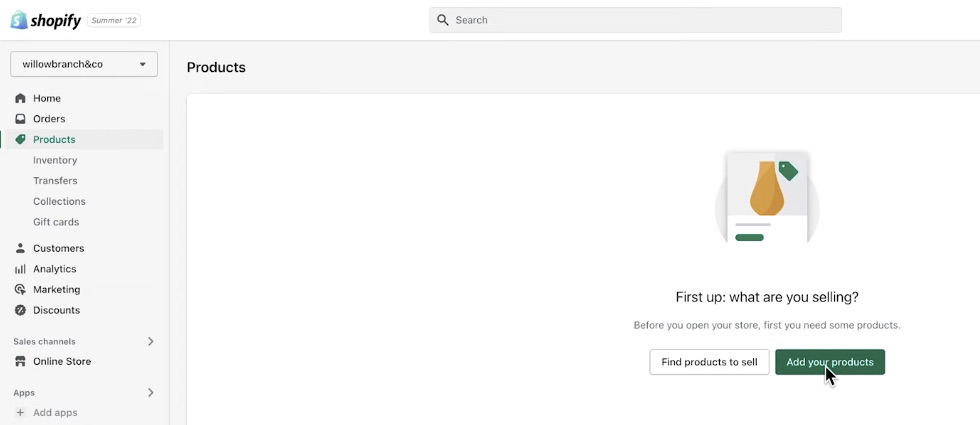
Enter the title of your album or single, write a description, upload artwork, and set pricing. If you’re using Shopify’s free Digital Downloads app, save your product first. Then, attach your MP3 or WAV file directly to it.
You can bundle music with merchandise, create deluxe editions, or offer limited releases from the same product page. Remember to:
- Set your delivery app to email download links automatically after purchase
- Limit each file to three to five downloads and allow 30–90 days to access links
- Align emails with your branding and include clear instructions
Next, design your store to reflect your artistic identity. From the Shopify Admin, go to Online Store > Themes > Customize. Adjust the layouts, fonts, and colors of your Shopify music store theme to match your brand.
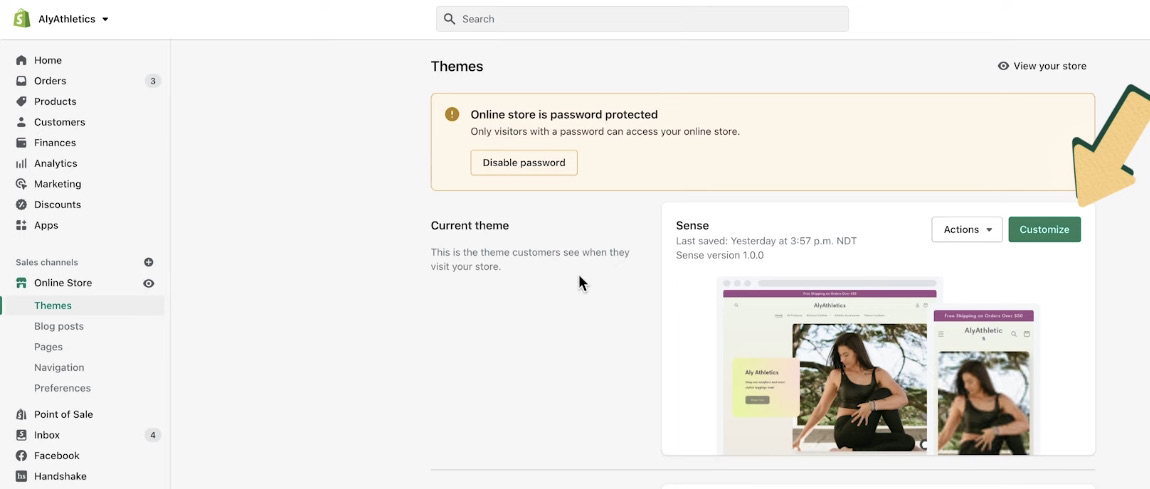
Finally, enable Shopify Payments under Settings > Payments to securely accept credit card transactions. Make sure to enter all required banking and account information as prompted.
Place a test order to confirm payments and downloads work correctly. Once tested, your Shopify music store is ready to sell directly to fans.
Apps for selling music on Shopify
There are several digital delivery apps for your Shopify music store, depending on your needs. Some handle simple delivery for singles or albums. Others offer advanced features for larger catalogs.
1. Digital Downloads (by Shopify)
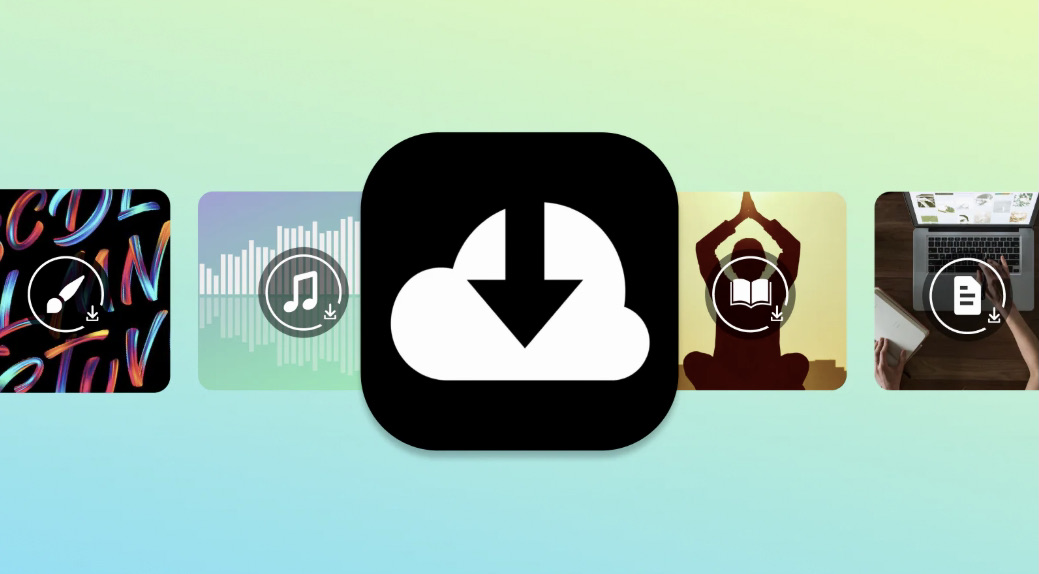
Shopify’s free native app delivers digital files directly from your Shopify music store. Customers receive a download link after purchasing a digital product.
Pricing: Free
Key features:
- Upload and attach MP3, WAV, or ZIP files of up to 5 GB to products
- Automatically send download links after purchase
- Set download limits
- Manage products and orders inside Shopify
Best for: Independent musicians releasing a few singles or albums and wanting a simple, cost-free setup
Limitations:
- No native email marketing tools or automated fan segmentation
- Lacks detailed downloads analytics (beyond basic order tracking)
- No built-in affiliate marketing
2. SendOwl
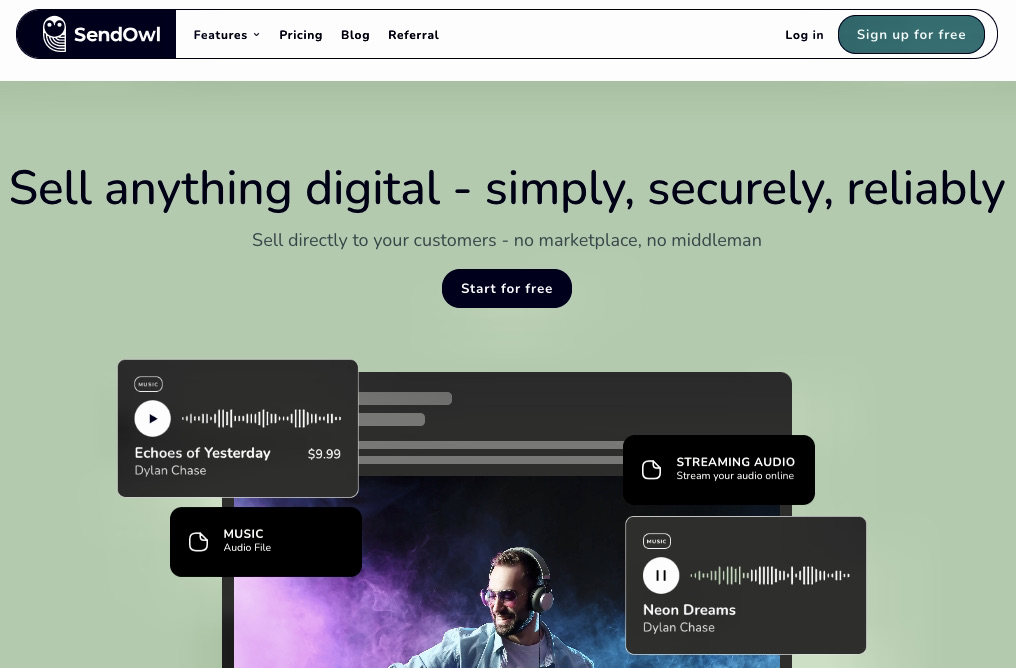
SendOwl is a digital delivery platform you can integrate with your Shopify music store. It offers security and more control over file delivery.
Pricing:
- Launch: $39/month
- Grow: $87/month
- Scale: $159/month
Key features:
- Instant, secure delivery with expiring links and download limits
- Stamped files and password locks prevent unauthorized sharing
- Supports large audio/video files without size limits
- Advanced checkout options, including upsells, discount codes, and flexible carts
- Detailed analytics, such as orders, revenue, abandoned carts, and affiliate data
Best for: Artists with growing catalogs or multiple releases seeking greater delivery and checkout control than what basic delivery apps provide
Limitations:
- Substantially higher monthly cost compared to basic apps
- Some users note that cancelling your account is complicated and requires contacting support
3. FetchApp
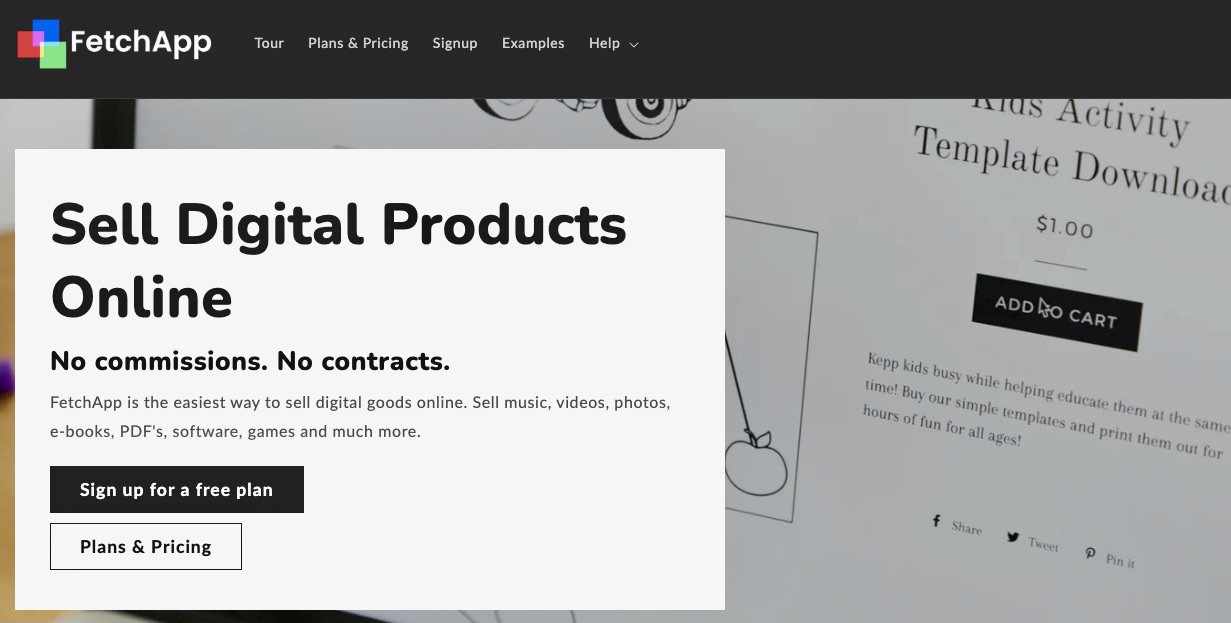
FetchApp is a digital delivery app with scalable storage and bandwidth-based pricing instead of fixed monthly fees.
Pricing:
- Hobby: $0
- Starter: $5
- Business plan: $10+
Key features:
- Attach multiple files to one product
- Replace files without creating new listings
- Handle large audio files (WAV, FLAC)
- Track bandwidth usage for all product files
- Detailed analytics
- Gift card support and staged payments for bundles
- API access for integrations
Best for: Artists managing larger back catalogs who need flexible control over storage
Limitations:
- Costs can rise fast during high download periods due to bandwidth pricing
- The free plan is heavily limited to 5 MB of storage and 25 orders per day
Start with Digital Downloads if you’re testing selling music on Shopify. As your fanbase and catalog grow, consider FetchApp or SendOwl for more advanced delivery and analytics.
Shopify music store examples and inspiration
Before building your Shopify music store, study artists who are doing it well. A successful Shopify music store isn’t just uploading MP3s. It involves presentation, product strategy, and clear value communication.
Let’s break down five artist stores. This includes what they sell, what they do best, and what you can apply to your own Shopify music store.
1. Lady Gaga
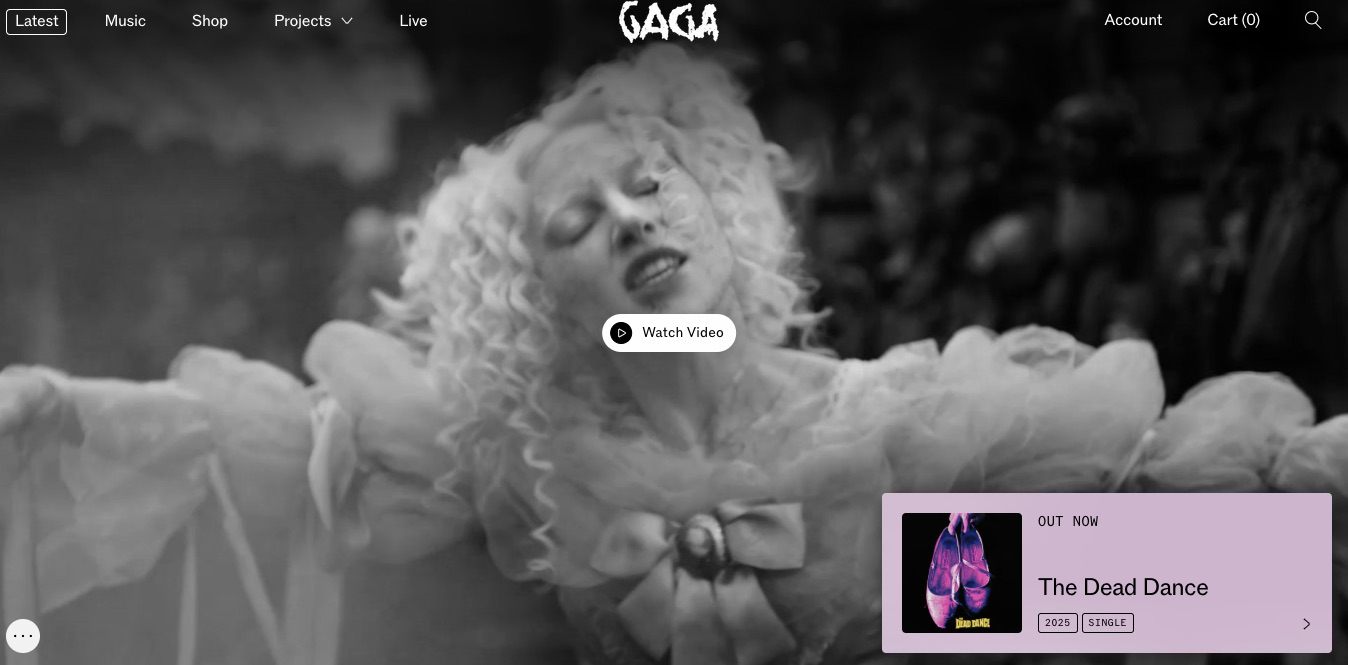
Lady Gaga’s official store sells vinyl, CDs, cassettes, and collectible editions alongside apparel and accessories tied to her music eras.
What works:
- Cohesive theme drops: Each collection (for example, Chromatica) is grouped so fans can shop by era/album
- Strong visual branding: Product imagery and names reference albums and moments in Gaga’s career, reinforcing fan identity and collectible appeal
- Broad merch range: The store includes many clothing types and accessories, such as hoodies, beanies, and totes
Key takeaway: Use themed collections in your Shopify music store so fans can explore products beyond downloads. This encourages purchases tied to identity.
2. Post Malone

Post Malone’s Shopify music store offers vinyl, CDs, cassettes, apparel, hoodies, hats, and novelty items like the Big Rig toy truck. It also features merch collabs with brands like Bass Pro and Oreo.
What works:
- Clear promotions: The 30% off sale strategically improves overall sales
- Interactive previews: If you hover over the apparel images, you see the back design, allowing you to view full details instantly so you can continue browsing
- Fun and unexpected items: Unique items like the Big Rig toy truck create memorable experiences for fans and encourage additional purchases by offering something you can’t find elsewhere
Key takeaway: Use brand collaborations to create outstanding merch. This showcases your style while introducing your music to fans of the partner brand.
3. Lil Baby
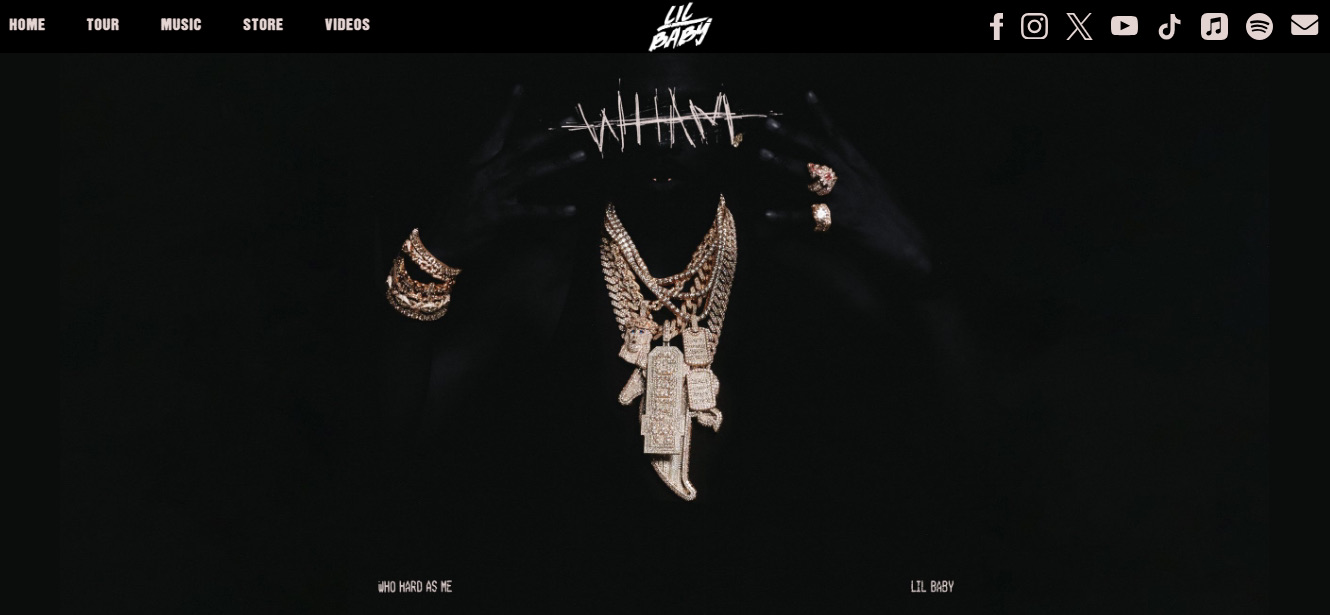
Lil Baby’s Shopify music store highlights limited‑edition anniversary vinyl, album‑specific LPs, and merch like hoodies, tees, and posters.
What works:
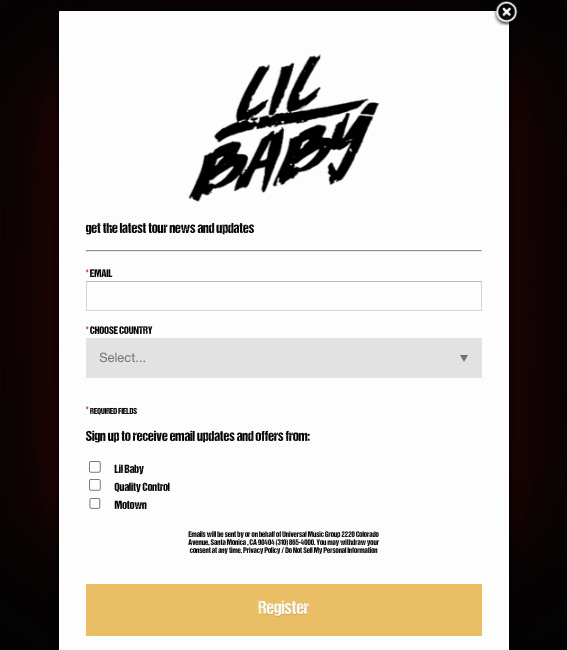
- Email and tour-news popups: These popups capture emails so fans are notified of new tours and content
- Preview music and videos on-site: Fans can preview songs and watch YouTube videos directly on the site
- Clear CTA: “Shop” buttons guide fans to explore products and proceed to checkout
Key takeaway: Let fans listen to your music and connect with it before buying, and use on-site popups to grow your email list.
4. Slightly Stoopid
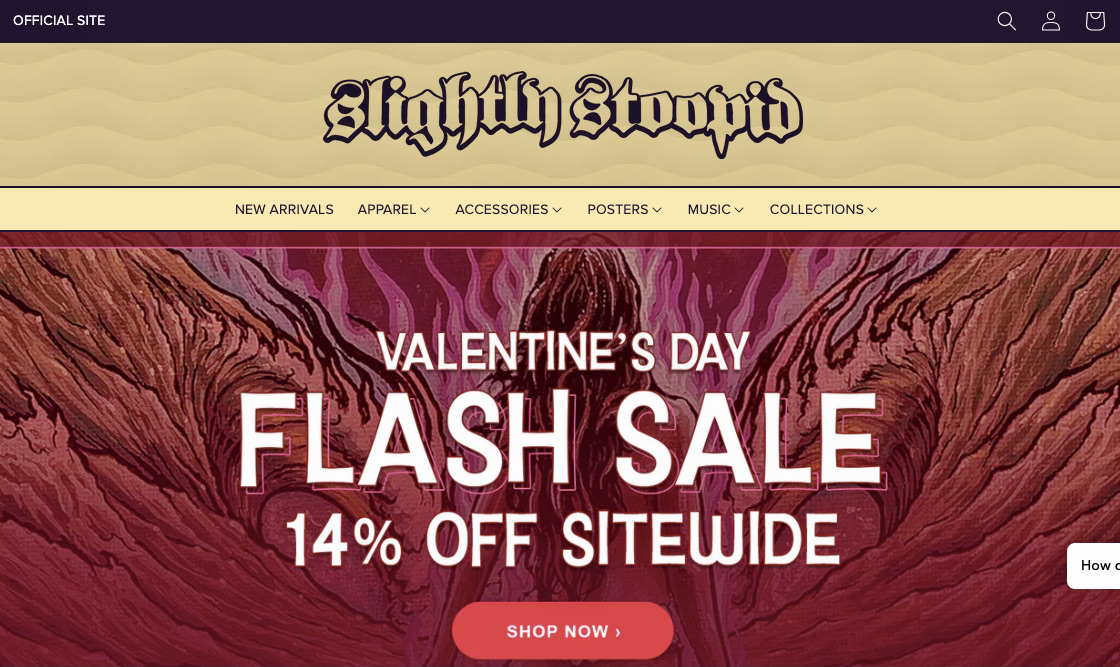
Slightly Stoopid’s Shopify music store sells digital downloads, tour-focused apparel, and unique accessories, such as branded license plates.
What works:
- Tour collections: 2025 Tour Collection products, including tees, hats, hoodies, and jerseys, are grouped, making it easy for fans to find current merch
- Merch variety: Unique items like tumblers, blankets, beach towels, and UFO discs reflect the band’s identity
- Collaborations with purpose: The Slightly Stoopid x Wando Creative Works collection donates a portion of proceeds to Life Rolls On, creating social impact with merch
Key takeaway: Use purpose-driven collaborations in your Shopify music store to let fans engage with your brand beyond music while supporting a cause.
5. Taylor Swift
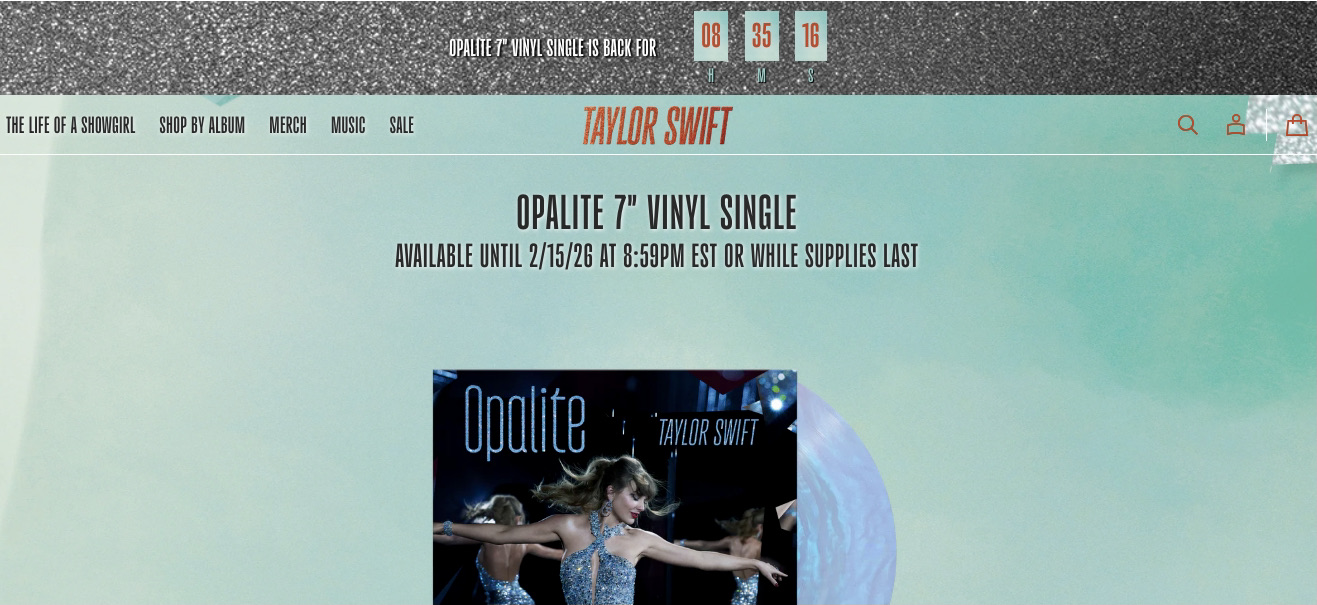
Taylor Swift’s official store offers limited‑time collectible CD singles, vinyl, cassettes, and merch, which includes themed bags, jewelry, and phone cases.
What works:
- Real‑time countdown offers: A live countdown timer for Opalite collectible CD singles creates urgency
- Shop‑by‑album navigation: The main menu lets fans browse by specific albums and eras (from The Life of a Showgirl to Folklore)
- Lyric‑driven merch: Many products feature iconic lyrics, creating an emotional connection and encouraging purchases
Key takeaway: Personalize your Shopify music store with album-based collections, lyric merch, and countdowns for limited editions to increase engagement and conversions.
Explore successful Shopify music stores in your genre to see what works for them. Most top-performing Shopify stores showcase professional design, clear value, audio previews, and bundled products. Apply these approaches to your Shopify music store.
Marketing your Shopify music store
Building a great Shopify music store is only half the process. You still need your fans to discover your store. Unlike streaming platforms that handle discovery (despite taking most of the revenue), direct sales mean you drive your own traffic and handle your own marketing to acquire customers.
Successful musicians use multichannel marketing, focusing on email and complementing it with Shopify push notifications.
Here are key marketing channels to explore:
- Email marketing: is most effective for album launches, pre-orders, and exclusive drops. You own your audience and aren’t relying on algorithms. In fact, email averages a 6.5% conversion rate, outperforming social media. It also delivers roughly $36–$40 in ROI for every $1 spent, according to a report by VerifiedEmail.
However, with powerful email marketing apps like Omnisend, users see an average return of $79 per $1 spent.
- Social media: Use Instagram for behind-the-scenes content, TikTok for music discovery, Twitter/X for updates and interaction, and YouTube for videos and vlogs
- Live shows: Promote your Shopify music store at concerts and offer exclusive merch bundles for attendees
- Collaborations: Partner with other artists through playlist features, remixes, or co-created drops
- Content marketing: Share your creative process through blogs, podcasts, and studio session videos
- Paid advertising: Run Facebook and Instagram ads targeting music fans, and use Spotify Ad Studio and YouTube ads to promote releases
- PR and media: Submit your music to blogs, playlists, indie sites, and local radio
Multichannel marketing matters, but email remains your most reliable growth driver because it’s an owned channel. With this approach, you can turn fans into loyal buyers and drive repeat purchases.
Email marketing for musicians
Email marketing works well for your Shopify music store because it lets you reach fans directly.
In fact, email yields higher conversion rates than social media. These subscribers convert at three to five times higher rates than social media followers, and it’s the best channel for album launches and exclusive drops.
Email is a strong channel for pre‑orders, album launches, and exclusive drops. Consider the following email marketing campaigns:
- Welcome series: Introduce new subscribers to your music
- Album launch campaigns: Share release dates, listening links, and exclusive bundles
- Exclusive content drops: Send unreleased tracks or merch offers to engaged fans
- Tour announcements: Promote tour dates, ticket links, and on‑site merch drops
- Abandoned cart recovery: Remind fans about items left in their cart
- Re‑engagement campaigns: Invite inactive subscribers back with new content or offers
To implement these campaigns, you need a tool like Shopify Email or Omnisend, which is great for beginners but powerful enough to help you scale.
Omnisend can integrate with your Shopify music store, syncing contacts, products, orders, and customer behavior in real time.
This helps you drive repeat sales by targeting fans based on their purchase actions. You also don’t have to start from scratch. Choose from ready-made automation templates for welcome series and abandoned cart emails, complete with content, triggers, and timing.
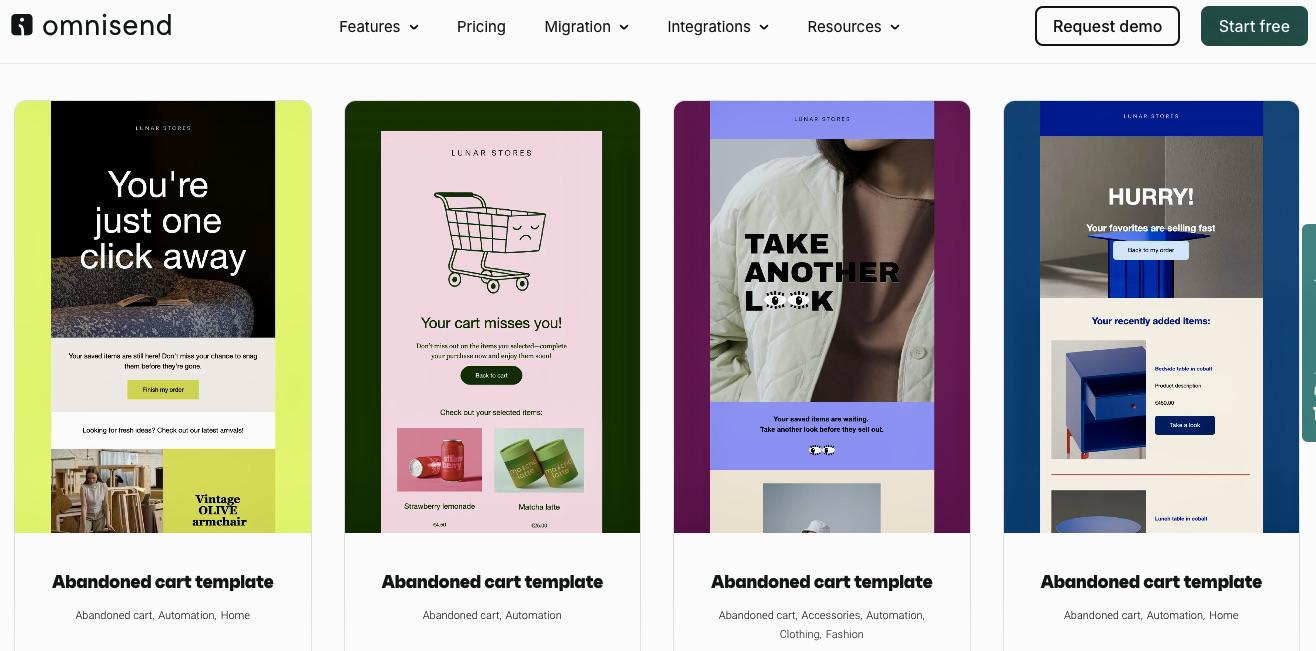
You can fully customize each template using Omnisend’s drag-and-drop editor.
Additionally, you can set up automated campaigns to re-engage fans and drive more sales. Go to Automations > Create workflow, and select the desired preset.
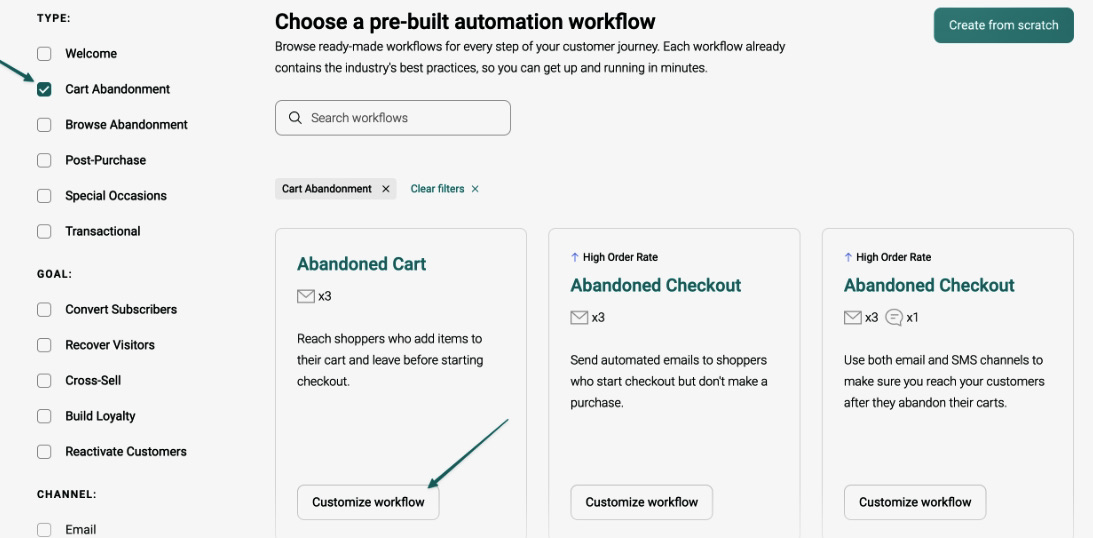
With Omnisend, you can also segment your audience (superfans vs. casual listeners) and trigger the right message at the right time without manual tagging.
Set up automated email campaigns with Omnisend and turn your music into revenue
Quick sign up | No credit card required
Building your fan email list
Your email list is a key asset for your Shopify music store. Build it before releasing music to capture early fans and convert them. Here’s how:
- Free music downloads: Offer a finished single or live studio demo in exchange for an email signup. Make sure it’s high-quality because first impressions matter. A simple offer like “Download a free track when you join our list” works.
- Exclusive content: Give subscribers early access to tickets or behind-the-scenes content. For example, “Subscribers get 48-hour early access to the new EP,” and “Unlock BTS clips and acoustic demos for subscribers!”
- Live show capture: Place a QR code at your concert merch table linking to your Shopify music store signup page. Offer something immediate like “Scan here to download tonight’s live recording.”
- Social lead generation: Post a short chorus on TikTok or Instagram, directing fans to your Shopify music store for the full track. Example: “Full song free, link in bio.” On YouTube, use links in descriptions or end screens to capture emails.
- Collaborations and popups: Run a joint giveaway with another artist or playlist curator and encourage email sign-ups. Example: “Grab our free collab track — only for email subscribers.” Add an exit popup to your Shopify music store.
If you gain 50–100 subscribers monthly, you’ll build 1,000–2,000+ engaged fans within a year. These are the listeners who can buy consistently and sustain your career.
Final thoughts on Shopify music stores
Selling music through your Shopify music store gives you 90%+ revenue, pricing control, and ownership of fan relationships. These are the core benefits of the direct-to-fan model.
To sell music on Shopify, set up your store, configure products, and choose a Shopify music store theme. Install a delivery app like Digital Downloads or SendOwl for automatic file delivery.
Then drive traffic through email marketing, social media, live shows, collaborations, and list-building offers such as free downloads and exclusive content.
With Shopify for musicians, you’ll need about 12–24 months to gain momentum. Your first release won’t make you wealthy, but 1,000 true fans spending $50–$100/year generates $50,000–$100,000 annually.
So, finish your next release, launch your Shopify music store, build your email list, and use powerful tools like Omnisend to convert fans into paying supporters.
Automate release campaigns, exclusive drops, and fan follow-ups with Omnisend. Get an ROI of up to $79 per $1
Quick sign up | No credit card required
FAQs
Can you put music on a Shopify store?
Yes, but Shopify doesn’t deliver digital files by default, so apps like Digital Downloads or SendOwl are required to securely host and automatically send digital files to fans after purchase.
Do musicians use Shopify?
Absolutely. Many independent and well-known artists use Shopify music stores to sell music and merch directly to fans, collect customer data, and create additional income streams beyond streaming platforms.
Is Shopify good for musicians?
Yes. A Shopify music store lets you set pricing, email campaigns to thousands of fans, and offer exclusive offers. You keep 90%+ of revenue, which is higher than streaming platforms ($0.003–$0.005 per Spotify stream), and avoid algorithm-controlled discovery.
Can I sell music on Shopify?
You can sell both digital and physical products on your Shopify music store, including music and merch. You can also capture emails and use Omnisend to automate releases and nurture fan relationships.

TABLE OF CONTENTS
TABLE OF CONTENTS


Subscribe and don’t miss any updates!
No fluff, no spam, no corporate filler. Just a friendly letter, twice a month.