Omnisend AI


 OFFER
OFFER










Brevo suits larger lists and infrequent senders. MailerLite makes economic sense for high-volume senders.
Both are frequently compared because they have low entry prices for email marketing, but they also have different pricing structures: MailerLite offers unlimited emails from $25/month with contact-based pricing, while Brevo charges by monthly email volume and stores up to 500,000 contacts from $32/month at 20,000 emails.
There are also differences in how they handle automations, audience management, list-building, and campaigns. Our Brevo vs. MailerLite comparison covers pricing and features in 2026.
Brevo vs. MailerLite 2026: quick comparison
| Brevo | MailerLite | |
|---|---|---|
| Best for | Shopify stores, value for large list sizes, and multichannel marketing across email and SMS | Value for frequent senders with smaller lists; campaigns and content monetization |
| Ease of use | ★★★★☆ | ★★★⯪☆ |
| G2 rating | 4.5/5 (2,600+ reviews) | 4.6/5 (1,110+ reviews) |
| Shopify App Store rating | 4.8/5 (2,030+ reviews) | 3.0/5 (25+ reviews) |
| Capterra rating | 4.6/5 (3,500+ reviews) | 4.7/5 (2,300+ reviews) |
| Free plan limits | 100,000 contacts, 300 emails/day | 250 contacts, 2,500 emails/month |
| Starting price | $9/month | $12/month |
| Channels | Email, SMS, MMS, web push*, mobile push*, WhatsApp* | |
| CRM | Marketing and sales with a CRM dashboard | Audience management features |
| Support | Email in all plans; phone support is included in Professional plans | 24/7 live chat in Power plans, email support in Comfort plans, email knowledge base only in free |
| SMS marketing coverage | 180+ countries | N/A |
| Email templates | 50+ in all plans | 120+ in paid plans |
| Integrations | 140+ | 130+ |
| AI features | Aura AI with four agents, three available in all plans, plus model context protocol (MCP) integration | AI writing assistant, AI subject line generator, AI landing page generator, AI-powered smart sending, MCP integration |
*Plan dependent. Brevo vs. MailerLite comparison is accurate as of August 2026.
Brevo vs. MailerLite pricing: which is cheaper?
Brevo’s entry point is cheaper at $9/month compared to MailerLite’s $12/month, and its send-based pricing is a better deal across most list sizes at 2–6 emails/month per contact. MailerLite could work out cheaper if you have a high send volume relative to your list size and you’re on the Power plan with unlimited emails.
Free plan comparison
Brevo’s free plan stores up to 100,000 contacts with a send quota of 300 emails/day; MailerLite’s free plan stores up to 250 contacts and supports 2,500 emails/month.
| Feature | Brevo | MailerLite |
|---|---|---|
| Contact storage | 100,000 | 250 |
| Monthly sends | 9,000 (based on 300/day allowance) | 2,500 |
| Seats | One | Two |
| Support | Community only | |
| Pop-ups | No | Yes |
| Landing pages | No | Yes, limited to one |
| Email templates | 50+ templates | Limited to basic designs |
| AI writing assistant | Yes | No |
| SMS availability | Yes | No |
| A/B testing | No | Yes, for emails |
| Sales CRM | Yes | No |
| Transactional email | Yes, built-in | Yes, via a separate plan (MailerSend Free) |
The table details the core feature differences between Brevo and MailerLite’s free plans as of August 2026.
Paid plan comparison
Brevo has four paid plans: Starter, Standard, Professional, and Enterprise. MailerLite has three paid plans called Comfort, Power, and Enterprise. The Enterprise plans in both tools are custom-priced for large senders/lists.
All low-tier plans restrict features. MailerLite Power is the only plan with multiple automation triggers, unlimited active automations and forms, and 24/7 live chat support. Brevo Professional is the only plan with contact scoring, pop-ups, dynamic coupons, and back-in-stock alerts.
MailerLite’s plans use contact-based pricing, where you pick a contact tier to match your list. It works best when you send frequently. Brevo pricing is based on monthly email volume; you then get a contact storage limit, which works out for large lists needing cheap email marketing.
Brevo vs. MailerLite: paid plan comparison tables
Brevo starts at $9/month for Starter and $18/month for Standard; the next tier is Professional at $499/month. The Enterprise plan is custom-priced.
Once you reach 20,000 emails in Starter and Standard, you can store 500,000 contacts. The Professional plan stores up to 2,000,000 contacts at all send tiers.
| Monthly emails | Starter | Standard | Professional |
|---|---|---|---|
| 5,000 | $9/month | $18/month | – |
| 10,000 | $17/month | $35/month | – |
| 15,000 | $25/month | $49/month | – |
| 20,000 | $32/month | $69/month | – |
| 30,000 | $39/month | $79/month | – |
| 40,000 | $46/month | $89/month | – |
| 50,000 | $56/month | $97/month | – |
| 60,000 | $65/month | $104/month | – |
| 80,000 | $74/month | $119/month | – |
| 100,000 | $82/month | $139/month | – |
| 150,000 | – | $179/month | $499/month |
| 250,000 | – | $249/month | $599/month |
| 500,000 | – | $429/month | $699/month |
| 1,000,000 | – | – | $999/month |
Brevo pricing as of August 2026.
MailerLite starts at $12/month for Comfort and $25/month for Power with 500 contacts. A custom-priced Enterprise plan is available for 200,000+ contacts.
The Comfort plan applies a 10x contact send multiplier to emails; the Power plan has unlimited monthly emails, making it the better choice if you’re a frequent sender.
MailerLite pricing as of August 2026
| Contacts | Comfort | Power |
|---|---|---|
| 500 | $12/month | $25/month |
| 1,000 | $19/month | $39/month |
| 5,000 | $69/month | $49/month |
| 10,000 | $89/month | $129/month |
| 20,000 | $159/month | $219/month |
| 40,000 | $269/month | $329/month |
| 50,000 | $319/month | $389/month |
| 60,000 | $359/month | $419/month |
| 80,000 | $399/month | $459/month |
| 100,000 | $439/month | $489/month |
MailerLite pricing as of August 2026.
Hidden costs
Our MailerLite vs. Brevo comparison found that MailerLite’s unlimited emails on paid plans do not include transactional messages, which require a separate MailerSend plan. If you want to send more than 500 of those, up to 5,000/month, it’ll cost you an additional $7/month.
Branding removal is Brevo’s most significant hidden cost at $12/month, applied even on its Starter plan, which already costs $9/month. The total price for that comes to $21/month, which makes the $18/month Standard plan a better deal because it removes Brevo branding.
Which is easier to use, Brevo or MailerLite?
Brevo is easier to use because it onboards you faster and the dashboard navigation has more descriptive labels. MailerLite takes more time to master.
For this section of our MailerLite vs. Brevo comparison, we signed up for them as new customers. MailerLite asks for more information at sign-up (company or organization, name, and email address) versus Brevo (email only).
Brevo then sends you an email to verify your address and jump into onboarding. MailerLite delivers its onboarding page immediately and asks you to confirm your email afterward.
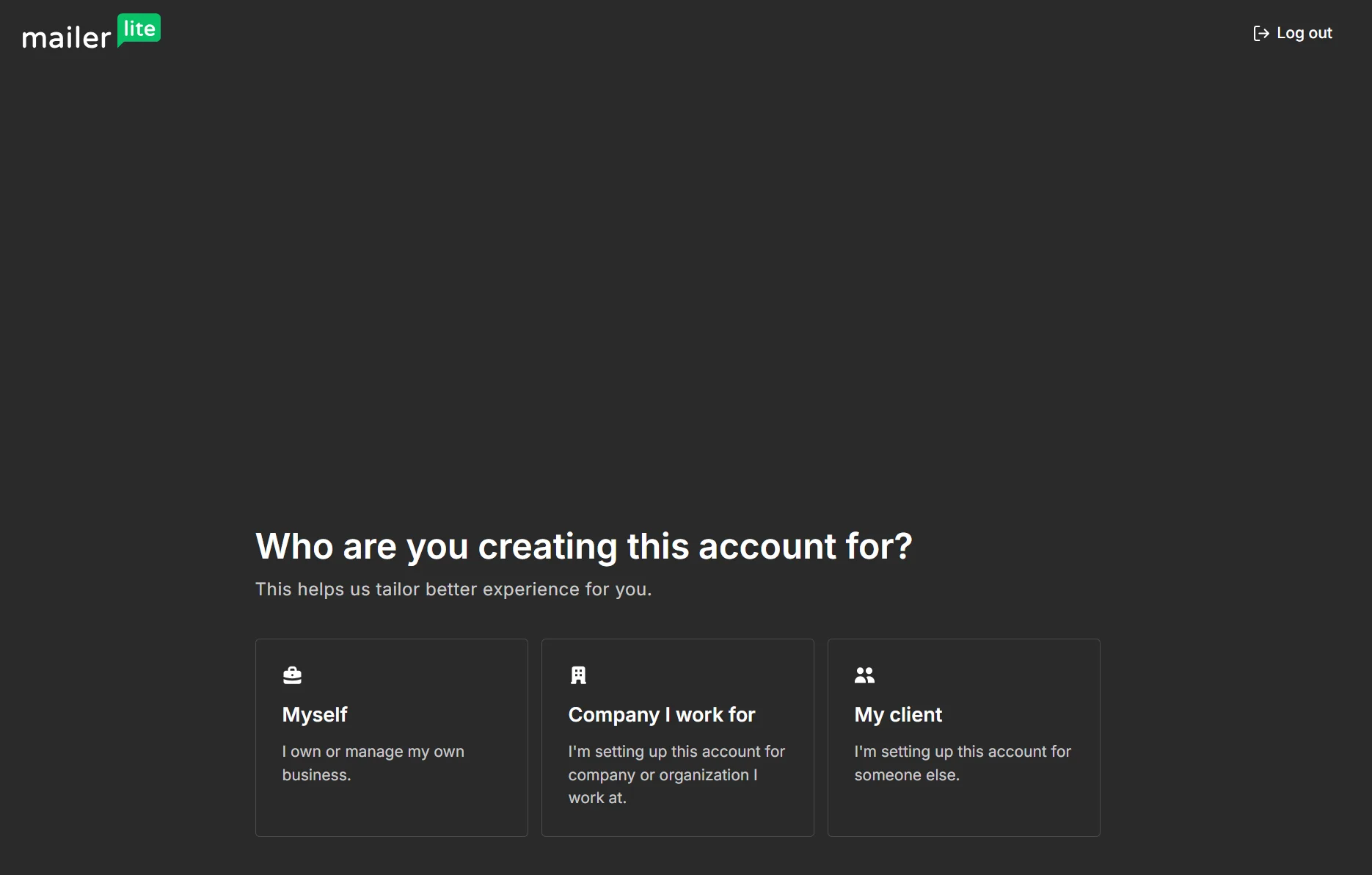
MailerLite has a stricter approval process than Brevo. You must provide your address, city, and country to progress. Brevo lets you answer later, pick a plan, and get access.
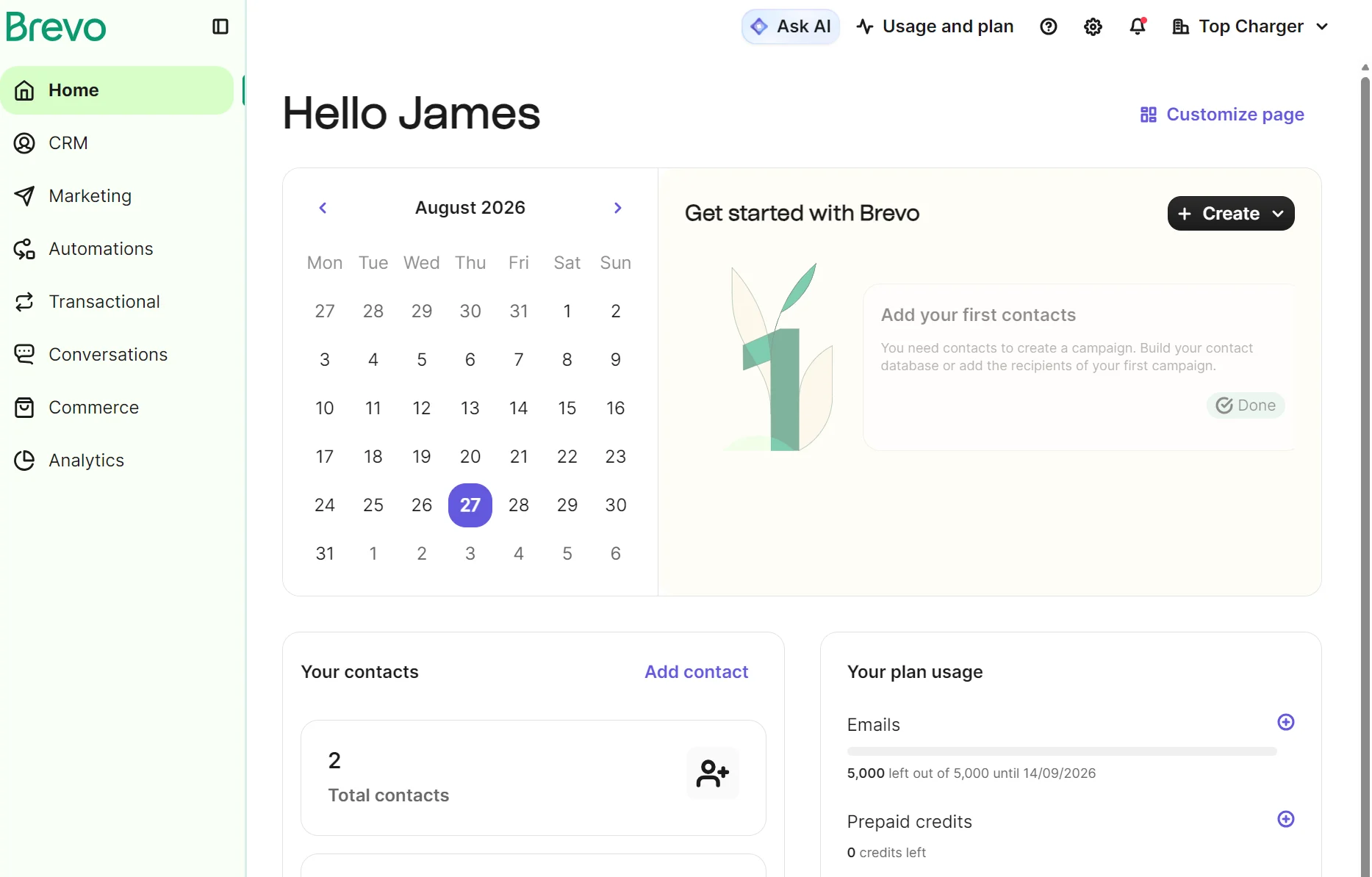
Once you’re in, Brevo has left-hand navigation dropdown menu items, whereas MailerLite’s menu links only to screens with additional options and settings.
Brevo’s dashboard looks busier at first glance, although it displays additional information about plan usage and a calendar that helps you visualize your activity and move on to building your first campaign.
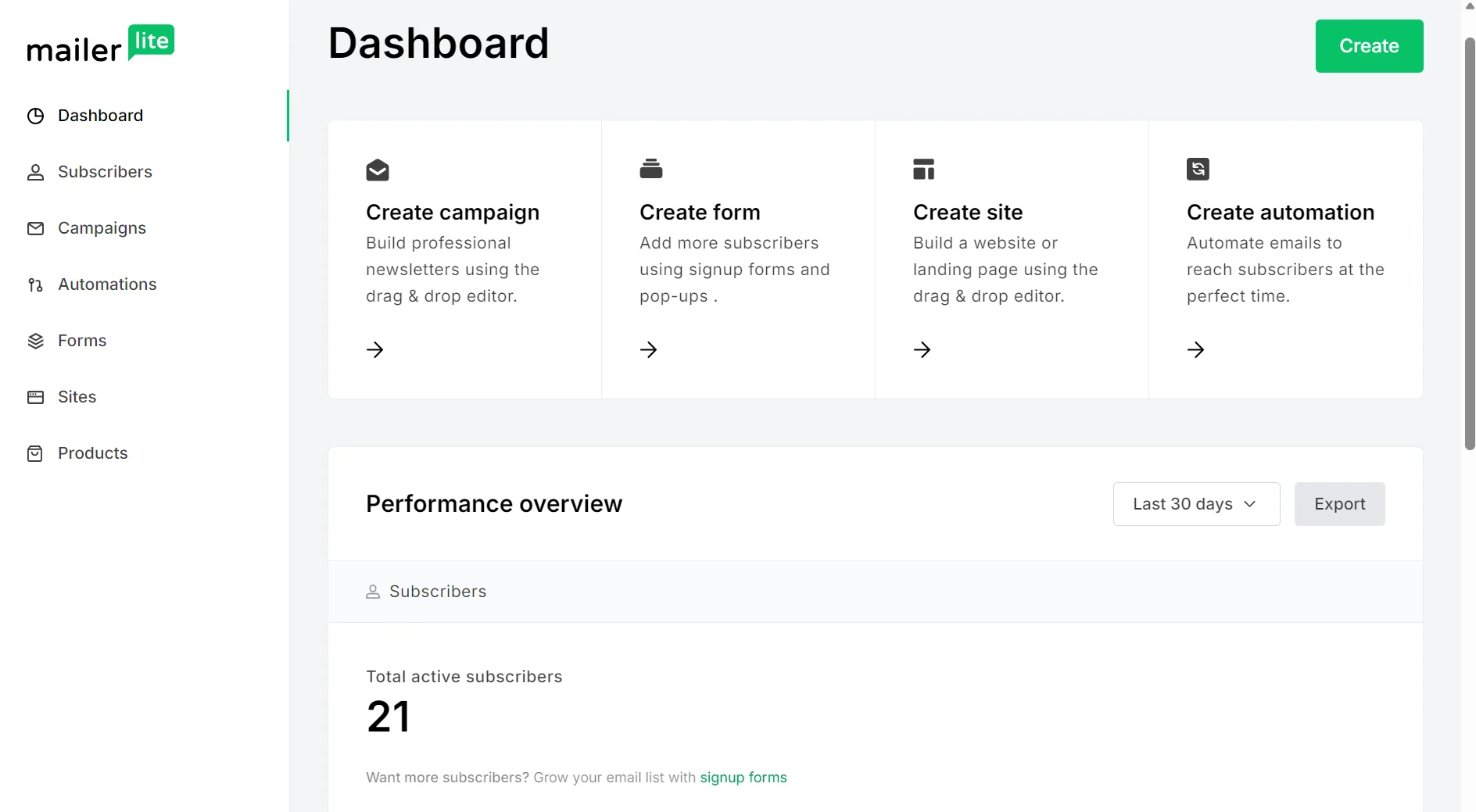
MailerLite also uses left-hand navigation. Its dashboard has quick creation links and a performance overview with analytics. The design is plainer than Brevo’s, and it generally takes more clicks to complete tasks, such as creating segments.
What users say about ease of use
G2 reviewers have little to complain about as far as ease of use goes when comparing MailerLite vs. Brevo:
“I like MailerLite for our company email sales campaigns because sales campaigns can be easily and professionally created without having special skills. I like the email campaign builder, it’s a life saver for us.”
— Charles W.
On Brevo, “I’ve been using Brevo for about two years, and, overall, it’s been a positive experience. The email editor is intuitive and easy to work with, making it straightforward to build and schedule campaigns without a steep learning curve.”
— Verified user in e-learning.
Read our in-depth reviews
Brevo review
MailerLite review
Email editor and templates: Brevo vs. MailerLite
MailerLite has more pre-built templates for you to use in paid plans, although only Brevo gives you access to designer templates in the free plan.
Brevo’s template library has 50+ templates accessible in all plans, fewer than MailerLite’s 120+ as of August 2026.
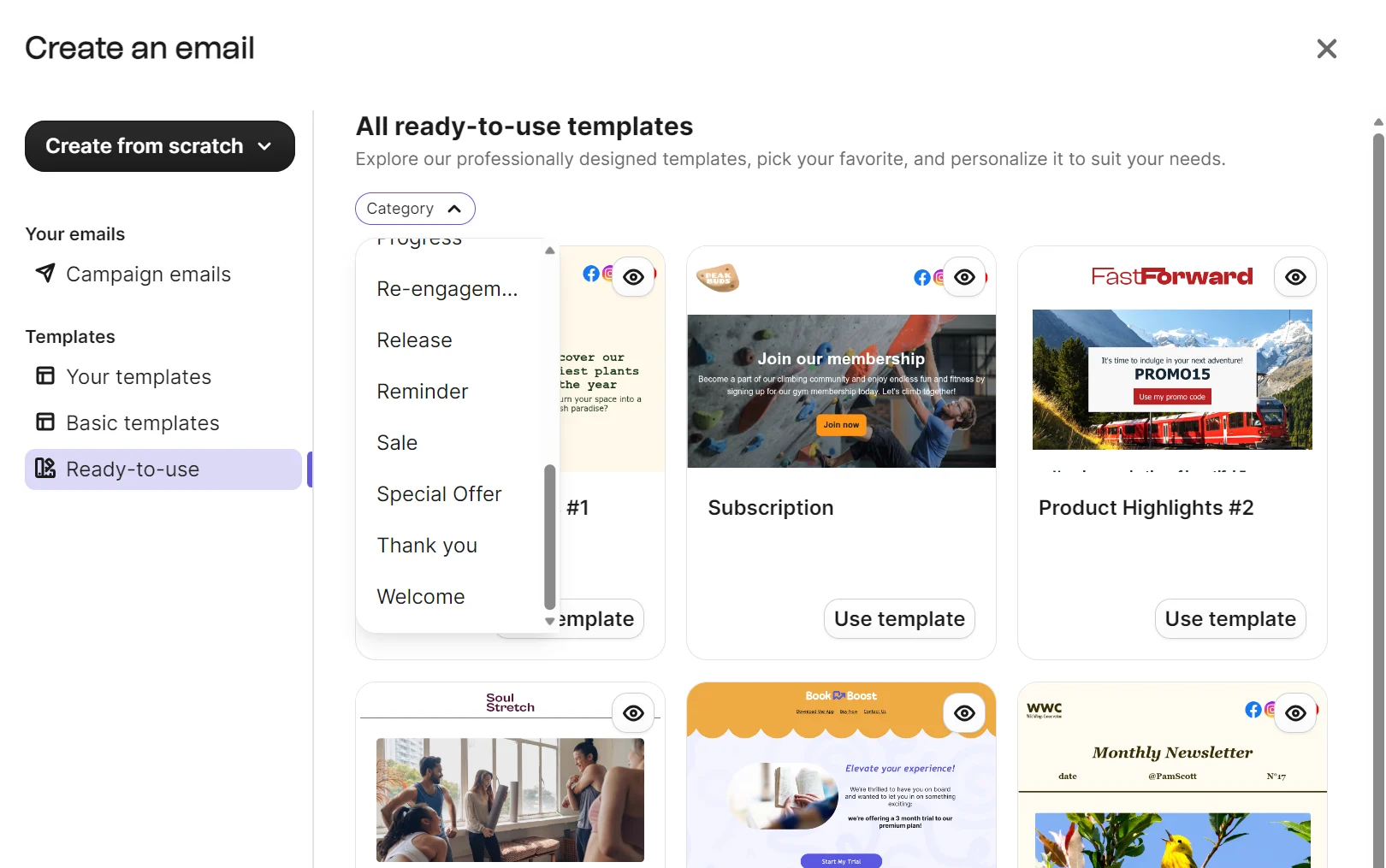
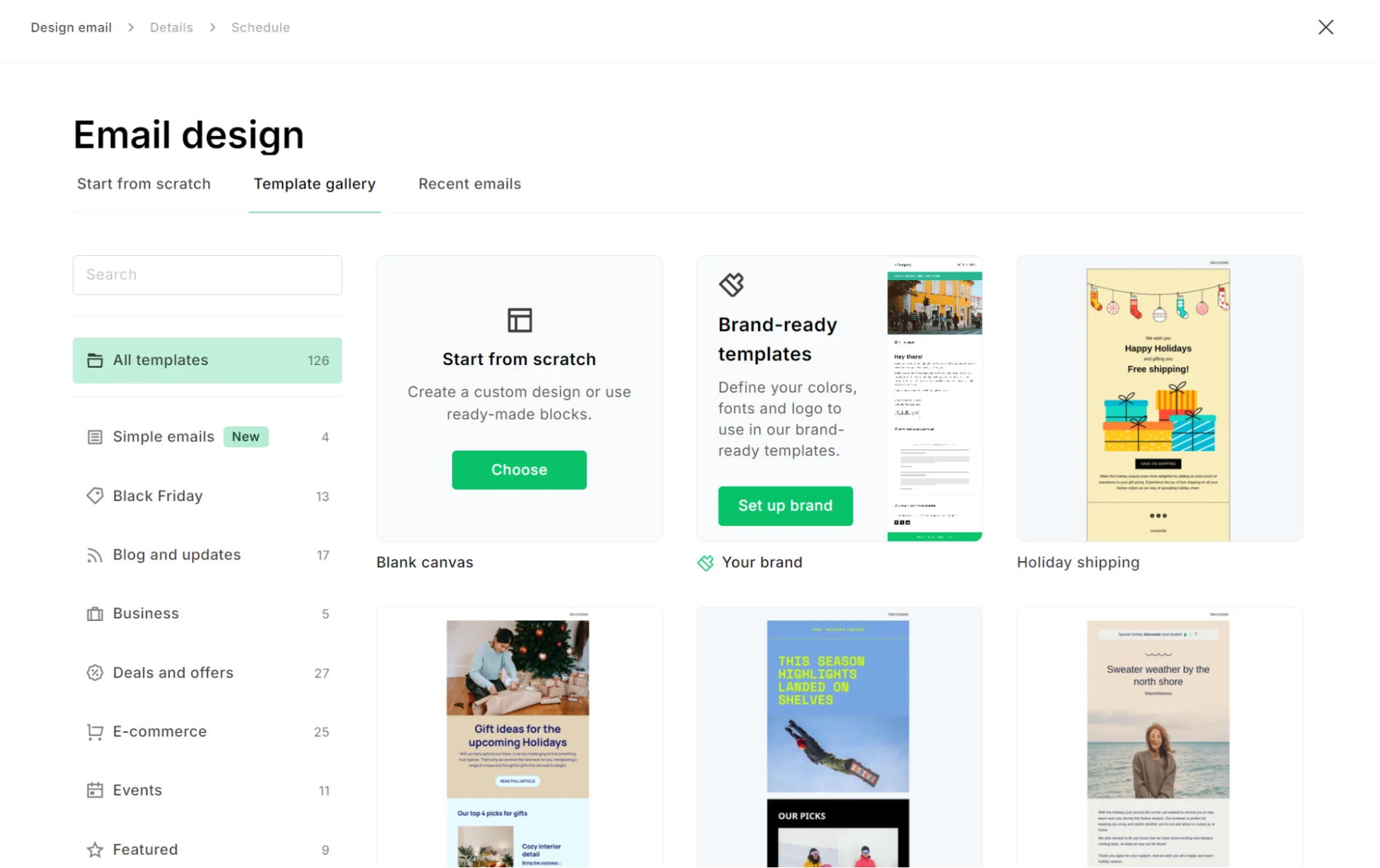
Picking a template in Brevo happens via a pop-up on the Create an email campaign page. You can choose from basic and ready-to-use templates.
MailerLite’s template library is accessible after selecting to build a Regular campaign in the campaign builder. You can then pick a template.
Both tools have drag-and-drop email editors. MailerLite has more design elements across its sidebar: navigation, hero, sections, elements, content, special, ecommerce, gallery, blog and RSS, social and sharing, and footer items. Hovering reveals a slide-out with options.
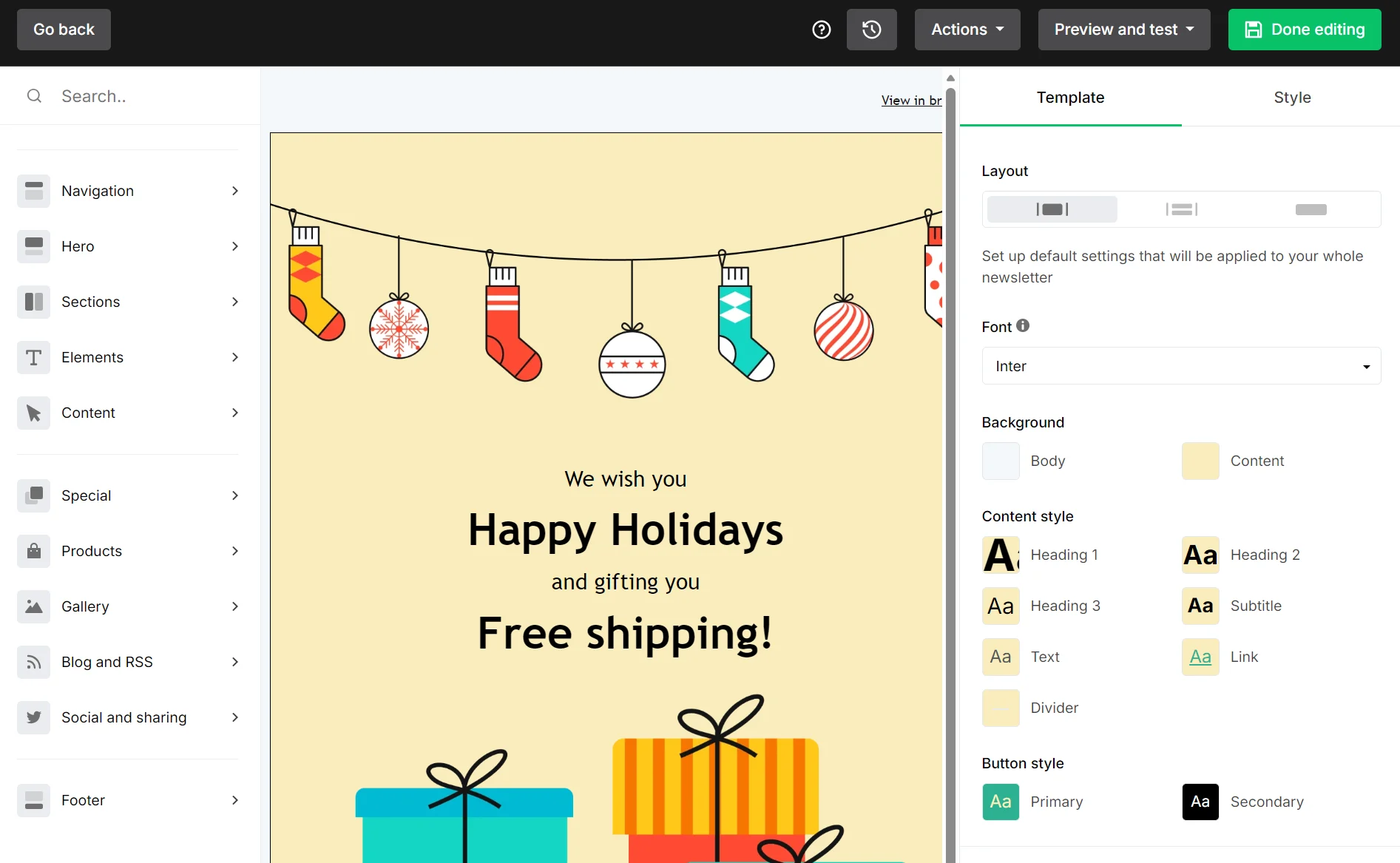
Pre-built sections, such as one-product layouts and standard discount blocks, require no editing for proper sizing on mobile.
Selecting items within the editor loads a right-hand sidebar with options for padding, alignment, button styles, and content. Additionally, hovering over an item creates a sub-menu for that item, letting you move it up or down.
Brevo has a three-item menu with Blocks, Sections, and Saved. The Blocks include title, text, image, video, button, dynamic content, logo, social, HTML, divider, product, navigation, and spacer.
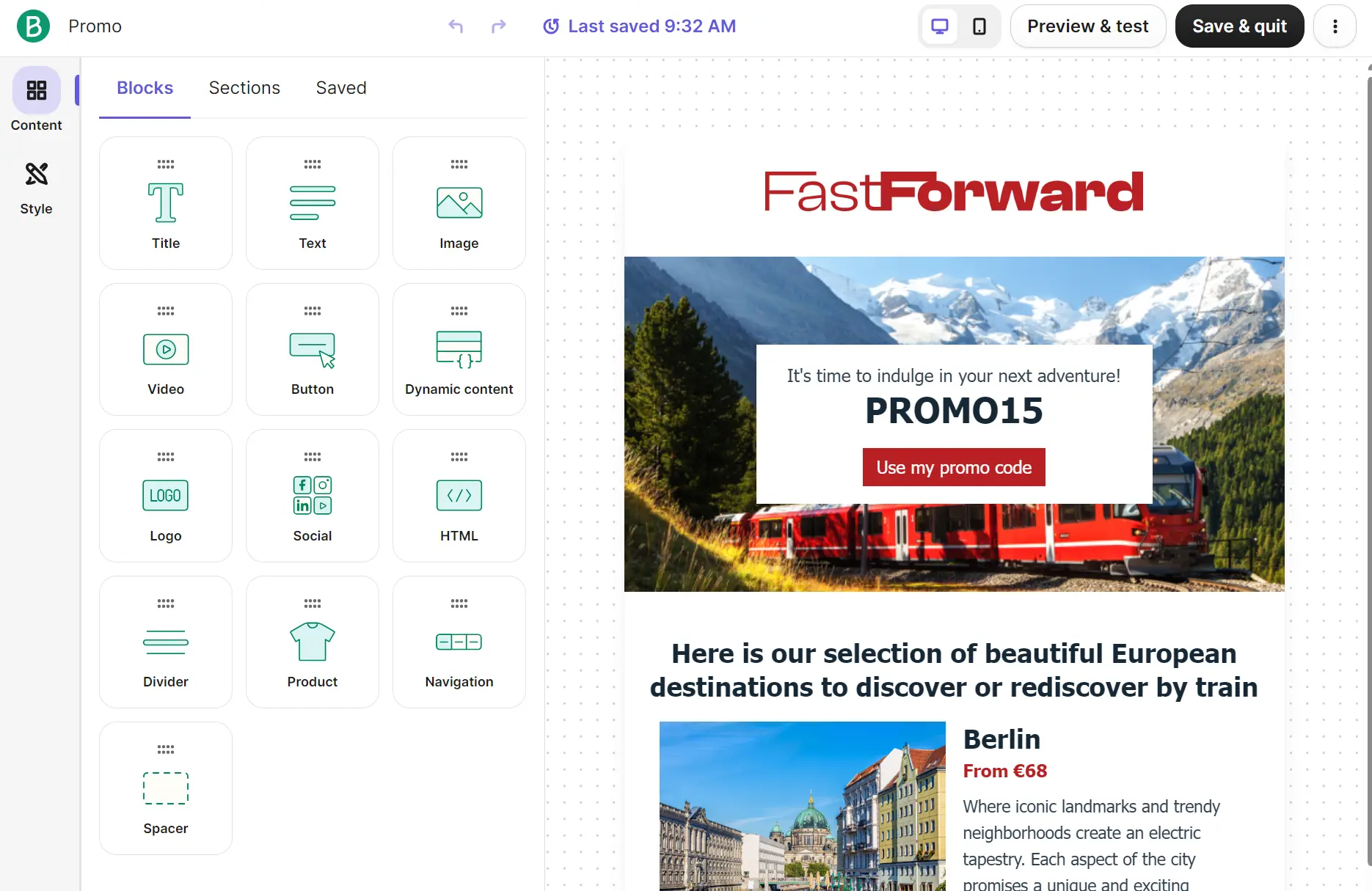
Sections are pre-built elements such as text and images, headers, footers, signatures, and empty columns. You have to scroll to find these, but they are shown visually, letting you see how they’ll appear in your email before editing.
Brevo’s brand library auto-generates your logo and fonts into emails once set up. MailerLite also applies your brand after setting up brand styles. Both editors support dynamic content, although MailerLite restricts it to paid plans.
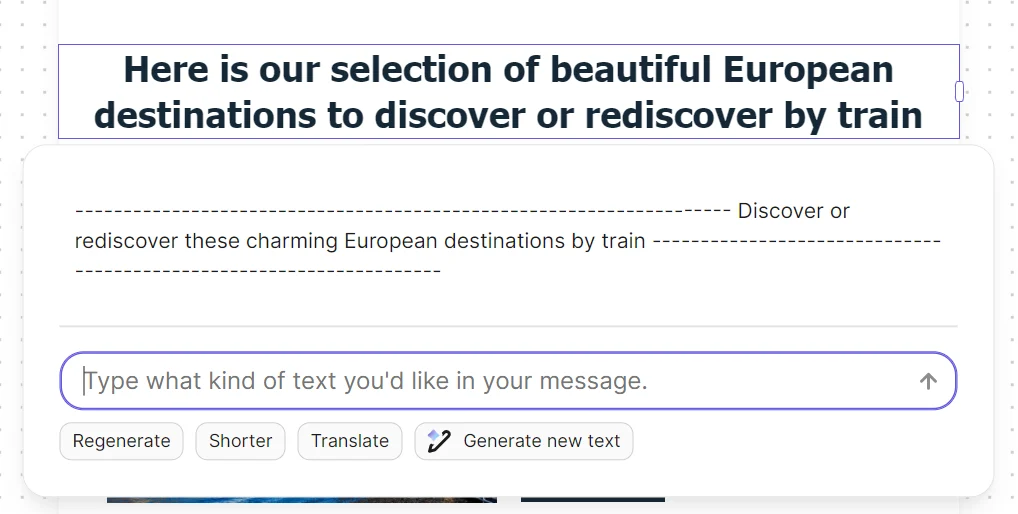
An AI content generator, powered by Aura AI, is included across all plans in Brevo. MailerLite restricts AI to paid plans.
AI features: Brevo vs. MailerLite
Brevo has better AI features than MailerLite. Aura AI is included in all plans, providing agents for generative content tasks and marketing workflow automation, such as building automations.
Aura AI includes four agents and a chatbot you can ask questions. MailerLite’s AI features are generative and don’t cover automation building.
Here are all Brevo’s Aura AI agents and what they do:
| Agent | What it does |
|---|---|
| Marketing agent | Generates content, automations, sets send times |
| Sales agent (requires the Sales Essentials add-on) | Creates sales sequences, updates contact profiles, drafts emails |
| Data management agent | Answers plain-language data questions |
| Conversations agent | Summarizes live chats, edits replies for tone |
The Aura AI control center in settings has on/off toggles, and you can access the Aura AI chat anytime from the dashboard by clicking Ask AI.
Comfort MailerLite plans include an AI writing assistant, an AI subject line generator, an AI landing page generator, and AI-powered smart sending.
There isn’t an AI chatbot like in Brevo; MailerLite’s AI features live within their relevant tools, such as inside the landing page builder.

You can connect MailerLite to other AI tools, such as ChatGPT and Gemini, using MCP, and create and analyze within your chats. Brevo also has MCP connectivity.
What MailerLite can’t do is build automations or campaigns with AI. Brevo handles those, but only MailerLite builds landing pages with AI.
Which platform offers better marketing automation, Brevo or MailerLite?
Brevo has better marketing automation with real-time event triggers, multiple entry points per workflow, and trigger coverage across contacts and ecommerce store events.
There are 15 pre-built email automations in Brevo, including welcome message, abandoned cart, anniversary date, and recently viewed product follow-up.
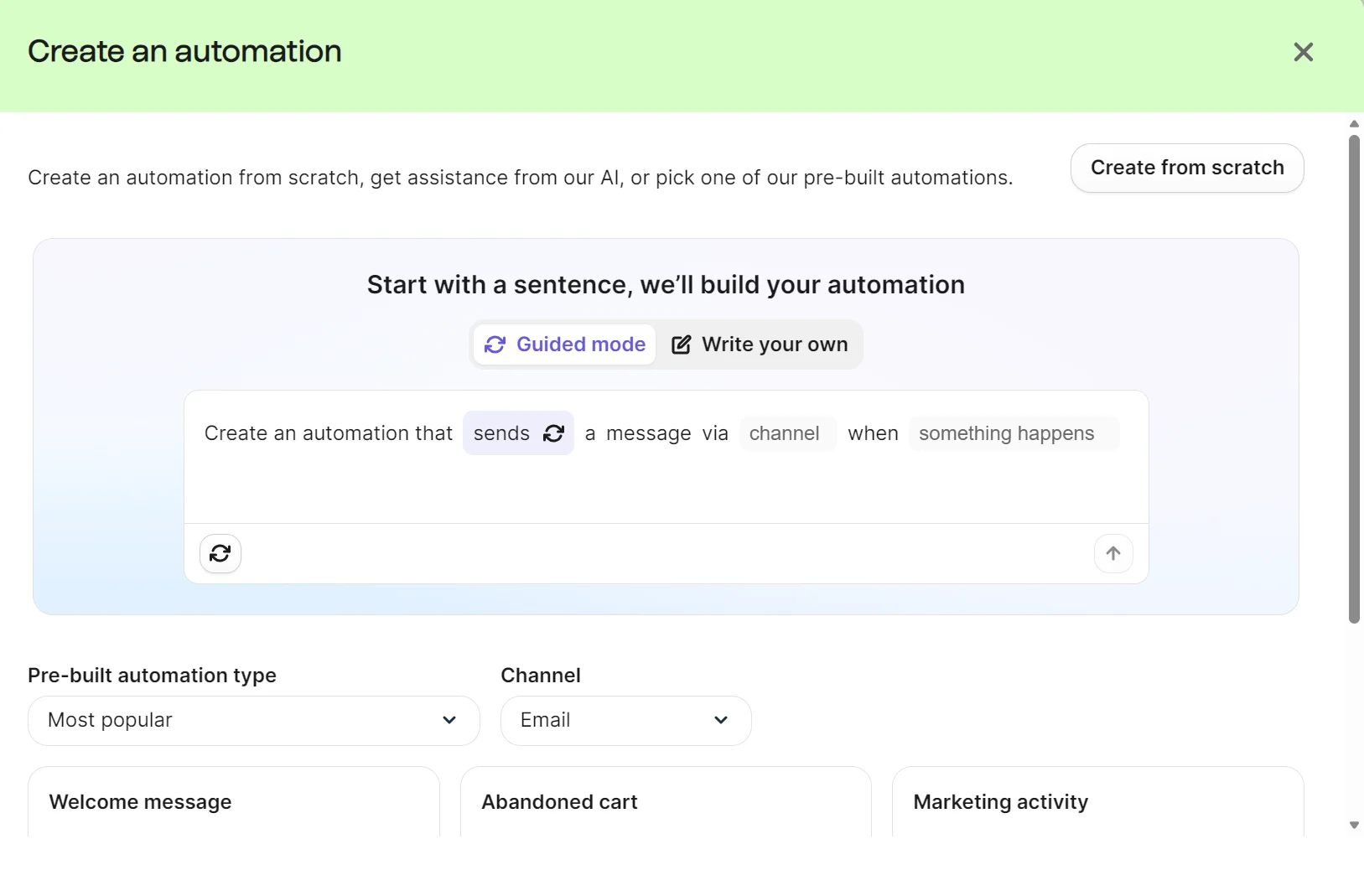
You can also build automations from scratch or with Aura AI, with the AI feature asking you to fill in the blanks for the action, channel, and trigger event.
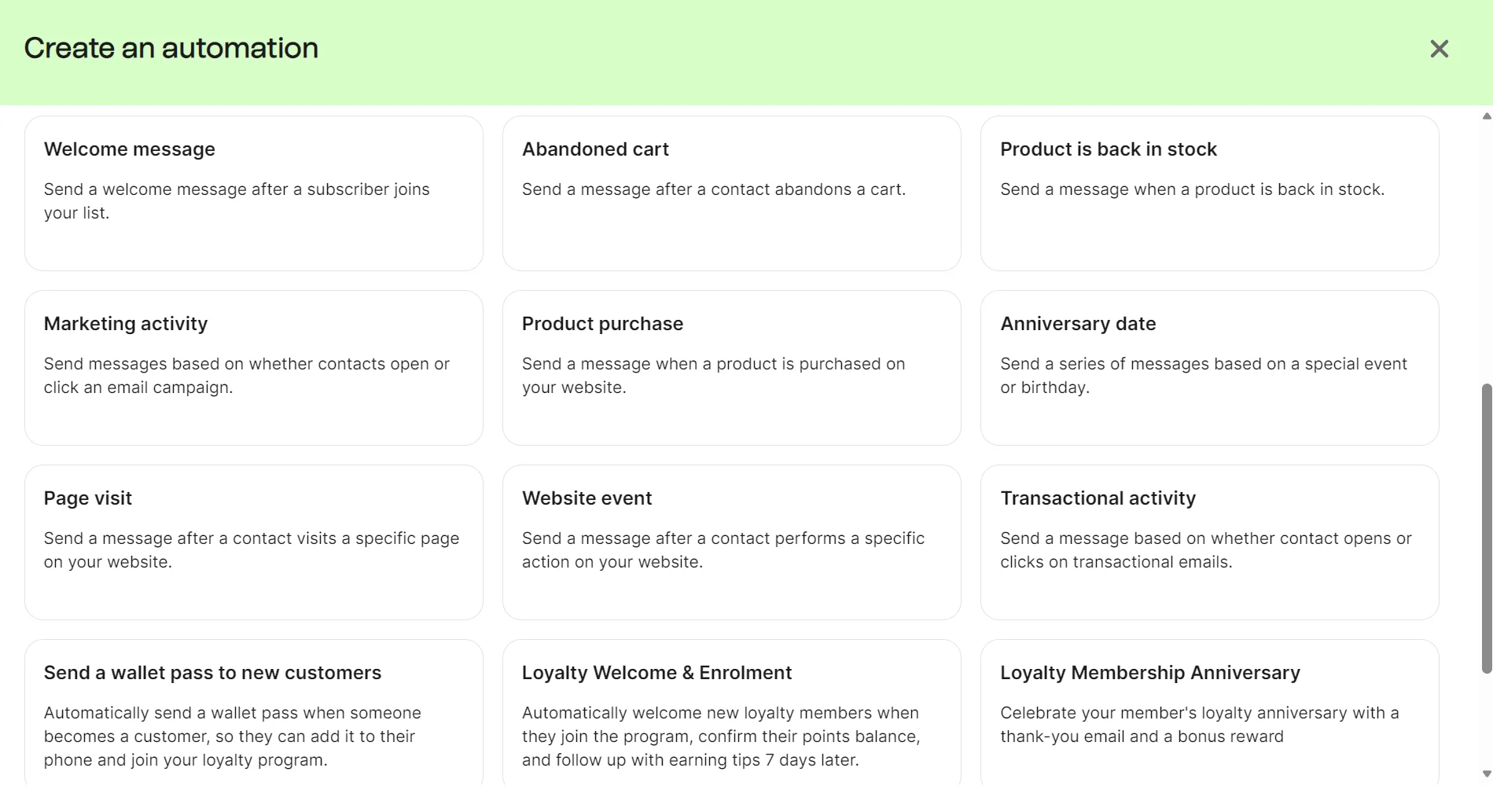
All Brevo plans have unlimited automations, although the free and Starter plans restrict automation reach to 2,000 contacts.
MailerLite’s automation library includes 18 templates, although two of those (advanced welcome email, webinar invitation) are restricted to the Power plan. Templates include win-back, welcome email, reward repeat customers, and abandoned checkout.
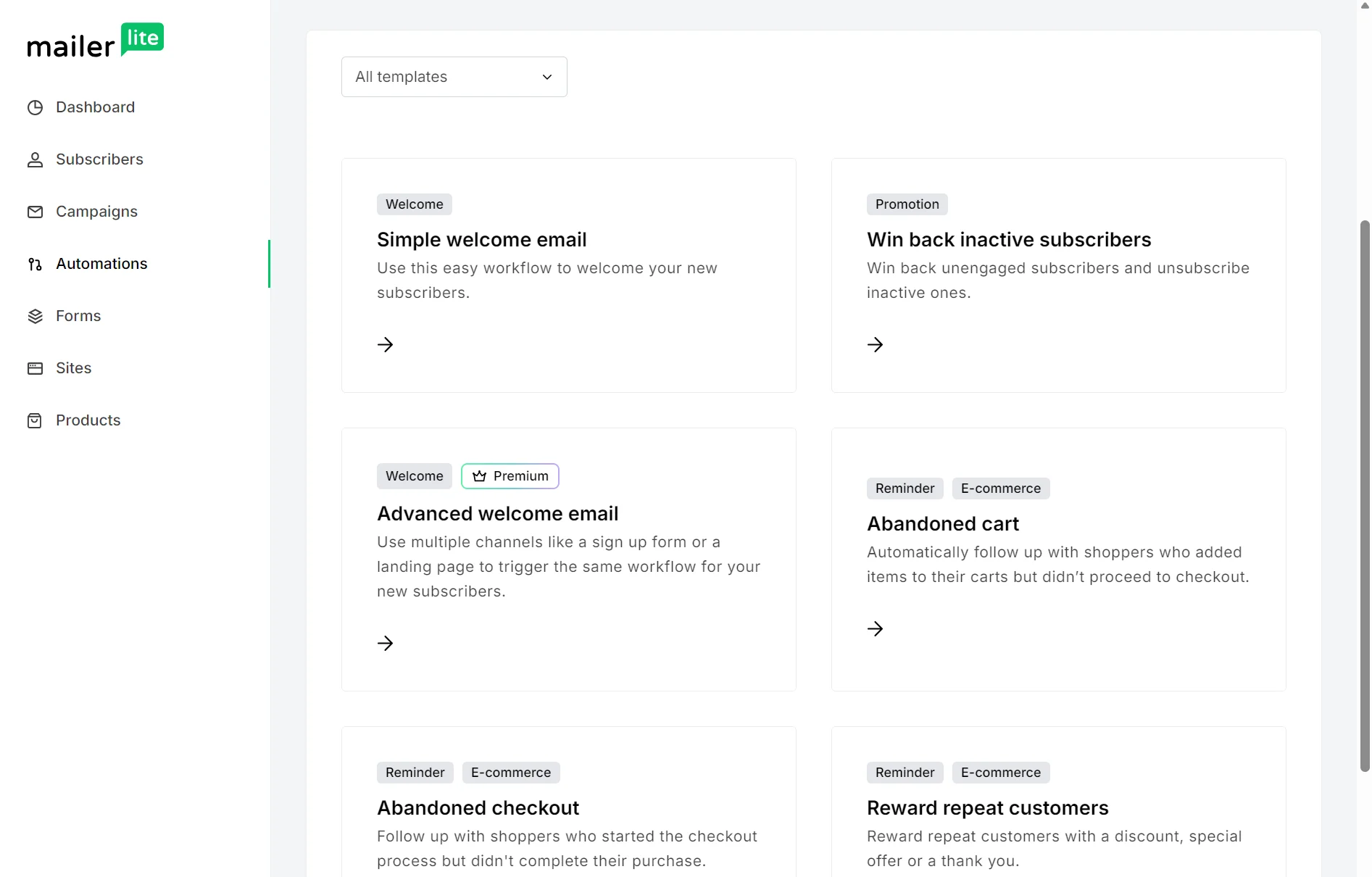
MailerLite restricts you to running three automations in the free plan and 50 in the Comfort plan, with only Power plans supporting unlimited automations and multiple automation triggers. The Comfort and free plans support one trigger.
That means if you want to build multi-step customer journeys with email flows, then Brevo is the better tool at lower prices.
Brevo walks you through configuring its pre-built automations in its builder. It uses three steps to guide you through setup. Step one is setting up a trigger, after which you proceed to step two and edit your email template.
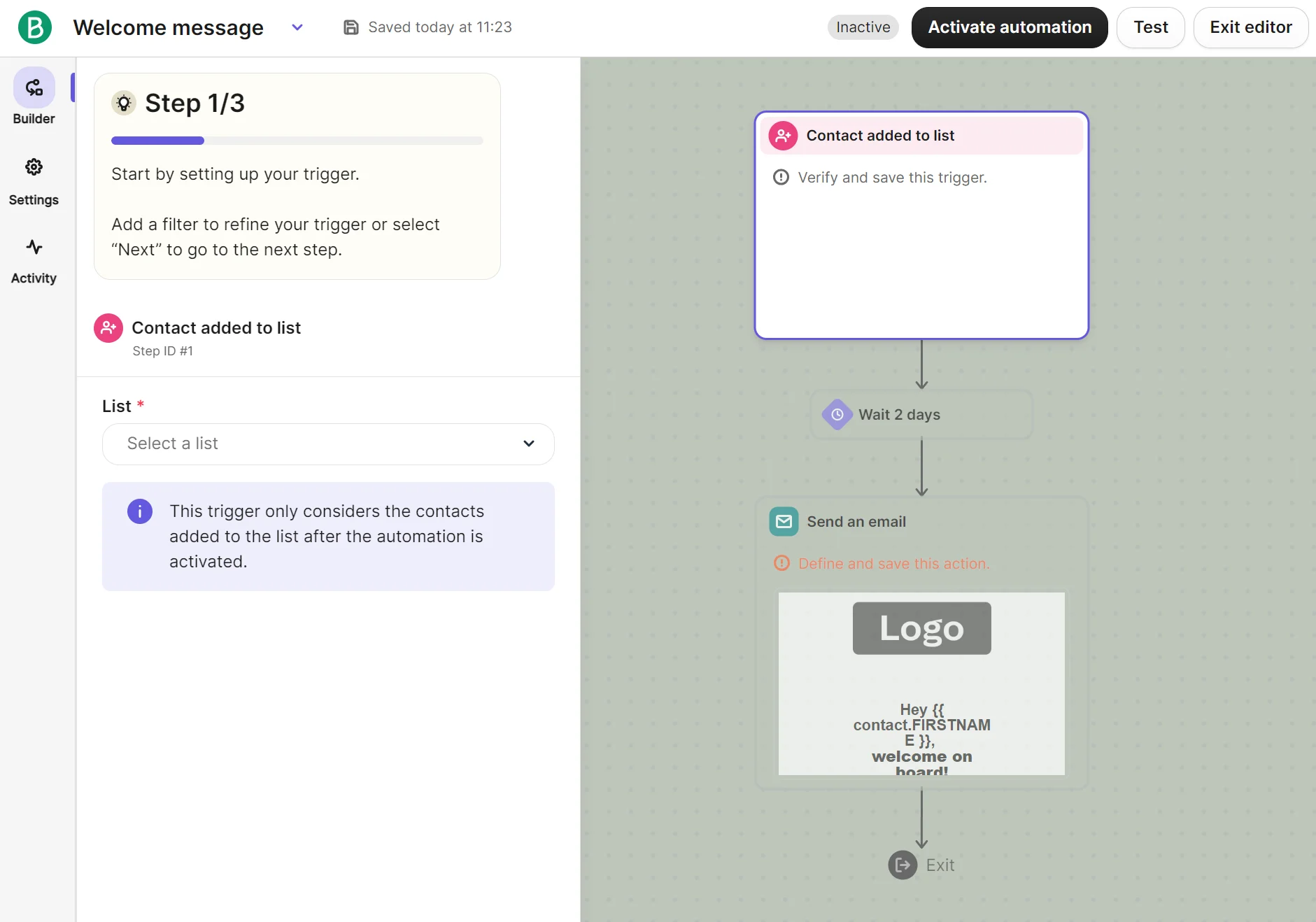
Skipping the guided setup takes one click. You can then access all triggers, actions, and rules in the sidebar. These drag into the builder, plus there’s a settings menu with all contact re-entry, exit, and restart conditions.
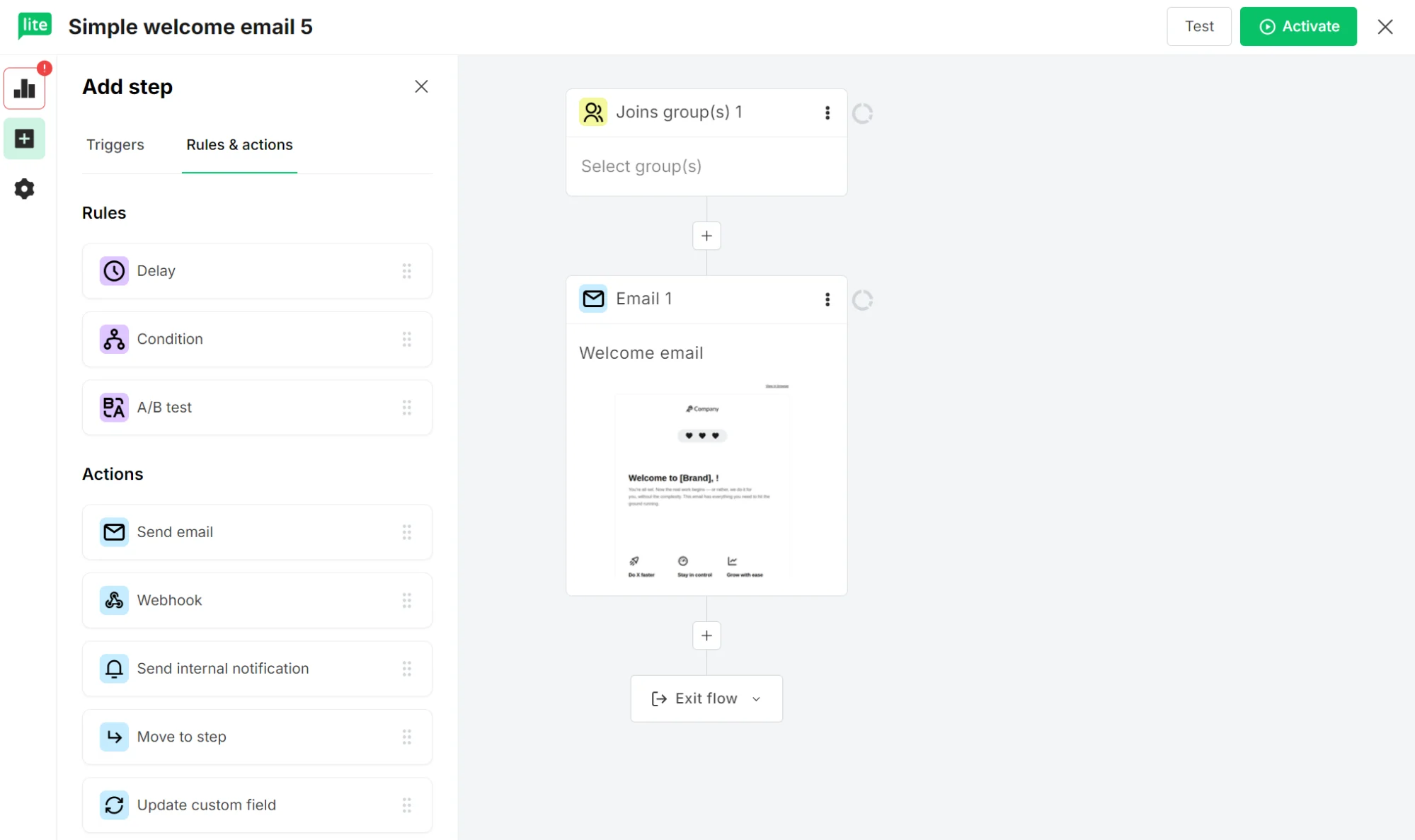
MailerLite’s automation builder doesn’t offer a guided setup, but it does have a less cluttered navigation layout. Triggers and Rules & actions sit in separate tabs, and the settings screen has checkboxes for re-enter and ecommerce tracking.
Brevo vs. MailerLite: which has better Shopify and ecommerce integration?
Brevo has deeper Shopify integration, pulling in more data and events for your automations and segments. Its app also has a much higher rating.
The Shopify App Store ratings tell you a lot before you even test either tool. Brevo PushOwl has a 4.8/5 rating from 2,030+ reviews, whereas MailerLite sits at 3.0/5 from 25+ reviews (data as of August 2026).
Brevo’s Shopify app pulls more raw signals (browsing/visitor behavior, product and collection catalog data, back-in-stock events) in addition to order data.
MailerLite’s Shopify app is scoped mainly to purchase-related triggers, and it excludes abandoned-cart automation, with abandoned checkouts only triggering for returning customers with at least one previous order. The BigCommerce integration has the same limitation.
In addition to Shopify and BigCommerce, both tools have native apps for WooCommerce and WordPress, Wix, and Squarespace. Brevo has more ecommerce platform integrations overall, also connecting to PrestaShop and Big Cartel natively.
MailerLite’s 130+ apps almost equal Brevo’s 140+, but MailerLite has fewer integrations for apps commonly used with Shopify. For instance, only Brevo has apps for Judge.me and Klarna. You should check each tool’s libraries to see if they support your stack.
Landing pages and forms: Brevo vs. MailerLite
MailerLite is more capable for landing pages and pop-ups because it lets you build them in all plans, albeit with landing page quotas below the Power plan. Brevo restricts these to the Professional plan and only lets you build sign-up forms below it.
MailerLite has 33 pop-up templates and 13 promotion pop-up templates, plus one embedded form template that you edit within the builder. Landing page templates span 30 pre-built designs, or you can build a landing page with AI.
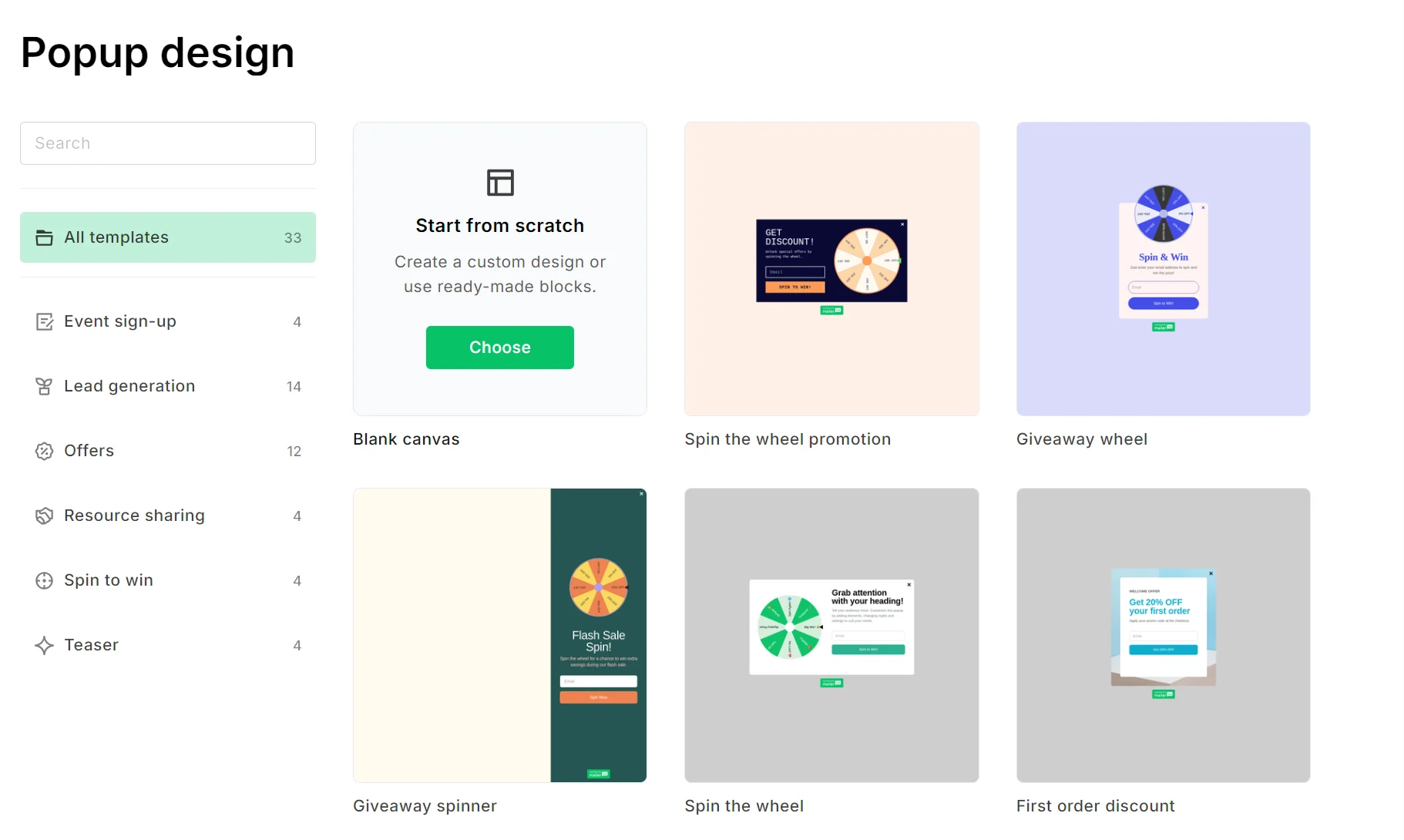
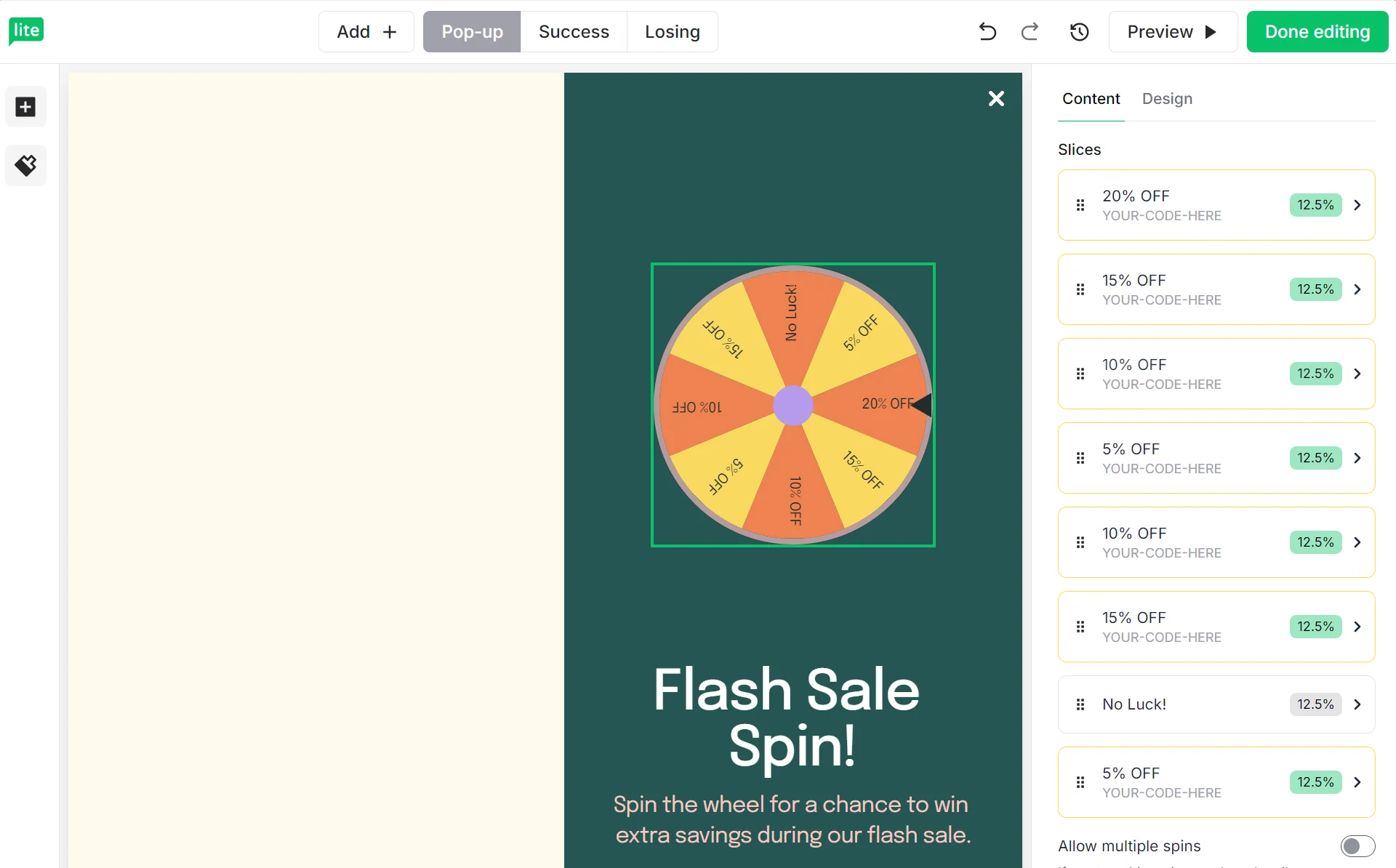
The builder for each form format in MailerLite uses drag-and-drop, with a preview button letting you check your design on mobile and desktop.
Brevo doesn’t provide pop-up or form templates, only a builder to create from scratch. Pop-ups are also restricted to the Professional plan.
Design settings are thinner in Brevo’s form builder than in MailerLite’s, and it lacks drag-and-drop for elements that sit inside the builder, although you can drag elements into it.
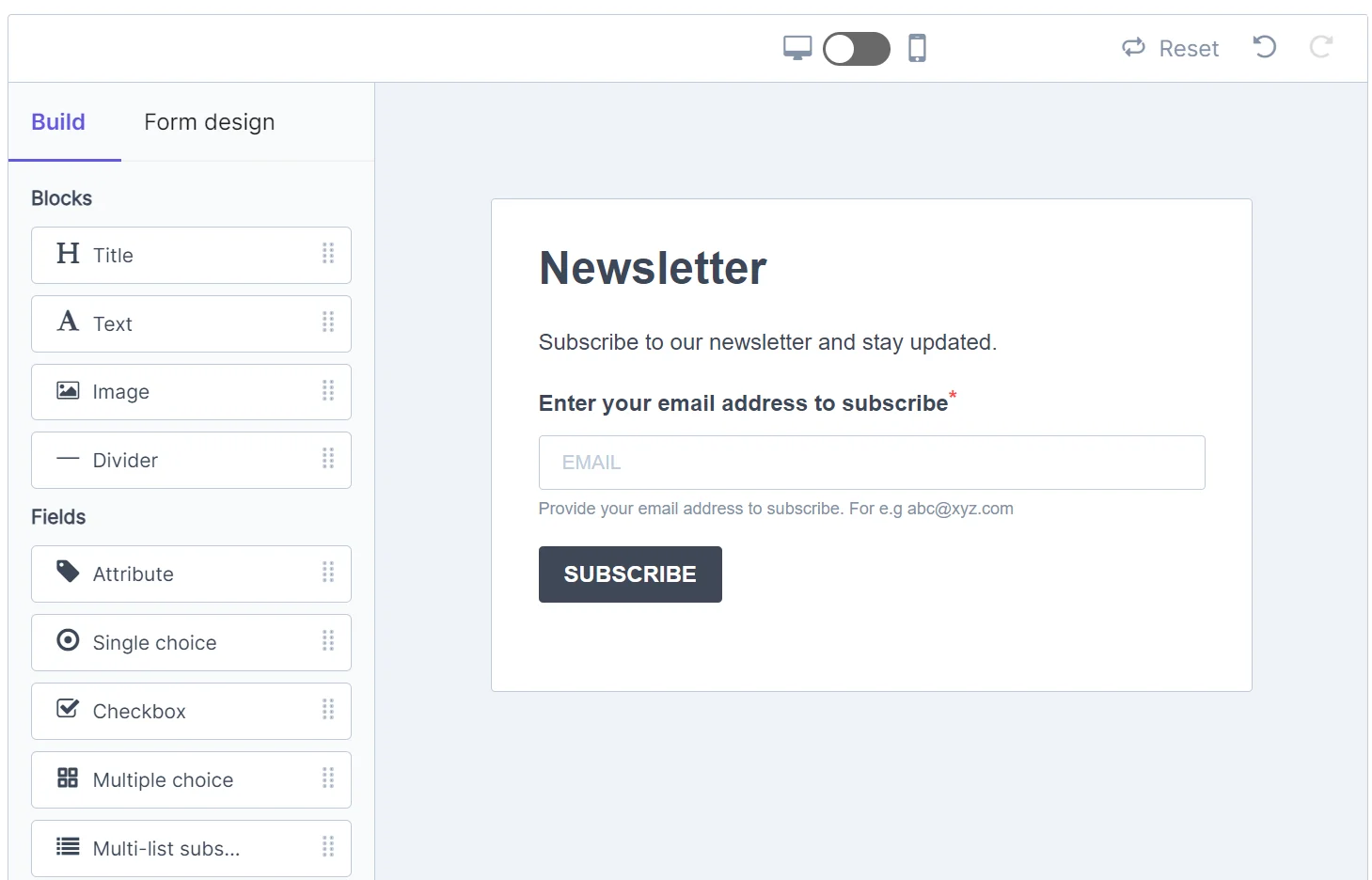
Brevo’s sign-up forms support Google reCAPTCHA (v2 and v3) and Cloudflare Turnstile CAPTCHA by default. You drag-and-drop the CAPTCHA block into your form and paste your site and secret keys. MailerLite’s forms and landing pages also support reCAPTCHA.
Brevo vs. MailerLite: which has better monetization features?
MailerLite is the only tool with monetization capabilities that lets you sell and collect payments within your emails and landing pages.
Stripe integration and ecommerce selling features in MailerLite give you one platform for earning revenue without an external store.
You can sell digital products, bookings, recurring subscriptions, and send paid newsletters, with revenue shown on the dashboard screen.
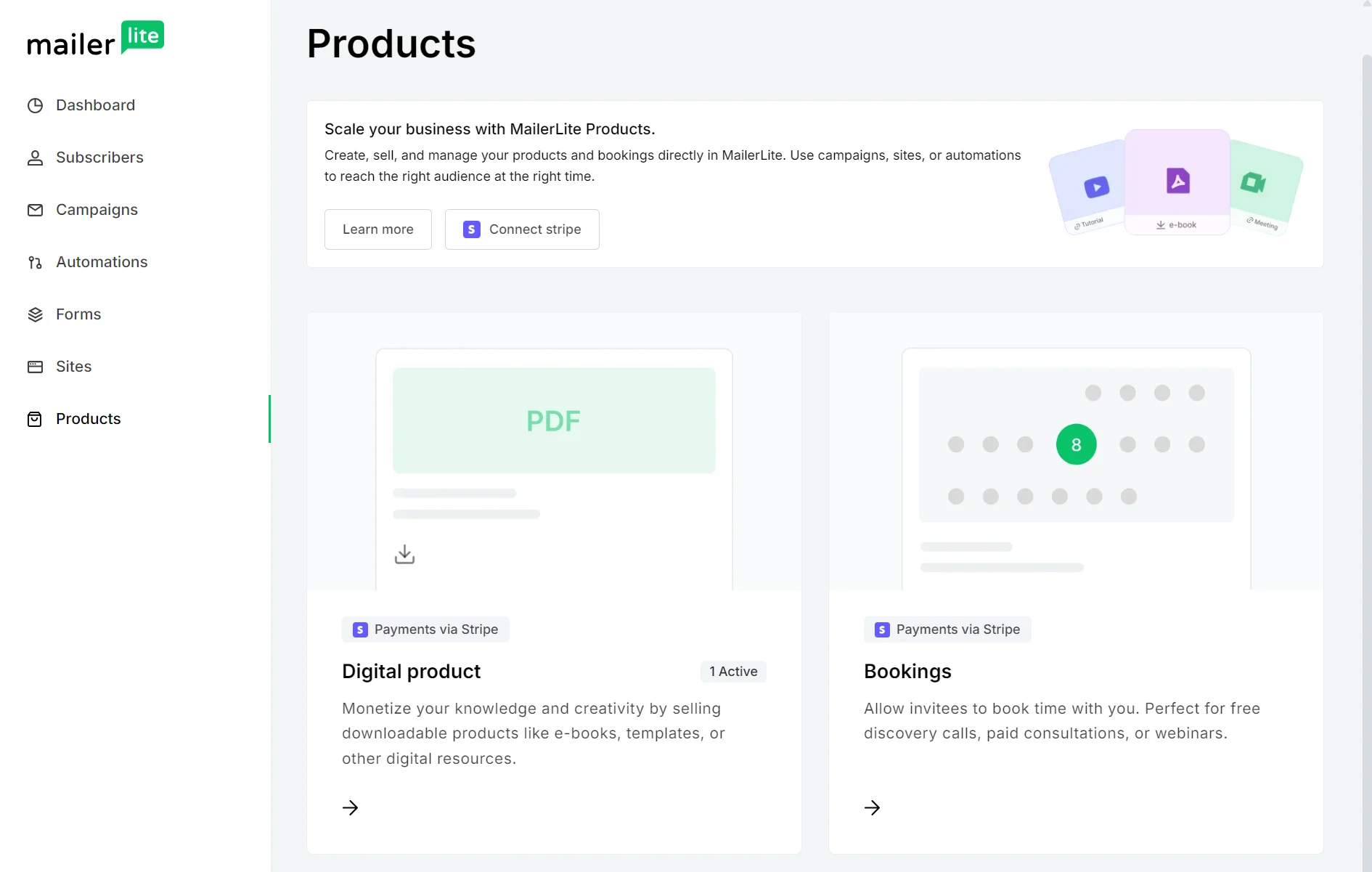
The products you add to MailerLite can be dropped into any landing page or campaign. The Power plan supports unlimited active digital products and bookings, the Comfort plan limits you to five, and the free plan to one.
Brevo vs. MailerLite deliverability: which is more reliable?
Brevo has better deliverability features than MailerLite, with a dedicated Deliverability Center and deliverability scores.
Both Brevo and MailerLite handle authentication to provide the minimum sending infrastructure for your emails to reach inboxes.
Brevo’s authentication requires three DNS records: Brevo code for domain verification, DKIM for digital signatures, and DMARC to handle suspicious messages.
It can authenticate your domain automatically, adding Brevo code, DKIM, and DMARC records if you log in to your domain provider’s account directly from Brevo. You can also add them manually in the Deliverability Center.
MailerLite uses DKIM (as a CNAME), SPF (as a TXT record), and a domain verification TXT record. It also has an automatic flow for authentication, although it only detects your host and pre-fills the correct values. You still need to log in to your DNS provider and paste the records.
Brevo auto-replaces unauthenticated domains with @brevosend.com to protect your deliverability. MailerLite lets new accounts send during a 14-day trial without authenticating.
Shared IPs are the default for Brevo and MailerLite, as with most email tools. You can get a dedicated IP with either, giving you sole control of your sender reputation (most useful when you send high volumes and need maximum deliverability).
Brevo offers a dedicated IP as an add-on on Professional plans, and Enterprise plans get one dedicated IP by default. Unlike MailerLite, which asks you to contact sales for a price, Brevo publishes its price, which stands at $251/year/dedicated IP.
EmailToolTester’s 2026 reviews rate Brevo’s deliverability at 4.5/5 and MailerLite’s at 3.5/5, in part due to Brevo’s built-in deliverability score.
Brevo vs. MailerLite: which has the better CRM?
Brevo has a sales CRM for deals and pipelines. MailerLite doesn’t have a CRM, focusing instead on audience management features.
You manage contacts in MailerLite in the Subscribers dashboard. It has tabs for all subscribers, segments, groups, and also fields and stats.
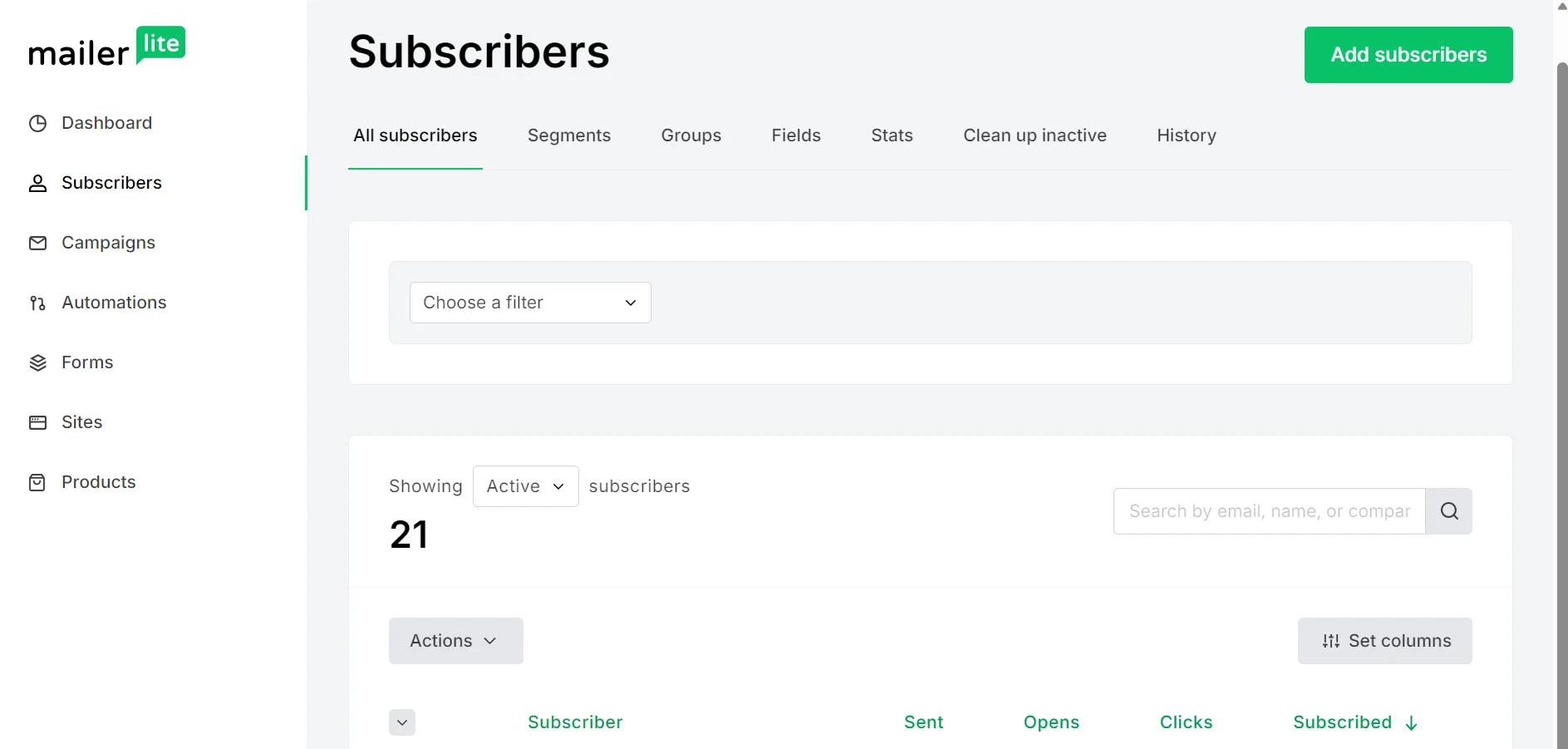
Clicking any contact loads a subscriber profile with emails sent, opened percentage, clicked percentage, subscribed date, opt-in date, and location. A connected ecommerce store will also feed the same subscriber profile with order information.
Brevo has a CRM that includes screens for contacts, lists, segments, companies, deals, and tasks. Opening a profile shows that contact’s preferences, information, statistics, recent history, and scores, including predictive customer lifetime value (CLV), if you have the Professional plan.
The deals section of the CRM is useful for B2B and selling services with products. It maps your deal stages from new to won and lost with revenue amounts.
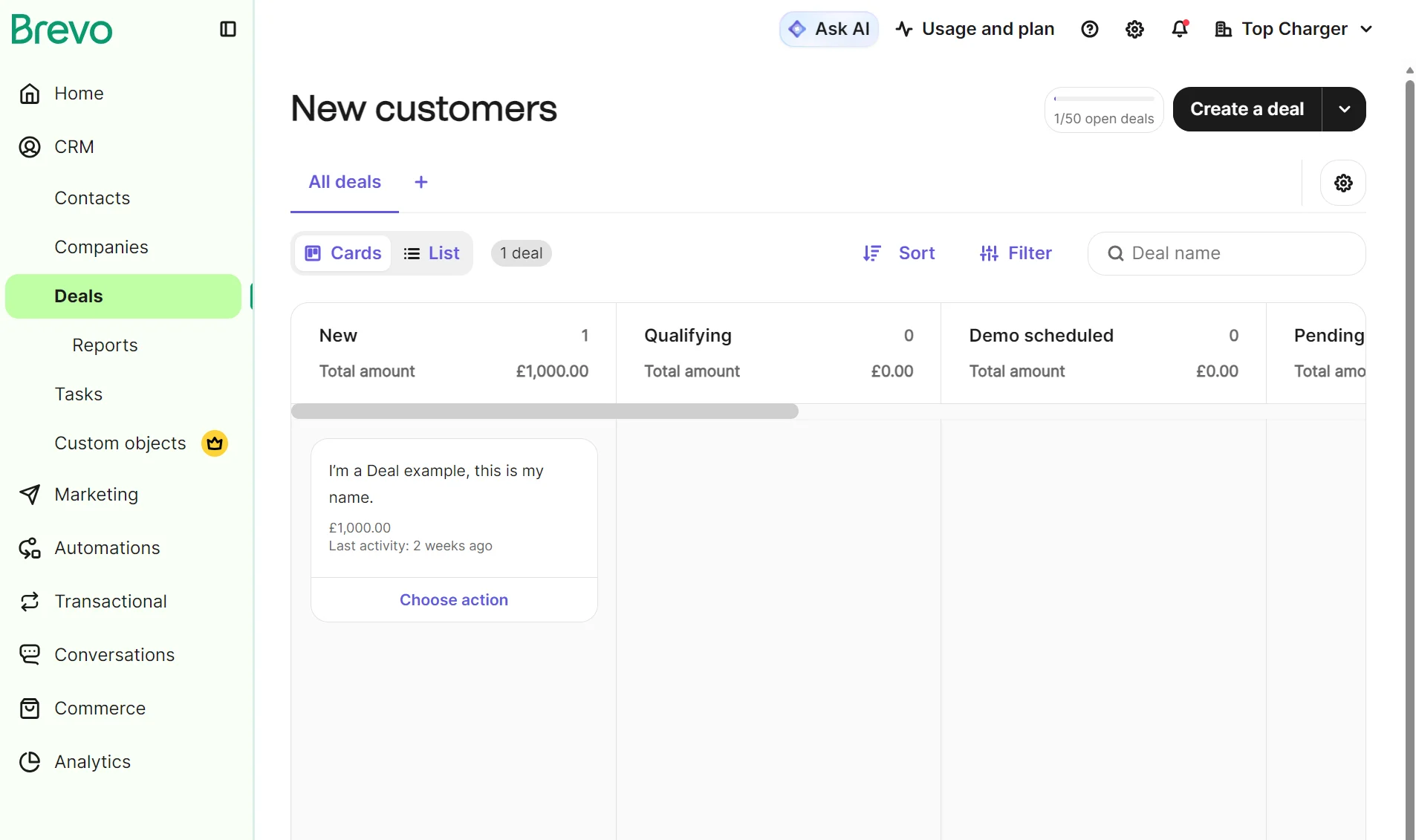
MailerLite and Brevo’s audience management features are similar, aside from Brevo’s contact scoring in Professional plans. The CRM is a free (or paid) add-on, but might be unnecessary if you only sell products and don’t have pipelines.
The Sales Free add-on is included in all plans with 50 open deals. Sales Essentials is $31/month per seat with unlimited open deals and sales automation. Sales Advanced is $65/month for VoIP, round-robin scheduling, and outreach sequences.
Brevo vs. MailerLite: which offers better SMS and multichannel marketing?
Brevo is better than MailerLite for SMS and multichannel marketing. All plans let you create SMS campaigns, automations, and transactional messages, whereas MailerLite restricts SMS to transactional messaging in the MailerSend Starter plan.
Brevo’s SMS credits are pre-paid and non-refundable but also never expire.
Pricing starts at $1.09 for 100 message credits dependent on volume and destination country.
Check out Brevo’s SMS costs as of August 2026 below, with the destination set to the United States. The price per credit stays flat at $0.0109 regardless of volume.
| Number of messages | Bundle cost |
|---|---|
| 100 | $1.09 |
| 200 | $2.18 |
| 500 | $5.45 |
| 1,000 | $10.90 |
| 2,000 | $21.80 |
| 10,000 | $109 |
| 100,000 | $1,090 |
Data as of August 2026.
Brevo supports SMS to 180+ countries, though MMS is only available in the United States. 1:1 SMS is available with the Sales Advanced add-on from $65/month per seat.
Transactional and campaign WhatsApp is another channel in Brevo. Pre-paid credits are sold in packs of 100. Buying 100 messages for U.S. contacts costs $3.27, because each message uses 2.957 credits. 1:1 WhatsApp is a feature of Sales Advanced.
The MailerSend Starter plan, starting from $35/month, is your entry point for transactional SMS with MailerLite. It includes 100 SMS, with extra usage costing $1.40 per 100 SMS.
You can’t create multichannel automations or SMS campaigns in MailerLite. It’s strictly an email marketing tool outside of the MailerSend plan.
Brevo vs. MailerLite: which has better customer support?
MailerLite has more support channels than Brevo in paid plans, but only Brevo has email support in the free plan. Both tools have good knowledge hubs.
Brevo’s plans all include email support. We emailed support for clarification around analytics features at 1 pm and received a response back 13 hours later. There isn’t an option for live chat in any plan, even as a paid add-on.
Professional plans also receive phone support and a deliverability specialist with a cap of three hours/year. A customer success manager is only available in Enterprise.
MailerLite’s free plan has no email support, only access to guides and webinars. The Comfort plan adds email support. We emailed support a question about pop-ups at 1 pm on the Comfort plan, and received a response four hours later.
Power plans have 24/7 live chat and priority email support. Enterprise plans come with a success manager and onboarding consultation and training.
What users say about support
Brevo has multiple positive comments about customer support on G2, including:
“So far, I had to contact customer support on three occasions and every time they proved to be very helpful.”
— Verified user in non-profit organization management
“The support is top notch, I get quick answers and fast resolutions.”
— Verified user in medical devices
Some customers aren’t so happy with the support level. One customer said, “support was another major issue. Responses were slow, generic, and unhelpful. It often felt impossible to get a real answer or speak to someone who could actually solve the problem.”
MailerLite has 37 positive comments for its customer support on G2:
“I’ve also had a really good experience with support. We ran into a domain authentication issue that started affecting deliverability, and instead of sending us a generic help article, they walked us through the configuration step by step until everything was working properly again.”
— Valeria B.
“I love the customer support as well – those guys are fast and help with anything and everything.”
— Shiv C.
Some customers report problems receiving human support. One verified user said, “support is difficult to find as they don’t want to be bothered. Finally got my email address, and a bot answered them. Cannot get a human to fix the problem.”
Brevo vs. MailerLite: final verdict
Pick Brevo for lower prices if you have a large list you send emails to infrequently. Brevo is also more suitable than MailerLite for multichannel and SMS automation, and it’s the only tool with a sales CRM built into it.
Who should choose Brevo
Brevo is right for you if:
- Large contact storage is important; the free plan stores 100,000 contacts, and the Starter plan stores 500,000 contacts from $32/month
- Transactional email and SMS need to sit alongside campaigns without a separate product
- Deal pipelines, lead scoring, and sales automation matter to your workflow
- SMS, WhatsApp, or web push are part of how you reach customers
- Shopify is your ecommerce platform, and integration reliability matters (4.8/5 rating)
Brevo isn’t ideal if:
- Template variety is a priority (Brevo has 50+ vs. MailerLite’s 120+)
- A/B testing and branding removal are must-haves, but $18/month for the Standard plan stretches your budget too far
- Email is all you need, and CRM, SMS, and multichannel add unnecessary complexity
MailerLite is your pick for contact-based pricing and creator and monetization features alongside marketing. It has Stripe for digital products, bookings, newsletters, and subscriptions, and is built around list growth, campaigns, and basic automations.
Who should choose MailerLite
MailerLite is right for you if:
- You send frequently to a smaller audience and want unlimited emails from as little as $25/month for the Power plan
- Template variety and a feature-rich drag-and-drop editor matter to your workflow
- Landing pages and forms are central to how you grow your list
- You want 24/7 live chat support and can budget for the Power plan
MailerLite isn’t for you if:
- You need a CRM and sales pipeline features
- You’ll use an app to integrate with Shopify or WooCommerce (MailerLite offers them, but they have lower review scores than Brevo)
- SMS marketing is necessary for your business
- You’re an ecommerce store with a larger budget and expect advanced features to be included in the top plan, such as predictive scores for CLV
Additional comparisons
10 best MailerLite alternatives for 2026
10 best Brevo alternatives for ecommerce (2026)
When neither cuts it: why Omnisend might be your better fit
Omnisend is ecommerce-first with a lower pricing threshold than Brevo for ecommerce features such as AI product recommendations.
It has predictive analytics in all plans, with lifecycle stage maps based on recency, frequency, and monetary value (RFM) analysis. These help you segment customers and reach them with targeted messages that maximize revenue and retention.
AI features span an AI segment builder in all plans and AI Forms in Pro plans to generate those elements. MCP integration is available. The email builder also has an AI writing assistant, which is present in the campaign builder for subject lines.
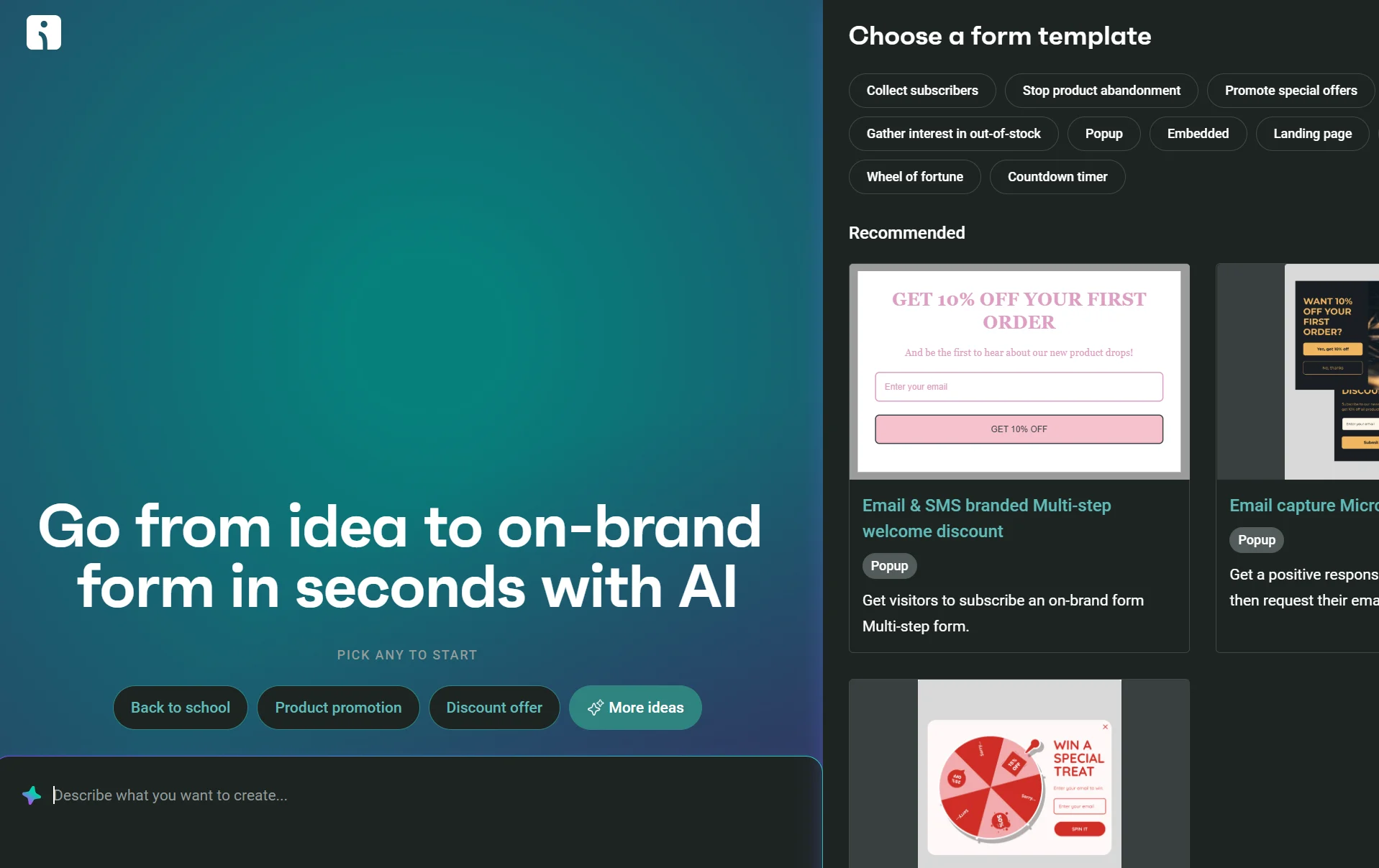
A few more Omnisend advantages for your business: 24/7 live chat support in all plans, multi-store support with asset sharing, global SMS coverage across 190+ countries, and an Account Expert when you spend $400/month or more.
Quick sign up | No credit card required
This article was researched and written by our experts following a precise process.
See the process