Omnisend AI


 OFFER
OFFER









Kit, formerly known as ConvertKit, now sells itself as a creator-first email marketing platform, and that rebrand matters if you are comparing it to Mailchimp today.
If you rely heavily on your digital marketing campaigns to drive revenue for your business, the email marketing software you choose will be critical to your success. While Mailchimp might be top of mind for many people, Kit offers many unique advantages.
The Mailchimp vs. ConvertKit decision is no longer simply about sending newsletters — it is about how you grow, automate, monetize, and support your audience in one place.
There is no single right choice that applies universally to all situations. Kit is built around creators who want to earn from an audience, while Mailchimp is built for larger marketing teams that want more channels, welcome emails, and other email templates, and deeper reporting.
In this article, we’re putting ConvertKit and Mailchimp head-to-head, not only to help you decide which tool deserves your time and money but also to debunk the myth that effective email marketing has to cost you a small fortune.
At-a-glance comparison
| Dimension | Winner | Why |
|---|---|---|
| Email marketing features | Mailchimp | Bigger template library, drag-and-drop builders, and broader email marketing tools |
| Ecommerce and creator monetization | Kit | Paid recommendations, creator network, sponsorships, and digital products are core to the product |
| Channels | Mailchimp | Email, SMS add-on, social posts, and ads give it a wider channel mix |
| Pricing | Kit | Free up to 10,000 subscribers, then clean creator-focused upgrades |
| Ease of use | Kit | A cleaner, creator-first workflow with less platform sprawl |
| Design and templates | Mailchimp | 250+ templates in the new builder and 300+ templates overall |
| Forms and landing pages | Kit | Unlimited landing pages and forms on the free plan, plus creator-focused templates |
| Automation | Kit | Free plan includes basic visual automation, and paid plans give you unlimited automations and sequences |
| Segmentation and personalization | Mailchimp | Predictive segmentation and smart recommendations are stronger here |
| Analytics and reporting | Mailchimp | Analytics AI, ecommerce insights, and funnel-focused reporting are broader |
| AI features | Mailchimp | Generative AI, write with AI, analytics AI, and predictive segmentation make a wider AI stack |
| Third-party integrations | Mailchimp | 300+ integrations versus Kit’s 100+ apps/direct apps |
| Customer support | Kit | 24/7 email and chat support, AI help, and free migration support are strong advantages |
Overview
Since its launch in 2013, ConvertKit has steadily built a strong user base of people who are quick to praise its easy-to-use email marketing platform.
Built specifically for and marketed to online content creators, ConvertKit has made it easy for YouTubers, podcasters, live streamers, and the like to monetize their online presences and build a solid business around the content they create.
But although ConvertKit’s success is undeniable, it is still often touted as merely a Mailchimp alternative. Indeed, Mailchimp’s 12-year head start has given it a solid brand identity that dominates the email marketing space.
That’s one of the reasons why ConvertKit rebranded to Kit in October 2024, with ConvertKit.com redirecting to Kit.com.
This shift is important when considering how Mailchimp and Kit differ. While Mailchimp maintains a larger marketing stack, Kit’s evolution has made it more than just email marketing software — it is now positioned as a creator business platform.
So, in the Mailchimp vs. ConvertKit debate, you are not really choosing between two identical email tools. You are choosing between a creator-first email marketing platform and a wider platform with greater multichannel depth.
In addition to Kit rebranding, Mailchimp continued its expansion from a mere bulk email tool to a potent multi-channel marketing platform, enabling it to thrive despite the development of newer tools with comparable (sometimes better) features.
For example, among such newer tools is Omnisend. Omnisend’s omnichannel marketing platform lets you run automated marketing campaigns seamlessly across multiple channels, making it another excellent alternative to Mailchimp or ConvertKit.
Quick sign up | No credit card required
ConvertKit vs. Mailchimp comparison
Choosing between the available ConvertKit and Mailchimp plans can be overwhelming because there are so many factors to consider.
Here’s a comprehensive comparison of Mailchimp vs. ConvertKit to help you determine which is the best email marketing software to suit the nature of your business, your budget, and your growth plans.
Email marketing features
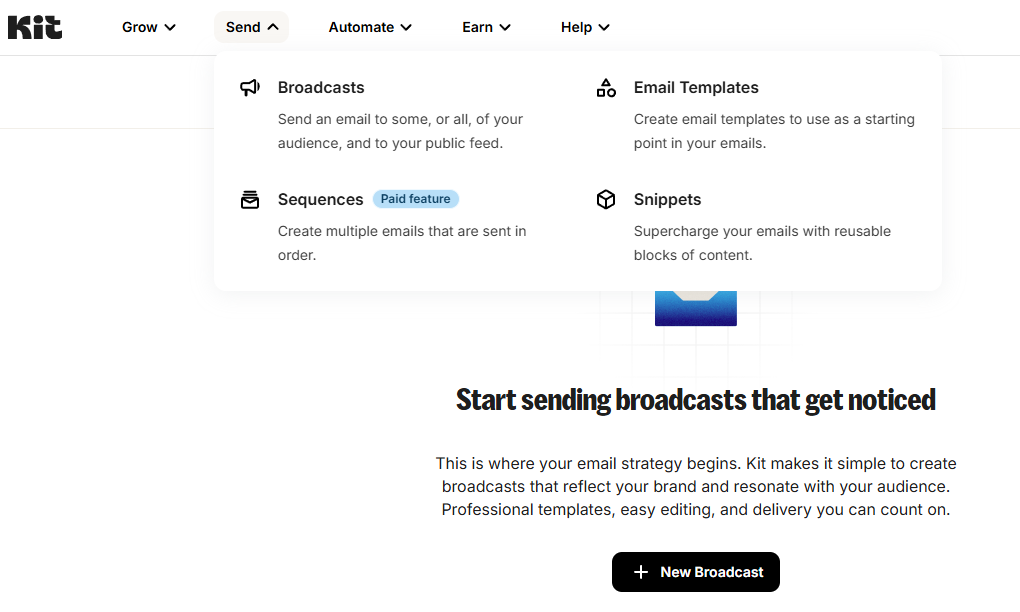
Mailchimp has drag-and-drop email builders, 250+ templates in the new builder, a larger overall template catalog, and a long list of built-in email marketing tools that make it easier to create different kinds of campaigns without combining extra apps.
Kit is still very good here, but it takes a more focused path. Its email designer offers 40+ creator-made templates, rich media integrations, reusable content, personalization at scale, and a workflow built for people who send newsletters, launches, and content-led email marketing campaigns.
Many people will find that this distinction matters most. Mailchimp offers a broader range of tools, whereas Kit keeps the workflow focused on growing an audience through content. That gives Mailchimp the advantage in features, while Kit feels more specialized.
Similarly, Omnisend offers professionally designed templates that are easy to customize, as well as opt-in forms optimized for maximum signups. It also offers plenty of automation options that let you run vibrant marketing campaigns on autopilot.
Winner: Mailchimp
Ecommerce and creator monetization
Kit’s current product goes well beyond basic ecommerce features and is built around creator monetization that sits close to the center of the product:
- Paid Recommendations
- Creator Network recommendations
- Newsletter sponsorships
- Paid newsletters
- Digital products
That becomes especially important when your email list is your primary source of income. Kit enables you to grow your subscriber base, recommend other creators, earn referral revenue, sell digital products, and manage paid newsletters without relying on a collection of disconnected tools. Its pricing pages now clearly emphasize this creator-focused approach.
Kit even has a dedicated feature, Kit Commerce, that’s intended to help creators sell their digital products online.
Mailchimp can support ecommerce, and it offers stronger native store and campaign depth across many areas. For instance, Mailchimp has an appointments feature that lets customers book services online, see real-time availability, and businesses can offer one-on-one or group appointments.
Ecommerce availability, however, depends on the appointments feature and your region/account. Confirmation and reminder emails are part of the appointment workflow rather than a feature available across every plan.
Overall, if your main goal is creator monetization — not just store marketing — Kit is the better fit. That is the clearest win in the whole ConvertKit vs. Mailchimp comparison.
In contrast, Omnisend doesn’t have such ecommerce limitations. Instead, our software integrates seamlessly with well-established ecommerce platforms like Shopify, BigCommerce, and WooCommerce.
This allows our service to focus on providing advanced ecommerce-tailored marketing tools suited for all types of businesses, whether offering physical goods, digital products, or other services.
Winner: Kit
Channels
Mailchimp has the advantage in terms of channel variety. Alongside email, it offers SMS messages as a paid add-on, supports social posting, and includes advertising-related workflows, allowing more marketing activities to be managed in one place. It now positions itself as an AI-powered email and SMS marketing platform.
Kit has added SMS marketing, too, but it stays more creator-focused. On the current pricing page, SMS marketing appears on the Creator plan, while the free Newsletter plan stays centered on email, landing pages, forms, broadcasts, and one basic Visual Automation.
The reason channels matter is simple: more channels can drive better results.
Omnisend’s current omnichannel benchmark shows that campaigns using three or more channels earn a 494% higher order rate than single-channel campaigns. Mailchimp also reports that customers who used both email and SMS saw a 97% higher click rate than those who sent only email campaigns.
If you need broad channel coordination, Mailchimp is stronger. If you mainly want email plus a creator-friendly SMS option, Kit is enough. The broader channel winner is still Mailchimp.
Though Mailchimp wins the Kit vs. Mailchimp channel comparison, it still lags behind Omnisend in this regard. Omnisend’s platform can be used to manage your email campaigns and social media ads. You can also set up web push notifications to improve engagement on your website.
Most importantly, you can use Omnisend to run SMS campaigns either as an independent marketing channel or as a complement to your other channels. The best part is that every Omnisend plan includes bonus SMS credits, so you don’t have to worry about assigning a separate budget.
Winner: Mailchimp
Quick sign up | No credit card required
Pricing
Much of the older Mailchimp vs. ConvertKit pricing advice falls apart here. Kit’s free Newsletter plan now covers up to 10,000 subscribers and includes unlimited landing pages and forms, unlimited broadcasts, audience tagging and segmentation, and one basic Visual Automation.
Mailchimp’s Free plan is capped at 250 contacts and 500 sends per month, with a daily send cap of 250.
Here is the current pricing split per plan from their official pages (as of June 2026):
| Kit | Mailchimp | |
|---|---|---|
| Free | Newsletter — $0, up to 10,000 subscribers, unlimited emails, landing pages, and forms, plus 1 basic visual automation | Free — $0, 250 contacts, 500 sends/month (250/day cap), no multi-step automation or scheduling |
| Entry paid | Creator — from $39/month at 1,000 subscribers; unlimited automations and sequences, A/B testing, 100+ integrations | Essentials — from $13/month at 500 contacts; single-step automation, A/B testing, 24/7 support |
| Mid-tier paid | Creator Pro — from $79/month at 1,000 subscribers; advanced reporting, subscriber scoring, newsletter referral system | Standard — from $20/month at 500 contacts; multi-step automation, generative AI, predictive segmentation |
| Higher-end support | (Creator Pro is the top tier) | Premium — from $350/month, 10,000-contact minimum; priority and phone support |
Kit is the better value if you care about free-plan generosity and scaling without hitting an early wall. Its Creator and Pro plans can work with 500,000+ subscribers.
Mailchimp is cheaper to start with on the smallest paid tiers, but its real cost rises with the number of contacts, while Kit’s plan structure is easier to live with as your audience grows.
On the other hand, Omnisend’s Standard and Pro plans, even though they start at an insignificantly higher cost on the smallest paid tiers, do not increase as much as the Mailchimp and Kit plans.
Winner: Kit
Ease of use
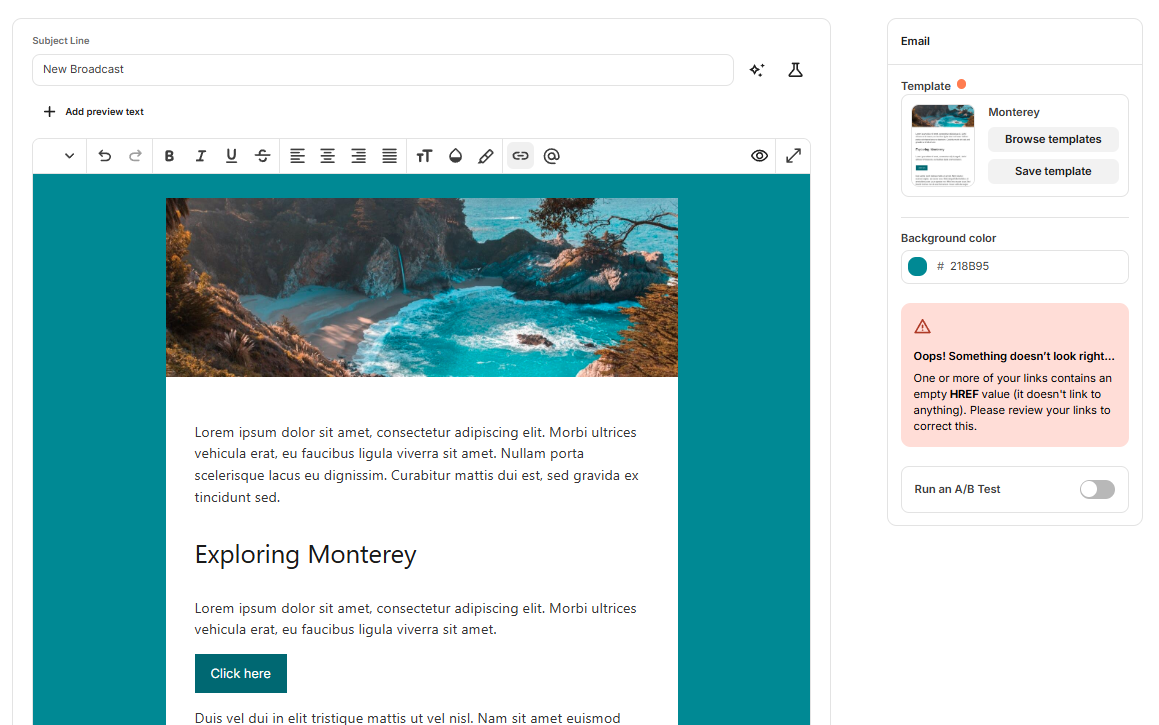
Neither ConvertKit nor Mailchimp is particularly difficult to use. Nevertheless, Kit feels more at ease because it keeps the experience narrow and creator-focused.
The experience lets you manage newsletters, forms, landing pages, visual automations, and monetization while avoiding the complexity of a large marketing dashboard with endless pathways.
Mailchimp is still user-friendly, but since it has more advanced features, it’s not surprising that you can get campaigns up and running much more quickly on Kit. It gives you more audiences, templates, support paths, channels, and AI surfaces.
That can be great when you need power, but it also means more decisions.
If simplicity is your goal, Kit makes it easier to send email campaigns without becoming overwhelmed by setup tasks. That is especially true for creators who prioritize growing their audience and selling subscriptions over running a comprehensive marketing system.
Mailchimp’s email editor is comparable to Omnisend’s, as both offer drag-and-drop builders that make designing emails intuitive.
However, Omnisend has an advantage for ecommerce brands thanks to its wider selection of commerce-focused content blocks, including unique discount codes, personalized product recommendations, and a product picker that lets you insert products directly into your emails.
Winner: Kit
Design and templates
Both Mailchimp and Kit enable you to create responsive emails without coding anything. But Mailchimp templates are undeniably superior to Kit templates in both quantity and quality.
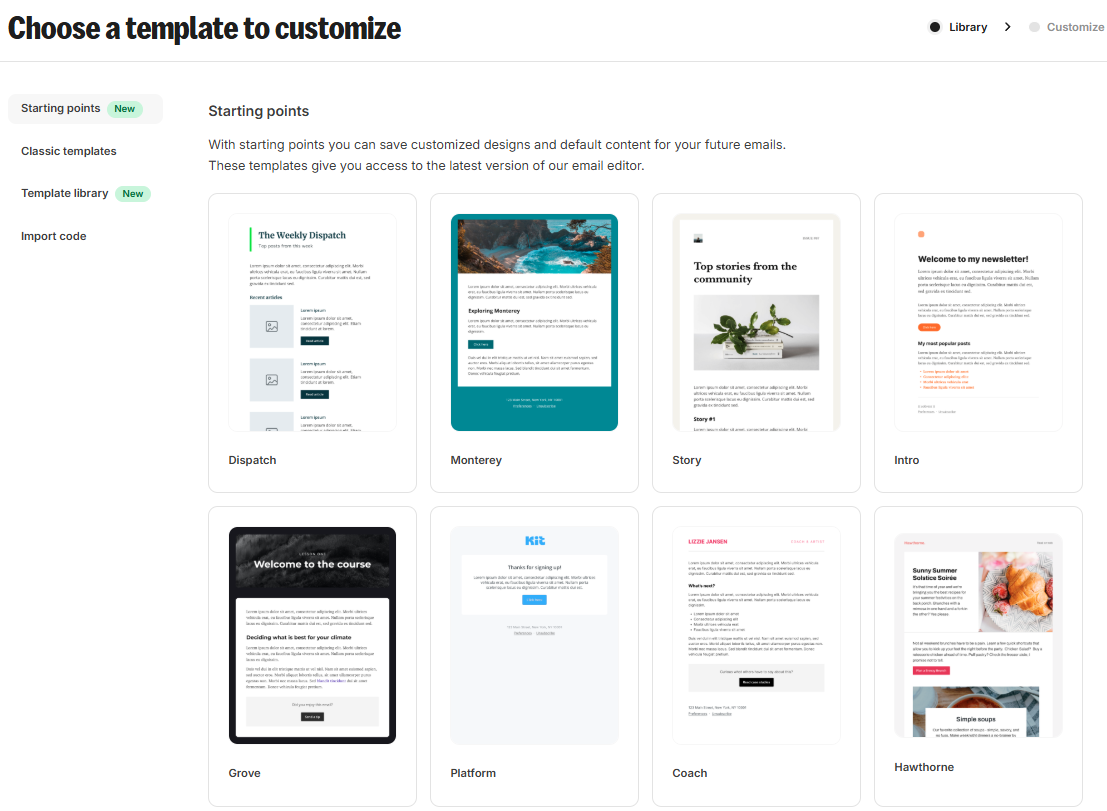
Mailchimp’s current builder and template library are much larger, and it leans heavily into drag-and-drop design with prebuilt templates, custom-coded options, and a wide range of layout choices.
Kit’s templates are strong, just not as broad. Its email designer offers 40+ creator-made email templates, and its landing page builder offers 20+ templates for newsletters, lead magnets, webinars, and waitlists. That is plenty for a creator, but it is not the same scale as Mailchimp’s template catalog.
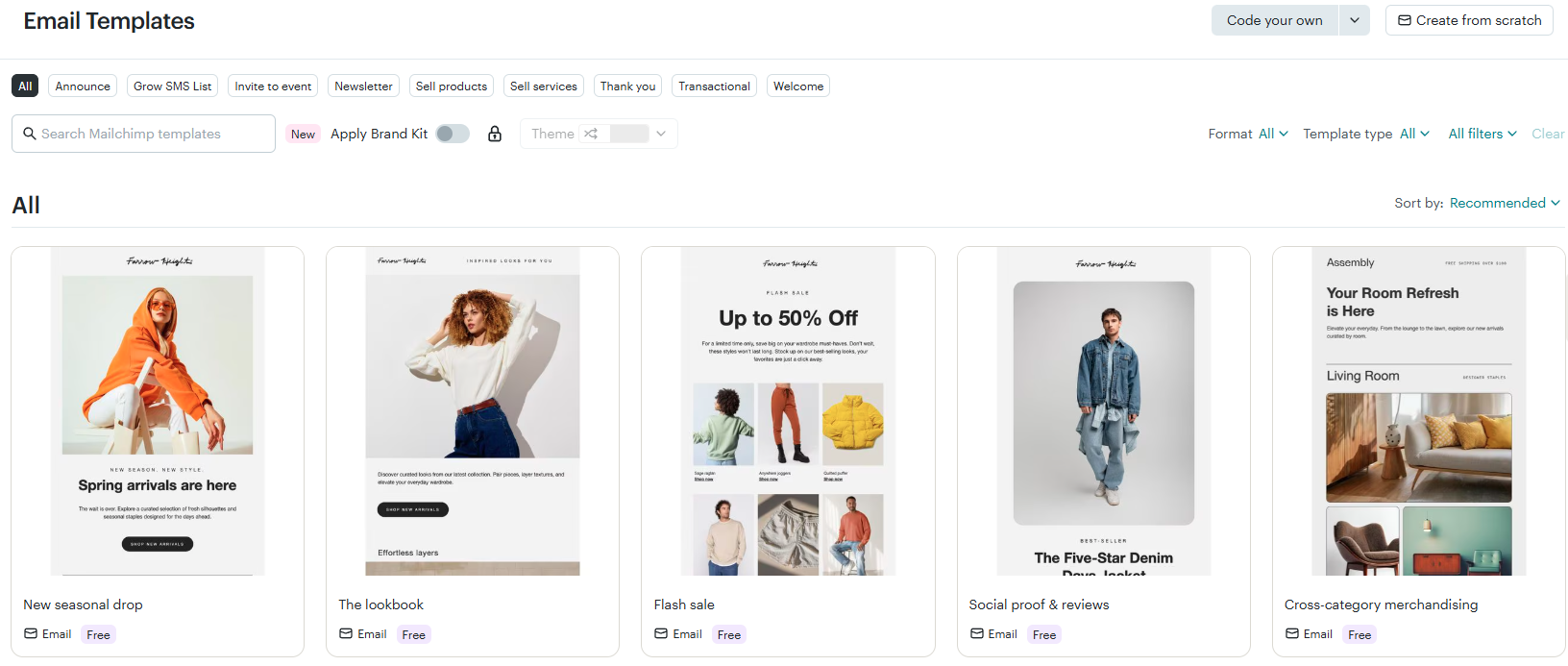
Mailchimp offers numerous templates on the free plan. With an upgraded plan, you can access and customize over a hundred professionally designed themes. The selection varies in design, layout, and purpose. Additionally, every template is populated with sample content to inspire you as you create your own.
Combined with their advanced email editors, Mailchimp is much more valuable to businesses that need greater design and branding flexibility. Mailchimp templates are comparable to Omnisend’s in both number and quality.
The tradeoff in design is easy to see. Kit emphasizes speed and visually appealing assets, while Mailchimp offers customers more space to experiment with layouts and advanced creative options.
Winner: Mailchimp
Forms and landing pages
Kit treats landing pages and forms as part of list growth, rather than as add-ons. Its free plan includes unlimited landing pages and forms, and its landing page builder is built around conversion-focused templates and direct integrations with automations.
Mailchimp also offers unlimited landing pages in its free builder, plus signup forms, popup forms, and form builder tools. The difference is that Kit’s current product story places a little more emphasis on turning visitors into subscribers and then turning those subscribers into revenue.
For most creators, it’s the better setup. You can build a landing page, connect a form, send subscribers into an automation, and keep everything moving within a single audience-first workflow.
As long as you can wrap your head around the different editors, Mailchimp can still be superior to Kit, mainly because of the quality of the designs. But a comparison of Mailchimp and Omnisend highlights what the former lacks: gamified email capture forms.
The interactivity of Omnisend’s Wheel of Fortune form makes it incredibly effective in engaging website visitors and getting them to subscribe more than Mailchimp’s form builder can.
Winner: Kit
Automation
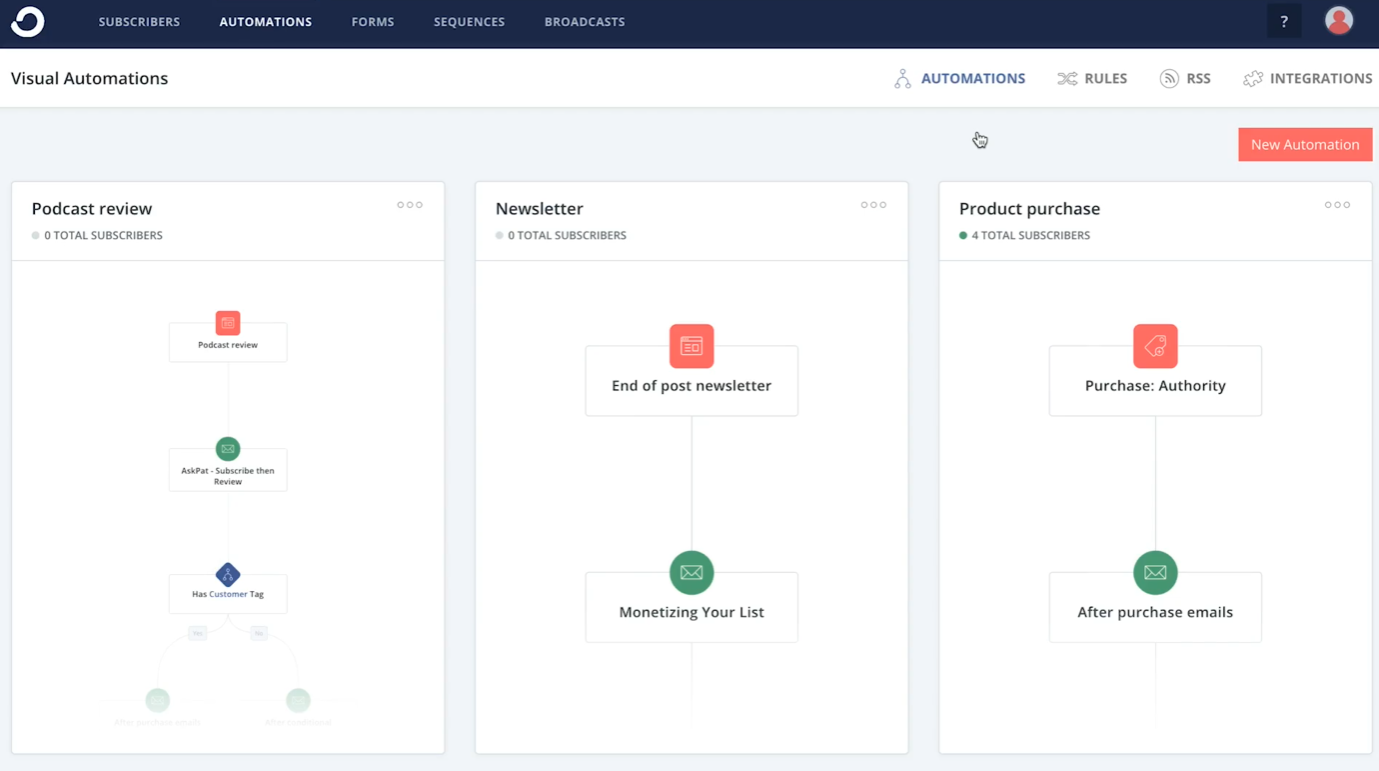
Kit wins automation for creators. The free Newsletter plan includes one basic Visual Automation, and the Creator plan provides unlimited Visual Automations plus unlimited email sequences. That means you can start with automation before you pay, which is a big change from the old 2022-era comparison.
Mailchimp’s automation is more advanced on the paid plans, but its free plan does not include it. On the pricing page, Marketing Automation Flows are not included in Free; Essentials includes up to four flow steps, and Standard and Premium include up to 200 flows.
That leaves a fairly clear conclusion. Kit is the better platform for creating welcome sequences, tagging users, and automating emails without paying upfront, whereas Mailchimp becomes more attractive once advanced automation is required.
Although the two are comparable in terms of automation features, it’s essential to note that these are only available on paid Mailchimp plans. In contrast, Kit’s current Free plan includes limited automation (a basic Visual Automation), with more advanced automation and sequences available on paid plans.
In contrast, these features are already accessible through Omnisend’s free tier. However, advanced automation features and higher sending limits are reserved for paid plans.
Furthermore, Omnisend lets you include multiple channels on every workflow. So, a workflow can start with an email and then be followed up by an SMS, making engagement much more likely.
Winner: Kit
Segmentation and personalization
Mailchimp offers stronger predictive segmentation, smart recommendations, and AI-assisted audience targeting, all built to help you decide who to email, what to send, and when to send it.
It becomes especially useful when you run multiple email marketing campaigns and want to increase engagement without manually sorting audiences.
For example:
- You can create a segment of people who are most likely to make a purchase again based on past behavior
- You can target subscribers who opened your last three email campaigns but did not click
- You can group customers based on predicted lifetime value and send different subject lines or offers
Kit focuses more on practical, creator-friendly segmentation. It uses tags, subscriber signals, and engagement history to help you understand your audience more simply, without overwhelming complexity.
For instance:
- You can tag subscribers based on how they joined your landing page or form
- You can segment people who clicked on a specific link in a previous email marketing campaign
- You can group readers who regularly open your welcome emails and move them into an automated email sequence
Both tools handle segmentation well, but the difference is depth versus simplicity. Still, Mailchimp goes further with predictive logic and optimization tools. If your team wants the platform to recommend the next move for you, Mailchimp offers a stronger system.
As powerful as Mailchimp’s list management features are, however, they have a hard time catching Omnisend’s advanced segmentation features. Omnisend allows you to segment subscribers based on practically any criteria for which you have data. That includes customer lifetime value, purchase behavior, and historical campaign responses.
Winner: Mailchimp
Analytics and reporting
Mailchimp’s Analytics AI agent can interpret plain-language questions about campaigns, automation, audience metrics, and revenue, while also incorporating ecommerce attribution from connected stores. This gives reporting a more conversational and assistant-like feel.
Kit’s reporting is also useful, especially for creators. Pro includes engagement analytics, subscriber engagement scoring, deliverability reporting, an insights dashboard, and Subscriber Signals, which help you understand the people behind the email address. That is thoughtful reporting, but it is narrower than what Mailchimp is doing now.
Mailchimp also has a Smart Recommendations feature. Through this, the platform will analyze all your performance data and use artificial intelligence to provide actionable insights for improvement.
Mailchimp makes it easier to find better ways to engage your audience and generate more revenue.
Choose Mailchimp if you value audience expansion and revenue analysis across multiple marketing channels.
Choose Kit if creator-style engagement and subscriber quality matter more to your strategy.
Omnisend’s reporting features are similar in terms of depth of detail. Omnisend shines with its Benchmarks feature, which lets you compare your campaign performance with other businesses in your industry. This gives you a better idea of how well you’re competing with similar brands.
Winner: Mailchimp
AI features
Mailchimp wins this round, too. Its AI stack now includes Write with AI, generative AI features on paid plans, an Analytics AI agent, and predictive segmentation. Mailchimp also brands itself as a more AI-powered platform in its current marketing.
Kit is no longer AI-light. Its AI page now includes AI email-writing tools for subject lines, Kit MCP for connecting Claude, ChatGPT, Gemini, and other tools directly to your Kit account, and embedded AI support within the product.
Mailchimp’s AI delivers a broader experience by supporting content, basic analytics, optimization, and segmentation. Kit’s AI, however, becomes especially appealing if your goal is to have AI actively assist your creator business within Kit itself.
Winner: Mailchimp
Third-party integrations
Kit’s current pricing and AI pages point to 100+ direct apps, plus a more extensive Kit App Store that connects creator tools like Shopify, Linktree, Mighty Networks, Canva, and more. That is more than enough for many creators, but it is not as broad as Mailchimp’s ecosystem.
Although Kit has a decent selection of third-party integrations, Mailchimp’s established brand and long history in email marketing have made it more attractive to software developers and service providers.
Mailchimp wins on size. Its current integrations directory advertises 300+ integrations, and the company says developers have launched 300+ integrations as well.
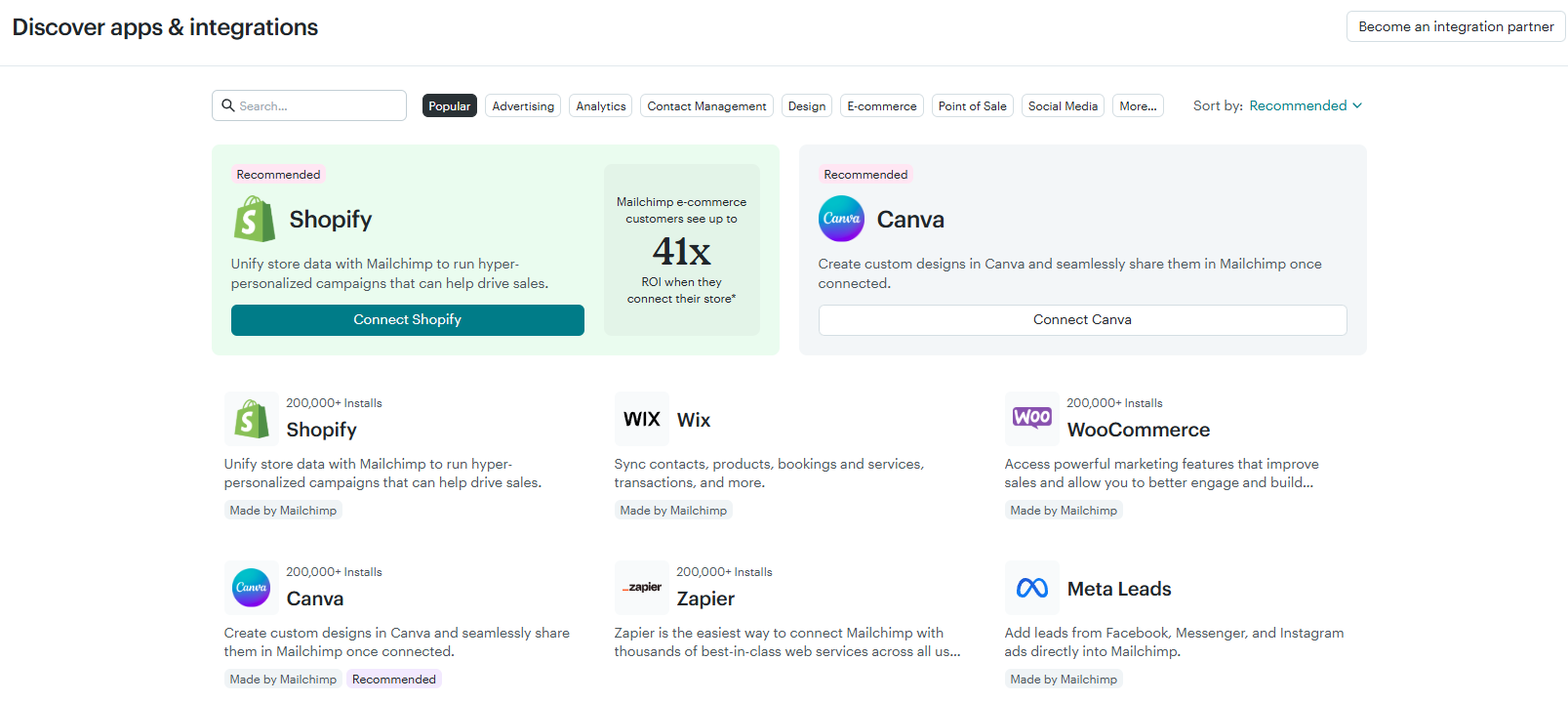
If you are searching for a Mailchimp ConvertKit integration, that is usually the wrong question. They are competing platforms, so the real issue is migration, not syncing them side by side. Kit’s free migration help is the more useful option for people who want to migrate from Mailchimp to ConvertKit without a painful handoff.
Compared with Mailchimp and Kit, Omnisend’s App Market is markedly smaller. However, it is a meticulously curated library of useful tools. So, you don’t have to spend your time combing through several apps to find the one that works best.
Additionally, each tool in the Omnisend App Market is carefully built for seamless integration with the platform and undergoes a stringent acceptance process.
Winner: Mailchimp
Customer support
Kit provides 24/7 email and chat support on its paid plans, along with an AI assistant that can instantly answer many product questions. Its support page also highlights personalized assistance and free migration services.
Mailchimp’s support is good, but more tiered. The Free plan includes email support for the first 30 days; Essentials and Standard include 24/7 email and chat support; and Premium includes priority support plus phone support. That is solid, but the best help is reserved for the top end.
Smaller creator businesses are likely to find Kit more inviting. Mailchimp’s support becomes stronger for organizations that invest in Premium, but Kit still offers a friendlier entry-level experience.
Winner: Kit
Wrap up
Kit is the better overall choice if you are a creator, newsletter writer, coach, course creator, or solo business owner who wants email marketing software that helps you grow and earn all in one place. Its free plan is far more generous, its automation starts earlier, and its monetization tools are built into the product instead of tacked on later.
Mailchimp is the better choice if you need a more extensive email marketing platform with stronger templates, more integrations, better segmentation, more advanced analytics, and a wider channel mix. It is also cheaper to start on the smallest paid tiers, so if your list is tiny and your needs are basic, Mailchimp can feel like the lower-friction entry point.
The simplest way to view Kit versus Mailchimp in 2026 is that Mailchimp is the stronger all-purpose marketing platform, while Kit is the stronger platform for creator businesses. If growing and monetizing your audience is the priority, Kit comes out ahead.