Omnisend AI


 OFFER
OFFER










Lifecycle email marketing responds to customer actions with an appropriate sequence of emails, each committed to a particular customer and matched with a distinct stage of the customer-business relationship.
Today, it’s one of the most efficient marketing strategies. However, different from traditional one-size-fits-all email campaigns, lifecycle email marketing is often complicated and requires considerable data, planning, and proper execution.
This guide will explain exactly what lifecycle email marketing is, how it differs from standard email marketing, how emails fit into the customer lifecycle journey, and show how automation plays a key role in making it all work.
Quick sign up | No credit card required
What is lifecycle email marketing?
Lifecycle email marketing is a strategy based entirely on customer behavior, triggering different emails depending on where customers are in their relationship with your brand. To put it simply, lifecycle email marketing assigns predetermined communication based on the lifecycle stages your customers are in to send relevant emails on specific topics at different times.
The logic behind it is simple — different subscribers need different conversations. A new subscriber isn’t the same as a first-time buyer, and a loyal customer is different from a lapsed one. The challenge, then, is to send the right emails at the right time, which is why automation is so important.
In ecommerce, lifecycle email marketing is directly tied to revenue. Every email is dedicated to a specific goal — making a connection, converting a subscriber, reducing post-purchase doubt, encouraging a second purchase, or reengaging a lapsed customer.
Here’s a brief look at the key characteristics of lifecycle email marketing:
- Emails are sent based on an individual subscriber’s actions.
- Email content directly connects to the subscriber’s current lifecycle stage.
- Lifecycle sequences are often automated to run without human intervention once set up.
- Emails have specific conversation goals tied to different stages.
- Success is measured by leveraging metrics that match each email’s purpose.
How lifecycle email marketing differs from regular email marketing
Most ecommerce businesses start their email marketing centered around campaigns, which, to be fair, is a great starting point. Scheduled newsletters, seasonal promotions, and batch sends can bring great results for small businesses. When scale is added to the equation, however, brands need to review their email marketing strategies to prepare for growth and establish relationships with new customers in a meaningful way.
Lifecycle email marketing is completely different — instead of treating all subscribers as the same, you segment subscribers and map emails to acquisition, conversion, retention, and reactivation.
| Comparison factor | Regular email marketing | Lifecycle email marketing |
|---|---|---|
| Trigger type | Based on calendar events or manual | Based on customer triggers |
| Audience targeting | Full list or broad segment | Based on the lifecycle stage, with separate audience segments |
| Timing | Scheduled at the sender’s discretion | Sent automatically when necessary conditions are met |
| Personalization level | Low to moderate | Highly adaptable to different stages |
| Primary goal | Drive immediate conversions | Move subscribers forward in their brand relationship |
| Example email type | Newsletter, seasonal sale blast | Welcome series, customer win-back flows |
But here’s the interesting part — some of the most successful ecommerce brands run both regular and lifecycle email marketing.
It’s true that there’s a lot of planning that goes into lifecycle email marketing, but it can more or less run on its own once automations kick in. And while that’s running in the background, businesses can send broadcast campaigns to promote seasonal deals.
Why email is the primary channel for lifecycle marketing
Virtually any marketing channel can run or support lifecycle communication. However, emails are uniquely suited to execute long-term lifecycle strategies because they can combine behavioral triggers with direct revenue attribution, scalability, and stage-based ownership.
Here’s a list of what makes emails the top choice for lifecycle marketing.
- Brands fully own emails. Unlike with social media, which is largely unpredictable, businesses own their email lists from start to finish. There’s no algorithm shift to adjust to or ads to run.
- Behavior triggers are typically native features of email automation tools. All major email service platforms are built around event-based triggers, like sign-up, purchase, page view, and inactivity, to name a few.
- Emails impact revenue. As reported in Litmus’s State of Email research, the top-performing email programs with a 45:1 ROI send lifecycle emails, such as onboarding sequences, rather than one-time promotions.
- Email marketing has the best potential for scaling. Introducing just one automation can already handle thousands of welcome flows, post-purchase follow-ups, and win-back campaigns at the same time, and with a high level of personalization.
- Email marketing outperforms other marketing channels on ROI. Ecommerce and retail brands reportedly see up to $45 back for every dollar they invest in email marketing.
How Flextail doubled its revenue with lifecycle automation
The outdoor gear brand Flextail chose Omnisend as its primary lifecycle automation tool to build a scalable email automation infrastructure. It included polished welcome flows and post-purchase sequences, resulting in a significant increase in repeat purchase revenue.
Read the full Flextail case study to learn more.
The welcome series: turning subscribers into first-time buyers
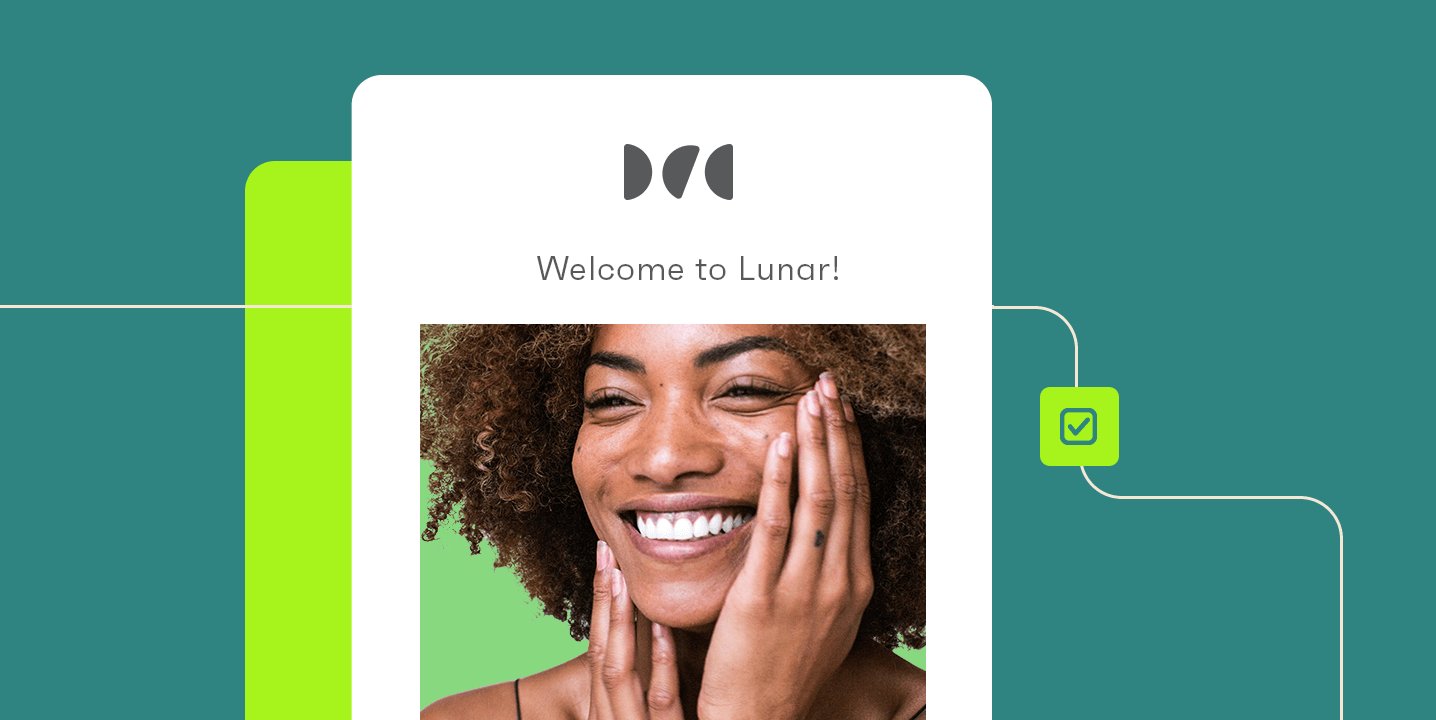
Welcome flows are among the most common, and arguably the most important lifecycle email flows for ecommerce brands. These emails play a dual role in lifecycle email marketing — welcoming new subscribers and establishing a connection between potential customers and brands. And depending on how well the basis is built, successful welcome emails help move subscribers to paying customers.
When it comes to the numbers, our 2026 Ecommerce Marketing Report found that abandoned carts, welcome messages, and browse abandonment emails were the top three automation types, accounting for 87% of all automated orders.
Now, a well-structured welcome series usually includes two to four emails delivered over the period of seven to ten days after sign-up.
- Email 1: Immediate welcome. These emails are short, to the point, and are sent immediately, typically delivering some sort of incentive like a discount code and introducing the brand.
- Email 2: Brand story and value proposition. Sent after two to three days, include a more in-depth brand story, reviews, and what makes them different.
- Email 3: Product education and bestseller presentation. Sent after four to five days, with information about top products to both showcase and introduce subscribers to products they might be interested in.
- Email 4: Urgency close. Send after seven to ten days in cases when subscribers don’t purchase within the first week after sign-up. Generally, these emails serve as reminders for subscribers, informing them of their unused discount expiration.
Welcome series trigger immediately after a customer signs up from a pop-up, checkout opt-in, or landing form. For the best effect, it’s advised to send the first welcome email within 60 minutes.
Not sure how to structure your welcome emails? Check out Omnisend’s welcome email template guide to get started.
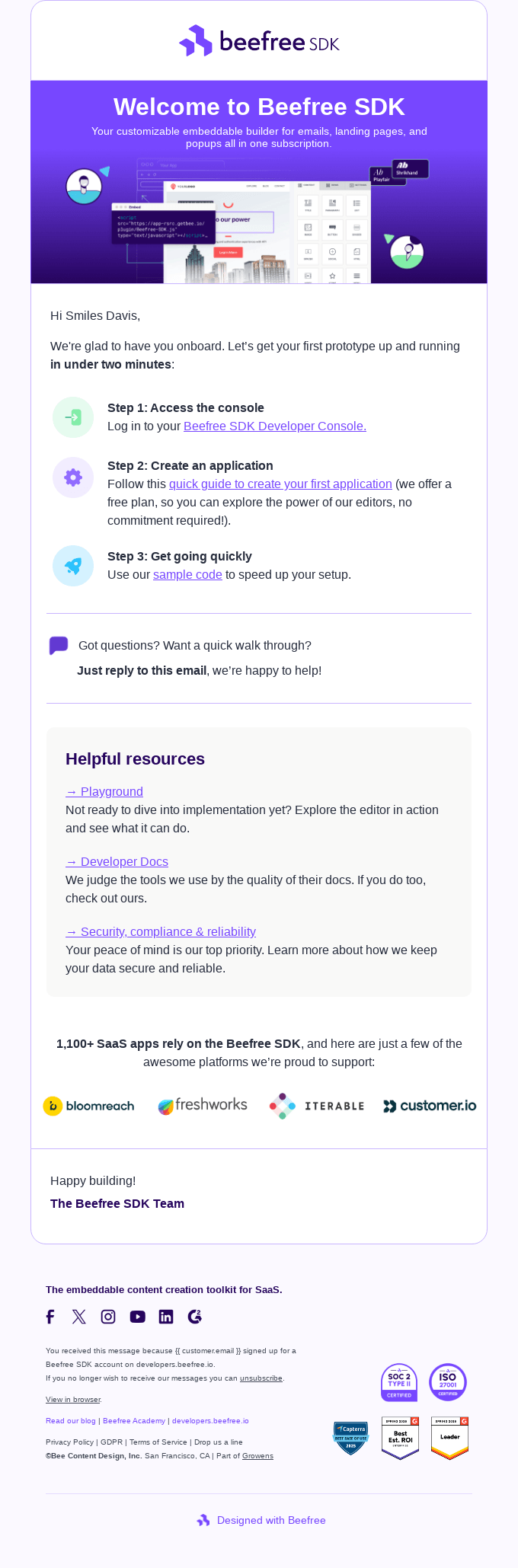
Onboarding emails: helping customers get value and come back
First-time purchases are crucial moments for ecommerce brands because they mark a major business-customer relationship shift — from conversion to value delivery. Onboarding emails are designed to bridge this transition, making sure customers get value from what they purchased.
Interestingly enough, many ecommerce businesses don’t invest in this email stage, yet brands that send strong post-purchase onboarding flows see higher repeat purchase rates.
Typical onboarding email types and triggers:
- Order confirmation (immediate): The standard transaction confirmation email that’s expected, and if structured the right way, can reinforce the initial buying decision with confidence and brand trust.
- Shipping update (sent after dispatch): Another key email that’s perhaps even more expected than the transaction confirmation. These emails build both anticipation when tracking information is provided clearly.
- Product usage (two to three days after delivery): Exact sending times can differ depending on brands and delivery dates, but the main purpose of this email is to share details on how a purchased product should be best used, tips & tricks, etc.
- Review request (five to seven days post-delivery): The purpose of these emails is to request genuine feedback while also giving customers enough time to use the product they purchased.
- Cross-sell recommendation (seven days to two weeks post-purchase): Personalized emails that recommend new products based on prior purchases. Brands also include information related to other purchased items, not just to sell more, but to provide value.
Every single one of these onboarding emails is triggered by a real event, not a calendar date.
Engagement and retention emails: keeping active customers close
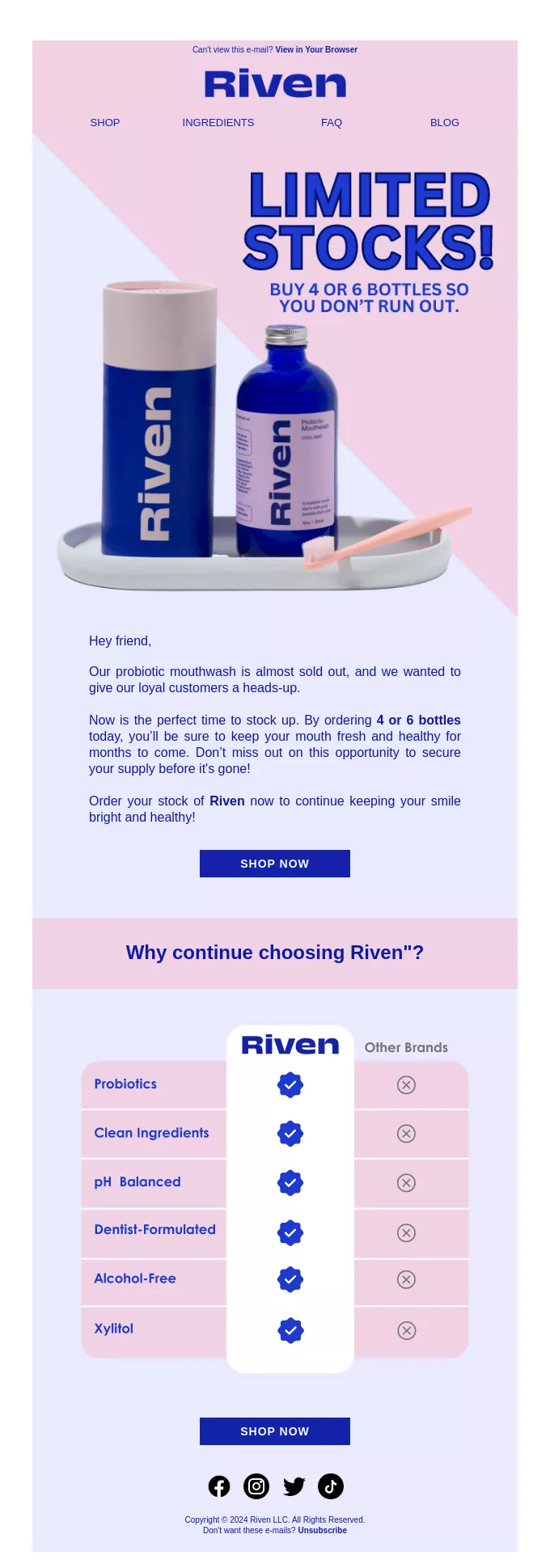
It costs five to seven times more to acquire a new customer than to retain an existing one. For this reason, retention emails have such an important role in retention marketing — they help retain customers and protect your investment before disengagement sets in. And yes, personalization remains a crucial factor, as with almost every other email in existence.
Here’s a list of email types that work well for retention:
- Loyalty & rewards emails: Communicate point balances, loyalty program updates, tier milestones, and, if applicable, exclusive member benefits.
- Personalized product recommendations: Commonly triggered by browsing history or purchase patterns to make email content feel relevant rather than generic.
- Product replenishment reminders: Best suited for brands selling skincare or similar items like supplements, coffee, tea, subscription boxes, perishable goods, and many others. Set up correctly, these emails are helpful reminders while also enticing purchases
- Milestone emails: These emails highlight important events for customers — first anniversary, nth purchase, or birthday — and pair them with personalized messages.
- Reengagement emails: This is where personalization and soft messaging come into play. Typically, brands take a more individualized approach, adopting a slightly more emotional tone to reconnect with customers while the connection is still “warm”.
Overall, the most effective retention emails combine behavioral data with personalization. To put it more simply, emails that include information about a customer and their past purchases perform better than generic emails promoting new products in hopes of keeping customers interested.
Win-back emails: reactivating customers before they’re gone
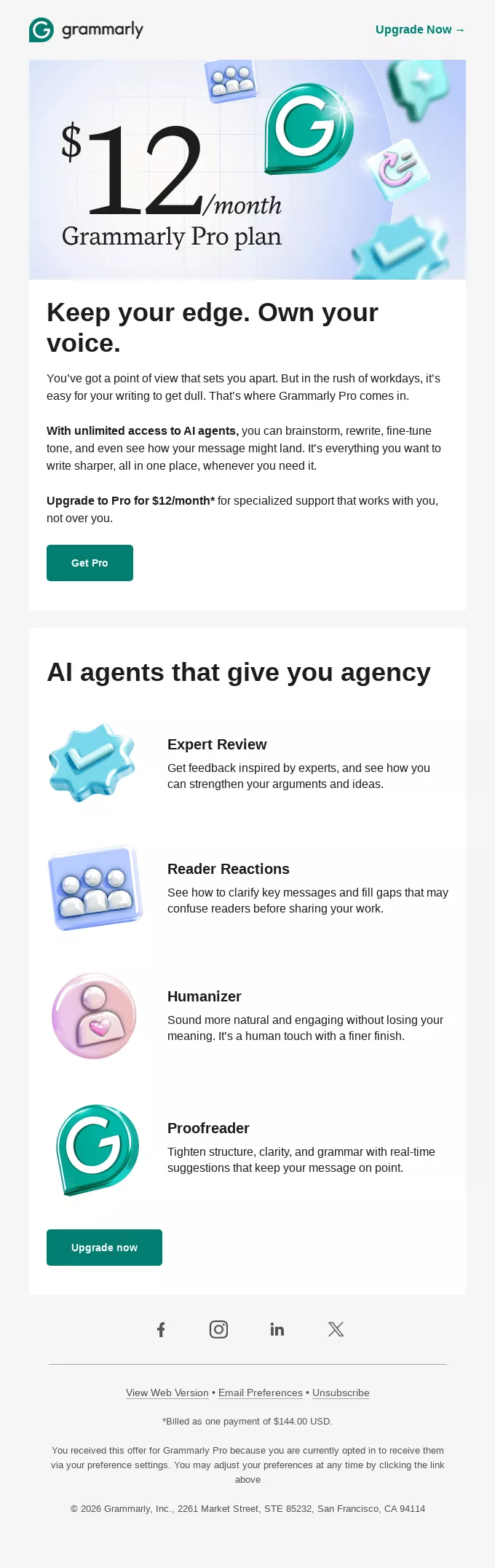
Win-back emails, also known as reengagement emails, come into action when customers go quiet for more than 60-90 days and don’t buy from brands or engage with their content. Win-back emails rely heavily on individual business needs and require carefully designed strategies.
However, if we were to look at the best-performing win-back email sequences, they usually consist of a two to three-email sequence over two to three weeks:
- Email 1: Soft reengagement. No promotional communication or hard sell. Some starting examples can be “we noticed you haven’t visited in a while” or something similar. Focus on the brand-customer relationship, not sales.
- Email 2: Stronger incentive (1 week later). If customers remain inactive, reach out with a more incentive-driven email that leads with a discount or an exclusive reward to bring back a valued customer.
- Email 3: Last chance. Your last email in your win-back sequence. Communicate clearly that all the discussed discounts and rewards will expire soon. Balance urgency with grounded, genuine communication to avoid further deterring customers.
If you don’t hear back from your customers after 60-90 days and your win-back campaign hasn’t worked, it’s time to prepare for sunsetting. Removing inactive email addresses from your lists is one important part of maintaining list hygiene and accurate email metrics.
Lifecycle email marketing examples
The best lifecycle emails balance simplicity with clear intent and goal, which makes it that much easier for subscribers to follow along.
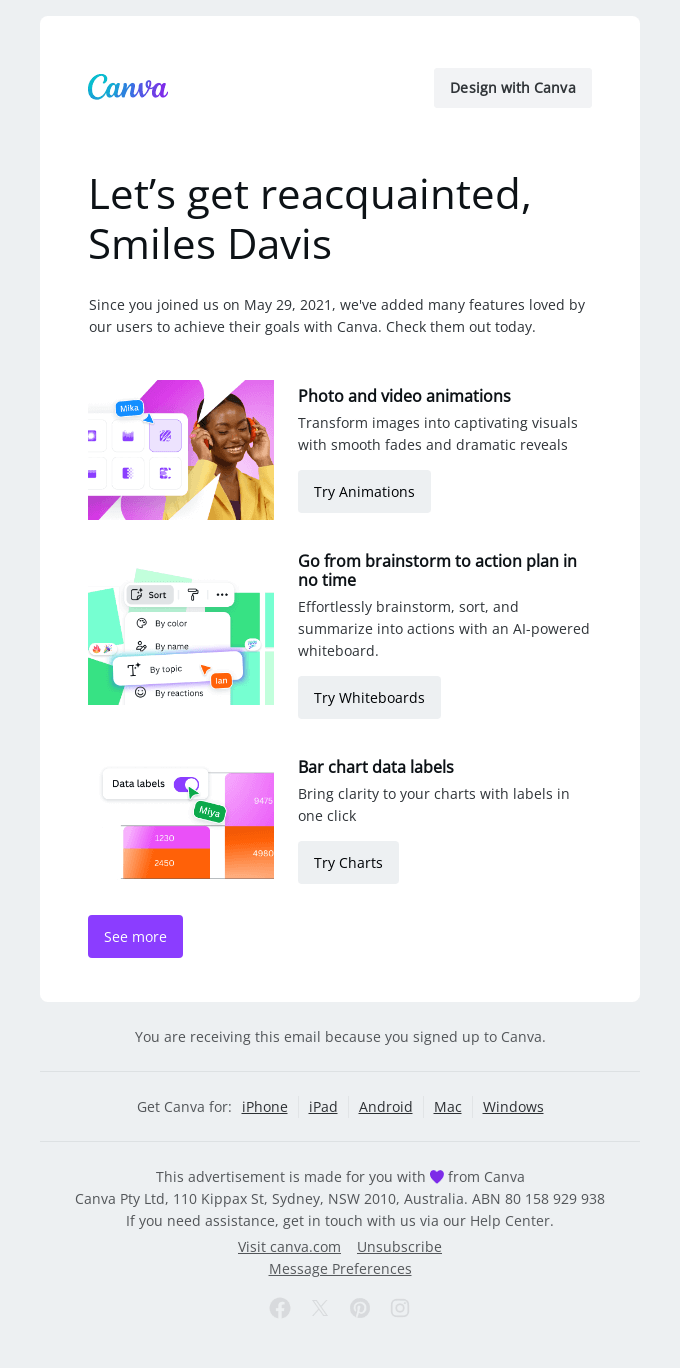
At the same time, the content, goal, and angle of the lifecycle email highly depend on the business, product, and expressed brand values. Let’s look at some great email examples from welcome, win-back and replenishment emails.
1. Welcome email: Lululemon
Many businesses struggle to create the “perfect” welcome sequence, but all you need to do is be clear, informative, brief, and welcoming. Lululemon does a great job of doing just that by:
- Welcoming a new subscriber to the Lululemon Membership ecosystem.
- Providing helpful “getting started” resources, such as the best products.
- Informing new members of the additional benefits of Lululemon Membership, emphasizing value.
- Showing clear and structured visuals with a direct tone of voice and several CTAs that lead members to either download the Lululemon app, shop for items, or find nearby shops.

2. Onboarding email: Flow
Flow shows one of the best ways to start an onboarding flow for its niche, with a heavy focus on personalization and updates. Flow’s emails work well because:
- The email opens with personalized data that shows customers their statistics, such as words spoken and usage ranking, making it immediately feel more relevant.
- It balances information with clarity — every section covers topics neatly without overwhelming the reader.
- Flow uses a strong visual hierarchy, combining large numbers with bold headings to draw attention and guide the customer through the email.
- Every email section has its own clear CTA that feels like a natural progression rather than a push to buy.

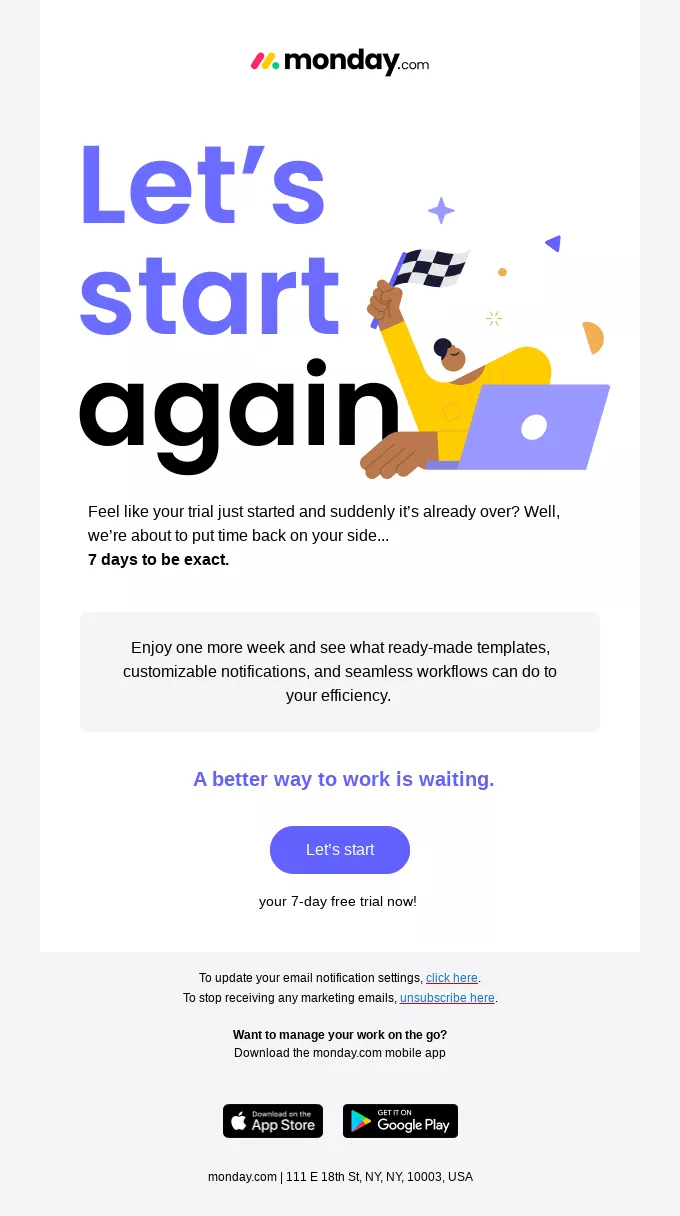
3. Retention email: Monday
Monday’s example shows what a good retention email can look like without sounding desperate. The email attempts to re-engage customers by adding a clear benefit.
- The headline “Let’s start again” attracts attention because it’s friendly and optimistic, making it sound like an invitation rather than a chase.
- The email copy is straightforward, mentioning an ended trial, and offering several additional days for subscribers to try Monday.
- The value proposition is strategically accompanied by product features that may be relevant for the reader.
- A single CTA, “Let’s start,” is simple but speaks volumes, particularly when the email’s goal is to retain customers by offering an extended free trial.
4. Win-back email: Too Good To Go
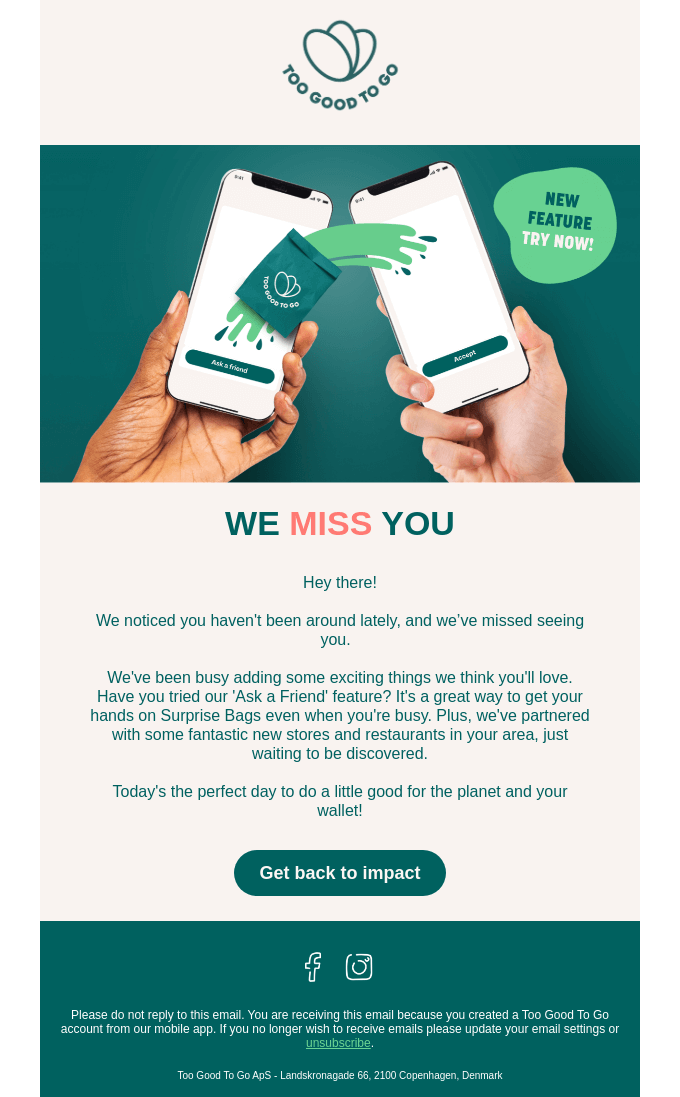
Too Good To Go’s win-back email shows how some businesses can choose to show company growth and expansion.
- The “We miss you” headline is simple, but it carries a clear emotional signal that sets the entire tone of the email.
- The email’s hero image plays the most important role of showing a new feature, communicating to lapsed customers of value, not vague “don’t go messaging”.
- The brand does a great job combining its mission with the leading email CTA “Get back to impact”.
5. Replenishment email: Jenki
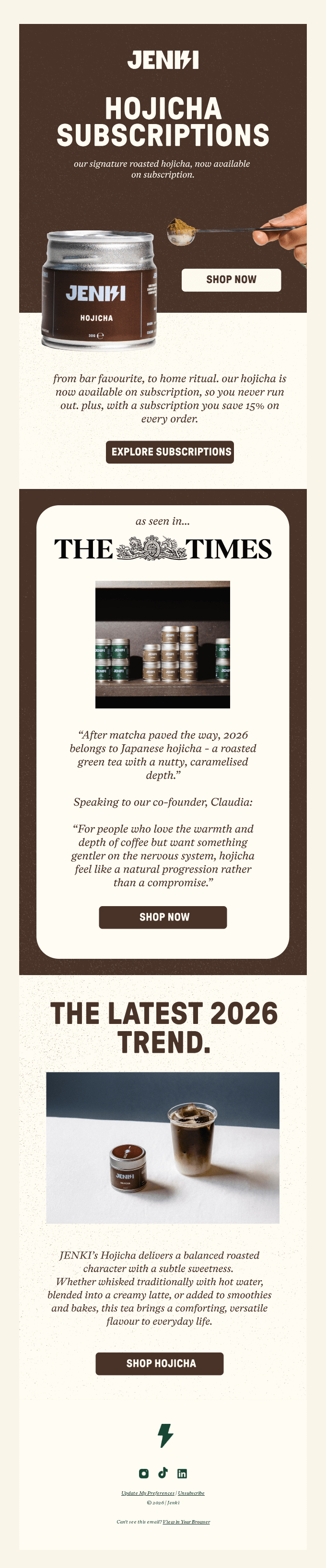
A reminder to restock on used products is effective, but offering additional benefits and positioning the message around subscriptions brings more value and interest from customers.
- The email opens with a clear subject line that announces that hojicha is now available on subscription.
- The value is communicated from two angles: customers won’t have to worry about running out of hojicha, and a subscription can result in 15% savings.
- Asking to subscribe can often be more difficult than asking to buy, but here, Jenki adds a well-timed social proof section “as seen in The Times.”
The role of automation in lifecycle email marketing
Lifecycle email marketing needs planning, mapping, data gathering, and timely execution, all of which are challenging to do by hand and may require more than one specialist on the team to run.
Customer lifecycle software aims to handle the bulk of the otherwise demanding manual work, leaving teams and businesses with more time to support other marketing areas. To understand more about how email automation works mechanically, here’s a rundown of the core elements:
- Triggers: Nearly all lifecycle email marketing automation is centered on behavioral triggers such as sign-ups, first purchases, viewed products without purchase, shipment confirmations, no purchase in 60 days, birthdays, etc.
- Conditions: Once a specified trigger is activated, the next step in the automation chain is to filter which subscribers should continue through one or another flow. For example, a win-back trigger will send emails to all inactive subscribers, but a specific condition will segment the audience into those who have previously purchased and those who haven’t.
- Delays: Controlling the timing of certain email sequences allows brands to maintain higher-quality flows and introduce checks to ensure the right emails are sent to the right subscribers. Plus, delays help plan email series like welcome flows over several days or weeks.
- Branching logic: Depending on how a subscriber acts, emails can branch. A good example would be sending a welcome series: if a subscriber clicks on a discount link, they move towards the onboarding flow. If subscribers don’t use the discount, they receive the next welcome email.
A minimalistic example of a lifecycle automation welcome series:
| Trigger | New subscriber joins |
|---|---|
| Email 1 (immediate) | Welcome email with a discount code |
| Delay | 48 hours |
| Condition | Subscriber completes a purchase |
| If yes | Exit welcome flow, enter onboarding sequence |
| If no | Send a welcome email 2 with social proof and brand story |
| Delay | 3 days |
| Subscriber doesn’t respond | Send welcome email 3 with bestsellers and more details on the discount expiration |
How to measure lifecycle email marketing success
Lifecycle email marketing consists of different smaller strategies, so to accurately measure the success of your email marketing, you need to match your metrics to the goal of every email automation you have running.
To be more specific, welcome emails and win-back flows have completely different goals and, therefore, different metrics to track.
| Email type | Primary metrics | Benchmark |
|---|---|---|
| Welcome emails | Open rate, click rate, conversion rate, revenue per email | Open rate 50-60%, click rate 5-8%, purchased within seven days after sign-up |
| Onboarding emails | Second purchase rate, repeat purchase rate, product review submission rate | Repeat purchase within 30-60 days, review request open rate 35-45% |
| Retention emails | Click rate, repurchase rate, customer lifetime value (CLV), loyalty program enrollment | Click rate above campaign average of 2-3%, CLV going up quarter-on-quarter |
| Win-back emails | Reactivation rate, revenue recovered per email, unsubscribe rate post-send | Reactivation rate: 5-15%, unsubscribe rate below 0.3%, sunset contacts with 0 opens after 3+ sends |
Now, the above table certainly may seem like a guidebook in itself, but there’s quite a bit more to evaluating the success of your lifecycle email marketing. Some things to keep in mind:
- Don’t try to optimize welcome emails to just get high open rates, but rather, focus on optimizing your welcome series for first purchase rate. Open rate is incredibly useful, but it won’t give you the full picture.
- Track trends and analyze what results they show over time. A win-back reactivation rate of 8% may be great or weak, depending on whether it’s improving or declining quarter-on-quarter.
- Use established email marketing benchmarks to help guide your strategy adjustments, but don’t treat them as the gold standard, as industry averages can change drastically.
How to get started with lifecycle email marketing
Even the best, top-performing, and global ecommerce businesses can struggle to build a reliable and lasting lifecycle email marketing strategy. The most common mistake is trying to design and build the entire strategy all at the same time.
Some of the best results can be achieved by automating priority emails for one or two lifecycle stages. As you learn more, you can keep adding automated emails and sequences later on.
Before we wrap up this guide, take a look at a simple strategy that usually gets good results quickly:
- Start by automating your welcome series first. These emails have the benefit of attracting the most engaged audience, so with a well-planned welcome email strategy, you can make sure all that engagement results in conversion.
- Move to automating post-purchase onboarding emails. An automated post-purchase flow can pick up your subscribers who have gone through your welcome series and successfully completed their first purchase.
- Set up a win-back automation. Analyze your audience segments and define what a lapsed customer means for your business. Usually, if subscribers remain inactive for 60 to 90 days, that almost always signals a lapsed customer and requires sunset flows to remove inactive subscribers to keep your lists clean and email marketing ROI accurate.
- Add in retention and engagement emails. Once your main welcome, onboarding, and win-back flows are running smoothly and showing good results, you can consider creating retention emails to maintain customer relationships. Think of loyalty programs or back-in-stock emails.
- Review, test, and optimize. There’s no such thing as a single strategy in marketing. To analyze what works and what doesn’t, businesses need to test subject lines, email timing, and copy versions. On top of that, lifecycle email marketing relies on multiple metrics that need to be tracked to get an accurate view of your infrastructure’s success.
Conclusion
Lifecycle email marketing is the main strategy for aligning business relationships and communication with customers, reflecting where they are on the buyer’s journey. When done correctly, lifecycle email marketing can bring great results and drive a considerable percentage of revenue.
But creating a well-planned strategy requires work and reliable data. The best way to start is to set up a welcome series and onboarding flows to create a strong foundation. After that, every new automation you’ll add will have a compounding effect on the value you get from email automation.
Quick sign up | No credit card required