
 Omnisend AI


 OFFER
OFFER








Drive sales on autopilot with ecommerce-focused features
See Features
Starting a Shopify ebook store in 2026 offers a low-cost, high-profit potential business model with no inventory or shipping hassles.
To succeed, prepare essential assets like finalized ebooks, compelling product descriptions, and a clear pricing strategy before launching your store.
Utilize effective marketing tactics, especially email campaigns, to build trust and drive sales, as they deliver the highest ROI for digital products.
Shopify provides a professional platform for ebook sales, allowing full control over branding, pricing, and customer relationships without requiring technical skills.
Starting a Shopify ebook store is more profitable in 2026 than ever before. It’s a cheap, ever-profitable business model with strong passive income potential.
Unlike physical products, ebooks need no stock, zero shipping hassles, and low ongoing costs. This makes them an ideal entry point for new online sellers.
In this guide, we walk you through everything you need to launch a Shopify ebook store.
We’ll confirm feasibility, explain how to set it up, recommend key apps, and cover pricing ideas. We’ll also share proven marketing tactics to grow your digital store from day one.
Quick sign up | No credit card required
Can you sell ebooks on Shopify?
Yes, you can sell ebooks on Shopify.
Shopify first gained fame for physical goods. Now, it fully supports digital products like ebooks, PDFs, courses, and downloadable files.
There’s one important consideration: Shopify doesn’t have built-in digital file delivery. You need a digital delivery app like Shopify’s Digital Downloads or tools like SendOwl, which we’ll discuss further in the post.
Thousands of ebook stores thrive on Shopify. They use its infrastructure for payments, security, and scalability. You only need to pay the subscription and payment fees.
Shopify handles the heavy lifting, including secure checkout, multi-payment options, and store hosting. Meanwhile, apps manage the automated delivery of your files.
This makes Shopify a solid choice for authors, entrepreneurs, and publishers entering digital sales.
You can sell single ebooks, make bundles, offer subscriptions, or mix digital and physical items. This gives you full control over your pricing strategy and customer relationships.
What you need before starting your Shopify ebook store
Launching a Shopify ebook store without prep is like publishing a book without edits. Sure, you can do it, but it’s unlikely to succeed.
Get your assets, branding, and plan ready first. This makes setup easy and launch strong. Here’s your pre-launch checklist:
- Your ebook(s) in final format: Edit your draft and save it. Use PDF for wide use or EPUB for e-readers. Keep files under 50MB for fast delivery, and add a professional cover and clear copyright info.
- Product descriptions written: Craft clear descriptions of what readers gain, who it’s for, and the problems it fixes. Do this before building your Shopify ebook store to stay sharp and drive sales.
- Cover images and mockups: A pro cover sways buyers — they do judge books by covers. Make 3D mockups with Canva or Photoshop, and aim for at least 1024x1024px for crisp display.
- Pricing strategy set: Check competitor pricing in your niche before you sell ebooks on Shopify. Most ebooks fall between $7-$47 based on length, expertise, and value. Premium guides or specialized business ebooks fetch more.
- Business basics covered: Pick a name, think up domain ideas, and set colors and fonts. You’ll also need a dedicated email address for your Shopify account to communicate with customers.
- Marketing plan outlined: Define how you’ll drive traffic, whether it’s through email lists, social posts, ads, or partnerships. Use customer acquisition strategies to nail your pitch and avoid empty stores.
Step-by-step: How to set up your Shopify ebook store
Setting up your Shopify ebook store is simple and usually takes just two to four hours. Here is a step-by-step guide to help you start selling ebooks on Shopify.
Step 1: Create a Shopify account
Shopify typically offers a short free trial (often three days, followed by $1/month for the first three months). The Basic plan ($39/month) is enough for most creators selling ebooks on Shopify.
Here’s the setup process:
- Go to shopify.com and click on “Start for free.” Enter your email address and create a password. Then, start the setup process for your Shopify ebook store.
- Then, you’ll need to answer some basic business questions. Shopify will ask about your experience level and revenue goals to personalize your dashboard.
- Next, choose your store name. You can change it later as your Shopify ebook store grows.
Step 2: Choose and install a digital product app
To sell ebooks on Shopify, you need an app to automatically deliver files after purchase. Shopify handles checkout and security, but file delivery requires a digital product app.
This is the most important technical choice for your Shopify ebook store. Here are some options you can choose from:
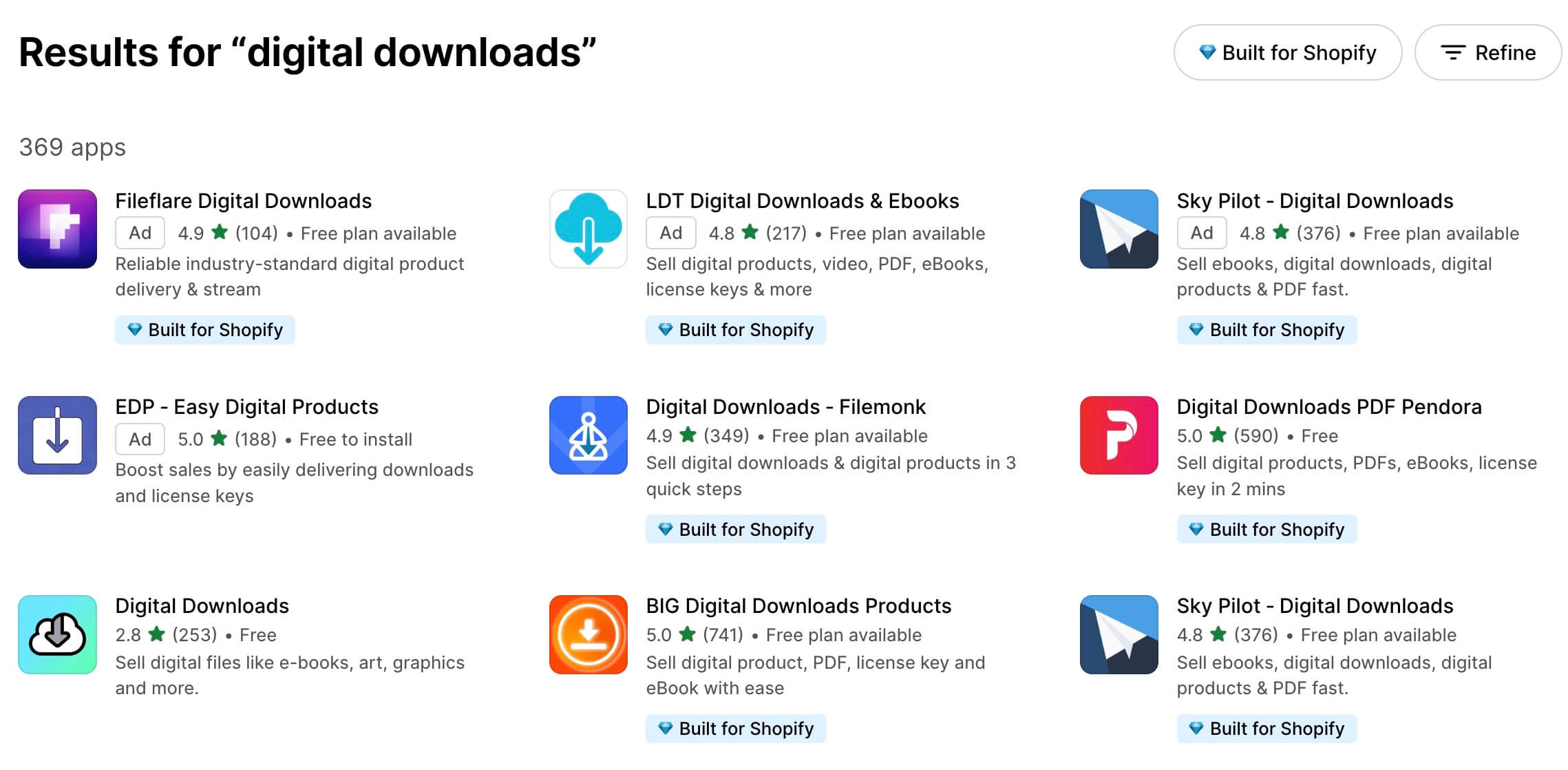
We recommend:
- Digital Downloads (by Shopify): Free, simple, and reliable. Ideal for beginners learning how to sell an ebook on Shopify.
- SendOwl: Advanced features like pay-what-you-want pricing and built-in affiliates. Plans cost $39-$159/month.
- Sky Pilot: Great for larger files and includes PDF stamping for added security. Plans cost $9-$54.99/month.
To install an app:
- Navigate to the Shopify App Store
- Search for your chosen app
- Click on “Install” and authorize permissions
- Follow the setup wizard
If you’re treating your ebook store as a side hustle, starting with the free Digital Downloads app makes perfect sense. You can switch apps later as your business grows.
Step 3: Upload your ebooks
After you install the app, add your first Shopify ebook product:
- Go to Products > Add product in Shopify admin
- Enter your ebook title, and write a compelling description
- Upload high-quality cover mockups and preview pages
- Set your price
- Scroll to Shipping and uncheck the “This is a physical product” box to disable shipping
- Under the Inventory section, uncheck “Track quantity” since digital products are unlimited
- Attach your ebook file using your digital product app
- Add Tags and Categories for organization
- Click on Save to publish
Follow these best practices for maximum profits:
- Use high‑quality cover images (minimum 1024×1024px)
- Write 200-300-word descriptions focused on benefits
- Offer variants if selling multiple formats (PDF, EPUB, MOBI/Kindle)
- Include testimonials if available
- Add search‑friendly tags
Also, consider adding a digital downloads widget to your Thank You page. This enables customers to download files directly, instead of waiting for an email.
Step 4: Set up automated delivery
Your digital product app manages ebook delivery, but you must set it up correctly. Here’s a checklist you could follow:
- Set download limits to between three and five downloads per purchase in case of issues
- Configure link expiration between 30 and 90 days, depending on product type and customer needs
- Customize the delivery email template with your branding, logo, and color scheme
- Include clear purchase confirmation messaging with step-by-step download instructions
- Test the customer journey end-to-end
Your delivery email should include:
- A prominent download button
- Device-specific instructions
- Support contact details
- A thank-you message
Always run a test order to ensure your ebook Shopify store delivers files seamlessly. For smoother customer journeys, use email automation for confirmations and follow‑ups.
Step 5: Configure your store design
First impressions matter. When someone lands on your Shopify ebook store, they decide in seconds if they trust your brand.
It’s even more important for digital products. This is because buyers can’t see or touch the products, so trust matters.
Use the following steps to design a store that engages buyers:
- Choose a clean theme that works well on mobile devices
- Match colors and fonts to your brand
- Create key pages, such as About, Contact, Terms, Privacy, and Refund Policy
- Add trust signals, such as secure checkout badges, reviews, and a money-back promise
- Keep navigation simple with clear categories
For ebooks, add a few extra details:
- Include an author bio
- Highlight sample pages or a table of contents
- Add an FAQ section about file formats, download issues, and more
- Clearly mention file type, file size, and device support
With digital products, trust is everything. That’s why many Shopify ebook stores offer a 30-day guarantee. This is one of the retention marketing tactics that helps buyers feel confident.
Step 6: Set up payment processing
Before you can sell ebooks on Shopify, you need to set up payments.
Here’s how:
- Turn on Shopify Payments for the lower fees and smooth setup
- If that’s unavailable, connect PayPal, Stripe, or another payment processor
- Offer different payment methods, including credit/debit cards, Apple Pay, Google Pay, and Shop Pay
- Set your primary currency and tax settings based on your location
- Turn on automatic tax calculation to stay compliant in different regions
On the Basic plan, Shopify Payments charges 2.9% + $0.30 per transaction. If you use a third-party provider, you may pay extra fees. Payment processing typically activates within 24-48 hours after submission.
Step 7: Test your ebook delivery
Testing ensures your ebook Shopify store works flawlessly before launch. It prevents embarrassing failures and lost sales, so don’t skip this step.
Here’s a testing checklist:
- Create a test order using Shopify’s test payment gateway
- Complete checkout as a customer would
- Verify the delivery email arrives within five minutes, with the correct file
- Download the file and confirm it’s not corrupted or incorrect
- Test functionality on desktop, phone, and tablet
- Ensure download limits and expiration work correctly
- Confirm order confirmation emails arrive
Watch for these common issues:
- Emails landing in spam
- Broken download links
- Incompatible file formats
Ask a friend to do a test purchase for unbiased feedback. For smoother communication, consider email segmentation to tailor follow‑ups to different customer groups.
Shopify ebook store examples and inspiration
Looking at real Shopify ebook store examples helps you see what works. Here, we’ve made a list of some great examples. This includes stores selling different types of ebooks, from fiction to fitness. So, take inspiration from these to design your own store.
1. Freelee The Banana Girl
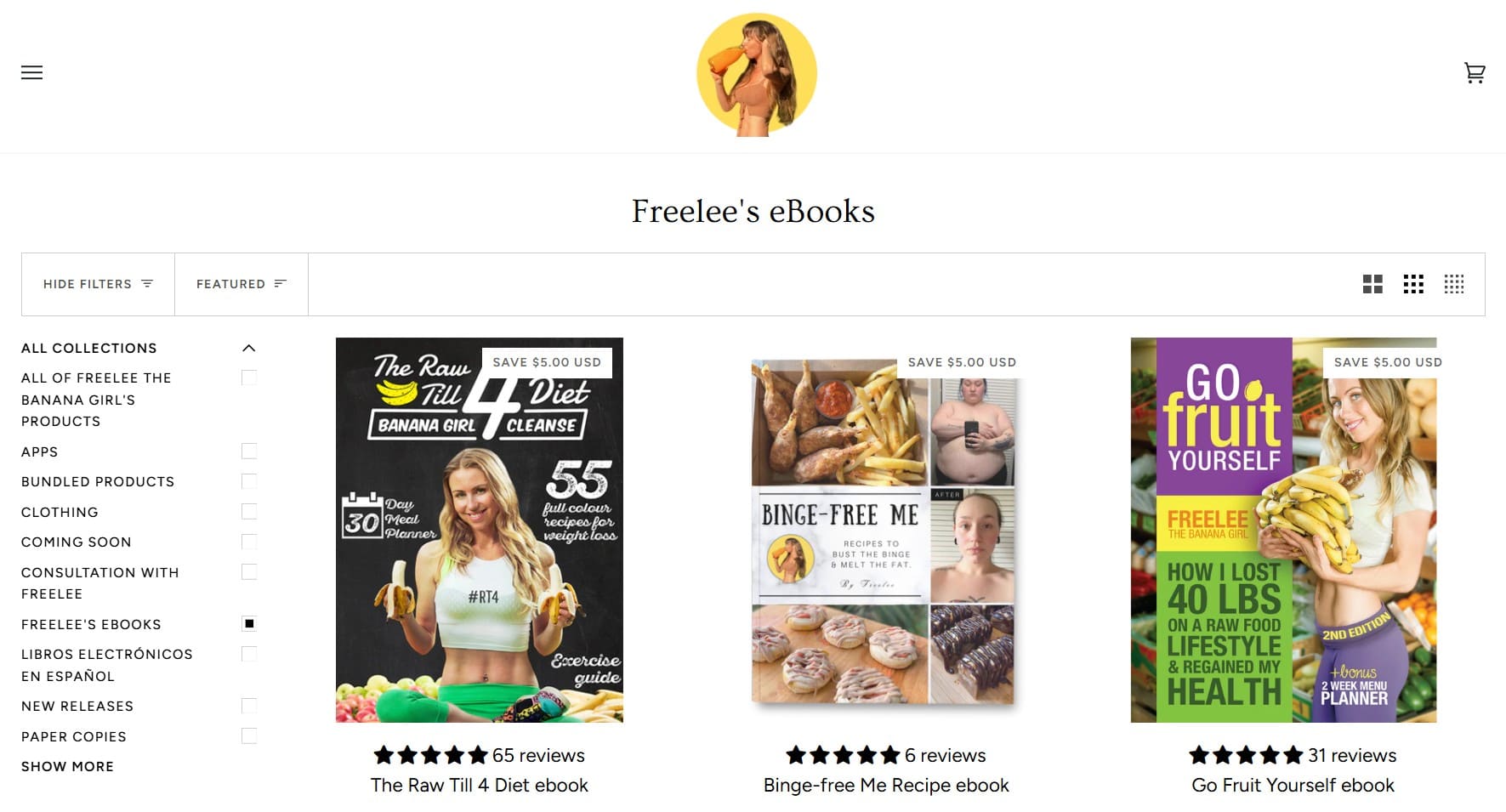
Sells: Diet and lifestyle ebooks focused on plant-based eating, weight loss, and wellness.
What works:
- Bright and bold branding that matches her personality
- Clear product images with previews
- Coaching offers related to the ebooks
Key takeaway: Own your niche. Suppose you want to sell an ebook on Shopify, your personality and brand matter. When your brand feels real, people trust you more.
2. Author Emily Kimelman
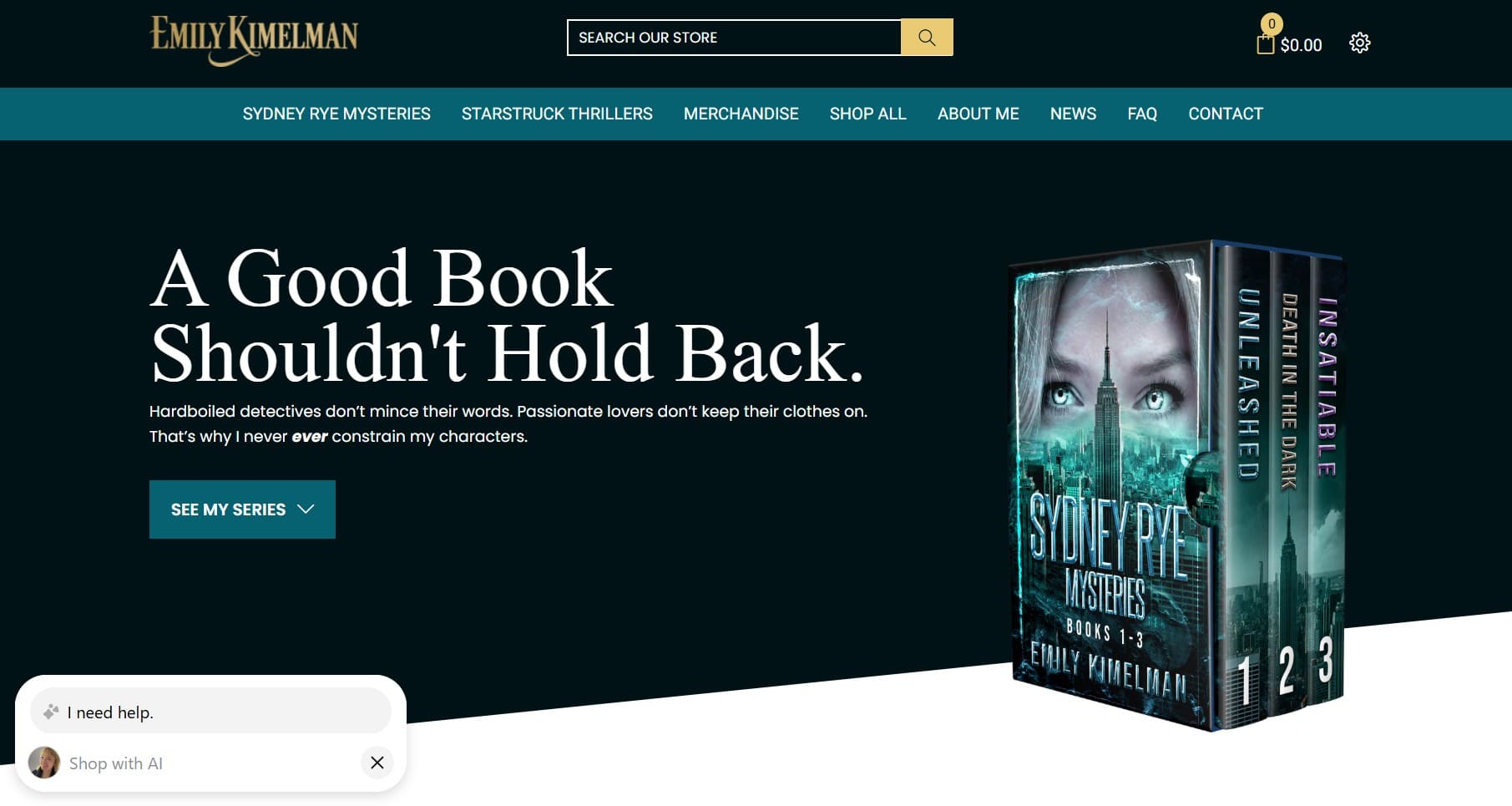
Sells: Mystery and thriller novels in ebook and audiobook formats.
What works:
- Newsletter signup incentives add to the author’s email marketing efforts
- Multiple formats, including ebook, paperback, and audiobook
- Easy series navigation for binge readers
Key takeaway: Authors do not need to rely on marketplaces. You can sell ebooks on Shopify via your own store. This gives you more control over pricing, branding, and your email list.
3. Author Nicole Blanchard
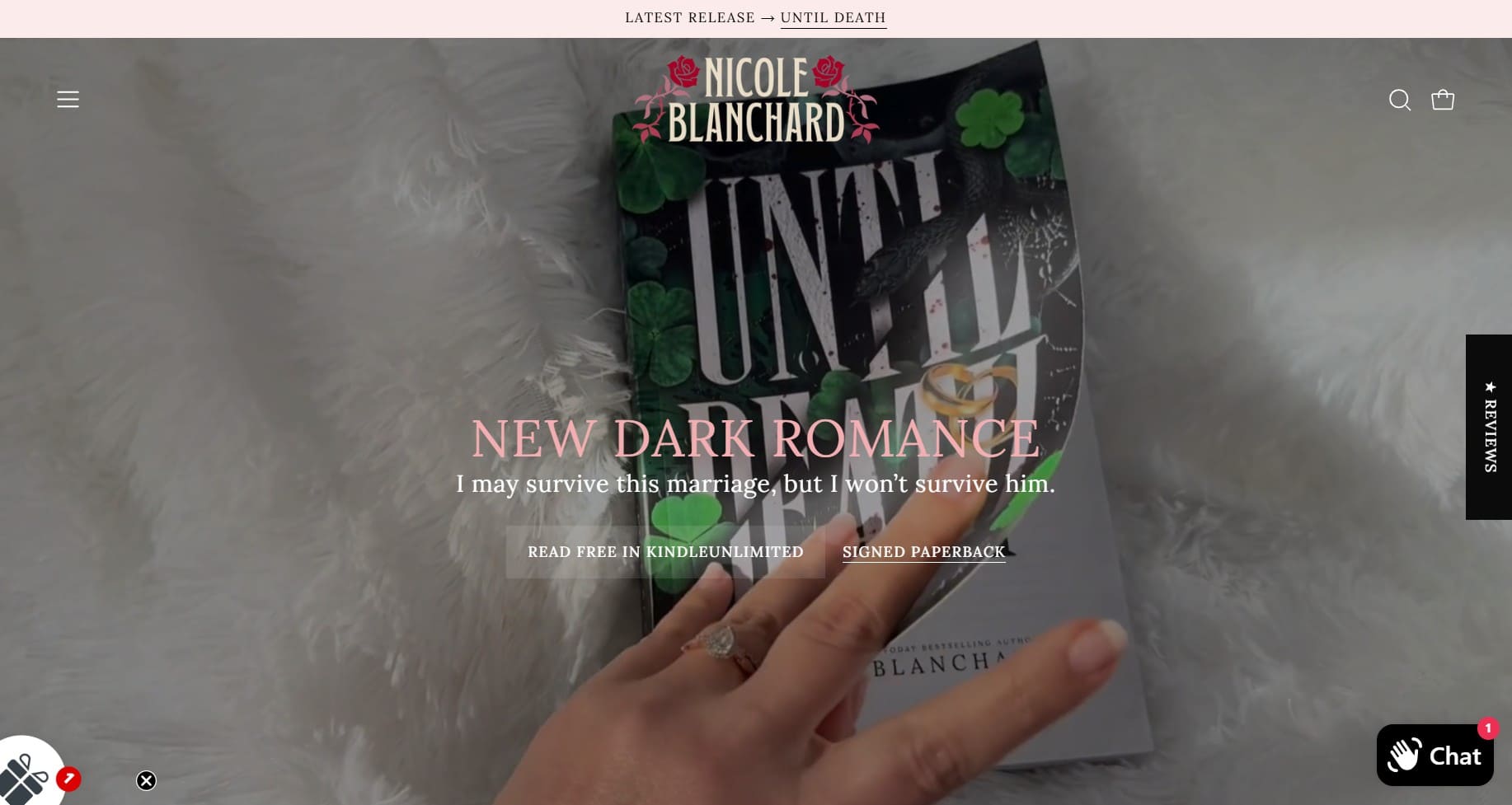
Sells: Romance novels, novellas, and fiction series books.
What works:
- Clear focus on book series to encourage repeat buying
- “Bonus content” that adds extra value for readers
- Stunning product pages with excerpts
Key takeaway: Make the store feel immersive. Romance readers often shop with their eyes first. So, invest in stunning covers and a polished look.
4. Yeung Man Cooking
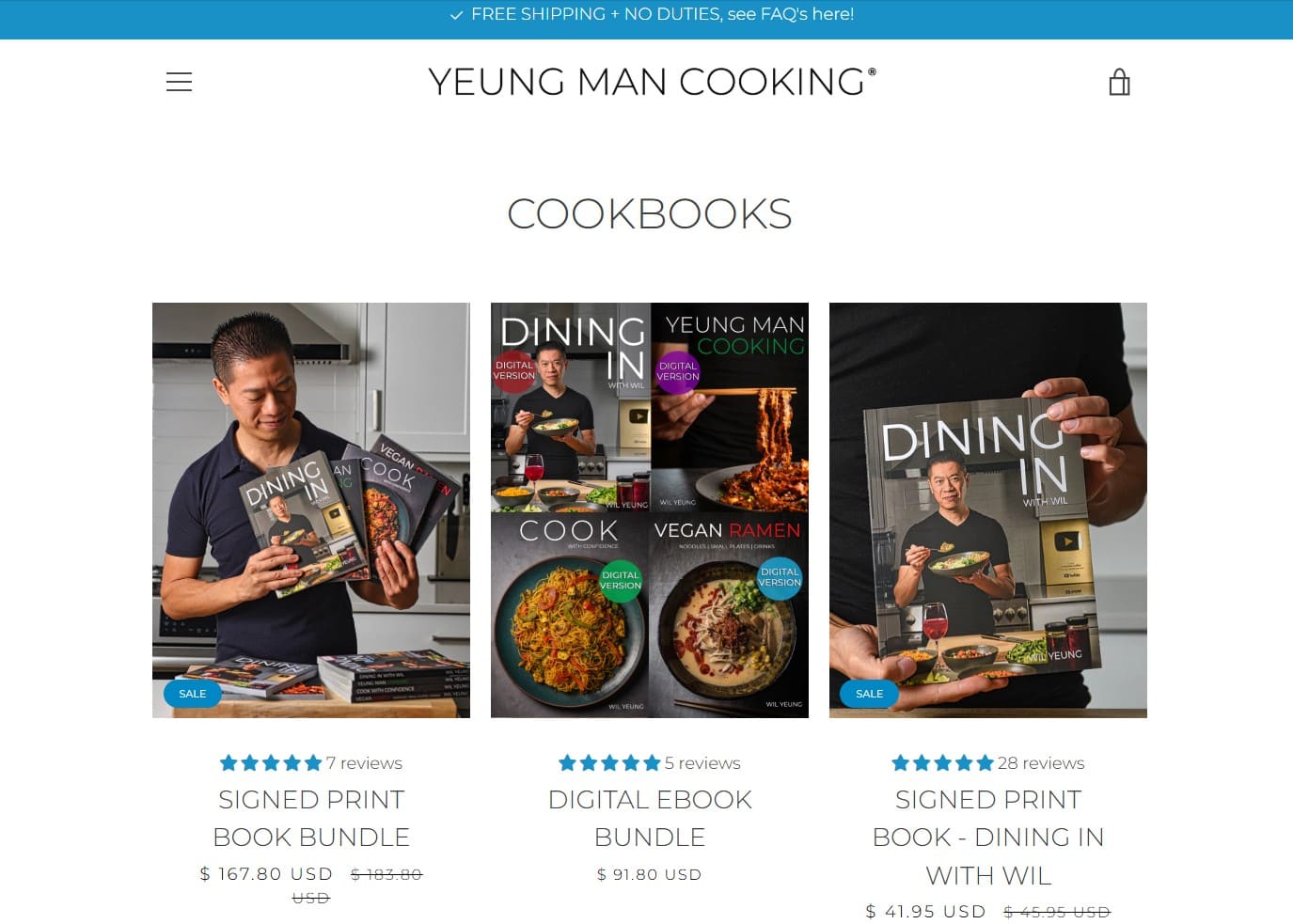
Sells: Plant-based cookbook ebooks, meal guides, and cooking classes.
What works:
- High-quality food photos that look fresh and inviting
- Bundles that combine signed print books with digital versions
- A mix of products, including cookbooks, video courses, and branded items
Key takeaway: Visual appeal matters. Great food pictures make people hungry. Strong visuals also show the quality of ebooks.
5. Gauge Girl Training
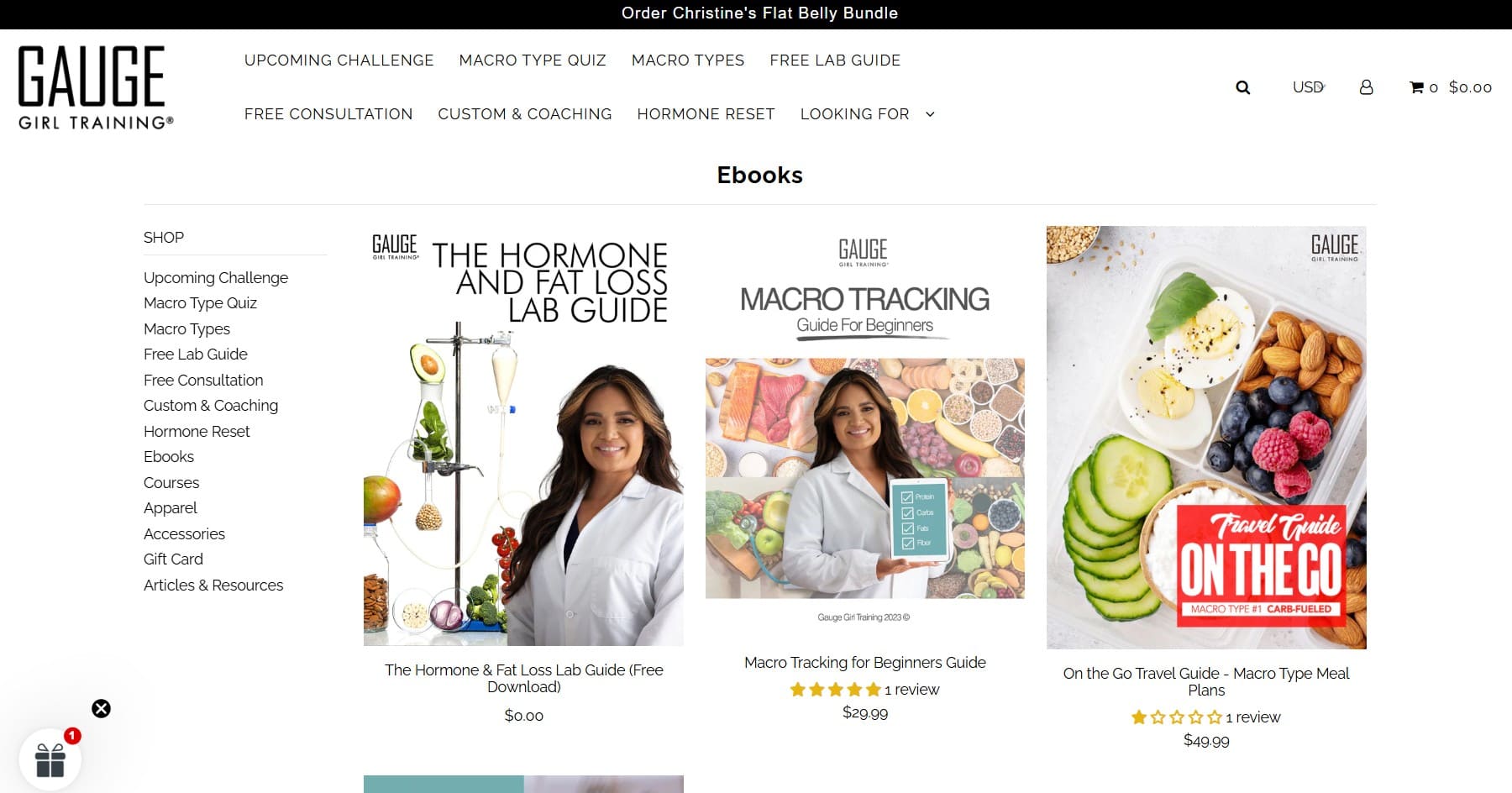
Sells: Fitness, nutrition, and macro‑based meal plan ebooks
What works:
- Tiered options, from DIY ebooks to custom coaching
- A clear macro quiz to help customers find the right plan
- Strong social proof and transformation stories for credibility
Key takeaway: Use quizzes and challenges to engage customers and recommend products. Interactive tools help confused people pick the right product. They also keep people on your site longer and improve conversions.
Marketing your Shopify ebook store
Creating an aesthetic Shopify ebook store is just the first step. You still need buyers who trust you enough to make a purchase.
Selling ebooks is different from selling physical products. There is no stock limit, so you don’t need to manage inventory. However, there’s more doubt among buyers regarding quality.
Top sellers use multiple channels, but email is usually at the center. They use it to teach, build trust, and drive sales.
If you want to learn how to sell ebooks on Shopify, focus on building digital marketing skills. Some popular marketing channels you can use are:
- Email marketing: Best for selling ebooks and building long-term trust
- Content marketing: Blog posts, YouTube videos, and podcasts to show your expertise
- Social media: Instagram for lifestyle content, LinkedIn for business topics, and TikTok for younger audiences
- Partnerships: Collaborations with creators, podcasters, and related brands
- Paid advertising: Meta (Facebook/Instagram) and Google ads targeting people ready to buy
- SEO: Tune product pages and blog posts to draw organic search traffic
- Campaign launches: Build buzz before releasing new Shopify ebooks
Email marketing deserves special attention because it consistently delivers the highest ROI for digital sellers.
On social media, algorithms decide who sees your post. With email, you can send messages directly to your subscribers. You can control time and the message. That’s what makes email marketing so effective.
Email marketing for ebook stores
Have you ever wondered, “Can I sell ebooks on Shopify successfully?”
The answer is yes, if you use email marketing to engage your customers in the long term.
It’s easy to promote ebooks via email. You can share sample chapters, previews, or bonus content to pique interest.
Your subscribers are warm leads, as they’ve already shown interest. With the right set of emails, you can turn that interest into sales over time.
Here are some key email campaigns you could run for your Shopify ebook store:
- Welcome series: Send three to five emails introducing yourself. Deliver the lead magnet in the first email. Then, build trust before pitching your paid ebook offers.
- Launch campaigns: For new releases, use five to seven emails to build anticipation. Share behind-the-scenes stories. Offer a limited-time bonus for 24-48 hours to create urgency.
- Abandoned cart recovery: Automated emails help recover 10-20% of abandoned carts. Send two to three automated reminders. Send them after one hour, 24 hours, and three days. Add reviews or FAQs to address common questions.
- Sample chapter campaigns: Send a full chapter or a long preview. Follow up two to three days later with reader reviews and a clear link to buy the ebook.
- Cross-sell campaigns: After someone makes a purchase, suggest related books. Past buyers are far more likely to buy again. So, bundle your recommendations (“readers who bought X also loved Y”).
- Re-engagement campaigns: Target subscribers who haven’t opened emails in 60-90 days. Offer a special discount or free bonus chapter to reignite interest.
Omnisend makes these campaigns easier to manage. It offers pre-built automation templates, a drag-and-drop builder, powerful segmentation, and smooth Shopify integration.
Quick sign up | No credit card required
Why should you sell ebooks on Shopify?
A Shopify ebook store gives you control that big marketplaces can’t. You control your design and set the prices.
The best part? You don’t need any technical skills to get started.
Here’s why Shopify works well for ebooks:
- Professional storefront, no coding: Shopify’s themes make your ebook store look sharp and work well on mobile. You can change colors, layouts, and more without any coding.
- Built-in secure payment processing: Shopify Payments takes cards, PayPal, Apple Pay, and 100+ payment methods. A trusted checkout helps increase sales and reduce friction.
- Grows with you: Start with one ebook and expand to hundreds. Shopify handles hosting, traffic spikes, and security in the background.
- Low running costs: Skip inventory, shipping, or storage expenses. You need only pay small subscription, transaction, and digital delivery app fees.
- Marketing and SEO tools: You get a built-in blogging platform, SEO features, discount codes, and analytics. These help you market effectively without needing extra software subscriptions.
- Email marketing integration: Marketing automation platforms like Omnisend plug in seamlessly. They enable automated campaigns that drive repeat purchases and nurture leads into buyers.
- Full ownership: Skip Amazon’s KDP (offers 35 or 70% royalties depending on pricing and region). You can keep more cash per sale and own your full customer base with Shopify.
Marketplaces like Amazon give quick exposure, but Shopify builds your brand, not rented space, for lasting profits.
Final thoughts on Shopify ebook stores
Selling books on Shopify beats using marketplace platforms. You keep more profit, own your customers, and control your brand.
With the right delivery app, you can easily sell ebooks on Shopify. In fact, it takes just a few hours to set up a professional storefront. Most revenue growth, however, comes from consistent email marketing and automation.
Success rarely happens overnight. Top Shopify ebook store owners build momentum over six to 12 months of consistent marketing and improvement. Your first ebook won’t be perfect, and that’s fine. Launch it, gather feedback, and refine.
Start your email list early to speed things up. And here’s the beauty of digital products: one ebook means endless sales with no inventory costs.
Quick sign up | No credit card required
FAQs
Yes. Shopify supports digital products, including ebooks. You’ll need a digital delivery app to send download links after purchase.
Costs include a Shopify plan (starting around $39/month) and payment processing fees. Subscription fees for the digital delivery app may apply if you choose a paid option.
Create a product in your Shopify admin, upload your description and images, and disable shipping. Then, set your price, attach the ebook file via a digital downloads app, and publish it to your store.
Yes, ebook selling can be highly profitable due to low overhead and high margins. Success depends on niche selection, pricing, and consistent marketing.

TABLE OF CONTENTS
TABLE OF CONTENTS


No fluff, no spam, no corporate filler. Just a friendly letter, twice a month.