Omnisend AI


 OFFER
OFFER










The ten best AI tools for ecommerce are Omnisend, LimeSpot, Wisepops, Fin, Lyro AI by Tidio, Grammarly, Photoroom, Prediko, ShipBob, and Triple Whale. We tested the tools hands-on where they offer self-serve access, reviewed only their AI features, and noted where a review relies on vendor documentation instead.
An AI tool for ecommerce is software that uses machine learning or generative AI to automate, optimize, and personalize online stores. Tasks like writing product copy, choosing products for each shopper, answering customers, or forecasting stock are common for ecommerce AI tools. By this definition, tools that run on fixed rules are automations rather than AI.
We grouped the tools by job: marketing and personalization, customer support, content and creative, inventory and fulfillment, and analytics. Each tool also gets a review of its AI features.
Quick sign up | No credit card required
Which AI tool is right for your store?
The right AI tool for your store depends on which part of the business costs you the most time or money, not which AI model it runs on. A store losing sales to slow support replies needs a different tool than one that keeps running out of stock.
| Tool | What the AI does | Free plan or trial | Starting price |
|---|---|---|---|
| Omnisend | Writes copy and subject lines, builds segments from a sentence, RFM grouping, product recommendations, MCP for ChatGPT and Claude | Yes, includes AI | $16/month |
| LimeSpot | Product recommendations per shopper across storefront, email, and SMS | Yes, up to 10 orders/month | $9.99/month (Max from $50/month) |
| Wisepops | AI product recommendations in pop-ups, embeds, and feeds, plus AI cart recovery | 14-day free trial | $299/month |
| Fin | Support agent that answers from your help center and takes actions | 14-day free trial | $0.99/outcome (+ Intercom seat or $49/month minimum) |
| Lyro AI by Tidio | Chat agent trained on your store content, answers customer questions | Yes, 50 lifetime AI conversations | $39/month |
| Grammarly | Rewrites and generates copy using saved brand voice | Yes | $30/month |
| Photoroom | Removes and generates product backgrounds, batch processing | Yes | $12.99/month |
| Prediko | Forecasts demand and plans purchase orders | 14-day trial | $49/month |
| ShipBob | Recommends inventory distribution across fulfillment centers, predicts delivery times | No | Quote only |
| Triple Whale | Answers plain questions about performance, flags anomalies, attributes orders | Yes | Quote only |
Prices were checked in October 2026 and show the lowest-paid plan billed monthly.
AI tools for ecommerce marketing and personalization
AI tools for marketing and personalization write personalized messages, build customer segments from shopping behavior, and decide which products each shopper sees.
In AI email marketing, that means subject lines, copy, and product blocks that change for each reader. In the online store, it means recommendation widgets and pop-ups that change for each visitor.
Three tools in this category recommend products in different places. Omnisend works in the inbox, LimeSpot covers storefront recommendations, and Wisepops personalizes on-site pop-ups and feeds.
1. Omnisend
Omnisend is an email and SMS marketing platform for ecommerce stores on major platforms such as Shopify, WooCommerce, and BigCommerce. Omnisend AI handles six jobs across email copy, audience segmentation, and account data:
- Copywriting: Writes email copy, subject lines, and preheaders using a prompt and suggests edits to existing copy
- Segment builder: Helps create and manage customer groups with AI from a plain-language sentence
- Customer breakdown: Groups customers by recency, frequency, and monetary value (RFM) and flags those likely to churn
- Product recommender: Recipients get products based on their browsing and purchase history
- Brand assets AI: Imports your store’s logo, colors, and fonts and applies them to email templates
- Omnisend Model Context Protocol (MCP): Connects ChatGPT or Claude to check performance, build segments, and draft campaigns from your account data
The free plan includes AI subject lines, copywriting, and the segment builder. Forms AI, the product recommender, and Reports AI are on paid plans. Forms AI builds sign-up forms from a description, and Reports AI is still in beta.
Omnisend review
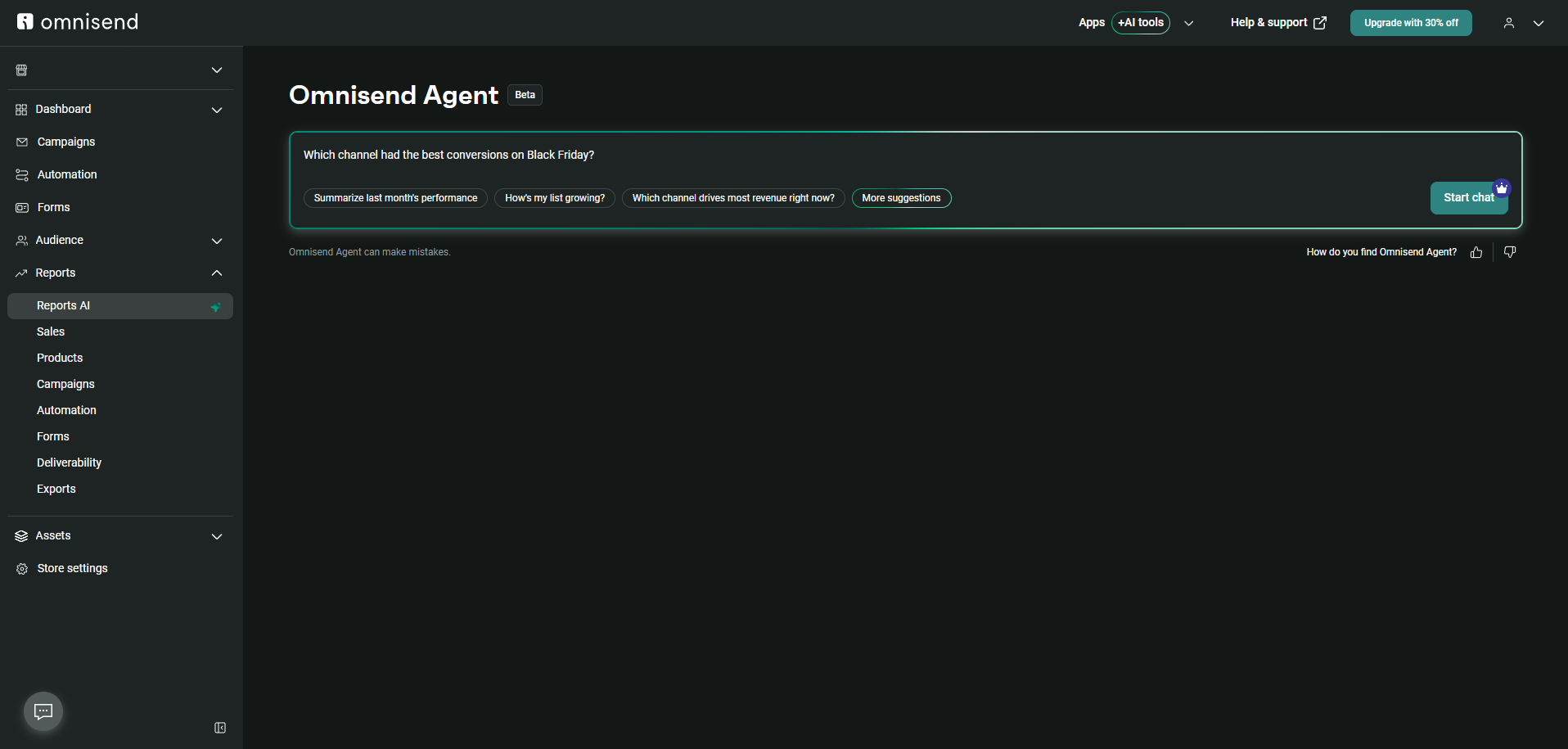
Omnisend’s AI is strongest at building segments and turning account data into quick answers. For example, in Reports, Omnisend Agent answers questions about specific campaign data. Suggested prompts like “Summarize last month’s performance” return a short read instead of a report.
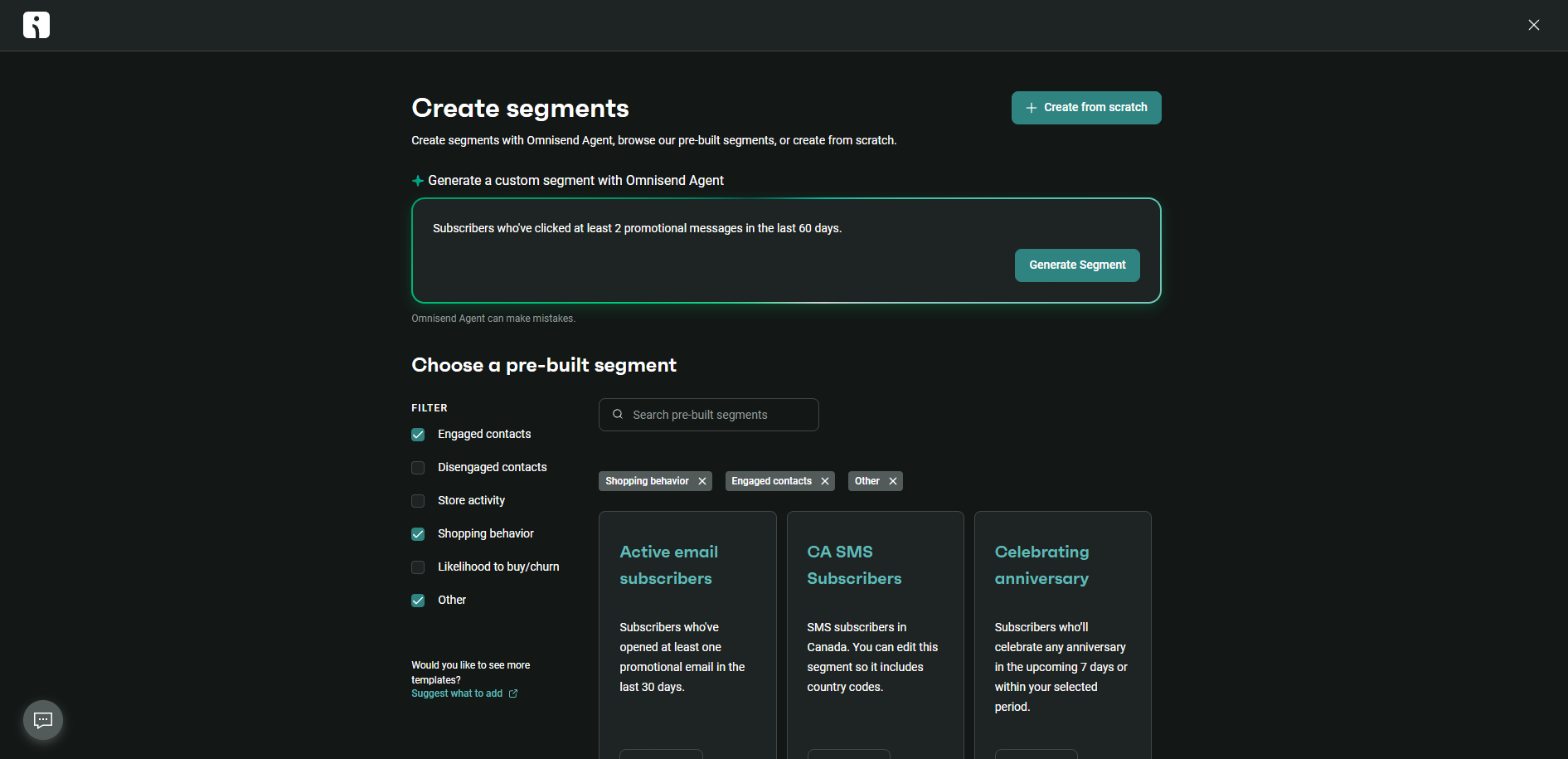
The segment builder also works from plain language. You can type a request such as “Subscribers who’ve clicked at least 2 promotional messages in the last 60 days,” and Omnisend Agent sets the segment rules, previews the matching contacts, and asks clarifying questions if the request is ambiguous.
Omnisend MCP brings this into ChatGPT and Claude. Connecting takes a few minutes, and with write access, the AI tool can create segments, draft campaigns, and build sign-up forms from a chat. That opens up multi-step workflows, such as pulling last year’s Black Friday results and drafting this year’s campaign.
Omnisend Agent can make mistakes, so double-check its answers before you act on them.
Omnisend’s AI suits stores on Shopify, WooCommerce, or BigCommerce that want faster answers from their own data and less manual work on segments and reports. Omnisend’s recommender places products in emails, so stores that want personalized blocks on product pages and in the cart will get more from a storefront tool such as LimeSpot or Wisepops.
2. LimeSpot
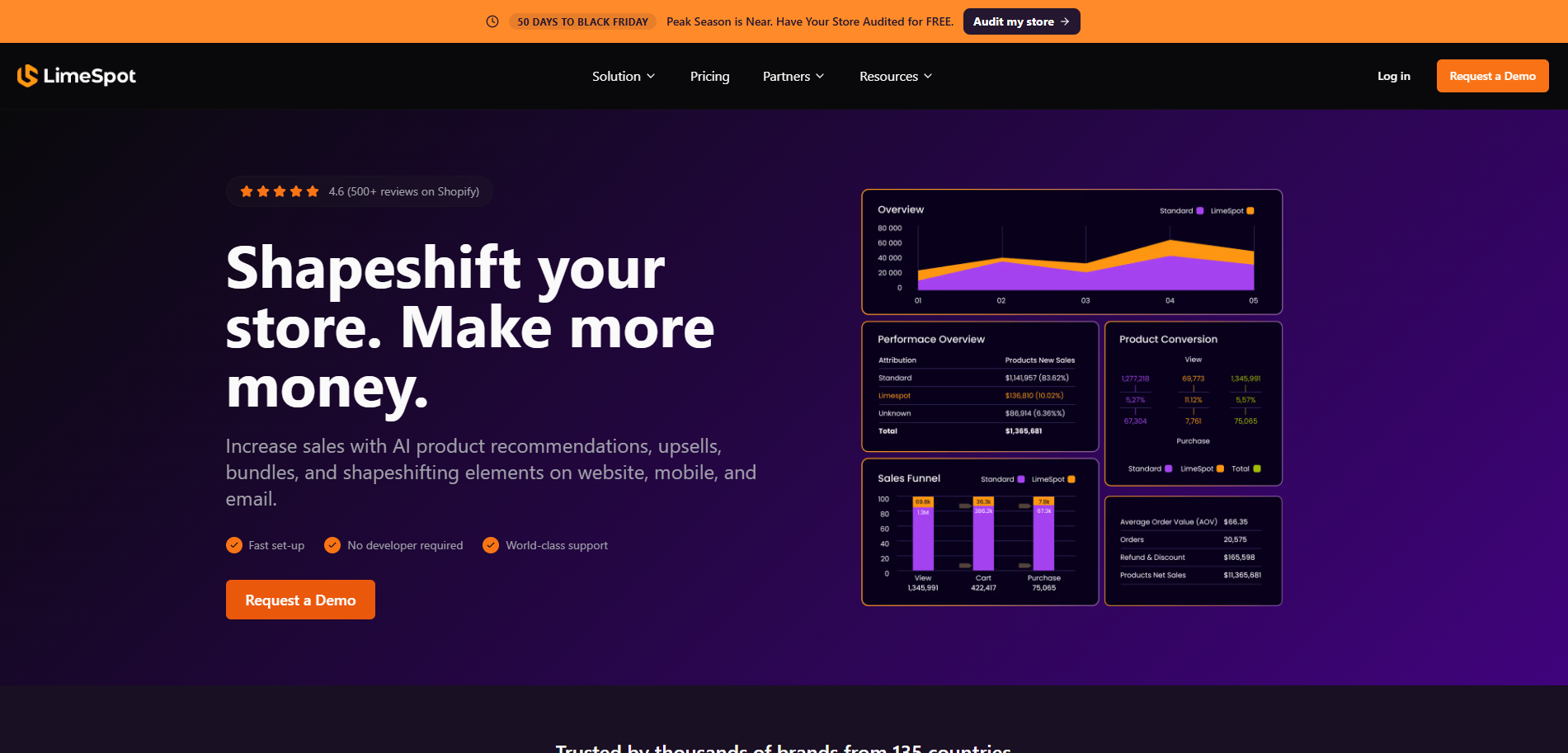
LimeSpot is ecommerce personalization software for Shopify and BigCommerce stores. Its AI uses each shopper’s browsing and purchase behavior in four places:
- Product recommendations: Picks the products shown in recommendation blocks on product pages
- Upsells and cross-sells: Places offers in the cart and after checkout
- Bundles: Builds “frequently bought together” suggestions, with personalized discounts on higher plans
- Email and SMS: On LimeSpot Max, adds the same recommendations to email and SMS campaigns through integrations such as Klaviyo
Per-shopper personalization requires LimeSpot Max, which starts at $50/month and rises with store revenue, to $150/month at up to $50,000 in monthly Online Store revenue. Max has a 15-day free trial.
LimeSpot review
LimeSpot’s AI is made to improve product pages and cart offers, where recommendations and bundles adjust to what each shopper browses and buys. Setup on Shopify takes two steps. After you add LimeSpot from the Shopify App Store, a guided setup walks you through configuring its features.
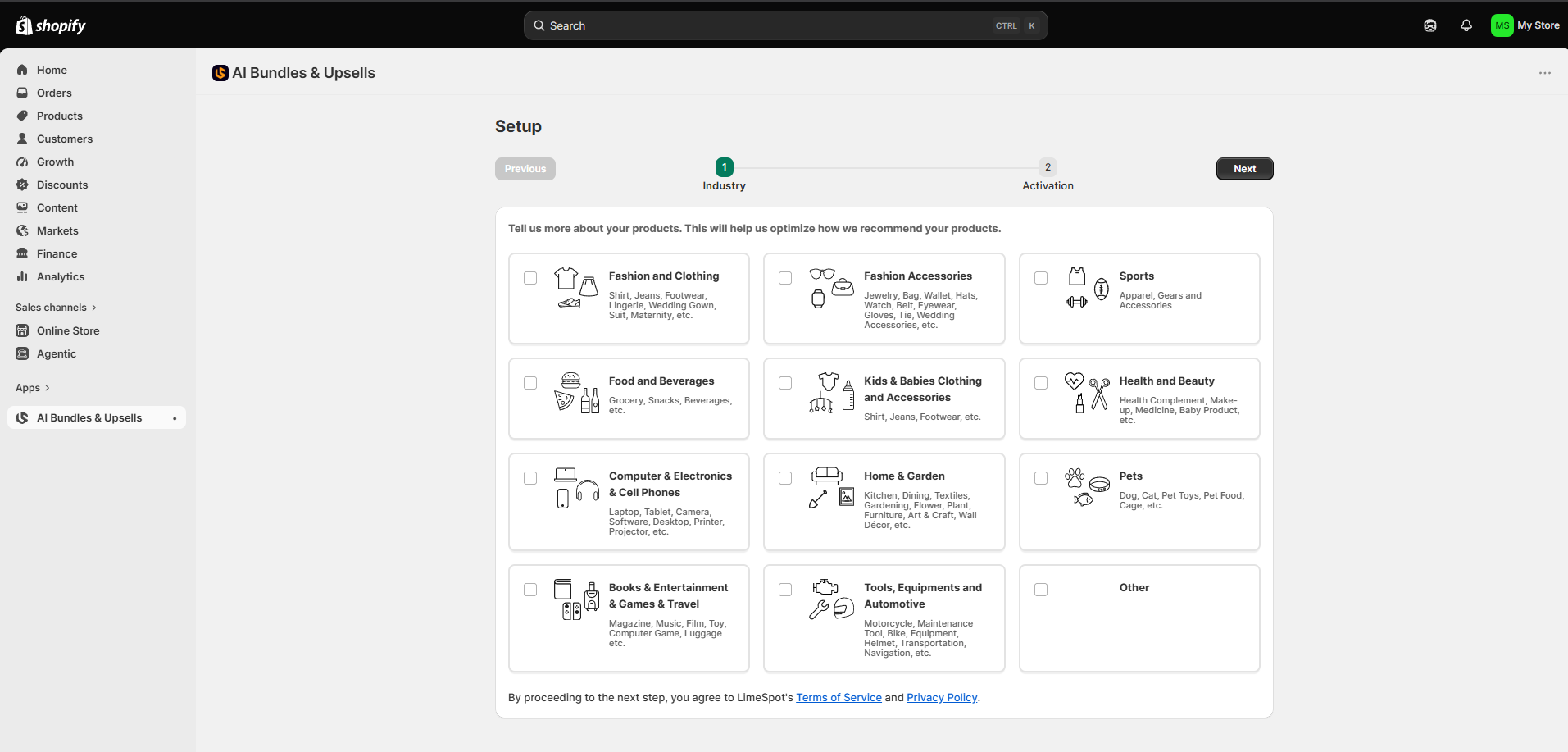
The first step asks for your store’s industry, such as Fashion and Clothing or Sports, which LimeSpot says helps it optimize how it recommends your products.
LimeSpot also installs on BigCommerce stores. On its pricing page, LimeSpot reports an average 15% increase in conversion rates for stores that follow its best practices.
The main limit is pricing. LimeSpot Max is billed on the store’s total Online Store revenue, not on the sales the recommendations drive, so the bill grows with the store.
LimeSpot fits Shopify and BigCommerce stores with steady traffic that want higher order values from the storefront. Stores that mainly sell through email get more from their email platform’s built-in recommender.
3. Wisepops
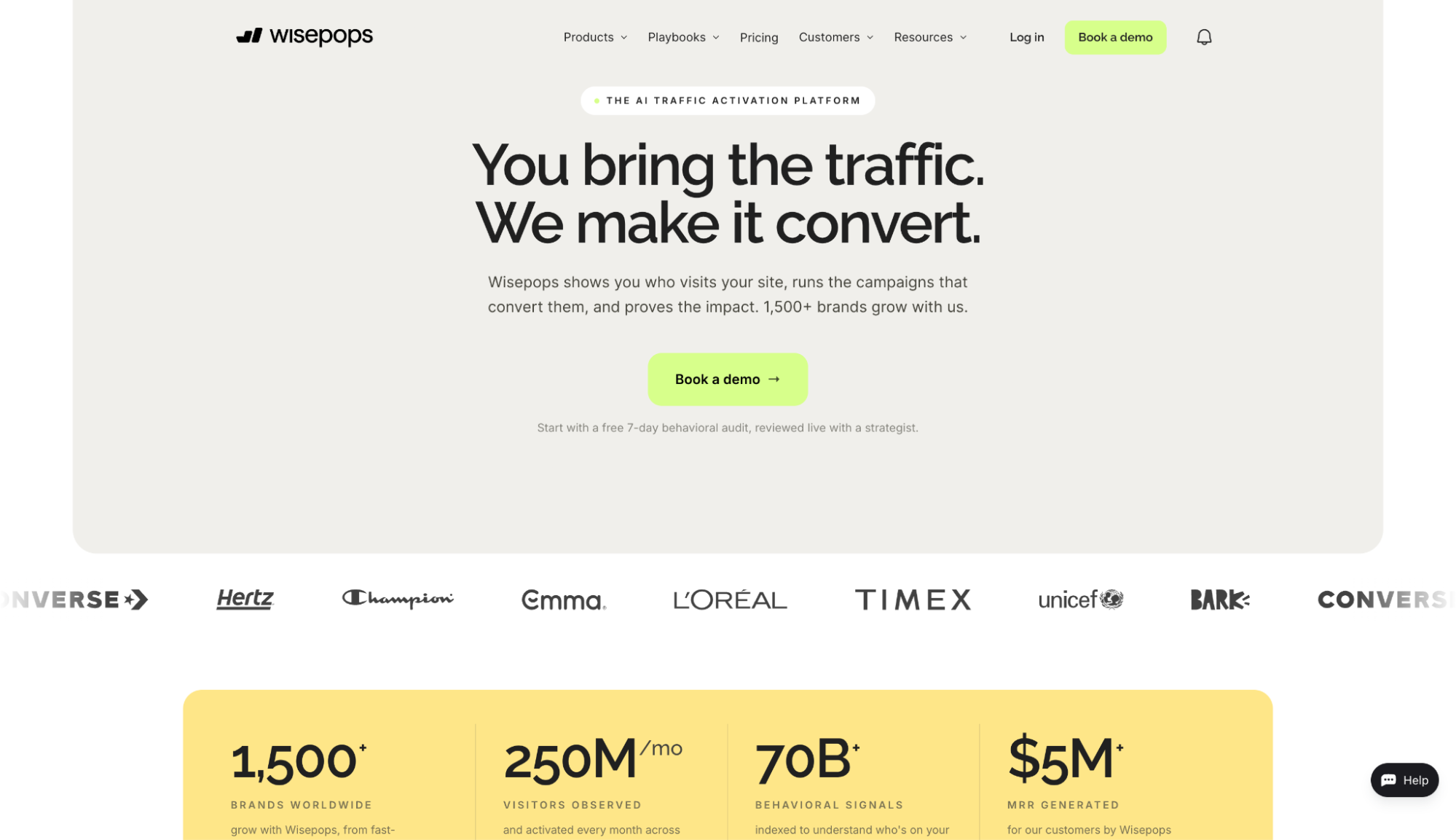
Wisepops is an on-site marketing platform for pop-ups, embedded blocks, and notification feeds. On Shopify stores, its AI picks products for each visitor using six strategies, such as Personalized Picks, Trending Products, and Frequently Bought Together, based on browsing, cart, and purchase history.
Its cart recovery predicts when a shopper with items in the cart is about to leave and shows a recovery pop-up before they close the tab.
Unlike Omnisend, Wisepops doesn’t offer product recommendations for the inbox. It makes those recommendations on the site, so it can reach visitors who haven’t registered for the newsletter as well.
On the Shopify App Store, Wisepops costs $299/month, or $2,990/year, for up to 500,000 pageviews a month. Plans sold directly on wisepops.com start with a demo. The Shopify app includes a 14-day free trial.
Wisepops review
According to Wisepops’ guides, its recommendations adjust to what each shopper browses and adds to the cart. The cart recovery pop-up fires when Wisepops’ AI predicts that a shopper with items in the cart is likely to leave, without waiting for an exit-intent signal.
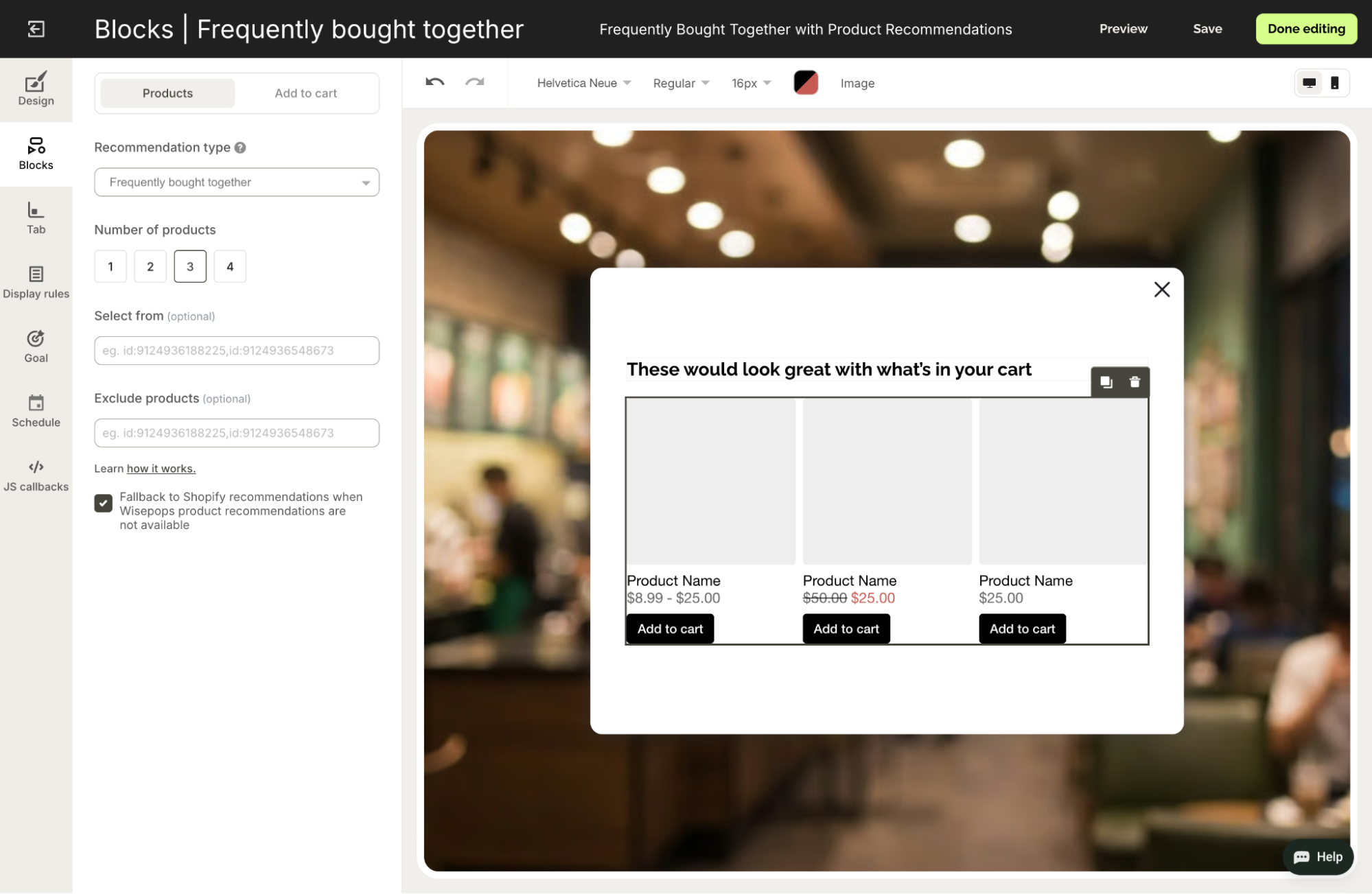
The template runs in steps: an offer with a countdown, a discount code, and products frequently bought with what’s in the cart. In the recommendation block, you choose one to four products, include or exclude specific items, and turn on a fallback to Shopify’s own recommendations while Wisepops is still learning from store data.
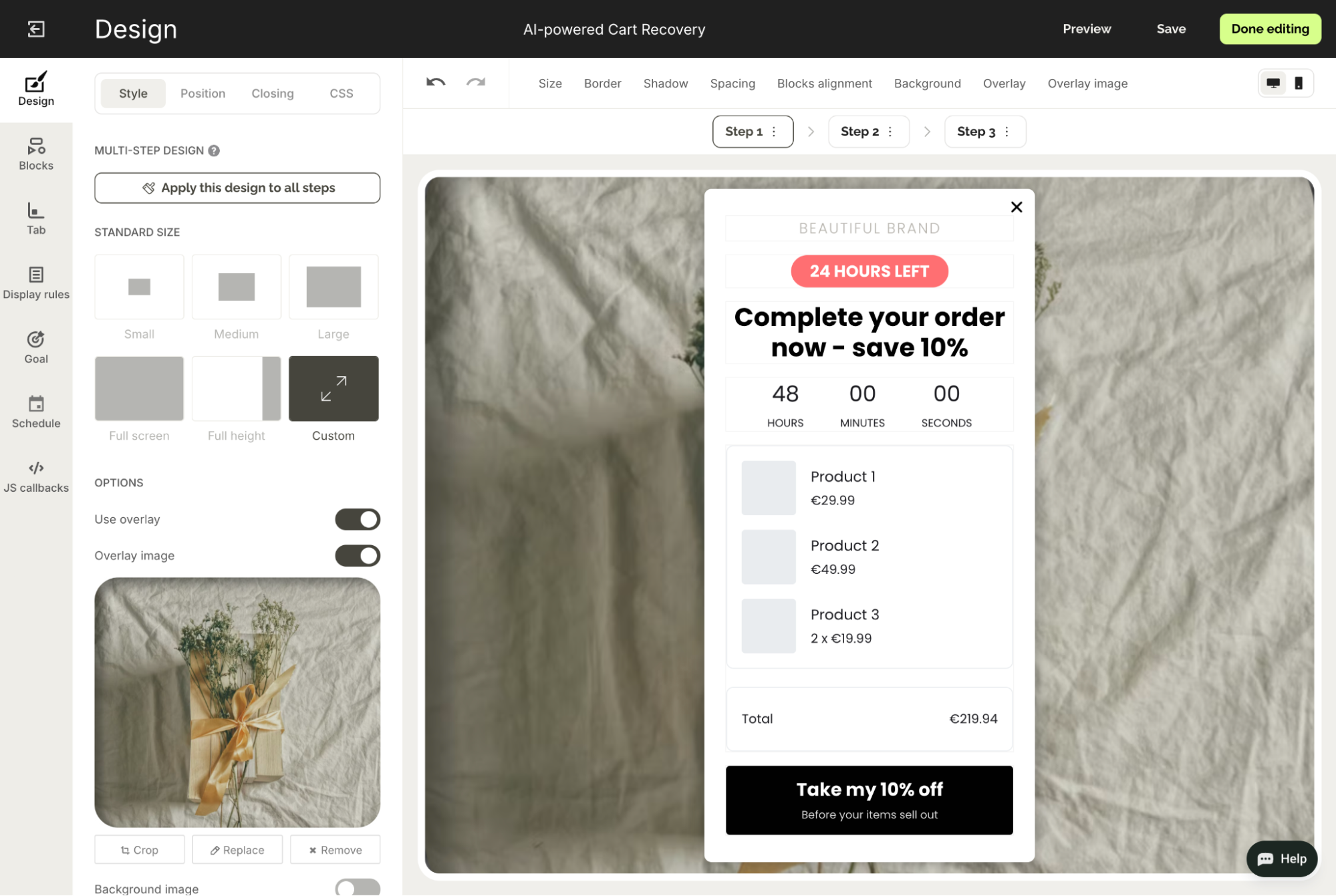
Both AI features work on Shopify only, and they can’t set discount amounts automatically. Also, recommendations won’t be displayed if fewer valid products remain than the number set, which is more likely on small stores. Wisepops says its AI recommendations work best for Shopify stores with 50+ products and at least 20,000 monthly visitors.
AI tools for ecommerce customer support
Customer support AI tools can answer visitor questions in chat, email, and other channels even when human agents aren’t available. Some bots only deflect questions, providing visitors with help articles and passing harder cases to your team.
Resolving agents can look up orders, issue refunds, and close tickets on their own. Both Fin and Lyro AI by Tidio are built to resolve customer issues but need data from your store before they can act.
4. Fin
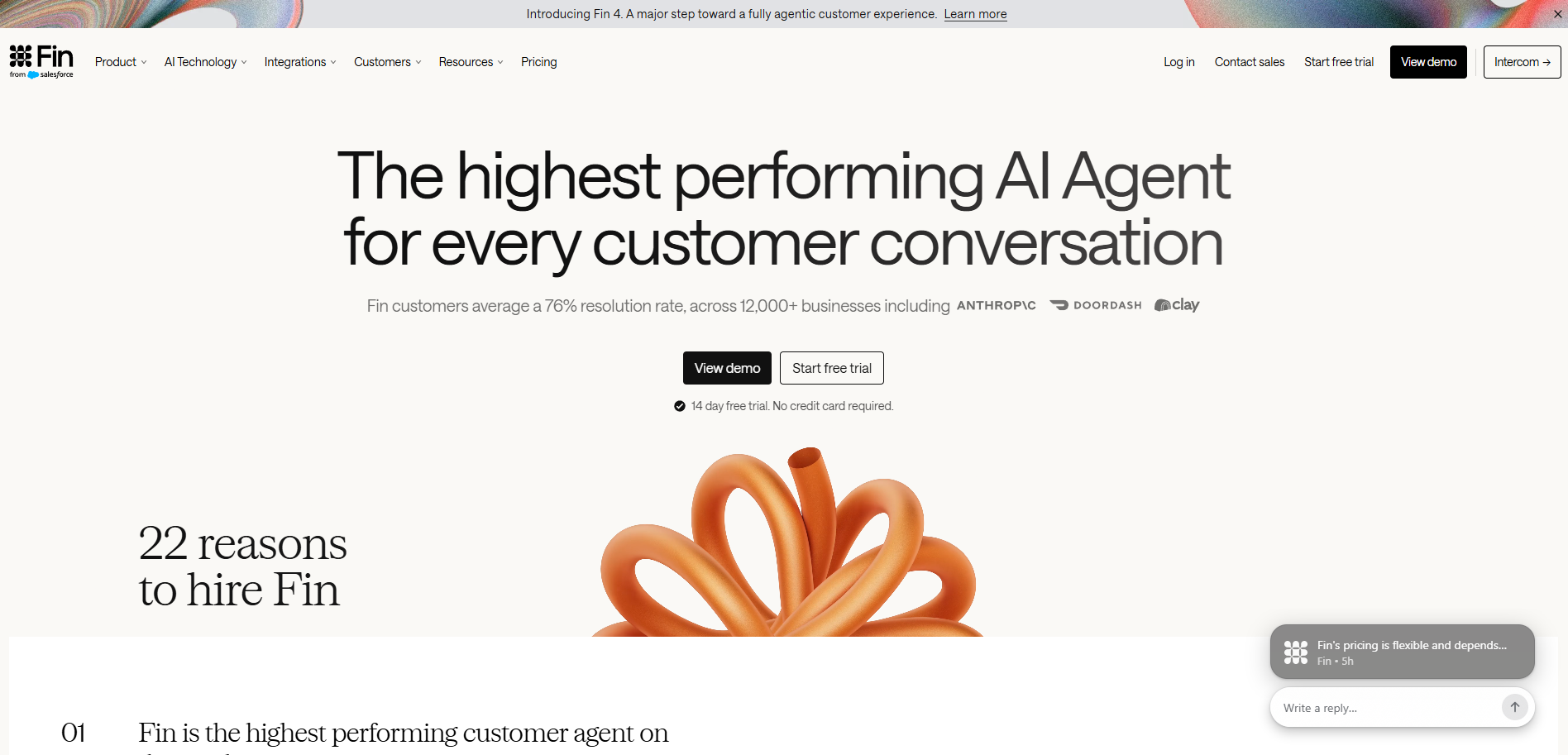
Fin is the AI agent from the company formerly called Intercom, which Salesforce acquired in September 2026. Fin works with the Intercom helpdesk and other customer service platforms, including Salesforce, Zendesk, HubSpot, and Freshdesk. It handles three jobs for ecommerce support teams:
- Answers: Replies from your help center articles, PDFs, and web pages in 45+ languages, even when your content isn’t translated
- Actions: Looks up orders and processes refunds following procedures you define through connectors to Shopify, Stripe, and other systems
- Channels: Works across chat, email, WhatsApp, SMS, Slack, and voice, with voice priced through sales.
Fin is priced per outcome, so the cost reflects the workload. You pay $0.99 when a customer confirms the issue is resolved, asks for no further help after Fin’s answer, or Fin completes a workflow, and never more than once per conversation.
The 14-day trial and Fin for Ecommerce require an Intercom helpdesk plan, which is priced per seat. On Intercom, per-outcome pricing comes on top of seat fees. Stores on Salesforce, Zendesk, HubSpot, and other helpdesks can add Fin through sales, from a $49/month minimum that includes 50 outcomes.
Fin review
Fin uses AI from the first screen: you can describe what you need and let AI handle setup, or use shortcuts for connecting channels, migrating data, and setting up the Fin agent, followed by a six-step checklist.
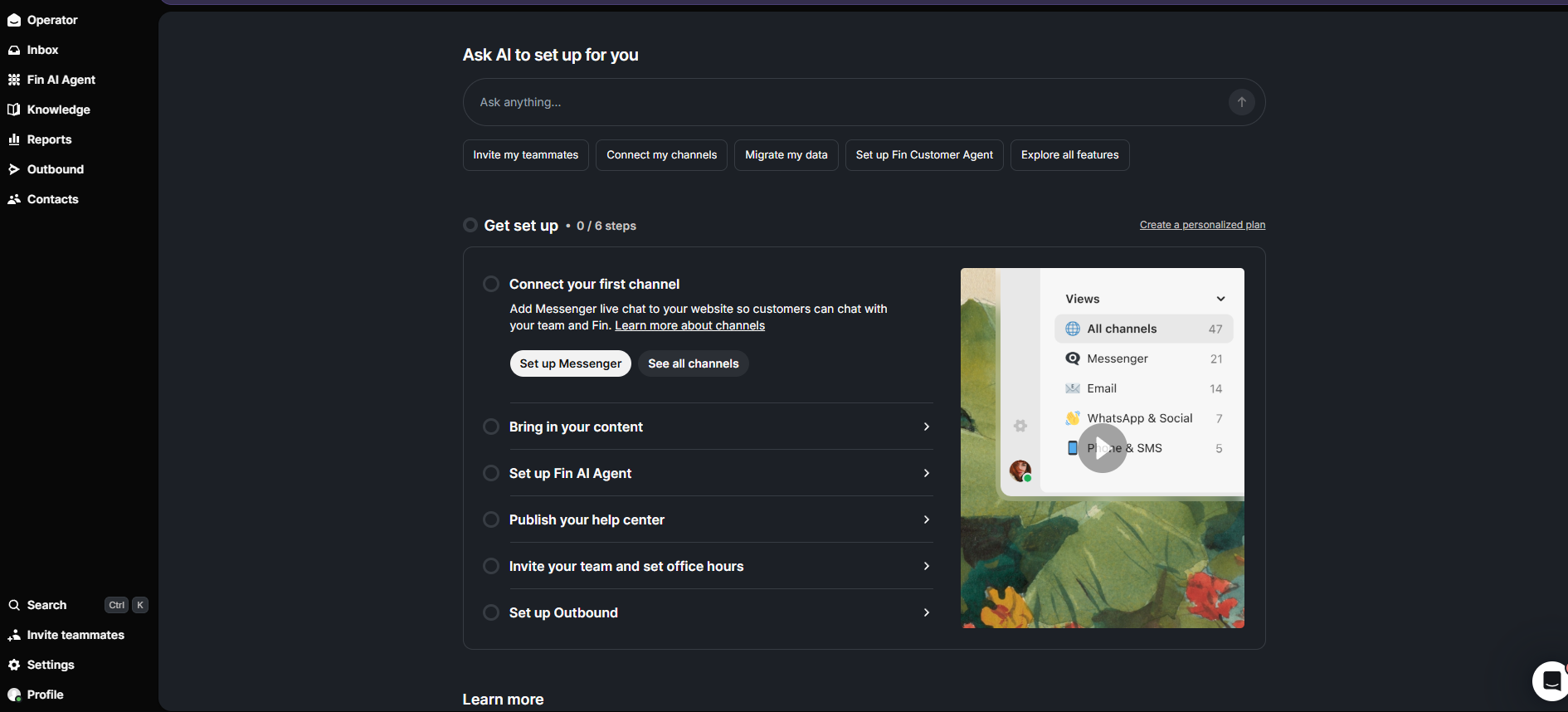
According to Fin, it handles visitor questions in ecommerce inboxes and chats once it’s set up. It tracks orders through Shopify, checks return eligibility against your policy, issues refunds or store credit, and cancels orders that haven’t shipped. On product pages, it answers sizing questions and recommends items.
The main drawback of Fin is a variable bill: each outcome costs $0.99, so busy periods like Black Friday cost more. Fin’s spending limits and alerts keep the total predictable, so set them before peak season.
5. Lyro AI by Tidio
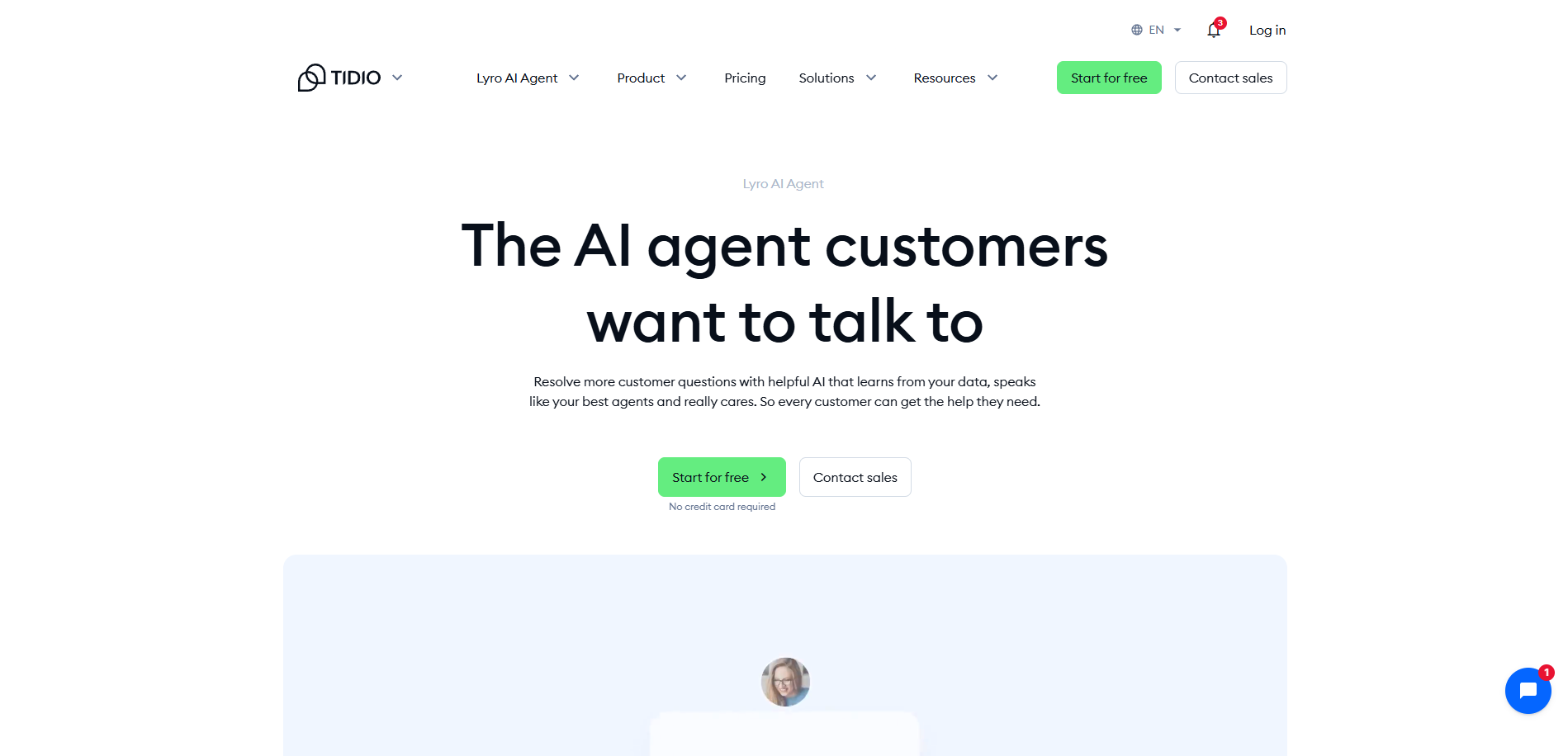
Lyro is the AI agent inside Tidio, a live chat and helpdesk platform for online stores. Its AI learns from your website and support content and handles four jobs:
- Answers: Scrapes your website and support content, and replies only from that content
- Actions: Checks Shopify order status from a ready-made template, with custom Actions for refunds, order changes, and subscriptions
- Tone and handoff: Follows the tone, style, and escalation rules you set and alerts your team when a customer needs a person
- Other helpdesks: Runs inside Zendesk, Intercom, Salesforce, and various other platforms through Lyro Connect, on Plus and Premium plans
Compared to Fin, Lyro better suits smaller stores that want repeat questions answered without a long setup. The free tier includes 50 AI conversations per account, for life. Paid Lyro starts at $39/month for 50 conversations a month, with a seven-day trial.
Lyro AI review
Lyro scrapes your website and support pages into its knowledge base automatically, and Tidio says it starts resolving questions from day one. A playground lets you test replies before they go live. If something is missing about your products or other services, you can add it to the knowledge base manually.
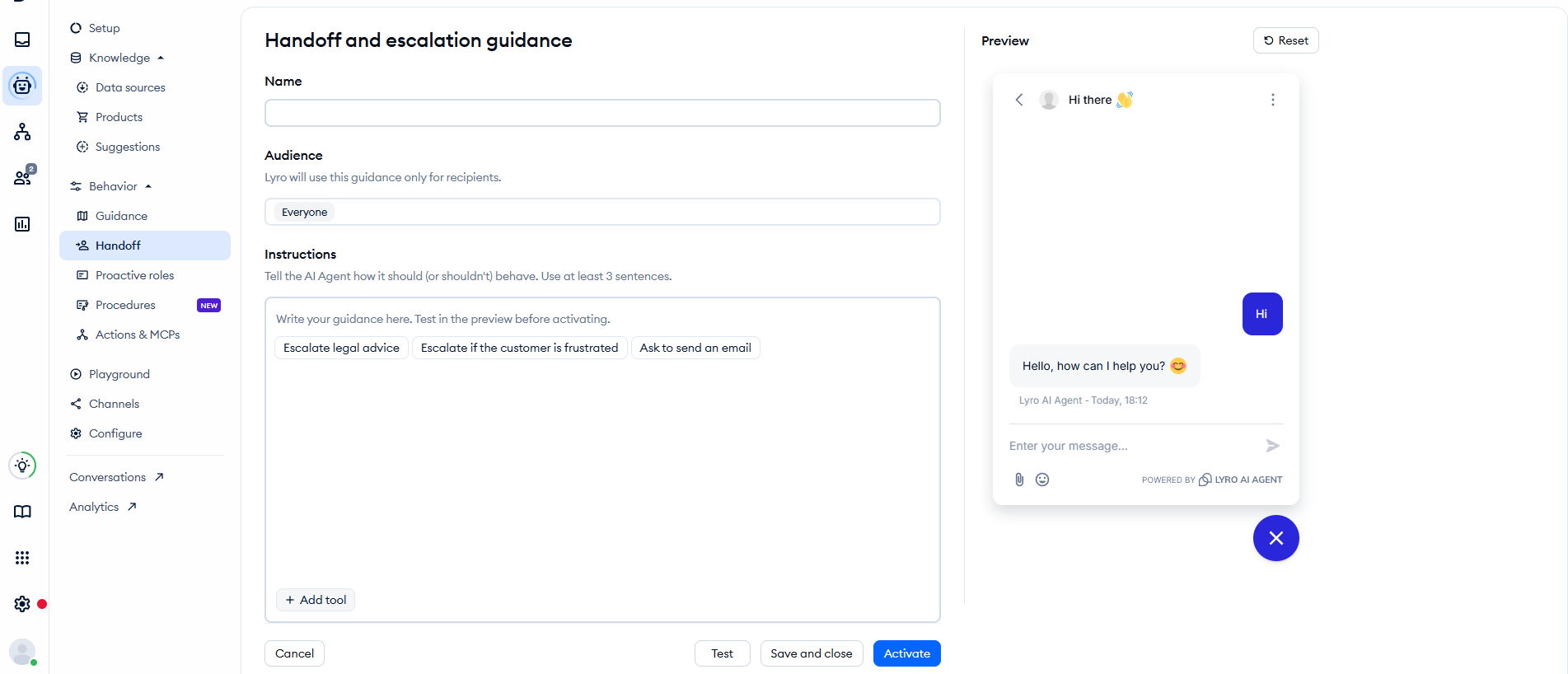
Lyro’s Handoff settings decide what happens when visitors ask questions that aren’t covered. You set when Lyro escalates, for example, when a customer is frustrated or asks for legal advice. It’s also possible to differentiate which audiences reach a human first.
Actions need extra setup. Beyond the ready-made Shopify order status check, refunds, cancellations, and order changes need custom Actions built against your systems’ APIs, and full Actions access needs a paid Lyro plan. Until those are in place, Lyro hands these conversations to your team.
AI tools for ecommerce content and creative
Content and creative is the most commoditized category of AI tools. Many ecommerce platforms, from email tools to design apps, already include built-in AI features.
Standalone tools have to beat the built-in versions to be worth paying for. Grammarly does that for brand consistency, and Photoroom for product photo volume.
6. Grammarly
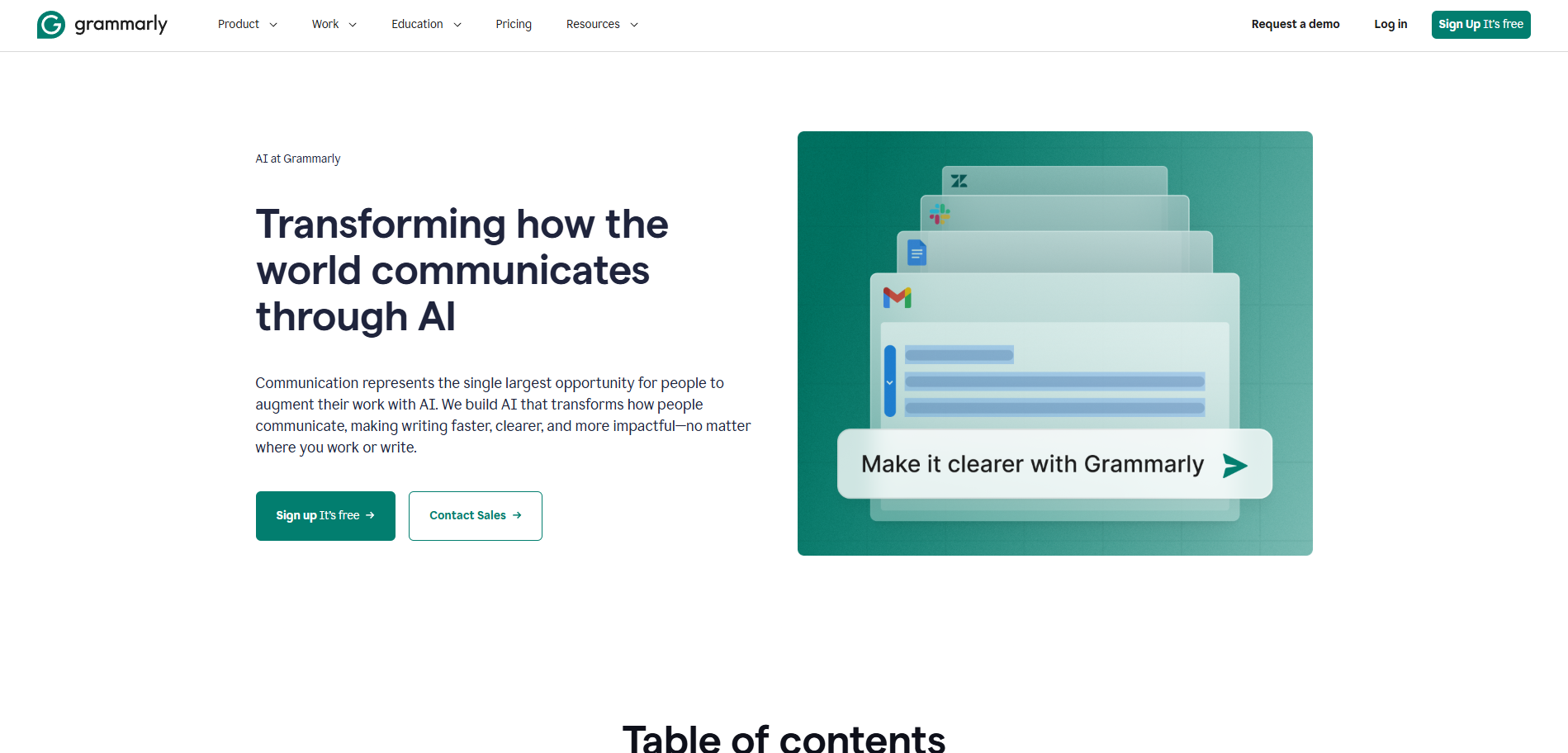
Grammarly is an AI writing assistant that works in browsers, desktop apps, Google Docs, and Microsoft Office.
Its brand tones flag off-brand tone in real time, based on a tone profile built from sample sentences your team picks. The style guide applies your rules for branded terms, product names, and capitalization to everyone who writes for the store. Generative AI drafts and rewrites copy from prompts, with 100 prompts a month on Free and 2,000 on Pro.
Grammarly’s features are built for consistency at volume rather than writing from scratch. They suit ecommerce stores that keep hundreds of product descriptions and support replies in one voice.
The most useful ecommerce features need a paid plan. Brand tones and style guides come with Pro, at $30/month or $12/month billed annually. Pro includes one of each, and Free includes neither.
Grammarly review
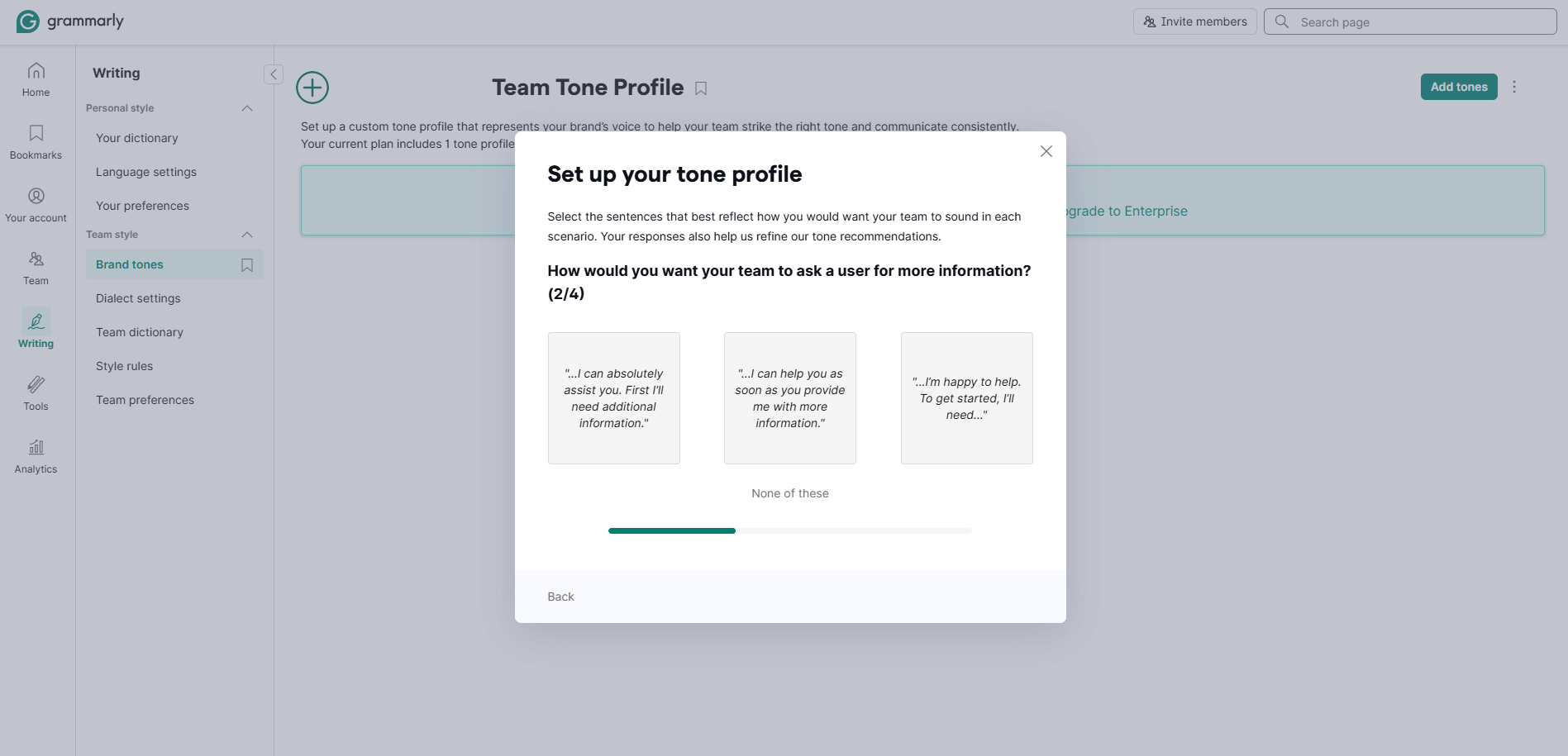
Grammarly builds a brand voice from your choices in different scenarios. The setup is a four-step quiz, so there are no long instructions to write. It then generates a tone profile you can edit, marking each sentence as on-brand or off-brand everywhere Grammarly is integrated.
The style guide allows admins to add rules or upload an existing guide. As a result, product names, branded terms, and capitalization stay consistent across channels, and admins can invite more teammates if needed.
Pro allows only one tone profile and one style guide, so a store with several brands or voices needs Enterprise. In our test, Grammarly flagged “OMG you NEED this in your life” as off-brand and suggested “A piece worth making room for.” Whether Pro justifies $30/month depends on how many people write for the store.
7. Photoroom
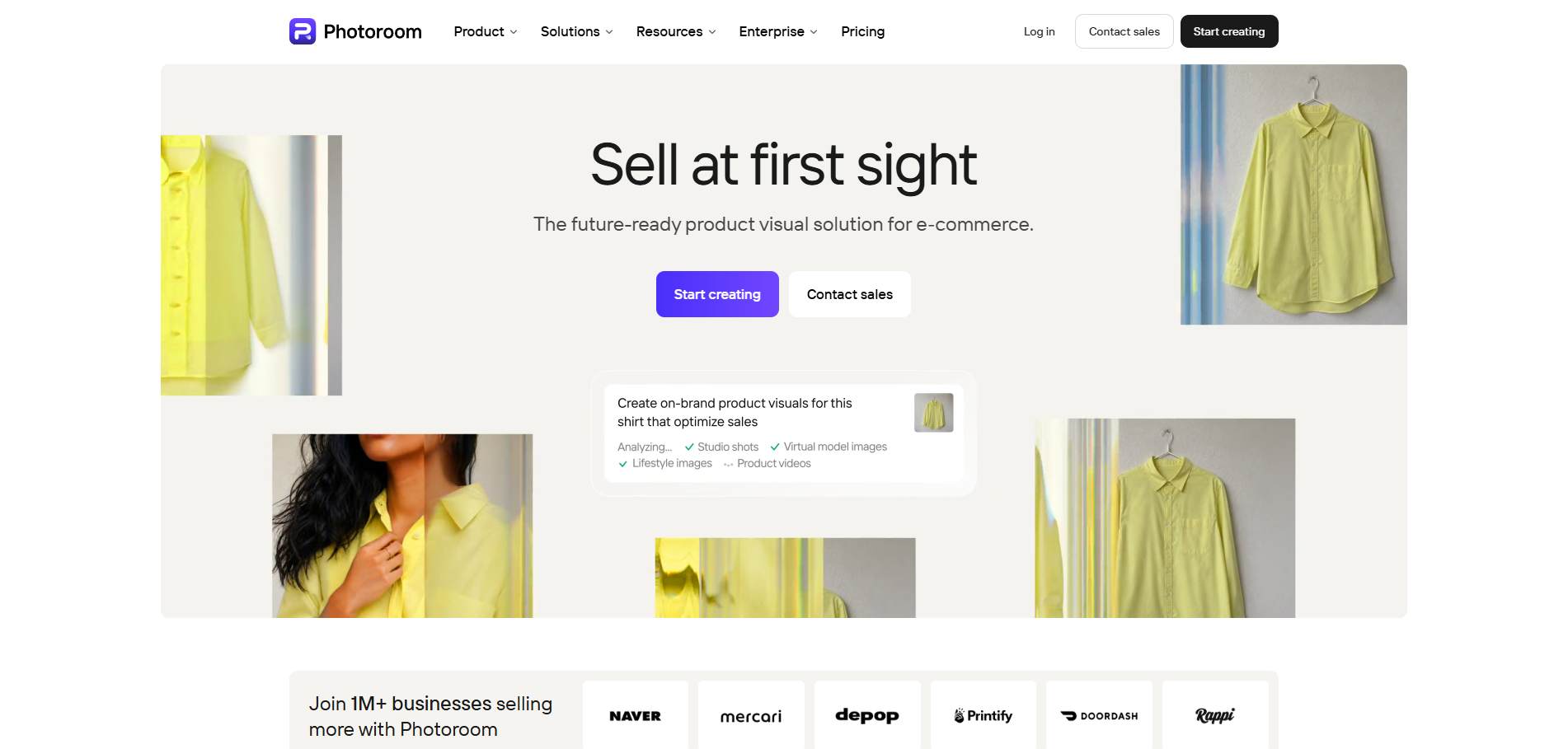
Photoroom is an AI photo editor built for product images, available on web, iOS, and Android. Its four main features for ecommerce stores are:
- Background removal: Cuts products out onto white or transparent backgrounds
- AI backgrounds and shadows: Generates new scenes behind a product and adds natural-looking shadows
- Batch editing: Applies the same background, size, and position to up to 250 photos at once
- Shopify sync: Imports product photos from your store and publishes edited images back to live listings
Photoroom is best for stores that need consistent catalog photos without booking a reshoot every time.
Photoroom’s free plan includes 100 exports a month. Pro costs $12.99/month, or $7.50/month billed yearly ($89.99/year), and adds batch exports. Shopify sync comes with Max, from $20.99/month billed yearly.
Photoroom review
Photoroom works best with batch uploads from Google Drive, Dropbox, or a Shopify store. The sync feature removes the export-and-reupload step. Product photos come from the store, get edited in batches of up to 250, and go back to live listings without recreating variants or editing metadata.
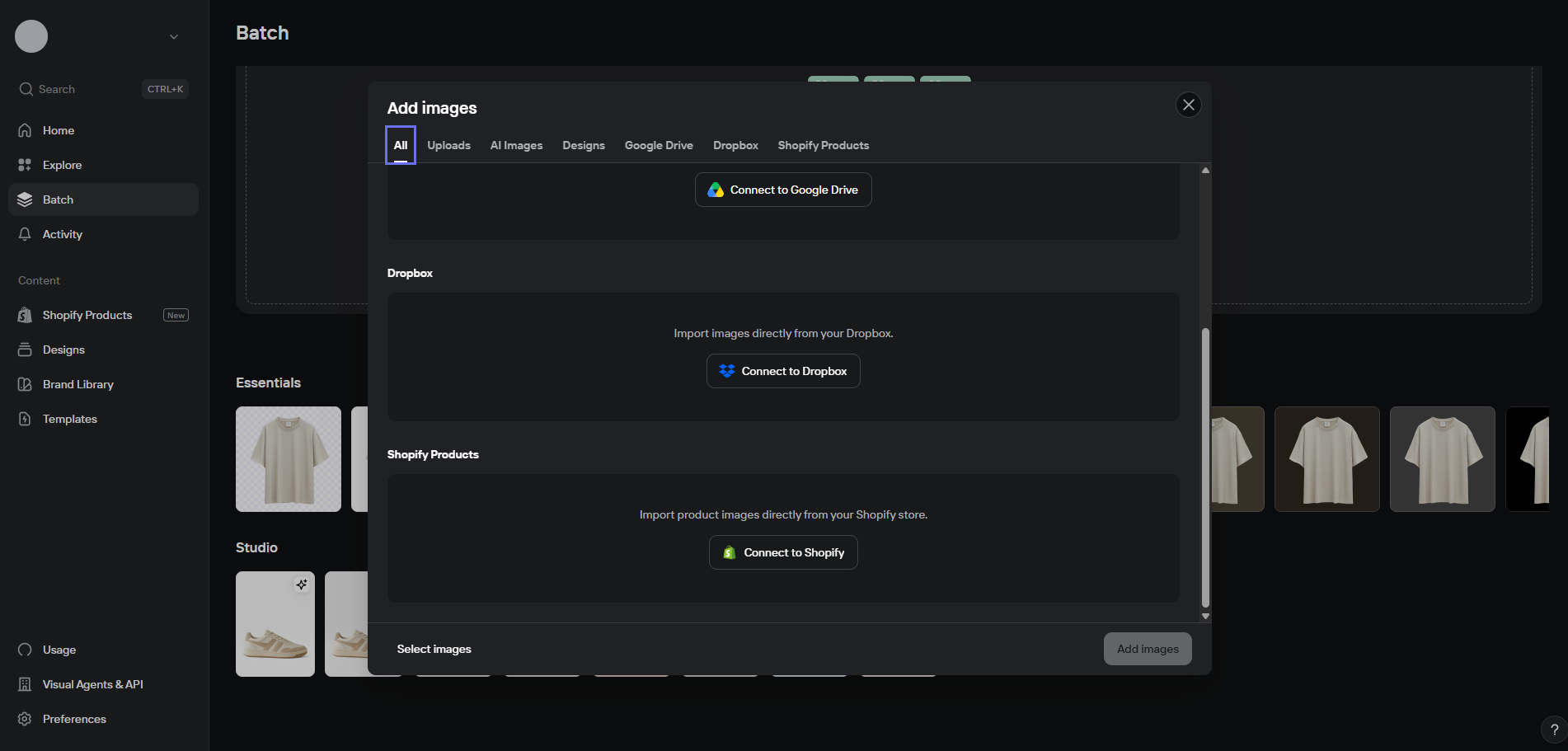
Background removal does most of the batch work. Photoroom says it lets you move through full collections in a fraction of the time. AI shadows keep cutouts from looking artificial, and generated backgrounds place products in new scenes.
Generated backgrounds can look artificial up close, so products where color or fine detail matters still need a photo shoot or manual editing. For a catalog of thousands of products, the time saved on bulk edits is where Photoroom pays off.
AI tools for inventory and fulfillment
Inventory and fulfillment AI tools forecast how much stock to reorder, when to order it, and where to keep it so orders ship faster. Prediko plans purchasing for Shopify stores, while ShipBob works with its own fulfillment centers.
8. Prediko
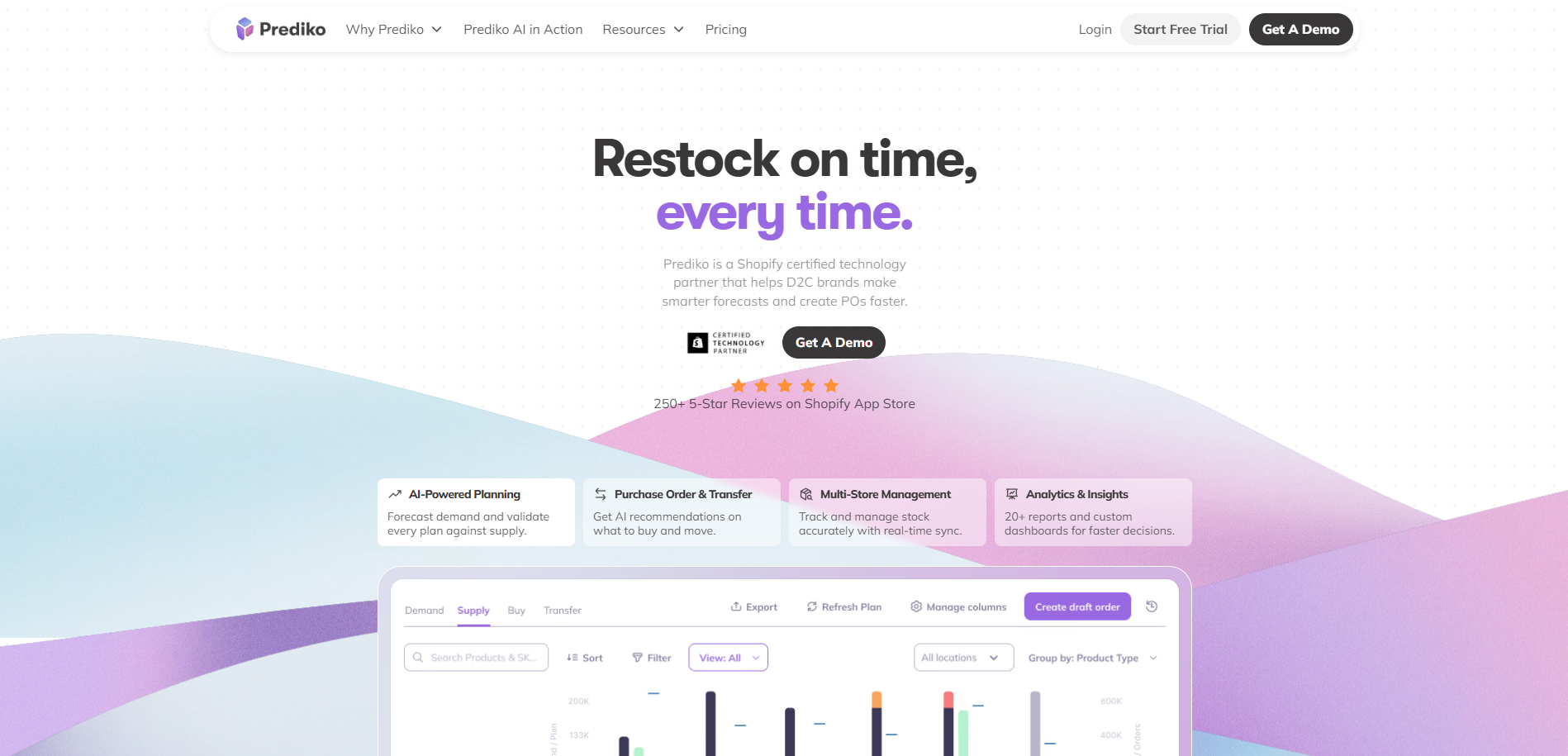
Prediko is an inventory planning app for Shopify direct-to-consumer (DTC) brands. Its AI covers four planning jobs:
- Demand forecasting: Plans sales by product, SKU, and season using your revenue targets
- Supply planning: Builds a 12-month purchase order calendar showing what to buy
- Replenishment: Lists restocking recommendations in a buying table, with reorder alerts
- Inventory transfers: Recommends moving stock between locations before one runs short
Prediko is best for replacing reorder spreadsheets, so you can act on stock changes faster and avoid overbuying. Prediko starts at $49/month for stores with up to $100,000 in annual revenue.
Prediko review
Prediko builds a 12-month purchasing calendar from your current sales data. Its AI assistant, Pia, is available throughout the app, and you can chat with it about your purchases in plain language.
Pia also suggests starter questions, such as “What’s at risk of stocking out?” and “What should I reorder next?”
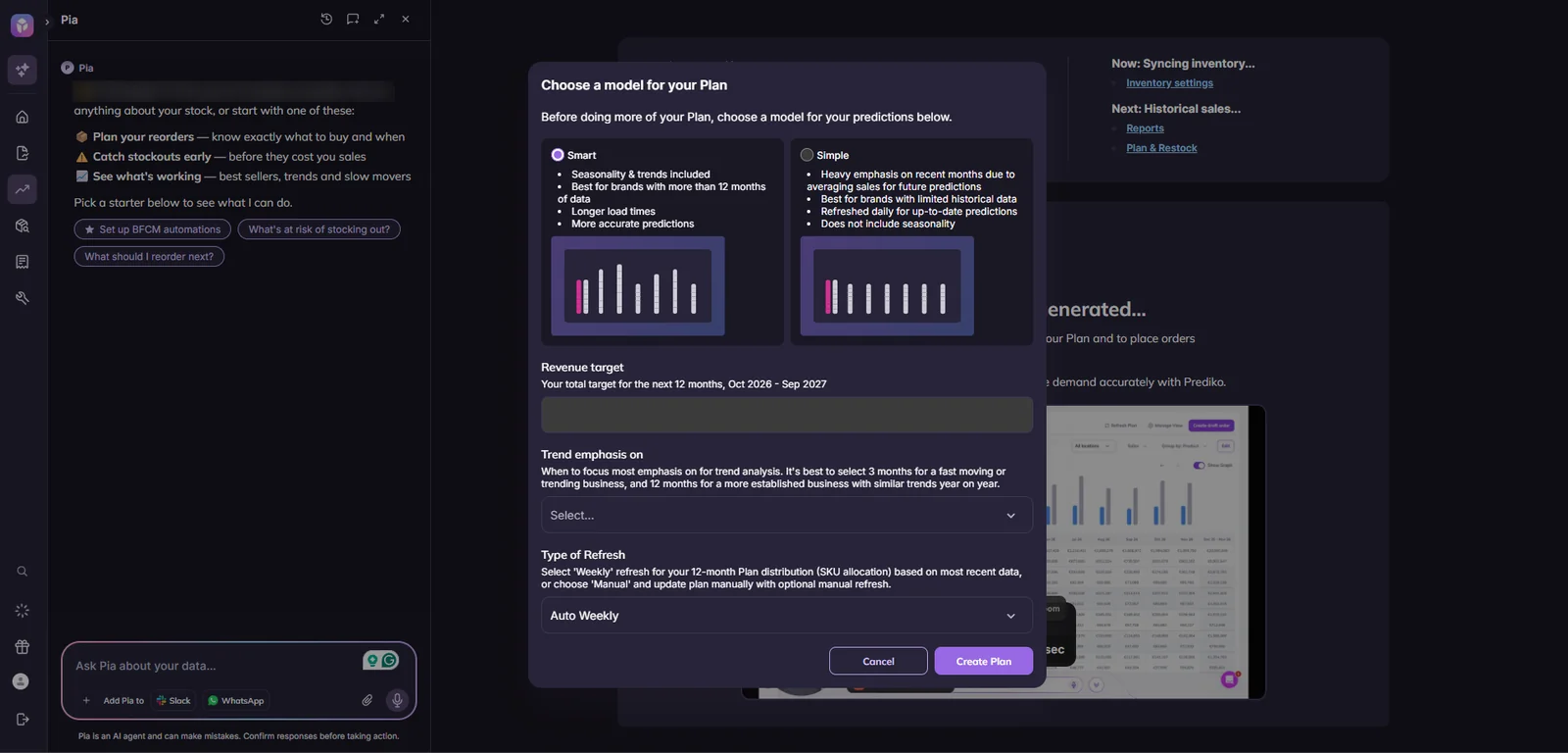
Pia flags items likely to run out, recommends reorders with links to act on them, drafts purchase orders, and sends updates to Slack or WhatsApp.
Prediko’s forecasts depend on sales history. Its Smart model is built for brands with more than 12 months of data, while the Simple model for newer stores leaves out seasonality, so young stores get less accurate plans.
9. ShipBob
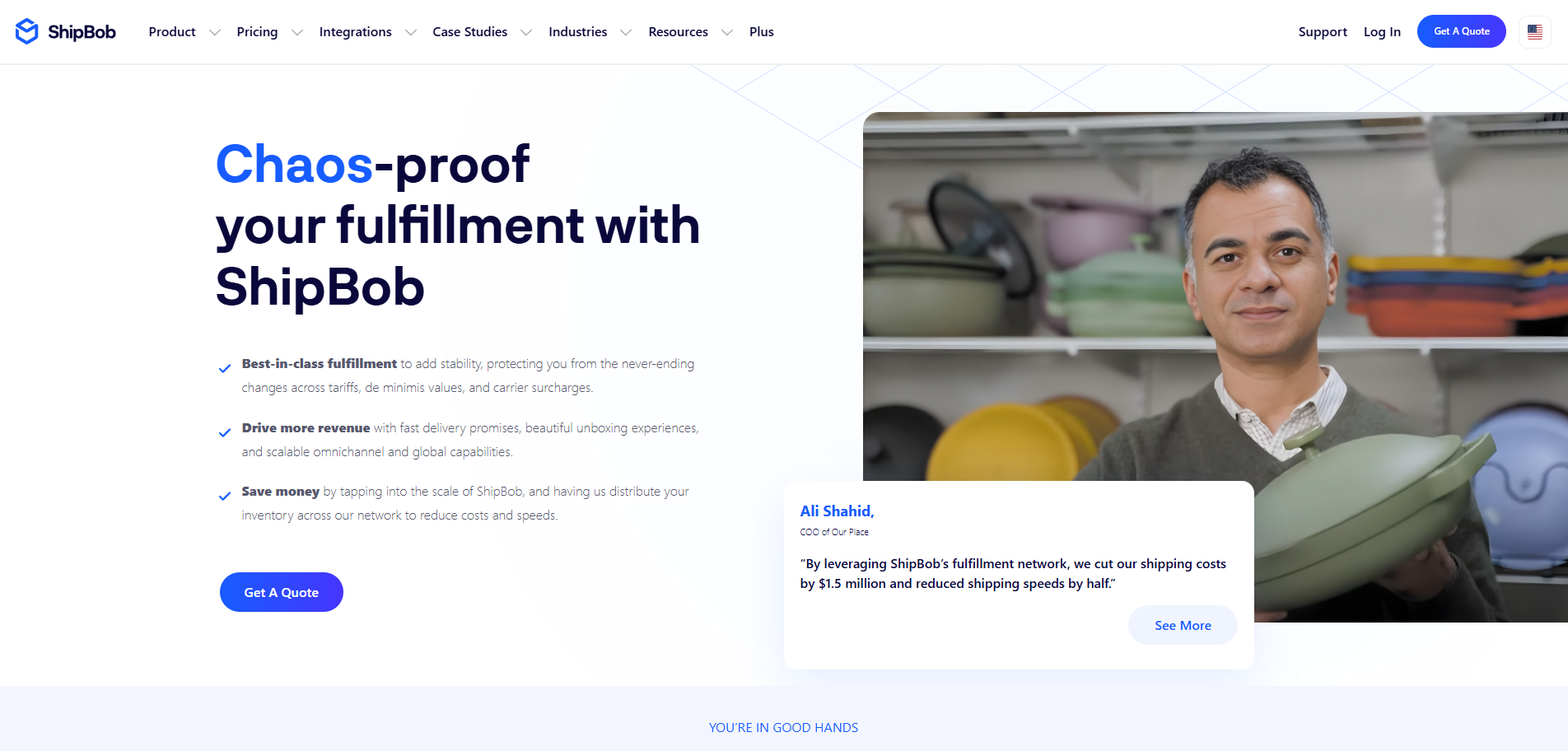
ShipBob is a fulfillment company that stores, packs, and ships orders for online stores from 50+ fulfillment centers across the United States, Europe, and other regions. Its AI splits stock across those centers based on order history and where customers are, so more orders ship from nearby locations.
Its AI-powered Promise Engine sets the delivery dates shown at checkout, with 97.6% delivery estimate accuracy, according to ShipBob. Bobby, its AI agent in the merchant dashboard, reships orders and updates inventory on request. ShipBob MCP connects your fulfillment data to Claude and OpenAI tools.
Unlike the other AI ecommerce tools, ShipBob is a service with software and AI features attached. ShipBob prices fulfillment by quote, with no free plan or trial. Its dashboard software is free for fulfillment customers.
ShipBob review
ShipBob is a third-party logistics service, so its AI couldn’t be tested for this review: it only runs on inventory stored in ShipBob’s fulfillment centers. To see it in action, request a demo from ShipBob’s sales team.
Services like these require a lot of commitment from DTC brands. Trying the AI means moving inventory into ShipBob’s network, not installing an app. It’s unlikely you’ll consider ShipBob for its AI features only, but if you need a logistics partner, the AI adds value on top of the fulfillment service.
AI tools for ecommerce analytics
AI analytics tools explain what changed in your store’s numbers and why, instead of adding another dashboard. A platform like Triple Whale can flag a sudden drop in return on ad spend before you would spot it.
10. Triple Whale
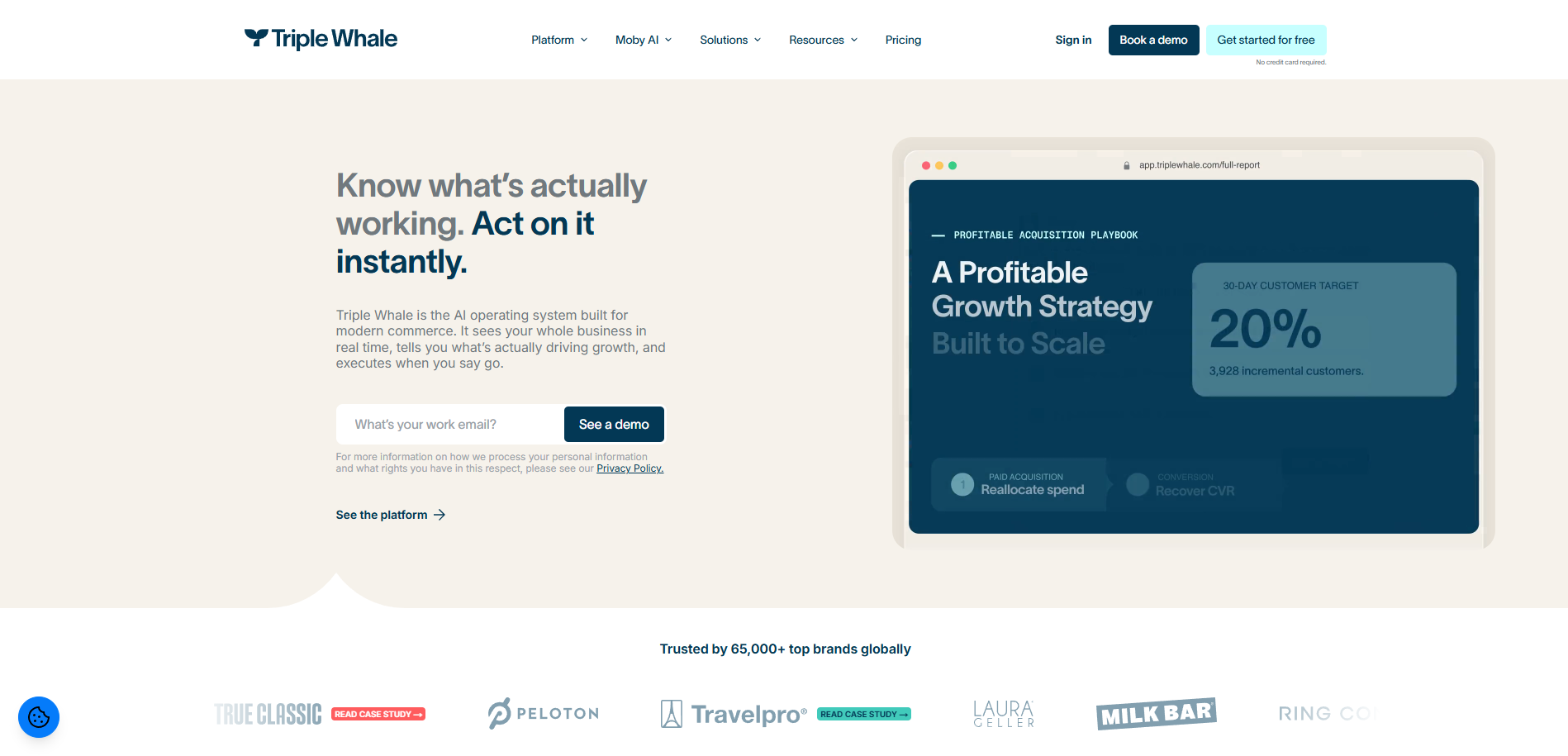
Triple Whale is an analytics platform for ecommerce brands running paid ads. Its Triple Pixel tracks orders across channels, and its Total Impact attribution model adds post-purchase survey data to credit each order.
Its AI assistant, Moby, answers plain-language questions about store performance, such as how last week’s revenue compares with the week before. On the Automate plan, Moby can run scheduled checks and send anomaly alerts when key metrics change.
Triple Whale suits brands that need data to split their budget across ads, email, and SMS. Stores with little or no ad spend get less from it, because its attribution AI is built to show which ad channels drive orders.
A free plan covers first- and last-click attribution and limited Moby use. Paid plans are priced by annual gross merchandise value (GMV), on 12-month contracts.
Triple Whale review
The AI assistant can be tried even before paying or finalizing the setup, although it works much better with a full setup. You can connect more than 60 platforms, including store builders, ad networks, email and SMS tools, marketplaces, and shipping apps.
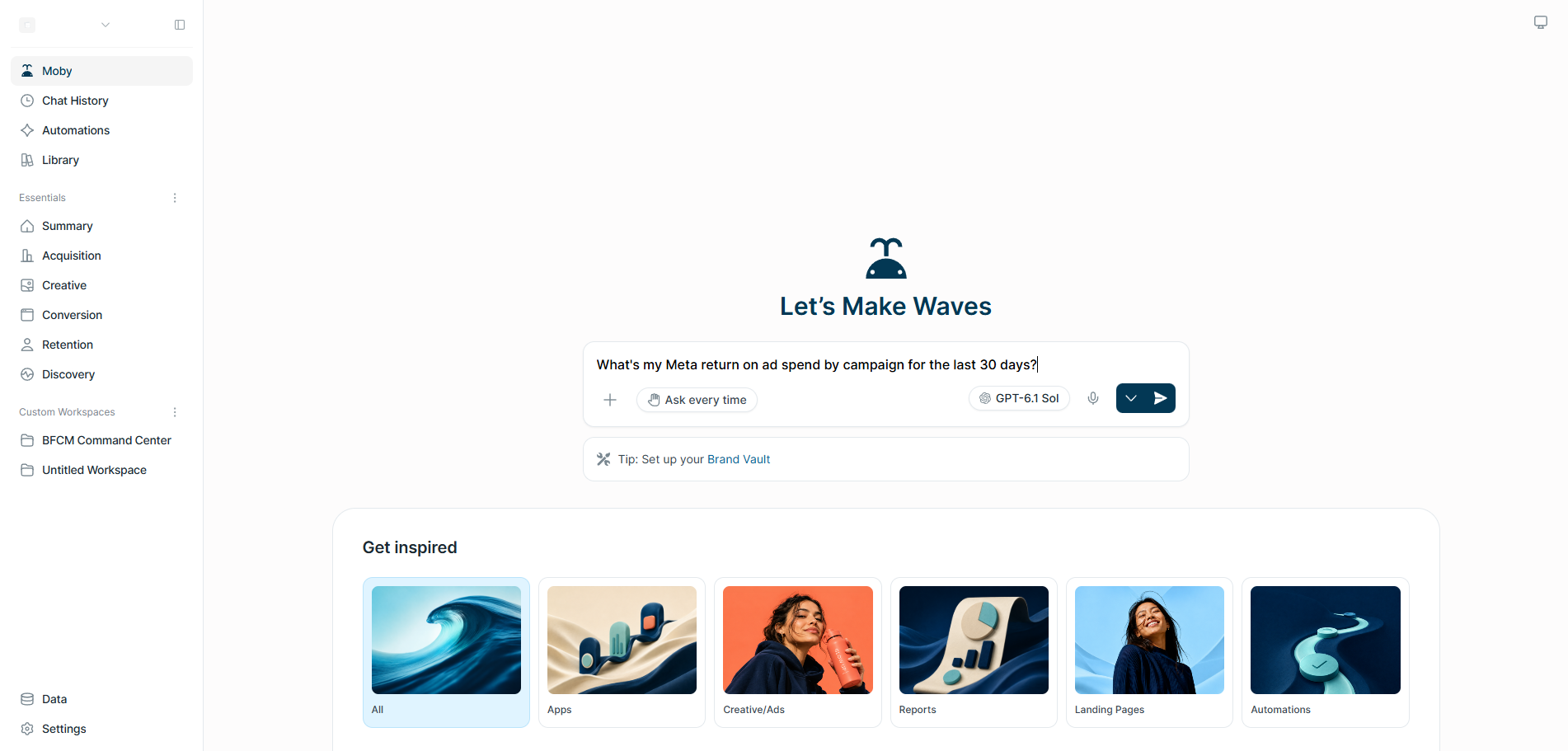
Moby’s main selling point is that it answers questions using data from every connected platform in one place. Features like anomaly detection take it a step further by automatically checking the metrics at set periods.
As with most AI tools, Moby can return incomplete, outdated, or false information. The answers still need to be double-checked, which takes away some of the performance gains. Building a review step into your team’s workflow limits the risk.
How to choose an AI tool for your store
Start with the problem you already pay to work around, not with a tool category you think you might need. For example, if your team answers the same customer questions every day, a support agent like Fin or Lyro is a better first purchase than an analytics tool.
Don’t expect AI to solve every problem your business is facing. Forecasts and recommendations stay weak on new stores with little order history, and every tool in this list can still return wrong answers that a person needs to check.
If you sell on Shopify, our guide to Shopify AI tools covers apps built for that platform, and dropshippers can compare AI tools for dropshipping.
Before you pay for a tool, check four things:
- Data access: Can the AI reach the data the job needs, such as orders, catalogs, and customer accounts?
- Actions or suggestions: Will the tool act on its own, like issuing a refund, or only recommend what a person should do next?
- Price: What will the AI cost once you’re past the free plan, and how does the bill change as usage grows?
- Overlap: Does it replace a tool you already pay for, or add yet another subscription?
Quick sign up | No credit card required