Omnisend AI


 OFFER
OFFER










Klaviyo suits ecommerce and Mailchimp is decent for beginners. It’s a finding that many email marketers reach after experimenting with both. Our Klaviyo vs. Mailchimp testing also reveals feature gaps in both tools and the potential for price parity.
The headline for Mailchimp is that it costs less than Klaviyo. But that’s overstated. Yes, the cheapest paid plan is less, but it lacks ecommerce features. The next plan up is then the same price as Klaviyo’s email plan for the same contact count, up to 5,000 contacts.
Klaviyo is a much more advanced email tool for flows, segments, and reports, with deeper Shopify integration. It also functions as a CRM. Although Mailchimp is adding more ecommerce features, they still feel secondary and aren’t on the same level as Klaviyo yet.
This article provides a fair, balanced review of Klaviyo vs. Mailchimp. You’ll learn all about their differences, features, pricing, pros and cons, and best use cases.
Quick sign up | No credit card required
Quick answer: Is Klaviyo better than Mailchimp?
Klaviyo is the better choice for ecommerce email marketing because it syncs more customer data and helps you make sense of it with subscriber profiles and reports. You can then build segments and flows that maximize revenue and retention.
Mailchimp has less depth in its flows, segmentation, and reporting, but that simplicity makes it a great fit if you’re a small business looking for the basics. Its website builder and social posting features are also useful for keeping your other marketing activities in one tool.
Klaviyo vs. Mailchimp: Key differences at a glance
Klaviyo and Mailchimp are both email marketing platforms, but they suit different marketers, businesses, and teams.
- Klaviyo is for ecommerce. It pulls deep customer data from your store, turns it into detailed profiles and predictive analytics, and uses that data to power advanced email segmentation and revenue-driven flows. Pricing starts at $20/month for 500 contacts on its email plan, with no feature restrictions.
- Mailchimp is for general small business marketing. It covers email, landing pages, a website builder, and social posting in one tool. Its pricing starts at $13/month for 500 contacts on Essentials. Still, it gates ecommerce features like predictive segmentation and customer lifetime value behind higher-tier plans, such as the $20/month Standard plan.
In terms of ease of use, Mailchimp wins for beginners. Klaviyo’s depth comes with a steeper learning curve, and there’s the chance you won’t use all its most advanced features.
Klaviyo vs. Mailchimp pricing
Klaviyo offers one email plan without multichannel features and one email and SMS plan with multichannel features. Plans start at 500 contacts and go up to 2 million, with pricing that’s either the same as or higher than Mailchimp’s, depending on the Mailchimp plan you’re looking at.
Mailchimp has three email plans with feature restrictions, with the top tier offering full functionality, and an SMS add-on that requires contacting them and submitting an application before purchasing credits. It also starts at 500 contacts and goes up to 1 million+.
| Contact count | Klaviyo Email | Mailchimp Essentials | Mailchimp Standard | Mailchimp Premium |
|---|---|---|---|---|
| 500 | $20 | $13 | $20 | — |
| 1,500 | $45 | $26 | $45 | — |
| 2,500 | $60 | $45 | $60 | — |
| 5,000 | $100 | $75 | $100 | — |
| 10,000 | $150 | $110 | $135 | $350 |
| 25,000 | $400 | $270 | $310 | $620 |
| 50,000 | $720 | $385 | $450 | $815 |
*All prices are accurate as of May 2026.
Free plans
Mailchimp and Klaviyo have free plans that support 250 contacts and 500 emails/month, with Klaviyo also including 150 SMS/MMS credits.
Both require branding on email templates and forms and have time-limited support. Mailchimp offers 30 days of email support, and Klaviyo offers email support for 60 days.
Mailchimp pricing overview
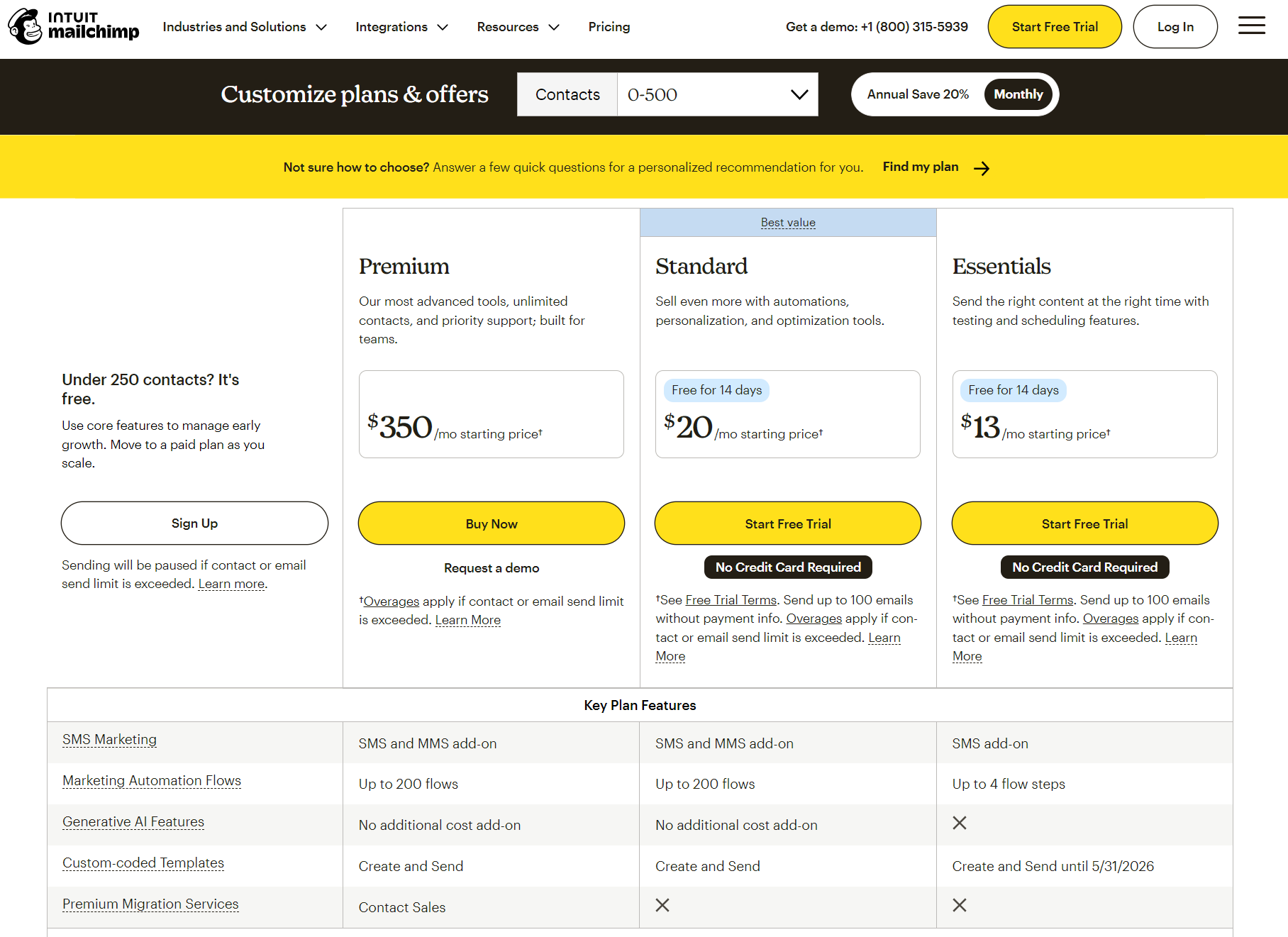
Mailchimp’s contact-based pricing immediately undercuts Klaviyo’s $13/month Essentials plan, which includes 500 contacts.
That cheapest plan will save you $7/month compared to Klaviyo, but it restricts many of the ecommerce features you need. These include customer lifetime value, generative AI, predictive and advanced email segmentation, and behavioral targeting.
Want those features? Then it’s the Standard plan for you. That plan starts from $20/month for 500 contacts, the same as Klaviyo’s email plan.
The most expensive Premium plan is for large businesses. It starts at $350/month for a 15x contact send limit and unlimited users and audiences.
Klaviyo pricing overview
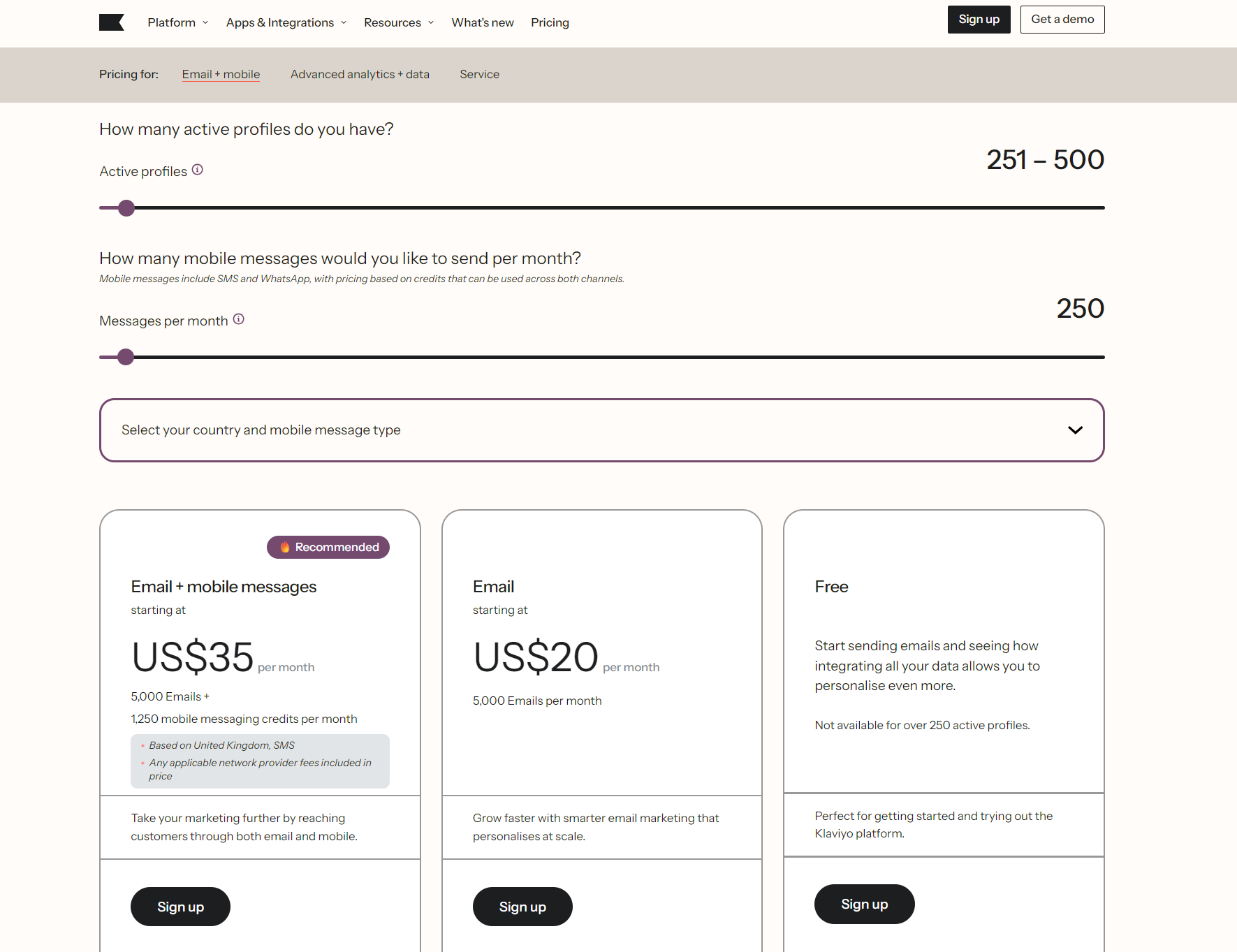
Klaviyo uses pricing. Its email plan has a higher entry cost than Mailchimp’s Essentials plan at $20/month for 500 contacts versus $13/month for the same. It includes a 5,000 email send limit, matching Mailchimp’s offering.
However, Klaviyo’s email plan doesn’t restrict email marketing features like Mailchimp’s Essentials plan. Mailchimp’s Standard plan is then $20/month, the same as Klaviyo. Klaviyo’s email plan and Mailchimp’s Standard plan are priced at $100/month for up to 5,000 contacts.
One potential benefit to Klaviyo’s pricing, however, is granularity. It has over 20 contact count tiers up to 20,000 contacts, whereas Mailchimp only has seven.
Klaviyo’s email plan and Mailchimp’s Standard plan cost the same at 1,500, 2,500, and 5,000 contacts. Mailchimp then jumps to a single 5,001-10,000 tier at $135/month, while Klaviyo splits that range into smaller tiers.
So at 6,000 contacts, you’d pay $130 with Klaviyo versus $135 with Mailchimp, before Klaviyo becomes more expensive at higher tiers.
A note for Klaviyo shoppers: if Klaviyo’s contact-based pricing is making you reconsider, Omnisend is worth a look as a third option — or see how it stacks up against the other alternatives to Klaviyo. You get the same multichannel marketing (email, SMS, and push in unified flows) for up to 35% less at comparable tiers, with every standard feature included from the free plan up. Migration is free and takes 5 days — our team rebuilds every flow, list, and template by hand.
Which platform offers better value?
Klaviyo offers greater value with more ecommerce features once you’re past Mailchimp’s Essentials plan. These include integrations, predictive analytics, and peer group benchmarks. Mailchimp is cheaper at scale with the Essentials and Standard plans at higher contact limits.
Discover more alternatives:
Cheaper than Klaviyo
Top 10 Mailchimp alternatives 2026: Reviewed and ranked
Klaviyo vs. Mailchimp features comparison
We’ll now compare Mailchimp vs. Klaviyo’s email campaign, automation, segmentation, personalization, and reporting features:
Campaign builders
Klaviyo’s campaign builder is accessible via the Campaigns tab in the sidebar. Click Create Campaign, and it asks you to select the campaign type, date, and channel:
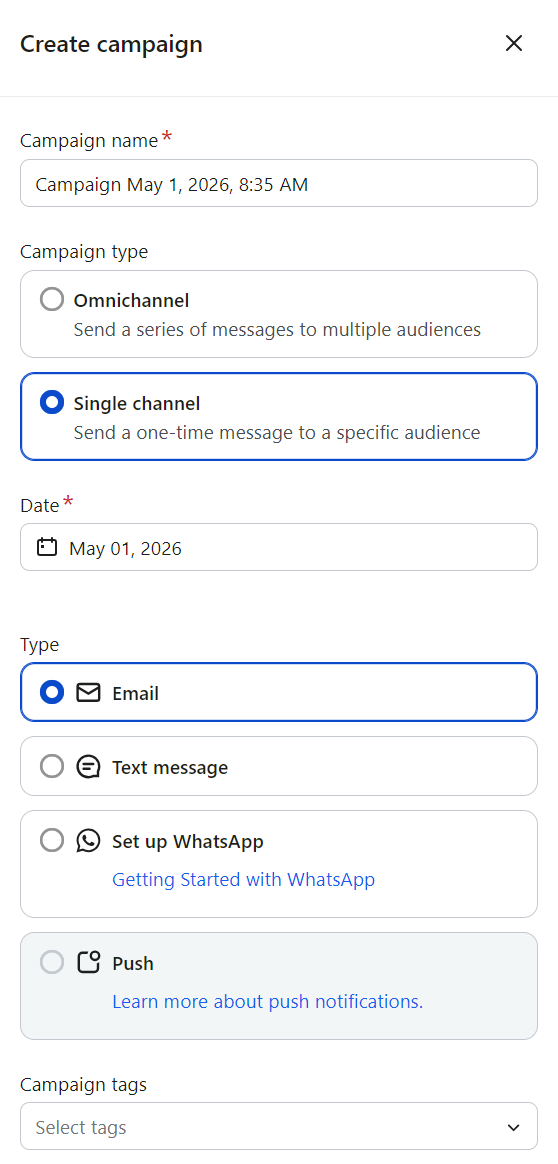
The options here are self-explanatory. Selecting Email opens the Audience page, where you select your list or segment. You can then browse the email templates and start editing:
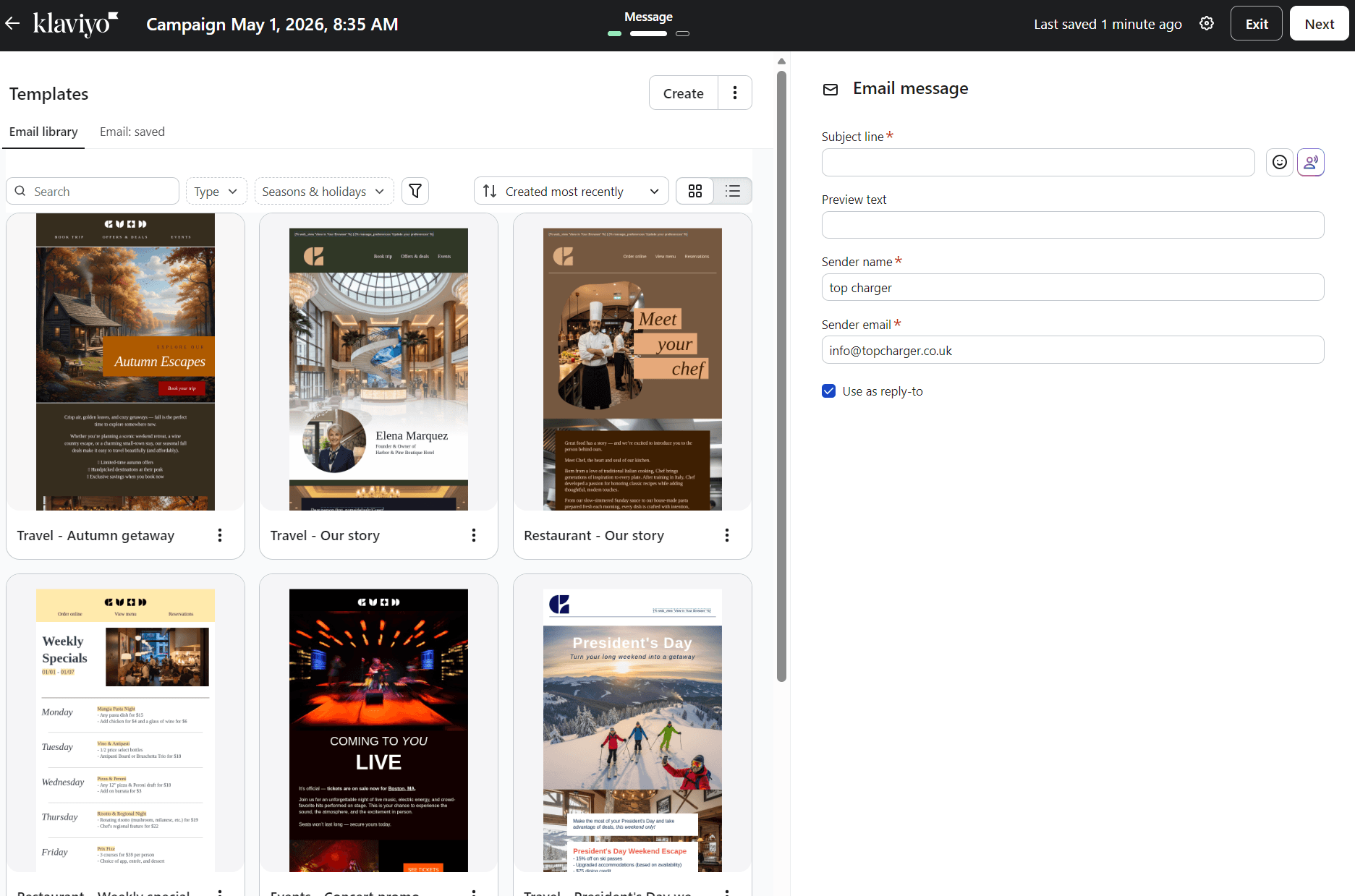
The templates have high-quality stock images and layouts, and there are 160+ to choose from. If you upload your brand assets, they automatically apply to templates. For this article, we selected an animated welcome email template to open the drag-and-drop editor.
Klaviyo’s email editor is intuitive with pre-built blocks, layouts, and sections, including headers, footers, coupons, and socials. You can preview the design using the desktop/mobile toggle and draft content with AI if you have a paid plan:
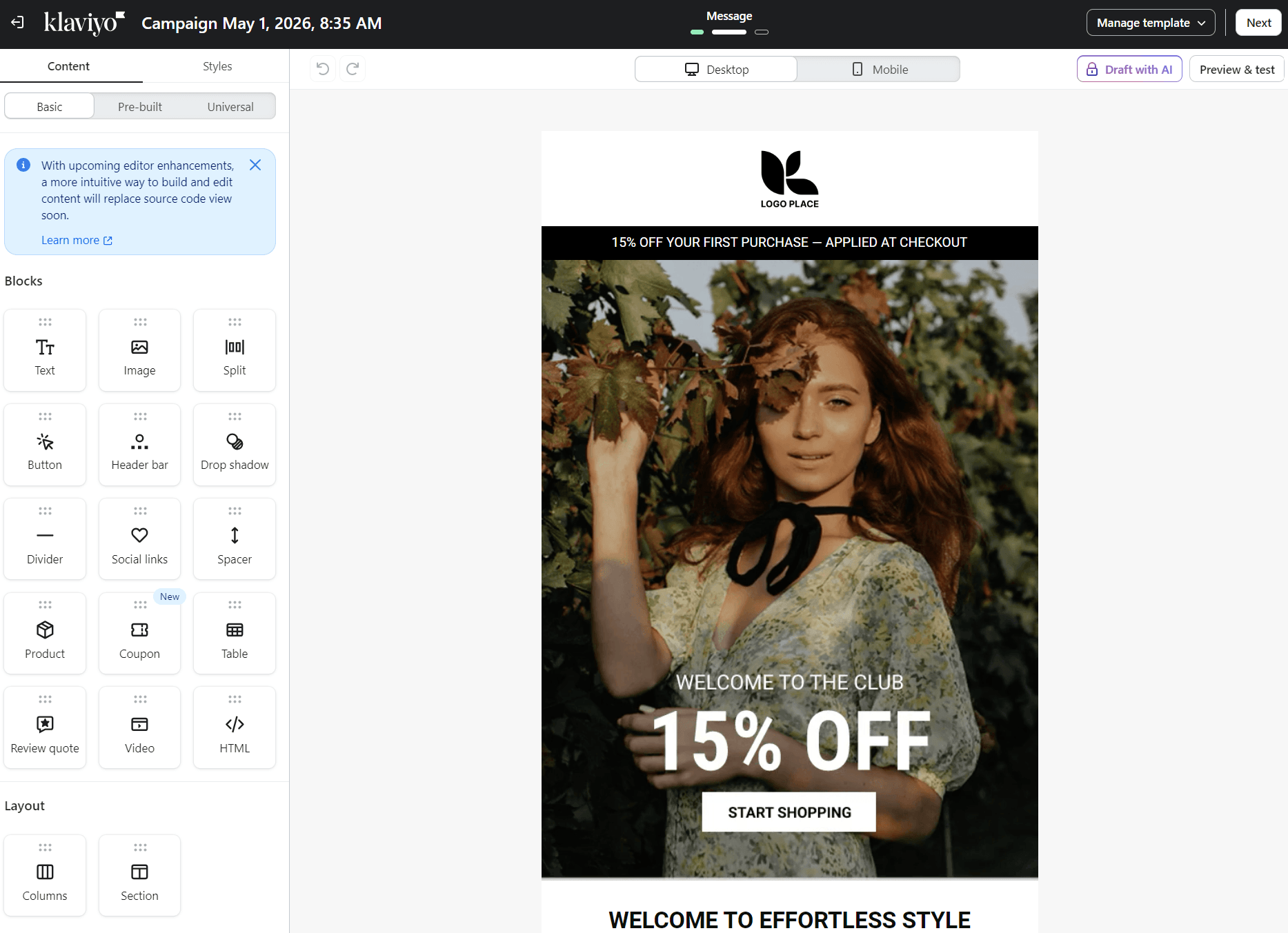
The overall feeling of Klaviyo’s email campaign builder is professional and has a low learning curve. In fact, it’s the easiest Klaviyo feature to master.
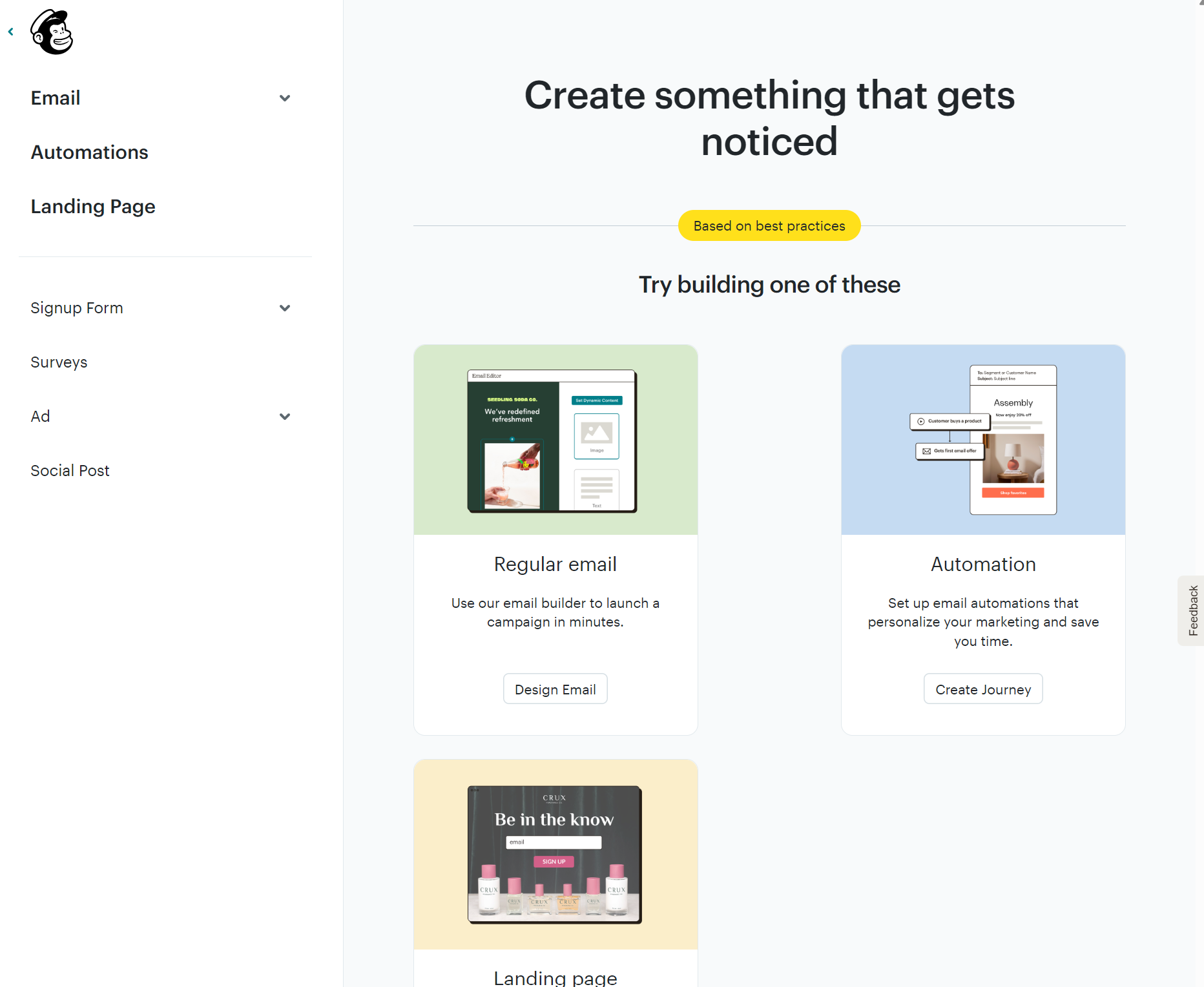
Mailchimp’s campaign builder is available from Campaigns in the menu. You then select Create to open the options for a regular email, automation, or landing page:
Clicking Email displays three options: start from scratch, use a basic layout, or use a fully designed template. However, most pre-designed templates are available only to paid plan customers. If you’re on a free plan, the available ones have a ‘FREE’ tag as below:
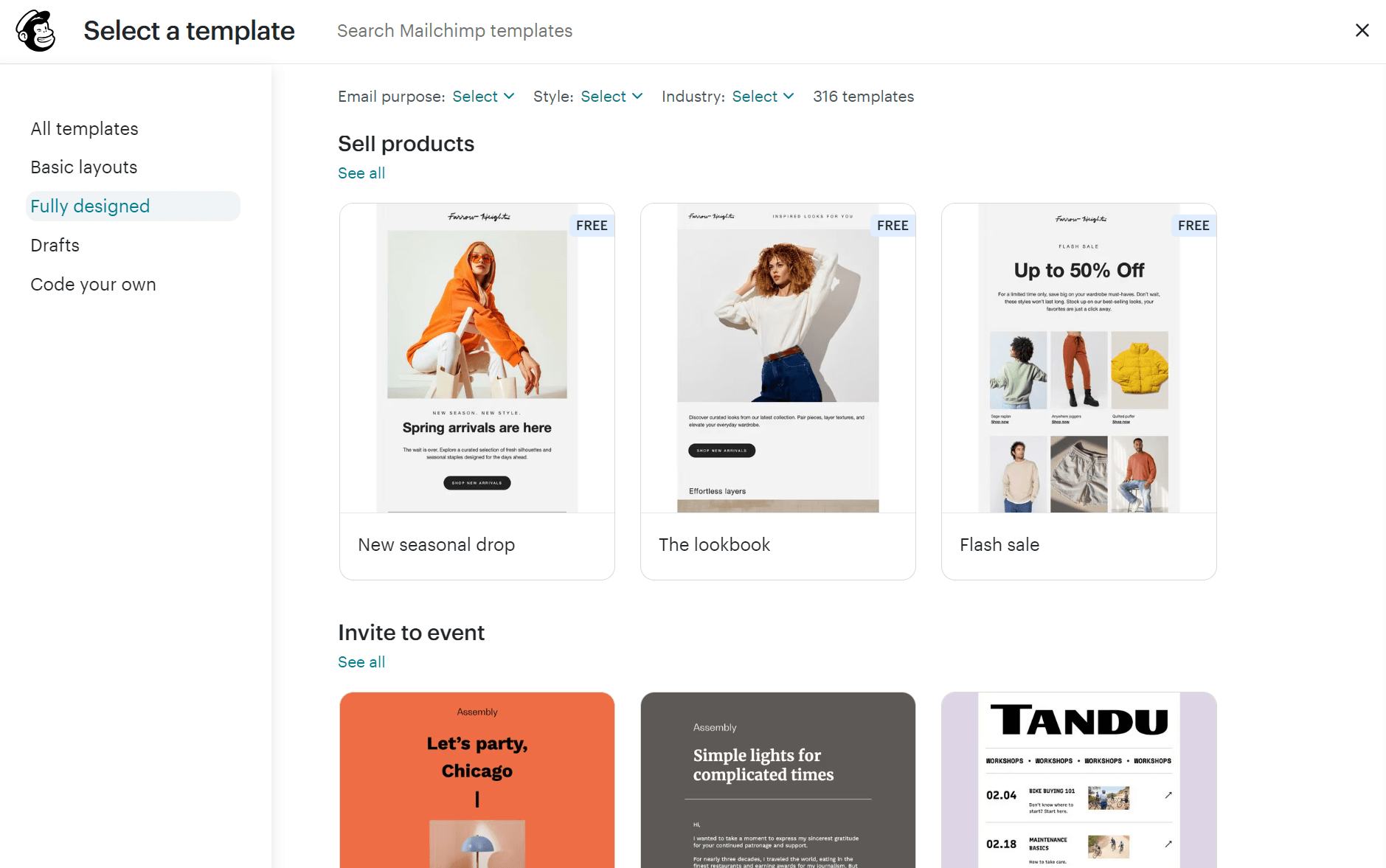
There are 130+ templates on the paid plan, but fewer than 20 pre-designed ones for free customers. Klaviyo doesn’t have the same restriction.
We selected a ‘sell products’ template to test the drag-and-drop editor. Unlike Klaviyo’s editor, which uses tabs for blocks and sections, Mailchimp pushes them together under one ‘+Add’ column, which isn’t as easy to navigate because it’s harder to scan:
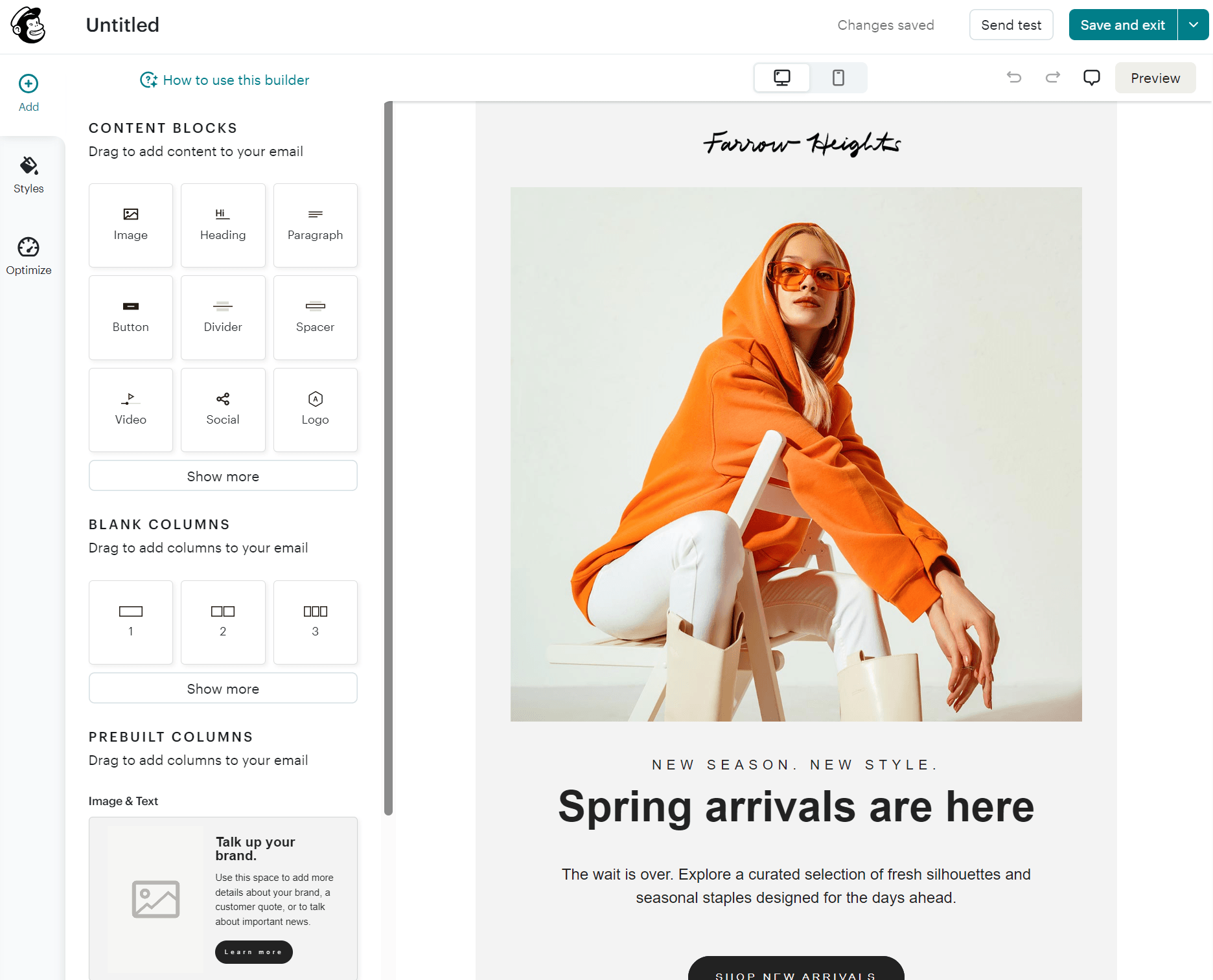
Dragging elements into the template loads their settings, and everything feels logical. You won’t struggle to learn the editor and create good emails.
A helpful feature Mailchimp has that Klaviyo doesn’t is the Optimize tab, which shows errors for links and merge tags to help you fix them:
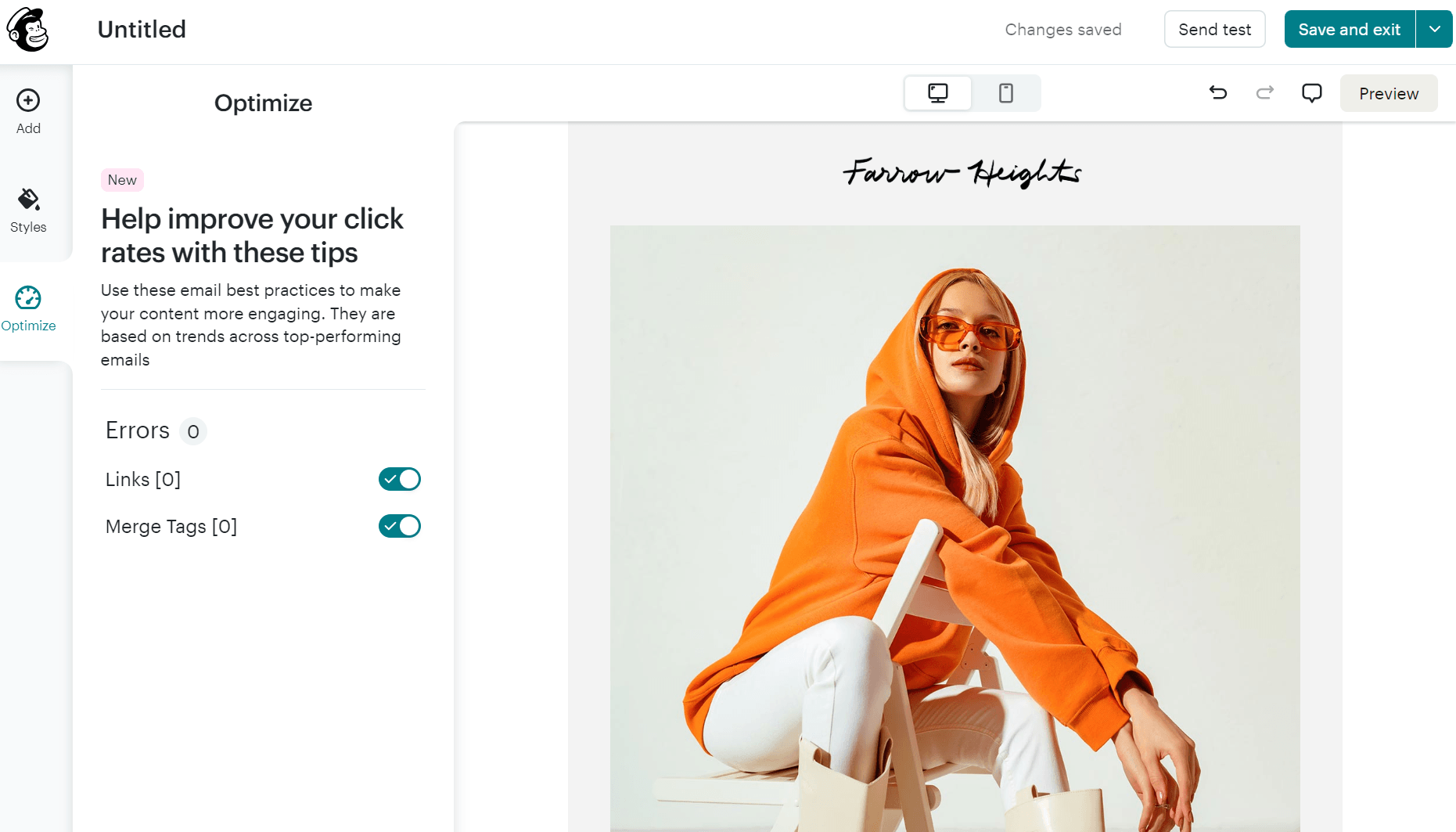
Mailchimp’s email builder has 15 blocks, the same as Klaviyo, and offers more column layouts, including 1:2 and 3:1, letting you create more custom templates.
However, for intuitiveness, Klaviyo is the better pick. Its pre-built sections have a search feature, and your saved elements appear under a Universal tab.
Automated workflows
Mailchimp has 100+ pre-built flow templates covering welcomes, lead nurturing, revenue recovery, re-engagement, support, and transactional messages:
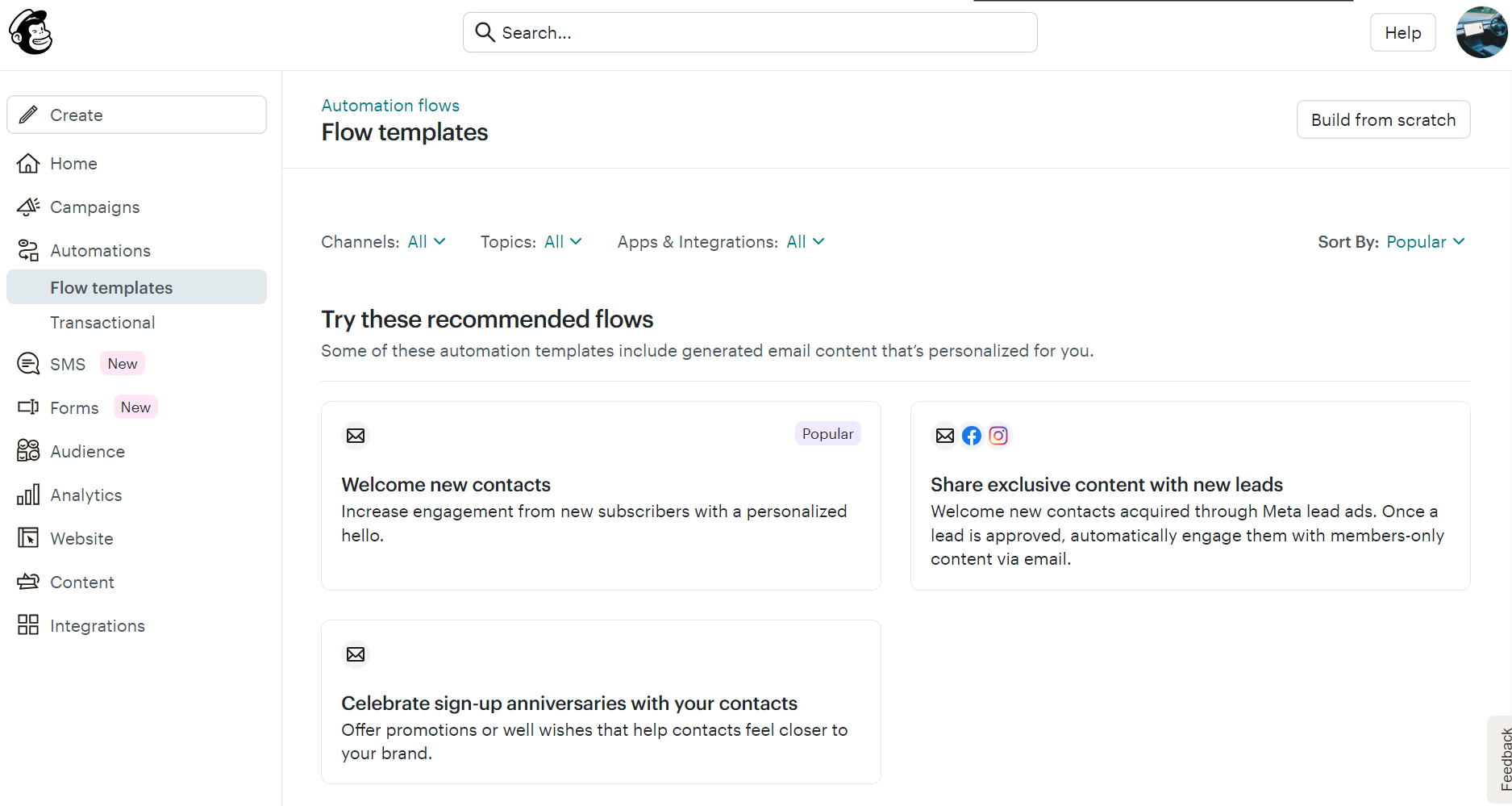
The Automations tab in the sidebar contains all templates, which you can filter by channel, topic, and app/integration. Selecting a flow opens the flow editor with pre-built elements:
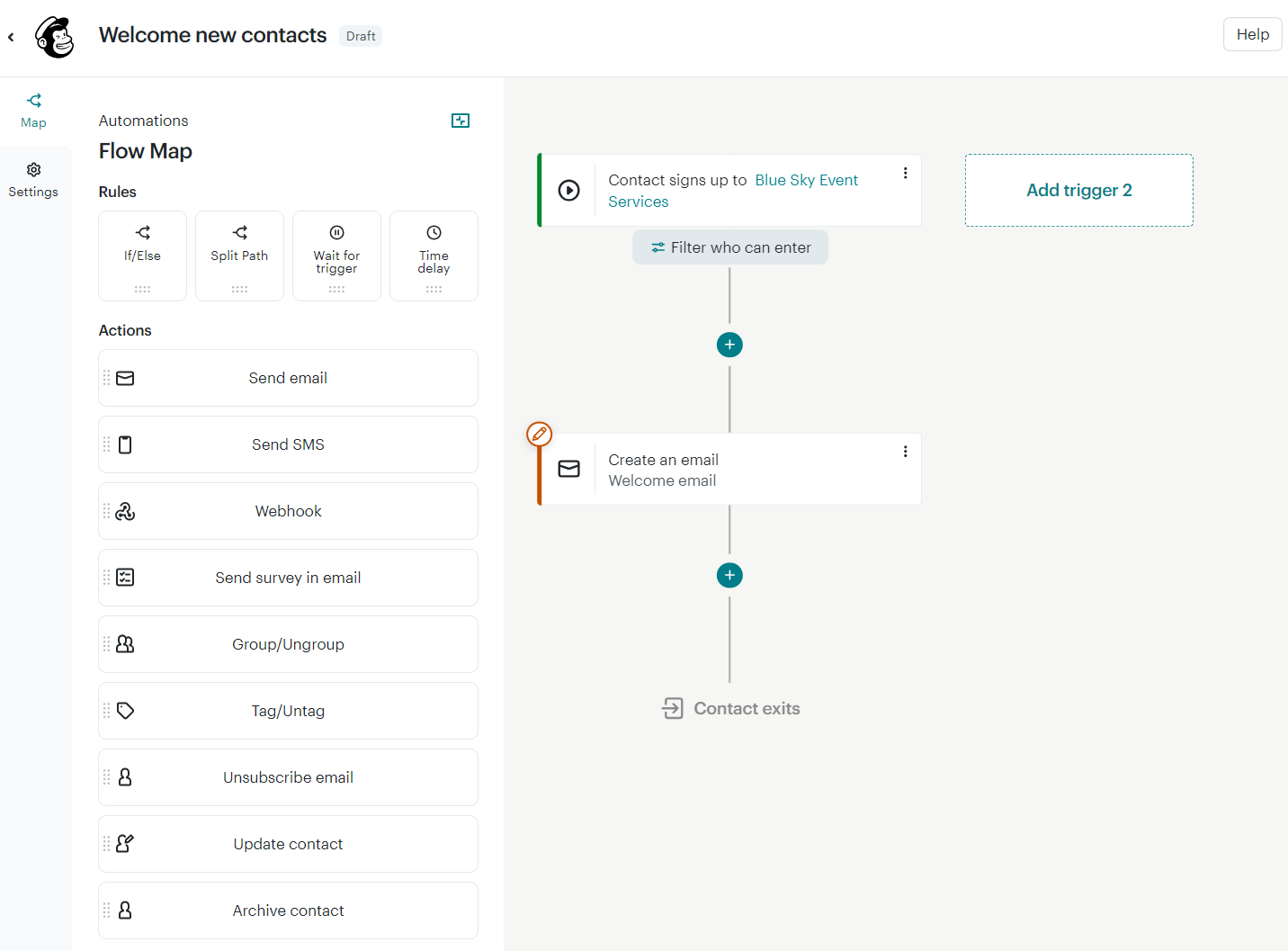
The flow builder is a drag-and-drop tool with intuitive actions and rules. Dragging them into position loads the popup settings, such as for conditions:
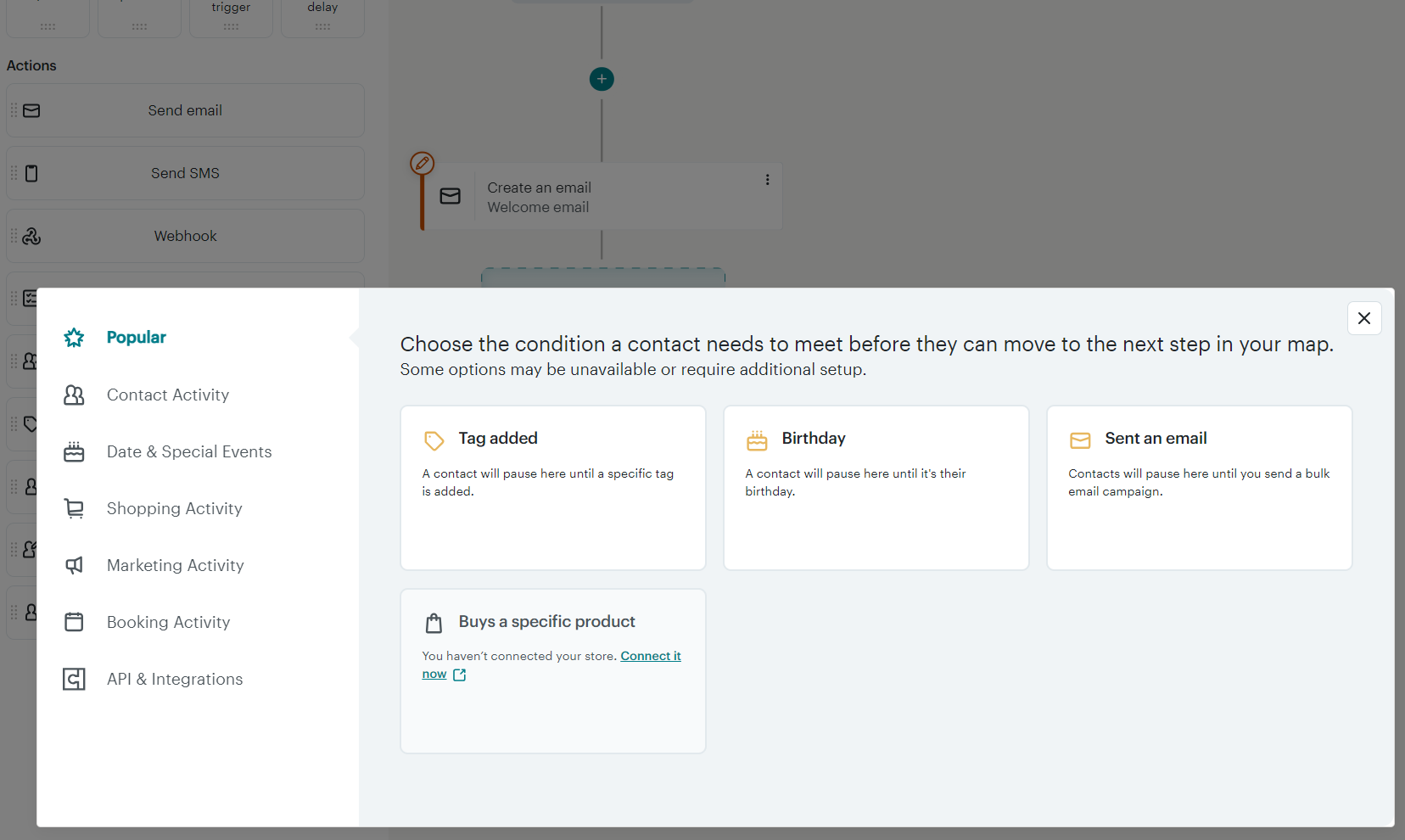
Building a flow with multiple emails, or adding an SMS if you’re on the right plan, requires no learning curve. Most email automations take less than five minutes to refine.
Klaviyo has 60+ pre-built flows with a search bar and filters for channels such as email, email + SMS, and email and WhatsApp:
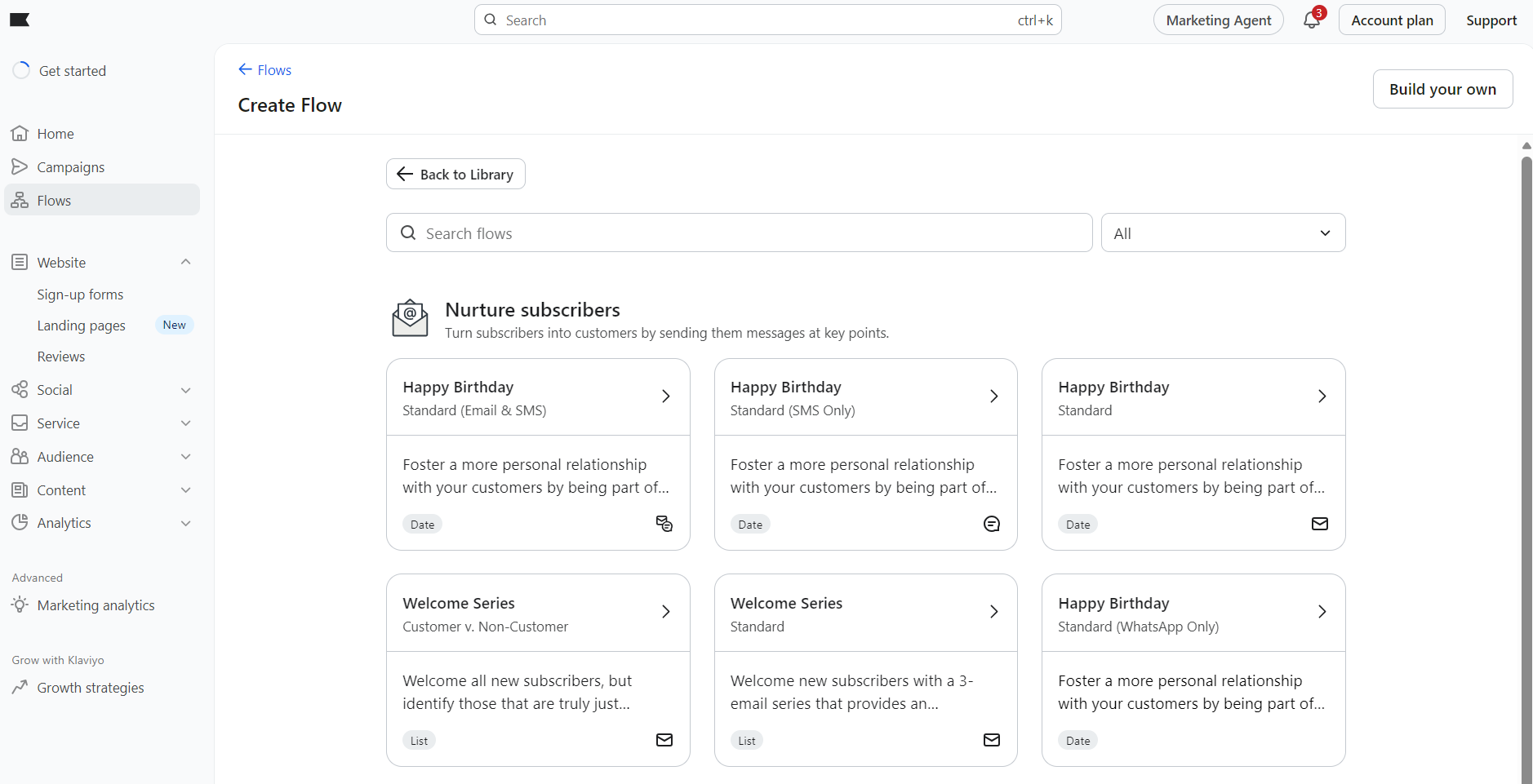
We selected a welcome email template for our first automation. The flow builder uses drag-and-drop and has a more professional appearance than Mailchimp’s, with center-aligned elements and written descriptions for the various element settings:
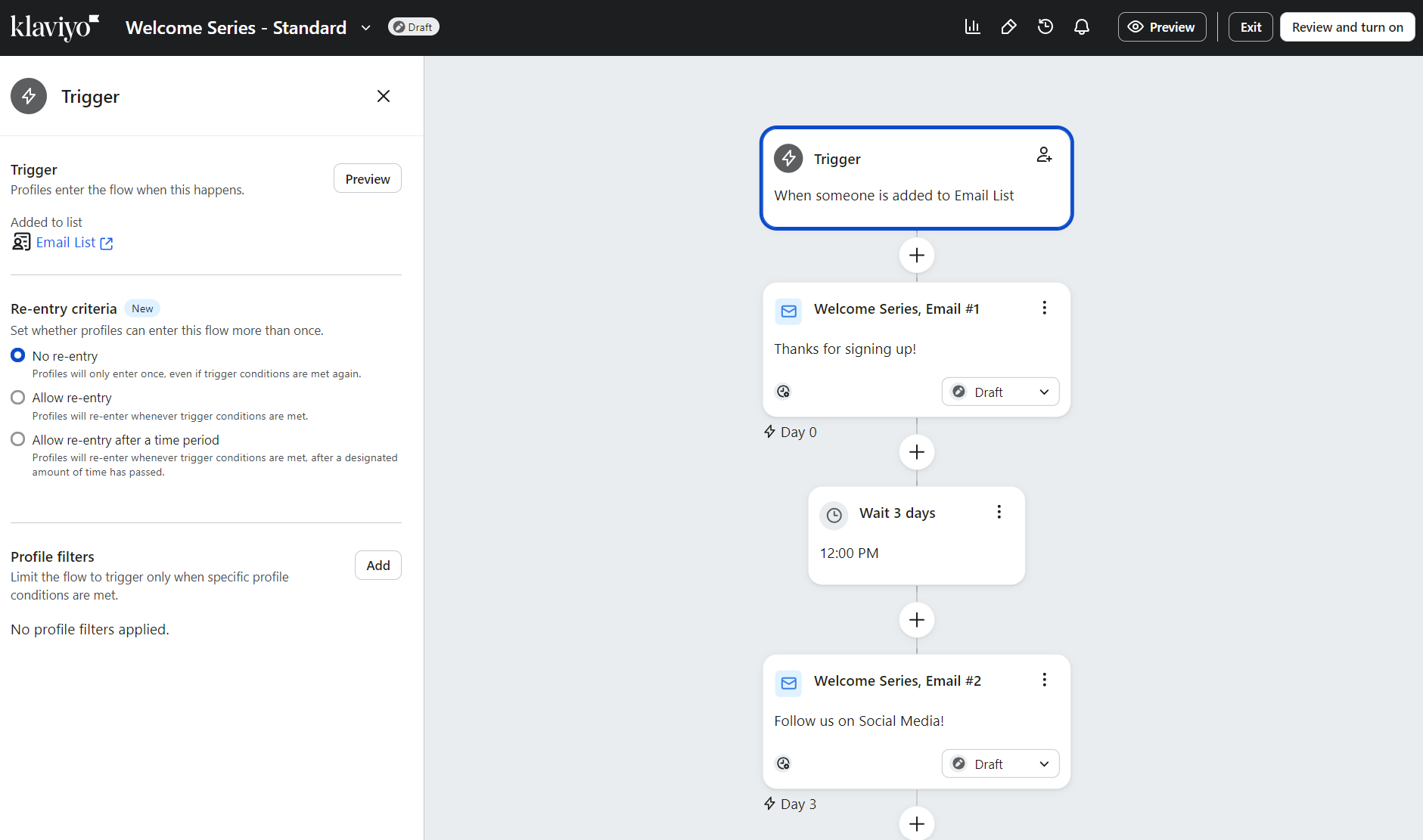
Both Klaviyo and Mailchimp’s pre-built flows get your store started with an automated pre- and post-purchase customer experience.
Each also offers predictive triggers like churn risk and next-purchase prediction, though Mailchimp restricts these behind its Standard plan, while Klaviyo includes them as standard.
Flow control and building custom experiences are where Klaviyo stands out, with re-entry windows that let you decide how often a contact can enter a flow, and conditional splits that let you branch based on engagement, profile properties, or segments.
Segmentation and personalization
Klaviyo and Mailchimp let you upload lists, update them in real time from forms and purchases, and create and update segments from them.
Mailchimp calls its lists Audiences, and these are your contact databases. Segments will then group your contacts for targeting in flows and campaigns.
There are 13 pre-built segment templates in Mailchimp covering subscriber engagement, customer behavior, and demographics:
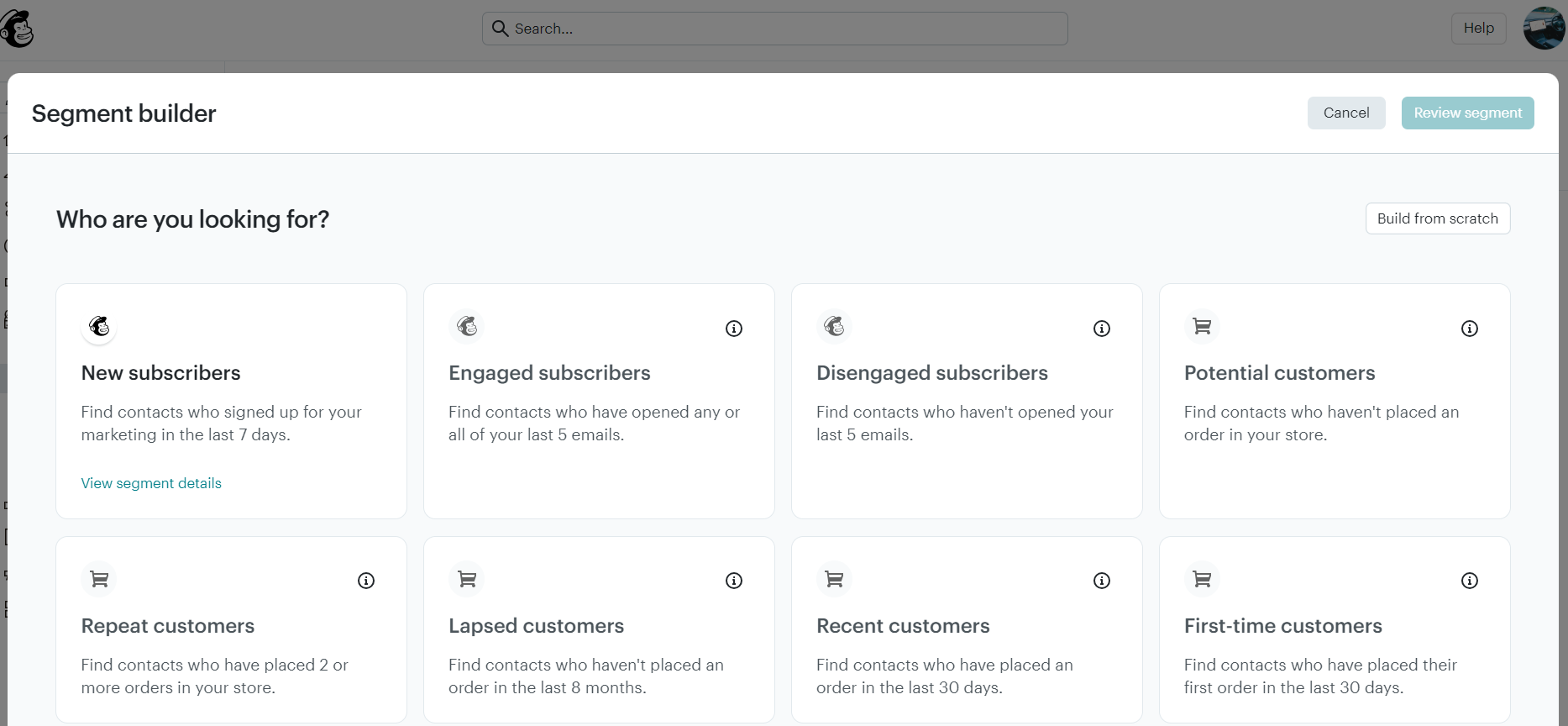
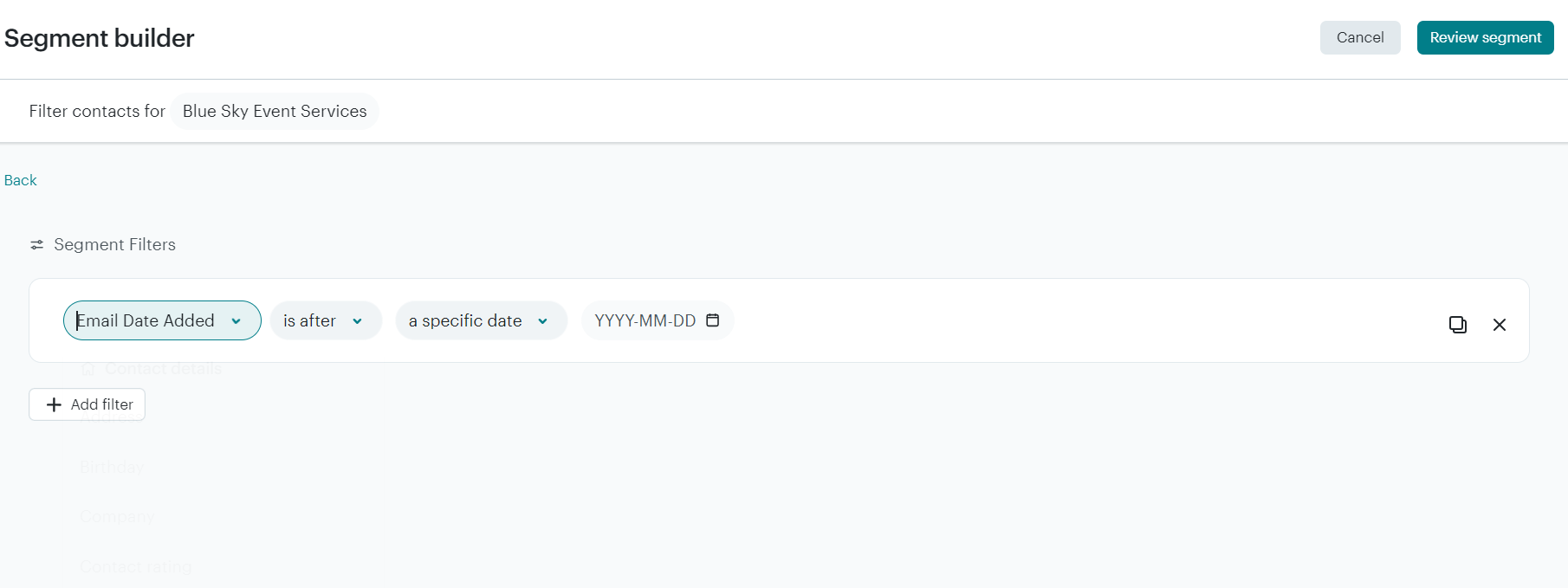
For accurate segmentation, Mailchimp requires ecommerce integration. You can also build segments from scratch. The segment builder uses dropdowns to present filters and conditions:
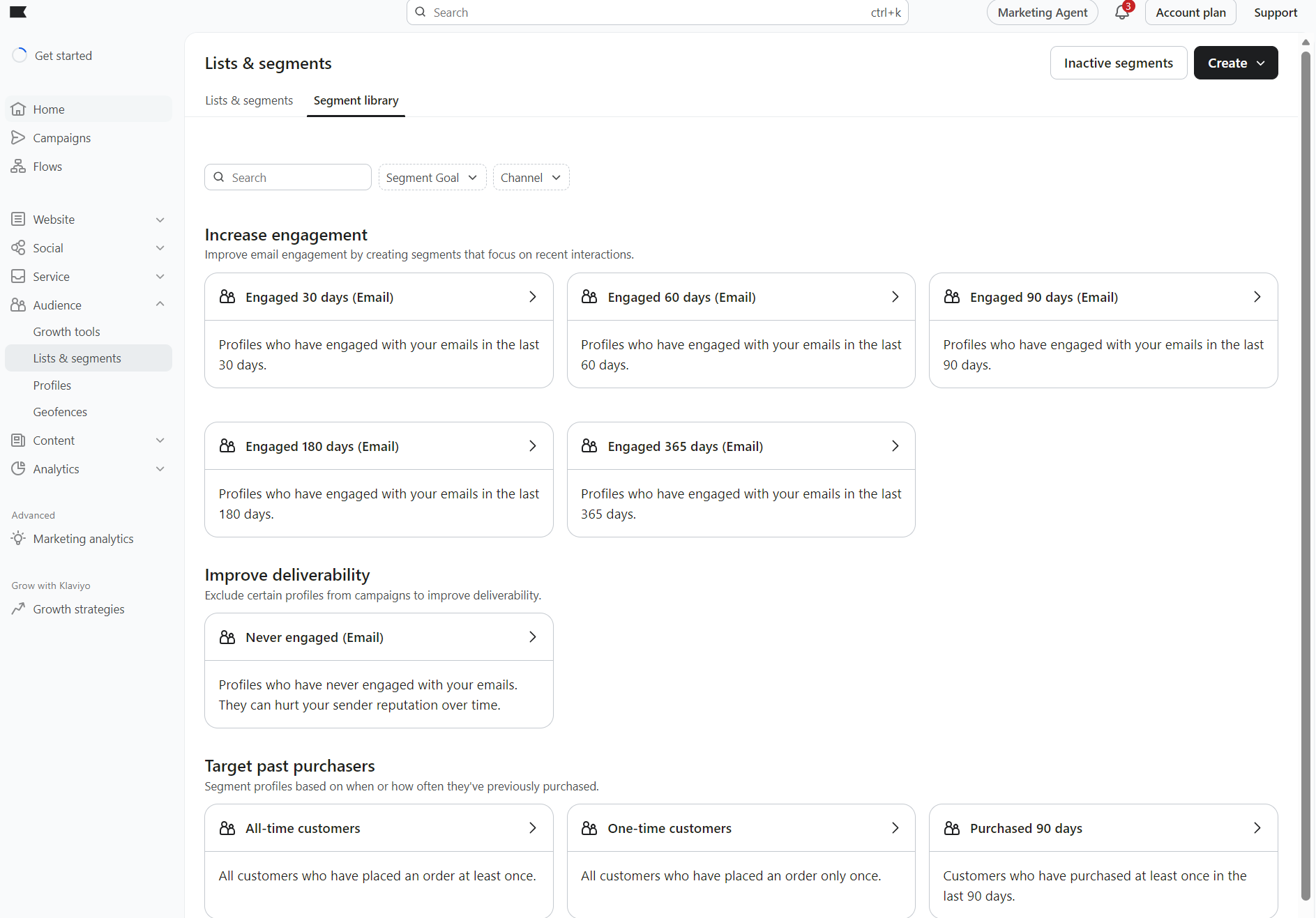
Klaviyo has more pre-built segments than Mailchimp, covering additional engagement and targeting options for audience management. There are 20+ segments covering helpful groups, such as repeat customers and never engaged:
Building and editing a segment in Klaviyo provides more options than in Mailchimp. It splits conditions and filters into multiple sections with AND/OR logic, and there’s always an obvious connection between what you add and what the segment will do:
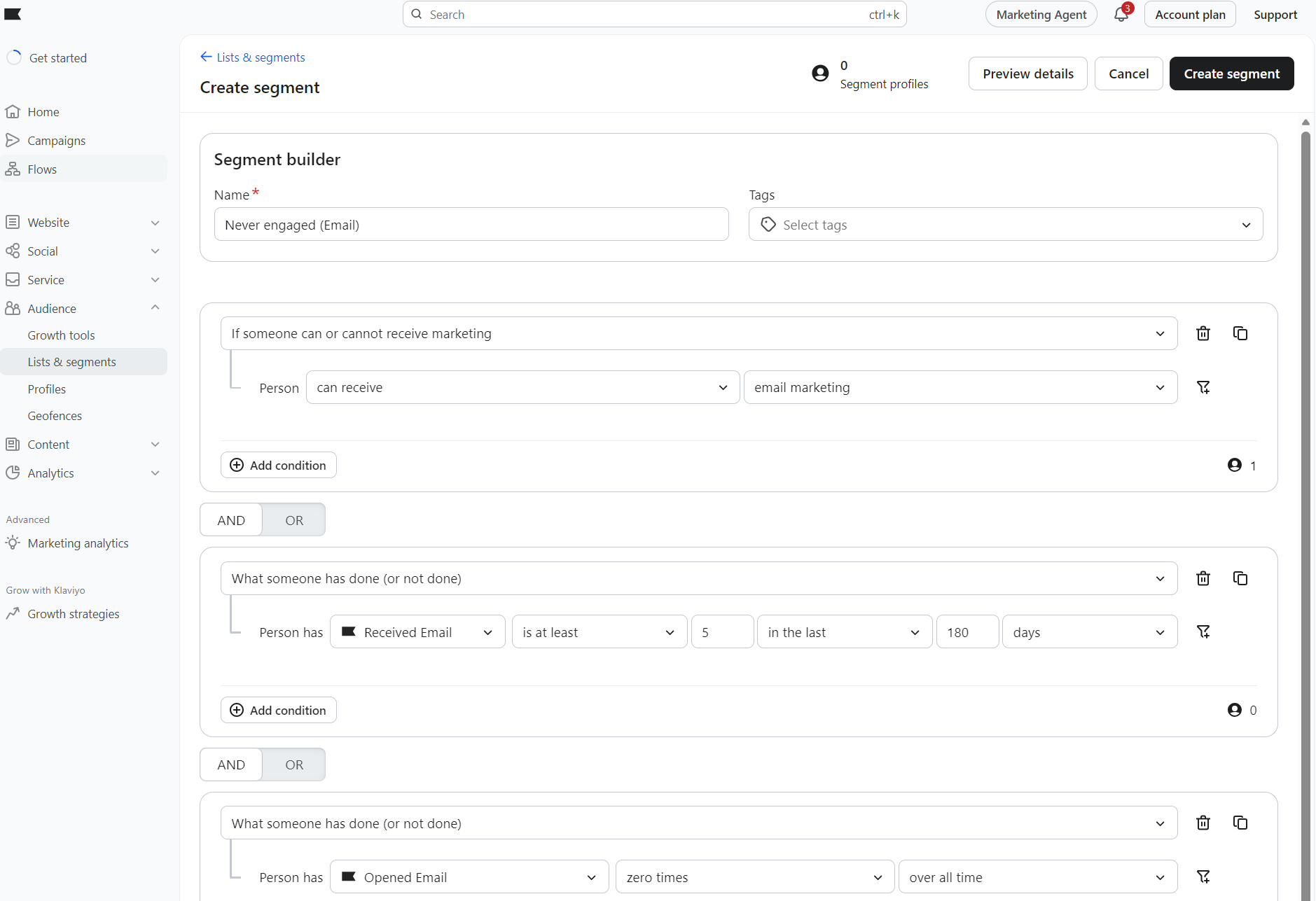
In terms of segmentation depth, Klaviyo offers more than Mailchimp. Klaviyo supports up to 100 conditions and 10 filters per event, whereas Mailchimp caps you at 5 conditions.
Klaviyo also segments on any tracked event. Mailchimp’s segment options limit you to its predefined parameters for tags, contact details, predictive analytics, email/SMS activity, ecommerce activity, reviews, and website engagement.
Reporting and analytics
Klaviyo and Mailchimp take different approaches to reports. Mailchimp has a pre-built Analytics dashboard and lets you build custom reports from the Standard plan; Klaviyo provides a business review dashboard and lets you create custom dashboards in all paid plans.
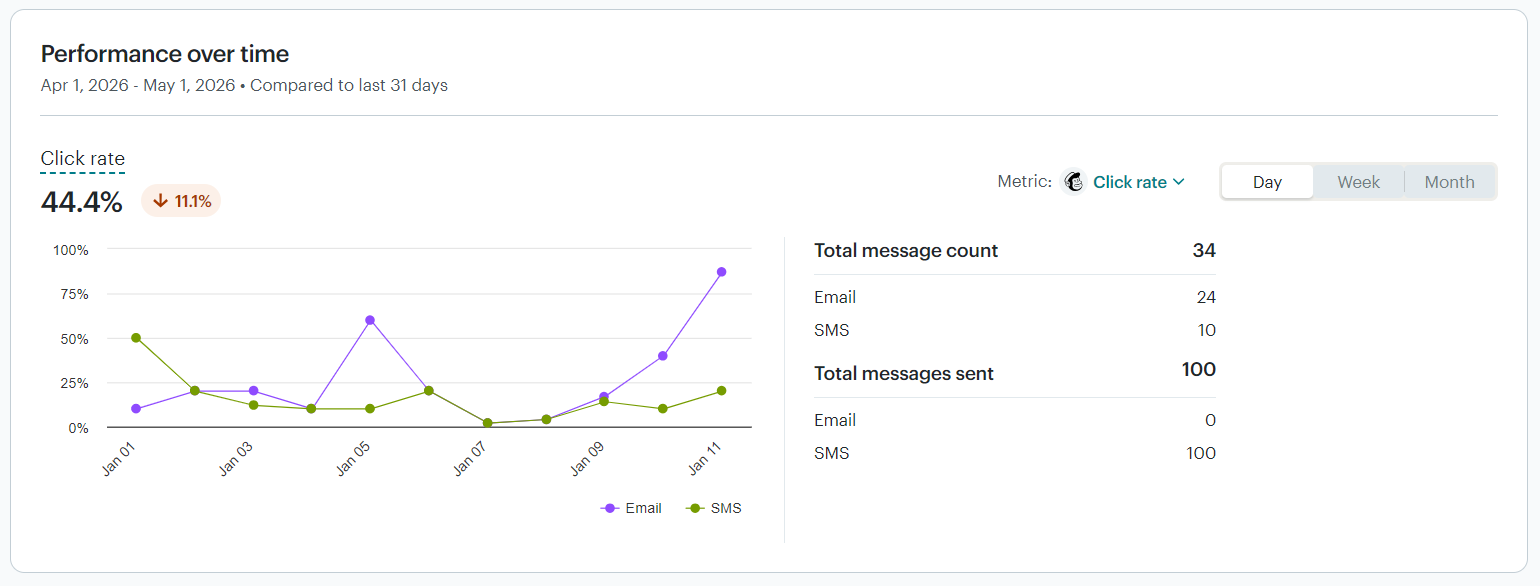
Mailchimp’s mini reports via the Analytics tab show performance over time, conversions, and deliveries. The performance over time report shows a graph:
And the conversions report uses a bar graph with funnel and conversions over time tabs:
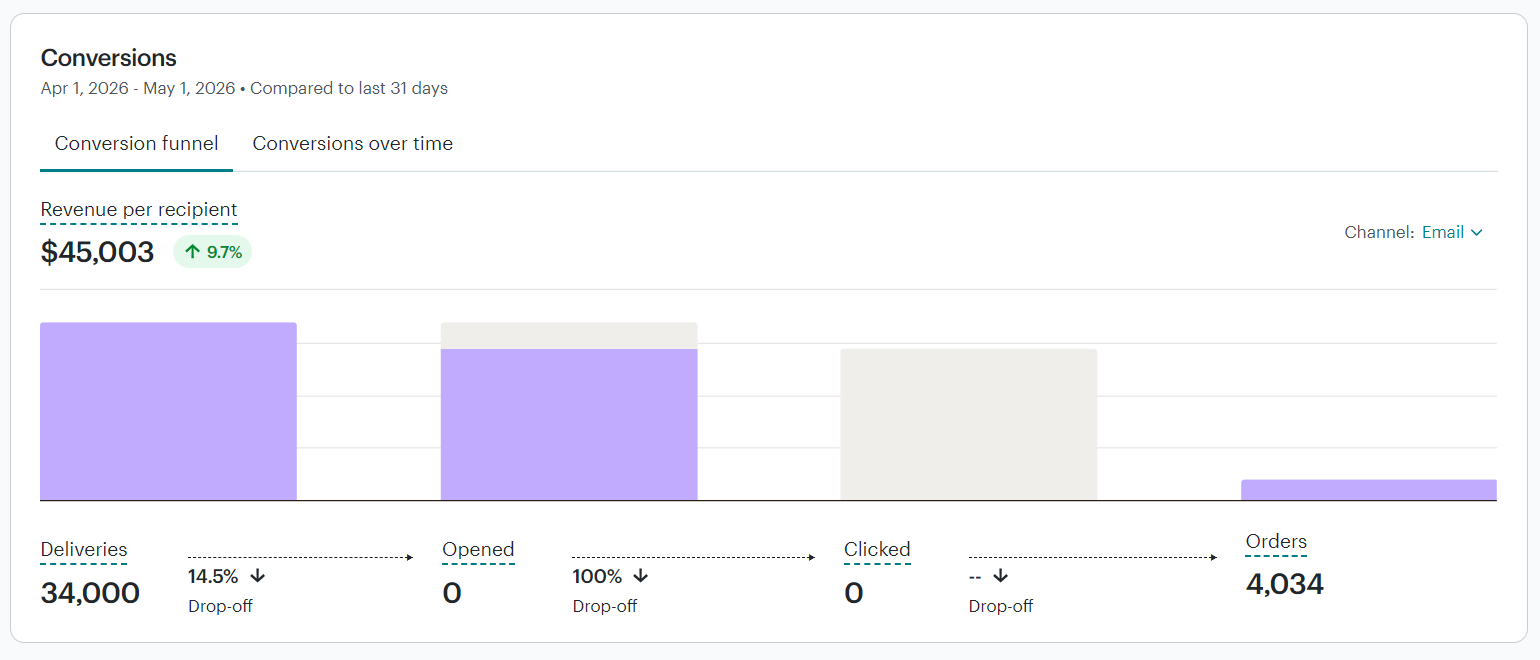
You can monitor total sends, open rates, click rates, unsubscribe rates, and change the date range to compare different periods.
Integrate your ecommerce store, and you can also track revenue. Mailchimp uses last-touch attribution with default windows of five days for email opens, 30 days for email clicks, 12 hours for SMS delivery, and five days for SMS link clicks. You can adjust these per channel.
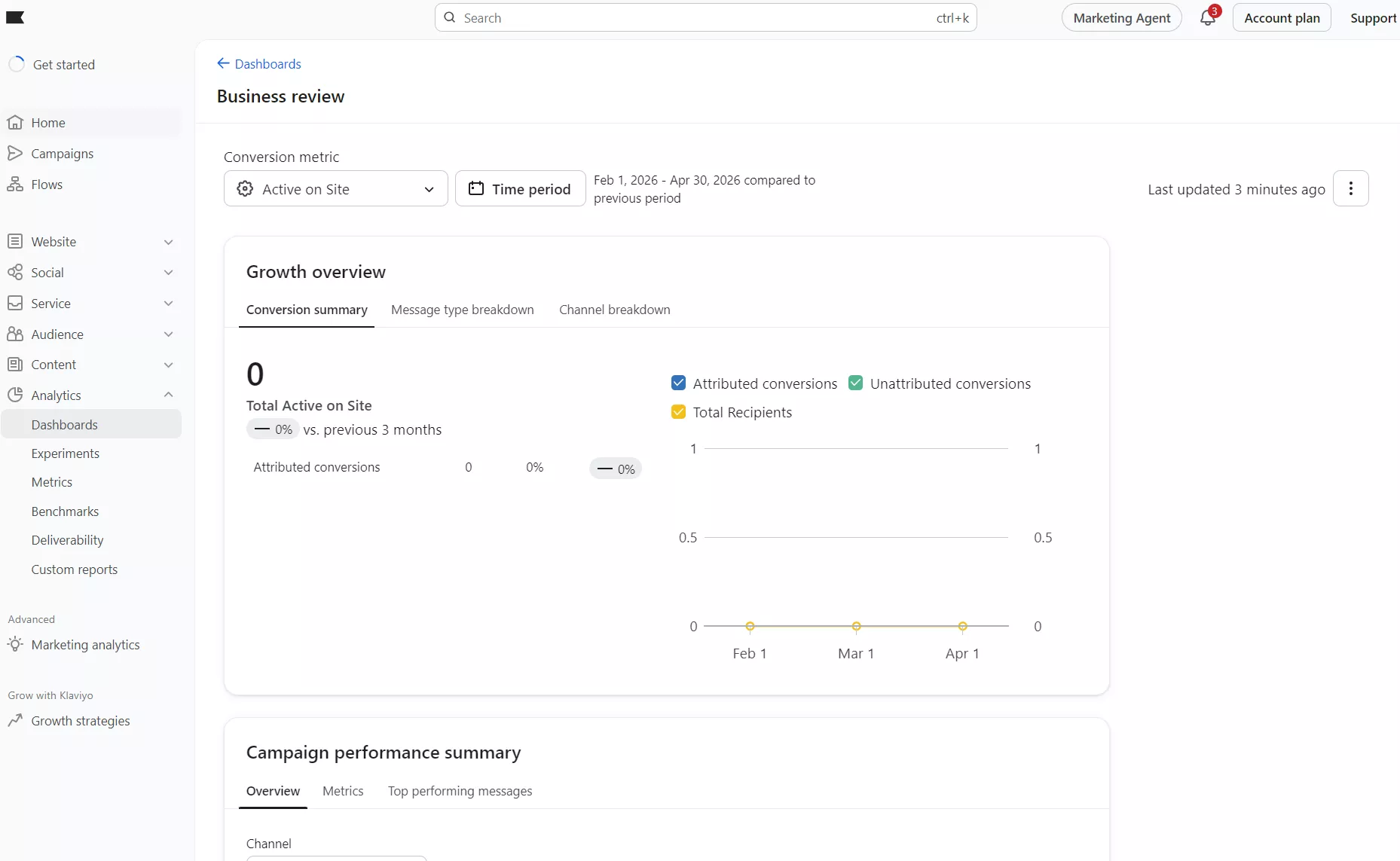
Klaviyo’s business review dashboard lets you monitor growth across conversions, messages, channels, campaigns, and flows. It also provides reports for deliverability, segments, and an industry benchmarks section:
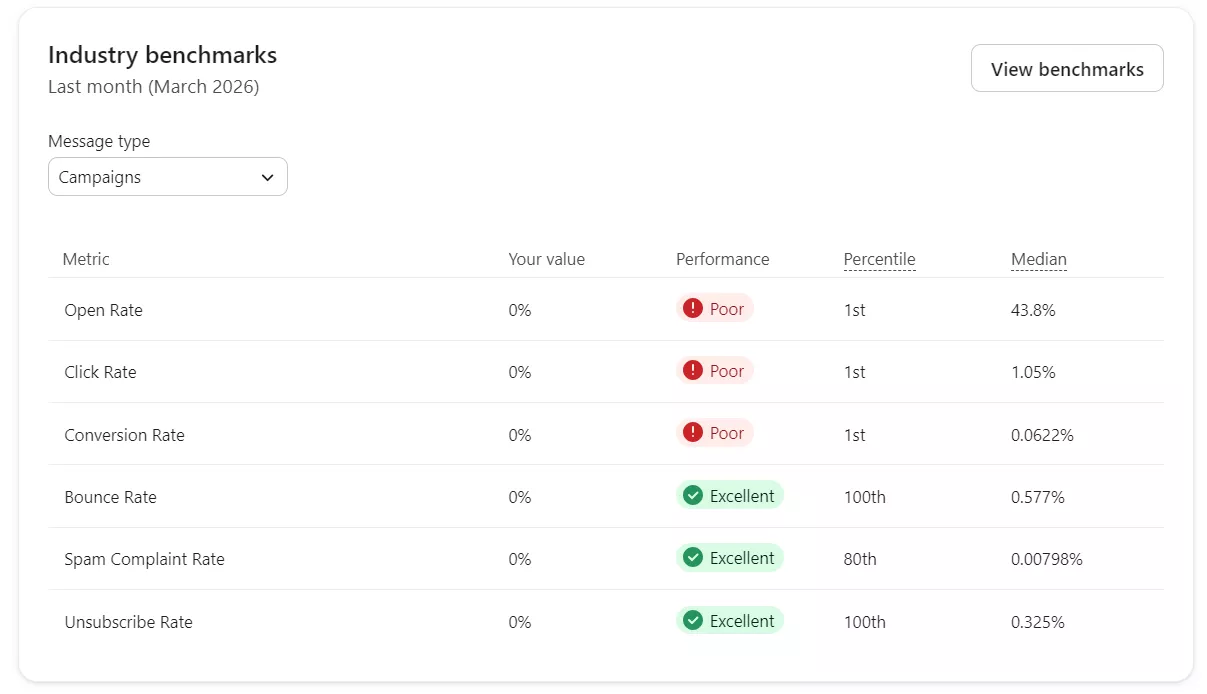
Each report in the business review has tabs. These load additional metrics and data, providing more insights into your marketing than Mailchimp:
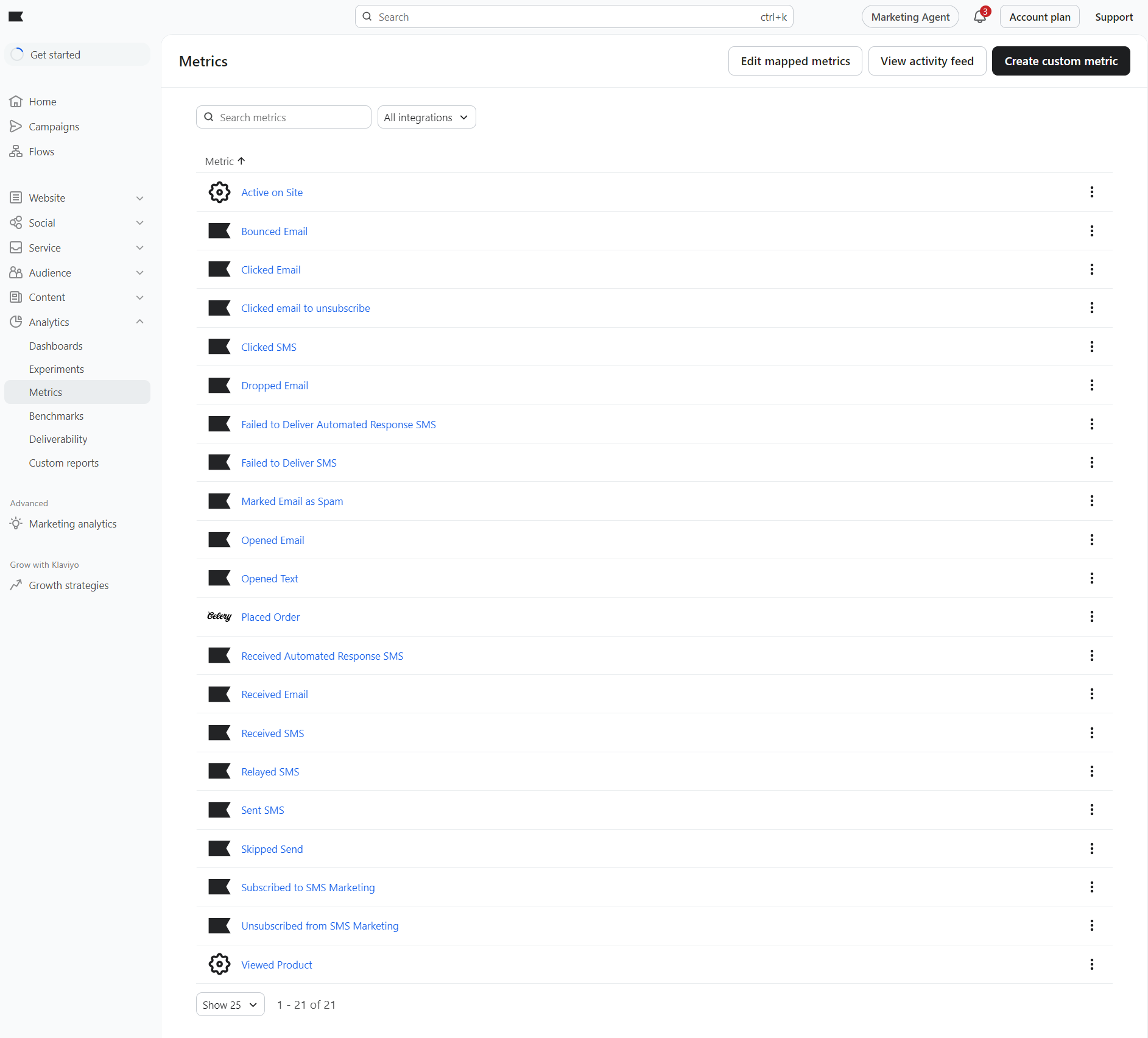
That additional granularity extends into another Analytics tab, Metrics, which lists 21 metrics that you can click to open individual reports. The likes of active on-site, clicked email to unsubscribe, and bounced email help you understand performance in more detail:
If you’re an ecommerce store or marketer wanting to understand the relationship between what you send and what your customers engage with and buy, Klaviyo is better than Mailchimp. For basic metrics and revenue attribution, Mailchimp works well.
Klaviyo vs. Mailchimp for Shopify and ecommerce
Comparing Klaviyo vs. Mailchimp for Shopify comes down to depth. Both apps have decent ratings (4.8/5 for Mailchimp and 4.5/5 for Klaviyo), and their data syncs are more than sufficient to enable their flows, segments, and reports.
It’s just that Klaviyo tracks and syncs more events than Mailchimp, letting you use more data in your marketing and cover additional moments in your customer journey.
Ecommerce integrations and data tracking
Mailchimp has seven native ecommerce integrations:
- WooCommerce
- Shopify
- Shopify Plus
- BigCommerce
- Adobe Commerce
- PrestaShop
- Big Cartel
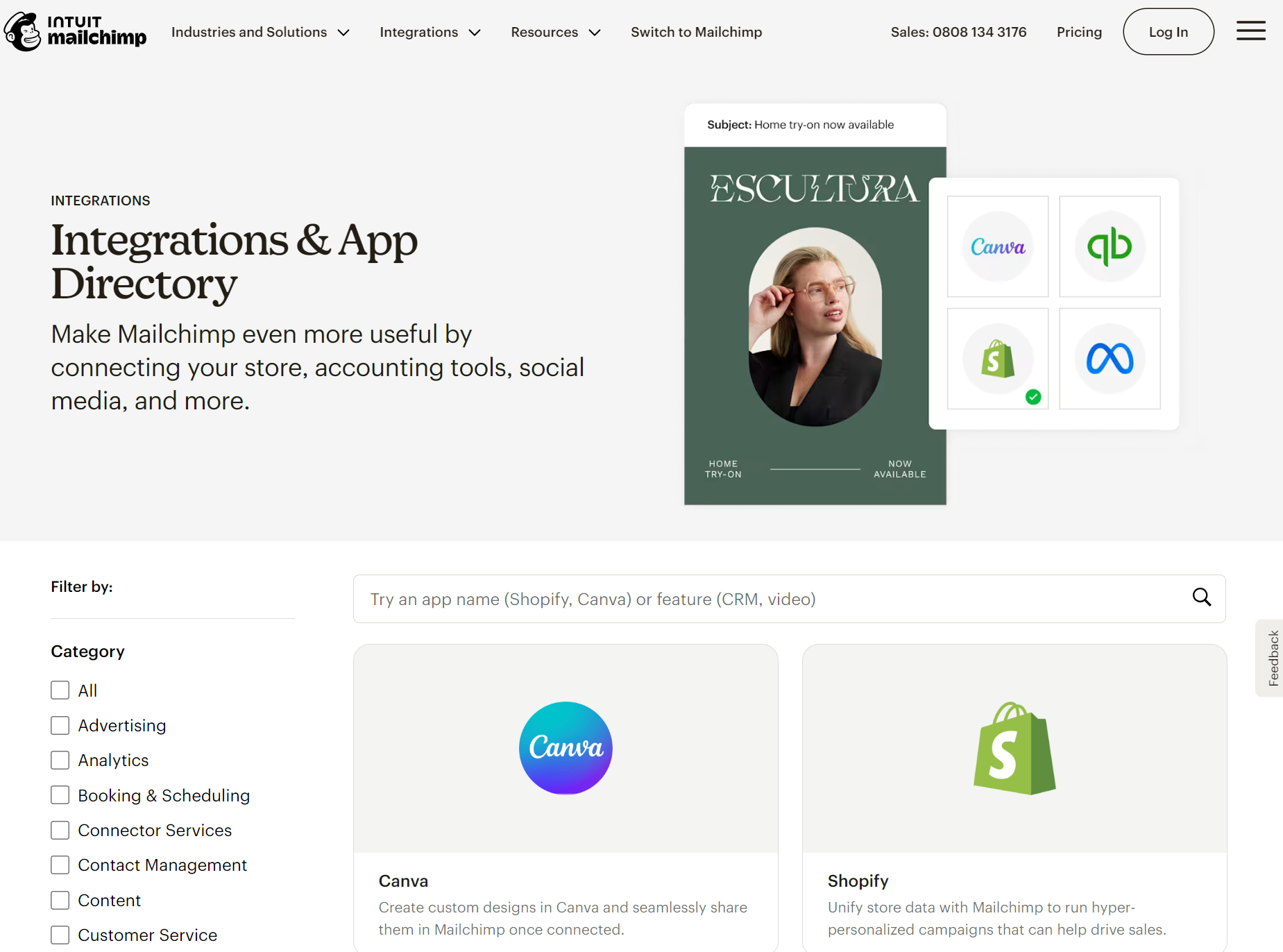
Its library contains 300+ integrations, 40 of which are “Made by Mailchimp”, including popular apps such as Yotpo and Judge.me, Facebook, and Meta Lead Ads:
Klaviyo has 19 native integrations, covering more specialist platforms:
- Shopify (covers Shopify Plus)
- WooCommerce
- BigCommerce
- Magento 2
- Adobe Commerce
- Salesforce Commerce Cloud
- Shopware 6
- PrestaShop
- OpenCart
- Volusion
- Spree
- Shift4Shop
- commercetools
- Tiendanube / Nuvemshop
- Shoplazza
- 29 Next
- Commerce7 (wine ecommerce platform)
- CommentSold (live/social commerce platform)
- Fourthwall (creator commerce platform)
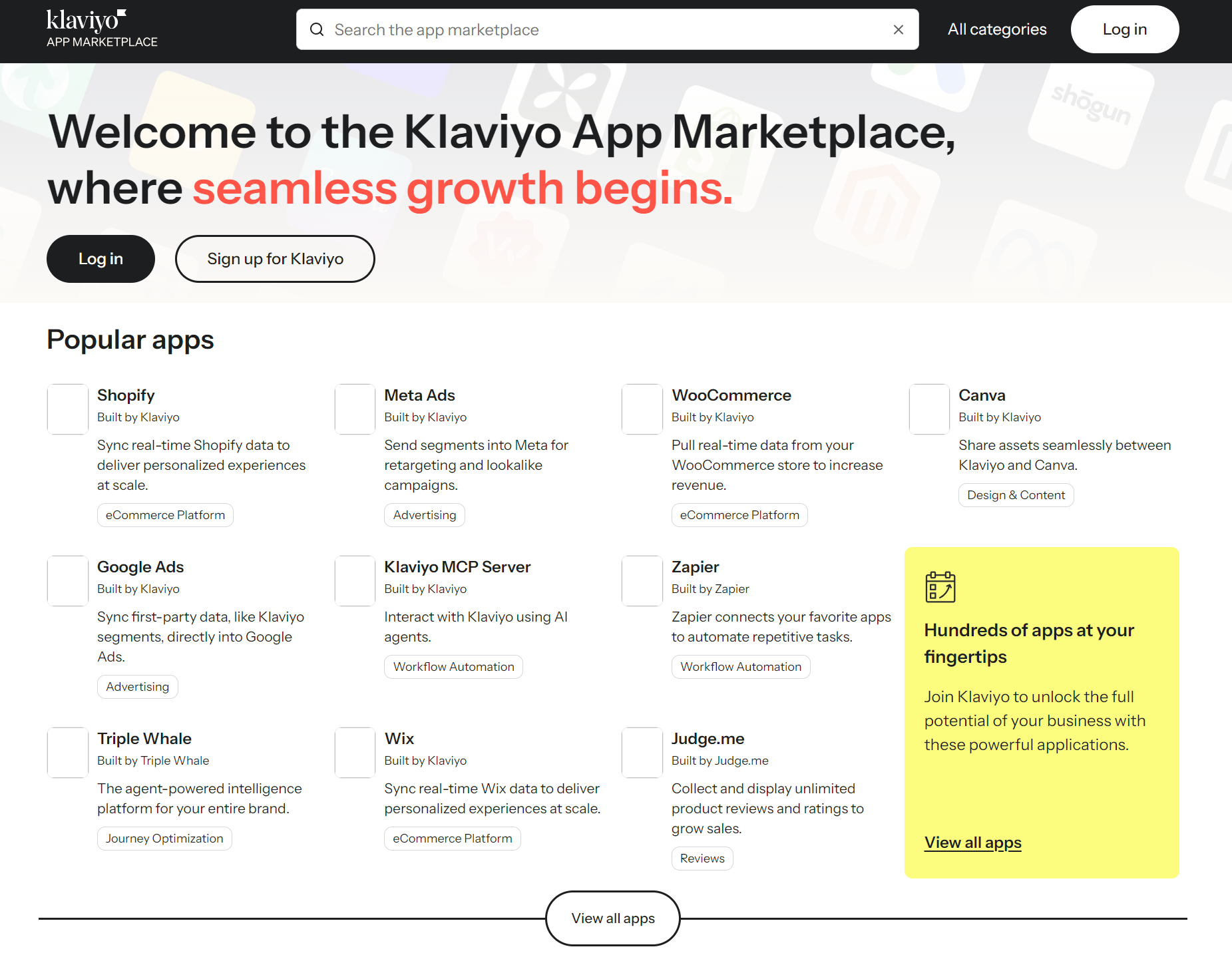
You get more integrations with Klaviyo versus Mailchimp (350+). The App Marketplace has a more polished appearance than Mailchimp’s integrations page, making it feel like an ecosystem:
Klaviyo’s Shopify integration is more complete for flows and segments. It tracks 15 events compared to Mailchimp’s nine to cover your complete purchase cycle from checkout to delivery. It also syncs Shopify Markets data for international commerce.
The most useful events Klaviyo syncs for ecommerce that Mailchimp doesn’t include are placed order, ordered product, fulfilled order, and fulfilled partial order. Klaviyo exposes more granular named events from Shopify — including Ordered Product (per-line-item data), Fulfilled Partial Order, and Canceled Order — giving more precise control over flow triggers and segmentation conditions. Mailchimp handles order placement and fulfillment messaging, but with less event granularity and fewer branching options. These are for post-purchase flows, including confirmations and reminders.
Abandoned cart and lifecycle automation
Klaviyo and Mailchimp both run abandoned cart flows, but Klaviyo gives you more control.
Its pre-built flows trigger on Started Checkout or Added to Cart, include a dynamic content block that pulls product images, titles, prices, and quantities from your store, and let you split branches by cart value, customer location, or whether someone has purchased before.
Mailchimp offers a single abandoned cart email or a three-email series via Classic Automations, plus a Marketing Automation Flow option.
Klaviyo also ships pre-built browse abandonment, post-purchase, replenishment, and review flows; Mailchimp covers first purchase and customer re-engagement classics.
Which platform is better for ecommerce?
We admit Mailchimp is getting better and better in ecommerce features. Still, Klaviyo is better for ecommerce. Its automations cover more customer scenarios, providing additional opportunities to earn revenue, recover lost sales, and retain customers.
Pros and cons of Klaviyo vs. Mailchimp
There’s a lot to like in the Mailchimp vs. Klaviyo comparison. Both are professional tools with good interfaces and features for their target users. We’ll run through their pros and cons below to help you quickly decide which to pursue first.
Klaviyo pros and cons
Pros
- Ecommerce-first with proper revenue attribution and deep Shopify/WooCommerce connections for customer activity and products
- Provides B2C CRM functionality, compiling your marketing, customer service, and analytics into one tool
- All standard features are included in all plans, with multichannel features available when you purchase SMS credits
- AI-powered customer profiles with predictive analytics
- 160+ email templates and 70+ form templates, each of good quality
- Audience growth tools with popups, forms, and social ad network integrations
- In-depth reporting dashboards with custom options for onsite, marketing channels, subscriptions, and customer activity
Cons
- The email plan starts $7/month higher than Mailchimp’s cheapest plan, this amount gets significantly bigger when your business grows
- It has a heavier learning curve than Mailchimp
- Some of its advanced features, such as predictive analytics, are overkill for small businesses/lists
- Account experts are available for significantly bigger merchants than in Mailchimp
Mailchimp pros and cons
Pros
- Forms, popups, and landing pages in all plans
- 130+ high-quality pre-built email templates
- Subject line helper in all plans
- Built-in surveys let you embed feedback elements into email templates
- Includes a website builder with unlimited pages and bandwidth
- Social posting tools for Facebook and Instagram
- Provides multichannel marketing capabilities, including email + SMS flows
Cons
- The Essentials plan isn’t suitable for ecommerce, lacking dynamic content, custom reports, purchase likelihood in contact profiles, and much more
- Triggers and filters in flows lack granularity for ecommerce targeting
- The free plan limits access to pre-designed email templates, and the drag-and-drop builder isn’t as intuitive as Klaviyo’s
Klaviyo or Mailchimp: Which one should you choose?
If you’ve made it this far, you’ll have a pretty good idea about Klaviyo vs. Mailchimp and how they suit your business. These are our final takes if you’re still undecided:
Choose Klaviyo for advanced ecommerce automation
You’re a growing ecommerce store or sell a mixture of products and services, and need one marketing platform for revenue and retention. Then Klaviyo’s CRM, advanced automations, and audience management features will benefit you more than Mailchimp.
Choose Mailchimp to cover the email marketing basics
You’re a small business or store with predictable customer journeys. Mailchimp will cover your welcome series, abandoned cart, and follow-up flows just fine, and its website building tools, landing pages, popups, and campaigns have gentle learning curves.
Looking for a better alternative?
If you came here because Klaviyo looked expensive and Mailchimp looked underpowered, Omnisend is the third option worth a serious look. In the Omnisend vs. Mailchimp vs. Klaviyo matchup, it delivers the same multichannel power as Klaviyo, with email, SMS, and push in one flow, but up to 35% less at comparable contact tiers, and all standard features unlocked from the free plan upwards. It offers better value than Klaviyo across all contact-count tiers, with a gentler learning curve for flows, segmentation, and reporting.
Mailchimp’s website builder is a unique feature that neither Klaviyo nor Omnisend offers, but both are more capable ecommerce automation and marketing tools. You’d choose Mailchimp if you’re a small business or service provider.
Since Omnisend, Klaviyo, and Mailchimp offer free plans, there’s no risk other than your time in signing up and working your way around their platforms.
Quick sign up | No credit card required
FAQs
Which is better, Klaviyo or Mailchimp?
Mailchimp is better if you’re a small business wanting to build your list, reach them with a welcome series and other basic flows, build a website, and do all that with a gentle learning curve. Klaviyo’s advanced ecommerce features, such as behavioral flows and predictive analytics, are a better fit for your growing store.
Is Klaviyo more expensive than Mailchimp?
Klaviyo starts at a higher price than Mailchimp. Its $20/month email plan is $7 more than Mailchimp’s $13/month Essentials plan. However, the Essentials plan lacks ecommerce features, and the next step up to get them costs $20/month anyway. So yes, Klaviyo costs more, but it provides more features as standard.
Klaviyo vs. Mailchimp for Shopify. Which is best?
The Mailchimp Shopify app has a higher customer rating of 4.8/5 than Klaviyo’s 4.5/5, but that doesn’t tell the whole story. Klaviyo syncs more events and allows more complex flows and segments based on those. Mailchimp’s integration is more basic.
Can Mailchimp replace Klaviyo?
Mailchimp’s welcome series, abandoned cart, follow-up, and anniversary flows can replace Klaviyo’s, provided you don’t require complex entry and exit points or conditional filters. Klaviyo is more granular, and the same goes for its segmentation and reports.
What’s the main difference between Klaviyo and Mailchimp?
Mailchimp is best for email campaigns, basic automations, and list-building for small businesses, whereas Klaviyo is primarily for revenue and retention. The sheer volume of data Klaviyo tracks and uses gives it an edge in selling online.