Omnisend AI


 OFFER
OFFER










With the rise of influencer marketing, collaborating with creators has become one of the fastest ways to grow a business, and Shopify Collabs offers the perfect platform for it.
Micro-influencers with 10,000-100,000 followers and mega-influencers with 1 million+ followers have an undeniable influence over their loyal fan bases. It’s a powerful marketing channel for your brand.
Shopify recognized this shift and introduced Shopify Collabs, a platform to facilitate partnerships between brands and influencers. It simplifies collaboration for both business owners and creators, leading to enhanced brand visibility in an increasingly competitive market.
This comprehensive guide will explore how Shopify Collabs works, its costs, eligibility requirements, and tips for success.
Quick sign up | No credit card required
What is Shopify Collabs?
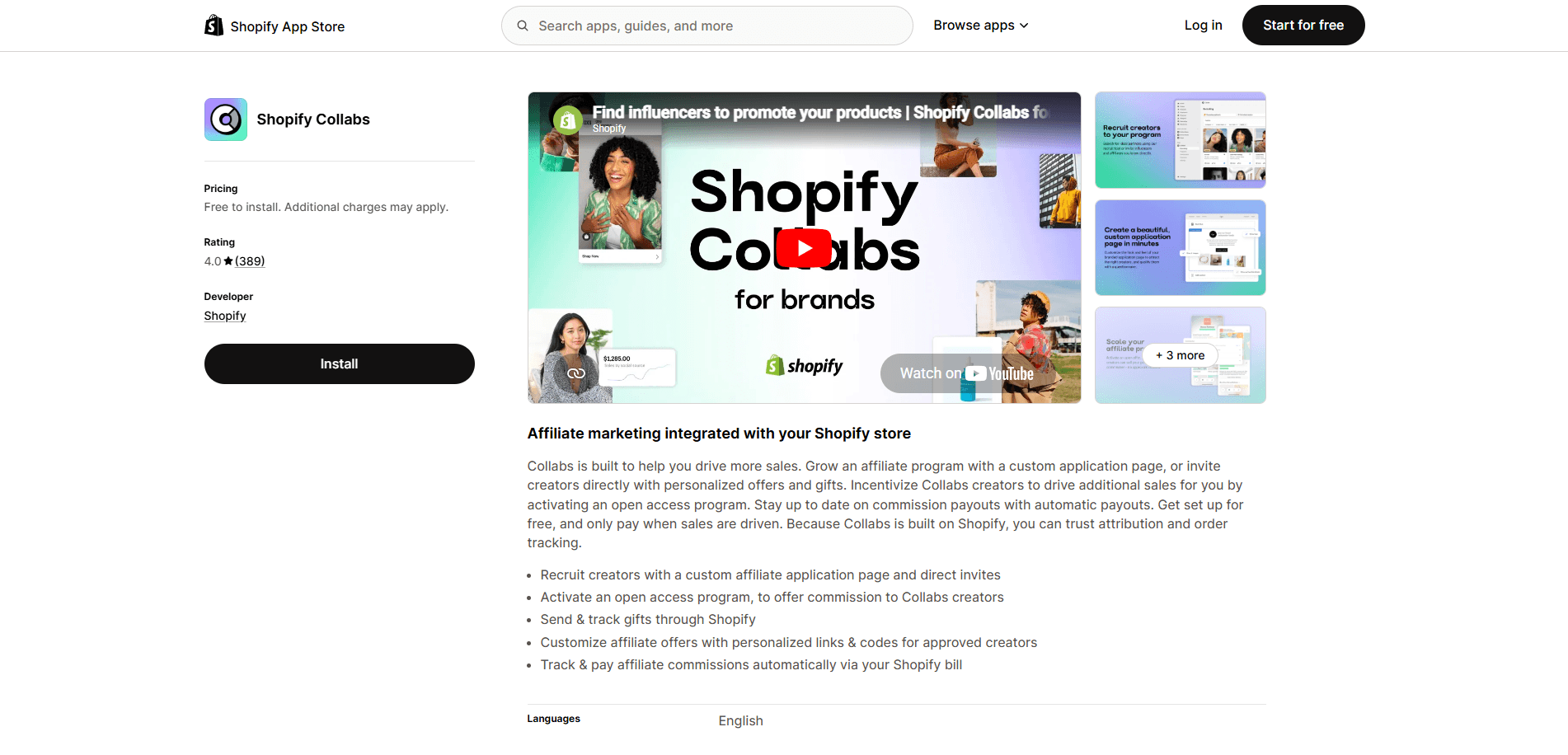
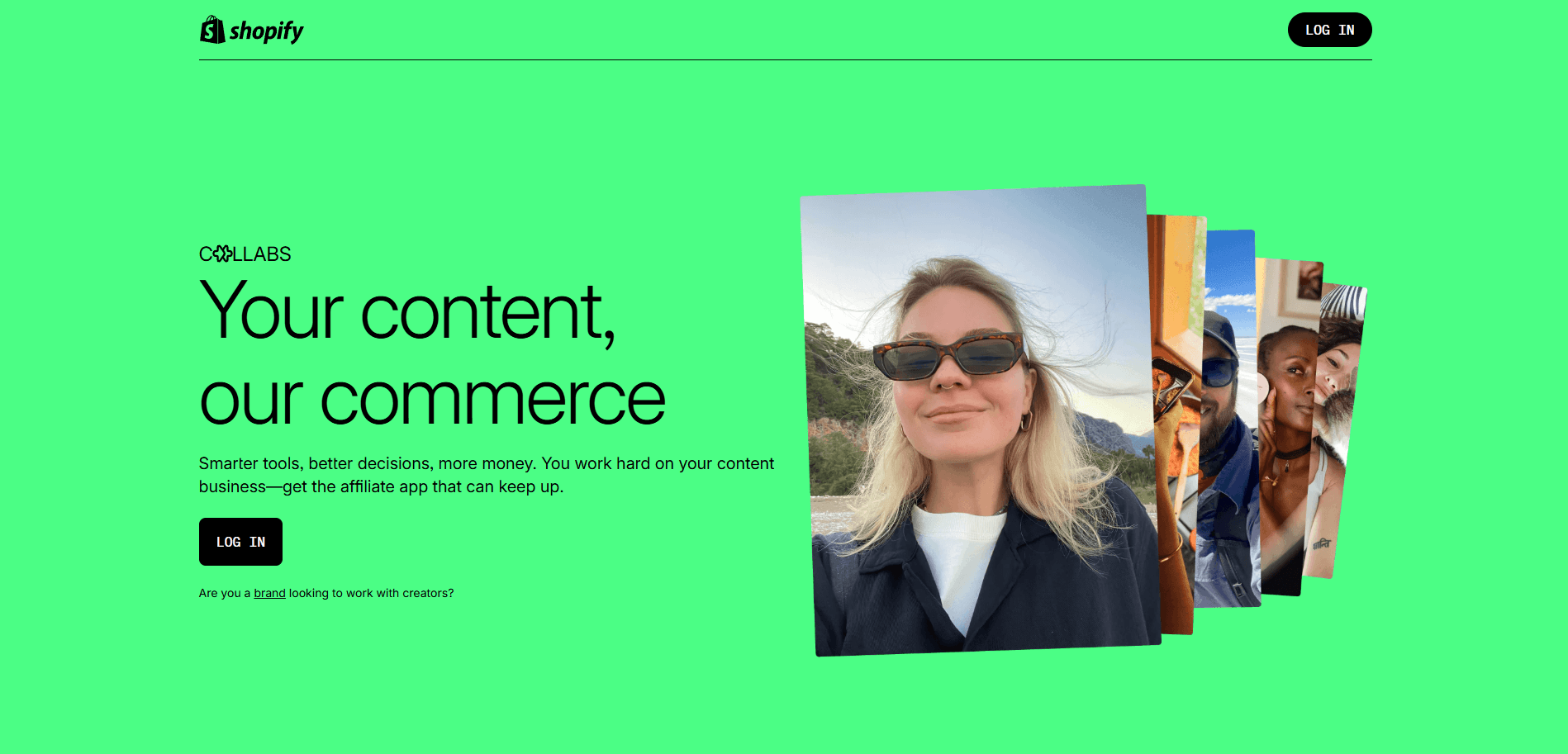
Shopify Collabs is Shopify’s native affiliate and influencer marketing app, built into the Shopify admin for eligible plans. Merchants don’t need any third-party tools to find partnerships and manage their influencer marketing campaigns, while creators can monetize their audience through affiliate commissions.
Combining Shopify’s ecommerce platform with the reach of influencer marketing, Collabs opens up new avenues for growth and brand discovery. It’s a gateway to more sales through the right influencers with features that streamline the whole process.
- Creator discovery: merchants can search and recruit from a network of over a million creators to find the right fit for their brand.
- Gifting and partnership management: simplifies the process of sending free products and managing ongoing creator relationships.
- Affiliate link and discount code tracking: each creator receives unique links and codes, ensuring sales and performance data are accurate.
- Automated payouts: commissions are calculated and paid out automatically, removing manual billing between merchants and creators
Related:
21 best Shopify apps for 2026
Shopify Collabs eligibility and requirements (merchants and creators)
To participate in Collabs as a merchant, you’ll need $10,000+ in sales over the prior 12 months. Shopify collabs for creators require 1,000+ followers on a single social platform and residency in the US, Canada, or the UK.
For merchants
| Requirement | |
|---|---|
| Sales threshold | Generate at least $10,000 in sales over the past 12 months |
| Store type | Only dropshipping stores are explicitly excluded |
| Store status | Must have an active Shopify store |
| Profile | Complete your profile within Collabs |
| Products | Add at least one product and set a price in the Collabs Network settings |
| Payments | Auto payments are necessary as the Collabs Network only uses auto-payouts |
For creators
| Requirement | |
|---|---|
| Followers | Minimum of 1,000 followers on a single social media platform (subject to change) |
| Residency | Must be located in the United States, Canada, or the United Kingdom |
| Application limit | You can apply to a maximum of 10 brands each week |
| Profile | Completed and verified Shopify Collabs profile with a connected social account |
How much does Shopify Collabs cost?
Shopify Collabs is free to install for merchants with no additional fees besides the usual subscription. The only cost is a 2.9% processing fee on creator commission payouts.
Creator commissions start at $25 with a configurable holding period of one to 90 days. Merchants set commissions with an average of around 10%.
Shopify Collabs pricing
- Installation cost: FREE for both merchants and creators
- Subscription fees: NONE
- Commission processing fee: 2.9% applied to automatic payments (foreign currency exchange fees may apply)
Sources: Shopify Help Center (June 4, 2026)
https://help.shopify.com/en/manual/promoting-marketing/collabs/creators/payments
https://help.shopify.com/en/manual/promoting-marketing/collabs/merchants/payments
This pricing model makes Shopify Collabs accessible to businesses of all sizes. You’re not risking a significant investment, which is particularly beneficial for small businesses dipping their toes into influencer marketing.
Is Shopify Collabs free for creators? Partially, as they can explore potential partnerships without financial barriers. Yet, you’ll earn based on your performance, and the platform will take a small cut to cover processing costs.
Such a performance-based model aligns the interests of all parties involved. Brands only pay when they see results, and creators are incentivized to produce engaging content that drives sales. It’s a win-win situation that fosters productive, long-term partnerships.
How Shopify Collabs works: step-by-step setup
Shopify Collabs is an extension of the Shopify ecosystem, cultivating a mutually beneficial relationship between merchants and creators. The process for both parties differs, but is equally easy to start.
How to log in to Shopify Collabs
- Merchants can access Collabs directly from the store admin’s main page under the Apps tab.
- Creators must log in through a dedicated creator portal. You can create a new Shopify account or use an existing one there.
Setup for merchants, step by step
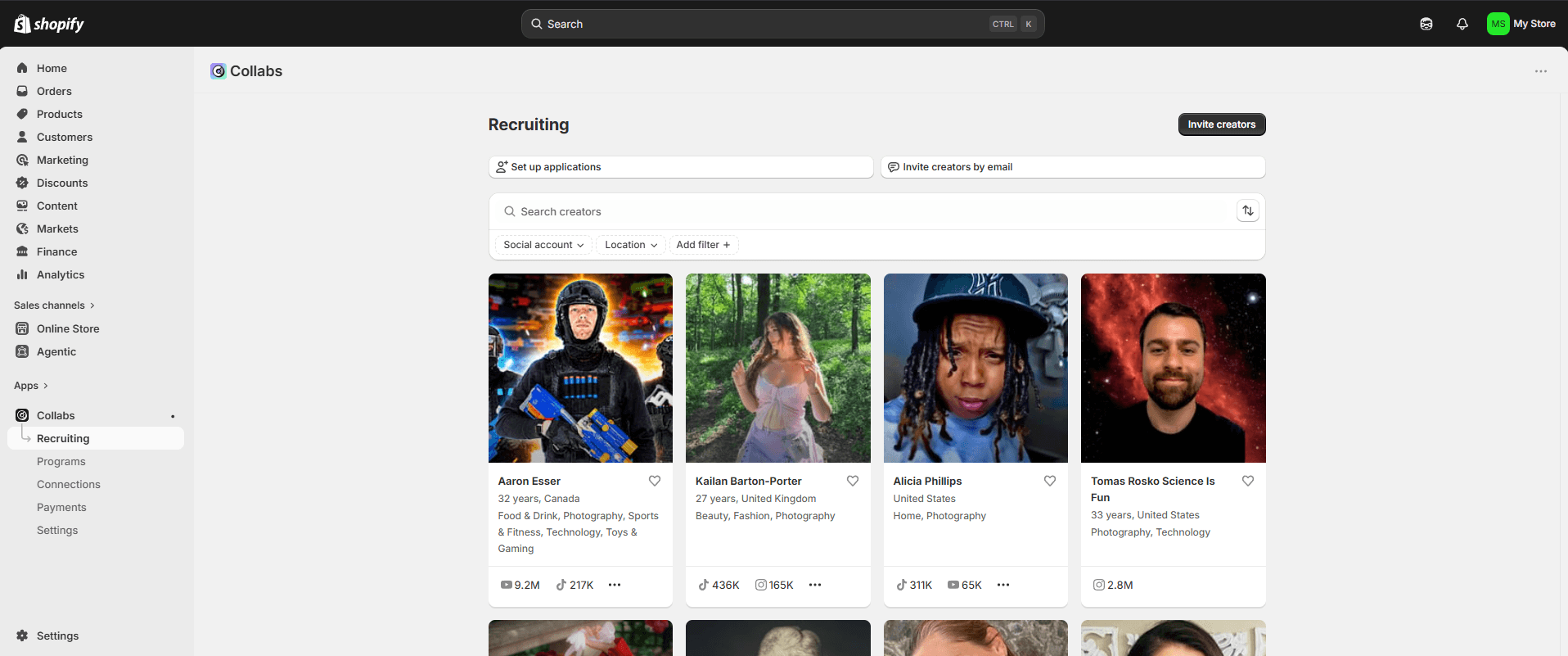
- Install the app: Find the Shopify Collabs app in the Shopify app store. Install it to access all the influencer collaboration options. It’s the easiest way to learn how to get sales on Shopify using influencers.
- Build brand profile: Start by creating an engaging profile. Showcase what makes your brand unique and what the collaboration terms are to attract the right kind of creators.
- Set commission program: Go to the Programs tab and choose Create invite program. There you can specify commission structure, rates, discount codes, enable open access, and set other terms related to gifts or commissions.
- Discover and invite creators: Go to the recruiting tab in the Collabs app, then filter by social accounts, location, and audience size. Once you’ve identified potential Shopify influencers, send them personalized invitations through the platform.
- Approve: Enable the affiliate codes, discounts, and other terms you set for select creators. You can also set up an applications page with questions you want to ask before approval.
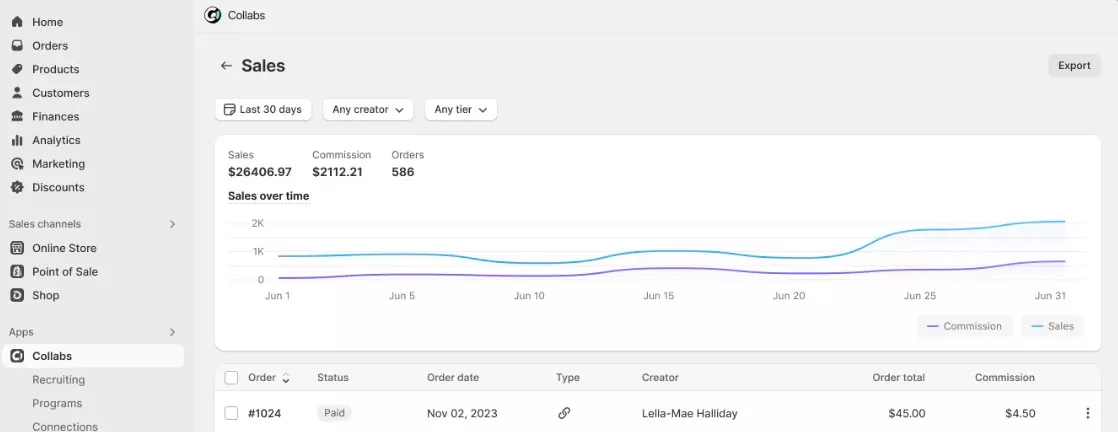
- Track sales and payouts: Each creator gets unique discount codes or referral links. Use these to monitor sales generated from their promotions and gauge the success of your partnerships. Test tools like Shopify Flow to automate payment processes and other administrative tasks.
How it works for creators
At the time of writing, Shopify’s official Help Center does not accept new creator sign-ups. It’s unclear when Shopify will open registration to Shopify collabs for creators, so you might need to wait before creating a new account. Existing creators can access their accounts as usual.
- Browse marketplace: log in to your Shopify Collabs account on the creator page. Head on to the Discover tab, where you can scroll through brands searching for creators matching their interests.
- Apply: creators can apply to up to 10 programs per week. Carefully consider which brands are most likely to approve your application. Some are part of the open access program, so you can generate affiliate links right away.
- Get approved: if the merchant doesn’t have open access, you’ll need to wait for it to approve you. Accessing current affiliate offers, collaboration history, sales performance, and other details is only possible after approval.
- Generate links: tap Copy link on the brand page, and then you can share it with your followers. Specific products can be saved to your library for easy access to affiliate links later.
- Get paid: on the Commissions page, you can view details about upcoming payouts, commission status, and payout history. Commission payments arrive via PayPal Hyperwallet automatically twice per month in USD or via bank transfers on a schedule set by each merchant individually.
Shopify Collabs pros and cons
| Pros | Cons |
|---|---|
| Free to install | Difficult to apply for new creators |
| Access to ~1M vetted creators | Creators are limited to the US, Canada, and the UK only |
| Built-in affiliate links and discount codes | Some negative reviews in app stores (as of 2026, June: 4.1 in Google Play Store, 4.8 in Apple App Store, 4.0 in Shopify App Store) |
| Automated payments | PayPal payouts in USD only or bank transfers |
| Native Shopify analytics | No native email/SMS integration |
Shopify Collabs is a strong start for merchants getting into influencer marketing without much added cost and almost no negatives that aren’t relieved by the benefits or other tools. Creators face some barriers to entry, but it’s still a deal that most of them will want to take.
Shopify Collabs alternatives
Shopify Collabs, together with tools like Shopify Collective, are best for merchants already using the platform who want to enter influencer marketing at low cost. Every major Shopify Collabs alternative is more expensive, more difficult to integrate, and, while some are more powerful, they are better suited to larger enterprises.
| Cost model | Creator discovery | Platform fit | Payouts | What does it do better? | What Collabs does better | |
|---|---|---|---|---|---|---|
| Grin | Free trial. Lite plan from $399/month | Database of over 750,000+ content creators | Shopify, WooCommerce, and Magento integrations | PayPal and Bank transfers | Richer campaign management, content tracking, and contract tools for enterprises | Collab is free to use without any contracts and with a much simpler setup for smaller merchants |
| Refersion | Free tier. Launch plan starts from $39/month | No influencer discovery, focuses on managing existing affiliates | Shopify and WooCommerce integrations | Unified payments, PayPal, Trolley, store credit, manual payments (bank transfers, checks) | More granular affiliate tracking (by SKU, email, product) | Collab is free and includes creator discovery. Better for brands starting from scratch |
| Creator.co | Free trial. Starts from $299/month. Onboarding and processing fees | 400M+ global creator database with AI matching | Multi-platform support. Best for brands on multiple ecommerce platforms | Built-in Wallet for payments | Far larger global creator pool. AI-powered outreach | Free. Natively supported in Shopify admin. No onboarding or processing fees |
How Omnisend fits into a Shopify Collabs strategy
Shopify Collabs enables you to find influencers to increase customer acquisition and, in turn, sales. The best email marketing for Shopify leverages leads from other channels, especially high-converting ones like influencer marketing.
Once a creator drives the customer to a first sale, Omnisend helps you lead them to the next. Our email automation allows you to automatically send welcome and post-purchase emails while also tagging and filtering buyers as creator-referred.
Omnisend’s lead segmentation not only tracks the efficiency of your influencer marketing but also increases long-term customer retention. You can easily find past purchasers and send them, for example, win-back SMS marketing content. Every dollar you spend with Omnisend returns $79 on average. You can also sync your creator-referred segment to Facebook and Instagram as a Custom Audience and retarget those buyers with ads.
Frequently asked questions
How many followers do you need for Shopify Collabs?
Shopify doesn’t cite a specific follower count on its official Shopify Collabs, but users have discussed the requirement on its forum. Currently, a minimum of 1,000 followers on a single social platform, a verified profile, and US/CA/UK residency are known. Note that the registration for new creators is closed at the moment, and the requirements might change.
Is Shopify Collabs free?
Yes, Shopify Collabs is free to install with no monthly subscription fees for creators and merchants. The only cost is the 2.9% processing fee applied to every automatic commission payment. So, a $100 sale earning a 10% commission for a creator costs the merchant 29 cents. The costs are included in the monthly Shopify bill.
What are the commission rates on Shopify Collabs?
Each merchant can set their own commission rates, and with an open access program, they can set up different tiers across products or based on creator performance. Merchants inviting creators themselves often give higher commission rates to wanted creators. While there are no official statistics, various sources point to a 10% average commission on Shopify Collabs.
Is Shopify Collabs legit?
Yes, Collabs is the official influencer program of Shopify, built and maintained by them directly. It’s a native Shopify app, which makes tracking orders and other details much more seamless. While there are some negative reviews for the app, it’s generally well received, with over four stars on the Apple App Store, Google Play Store, and Shopify’s own App Store.
How do creators get paid through Shopify Collabs?
When a sale is made via an affiliate link, the payment is marked as pending for 30 days to confirm the order isn’t refunded. Once the payment clears, the commission counts towards the next payout, which happens twice per month. Creators get paid in USD via PayPal or bank transfers once the minimum amount of $25 is reached.
Can international brands use Shopify Collabs?
Yes, merchants can reside in any country where Shopify is supported, which is almost everywhere in the world. They can also choose what audiences influencers must target during setup. Creators themselves must be located in the United States, Canada, or the United Kingdom to access the Discover page.
What’s the difference between Shopify Collabs and affiliate marketing?
Affiliate marketing is a broader term for when a third party earns a commission by making sales on behalf of the brand. Shopify Collabs is a tool for finding influencers who can use affiliate marketing to make sales on social media. It helps not only with recruitment but with affiliate link generation, discounts, payments, sales tracking, and more.
Do you have to pay for Shopify Collabs?
There are no upfront monthly fees or installation costs for using Shopify Collabs. It’s free to install and use for both creators and merchants on eligible Shopify plans. The only cost is the 2.9% processing fee for commission payouts. So, if influencers in your affiliate programs make no sales, there won’t be any expenses.