Omnisend AI


 OFFER
OFFER









Your guide to sending Wix automated emails in 2025
With over 130+ pre-built integrations and flexible APIs, you can easily centralize data from across your tech stack
Make the most out of your data and unlock powerful growth marketing possibilities with these other top marketing tools.
Build any custom integration with our open, flexible APIs that are simple to use and implement.
Check out apps that have been stealing all the spotlight.
Email and SMS marketing insights, ecommerce resources, and the latest Omnisend news
Expert-led sessions covering email, SMS, and ecommerce marketing strategies.
Educational video and live training to help you make the most out of Omnisend.
Drive sales on autopilot with ecommerce-focused features
See Features
Wix SMS marketing has evolved to include more than just bulk messaging, offering features like Business Phone Number messaging and third-party app integrations for enhanced ecommerce automation.
Native Wix SMS tools are limited in functionality, making third-party apps like Omnisend essential for businesses seeking advanced features like automation, segmentation, and detailed ROI tracking.
The Wix Business Phone Number is ideal for service-based businesses needing direct communication, while ecommerce stores should leverage dedicated SMS marketing apps for promotional campaigns and customer engagement.
Choosing the right SMS marketing solution involves evaluating pricing, necessary features, integration capabilities, and testing deliverability to ensure effective communication with customers.
Wix SMS marketing is an effective growth tactic for businesses. In 2026, SMS marketing for Wix stores has gone beyond just sending bulk text messages.
It now includes Business Phone Number messaging and advanced third-party apps for ecommerce automation and global reach.
Business owners who are starting small can use the basic built-in features. However, as the business grows, you’ll need more features to meet growing demands.
At this point, store owners begin looking at external Wix SMS apps. In this guide, we’ll help you understand how native Wix tools and Business Phone Number work.
With detailed reviews, we’ll help you choose the right app for your ecommerce brand. Keep reading for the full breakdown, or use the links below to go directly to each app:
Get the key stats, expert tips, and real impact insights you need to make SMS your next marketing game-changer. Download now and start connecting!
Get my copy
So, does Wix have SMS marketing? Yes, it does, but with limited built-in features. Wix offers two ways to send messages to customers: native Wix SMS and Business Phone Number for manual sending.
Native Wix Messaging sends automated messages for businesses using Wix Bookings, Wix Restaurants, or Wix Table Reservations.
These messages use pre-installed templates, which can’t be customized or arranged into complex flows:
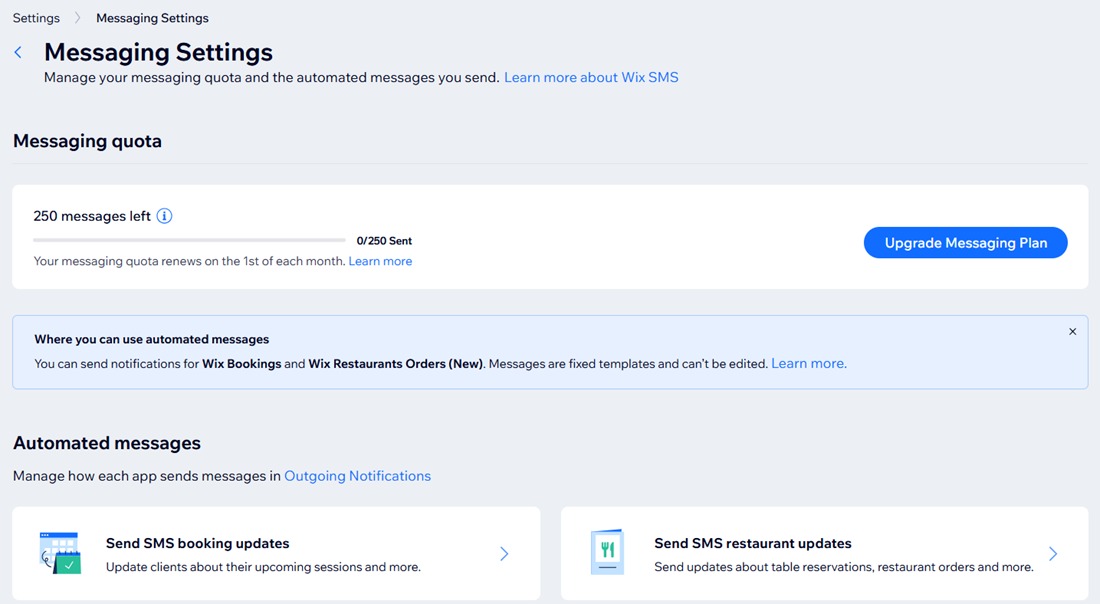
Native Wix SMS allows you to send messages to customers worldwide. It charges for messages based on your monthly messaging quota, including texts from your site plan and any additional Messaging plan.
To set up SMS notifications for Wix Bookings, follow these steps:
It’s that simple, though customization is minimal.
Here are the main restrictions of native Wix SMS:
| Feature | Native Wix SMS | Wix Business Phone Number | Third-party apps (Omnisend) |
|---|---|---|---|
| Automation capabilities | Limited to pre-set reminders | One-to-one manual messages | Advanced workflows, including abandoned cart, post-purchase follow-ups, and behavior-based triggers |
| Ecommerce features | None | Minimal, not tied to store data | Full ecommerce integration, including product launches, promotions, and ROI tracking |
| Pricing model | Tiered subscription plans, starting with the Lite plan offering 100 texts/month | Tiered subscription plans are billed monthly or yearly for users in the USA and Canada | Subscription with monthly SMS credits |
| Setup complexity | Very simple, dashboard-based | Simple but involves manually composing messages for many contacts | Moderate, requires app connection, but guided setup and templates available |
| Customization | None | Minimal text customization | Full template customization, segmentation, and automation rules |
While native Wix SMS tools work, ecommerce stores often need more advanced features for revenue growth. Third-party apps like Omnisend provide full automation and ecommerce-specific campaigns. It also provides detailed ROI tracking that Wix’s native tools can’t offer.
Next, we’ll explore the Wix Business Phone Number option, which offers another layer of messaging flexibility for store owners.
Wix Business Phone Number allows businesses to send messages and make calls from a dedicated number.
Unlike Wix SMS, which sends pre-set text notifications, Business Phone Number lets you compose your messages. Each message comes from your own business line, which makes communication feel more professional:
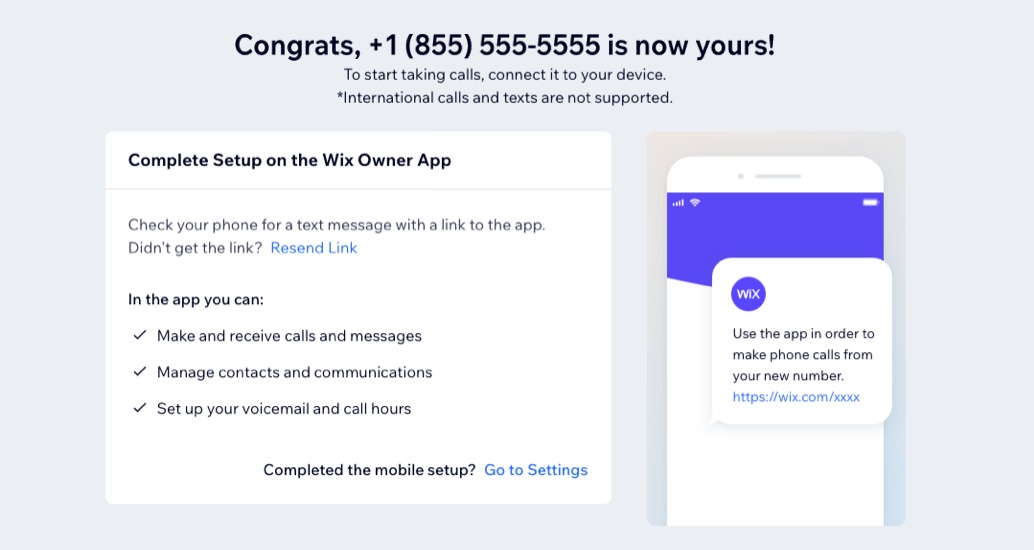
This feature is available to Wix users in the USA and Canada. It also integrates with the Wix mobile app and Wix Inbox so that you can manage calls, texts, and customer conversations from one place.
Wix Business Phone Number operates on a subscription-based pricing model. You can choose between a monthly or yearly billing plan.
It’s ideal for service-based businesses that rely on transactional messaging rather than Wix SMS automation. It works best for:
Wix Business Phone Number isn’t designed for ecommerce businesses that rely on automated SMS marketing to drive sales through Wix. It doesn’t support automation workflows, audience segmentation, or promotional campaign management.
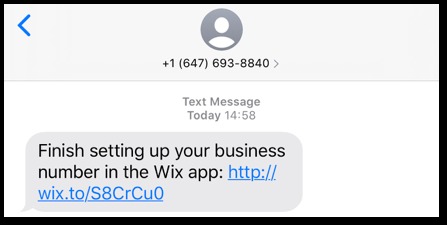
Setting up your number only takes a few steps:
The main difference between Business Phone Number and Wix Messaging is in the level of automation and customization support. Wix Messaging sends pre-installed automated messages, such as booking confirmations or reminders, without requiring you to compose them.
Business Phone Number, in contrast, lets you write and send each message manually or automatically.
Third-party SMS apps like Omnisend is built for ecommerce marketing. They provide automation workflows, customer segmentation, campaign tracking, and integrations.
Business Phone Number can’t run promotional campaigns, segment customers, or send behavior-based messages. It’s strictly transactional.
For service businesses, this is usually enough. However, online stores that want more advanced ecommerce marketing and recovery features will need a third-party app.
Choose Wix Business Phone Number if you need a dedicated business line for direct, two-way communication with customers.
Use native Wix SMS if you only need simple, built-in automated notifications for bookings, confirmations, or reminders.
However, for ecommerce stores that need advanced messaging features, third-party apps like Omnisend is a trusted option to help increase ROI.
Below is an overview of popular SMS marketing Wix apps, including their pricing and ratings in 2026. With this, you can evaluate top Wix SMS marketing integration options and choose the one that fits your growth goals
| Wix SMS integration | Use case | Pricing starts at (2026) | SMS credit details | Free plan available | Wix App Market rating |
|---|---|---|---|---|---|
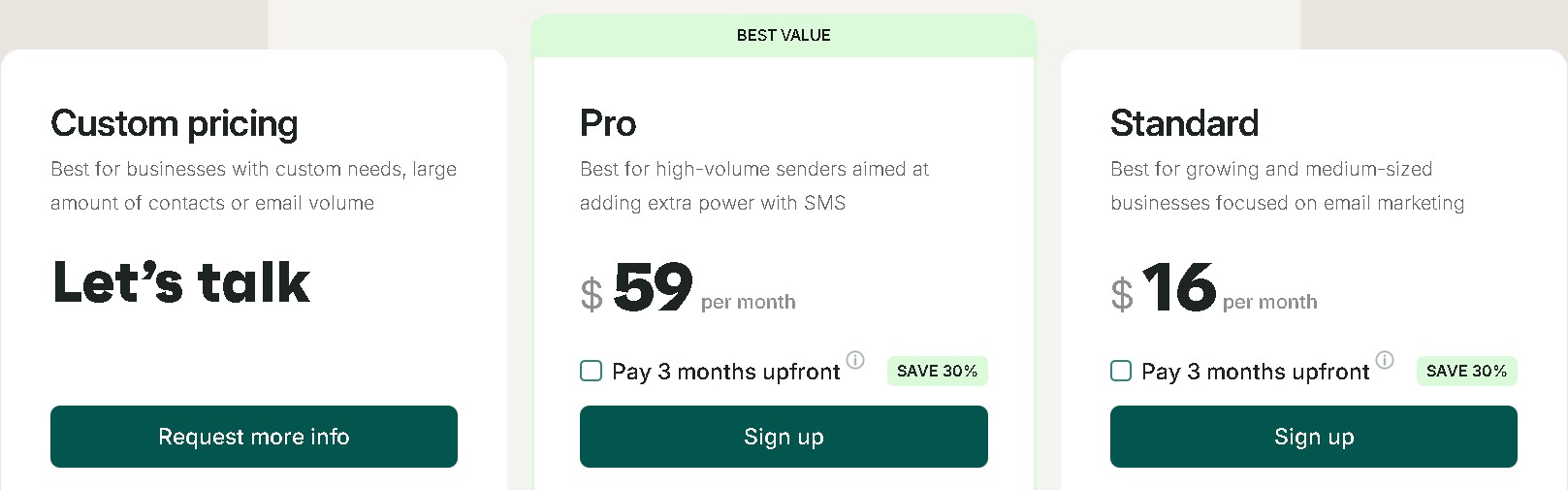
| Omnisend | Full ecommerce automation with email + SMS | $59/month (Pro plan) | 59 SMS credits equal the plan value | Yes | 3.9/5 |
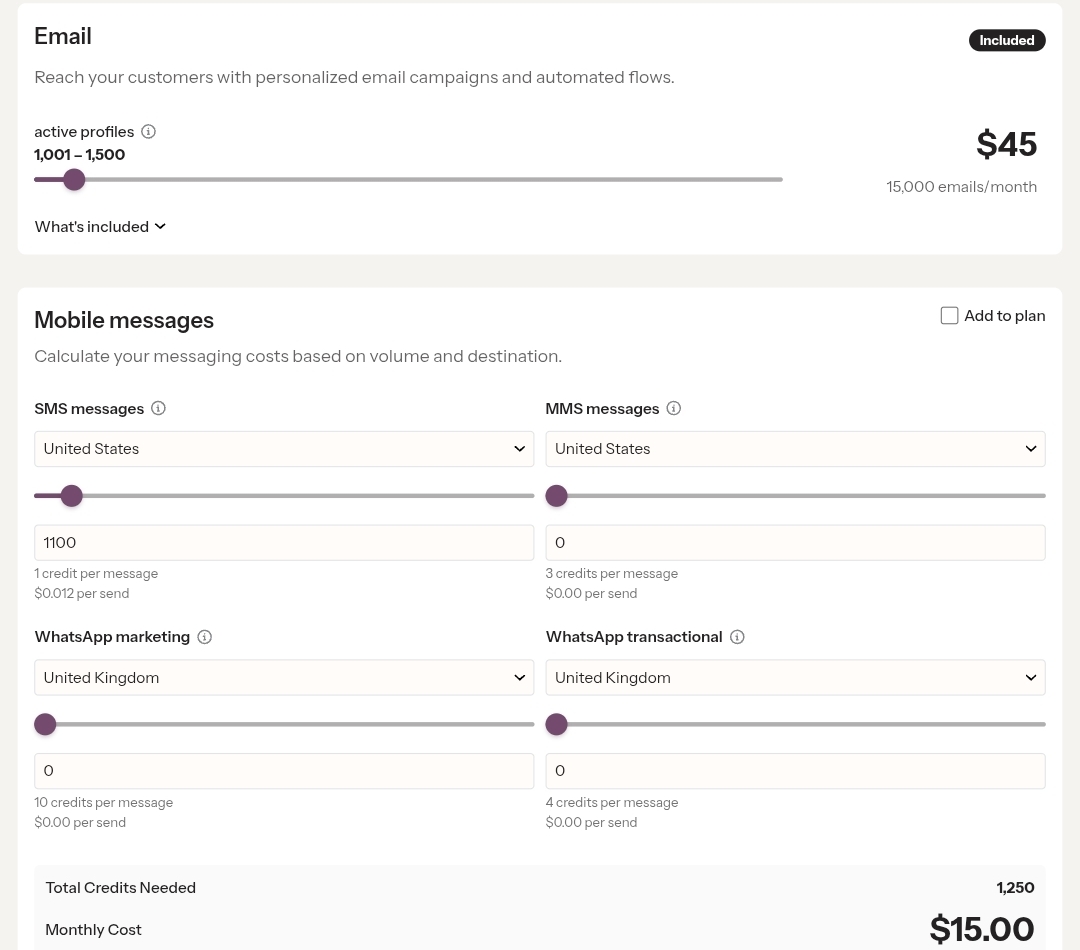
| Klaviyo | Intelligent SMS marketing automation | $60/month for 15,000 emails + 1,250 SMS credits | 1,250 SMS credits at $15 | Yes | 3.5/5 |
| Attentive | AI‑driven SMS and ecommerce campaigns | Custom pricing based on usage (contact sales) | No publicly available information | No | 4.5/5 (G2 rating) |
| Mercuri | Conversational SMS and WhatsApp | $29/month + $3/month per SMS number | Usage-based | Yes | 5/5 |
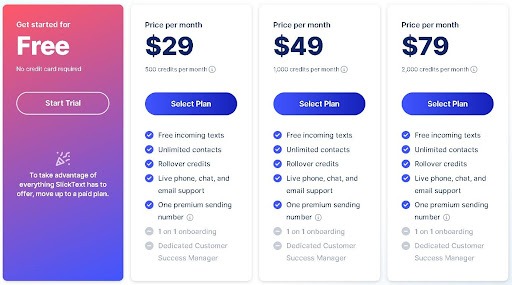
| SlickText | Targeted bulk texting and conversational messaging | $29/month | 500 credits | Yes | 4.8/5 (G2 rating) |
| SMS Blast | Bulk SMS and business alerts | Pay‑as‑you‑use model | $0.015 per SMS | Yes | 4.7/5 |
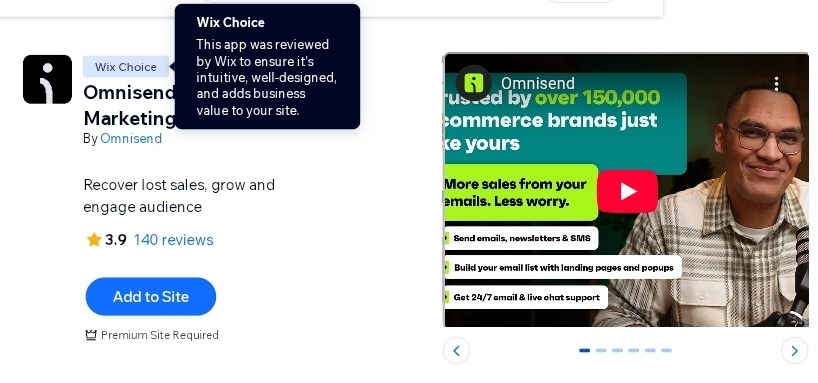
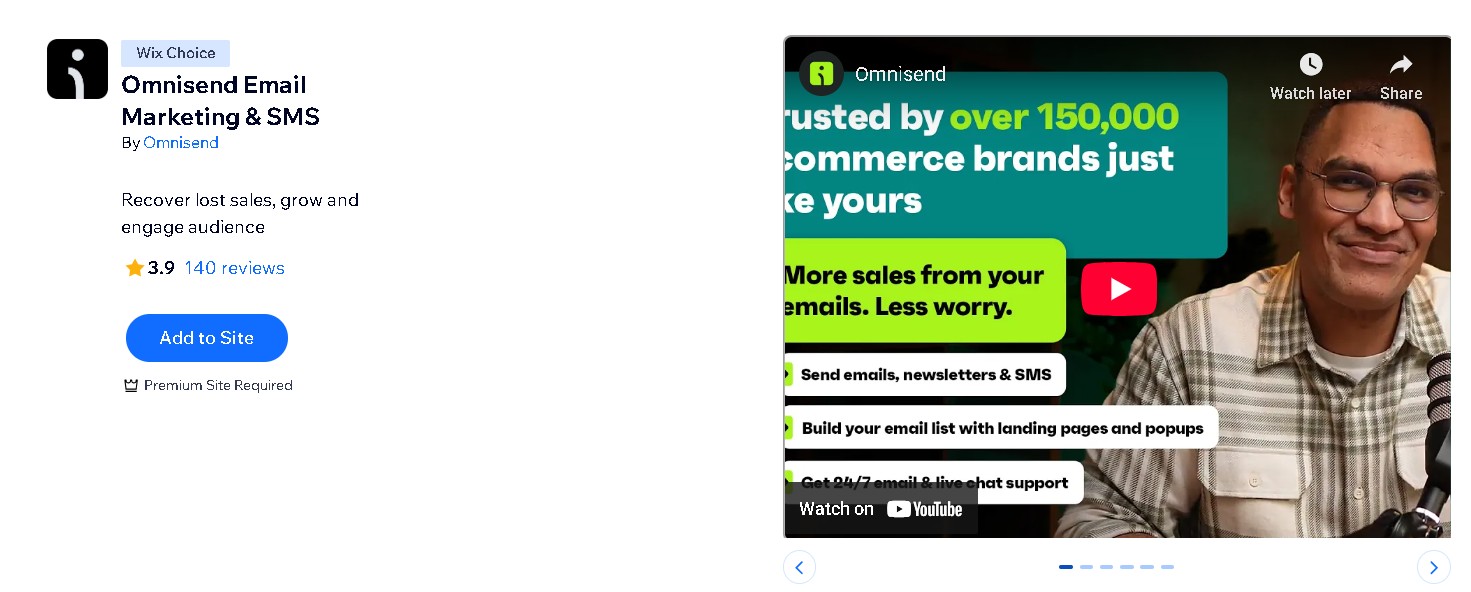
Omnisend is officially recognized as a Wix Choice app for SMS and email marketing. Wix is recognized for its excellent integration quality, intuitiveness, and strong support for ecommerce features.
How Divatress scaled SMS with Omnisend
Divatress, a leading wig and beauty retailer, embraced SMS marketing, and the results were outstanding. Within just eight months, it built a list of 70,000 SMS subscribers, tapping into a new audience segment that wasn’t responding to email.
By pairing one-off promotions like abandoned cart reminders and birthday messages with smart automation flows on Omnisend, Divatress saw SMS campaigns drive $123,000 in sales.
Check out the Divatress success story here.
In the reviews below, we break down the top Wix SMS marketing apps in detail, highlighting their key features, pros, cons, and ideal use cases.
Wix rating: 3.9/5 (140 reviews)
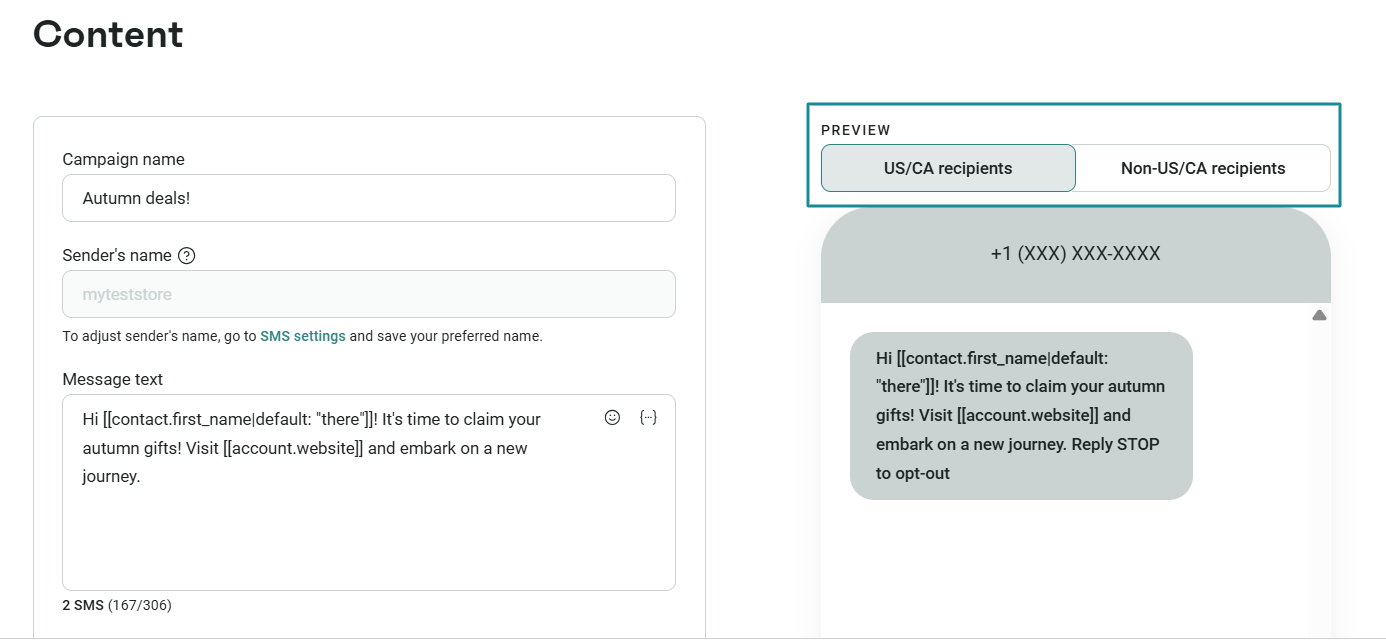
Omnisend brings SMS and email marketing to your Wix store. It lets you reach customers directly through personalized SMS campaign messages:
The platform delivers strong value for ecommerce brands. Based on Omnisend’s internal data, businesses generate an average return of $79 for every $1 spent across SMS, email, and push campaigns.
Omnisend integrates seamlessly with your Wix website. It enables automated SMS notifications for cart abandonment, bookings, and promotional campaigns. You can build your SMS subscriber list through customizable popups and forms.
| Pros | Cons |
|---|---|
|
|
“You get so much done so fast, and it is so easy to use. You have the tutorial videos to help you and guide you if you need help. I highly recommend this app for all sorts of campaigns and marketing.” — Naatoandco
Wix rating: 3.5/5 (12 reviews)
Klaviyo is a Wix text and email marketing platform for growing your ecommerce store and connecting with your audience. Since it integrates natively with Wix, you can easily sync store data and send targeted SMS campaigns.
You can create high-performing SMS flows using pre-built templates and grow your list with popups and forms.
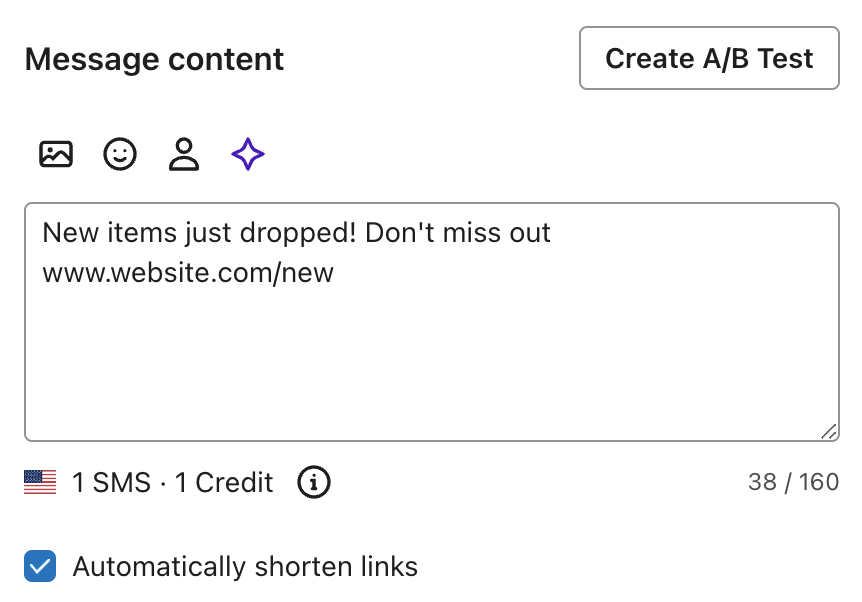
Similar to Wix, apps like Omnisend and Klaviyo let you send personalized messages. Key events like cart abandonment, refunded orders, product announcements, and others trigger these messages:
| Pros | Cons |
|---|---|
|
|
“Had a minor integration issue that was quickly resolved with fantastic support from the Klaviyo team!” – Fleastg
G2 rating: 4.5/5 (1,263 reviews)
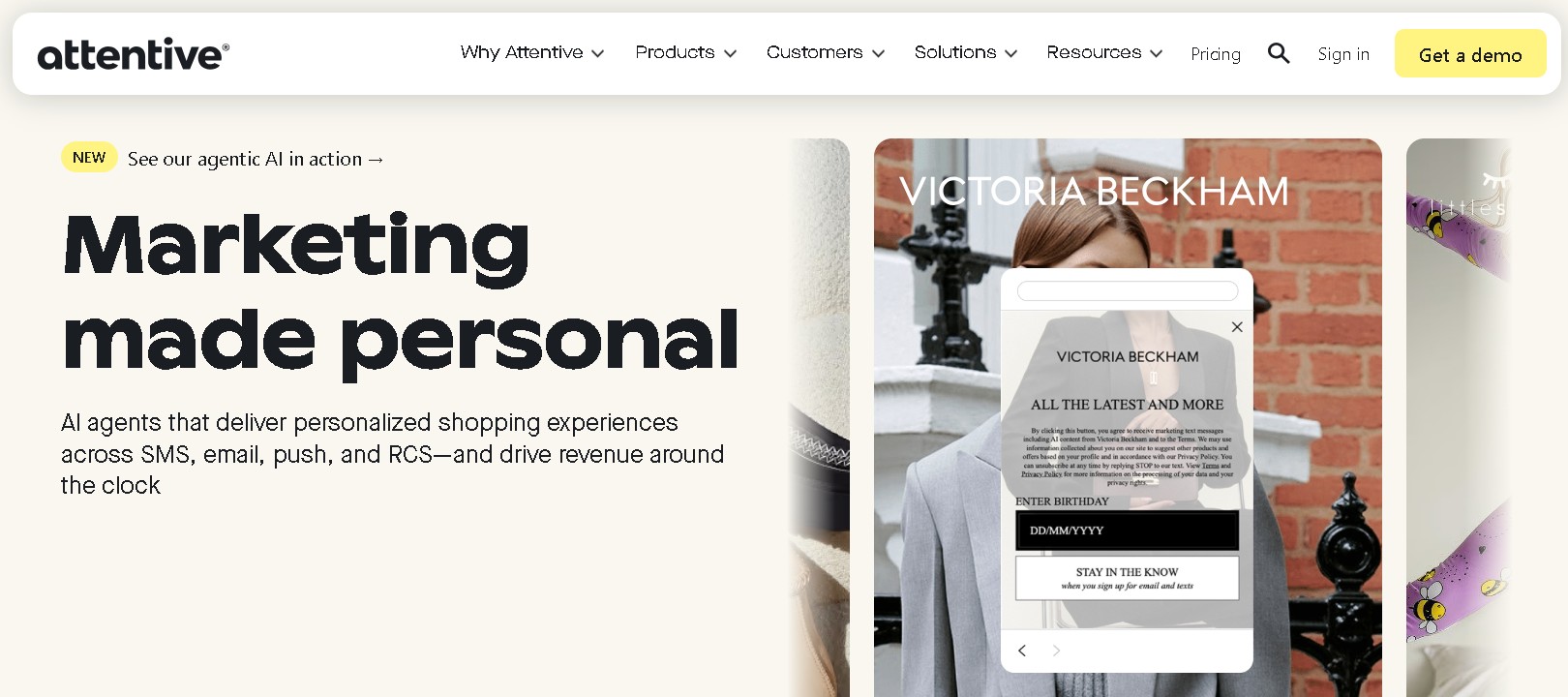
Attentive is an SMS marketing platform for building customer relationships through text messaging.
While Attentive isn’t a native Wix SMS app, it integrates with Wix via Zapier and API to connect stores and workflows.
The app focuses on personalized communication at scale. Businesses can send promotional, transactional, and conversational SMS and MMS messages throughout the customer lifecycle.
Attentive’s AI tool helps marketers create high-performing campaigns faster. The platform can recommend the best content, timing, and audience for each campaign.
| Pros | Cons |
|---|---|
|
|
Attentive follows a usage-based pricing model tailored to your business needs and message volume.
“What I like best about Attentive is its easy-to-use interface, strong SMS performance, and automation features that help reach customers at the right time.” — Chirag
Wix rating: 5.0/5 (49 reviews)
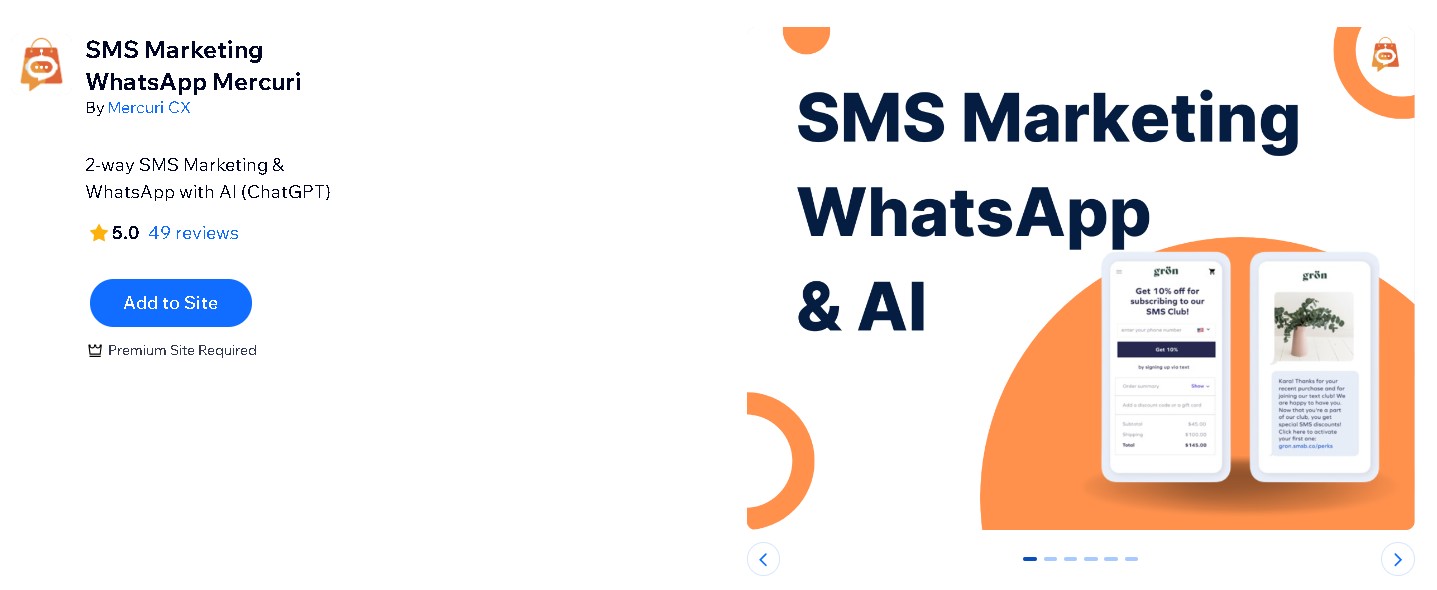
Mercuri is a messaging automation platform designed to help service businesses and ecommerce brands manage mobile conversations.
It uses AI to respond to customer enquiries on SMS and WhatsApp. This ensures that leads are engaged even outside business hours. It also offers ready-made SMS templates for simple and easy campaign setup:
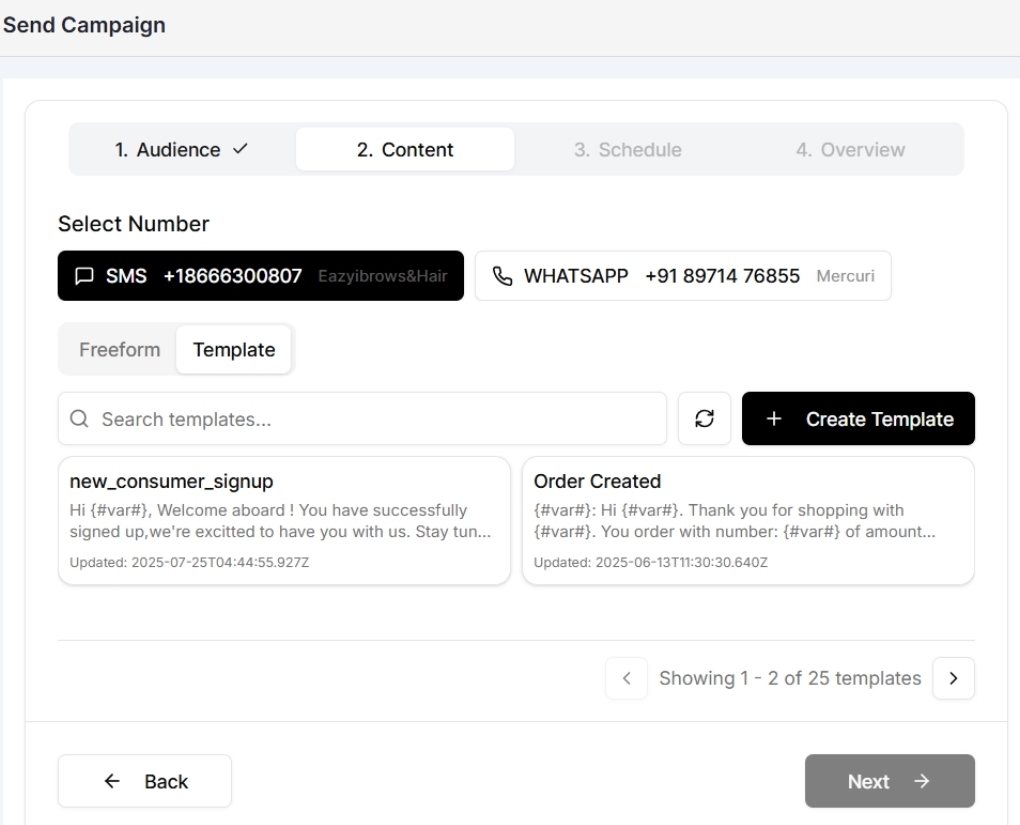
Mercuri can answer common questions, confirm availability, and send smart follow-ups to recover abandoned bookings. It integrates seamlessly with Wix, Shopify, and Pipedrive, enabling teams to manage conversations from a shared inbox.
| Pros | Cons |
|---|---|
|
|
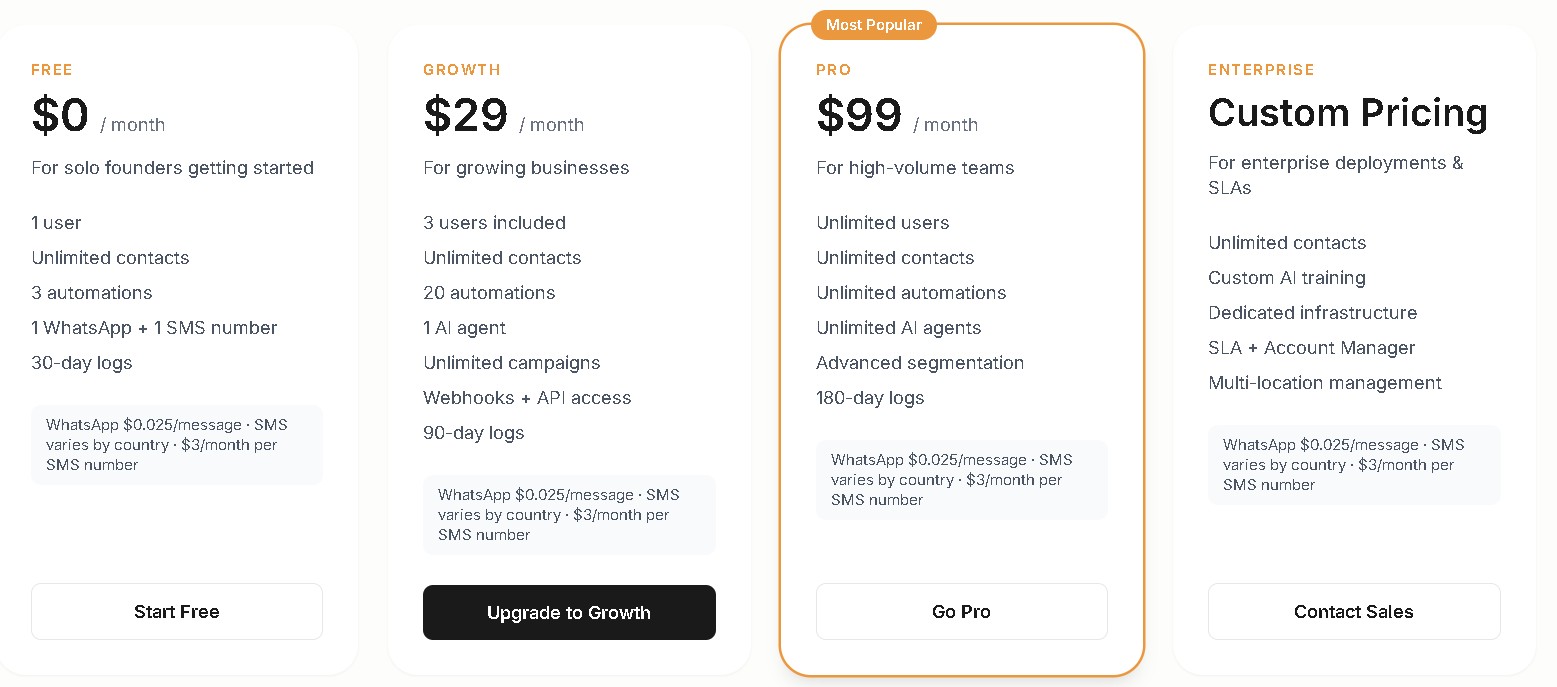
Mercuri offers subscription plans that provide access to the platform’s features. However, SMS messaging charges are usage-based plus $3/month per SMS number.
“My overall experience with Mercuri was satisfactory. The service met expectations, and everything was handled smoothly. A decent experience overall.” — Mmshopperb
G2 rating: 4.8/5 (1,804 reviews)
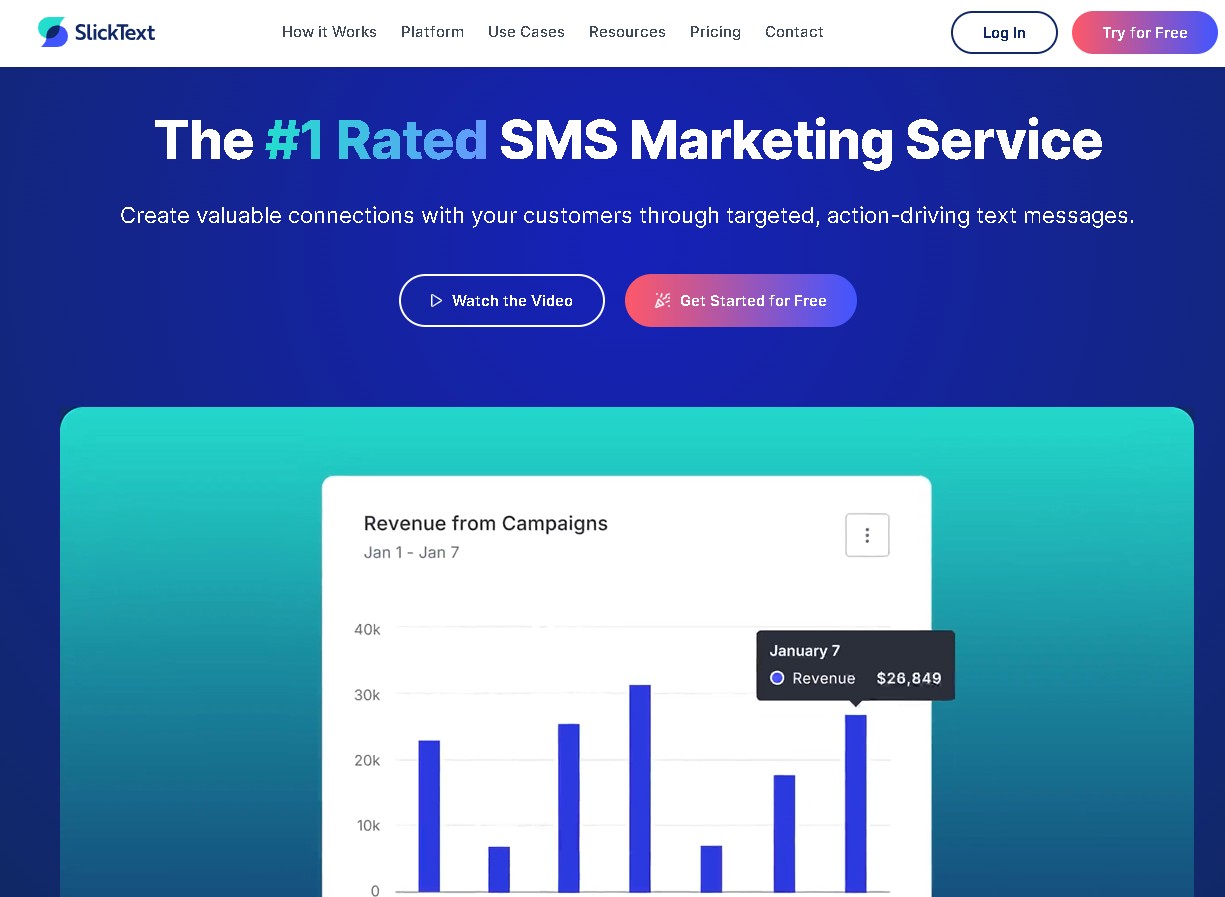
SlickText is an SMS marketing platform for targeted mass texting and conversational messaging. You can grow text subscriber lists using popups, web forms, keywords, QR codes, and tap-to-join links. This makes audience acquisition fast and consistent.
With segmentation, you can send personalized text messages to customers. You can also automate texts for customer journeys based on real-time behavior.
SlickText doesn’t offer native integration with Wix. However, it connects through Zapier, acting as a bridge between platforms.
| Pros | Cons |
|---|---|
|
|
“I like how easy SlickText is to use while still being powerful enough to support real campaign strategy. The platform is intuitive, and I can quickly launch campaigns without a steep learning curve, which is really helpful.” — Steven
Wix rating: 4.7/5 (243 reviews)
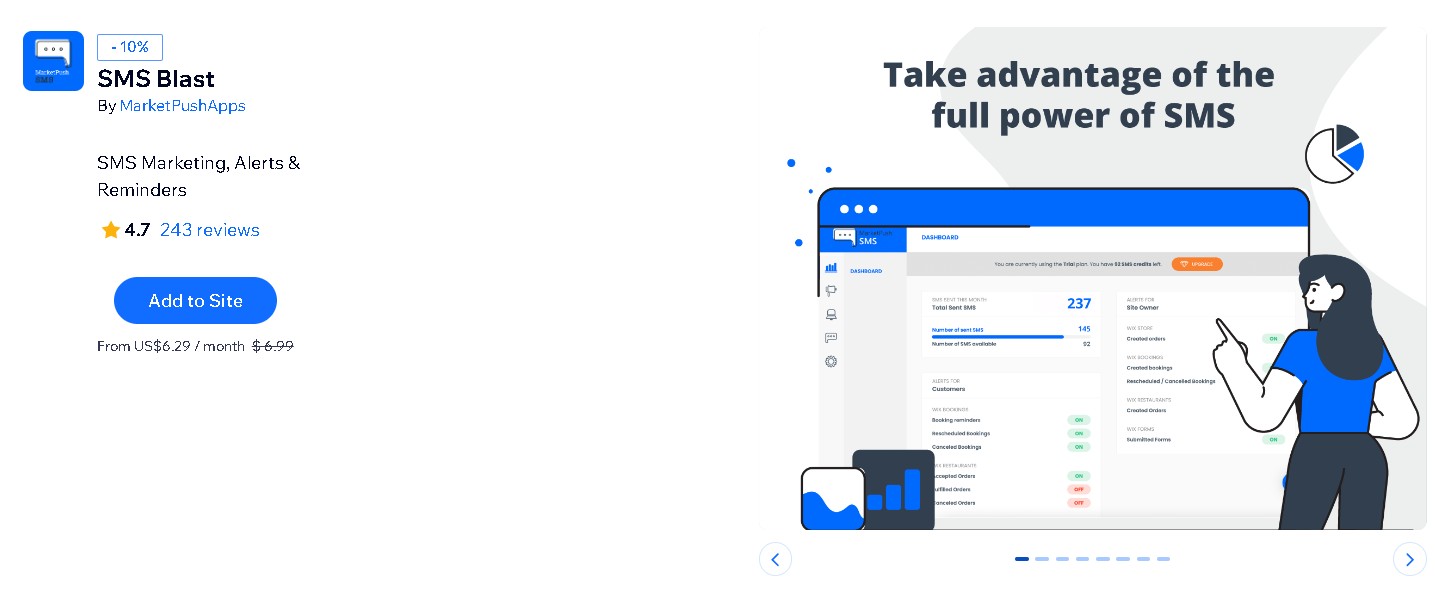
SMS Blast is a powerful Wix SMS marketing app for businesses looking to send bulk messages to customers. It helps you communicate important updates, promotions, or reminders directly via text.
You can also create mass SMS campaigns for a large list of phone numbers imported from your existing contacts or external sources.
With segmentation based on contact labels, you can target the right customer group for each message. Plus, the app integrates natively with Wix, which gives you complete control over your campaigns.
| Pros | Cons |
|---|---|
|
|
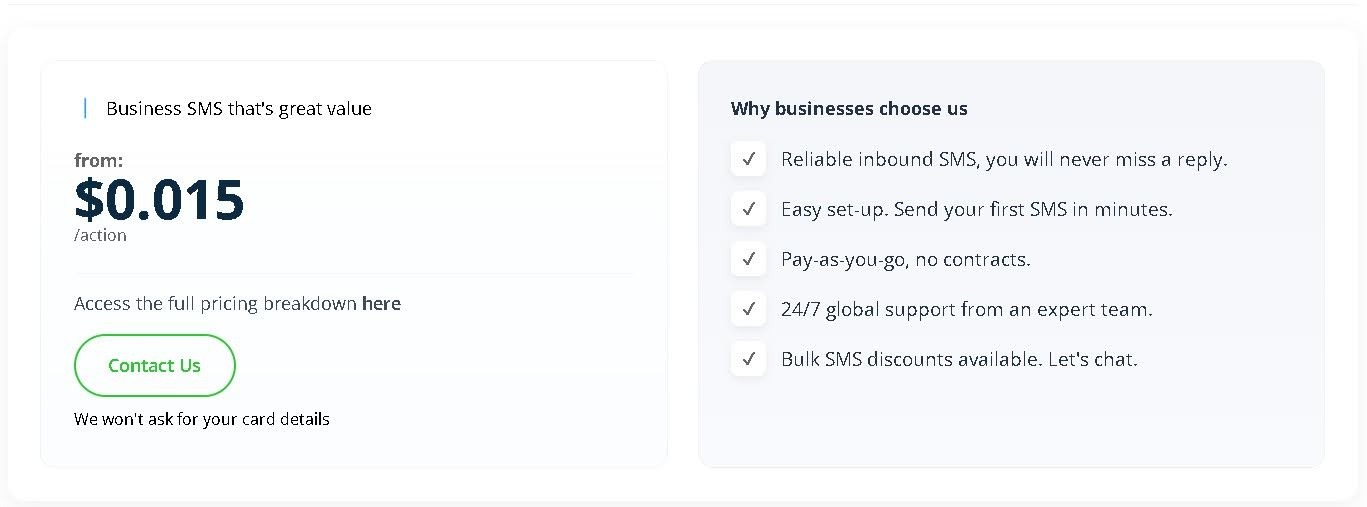
SMS Blast offers a pay-as-you-go pricing model, billed at $0.015/action.
User review
“Our organization needed to reach our participants quickly and was able to get set up and push out our message without worry! Looking forward to using again.” — Sharitasworld
These top Wix SMS marketing apps offer a range of features suitable for different use cases. The next section will guide you through the key factors to consider when selecting the best Wix SMS marketing solution for your business.
Choosing the right SMS marketing app for Wix isn’t about picking the one with the most features. You have to match the pricing, automation, deliverability, and integration with your business needs.
Follow this practical framework before committing to any Wix text marketing tool.
First, calculate how many messages you plan to send monthly. Small ecommerce stores often send between 500 and 2,000 messages per month. Larger stores may send 5,000 or more across cart recovery, order updates, and promotional campaigns.
As of 2026, Klaviyo SMS pricing starts at about $0.012 per message on its lowest tier. Omnisend averages about $0.015 per SMS credit. SMS Blast also averages about $0.015 per message.
Attentive uses custom pricing, while Mercuri messaging is charged separately based on usage and destination country.
However, cost per message alone doesn’t determine value. Also, check how SMS credits are structured and whether unused credits roll over to the next month.
Review if the platform charges separately for keywords, dedicated sending numbers, or short codes. Confirm whether automation, segmentation, and reporting features are included in the base plan or locked behind higher tiers. These factors directly affect your total SMS marketing cost.
Before installing any Wix text marketing app, decide which features are must-haves. At a minimum, most Wix ecommerce stores need:
Omnisend offers omnichannel marketing, automation workflows, templates, and segmentation across all pricing tiers.
Attentive focuses on SMS-first engagement with strong personalization tools. SlickText is known for straightforward campaign management and simple automation. Meanwhile, Klaviyo is ideal for two-way text messaging and real-time data syncing.
Choose the platform that supports your operational complexity. Stores running frequent product launches may need advanced segmentation. Smaller teams may prioritize ease of use over advanced analytics.
Your Wix SMS marketing app should sync automatically with your Wix store. Orders, products, and customer data should be updated in real time, triggering automated workflows without manual intervention.
For example, Omnisend and Klaviyo both offer strong native Wix integration and data syncing. Other Wix SMS marketing apps, such as Mercuri, integrate with Wix to automatically manage reminders and follow-ups.
Platforms with faster, more complete syncing improve automation performance for your Wix SMS marketing campaigns.
Before deciding on any Wix SMS marketing platform, you need to test its delivery performance. You can send a few test messages to yourself and your team using different phone carriers.
Mobile carriers use spam filters that can block mass messages. Similar automated texts or sending too many messages can trigger these filters.
Omnisend provides built-in deliverability features, including message personalization and staggered sends. This helps reduce carrier filtering and improve deliverability.
Speed matters in SMS marketing. A cart recovery message that arrives too late loses urgency and reduces the chance of conversion. Before committing to any Wix SMS marketing app, you need to test how quickly automated messages are triggered and delivered.
Create a real test scenario in your store. Add a product to the cart, begin checkout, and then abandon the process. Measure how long it takes for the SMS to arrive. Repeat this test at different times of the day to see if delivery speed remains consistent.
If you’re sending time-sensitive messages like cart recovery, Omnisend offers flexible automation rules:
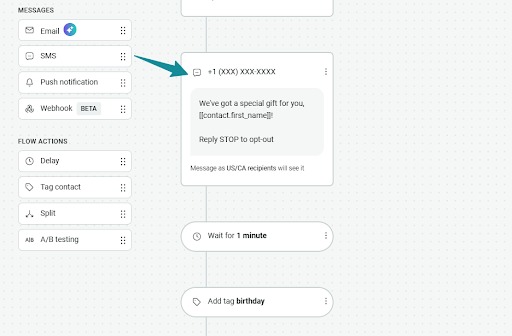
Attentive supports behavior-based triggers, while SlickText, Mercuri, and SMS Blast offer simpler timing controls. Choose which best fits your needs.
After choosing a platform, activate only essential Wix SMS automation first. Start with cart abandonment, shipping notifications, and welcome messages. These automations usually generate the highest early return.
Automated SMS messages can generate an average of $0.74 per send compared to about $0.15 for standard campaigns. You can measure open rates, click-throughs, and conversions for the messages before adding more complex campaigns.
Once basic automations are performing well, you can introduce additional flows, such as post-purchase follow-ups or re-engagement messages. This will allow you to scale Wix SMS automation based on real results.
Now that you understand how to evaluate Wix SMS marketing platforms, the next step is to implement them. Let’s walk through how to integrate Omnisend with Wix.
Omnisend’s integration process with Wix is simple and doesn’t require coding. The platform is expert-approved and newbie-tested with easy-to-learn functionalities. Most users complete the setup in five to 10 minutes.
You need a Premium Wix plan to install third-party apps like Omnisend. You also need to connect a valid domain to your Wix site for full functionality.
Once you have these prerequisites in place, you can follow the steps below to get started:
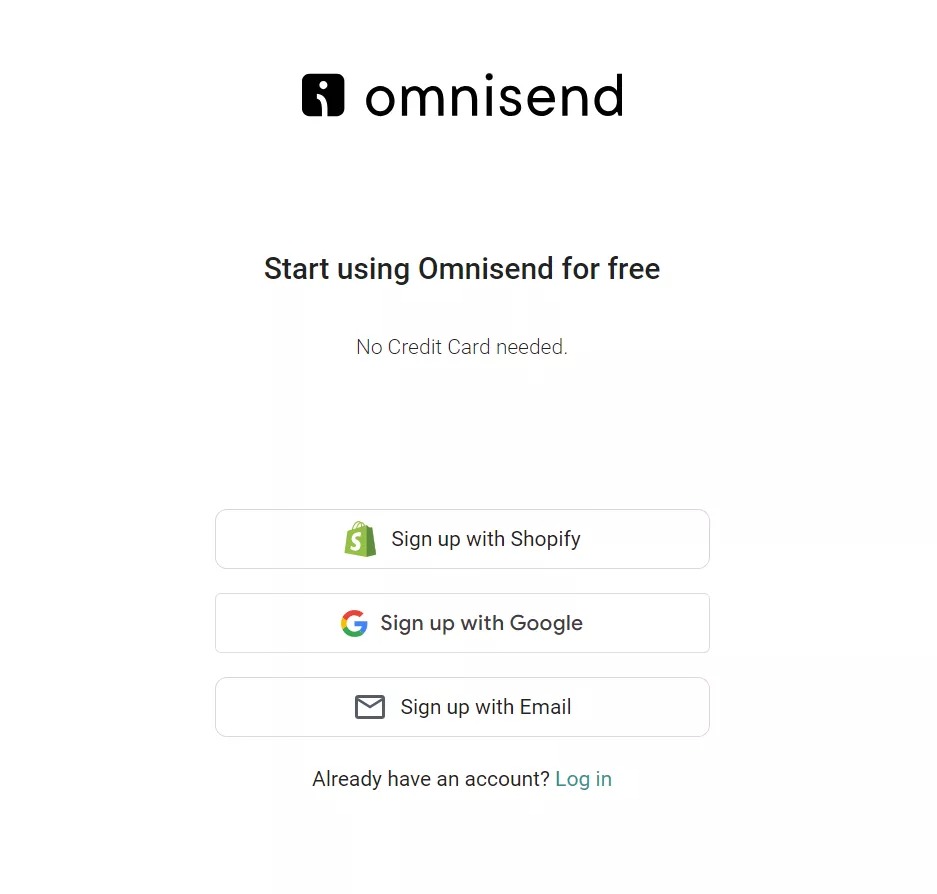
1. Register an Omnisend account under your chosen plan:
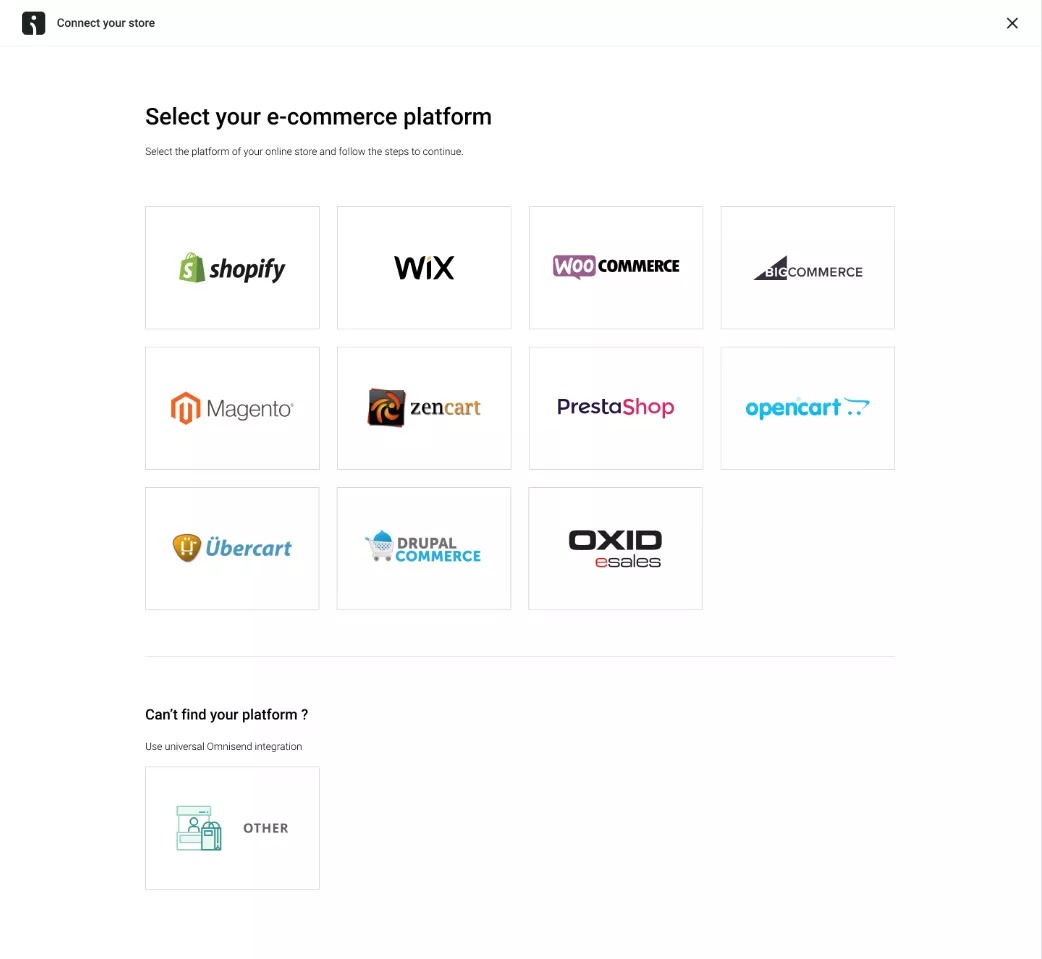
2. In your Omnisend Dashboard, click Connect Store to open the store connection wizard:
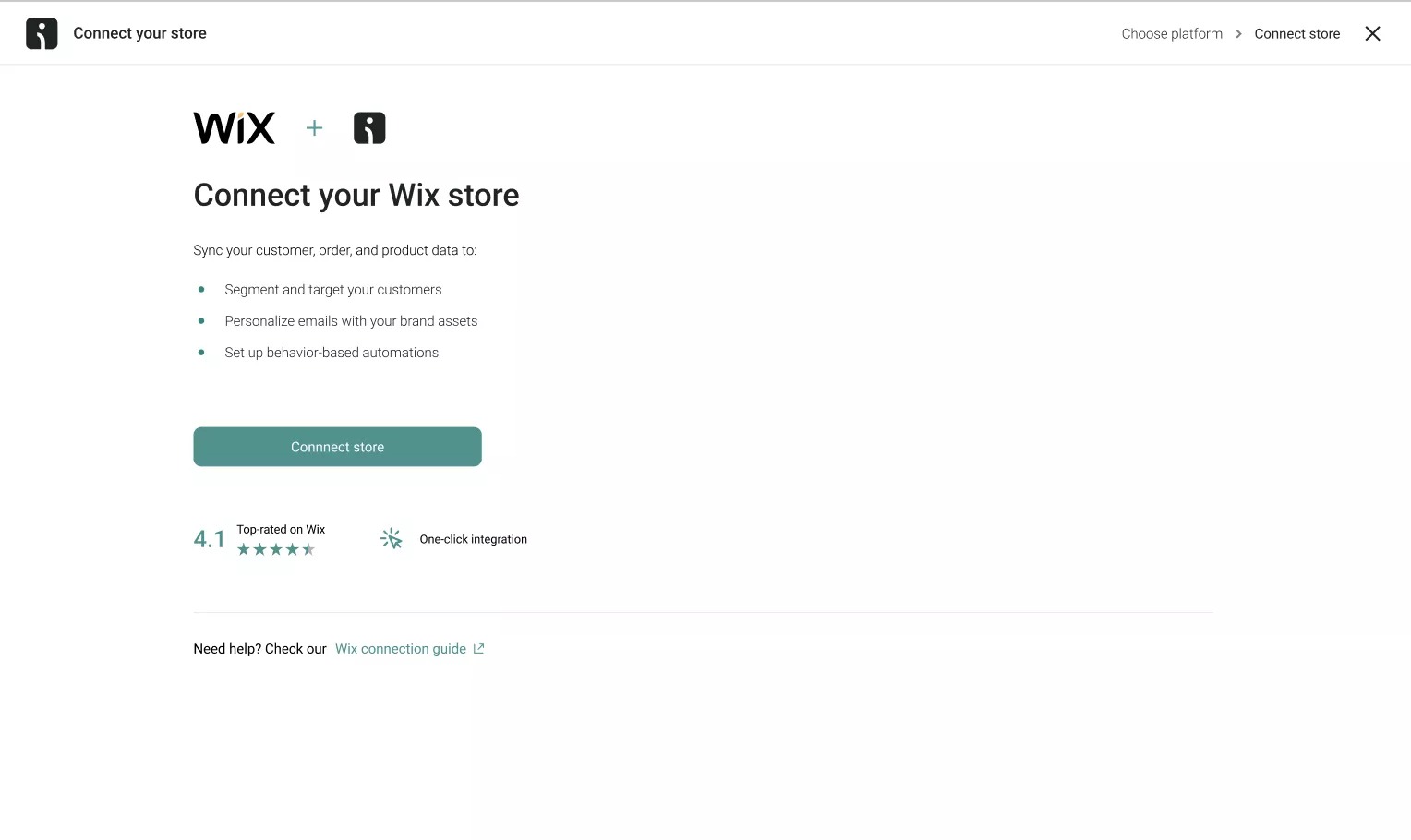
3. Pick Wix as the platform used by your online store:
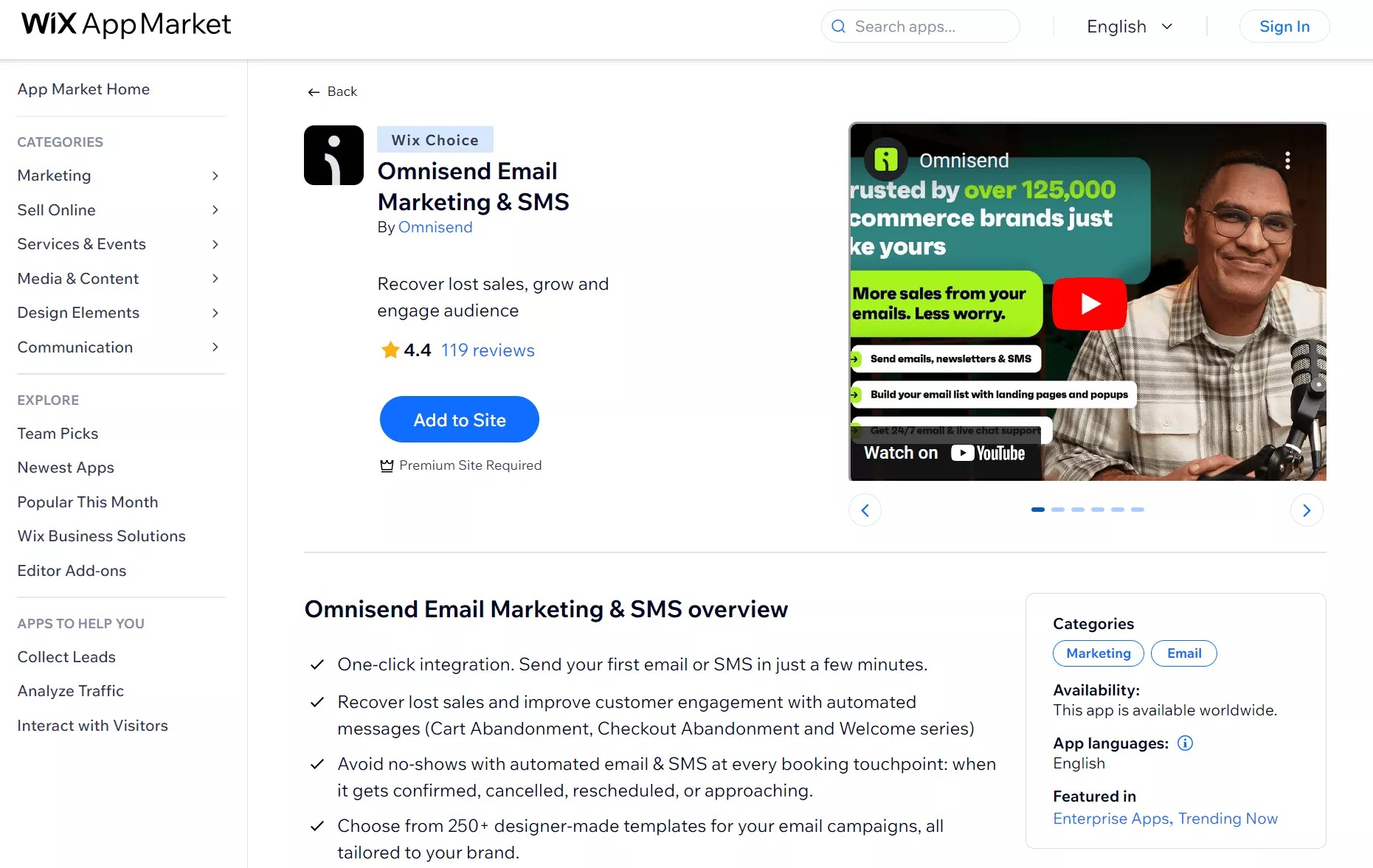
4. Then, you’ll be redirected to the Wix App Market, where you can add the Omnisend app to your store:
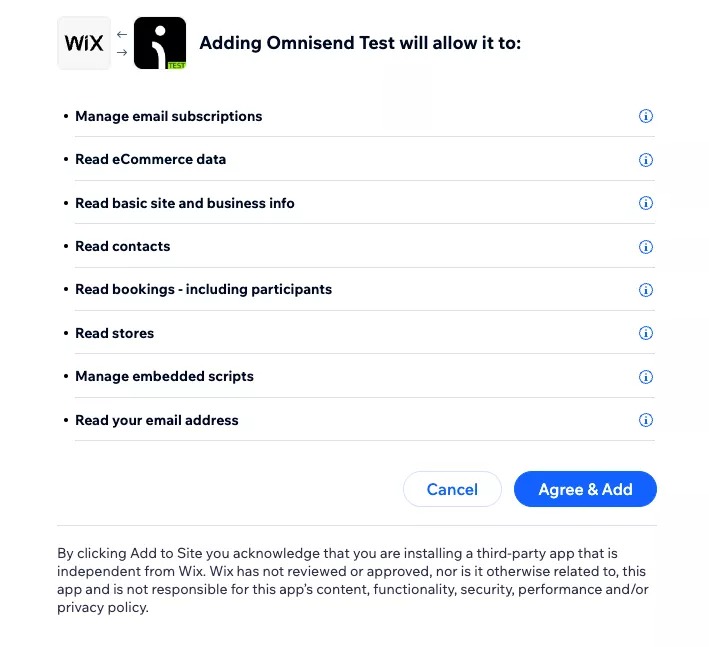
5. Once you’ve added the Omnisend app to your Wix store, you’ll see the permissions page — click Agree & Add:
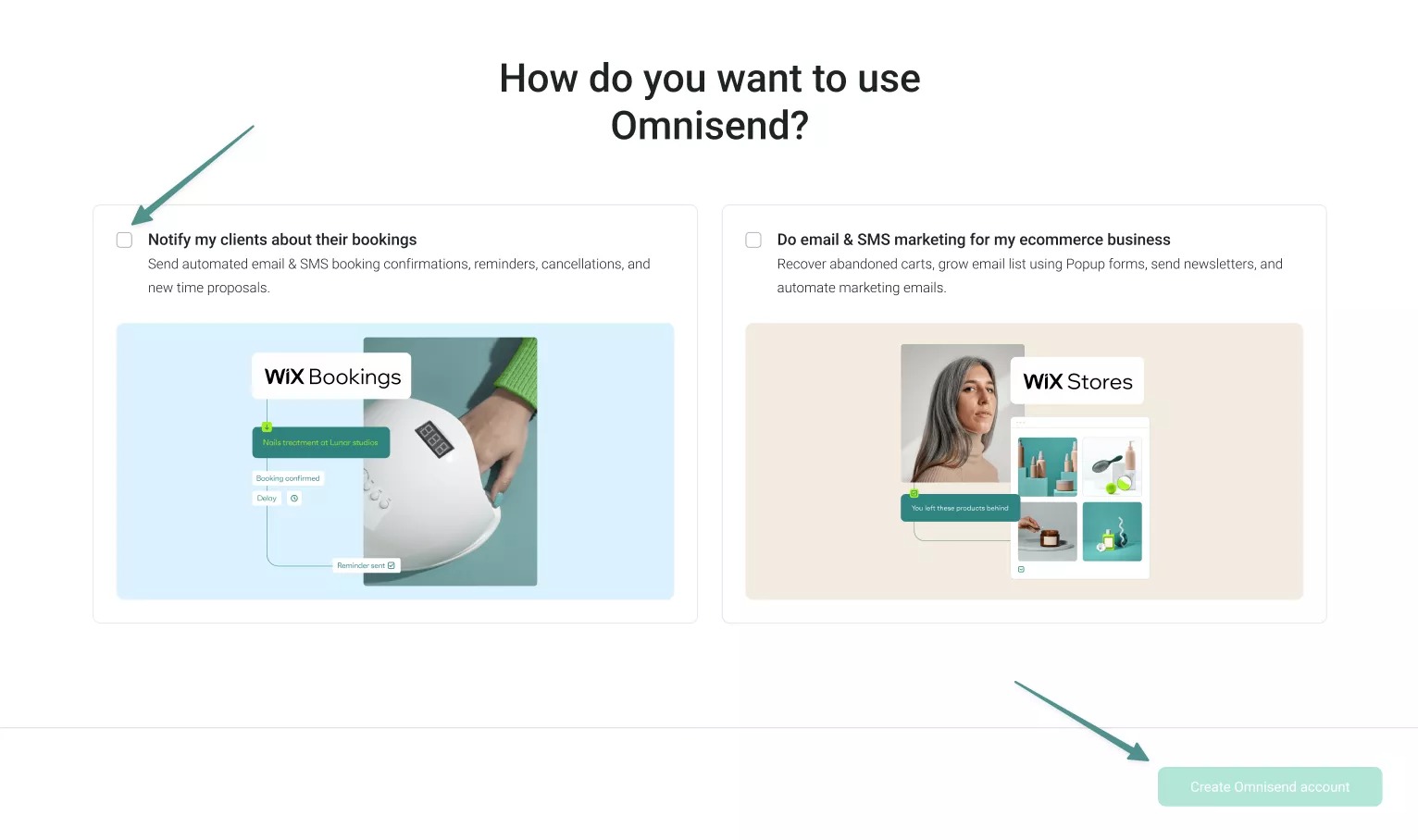
6. After connecting the app, you can select your primary business focus and choose one of these two options:
7. Select the option most relevant to your Wix store and click Create Omnisend account:
That’s it! You’ve successfully integrated your Wix store with Omnisend.
Once connected, your products, customers, and order data sync in real time. You can now launch Wix SMS marketing campaigns and automated flows from one dashboard.
Troubleshooting tips:
For any additional issues or technical questions, review Omnisend support documentation for detailed troubleshooting and setup instructions.
You can also watch this step-by-step video tutorial for a visual walkthrough of the full setup process:
Choosing the right Wix SMS marketing solution depends on your business model, monthly message volume, and automation needs. Wix offers a built-in SMS feature, but it’s limited to transactional notifications. If you run a service business, Wix Business Phone Number can handle basic appointment communication.
However, ecommerce stores need more than reminders. They need abandoned cart recovery, post-purchase follow-ups, promotional campaigns, and customer segmentation. This is where third-party SMS platforms become handy for Wix SMS marketing growth.
Below is a simplified recommendation guide of the Wix SMS app to use based on business size and usage:
| Business Need | Recommended Platform | Why |
|---|---|---|
| Under 100 messages per month | SMS Blast | Simple setup and predictable flat per-message pricing |
| 500+ messages per month with automation | Omnisend | Strong ecommerce automation and native Wix integration |
| 1,000+ messages per month with advanced segmentation | Klaviyo | Deep segmentation and data-driven targeting |
Among these options, Omnisend is officially recognized as the Wix Choice app for marketing. It’s trusted by over 150,000 brands worldwide. Omnisend offers a free plan, strong automation features, and competitive SMS pricing.
If you’re running an ecommerce store and want automated and scalable Wix SMS marketing, Omnisend is a great choice.
Quick sign up | No credit card required
Yes, but the built-in Wix SMS feature is only available for Wix Bookings, Table Reservations, and Restaurant Orders services. Third-party apps, such as Omnisend, offer more advanced SMS marketing capabilities.
You need an SMS marketing app to send SMS through your Wix ecommerce store. Some apps like Klaviyo and Omnisend also combine SMS with email capabilities.
Your monthly SMS quota on Wix depends on your site plan and any standalone SMS plan added. For example, the Business plan includes 100 SMS/month. If you add a Starter SMS plan with 500 more messages, your total monthly quota will be 600 messages.
Yes, TCPA compliance is required if you send marketing SMS to customers in the USA. You must obtain clear opt-in permission before sending marketing SMS.
Yes, you can send international SMS if your chosen SMS marketing app supports global messaging. Wix itself doesn’t control international SMS delivery. The capability depends on your third-party platform. Many SMS marketing providers like Omnisend offer international sending.
If Wix SMS integration isn’t syncing or behaving as expected, follow these steps to resolve common issues:
— Make sure your Wix site is on a Premium plan, and the domain is verified
— Disconnect and reconnect your SMS marketing app in the dashboard to refresh the integration
— Check that the app has permission to access data
— Ensure your store and app are updated to the latest versions to avoid compatibility problems
Wix Business Phone Number provides a dedicated phone line for calls and texts. It’s designed for direct communication and customer support. SMS marketing apps are platforms that enable you to launch SMS campaigns with automation, segmentation, and reporting.

TABLE OF CONTENTS
TABLE OF CONTENTS

What’s next


No fluff, no spam, no corporate filler. Just a friendly letter, twice a month.