Omnisend AI


 OFFER
OFFER










ConvertKit (now officially called Kit) is best for creators such as influencers and bloggers who monetize and market content. Brevo is best for businesses tackling large lists, sales pipelines, and customer relationship management (CRM).
Below, we’ve conducted a detailed ConvertKit vs. Brevo comparison of their pricing and automations, marketing, contact management, monetization, and use cases.
ConvertKit vs. Brevo: a quick comparison
ConvertKit is more expensive than Brevo as your list grows. Brevo has storage for 500,000 contacts from $32/month with 20,000 emails. Other than that, only ConvertKit will monetize your content, and only Brevo has a CRM.
| Brevo | ConvertKit | |
|---|---|---|
| Best for | Product and service businesses | Content creators and bloggers |
| Pricing model | Monthly email volume | Contacts |
| Free plan limits | 100,000 contacts, 300 emails/day | 10,000 contacts, unlimited email broadcasts |
| Starting price | $9/month | $33/month |
| Channels | Email, SMS, MMS, web push*, mobile push*, WhatsApp* | Email, SMS* |
| CRM | Marketing and sales with a CRM dashboard | Audience management features |
| Monetization tools | Not available | All plans can sell digital products, paid newsletters, recurring subscriptions, and set up virtual tip jars; the Creator plan adds paid recommendations and newsletter sponsorships |
| Support | Email in all plans; phone support is included in Professional plans | Email in Free; 24/7 live chat and email in paid plans |
| Integrations | 140+ | 100+ |
| AI capabilities | Aura AI with four agents, three available in all plans, plus model context protocol (MCP) integration | Email writing tools, support chat, Developer Assistant, MCP integration |
Accurate as of September 2026. *plan-dependent.
What do users say about ConvertKit and Brevo?
ConvertKit and Brevo users post overwhelmingly positive reviews across platforms, as shown by 4+ ratings (as of September 2026). Brevo leads on G2, while ConvertKit has a higher score on Trustpilot.
| Brevo | ConvertKit | |
|---|---|---|
| G2 | 4.5/5 (2,600+ reviews) | 4.4/5 (230+ reviews) |
| Shopify App Store | 4.8/5 (2,200+ reviews) | N/A (app listed in native marketplace) |
| Capterra | 4.6/5 (3,500+ reviews) | 4.6/5 (240+ reviews) |
| Trustpilot | 4.0/5 (7,200+ reviews) | 4.1/5 (150+ reviews) |
Accurate as of September 2026.
Brevo users most often mention ease of use, especially around setup and campaign scheduling.
Brevo makes it easy for business owners to send transactional emails to their customers and to their business staff. It’s quick to set up, easy to understand, and it offers a considerable amount of free emails for the starter plan.
– Derek P, G2.
Negative reviews for Brevo center on missing and limited features. For example, some users voiced frustrations with automation and design limits.
Some of the more advanced features feel a bit limited. Setting up basic email campaigns is straightforward, but when I need more complex automation or deeper segmentation, I sometimes end up relying on workarounds.
– Pravin G, G2.
When it comes to ConvertKit, ease of use is the number one positive among users, who appreciate how easy it is to embed forms and build emails.
I use Squarespace for my website, and it’s easy to embed their forms on my websites and it’s easy to set up segments of people on my email list.
– Verified user in consulting, G2.
However, price is ConvertKit’s most common complaint; some users say it’s too expensive, and others say it’s difficult to downgrade.
I don’t like the extractive business practices Kit uses, like automatically ratcheting up account upgrades. They don’t make downgrades as easy and it’s incredibly hard to find that option.
– Dru R, G2.
In short, Brevo complaints often revolve around feature limits, while ConvertKit’s relate to rising costs as your list grows.
ConvertKit vs. Brevo pricing
Brevo costs less than ConvertKit at all contact tiers. The platform prices based on monthly email volume, which means you pay to send. That’s the opposite of ConvertKit, which has unlimited emails in all plans and is priced by contacts.
Below, we compare Brevo’s Starter and Standard plans with ConvertKit’s Creator and Pro plans for up to 20,000 contacts, based on monthly pricing without discounts.
| Contacts | Brevo Starter | Brevo Standard | Brevo sends/month | ConvertKit Creator | ConvertKit Pro |
|---|---|---|---|---|---|
| 1,000 | $17 | $35 | 10,000 | $33 | $66 |
| 2,500 | $25 | $49 | 15,000 | $50 | $83 |
| 10,000 | $32 | $69 | 20,000 | $116 | $158 |
| 20,000 | $32 | $69 | 20,000 | $158 | $225 |
Accurate as of September 2026.
Brevo Starter with 20,000 monthly emails stores up to 500,000 contacts. No matter if you send to 10,000 or 20,000 contacts, the price won’t change. ConvertKit’s cheapest paid plan, at just 1,000 contacts, is $1/month more expensive than Brevo’s $32 Starter tier, which stores 500,000.
How do ConvertKit and Brevo’s free plans compare?
Brevo Free has 10x the contact storage of ConvertKit Free, but caps email sends, whereas ConvertKit Free has no send cap. However, as your list grows, it will move you on to a paid plan sooner than Brevo.
| ConvertKit Free | Brevo Free | |
|---|---|---|
| Contact storage | 10,000 | 100,000 |
| Monthly email sends | Unlimited | 300/day; approx. 9,000/month |
| Branding on assets | Yes | Yes |
| Available channels | Email, SMS, MMS |
Accurate as of September 2026.
Looking for more in-depth comparisons?
Brevo review
ConvertKit review
Brevo pricing 2026
ConvertKit vs. Brevo: automation and workflows
ConvertKit’s automation library has more than twice as many pre-built templates as Brevo, but many of them require app integrations you might not use.
Brevo’s triggers cover orders, deals, and payments, and it’s the only one of the two that can percentage-split a flow to test two versions against each other.
Both tools have a template library. Brevo’s 15 email and four SMS automation templates are nearly all for ecommerce. They cover abandoned cart, welcome, product is back in stock (Starter plans and above), and anniversary.
There are also more generic automations. Marketing activity sends messages when a subscriber opens or clicks an email. Website event is triggered by user actions on the website for those who perform an action.
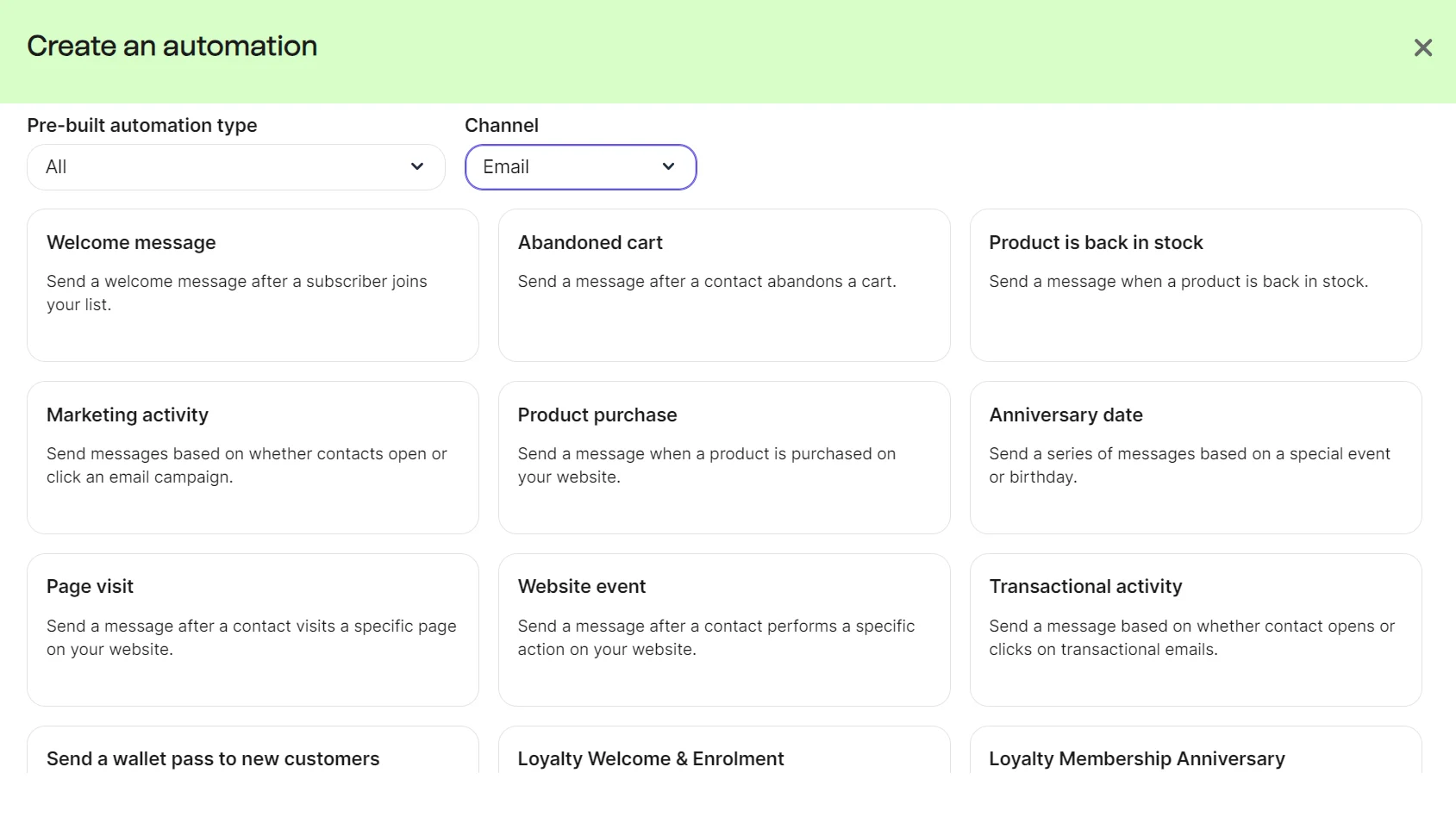
Aura AI, Brevo’s AI agent, can build automations from a natural language prompt or in guided mode. It creates the trigger and message.
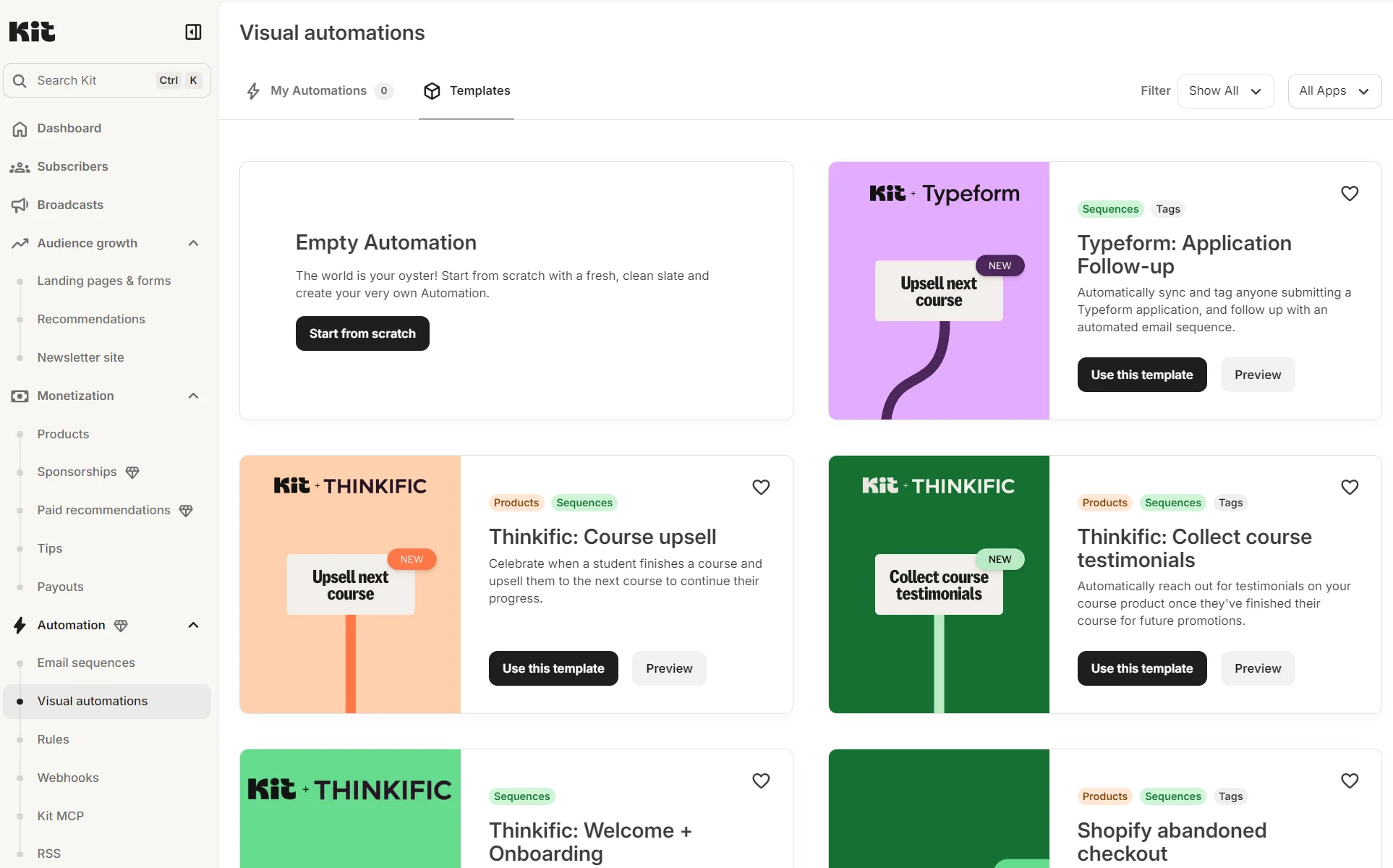
We selected the pre-built abandoned cart automation. Brevo’s automation builder has a skippable three-step workflow, which is handy for beginners and isn’t something ConvertKit offers. Completing all the steps took approximately three minutes.
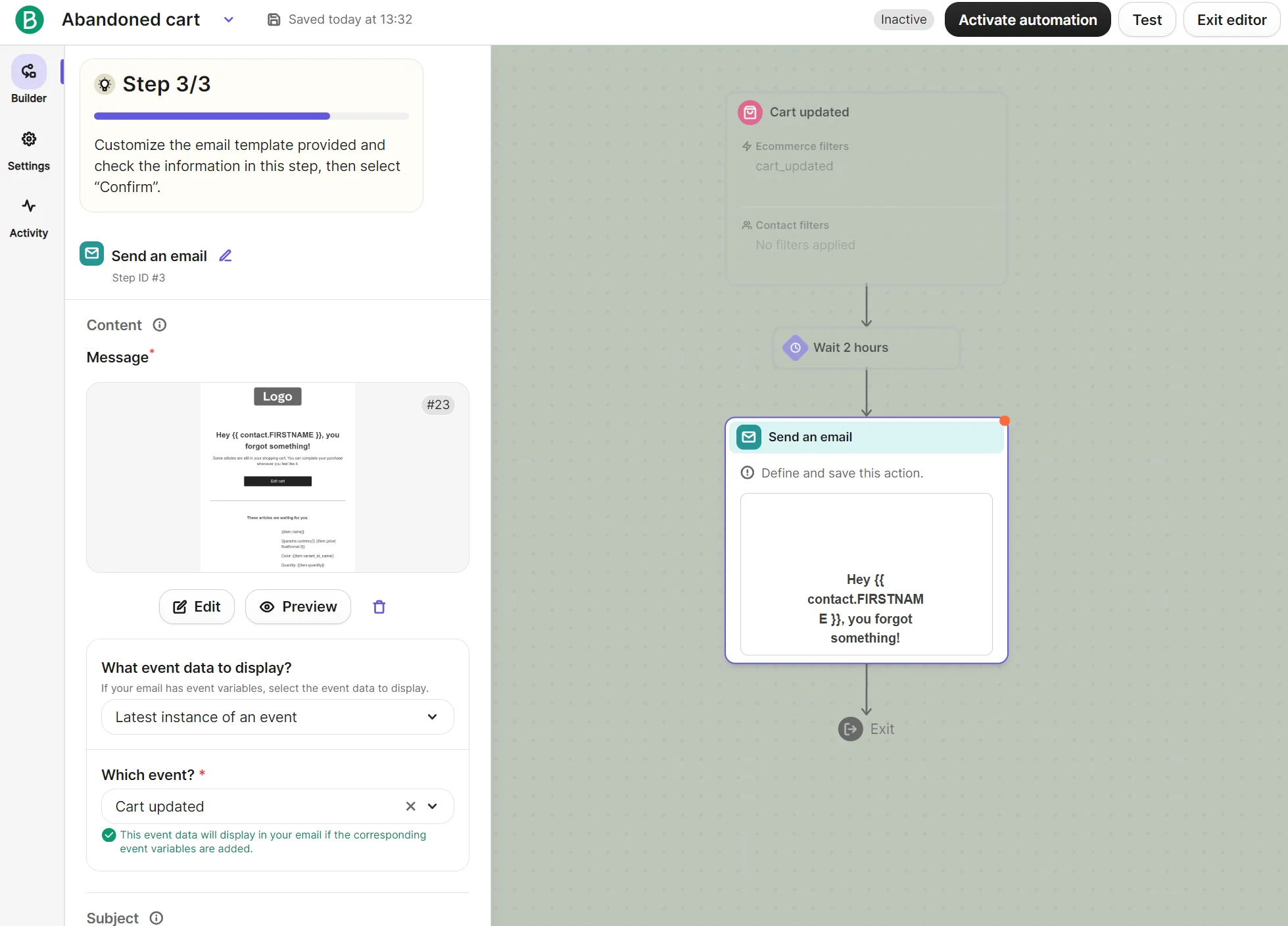
Instead of just “automations,” ConvertKit calls them visual automations. Its library of 60+ pre-built templates outnumbers Brevo’s, but it’s spread across Shopify, Thinkific, Calendly, and Typeform. Creating from scratch is another option.
The entry points for automations created from scratch include “joins a form,” “tag is added,” “custom field,” and “product purchased.” Alternatively, you can select to use an app as an entry point.
All pre-built automations in ConvertKit have a set entry point, delay, and sequence in place, with each element’s settings adjustable by clicking it.
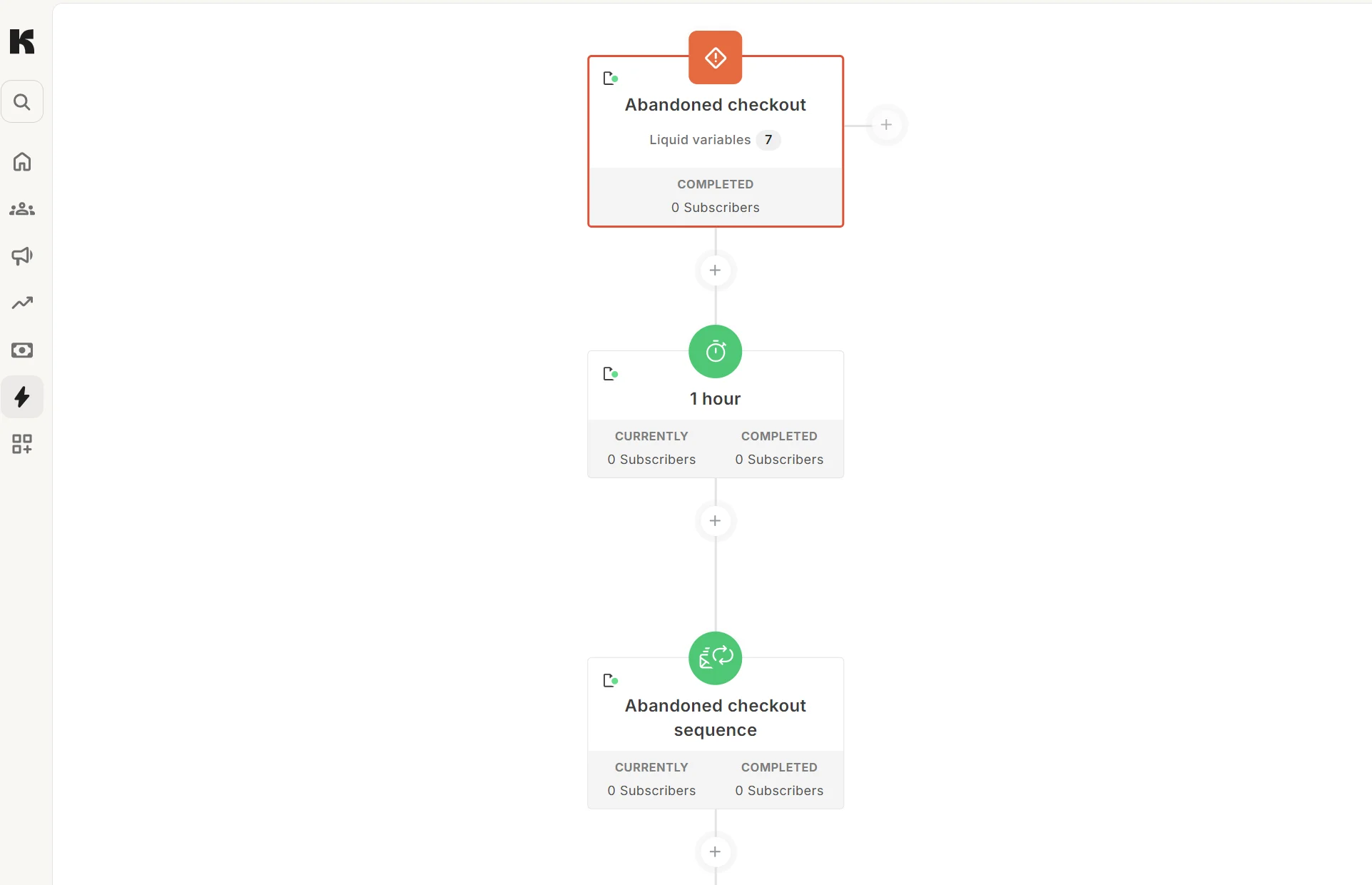
The best feature in the automation builder is the side-loading email editor; you don’t have to load a new tab to edit the email. You can amend the design alongside the automation builder to complete it much faster than in tools that send you to another screen.
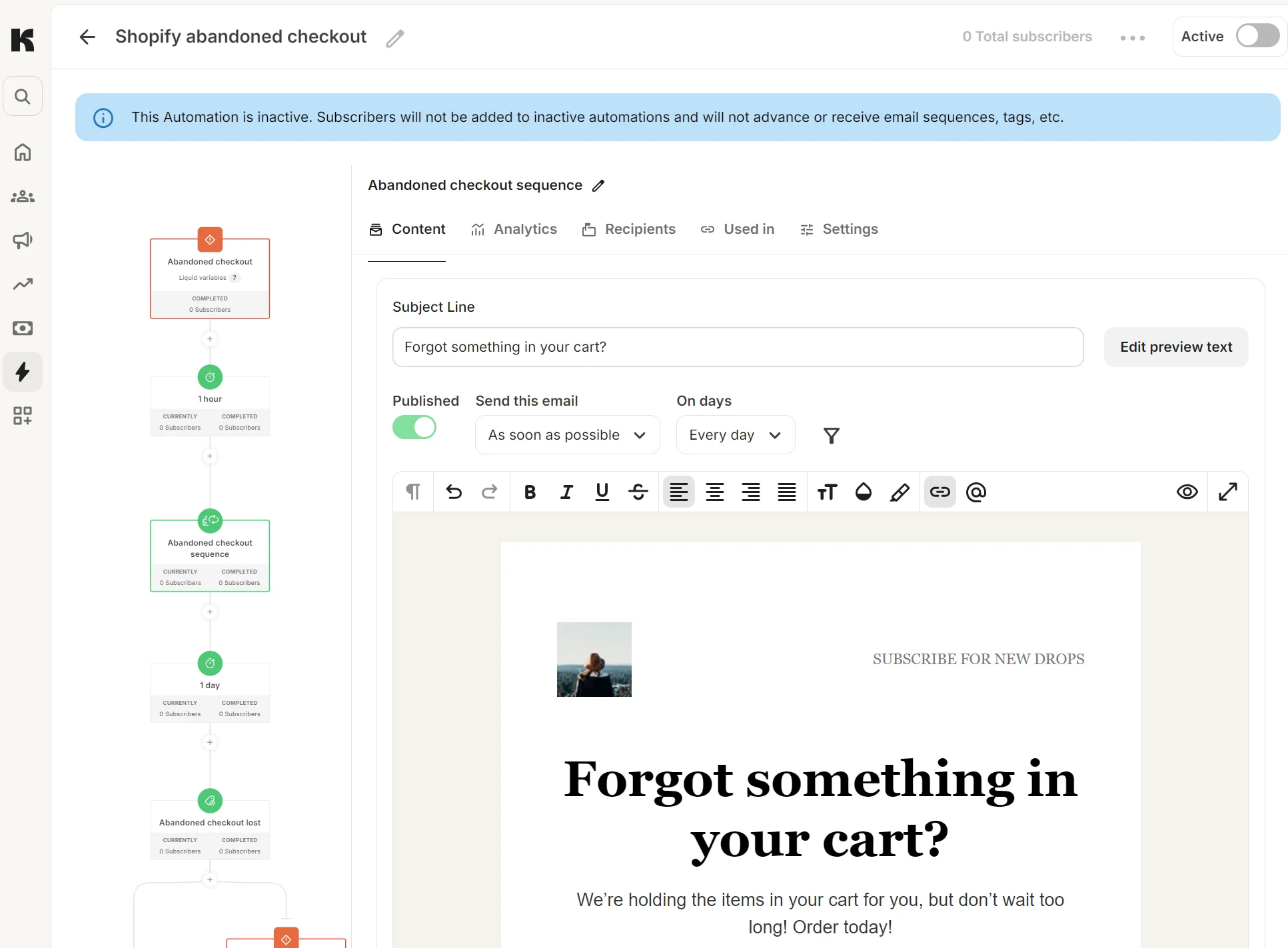
ConvertKit’s automations use tags, form sign-ups, and purchases as triggers, and cap you at five entry points per automation.
Additional reading
Email marketing automation strategy: Complete guide (2026)
Does ConvertKit or Brevo have a built-in CRM?
Brevo has a CRM; ConvertKit doesn’t. That makes Brevo better for complex sales cycles. ConvertKit has only subscriber management features.
All Brevo plans include a sales package called Sales Free, or you can purchase one of two add-ons for additional sales and CRM features.
| Package | Cost | What it has |
|---|---|---|
| Sales Free | $0/month | 50 open deals, automated meeting scheduling, revenue reports, forecasting |
| Sales Essentials | $31/month; additional seats are $31/month each | Unlimited open deals, sales workflows, task navigator, AI contact and company enrichment |
| Sales Advanced | $65/month; additional seats are $65/month each | VoIP, multiple currencies, outreach sequences, 1:1 SMS, round-robin scheduling |
Accurate as of September 2026.
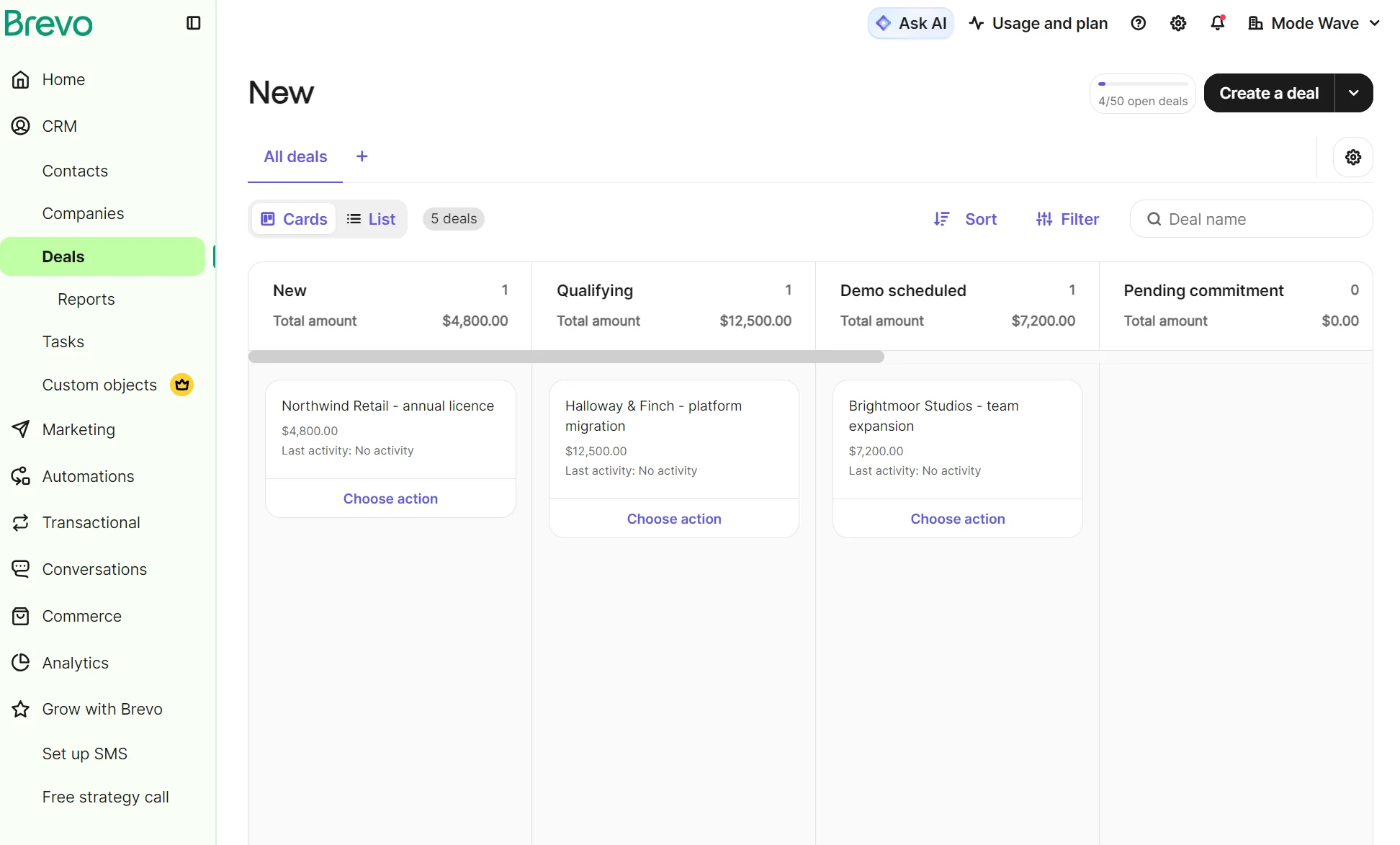
The Deals dashboard is where you can find new, qualifying, won, and lost customers, and each stage can contain multiple customers.
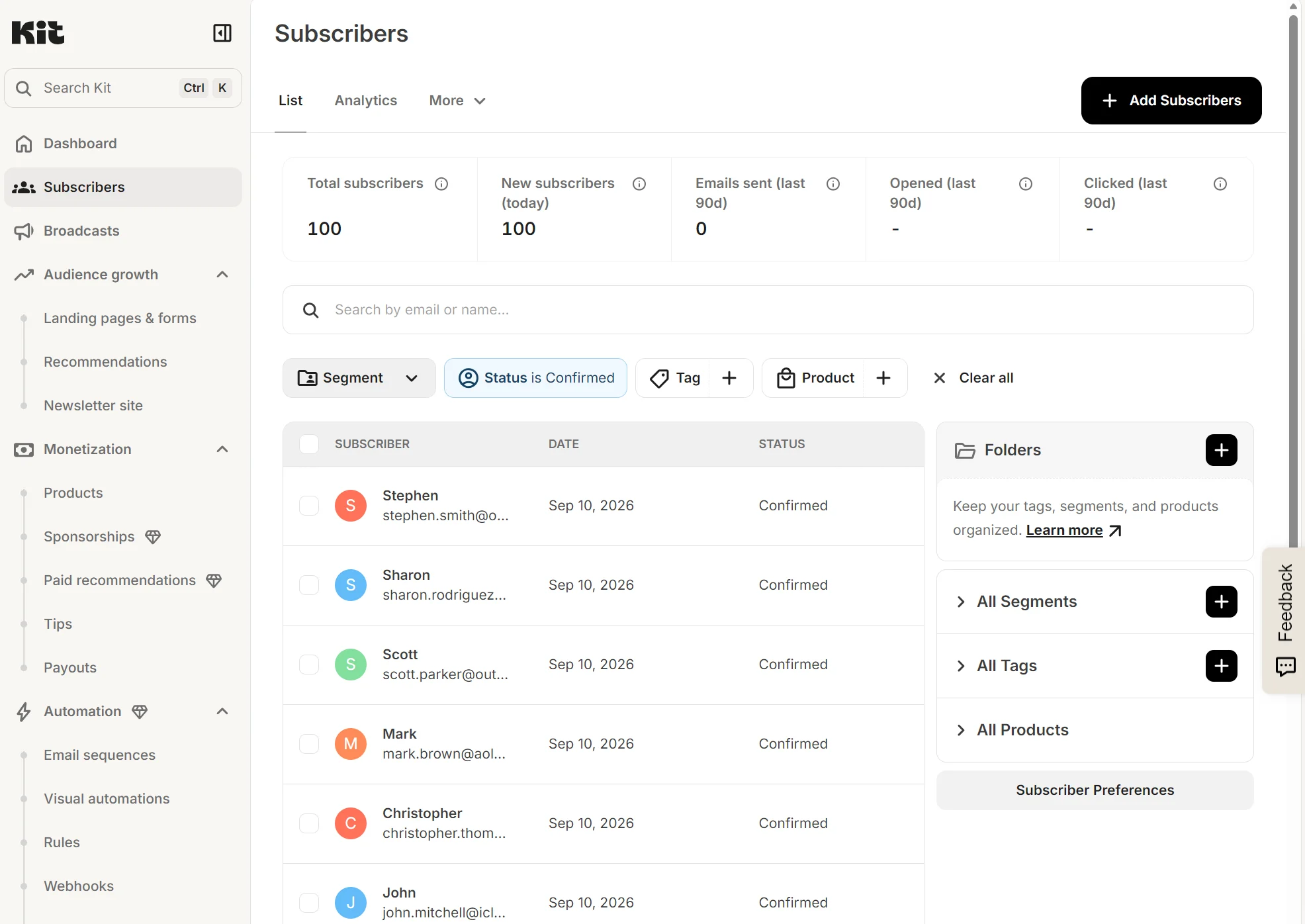
Meanwhile, Kit doesn’t offer a CRM. You may check subscribers in the dashboard and filter the data associated to their profiles.
Integrations and ecosystem: ConvertKit vs. Brevo
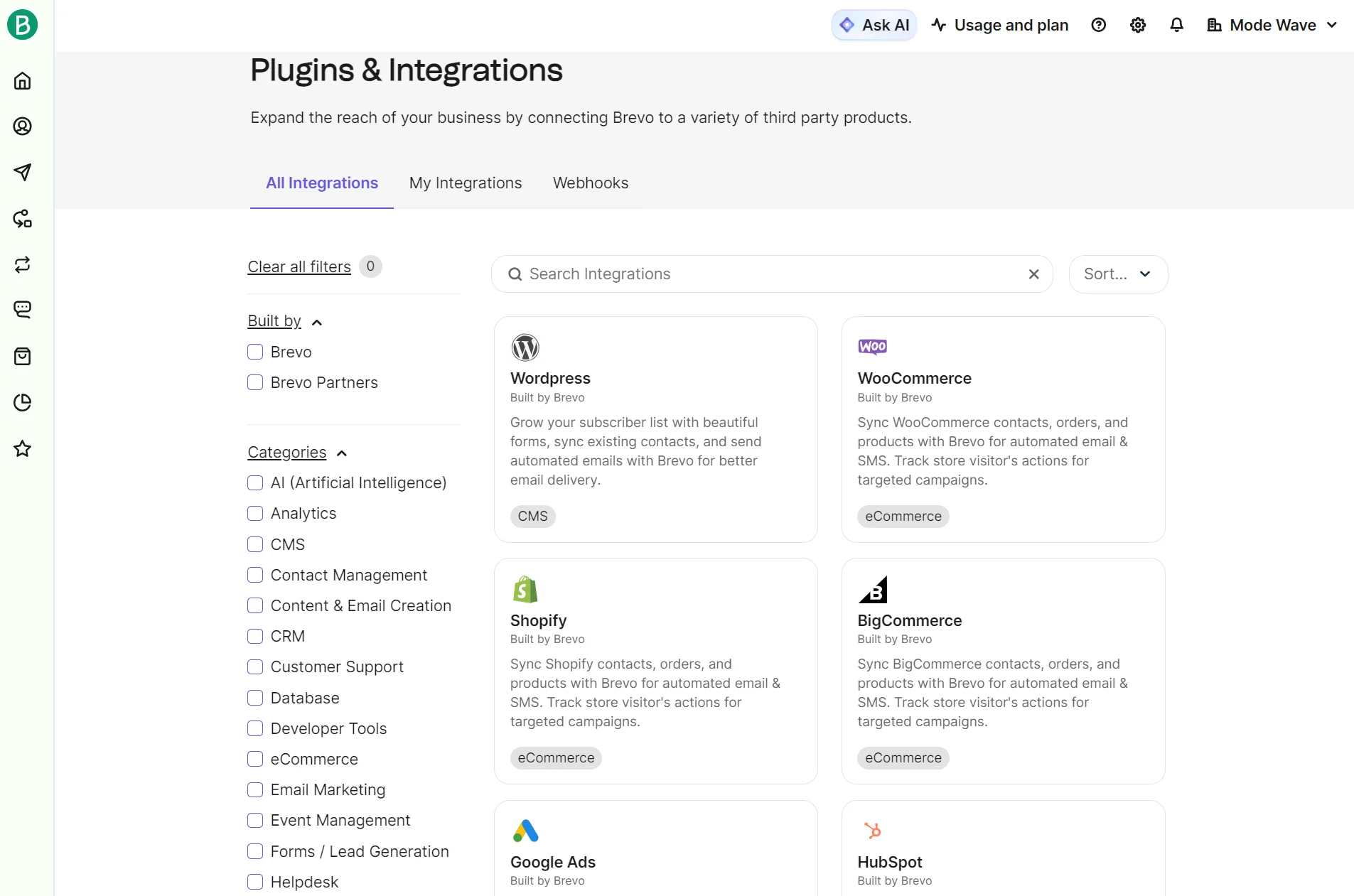
Brevo integrates with more of the apps that general businesses and stores use; ConvertKit has more creative integrations. The count is in favor of Brevo at 140+ vs. 100+.
Both ConvertKit and Brevo cover integrations for Shopify, WooCommerce, WordPress, and Wix to sync your contacts and orders. Brevo dominates other important categories in terms of count: 24 apps in Analytics versus 11 in ConvertKit, for instance.
Brevo has notably more CRM apps: HubSpot, Zoho, and Salesforce are all available, but not in ConvertKit. ConvertKit’s value lies in creative integrations, such as with GIPHY and TeachKit.
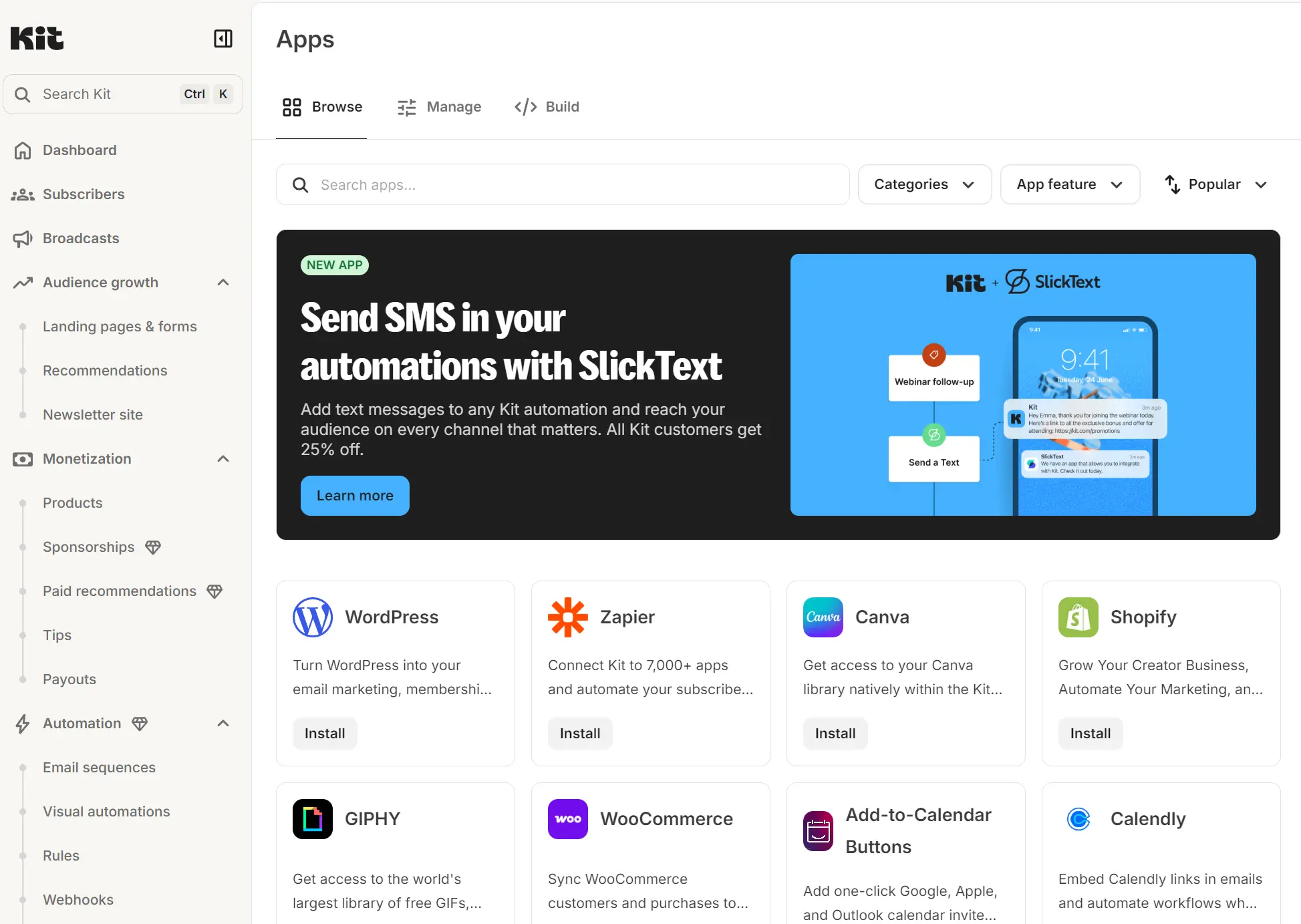
Both connect to Zapier, which further connects them to thousands of apps. The apps on both platforms are a combination of third-party and self-developed.
SMS and multichannel marketing: which platform covers more?
Brevo includes SMS and MMS in all plans. ConvertKit advertises SMS marketing from the Creator plan, but in reality, SMS requires the SlickText integration with a separate paid subscription.
Standalone campaigns and multichannel automations are supported in Brevo for both promotional and transactional SMS. Credits are prepaid and roll over without expiring, although they aren’t refundable.
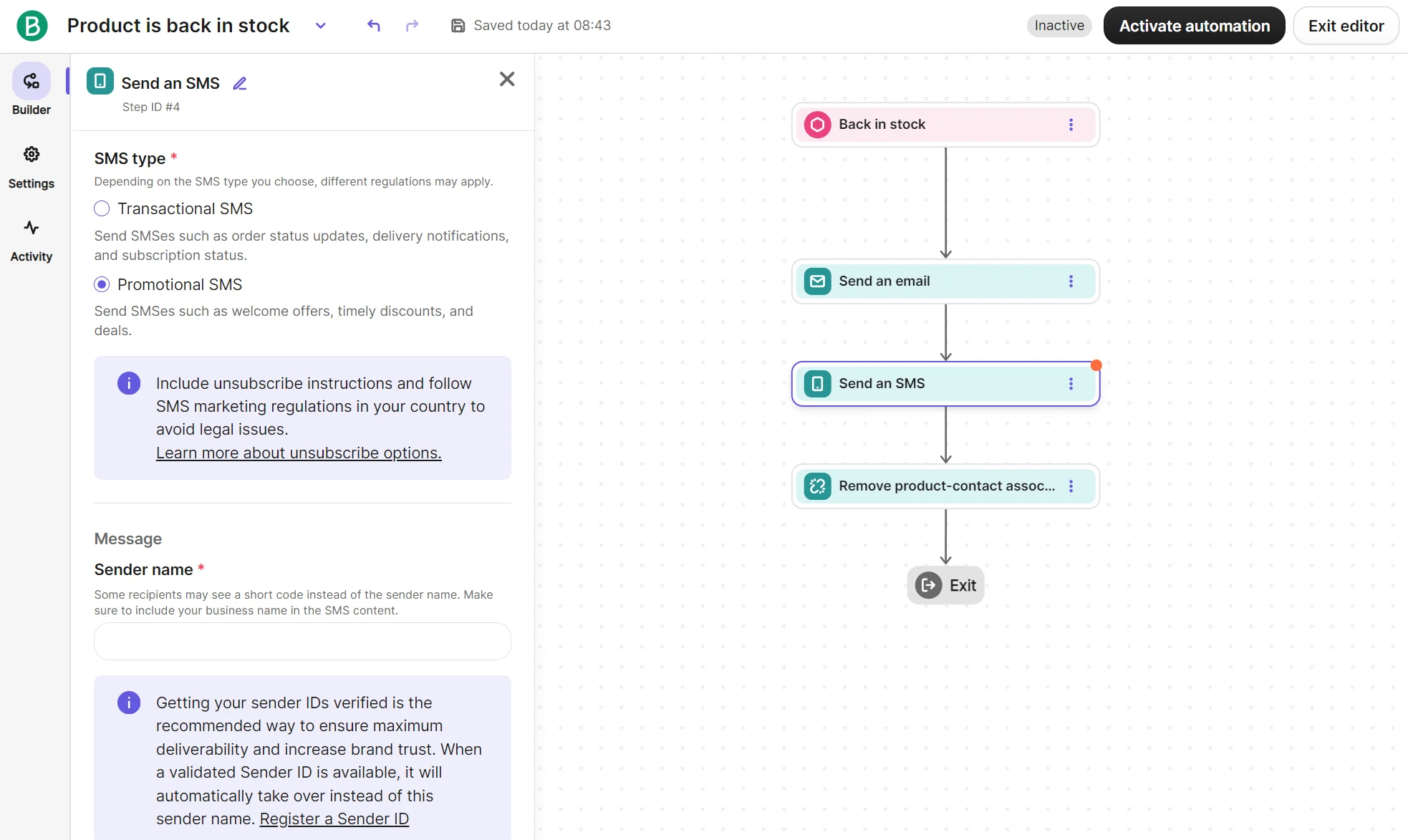
Web push notifications are also available on the Starter plan, with mobile push and WhatsApp available as channels on Professional.
Email is the only native channel in ConvertKit. SMS is supported via SlickText and requires both a paid plan with that vendor and a paid plan in ConvertKit. SlickText can send SMS/MMS from Visual Automations and sync contacts with ConvertKit.
SMS coverage in Brevo stands at 180+ countries; due to its reliance on SlickText, ConvertKit only supports SMS in the United States and Canada.
All of that means Brevo is the only tool to consider when multichannel reach is important to your business. ConvertKit’s email-only focus is a byproduct of being newsletter-first for creators and small businesses selling digital products.
Creator monetization tools: does Brevo have anything like ConvertKit’s?
No, Brevo has no content monetization tools like ConvertKit. Only ConvertKit has built-in features to sell newsletters, digital products, subscriptions, and earn from virtual tip jars and recommendations.
ConvertKit’s monetization tools differ by plan. You can sell your own content in all plans, and get paid to recommend others in the Creator and Pro plans.
The Paid Recommendations platform is a way to earn additional revenue from your newsletters. Plus, you can sign up for newsletter sponsorships and run ads.
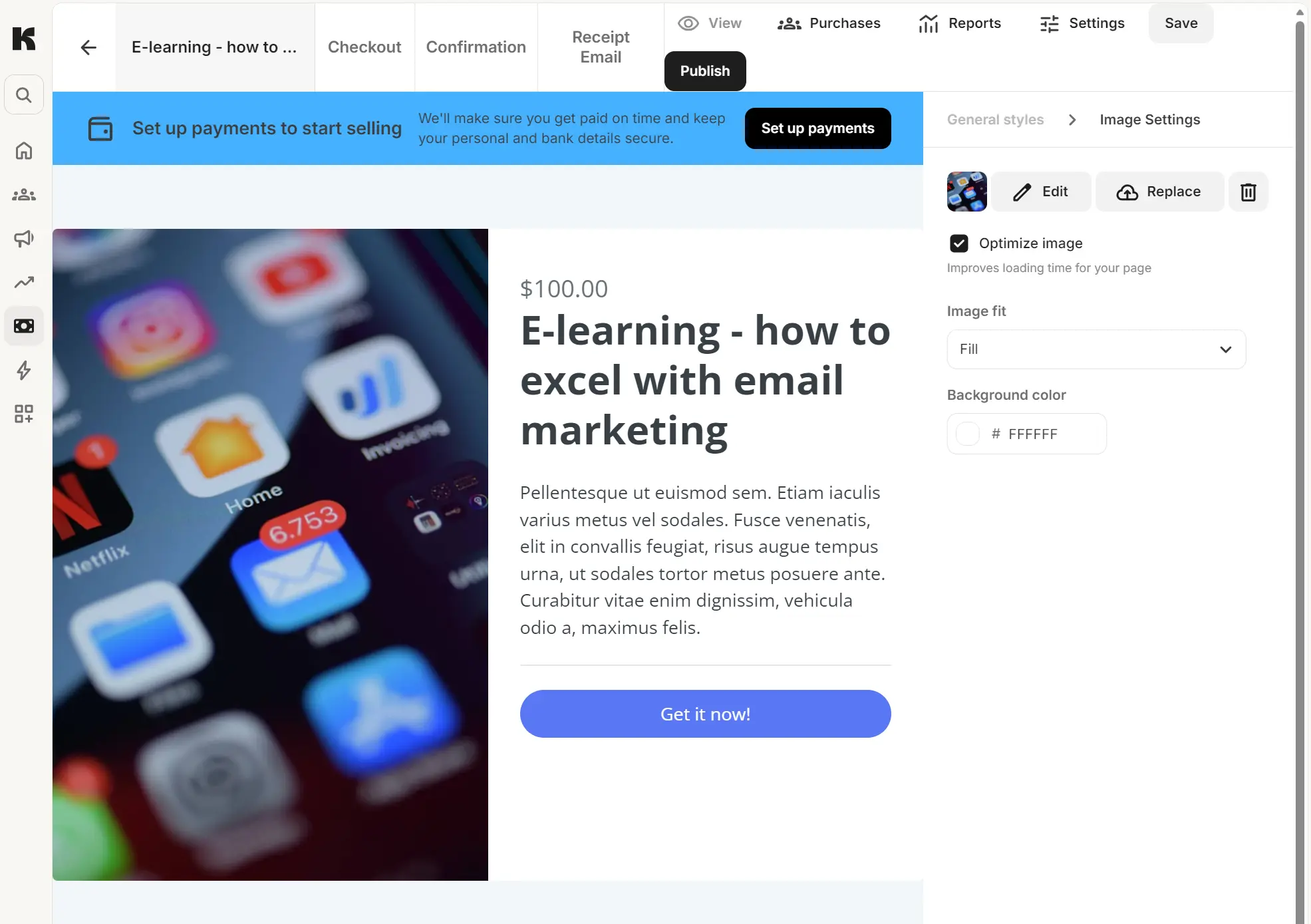
Selling digital products is what most ConvertKit users sign up for. We built an e-learning course in the product builder in four steps, and it took only 58 seconds to complete.
Selling, of course, has fees. The base ConvertKit plan you pay for sits separately from a 3.5% + $0.30 transaction fee per sale, and a Paid Recommendations fee of 23.5%.
ConvertKit vs. Brevo: email deliverability and delivery rate
ConvertKit says it has a 99.8% delivery rate; Brevo claims 99% for transactional emails. The reality is: both authenticate your domain and provide the infrastructure to place your emails in inboxes. Brevo has better deliverability reports.
The Deliverability Center in Brevo is available in all plans. It scores your deliverability using data on open rate, click rate, bounces, and other metrics. ConvertKit doesn’t have a comparable deliverability score feature.
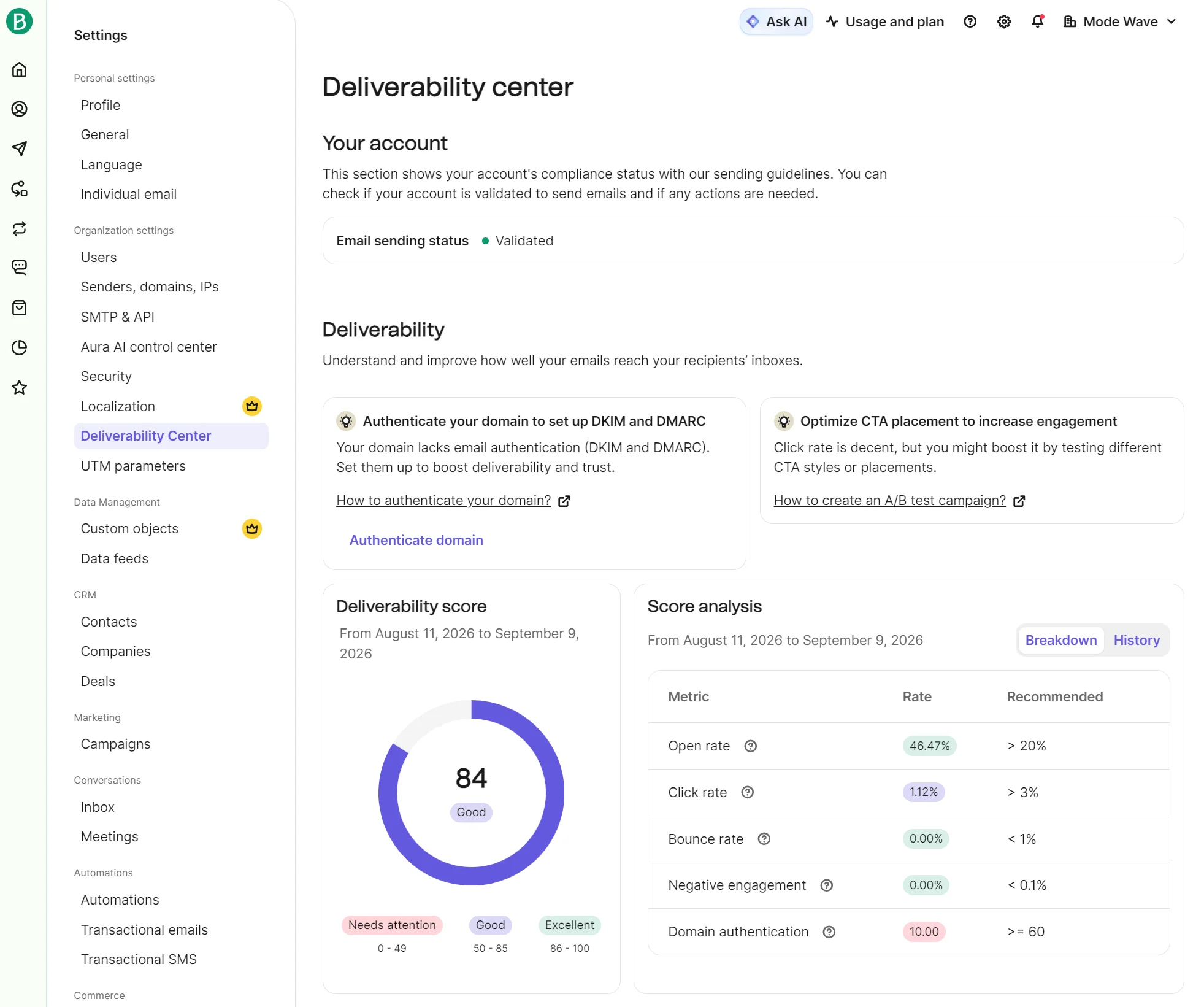
Professional plans in Brevo have pre-built analytics dashboards, including a deliverability dashboard with a delivery rate for all your sent emails.
The approach to deliverability is different in ConvertKit. Free and Creator plans have subscriber-level statuses for bounced, blocked, complained, and other statuses, located in the List menu in Subscribers. It’s particularly helpful for resolving infrequent deliverability issues.
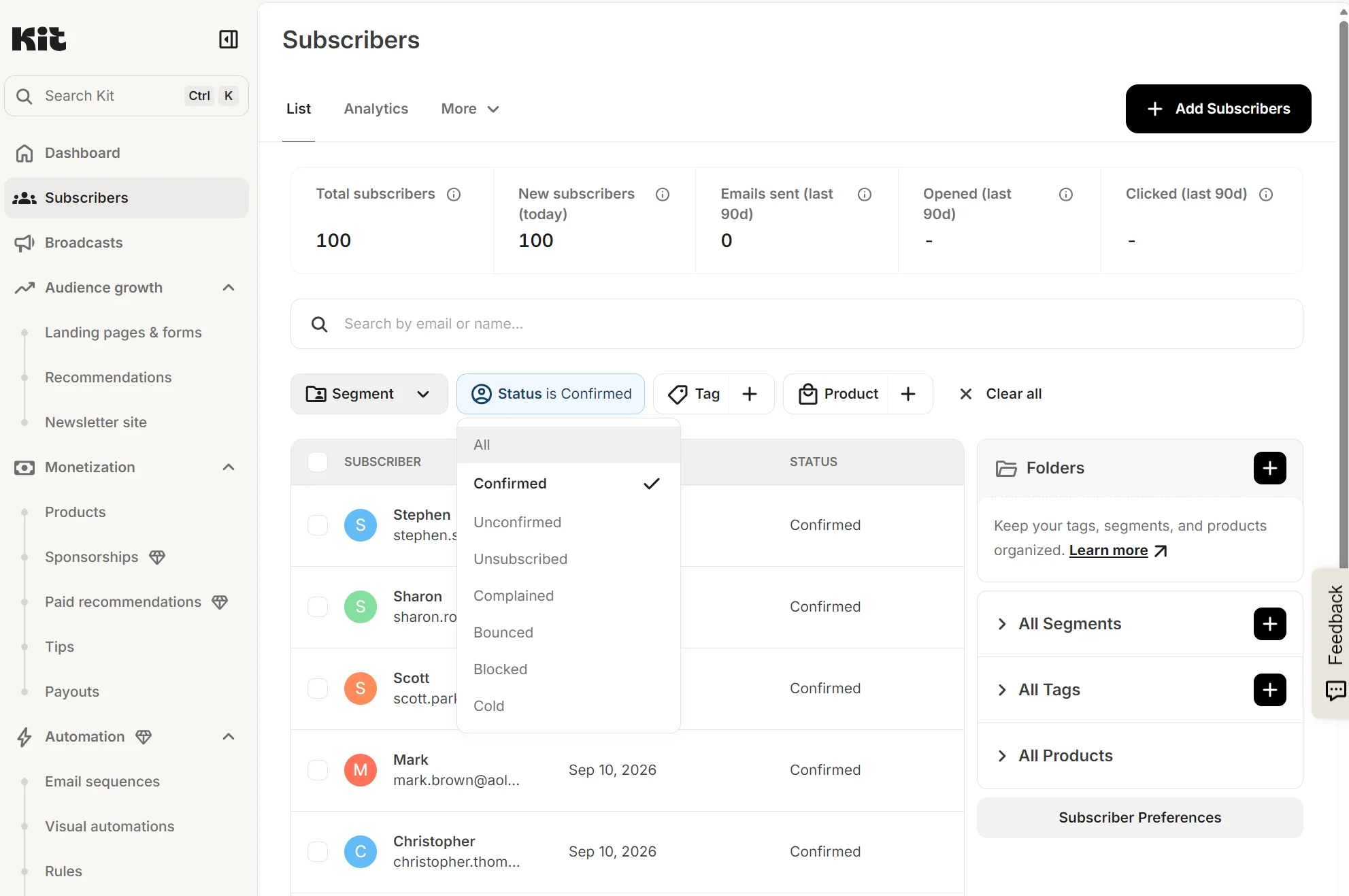
There isn’t a dedicated deliverability report unless you’re on the Pro plan. With that plan, you can see open and click rate trends for broadcasts and sequences and filter by email service provider (ESP) or by subscriber segment to troubleshoot engagement declines.
ConvertKit vs. Brevo in practice: a look at daily workflow
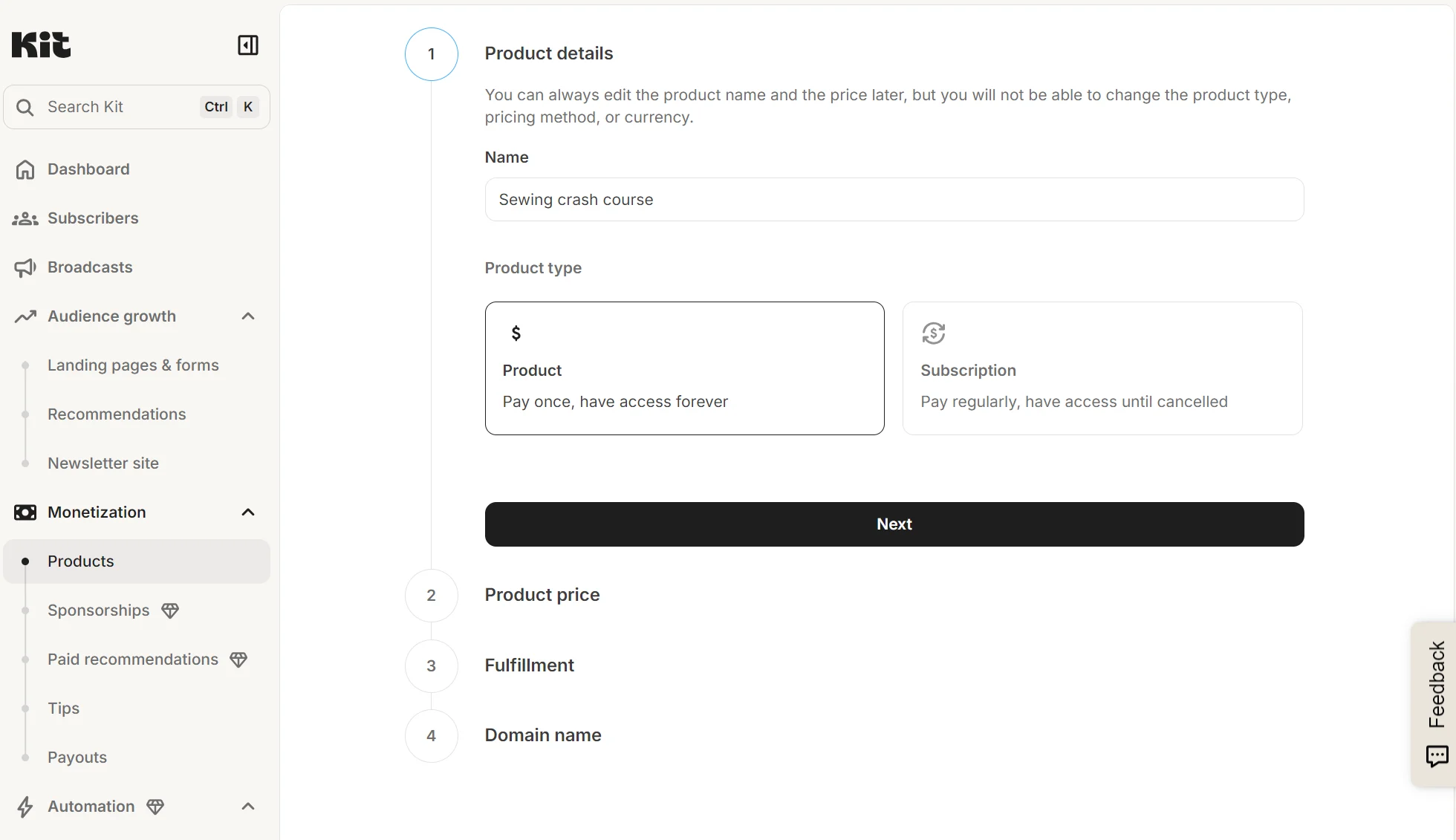
Product builds in ConvertKit are manual but not time-intensive. It takes less than two minutes to go through the four steps of setting up product information and the domain. Then you can start editing all the pages your customers will see while browsing.
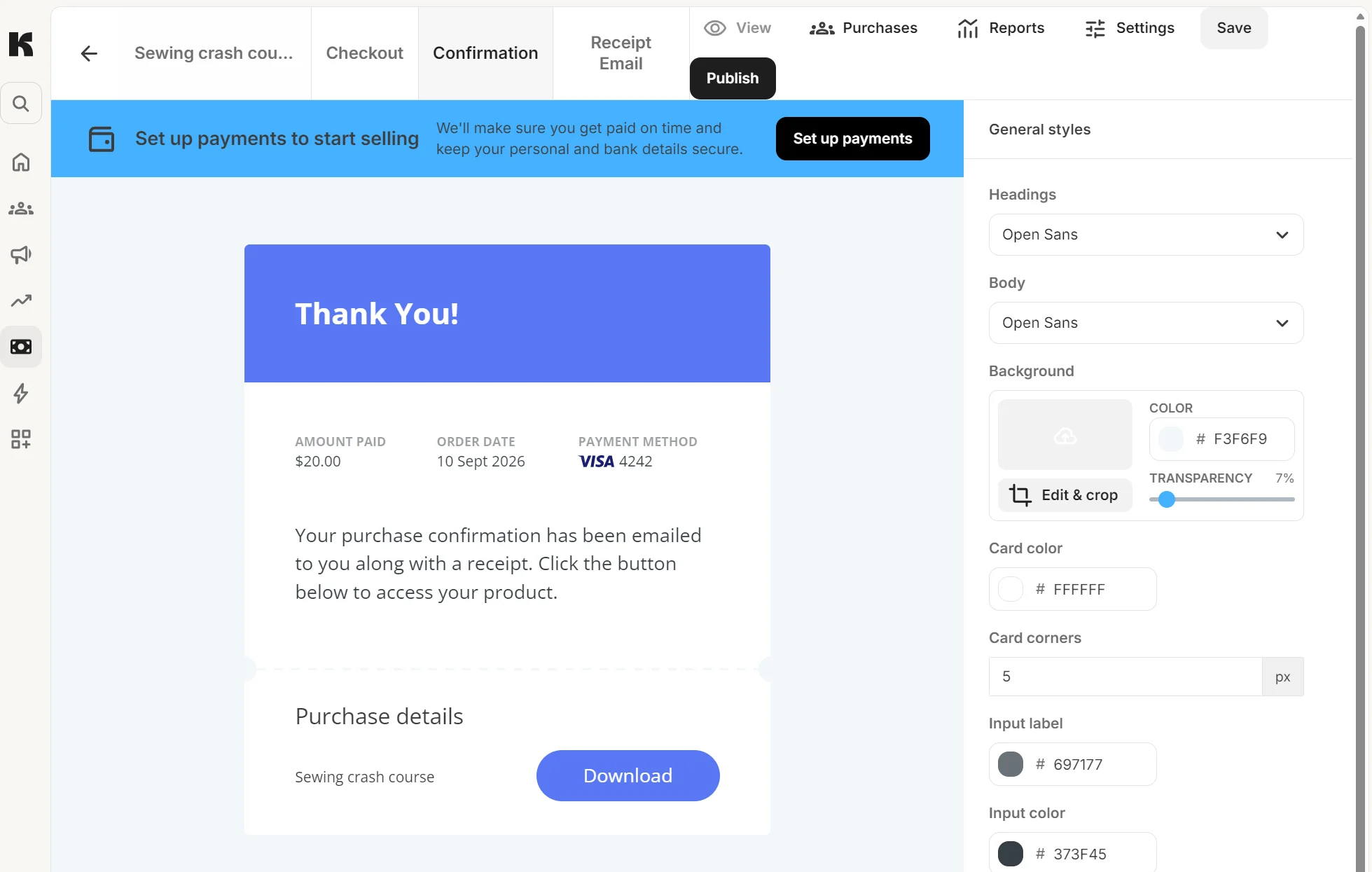
The product page editor has tabs for checkout, confirmation, and receipt email, each accessible at the top.
Building a broadcast for email marketing in ConvertKit is made easier with pre-built templates, which provide a starting point inside the drag-and-drop editor.
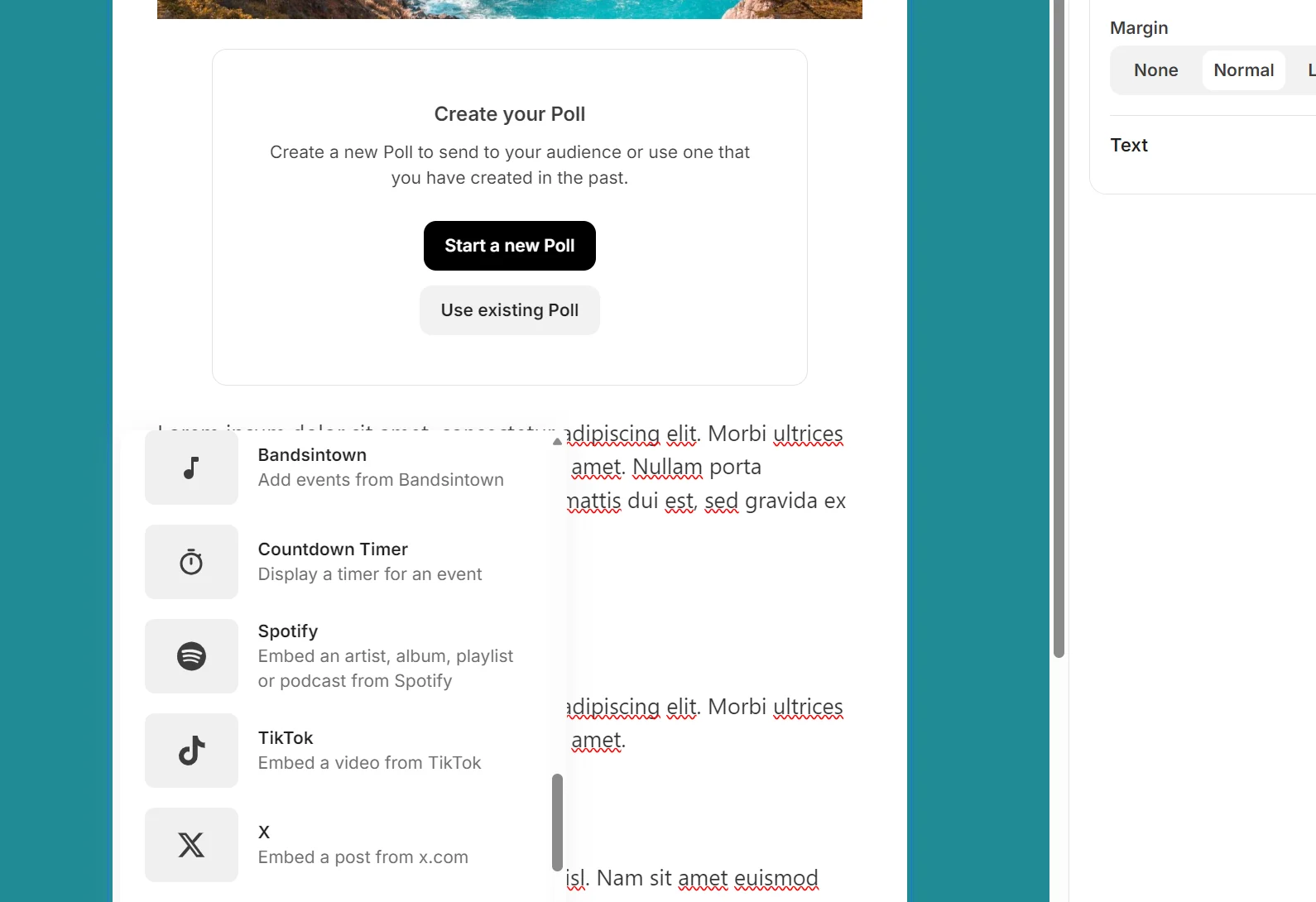
The editor has native countdown timer and poll blocks, plus 8+ more. You can drag them or any other block in, and then select Save as template. This saves it to your library and makes future broadcasts quicker to launch.
In Brevo, emails can be standalone or part of an A/B test, but most of the time you’ll send a one-off email without any testing. Name the campaign, and there are then four steps, one of which is design, which you can do with pre-built templates.
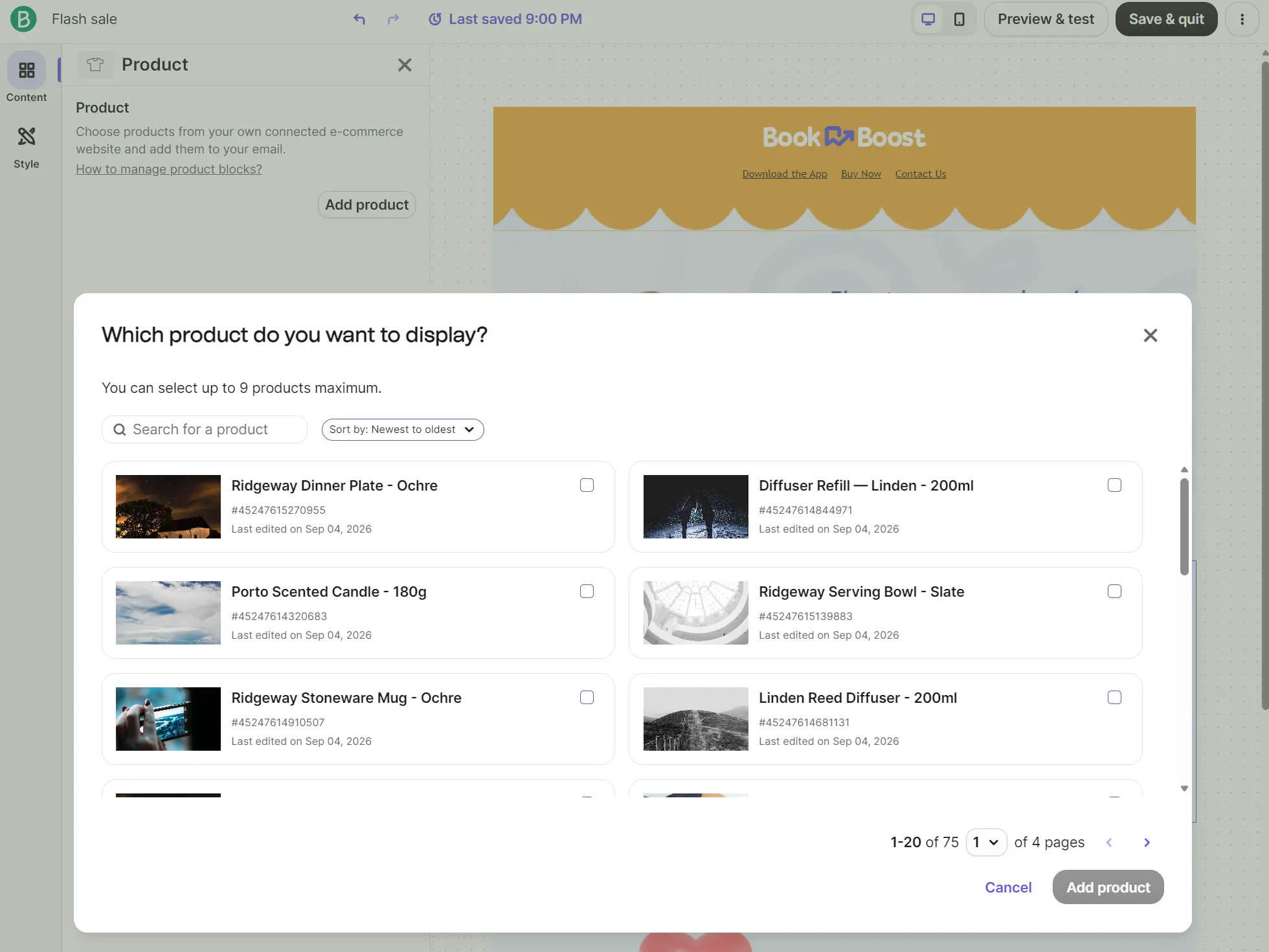
Brevo’s email editor has 13 blocks. A product block feeds products into your template, provided your ecommerce store is connected. You can save emails as templates and reuse them.
Those who are handling deals and sales will be using Brevo’s CRM daily. Conveniently, adding a new deal gives you the option to create a task.
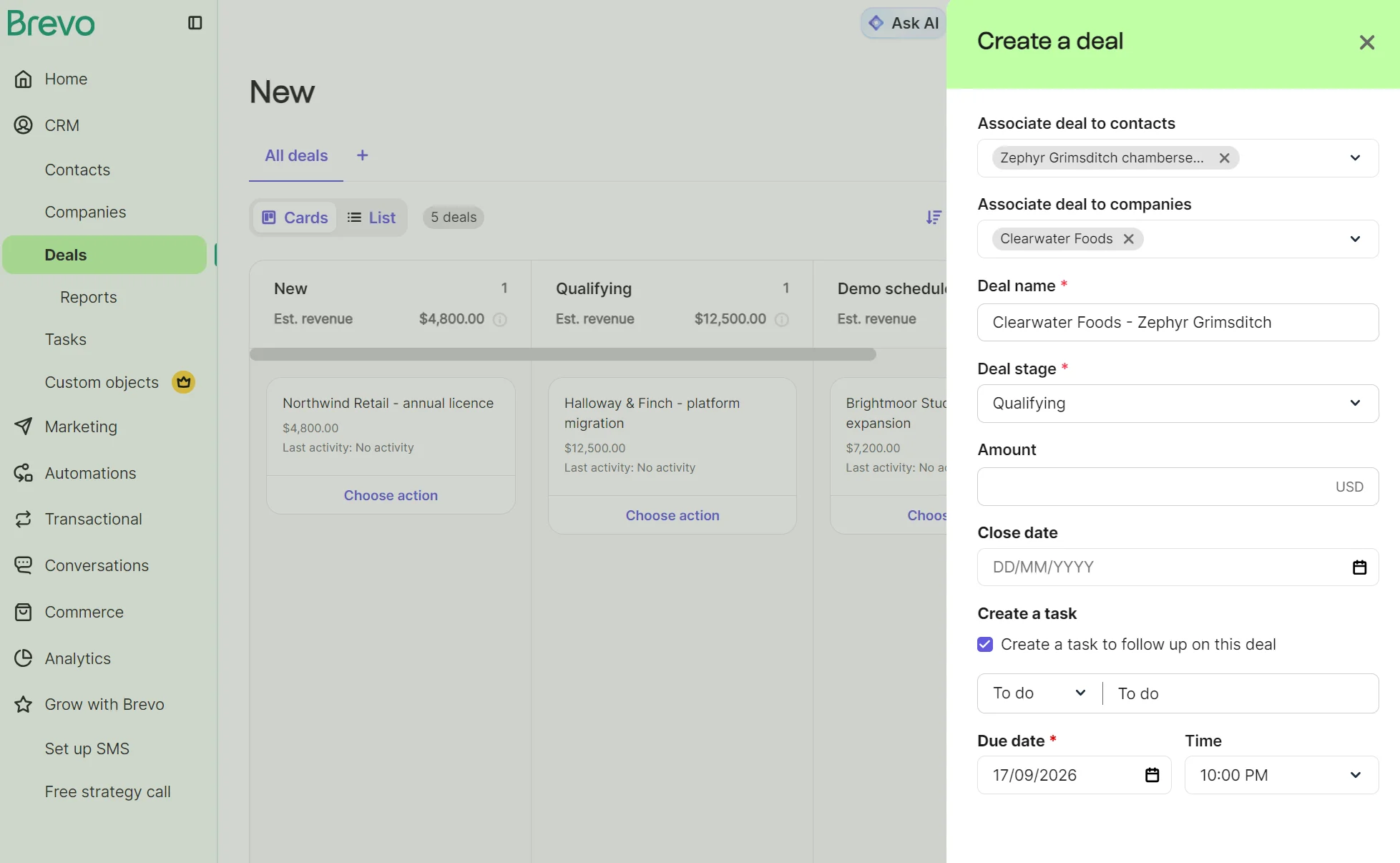
The contacts in your pipeline have profiles you can view to see their current stage and recent history, with upcoming activities linked to tasks.
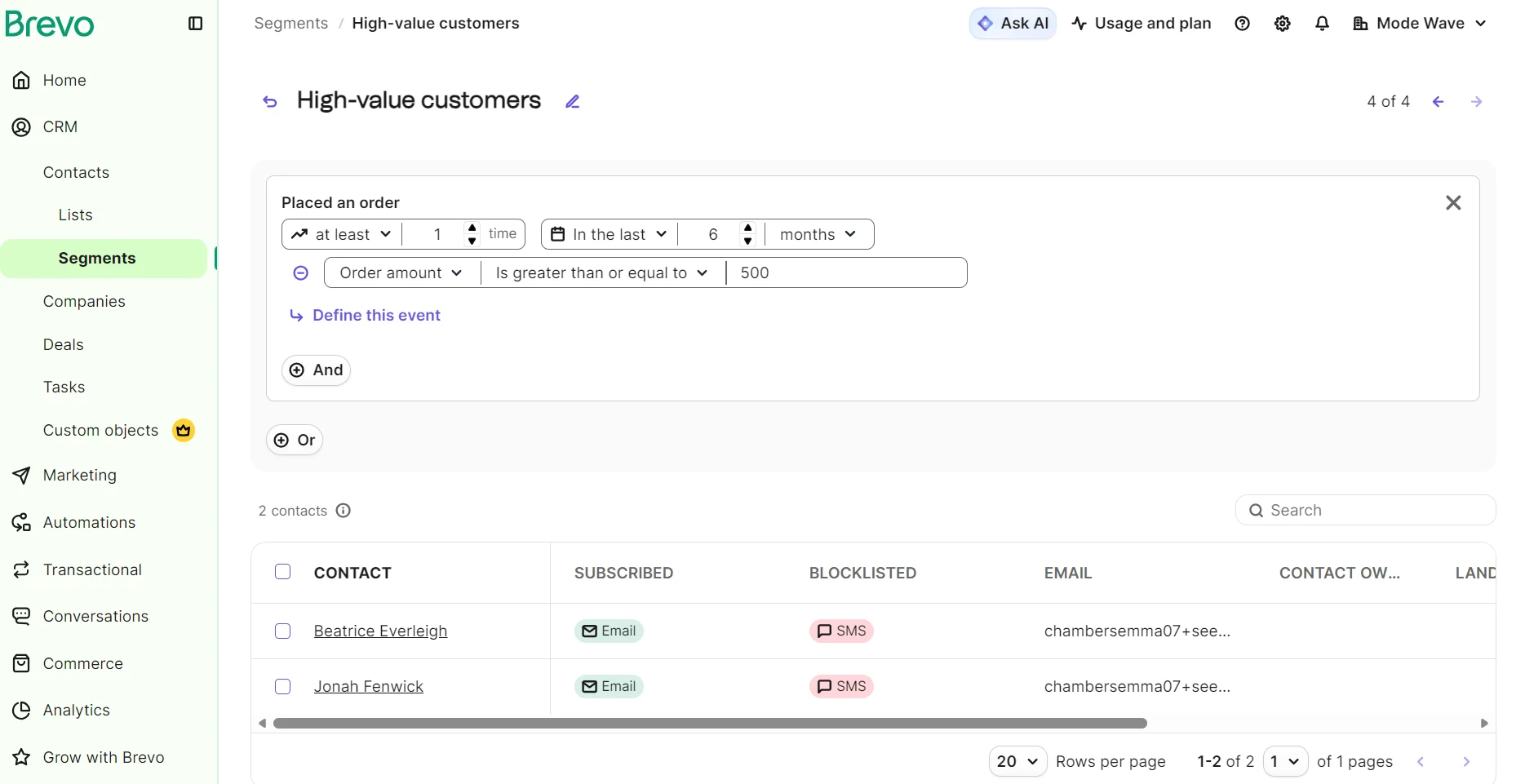
Creating a segment in Brevo requires navigating to CRM > Segments and selecting Create a segment to access the template library. Each template has events preconfigured and allows additional AND/OR logic for attributes and events.
Kit’s segment build doesn’t include templates. Each is created manually in Subscribers by clicking the + symbol next to All Segments. You can then select your subscribers and add filters, such as Subscribed to and Within a country or region.
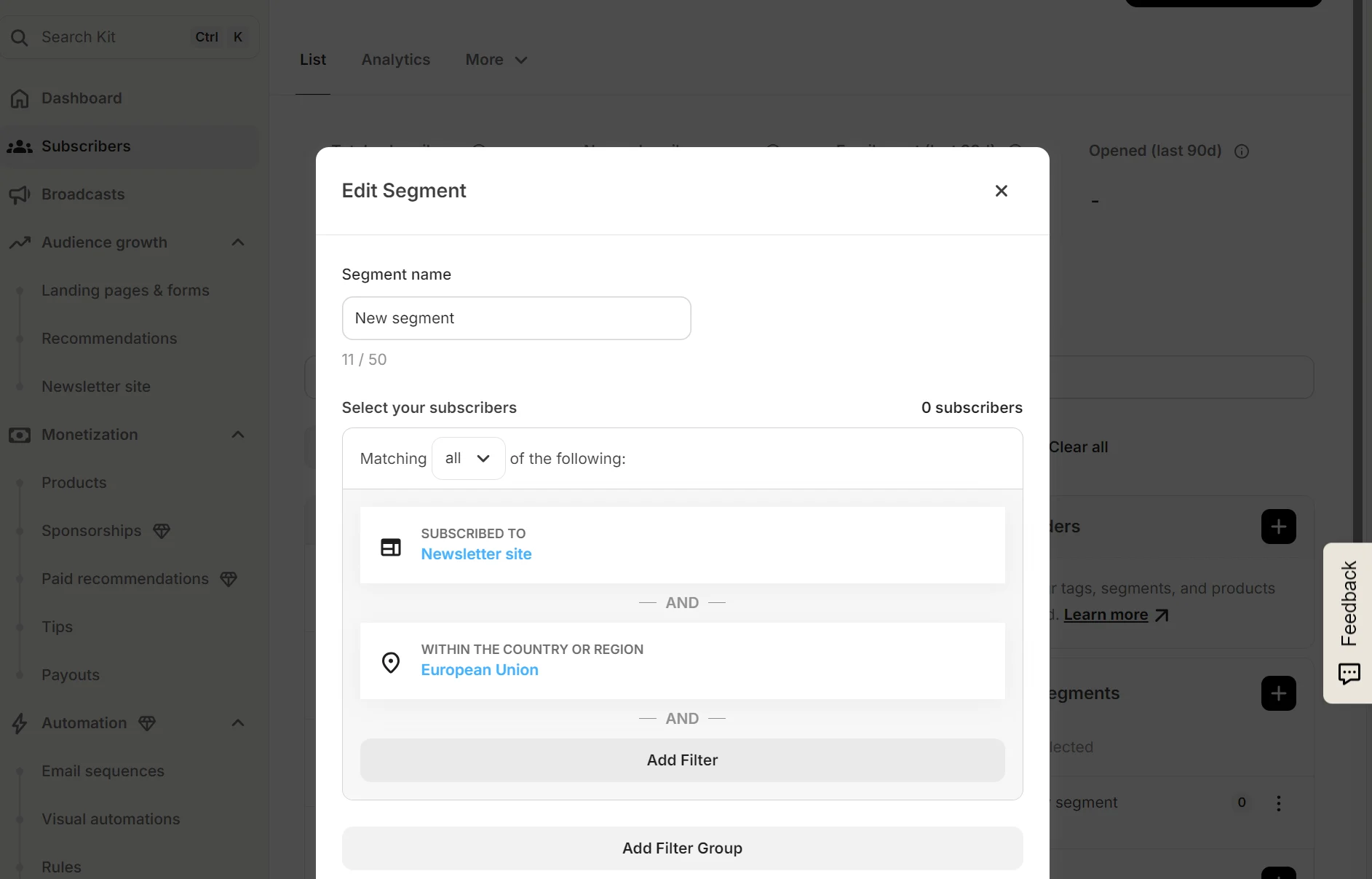
You can monitor segments in Kit and Brevo; Brevo lets you select a segment on the Segments screen to view subscribers and edit the conditions. Kit lets you edit conditions in a pop-up on the Subscribers dashboard.
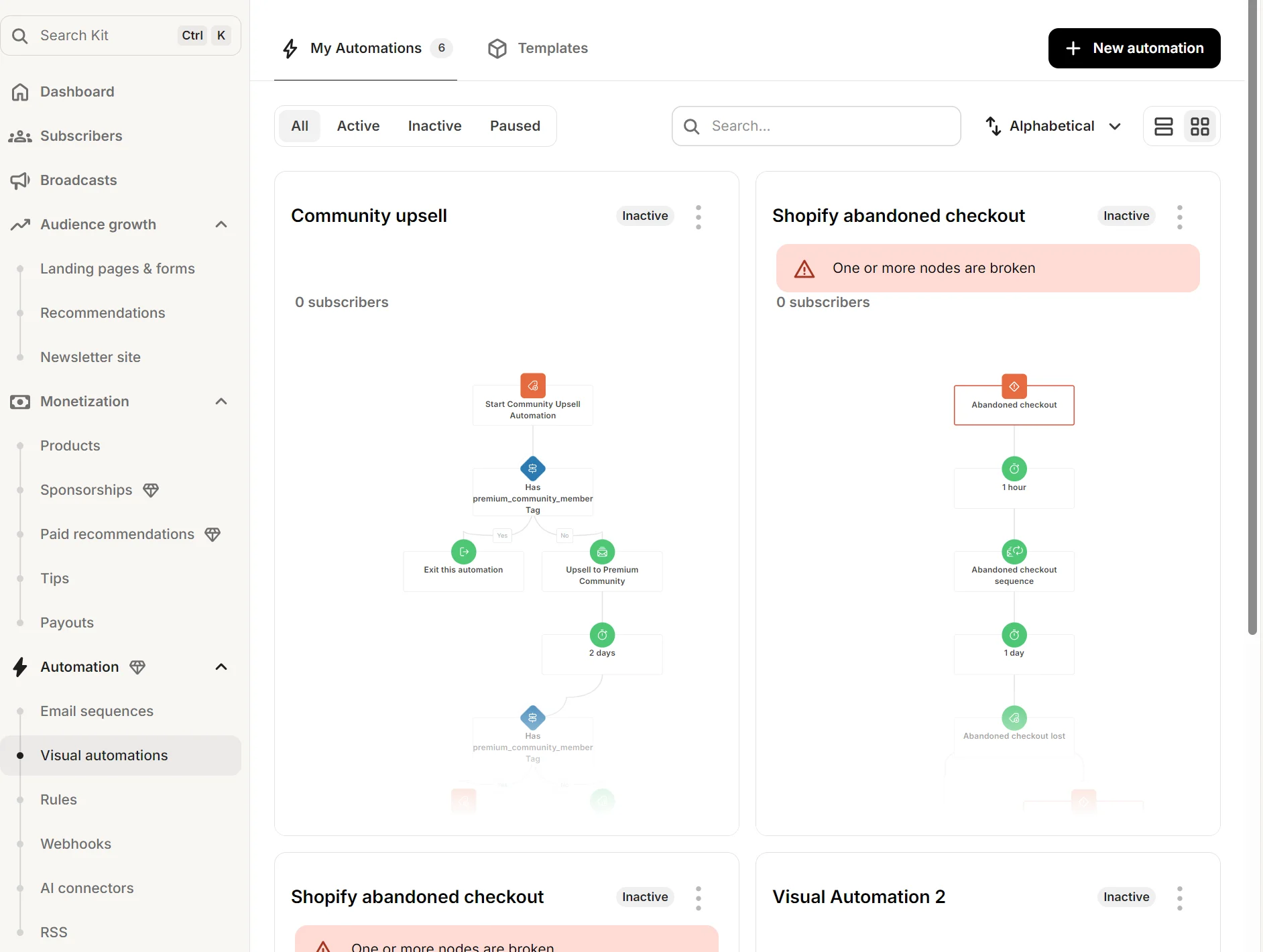
Another daily task you’ll perform is managing automations. Kit’s Visual automatons dashboard provides an image view showing the flows with a color-coded alert for issues. Clicking any image loads the canvas to edit the automation.
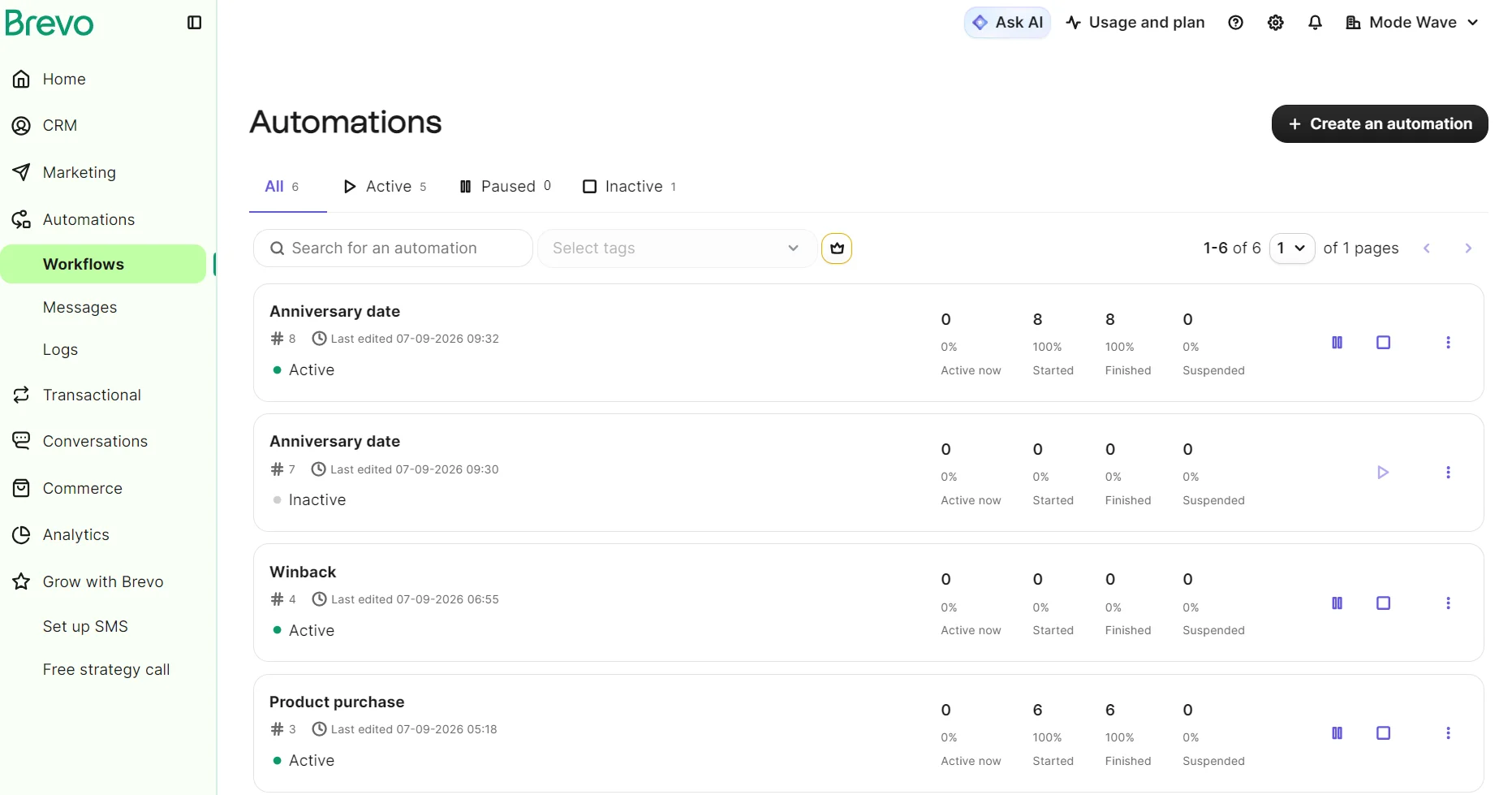
Brevo’s Workflows dashboard doesn’t have a visual equivalent to Kit’s. Instead, it lists your automations and provides metrics for active now, started, finished, and suspended. Clicking on any of their names opens the canvas to edit the automation.
Which is better, ConvertKit or Brevo?
If you have a large list and need to store it cheaply, Brevo
Brevo Free stores 100,000 contacts. The $32/month Starter plan stores 500,000. ConvertKit would cost over $2,000/month at that quota.
If you sell digital products and subscriptions, ConvertKit
Brevo has no monetization features whatsoever. ConvertKit is your only pick of the two for paid newsletters and selling digital products in your marketing tool.
If you have a Shopify or WooCommerce store, Brevo
Brevo’s automations cover more ecommerce scenarios such as back-in-stock alerts, and the trigger depth extends into its CRM.
If you send lots of emails per contact, ConvertKit
Brevo can’t compete with ConvertKit’s unlimited emails. All ConvertKit plans have no limit on monthly sends.
Considering other alternatives?
10 best Brevo alternatives
The 6 best Kit (ConvertKit) alternatives
Omnisend vs. Brevo (Sendinblue) 2026
Is there a better alternative to ConvertKit and Brevo?
Omnisend is an ecommerce-first ConvertKit and Brevo alternative for marketers wanting one omnichannel tool to maximize revenue and retention. It supports email, SMS, and web push notifications in one flow.
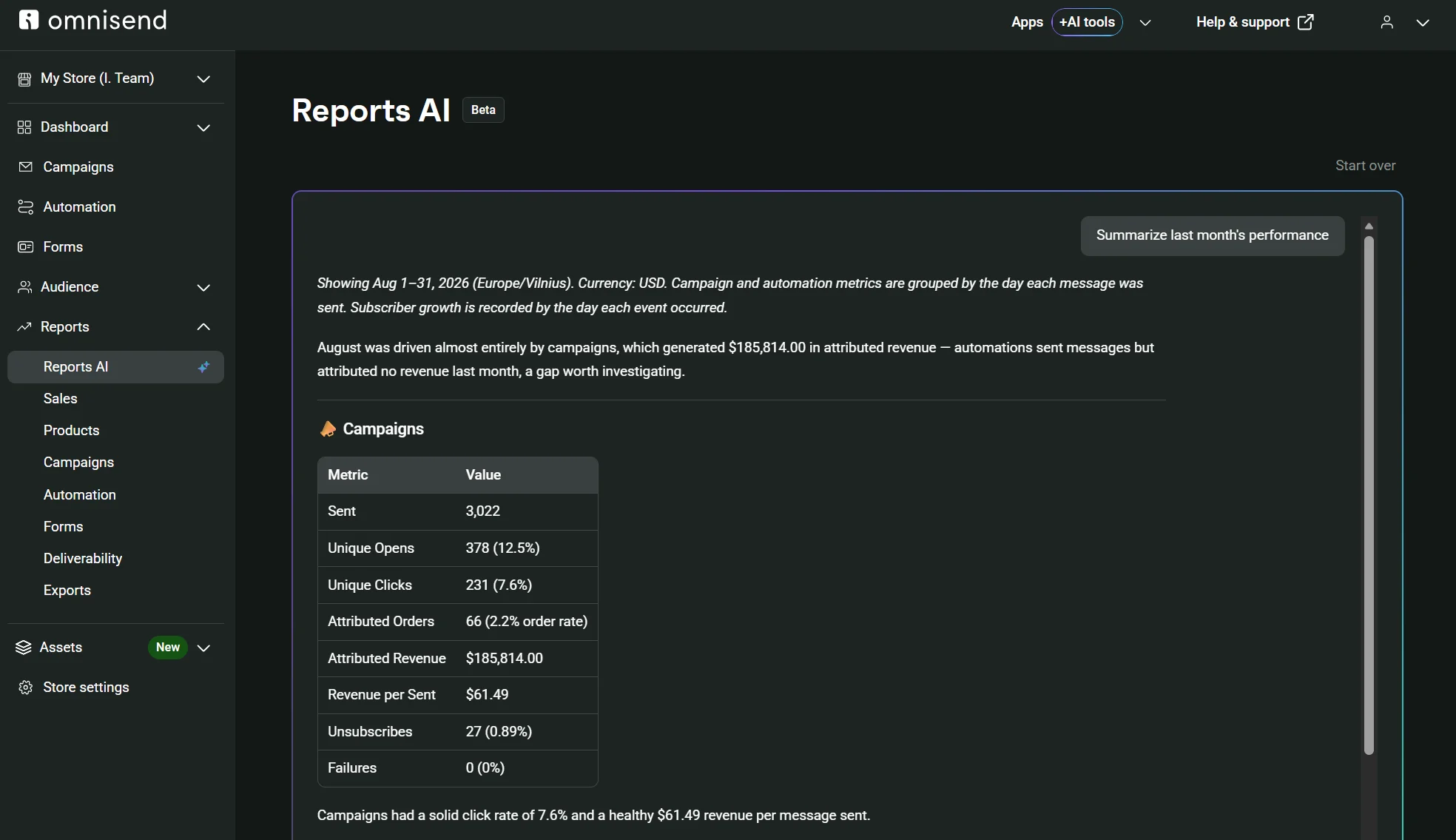
All plans have a customer breakdown with AI lifecycle stage maps and recommended retention tactics. Its Reports AI feature (paid plans) can summarize performance, pull statistics without you searching for them, and break down data by individual workflow.
Contact-based pricing starts at $16/month for 500 contacts and 6,000 emails in the Standard plan, or $59/month for 2,500 contacts and unlimited emails in the Pro plan.
| What a store needs | Omnisend | Brevo | ConvertKit |
|---|---|---|---|
| Cart recovery | All plans | All plans | Paid plans |
| Product recommendations | Standard recommendations available to all plans | All plans | All plans |
| Back-in-stock alerts | All plans | Starter | Not available |
| Pop-ups | All plans | Professional | All plans |
| SMS | Pro | All plans | Not native; requires SlickText integration and a paid plan |
| Web push | All plans | Starter | Not available |
| Transactional email | All plans | All plans | Not available |
| Visual lifecycle stage map | All plans | Not available | Not available |
| CRM | Not available | All plans | Not available |
| Support | 24/7 live chat and email in all plans | Email; Professional plans also have phone support | Email in Free; 24/7 email and chat in paid plans |
Accurate as of September 2026.
MUSS’s success with Omnisend
Authentication and deliverability problems affected MUSS while on Klaviyo, another popular Brevo alternative for email. The switch to Omnisend increased open rates by 41% year-over-year and revenue per recipient by around 13%.
Read the case study.
Quick sign up | No credit card required
FAQs
Is Brevo or ConvertKit better for ecommerce?
Can I migrate from ConvertKit to Brevo, or the other way around?
Is ConvertKit worth it compared to Brevo?
Which is cheaper, Brevo or ConvertKit?
This article was researched and written by our experts following a precise process.
See the process