Omnisend AI


 OFFER
OFFER









Transactional SMS includes messages about your customers’ accounts and doesn’t include any marketing elements. There’s a decent chance your customers will want to receive them, so it’s worth offering the option at checkout or via a form.
An order confirmation and a delivery notification are both examples of transactional SMS, each automated by your SMS tool connected to your ecommerce store.
This guide explains everything you need to know about transactional text messages and how to get started with them for your ecommerce store.
Quick sign up | No credit card required
What is transactional SMS?
Transactional SMS is an automated, non-promotional send that your SMS tool triggers in response to an action or event by you or your customer. It is not SMS marketing, which includes promotional sends.
| SMS type | What triggers it | SMS example |
|---|---|---|
| Order confirmation | The customer pays for the order | "We’ve got your order. We’ll send a shipping update soon. Thank you." |
| Shipping confirmation | Order marked as fulfilled | "We’ve shipped your order via UPS. Track it: [link]." |
| Cancellation confirmation | The order is canceled | "Your order’s canceled successfully. Please check your email inbox for details." |
| Appointment reminders | Date/time | "Your booking at The Health Clinic is tomorrow at 10 AM. Change your date here [link]." |
| Account alerts | Security/account events | "A new login was detected on your account. If it wasn’t you, text NO." |
Promotional vs. transactional SMS
Promotional SMS is an automated or manual send for marketing purposes, such as back-in-stock and flash sale alerts. Transactional SMS is an automated send for non-marketing purposes, such as order confirmations and reminders.
| Feature | Promotional SMS | Transactional SMS |
|---|---|---|
| Intent | Marketing and sales | Informational |
| Timing | Restricted to certain hours | Anytime, based on need |
| Consent | Explicit opt-in required (USA: written consent; EU: opt-in) | USA: Prior express consent suffices, usually met when the customer provides their number at checkout. EU: No opt-in needed if the A message is necessary to fulfill the order or service. Applies only while the message stays strictly non-promotional. |
| Content | Offers, discounts, and new product alerts | Order status, account updates, reminders |
| Regulations | USA: TCPA marketing rules EU: ePrivacy opt-in + GDPR | USA: TCPA (lower consent standard). EU: GDPR lawful basis still applies. Exempt from marketing rules as long as the message stays non-promotional; any promotional content triggers the full marketing requirements. |
Note: This table is general information, not legal advice.
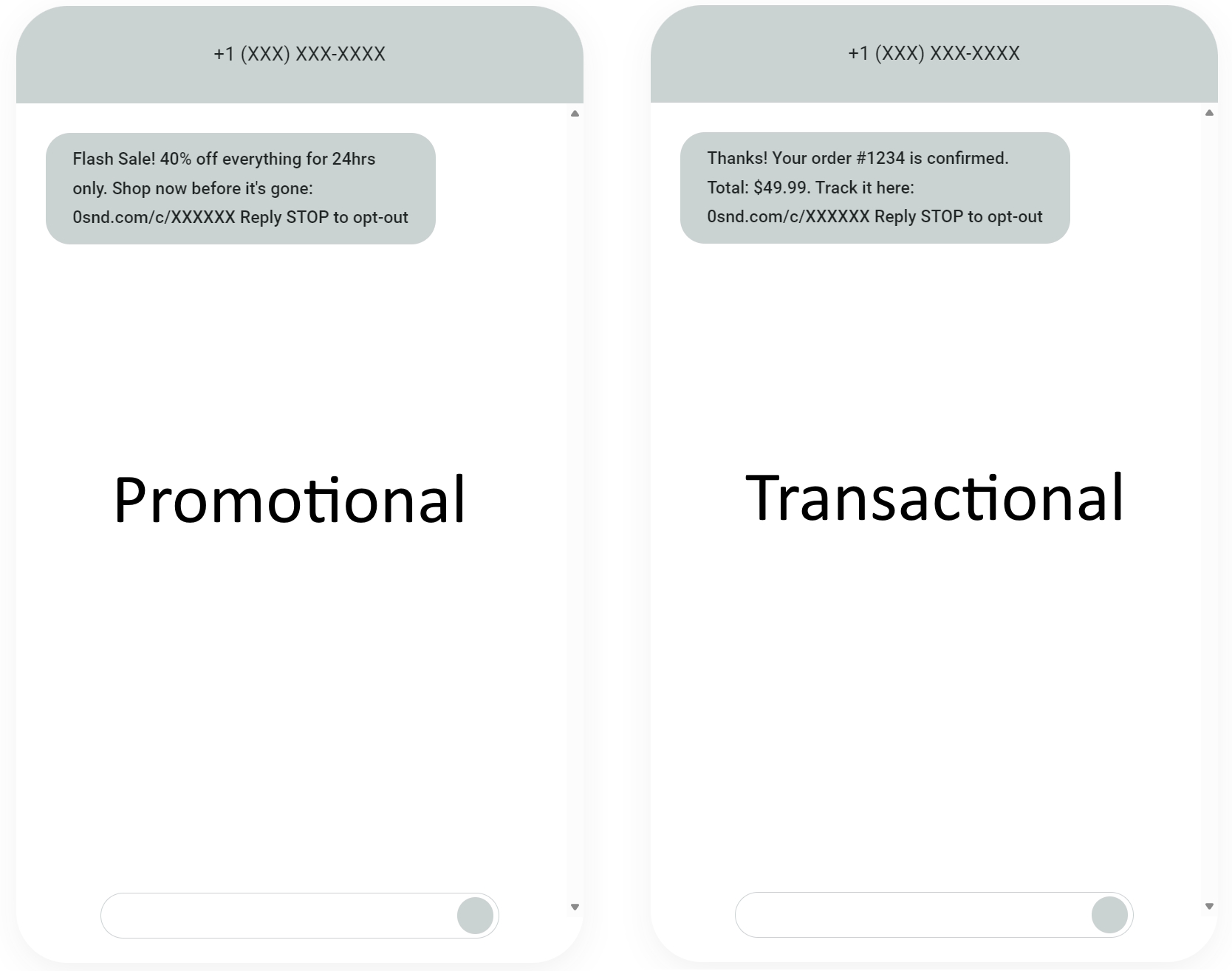
Here’s a visual comparison highlighting the differences between promotional and transactional SMS. Notice the content and how they communicate different intent here. The promotional SMS prompts action, and the transactional SMS is simply informative.
Are automated transactional SMS effective?
Transactional text messages deliver customer-expected and time-sensitive messages that other channels, such as email, can’t match for immediate visibility. Here’s how effective it is:
- 82% of consumers check a text within five minutes, according to Omnisend’s data
- Automated text messages achieved an average 20.32% click-to-sent rate in 2025
- An average 3.81% click-to-conversion rate was achieved with automated SMS in 2025
- Automated SMS earned an average of $0.74/send in 2025, compared to $0.15/send for campaigns, a fivefold increase
Additional reading
SMS marketing ROI: Benchmarks, how to measure and improve it
7 transactional SMS examples for ecommerce
Here are seven transactional SMS examples in ecommerce:
1. Order confirmation SMS
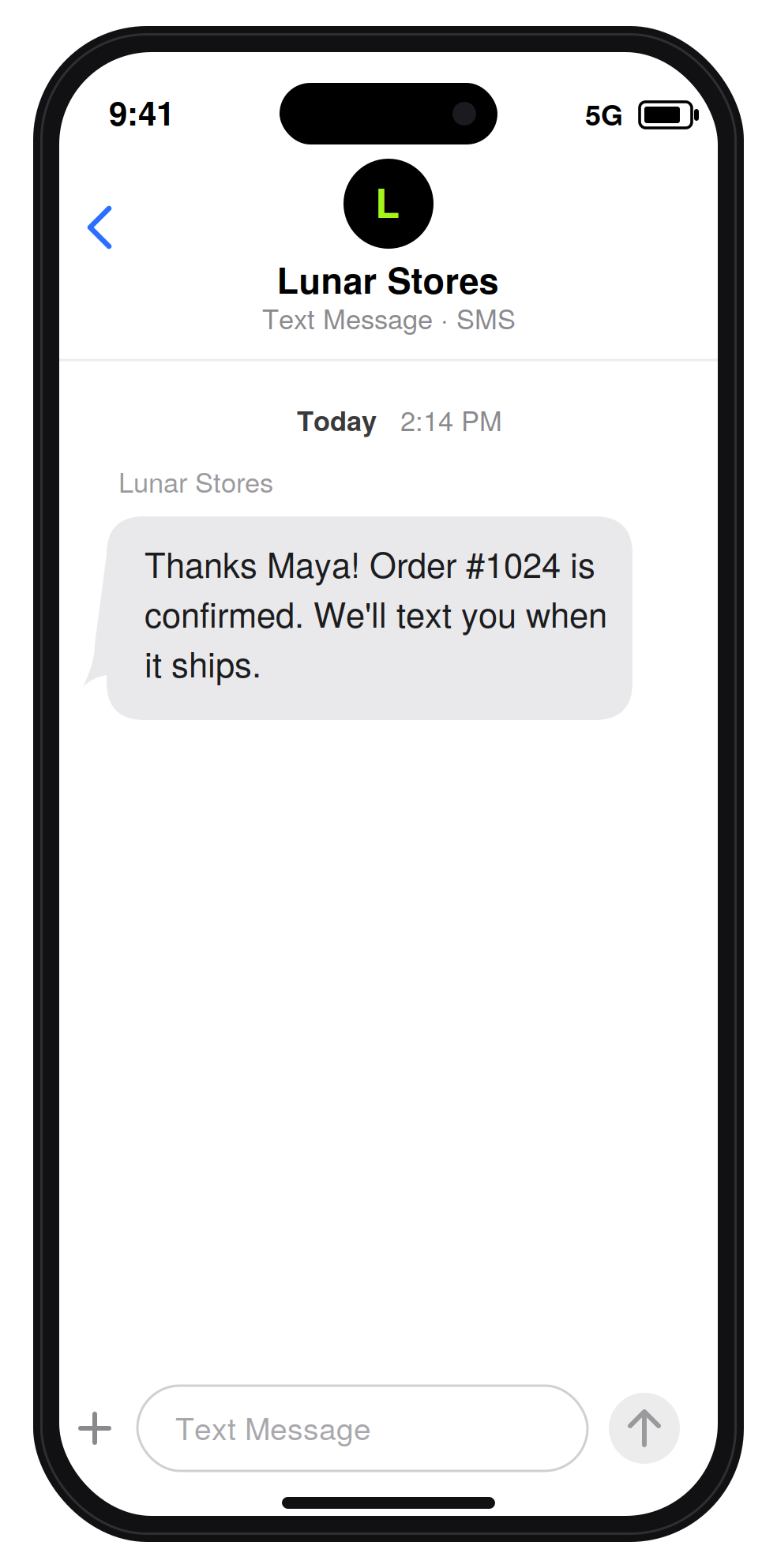
Order confirmation texts are triggered when a customer pays for an order. The transactional SMS example above thanks the customer and uses their name. It then provides an order number and sets expectations for the next message.
2. Shipping confirmation SMS
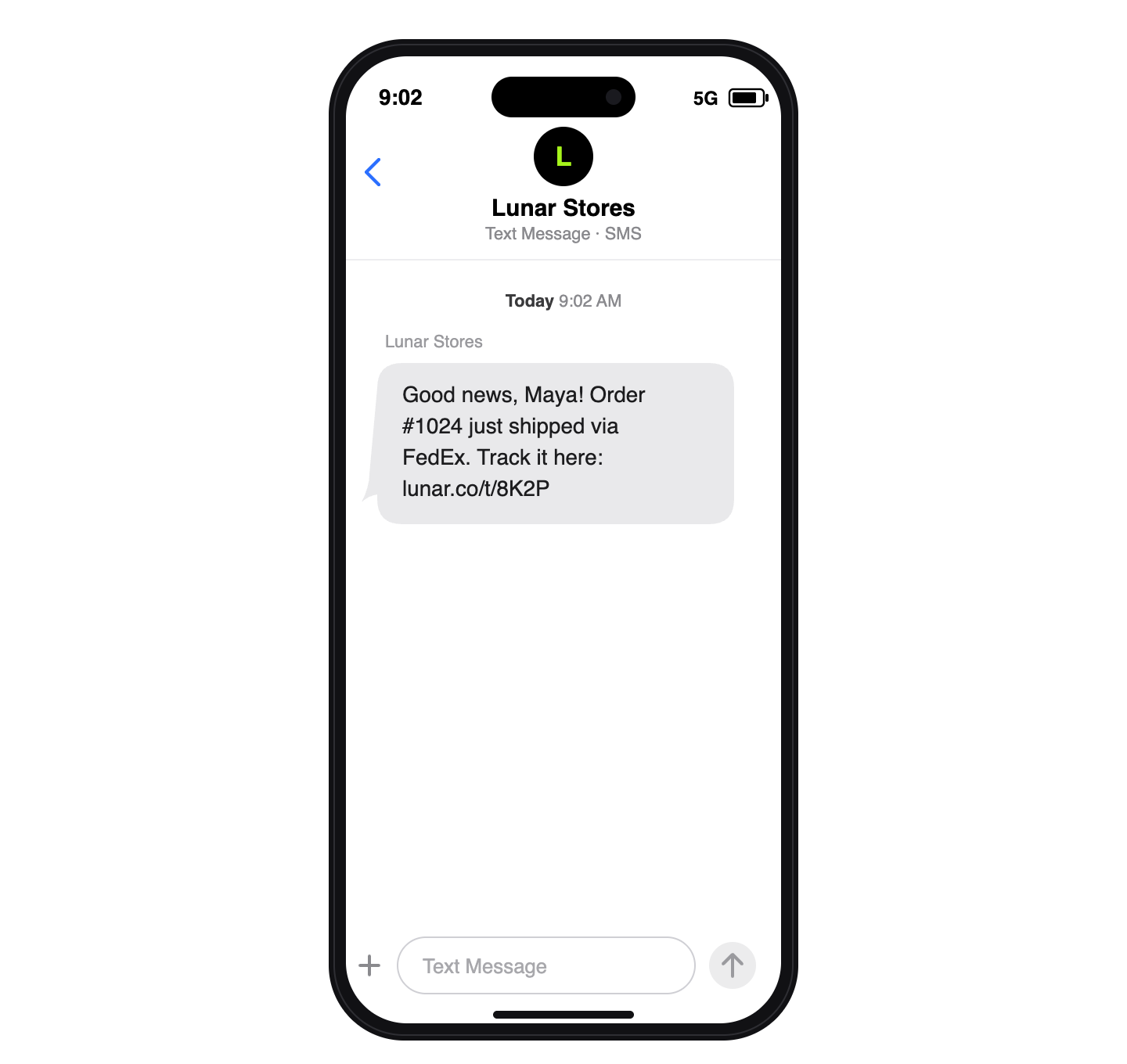
Order fulfillment triggers this SMS workflow. That usually happens when you print a shipping label or manually mark the order as fulfilled in your store. The example above frames the event positively and provides a tracking link.
3. Out for delivery SMS
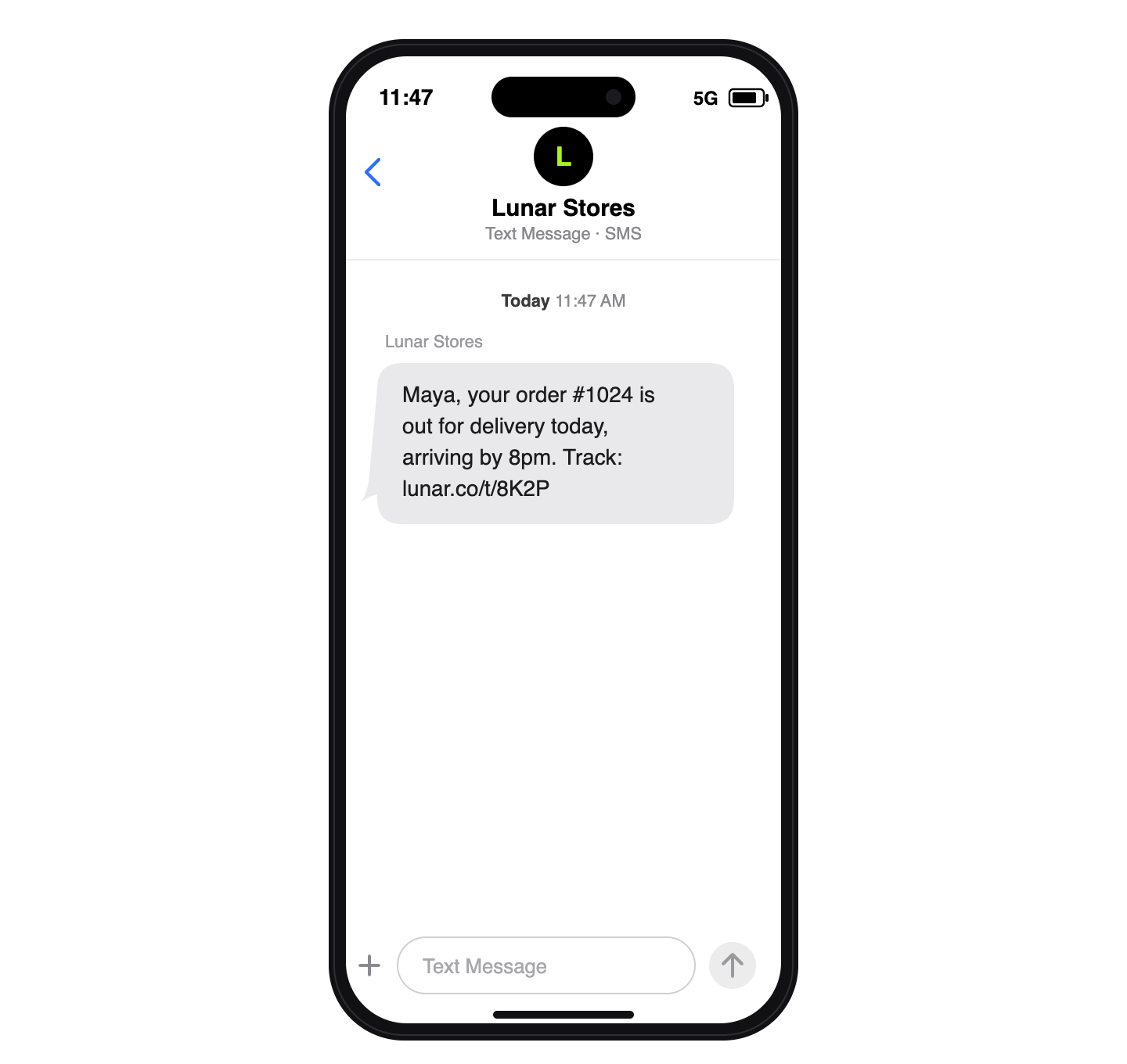
An out-for-delivery SMS is triggered when the courier marks the parcel as out for delivery. Your SMS tool listens for a webhook or status update and sends the message. The SMS example above is similar to the delivery alert in that it provides a tracking link.
4. OTP/login verification SMS
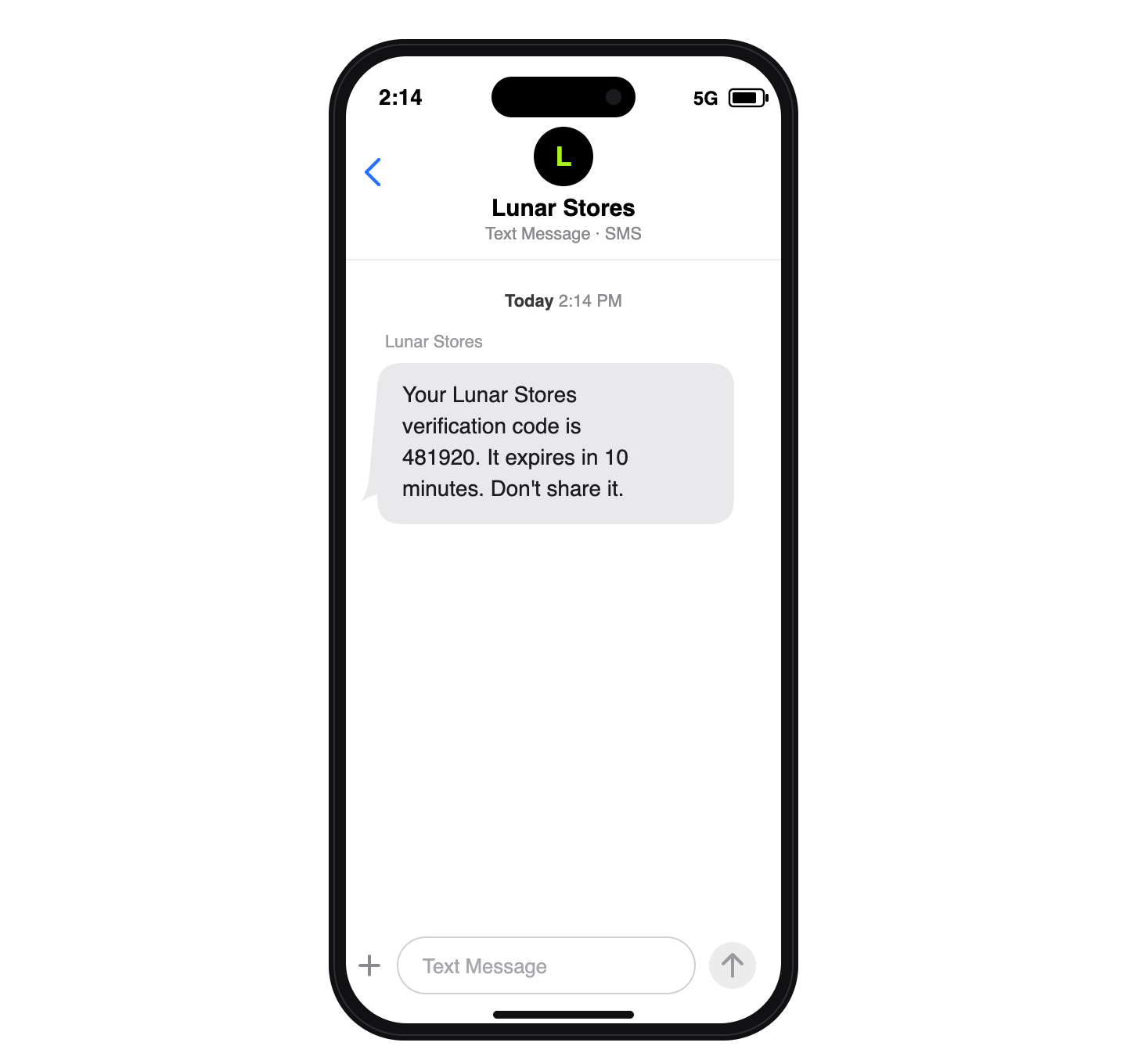
The trigger for an OTP/login verification is your customer initiating identity verification. Your authentication tool generates a code and syncs with your SMS tool, which delivers the message. The example above includes code, a time limit, and a security reminder.
5. Payment/billing alert SMS
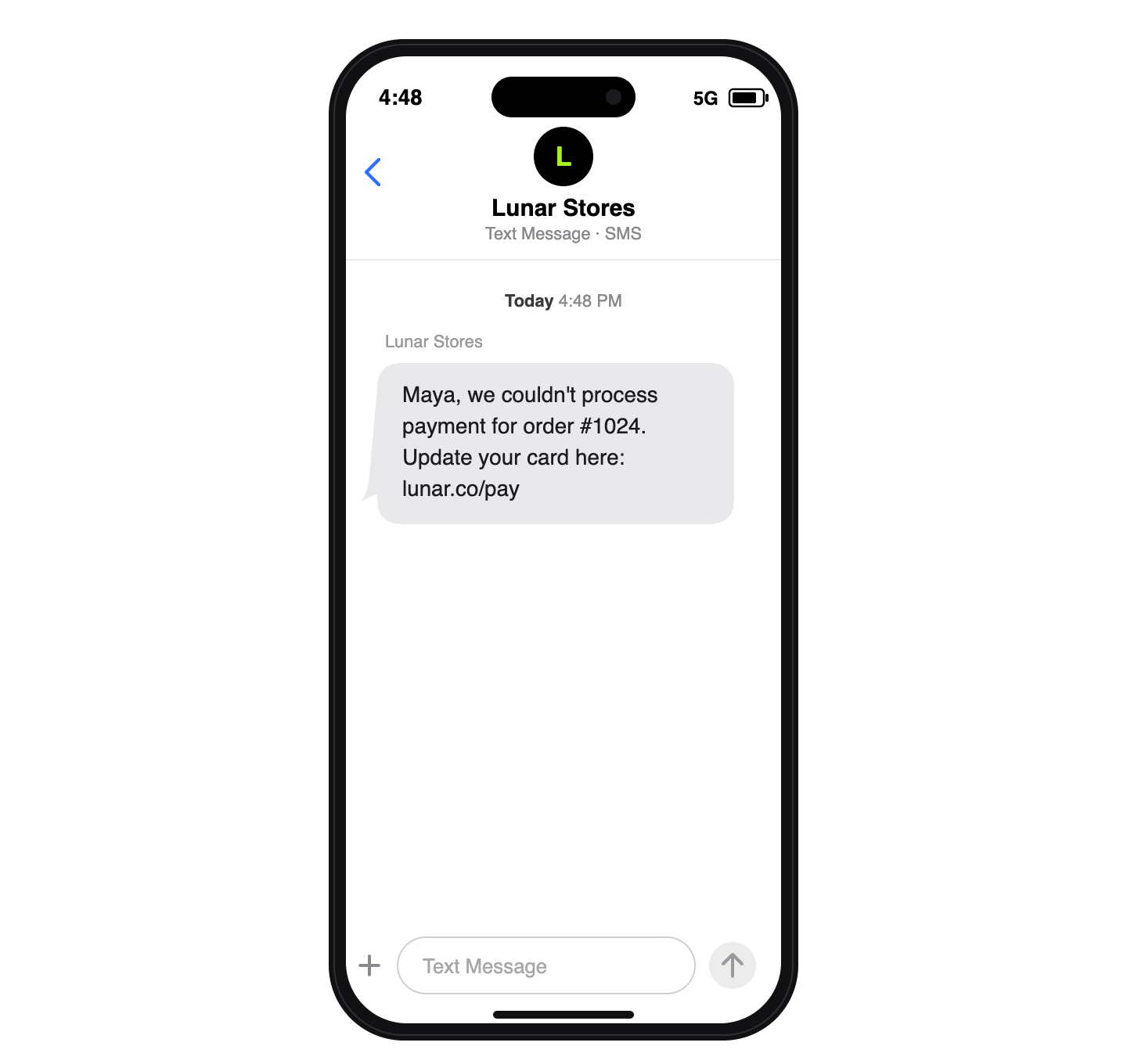
A payment or billing alert SMS triggers when a payment fails. Your payment processor flags the event, and your SMS tool receives it and sends the message. The example above names the order and provides a card update link.
6. Subscription renewal reminder SMS
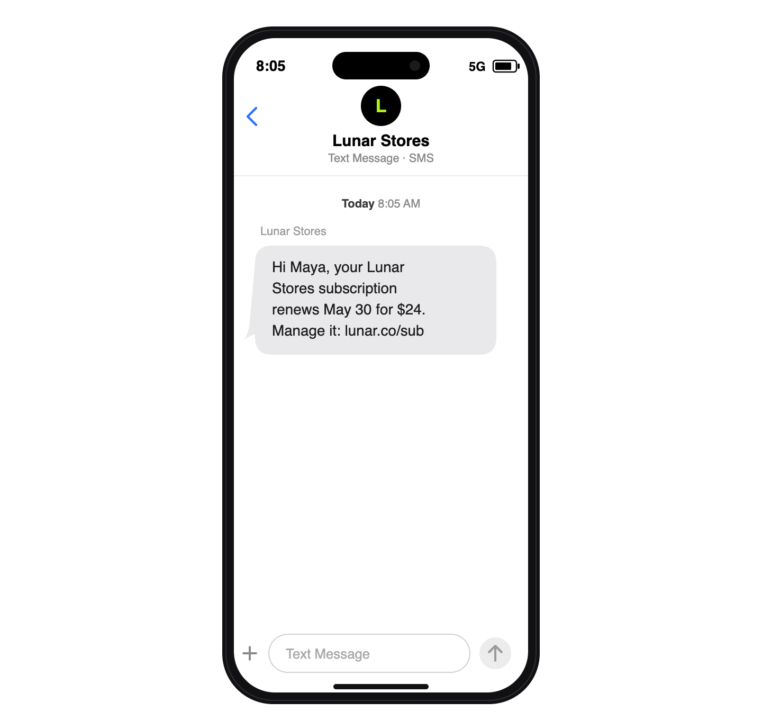
Subscription renewal reminder text is triggered on a schedule before the renewal date, such as 5 days before the charge. Your billing system tracks the renewal date, and your SMS tool sends the reminder based on that. The example above includes the date, price, and an account link.
7. Return or refund update SMS
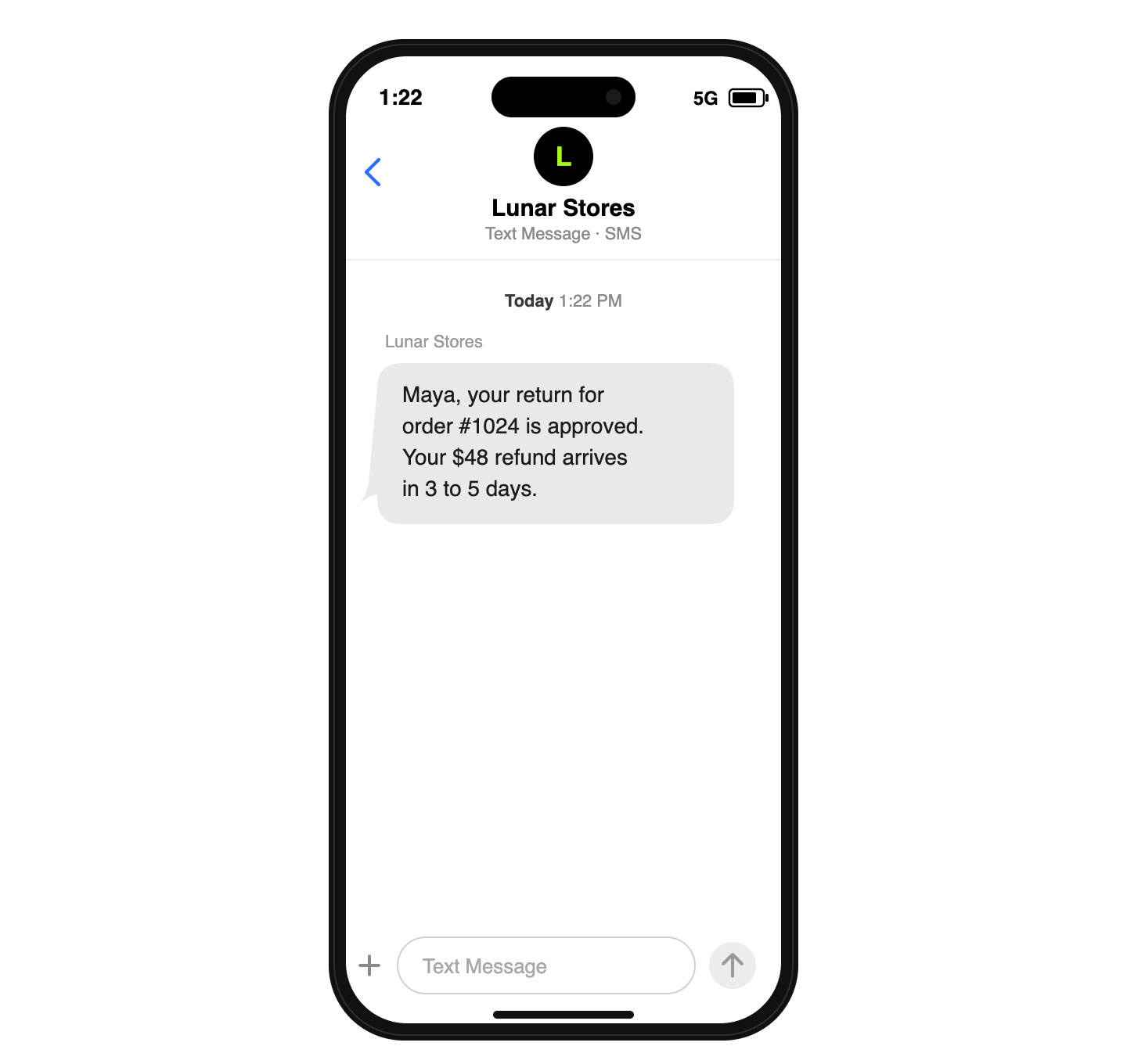
A return or refund update triggers when a return or refund status changes. Your ecommerce system detects the changes, and your SMS tool sends the updates. The example above confirms the return, refund amount, and refund period.
How to send transactional SMS with Omnisend
Follow these steps to send transactional text messages with Omnisend:
- Create an Omnisend account and pick the Pro plan
- Purchase SMS credits, starting at $10/month for 1,111 USA sends
- Connect your store to Omnisend
- Import your contact list; if you don’t have a list, you can build one with opt-in boxes at checkout and via Omnisend’s forms
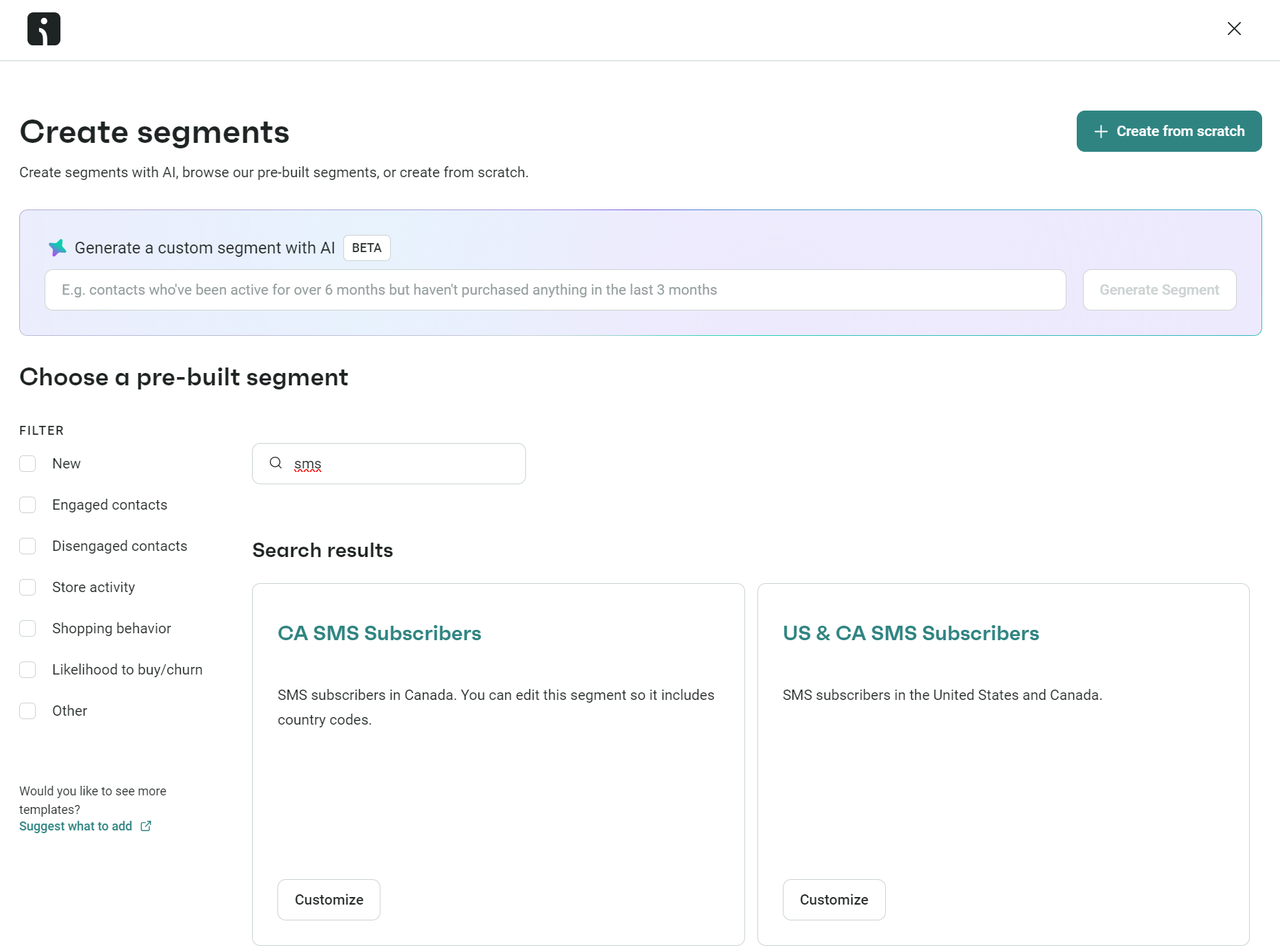
- Create a segment for SMS subscribers; Omnisend has pre-built segments for USA, CA, and USA and CA SMS subscribers, or you can use the AI segment builder
— You don’t need a segment to create transactional SMS workflows, but it’s worth creating one to separate subscribers from non-subscribers:
6. Head to Automation and click + Create workflow to view the pre-built workflows, then select Transactional in the sidebar to select a flow
— Omnisend has a pre-built order confirmation and shipping confirmation flow containing an email and SMS
— Alternatively, click Create from scratch to open the editor with a blank slate
7. Add an SMS block to the flow builder or drag the existing one to the stage you want it, write your message, and build your sequence:
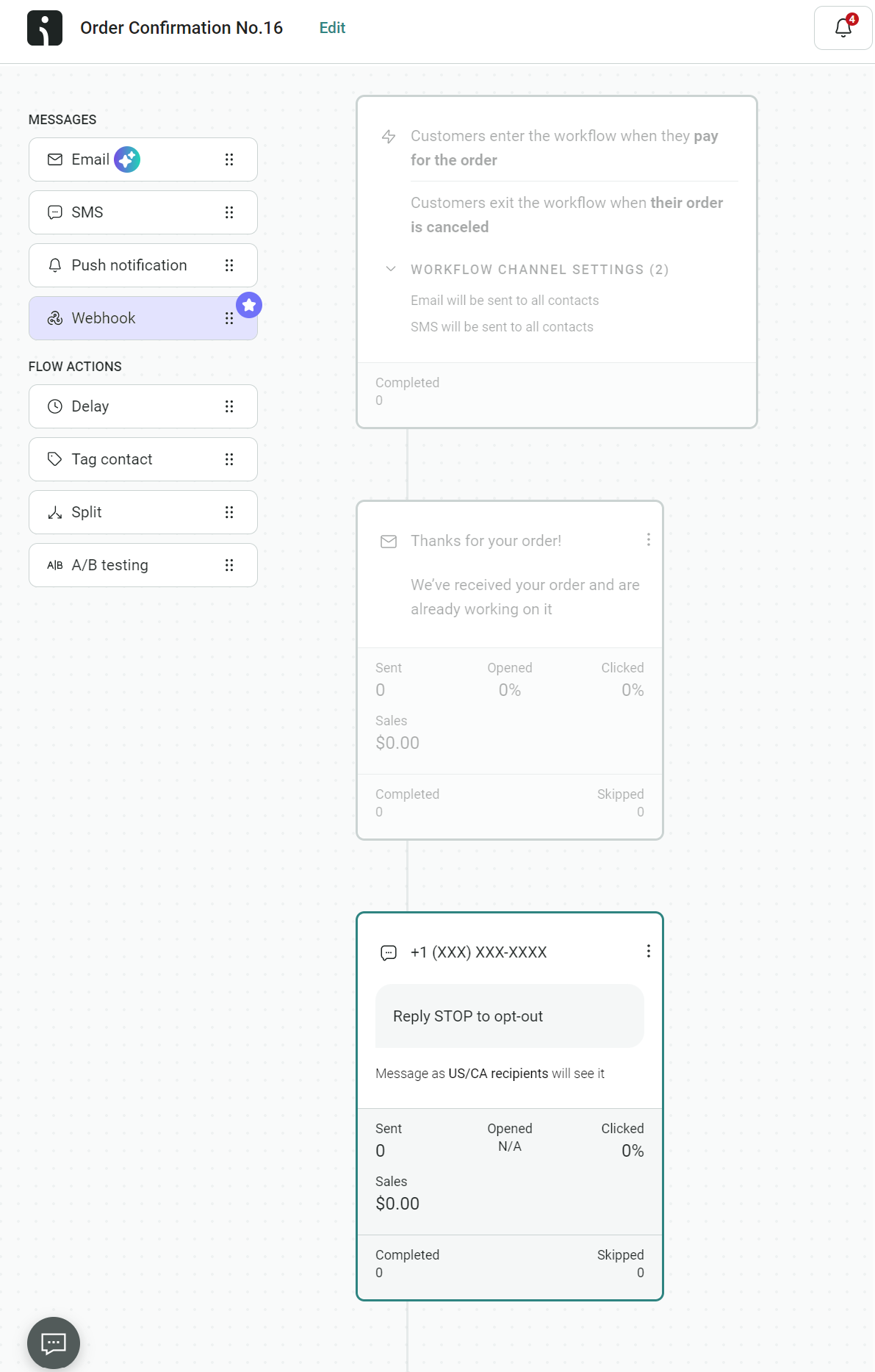
8. Click Start workflow
That’s it! You now have your first transactional SMS workflow. Omnisend lets you build unlimited automations and offers 24/7 support if you need help.
Additional reading
SMS integrations for ecommerce: 10 types that generate revenue in 2026
How to choose a transactional SMS provider
Here’s what to look for in your transactional SMS services tool:
- Native ecommerce integrations. An app provided by your SMS tool is best suited to reduce requirements for code and custom setups.
- Global coverage. Crucial if you ship internationally. Some transactional SMS providers only operate in the USA. Omnisend offers global SMS coverage.
- Built-in compliance tools, such as opt-in checkboxes and automated opt-out language.
- Reporting capabilities. The SMS tool needs to provide deliverability reports so you can see whether messages are reaching recipients. Also, it needs to track sent rate, click rate, and sales for a complete performance overview.
- Sending infrastructure. Look for high-quality carrier connections and support for short codes, long numbers, toll-free numbers, and sender IDs.
Your ecommerce store is likely to send transactional emails as well. An SMS marketing tool that combines both channels will save you time and money.
Additional reading
10 best SMS marketing software in 2026
Transactional SMS compliance: Consent and opt-out
Transactional SMS requires a lower consent standard than promotional SMS.
Under the TCPA, transactional texts need only prior express consent, satisfied when a customer provides their number in connection with the transaction, such as at checkout.
Under GDPR, no separate opt-in is required, because the lawful basis is performance of a contract under Article 6(1)(b): the message is necessary to fulfill the order or service.
Both standards apply only to messages that contain no promotional content. Adding an offer or discount reclassifies the message as marketing, which requires separate opt-in consent. TCPA penalties reach $1,500 per non-compliant message.
Omnisend’s SMS compliance best practices page explains consent and opt-out in more detail.
Quick sign up | No credit card required
FAQs
What does transactional SMS mean?
Transactional SMS refers to automated, non-promotional text messages. Your SMS tool triggers them for actions or events, such as your customer paying for an order or you printing a shipping label. In all cases, it has no marketing intent.
What is an example of a transactional message?
An order confirmation is the classic ecommerce transactional message with something like, “Hi [name], your order’s in, and we’re getting it ready. Expect a shipping alert soon.”
What are transactional texts?
Transactional texts are non-promotional SMS messages. They confirm, notify, and alert, delivering time-sensitive messages to your customers’ messaging app.
Can you opt out of transactional SMS?
Yes, you can opt out of transactional SMS. Any texts you receive should contain opt-out language, and the sender is required to honor your request. Companies have a lawful basis to send transactional text messages only for as long as you are subscribed.
I want to set up transactional SMS flows for my Shopify store
You need a third-party app to set up those transactional SMS flows in Shopify. Neither Shopify nor the native Shopify Messaging app covers transactional SMS. Omnisend is a suitable third-party pick with deep Shopify integration and pre-built transactional SMS flows.
I need help with both Shopify flows and SMS templates
Shopify Flow is a native Shopify app you can use to create workflows; SMS templates include the content you add to your messages. There’s no native SMS functionality in Shopify Flow, so you need a third-party app, such as Omnisend, to cover it.
Which Shopify apps are best for managing these SMS flows?
Omnisend, Brevo, and Klaviyo have highly rated Shopify apps and handle transactional and marketing SMS in a single tool. Developers wanting to use APIs should look to Twilio.