
 Omnisend AI


 OFFER
OFFER







Drive sales on autopilot with ecommerce-focused features
See FeaturesIn 2026, effective WordPress popup plugins must feature AI-powered personalization, mobile-first design, and robust data-driven targeting to meet rising marketing expectations.
Poorly executed popups can disrupt the shopping experience for ecommerce sites, leading to increased bounce rates and lost conversion opportunities.
Omnisend stands out as an ecommerce-focused platform that integrates popups with multi-channel marketing, providing significant ROI visibility for businesses.
Key features to look for in a popup plugin include ease of use, advanced targeting options, seamless integrations, and strong analytics capabilities to optimize performance.
Choosing the best WordPress popup plugins for your website in 2026 becomes overwhelming as the plugins look identical on the surface while delivering very different results in practice.
Most tools promise advanced features, automation, and higher conversions, but few can handle the realities of ecommerce traffic. Some plugins rely on generic triggers, limited targeting, and designs that don’t adapt to visitor behavior.
As traffic grows, these limitations become harder to ignore. For ecommerce sites, poor popup execution can disrupt the shopping experience.
Mistimed, generic, or irrelevant popups can pull shoppers away from product pages and break buying momentum. When this happens, bounce rates increase and conversion opportunities tend to slip away.
In 2026, marketers face higher expectations for how popups should perform. AI-powered personalization, mobile-first design, data-driven targeting, and Core Web Vitals optimization are now baseline requirements.
Also, popups are no longer standalone tools used only for email capture. They are part of a larger conversion and retention strategy that cuts across multiple channels. The best popup plugin for WordPress brings these capabilities together to drive measurable revenue impact.
To help you choose the right option, we tested several WordPress popup plugins with real ecommerce businesses. During our testing, Omnisend stood out as a complete ecommerce-focused marketing platform with multi-channel integration, unlike other single-purpose tools.
In this guide, you’ll find detailed reviews of the seven best WordPress popup plugins 2026, both free and premium. You’ll also get a practical implementation guide to help you deploy popups for better conversions.
Quick sign up | No credit card required
How to choose a WordPress popup plugin
To choose the best popup builder, you should understand which features actually drive results for your business. WordPress popup plugins vary in capabilities, and some features are crucial for ecommerce success.
Key features that drive ecommerce results
Some important features and characteristics to look for in a WordPress popup plugin include:
- Ease of use: Look for plugins with intuitive drag-and-drop builders that don’t require coding knowledge. This lets you design, test, and deploy popups quickly without relying on developers.
- Targeting: Consider WordPress popup plugin options that target users based on location and website behavior. Features like exit intent detection, scroll depth, and time-based triggers give you full control over timing.
- Design: The plugin should offer flexible design options to match your brand theme. Having complete control over colors, fonts, sizing, and layout ensures a consistent, on-brand experience across your site.
- Integrations: Look for a WordPress popup plugin that seamlessly integrates with marketing platforms, CRM systems, and ecommerce tools. Integration with email and SMS platforms such as Omnisend enables you to run multichannel campaigns. It also protects subscriber data by eliminating the need for manual transfers.
- Analytics: Conversion tracking and A/B testing capabilities help you measure popup performance and optimize for better results. Built-in analytics show which designs, popup timings, and offers generate the most signups or sales. Revenue attribution tracking is also important because it links popup interactions to measurable revenue.
- Mobile-friendliness: Your WordPress popup plugin must deliver smooth experiences on mobile devices without slowing page load times. Also, consider Core Web Vitals and overall site speed. Plugins that degrade popup performance can harm user experience and conversions.
- Compliance and support: The plugin should comply with GDPR and other consent requirements, including clear opt-in options and data-use disclosures. User support is also important. For instance, Omnisend offers 24/7 support to help you troubleshoot issues and configure campaigns.
Questions to ask before choosing
Before deciding on any WordPress popup plugin, answer these questions to narrow your options:
- What is your primary goal? Are you focused on lead capture, cart recovery, announcements, or cross-selling? Your goal determines which features matter most and can contribute to your results.
- What is your monthly traffic volume? High-traffic sites may require more robust plugins to handle higher load volumes. Smaller sites may get by with simpler options, but you should consider future growth.
- What is your technical comfort level? If you have limited technical experience, choose plugins with drag-and-drop editors and prebuilt templates. More advanced users enjoy deeper customization and developer-friendly features.
- Do you need multi-channel marketing integration? Integration ensures subscriber data flows smoothly and reduces manual work. A WordPress popup plugin that integrates with your marketing channels can contribute to more consistent and measurable campaigns.
- What is your budget range? Free plugins may cover basic needs but often lack advanced features or integrations. Premium tools offer more capabilities but should be evaluated based on ROI.
The 7 best WordPress popup plugins for 2026
We tested and reviewed seven of the best WordPress popup plugins for 2026. These tools range from free to premium options and are suited for different use cases. Our evaluation focused on ease of use, targeting capabilities, performance, integrations, pricing, and real-world results.
- OptinMonster — Advanced targeting and lead generation
- Omnisend — Ecommerce-focused with multi-channel marketing
- Claspo – Gamified popups with exit intent and A/B testing
- Popup Maker — Best free WordPress popup plugin
- Elementor Pro — Integrated popup builder for Elementor users
- Bloom — Beautiful templates for design-conscious brands
- Convert Pro — Fast-loading with advanced triggers
| Plugin Name | Best For | Key Differentiator | Free Plan | Starting Price |
|---|---|---|---|---|
| OptinMonster | Advanced lead capture and visitor targeting | Advanced targeting and triggers | ❌ | Starts at $7/month, billed annually |
| Omnisend | Ecommerce growth, retention, and automation | Multi-channel popups with email and SMS | ✅ | Starts at $16/month |
| Claspo | Improving conversion and engagement with gamification | Gamified widgets plus exit-intent trigger, and A/B testing | ✅ | Starts at $39/month |
| Popup Maker | Custom popup workflows and advanced conditions | High flexibility and extensibility | ✅ | Starts at $99/year |
| Elementor Pro | Elementor-based website and popup design | Native popup builder | ❌ | Starts at $5/month |
| Bloom | Content-driven lead generation for bloggers | Prebuilt design templates | ❌ | Starts at $7.42/month |
| Convert Pro | High-performance popup campaigns at scale | Lightweight and fast loading | ❌ | Starts at $99/year |
1. OptinMonster — Advanced targeting and lead generation
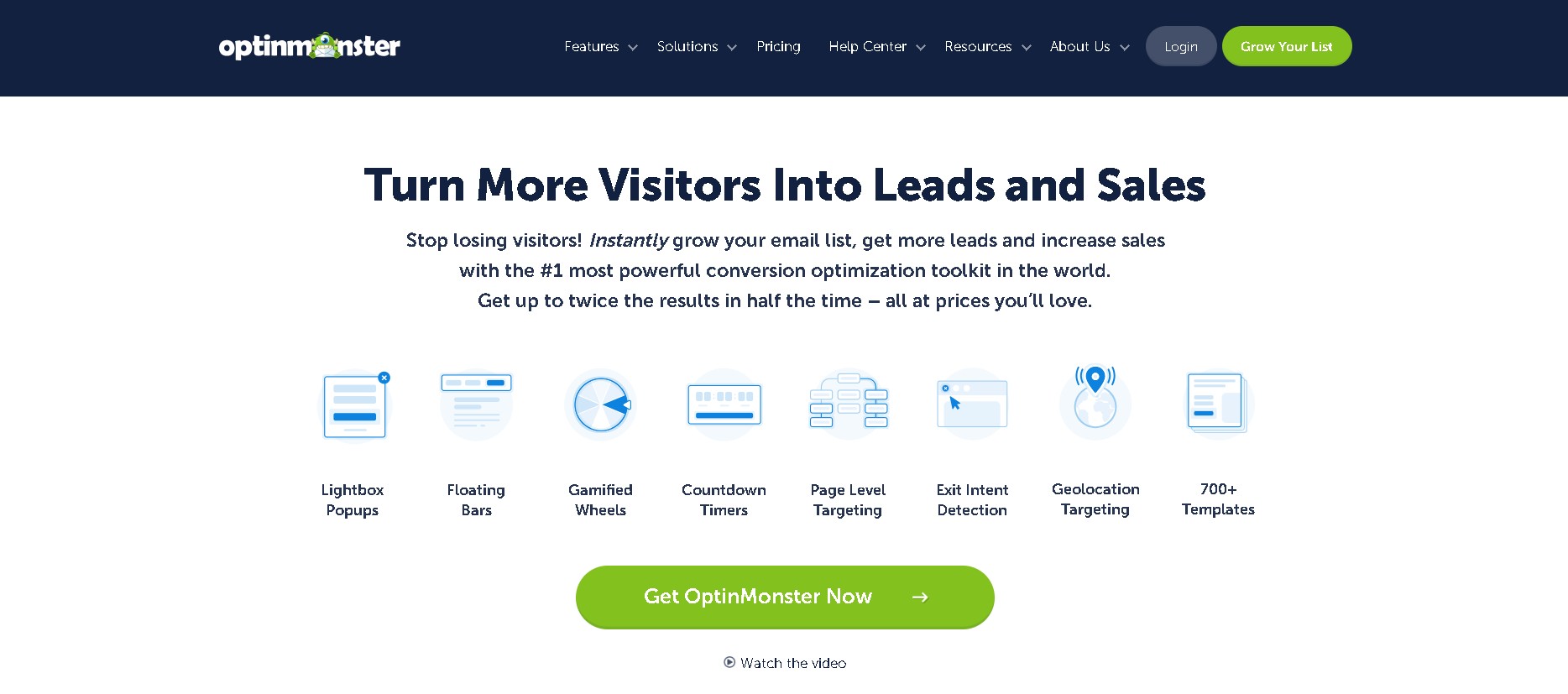
OptinMonster is a comprehensive WordPress popup plugin for expert-level conversion optimization. Because it works across WordPress and other platforms, it offers flexibility for brands running multi-channel or multi-site operations.
Popup formats are mobile-optimized to meet Google’s mobile standards and avoid penalties tied to intrusive interstitials. This makes it easier to capture leads on mobile devices without sacrificing page speed or search visibility.
Its signature opt-in technology, MonsterLinks, allows users to turn any link, button, or image into a trigger for a two-step opt-in form. Also, its MonsterEffects feature allows users to add attention-grabbing animations and sound cues to popups.
A key differentiator of OptinMonster over other WordPress popup plugins, including Omnisend, is its behavioral targeting engine. The platform allows users to trigger campaigns based on exit intent, scroll depth, time on page, referral source, and more.
OptinMonster also supports page-level targeting and geolocation rules. With this, brands can tailor messaging based on location or content category.
The plugin provides built-in optimization and reporting tools to help marketers refine their strategy. Users can run A/B split tests to compare headlines, layouts, triggers, and offers.
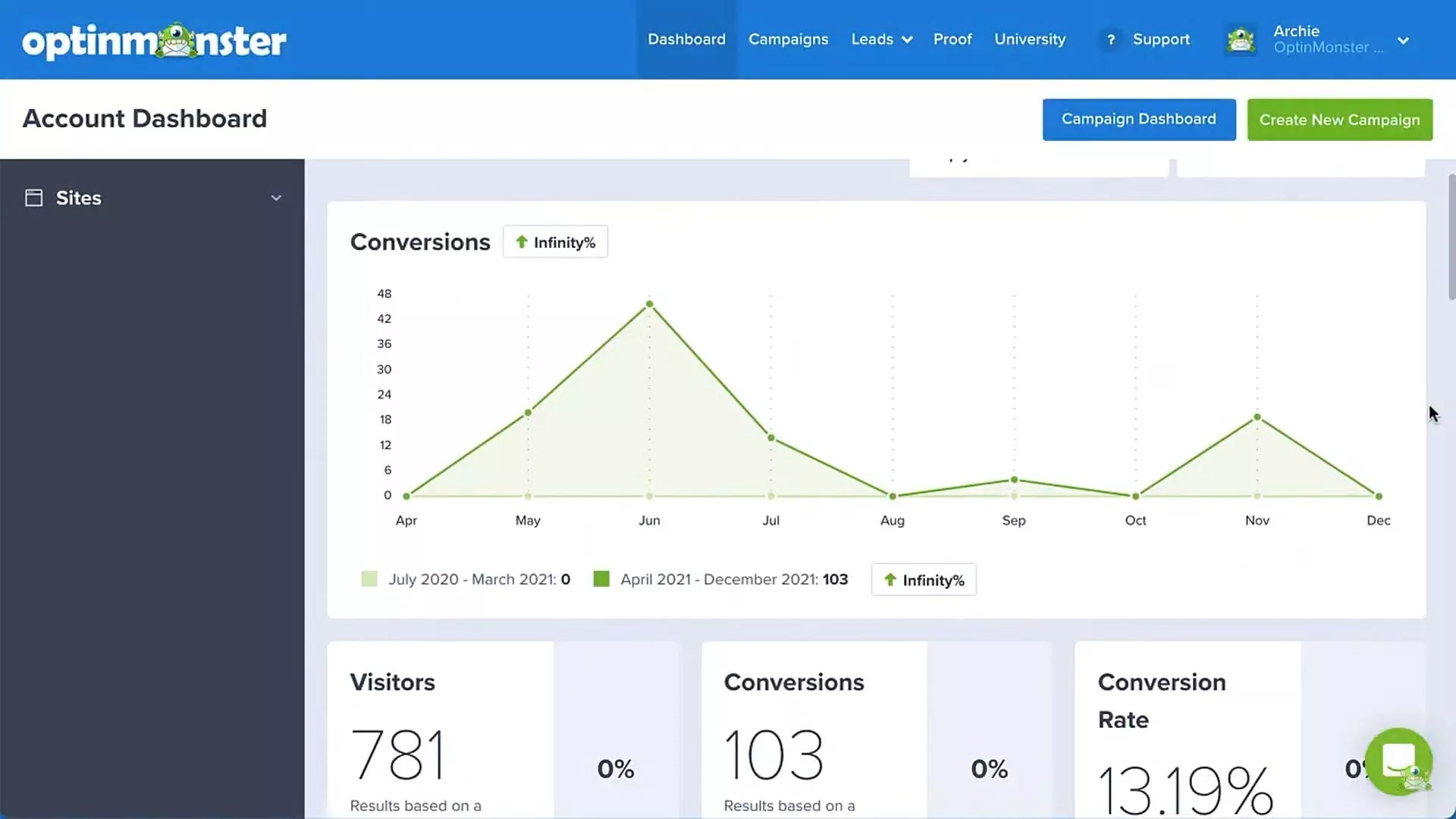
The analytics dashboard highlights impressions, conversions, and conversion rates in real time. Here’s a demo of what this dashboard looks like:
Beyond this, OptinMonster also integrates with broader marketing ecosystems. It integrates easily with major email service providers and CRM platforms, including Salesforce, Marketo, and HubSpot. It also supports automation through Zapier, webhooks, and its developer API.
Businesses can sync leads in real-time, trigger follow-up campaigns, and build advanced workflows without manual data transfers.
Key features
- Visual drag-and-drop campaign builder with 700+ conversion-optimized templates
- Multi-format campaign types including lightbox popups, fullscreen gates, slide-ins, coupon wheels, and more
- Advanced behavior triggers and targeting rules, such as exit-intent and scroll depth
- On-site retargeting personalization engine with dynamic text replacement and smart tags
- Integrations and automation connectors, including major ESPs, CRM systems, Zapier, webhooks, and public API
- A/B split testing and conversion analytics suite with revenue attribution
- Page-level, geolocation, referrer, and device-based targeting controls
Pros
- Powerful targeting capabilities that increase conversion rates significantly
- Professional templates optimized for different industries and use cases
- Strong integration ecosystem for complex marketing stacks
- Excellent customer support with dedicated account managers
- Built-in testing and revenue attribution capabilities
Cons
- Steeper learning curve compared to simpler WordPress popup plugin options
- Some advanced features may require technical knowledge to implement
- Limited ecommerce revenue tracking compared to plugins like Omnisend
Pricing
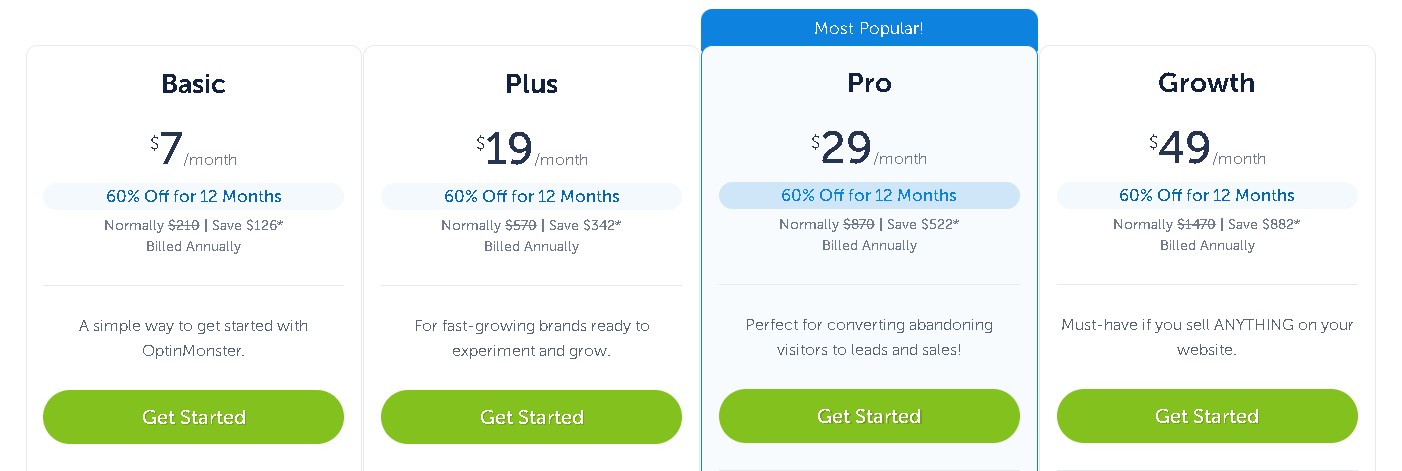
- Basic: $7/month for essential features (billed annually)
- Plus: $19/month with advanced targeting (billed annually)
- Pro: $29/month including priority support (billed annually)
- Growth: $49/month for agencies and enterprises (billed annually)
Best for
Marketing agencies and established businesses with substantial traffic volumes.
2. Omnisend — Ecommerce-focused with multi-channel marketing
Omnisend WordPress popup plugin is designed for ecommerce brands that want to trigger multi-channel campaign automations from signups. It connects popup subscribers to email, SMS, and push notification workflows so you can engage customers across multiple channels.
When a visitor signs up via a popup, Omnisend can automatically add them to a segment and activate a workflow without relying on third-party integrations. Its native integrations with Shopify, WooCommerce, and BigCommerce to automate signup forms are what make Omnisend stand out among other plugins.
Omnisend offers multiple popup formats so brands can choose the experience that fits their audience. You can launch traditional popups with images and CTAs. To improve engagement, Omnisend offers interactive formats such as Wheel of Fortune forms.
In terms of targeting, Omnisend supports exit intent triggers, scroll-based triggers, inactivity detection, and URL-specific settings. You can display different popups based on device, location, or on-site behavior.
For WooCommerce and WordPress users, this means popups can be aligned with specific product pages or promotional campaigns. The system also allows you to tag contacts by form, which helps refine segmentation features automatically.
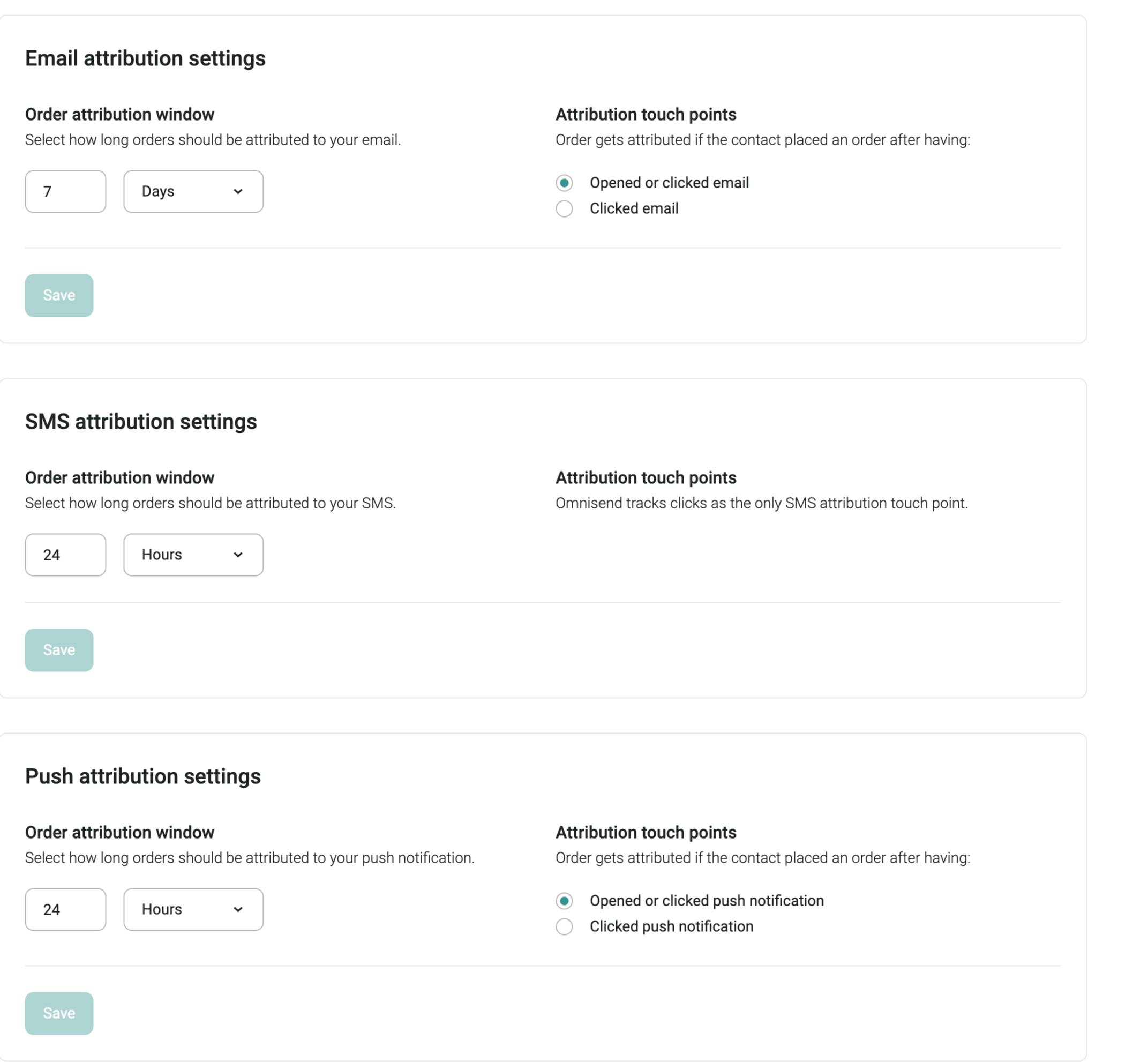
One of the strongest differentiators of this WordPress popup plugin is its revenue attribution tracking. Marketers can see which campaign drives the highest return based on the set attribution window:
The fact that its free plan includes all the essential features that other tools reserve for paid plans makes Omnisend a great choice for beginners and experts alike.
According to Omnisend’s internal analysis, merchants earn an average of $79 for every $1 spent across email, SMS, and automation campaigns. That level of ROI visibility makes this WordPress popup plugin a measurable growth channel for ecommerce businesses of any size.
In fact, brands like Kate Backdrops have achieved 1:300 ROI using Omnisend’s omnichannel marketing approach.
Omnisend provides a large gallery of ecommerce-native templates. The templates cover use cases such as welcome discounts, seasonal campaigns, product launches, and cart abandonment offers. See some examples of popup templates here:
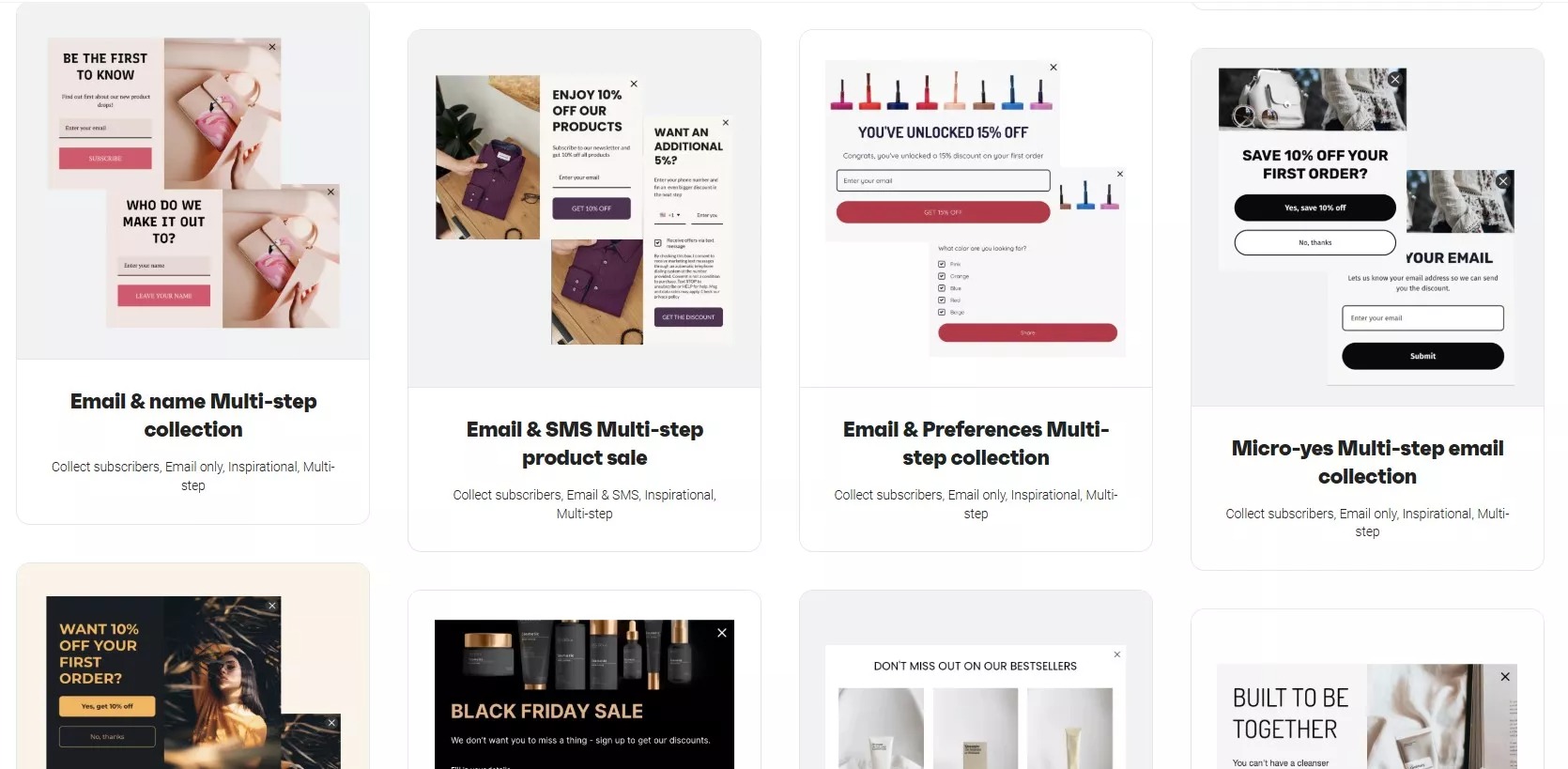
Ecommerce-specific components, such as built-in discount codes, remove the need for manual coupon generation. Templates are also mobile-optimized by default. They comply with Google’s mobile-friendly standards, helping stores maintain consistent performance across devices.
Compliance and global reach are also built in from the start. Omnisend forms support GDPR and TCPA compliant consent collection. This way, brands can obtain granular permission for both email and SMS.
This functionality is important for ecommerce stores operating across multiple regions. The platform also supports global SMS capabilities. This means that brands can collect phone numbers through popups to launch international SMS campaigns.
Key features
- Ecommerce-focused popup templates for cart abandonment, welcome series, and promotions
- Exit-intent technology and scroll-depth triggers for optimal timing
- Built-in discount code integration for immediate purchase incentives
- Automated subscriber segmentation and tagging for efficient follow-up
- Revenue attribution tracking for exact ROI from popup-generated subscribers
- Advanced targeting based on customer behavior, purchase history, and cart contents
- Performance analytics and A/B testing for conversion optimization
- Multi-channel workflow integration connecting popups to email, SMS, and push campaigns
Pros
- Expert-approved, newbie-tested interface suitable for users of any technical level
- Excellent and award-winning customer support available 24/7, regardless of plan level
- Ecommerce specific templates designed for revenue growth
- Strong ROI with customers averaging $79 return for every $1 spent
- Native integration between popup and automation workflows for campaigns
Cons
- Primarily designed for ecommerce, which may not be suitable for service-based businesses
- Advanced automation features may need some time to master
- May feel feature-heavy for users who only need basic popups
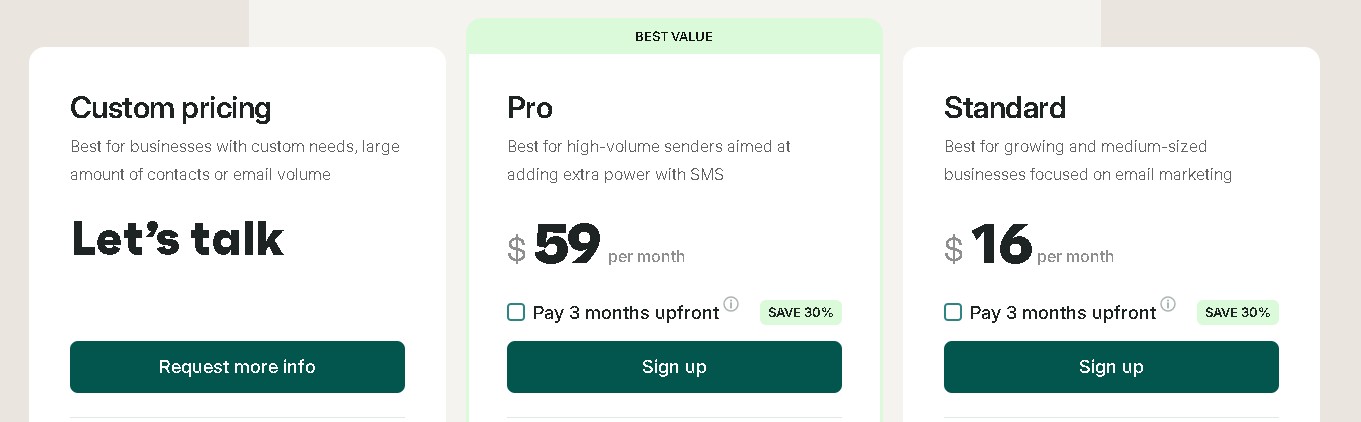
Pricing
- Free plan: Core popup and email features included
- Standard: $16/month
- Pro: $59/month
- Custom pricing for high-volume businesses
Best for
Ecommerce businesses of any size using Shopify, WooCommerce, or BigCommerce can start for free with Omnisend.
3. Claspo — No-code popups for growth-focused teams
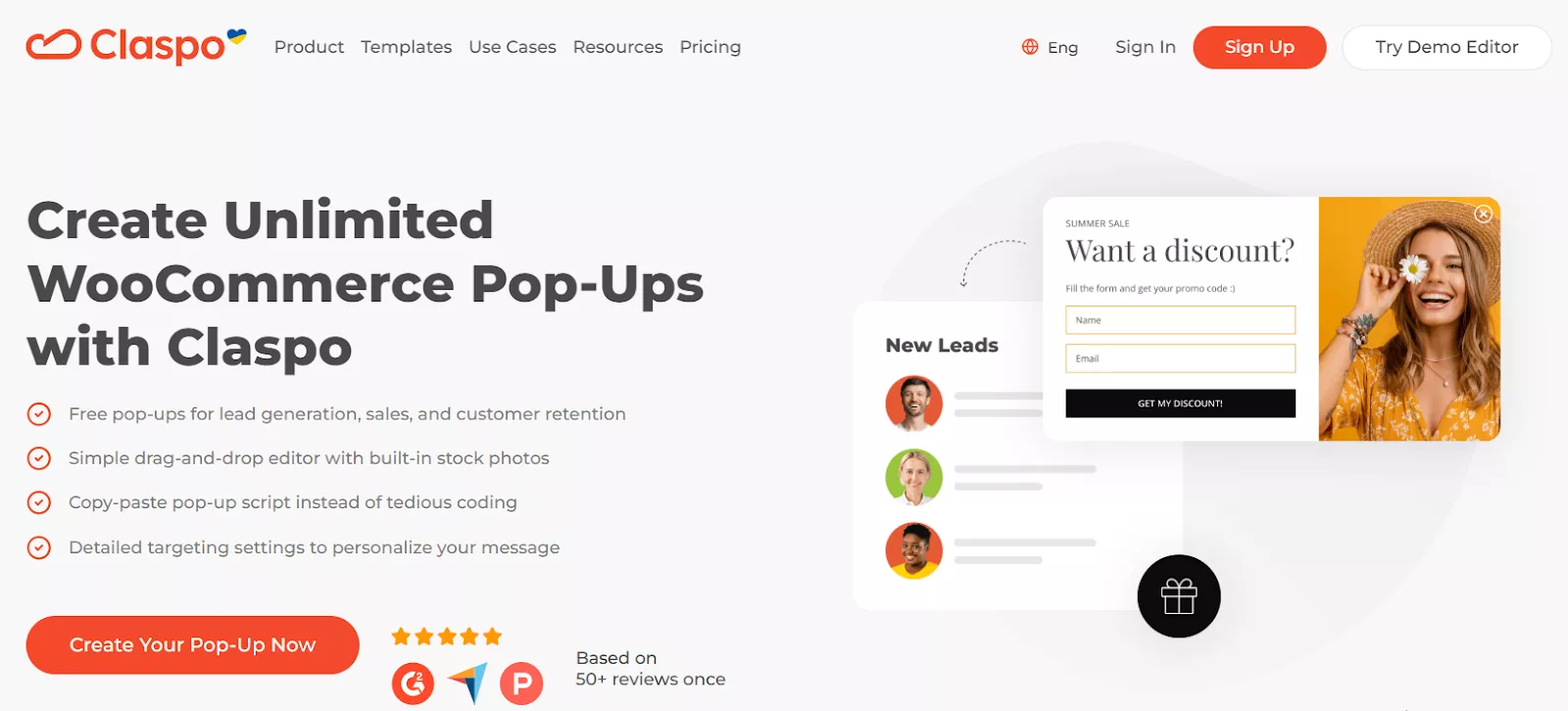
Claspo is a no-code popup builder designed for marketers who want full control over on-site messaging without relying on developers. Unlike traditional WordPress-only plugins, Claspo works across platforms while still integrating smoothly with WordPress websites.
The platform focuses on precision targeting and fast deployment. You can launch popups based on visitor behavior such as exit intent, scroll depth, inactivity, referral source, device type, or traffic campaign parameters. This makes Claspo well suited for performance-driven lead generation and promotional campaigns.
Claspo supports a wide range of popup formats, including classic lightboxes, slide-ins, sticky bars, full-screen overlays, countdown popups, and gamified formats like spin-to-win. Its visual editor allows granular customization, helping brands maintain design consistency across all on-site widgets.
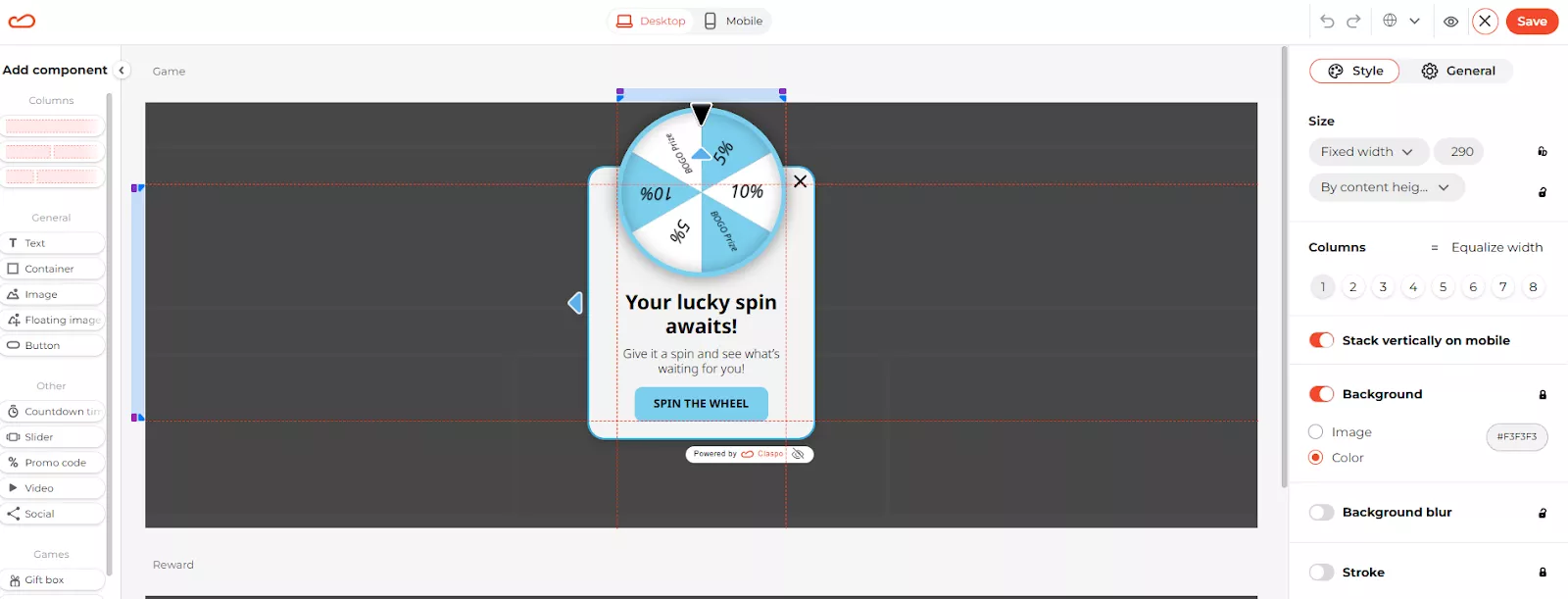
Beyond creation, Claspo emphasizes optimization. Built-in analytics and A/B testing let you measure impressions, conversions, and conversion rates per widget, making it easier to iterate and scale high-performing popup campaigns.
Key features
- No-code drag-and-drop popup builder with customizable templates
- Advanced targeting rules: exit intent, scroll depth, inactivity, referrer, device, and UTM-based targeting
- Multiple popup formats, including gamified popups and countdown timers
- Built-in A/B testing and real-time performance analytics
- Seamless integrations with email marketing and automation platforms
- Lightweight scripts designed to minimize impact on page load speed
Pros
- Highly flexible targeting suitable for advanced marketing scenarios
- Works well for both lead generation and promotional campaigns
- Clean, modern UI with fast setup and deployment
- Scales easily from small sites to high-traffic projects
Cons
- No native email marketing features (requires third-party integrations)
Pricing
- Free plan: Available with full feature access and a monthly pageview limit
- Paid plans: Start from $39/month, scaling based on website traffic volume

Best for
Marketing teams, ecommerce brands, and SaaS businesses that need precise targeting, fast experimentation, and conversion-focused popups.
4. Popup Maker — Best free WordPress popup plugin
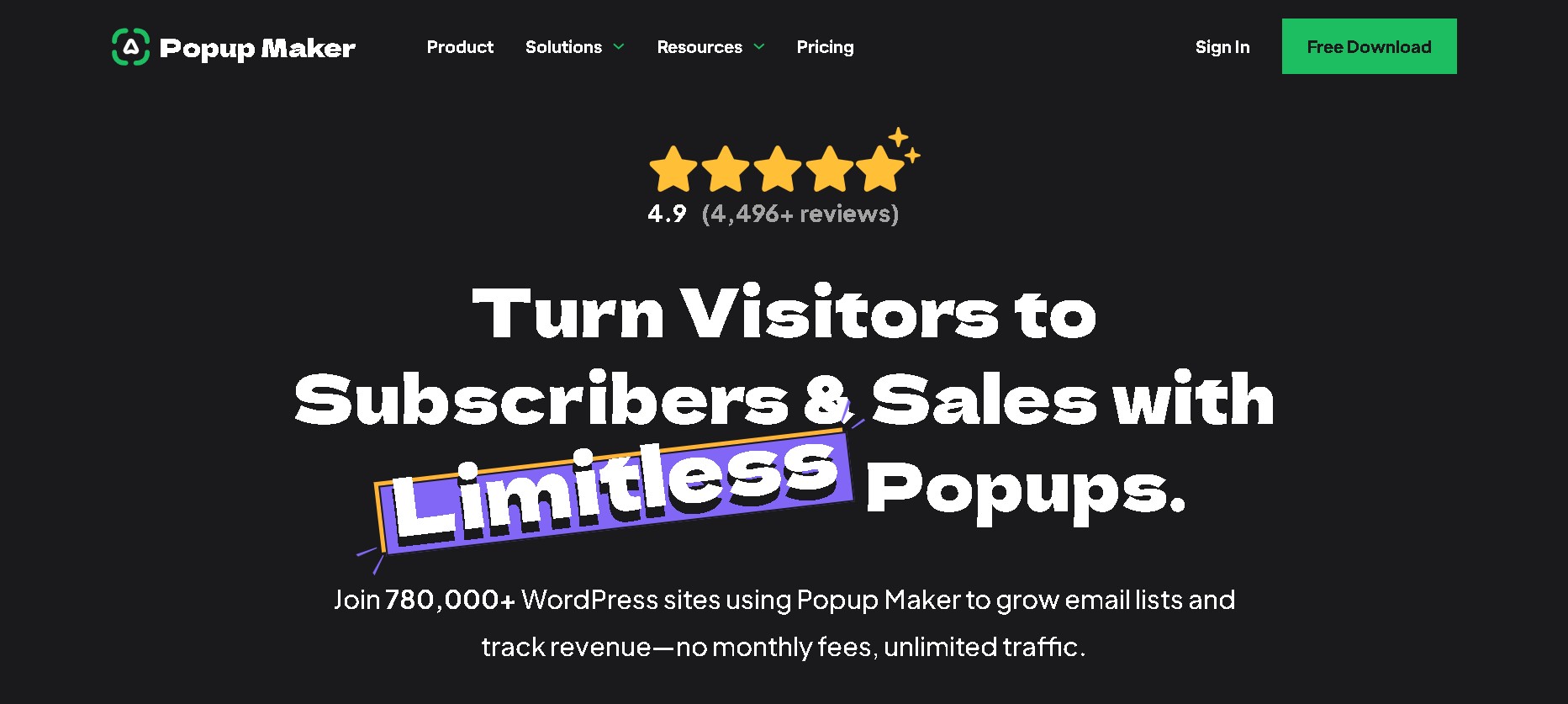
Popup Maker is one of the best free WordPress popup plugins, offering unlimited popup creation without subscription restrictions. Its advanced cookie management system prevents popup fatigue by tracking visitor interactions across multiple sessions and sites.
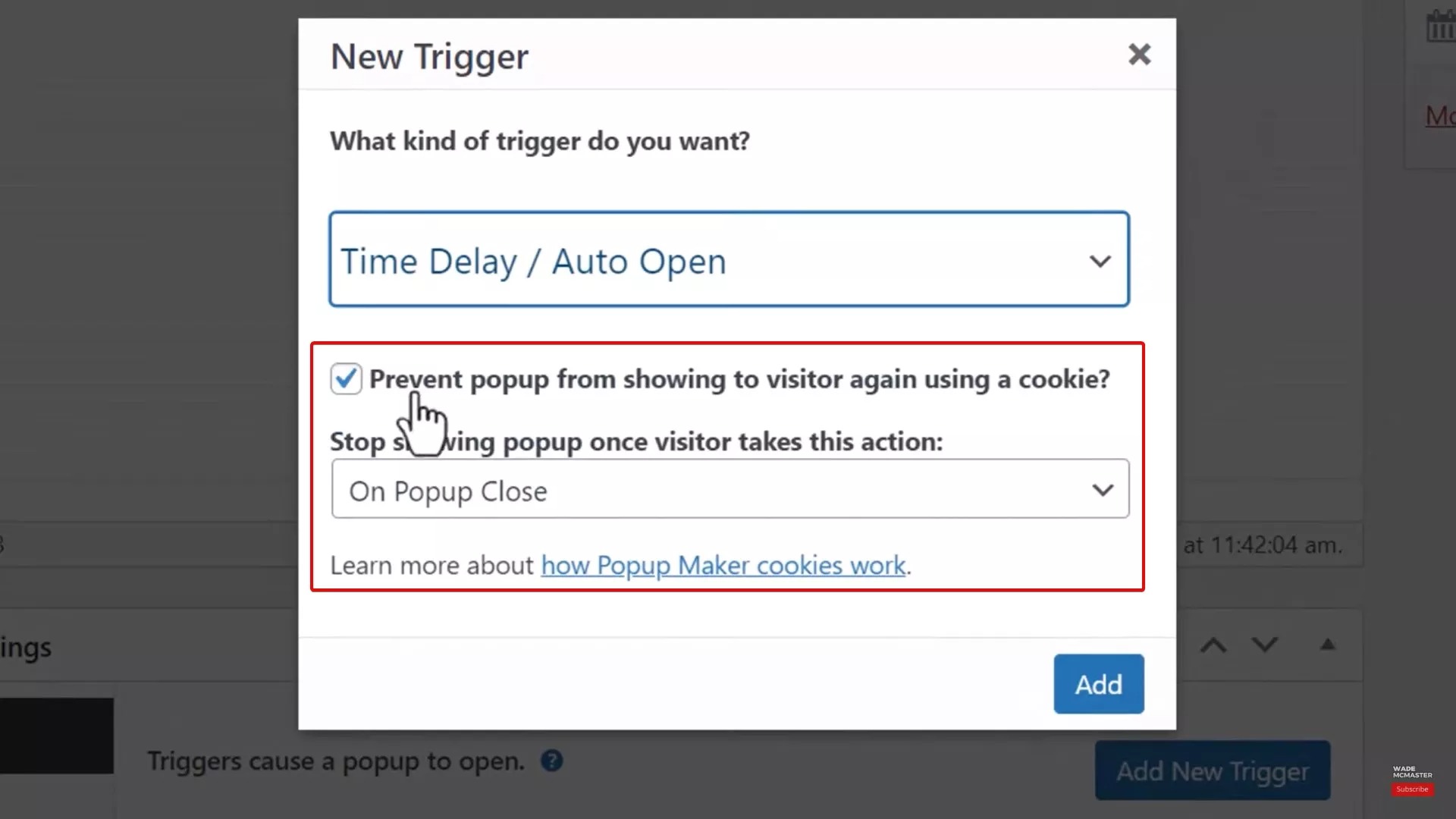
This WordPress popup plugin’s conditional logic engine displays different popups based on user roles, membership status, or custom field values.
Popup Maker also integrates with WordPress form plugins such as Gravity Forms and Contact Form 7, enabling advanced lead-capture workflows. The platform also offers import/export functionality to facilitate popup migration between websites.
Key features
- Unlimited popup creation with extensive customization options
- Advanced trigger system based on user actions, timing, and page visits
- Integration with popular form plugins like WPForms
- Cookie-based frequency controls to prevent popup fatigue
- Developer-friendly hooks and filters for custom functionality
- Responsive design options for all device types
Pros
- Best free WordPress popup plugin with powerful features included
- Highly flexible framework suitable for virtually any popup requirement
- Active community forum support and extensive documentation
- Works seamlessly with existing WordPress themes and plugins
Cons
- Requires more technical knowledge than plug-and-play solutions
- Limited pre-built templates compared to alternatives like Omnisend
- Advanced features require premium extensions
Pricing
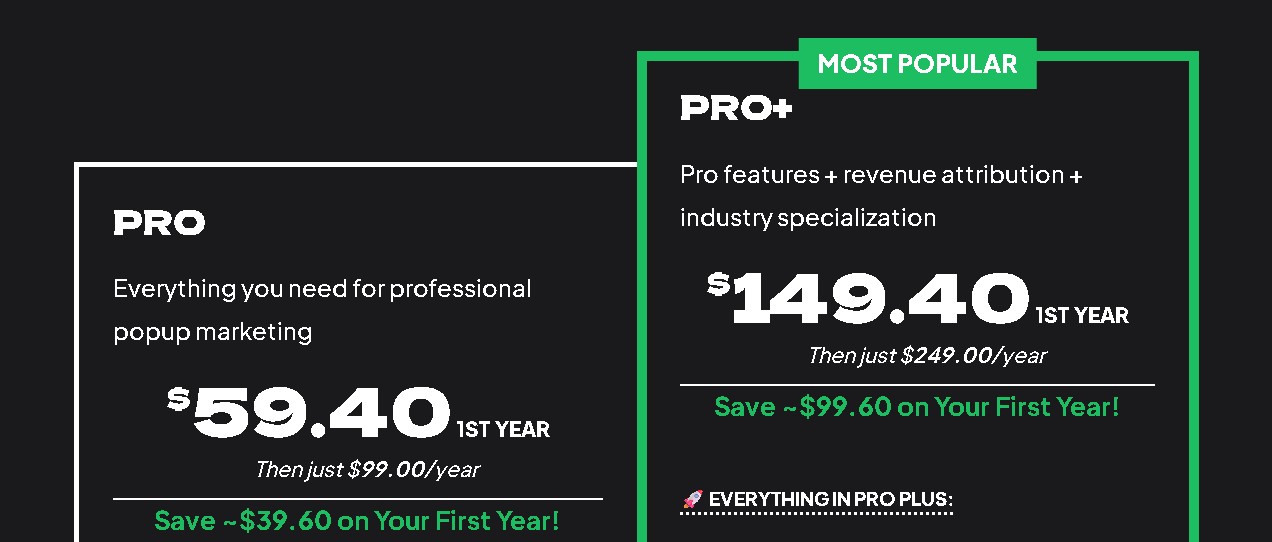
- Pro: $99/year ($59.40 for the first year)
- Pro+: $249/year ($149.40 for the first year)
Best for
Developers and agencies that need advanced customization control for their clients.
5. Elementor Pro — Integrated popup builder for Elementor users

Elementor Pro extends the popular page builder with native popup functionality that maintains complete design consistency across your WordPress site.
This WordPress popup plugin’s integration provides access to 100+ widgets. It allows you to create complex interactive popups with forms, galleries, and dynamic content.
Its global styling system applies your website’s colors and design settings to popups, keeping your branding uniform across pages. Integration with Elementor’s theme builder allows you to create reusable popup templates that work across multiple pages and post types.
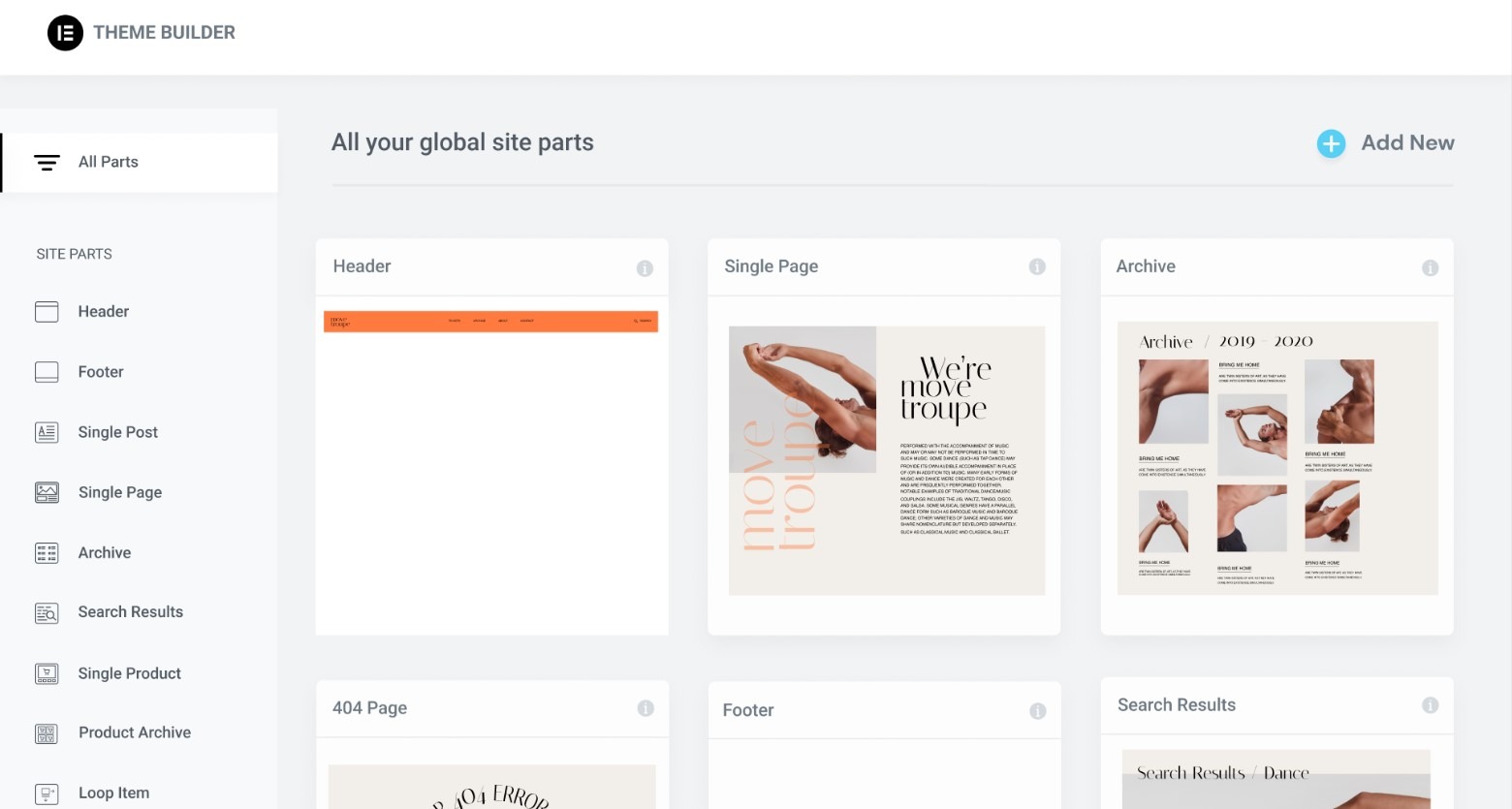
Elementor’s motion effects library adds sophisticated animations without requiring coding knowledge.
This WordPress popup plugin includes condition-based triggers. They respond to scroll depth, exit intent, and custom CSS selectors. The plugin also supports A/B testing. It compares different popup versions to identify the best design and content combinations.
Key features
- Native integration with Elementor’s drag-and-drop interface
- Multi-site management for popup template sharing across WordPress networks
- Sophisticated trigger options, including scroll percentage and exit intent
- Advanced form styling capabilities
- Global widget system for consistent design across all popups
- Animation and motion effects library
Pros
- Seamless integration with existing Elementor workflows
- Extensive design flexibility using a familiar interface
- Consistent styling options match your website design perfectly
- Strong community support and regular updates
Cons
- Requires Elementor Pro subscription, increasing overall costs
- Learning curve for users new to the Elementor ecosystem
- Overkill for sites that only need simple popup functionality
Pricing
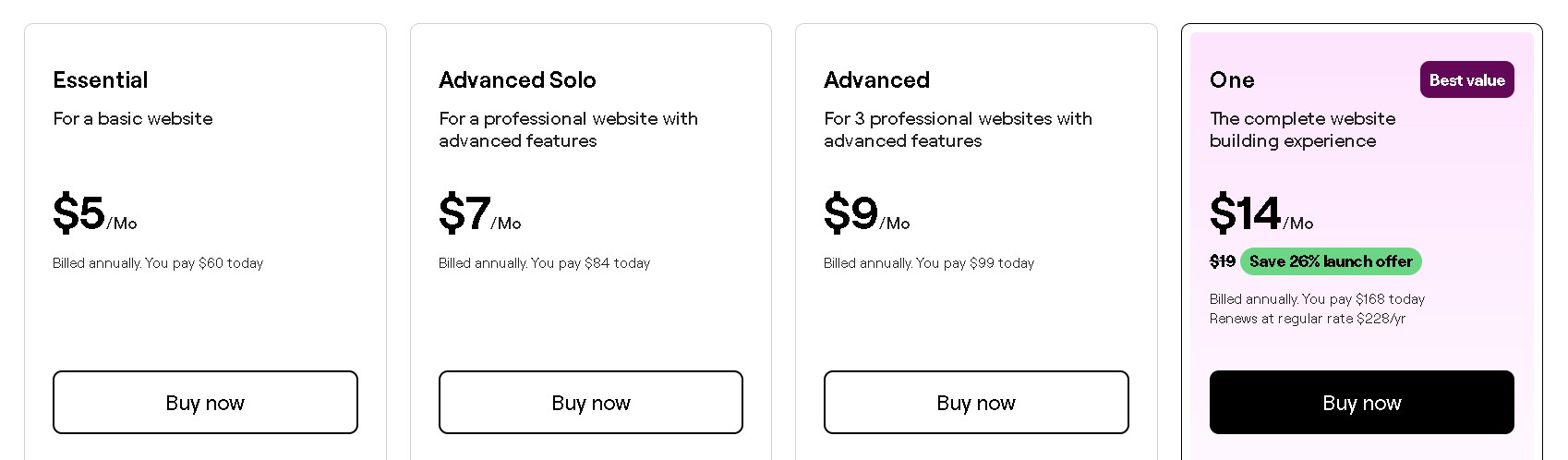
- Essential: $5/month (billed annually)
- Advanced Solo: $7/month (billed annually)
- Advanced: $9/month (billed annually)
- One: $14/month (billed annually)
Best for
Websites already using Elementor for design and layout that want popup functionality.
6. Bloom — Beautiful templates for design-conscious brands
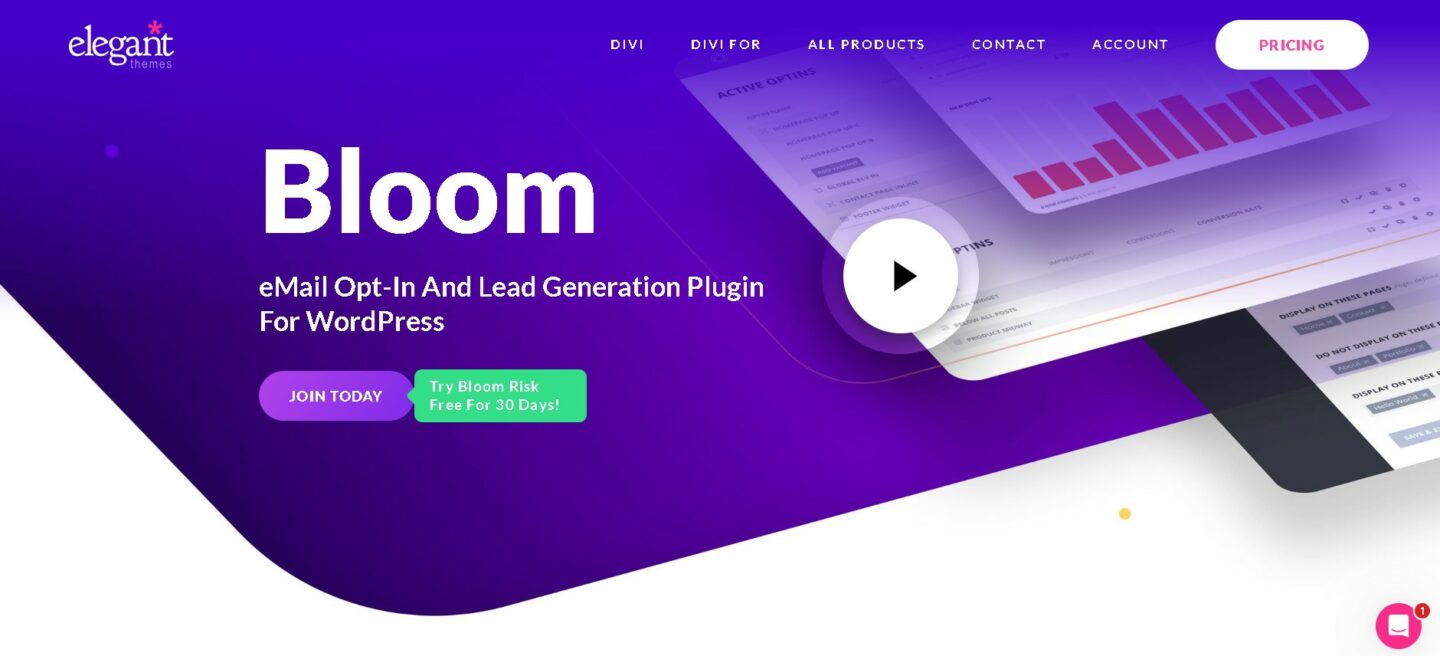
Bloom is a WordPress popup plugin designed for brands that prioritize visual design without sacrificing conversion performance. Its templates are crafted to look professional while following proven strategies to increase email signups and engagement.
The plugin offers six distinct popup formats ranging from subtle fly-ins to full-screen overlays. Each template is tested for conversion performance. This ensures that its visual design translates into measurable increases in signups.
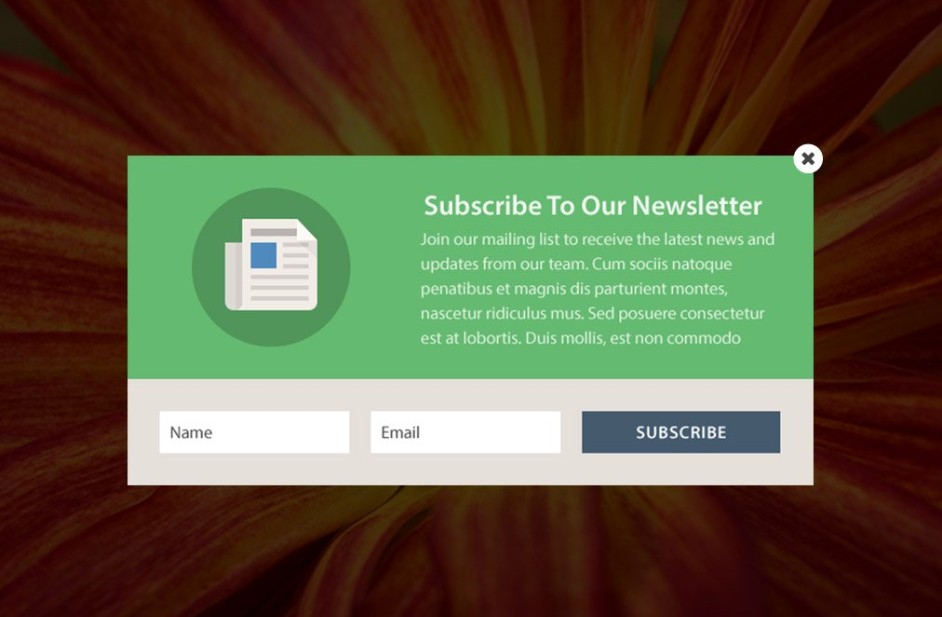
Bloom’s design customization system helps keep popup templates consistent. It also lets you add your brand colors, fonts, and images. The platform works with 19 popular email marketing services. It syncs subscriber data and custom fields with no additional work.
Its performance analytics dashboard tracks conversions, subscriber growth, and engagement metrics over time. Mobile optimization tools ensure popups display correctly on all devices without compromising design quality.
Unlike ecommerce-focused tools like Omnisend, Bloom provides basic performance tracking rather than advanced revenue attribution.
Key features
- Social sharing buttons within popup designs
- 100+ beautiful pre-designed and customizable templates with professional styling
- Advanced targeting and trigger options, including post or page-level display
- Integration with major email marketing services
- Detailed conversion statistics and performance tracking
- Mobile-optimized designs for all device types
Pros
- Stunning template designs
- Easy setup process with minimal configuration required
- Strong conversion performance from tested templates
- Excellent integration with Divi and other Elegant Themes products
Cons
- Limited customization compared to more flexible alternatives
- Requires an Elegant Themes membership for access
- Fewer advanced features than specialized popup builders
Pricing
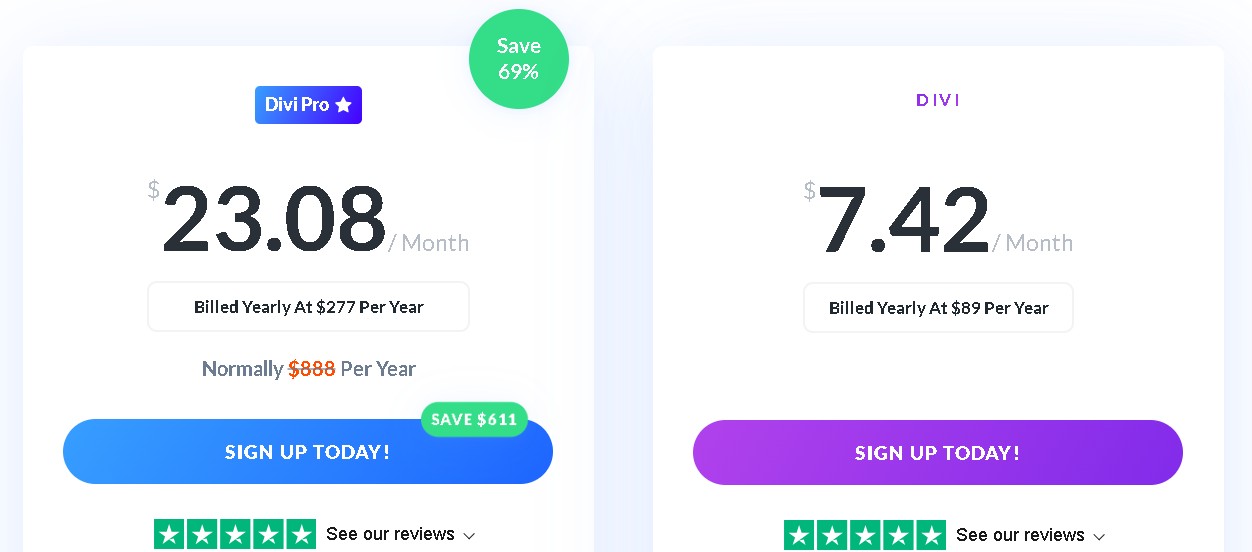
- Divi: $7.42/month (billed annually at $89/year), comes with an option of a one-time payment of $249
- Divi Pro: $23.08/month (billed annually at $277/year), $888/year without the existing 69% discount
Best for
Design-conscious businesses and Divi users who value visual appeal and professional-looking popups.
7. Convert Pro — Fast-loading with advanced triggers
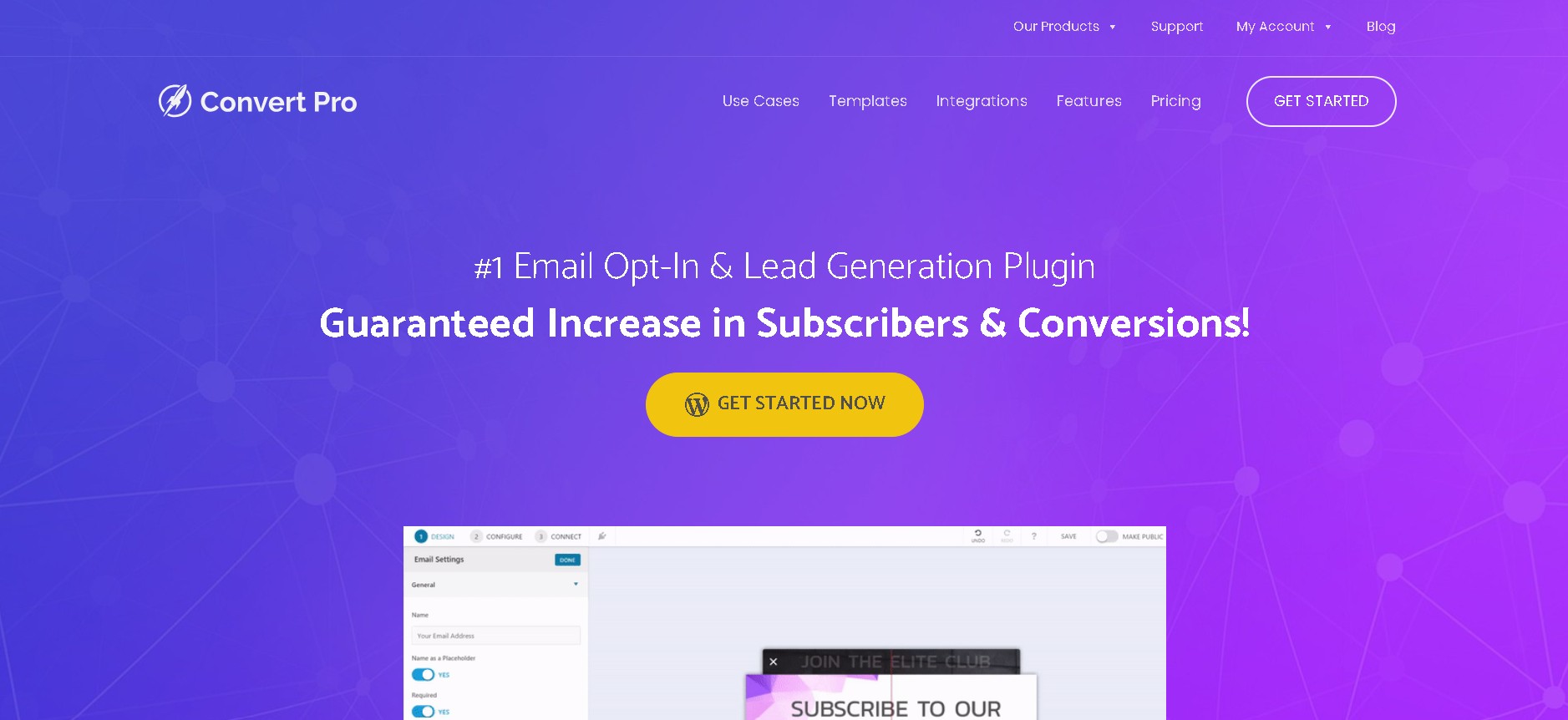
Convert Pro engineers every feature to maximize performance, ensuring this WordPress popup plugin loads instantly, even on slower connections. Its smart exit-intent technology can detect genuine exit behavior and accidental cursor movements. This helps reduce false popup triggers.
Convert Pro’s behavioral analytics engine tracks detailed visitor actions and dynamically adjusts trigger timing to improve engagement rates.
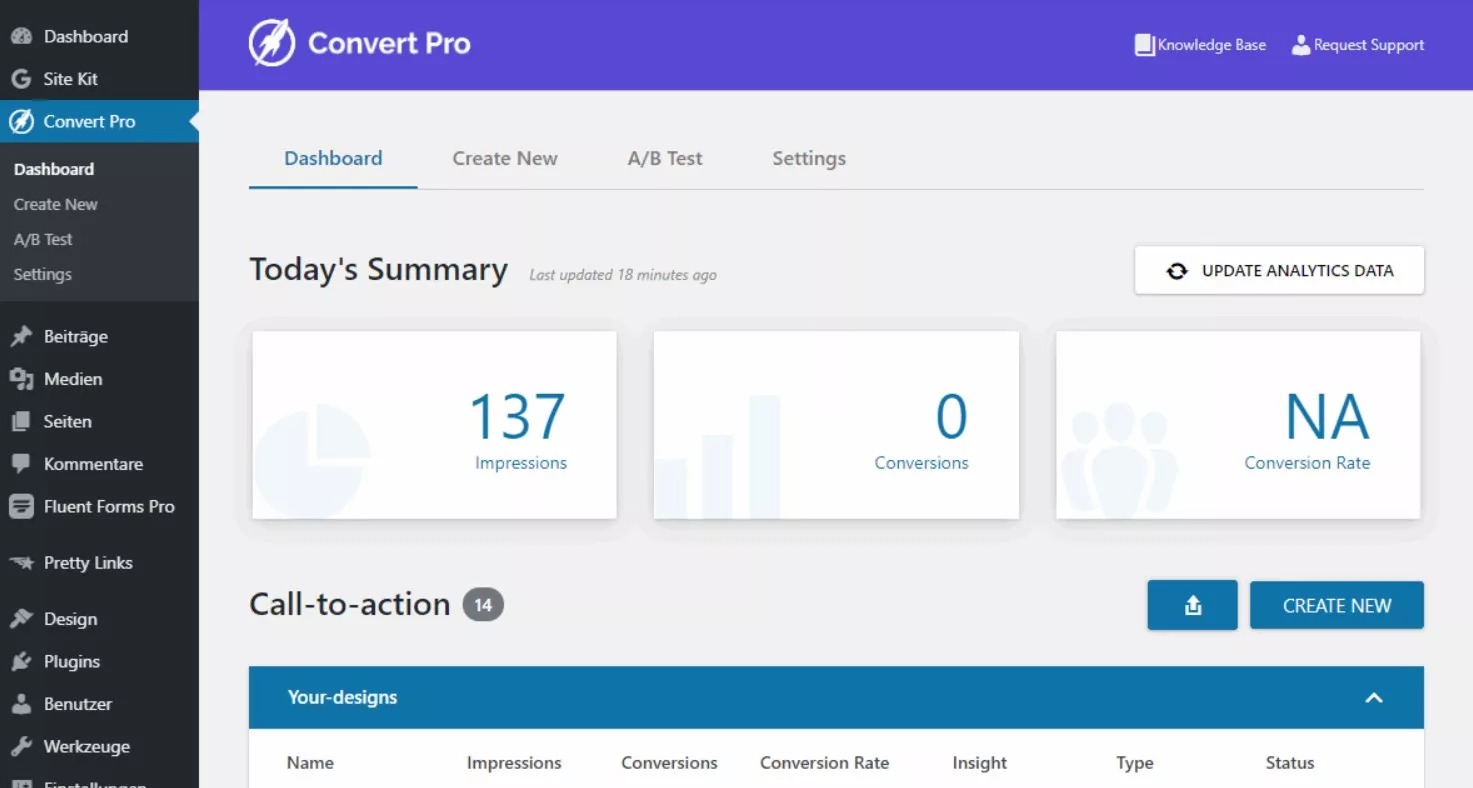
The platform includes a statistical significance calculator that validates A/B test results before declaring a winner. The popup builder lets you set triggers that respond to many user actions at the same time.
Its performance monitoring system tracks loading speed. It alerts you to problems before they affect conversions. The platform also supports multi-step popup functionality. This guides visitors through complex signup processes and keeps completion rates high.
Key features
- Lightning-fast loading speeds with optimized code
- Advanced trigger system with smart exit intent
- Geolocation targeting for location-based offers
- Conversion analytics with detailed performance insights
- Several popup styles, including full-screen takeovers
- Integration with popular email marketing platforms
Pros
- Excellent loading speeds don’t impact site performance
- Advanced trigger options provide precise targeting control
- Strong analytics help optimize conversion rates
- Regular updates and responsive customer support
Cons
- Higher learning curve for beginners
- Limited template selection compared to other options
- Requires a separate purchase from Brainstorm Force
Pricing
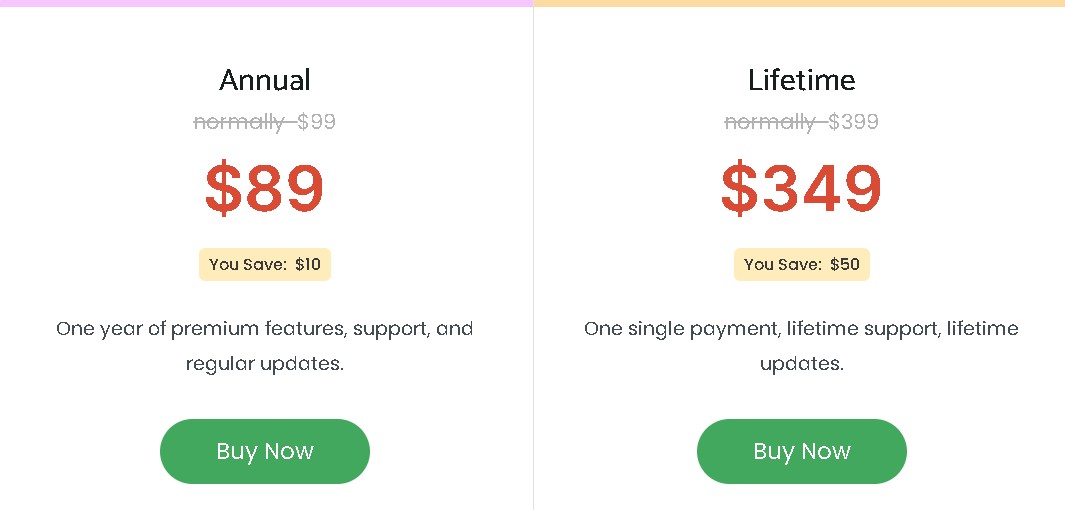
- Annual: $99/year
- Lifetime: $399
Best for
Performance-conscious businesses with high-traffic websites.
Best WordPress popup plugins compared
Understanding how these WordPress popup plugins stack up against each other can help you make the right choice. The table below summarizes the key differences in features, pricing, and ecommerce readiness.
| WordPress popup plugin | Best for | Features | Price | Free Plan | Ecommerce Focused |
|---|---|---|---|---|---|
| OptinMonster | Advanced targeting and lead generation | MonsterEffects animations | Starts at $7/month, billed annually | No | No |
| Omnisend | Ecommerce marketing integration | Multi-channel automation | Starts at $16/month | Yes | Yes |
| Claspo | Gamified lead capture | Gamification, A/B testing | Starts at $39/month | Yes | Yes |
| Popup Maker | Maximum customization | Unlimited popup creation | Starts at $99/year | Yes | |
| Elementor Pro | Design consistency | Native Elementor integration | Starts at $5/month | No | Yes |
| Bloom | Beautiful templates | Professional design quality | Starts at $7.42/month | No | No |
| Convert Pro | Fast loading speeds | Smart exit intent | Starts at $99/year | No | Yes |
Omnisend stands out from major alternatives like OptinMonster. It combines popup creation with email and SMS automation in a single platform.
Rather than focusing on affordability and cheap tools, choosing tools that deliver value over time and drive ROI is more useful.
Other plugins need separate email marketing services. Omnisend provides unified workflows, revenue attribution, global SMS capabilities, and 24/7 support. These features are especially valuable for scaling ecommerce stores.
That said, Omnisend isn’t for content-heavy publishers focused on long-form blogging or editorial funnels.
Quick sign up | No credit card required
WordPress popup types and when to use them
Each popup type serves distinct purposes and works better in certain situations than others.
Lightbox and modal popups
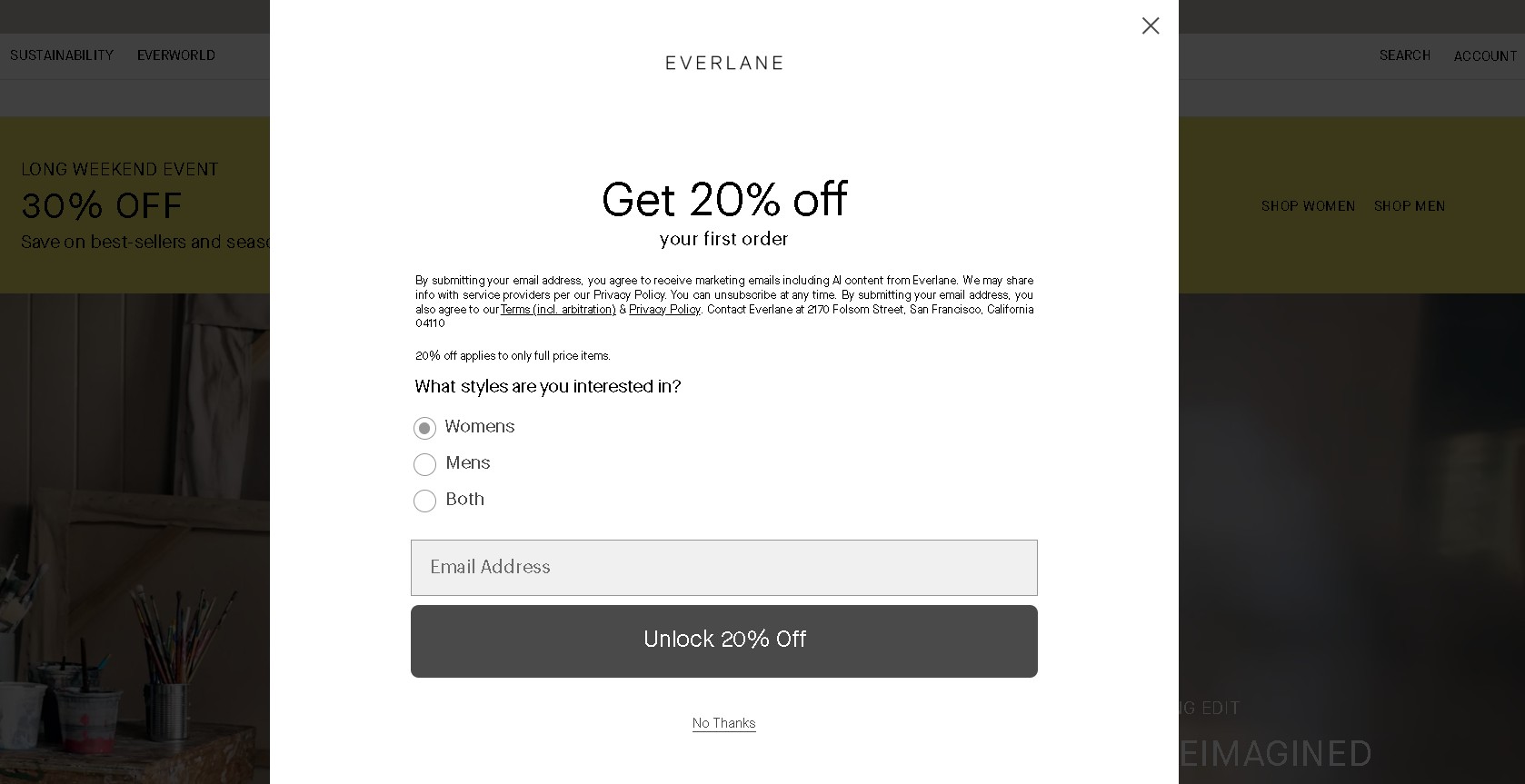
Lightbox popups appear centered on the screen with a darkened background overlay. These popups work well for important announcements and newsletter signups. Lightboxes can be single-step or multi-step, depending on the amount of information you need to collect.
Omnisend data show that well-optimized single-step lightbox popups converted at 2.0% on average in 2025. The rate reached up to 2.3% for multi-step popups.
On mobile, you can use delayed or scroll-triggered lightboxes rather than immediate load. Use them for cart abandonment recovery or exclusive discount codes when triggered by exit intent. Here’s an example:
Floating bars
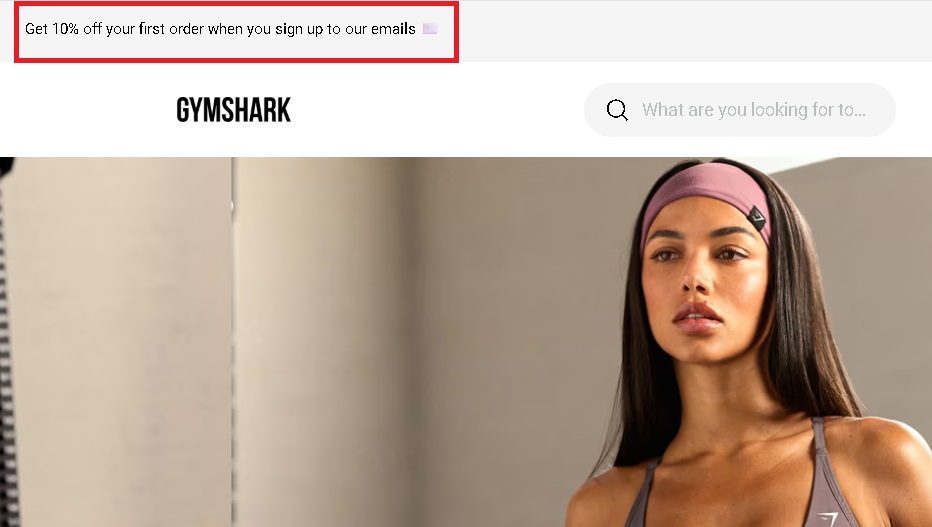
Floating bars appear at the top or bottom of the screen without interrupting the main content. These popups are subtle. They work well for ongoing promotions, cookie notices, discounts, and newsletter signups.
Popups with a discount offer converted at 2.4%, compared to 1.7% for popups without any discount.
They’re especially effective on mobile devices where screen space is limited. Keep height minimal on mobile to avoid covering page content. Here’s a great example from Gymshark:
Slide-in popups
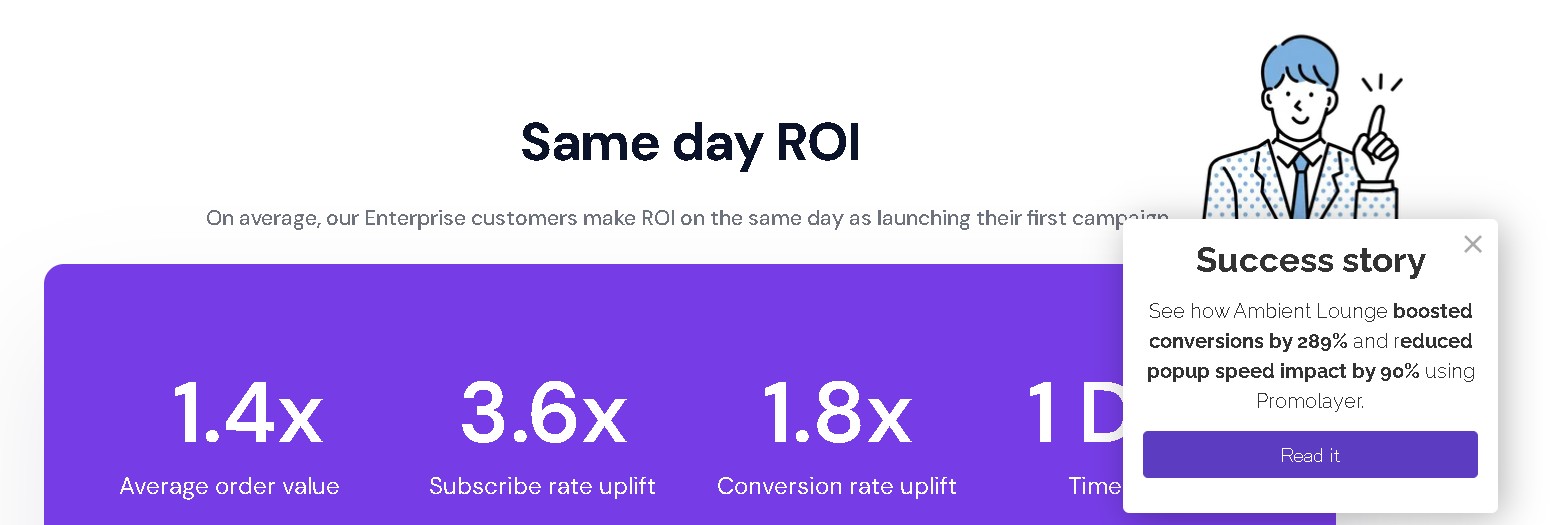
Slide-in popups appear from the corner of the screen, most often the bottom right. This popup format is easy to see and does not interrupt the user experience.
Use slide-ins for content upgrades or related product recommendations triggered by scroll depth. For mobile optimization, position slide-ins from the bottom and ensure they’re easy to close.
Omnisend’s 2025 data shows that popup placement matters. Popups placed in the bottom-right corner convert better than those placed at the top or in the middle. This popup from Promolayer is a great example:
Gamified popups (spin-to-win)
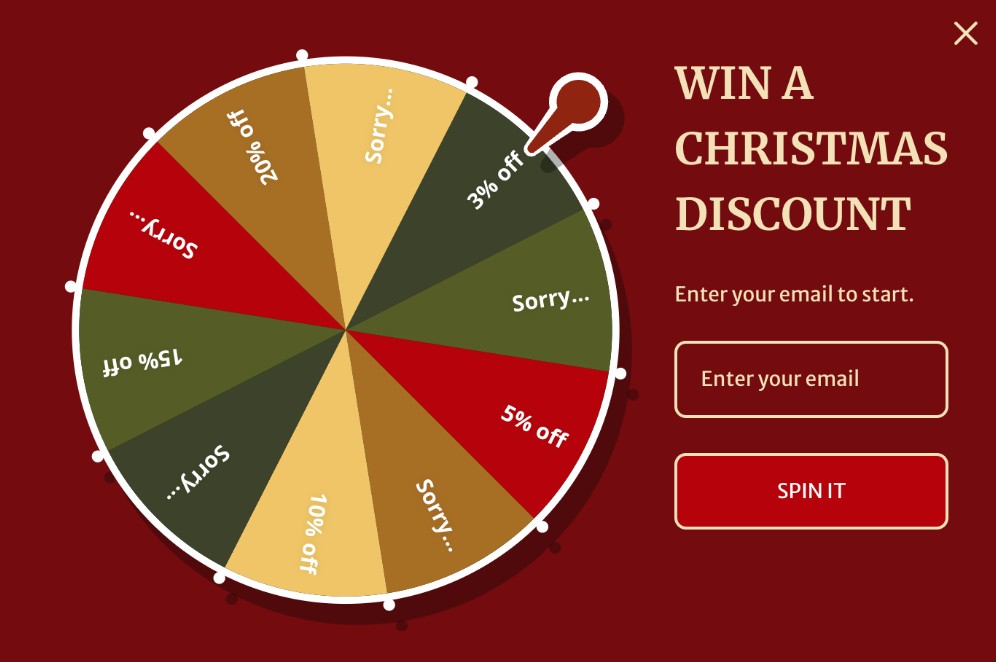
Interactive popups, such as spin-to-win wheels, engage visitors through gameplay while collecting email addresses. These WordPress popup plugin formats consistently outperform static popups by tapping into curiosity and reward-based psychology.
Wheel of Fortune–style popups averaged a 3.5% conversion rate, compared to 2.0% for non-gamified popups. Deploy them for seasonal promotions or customer acquisition campaigns.
For better mobile performance, use simplified wheels and avoid complex animations that can slow load times. Here’s an example from Omnisend’s template:
Full-screen welcome mats
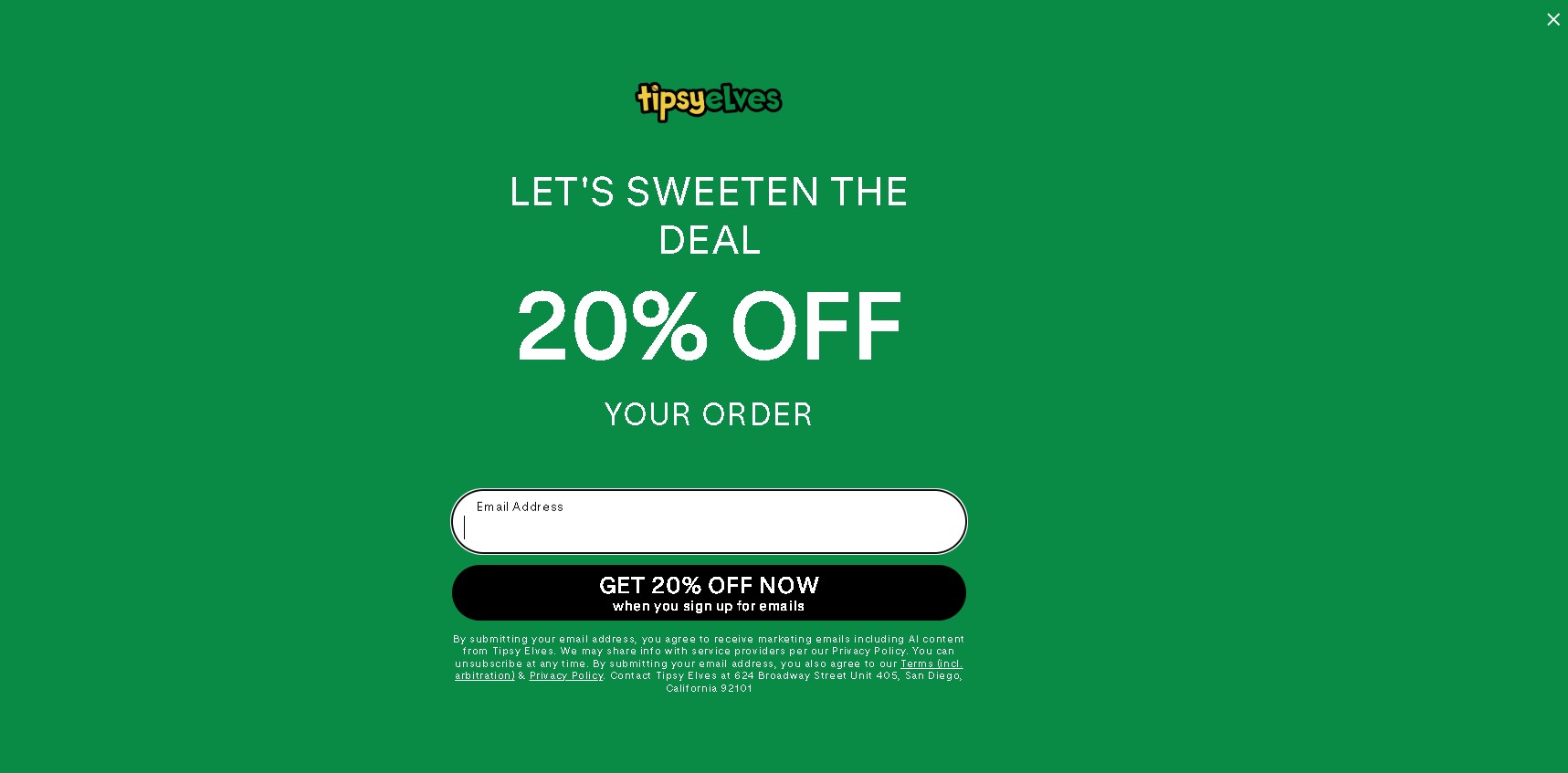
Full-screen popups cover the entire viewport and demand complete attention. While they can feel intrusive, especially on mobile, they can deliver strong results when timing and relevance are handled carefully.
Do not show full-screen popups immediately on page load for mobile users. Popups perform best when delayed 6–10 seconds (2.4% conversion), while showing them immediately yields lower results (1.9%).
Reserve them for major announcements, course launches, or exclusive membership or product offers. Just like this one from Tipsy Elves:
Exit intent popups
Exit intent technology detects when visitors are about to leave and displays targeted messages. This WordPress popup plugin feature helps re-engage abandoning visitors with timely, last-chance offers.
Cursor-based exit intent does not work on mobile. Use scroll reversal, back-button detection, or inactivity triggers instead.
Exit intent popups typically convert 2.1% of abandoning visitors. They’re essential for ecommerce sites looking to reduce bounce rates and recover lost revenue by providing a catchy offer. My Skin Feels shows us how this is done here:

How to create a popup on WordPress (step-by-step)
Creating a WordPress popup plugin doesn’t need coding knowledge when you use the right tools. This guide shows you how to add a popup on WordPress using Omnisend as an example.
Omnisend’s drag-and-drop builder requires no technical knowledge. Most users can create and publish their first popup in under 10 minutes.
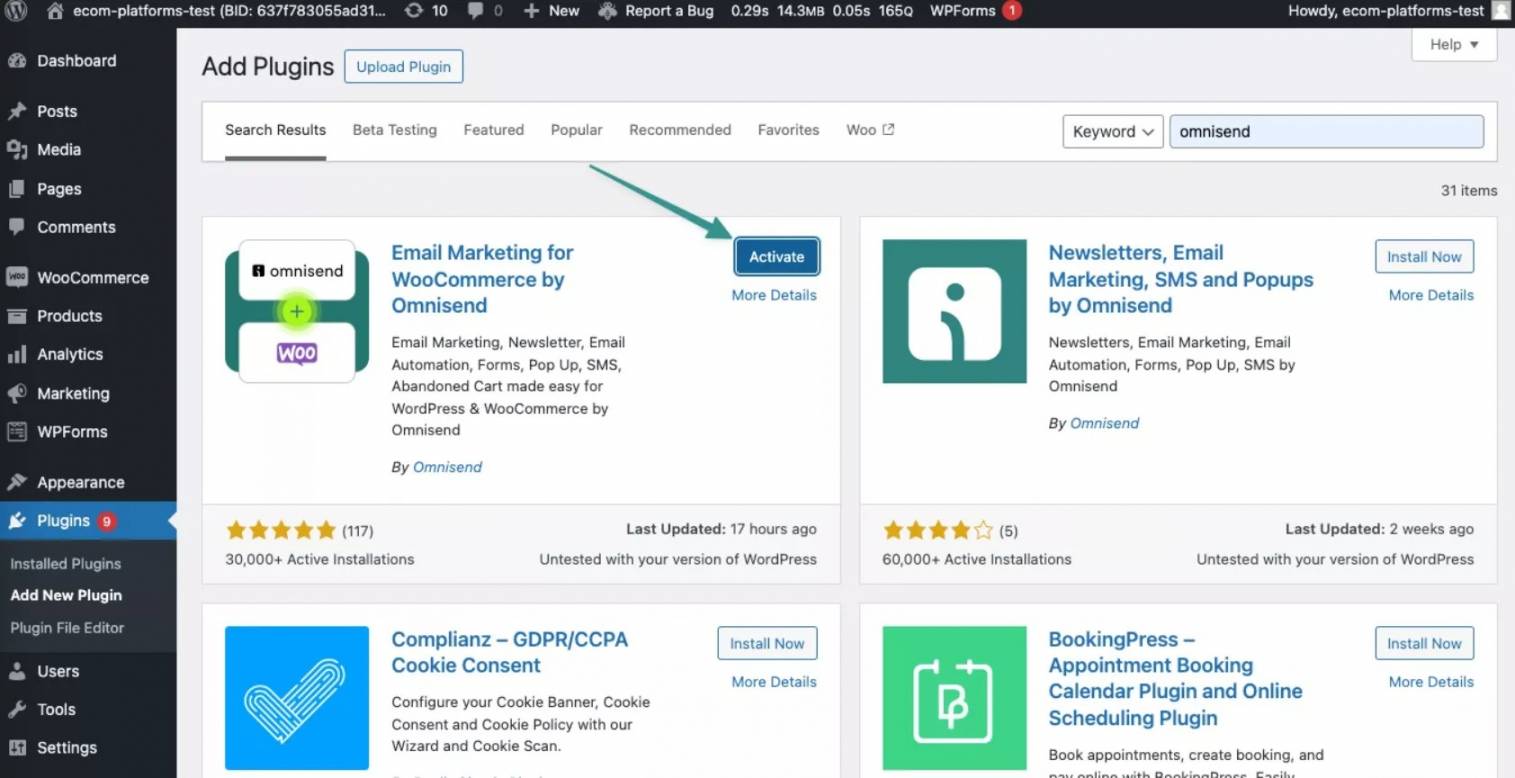
Step 1: Install your WordPress popup plugin
Go to your WordPress dashboard, click Plugins, and then Add New. Search for your chosen WordPress popup plugin, like Omnisend. Click Install Now and Activate.
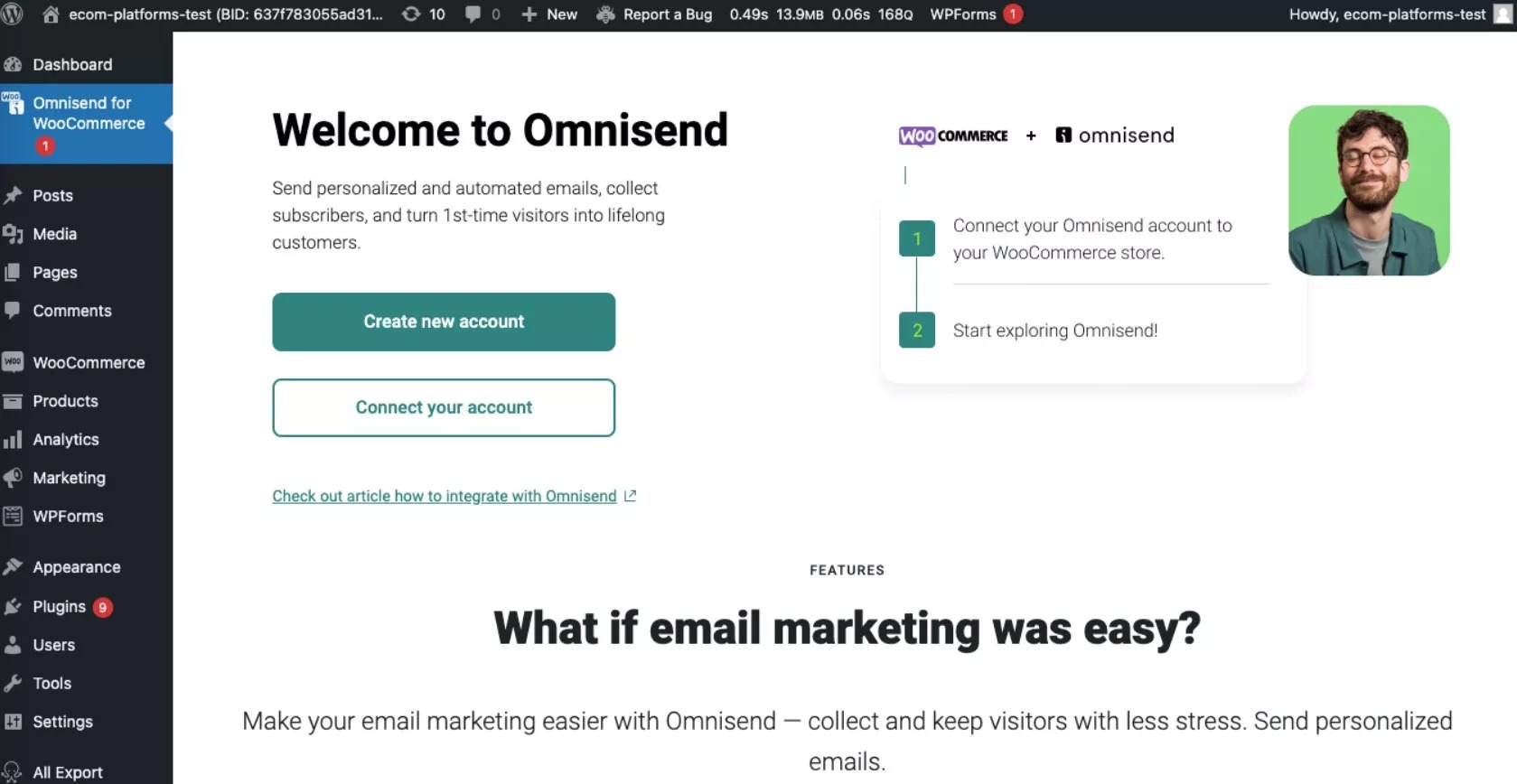
Step 2: Access the popup builder
Find your plugin in the WordPress dashboard menu and click to access the popup creation interface.
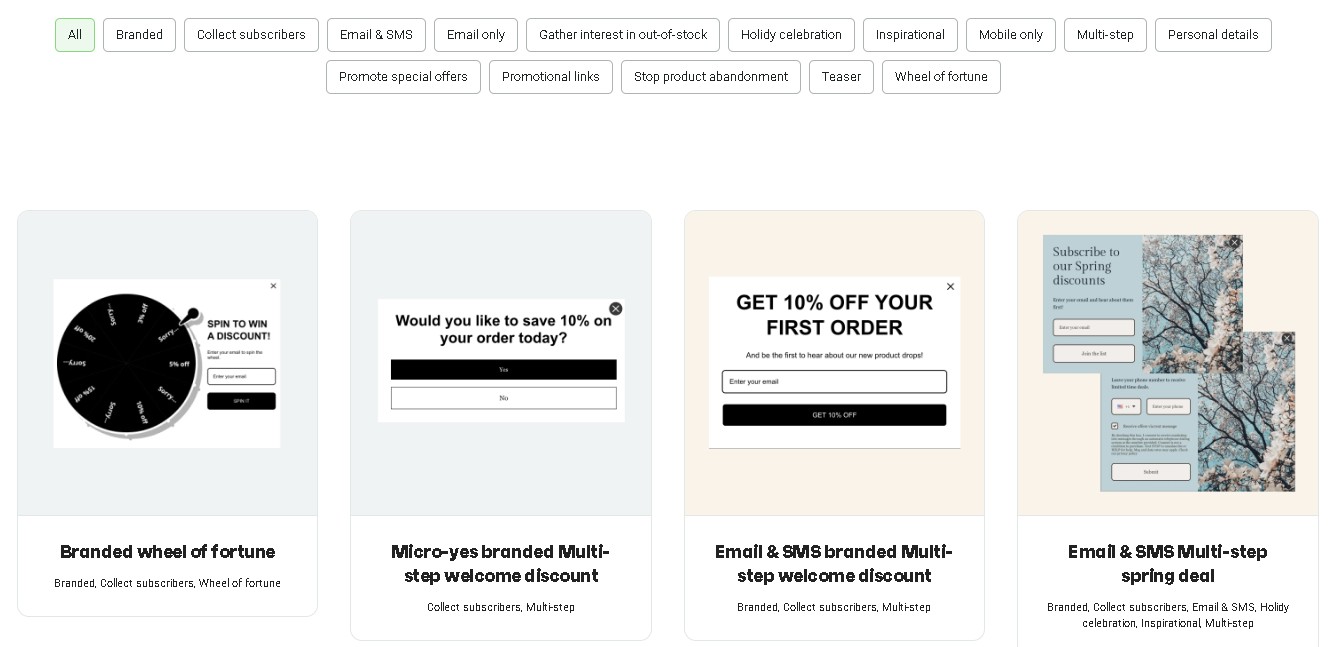
Step 3: Choose a template
Browse the library of pre-designed templates optimized for conversion and select a layout that fits your goal. The best WordPress popup plugins offer a range of campaign-specific templates.
On Omnisend, you can choose templates for email signups, discounts, product promotions, or cart recovery.
Step 4: Customize design
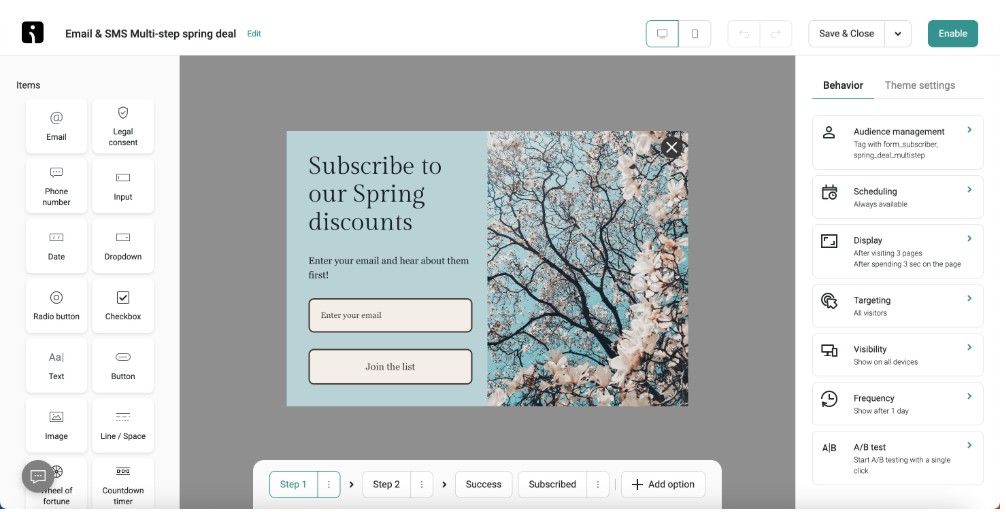
Use the drag-and-drop editor to customize colors, fonts, and messaging. Ensure your WordPress popup matches your brand guidelines.
Step 5: Configure triggers
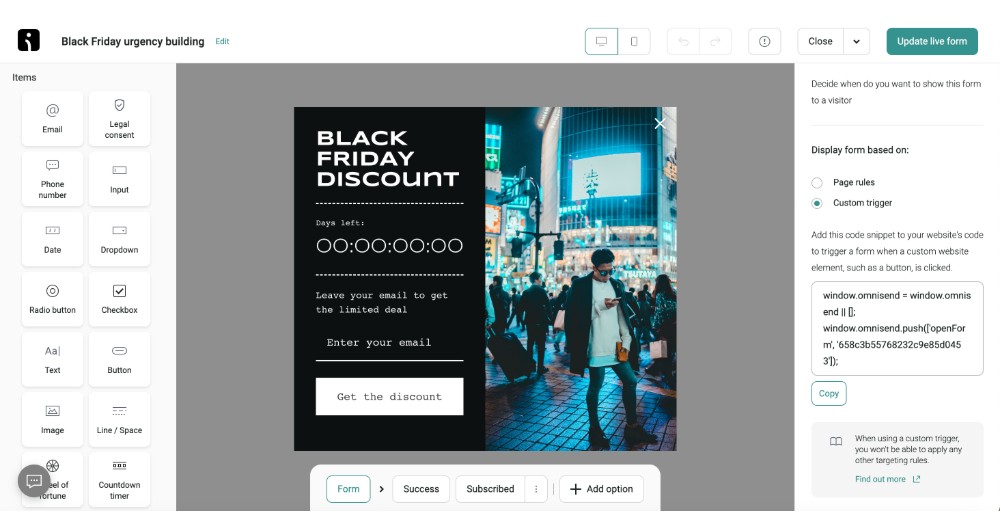
Set up your popup to appear when visitors meet triggers, such as exit intent, scroll depth, or time on page. Advanced WordPress popup maker tools allow targeting based on user behavior.
For example, you can set exit intent popup timing to trigger after 10 seconds on the page. You can also show the popup when a visitor scrolls past 50 percent of the content. Further, you can add a trigger to close a popup once a customer takes a certain action.
Step 6: Set display frequency rules
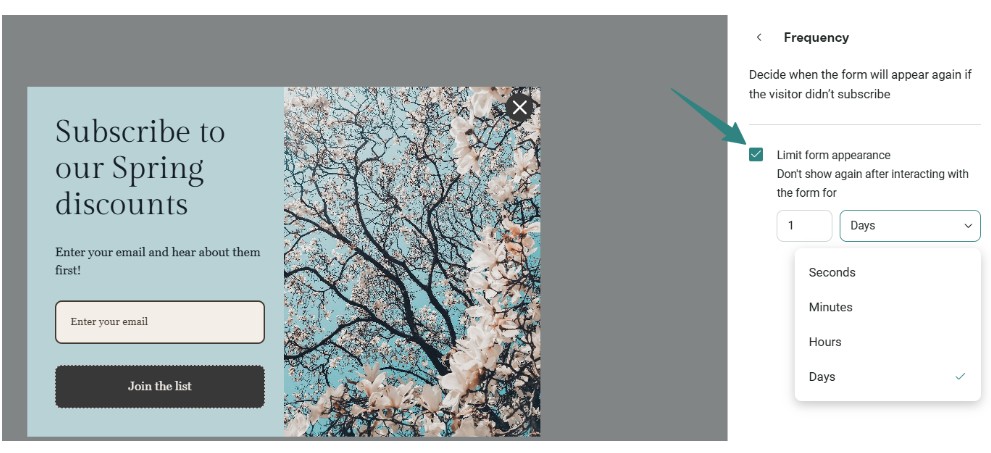
Make sure to review the display frequency settings before publishing. You can show a popup once per session or once every 7 days. This prevents popup fatigue and protects the user experience.
Step 7: Test and publish
Once your form is ready, preview your popup on different devices to ensure it displays correctly. Then enable the form to go live, and track performance using the built-in analytics to optimize conversion rates.
You may also save your progress as a draft by clicking Save & Close without publishing.
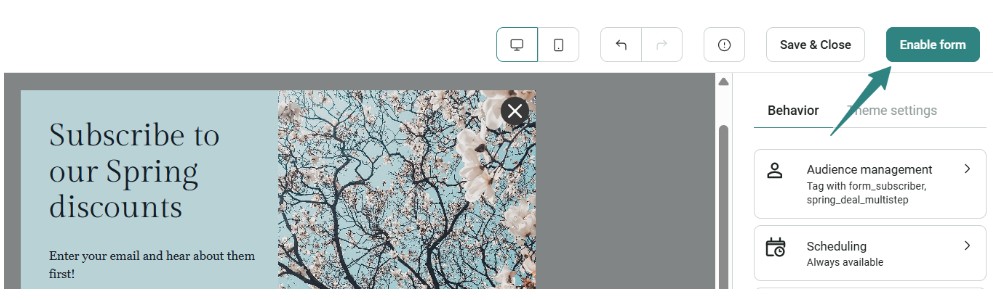
Here are some troubleshooting tips to help if your popup isn’t working as expected:
- Popup not appearing: Check that triggers and display rules are set correctly
- Caching conflicts: Clear WordPress caching plugins or server cache, as these can prevent popups from showing
- Plugin conflicts: Disable other plugins if your popup isn’t displaying, then reactivate them
- Mobile display issues: Ensure mobile-specific settings are enabled
Common popup mistakes to avoid
Popups can grow your email list and increase sales. But an incorrect setup can degrade user experience and impact performance. Below are common mistakes to avoid when using a WordPress popup plugin.
- Showing popups immediately on page load: Displaying a popup the second someone lands on your site can frustrate visitors. A good WordPress popup plugin, such as Omnisend, lets you control popup timing and trigger popups via scroll or exit intent.
- Using generic messaging without personalization: Generic messages can lower conversion rates. Visitors respond better to offers based on their behavior, location, or purchase history. Omnisend supports audience targeting and dynamic content, so your popup shows relevant offers to each visitor.
- Ignoring the mobile experience: Many users browse on mobile devices. Poor mobile design or intrusive popups can block site content and harm user experience. Omnisend helps you design mobile-friendly popups that follow mobile interstitial guidelines.
- Displaying popups too frequently: Showing the same popup again and again can cause popup fatigue. A smart WordPress popup plugin should control frequency and suppress popups after signup. For instance, Omnisend includes display rules for popup to prevent overexposure.
- Not testing popup timing and copy variations: If you do not test your popups, you can miss chances to improve results. Small changes in headlines, timing, and other elements can increase conversions. Omnisend includes built-in A/B testing tools that can help you compare versions.
- Skipping performance monitoring: If you do not track performance, you may not understand how popups affect your site. Slow popups can hurt Core Web Vitals like loading speed. Omnisend provides built-in analytics to help you monitor impact and maintain popup performance.
- Neglecting to set up integration: If your popup does not connect to your email or CRM system, you may lose subscriber data. Omnisend connects with ecommerce platforms and marketing tools, so every signup flows into your system without gaps.
Avoiding these mistakes can help you improve user experience and increase conversions.
Conclusion: Finding the best WordPress popup plugin for your store
Choosing the right WordPress popup plugin can impact your website’s conversion rates and user experience.
As we move through 2026, popup technology continues to evolve. Modern tools combine targeting, automation, and analytics on a single platform.
Omnisend’s plugin is ideal for ecommerce businesses seeking a multi-channel marketing integration beyond basic popup functionality.
It connects popups with email and SMS automation and tracks revenue attribution. Add 24/7 customer support, seamless WordPress integration, and native integrations with Shopify, WooCommerce, and BigCommerce, and it becomes a strong long-term growth tool for online stores.
Brands using Omnisend report strong returns, averaging $79 for every $1 spent, according to Omnisend’s internal analysis, which demonstrates its value and ROI.
That said, other WordPress popup plugin options serve specific use cases extremely well:
- OptinMonster excels in advanced targeting and lead generation campaigns
- Claspo offers gamified popups and widgets with A/B testing for higher engagement
- Popup Maker provides unmatched flexibility for developers needing custom solutions
- Elementor Pro delivers seamless integration for existing Elementor users
- Bloom creates beautiful templates for design-conscious brands
- Convert Pro supports high-traffic websites that need performance-focused popups
The best WordPress popup depends on your specific business goals, technical requirements, and growth stage. Start with your primary marketing objective, then match features to your needs.
To simplify your decision:
- If you’re an ecommerce store owner, choose Omnisend
- If you need advanced targeting for content or lead generation, choose OptinMonster
- If you want a free and flexible solution, choose Popup Maker
Quick sign up | No credit card required
FAQs
The best WordPress popup plugin depends on your business goals. Omnisend is the top choice for ecommerce stores because it combines popups with email and SMS automation and revenue attribution. For content-driven websites, OptinMonster offers advanced targeting and engagement tools. Popup Maker offers the best free solution for customization flexibility. You can choose based on whether your goal is sales, leads, or engagement.
Popup Maker offers the most comprehensive free WordPress popup plugin. It allows unlimited popup creation and extensive customization options. Omnisend also offers a generous free plan with email marketing integration.
Yes. A WordPress popup plugin helps capture visitor information and increase conversions. It enables targeted messaging and cart abandonment recovery. It also helps with lead generation that’s difficult to achieve through static website elements alone.
When implemented well, popups won’t harm your SEO as long as they follow Google’s mobile interstitial guidelines. Poorly implemented popups can affect Core Web Vitals, including loading speed and interactivity, both ranking factors. Smart targeting tools on Omnisend help display popups at the right moment. This prevents disruption to the user experience or violations of search engine policies.
Yes, you can use more than one popup plugin on WordPress, but it’s not recommended. Running many plugins may slow down your website. It’s better to choose one plugin that meets all your needs. Top WordPress popup plugins like Omnisend can handle many popup types, so you usually don’t need more than one.
Popup conversion rates vary depending on your audience, timing, design, and offer. A typical range for ecommerce sites is 3% to 10%, but high-performing popups with targeted messaging and strong offers can reach 15% or more. Factors like mobile optimization and personalization also improve results.
This article was researched and written by our experts following a precise process.
See the process
TABLE OF CONTENTS
TABLE OF CONTENTS


No fluff, no spam, no corporate filler. Just a friendly letter, twice a month.