Omnisend AI


 OFFER
OFFER










Brevo is best for multichannel ecommerce features at a low price, and for storing large lists you email infrequently. GetResponse is best for frequent senders and creators needing one tool for marketing and monetization.
Brevo (Sendinblue until 2023) charges by monthly email volume and assigns a cap to your contacts per tier. GetResponse has unlimited emails and charges by list size. Both tools have multiple plans to consider.
Our Brevo vs. GetResponse comparison covers their features and prices as of August 2026 to help you pick the best tool for your business.
Brevo or GetResponse: the short answer
Brevo is your best fit if your list size is large relative to your monthly sends and you need SMS and email capabilities in all plans.
GetResponse is more suitable if you have a high send-to-contact ratio, or you’re a creator and want to earn from your content.
| Brevo | GetResponse | |
|---|---|---|
| Best for | Storing lots of contacts cheaply and having email and SMS in one tool with ecommerce integrations. | Frequent senders with a high send-to-contact ratio, creators and marketers wanting one platform to sell and earn. |
| G2 rating | 4.5/5 (2,600+ reviews) | 4.3/5 (1,140+ reviews) |
| Capterra rating | 4.6/5 (3,500+ reviews) | 4.2/5 (520+ reviews) |
| Channels | Email, SMS, MMS, web push*, mobile push*, WhatsApp* | Email, web push*, mobile push*, SMS* |
| Email sends | From 5,000–10,000,000+, plan-dependent | Unlimited in paid plans |
| SMS | Prepaid credits, available to purchase in all plans | Enterprise only |
| Support | Email only up to Professional; Professional plans also receive phone support | Email and live chat in paid plans, phone support in Enterprise |
| SMS coverage | 180+ countries | 50+ countries |
| Email templates | 50+ | 150+ |
| Landing pages | From Standard | All plans |
| CRM | Yes, sales and marketing | No |
| Monetization features | No | Yes, requires the Creator plan |
| Ecommerce integrations | All plans | All plans |
| AI features | Aura AI, with four agents for marketing, sales, data management, and conversations; plus a chatbot and a Model Context Protocol (MCP) connector | Chatbot, AI website builder*, segment builder (beta), insights, landing page builder, email generator, subject line generator |
*Plan-dependent. Brevo vs. GetResponse comparison is accurate as of August 2026. Green entries are overall winners.
Brevo and GetResponse pricing 2026 compared
Brevo is cheap to hold a list and charges you to mail it. GetResponse is the reverse, costing more to hold your list but with unlimited emails on all paid plans.
The table below shows what Brevo and GetResponse cost to hold the same list, comparing Brevo’s Starter plan with GetResponse’s Starter and Marketer plans.
| Contacts | Brevo Starter | Brevo sends included per month | GetResponse Starter | GetResponse Marketer |
|---|---|---|---|---|
| 1,000 | $17 | 10,000 | $19 | $59 |
| 2,500 | $25 | 15,000 | $29 | $69 |
| 10,000 | $32 | 20,000 | $79 | $114 |
| 25,000 | $32 | 20,000 | $174 | $215 |
GetResponse vs. Brevo figures are accurate as of August 2026 and are based on monthly billing without discounts. Brevo’s Starter tier at 20,000 sends holds up to 500,000 contacts. Both 10,000 and 25,000 contacts fall inside that cap, so the price and send allowance don’t change.
At 1,000 contacts, the pricing is close, but GetResponse becomes more expensive as your list grows.
GetResponse has an 18% discount on annual plans; Brevo takes 10% off. If you’re likely to buy one of these, factor those savings into the comparison.
By the time you’re at 25,000 contacts, Brevo is 5.4x cheaper to hold that list than GetResponse Starter and 6.7x cheaper than Marketer. That $32 only covers 20,000 sends a month, though, so mailing 25,000 contacts even once puts you on a higher step.
What forces you onto a higher plan
With GetResponse, list growth moves you up contact tiers, and low-tier plans restrict features. Starter has no abandoned cart trigger or purchase automation, and the Marketer plan has no webinars or course creator.
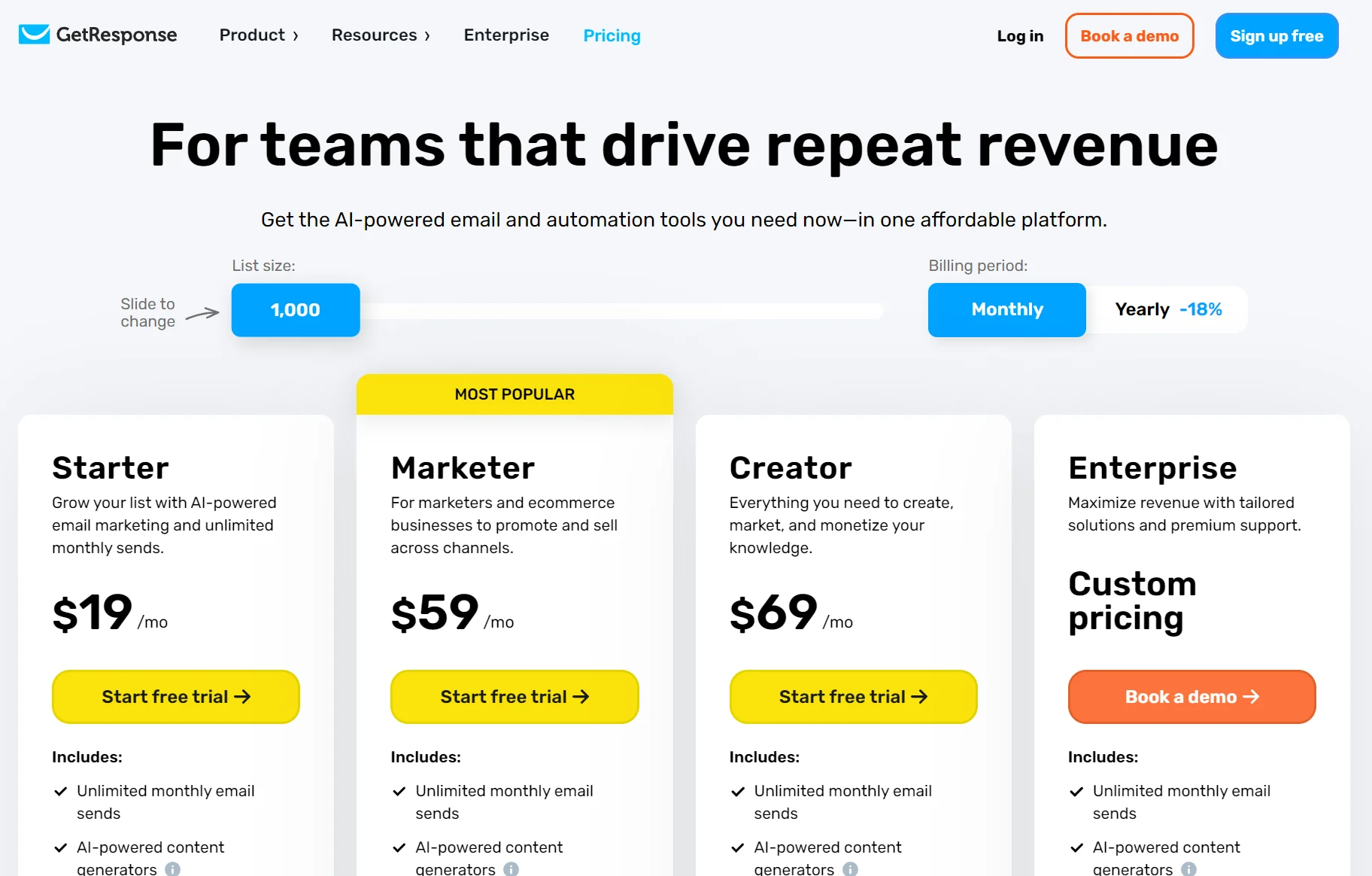
You’ll move to a higher tier on Brevo when you need more emails rather than more storage. Starter and Standard cap contacts at 500, 1,500, or 2,500, jumping to 500,000 at $32/month. But there are no pop-ups or dynamic coupons below the Professional plan at $499/month.
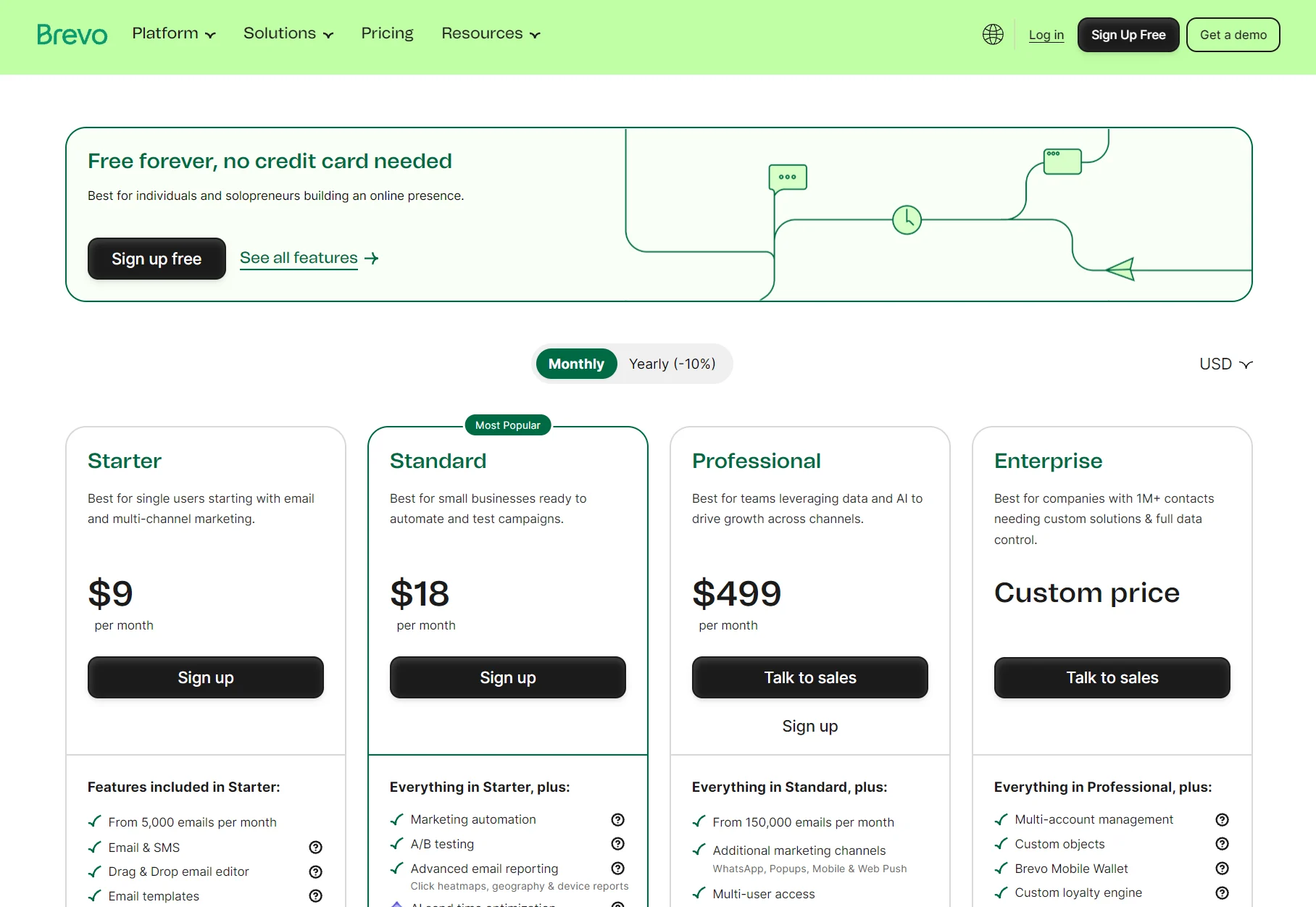
For more detail on Brevo’s pricing and features beyond this comparison, our Brevo review covers plans and limits in full.
Brevo vs. GetResponse for ecommerce stores
Brevo is the only tool that has purchase automation and abandoned cart triggers in all plans, including free.
GetResponse’s shopping cart abandonment requires at least a $59/month spend for the Marketer plan. Brevo also has capabilities GetResponse lacks, such as back-in-stock alerts for Shopify, WooCommerce, PrestaShop, Shopware 6, and API.
| Feature | Brevo | GetResponse |
|---|---|---|
| Ecommerce integrations | All plans | All plans |
| Shopify, WooCommerce, PrestaShop integrations | All plans | All plans |
| Stripe and PayPal | All plans | Creator, $69 |
| Abandoned cart recovery | All plans | Marketer, $59 |
| Order confirmation automation | All plans | Marketer, $59 |
| Purchase automation | All plans | Marketer, $59 |
| Product blocks in emails | All plans | Marketer, $59 |
| AI product recommendations | Professional, $499 | Enterprise, quoted |
| Back-in-stock alerts | Starter, $9 | Not offered |
| Promo codes/coupons | Professional, $499 | Marketer, $59 |
| Sign-up forms | All plans | All plans |
| Pop-ups | Professional, $499 | All plans |
| Landing pages | One on Standard, 10 on Professional | All plans |
| Revenue tracking | All plans | Marketer, $59 |
| Advanced segmentation | All plans | Marketer, $59 |
| AI segmentation | Professional, $499 | Paid plans |
| Web push | 1,000 subscribers on Starter to 40,000 on Enterprise | Marketer, unlimited |
| Mobile push | Professional, $499 | Enterprise, quoted |
| SMS campaigns | All plans | Enterprise, quoted |
| Transactional email | All plans | Enterprise, quoted |
| WhatsApp campaigns | Professional, $499 | Not offered |
| Loyalty | Enterprise, quoted | Not offered |
Accurate as of August 2025.
Note: Brevo prices are at its entry-level 5,000-email volume. GetResponse prices are at 1,000 contacts. Both show the cheapest plan to include the features. Read them as levels to access features, rather than as a complete cost comparison.
Funnels, webinars, and landing pages
GetResponse is the only tool with conversion funnels, webinars, a website builder, and a course creator. Both Brevo and GetResponse have a chat widget to talk to your customers and landing pages depending on your plan.
If you’re a creator or ecommerce store that sells content or access to it, then GetResponse is a more suitable tool for your business than Brevo. You can integrate Stripe or PayPal and sell without a separate storefront.
Here’s the availability of creator features per tool:
| Feature | Brevo | GetResponse |
|---|---|---|
| Conversion funnels | No | Marketer |
| Landing pages | Standard | All plans |
| Website builder | No | Creator |
| Webinars | No | Creator |
| Course builder | No | Creator |
| Monetization | No | Creator |
| Chat widget for customers | All plans (part of Sales Free) | Marketer |
Accurate as of August 2026.
Landing pages
Landing pages are a clear split in our Brevo vs. GetResponse comparison. Brevo supports publishing one landing page in Standard and 10 in Professional plans.
A minimum spend of $499/month to build more than one landing page is difficult to justify against GetResponse’s unlimited landing pages in all paid plans.
There are only 16 landing page templates in Brevo. You can also create landing pages from scratch. Unlike in GetResponse, there isn’t an AI builder for them.
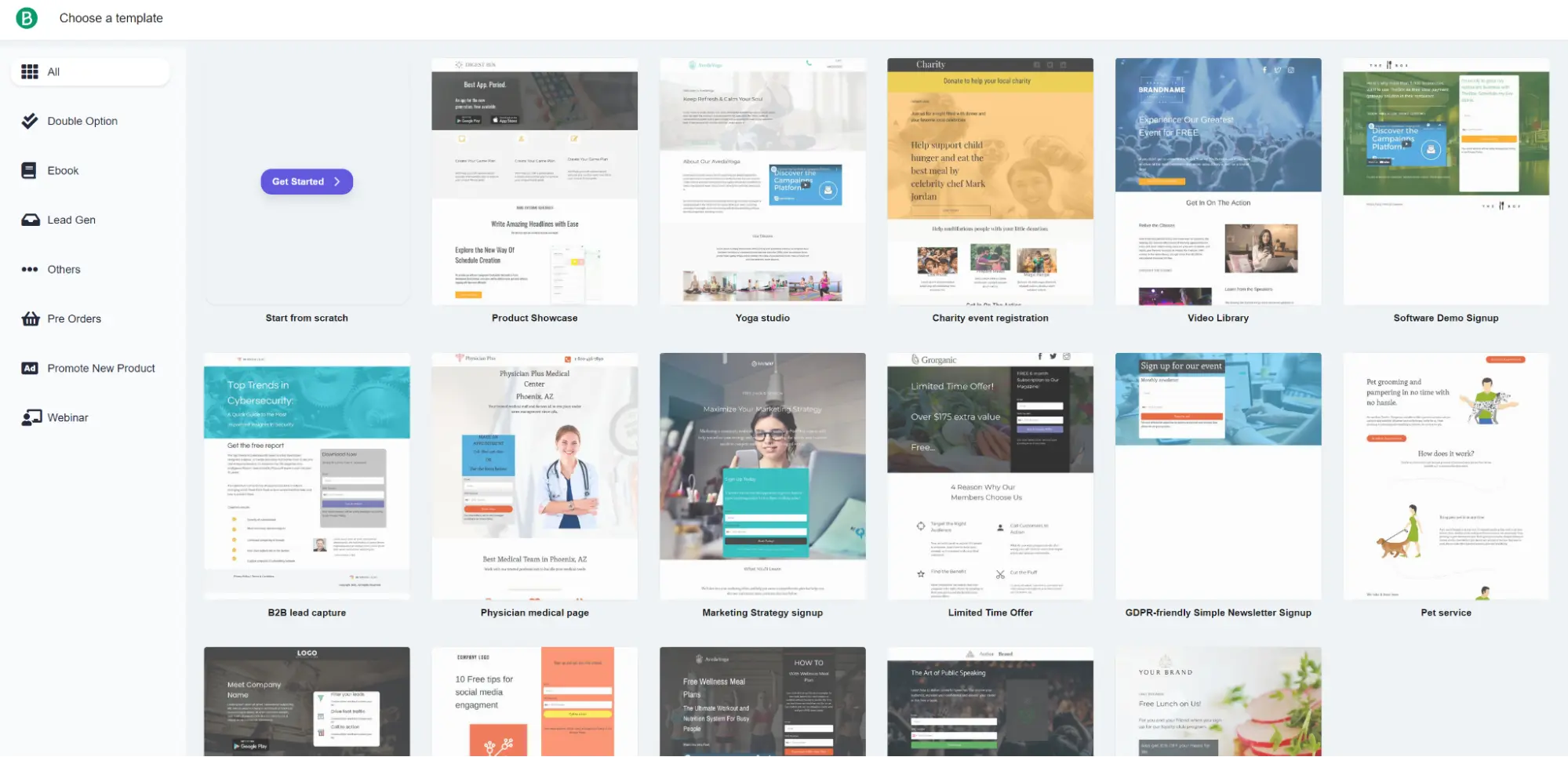
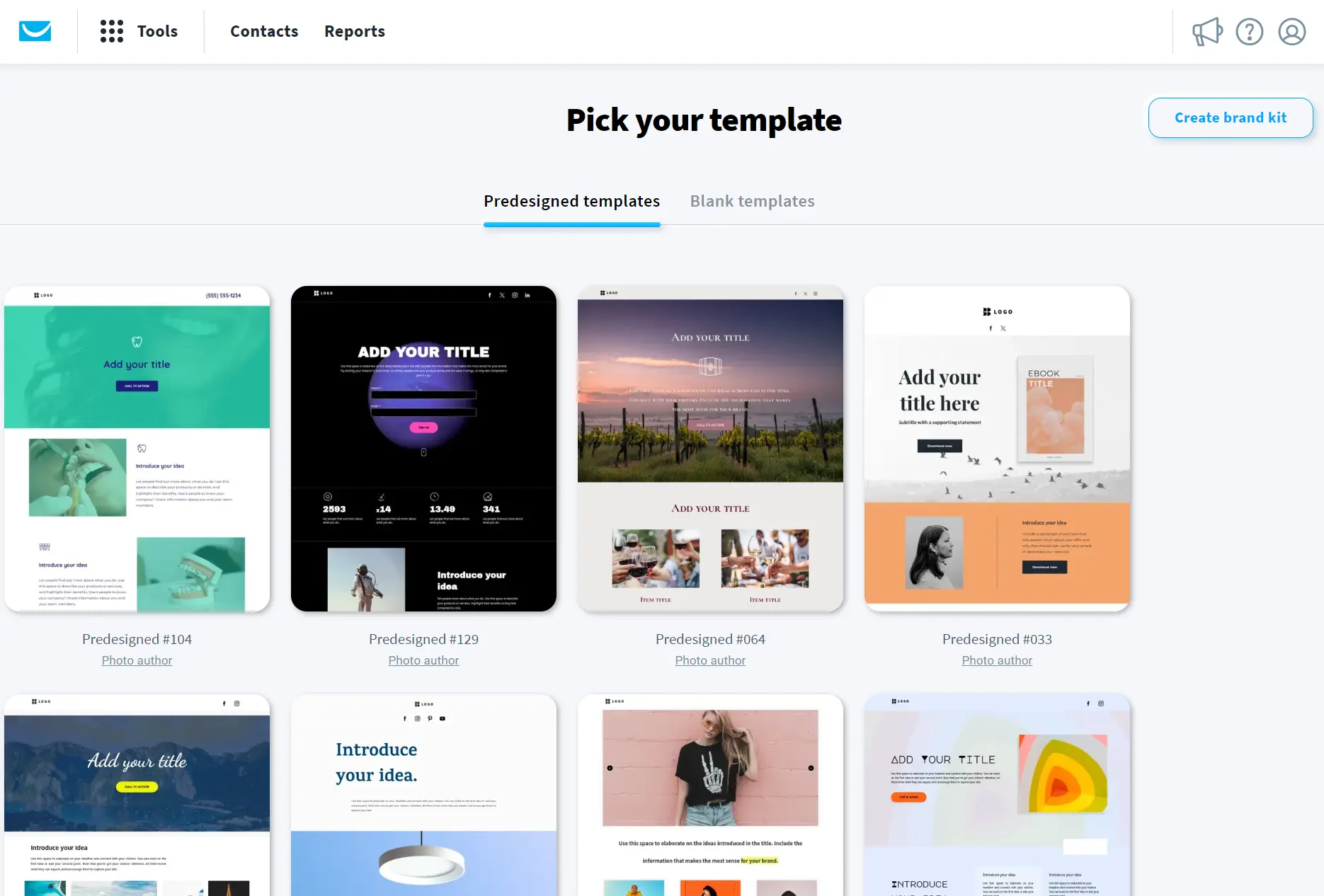
The landing page template library in GetResponse has more designs for ecommerce, ebooks, designers, portfolios, and more.
Creating a brand kit applies your preferred brand colors and typography to those templates in the editor. GetResponse’s Marketer plans and above also have unlimited use of the AI landing page creator; the Starter plan allows three uses of the tool.
Conversion funnels
Only GetResponse has conversion funnels. The Marketer plan has conversion funnels for lead magnets and standard opt-ins; the Creator plan adds webinar funnels.
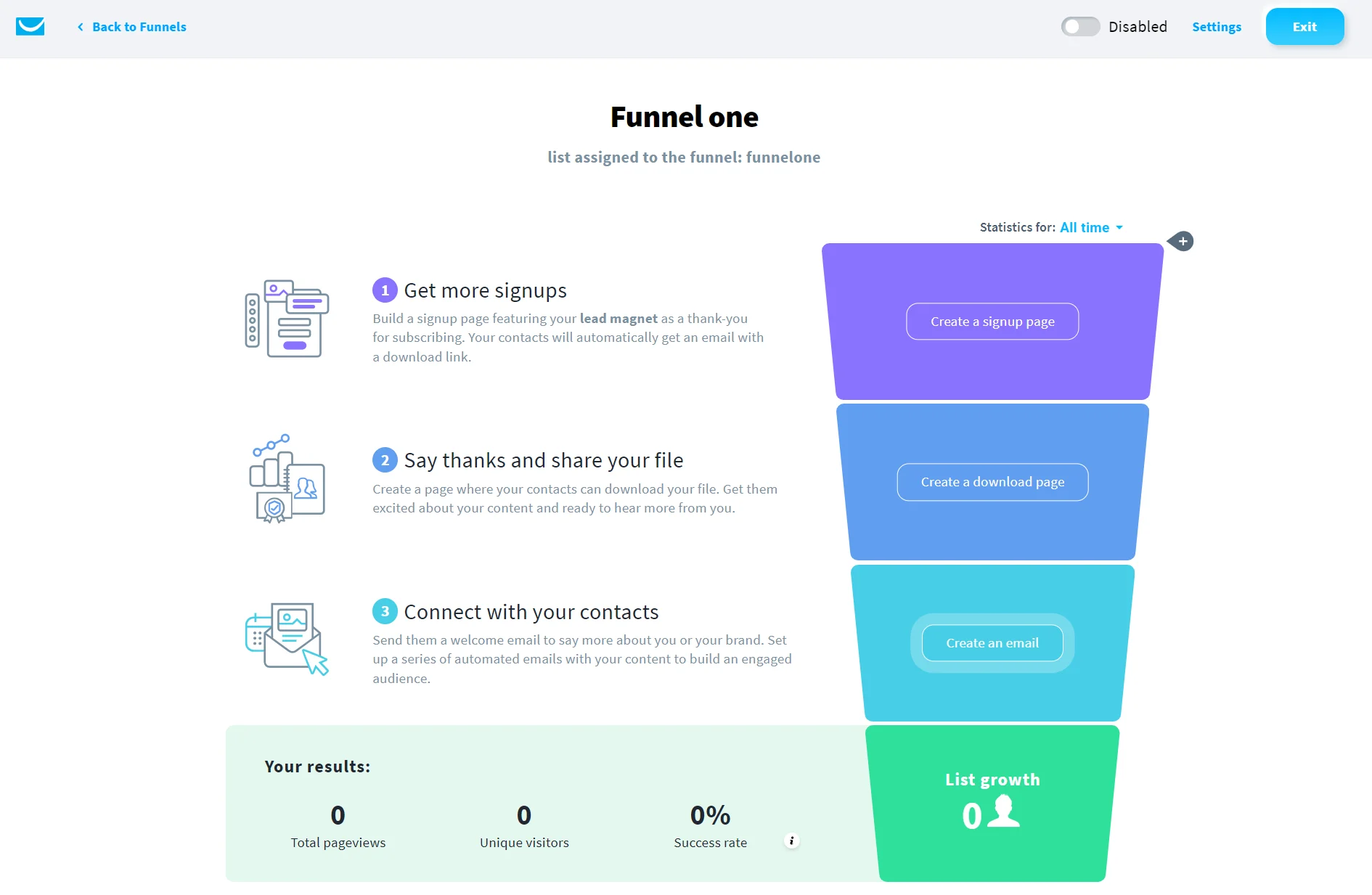
Each funnel requires creating a sign-up page, a download page, and an email. Those funnels then collect total pageviews, contacts, and success rate metrics, which are viewable within the funnels management screen.
Building funnel assets from scratch is one option, or you can edit existing lead magnets in the library and use their stock images and information.
Webinars
GetResponse has live webinars, on-demand webinars, and webinar recording options on the Creator plan. Brevo has no such features.
The Creator plan supports 100 attendees and recording storage up to three hours; the Enterprise plan supports 1,000 attendees and 20 hours of recordings.
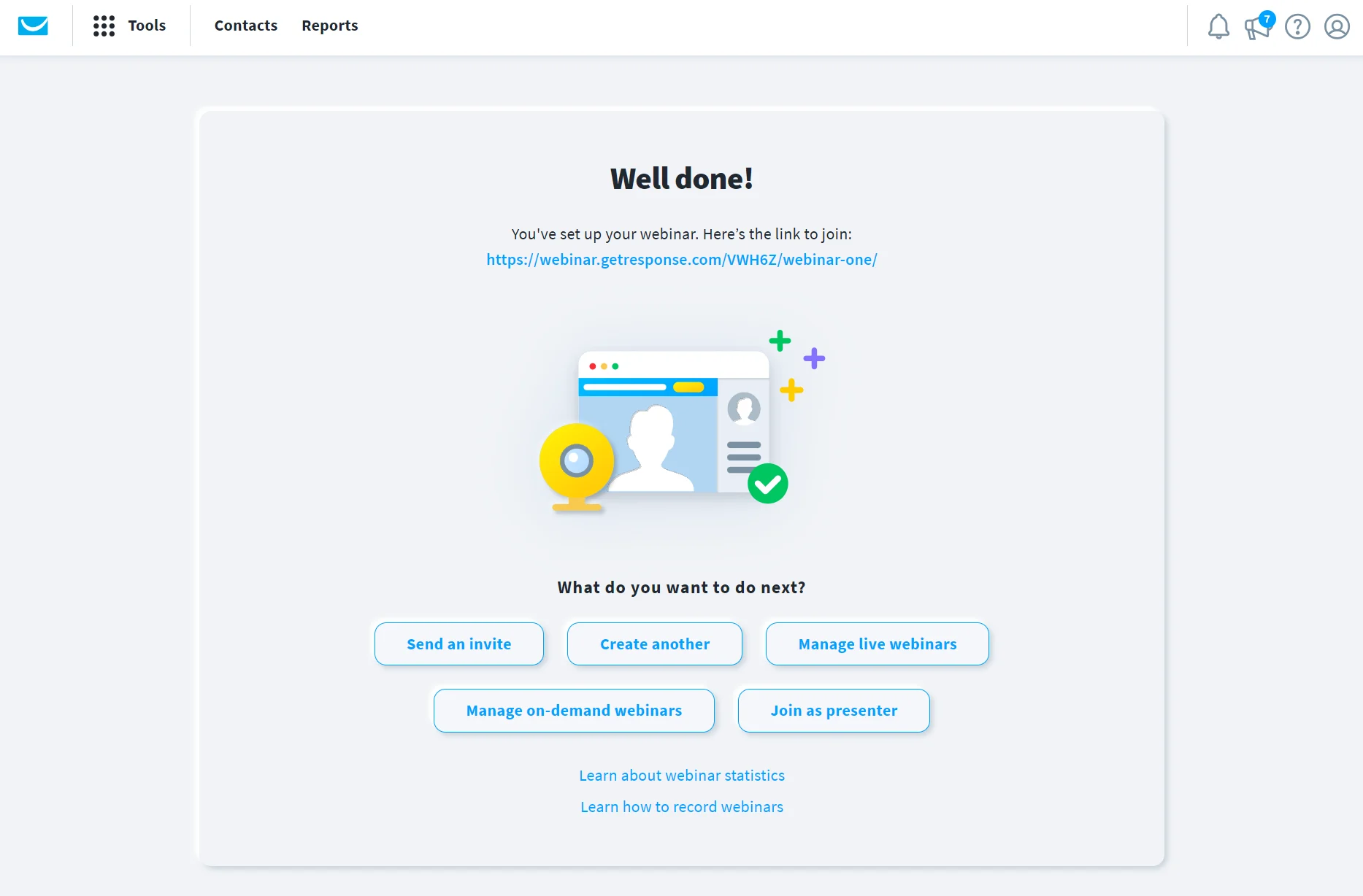
Live webinars create a room that you host and then share the link. Recording a webinar requires clicking the Rec button in the webinar room.
The webinars dashboard shows statistics for invitations sent, visits, registrants, and attendees, plus a graph for attendance over time across live webinars and on-demand webinars.
Website builder and courses
Only GetResponse has a built-in website and course builder. Both of these are available on Creator and Enterprise plans.
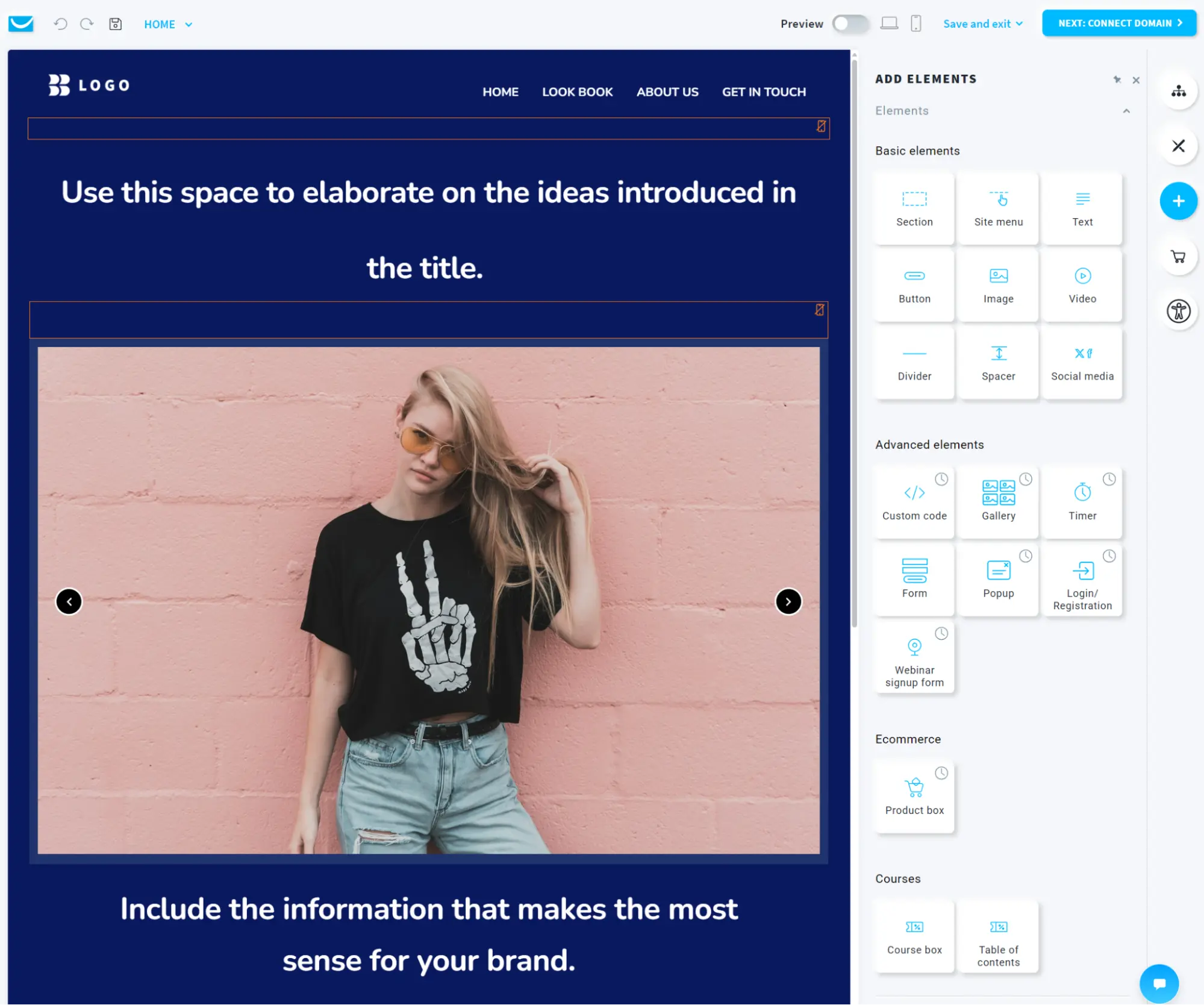
Creator limits you to five active websites; Enterprise’s limit is 10. The website builder includes 130+ ready-made templates across 15 categories, including ecommerce, and an AI-powered builder. The editor is drag-and-drop with a right-hand sidebar for elements and settings.
The course builder has a self-build or build with AI option. It requires creating modules and lessons inside them.
Supported content includes text, video, audio, PDF, webinar, and quizzes, as well as external linked resources. We completed the course creator and built a one-module course.
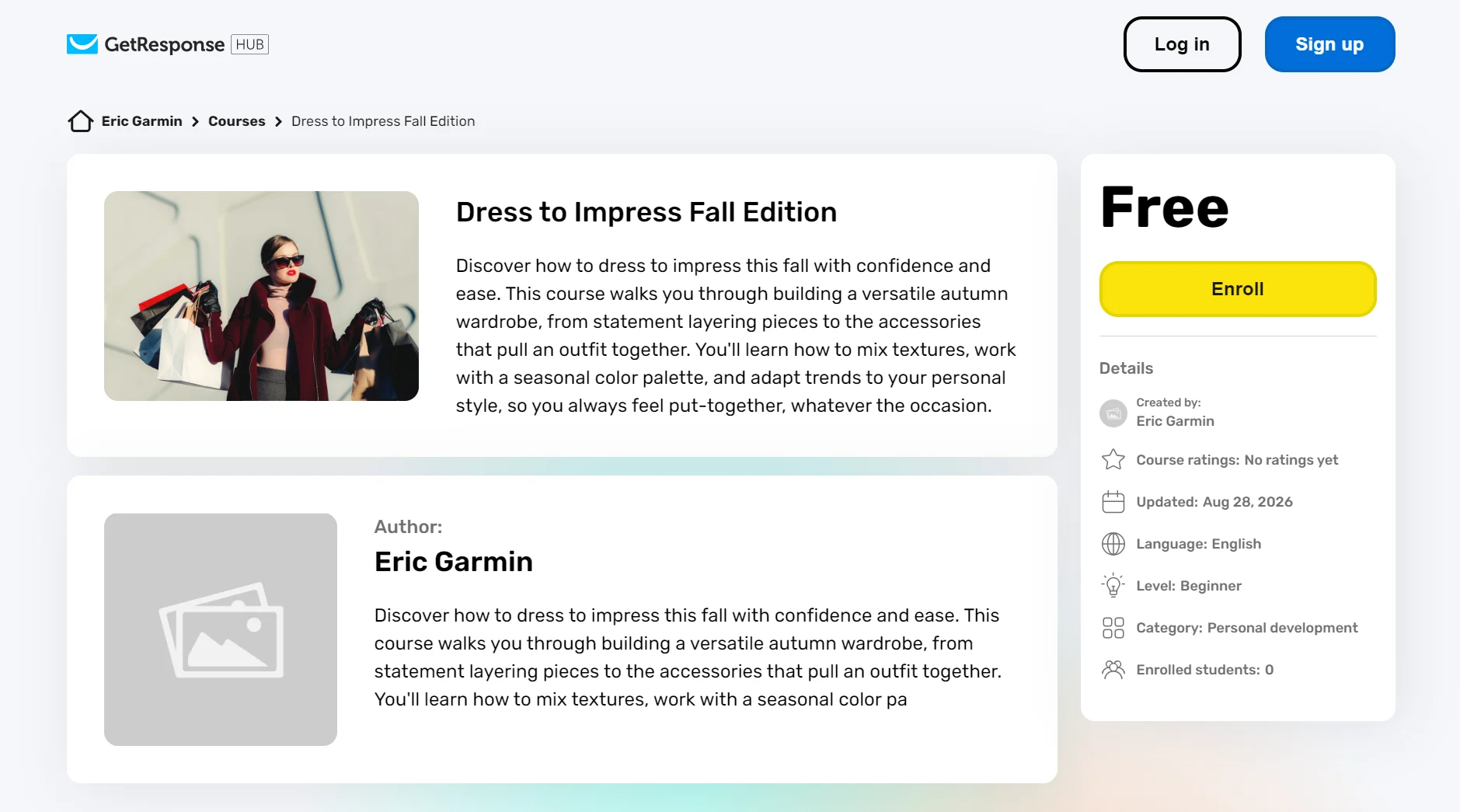
Both the Creator and Enterprise plans support 40,000 students by default. The Enterprise plan lets you add a higher quota.
Selling courses has a 0% transaction fee, although third-party payment processor fees will still apply. Check Stripe and PayPal for their latest rates.
Live chat
Both tools have a chat feature to communicate with customers.
Sales Free, included in all Brevo marketing plans, has a live chat widget you can embed on your website. Its AI conversations agent is also included in Sales Free, which summarizes your chats and can craft messages for you.
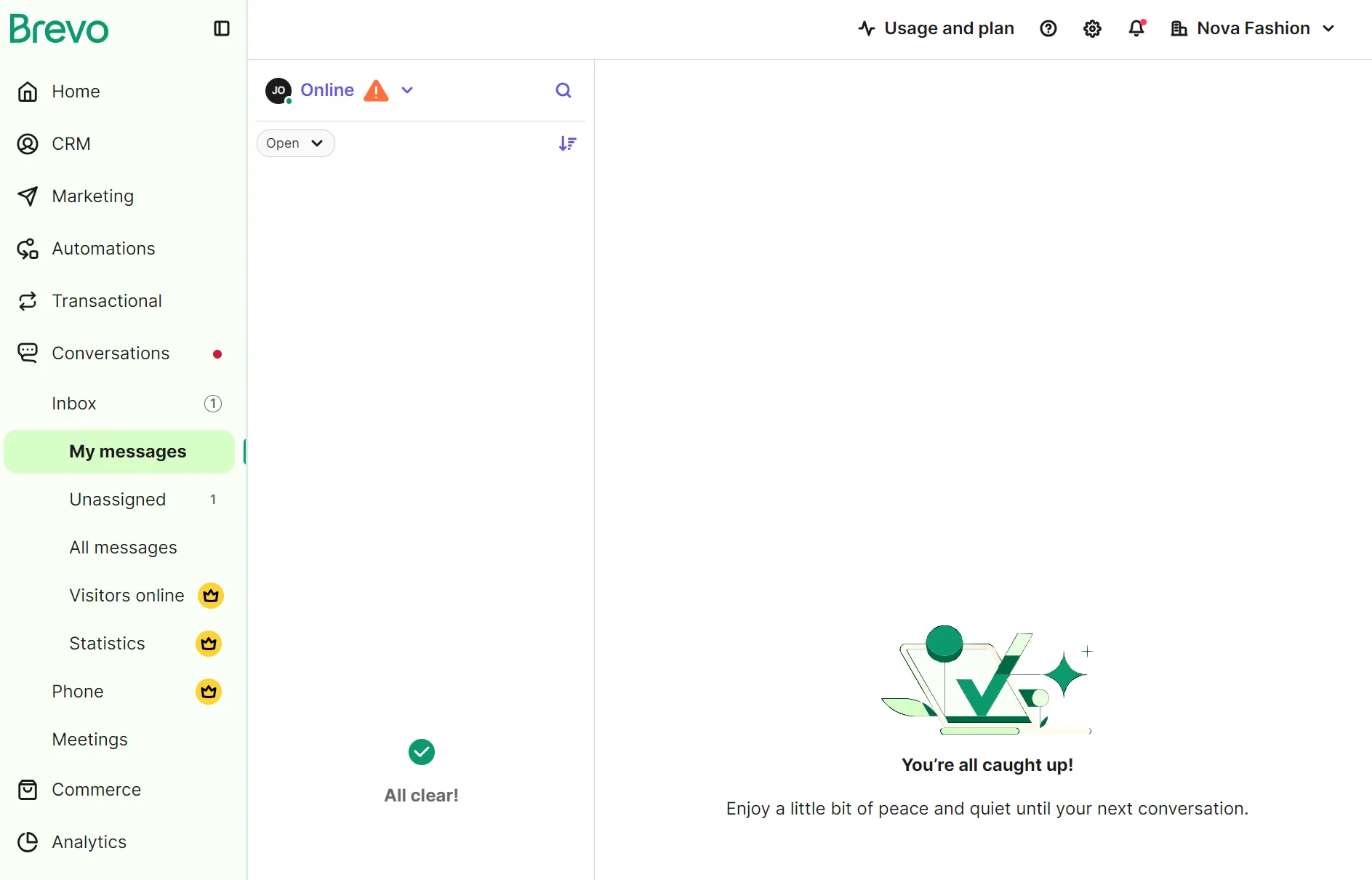
The Sales Essentials add-on, at $31/month per seat, can save replies and add chatbot flows for routing and lead capture options, such as pop-ups. Sales Advanced, from $65/month per seat, has the AI chatbot for customers to get instant answers.
GetResponse’s chat is available from the Marketer plan. Marketer and Creator plans have five seats; Enterprise has unlimited seats. The chat widget supports websites built with GetResponse and external websites via a code embed.
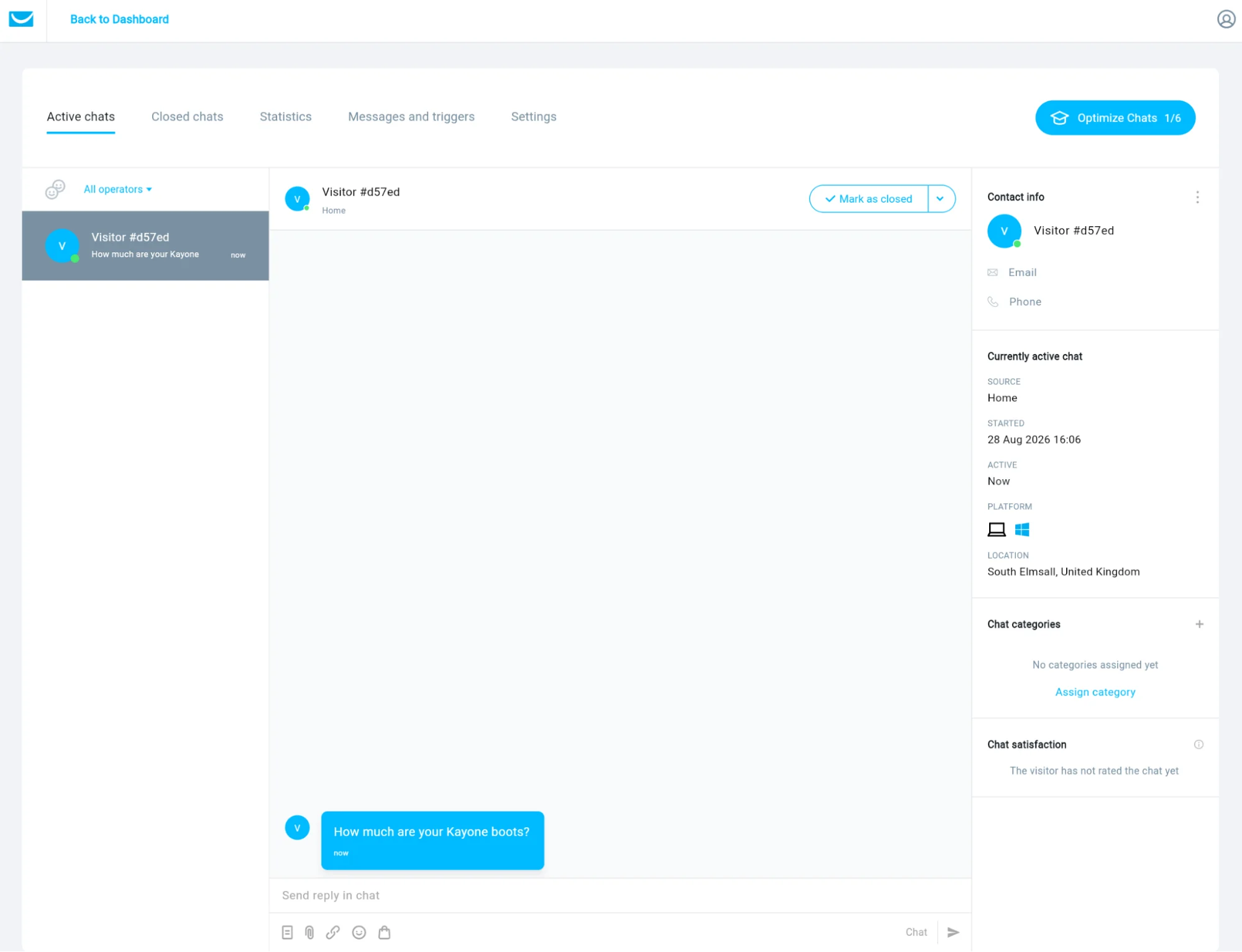
Chats also include a reply via email feature and the Chats mobile app. Brevo also has an app called Brevo Conversations, but it has lower ratings: 2.5/5 on the Google Play Store, versus 4.7/5 for GetResponse’s app as of August 2026.
Some email marketing tools are better suited to sending than growing your list, and vice versa. The same goes for business fit, such as ecommerce and B2B. Shortlist tools beyond GetResponse vs. Brevo with our comparison:
> Compare email automation tools by what they specialize in
Brevo vs. GetResponse for AI features
Brevo and GetResponse have AI capabilities in different areas. Brevo has AI agents; GetResponse has AI features. Both tools have a chatbot and can generate content in emails.
The AI features in GetResponse and Brevo are plan-dependent.
In Brevo, only Professional plans or above generate segments with AI, but all of GetResponse’s paid plans include the feature (in beta). Building an automation with AI is handled by Brevo in all paid plans, a feature GetResponse doesn’t have.
Brevo’s AI agents are part of Aura AI:
| Agent | What it does |
|---|---|
| Marketing agent | Generates content and automations, and sets send times |
| Sales agent (requires the Sales Essentials add-on) | Creates sales sequences, updates contact profiles, and drafts emails |
| Data management agent | Answers plain-language data questions |
| Conversations agent | Summarizes live chats, edits replies for tone |
GetResponse doesn’t have agents and lists all AI features separately. The table below compares each tool’s capabilities:
| AI feature | Brevo | GetResponse |
|---|---|---|
| Chatbot | All plans | Paid plans |
| Segment builder | Professional | Paid plans |
| Automation builder | Paid plans | No |
| Email content generator | All plans | Paid plans |
| Translation | Text blocks in all plans, campaigns in Professional | No (generates, doesn't translate) |
| Subject line generator | All plans | Paid plans |
| Image generation | All plans | No (stock only) |
| Insights/data analysis | Professional | Paid plans |
| Sales sequence builder | Sales Essentials add-on | No |
| Landing page builder | No | Paid plans |
| Website builder | No (lacks website feature) | Creator |
| AI product recommendations | Professional | Enterprise |
| MCP connector for AI | All plans | No (via Zapier/community) |
Accurate as of August 2026.
What Brevo and GetResponse produced in testing
AI subject lines
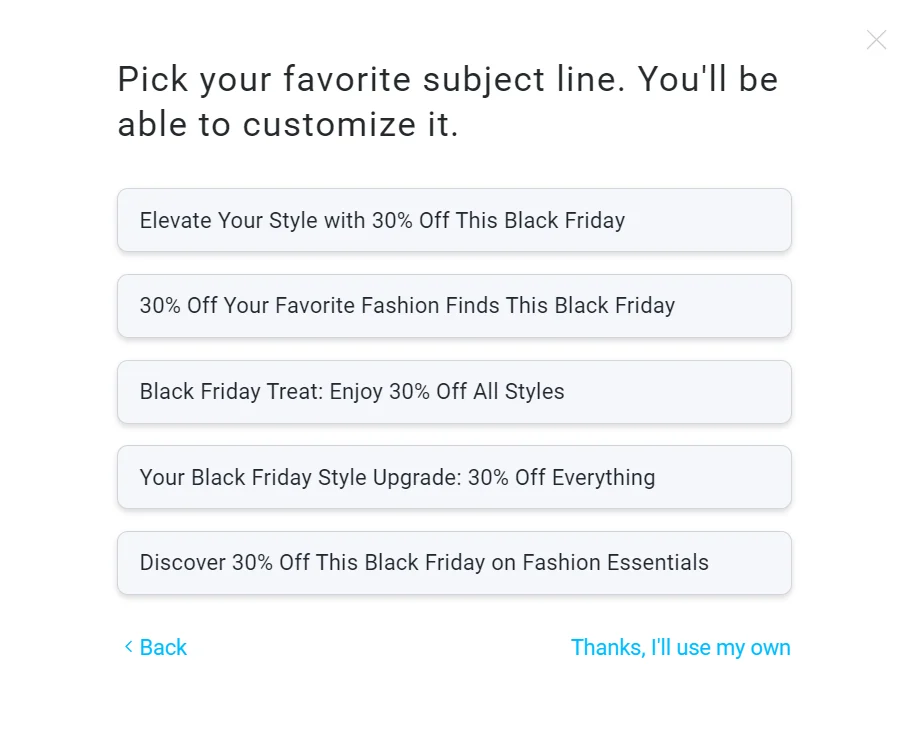
GetResponse’s AI subject lines are better than Brevo’s. Only GetResponse added the keyword “Black Friday” to all generated subject lines; Brevo added it to only one out of three.
We opened GetResponse’s newsletter creator and clicked the AI Subject Line Generator link. It loaded a pop-up with two fields: one for adding up to three keywords, and another for industry.
In the keywords field, we put “30% off, Black Friday,” and added “fashion” in the other field. It generated five subject lines in title case and didn’t offer the option to edit them:
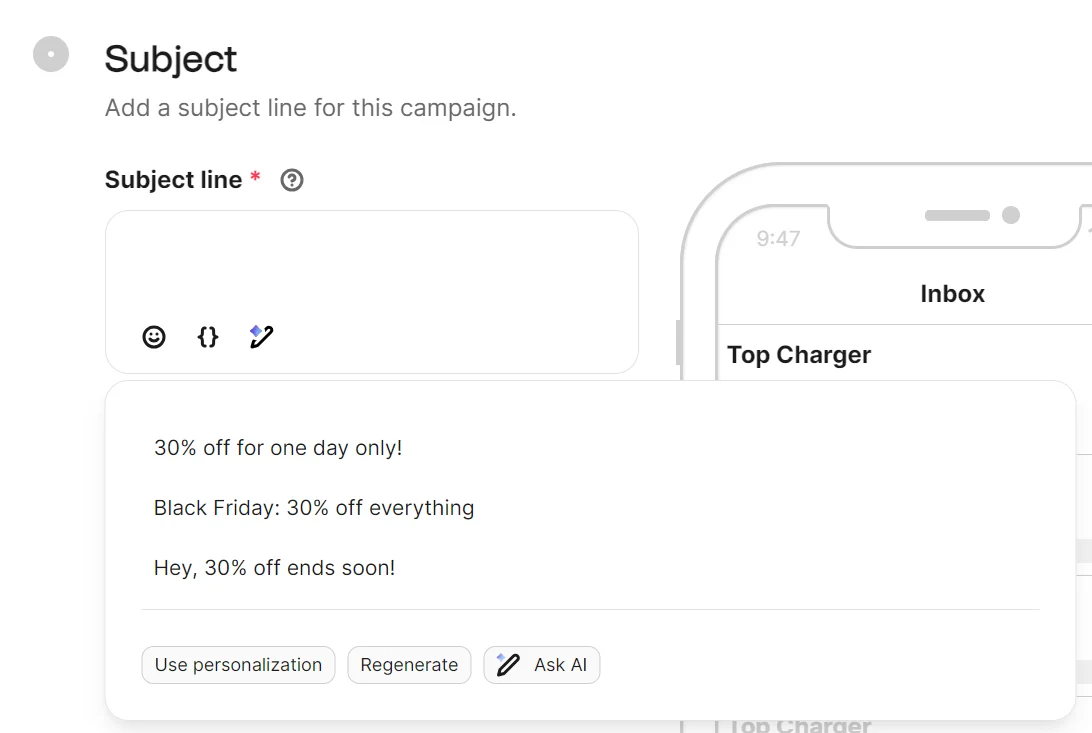
The Write with AI feature in Brevo appears as a small icon at the bottom of the subject line box. It uses natural language versus GetResponse’s dropdown selections.
We entered “30% off, Black Friday, for a fashion store.” It generated three subject lines in sentence case, with options to regenerate and use personalization afterward:
AI email copy
Brevo’s AI email copy reads more naturally than GetResponse’s, and the editor has buttons for regenerating the text and making it shorter.
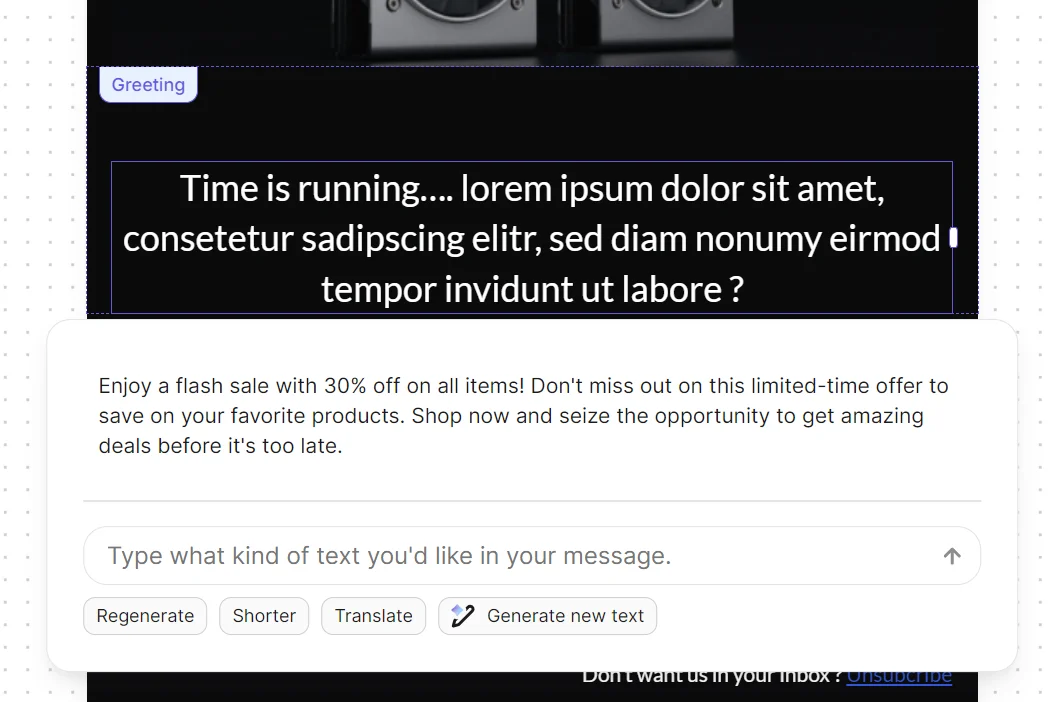
We asked Brevo’s AI writing assistant to edit the stock text in a Black Friday email to cover a 30% flash sale.
The copy it produced was on-brand, and we could shorten or translate that text block in one click. Translating a whole campaign, including the subject line, preview text, and design, needs the Professional plan.
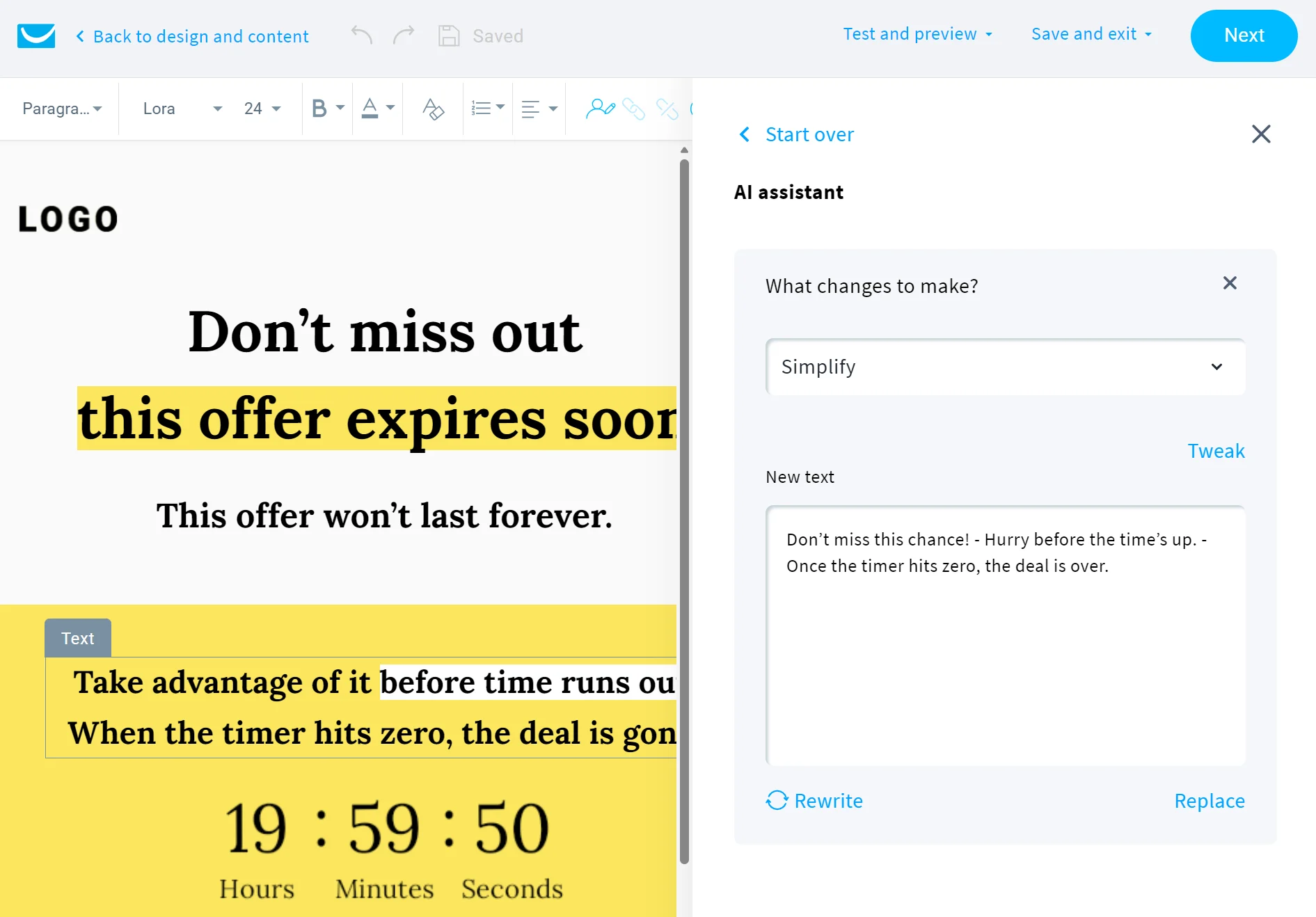
GetResponse’s AI tool only lets you select a text block and then select a dropdown for what to change. We selected Simplify, and it generated copy with grammatical mistakes:
AI email design
Brevo’s AI email designs take longer to build but have a more custom appearance.
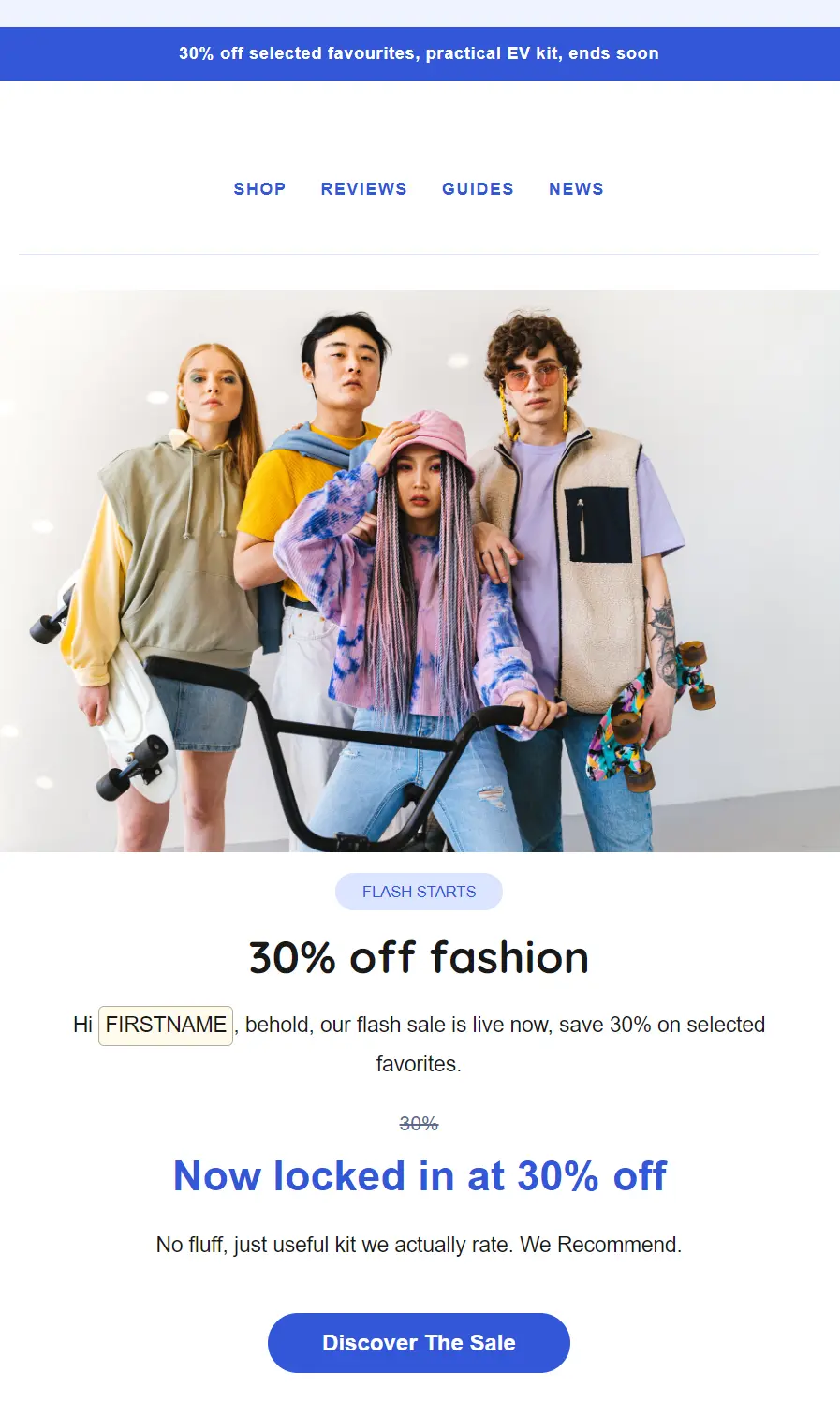
GetResponse produced the email below for our fashion store’s flash sale. We asked for a friendly tone and a pastel color scheme, and let the tool pick the image. It took 21 seconds to generate the design below:

Brevo’s Aura AI chatbot created a brief from our prompt using the same instructions. The design took four minutes to build:
AI landing pages
GetResponse wins here because it’s the only tool with an AI landing page builder.
Our prompt asked GetResponse’s AI builder for a landing page for a fashion store offering 30% off to new subscribers. Pastel color scheme, friendly tone, with a sign-up form. The builder took 10 seconds to generate three styles. We picked this one:

AI automations
Brevo is the only tool that builds automations with AI.
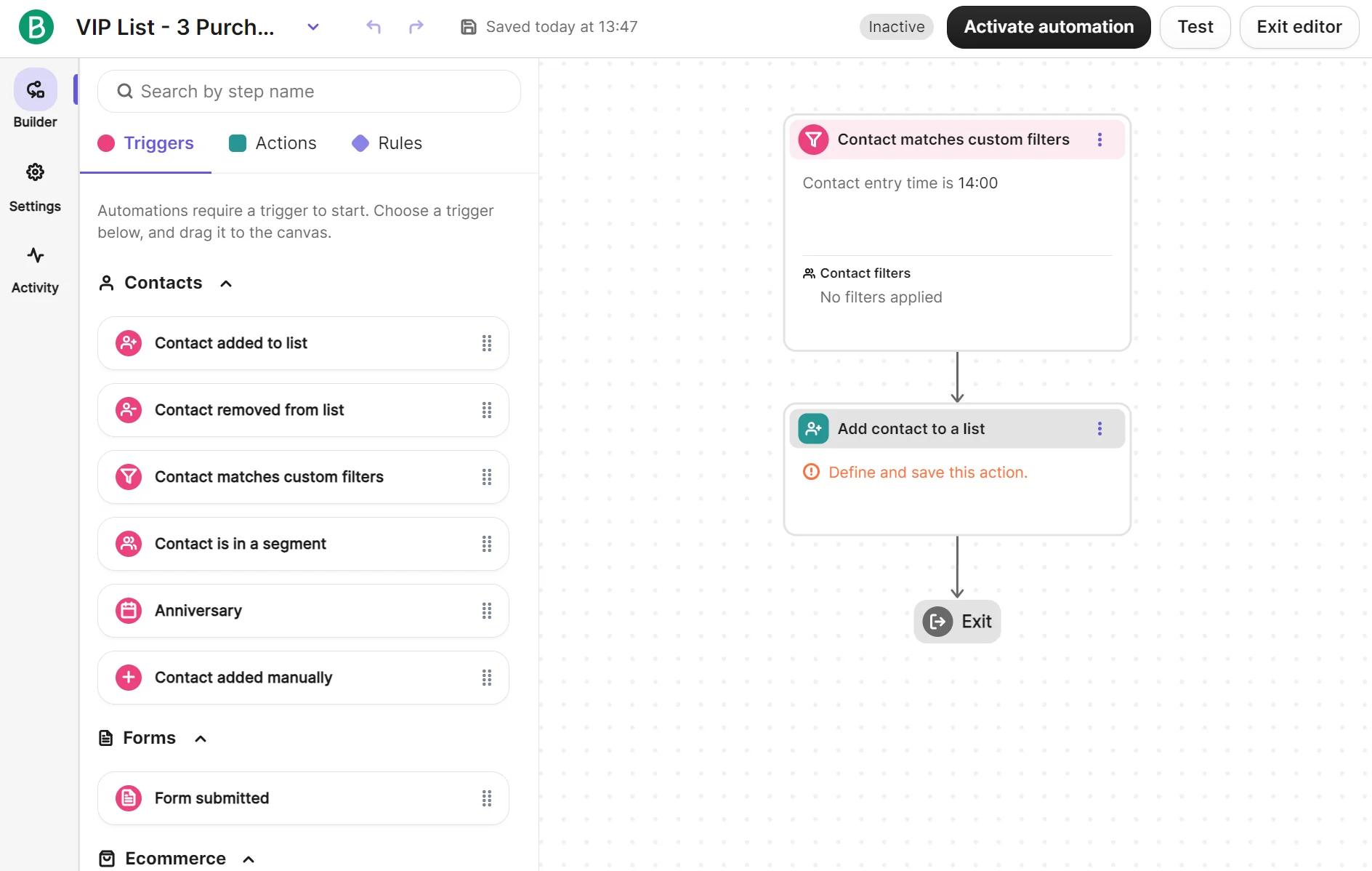
The AI automation builder in Brevo doesn’t support natural language. Instead, you select an action, the action’s target, and the trigger condition. We asked it to “Create an automation that [updates 🔄] my data by [adding contacts] to a [VIP list] when they [purchase 3 times].”
It took 55 seconds to produce the automation. Unfortunately, it was incomplete without the purchase-count condition or VIP list target:
SMS, transactional email, and what needs a custom quote
Brevo is better than GetResponse for SMS and transactional email. GetResponse only supports these channels in its custom Enterprise plan, whereas Brevo has them available in all plans, with disclosed pricing for SMS.
SMS in Brevo supports marketing and transactional messages. The credits are prepaid on top of your email plan and don’t expire, with SMS available in 180+ countries and MMS in the United States. Transactional emails count toward your total monthly email volume.
Pricing starts at $1.09 for 100 SMS message credits. Prices depend on volume and destination country, with different countries consuming different credit volumes per message.
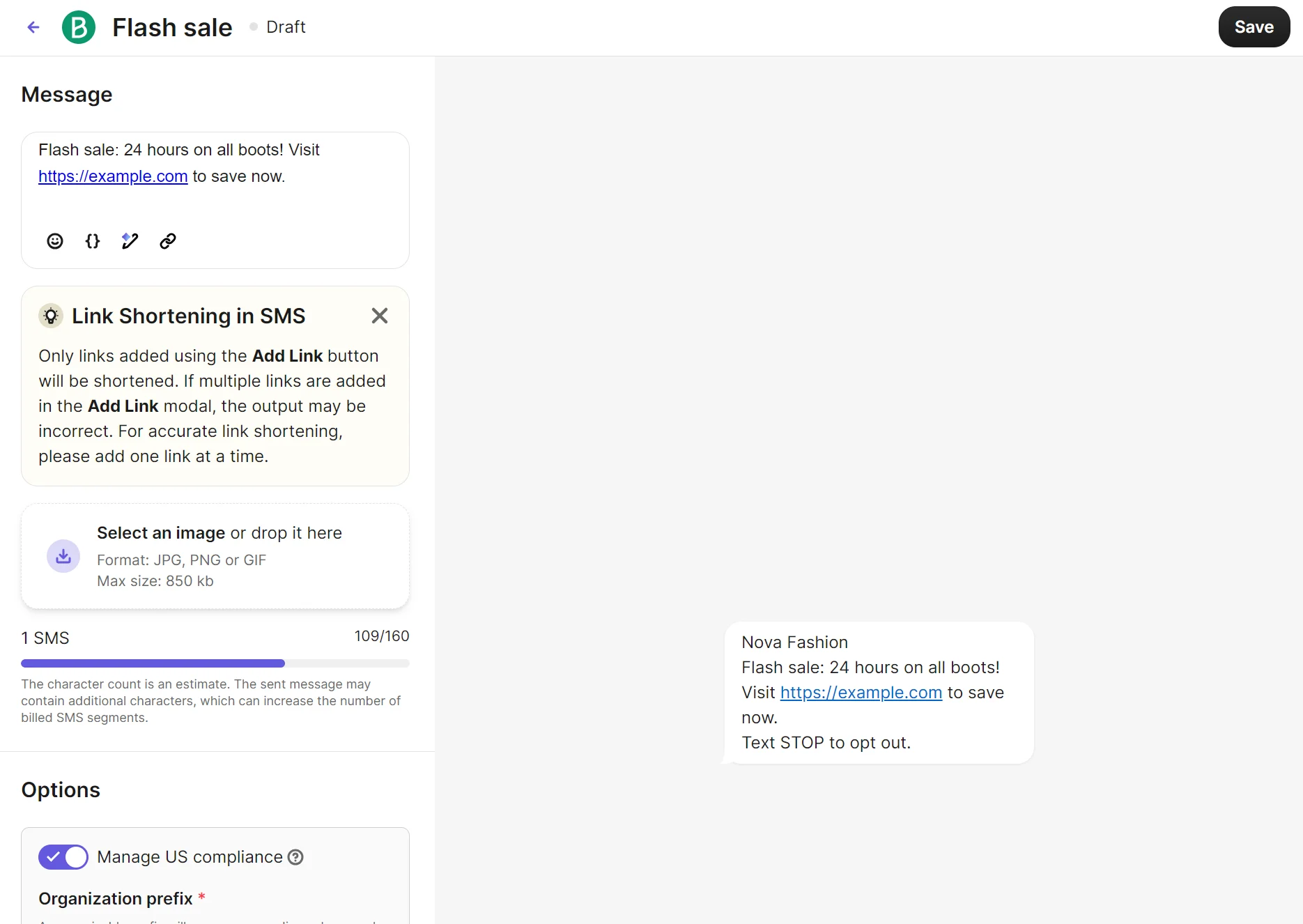
Multichannel automations and campaigns support SMS, letting you reach customers with event- and behavior-based messages in addition to one-time sends.
The Enterprise plan is necessary for transactional email and marketing SMS, but it has no free trial and requires a quote.
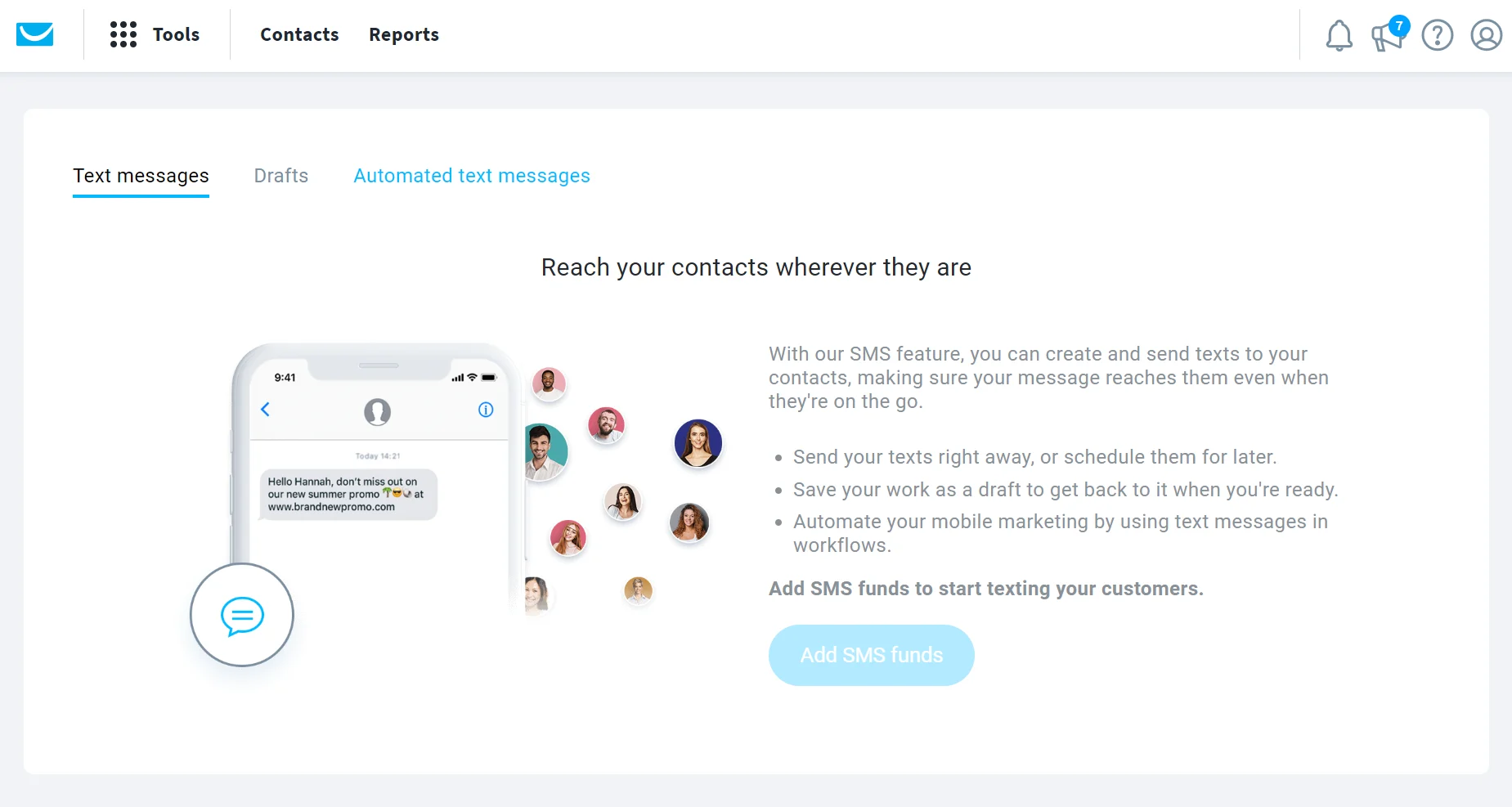
Enterprise plans bundle 5,000 SMS, but don’t support transactional SMS (marketing texts only).
Our review of Brevo vs. GetResponse
We signed up for Brevo Standard (paid) and GetResponse Creator (14-day free trial). These plans have access to most ecommerce and general marketing features, but not the complete capabilities of either platform, which are restricted to custom plans.
Brevo Standard has these limits as reflected in our comparison: no pop-ups, AI product recommendations, AI segmentation, dynamic coupons, or pre-built and custom reports.
GetResponse Creator has these limits: no SMS, transactional emails, mobile push notifications, or breakout rooms in webinars.
Building a campaign in each
We built a campaign email in Brevo and GetResponse and completed all steps, including authenticating sender information, adding recipients, creating a subject line, and building an email template using a pre-built design.
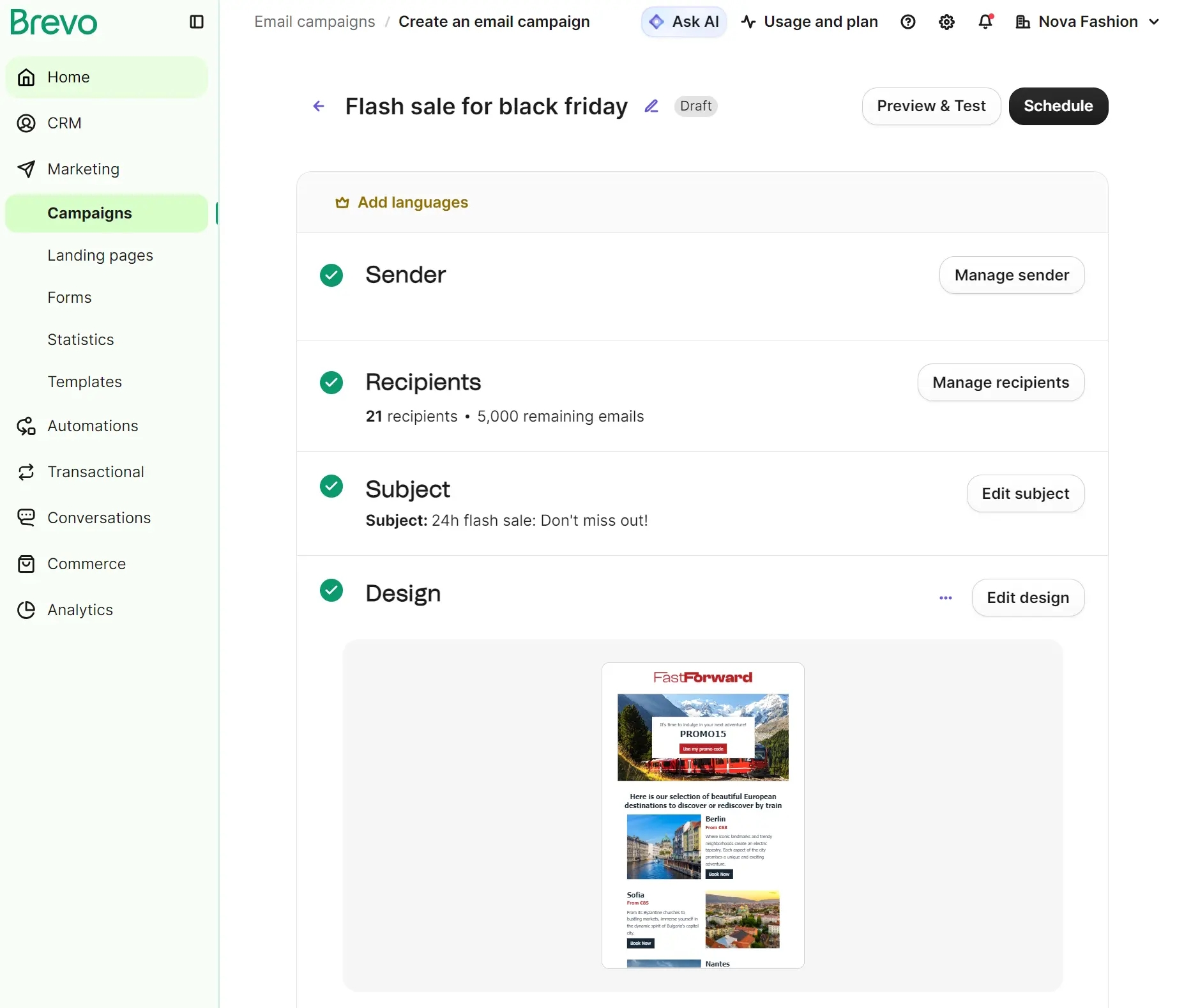
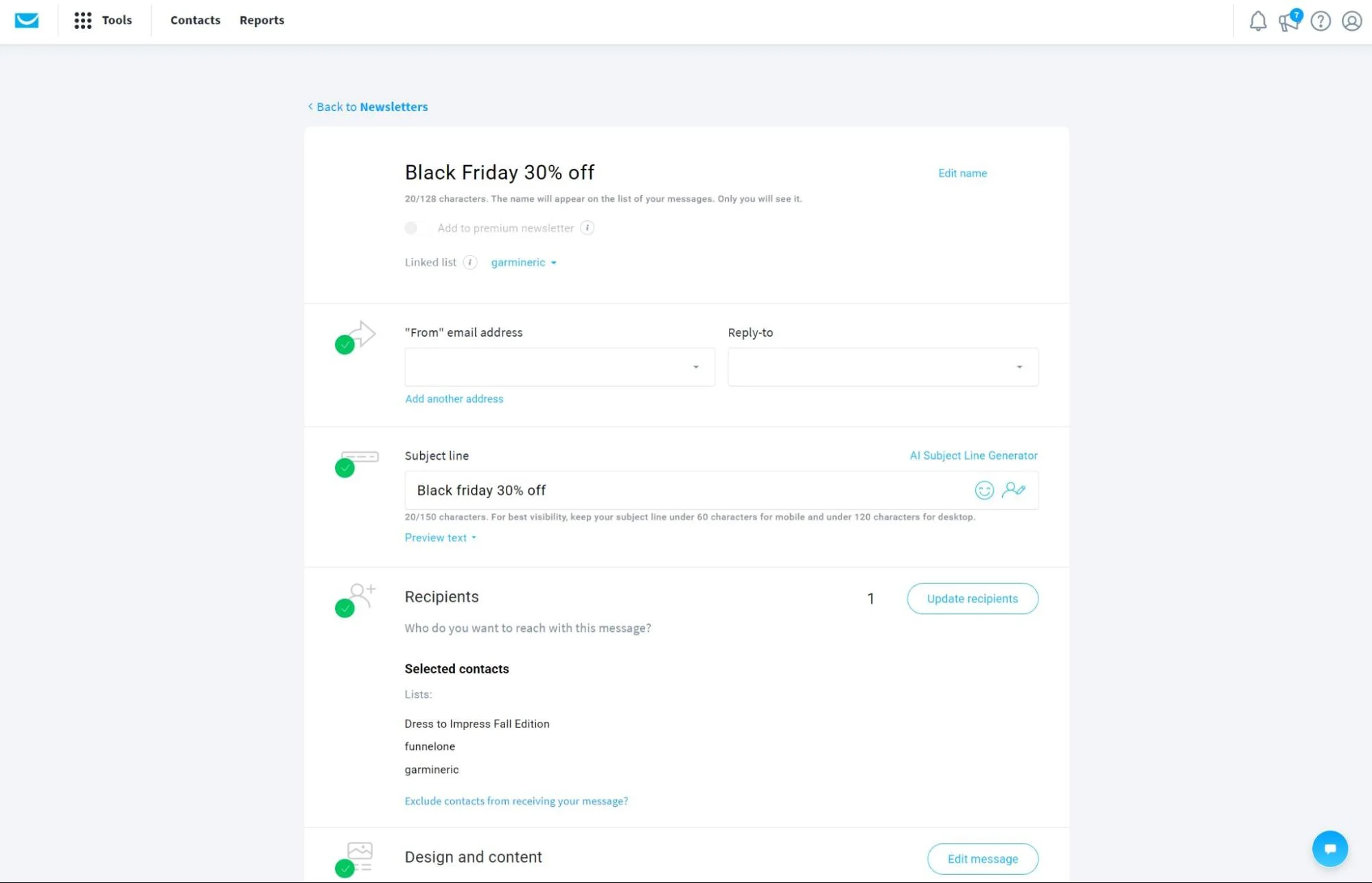
Brevo’s campaign builder is easier to use because its create an email campaign screen displays four steps for sender, recipients, subject, and design.
Clicking Add on those steps sent us to their settings page, and clicking Save on those settings pages directed us back to the steps to progress.
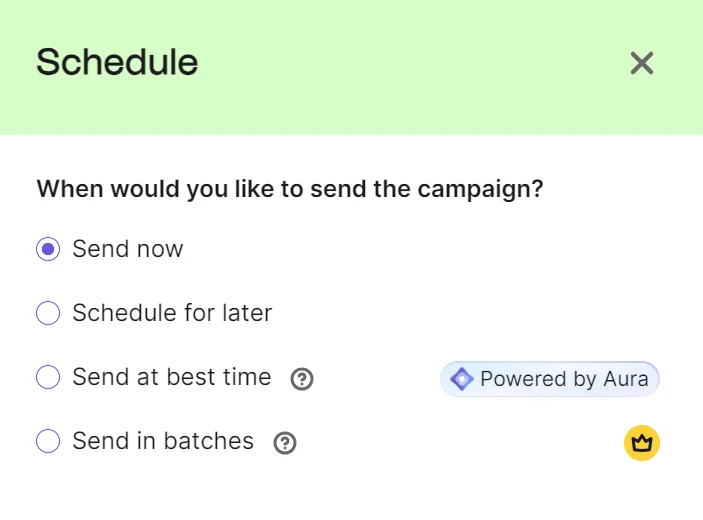
On completion, we could click Preview & Test and Schedule, with options to send now, schedule for later, or send at best time, an AI feature in Standard plans. Professional plan customers also get the option to send in batches.
The campaign in Brevo took 11 minutes and 43 seconds to build using a pre-built email template with changes to the headings and text with AI.
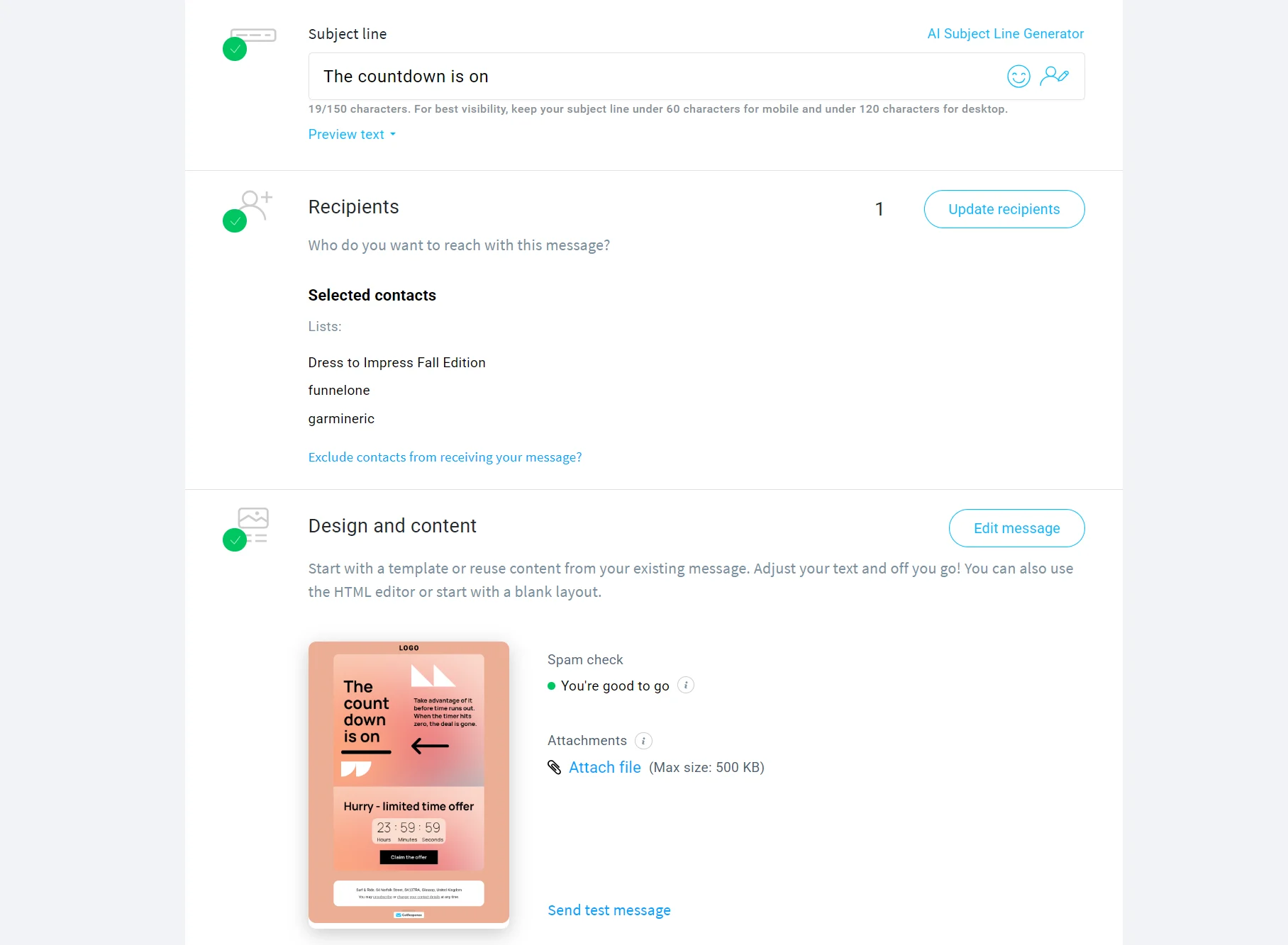
GetResponse’s campaign builder loaded one screen to review and edit information.
It pre-filled our sender address and required us to add a subject line, recipients, design and content, and select from these tracking options: opens, clicks, revenue attribution, site visit behavior, and Google Analytics. Only opens and clicks are available in the Free Forever plan.
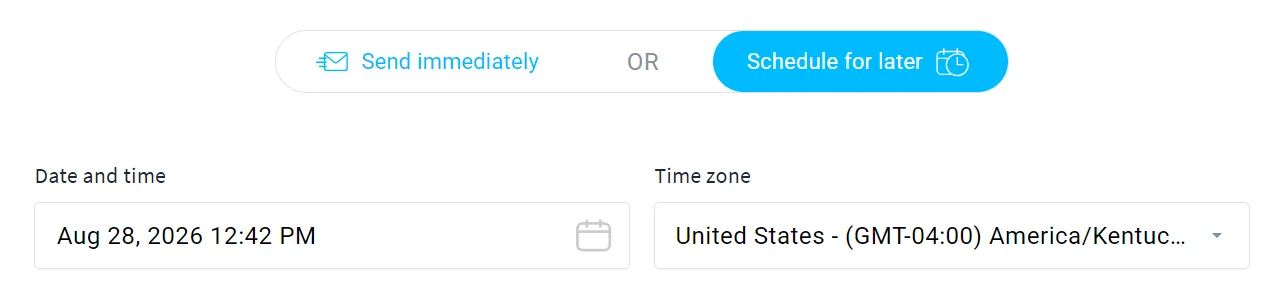
Options once complete include send immediately, schedule for later, and perfect timing, a feature restricted to Marketer plans and above that delivers emails based on when recipients have opened your messages in the past.
The campaign in GetResponse took 14 minutes and 11 seconds to build using a pre-built email template with changes to the headings and text with AI.
Building an abandoned cart automation
We set up an abandoned cart flow using each tool’s pre-built templates.
Brevo’s abandoned cart automation has an optional AI-guided setup that we followed, or there’s an option to Write your own (prompt).
The guided setup asked us to start by setting up a trigger with an ecommerce filter or contact filter. We selected the standard cart_updated ecommerce filter.
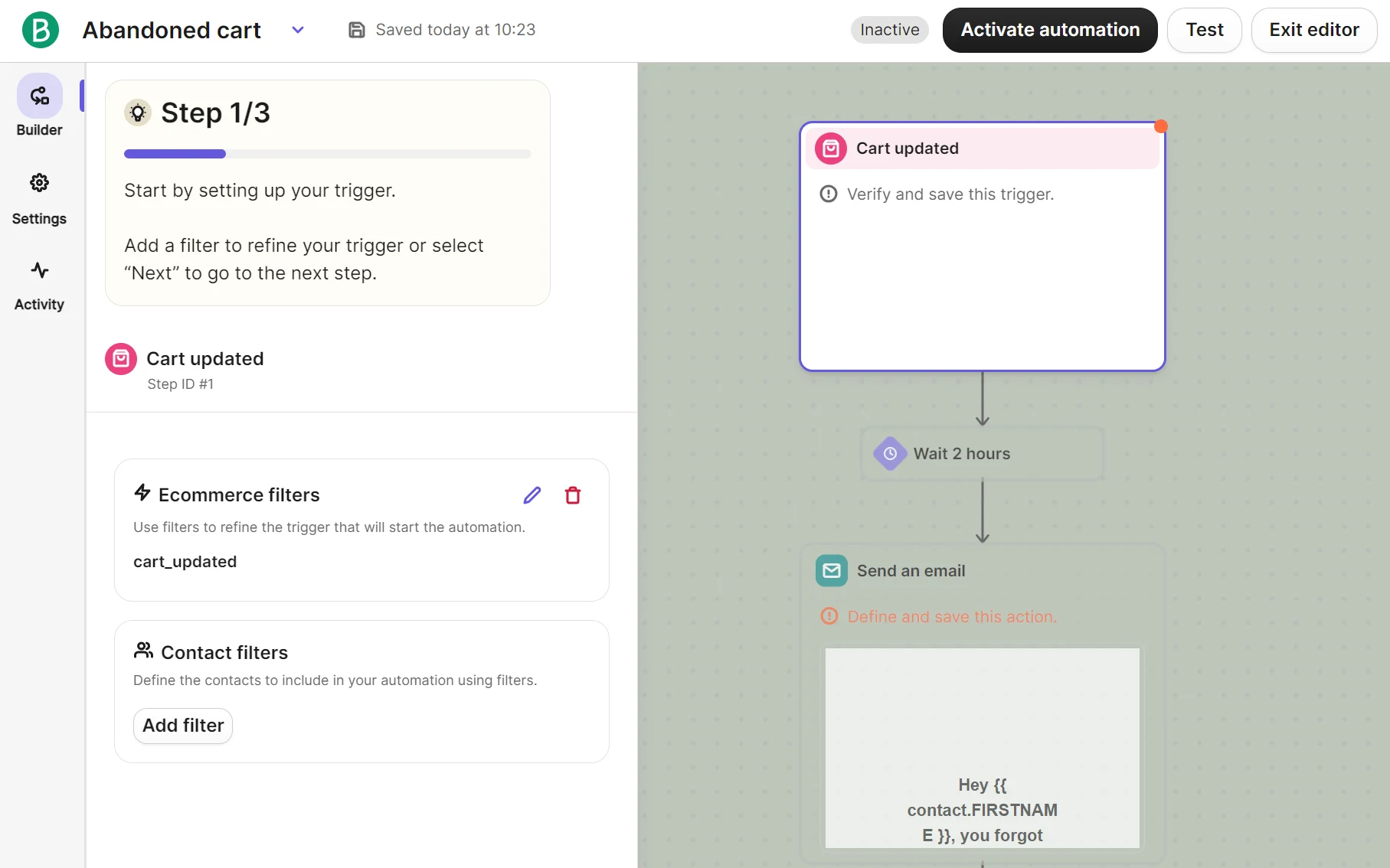
Step two required entering a time delay, which is the period between the trigger and customers receiving the abandoned cart email. The default is two hours; we left it at that.
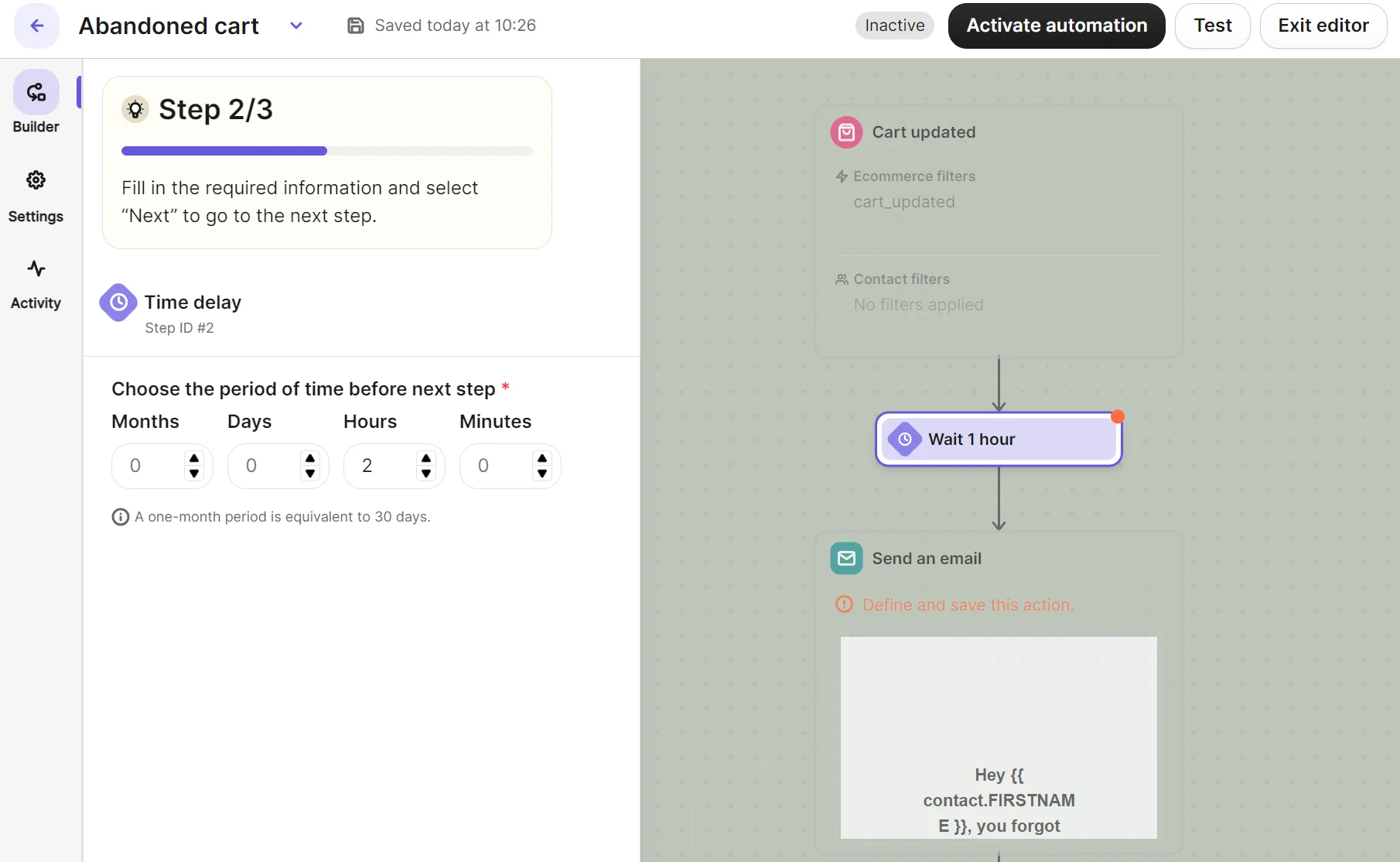
Step three included pre-selected settings for event data.
Brevo has a plain text abandoned cart email template to edit, and pre-filled settings for what event data to display and which event. The default selections of the latest instance of an event and cart updated were suitable and left as-is.
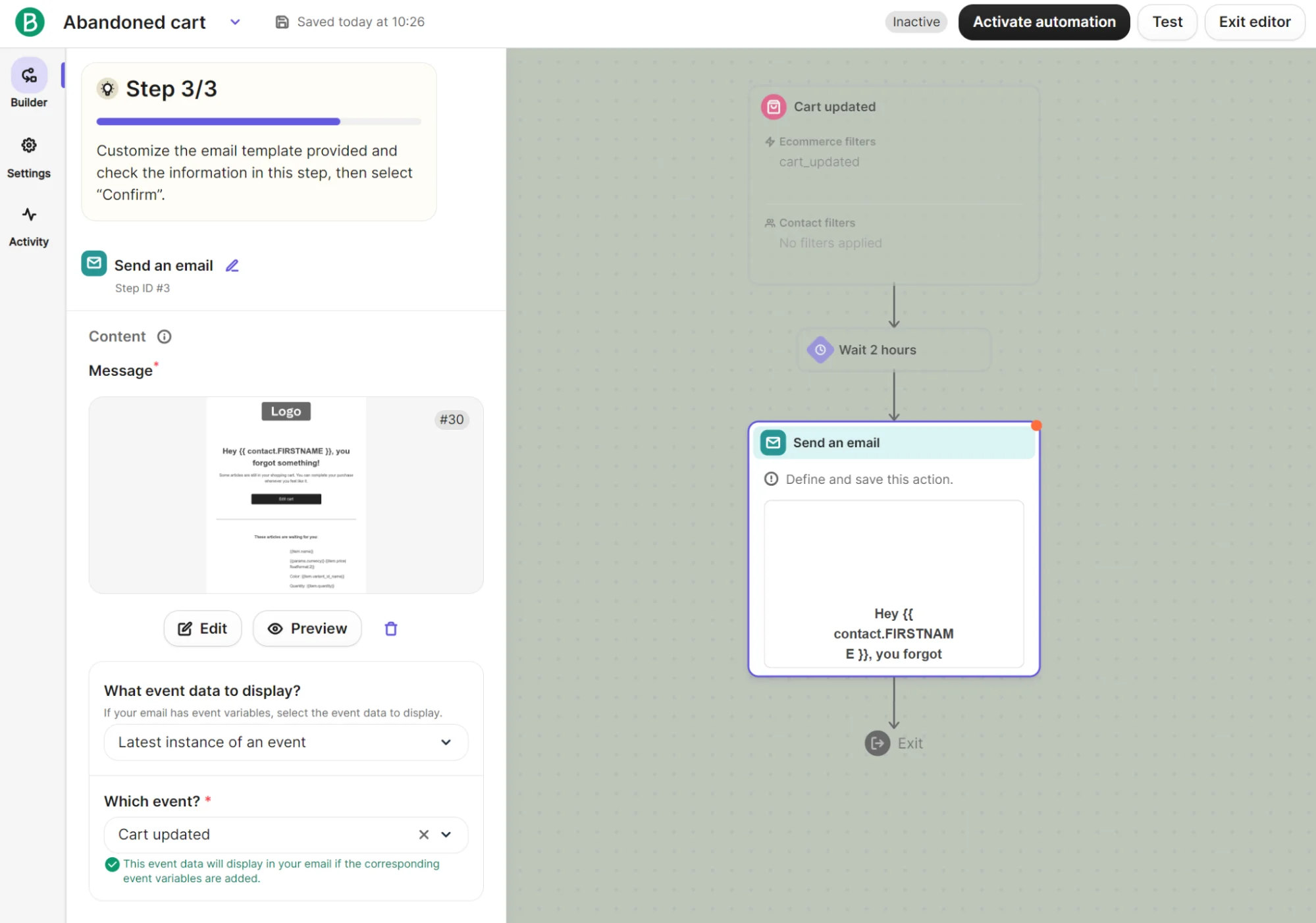
Additional settings within step three asked for a subject line (required), preview text, and sender information (required). We filled those and clicked Save on the guided setup, which closed the wizard and allowed us to select Activate automation.
Brevo then loaded a final pop-up with re-entry after exit, exit conditions, and restart conditions, plus options to go Back to editor or Activate automation.
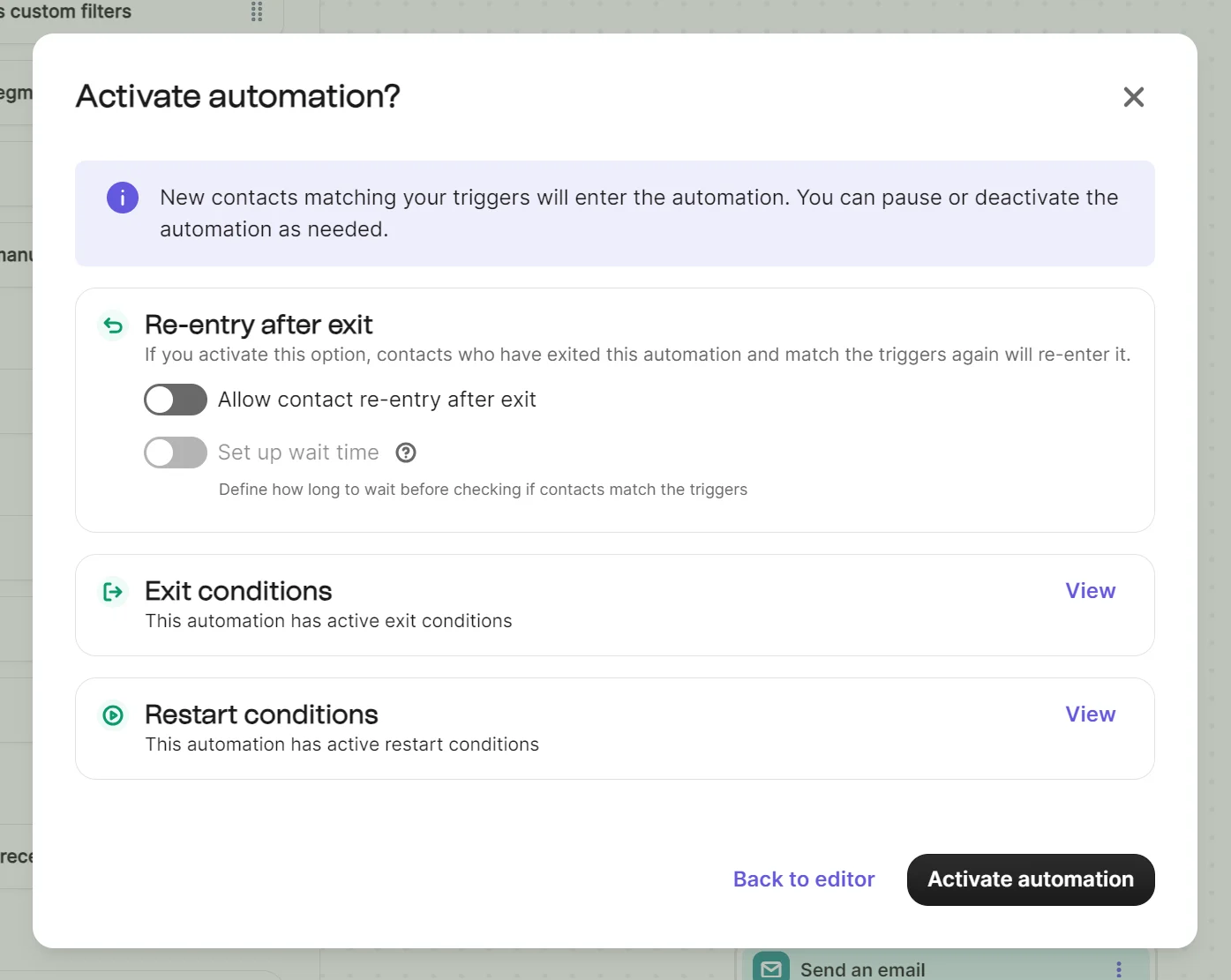
The automation in Brevo took eight minutes and four seconds to build.
Closing the automation sent us to the Automations dashboard, where we could see its status plus metrics for active now, started, finished, and suspended.

GetResponse has two paths for building an abandoned cart: a templated Campaigns flow under Automate in the menu (fixed trigger/wait/send-email steps), and an Automation builder, which lets you drag blocks from Conditions/Actions/Filters onto a canvas.
The Automation builder needs a JavaScript Web Connect snippet installed on your site and a method to identify anonymous visitors as contacts, which could require a developer.
We used the Campaigns flow because it needs no developer setup.
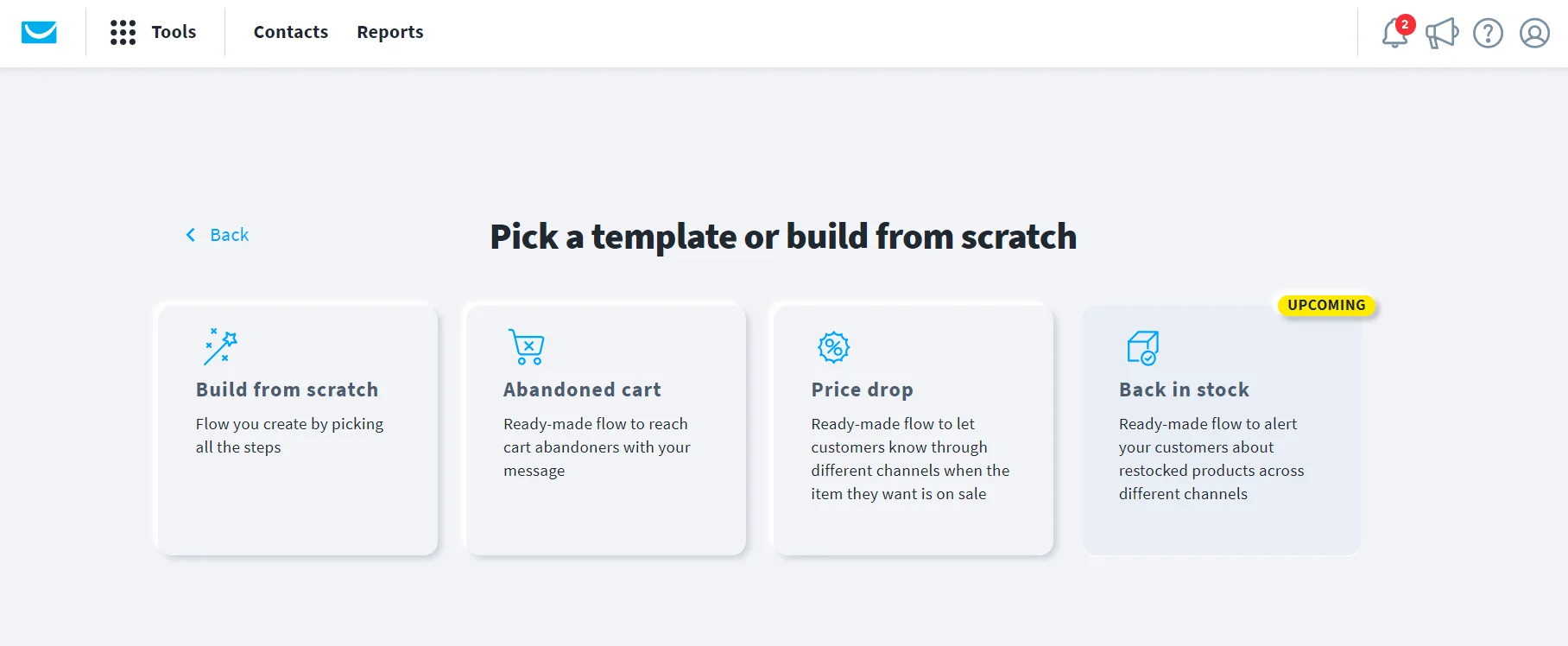
The settings page for the abandoned cart asked us to name the campaign and preselected Email open tracking, with an optional toggle for Google Analytics. The Content section then contained the trigger and delays.
GetResponse has a dedicated abandoned cart trigger and a default four-day selection for “When to assume the cart is abandoned?” We set that to one hour.
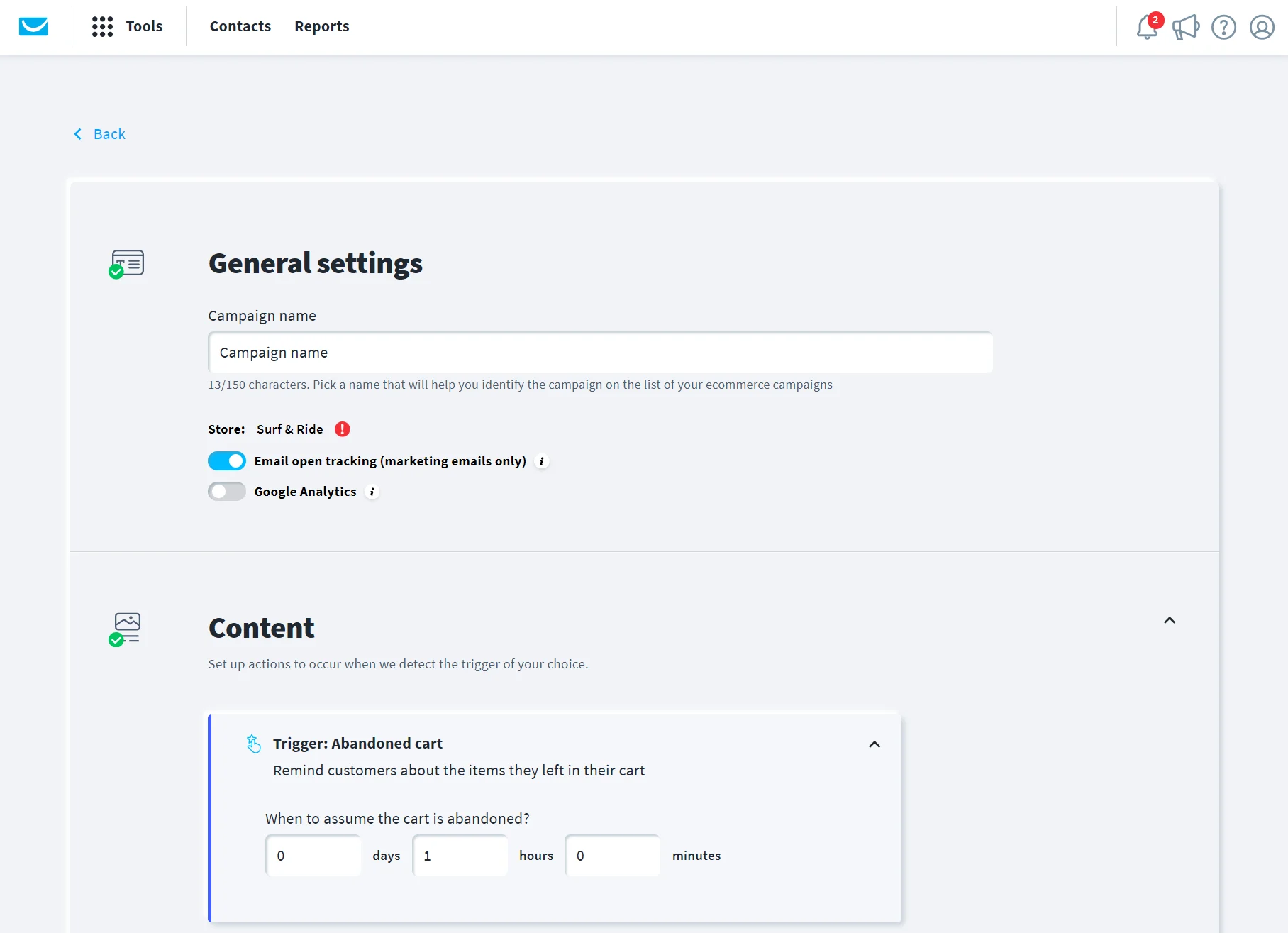
The next template section contained our email settings, where we could create the email and the subject line customers would receive. We clicked Design message and could pick from eight pre-built abandoned cart templates:
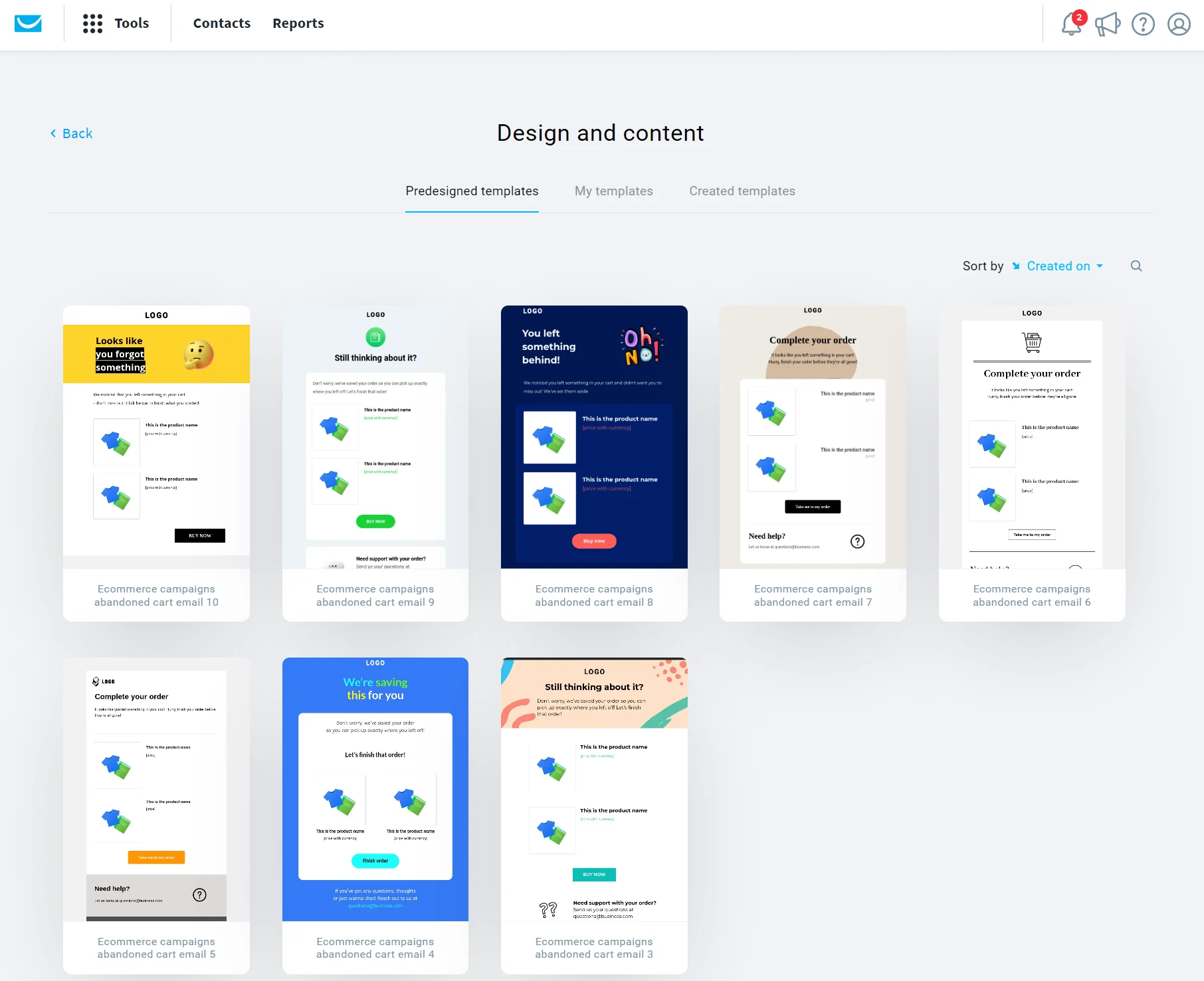
After selecting a template and changing the heading, we clicked Next within the email editor. That sent us back to the email settings page. Another click on Save and use then returned us to the abandoned cart template screen.
Clicking the Publish button generated an error on screen that read, “The Wait action cannot be the final action in a flow. Remove it to continue.” We moved it to between the trigger and the message, and it finally let us publish it.
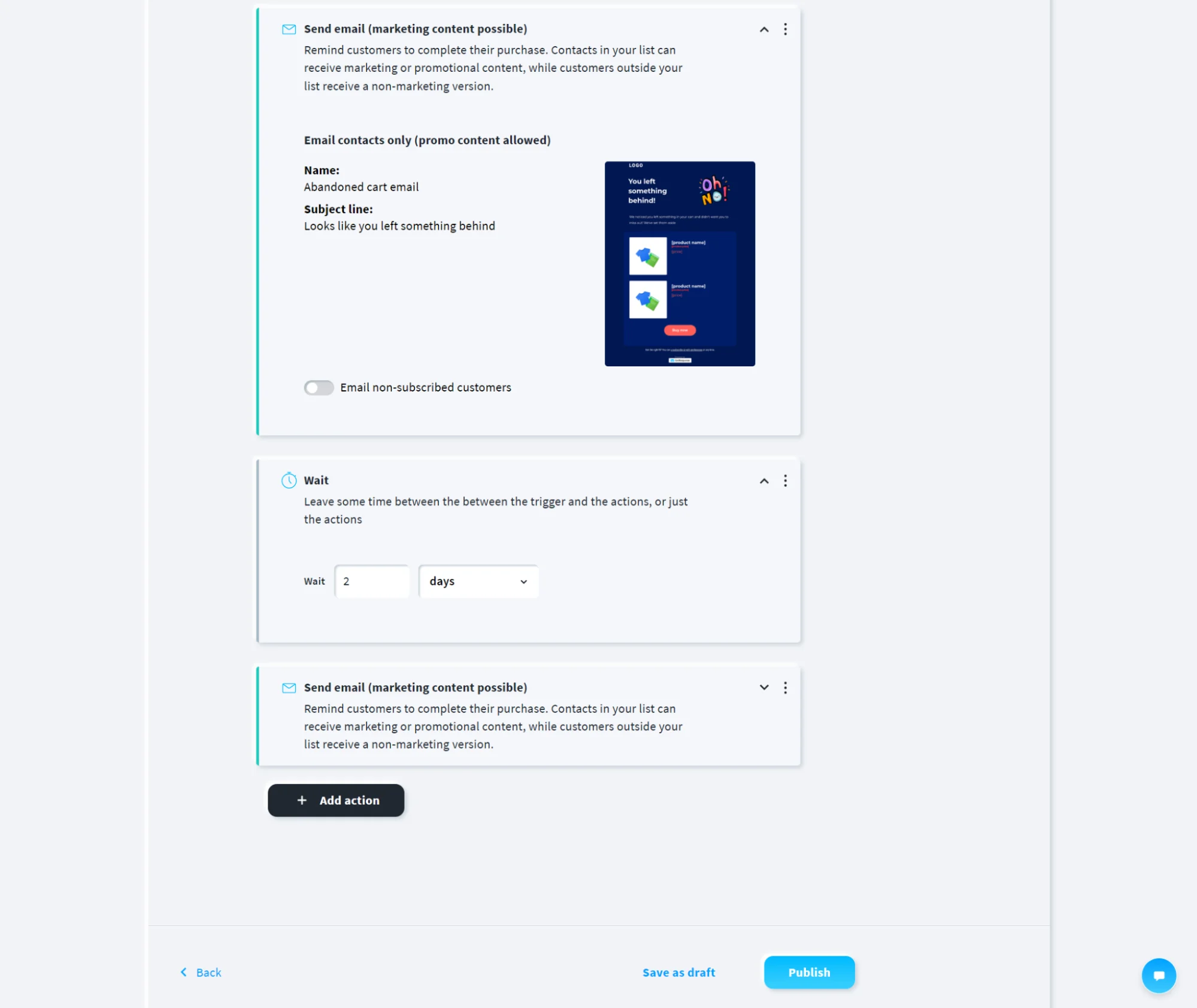
The automation in GetResponse took nine minutes and three seconds to build.
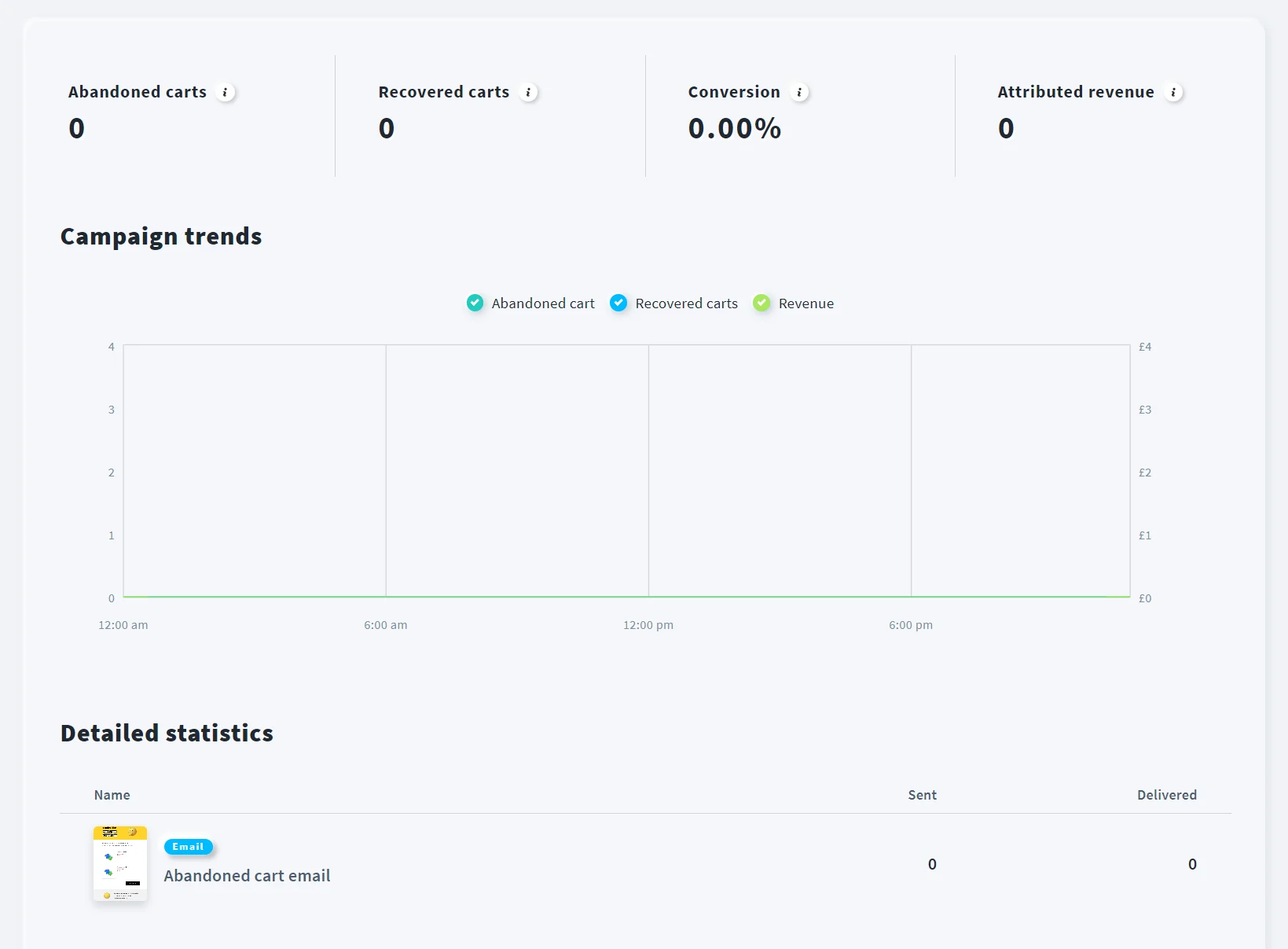
Tracking an abandoned cart in GetResponse requires clicking the three dots on the ecommerce campaign and selecting Reports. You can then see the number of abandoned and recovered carts, conversion rate, attributed revenue, and more.
Choosing between Brevo and GetResponse
If you email a small list often
GetResponse’s unlimited monthly emails mean you can maximize your send-to-contact ratio without spending more to do so.
If you hold a large list you email occasionally
Brevo’s 500,000-contact storage from $32/month in the Starter plan has a runway to scale your sends without overspending.
If you need webinars or funnels
GetResponse is the only choice here because Brevo lacks those features. You’ll need the Creator plan for webinars or the Marketer plan for funnels.
If you run an online store
Brevo is best for multichannel email, SMS, and transactional messages in all plans; GetResponse has all ecommerce features from $59/month with the Marketer plan, versus Brevo’s $499/month for the Professional plan.
Compare more than GetResponse vs. Brevo:
10 best Brevo alternatives for ecommerce (2026)
If neither Brevo nor GetResponse is right for you
Omnisend is an ecommerce-first alternative that helps you maximize revenue and retention. All email and multichannel features are included from $59/month in Pro.
| Feature | Omnisend | Brevo | GetResponse |
|---|---|---|---|
| Cart recovery | All plans | All plans | Marketer |
| Back-in-stock alerts | All plans | Starter | No |
| Pop-ups | All plans | Professional | All plans |
| Landing pages | All plans | Standard | All plans |
| SMS | Pro | All plans | Enterprise |
| Transactional email | All plans | All plans | Enterprise |
| Predictive analytics | All plans: AI customer lifecycle maps based on Recency, Frequency, and Monetary value (RFM) analysis | Professional, including predictive customer lifetime value (CLV) and churn risk | No |
| AI segment builder | All plans | Professional | Paid plans |
| Support | 24/7 live chat and email in all plans | Email in all plans; phone support available in Professional | Email and chat support in paid plans |
| Pricing model | Contacts | Monthly email volume | Contacts |
| Starting price | $16/month | $9/month | $19/month |
Accurate as of August 2026.
For the full feature-by-feature view, see our Omnisend vs. Brevo comparison and our Omnisend vs. GetResponse comparison.
Quick sign up | No credit card required