Omnisend AI


 OFFER
OFFER










Brevo is best for marketers who want a multichannel tool with basic sales and customer relationship management (CRM) tools. HubSpot is best for marketers who want a full CRM with marketing capabilities built on top of it.
HubSpot is often compared to Brevo because both provide CRM and sales features at different budget points, and both offer free plans that can reduce tool sprawl.
Which is right for you? Our Brevo vs. HubSpot comparison details their costs, add-ons, CRMs, marketing capabilities, and use cases to help you pick the right tool for your business.
Brevo vs. HubSpot: the short answer
Brevo is better than HubSpot for low-cost marketing and a sales CRM. It works out when storing a large list, sending to it infrequently, and managing sales, deals, and a pipeline, priced from $32/month for 500,000 contacts and 20,000 emails.
Reporting depth is where HubSpot pulls ahead. The campaigns tool and attribution reporting start at Professional, from $890/month. The Starter plan suits frequent senders who want a basic CRM and email marketing, without attribution, from $20/month.
| Brevo | HubSpot | |
|---|---|---|
| Built as | Marketing messaging platform | CRM platform |
| Entry paid plan | $9/month (Starter) | $20/month per seat (Starter) |
| Top-tier plan entry price | $499/month (Professional) | $3,600/month (Enterprise) |
| Pricing based on | Monthly email volume with contact caps per tier | Contacts; marketing contacts count toward quota |
| Required onboarding fee | None | None on Starter; $3,000 on Professional and $7,000 on Enterprise |
| Free plan | Yes, one user | Yes, two users |
| SMS | Available in all plans; prepaid credits that roll over and never expire | Marketing Hub Professional and Enterprise for U.S. customers only, $75/month Long Code add-on |
| Transactional email | All plans | $600/month add-on, Professional and above |
| Sales pipeline and deals | 50 open deals free, one pipeline; add-ons remove limits | One pipeline in the free tools and in Marketing Hub Starter, 15 on Professional |
| Tracing sales back to source | Ecommerce orders and conversions attributed to marketing; last touch by default, linear on higher tiers | Deal and revenue attribution on Enterprise only, seven attribution models |
| Shopify rating | 4.8/5 (2,200+ reviews) | 1/5 (eight reviews) |
| G2 rating | 4.5/5 (2,600+ reviews) | 4.4/5 (14,900+ reviews) |
Accurate as of September 2026.
Contact-based pricing suits frequent senders and smaller lists better than Brevo’s volume-based pricing. Read our email marketing cost guide and Brevo review for a complete breakdown of plans and costs.
What Brevo and HubSpot cost
The HubSpot Marketing Hub starts at $20/month per seat; Brevo starts at $9/month. Brevo charges by monthly email volume with a contact cap per tier, whereas HubSpot uses contact-based pricing and charges per seat. The headline prices aren’t necessarily what you will pay with either tool because both limit features to higher-tier plans and have add-ons.
What Brevo costs
Brevo starts at $9/month for 5,000 emails and 500 contacts in the Starter plan. Paid plans, except for Enterprise, have 10% off with an annual payment.
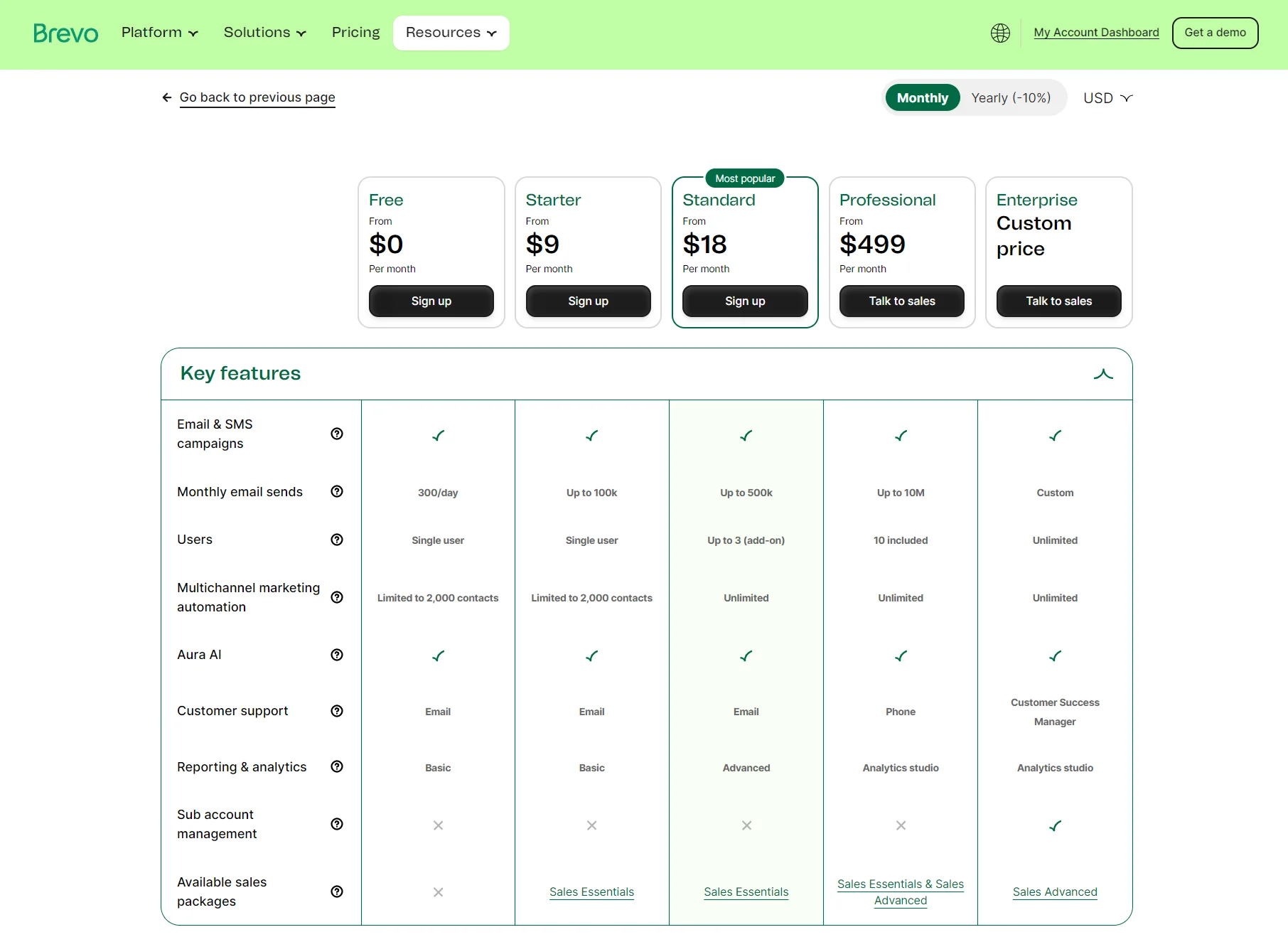
Free, Starter, Standard, Professional, and Enterprise plans are available. Professional has a leap in starting price, from $499/month, and Enterprise is custom-priced.
Monthly email volume ties you to a contact limit per plan. A $32/month spend in Starter or $69/month in Standard has storage for 500,000 contacts; both store 500 contacts at 5,000 emails, 1,500 contacts at 10,000 emails, and 2,500 contacts at 15,000 emails.
| Monthly emails | Brevo Starter | Brevo Standard |
|---|---|---|
| 5,000 | $9/month | $18/month |
| 10,000 | $17/month | $35/month |
| 15,000 | $25/month | $49/month |
| 20,000 (start of 500,000 contact storage) | $32/month | $69/month |
| 30,000 | $39/month | $79/month |
| 40,000 | $46/month | $89/month |
| 50,000 | $56/month | $97/month |
| 60,000 | $65/month | $104/month |
| 80,000 | $74/month | $119/month |
| 100,000 | $82/month | $139/month |
Accurate as of September 2026.
Exceeding 100,000 monthly emails in Starter requires moving to Standard, which has a 500,000 monthly email limit. Going over Standard’s 500,000 email cap makes the Professional plan necessary, which supports 10,000,000 emails and has a flat 2,000,000 contact cap.
| Monthly emails | Brevo Professional |
|---|---|
| 150,000 | $499/month |
| 250,000 | $599/month |
| 500,000 | $699/month |
| 1,000,000 | $999/month |
| 2,000,000 | $1,479/month |
| 3,000,000 | $1,863/month |
| 4,000,000 | $2,170/month |
| 5,000,000 | $2,447/month |
| 10,000,000 | $4,543/month |
Accurate as of September 2026.
Basic CRM features come with the Sales Free package on all plans, with two paid add-ons: Sales Essentials at $31/month and Sales Advanced at $65/month.
What HubSpot costs
HubSpot Marketing Hub is $20/month per seat for 1,000 marketing contacts in the Starter plan. Each additional contact block costs progressively less per 1,000 as your list grows. Non-marketing contacts are free to store in paid plans, up to 15 million total contacts.
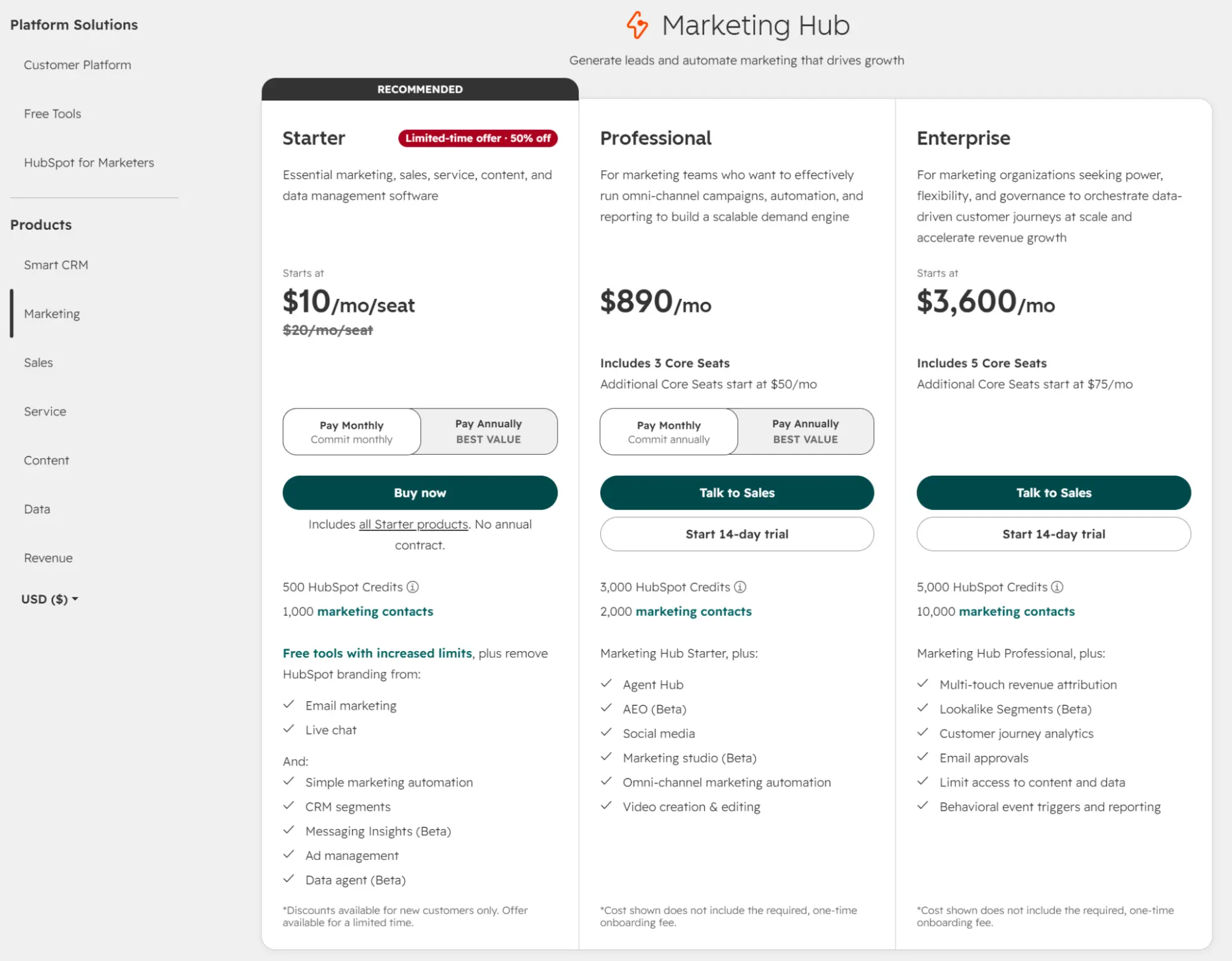
The next plan, Professional, starts at $890/month with three core seats and 2,000 marketing contacts included, billed in blocks of 5,000 that also get cheaper with list growth.
Enterprise is HubSpot’s top-tier plan, starting at $3,600/month with five core seats and 10,000 marketing contacts, billed in blocks of 10,000 that follow the same declining-rate structure.
Both the Professional and Enterprise plans have a one-time onboarding fee and require talking to sales. The onboarding fees are $3,000 on Professional and $7,000 on Enterprise.
| Marketing contacts | Starter | Professional |
|---|---|---|
| 1,000 | $20/month | $890/month |
| 5,000 | $210/month | $1,140/month |
| 10,000 | $410/month | $1,390/month |
| 15,000 | $610/month | $1,640/month |
Accurate as of September 2026.
Marketing Hub Professional includes Smart CRM at the Professional tier. Smart CRM also sells standalone in Professional or Enterprise editions, from $50/month per seat, adding Agent Hub, intent signals, custom reporting, and contact enrichment.
How do their free plans compare?
HubSpot’s free plan gives you more CRM and more content tools; Brevo Free gives you more than four times the email volume and 100 times the contact storage.
There’s a 100,000-contact cap on Brevo’s Free plan, and it lets you send up to 300 emails/day, approximately 9,000/month, with Brevo branding on all emails.
The Free plan has Sales Free with one pipeline and 50 open deals, supports transactional email and SMS marketing (credits sold separately), but also limits automations to 2,000 contacts.
HubSpot’s Free plan stores 1,000 contacts and sends 2,000 emails/month with HubSpot branding. It includes one deal pipeline, 10 dashboards, and up to two users, with automation limited to a single automated action.
What HubSpot and Brevo cost at 20,000 contacts
Storing 20,000 contacts in Brevo costs $32/month for Starter and $69/month for Standard. HubSpot Starter costs $810/month and Professional costs $1,890/month for 20,000 contacts.
The value of Brevo’s volume-based pricing comes into play at this list size. Starter and Standard store 500,000 contacts at 20,000 emails. A large list is cheaper to store with Brevo, depending on your send-to-contact ratio.
| Brevo Starter | HubSpot Starter | |
|---|---|---|
| Contacts | 20,000 (500,000 storage limit at this tier) | 20,000 |
| Monthly plan cost | $32/month | $810/month |
| Email sends included | 20,000 | 100,000 (5x contacts) |
| SMS | Prepaid credits that roll over and don't expire | Add-on, priced separately |
| Transactional email | Included | Requires Professional plan plus a $600/month add-on |
| Onboarding fee | None | Not in Starter |
Accurate as of September 2026.
HubSpot’s CRM against Brevo’s sales tools
HubSpot has a better CRM if you can budget for it. Custom reports joining contact, company, and deal data start at $890/month in Professional, and revenue attribution at $3,600/month in Enterprise. Brevo’s Sales Free comes with every plan with 50 open deals and one pipeline cap, increasing to unlimited on both counts for $31/month in Sales Essentials.
What HubSpot does that Brevo cannot
HubSpot has a custom report builder that lets you create insights across contact, company, and deal data. The Professional plan has 100 custom reports and 10 million events per query; Enterprise allows 500 and 100 million. Starter plans have dashboards built from templates, but no custom report builder.
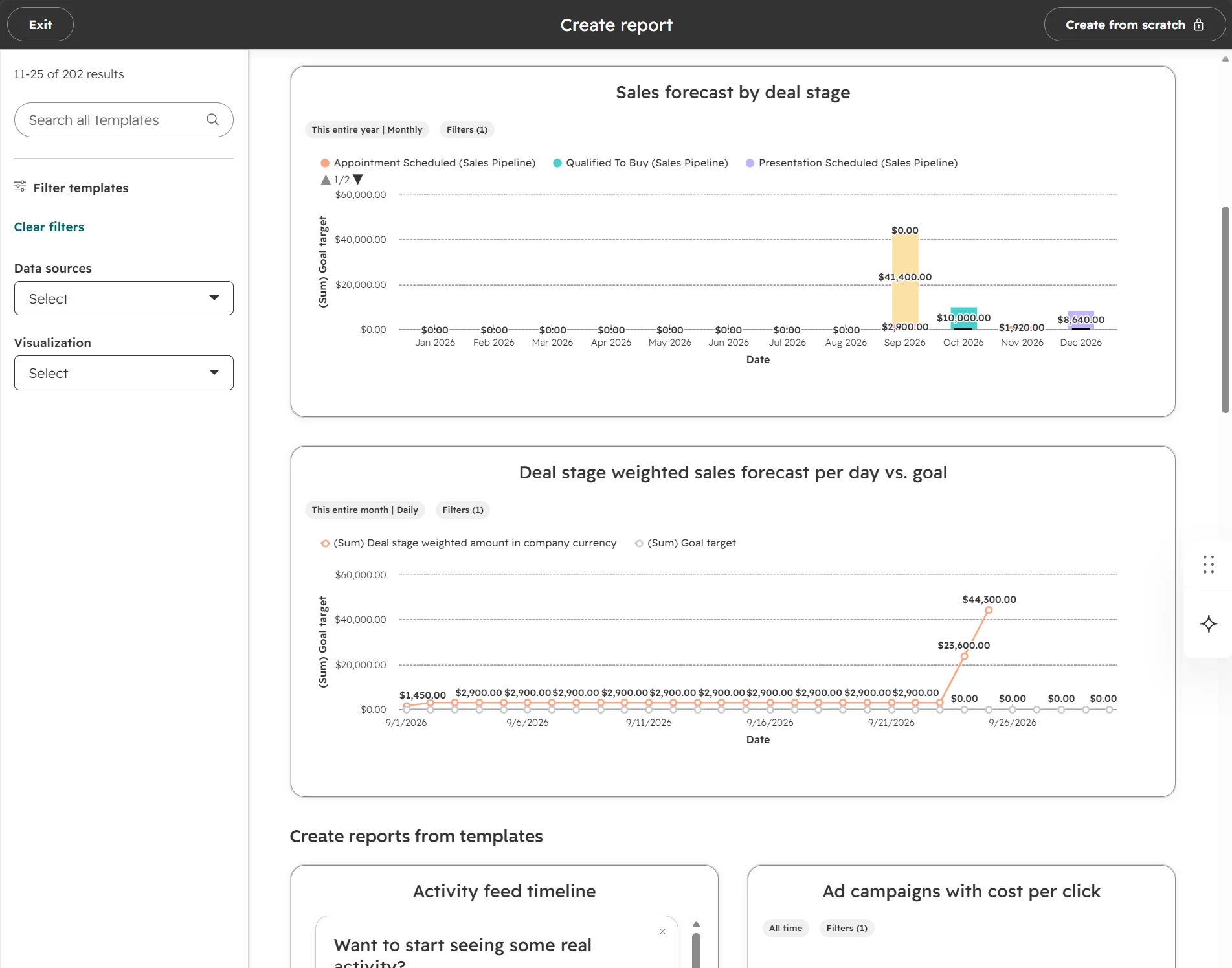
Brevo has three deal reports (revenue, sales cycle, and team performance), identical on Sales Free, Sales Essentials, and Sales Advanced. Its Analytics builder covers campaigns, contacts, and ecommerce data, but there’s no exploration environment for deals or pipelines.
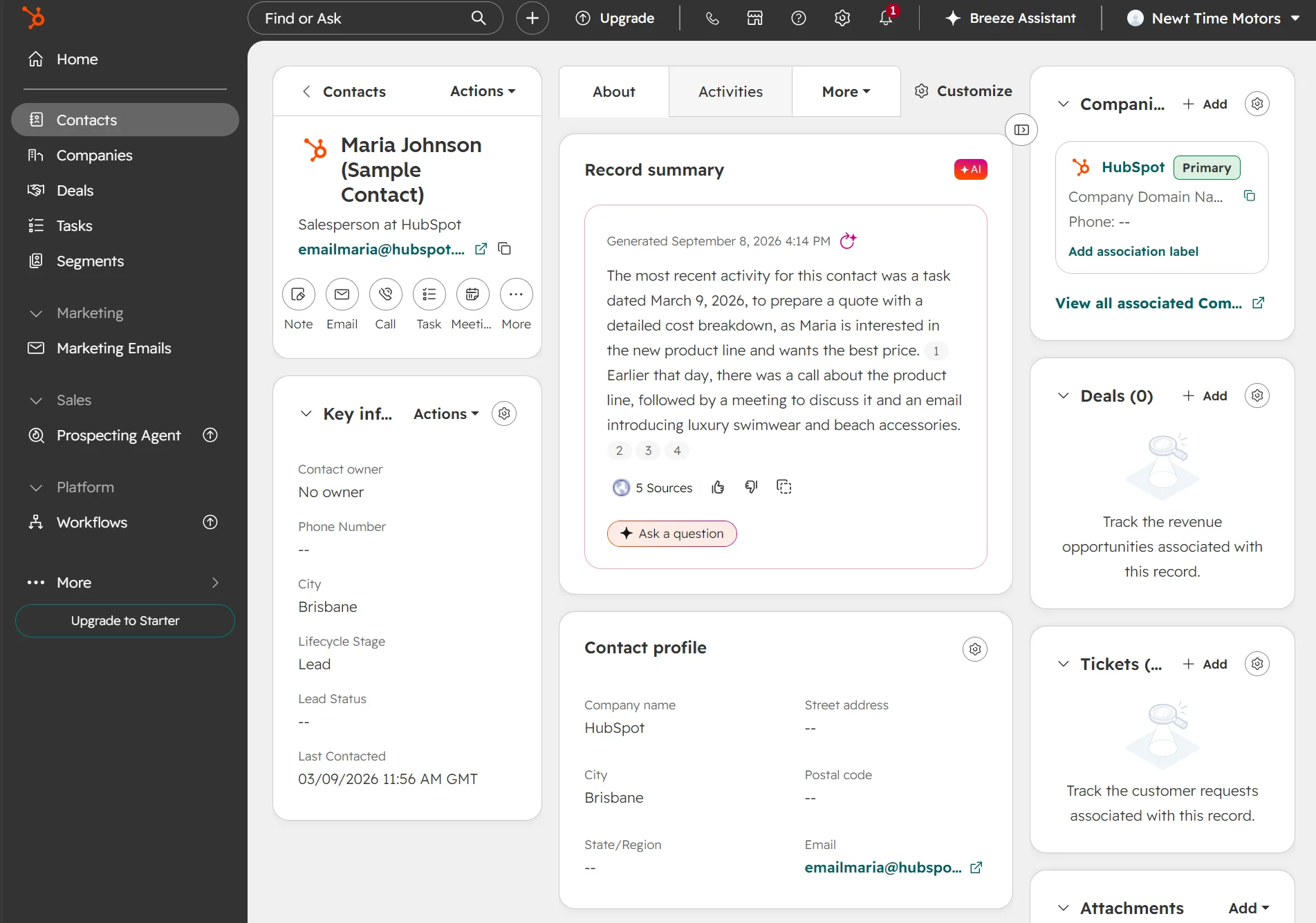
AI record summaries in HubSpot contact and company profiles provide a recent activity overview with sources. You can ask a question and get answers. Brevo’s Aura AI summarizes individual calls and conversations, not the record as a whole.
Multi-touch attribution assigns revenue credit across seven models, tracking up to 10,000 logged interactions per contact. It’s an Enterprise feature, at $3,600/month. Brevo has two models versus HubSpot’s seven.
Customer journey analytics is another selling point in Enterprise plans. It maps up to 15 stages against 60 months of data or 20 million events. Brevo has no documented equivalent.
HubSpot’s CRM also works better if your business qualifies leads before selling. Lead scoring uses behavior, campaign interactions, and demographics: five scores on Professional, 50 with AI recommendations on Enterprise. Brevo’s automatic scores measure order behavior; lead scoring means building your own in an automation.
What Brevo’s sales tools cover
Contacts, companies, deals, and tasks come with every plan, including Free, as part of the Sales Free package.
You get one pipeline, 50 open deals, and meeting scheduling that syncs to Google and Outlook without spending more on an add-on. Pipelines can have up to 20 stages, and setting win probabilities per stage produces an estimated revenue forecast in the Revenue report.
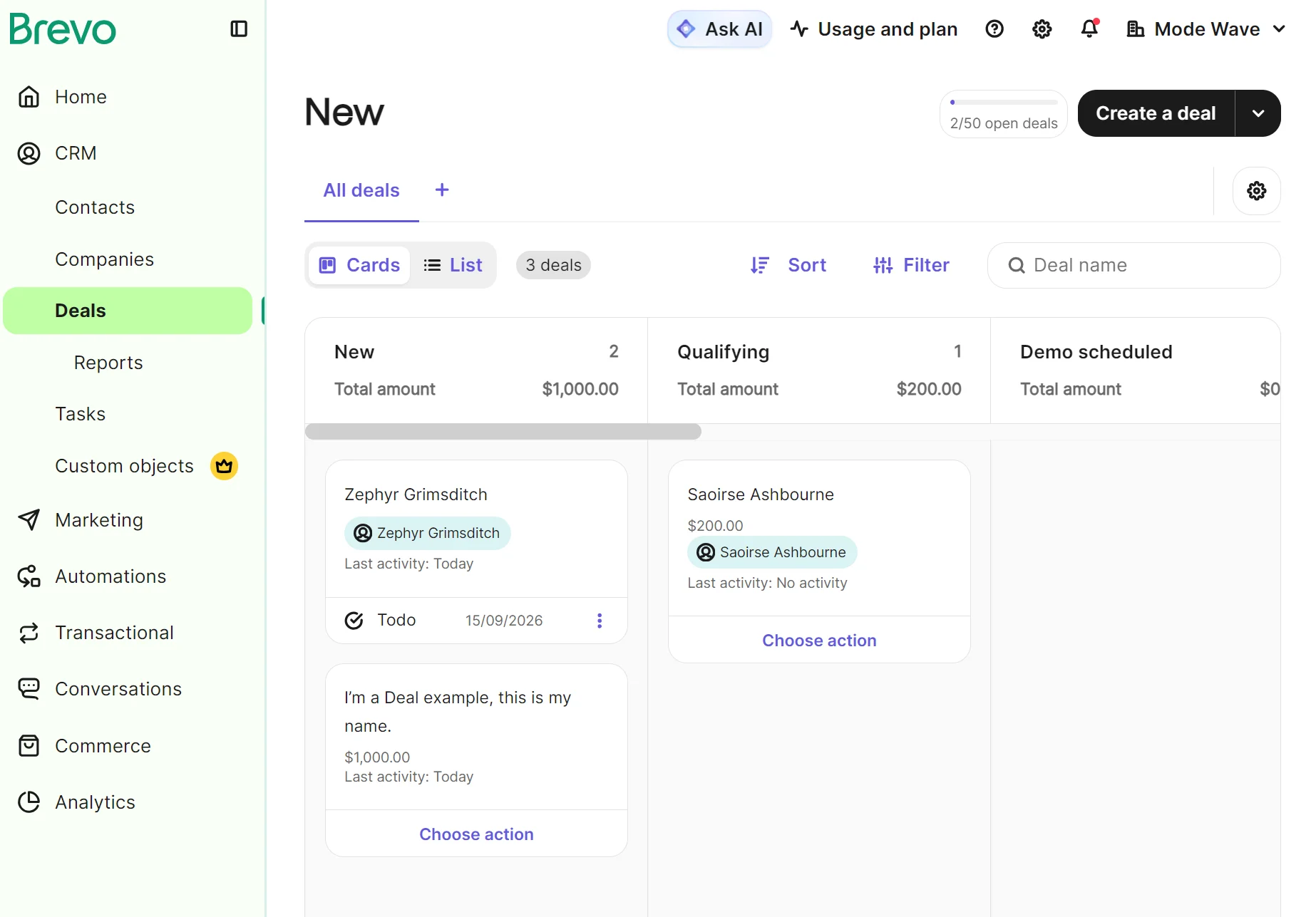
There are then two paid add-ons: Sales Essentials and Sales Advanced.
| Package | Cost | What it has |
|---|---|---|
| Sales Free | $0/month | 50 open deals, automated meeting scheduling, revenue reports, forecasting |
| Sales Essentials | $31/month; additional seats are $31/month per seat on top | Unlimited open deals, sales workflows, task navigator, AI contact and company enrichment |
| Sales Advanced | $65/month; additional seats are $65/month per seat on top | VoIP, multiple currencies, outreach sequences, 1:1 SMS, round-robin scheduling |
Accurate as of September 2026.
Campaign or deal: which record does your business run on?
Brevo fits businesses where the campaign and the list are what your team works in, with deals tracked alongside as an outcome.
HubSpot fits businesses where the deal is the unit of work, passed between people over weeks, and where someone will ask which campaign produced it.
Our review of Brevo vs. HubSpot
Brevo was faster at getting me into the dashboard and creating an email. HubSpot had an AI-assisted workspace to set up first; that gave it a more custom feel. The email editors in both tools use drag-and-drop, but Brevo has more blocks and sections, including a product block in all plans. The CRMs both imported deals without errors.
Getting started in Brevo and HubSpot
HubSpot has Breeze Assistant, an AI tool, that provides a guided setup after purchasing a paid plan. I purchased the Starter plan and completed the steps. It asked me to confirm my goal and tools and to connect them.
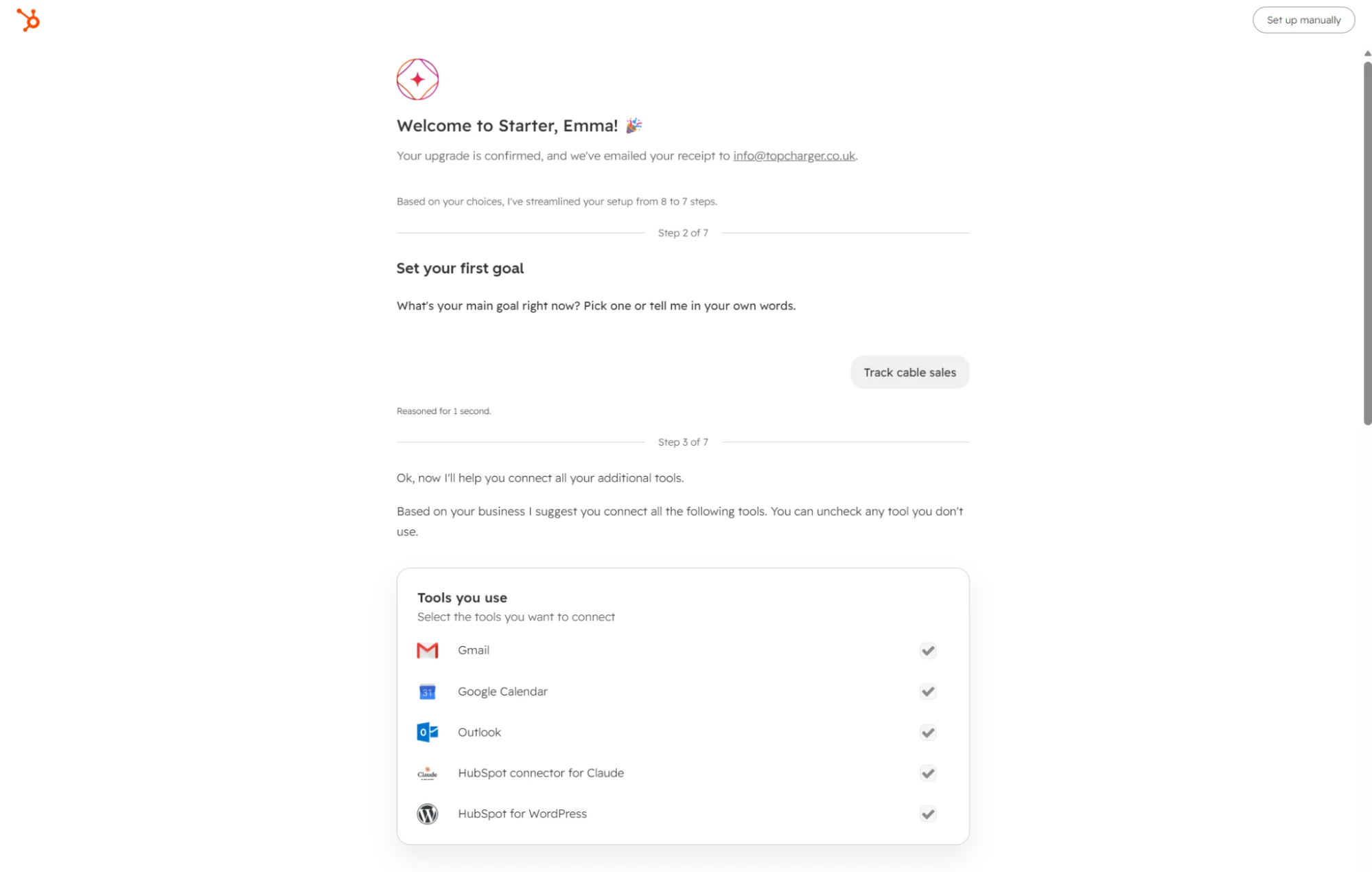
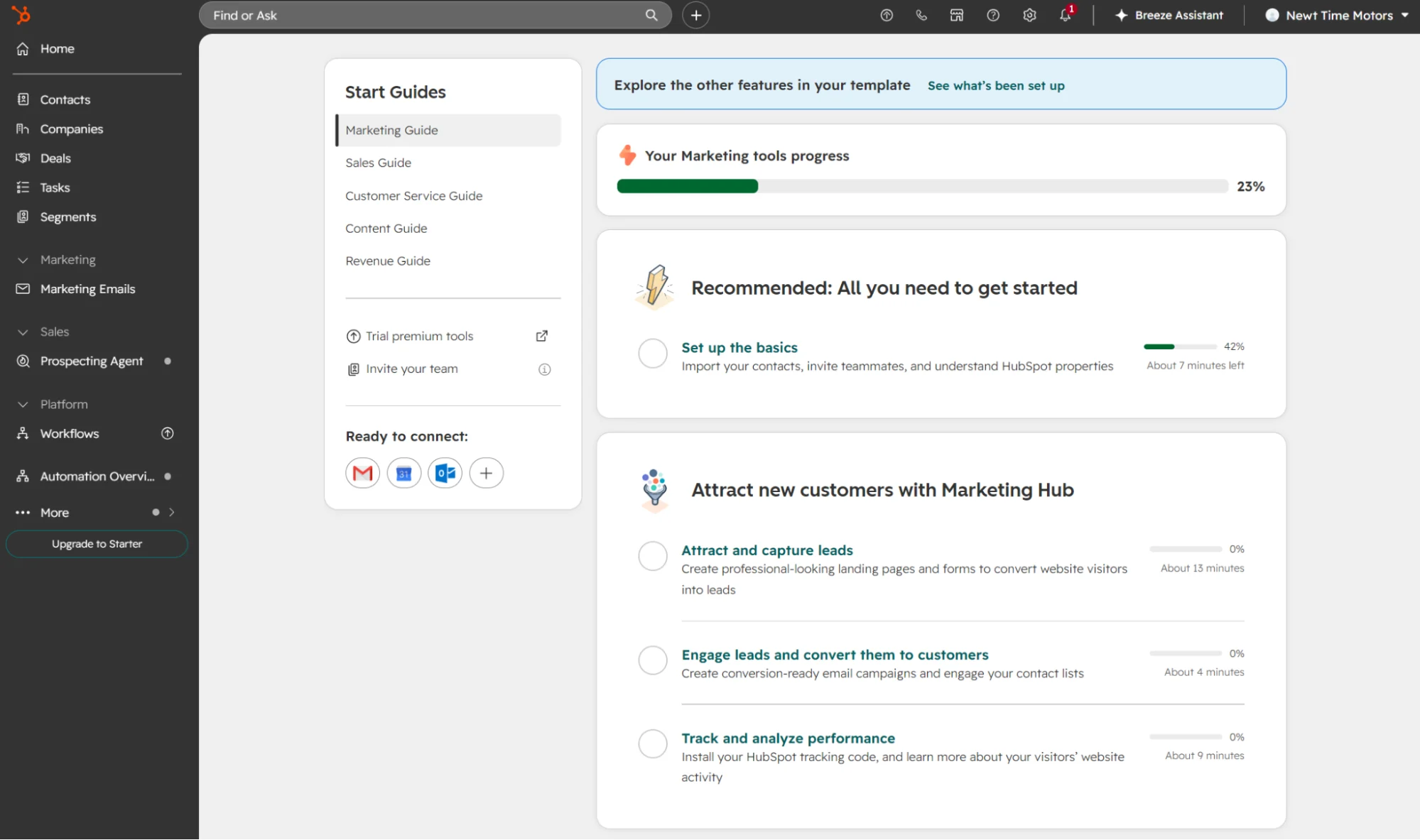
The AI assistant then built a dashboard and redirected me to the Home screen. It didn’t set up everything, but there’s a Continue button in the sidebar that loads progress for marketing, sales, customer service, content, and revenue.
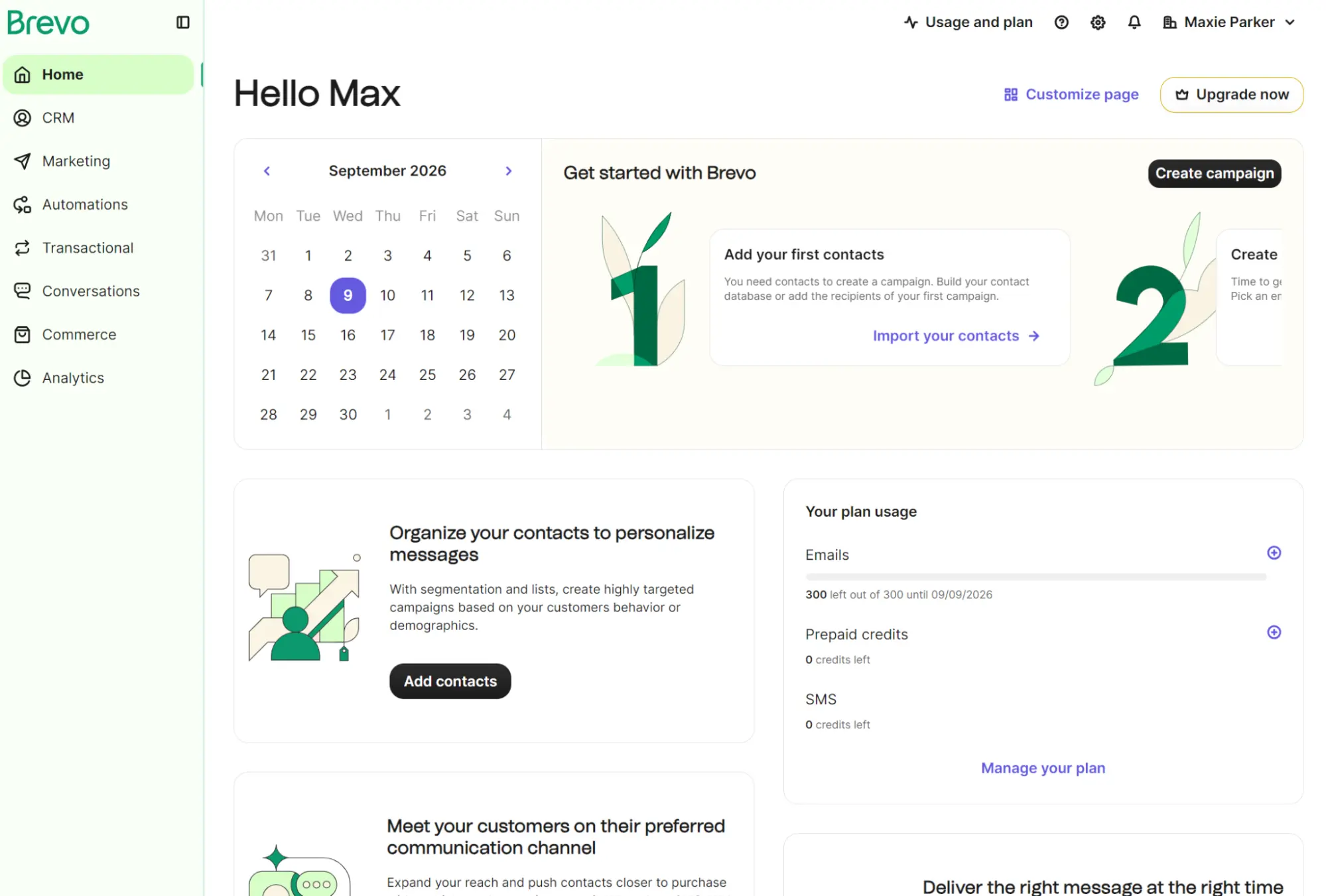
Creating an account in Brevo didn’t provide any initial guided setup. Instead, it sent me straight into the Home screen, which has a Get started with Brevo section covering two steps: adding contacts and creating a campaign.
Building an email in Brevo and HubSpot
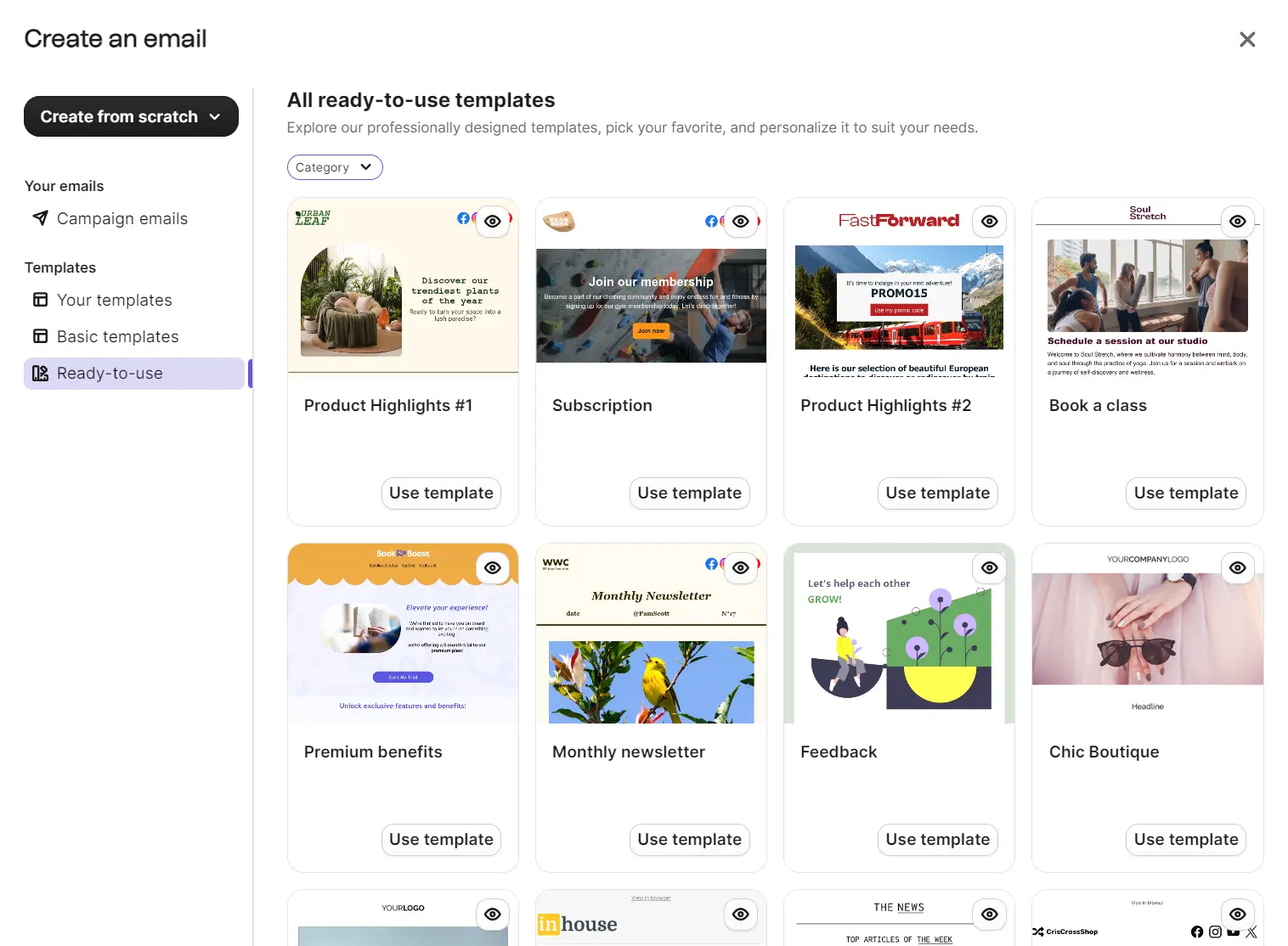
Brevo has 48 ready-to-use email templates and five basic templates. The ready-to-use ones cover ecommerce and subscription businesses, plus bloggers and service providers. I picked the template “Chic Boutique” to edit.
The email editor has a three-item menu with Blocks, Sections, and Saved. The Blocks include title, text, image, video, button, dynamic content, logo, social, HTML, divider, product, navigation, and spacer.
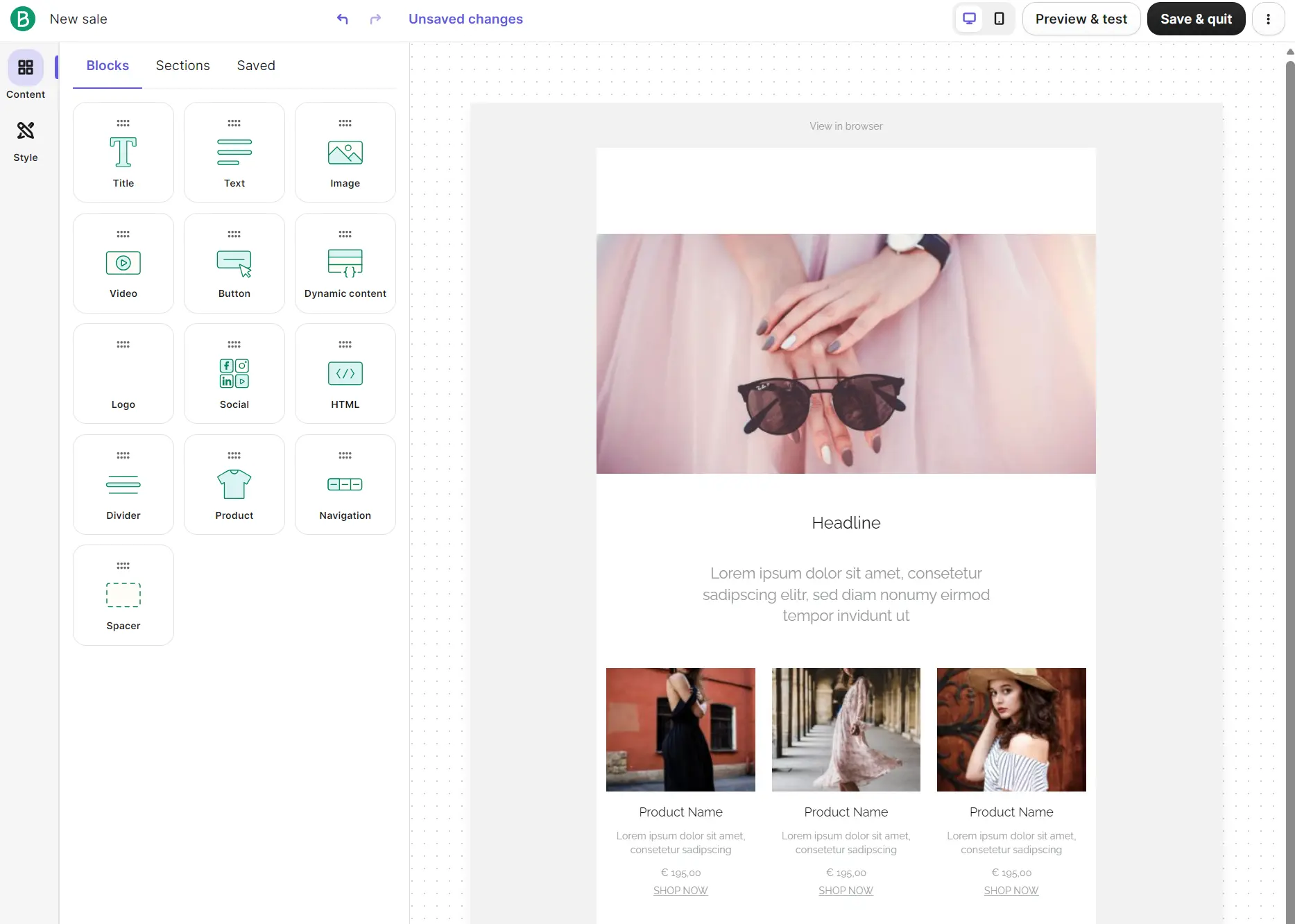
Sections are pre-built elements such as text and images, headers, footers, signatures, and empty columns. They’re best for changing the layout of an email; I liked the variety of image galleries, footers, and signatures.
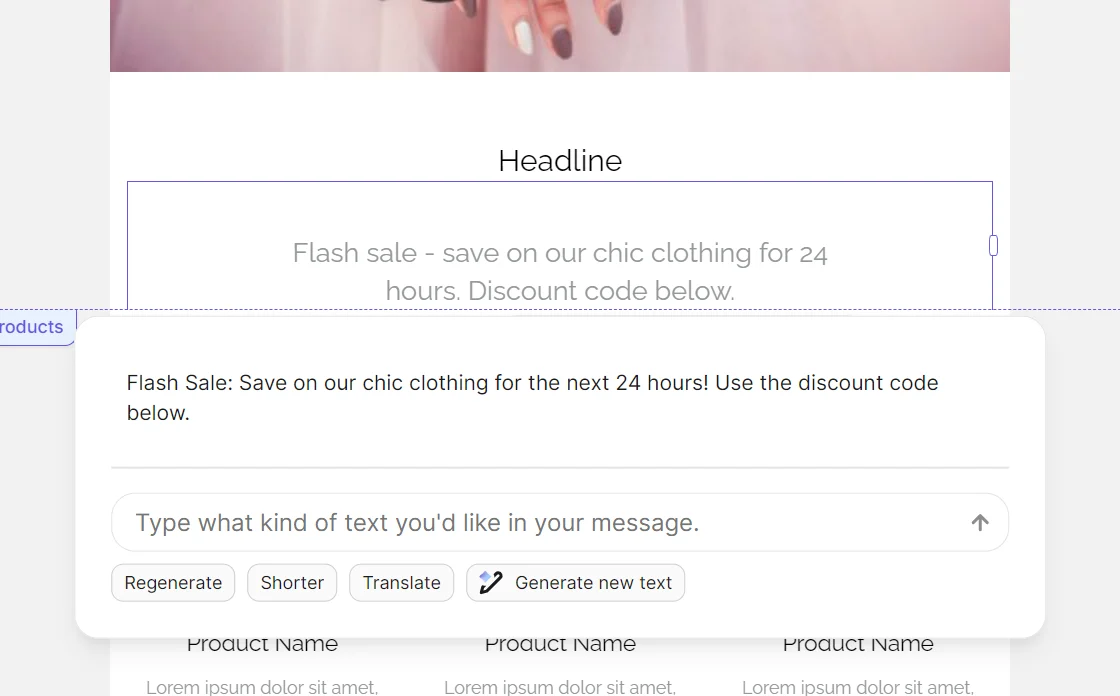
An AI content generator, powered by Aura AI, is included in all plans. I asked it to rephrase a small piece of text I wrote for a flash sale. It did a good job: the output fixed a few grammar issues, and I had additional options to regenerate, make it shorter, or translate.
Brevo’s landing page templates include 16 pre-built designs spanning products, apps, rewards, guides, lead capture, and more. A limitation to remember is that you can only build one landing page in Standard plans, and none in the Free or Starter plans.
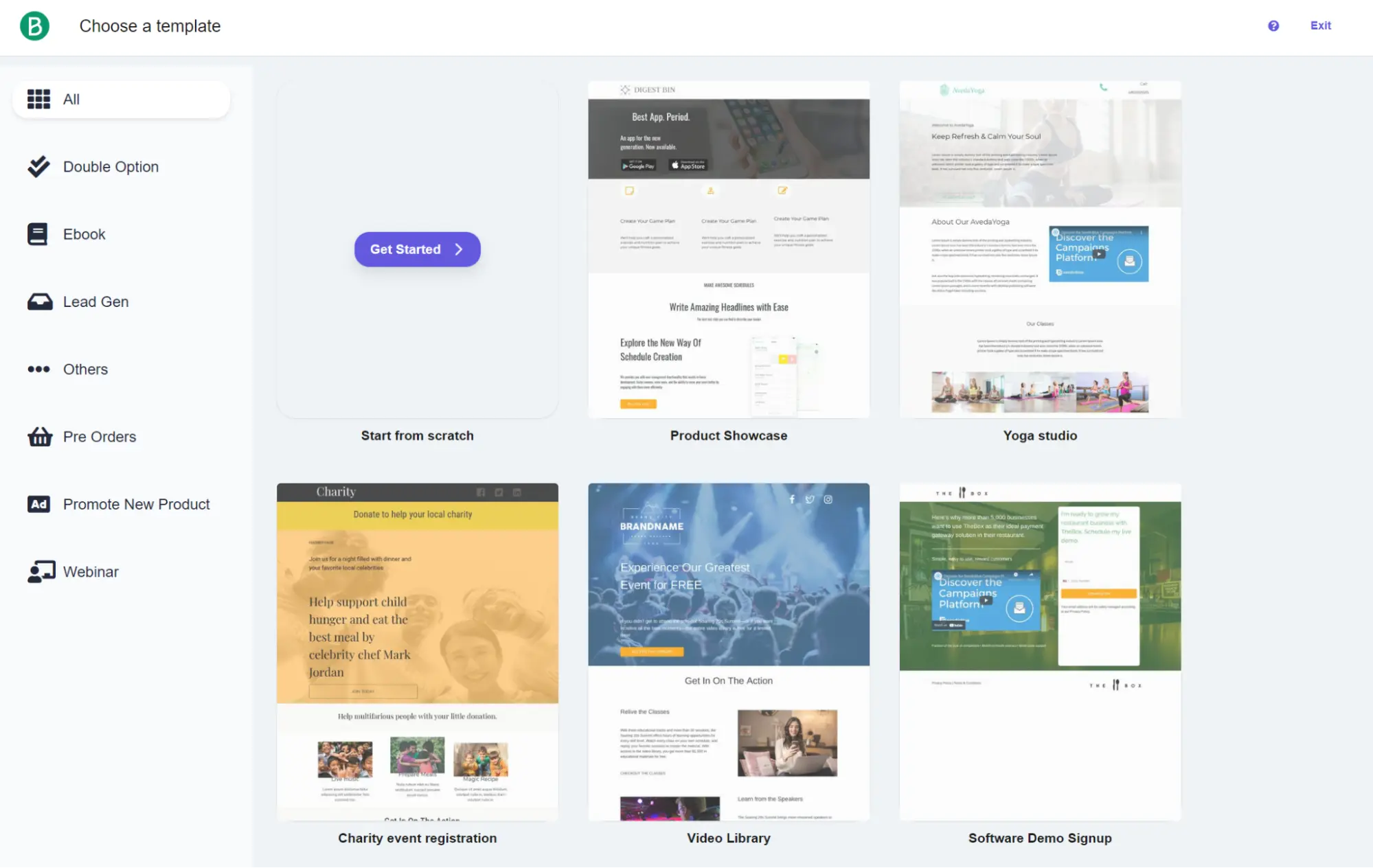
I found the landing page editor more difficult to use than the email editor because it provides left- and right-hand sidebars and requires scrolling through sections in longer categories.
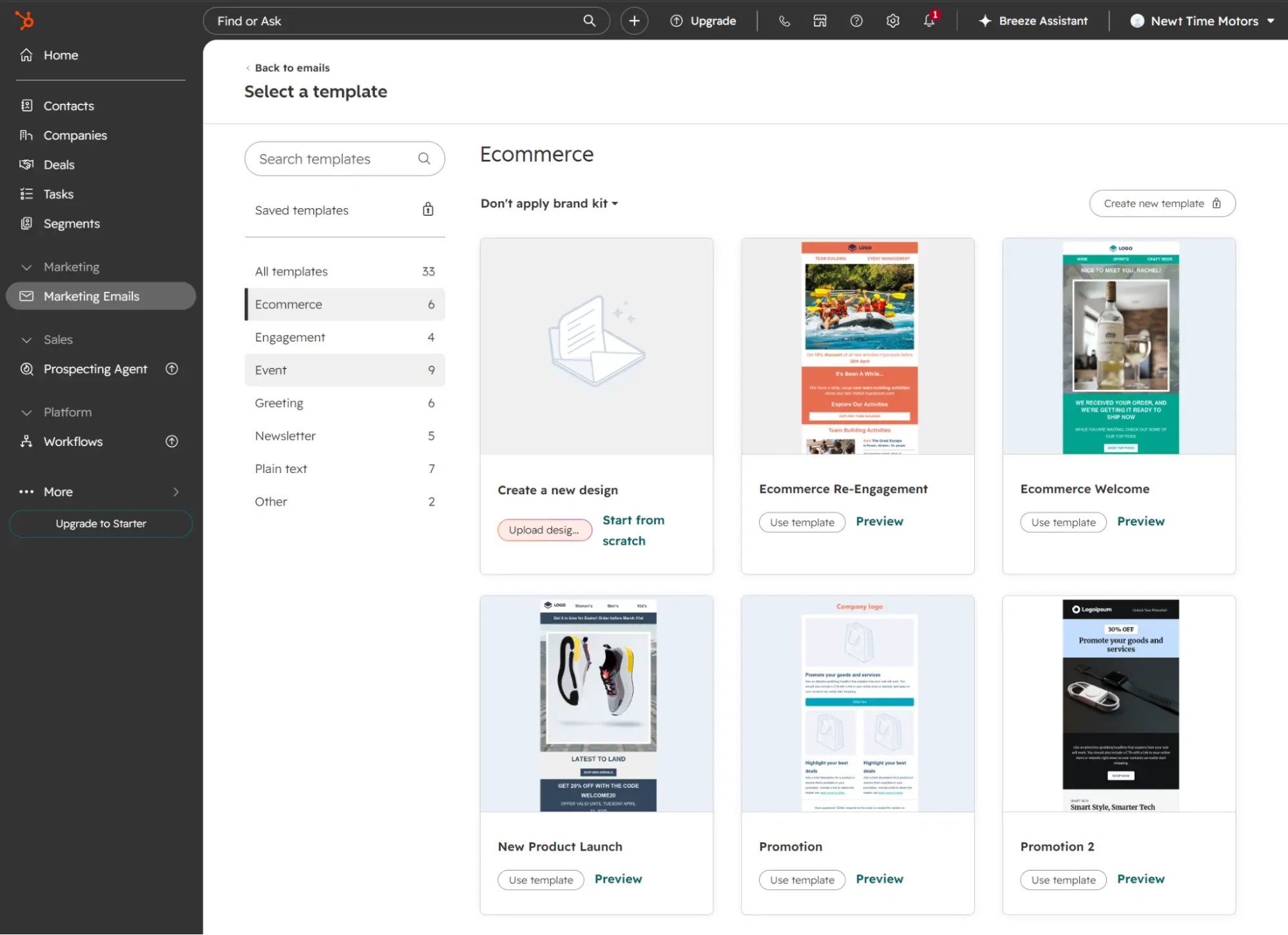
HubSpot has 33 email templates with six ecommerce options: create a new design, re-engagement, welcome, product launch, promotion, and another promotion layout.
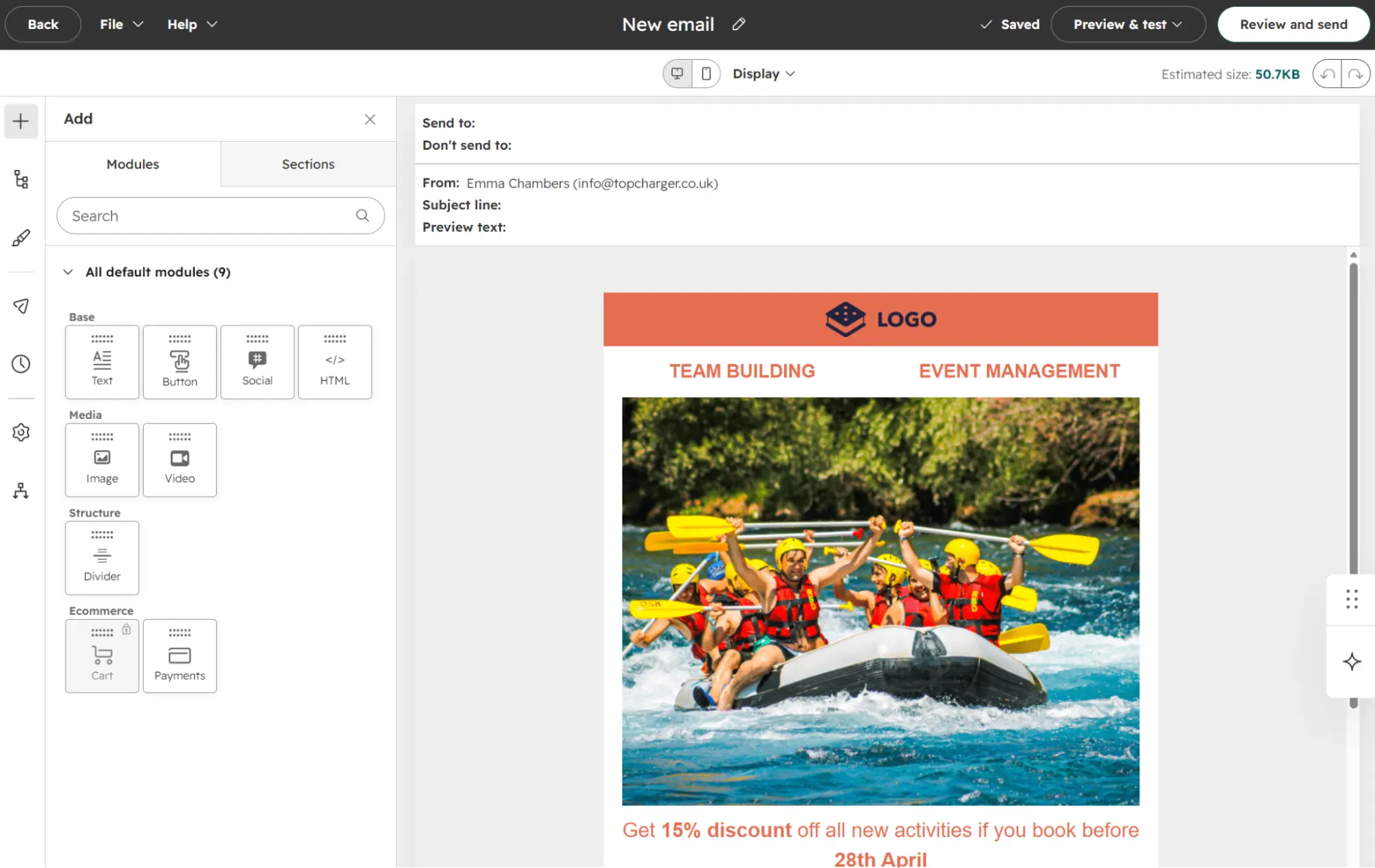
I selected the Ecommerce Re-Engagement template to open the email editor. The editor is drag-and-drop, with nine blocks and six sections. Dragging a block into the editor opens the settings for that block for quick editing.
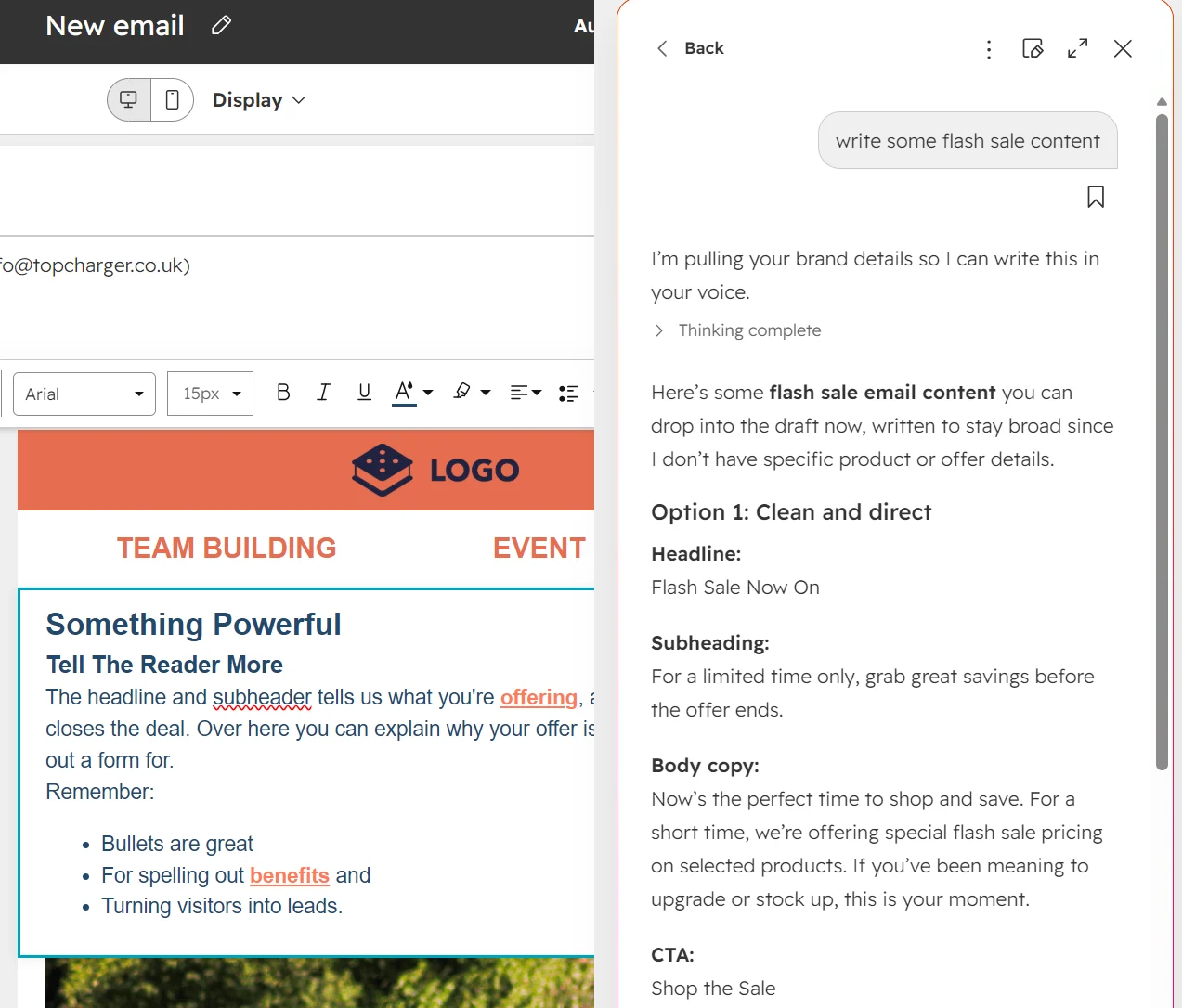
An AI Assistant is available as a button on the right-hand side; I clicked it, and it opened a chat dialog. It wasn’t clear what it could do, so I asked it to write content for a flash sale.
It pulled my brand details and drafted three options in different voices. Copying it into the text block required manually moving it over.
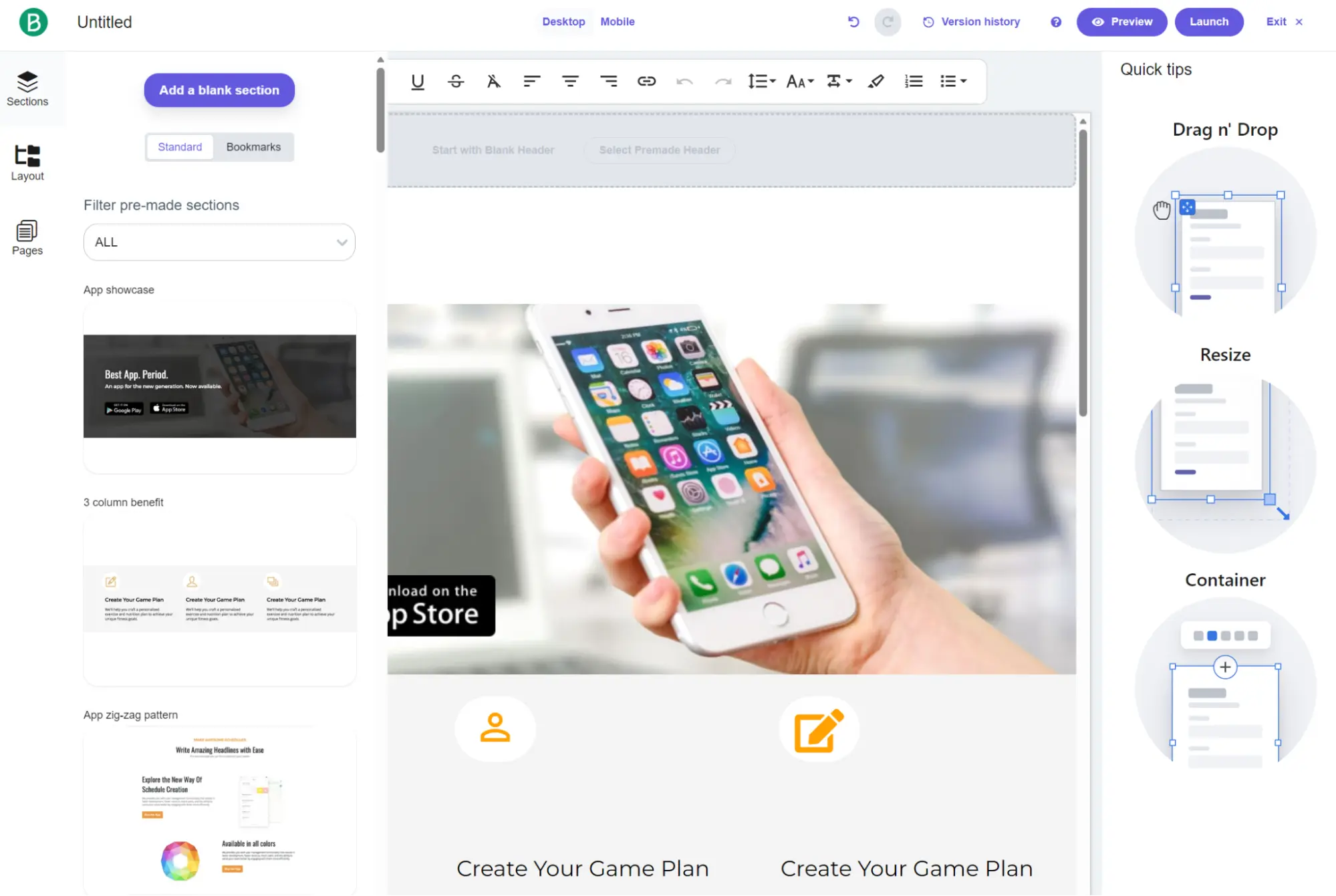
The landing page builder is visually identical in structure to the email builder but has more menu items for design, commerce, forms, buttons, and other elements.
I counted 17 landing page templates, all for B2B rather than ecommerce. Brevo’s landing page templates are more suited to selling products.
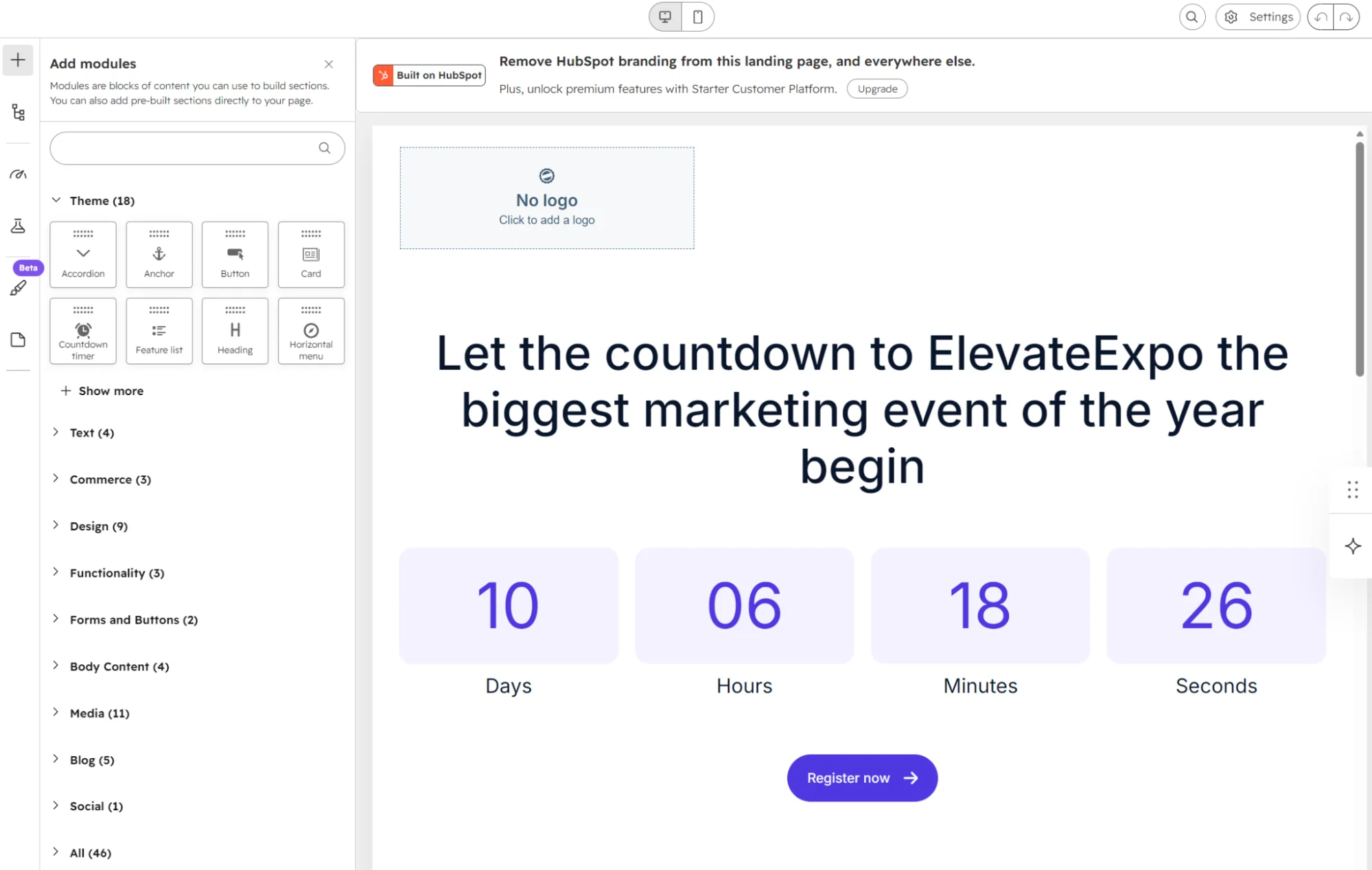
The landing page builder also has a Generate with AI feature, which can create a landing page from a prompt. It requires a paid plan higher than Starter.
Automation and the CRM in Brevo and HubSpot
All Brevo plans provide an automation builder with a canvas, with automations capped at 2,000 contacts until Standard. HubSpot’s Starter plan has 10 follow-up actions per form; the free tools allow one. The workflows canvas starts at Professional, $890/month.
That’s a massive limitation for ecommerce; it means HubSpot cannot build a welcome series or abandoned cart email without one of the high-tier plans. Brevo can, and it provides 15 pre-built email automations for ecommerce scenarios.
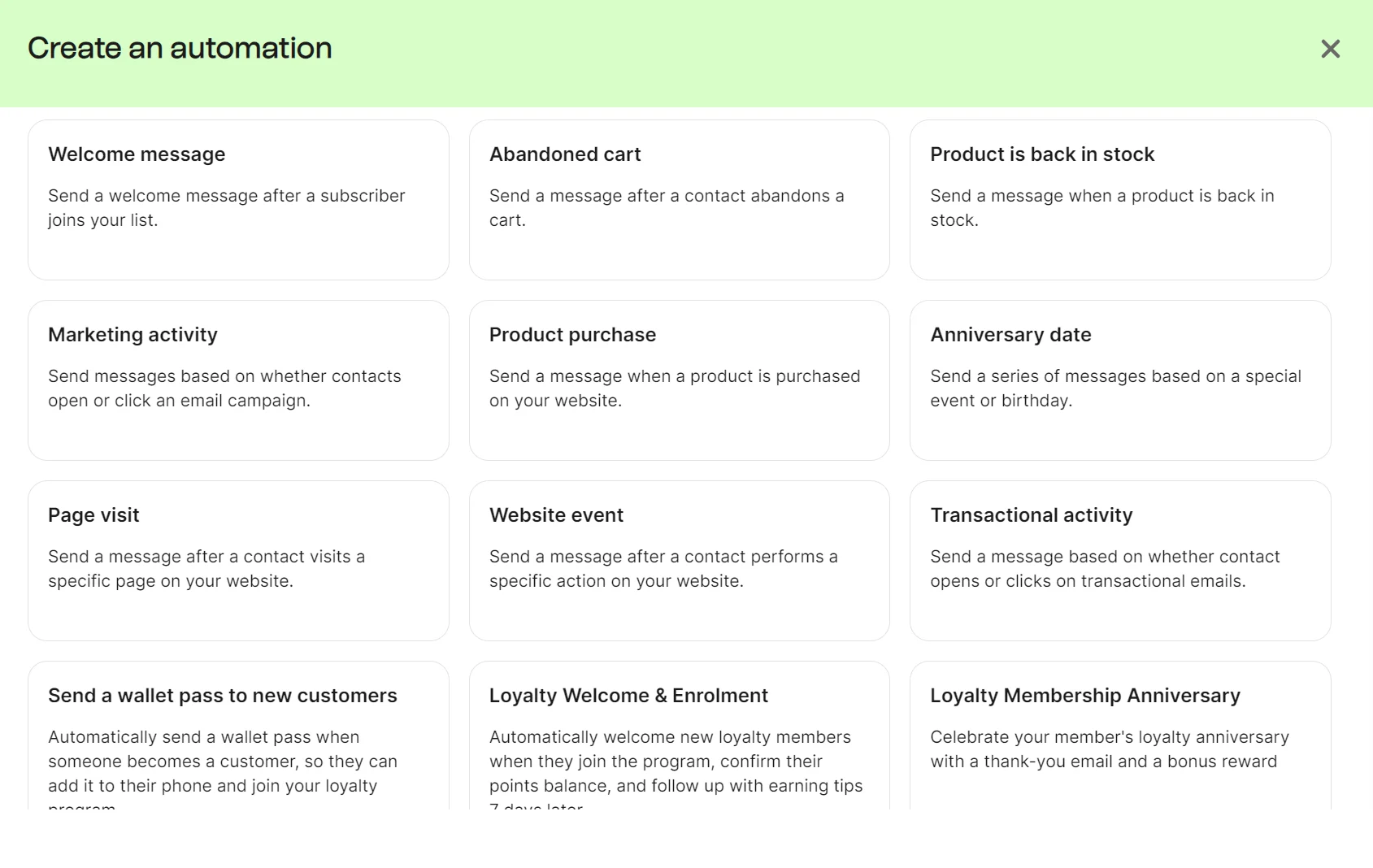
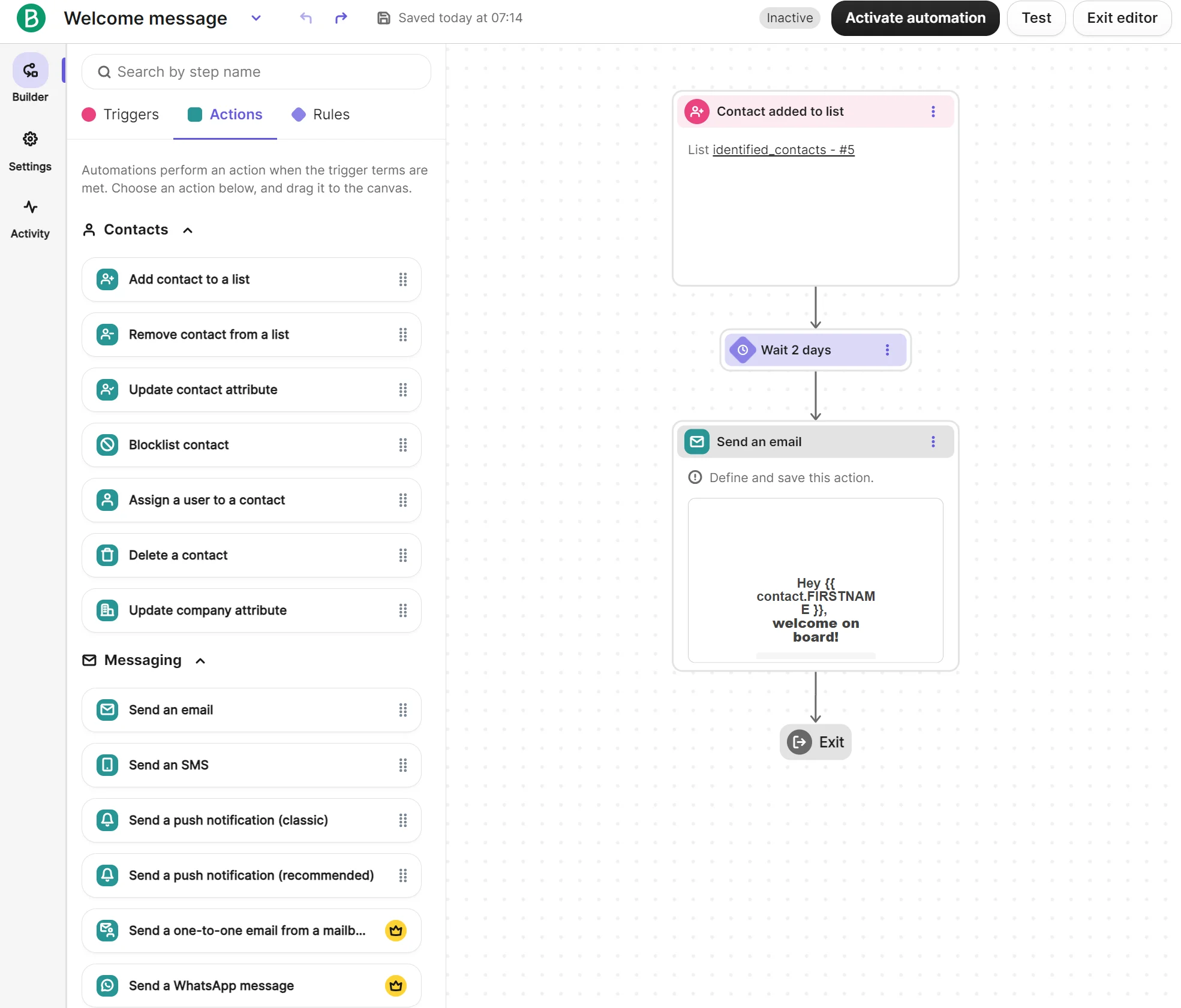
Building a welcome email automation in Brevo was as simple as selecting the template and completing the three steps it required. The guided setup made configuration quick, and the Actions menu let me drag any available channel into the canvas.
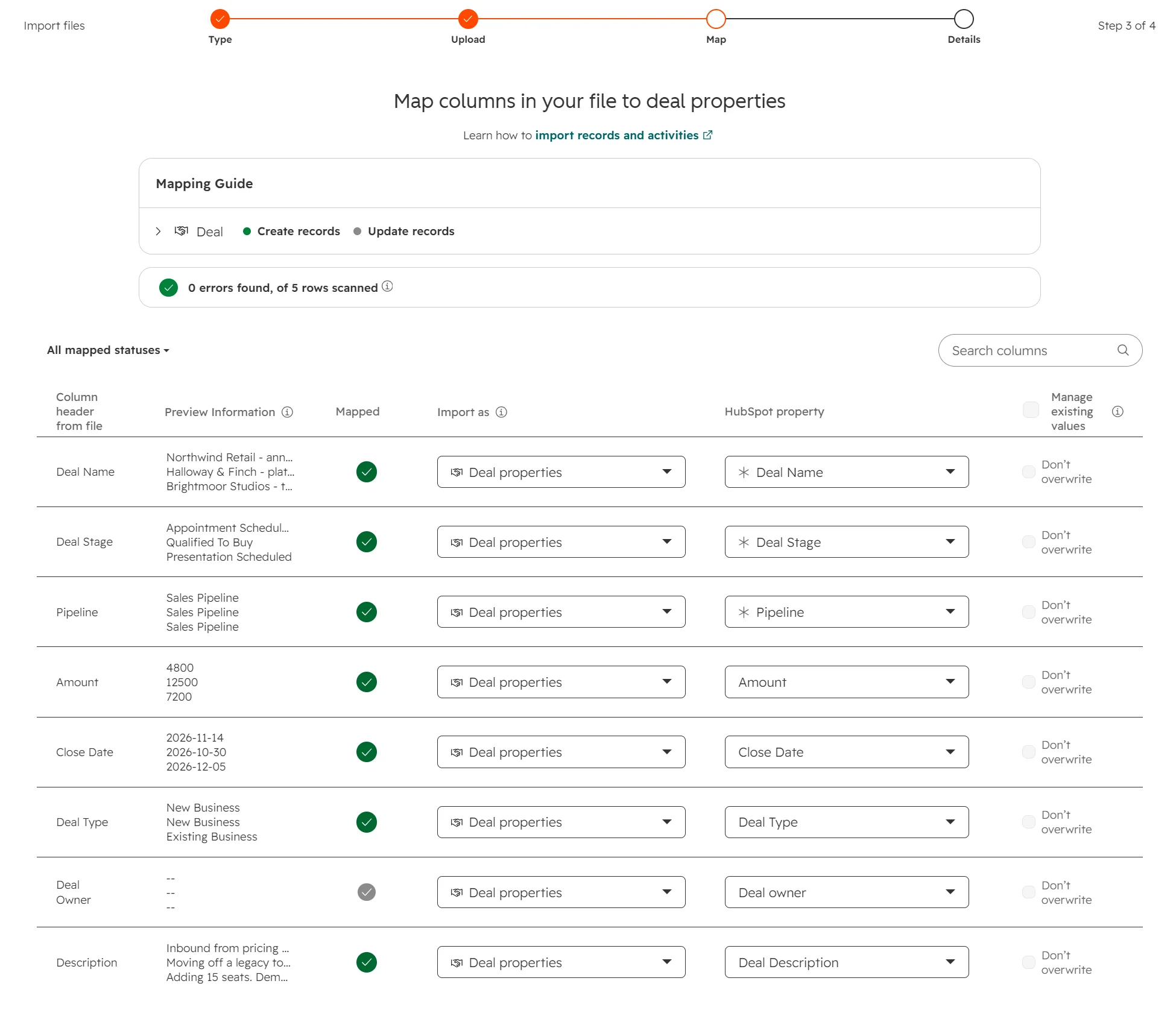
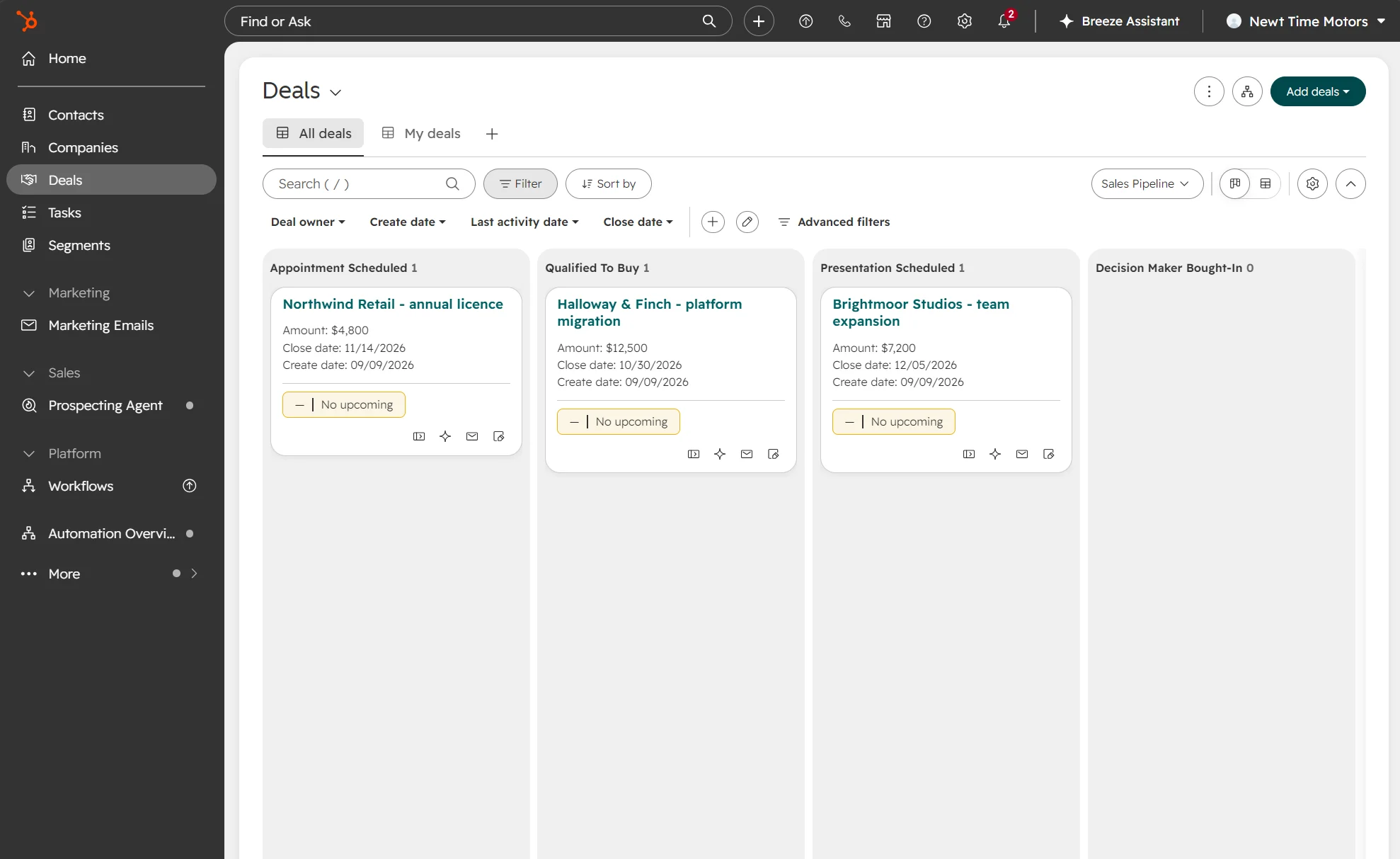
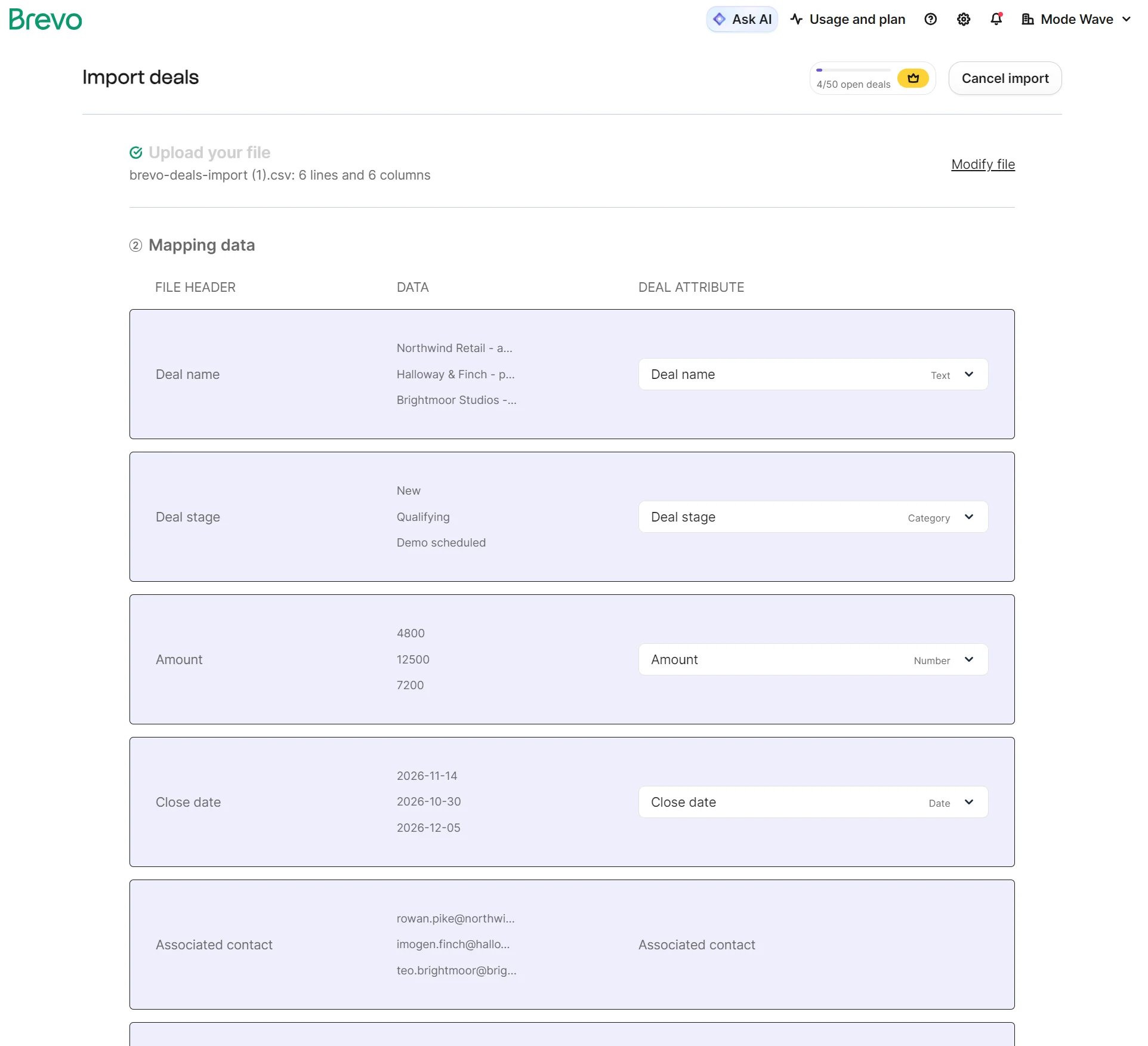
To test Brevo vs. HubSpot for CRM capabilities, I uploaded the same deals list sheet to both using the import option. HubSpot synced all fields correctly.
On completion of the upload, HubSpot loaded the deals dashboard, complete with all five deals showing a total amount and weighted amount.
Brevo’s import was also successful, with all fields mapped correctly. Like HubSpot, it provided dropdowns to change any mapping.
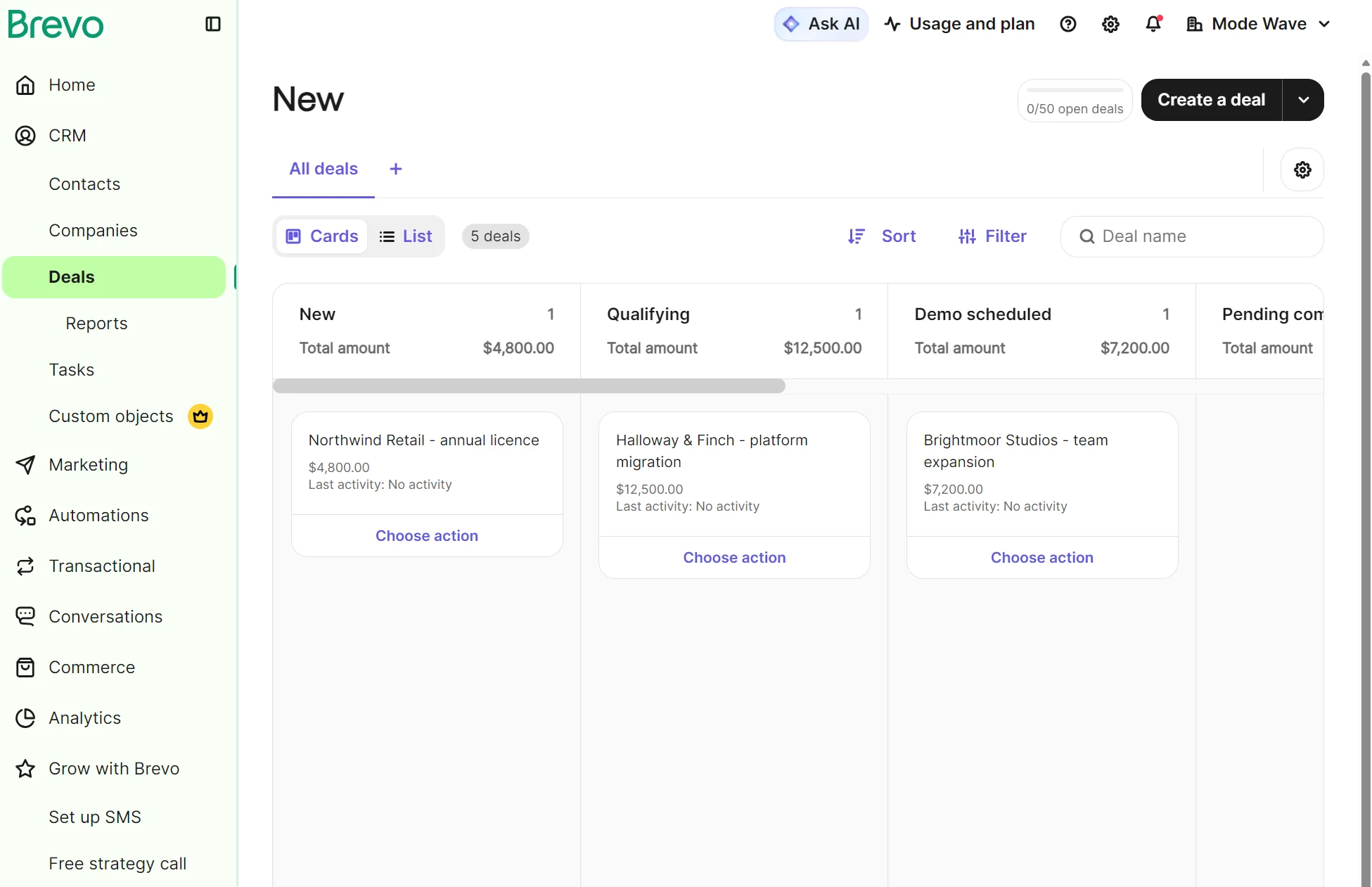
The deals dashboard is visually similar to HubSpot’s, but it doesn’t show a weighted amount, only a total amount.
Brevo vs. HubSpot for online stores
Brevo is better for online stores focused on email campaigns and automations. Its Shopify app is rated 4.8/5 compared to HubSpot’s 1/5 on the Shopify App Store, and it has a native WooCommerce app versus HubSpot’s partner-maintained integration.
What each one connects to your store
HubSpot and Brevo connect to Shopify, WooCommerce, Magento (Adobe Commerce), BigCommerce, and PrestaShop. Brevo connects to Big Cartel with an app; HubSpot lacks an app for that, but does connect to Wix and Square.
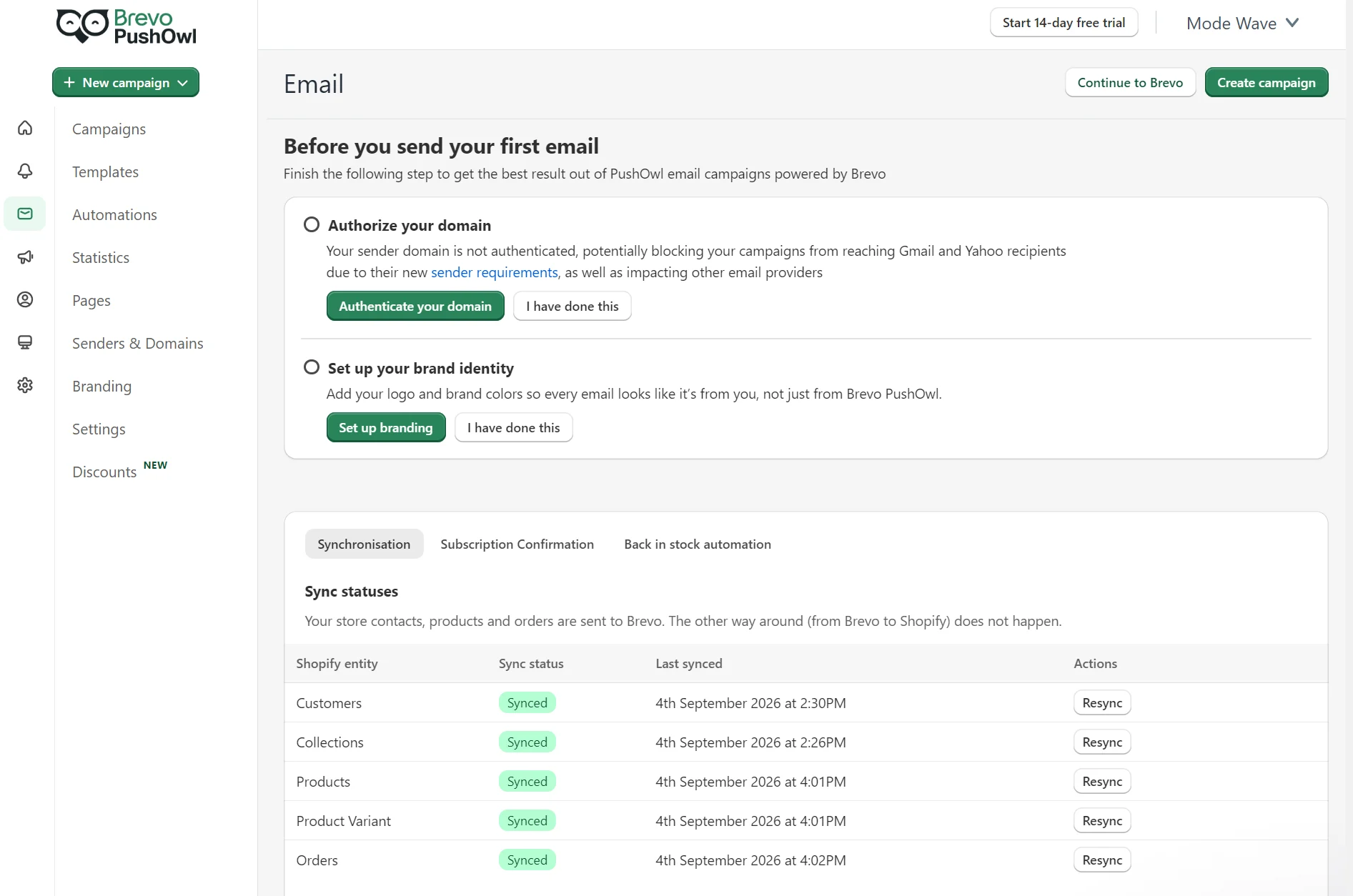
Brevo’s Shopify app, Brevo PushOwl, syncs customers, products, and orders, plus browsing and cart events. There’s a reverse sync for contacts back to Shopify.
Ecommerce flows such as browse abandonment, abandoned carts, welcome, and anniversary can trigger across email, SMS, and web push in paid plans.
Once integrated, Brevo PushOwl provides a Shopify dashboard for account management, or you can manage marketing inside the web-based Brevo app.
The HubSpot Shopify app syncs contacts, products, and companies on Shopify Plus both ways, with orders and abandoned checkouts moving one way into HubSpot. It can’t sync Shopify product variants; Brevo syncs them as their own entities.
Free plans track order status and personalize emails using browsing and checkout data, though custom field mappings need Data Hub Starter.
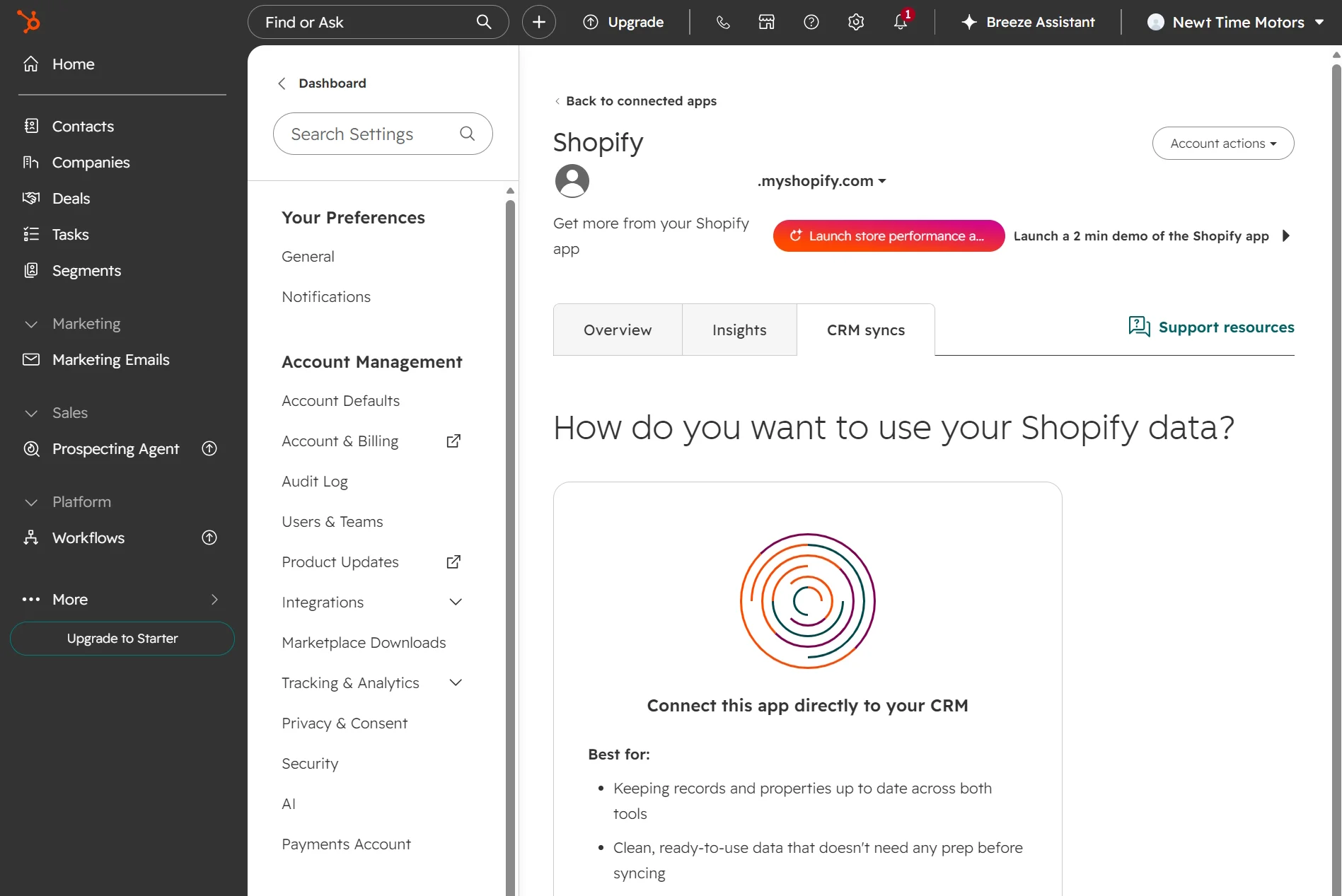
| Brevo (PushOwl) | HubSpot (Shopify Data Sync) | |
|---|---|---|
| Entities synced | Customers, collections, products, product variants, orders | Contacts, companies on Shopify Plus, products, orders, abandoned checkouts |
| Direction | Shopify to Brevo, with reverse sync for new contacts | Two-way for contacts, companies, and products; one-way for orders and carts |
| Product variants | Synced as their own entity | Cannot sync |
| Turning syncs on and off | Per entity | Per object |
| Field mapping | Attribute Mapping tab, included | Default mappings included, custom mappings need Data Hub Starter |
| Onsite tracker | Installed with the app | Tracking code added automatically |
| Orders in the platform | Commerce dashboard | Order and cart objects, pre-built ecommerce dashboard |
| Store data on contact records | Order and email delivery history | Shopify Overview card with orders, average order value, product views, AI summary |
Accurate as of September 2026.
What each plan gives a store
Brevo includes more marketing features inside its plans than HubSpot. HubSpot’s add-ons are required for multiple features that ecommerce stores need.
| Feature | Brevo | HubSpot |
|---|---|---|
| Ecommerce integration | All plans | All plans |
| Transactional email | All plans | $600/month add-on, Professional and above |
| Transactional SMS | All plans | $75/month for Long Code add-on, Professional and above |
| SMS campaigns | All plans | $75/month for Long Code add-on, Professional and above |
| WhatsApp campaigns | Professional, $499 | 1,000 messages/month, Professional and above |
| Multichannel attribution | One conversion metric on Starter, unlimited on Professional | Contact-create on Professional, multi-touch revenue on Enterprise |
| Landing pages | One on Standard, 10 on Professional | 30 on Free |
| A/B testing | Standard, $18 | Professional, $890 |
| Contact scoring | Professional, $499 | Five scores on Professional, 50 on Enterprise |
| Contact limit | 100K free, 500K on Starter and Standard, 2M on Professional | 1,000 free, then by contact tier |
| Marketing automation | Limited to 2,000 contacts on Free and Starter, unlimited from Standard | 10 actions on Starter, unlimited on Professional |
| Users | One on Free and Starter, three on Standard, 10 on Professional | Two free, then per seat |
| Dashboards | Ecommerce dashboard and statistics pages in all plans; Analytics Studio on Professional | 10 free, 30 Starter, 75 Professional; templates provided |
Accurate as of September 2026.
Pop-ups and forms
HubSpot is better than Brevo for building your list with pop-ups and forms. It supports banner, pop-up box, and slide-in CTAs, plus embedded CTAs and buttons. It retired its legacy Pop-up Forms tool in 2025; pop-up functionality is now provided in the CTAs tool.
The form builder lets you create a workflow, such as sending an email after form submission, inside the editor. Starter plans allow 10 actions per workflow; free tools allow one. Custom targeting by device type, country, and referral URL is available in Professional and Enterprise.
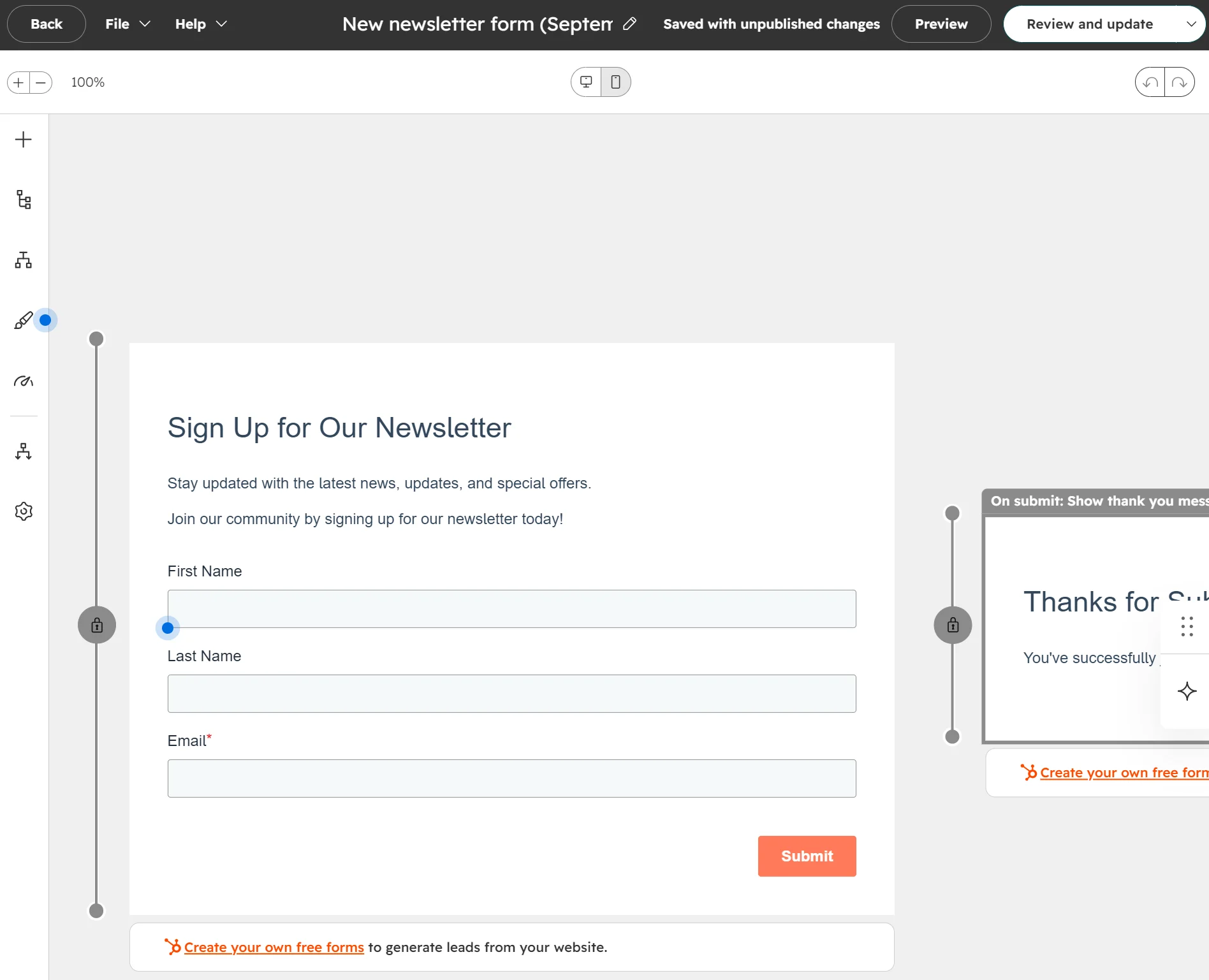
Brevo’s pop-ups are only available in the Professional plan, although all plans support full-page and embedded forms.
The editor’s a drag-and-drop builder with pre-built blocks. Consent and spam management are covered well with draggable GDPR and captcha elements under data privacy & security.
There’s a six-step flow to completion (setup > design > lists > settings > messages > share), ensuring nothing gets missed. Adding a form to your store requires using an embed code via a supplied iframe or HTML code.
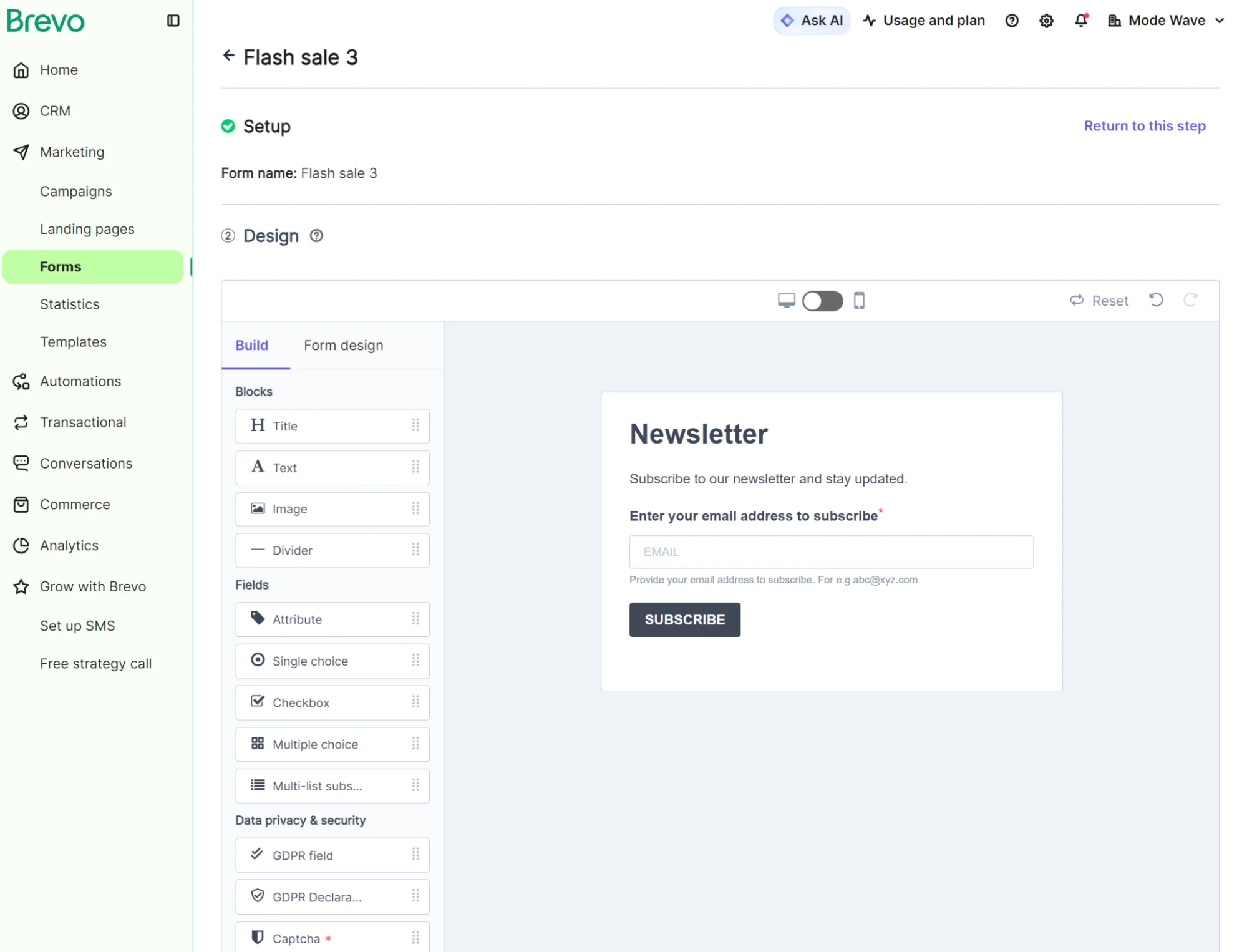
Neither tool has an extensive form template library. HubSpot has eight designs in the Free plan; Brevo provides pre-made form layouts that can be customized, but doesn’t have a library of ready-made form templates.
Choosing between Brevo and HubSpot
If your priority is storing a large list cheaply, Brevo
$32/month buys you storage for 500,000 contacts in the Starter plan with a 20,000-email quota. You can then adjust your plan per month to suit your send volume.
If your sales team works deals together, HubSpot
The $890/month Professional plan puts contact, company, and deal data in custom reports to provide insights into sales processes across the lifecycle.
If you need campaign and automation insights, Brevo
Brevo includes statistics pages for marketing and transactional emails, and ecommerce dashboards for products, revenue, and retention, in all plans. Professional plans, from $499/month, include the Analytics Studio with scores.
If you want highly detailed company and contact profiles, HubSpot
Profiles in HubSpot include deals, tickets, attachments, prospecting agent, and separate screens for activity, revenue, and intelligence. Companies and contacts also have AI record summaries, which you can prompt to analyze activity.
If you sell online, price Brevo and HubSpot at the plan you need
Brevo’s Professional plan at $499/month has most ecommerce features; HubSpot’s $890/month Professional plan is the starting point for workflows and lead scoring. But Brevo’s Standard plan, from $18/month, already has automations. Compare plans closely.
Additional reading
Enterprise email marketing software
Brevo alternatives
If neither Brevo nor HubSpot covers what you need
Omnisend is an ecommerce-first multichannel marketing tool for native email, SMS, and web push notifications in one flow.
Where Brevo and HubSpot focus on CRM, Omnisend’s contact management capabilities maximize revenue and retention from your marketing efforts.
AI customer lifecycle maps based on recency, frequency, and monetary value (RFM) analysis group your contacts based on purchase behavior. There’s also an AI segment builder and 30+ pre-built segments available in all plans, including Free Forever.
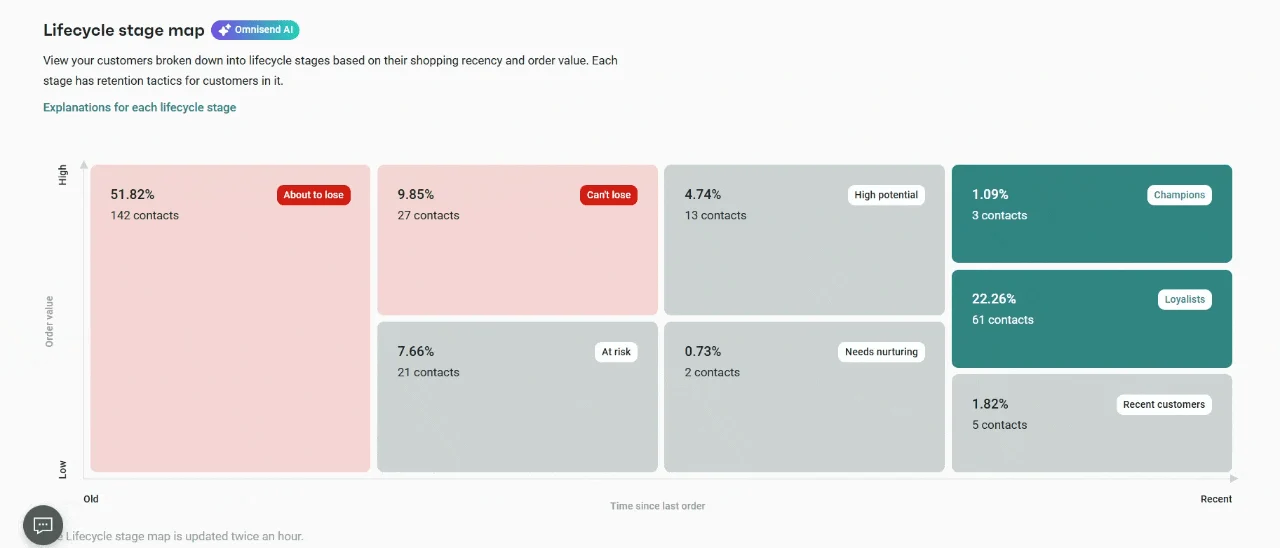
| What a store needs | Omnisend | Brevo | HubSpot |
|---|---|---|---|
| Cart recovery | All plans | All plans | Professional |
| Product recommendations | All plans | All plans | Professional |
| Back-in-stock alerts | All plans | Starter | Not available |
| Pop-ups | All plans | Professional | Paid plans |
| SMS | Pro | All plans | Add-on |
| Web push | All plans | Starter | Not available |
| Transactional email | All plans | All plans | Add-on |
| Visual lifecycle stage map | All plans | Not available | Not available |
| CRM | Not available | All plans | All plans |
| Support | 24/7 live chat and email in all plans | Email; Professional plans also have phone support | Email in Starter, phone support in Professional and Enterprise |
Accurate as of September 2026.
Current plan figures are on our pricing page.
Quick sign up | No credit card required