Omnisend AI


 OFFER
OFFER










The best Campaign Monitor alternatives for 2026 are Omnisend, Sender, ActiveCampaign, Brevo, MailerLite, Mailchimp, HubSpot, Constant Contact, Mailercloud, GetResponse, Moosend, and ConvertKit.
Most people start looking for a Campaign Monitor alternative for the same reasons. Chief among them are costs that rise sharply as their list grows, no real ecommerce automation, and zero AI tools to speak of.
The Campaign Monitor alternatives on this list address all of that. They offer multichannel messaging, behavioral automation, and ecommerce integrations that actually connect to your store. These are things that Campaign Monitor doesn’t offer at a comparable price.
In this guide, we compare 12 Campaign Monitor competitors across such metrics as pricing, automation depth, AI features, deliverability, and ecommerce compatibility. We tested all 12 firsthand, so every recommendation is based on our personal experience.
Why marketers switch from Campaign Monitor
Campaign Monitor works for basic email sends. However, it typically proves inadequate for ecommerce store owners who need automation, multichannel support, and scalable tools.
Campaign Monitor’s key limitations in 2026
These are the gaps that push most users to look elsewhere:
- No meaningful free plan: Campaign Monitor’s free account is a 30-day trial with a 500-contact, 500-email limit. By comparison, MailerLite offers up to 12,000 free emails/month to 500 subscribers on its free tier.
- Pricing that scales against you: At 10,000 contacts, Campaign Monitor’s Lite plan costs $117/month. Brevo’s Standard plan includes the same list size for $35/month, with no contact limits.
- Support: Support is limited on lower plans. Basic plans include email-only support, while priority support is available with the premier plans.
- No AI features: There’s no content generation, no send-time optimization, and no predictive analytics. ActiveCampaign has 24+ AI agents, and Omnisend has a dedicated AI suite for ecommerce.
- Rigid templates: Using pre-built templates locks you out of the HTML editor completely. That forces a choice between convenience and customization, which is not ideal for any email marketer.
- Basic automation: Workflows are time-based only, with no behavioral triggers or conditional splits. Abandoned cart and post-purchase flows that adapt to buyer behavior aren’t possible.
- No ecommerce depth: No product recommendations, revenue attribution, or purpose-built ecommerce templates. Omnisend and Klaviyo are built specifically for online stores.
What to look for in a Campaign Monitor alternative
Before you decide on the right alternative for Campaign Monitor, consider your use case, budget, and channel needs. Look out for:
- AI capabilities
- Multichannel support
- Automation depth
- Free plan generosity
- Deliverability rates
- CRM integration (native or third party)
- Ecommerce integrations
- Scalable pricing
Check what you’ll pay for 1,000, 10,000, and 50,000 contacts — not just the entry price.
For Shopify and WooCommerce stores, our guide to the best email marketing for Shopify is a useful starting point. Klaviyo is also a decent option for Shopify — our Klaviyo alternatives guide covers how it stacks up against other platforms.
How we evaluated these alternatives
We signed up for free trials of all 12 Campaign Monitor alternatives on this list. Over 30 days, we subjected each of them to various tests, focusing on their email builders, automation workflows, and deliverability.
Each recommendation below is based on hands-on testing. For a detailed breakdown of how we evaluate tools, see our review process.
We evaluated each alternative across six key criteria:
- Pricing transparency: Clear costs at every contact tier
- Automation depth: Behavioral triggers, conditional logic, and pre-built workflows
- Ecommerce integrations: Native connections to Shopify, WooCommerce, and more
- Multichannel capabilities: Support for email, SMS, web push, and beyond
- Customer support quality: Availability, response time, and plan-level access
- Free plan generosity: What’s included before you spend a single dollar
Campaign Monitor alternatives: comparison table
If you’re comparing Campaign Monitor alternatives in 2026, these platforms stand out:
- Omnisend for ecommerce
- Sender for a generous free plan
- ActiveCampaign for automation depth
- Brevo for multichannel value
- MailerLite for a generous free plan
All five offer capabilities that Campaign Monitor doesn’t, including AI-powered features, broader channel support, and more flexible pricing tiers.
Here’s how all 12 Campaign Monitor competitors stack up at a glance:
| Campaign Monitor alternatives | Best for | Free plan | Starting price | Channels | AI features | Integrations | Deliverability | G2 rating |
|---|---|---|---|---|---|---|---|---|
| Omnisend | Ecommerce | ✅ | $16/month | Email, SMS, Push | Omnisend AI | 200+ | N/A | 4.6/5 |
| Sender | Free plan value | ✅ | $9/month | Email, SMS | MCP server | 100+ | N/A | 4.7/5 |
| ActiveCampaign | Automation | ❌ | $15/month | Email, SMS, WhatsApp | 24+ AI agents | 1,000+ | 94.2% | 4.4/5 |
| Brevo | Multichannel value | ✅ | $9/month | Email, SMS, WhatsApp, Chat | Basic | 150+ | 99.4% | 4.5/5 |
| Mailchimp | Beginners | ✅ | $13/month | Email, SMS | Intuit Assist | 300+ | 99% | 4.4/5 |
| HubSpot | CRM-led marketing | ✅ | $15/month | Email, SMS | Breeze AI | 1,500+ | N/A | 4.4/5 |
| MailerLite | Budget-conscious teams | ✅ | $10/month | AI subject lines | 130+ | N/A | 4.6/5 | |
| Constant Contact | Events | ❌ | $12/month | Email, SMS, Social | Basic | 300+ | 97% | 4.2/5 |
| Mailercloud | Small businesses | ✅ | $10/month | AI subject lines | 1,000+ | 99.4% | 4.5/5 | |
| GetResponse | All-in-one funnels | ❌ | $19/month | Email, SMS, Webinar | Basic | 170+ | 99% | 4.3/5 |
| Moosend | Budget automation | ❌ | $9/month | AI Writer | 80+ | N/A | 4.7/5 | |
| Kit | Content creators | ✅ | $39/month | Basic | 50+ | N/A | 4.4/5 |
Information in the table and product roundups is current as of April 2026. All prices are shown for the lowest tier with monthly billing.
Quick picks:
- Strongest free plan: Sender (2,500 subscribers, 15,000 emails/month)
- Most generous free plan for creators: Kit (10,000 subscribers, unlimited emails)
- Best value for ecommerce: Omnisend ($16/month with email, SMS, and push)
- Lowest entry price: Brevo and Moosend (both from $9/month)
Use our pricing calculator below to compare costs at your exact contact count:
Quick email provider pricing comparison
Quickly and easily compare the top email marketing providers so you can find the best platform for your ecommerce store needs.
prices for:
You can compare Omnisend and 2 more providers at once.
- Omnisend
- Klaviyo
- Mailchimp
- Drip
- Moosend
- Active Campaign
- Get Response GetResponse
- MailerLite
You can compare Omnisend and 2 more providers at once.
Select at least one provider.
Try out the full version of this calculator
Top 12 Campaign Monitor Alternatives
1. Omnisend — Best for ecommerce

G2 rating: 4.6/5
Omnisend is the strongest Campaign Monitor alternative for ecommerce businesses. It’s built specifically for online stores, which means every feature is designed to drive sales and recover lost revenue.
Used by over 150,000 brands across platforms like Shopify, WooCommerce, BigCommerce, Wix, and Magento, Omnisend was built specifically for ecommerce. It combines email, SMS, and web push notifications into a single platform, so you can run multichannel campaigns without switching between tools.
When we tested its email marketing automation builder, we had an abandoned cart workflow running in under 10 minutes. This included SMS and push follow-ups in the same sequence.
Key features
- Product picker: Pulls items, prices, and images directly from your store catalog into email campaigns
- 27+ pre-built automation workflows: Ready-to-run sequences for cart abandonment, post-purchase, browse abandonment, and winback campaigns
- Customer Lifecycle Map: Shows where each contact is in the buying journey so you can target them at the right stage
- Revenue attribution: Tracks how much revenue each campaign and automation flow generates, down to the individual email
- Facebook and Google audience sync: Pushes your segments directly into ad platforms for retargeting without manual exports
AI features
Omnisend offers a comprehensive AI toolkit with features such as a Subject Line Generator, an Email Writer, and a Preheader Generator. The standout feature is the AI Segment Builder, which makes advanced audience targeting much easier without the technical setup. Here’s a look at how it works:
Pricing
| Plan | Price | Contacts | Emails/month |
|---|---|---|---|
| Free | $0 | 250 | 500 |
| Standard | From $16/month | 500+ | 12x contact count |
| Pro | From $59/month | 2,500+ | Unlimited |
| Custom quote | Custom | 150,000+ | Unlimited |
Pricing as of April 2026.
Pros
- Every plan, including the free one, gives full feature access so you can test real workflows from day one
- 24/7 support is available on all plans, including free, which is rare in this category
- Customers on paid plans report an average ROI of $79 for every $1 spent
Cons
- Pricing scales with list size automatically, which is worth keeping an eye on as your store grows
- Dedicated IP access is available, but handled on a case-by-case basis through the deliverability team
- It offers over 200 integrations, but this is still fewer than what some broader Campaign Monitor alternatives provide
What a verified G2 user says
An email marketer noted that Omnisend’s intuitive interface makes onboarding new clients fast and praised its value relative to pricier alternatives. They rated it a 10/10 for budget-conscious brands.
Best for: Ecommerce store owners on Shopify, WooCommerce, or BigCommerce who want multichannel automation without a steep learning curve or an inflated price tag.
2. Sender — Best for free plan value
G2 rating: 4.7/5
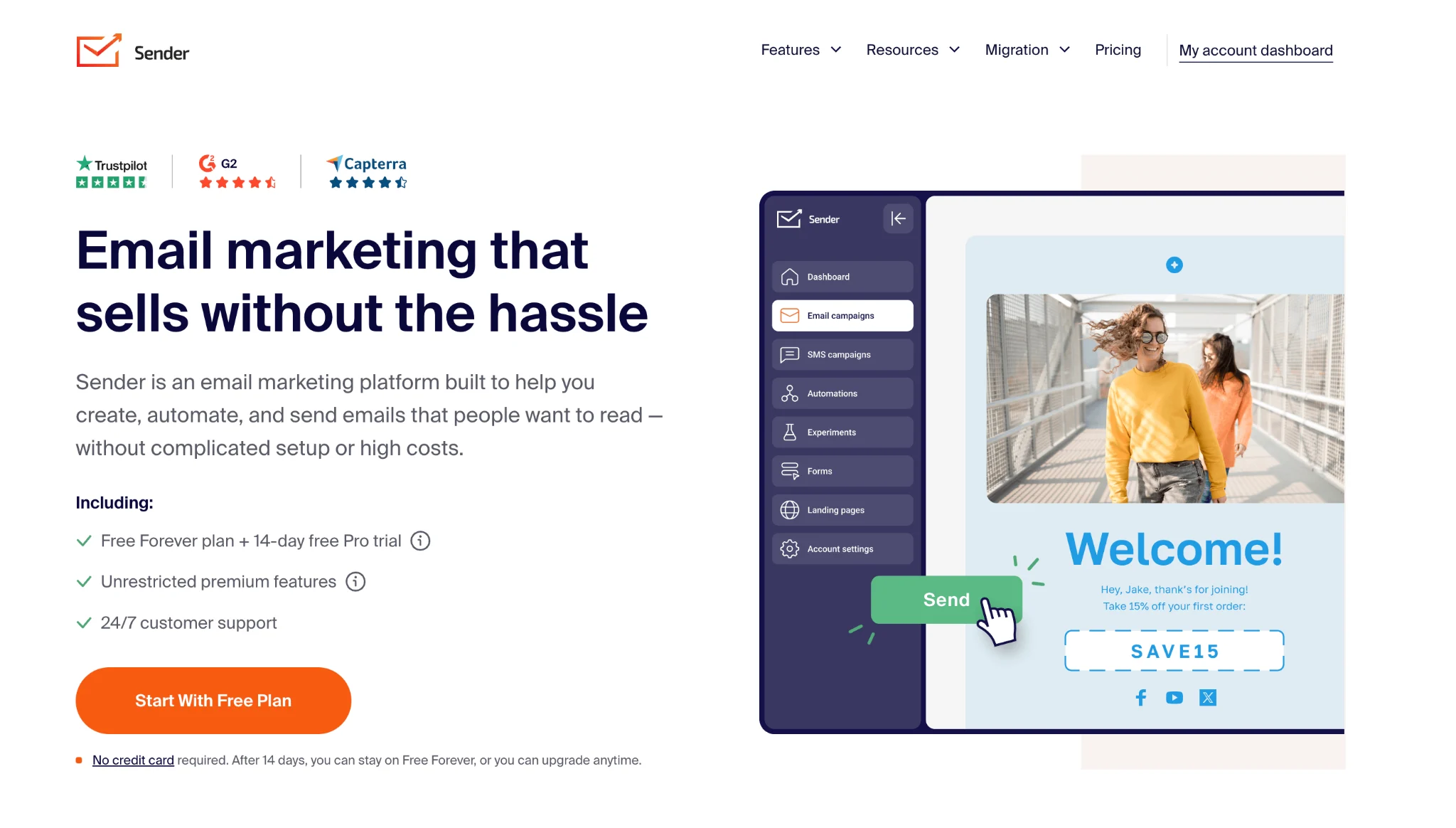
Sender is a practical Campaign Monitor alternative for small and growing businesses that need more than basic sends but aren’t ready for a large monthly bill.
It covers email campaigns, automation, landing pages, popups, transactional emails, and SMS from one dashboard. The free plan alone supports 2,500 subscribers and 15,000 emails per month, with automation included.
Where Campaign Monitor sticks to time-based workflows, Sender lets you trigger automations from custom events and branch them with conditional splits. There’s also no cap on how many workflows or steps you build, on any plan.
When we tested the automation builder, setting up a welcome sequence with a conditional split took under 10 minutes.
Key features
- Unlimited workflows and steps: Build as many automations as you need, with pre-built workflows for welcome series, abandoned carts, and other common sequences
- Custom event triggers: Starts workflows from custom events sent from your site or app, so sequences can respond to actions beyond signups and purchases
- Transactional emails: SMTP relay and API sending come with every plan, including free, with event webhooks and email logs for tracking delivery
- Popups and signup forms: 40+ templates, including exit-intent and spin-to-win formats, with TCPA and GDPR consent collection built in
AI features
Sender’s AI works through its MCP server, which connects your account to Claude, ChatGPT, or Cursor so you can request performance summaries, build segments from plain-language descriptions, or draft emails and subject lines. You retain complete authority over send timing and content, with full access across all tiers — free accounts included.
Pricing
| Plan | Price | Contacts | Emails/month |
|---|---|---|---|
| Free | $0 | 2500 | 15000 |
| Standard | From $9/month (billed yearly) | 500 | 12x contacts |
| Professional | From $15/month (billed yearly) | 500 | 24x contacts |
| Enterprise | Custom | Custom | Unlimited |
Pricing as of October 2026.
Pros
- Automation, landing pages, and transactional emails are all part of the free plan, so you can run live sequences before spending anything
- Live chat and email support are available 24/7 on every tier, free accounts included
- The Standard plan adds SMS, email A/B testing, and unlimited landing pages at one of the lowest entry prices in this comparison
Cons
- Free accounts carry Sender branding on emails, forms, and landing pages
- SMS automation and multichannel workflows are reserved for the Professional plan
- With 100+ native integrations, it connects to fewer tools than HubSpot or ActiveCampaign
What a verified G2 user says
A user praised how quickly campaigns and automations come together in Sender, along with its reliable deliverability and generous free plan. However, they noted that template customization and native integrations could go further.
Best for: Small and growing businesses that want automation, transactional emails, and round-the-clock support on a free plan, with low-cost room to grow.
3. ActiveCampaign — Best for automation
G2 rating: 4.4/5
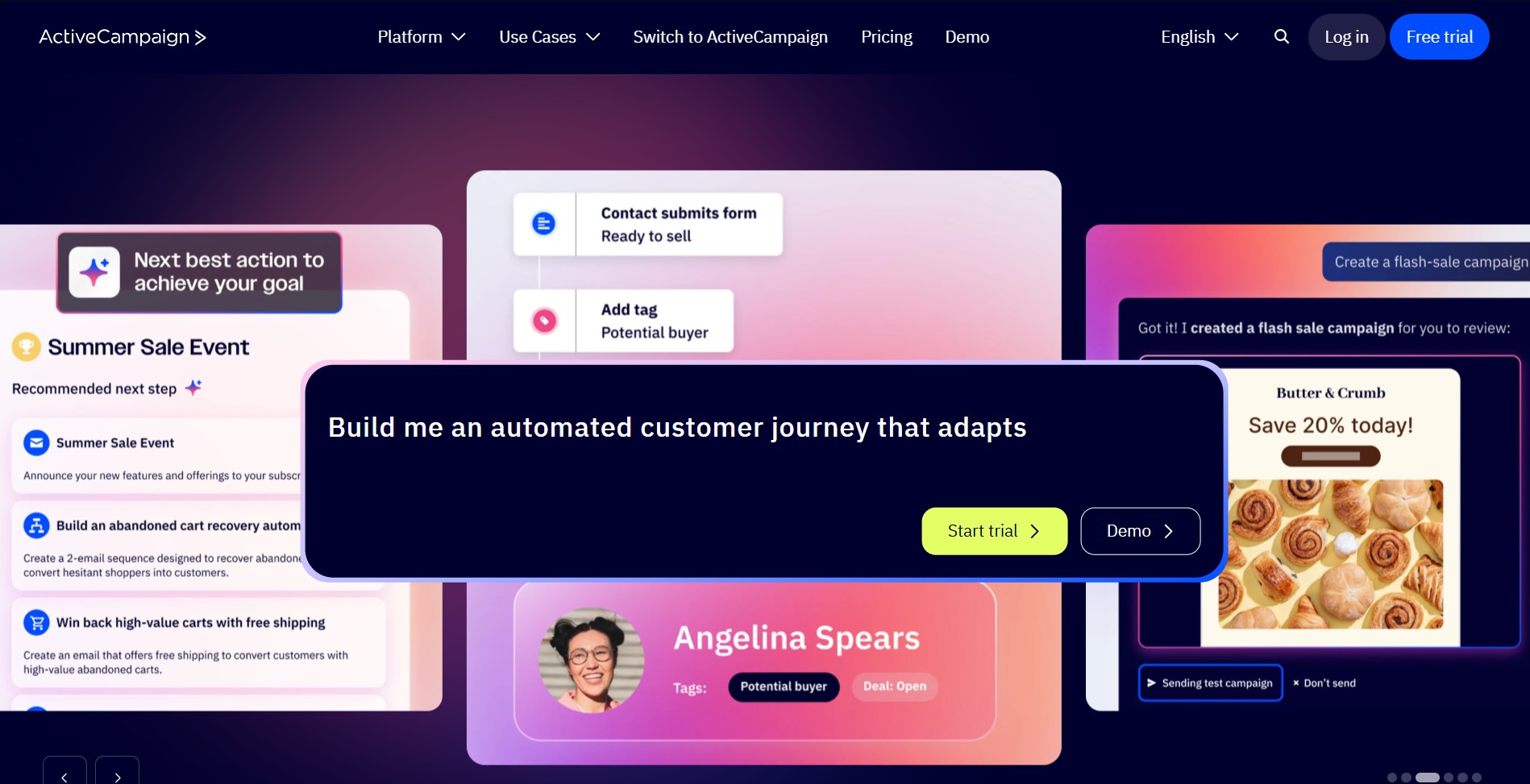
For businesses that have outgrown basic email tools and need automation that responds to customer behavior, ActiveCampaign is a strong alternative to Campaign Monitor.
If features like conditional logic, lead scoring, and behavioral triggers matter to you, this is the platform you should be looking for. ActiveCampaign combines email, SMS, and WhatsApp into a single platform. It also includes a built-in CRM that keeps marketing and sales data connected in one place.
When we tested the automation builder, setting up a multi-step behavioral workflow with conditional splits took around 20 minutes.
Key features
- 900+ pre-built automation recipes: Ready-to-use workflows with 135+ triggers and actions covering ecommerce, lead nurturing, and onboarding
- Conditional branching logic: Build if/then paths based on contact behavior, purchase history, or lead score
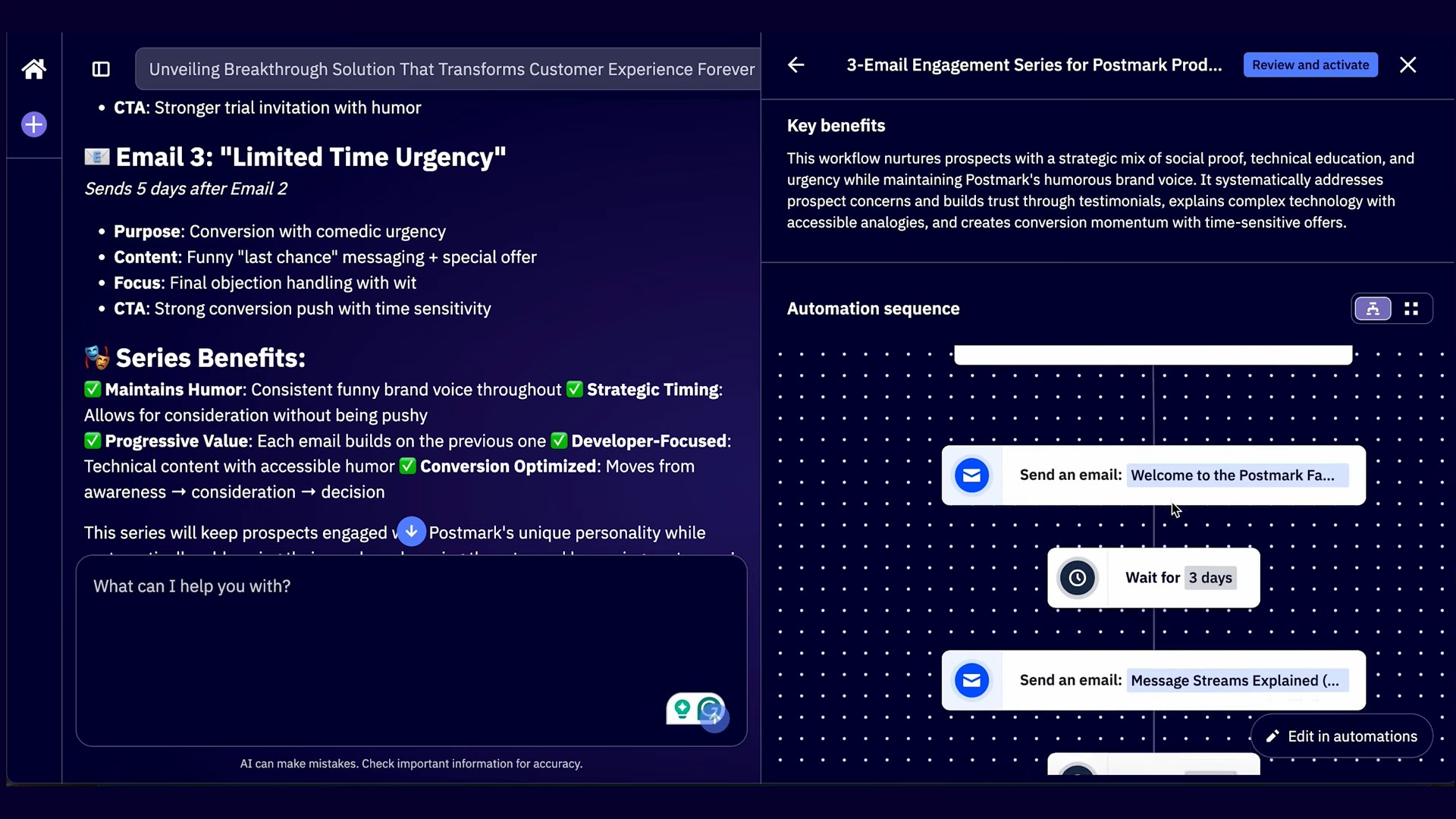
- Active Intelligence: 24+ AI agents that run full campaigns from a prompt, with send-time optimization per individual recipient
- 1,000+ integrations: Native connections to Shopify, WooCommerce, Salesforce, and hundreds of CRM and SaaS tools
AI features
ActiveCampaign’s Active Intelligence powers campaign creation, send-time optimization, predictive sending, and content personalization across email, SMS, and WhatsApp. Here’s a sample of Active Intelligence in action:
Deliverability
ActiveCampaign scored 94.2% inbox placement in independent testing — a decent result that puts it among the top performers in this category.
Pricing
| Plan | Price | Contacts | Emails/month |
|---|---|---|---|
| Starter | From $15/month (billed yearly) | 1,000 | 10x contact limit |
| Plus | From $49/month (billed yearly) | 1,000 | 10x contact limit |
| Pro | From $79/month (billed yearly) | 1,000 | 12x contact limit |
| Enterprise | From $145/month (billed yearly) | 1,000 | 15x contact limit |
Pricing as of April 2026.
Pros
- Only a few Campaign Monitor alternatives at this price range match ActiveCampaign’s automation depth
- The built-in CRM keeps marketing and sales data aligned, so leads don’t fall through the gap between teams
- The 900+ pre-built automation recipes mean you can launch sophisticated workflows immediately, without building from scratch
Cons
- There’s no permanent free plan
- The automation builder has a noticeable learning curve
- SMS, CRM pipelines, and custom reporting are paid add-ons, so actual monthly costs run higher
What a verified G2 user says
A user praised ActiveCampaign’s flexible automation system for enabling highly personalized email sequences based on user behavior. However, they noted that the platform can feel overwhelming given the depth of features available.
— Nadine T., Online Course Creator
Best for: Growing ecommerce stores, B2B teams, and agencies that need serious automation depth and want marketing and sales data under one roof. See our Omnisend vs. ActiveCampaign guide for a detailed comparison.
Related reading:
11 best ActiveCampaign alternatives in 2025 [+ reviews]
4. Brevo — Best for multichannel value
G2 rating: 4.5/5
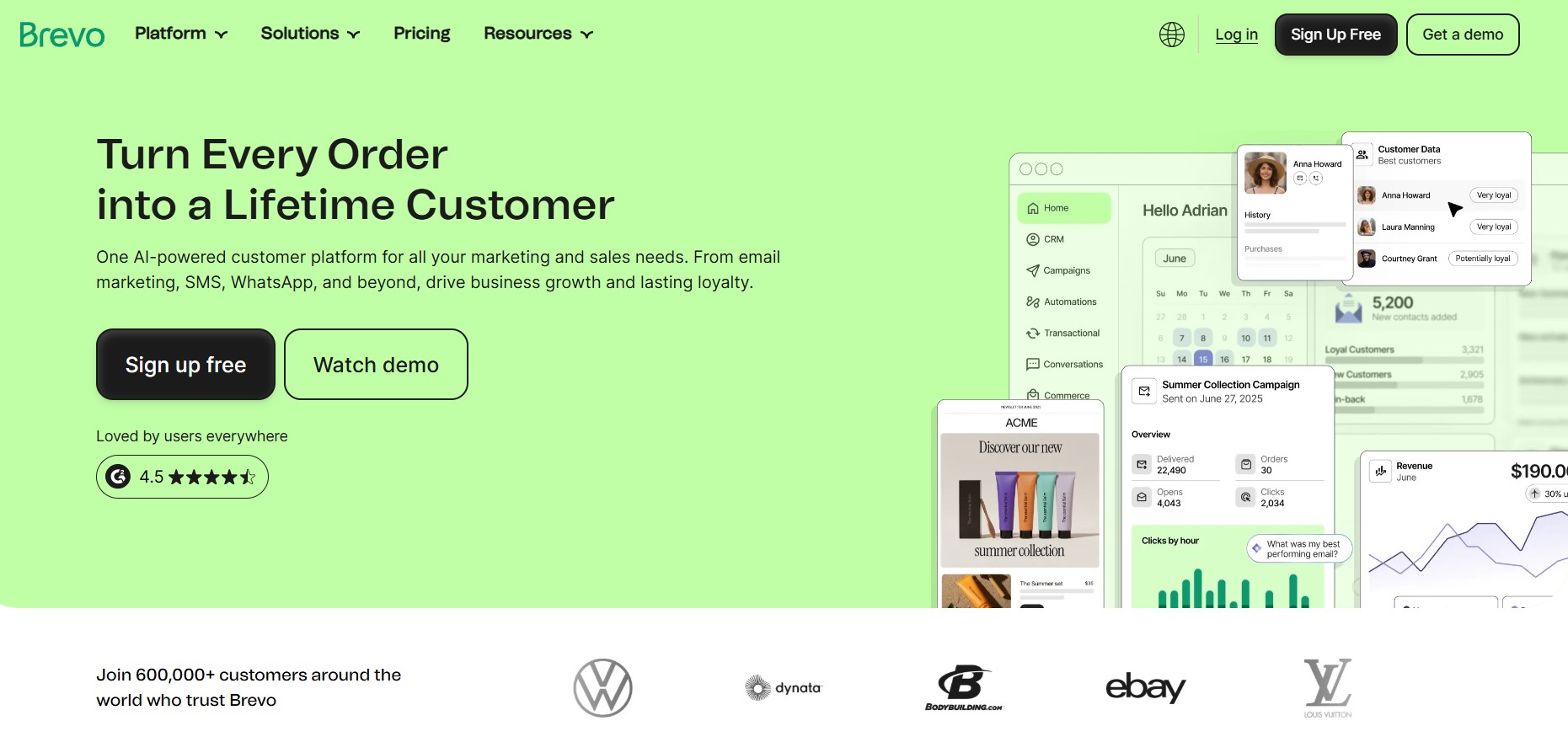
Brevo is one of the top Campaign Monitor alternatives for businesses that want email, SMS, WhatsApp, and CRM without paying separately for each.
It covers more channels than almost any other platform at this price point, making it ideal for teams consolidating a fragmented marketing stack.
Unlike most Campaign Monitor alternatives that charge per contact, Brevo charges based on email volume. This way, costs stay predictable as your list grows.
When we tested the workflow builder, it took less than five minutes to set up a multichannel automation. This included an SMS follow-up triggered when an email went unopened.
Key features
- Built-in CRM: Tracks deal stages, interaction history, and contact scoring natively
- Predictive send-time optimization: Automatically sends each email when the individual contact is most likely to open it, based on their past behavior
- Transactional email via SMTP/API: Handles order confirmations and alerts alongside marketing campaigns in one platform
- Facebook Ads integration: Retargets contact segments and manages ad campaigns directly from the Brevo dashboard
AI features
Built into the dashboard, Brevo’s Aura agent helps generate content for email, SMS, and WhatsApp. It also lets you adjust tone and translate messages into different languages:
Deliverability
Brevo scored 99% inbox placement in independent testing — one of the strongest results in this comparison.
Pricing
| Plan | Price | Emails/month |
|---|---|---|
| Free | $0 | 300/day |
| Starter | From $9/month | 5,000 |
| Standard | From $18/month | 5,000 |
| Professional | From $499/month | 150,000+ |
| Enterprise | Custom | Custom |
Pricing as of April 2026.
Pros
- Volume-based pricing means your monthly costs don’t automatically increase as your contact list grows
- Managing email, SMS, WhatsApp, and CRM in one platform removes the data silos that come from using separate tools
- The free plan includes automation workflows and live chat
Cons
- The automation builder is less advanced than Omnisend, and complex multi-branch workflows feel limiting on lower plans
- Users on plans below the Professional plan cannot access WhatsApp marketing
- The template library is smaller than what most Campaign Monitor alternatives offer
What a verified G2 user says
An admin assistant noted that Brevo strikes a strong balance between cost, simplicity, and performance. However, they also noted that setting up the platform can be confusing, especially for first-time users.
Best for: Small and mid-sized businesses that want email, CRM, WhatsApp, and SMS in one place. See our Omnisend vs. Brevo guide for a full comparison.
Related reading:
10 best Brevo alternatives for ecommerce (2026)
5. Mailchimp — Best for beginners
G2 rating: 4.4/5
Mailchimp is a widely recognized alternative to Campaign Monitor for businesses new to email marketing. It sports a clean interface and boasts extensive documentation. Crucially, it integrates seamlessly with almost any tool stack.
It serves over 13 million users globally, covering email, SMS, social media ads, and landing pages on a single platform. When we tested the email builder, we had a campaign ready in under 10 minutes.
Key features
- Predictive segmentation: Identifies contacts most likely to purchase or disengage before either happens
- Send Time Optimization: Delivers each email at the time each contact is most likely to open it
- Dynamic content: Shows different content blocks to different audience segments within a single email
- Customer Journey Builder: Visual drag-and-drop automation with pre-built sequences for welcome, abandoned cart, and re-engagement flows
AI features
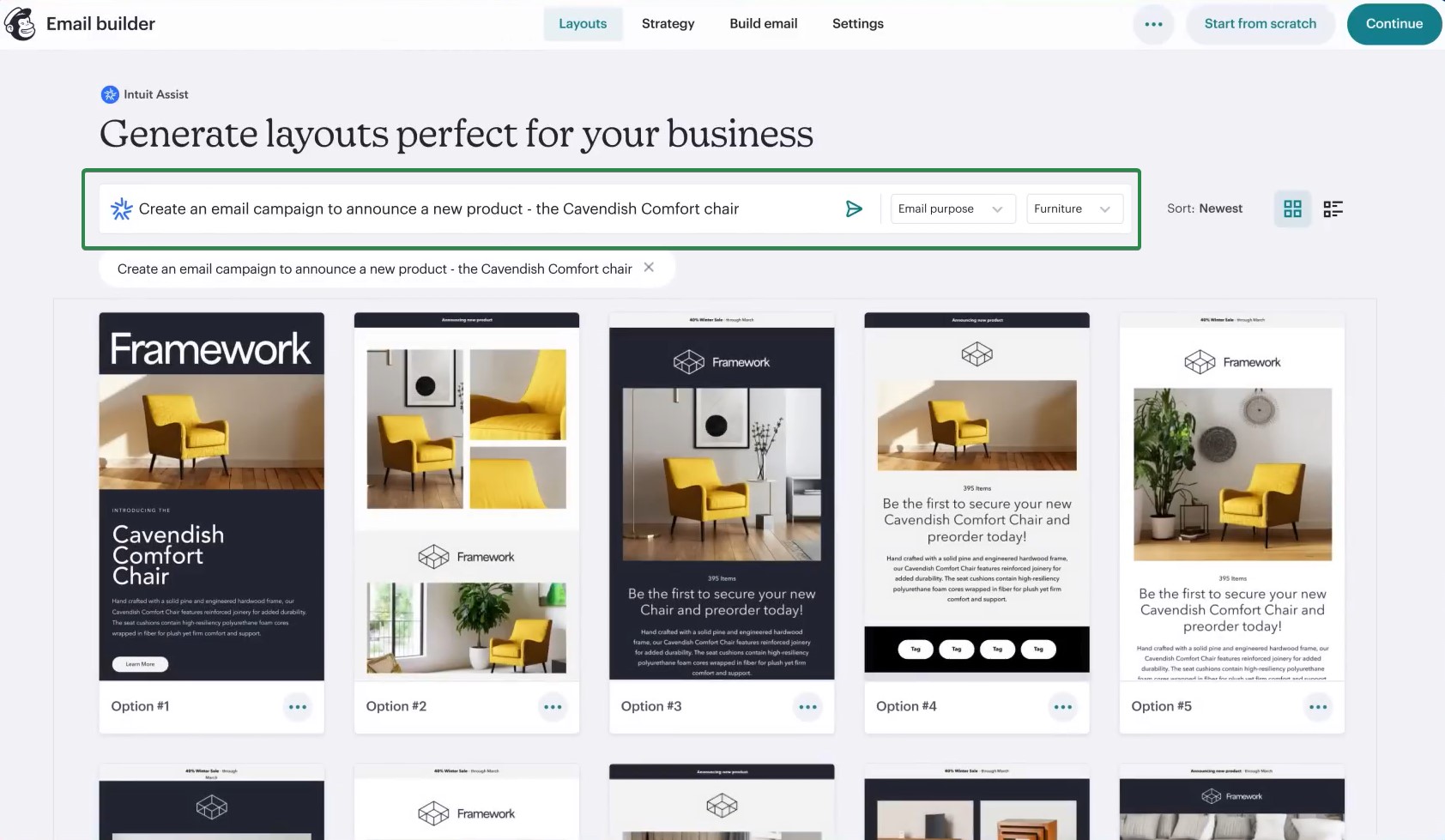
Mailchimp’s flagship assistant, Intuit Assist, can generate on-brand email copy, subject lines, and CTAs from a short prompt. It can also and power predictive segmentation automatically:
Deliverability
Mailchimp scored 99% inbox placement in independent testing.
Pricing
| Plan | Price | Contacts | Emails/month |
|---|---|---|---|
| Free | $0 | 250 | 500/month or 250/day |
| Essentials | From $13/month | 500 | 10X contacts |
| Standard | From $20/month | 500 | 12X contacts |
| Premium | From $350/month | 10,000 | 15X contacts |
Pricing as of April 2026.
Pros
- Its 300+ integrations mean it slots into most existing tech stacks without custom development
- Users can create multi-step automation workflows even without previous email marketing experience, using the Customer Journey Builder
- Onboarding is faster, thanks to the platform’s name recognition and extensive documentation features
Cons
- Pricing is based on your total contact count, including unsubscribed contacts, unless you manually archive them
- Automation was removed from the free plan in 2025, so workflows now require a paid subscription
- Advanced features like behavioral targeting are only available on the Standard and Premium plans.
What a verified G2 user says
A business owner praised Mailchimp’s newsletter running abilities. On the other hand, they complained that setting up a custom-branded template requires considerable time and effort.
Best for: Small businesses and beginners seeking a fully integrated platform. For more options, see our Mailchimp alternatives guide.
6. HubSpot — Best for CRM-led marketing
HubSpot is a great Campaign Monitor alternative for teams that run marketing and sales from a single platform. Every campaign, contact, and conversation lives inside one shared CRM. This ensures your marketing and sales data are always aligned.
It covers email, SMS, live chat, social media, and ads within a single ecosystem. In our testing, setting up a segmented campaign based on CRM lifecycle stage took less than 10 minutes.
Key features
- Smart content: Displays different email content to different contacts based on CRM properties like lifecycle stage or location
- Workflow automation: Visual builder that lets you create branching workflows and multi-step sequences using live CRM data
- Revenue attribution: Tracks email engagement all the way to closed deals, so you can clearly see how marketing affects revenue
- 1,500+ integrations: Connects to more tools than almost any other Campaign Monitor alternative in this comparison
AI features
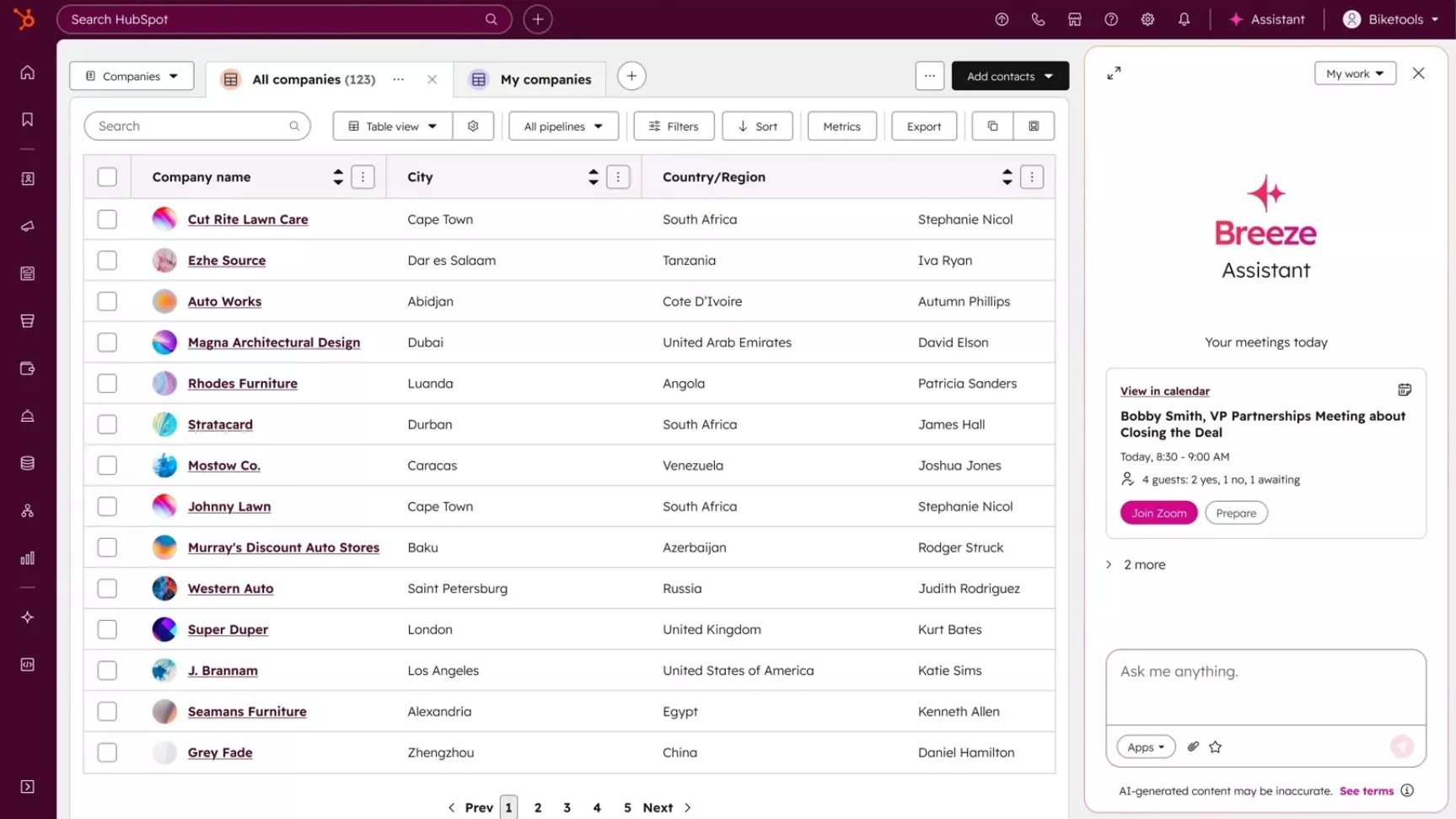
Breeze AI handles content generation, send-time optimization, and predictive lead scoring across Marketing Hub plans. Breeze AI also functions as a handy assistant:
Pricing
| Plan | Price | Contacts | Emails/month |
|---|---|---|---|
| Free | $0 | 1,000 | 2,000 emails |
| Starter | From $15/month | 1,000 | 5x marketing contact |
| Professional | From $890/month | 2,000 | 10x marketing contacts |
| Enterprise | From $3,600/month | 10,000 | 20x marketing contacts |
Pricing as of April 2026.
Pros
- Thanks to the platform’s shared CRM, both sales and marketing teams can work from the same contact data
- Email marketing, forms, live chat, and landing pages are all included in the free plan
- With over 1,500 integrations, it integrates with a wide variety of tools
Cons
- Most of the key automation features are only available on the $890/month Professional plan
- Pricing increases based on the number of marketing contacts, so costs can rise quickly as your list grows
- Advanced reporting and lead scoring require higher-tier plans
What a verified G2 user says
A user noted that HubSpot’s trigger-based email workflows make it easy to send targeted content automatically. However, they also pointed out that going over the contact limit by even one contact can bump you up to a much more expensive plan.
— Joshua B., Director of Marketing
Best for: B2B teams and growing businesses that want marketing, sales, and CRM data under one roof.
7. MailerLite — Best for budget-conscious teams
G2 rating: 4.6/5
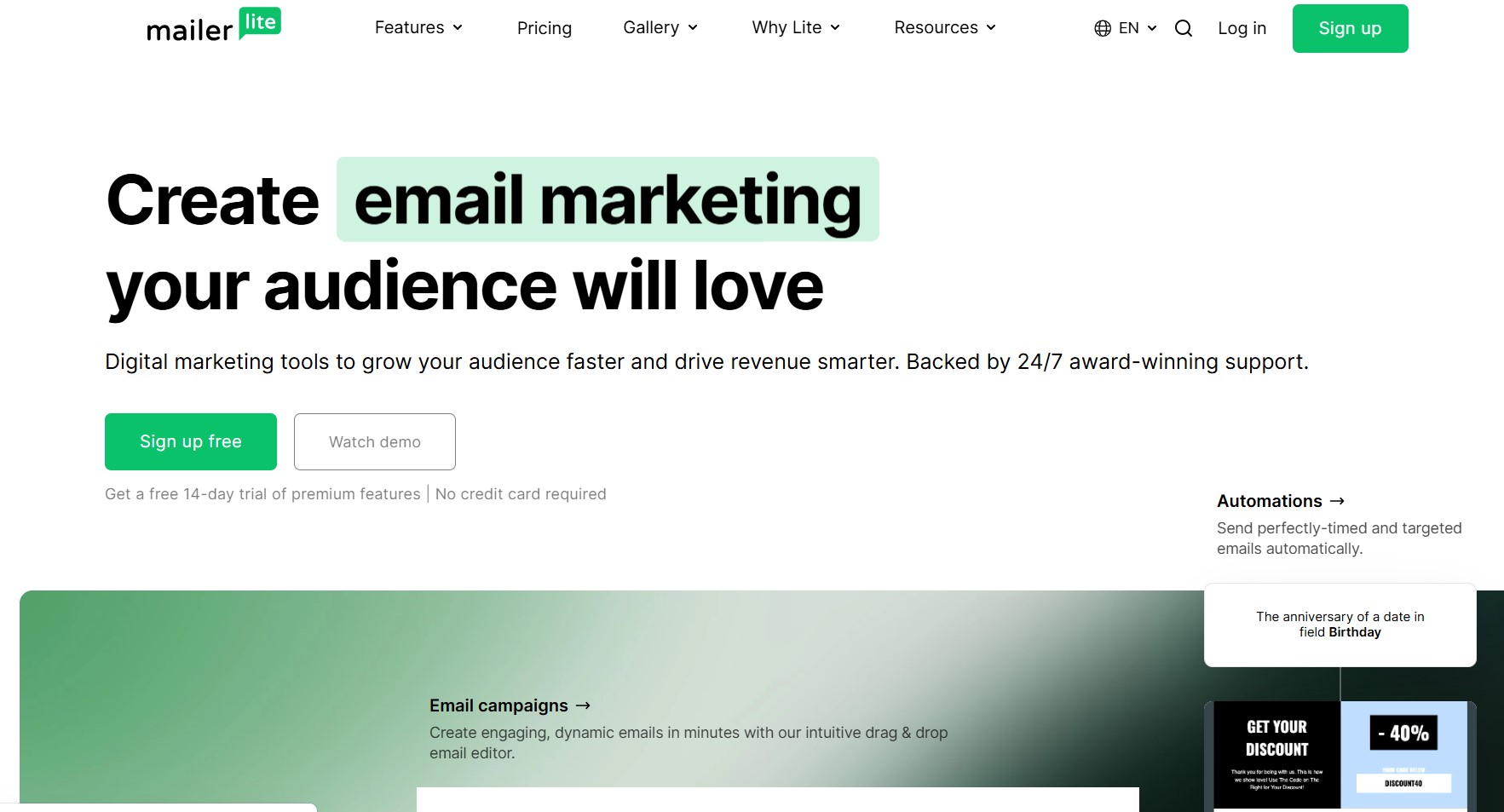
MailerLite is a strong alternative to Campaign Monitor for small businesses and creators who want professional email marketing without a steep price tag.
MailerLite serves over 1 million customers worldwide with email, automation, landing pages, and a website builder in a single interface. When we tested it, we had a branded campaign ready in under eight minutes.
Key features
- Drag-and-drop editor with over 100 templates: Clean, modern designs that require no coding
- Multi-trigger automation: Workflows that activate from multiple entry points, so your sequences stay consistent across different signup forms
- Landing page and website builder: Creates branded pages natively, removing the need for a separate tool
- Unlimited emails on all paid plans: No send caps — costs scale only with subscriber count
AI features
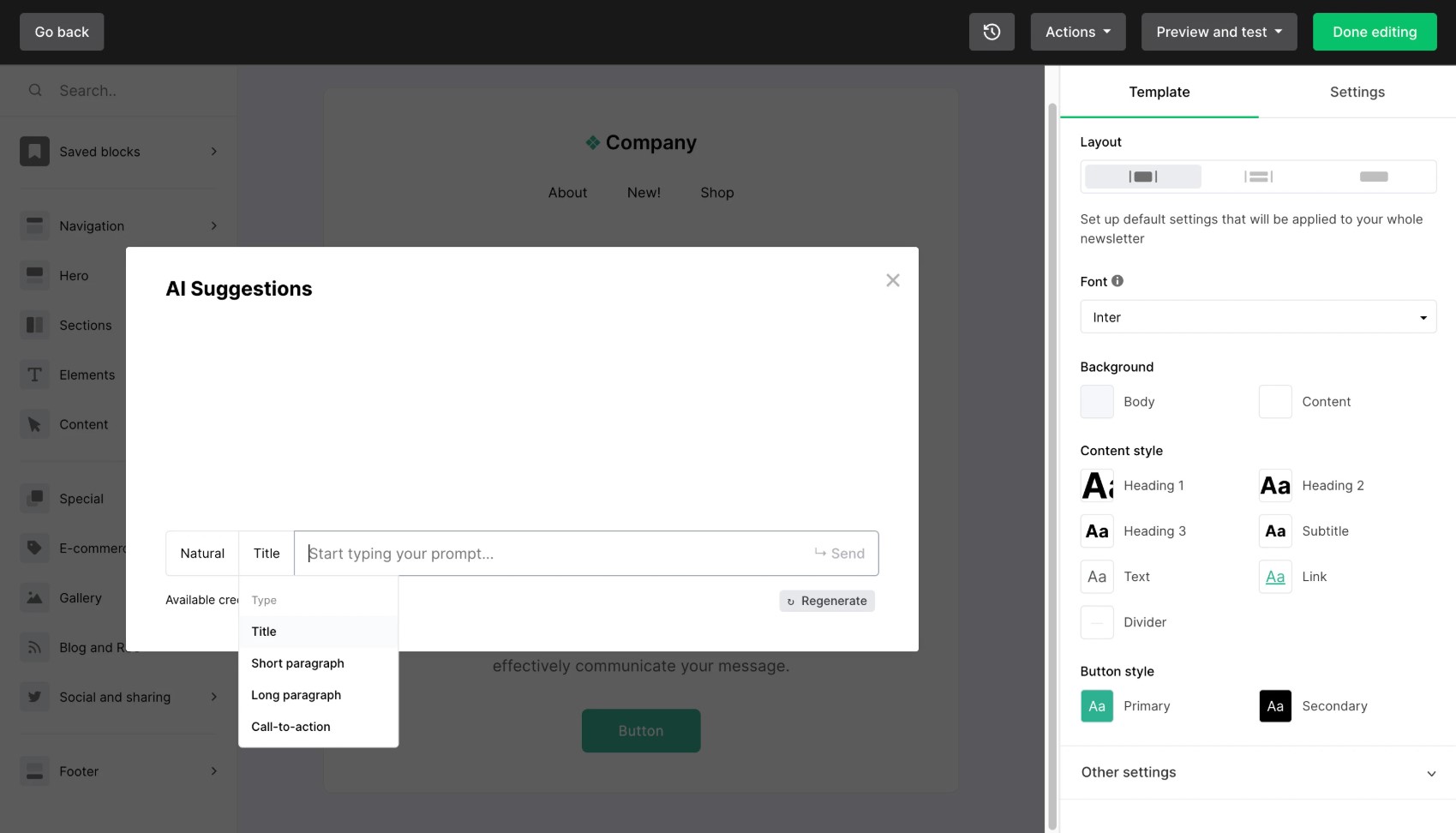
MailerLite’s AI assistant generates subject lines and copy variations with simple indicators and prompts:
Pricing
| Plan | Price | Contacts | Emails/month |
|---|---|---|---|
| Free | $0 | 500 | 12,000 |
| Growing Business | From $10/month | 500 | Unlimited |
| Advanced | From $20/month | 500 | Unlimited |
| Enterprise | Custom | 100,000+ | Unlimited |
Pricing as of April 2026.
Pros
- Paid plans come with unlimited emails, which helps keep costs steady as your sending volume grows
- Email, landing pages, and a website builder in one platform removes the need for multiple tools
- The free plan includes automation and 10 landing pages — more than most Campaign Monitor alternatives offer at no cost
Cons
- Multi-branch conditional workflows aren’t supported, which limits more complex automation journeys
- New accounts go through an approval process that can delay your first send
- Advanced reporting is only available on the Advanced plan
What a verified G2 user says
A G2 user noted that MailerLite helps reduce time spent on email marketing by enabling behavior-based automation. However, they also mentioned that the account verification process can slow down your first campaign send.
— Benjamin K., Production Engineer
Best for: Small businesses, bloggers, and creators who want a clean, affordable platform with no per-email send limits.
8. Constant Contact — Best for events
G2 rating: 4.2/5
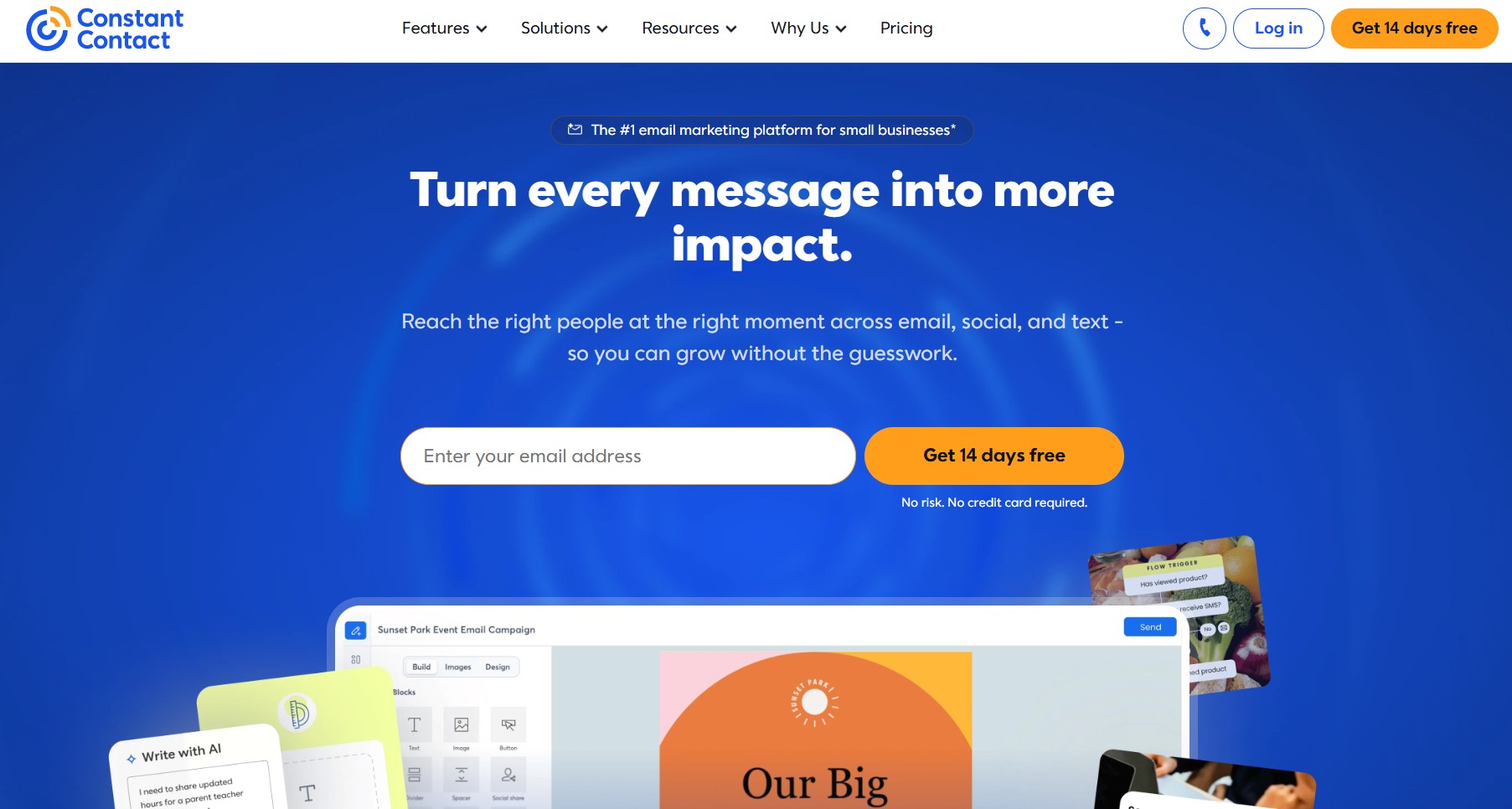
Constant Contact is one of the few Campaign Monitor alternatives with built-in event management tools. It’s a practical choice for organizations that organize regular events, such as webinars and workshops, alongside their email marketing.
It serves over 650,000 businesses across email, SMS, social media scheduling, and Facebook and Instagram ads. When we tested the drag-and-drop builder, creating a branded event invitation took under 10 minutes.
Key features
- Event management: Creates registration forms, sells tickets, tracks RSVPs, and manages event-based email sequences natively
- Social media scheduling: Publishes and schedules posts across major platforms directly from the dashboard
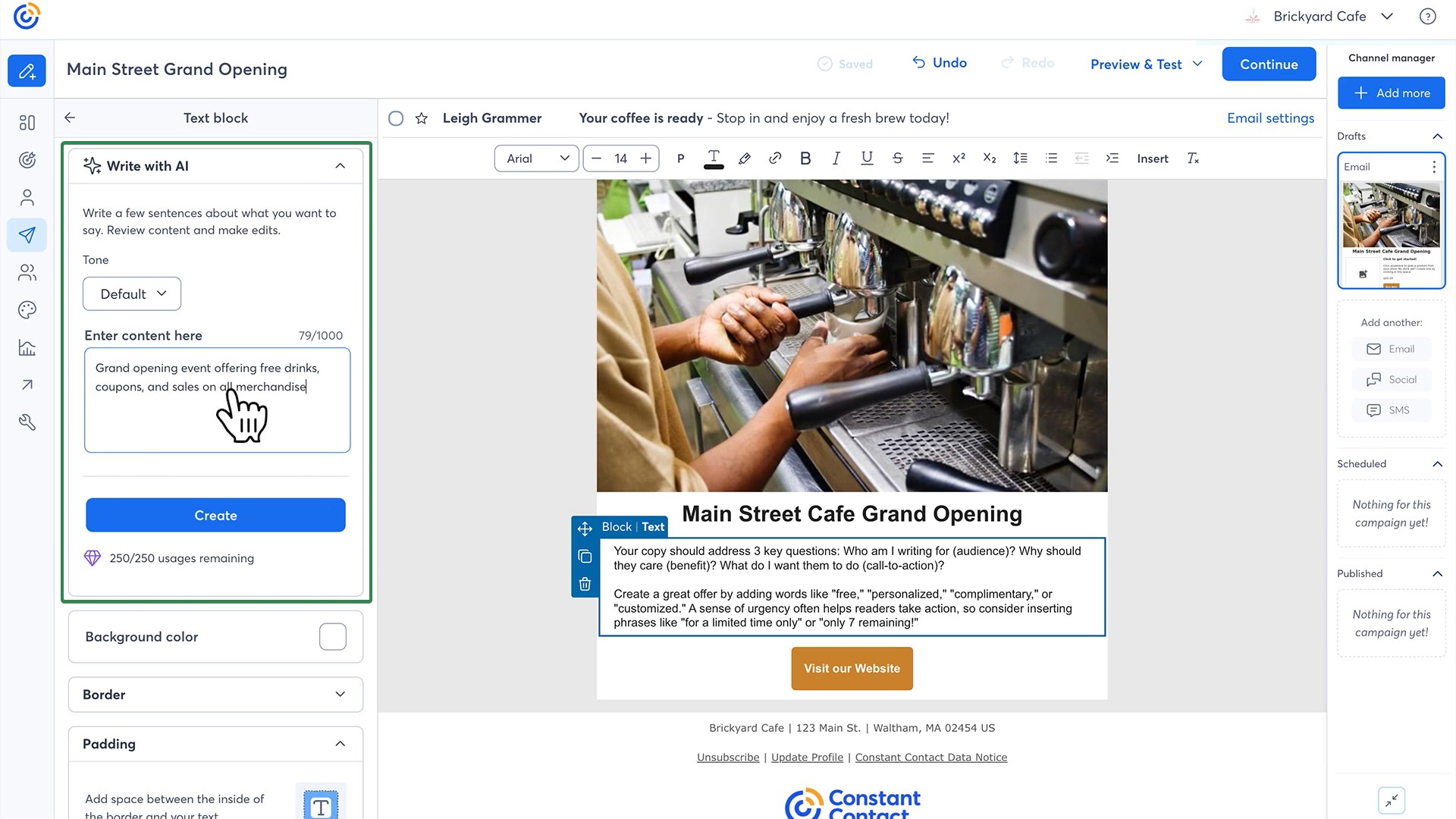
- Campaign Builder: Generates a full multi-channel campaign from a few prompts
- Survey and poll tools: Collect subscriber feedback within campaigns without third-party integrations
AI features
Constant Contact’s AI Campaign Builder drafts branded email and social content from a short prompt:
Deliverability
Constant Contact scored 97% inbox placement in independent testing.
Pricing
| Plan | Price | Contacts | Emails/month |
|---|---|---|---|
| Lite | From $12/month | 500 | 10x contacts |
| Standard | From $35/month | 500 | 12x contacts |
| Premium | From $80/month | 500 | 24x contacts |
Pricing as of April 2026.
Pros
- Built-in event management lets you handle registrations and ticket sales without needing a third-party tool
- The AI Campaign Builder generates a full multi-channel campaign from a short prompt, cutting setup time significantly
- Phone support is available on all paid plans
Cons
- There’s no permanent free plan, only a 14-day trial
- Custom automation workflows are only available on the Premium plan
- Pricing increases sharply as your list grows, which makes it less cost-effective for larger audiences
What a verified G2 user says
A user praised Constant Contact’s automation tools for making it easy to set up personalized onboarding and re-engagement sequences with little ongoing effort. However, they also noted that the design templates can feel outdated if you’re aiming for more modern or heavily branded layouts.
Best for: Small businesses, nonprofits, and event organizers that need email marketing and event management in one place.
9. Mailercloud — Best for affordable deliverability
G2 rating: 4.5/5
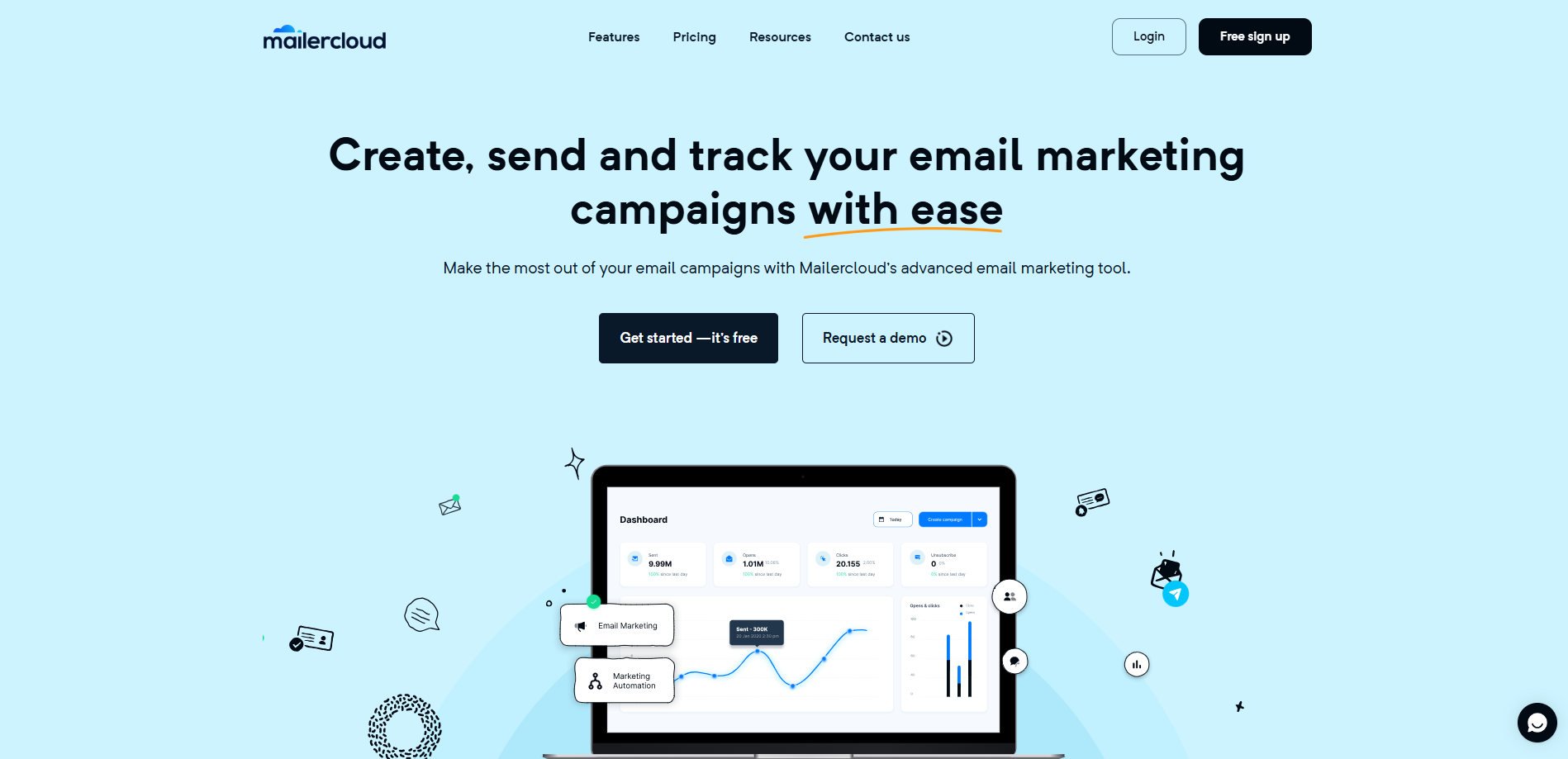
For teams switching from Campaign Monitor because of rising costs, Mailercloud is one of the more budget-friendly alternatives that still delivers strong inbox placement and modern automation.
If interactive emails and real-time deliverability tracking matter to you, this is worth a look. Mailercloud combines a drag-and-drop builder, behavior-based automation, and AMP email support — letting subscribers fill out forms or browse carousels without leaving their inbox.
When we tested the automation builder, setting up a basic welcome sequence with conditional triggers took under 10 minutes.
Key features
- Inbox Tracker: Shows real-time inbox placement across Gmail, Yahoo, and Outlook, so you can catch deliverability issues before they affect a campaign
- AMP & interactive emails: Embed forms, polls, and carousels directly inside emails for app-like engagement
- Behavior-based automation: Build triggered workflows for onboarding, follow-ups, and re-engagement
- Smart subject line suggestions: Get data-backed recommendations to improve open rates
AI features
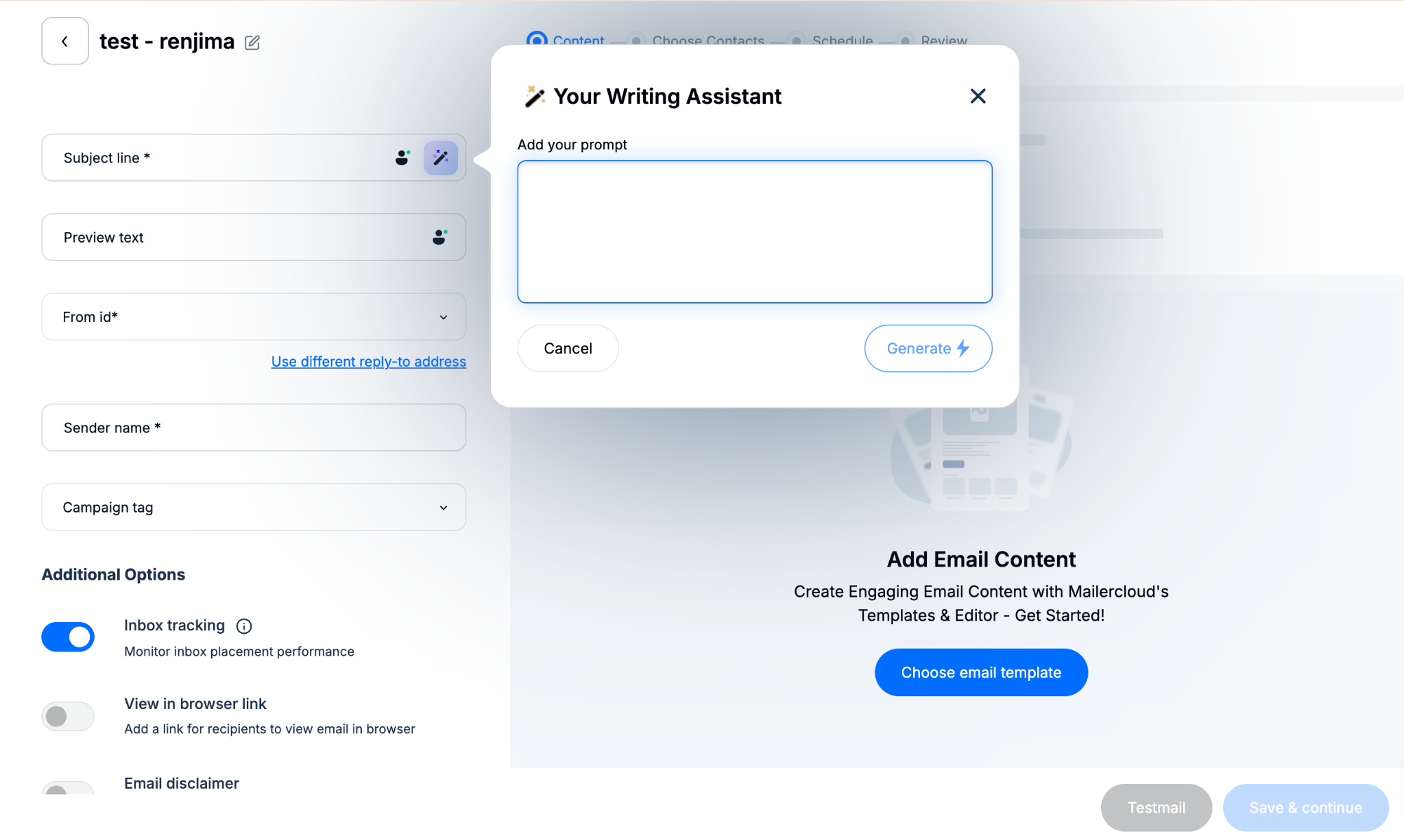
Mailercloud uses AI to generate optimized subject line suggestions based on campaign content, helping improve open rates without manual A/B testing. The platform also applies smart send-time logic to time campaigns for higher engagement per contact.
Deliverability
Mailercloud maintains a 99.4% average inbox placement rate.
Pricing
| Plan | Price | Contacts | Emails/month |
|---|---|---|---|
| Free | $0 | 1000 | 12,000 |
| Starter | From $10/month | 1000 | Unlimited |
| Premium | Custom | Custom | Custom |
Pricing as of April 2026.
Pros
- Mailercloud’s Inbox Tracker gives visibility most Campaign Monitor alternatives don’t offer at this price
- The free plan is genuinely usable, not just a trial dressed up as a free tier
- AMP email support is rare among budget-friendly platforms
Cons
- The native integration library is smaller than ActiveCampaign
- No built-in CRM, so sales and marketing data live in separate tools
- SMS and WhatsApp marketing aren’t supported
What a verified G2 user says
A marketing manager praised Mailercloud’s automation and segmentation features, noting that switching from Mailchimp made sense given the lower pricing without sacrificing key features.
Best for: Startups and small businesses leaving Campaign Monitor for a more affordable platform without sacrificing deliverability or modern email features.
10. GetResponse — Best for all-in-one funnels
G2 rating: 4.3/5
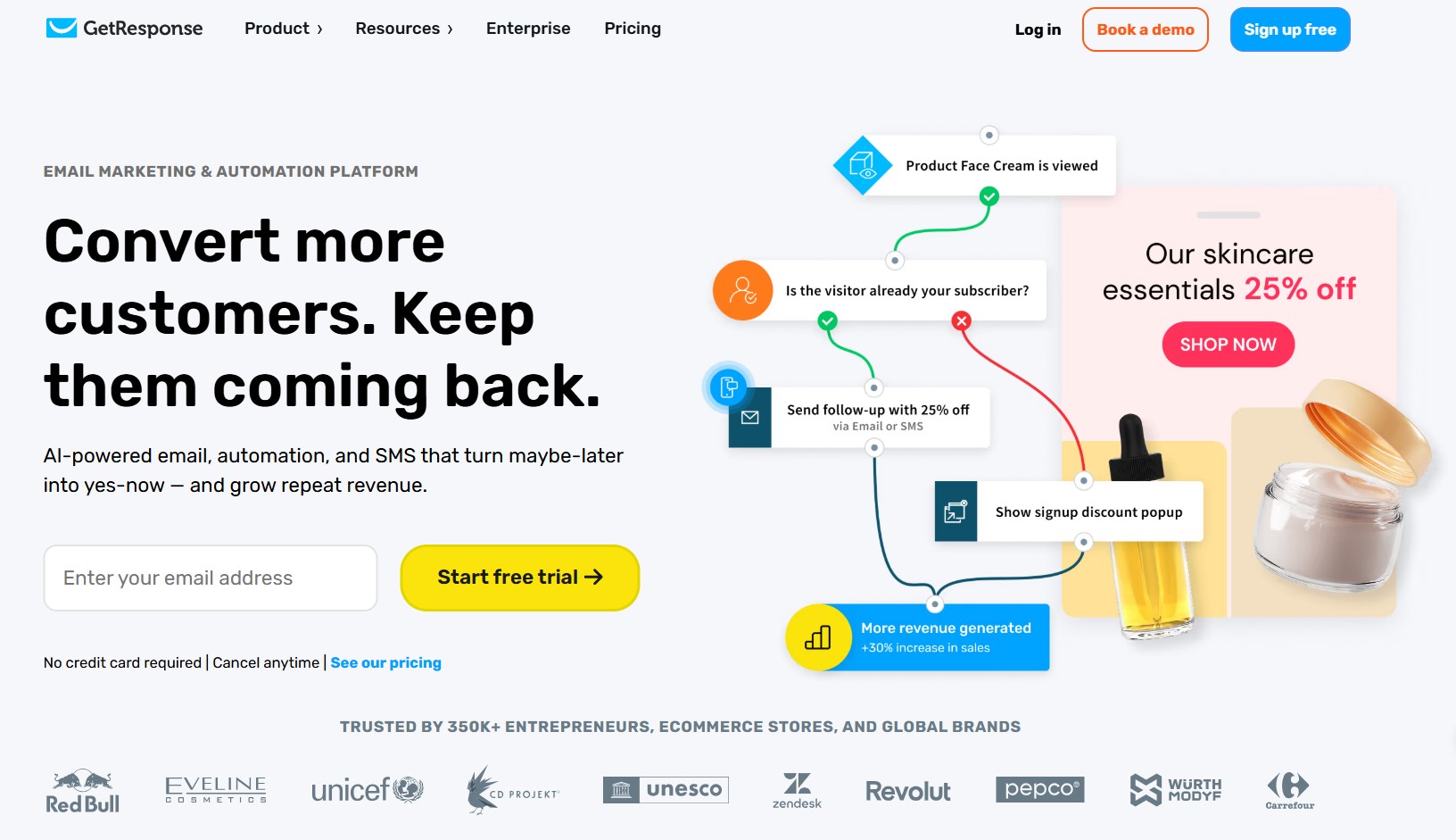
GetResponse is a good Campaign Monitor alternative for businesses that want email, automation, landing pages, and webinars on a single platform. It’s one of the few email marketing platforms with built-in webinar hosting.
It covers email, SMS, and webinars, as well as conversion funnels and a website builder. When we tested it, building a complete lead generation funnel took under 15 minutes.
Key features
- Conversion funnels: Pre-built funnel templates that combine landing pages, email sequences, and payment processing in one workflow
- Marketing automation: Visual workflow builder with behavioral triggers, tagging, and conditional logic
- Landing page builder: Included on all plans with A/B testing and custom domains
- Webinar hosting: Runs live and on-demand webinars with registration pages, email reminders, and post-event follow-up sequences connected natively
AI features
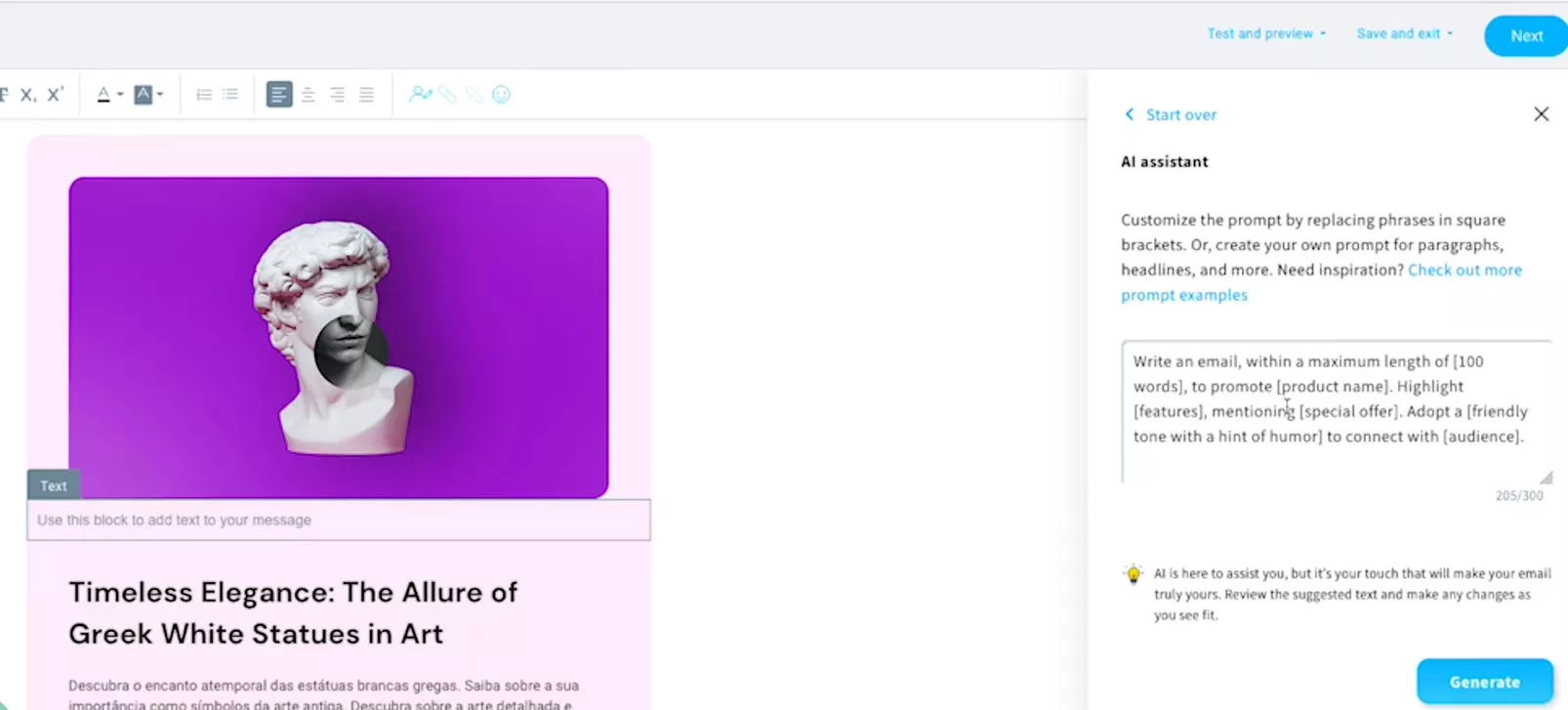
GetResponse includes AI-powered email generation and subject line suggestions on the Starter plan, with product recommendation tools available on higher tiers:
Deliverability
GetResponse scored 99% inbox placement in independent testing.
Pricing
| Plan | Price | Contacts | Emails/month |
|---|---|---|---|
| Starter | From $19/month | 1,000 | Unlimited |
| Marketer | From $59/month | 1,000 | Unlimited |
| Creator | From $69/month | 1,000 | Unlimited |
| Enterprise | Custom | Custom | Unlimited |
Pricing as of April 2026.
Pros
- Built-in webinar hosting is unique at this price point — no third-party platform needed
- Landing pages are included on all plans, removing the cost of a separate tool for most businesses
- The Starter plan includes unlimited email sends, which keeps costs predictable for high-volume senders
Cons
- There’s no permanent free plan, only a 30-day trial
- Full marketing automation requires the Marketer plan at $59/month
- Pricing is steeper than that of many Campaign Monitor alternatives on this list
What a verified G2 user says
A user noted that GetResponse’s integration of email, automation, landing pages, and webinars into a single platform eliminates the need to switch between tools.
— Ethan R., Marketing Professional
Best for: Coaches, course creators, and marketers who need email, webinars, and funnels managed from one platform.
11. Moosend — Best for budget automation
G2 rating: 4.7/5
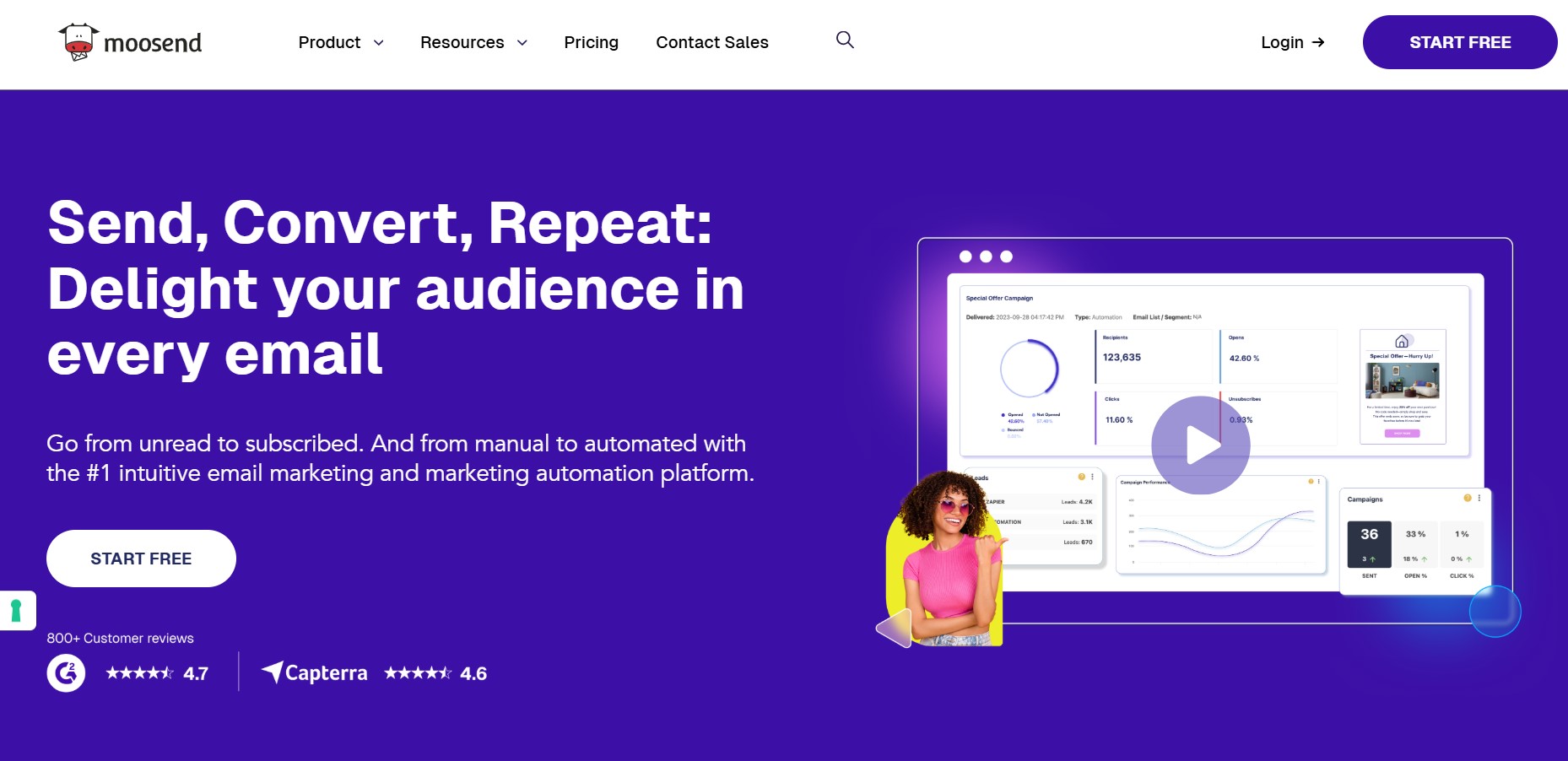
Moosend is the go-to Campaign Monitor alternative for small businesses that want advanced automation without paying for it as a premium feature. Unlike platforms that lock automation behind higher tiers, Moosend includes it on every plan, starting at $9/month.
It serves over 100,000 customers with email campaigns, automation workflows, landing pages, and forms. When we tested the automation builder, setting up a cart abandonment sequence with conditional logic took under 10 minutes.
Key features
- Advanced segmentation: Segments contacts by behavior, location, engagement level, and purchase history for targeted sends
- Website tracking: Monitors page visits per contact and triggers automations based on browsing behavior
- Unlimited emails on all paid plans: No send caps — costs scale only with subscriber count
- Visual automation builder: Drag-and-drop workflow editor with conditional logic, behavioral triggers, and pre-built Recipes for common sequences
AI features
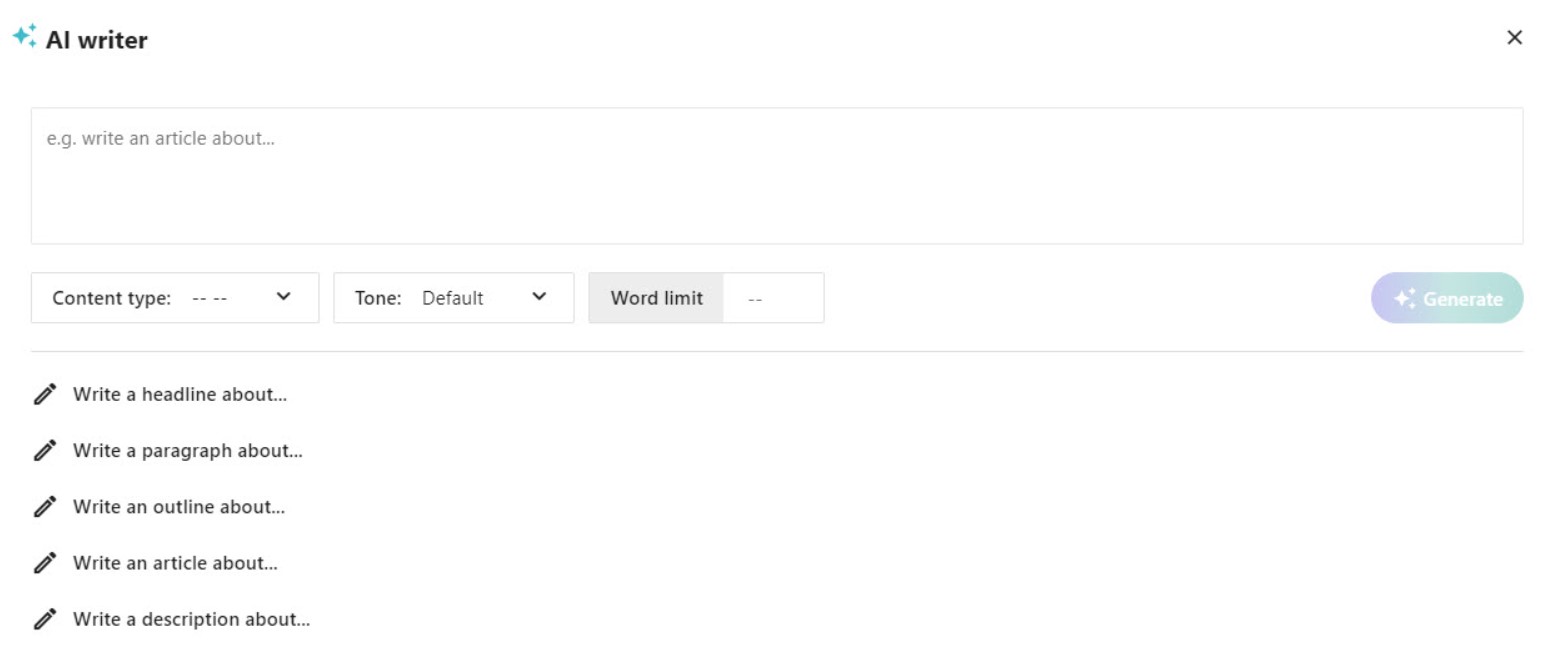
Moosend’s AI Writer generates email copy and subject lines. Its AI product recommendation engine personalizes suggestions per subscriber automatically:
Pricing
| Plan | Price | Contacts | Emails/month |
|---|---|---|---|
| Pro | From $9/month | 500 | Unlimited |
| Moosend+ | Custom | Custom | Unlimited |
| Enterprise | Custom | Custom | Unlimited |
Pricing as of April 2026.
Pros
- Full automation features, like conditional logic and behavioral triggers, are available from the $9/month entry plan
- Unlimited email sends on all plans keep costs predictable regardless of campaign volume
- The AI product recommendation engine adds personalization without requiring a separate tool
Cons
- There’s no permanent free plan, only a 30-day trial
- Transactional emails require a Moosend+ upgrade, which adds cost for ecommerce stores
- The integration library is smaller than most competitors, with around 80+ native connections
What a verified G2 user says
A G2 user noted that Moosend’s visual automation builder enables creating complex multi-step flows without coding, reducing hours of work to minutes. But they flagged that some navigation elements are poorly placed and certain settings don’t always save correctly.
Best for: Budget-conscious small businesses and ecommerce brands that need powerful automation without paying premium prices for it.
12. Kit — Best for content creators
G2 rating: 4.4/5
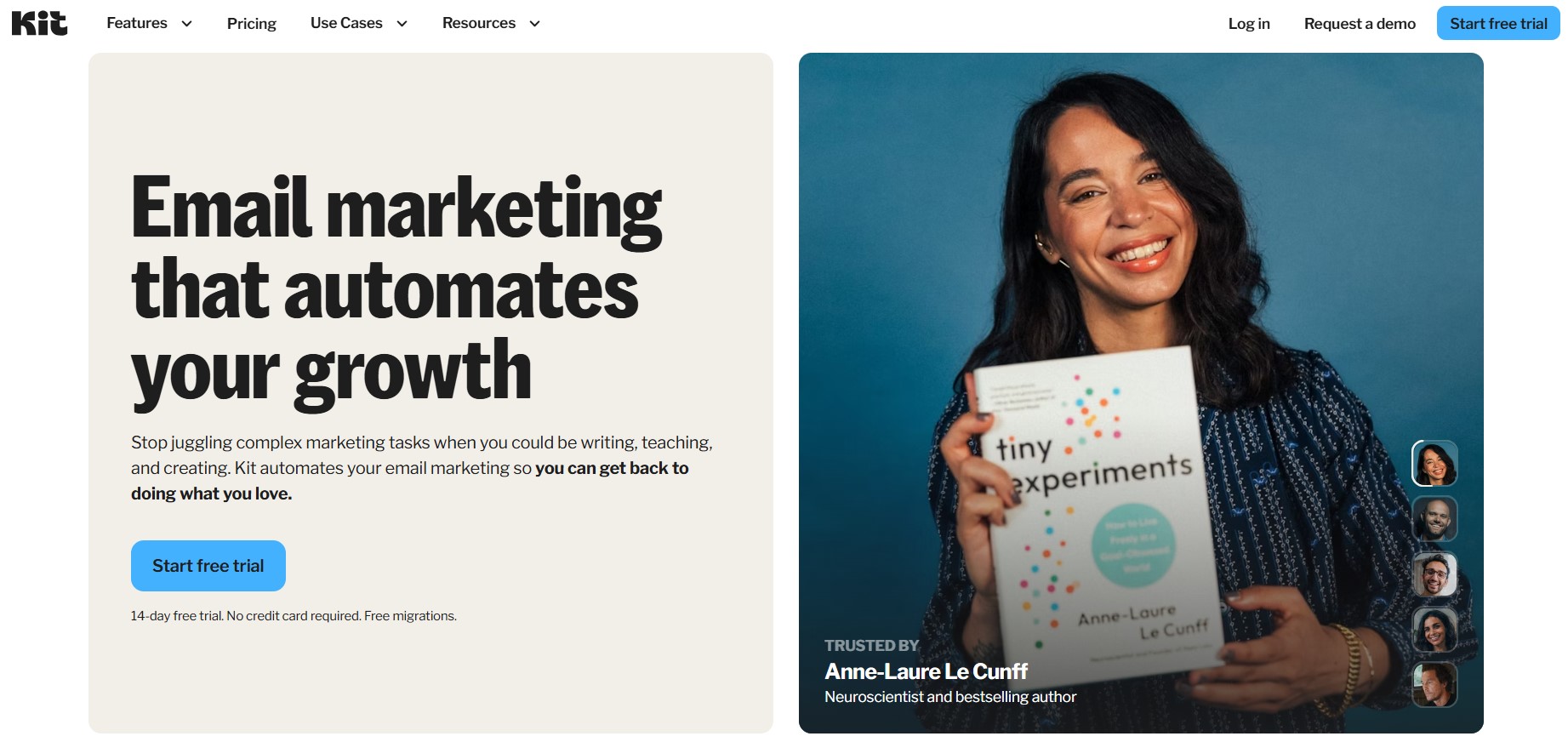
Kit is one of the top Campaign Monitor alternatives for bloggers and creators who want to build and monetize an audience through email. It’s one of the few platforms built specifically around the creator economy rather than general business marketing.
The Campaign Monitor alternative covers email, visual automation, landing pages, and digital product sales. When we tested it, setting up a paid newsletter with a welcome sequence took under 20 minutes.
Key features
- Digital product sales: Sells ebooks, courses, templates, and subscriptions directly through the platform without a separate ecommerce tool
- Subscriber tagging: Organizes contacts with tags instead of multiple lists, keeping segmentation clean as your audience grows
- Unlimited landing pages and forms: Available on all plans, including the free tier
- Visual automation builder: Intuitive workflow editor with tagging, conditional logic, and up to five entry points per sequence
AI features
Kit includes only a basic AI subject line generator:
Pricing
| Plan | Price | Contacts | Emails/month |
|---|---|---|---|
| Newsletter | $0 | 10,000 | Unlimited |
| Creator | From $39/month | 1,000 | Unlimited |
| Pro | From $79/month | 1,000 | Unlimited |
Pricing as of April 2026.
Pros
- The free plan supports up to 10,000 subscribers with unlimited emails — one of the most generous in this Campaign Monitor alternative comparison
- The Creator Network provides a built-in audience growth mechanism that’s rare on other platforms
- Selling digital products natively removes the need for a separate ecommerce tool for most creators
Cons
- Paid plans are significantly more expensive than comparable platforms
- Design flexibility is limited, with only 50+ integrations, the lowest among the Campaign Monitor alternatives on this list
- AI features are basic compared to most competitors in this comparison
What a verified G2 user says
A user noted that Kit keeps their entire content workflow centralized and straightforward to use. However, they noted that the native integration library is narrower than those of larger platforms, often requiring manual workarounds to connect existing tools.
— Lunter M., Small Business Owner
Best for: Bloggers, newsletter writers, and digital product creators who want to grow and monetize an audience without juggling multiple tools.
How to choose the right Campaign Monitor alternative
Selecting a Campaign Monitor alternative is an important decision, as it determines the outcomes of your campaigns. The wrong choice can cost you time, money, and contacts. Use these criteria to find the right fit before you sign up:
- Define your primary use case: Ecommerce stores, newsletters, and B2B lead nurturing each need different tools. Compare the Campaign Monitor alternatives to your specific context before evaluating features.
- Assess your pricing model: Contact-based, volume-based, and flat-rate pricing all scale differently. Check your costs at two and five times your current list size before deciding.
- Evaluate multichannel needs: If you need SMS, web push, or WhatsApp, confirm those channels are native to the platform. Paying for them as add-ons can push costs higher than expected.
- Consider automation depth: Check whether conditional branching and behavioral triggers are available on the plan you can afford. These features are often locked behind higher tiers.
- Check ecommerce compatibility: Shopify and WooCommerce integrations vary in depth across platforms. Read up on ecommerce email marketing before making a final call.
- Test support quality: Confirm that 24/7 support is available on your plan level. Some Campaign Monitor alternatives reserve live support for enterprise customers only.
- Try before you commit: A genuine free plan lets you test real workflows. You can also compare email marketing prices at your exact contact count before upgrading.
The right Campaign Monitor alternative should grow with your store. Consider starting with a free tier before committing to a paid tier. For key questions when changing ESPs, our whitepaper covers the full evaluation process.
How to migrate from Campaign Monitor
Migrating to a new Campaign Monitor alternative is more straightforward than most people expect. Here’s how to do it without losing contacts, campaigns, or momentum:
- Export your subscriber list: Go to Settings → Subscriber Export in Campaign Monitor and download your contacts as a CSV
- Export campaign templates: Download any email templates you want to keep — Campaign Monitor lets you export HTML files for reuse on your new platform
- Import contacts to your new platform: Upload your CSV and map the fields correctly during import
- Recreate key automation sequences: Rebuild your most important workflows first — pre-built templates on most Campaign Monitor alternatives speed this up
- Run a test campaign before fully switching: Send to a small segment first to confirm delivery, formatting, and tracking are working before going all in
- Update your signup forms and integrations: Replace Campaign Monitor embed codes or API connections with your new platform’s forms across every page they appear on
- Monitor email delivery for the first two to four weeks: Watch open rates, bounce rates, and spam complaints closely — you can expect a small dip as your new sender reputation establishes itself
- Cancel or downgrade Campaign Monitor once stable: Wait until your new platform is fully operational before canceling to avoid gaps in your email program
Migration notes for the top three platforms:
- Omnisend: Offers a dedicated migration service covering contact imports, automation rebuilds, and signup form setup at no extra cost
- Klaviyo: Pulls contact data and purchase history directly from your ecommerce platform with its guided import tool
- Mailchimp: Accepts CSV imports, but automation sequences must be rebuilt manually in the Customer Journey Builder.
Conclusion
There’s no single best Campaign Monitor alternative. The right choice depends on your use case, budget, and the channels you need.
That said, if you run an ecommerce store, Omnisend is worth a serious look. It’s the only platform on this list that gives you full access to ecommerce-focused features, such as multichannel campaigns, on all plans, including the free one.
Finally, paying more doesn’t always mean getting more. For more guidance on finding the right fit, revisit the how to choose section above.
Quick sign up | No credit card required
FAQs
Is Campaign Monitor still worth using in 2026?
It depends on your needs. Campaign Monitor works for agencies and design-focused teams that send straightforward email campaigns. However, if you need ecommerce automation, AI tools, multichannel marketing, or a free plan, most Campaign Monitor alternatives on this list offer more for less.
What is the best free Campaign Monitor alternative?
Sender offers a generous free plan for general email marketing, with 15,000 emails/month to 2,500 subscribers, plus automation and transactional emails included. For ecommerce businesses specifically, Omnisend’s free plan includes email, SMS, web push, and pre-built automation workflows. These are features most Campaign Monitor alternatives reserve for paid tiers.
Can I migrate my Campaign Monitor subscribers to a new platform?
Yes. Export your list as a CSV from Campaign Monitor’s settings and import it into your new platform. Most Campaign Monitor alternatives, including Omnisend, Sender, and Mailchimp, support CSV imports with custom field mapping.
Which Campaign Monitor alternative is best for Shopify?
Omnisend and Klaviyo are both purpose-built for Shopify stores. Omnisend offers a stronger value proposition — similar ecommerce features at a significantly lower price point, with 24/7 support on every plan.
Does Omnisend have a free plan?
Yes. Omnisend’s free plan includes email, SMS, web push notifications, pre-built automation workflows, popups, signup forms, and 24/7 support. All these with no feature restrictions based on plan level.
What email marketing platform has the best deliverability?
Based on independent testing, Brevo, Mailchimp, GetResponse, and Campaign Monitor all scored 99% inbox placement. MailerLite scored 95.2%, and ActiveCampaign scored 94.2%.
Campaign Monitor vs. Klaviyo: Which is better for ecommerce?
In a Campaign Monitor vs. Klaviyo comparison, Klaviyo wins for ecommerce. Klaviyo’s predictive analytics, deep Shopify integration, and AI features make it a far stronger choice for stores that rely on data-driven email marketing.