Omnisend AI


 OFFER
OFFER









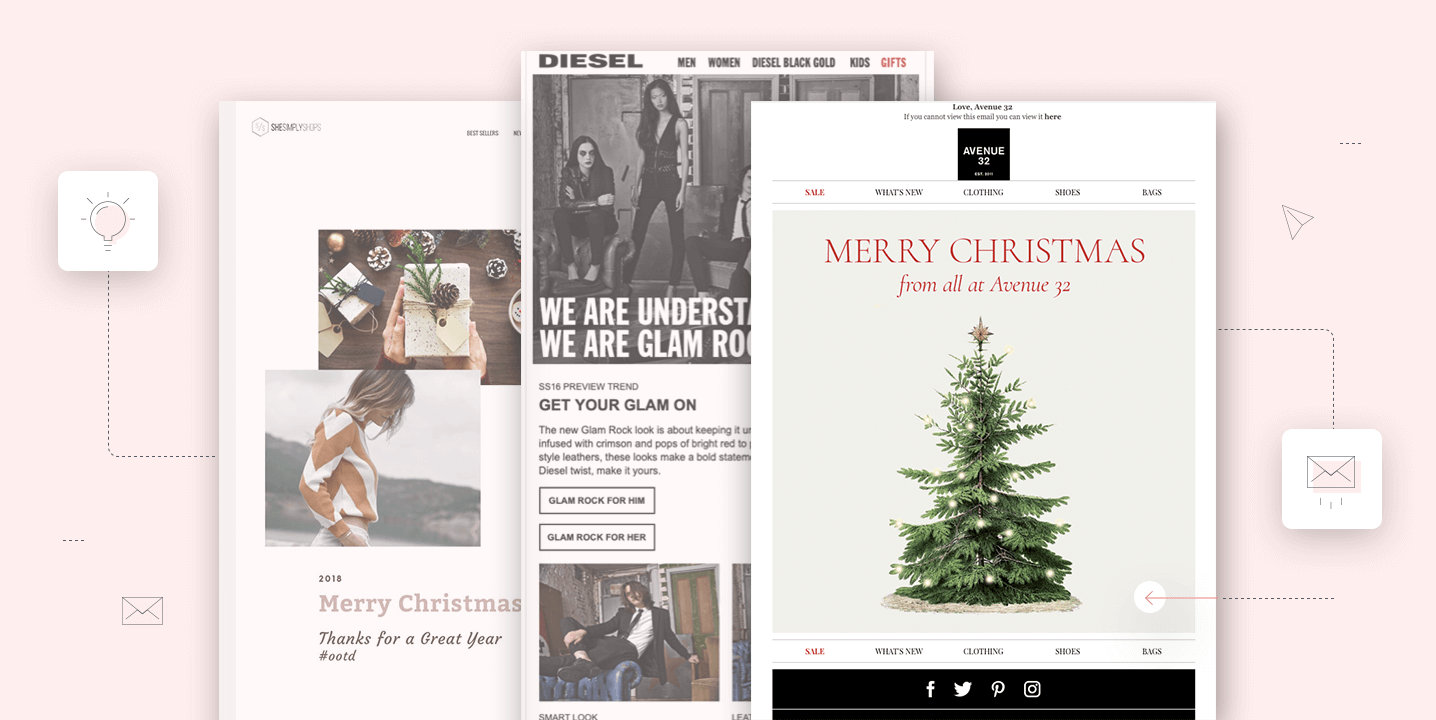

Email works best when it stays with shoppers and guides them throughout the entire seasonal buying journey, rather than being a one-off promotional campaign. You need to create a strategy to build early awareness for upcoming sales, direct your subscribers to specific landing pages, and create follow-ups to encourage repeat purchases in the future.
Instead of focusing solely on manual campaigns, you should think about automated workflows, since they generate ~$2.87 per email as opposed to manual campaigns’ ~$0.18 per email, according to the Omnisend Ecommerce Marketing Report.
This guide breaks down how to build a holiday email marketing strategy. You will learn how to plan your sending timeline, find campaign ideas, review real examples, and apply those tips to your own 2026 holiday campaigns.
What is holiday email marketing?
Holiday email marketing is the process of sending themed promotional and transactional messages to subscribers during the holiday period.
It’s arguably the most important time of the year for ecommerce brands because shoppers already want to buy, and all you need to do is be there and be relevant. According to Omnisend’s 2025 Black Friday research, 16.6% of ecommerce brands generate at least 30% of their yearly orders during Black Week alone.
People are eager for offers during this period, which makes them exceptionally receptive to seasonal campaigns. Especially if they’re properly built. If you arrive in their inbox with a relevant product recommendation and a clear shipping deadline, it’s a job well done.
Email is also the one channel that you own and don’t need to think about arbitrary social media algorithms or paid ad prices to reach your audience.
How to create a holiday email marketing strategy
To create an effective holiday email marketing strategy, you need to plan it completely before the holidays begin instead of winging it campaign by campaign. Use these links to jump to any steps that interest you the most:
- Review previous holiday campaign performance
- Set your holiday campaign goals
- Segment your holiday audience
- Create a holiday email marketing calendar
- Plan your holiday email automations
- Prepare, test, and optimize your holiday emails
1. Review previous holiday campaign performance
Look at your data from last year to see which campaigns and discount offers generated the most revenue and conversions. It will be the foundation for this season’s holiday strategy.
Review your lists to find the best-performing audience segments and note their engagement and conversion metrics. Also, track any spikes in unsubscribes or spam complaints to pinpoint where your audience became fatigued or disengaged.
Note the specific sending times and campaign frequencies that drove sales versus those that fell flat, and use these benchmarks to make your new strategy better.
2. Set your holiday campaign goals
Define concrete numbers for revenue, conversions, average order value, repeat purchases, new customer acquisition, and abandoned cart recovery. Your strategy needs to have measurable holiday targets that will serve as this year’s goal and next year’s benchmark.
3. Segment your holiday audience
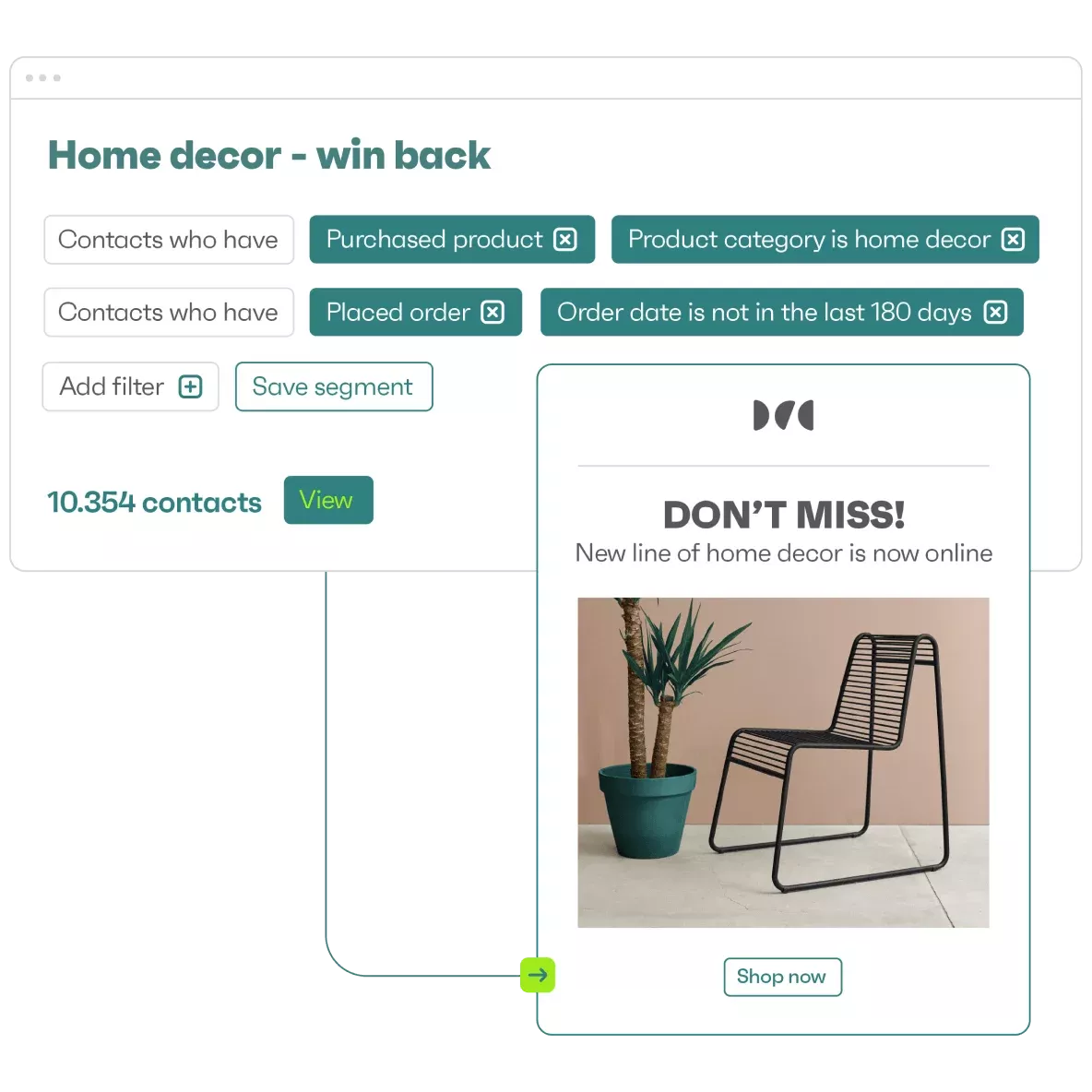
Divide your subscriber list into several specific groups so you can match your holiday offers to appropriate buyer intent since not everyone would benefit from the same offer. For example, build segments for previous holiday shoppers, VIP or high-value customers, and recent customers who bought in the last 30 days.
Create groups for highly engaged subscribers who interact with your messages and inactive subscribers who need a re-engagement push. This way, you’ll be able to send early access Black Friday deal campaigns to your VIPs and deliver more aggressive discount codes to inactive subscribers to check if that brings them back.
4. Create a holiday email marketing calendar
Start planning your send schedule from late October to make sure everything is ready to go by the time Black Friday comes. This will prevent mishaps like overlapping emails from manual newsletters and automations, and give you plenty of time to fix any issues that will likely come up by the end of the initial planning phase.
Map campaigns across the whole season, not only Black Friday through New Year. Plot each shopping moment, promotion window, shipping deadline, last-minute push, and post-holiday campaign on one calendar:
| Moment | 2026 date | Campaign to schedule |
|---|---|---|
| Early access | Before Nov. 27 | VIP and loyalty previews |
| Black Friday | Nov. 27 | Main offer |
| Cyber Monday | Nov. 30 | Final-day or extended offer |
| Giving Tuesday | Dec. 1 | Charity or community campaign, if relevant |
| Shipping cut-off | Per carrier, mid-December | Delivery-by-Christmas reminders |
| Panic Saturday | Dec. 19 | Last-minute gift guides and digital gift cards |
| Christmas Eve | Dec. 24 | Last-day gift card push |
| Post-holiday | Dec. 26 onward | Clearance, thank-you and re-engagement emails |
5. Plan your holiday email automations
Update your abandoned cart, browse abandonment, welcome series, post-purchase, and re-engagement flows at least a month before the holidays begin. These automated workflows will capture passive revenue while you focus on manual campaigns.
Make sure you tailor the content and offers for the season since they will act as complementary emails for your scheduled campaigns. If the style is too different between the two, there will be a significant dissonance between your emails, which will add to readers’ confusion.
Most importantly, adjust the timing and frequency of automated emails so your subscribers don’t get duplicate or overlapping content within an hour of each other.
6. Prepare, test, and optimize your holiday emails
Select and customize your holiday email templates to make sure the layout is both desktop- and mobile-friendly. Write clear subject lines and preheaders that state the offer or the purpose of the email immediately. You can use our email subject line generator to brainstorm ideas and the testing tool to optimize for length and impact.
Feature clear offers, high-contrast CTA buttons, personalized product recommendations, and prominent shipping guarantees within the email body. Also, send test emails to your team members or yourself to verify the email content renders properly and all the links work as intended.
5 holiday email marketing ideas and examples
The holiday season has several occasions, and each calls for a different kind of email. These examples show different styles and approaches you can adapt for your own campaigns.
1. Counter Culture Coffee – Black Friday holiday email
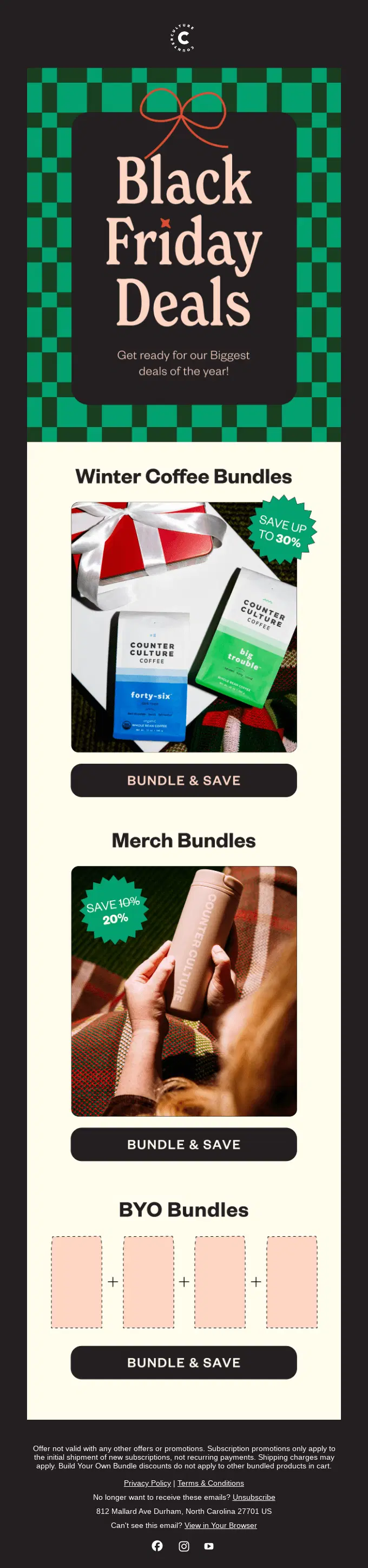
Counter Culture Coffee created a bunch of bundles as their primary offer, as well as the option to create your own bundle. The email offers winter coffee bundles, merch bundles, and personalized bundles with percentage discounts noted for each.
Why this holiday email works
- It states the purpose of the email right at the top, which sets the right expectation for scrolling further
- It gives three clear options with CTAs without overpowering the email with walls of text or heavy designs
- The discount amounts are placed right on the product images, which communicates the value without taking up extra space
How to adapt this idea
- Put the main purpose of the email front and center so there’s no ambiguity
- Group items into ready-to-buy sets or bundles and show the discount amounts next to them
- Give the option to personalize the bundle so people can create their own sets
2. BBC – Gift-guide email
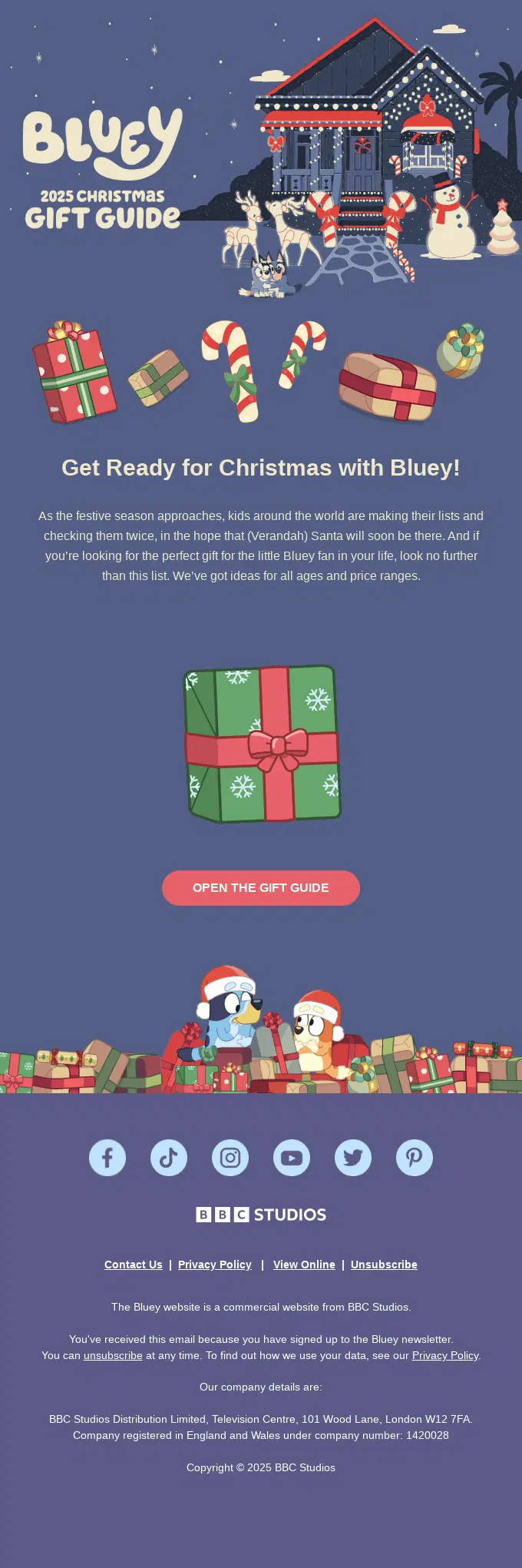
BBC Studios sent this dedicated 2025 Christmas gift guide to subscribers of the Bluey newsletter. It’s a great example of a Christmas email that’s not focused on pushing a sale but on giving free assets and building subscriber trust.
Why this holiday email works
- It solves a problem for parents or relatives looking for children’s gifts
- It states explicitly that the guide is not a generic one, but covers all ages and price ranges
- There’s only one CTA, which directs all attention toward one action
How to adapt this idea
- Create a gift guide with your audience’s demographics in mind
- Segment your products by price or other filters relevant to your audience
- Use one prominent CTA to avoid diverting the readers’ attention
3. LEGO – Christmas early access email

LEGO sent this email to its loyalty program members to offer early access to seasonal building sets. The email highlights seasonal products alongside a block that shows the subscriber’s current points balance.
Why this holiday email works
- It provides exclusivity alongside the holiday theme to make the subscriber feel valued for being a member
- Showing the points balance reminds the subscriber of unused currency they can apply toward holiday purchases
- The product hierarchy goes from most expensive sets to cheaper ones as the email goes on
How to adapt this idea
- Show appreciation to your loyalty program members with an early access campaign that displays available rewards or exclusive items
- Show current loyalty points in the email to remind the subscriber of any remaining balance
4. Mous – Christmas sale email
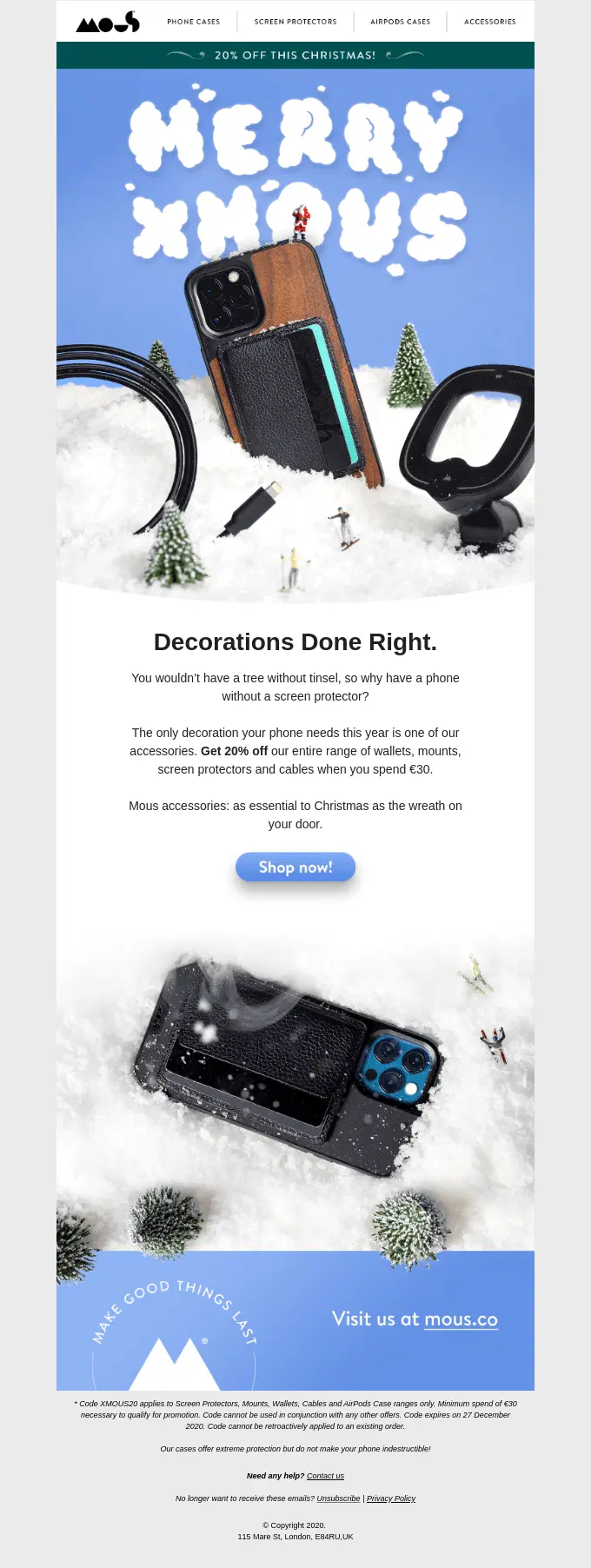
Mous sent the holiday promotional email to announce a simple flat discount on their cellphone accessories. The message uses winter-themed imagery and relevant copy to position screen protectors and phone mounts as Christmas decorations that belong with the season.
Why this holiday email works
- It connects tech accessories with Christmas decorations to make the email relevant to the season
- It puts the offer and the eligibility terms clearly by stating the 20% discount applies to orders of €30 and more
- It uses winter-themed images and product photographs to further solidify the holiday aesthetic
How to adapt this idea
- Frame your non-seasonal products around seasonal concepts to make the offer relevant to the holiday
- State your discount and eligibility terms clearly so there are no disappointments when users add an item to their cart
5. Resy – A year-in-review email

Resy sent this personalized recap email to customers at the end of 2025. It aggregates individual customer data to show the number of reservations made, specific restaurants visited the most, recent reservations, and more.
Why this holiday email works
- It captures attention by delivering personalized data about the subscriber’s experience with the brand
- Displaying specific numbers like reservation counts and naming favorite neighborhoods proves the brand tracks the habits accurately
- It transitions from the yearly review to encouraging the customer to add more restaurants to the list
How to adapt this idea
- Aggregate your customers’ data to create a personalized year-in-review email before New Year kicks off
- Show their total savings from discounts, favorite products, total orders placed, or loyalty points collected throughout the year
- Use the email to prompt the customer to beat their records next year
Holiday email marketing tips
To get the most out of your holiday email campaigns, prepare early, personalize your messages, and optimize your strategy based on subscriber engagement. Here are eight practical tips to follow:
- Finish prep early: Finalize your creative assets by late October to prevent production bottlenecks during the busiest weeks of the year
- Adjust sending frequency: Use your engagement metrics to optimize sending frequency for active subscribers and those who ignore your messages for 30 days or more
- Highlight value upfront: State your discount terms and shipping deadlines in the preheader text so shoppers see the value before they open the message
- Personalize recommendations: Insert dynamic product blocks into your emails to recommend items based on a subscriber’s browse and purchase history instead of going with generic offers
- Create genuine urgency: Show low inventory counts on popular items (only if it’s true) to create genuine urgency instead of just using countdown timers
- Test across devices: Send test emails to both iOS and Android devices to make sure that everything appears as normal without distortions
- Optimize subject lines: A/B test your subject lines during late October and use the best-performing ones in your holiday campaigns
- Protect your sender reputation: Place clear unsubscribe links in your footers and remove opt-outs from your list immediately to protect your sender reputation
How to measure the success of holiday email campaigns
To measure the success of holiday email campaigns, you need to track metrics that are tied to subscriber engagement and actual sales. It will help you identify which messages drive revenue and which ones do more harm than good.
1. Open rates and click-through rates
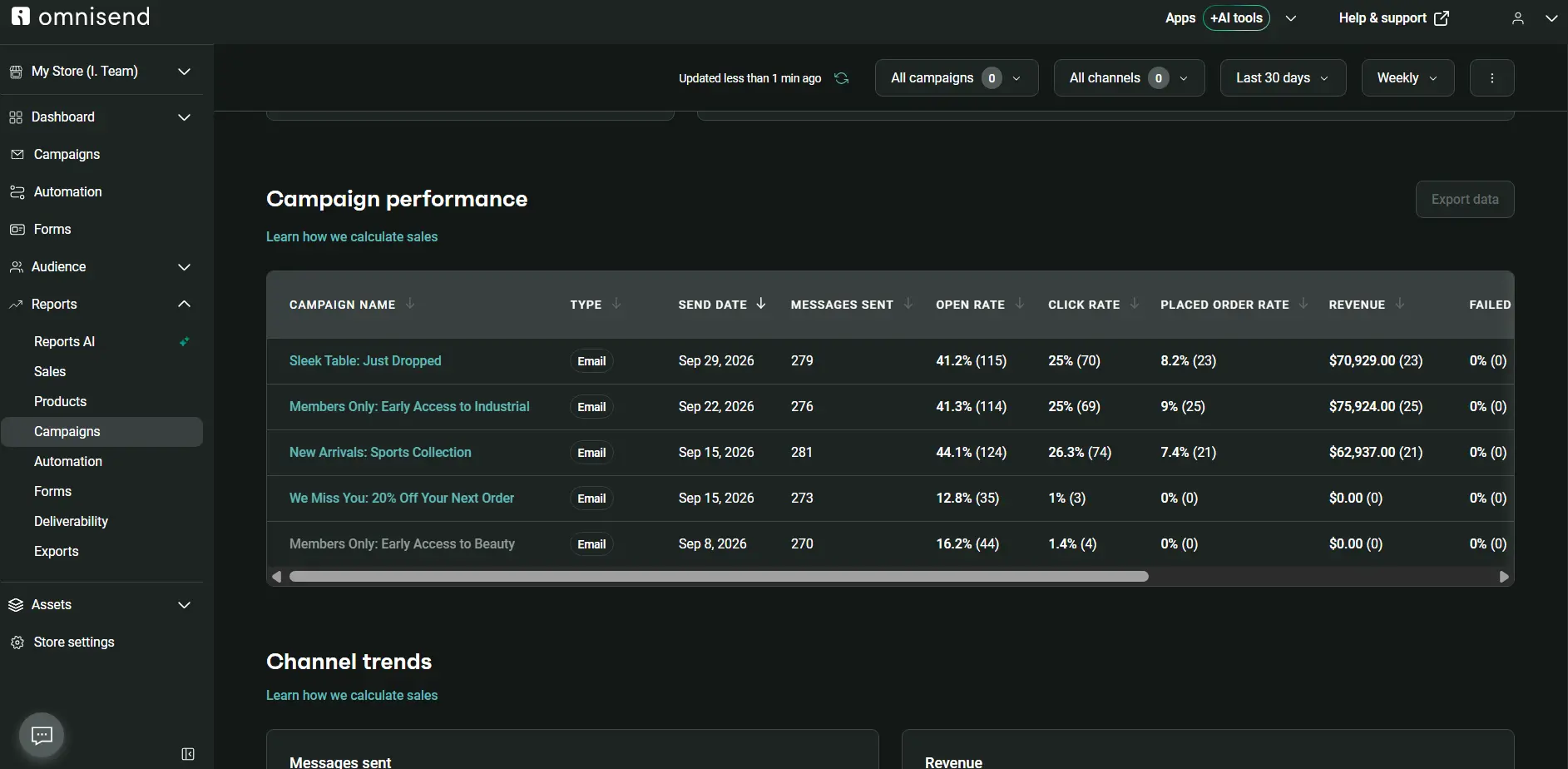
Open rates show subject line performance, while click-through rates show whether the email content, offer, and CTAs encourage engagement. A low open rate of around 20% or less might suggest weak subject lines.
However, this metric is no longer as reliable as it used to be due to Apple Mail Privacy Protection, which can generate recorded opens without someone reading the email. In contrast, poor click-through rates can indicate misaligned content or ineffective call-to-action placement within your holiday email campaigns.
You can track your open and click-through rates for each campaign by opening the Omnisend Reports section:
2. Conversion rates
Conversion rate shows the share of recipients who completed a purchase after opening or clicking a holiday email. You can identify which strategies generate the highest return on investment by comparing this metric across different holiday campaigns, exclusive offers, and audience segments.
Once you find the best-performing campaigns and assets, you can replicate the idea for your next campaign and drive more revenue by basing your decisions on data.
3. Revenue generated per campaign
Revenue per campaign calculates total sales attributed to a specific email campaign, including immediate purchases triggered by your emails.
You can use this email marketing metric to compare multiple holiday campaigns and identify your most effective ones.
Once you’ve got that revenue data, input your total sales into Omnisend’s email ROI calculator to discover the return on investment of your previous or next email marketing campaign.
4. Unsubscribe rates
Unsubscribe rates and spam complaints track negative audience sentiment that built up during your promotional campaigns. If the numbers for this metric increase all of a sudden, there may be problems with your sending frequency or overall content relevance.
Monitor these signals so you can act before more damage is done: reduce your send volume, segment your audience better, and send more relevant content to each segment.
Common holiday email marketing mistakes to avoid
- Starting holiday campaigns too late: This may cause you to be lagging behind, which is not the place to be in during the biggest season of the year. Finalize your templates and strategy by late October at the latest and be fully prepared when the holidays come.
- Increasing your sending frequency suddenly: This will trigger spam filters and annoy your subscribers who are used to completely different sending expectations. Spam rates should remain under 0.1%. Scale your email volume gradually, building up to the culmination during Black Friday or Christmas, and then slowly back down to your regular schedule again.
- Sending the exact same campaigns and offers to everyone: Your customers are all in different stages of the buyer journey, so treating them all the same is a spray-and-pray tactic you need to avoid. Segment your buyers by loyalty and purchase behavior and tailor content and offers based on their status.
- Using generic holiday messages: It makes your brand look bland and uninspiring, so customize your emails with distinct brand colors and specific product recommendations that fit the season and highlight your brand. You may even use copywriting to find connections between your product and the season.
- Failing to communicate terms and deadlines clearly: If the customer cannot use a discount code because the order value is less than $60 and you haven’t made it clear enough, your customer support team will likely be overloaded with tickets, and your brand trust may be hanging in the balance.
- Ending your holiday communication early: There are always people who don’t buy enough gifts in time, so skipping last-day offers is a missed opportunity. Especially if you’re selling digital products or have digital gift cards as an option.
Conclusion
Getting it right with holiday revenue means having your entire schedule mapped out well before the season begins: ideally by late October. Deliver personalized, targeted offers to different audience segments to stay relevant and increase conversion rates.
If you don’t know where to start, check out last year’s campaigns to see which ones performed best, and use them to replicate that success for this year’s holiday season. If you have no data to rely on, use the example section and best practices above to find inspiration and confidence in your holiday campaign-building process.
Quick sign up | No credit card required