Omnisend AI


 OFFER
OFFER










| Score | Best for | Starts at | Pros | Cons | Test dates |
|---|---|---|---|---|---|
| 7.1/10 | Large lists emailed infrequently | $9/month | • 22 automation templates • Cohort and customer lifetime value (CLV) on every plan • Revenue matched our store to the cent | • Forms need theme code • Pop-ups need Professional • Shopify app can create a duplicate account | 09/02/2026 to 09/09/2026 |
Brevo handled Shopify email automation and revenue attribution accurately in our week of testing. Its send-based pricing suits stores that email a large list infrequently.
We built five email automations and sent a campaign on a seeded Shopify store. Four of the five sent, and the campaign revenue Brevo reported matched our store to the cent. Setup was where it struggled: the app created a second account instead of connecting to ours.
The Brevo review below is based on real testing and building inside the tool. You’ll learn what did and didn’t work, how much it costs, and whether it suits your business.
How we tested and scored Brevo
We tested Brevo’s Standard plan from 09/02/2026 to 09/09/2026 on a Shopify development store set up for the U.S. region, with 30 products across 45 variants and 64 customers.
Our setup covered domain authentication, a 250-contact import, and a branded campaign on a timed run. We connected the store through Brevo’s Shopify app, Brevo PushOwl.
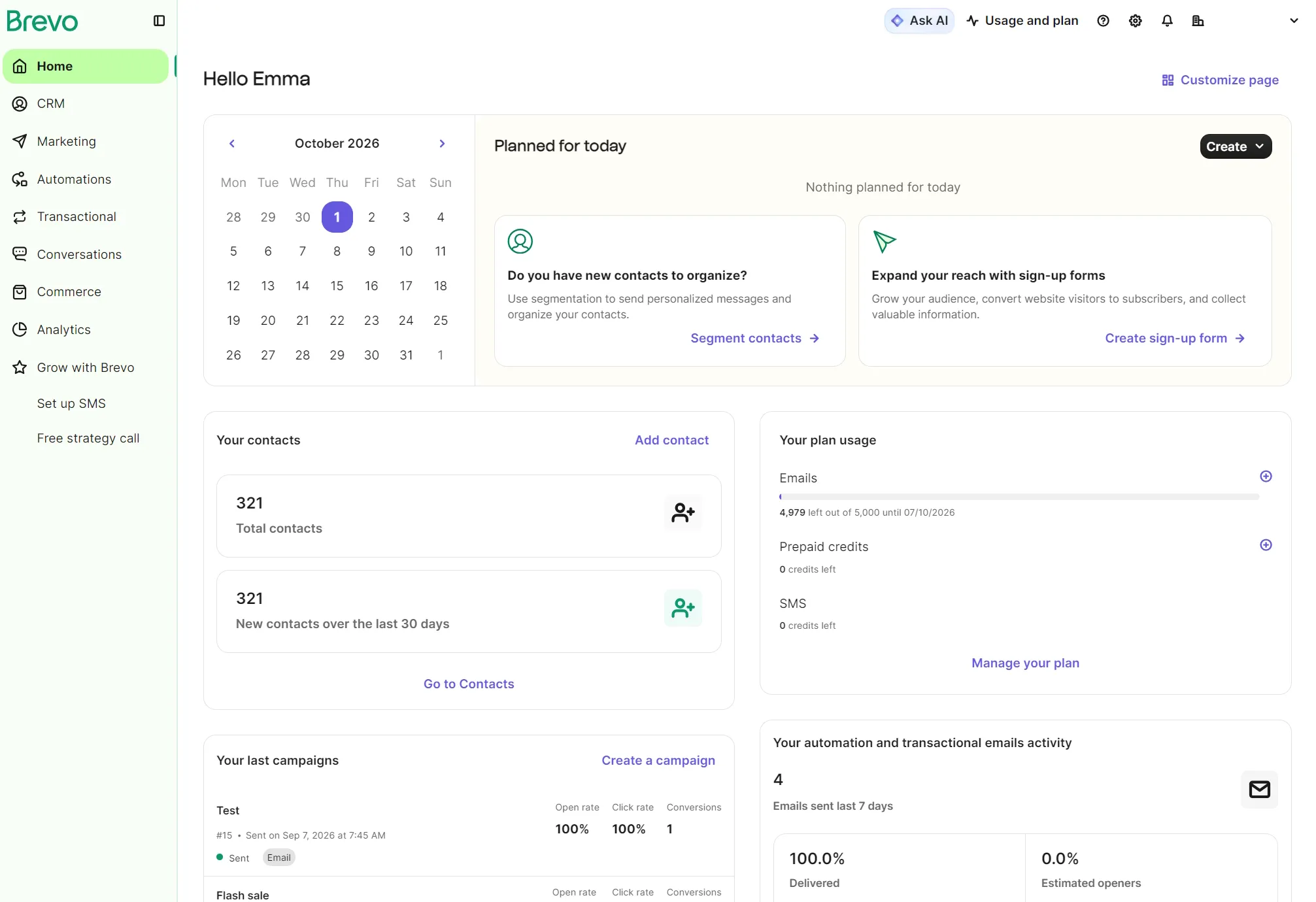
One campaign went to a test contact, who clicked through to a product and bought it. Brevo’s revenue figure then went up to match the order in Shopify.
We built five automations: welcome, cart abandonment, post-purchase, winback, and anniversary. Form submissions and Shopify checkout activity triggered them.
During our Brevo testing, we raised three support tickets on separate days and timed the replies.
Three features stayed untested: winback flows need 180 days of purchase history, web push can’t capture a subscriber on a password-protected development store, and SMS needs an approved Sender ID before it can send. We did not test the features that are only available on Brevo’s $499 Professional tier.
Our score has eight criteria, each scored 1–10 and weighted by how much it matters to an ecommerce business. A 1–3 means the capability fails or is largely missing; 4–6 means it works, with gaps or added setup; 7–8 means it works as you’d expect; 9–10 adds further features. Only features on the plan tested count.
We score every tool against the same weighted criteria. Read how we review tools for our full methodology. Brevo’s overall score is 7.1/10, the weighted average of the eight criteria below.
| Criterion | Weight | Score | What decided it |
|---|---|---|---|
| Ecommerce automation depth | 20% | 8 | Four of five flows sent end to end; no winback template; branching capped at two branches on Standard |
| Pricing value at scale | 15% | 7 | Send-based pricing favors large lists emailed infrequently; Professional features cost $499/month |
| Campaign creation and usability | 15% | 7 | Sign-up to scheduled campaign took 28 minutes; brand settings sit only inside the email editor |
| Audience growth and segmentation | 10% | 6 | The ecommerce segment library has 11 templates and accurate counts; forms are embed code only |
| Multichannel coverage | 10% | 6 | Email sends; SMS needs Sender ID registration; WhatsApp and mobile push need Professional |
| Integrations and ecommerce ecosystem | 10% | 7 | Complete sync once connected; account linking needed support to resolve |
| Reporting and attribution | 10% | 8 | Revenue matched the store; attribution model and window fixed below Professional |
| Support quality | 10% | 7 | Three tickets, three correct answers; median 19 hours 17 minutes to a correct answer |
| Overall score | 100% | 7.1/10 | Automation and attribution scored highest; list growth and channels outside email scored lowest |
What Brevo is and who it’s for
Brevo is an email-first marketing tool with SMS, WhatsApp, web push, a customer relationship management (CRM) system, and transactional sending in the same account. Which of those you get depends on your plan and add-ons. The pricing structure suits a large list emailed infrequently, and works against you if you send often to a small list. Founded as Sendinblue in 2012 and renamed Brevo in 2023, the Paris-based company says it has 600,000+ customers across 180+ countries.
Our testing of Brevo on a Shopify store found that email automation and reporting attribution are its best features. Audience growth and segmentation, and multichannel coverage, are its weakest features. Brevo therefore suits growing stores whose marketing focus is email and engaging customers after they sign up, rather than capturing subscribers early in their journey.
Brevo’s pricing model also matters for who it suits. Klaviyo and Mailchimp price on contact count: store 20,000 contacts, and you pay for 20,000 contacts whether you email them weekly or twice a year. Brevo prices on monthly send volume instead.
Contact storage is generous for the price, as the Starter plan holds up to 500,000 contacts for $32/month. Your bill moves with how much you send unless you go over the plan’s contact cap.
Brevo’s Free plan stores up to 100,000 contacts with a send limit of 300 emails/day. Up to 2,000 unique contacts can enter your active marketing automations on Free and Starter, with the cap lifting on Standard (formerly Business).
You’ll also appreciate Brevo if your list is growing faster than your sending. A list doubling from 30,000 to 60,000 while your sends stay at 20,000/month still costs $69 on Standard.
If you send daily promotions and automations to a modest list, per-send pricing adds up: 5,000 contacts emailed daily is 150,000 sends, or $179/month on Standard.
How much does Brevo cost?
Brevo pricing is based on monthly email volume with per-tier contact caps. Plan prices depend on how many emails you send rather than how many contacts you store.
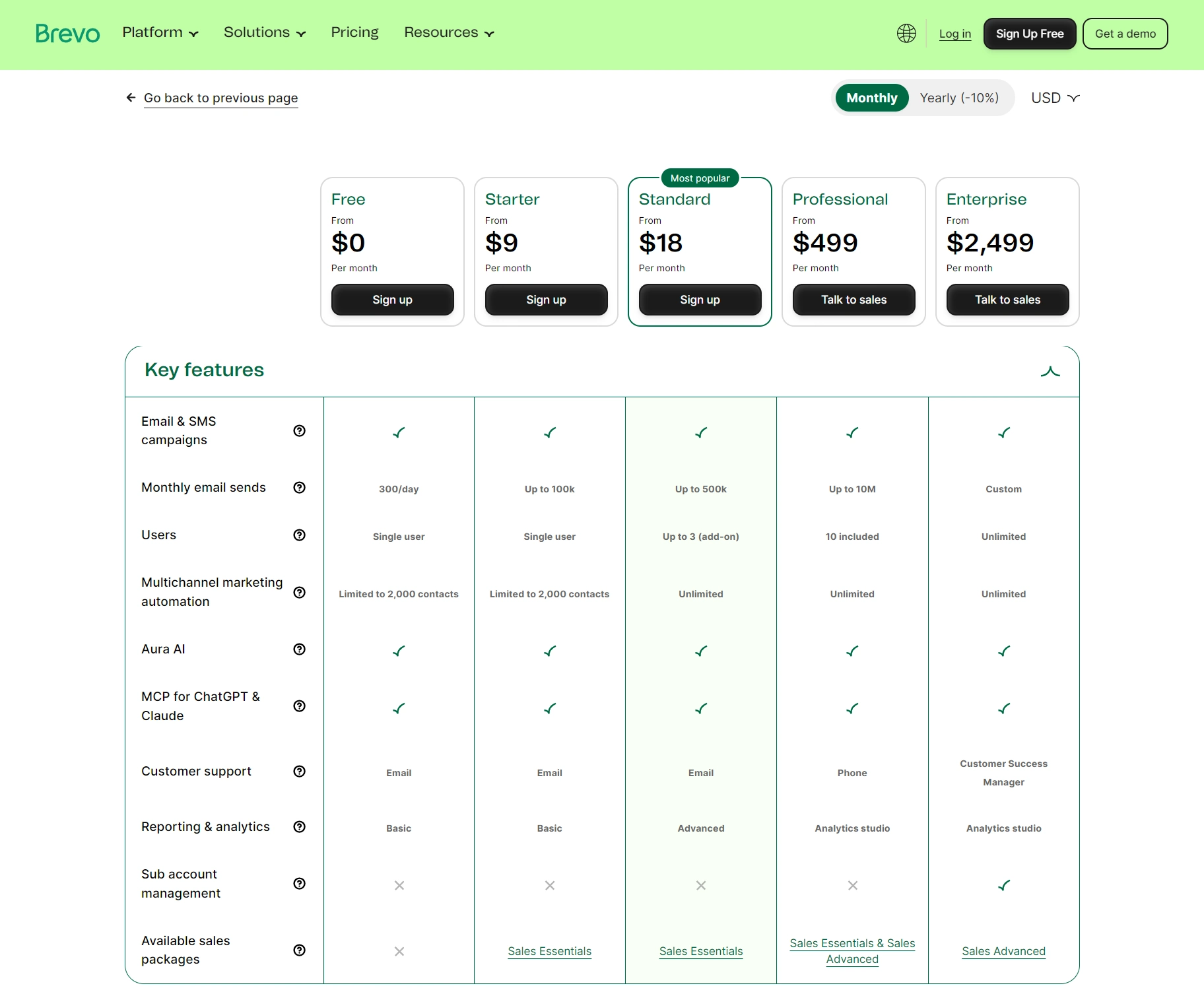
There are four paid Brevo plans (Starter, Standard, Professional, and Enterprise) and one free plan. The Starter and Standard plans tier contacts at 500, 1,500, and 2,500, up to 15,000 sends. From 20,000 sends, you can store up to 500,000 contacts.
| Plan | Entry price | Email volume | Contact storage | What it has |
|---|---|---|---|---|
| Free | $0/month | 300/day | 100,000 | Transactional email, AI content generator, ads retargeting, abandoned cart recovery |
| Starter | $9/month | 5,000/month, up to 100,000 | 500, up to 500,000 | Content feeds, back-in-stock alerts, web push (1,000 targeted subscribers) |
| Standard | $18/month | 5,000/month, up to 500,000 | 500, up to 500,000 | Advanced reports, A/B testing, AI send time optimization |
| Professional | $499/month | 150,000/month, up to 10,000,000 | 2,000,000 | AI product recommendations, pop-ups, dynamic coupons, frequency caps, Analytics Studio, contact scoring, WhatsApp, mobile push |
| Enterprise | Custom | Custom | Unlimited | Loyalty program, unrestricted custom objects, data warehouse integrations |
Shopify stores use web push with the PushOwl app, which has separate plan prices.
If you send occasionally, prepaid email credits are an alternative to a monthly plan: $32 buys 5,000 sends, $95 buys 20,000, and credits never expire.
Brevo’s Starter plan has the cheapest entry point, costing $9/month. The Starter, Standard, and Professional plans are available with a 10% annual plan discount. The Starter plan supports up to 100,000 sends, after which Standard is needed for up to 500,000 sends.
| Monthly emails | Brevo Starter | Brevo Standard |
|---|---|---|
| 5,000 | $9/month | $18/month |
| 10,000 | $17/month | $35/month |
| 15,000 | $25/month | $49/month |
| 20,000 | $32/month | $69/month |
| 30,000 | $39/month | $79/month |
| 40,000 | $46/month | $89/month |
| 50,000 | $56/month | $97/month |
| 60,000 | $65/month | $104/month |
| 80,000 | $74/month | $119/month |
| 100,000 | $82/month | $139/month |
| 150,000 | – | $179/month |
| 250,000 | – | $249/month |
| 350,000 | – | $309/month |
| 500,000 | – | $429/month |
Brevo Standard vs. Professional is an important comparison for costs because Professional costs $270–$350/month more at the same send tiers.
| Monthly emails | Standard | Professional | Difference |
|---|---|---|---|
| 150,000 | $179/month | $499/month | +$320 |
| 250,000 | $249/month | $599/month | +$350 |
| 500,000 | $429/month | $699/month | +$270 |
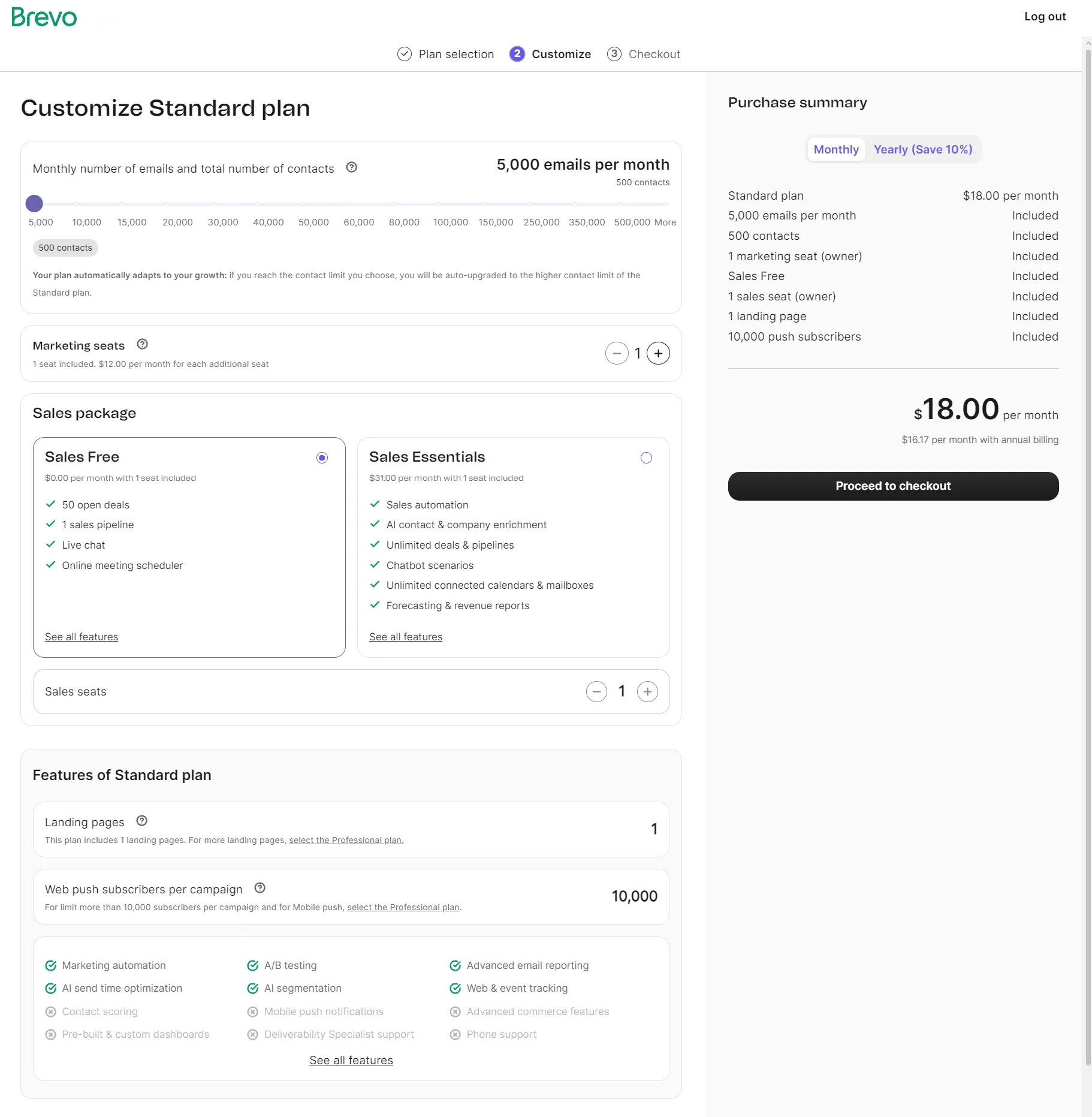
Brevo can be bought directly or through the Brevo PushOwl app on Shopify, but the two use separate pricing structures, and their email volumes and features are not automatically interchangeable.
A PushOwl subscription doesn’t include Brevo’s full marketing and transactional email features, so some stores may need a separate Brevo plan too.
Each PushOwl bundle includes 500 emails a month, and you add volume per channel, with the price scaling accordingly. At the time of writing, Basic is free with up to 500 web pushes, Plus is $19/month for 10,000, and Power is $79/month for 25,000.
What does Brevo cost beyond the plan price?
Beyond the plan price, Brevo charges for SMS credits from $1.09 per 100 U.S. messages, Sales Packages from $31–$65/month per seat, logo removal on Starter at $9/month, and dedicated IPs on Professionalat $251/year.
| Add-on | Price | Notes |
|---|---|---|
| Sales Essentials | $31/month per seat | On top of any paid email plan |
| Sales Advanced | $65/month per seat | On top of any paid email plan |
| SMS credits | From $1.09 per 100 messages (U.S.) | Sold in packs of 100; available on all plans, no paid email plan needed; credits never expire but are non-refundable; MMS (U.S. only) uses 2.1 credits per message |
| Brevo branding removal | $12/month | Starter plan only; Standard and above remove branding as part of their plans |
| Extra marketing seats | $12/month | Standard plans (capped at three seats); Professional includes 10 |
| Dedicated IP | $251/year per IP | Professional plans; included in Enterprise |
| SAML SSO | $324/month | Professional plan; included in Enterprise |
Read our complete Brevo pricing guide to find out more about plans and costs.
Do I need Brevo’s CRM and Sales packages?
You only need a paid Sales package if your store handles wholesale or bespoke orders with long sales cycles. If everything sells off the shelf, you’re unlikely to need a paid Sales package.
| Feature | Sales Free | Sales Essentials | Sales Advanced |
|---|---|---|---|
| Price | $0 | $31/month per seat | $65/month per seat |
| Open deals | 50 | Unlimited | Unlimited |
| Sales pipelines | One | Unlimited | Unlimited |
| Multi-user access | ✗ | Up to five (add-on) | Up to 50 (add-on) |
| Sales workflows | ✗ | ✓ | ✓ |
| Outreach sequences | ✗ | ✗ | ✓ |
| Revenue and forecasting reports | ✓ | ✓ | ✓ |
| Meetings and booking pages | ✓ | ✓ | ✓ |
| Mailbox synchronization | 1 | ✓ | ✓ |
| Instagram DMs and Facebook Messenger | ✗ | ✓ | ✓ |
| SMS and WhatsApp 1:1 messages | ✗ | ✗ | ✓ |
| Sales engagement chat | Live chat | Chatbot scenarios | AI chatbot |
| Voice over Internet Protocol (VoIP) | ✗ | ✗ | ✓ |
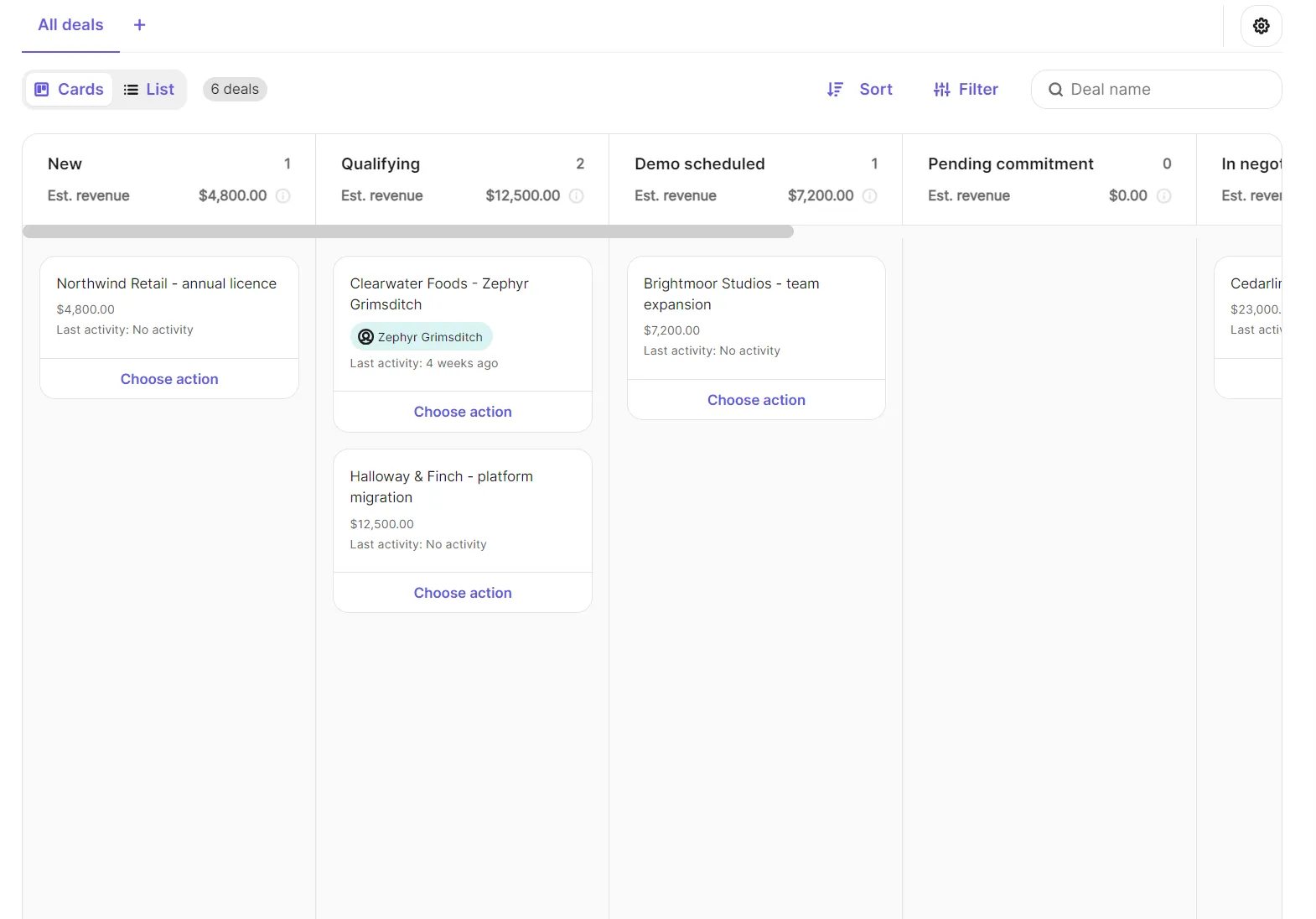
We added six demo customers to the CRM as part of Sales Free. The Deals dashboard has Cards for New, Qualifying, Demo scheduled, Pending Commitment, In Negotiation, Won, and Lost. Actions let you add tasks, notes, and send emails to customers.
How long does it take to set up Brevo?
The total time to set up was 28 minutes from sign-up to scheduled campaign. We authenticated a sender domain, imported contacts, created a campaign, and sent it. Our account needed a manual review before we could send, and the Shopify app didn’t connect to our Brevo account, neither of which counted toward the 28 minutes.
Signing up using an email address took just under five minutes. We signed up to Brevo Free first, and then purchased the Standard plan for testing. Brevo pushed us straight to the thing that matters most: verifying a sending domain.
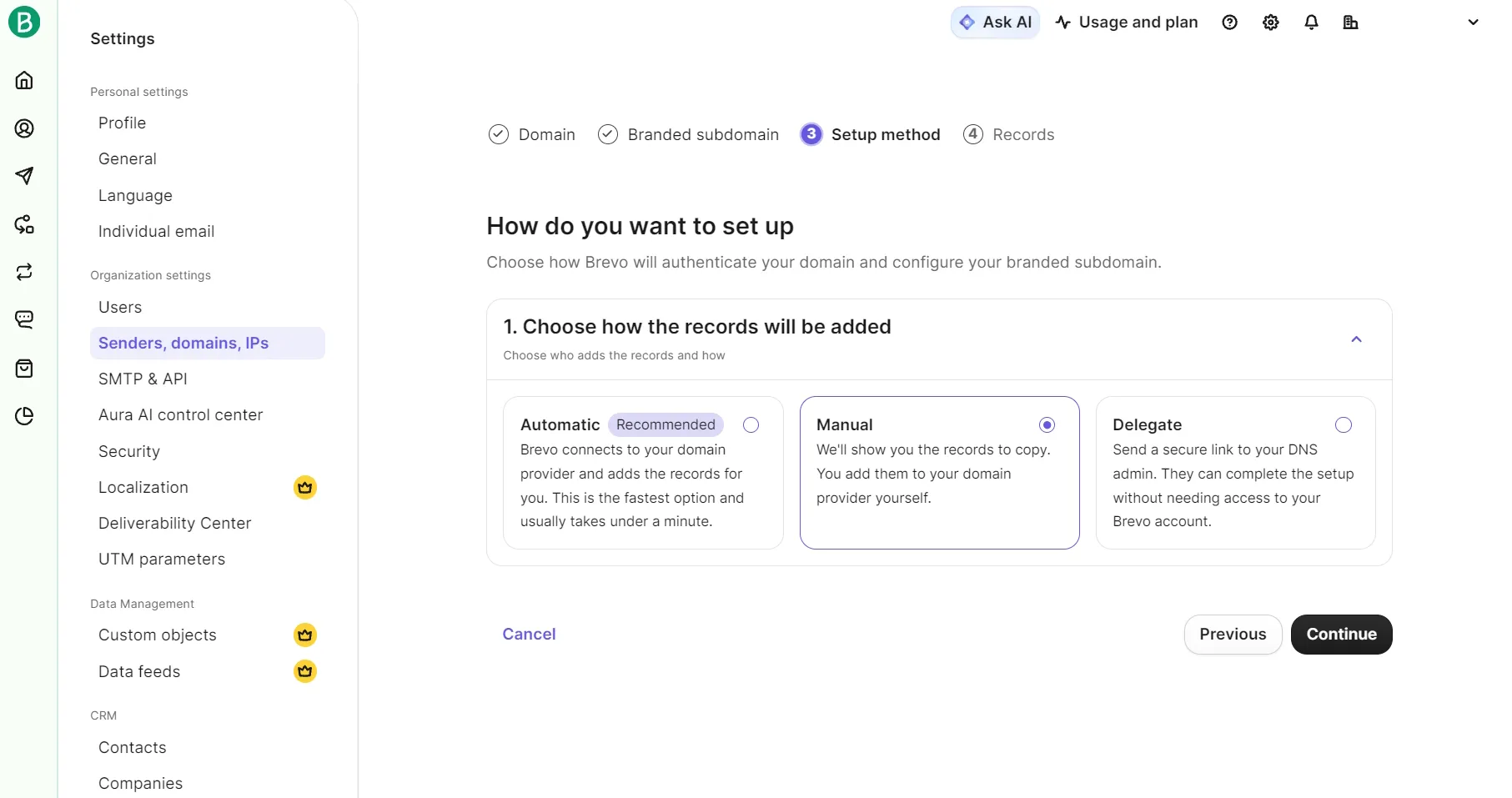
Verifying our domain took eight and a half minutes and seven DNS records. Brevo offers three ways to add them: automatically through your domain provider, manually, or by sending a secure link to whoever manages your DNS.
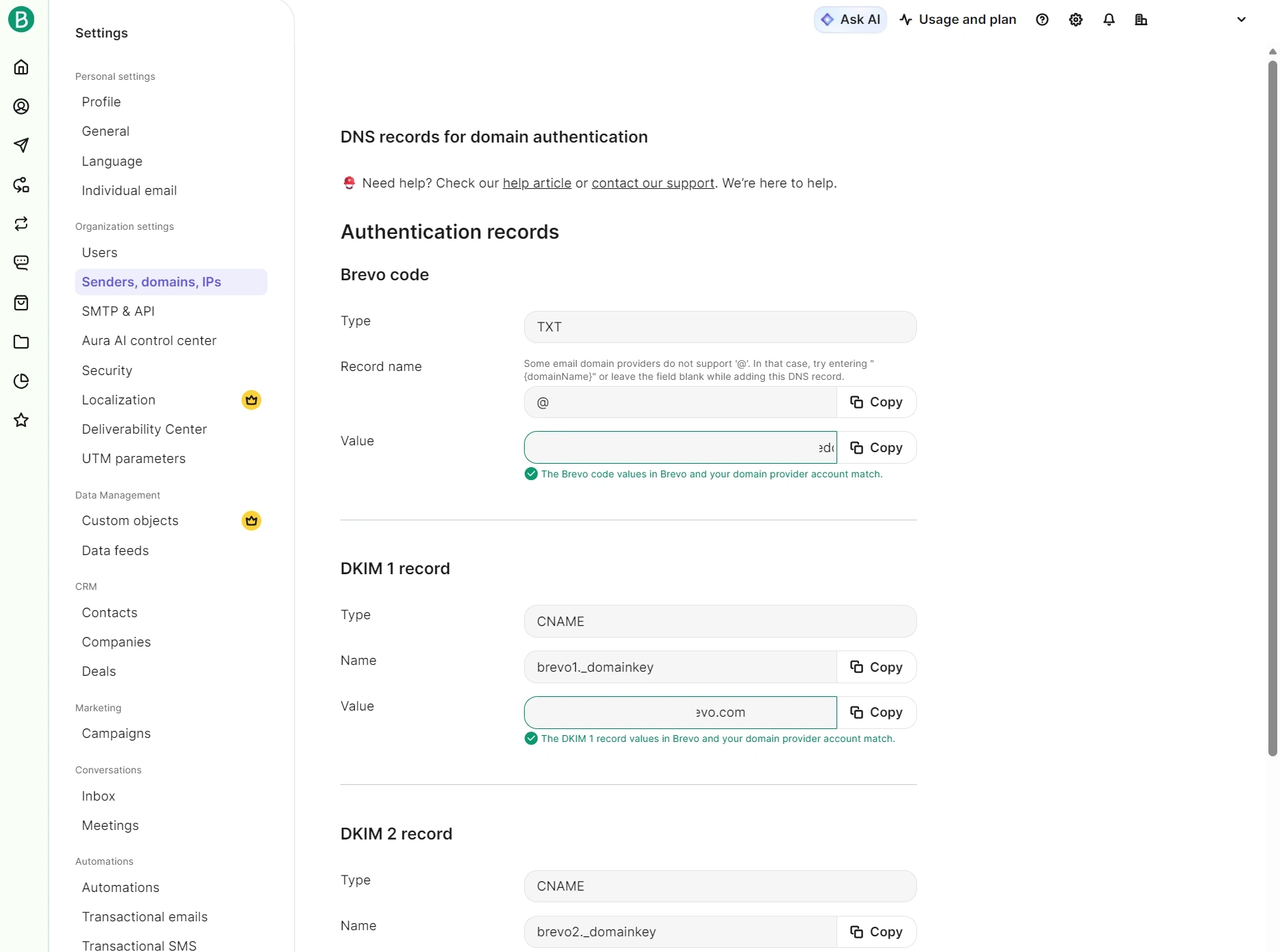
We authenticated the seven records by hand in cPanel, and every one of them verified the first time with no waiting for propagation.
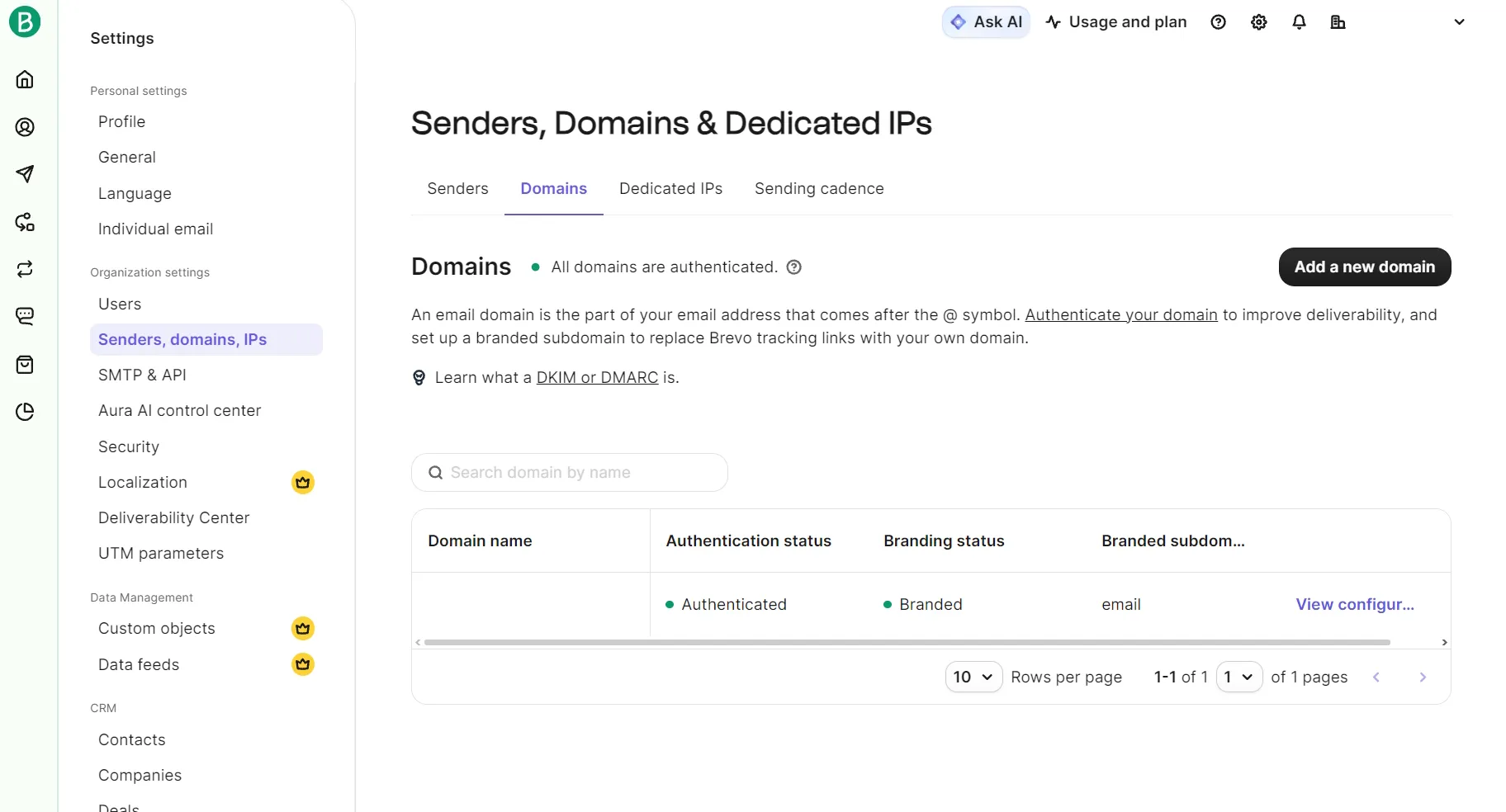
The Senders, Domains, & Dedicated IPs dashboard shows authentication status and branding status, and lets you view the configuration for each domain name.
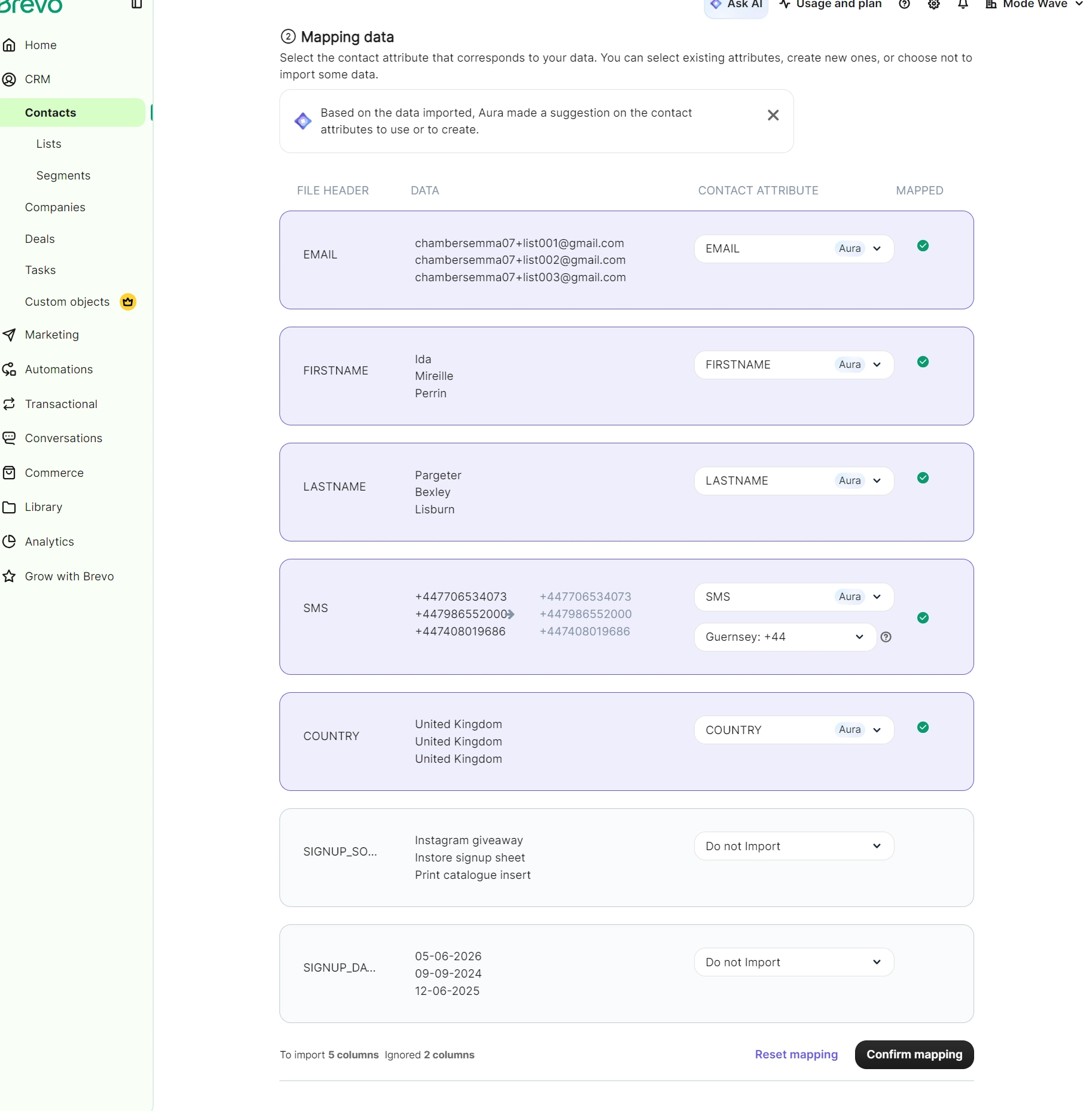
Importing 250 contacts took just over a minute. Brevo ticks “Use AI suggestion for data mapping” by default, and Aura (Brevo’s AI-powered assistant) set both our custom fields, SIGNUP_SOURCE and SIGNUP_DATE, to Do not Import rather than creating attributes for them. The mapping screen shows “Ignored 2 columns”, so override the dropdowns before confirming.
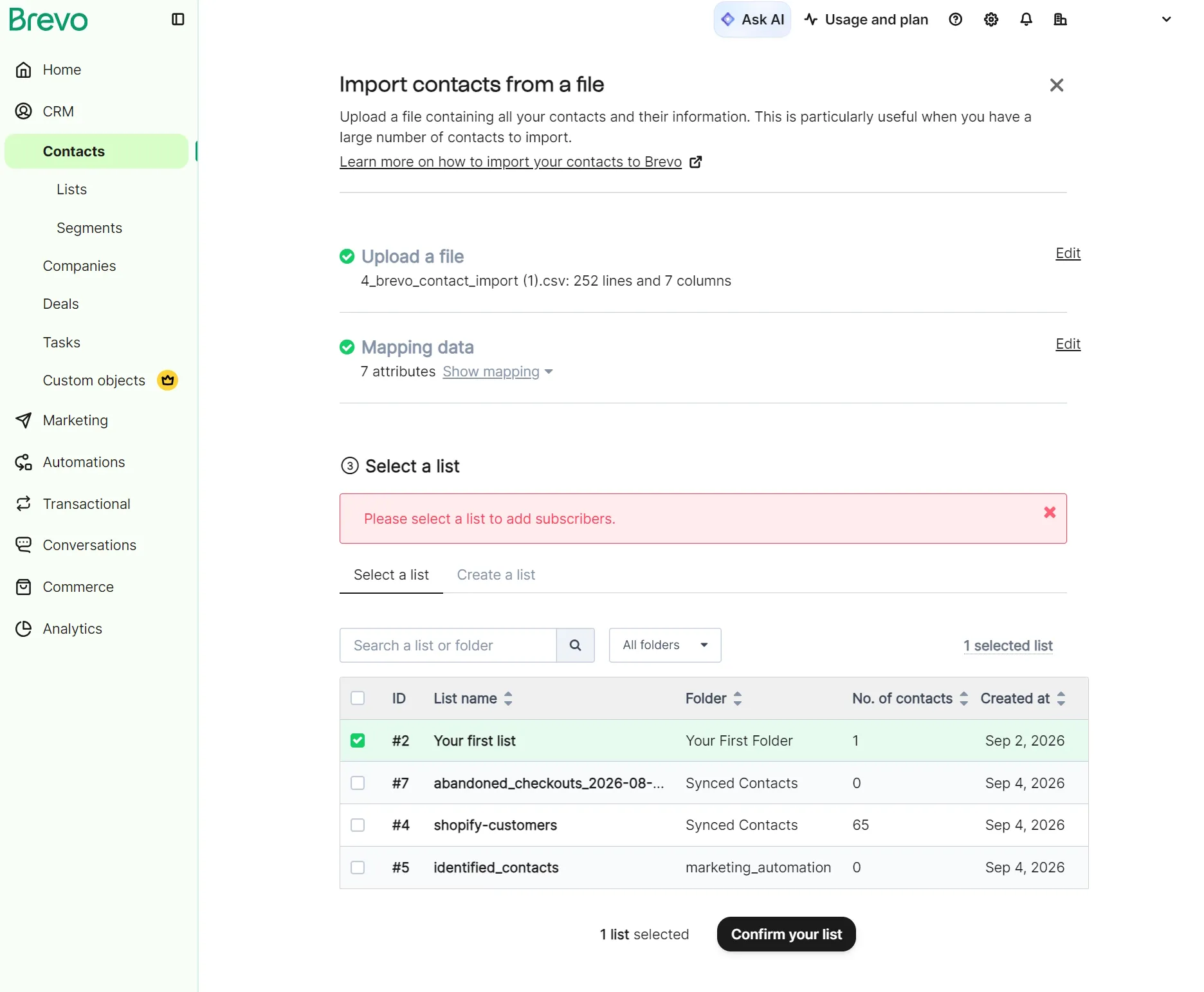
After the mapping comes Select a list, then Finalize your import, which pre-selects “Update the attributes of the existing contacts” and leaves the per-channel blocklist toggles off.
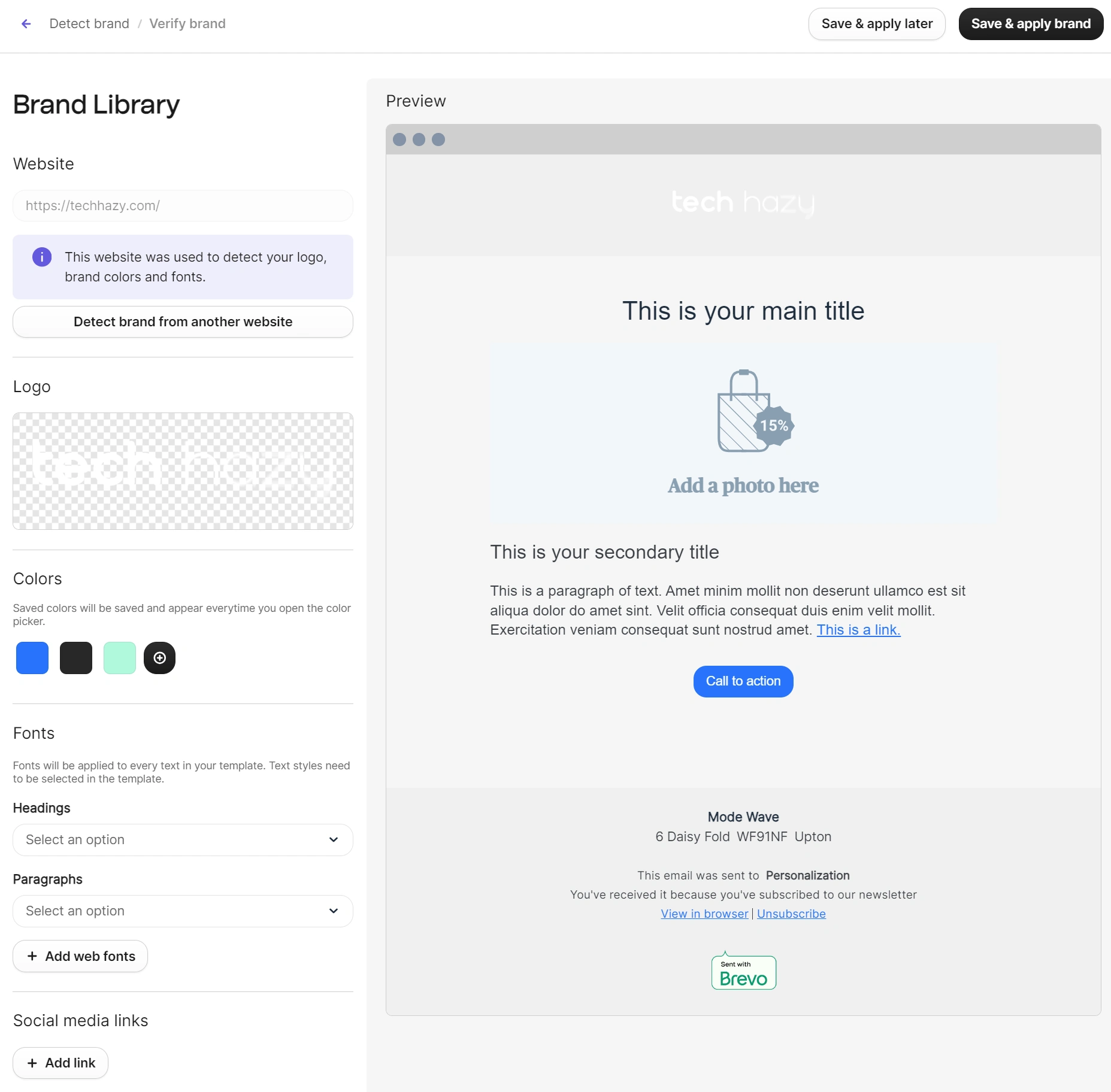
We set up branding in three minutes, assisted by Brevo pulling a logo and brand colors from our URL. It missed the fonts, which require manual selection. The downside is that brand settings live inside the email editor and not in account settings.
Building the campaign took seven minutes, with the A/B version taking another three. A/B testing is available on Standard and covers subject lines or full email content.
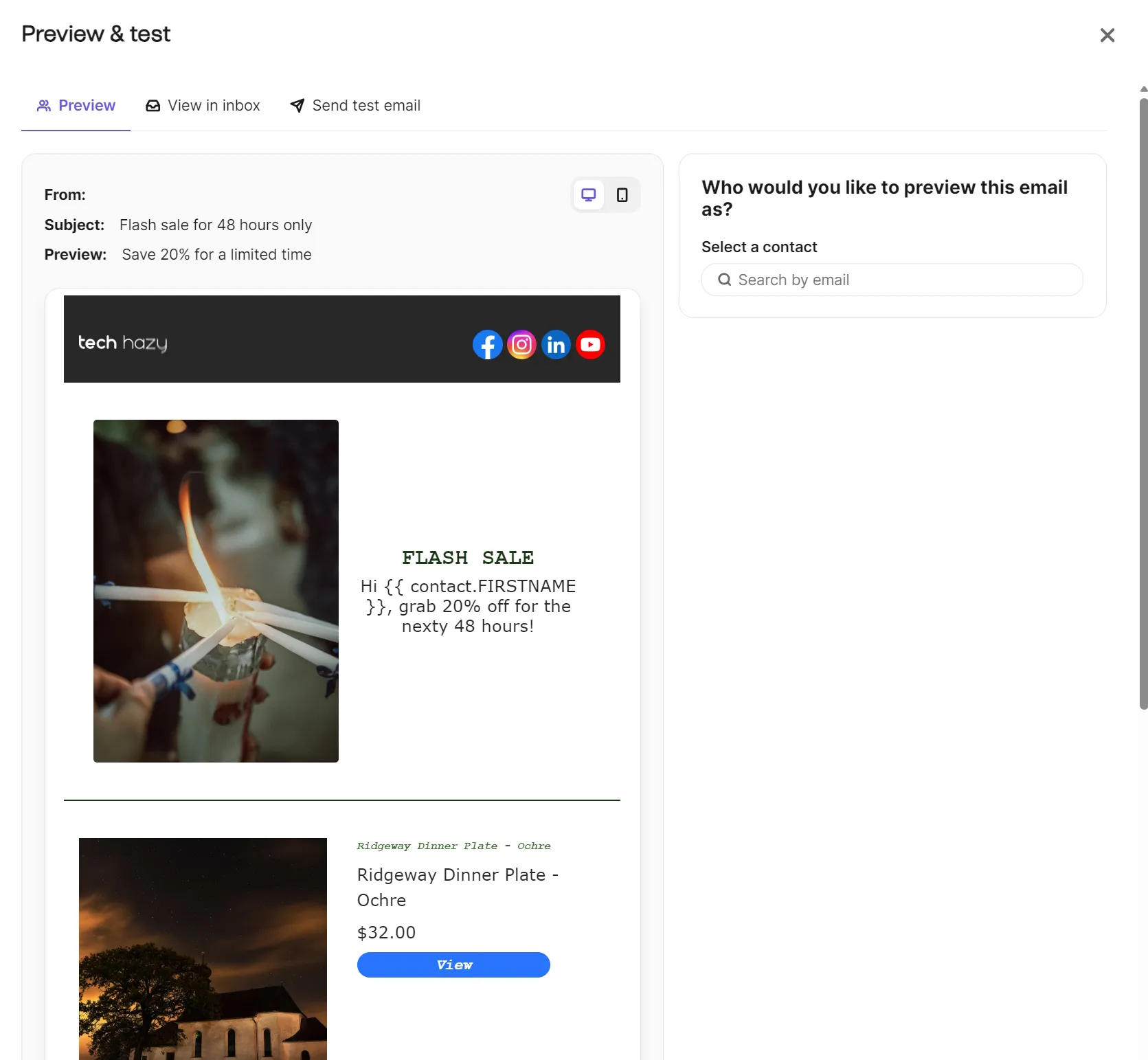
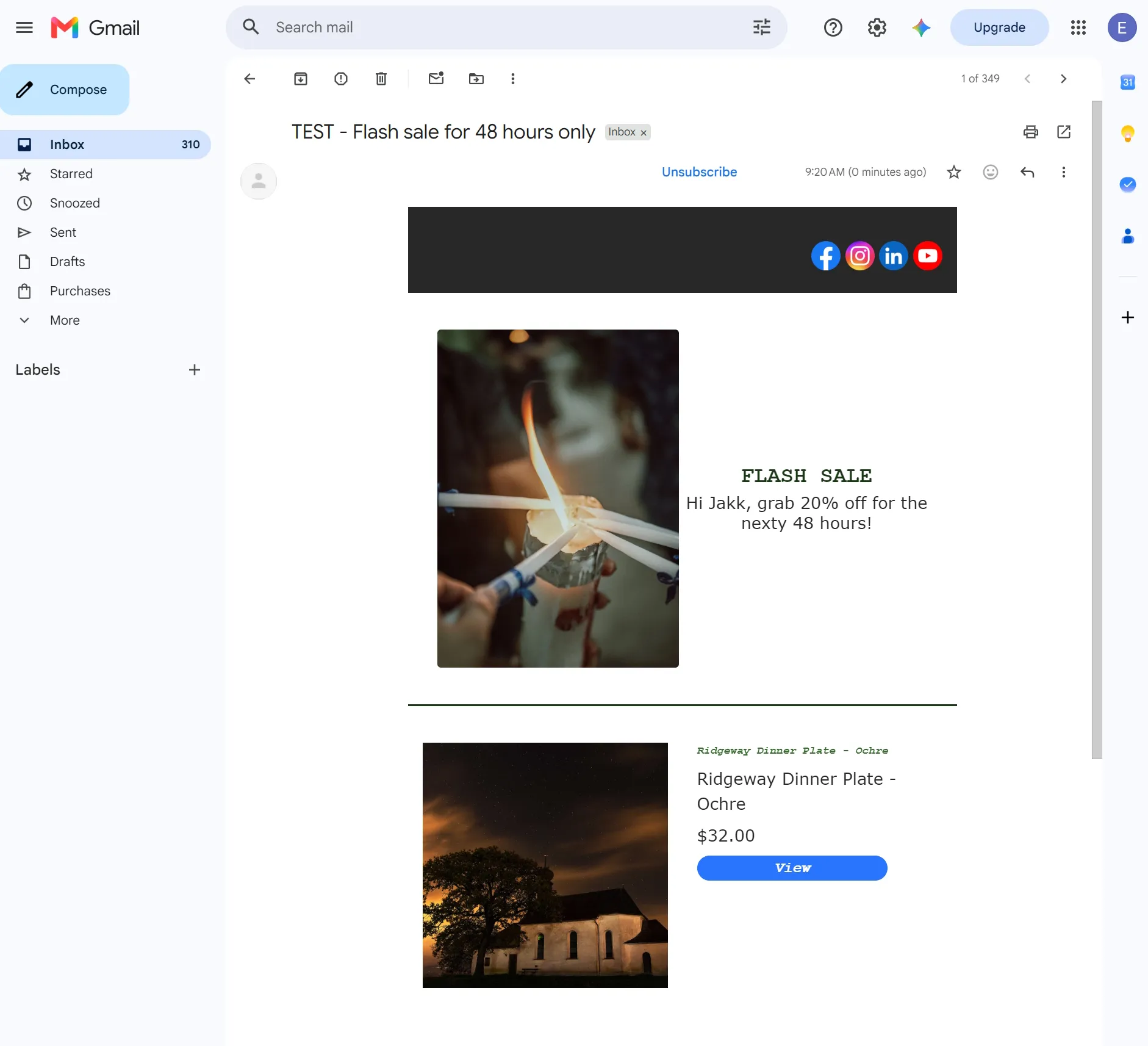
Our test campaign landed within a minute and matched the template design in our inbox, with the first name personalization tag correctly filled in.
How good is Brevo’s email editor?
We built a branded campaign in seven minutes without consulting the documentation. Brevo’s email editor has a drag-and-drop interface with 15 Blocks, 20+ Sections, and six Empty columns.
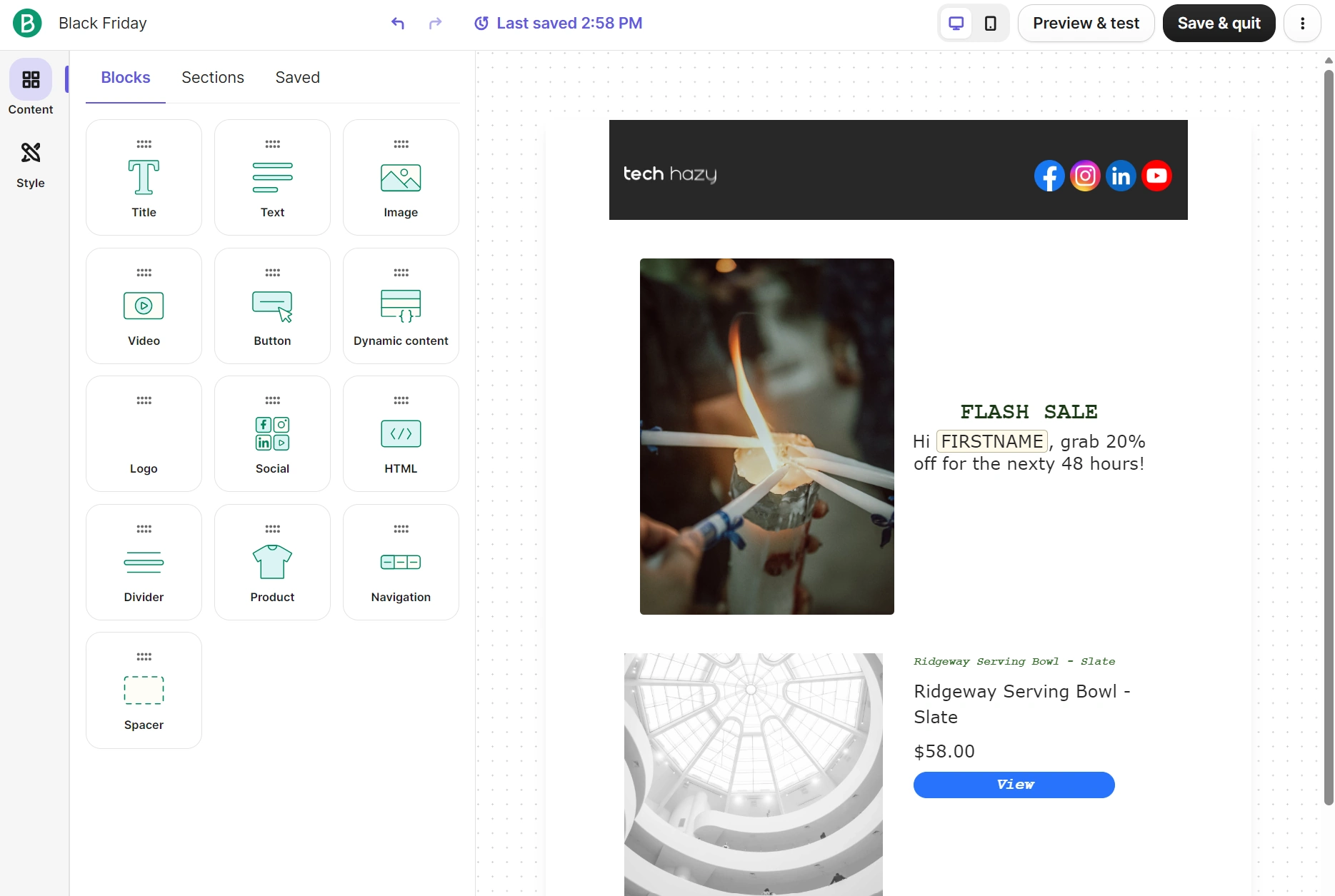
The Brand library auto-applies settings for layouts, spacing, background, header, text styles, text settings, links, and buttons. The logo for our campaign template was inserted automatically.
There’s a desktop and mobile toggle to preview on different devices, plus a Preview & test button, which lets you preview the email as a contact, view it in an inbox, and send a test email to one contact or a test list.
How does Brevo connect to Shopify?
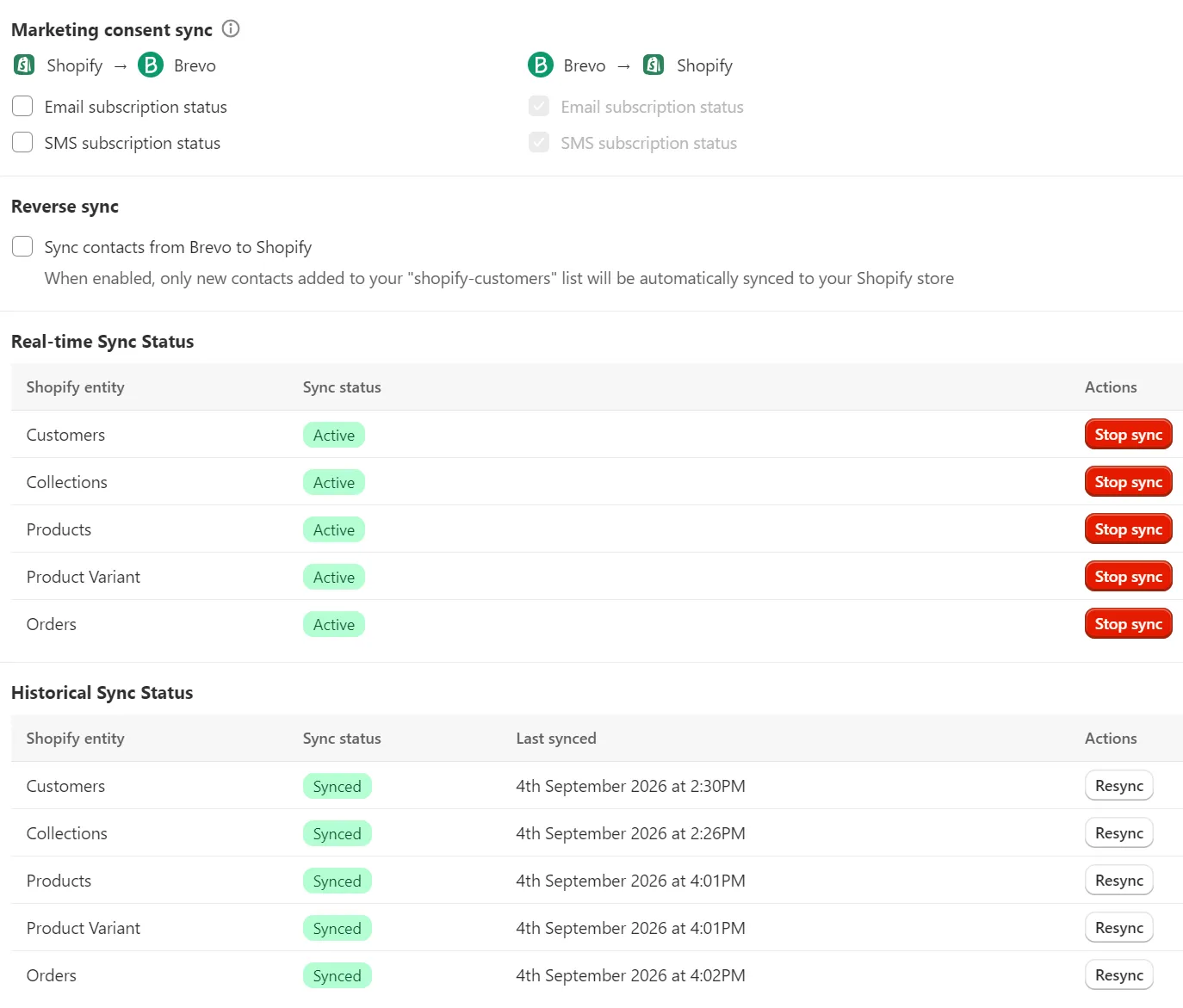
Brevo connects to Shopify through the Brevo PushOwl app, which synced customers, products, and orders in full. The install created a second Brevo account, and support took 19 hours to link it to ours.
There are two ways to create a Brevo account when you have a Shopify store: you can create one via the Brevo website, or install the Brevo PushOwl app and create an account with that.
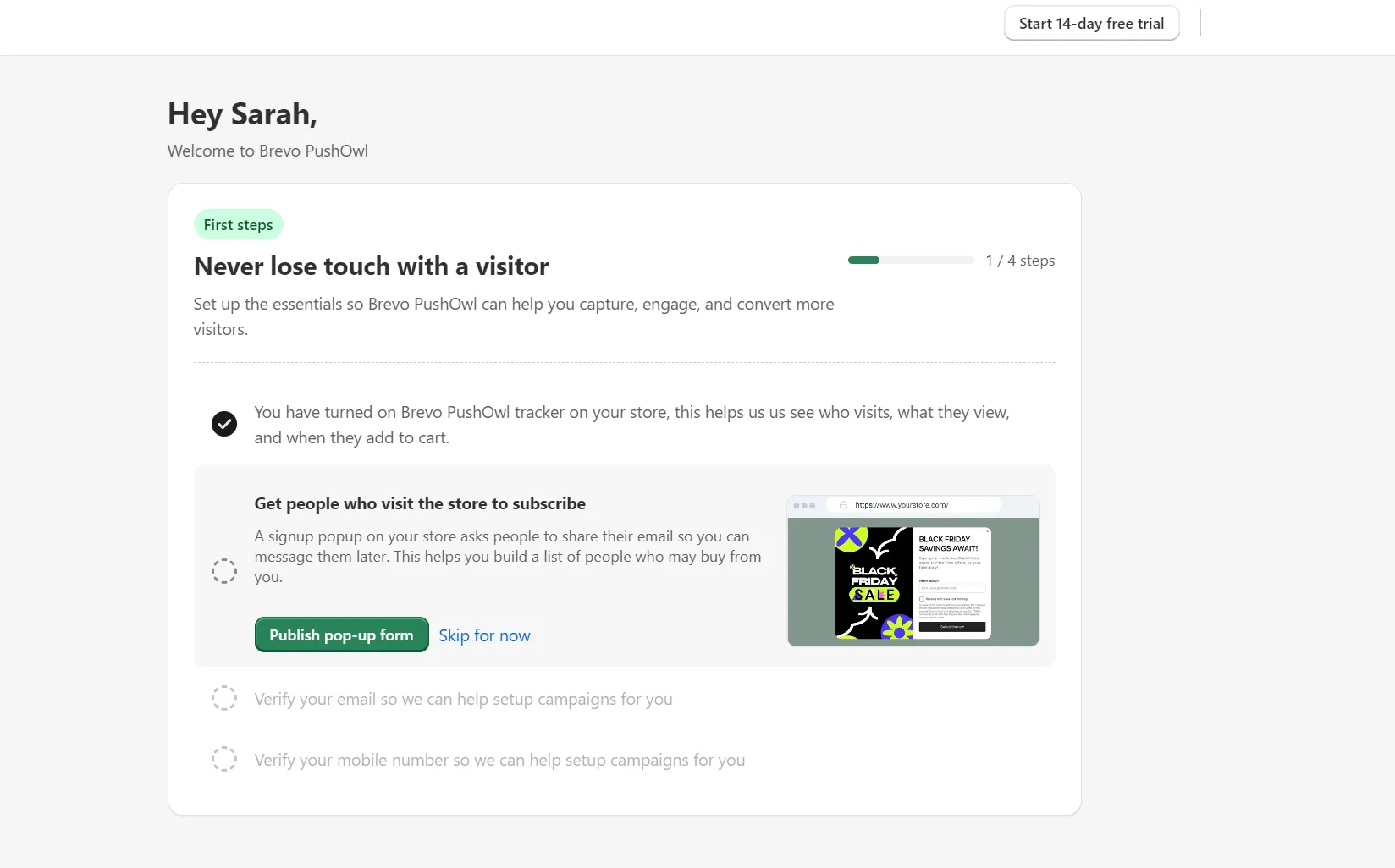
We created an account with Brevo first and only noticed the connection issue when we checked our Brevo account and nothing had arrived. The app’s dashboard showed our contacts syncing into a shopify-customers list, but our Brevo account didn’t show that list.
A migration URL from support fixed the sync problem, 19 hours and 17 minutes after we raised the ticket. Its 10 numbered steps were helpful enough that we didn’t need the escalation path to PushOwl’s team that the agent had also sent.
Installing PushOwl creates a new Brevo account when the Shopify store email differs from your existing Brevo login. Install the app with the same email as your Brevo account to avoid the issue we faced.
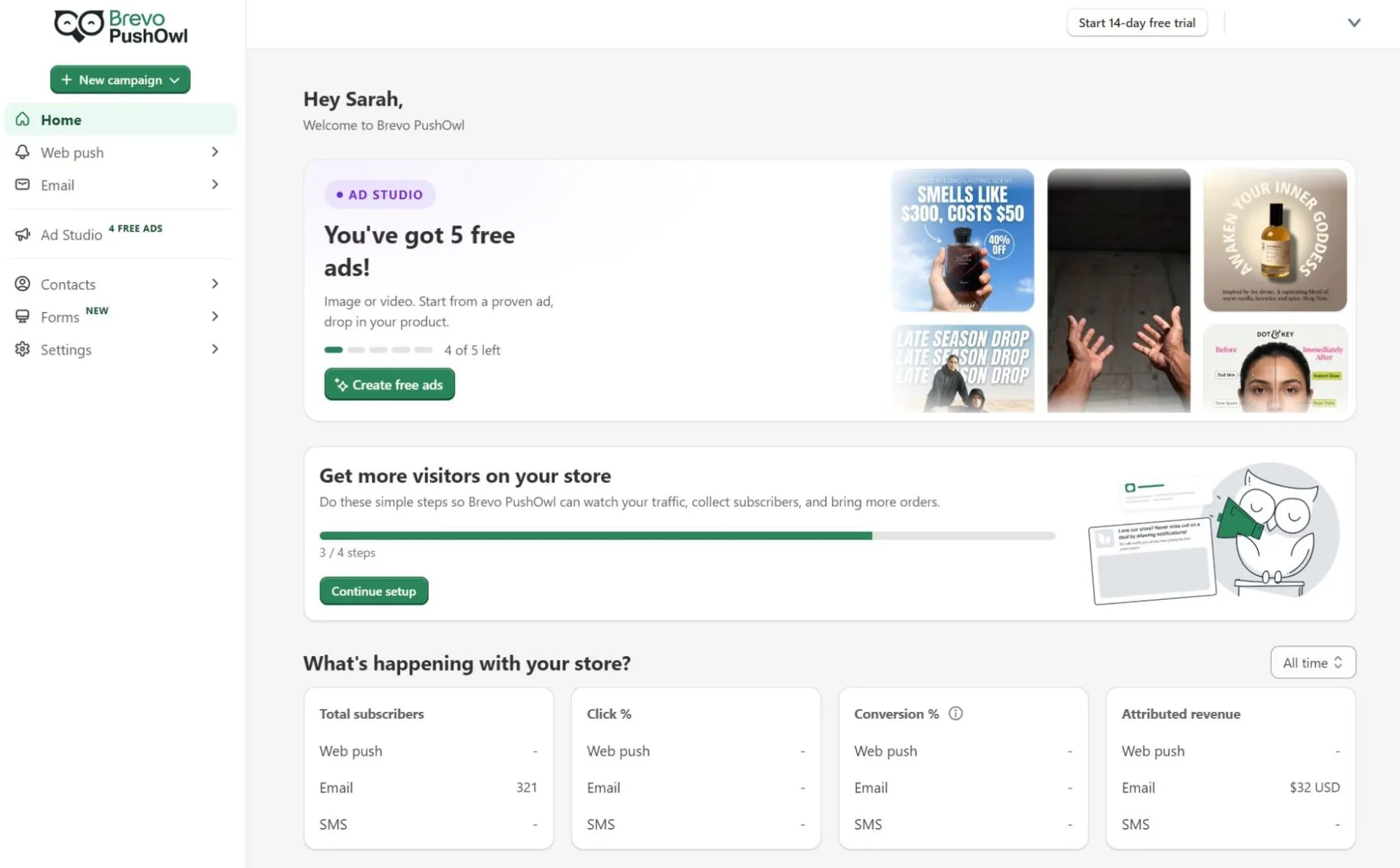
Five data types came across with the connection: customers, products, product variants, collections, and orders. Historical sync completed for all five, and the live sync showed as active for each. Our 64 customers and 30 products arrived intact.
The synced Shopify data let us build segments on order count and purchase recency without custom fields. Automations could trigger on order_created, and product blocks in our emails had access to our catalog and pulled from it.
What else does Brevo connect to?
Brevo has 140+ plugins and integrations listed in its backend library. These include those built by Brevo and Brevo partners. The total number of apps built by Brevo is 18.
| Integration | Category |
|---|---|
| Shopify | Ecommerce |
| WooCommerce | Ecommerce |
| BigCommerce | Ecommerce |
| PrestaShop | Ecommerce |
| Magento | Ecommerce |
| Shopware 6 | Ecommerce |
| Shopware 5 | Ecommerce |
| Plentymarkets | Ecommerce |
| WordPress | CMS |
| HubSpot | CRM |
| Salesforce | CRM |
| Mailchimp | Email marketing |
| Klaviyo | Email marketing |
| Google Ads | Marketing automation |
| Meta Ads | Marketing automation |
| LinkedIn Leads (Beta) | Forms/lead generation |
| Google Contacts | Contact management |
| Canva | Content and email creation |
Brevo’s REST API and SMTP relay are available on every plan, including Free. Official SDKs cover seven languages, with webhooks, inbound parsing, and batches up to 1,000 emails. Rate limits rise from 1,000 requests per second to 6,000 on Enterprise.
Brevo AI features (Aura)
Aura is Brevo’s AI assistant, available from a chat window or inside features, such as an automation builder. There are four agents, three of which are available in all plans. All plans support Model Context Protocol (MCP) to let AI assistants interact with your Brevo account.
| Agent | What it does |
|---|---|
| Marketing agent | Generates content and automations, and sets send times |
| Sales agent (requires the Sales Essentials add-on) | Creates sales sequences, updates contact profiles, and drafts emails |
| Data management agent | Answers plain-language data questions |
| Conversations agent | Summarizes live chats, edits replies for tone |
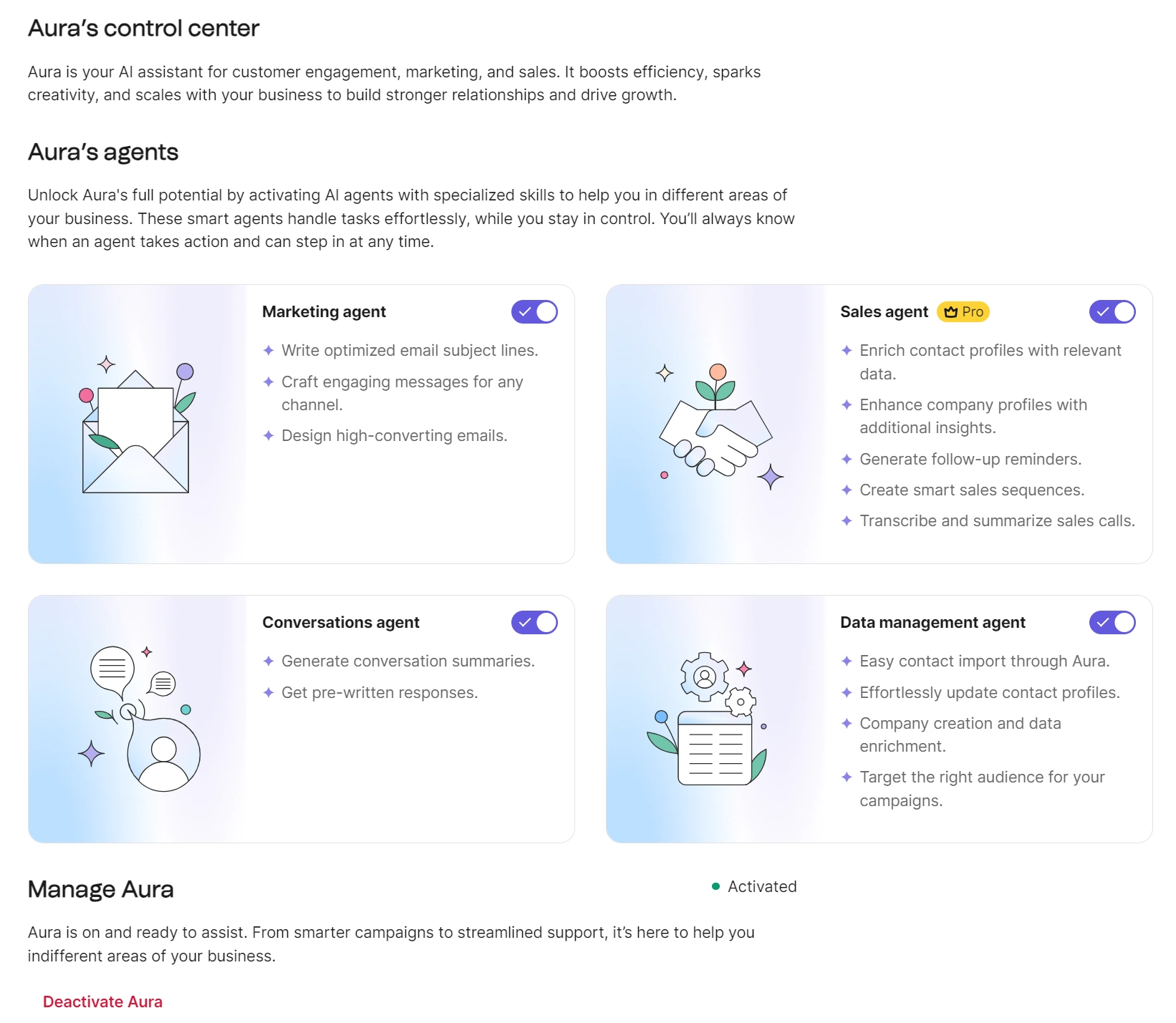
Aura’s control center, accessed in Settings, has toggles to turn the agents on and off and describes their capabilities. Our Standard plan had the Marketing agent, Conversations agent, and Data management agent available.
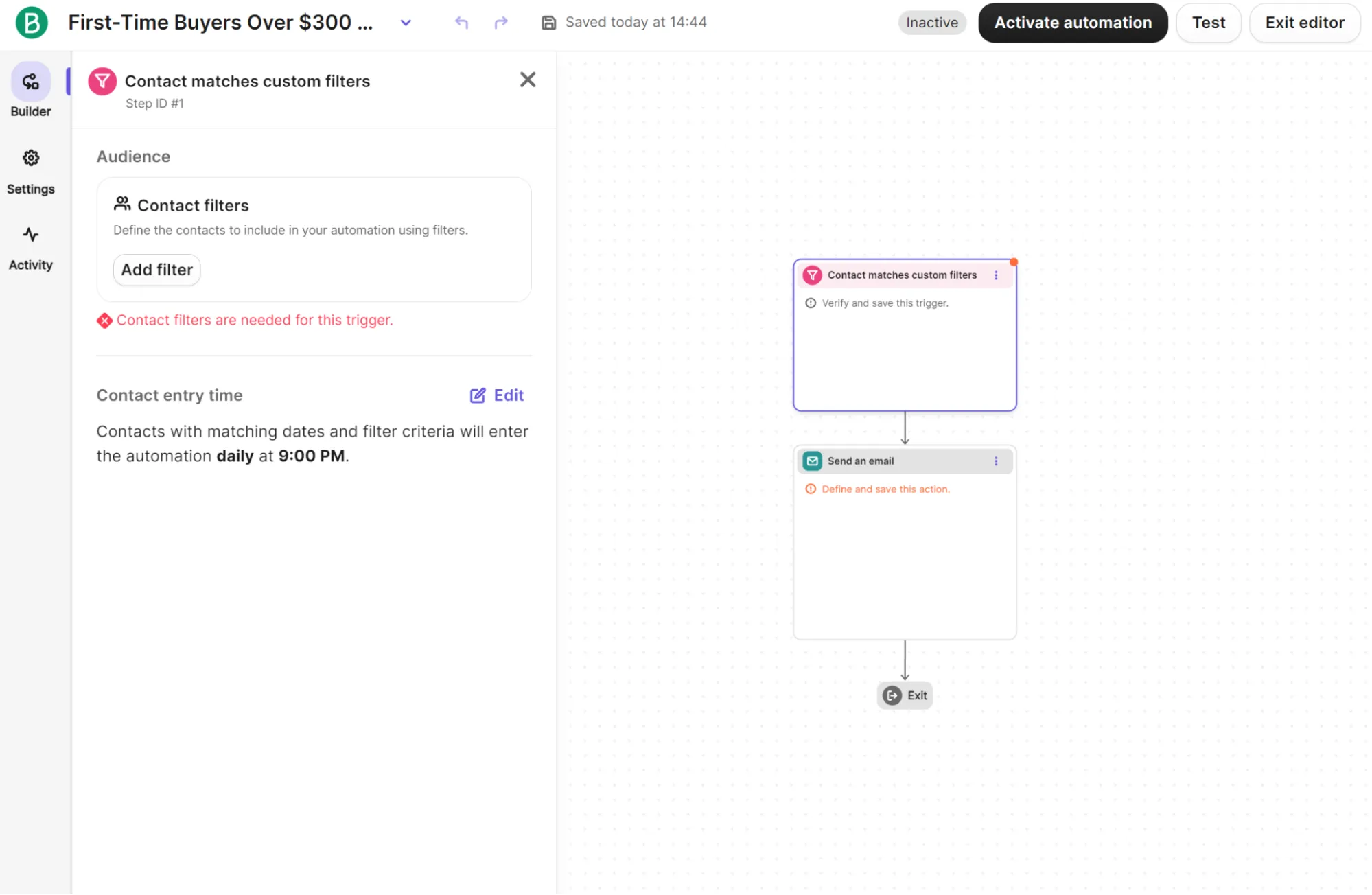
During our testing, we used the AI automation builder, a feature of the Marketing agent, to create an email automation that sends to first-time buyers over $300. It produced a three-step skeleton: a contact-matches-custom-filters trigger, plus a send step and an exit that both needed configuring by hand.
Brevo’s documentation confirms the AI automation builder doesn’t generate email step content or segmentation filters. Since our prompt was principally a segmentation condition, it left the substance to us.
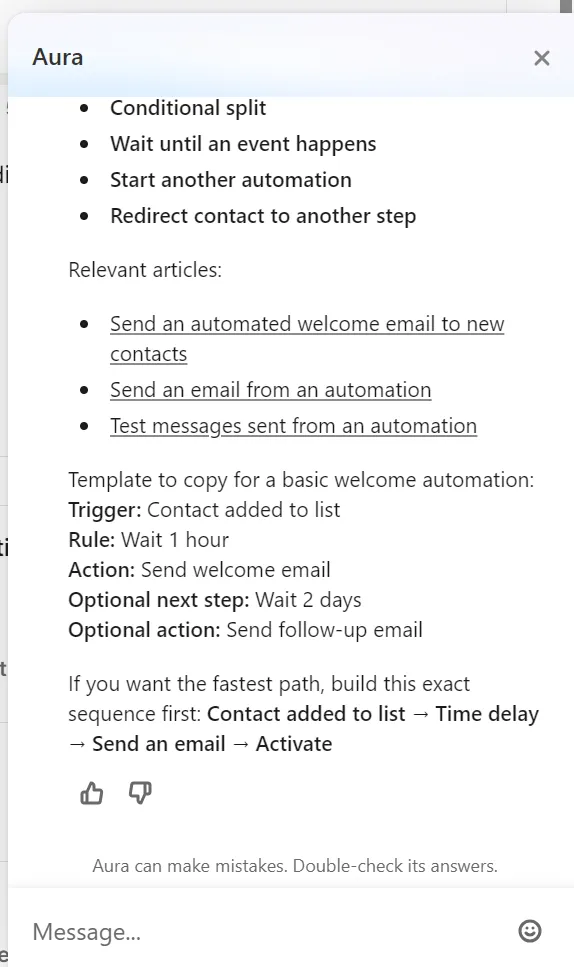
The Brevo dashboard has an Ask AI button at the top of all screens. It’s linked to the Brevo Help Center and can pull information and sources. We asked it to build an automation; it provided a template to copy for a basic welcome automation but didn’t build the flow itself.
Brevo automations
Four of the five flows we built sent during testing. Winback was the exception, and only because our store had no purchase history old enough to trigger it.
Brevo has 22 automation templates: 18 for email and four for SMS. Its welcome, abandoned cart, product purchase, and anniversary templates covered four of our five flows.
We also manually built a winback flow from a segment-membership trigger pointed at the inactive customers segment, because Brevo has no “has not purchased in X days” trigger.
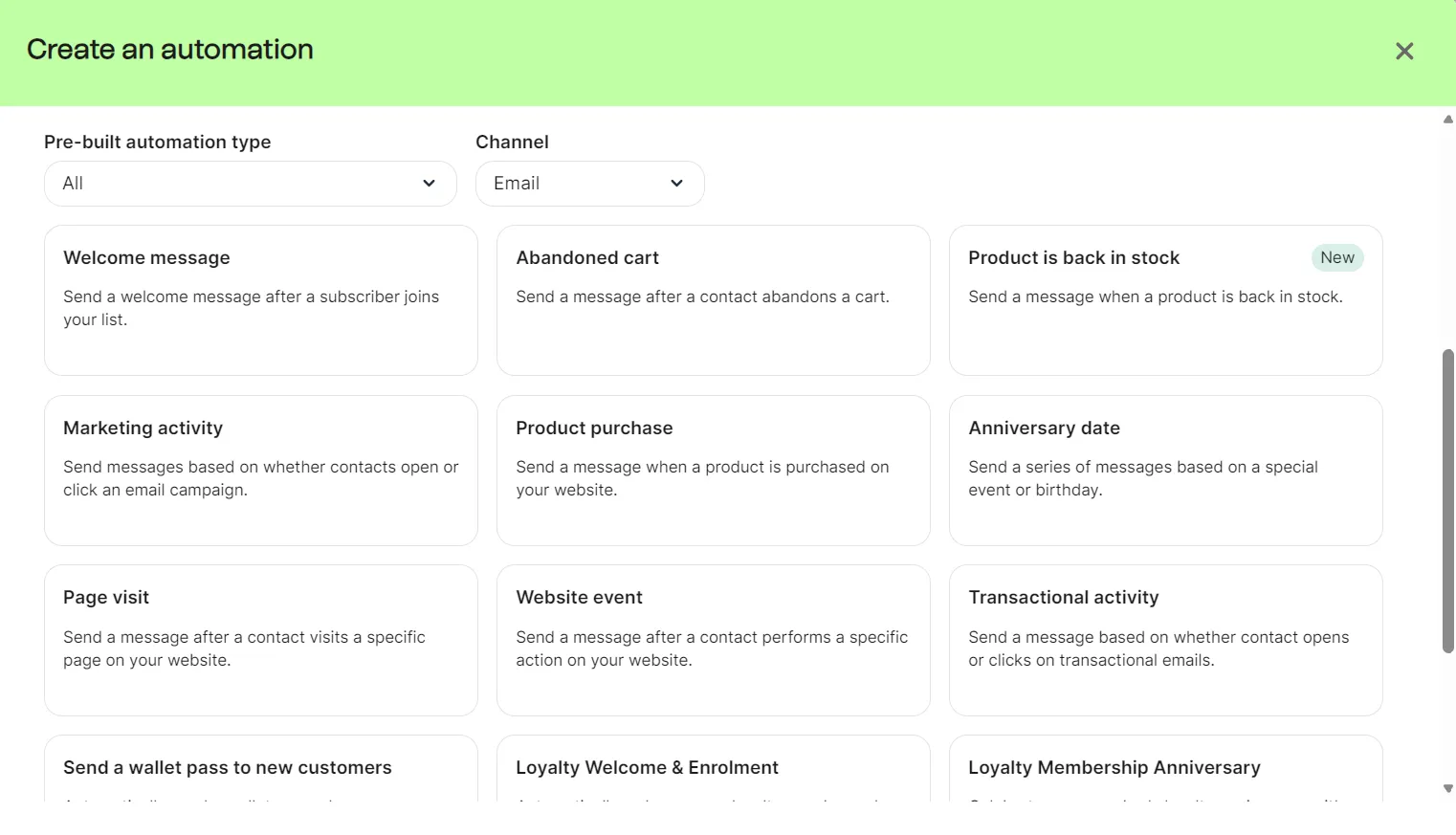
Building all five automations took eight minutes and 50 seconds. The four templated automations made up seven minutes and 10 seconds of that; the time reflects selecting and adjusting rather than building from nothing.
The automation editor has a Test button at the top, covering email, SMS, web push, WhatsApp and Wallet messages. We didn’t run one before activating our automations.
Post-purchase was sent two minutes after the order, placed at 11:21 am and delivered at 11:23 am. Across every flow, the automation logs recorded entry, wait, send, and exit per contact.
The anniversary flow triggered on the Shopify creation date, and that was the only date attribute available, because the custom date field we supplied at import was dropped.
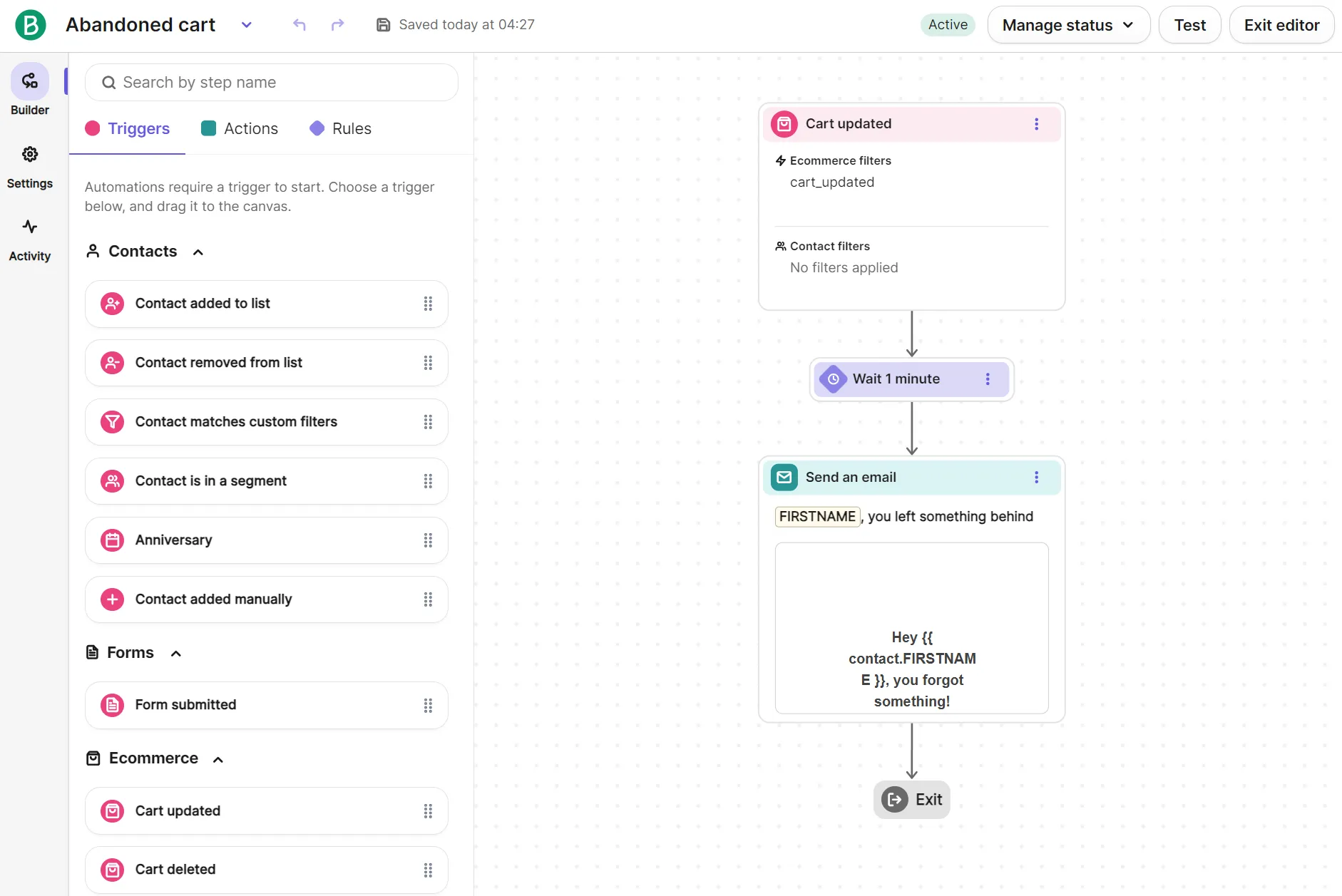
Winback is built and active. We couldn’t observe it reaching a customer because no contact on a store built during the review could accrue 180 days of inactivity.
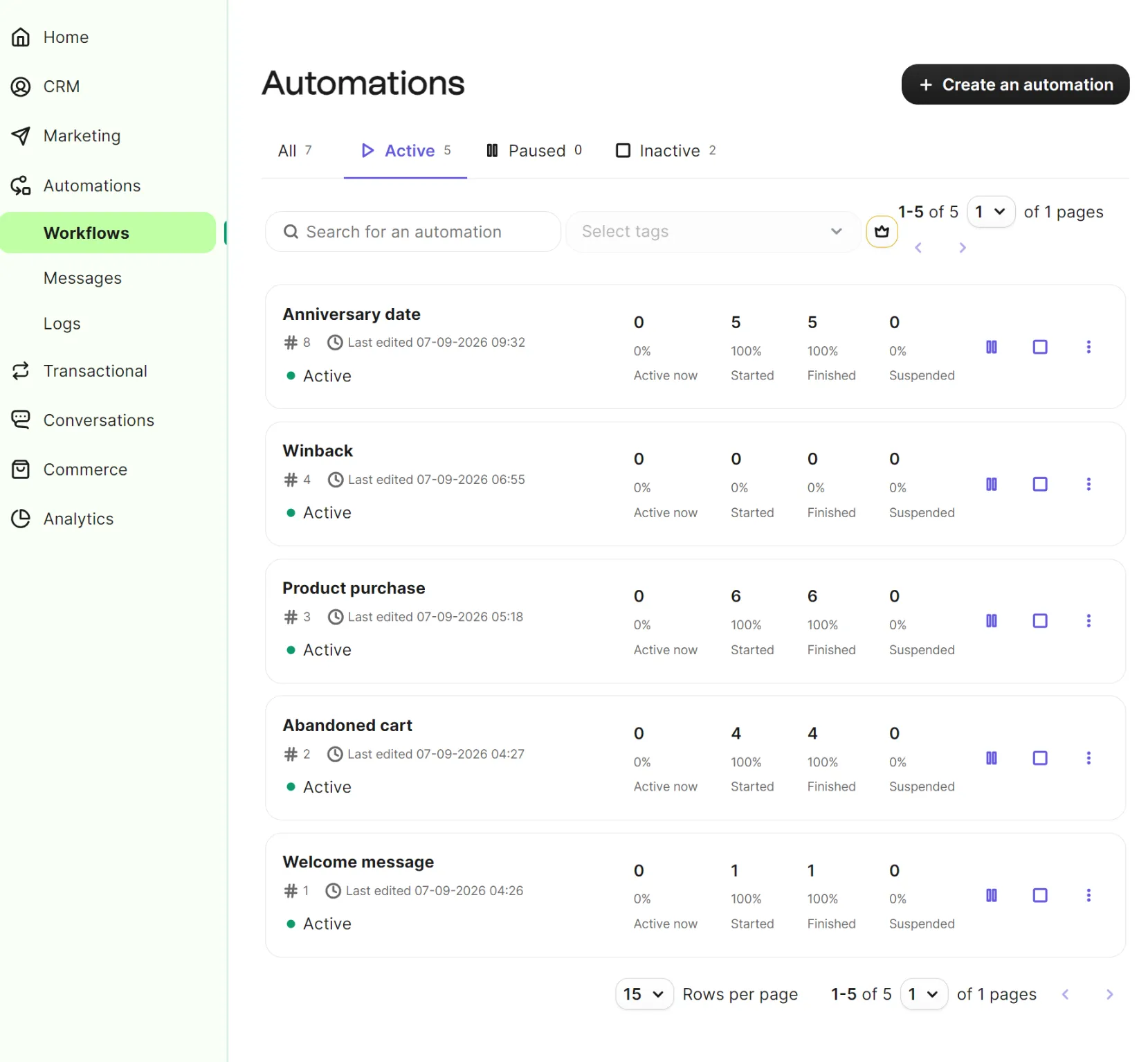
Two flows correctly skipped test contacts without marketing consent. One contact placed an order but didn’t receive anything because they had synced from Shopify without marketing consent, while another abandoned a cart at checkout without consent.
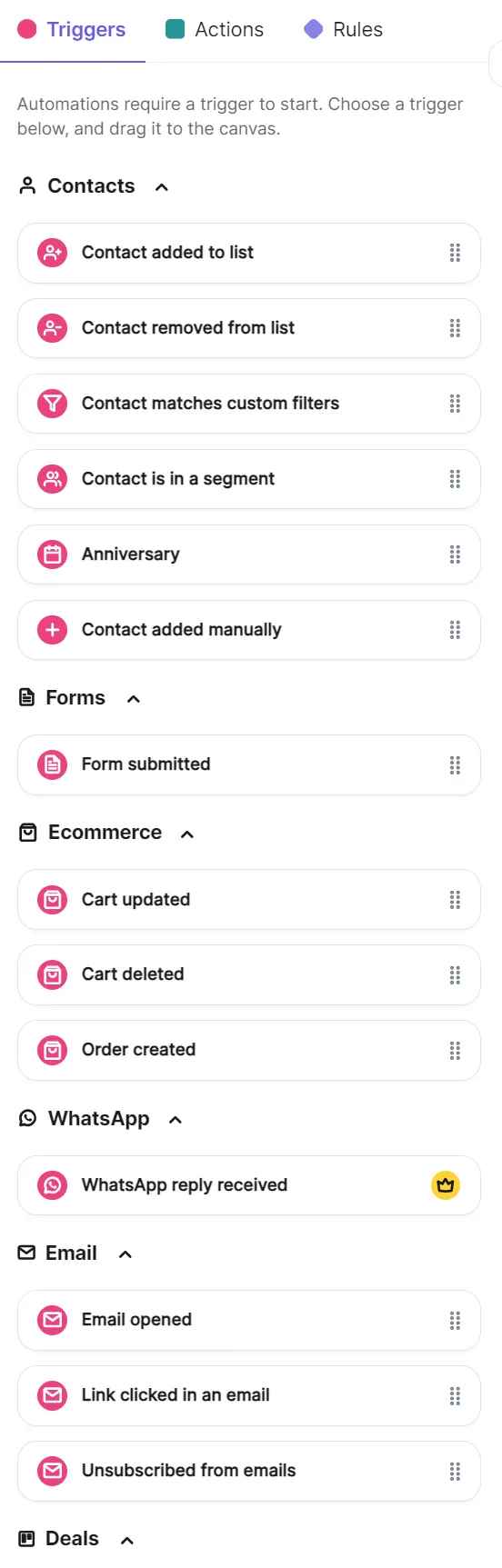
Triggers sit in one panel in Brevo’s automation builder, grouped by Contacts, Forms, Ecommerce, WhatsApp, Email, Website, Push, and Deals.
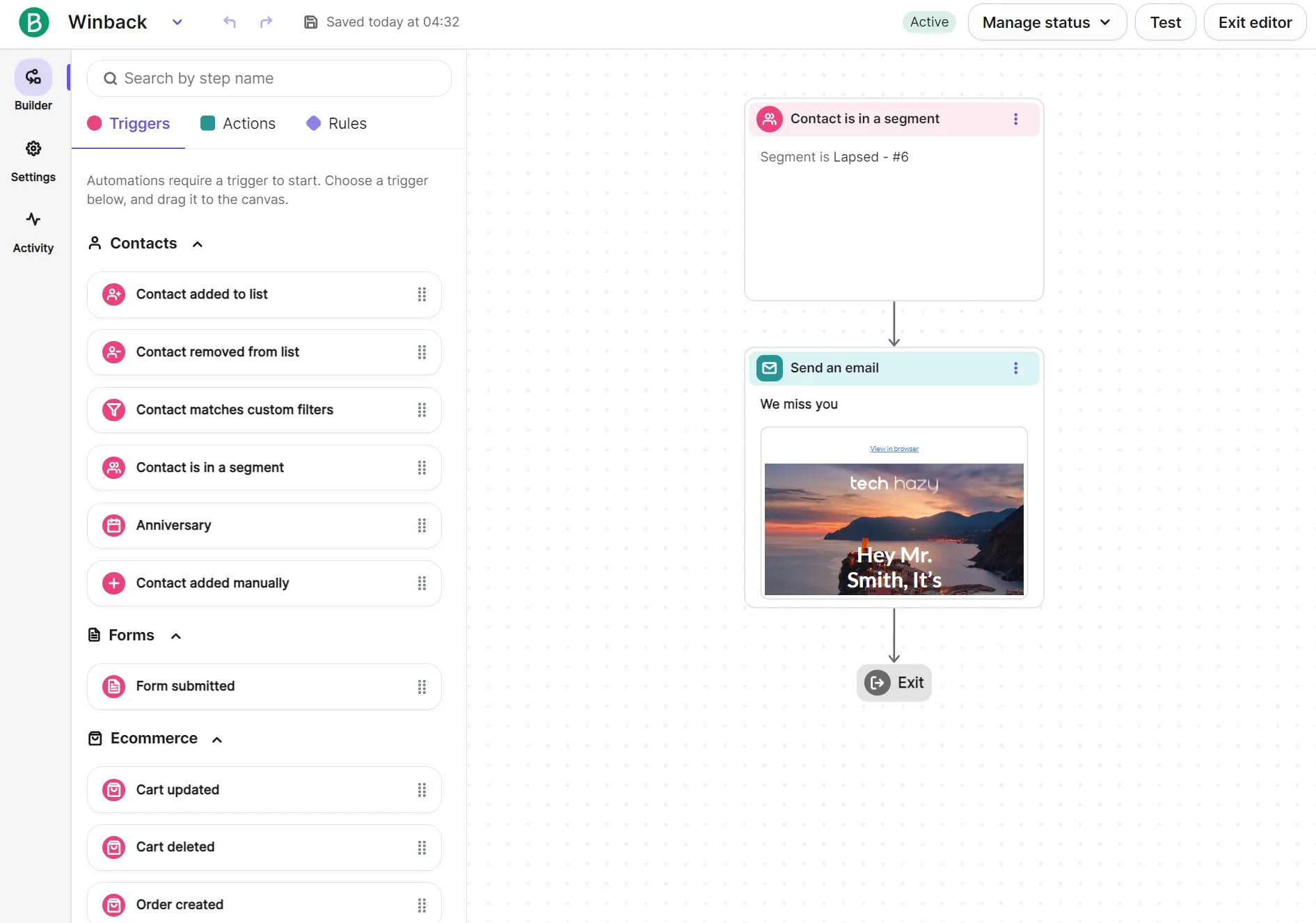
The ecommerce triggers include Cart updated, Cart deleted, and Order created, with WhatsApp replies gated to Professional and Enterprise. For abandoned carts, Cart updated is what Brevo intends for flows; there’s no Checkout started option, so narrowing who enters means adding event filters (confirmed by Brevo support).
Browse abandonment needs the Brevo tracker, which the Shopify integration doesn’t install for you. Brevo confirmed to us via support that you add it through a plugin, Google Tag Manager, or manually in your theme. Once it’s in, the Webpage visited trigger can start an automation when someone views a product page URL. We didn’t install the tracker, so this went untested.
Event filters use an event’s properties. For an abandoned cart, you can trigger on Cart updated and narrow it by product name, price, or quantity. Contact filters use the same conditions as the Contacts page: subscription status, past email activity, and website behavior.
Exits, re-entry, and restarts are all configurable. You can let a contact who exits come back in, with a wait time before Brevo rechecks the trigger.
A restart condition sends someone already in the flow back to the beginning. In our abandoned cart, that was Cart updated.
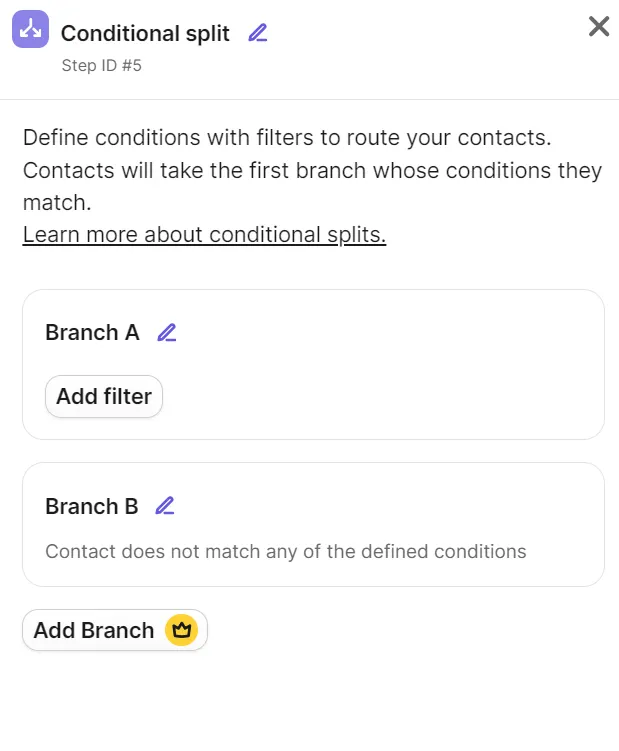
Conditional splits are available in Standard plans with two branches: one filtered, one default for contacts matching nothing. Using more than two needs a Professional or Enterprise plan, where you get to use up to 10.
Automated emails use the same product block as campaign emails. Email and SMS steps are available on Standard; one-to-one email from a mailbox and WhatsApp require a Professional or Enterprise plan.
Automation logs export as CSV, carrying email, workflow name and ID, step ID, timestamp, and log message for every contact.
Lead scoring works on every plan, built manually: triggers add points to a custom attribute, then a conditional split acts on the total. Eight automatic scores, including RFM, CLV, and predictive churn, need Professional or Enterprise.
Brevo segments and sign-up forms
Brevo’s segment builder and pre-built templates handled every audience we needed to group. Forms have no templates and need theme code, and pop-ups are restricted to Professional and Enterprise plans.
All Brevo plans include segment templates. There are 11 ecommerce templates for high-spending customers, first-time customers, recent discount code users, and more. Other template categories include Email Marketing, SMS Marketing, Demographics, Sales, and Push. In total, we counted 28 templates.
On Brevo’s Professional and Enterprise plans, the AI assistant Aura includes a Generate segment feature that builds segments from a written prompt. It generates filters based on contact details, email, SMS, and ecommerce data. We couldn’t test it with our Standard plan.
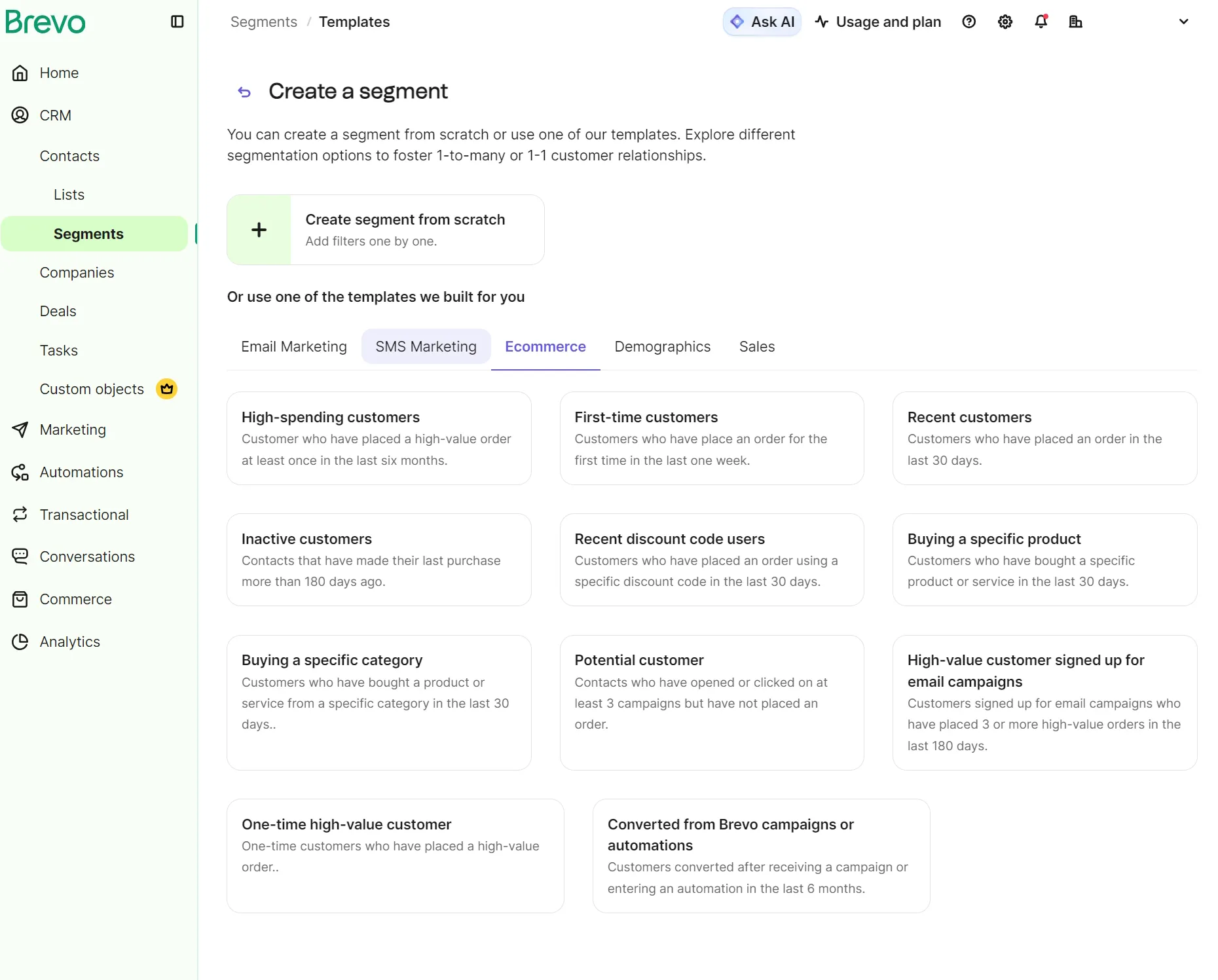
We built four test segments. Three came from templates (recent purchasers, high-value customers, and lapsed customers) and took two minutes and seven seconds in total. Repeat purchasers needed building from scratch.
Recent purchasers returned seven contacts against seven orders placed. Repeat purchasers returned two; high-value returned two. Lapsed returned nothing, which is what we expected on a store with no purchase history older than the review itself.
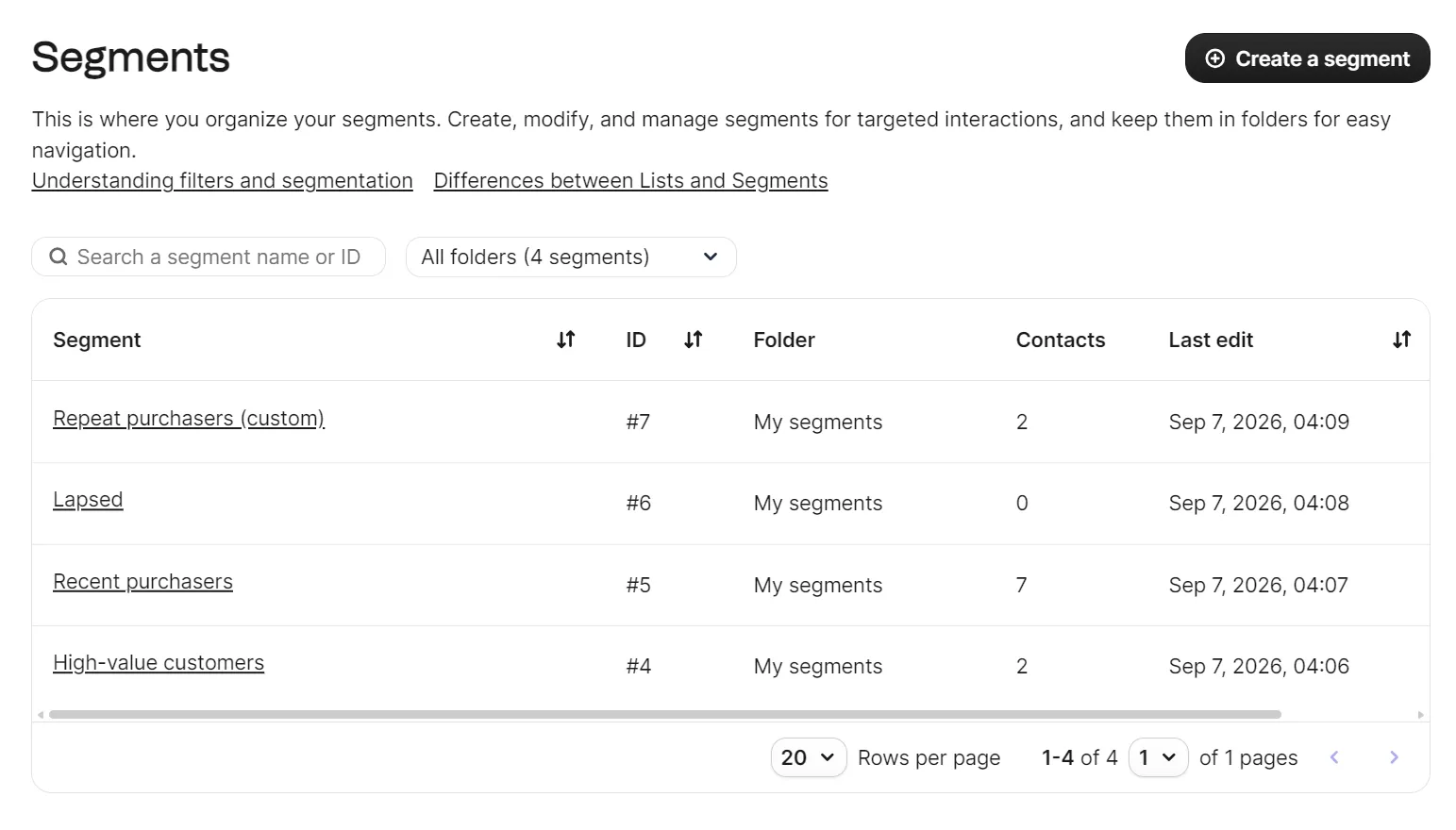
Our Repeat purchasers segment used a single builder condition: contacts who placed at least two orders in the last six months.
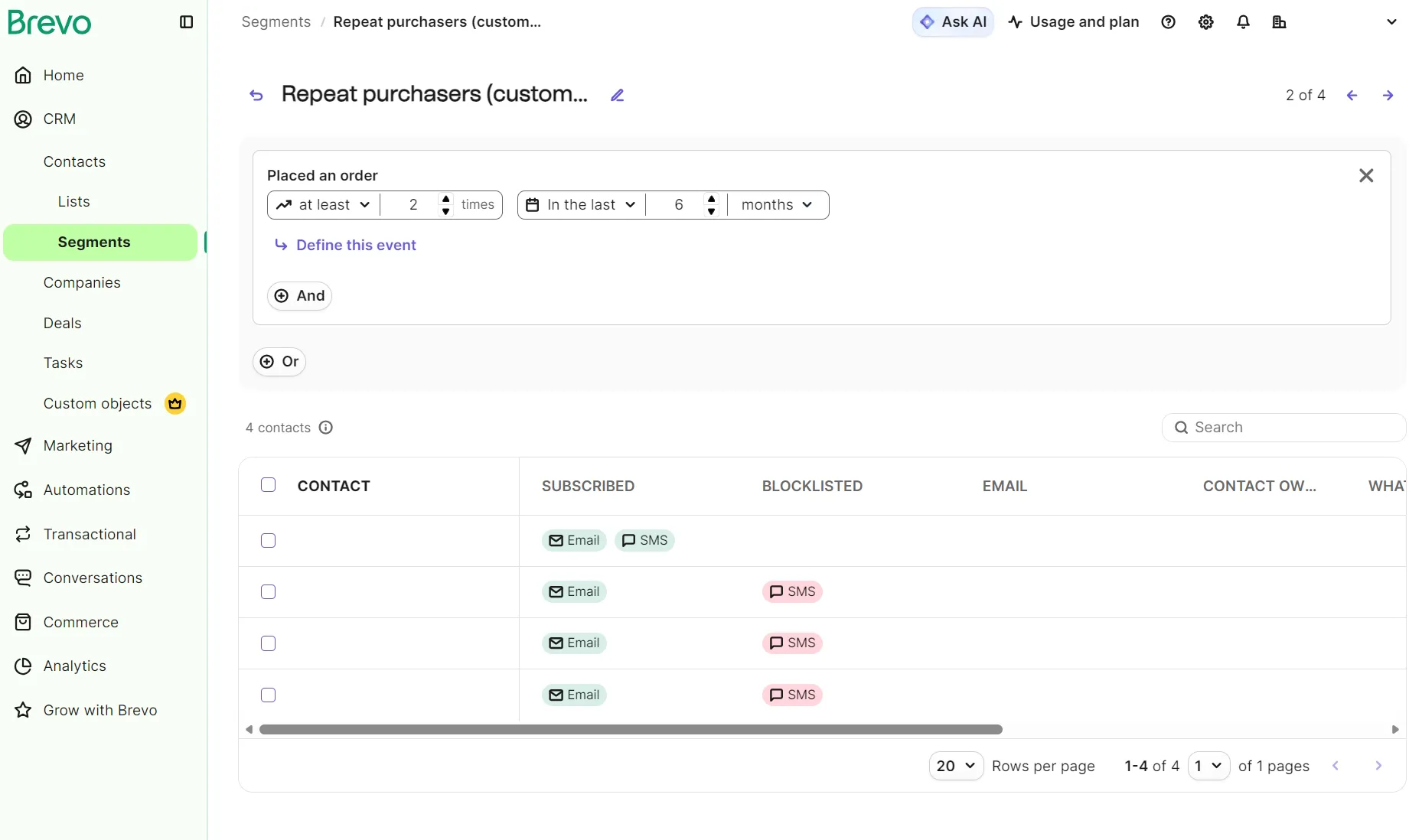
Our form carried an opt-in checkbox, a data privacy statement, and an unsubscribe note. Double opt-in is Brevo’s recommended confirmation setting, and a single toggle adds the General Data Protection Regulation (GDPR) consent and declaration blocks to the form. Consent works independently per channel: contacts came through subscribed for email and blocklisted for SMS, and Brevo respected that throughout.
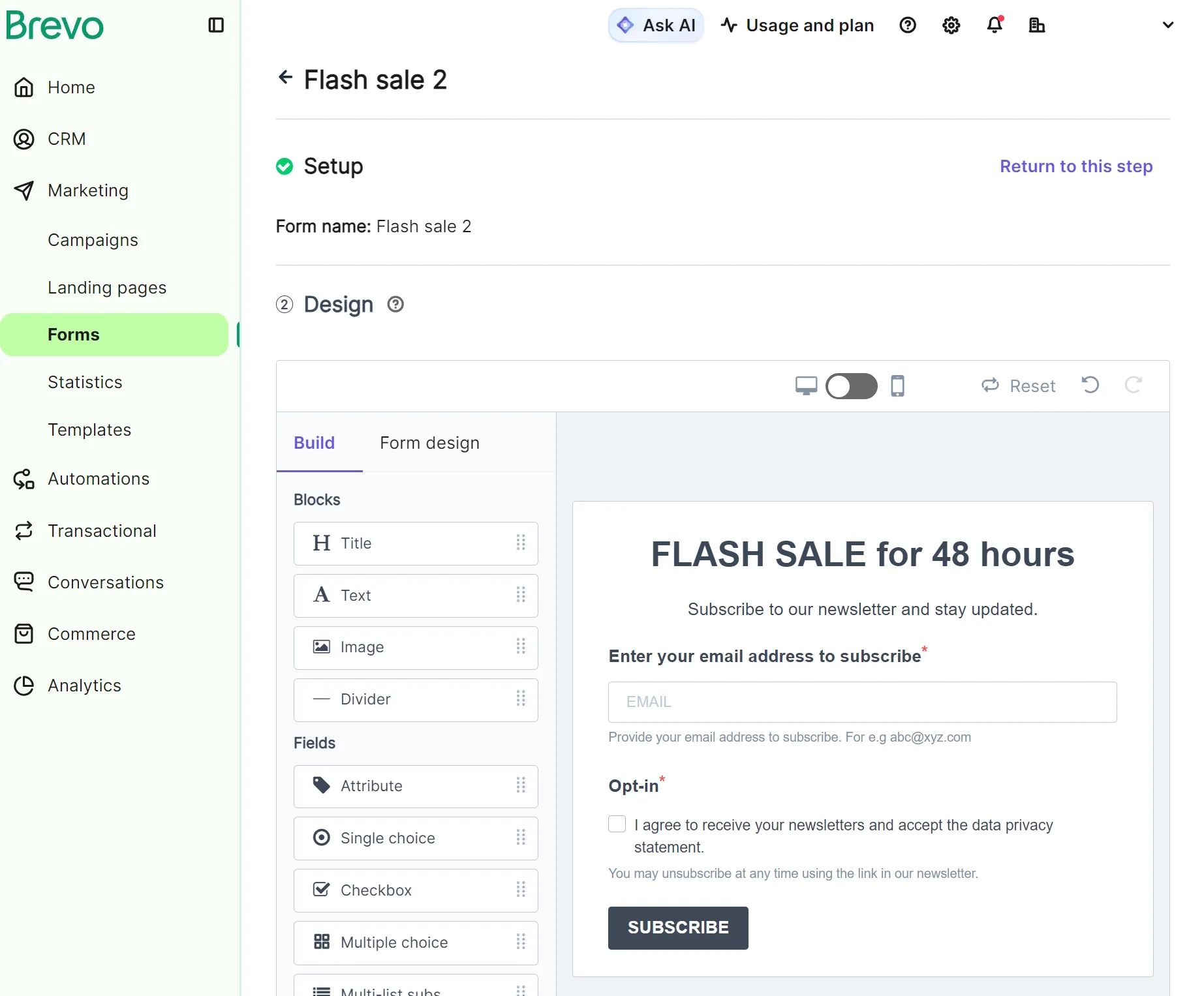
The Lists page in the form builder lets you select a list for the form. We created a new list, Form sign-ups, to keep sign-ups separate from Shopify customers.
Forms require building from scratch because there are no templates. There are three embed options: iframe, HTML, or simple HTML. There’s no direct installation into the Shopify store Brevo is already connected to, which means pasting code into your theme by hand.
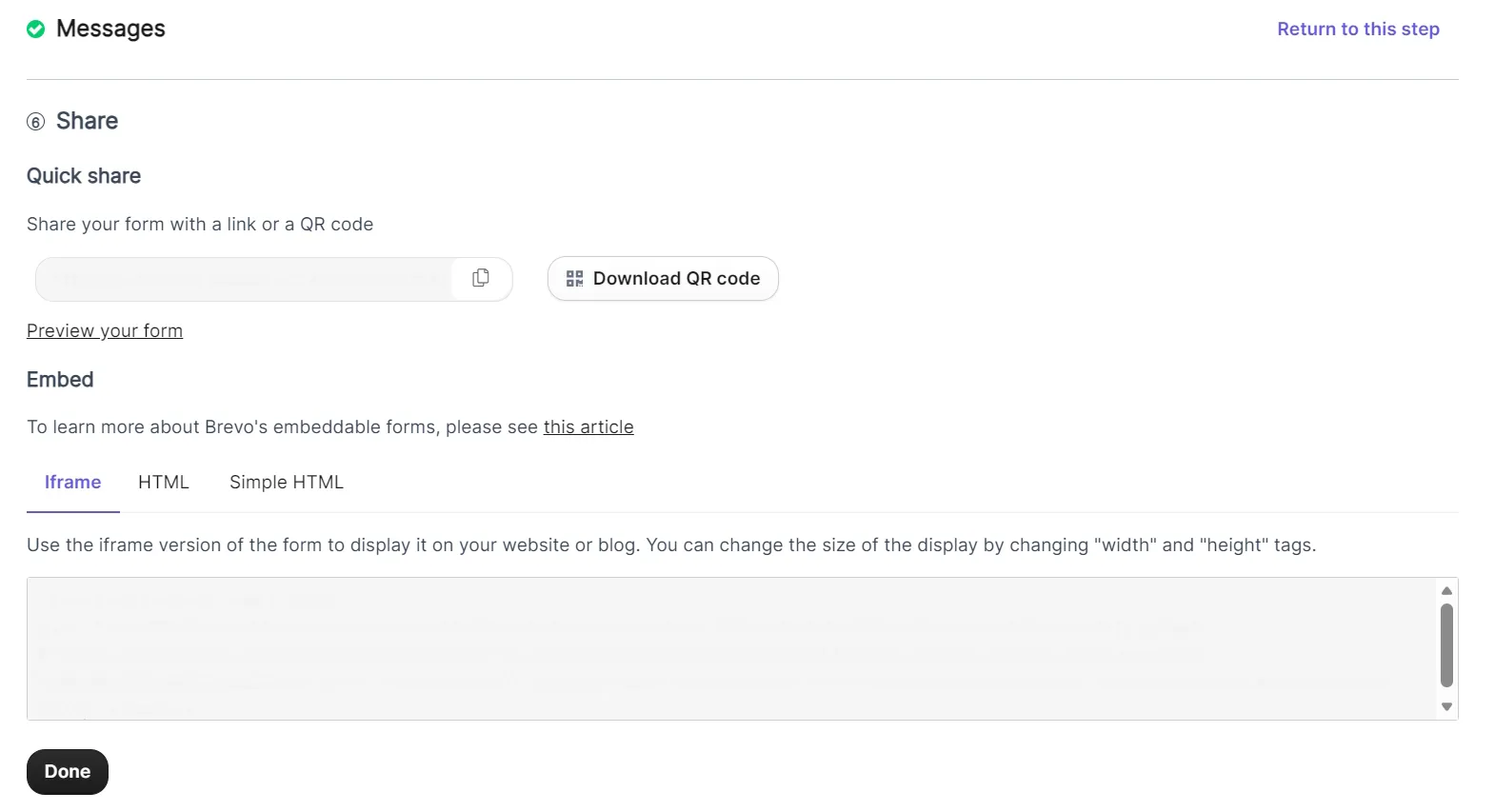
Brevo’s guidance places the embed before the closing body tag. Ours didn’t render there. We moved it into the page flow, between the main and footer elements, and it appeared.
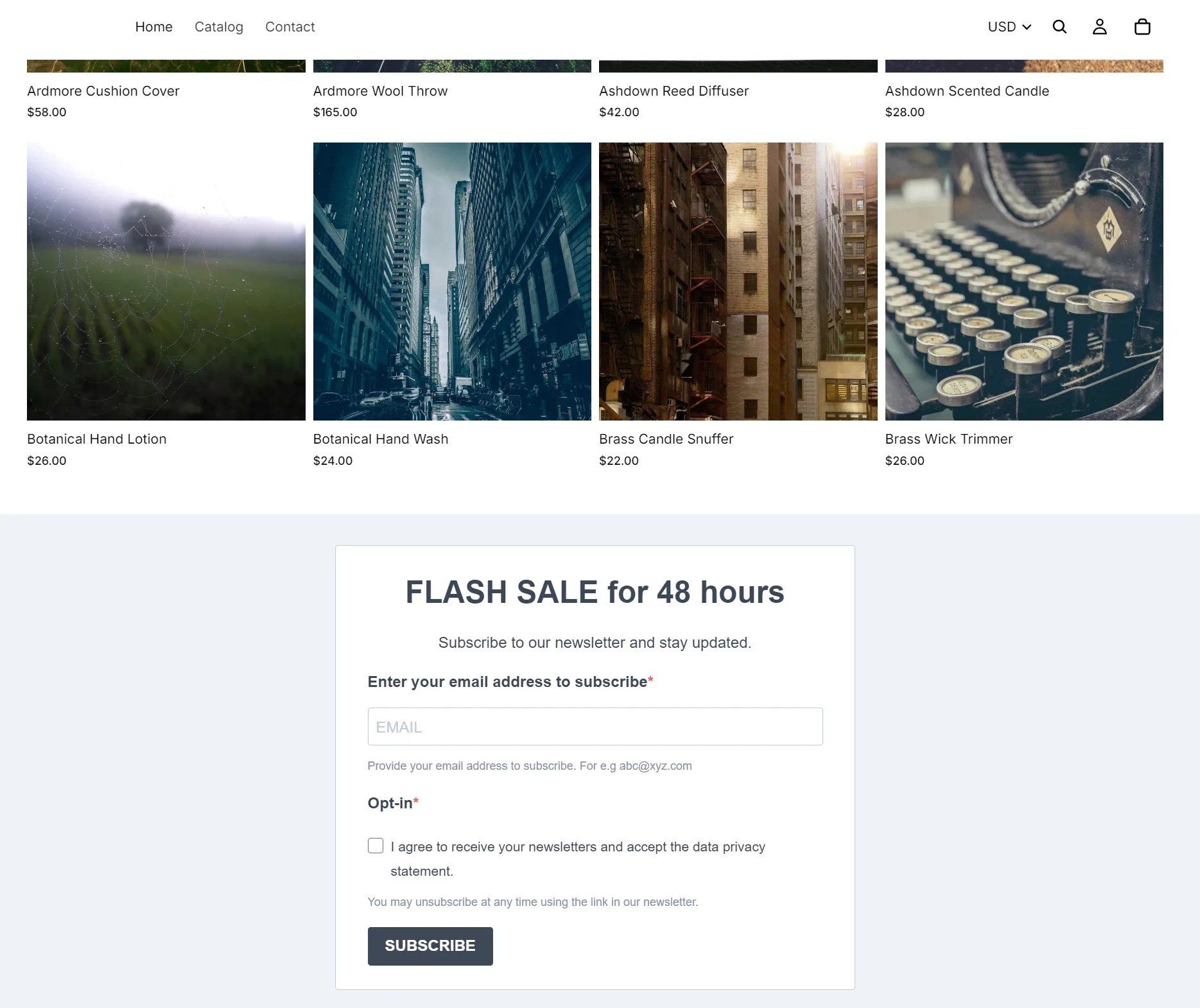
Brevo offers a form preview under the form’s share settings, which opens the form in a new tab on a plain gray background, separate from your brand colors. The design editor also shows the form in desktop and mobile views.
Per-form reporting includes New contacts and Submits metrics in the Forms list view. Form analytics with Views, Completion rate, and Dismissal rate live in the PushOwl interface, and we didn’t see them reporting on forms built in Brevo itself.
Landing pages are available on Standard plans and above. The Standard plan supports one landing page; Professional supports 10. We counted 17 landing page templates, each editable with a drag-and-drop editor.
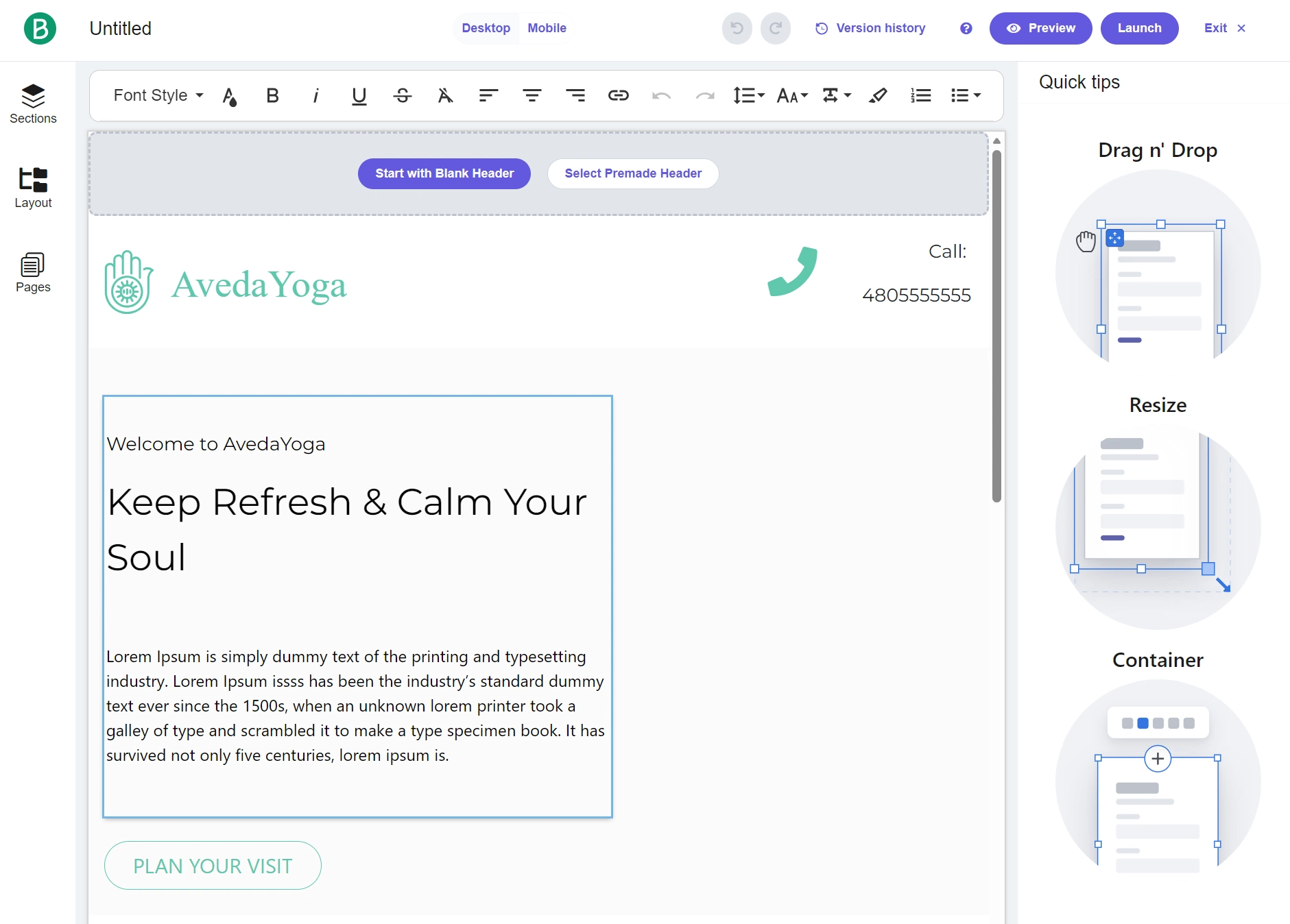
We published one landing page on our Standard plan and saw a “Landing Pages limit reached” notification in the Landing pages dashboard.
Brevo SMS, push, and WhatsApp
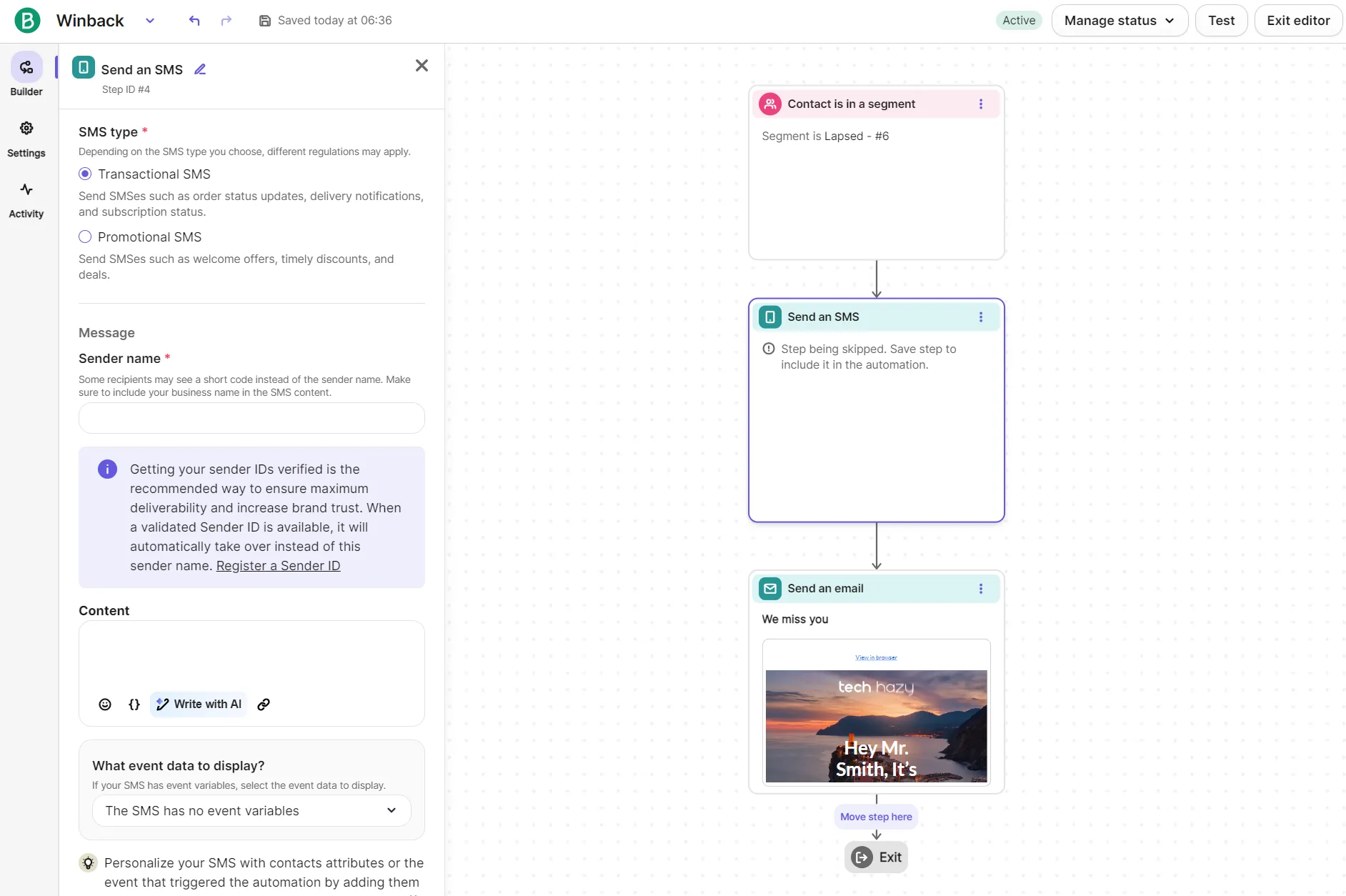
Web push needs no approval, so it’s the fastest channel to launch, though we couldn’t test it on a password-protected development store. SMS marketing needs registration in each country you send to, and the required fields and processing times differ by destination. For WhatsApp and mobile push, you’ll need the $499 Professional plan.
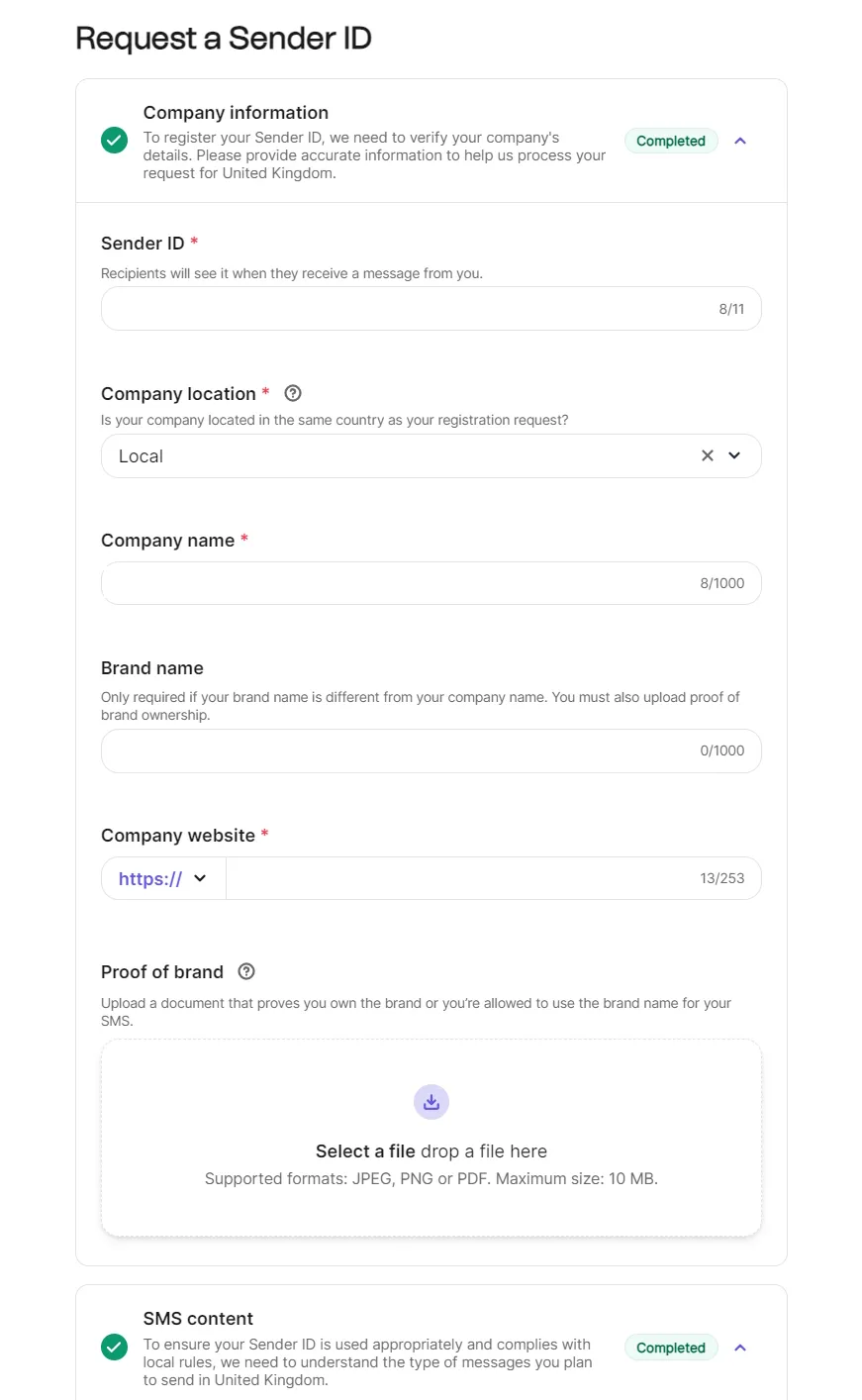
SMS registration for U.S. and Canadian destinations also registers a toll-free number, and Brevo says approval can take four to six weeks. Accounts opened after March 13, 2026 must register a Sender ID for each country they send SMS to.
If you’re sending to the U.S. or Canada, Brevo asks for:
- Company information
- A website with a privacy policy and terms
- A business contact
- Your use case
- Sample messages
- Proof of opt-in
Marketing messages must also carry unsubscribe instructions, and public shorteners like bit.ly aren’t allowed.
Brevo SMS pricing starts at $1.09 for 100 message credits. We set the destination as the United States and priced 100–100,000 messages:
| Number of messages | Bundle cost |
|---|---|
| 100 | $1.09 |
| 200 | $2.18 |
| 500 | $5.45 |
| 1,000 | $10.90 |
| 2,000 | $21.80 |
| 10,000 | $109 |
| 100,000 | $1,090 |
Our UK Sender ID request needed a signed Letter of Authorization with a company registration number, and no SMS could send before approval.
SMS automations use the same drag-and-drop editor as email automations. You can combine these channels for multichannel reach.
One-to-one SMS and WhatsApp need the Sales Advanced add-on ($64/month), available on Professional and Enterprise. We didn’t test these.
Web push for Shopify runs through the Brevo PushOwl app rather than Brevo’s own dashboard. Its campaign builder has templates, a discount code field, and previews across Windows, macOS, iOS, and Android, with hero images on paid bundles.
Push campaigns run on the PushOwl account’s own plan, not your Brevo allowance, starting free with up to 500 web pushes a month.
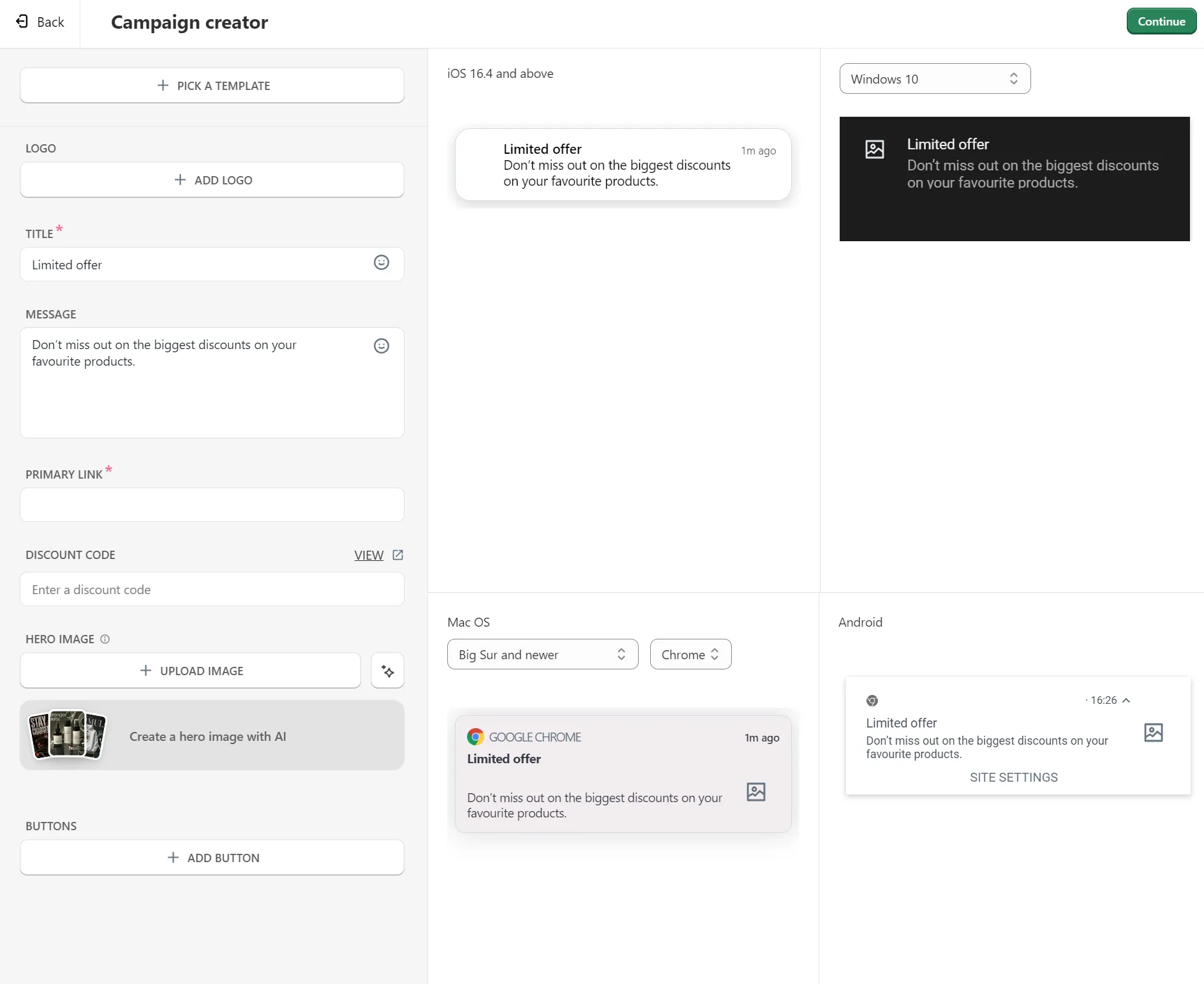
Our web push campaign couldn’t send because browsers won’t show a notification prompt on a password-protected development store, so the channel stayed untested. On a live storefront, that restriction wouldn’t apply.
WhatsApp is available on Professional and Enterprise for campaigns and transactional messages, with sends charged in prepaid credits on top of your plan.
Rates vary by destination and message type: 100 marketing messages to the U.S. or Canada cost 2.957 credits each, or $3.27 once rounded to the nearest pack of 100. The same 100 as utility messages cost 0.4 credits each, or $1.09.
You also need:
- A dedicated phone number not linked to any WhatsApp personal or business account
- Your legal business name and address
- A website on your own domain
- A display name that meets WhatsApp’s guidelines
The contact records for all channels show consent per channel. Our seeded contacts showed as subscribed for email and blocklisted for SMS.
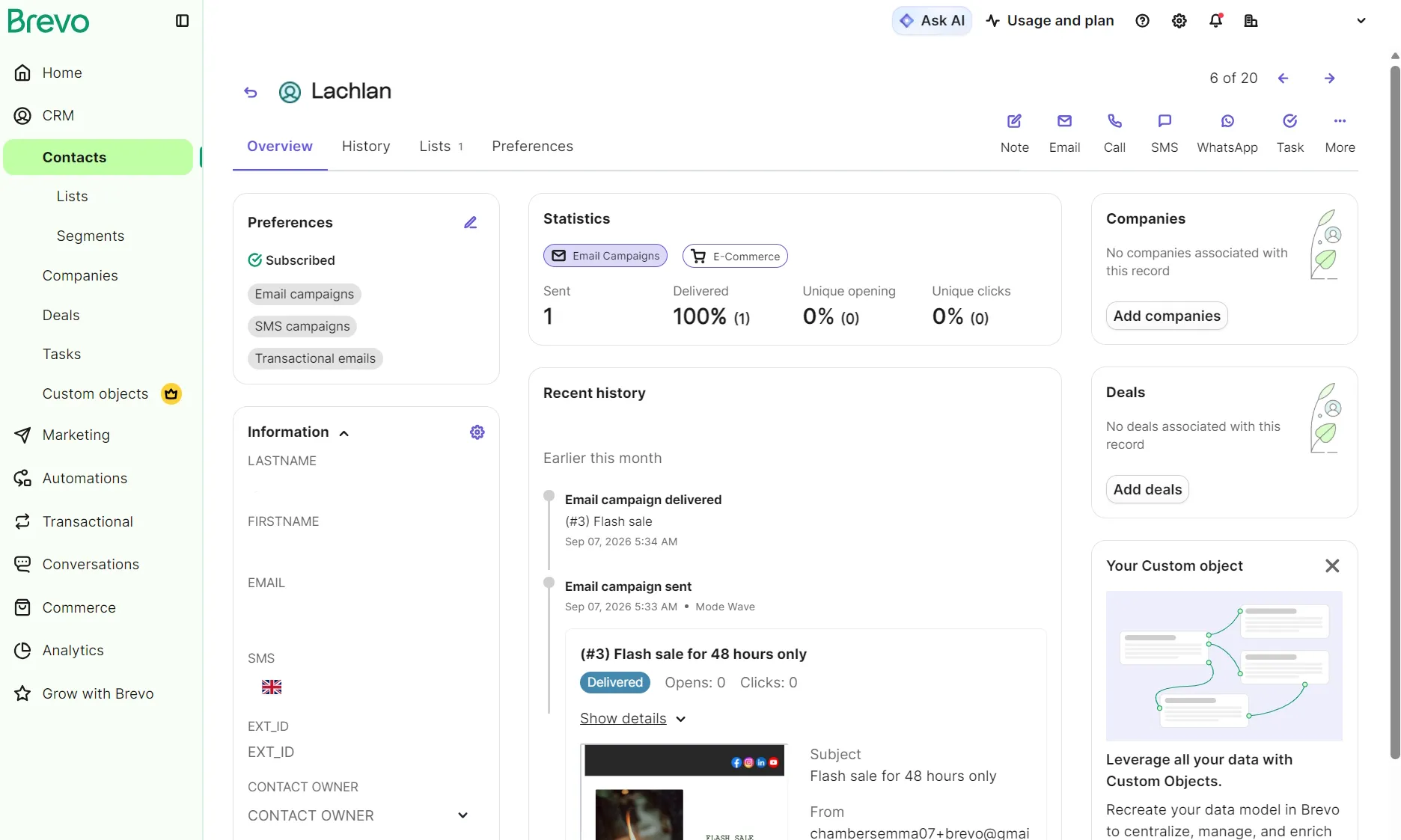
Channel performance on Standard sits in the Statistics dashboards under Marketing and Transactional, with no combined view. Analytics Studio, which has pre-built dashboards, is available on Professional and Enterprise only.
How accurate is Brevo’s revenue reporting?
Brevo’s revenue reporting is one of its best features. We sent a campaign to one contact, who clicked through and bought a $32.00 product. Brevo reported $32.00, named the product by stock-keeping unit (SKU), and asked for no setup other than the app.
The Shopify integration supplies the events and attribution for reporting.
Brevo’s documentation says conversion tracking needs its tracker installed on your site and custom events built by a developer, around an hour of work. On Shopify, neither applies.
Two earlier attempts didn’t attribute revenue; both were our fault. The email we entered at checkout didn’t match the contact who clicked, so there was nothing to connect.
Campaign reports have seven tabs: Overview, Deliverability, Opens, Clicks, Conversions, Revenue, and Unsubscribes.
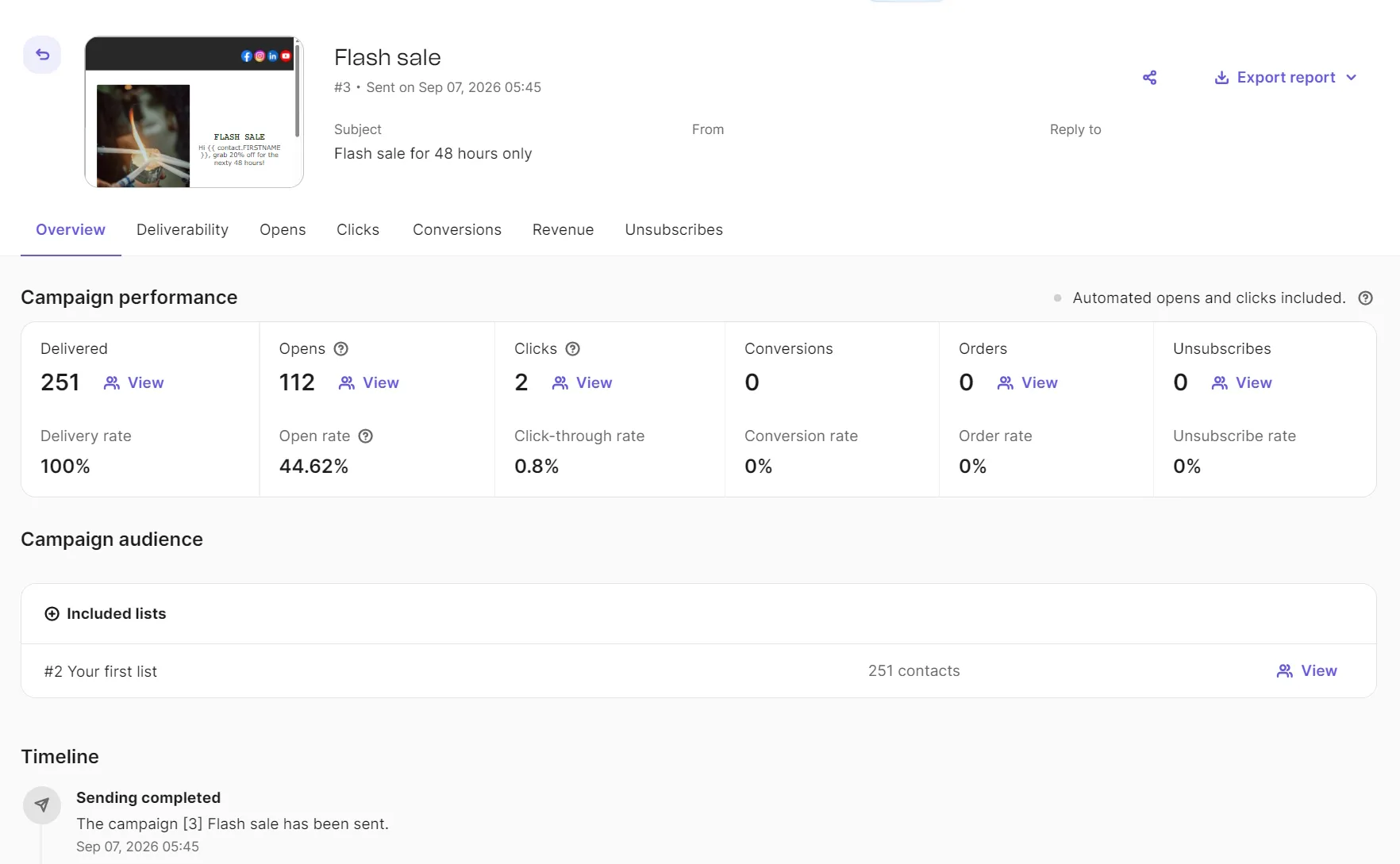
The Revenue tab breaks down per product with an SKU, and both the complete report and the product list export. You can filter contacts by which campaign converted them.
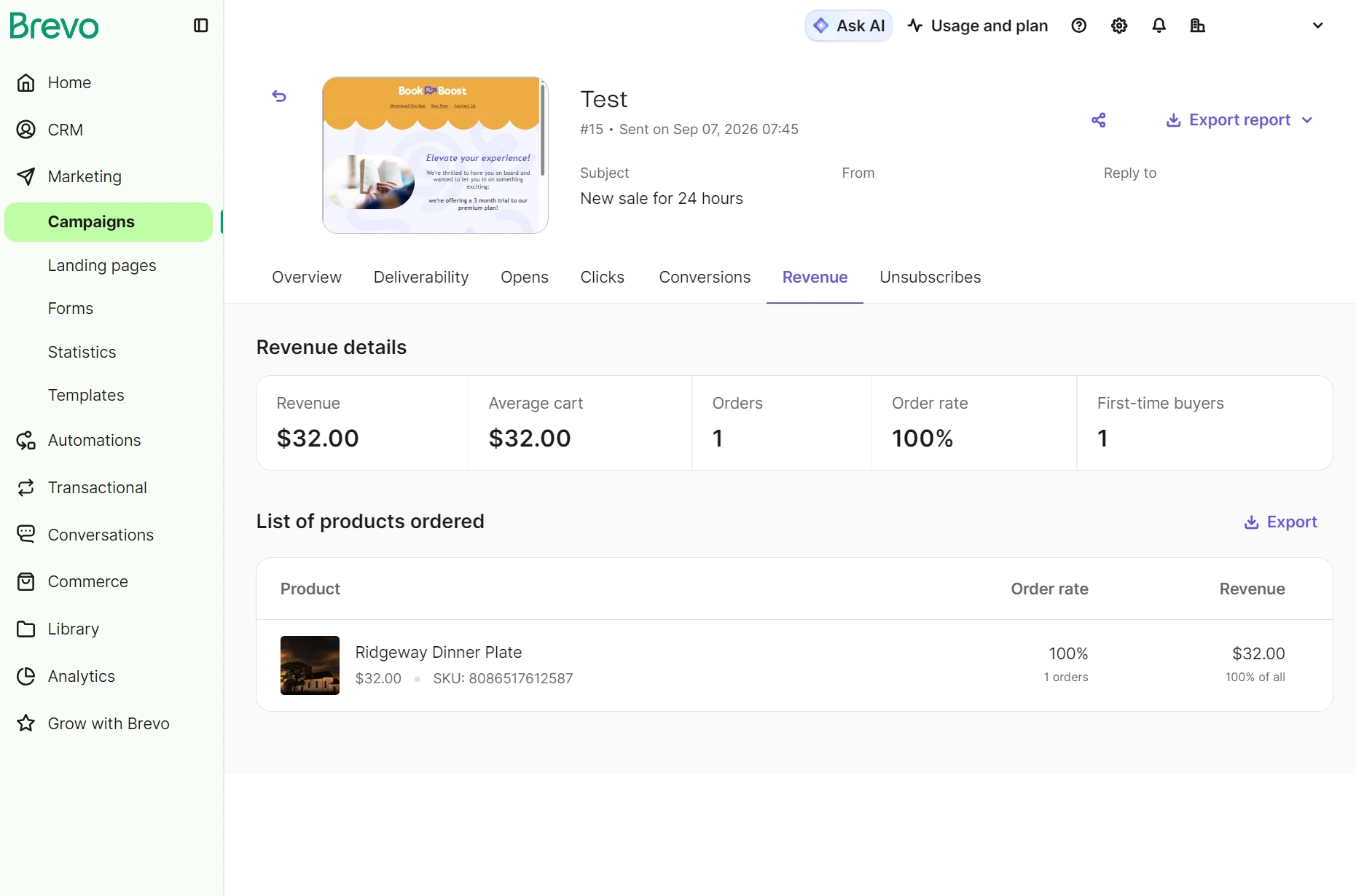
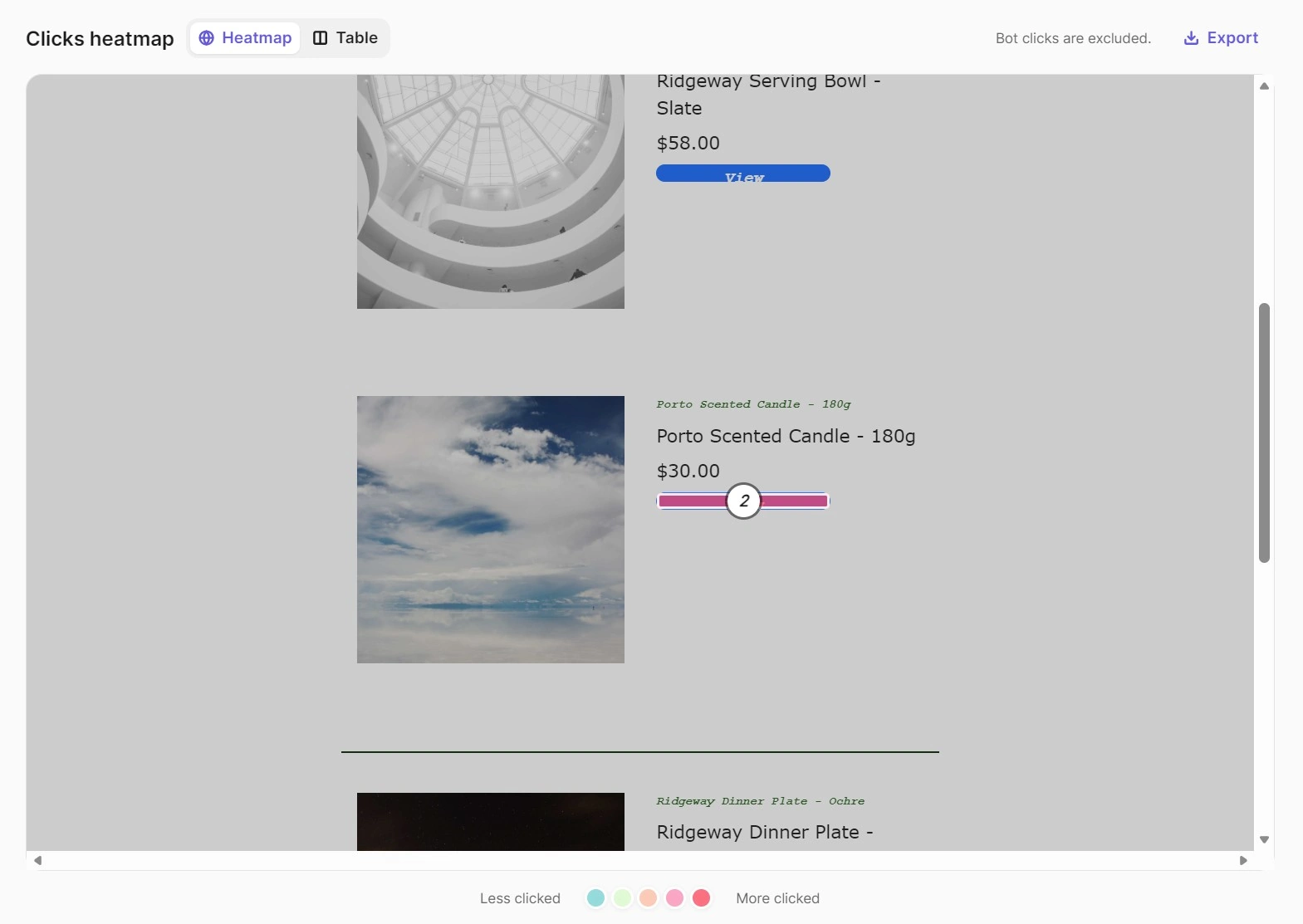
A Clicks heatmap is available on Standard plans and above. It appeared in our Campaign reports, and showed two clicks for the Flash sale campaign.
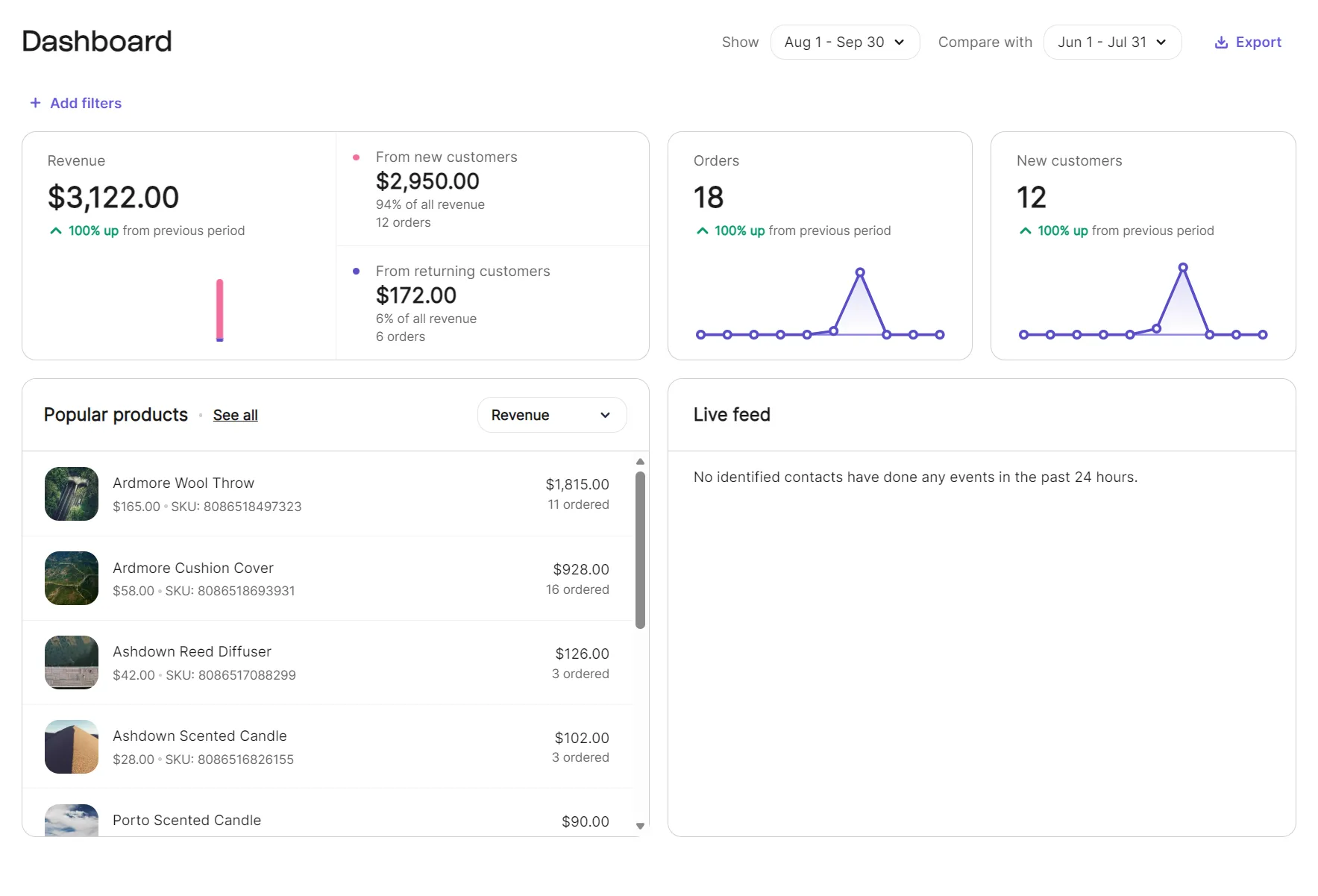
There’s a Commerce tab in the sidebar with an E-commerce dashboard. It shows a live feed for events, popular products, and an overview of performance.
A Revenue report splits earnings by traffic medium, separating Brevo from direct and undetected traffic, and splits the share between campaigns and automations.
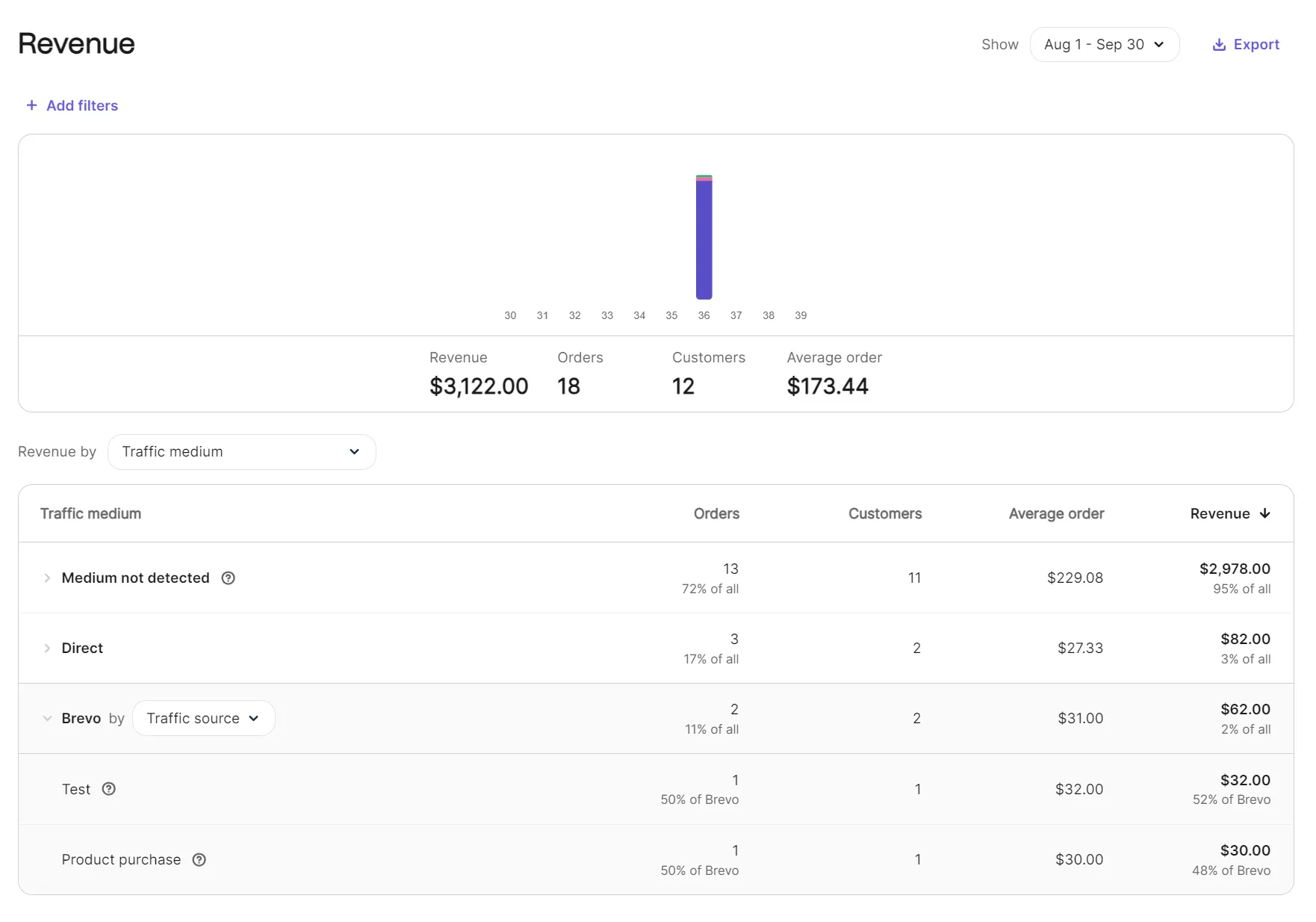
Our Revenue report correctly showed $62.00 across two orders: $32.00 from the campaign, $30.00 from the post-purchase automation.
Most of our revenue had no detectable source: $2,978 of $3,122, across 13 of 18 orders. We created 10 of those manually in the Shopify admin during store setup rather than placing them through the storefront. That wasn’t a tracking failure on Brevo’s part.
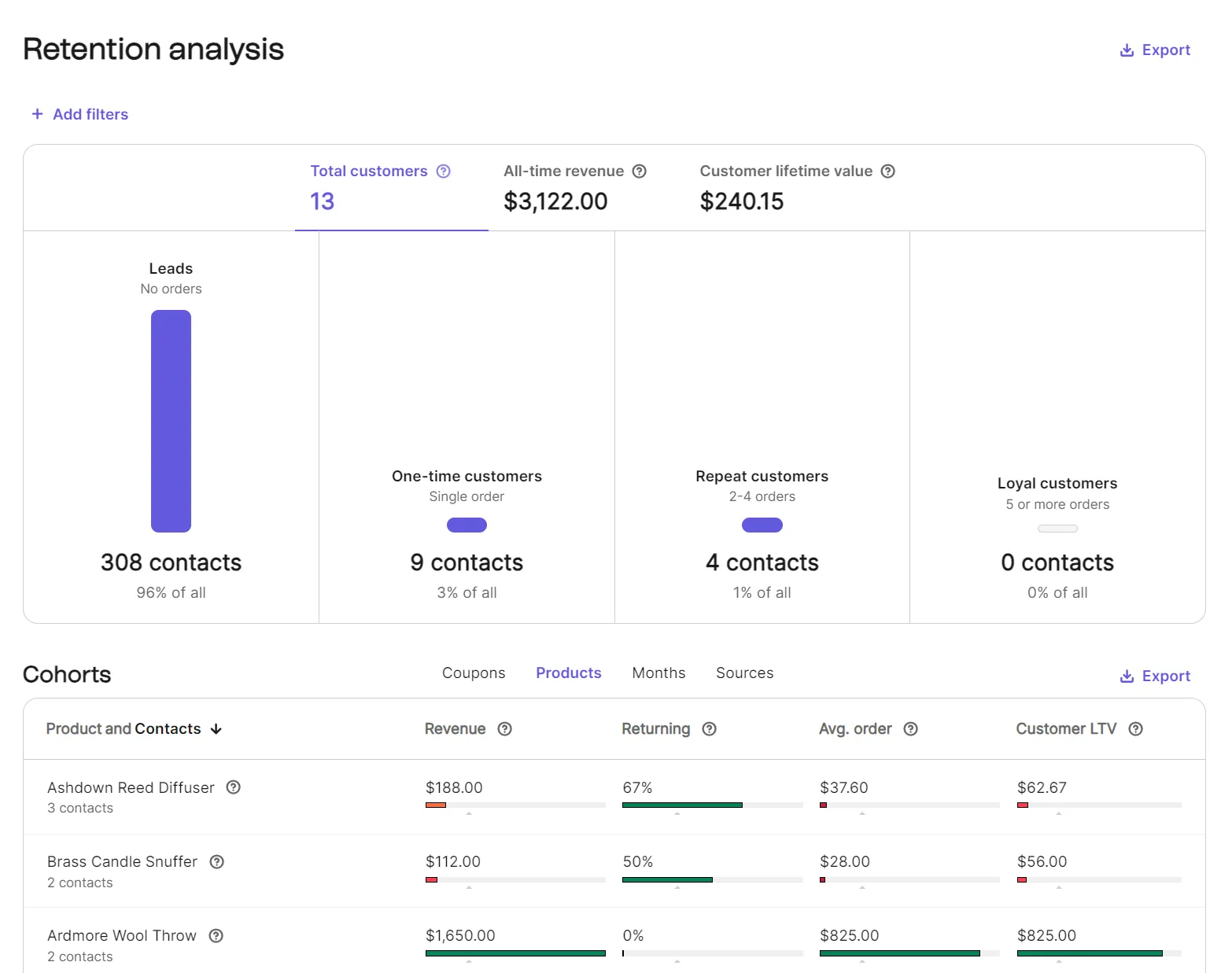
You can view customer lifetime value, all-time revenue, and a split between leads, one-time buyers, and repeat customers on every plan in the Retention dashboard, provided you’ve connected a store.
The Retention dashboard also has cohorts by coupon, product, and month. It reported $240.15 average lifetime value and 31% returning across 13 customers during our test.
Ceilings to know about: you can only use one conversion metric on Starter and Standard, and it’s last-touch attribution only, with linear gated to Professional. Attribution windows are fixed by channel and touchpoint.
| Channel | Touchpoint | Default window |
|---|---|---|
| Open | 7 days | |
| Click | 7 days | |
| SMS | Delivered | 24 hours |
| SMS | Click | 5 days |
| Read | 5 days | |
| Push | Open | 24 hours |
| Push | Click | 24 hours |
Brevo lets you override these defaults and set your own window for each channel, but only on the Professional and Enterprise plans.
UTM tracking is available on every plan, though we didn’t test it. Switching it on globally adds utm_source, utm_medium and utm_campaign to links in campaigns, templates and automations, with utm_content, utm_term and utm_id optional.
Custom parameters are supported with UTM tracking, and any message can override or disable the global settings. Seeing that traffic requires an analytics tool, such as Google Analytics, installed on your site.
Analytics Studio sits on Professional and Enterprise, so it was outside our Standard plan and untested. Brevo documents 11 default dashboards covering automation, revenue performance, customer knowledge, deliverability, SMS, and an AI-generated executive summary, plus custom dashboards and natural-language queries in its built-in BI tool.
Transactional email is included on every plan, with its own real-time view, statistics, logs, and templates.
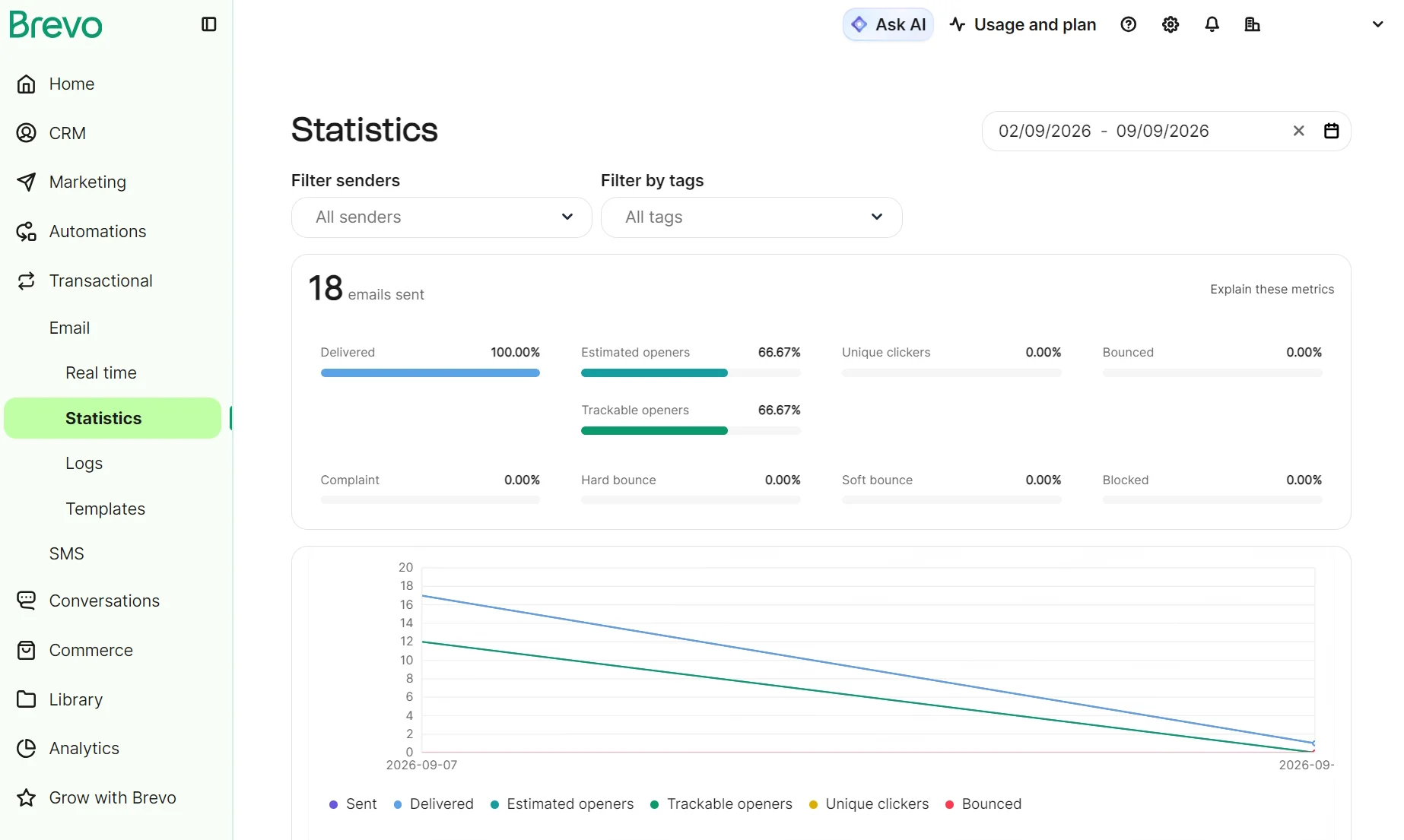
Our own findings come with two caveats. Brevo is rolling the conversion engine out gradually, and existing accounts have to rebuild their conversions in it. And one reconciliation over a week says nothing about consistency over months.
Is Brevo’s deliverability good?
All our test emails reached the inbox, and the test email arrived within a minute. That’s a handful of messages to our Gmail address, so it isn’t a deliverability verdict. Brevo says it has 99% deliverability on its transactional email service.
Domain authentication is required before sending, and ours was verified the first time: SPF, DKIM, and DMARC all in place before the first send.
Brevo held our account for manual review before letting us send any emails, so new senders are screened before they can use shared sending infrastructure.
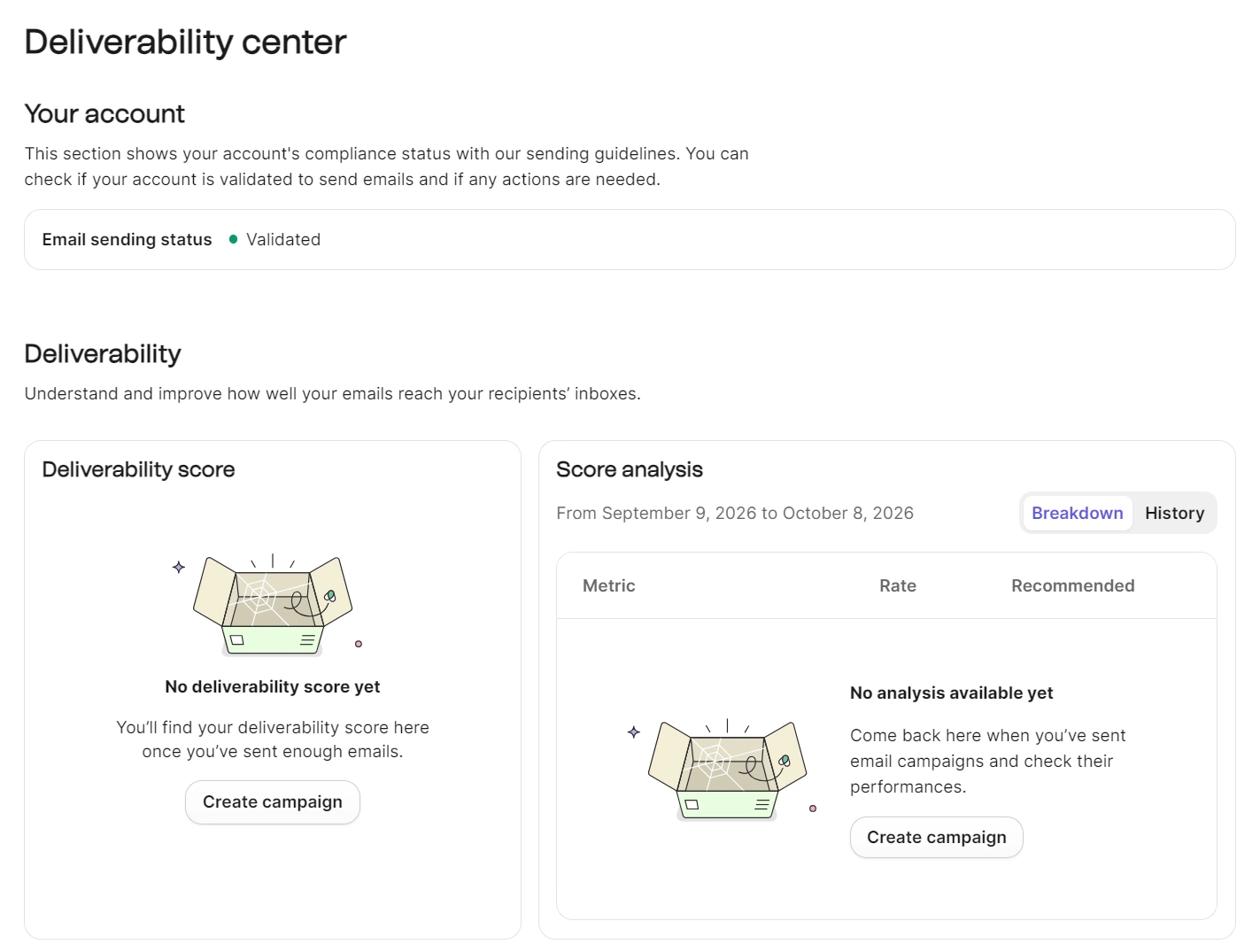
The Deliverability center scores your account from 0–100 on open rate, click rate, hard and soft bounces, unsubscribes, complaints, and whether your domain is authenticated. It breaks down each metric against a recommended rate, tracks your score month by month, and suggests fixes. Your score appears when you’ve sent enough emails to generate one. Our account is waiting for its score.
Professional and Enterprise plans include three hours a year with a deliverability specialist, and Enterprise includes a dedicated IP. A dedicated IP is an add-on in Professional plans.
How good is Brevo’s customer support?
Brevo answered all three tickets correctly, with a median of 19 hours and 17 minutes to a correct answer.
A ticketing system is available in all Brevo accounts, in English, Spanish, French, Italian, Portuguese, and German. Phone support is available on Professional and Enterprise plans, a feature we couldn’t test with our Standard plan. Live chat is not available in any plan.
| Plan | Email/ticket | Phone | Deliverability specialist | Onboarding | Customer Success Manager |
|---|---|---|---|---|---|
| Free | ✓ | – | – | – | – |
| Starter | ✓ | – | – | – | – |
| Standard | ✓ | – | – | – | – |
| Professional | ✓ | ✓ | 3 hours/year | Digital onboarding kit + 1h with a Brevo expert (requires a yearly plan) | – |
| Enterprise | ✓ | ✓ | 3 hours/year | Fully guided | ✓ |
The first of our three tickets requested account validation after sign-up. An AI agent replied to our ticket within two minutes, requesting our store URL, and the first human response was six hours and 39 minutes later.
Brevo resolved our request the next day, 23 hours and 28 minutes from submission. The team lifted restrictions to let us test the platform.
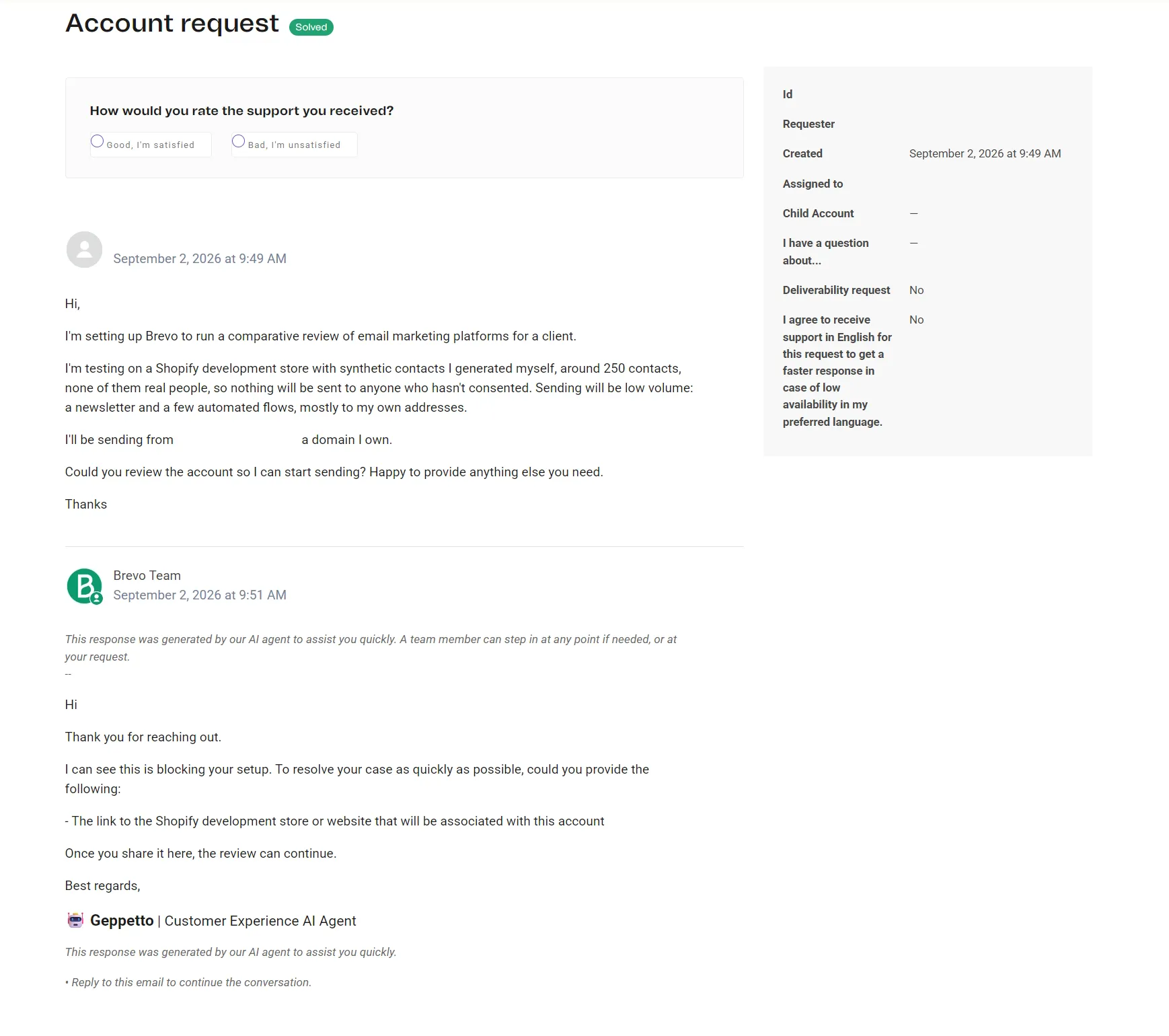
Ticket one had a near-immediate reply from an AI agent asking for additional information. Image via Brevo.
Our second ticket reported the Shopify sync failure. Brevo merged the second support ticket into the first without answering, so we raised it again there. Two exchanges and 19 hours and 17 minutes later, we had a fix.
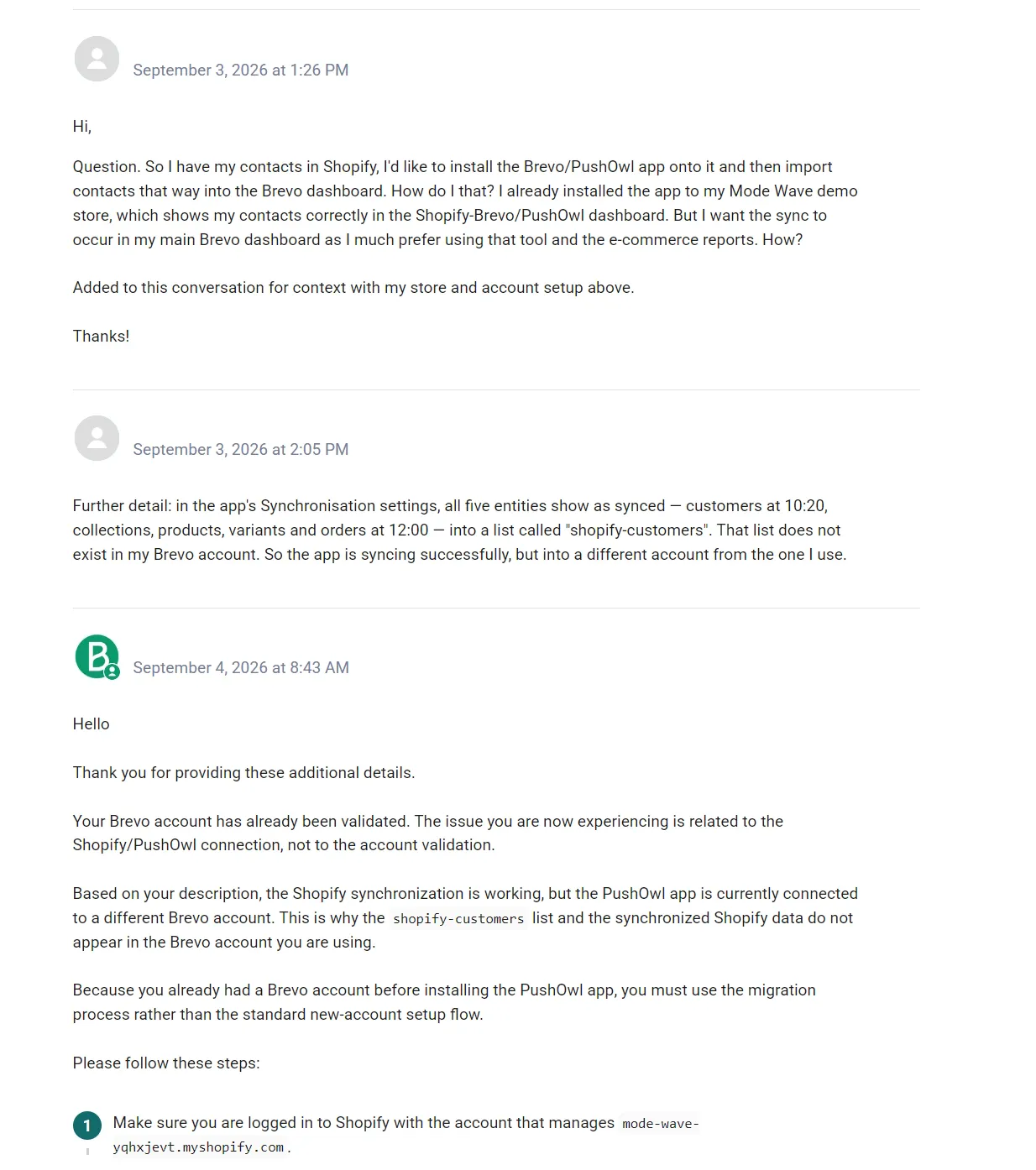
We asked about plan gating in our third ticket, which an agent answered 15 hours and 38 minutes later with a helpful correction to our question.
The support agent spotted that we were on Free rather than Standard (we purchased Standard later), then pointed out that only contact scoring required the $499 plan outright. Our other three needs, Shopify-triggered flows, A/B testing, and revenue attribution, were covered on Standard, though the advanced attribution models sit on Professional.
Help center documentation was accurate when consulted, with the exception of the PushOwl setup article, which describes a flow that did not appear for us.
Brevo Academy, a free learning platform with a separate login, offers certification courses in email marketing, automation, and GDPR, plus short workflow-building video tutorials.
What do Brevo users say?
Brevo has favorable ratings on software review sites, from 4.5 to 4.8. Trustpilot is the outlier at 3.9.
| Platform | Rating | Reviews |
|---|---|---|
| Shopify App Store | 4.8/5 | 2,200+ |
| G2 | 4.5/5 | 2,700+ |
| Capterra | 4.6/5 | 3,500+ |
| Trustpilot | 3.9/5 | 7,200+ |
Ratings are subject to change. Accurate as of October 2026.
Best Brevo alternatives
Popular Brevo alternatives include Omnisend for multichannel ecommerce automation, MailerLite for newsletters and creator features, and Mailchimp for small business tools, such as social posting. All three price on contacts rather than sends.
We’ve compared Brevo against its main competitors in detail, including pricing and automation depth:
Brevo review verdict
We scored Brevo 7.1/10 and recommend it for Shopify stores that need marketing and transactional email automation with accurate revenue attribution.
Your send-to-contact ratio matters for value: 80,000 contacts emailed once a month is 80,000 sends and $119/month on Standard. Five thousand contacts emailed daily is 150,000 sends and $179. The list 16x the size costs $60 less, because you’re paying for sends.
There’s the potential to spend more on the Professional plan if you also need contact scoring, multi-metric attribution, frequency caps, WhatsApp, and mobile push. Sending 150,000 emails is priced at $499/month.
Consider Brevo alternatives if:
- Email isn’t your main channel
- You have a high send-to-contact ratio
- You want forms on your site without editing theme code
Quick sign up | No credit card required