
 Omnisend AI


 OFFER
OFFER









Omnisend vs. Mailchimp: Which platform should you use in 2026?
With over 130+ pre-built integrations and flexible APIs, you can easily centralize data from across your tech stack
Make the most out of your data and unlock powerful growth marketing possibilities with these other top marketing tools.
Build any custom integration with our open, flexible APIs that are simple to use and implement.
Check out apps that have been stealing all the spotlight.
Email and SMS marketing insights, ecommerce resources, and the latest Omnisend news
Expert-led sessions covering email, SMS, and ecommerce marketing strategies.
Educational video and live training to help you make the most out of Omnisend.
Drive sales on autopilot with ecommerce-focused features
See FeaturesEmail automation can significantly boost your marketing ROI by covering the entire customer journey, ensuring that every interaction is contextually relevant and engaging.
Automations outperform traditional campaigns, generating 30% of revenue from just 2% of email sends, making them a crucial component of any effective marketing strategy.
Personalization is key; utilizing behavior-based triggers allows for tailored email content that resonates with customers at various lifecycle stages, enhancing their overall experience.
Start with essential automations like welcome series, abandoned cart reminders, and thank-you emails to maximize revenue potential and improve customer retention.
The biggest lesson I’ve learnt from email automation is that any flow, no matter how insignificant it appears, can drastically improve marketing ROI. My approach is always the same now; I cover the complete customer journey, not bits of it.
You can follow my approach with marketing automation software, and the understanding that your customers have different lifecycle stages.
Some of your customers are in the pre-purchase stage, some post. Others are new, old, unengaged, active, and so on. It changes how you write, personalize, and target emails, so that each message is contextual and built for engagement.
I consistently achieve fantastic results with considered email automations. Omnisend gives me the tools to do that, and others are seeing success too, with automated emails earning 30% of revenue from 2% of sends in 2025.
ROI, revenue, better customer experiences, and results are the aim of the game with email automation, and I’m going to show you how to achieve them in this article. You’ll learn:
Quick sign up | No credit card required
Email automation is the sending of messages by software, triggered by events and activities that you define in flows. Those flows, also known as automations, can contain one email or a series of emails depending on their purpose and recipient.
The first flow I create for my new stores is a welcome series, triggered when new subscribers complete the signup form. Instant delivery or a delay of five minutes with that one.
I also create cart abandonment flows for one day following abandonment. The image below shows how my flow shifts through the event, delay, and sending of the email:
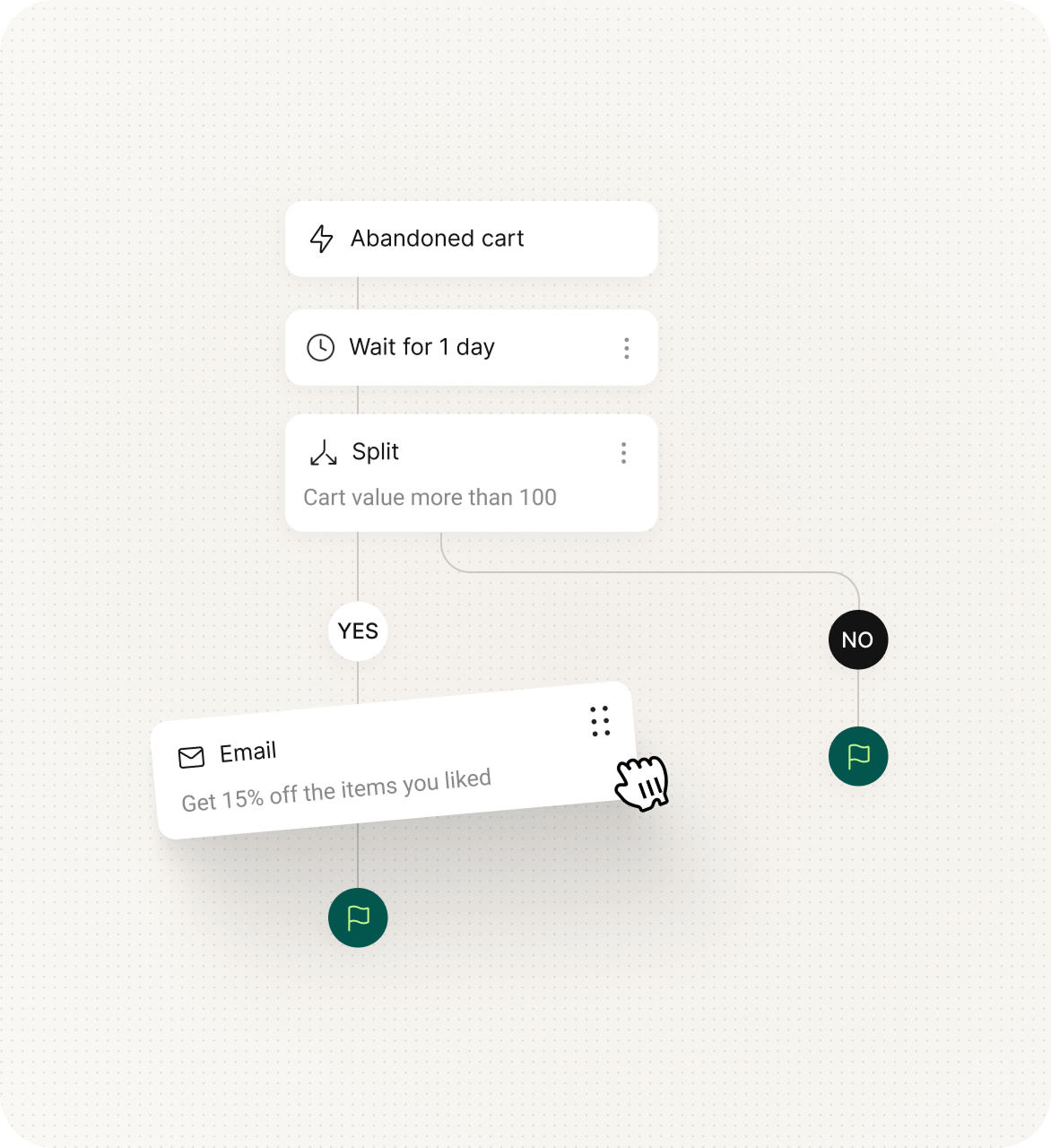
Notice how I’m covering behavior-based events there? My customer abandons their cart, and my email tool triggers the email. They sign up, again, my email tool triggers the email.
Behavior is one trigger you can use, and there are two main others:
As an aside, I was recently asked, “What is email marketing automation?” after explaining to another marketer how they can use inboxes to generate revenue. I misassumed they knew the difference between campaigns, mass sends, and flows.
I’ll clarify here if you have the same question. A campaign is a standalone or scheduled email send. A mass text is also a campaign, but to thousands of addresses. An automation is a triggered email, not something you hit the go button on, and it arrives.
Why did I recommend email automations, and not campaigns, to my fellow marketer? There’s more money in them. Although they only accounted for 2% of email sends in 2025, they won 30% of revenue, earning 16× more per send than scheduled campaigns.
Another point I’ll make is that email automation is one channel in your mix. Omnisend handles email, SMS, and push notifications, and its customers saw a fantastic $79 ROI for every $1 spent in 2025 across all channels. Email automation is the big one, but don’t neglect the others.
Email marketing is the umbrella term and broad strategy for email activities across your ecommerce store, so it includes email automation, as well as campaigns.
I sometimes also say “email marketing automation” to my team to point out when we’re discussing promotional sends or those that influence purchasing decisions via marketing.
Good examples for email marketing automation include cross-sells and thank-you messages, which are automated, yet have a crystal clear marketing intent.
The table below explains the differences between email marketing and automation:
| Email marketing | Email automation | |
|---|---|---|
| What it is | The broader strategy/channel | A method within email marketing |
| Includes | Campaigns, automation, transactional emails | Triggered workflows only |
| Timing | Mix of one-time, scheduled, and automated emails | Always automated |
| Marketing intent | Always | Sometimes, such as order confirmations, which may not be promotional |
Your flows can contain single emails or a series. I refer to this as the flow structure, which sets the pace and depth of the messages my customers receive:
I use a mixture of series and single emails in my marketing. There isn’t an incorrect approach, but there are times when one is more appropriate than the other:
Worth noting, too, is that my email automation series can become a single email if my flow removes customers early when they complete what I want them to, such as purchasing from an abandoned cart email. It reduces fatigue and preserves my send quota.
A conundrum that ecommerce store owners ask me about is justifying automating more emails and creating new flows beyond the confirmations that Shopify, BigCommerce, WooCommerce, and others do by default.
I always say that sticking with confirmations as your only email automations leaves money on the table and doesn’t cover your complete customer journey. There are stages of their journey that email automations cover, and you should use all of them to your advantage.
These benefits of email marketing automation are why you should prioritize it:
How Bowy Made maximizes revenue with email automation
Baby accessories retailer Bowy Made generates more than 70% of its email revenue from automations, with pre-purchase flows generating five figures per month. It also A/B tests subject lines, finding that personalized ones convert 5-10% better.
Read the case study.
The table below includes all my favorite email automation software for 2026, which I personally tested to learn their features. Some platforms I’ve used for years include Omnisend, Sender, and Brevo. My list only contains those good enough for ecommerce.
Click any of the jump links below to skip to the top email marketing automation platforms that interest you. I’ve been fair to all of them and approached my reviews without bias.
| Tool name | Best for | My favorite feature | Starting price | Free plan |
|---|---|---|---|---|
| Omnisend | Ecommerce automations | Pre-built automations with assigned triggers that need minimal setup to get going. | $16/month | Yes |
| Sender | Mass automations and transactional emails | Separate sending paths for transactional and marketing emails to maximize deliverability. | $10/month | Yes |
| Brevo | B2C and B2B email automation | Sequences that mix standard flows with 1:1 emails for complex sales cycles. | $9/month | Yes |
| Klaviyo | Complex automations based on data | Predictive segmentation based on churn risk and lifetime value. | $20/month | Yes |
| Mailchimp | Small business email automations | 300+ app integrations, including TikTok, Meta, and X lead ad connectors. | $13/month | Yes |
| ActiveCampaign | AI email automation features | AI flow builder and AI-suggested segments that get it right the first time. | $15/month | No |
| Drip | Automations with unlimited email sends | Workflow builder that describes what each component does, perfect for beginners. | $39/month | No |
| AWeber | Getting email automation setup done for you | Smart Designer generates branded templates from your web content. | $15/month | Yes |
| MailerLite | Low-cost email automations | Intuitive drag-and-drop automation builder with sidebar settings for rules and actions. | $10/month | Yes |
| Privy | Basic email and SMS automations | Email and SMS are treated as primary channels with shared triggers and filters. | $30/month | No |
Quick note: I created the above marketing automation tool table in March 2026.
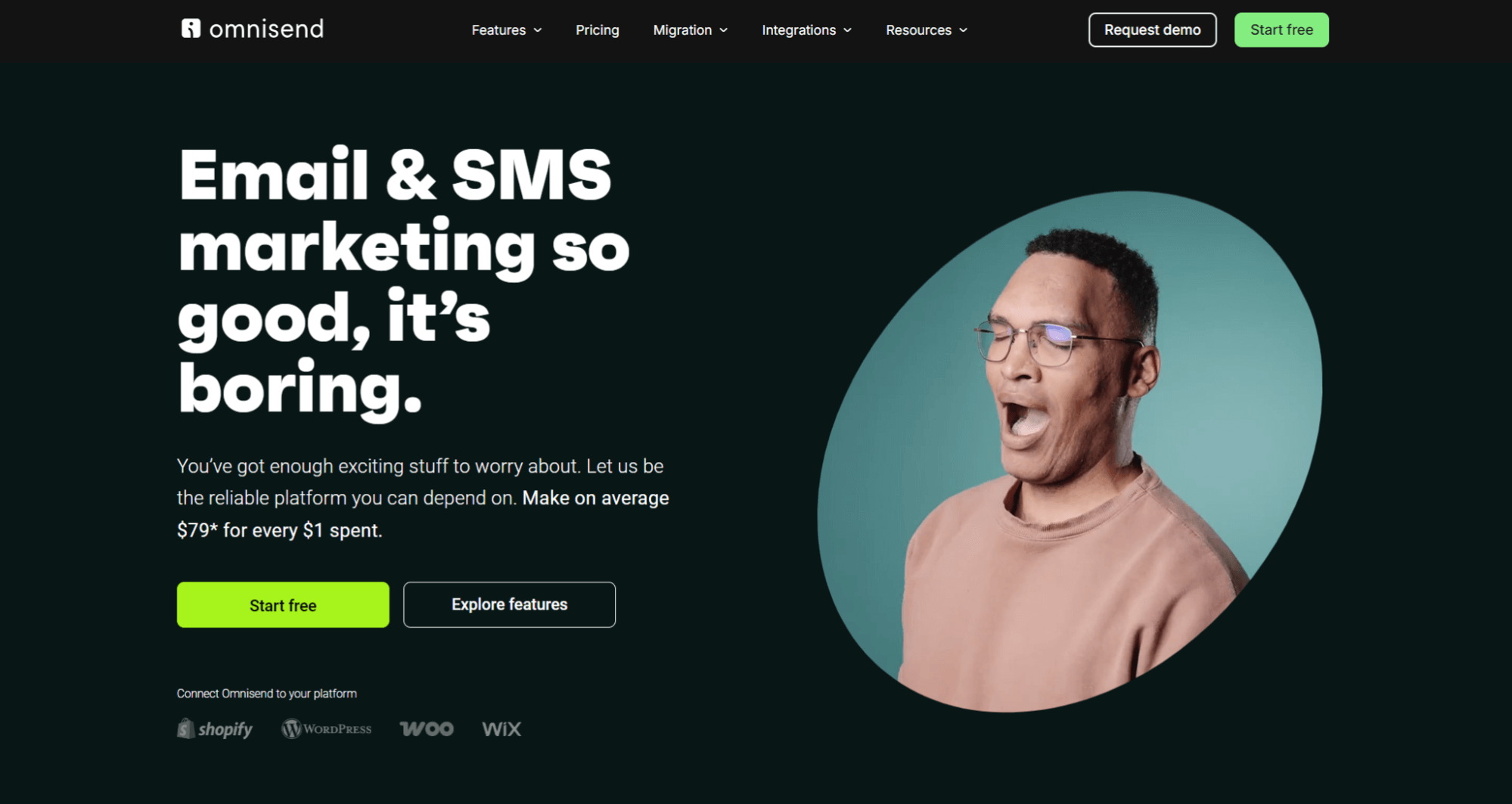
I recommend Omnisend for ecommerce automation, no matter your store size. Its native integrations have higher review ratings than most others on Shopify, BigCommerce, WooCommerce, and Wix, and its third-party dashboard makes you extremely productive.
Some of my installations include:
I’ve found that Omnisend has one of the lowest learning curves (Sender and MailerLite come close) and can scale as well as Klaviyo with better value. Consider Omnisend if:
The video below provides an Omnisend primer:
What works
What doesn’t work
Omnisend’s free plan gives access to all standard features. Paid plans use contact-based pricing with generous send limits. The Pro plan is the highest tier and includes personalized content based on behavior and advanced reporting.
The table below shows Omnisend’s pricing from 250 to 5,000 contacts:
| Contacts | Free | Standard | Pro | Standard send limit | Pro send limit |
|---|---|---|---|---|---|
| 250 | $0/month | - | - | 500/month | - |
| 500 | - | $16/month | $59/month | 6,000/month | Unlimited |
| 1,000 | - | $20/month | $59/month | 12,000/month | Unlimited |
| 2,500 | - | $44/month | $59/month | 30,000/month | Unlimited |
| 5,000 | - | $81/month | $90/month | 60,000/month | Unlimited |
You can join Omnisend for free here.
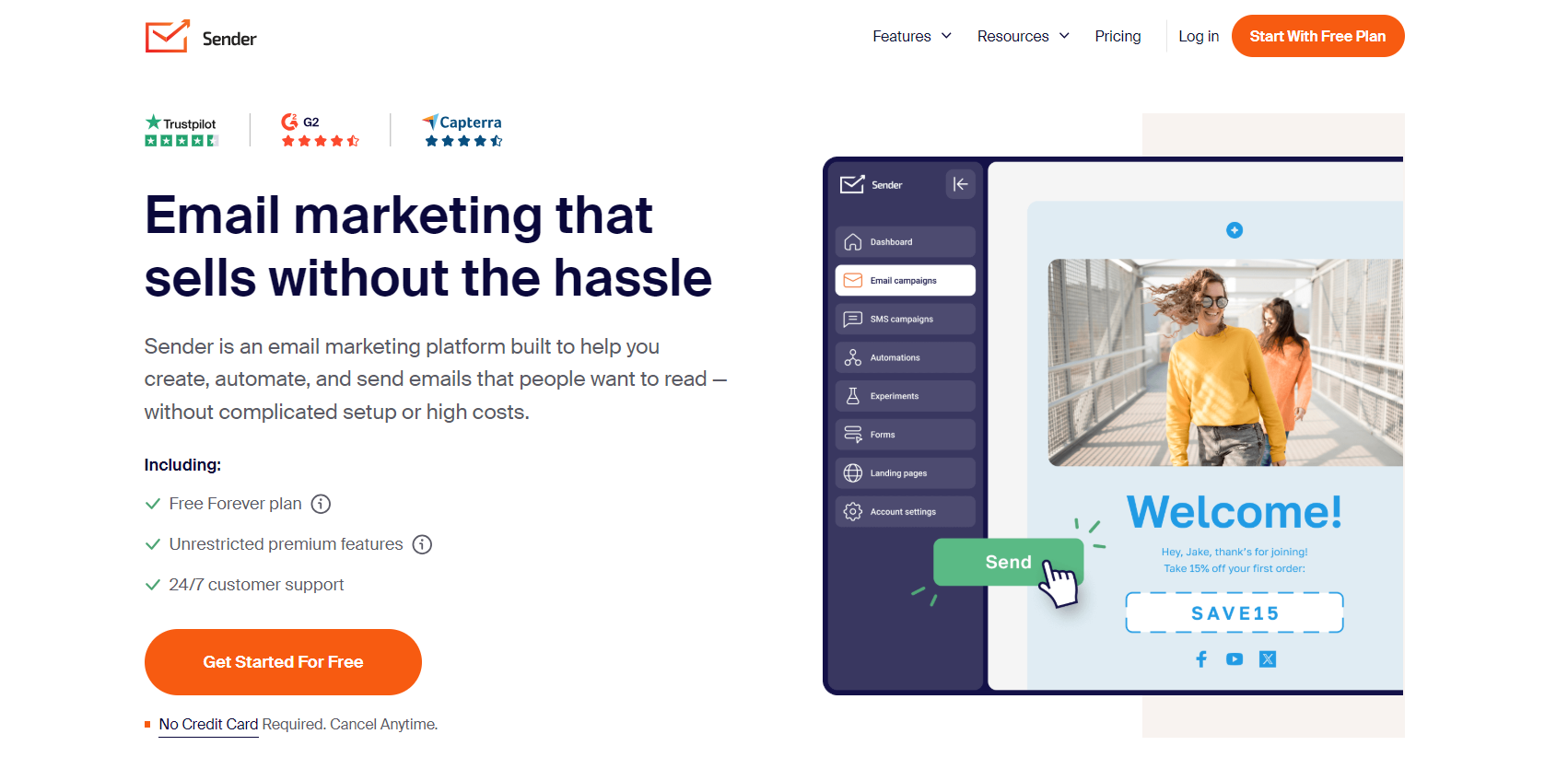
I recommend Sender for ecommerce stores that send thousands of marketing emails and transactional messages/month. Its cheapest plans have standard automations, and these cover email flows, with multichannel flows in more expensive ones.
The automations are more basic than Omnisend’s, with 10 triggers versus Omnisend’s 20+ with custom events, so it’s suitable for less complex customer journeys. My Sender setups consist of confirmations and welcome series messages primarily.
What works
What doesn’t work
Sender’s pricing is based on contact count. Its free plan is the most generous on my list, and its paid plans are among the cheapest. The table below reveals Sender’s pricing for contact counts from 1,000 to 5,000 subscribers:
| Contacts | Free | Standard | Professional | Standard send limit | Professional send limit |
|---|---|---|---|---|---|
| 500 | $0/month | - | - | 15,000/month | - |
| 1,000 | - | $10/month | $20/month | 12,000/month | 24,000/month |
| 2,500 | - | $19/month | $35/month | 30,000/month | 60,000/month |
| 5,000 | - | $33/month | $60/month | 60,000/month | 120,000/month |
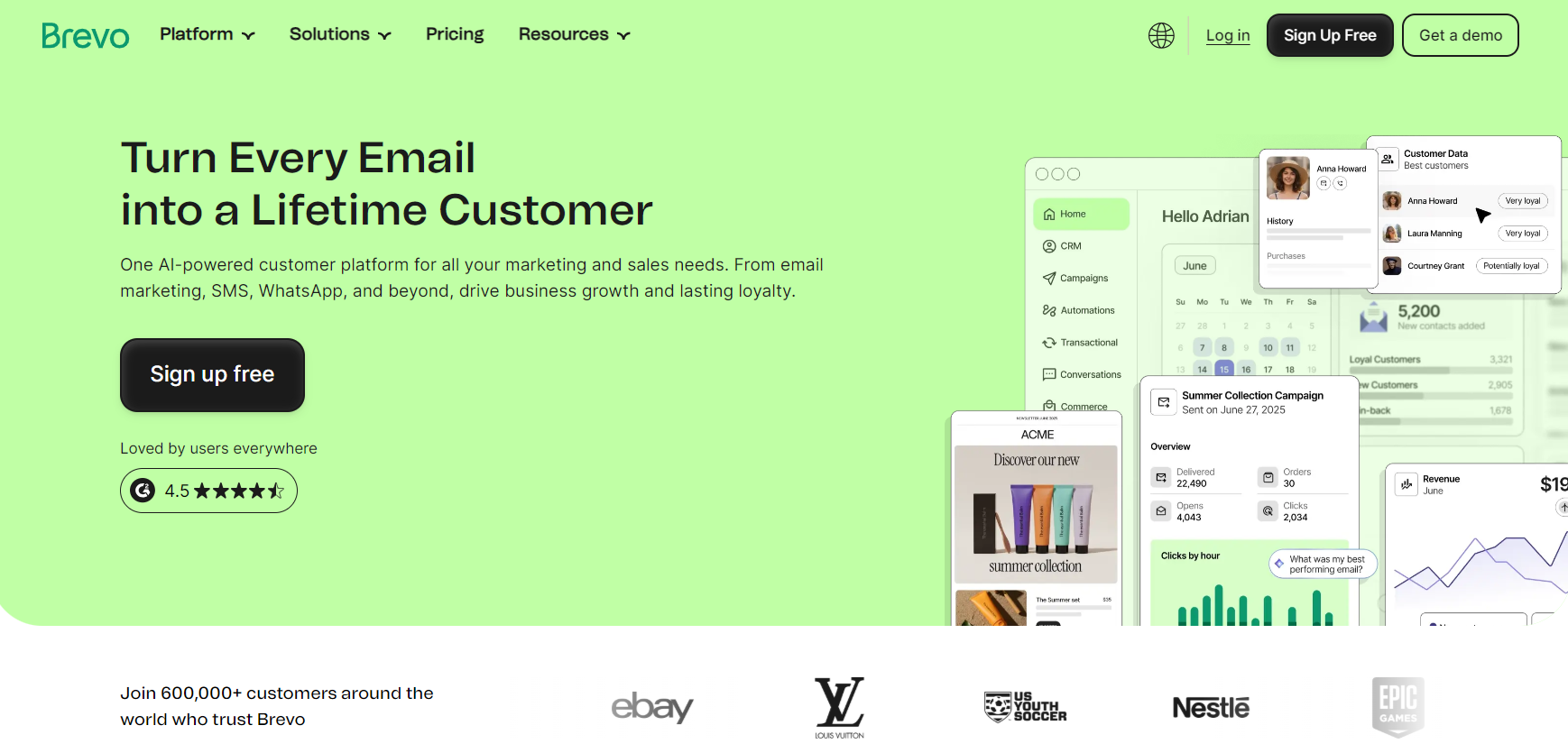
Brevo is my pick of email automation tools for any small to mid-sized business selling to consumers and businesses. It has a built-in CRM for companies and contacts, and you can create flows for both groups and custom segments for appropriate targeting.
Its workflows cover ecommerce basics like a welcome message and abandoned cart email. But I rate its Sequences the most, part of its Sales Advanced package, which automates outreach with a mix of standard flows and 1:1 emails. Perfect for complex sales cycles.
What works
What doesn’t work
Brevo has a free plan with a daily sending limit of 300 emails/day. Its paid plans are priced based on send volume, not contact count. The table below covers Brevo’s pricing for 5,000 or 10,000 emails/month:
| Emails/month | Free | Starter | Standard | Professional |
|---|---|---|---|---|
| 300/day | $0/month | - | - | - |
| 5,000 | - | $9/month | $18/month | - |
| 10,000 | - | $17/month | $35/month | - |
| 150,000 | - | - | - | $499/month |
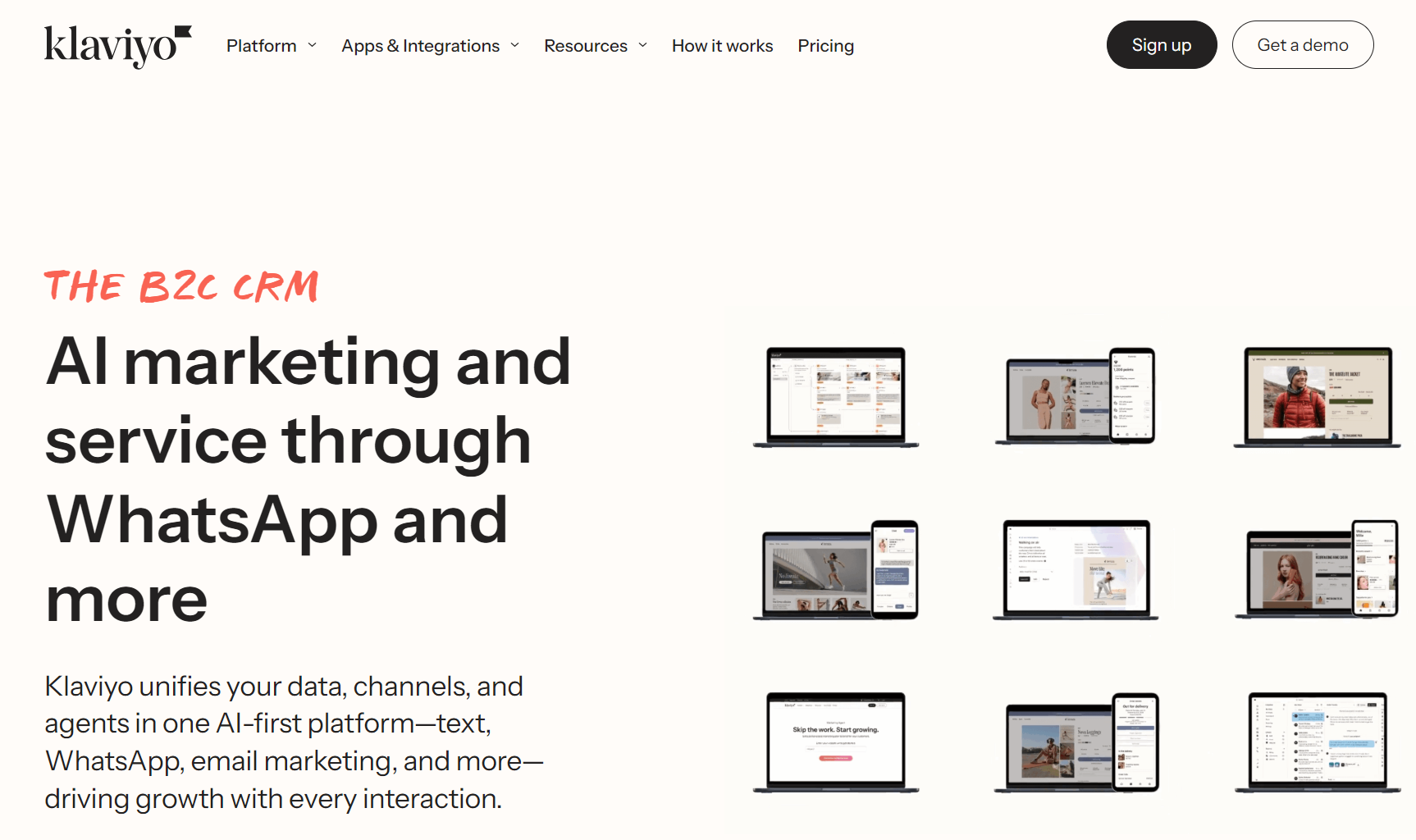
I recommend Klaviyo when your store generates lots of behavioral data to feed its complex automations. Its 80+ pre-built email flows cover your complete customer journey, and you can use multichannel SMS to reach people with time-sensitive alerts.
Like Omnisend, Klaviyo is best for ecommerce, not small businesses, but it trades Omnisend’s small learning curve for advanced features.
I can trigger flows from five trigger types, including price drops, date properties, and customer actions, and add conditional and trigger splits to send customers down different paths. Also, it lets me use predictive analytics as segment filters.
What works
What doesn’t work
Klaviyo’s pricing uses the number of your active profiles. It has a free plan, although it restricts generative AI and customer product recommendation features.
The table below shows Klaviyo’s pricing per 500 to 5,000 active contacts:
| Contacts | Free | Email (paid plan) | Email + mobile messages | Email end limit |
|---|---|---|---|---|
| 250 | $0/month | - | - | 500/month |
| 500 | - | $20/month | + $15/month for 1,250 SMS credits | 5,000/month |
| 1,000 | - | $30/month | + $15/month for 1,250 SMS credits | 10,000/month |
| 3,000 | - | $70/month | + $15/month for 1,250 SMS credits | 20,000/month |
| 5,000 | - | $100/month | + $15/month for 1,250 SMS credits | 50,000/month |
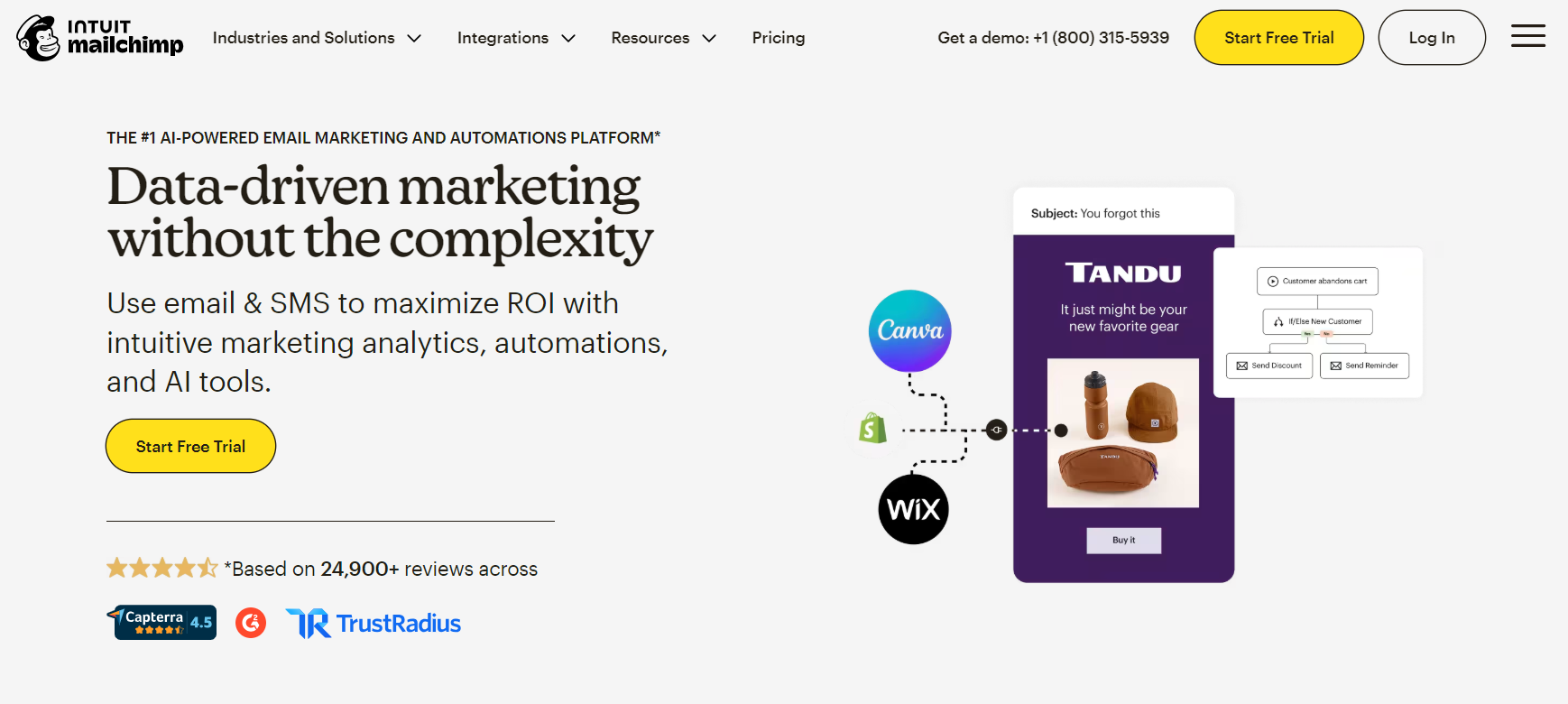
Mailchimp is one of the best marketing automation tools for small stores and email newcomers. It lets you quickly build single or email series automations with flow templates or create them from scratch using its visual flow builder.
Automation rules can be relatively complex, with a conditional split, percentage split, wait for, and time delay, with conditional splits allowing five conditions on Standard plans.
The first automation I always create for stores using Mailchimp is an email with a survey, since Mailchimp has survey features built in (don’t need another app). Another is two welcome series, one for low spenders and one for those who purchase over $100.
What works
What doesn’t work
Mailchimp uses contact-based pricing and applies a multiplier (such as 10x) to send limits in paid plans. The table below reveals pricing up to 5,000 contacts:
| Contacts | Free | Essentials | Standard | Premium |
|---|---|---|---|---|
| 250 | $0/month | - | - | - |
| 500 | - | $13/month | $20/month | $350/month |
| 1,500 | - | $26.50/month | $45/month | $350/month |
| 2,500 | - | $45/month | $60/month | $350/month |
| 5,000 | - | $75/month | $100/month | $350/month |
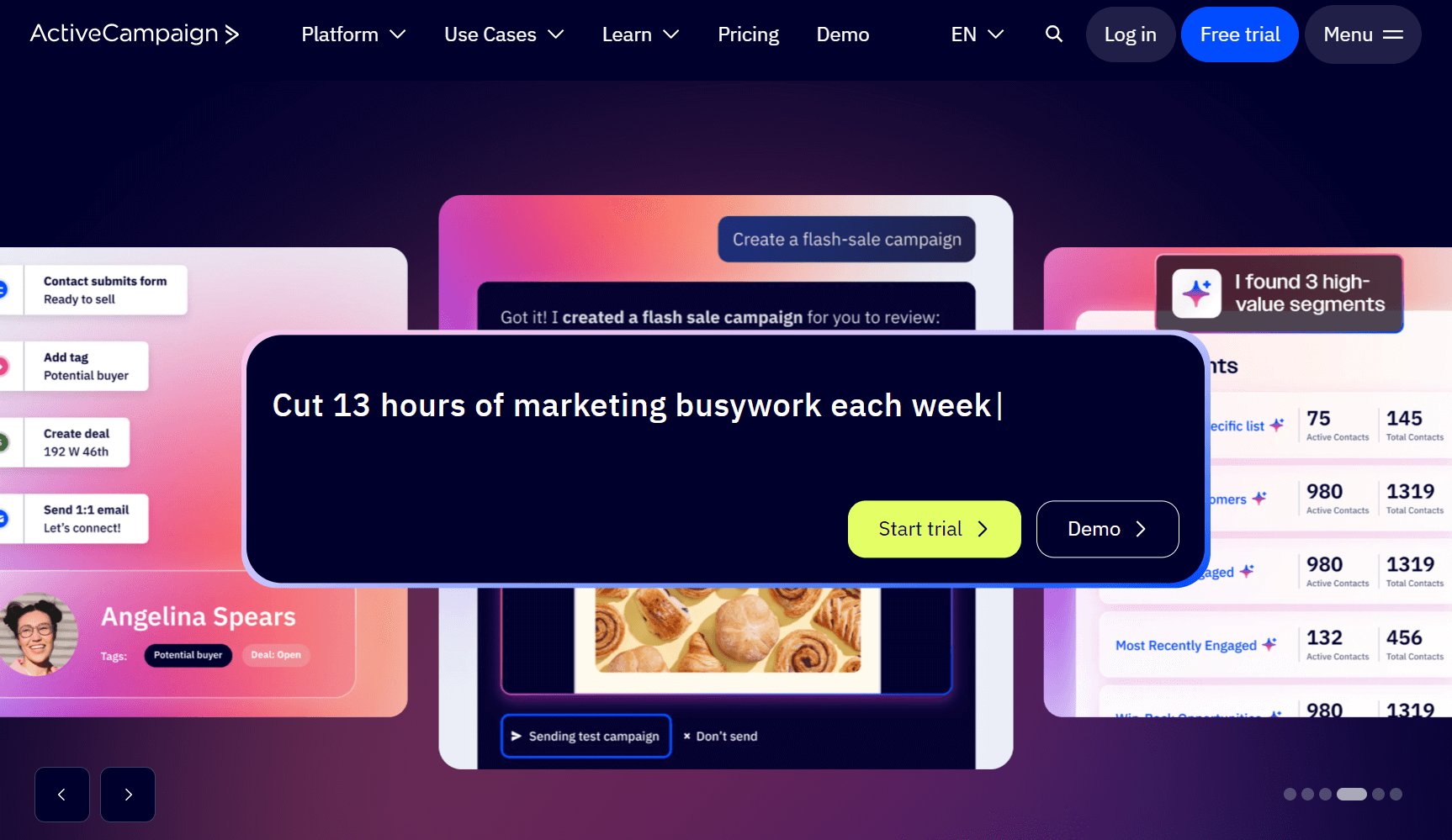
ActiveCampaign is my favorite marketing automation tool when managing large ecommerce stores with complex customer journeys.
Its AI features lend a massive helping hand in making tasks fast. The AI flow builder, AI-suggested segments, and AI content generation are my hot picks. They can build what I want with prompts and have the uncanny ability to do it right the first time.
Also, if you manage sales and want a tool to link how all automations work together, this is the one for you (pick the Pro plan for its automations map).
What doesn’t work
ActiveCampaign uses contact-based pricing. It doesn’t offer a permanent free plan, but it does offer a money-back guarantee if you aren’t satisfied in 30 days.
Here’s ActiveCampaign’s pricing up to 5,000 contacts:
| Contacts | Starter | Plus | Pro | Enterprise |
|---|---|---|---|---|
| 1,000 | $15/month | $49/month | $79/month | $145/month |
| 2,500 | $39/month | $95/month | $149/month | $255/month |
| 5,000 | $79/month | $145/month | $205/month | $375/month |
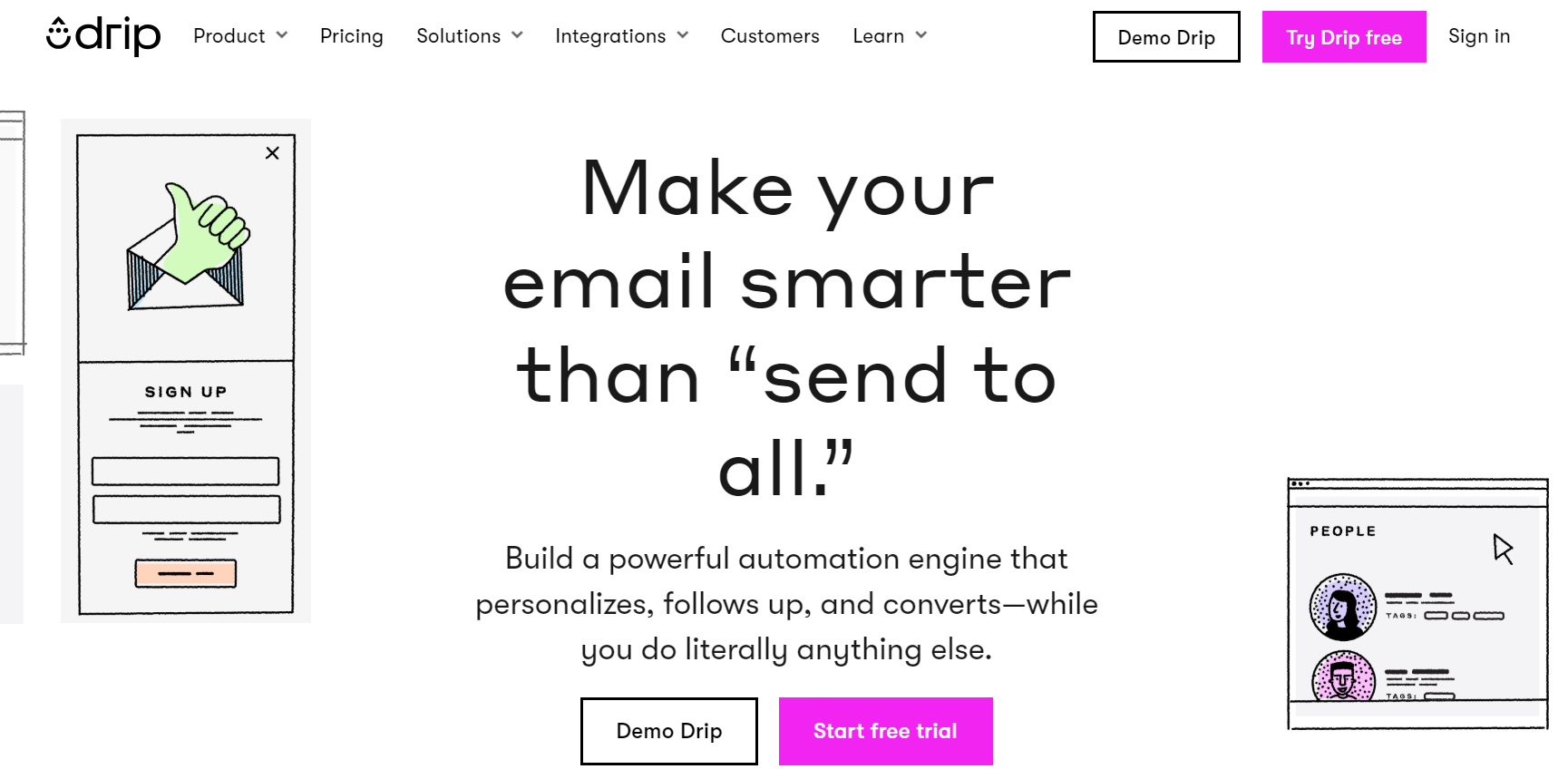
I recommend Drip if you want unlimited email sends immediately and access to every automation feature without any limitations or fuss.
There are several features in Drip that I rate, primarily its intuitive dashboard, which makes switching between flows, forms, and segments fast. But it’s the workflow builder that steals the show because it describes what the components are and do, perfect for beginners.
For instance, it asks what kind of step you want to add. Action, decision, parallel paths, goals, delays, split tests, exits, and so on, with descriptions. You can then build complex flows without worrying about them doing things you don’t want them to.
What works
What doesn’t work
Drip has one plan, with contact-based pricing starting from 2,500 contacts. There isn’t a free plan. The table below reveals Drip’s pricing up to 5,000 contacts:
| Contact count | Price |
|---|---|
| 2,500 | $39/month |
| 3,000 | $49/month |
| 3,500 | $59/month |
| 4,000 | $69/month |
| 4,500 | $79/month |
| 5,000 | $89/month |
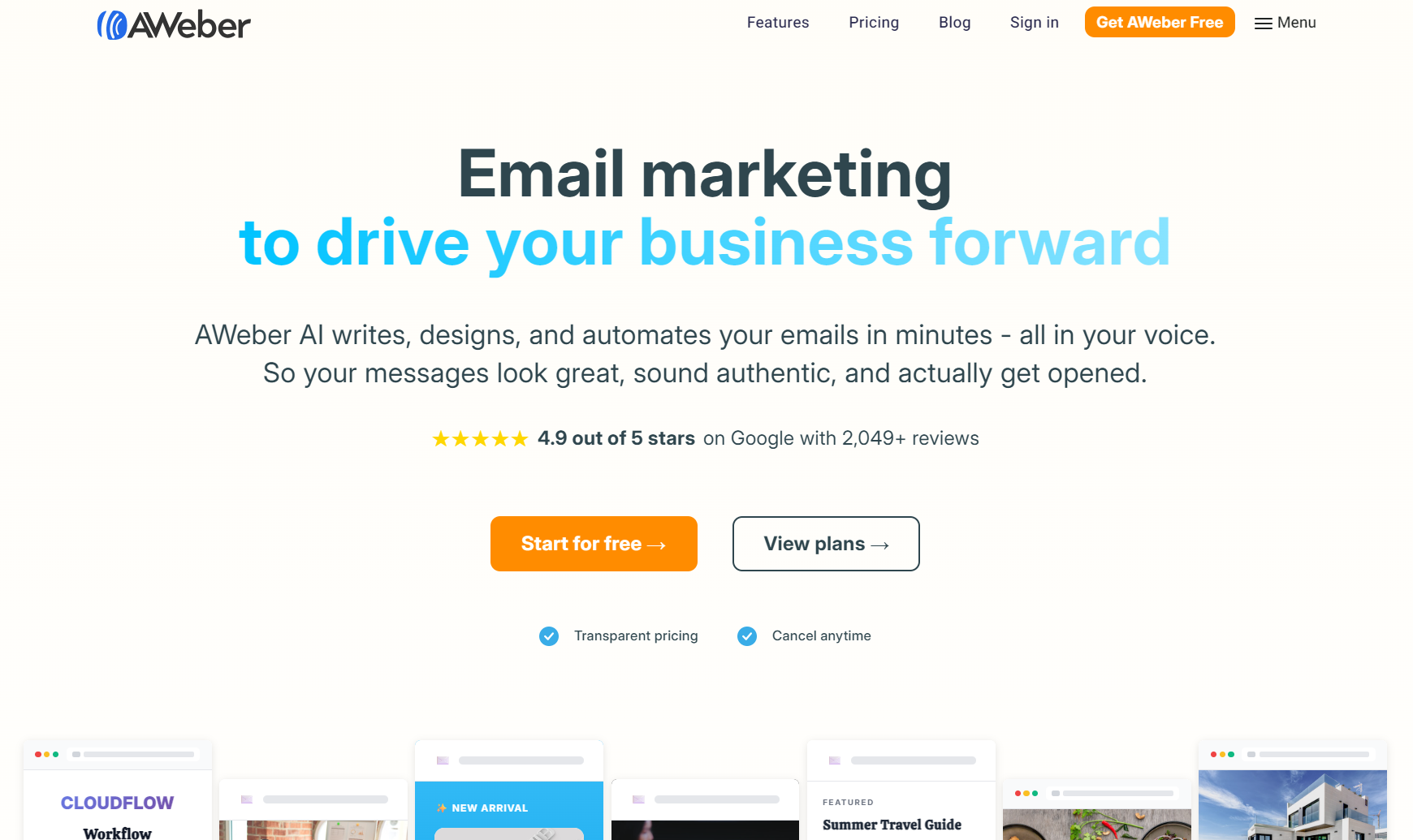
AWeber could be the best email marketing automation platform if you want automations, landing pages, and the ability to process payments from one platform.
Yes, AWeber has Shopify, WooCommerce, and other integrations, but its biggest sell is its ecommerce features with low transaction fees. You can use email automations to target your customers and bring them to your sales pages.
I also like AWeber’s email template library, which has 600+ marketing and newsletter templates that I can assign to my flows. Another feature I enjoy is the Smart Designer, which generates branded templates based on my web content.
What works
What doesn’t work
AWeber has a free plan, and its paid plans use contact-based pricing, so the more contacts you have, the more you pay. The table below includes pricing from 500 to 5,000 contacts:
| Contacts | Free | Lite | Plus | Done for you |
|---|---|---|---|---|
| 500 | $0/month | $15/month | $30/month | + $599 setup fee |
| 1,000 | - | $25/month | $45/month | + $599 setup fee |
| 2,500 | - | $35/month | $55/month | + $599 setup fee |
| 5,000 | - | $60/month | $90/month | + $599 setup fee |
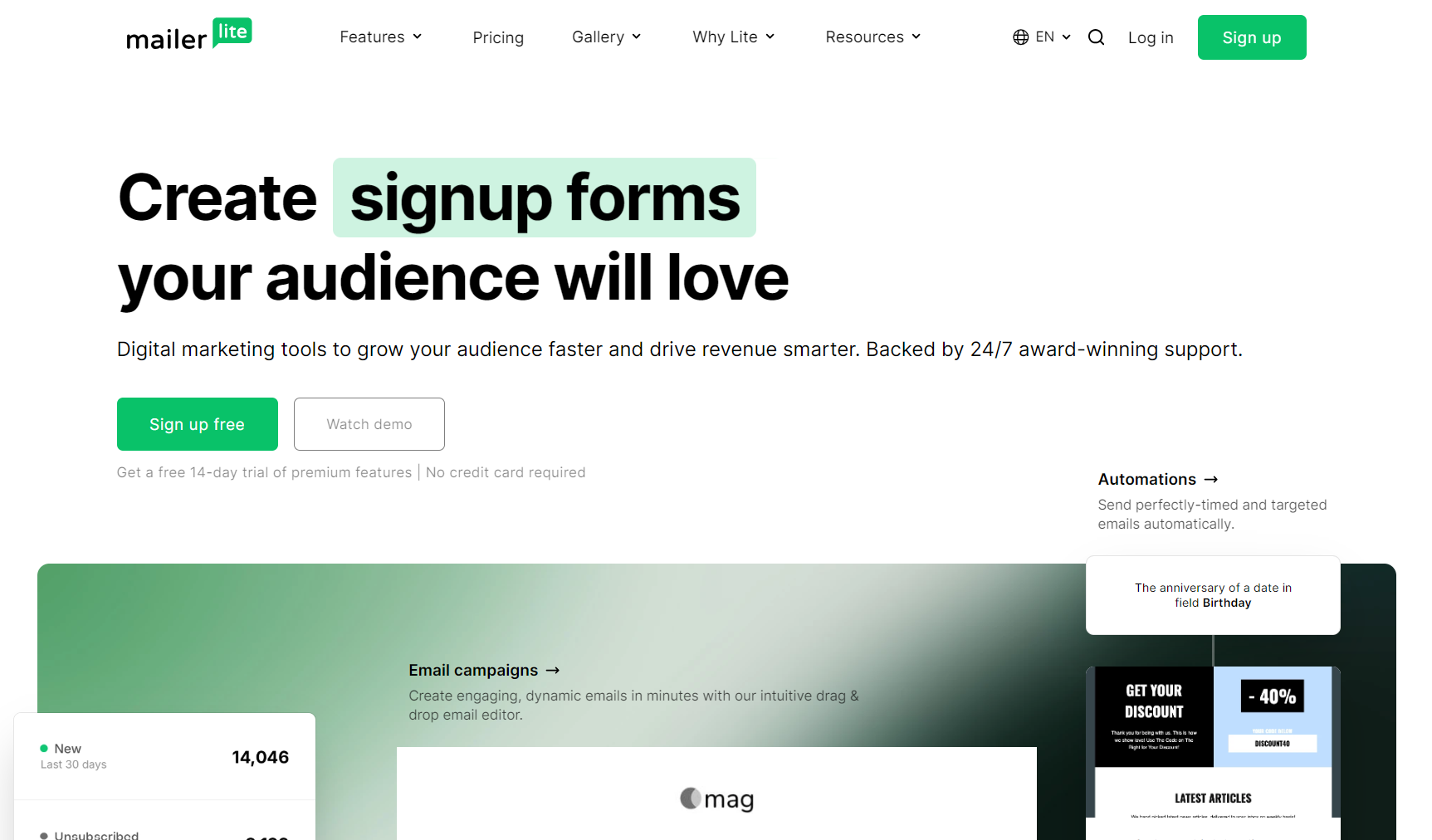
MailerLite is the best email automation tool if you need to send up to 12,000 emails/month for free or have a small list you send to frequently.
It’s an absolute steal that you can get unlimited emails for as little as $10/month with dynamic content, A/B testing, email click maps, and real-time automation reports.
I appreciate the approach to minimalism in the dashboard and how it makes it as fast as possible to start new flows. Only the Advanced plan supports multiple automation triggers and provides complete access to automation templates, though.
What works
What doesn’t
MailerLite has contact-based pricing starting from 500 subscribers/month. Its free plan is also suitable for 500 subscribers/month with generous send limits. The table below covers MailerLite’s pricing from 500 to 5,000 subscribers:
| Contacts | Free | Growing Business | Advanced |
|---|---|---|---|
| 500 | $0/month | $10/month | $20/month |
| 1,000 | - | $15/month | $39/month |
| 2,500 | - | $25/month | $40/month |
| 5,000 | - | $39/month | $50/month |
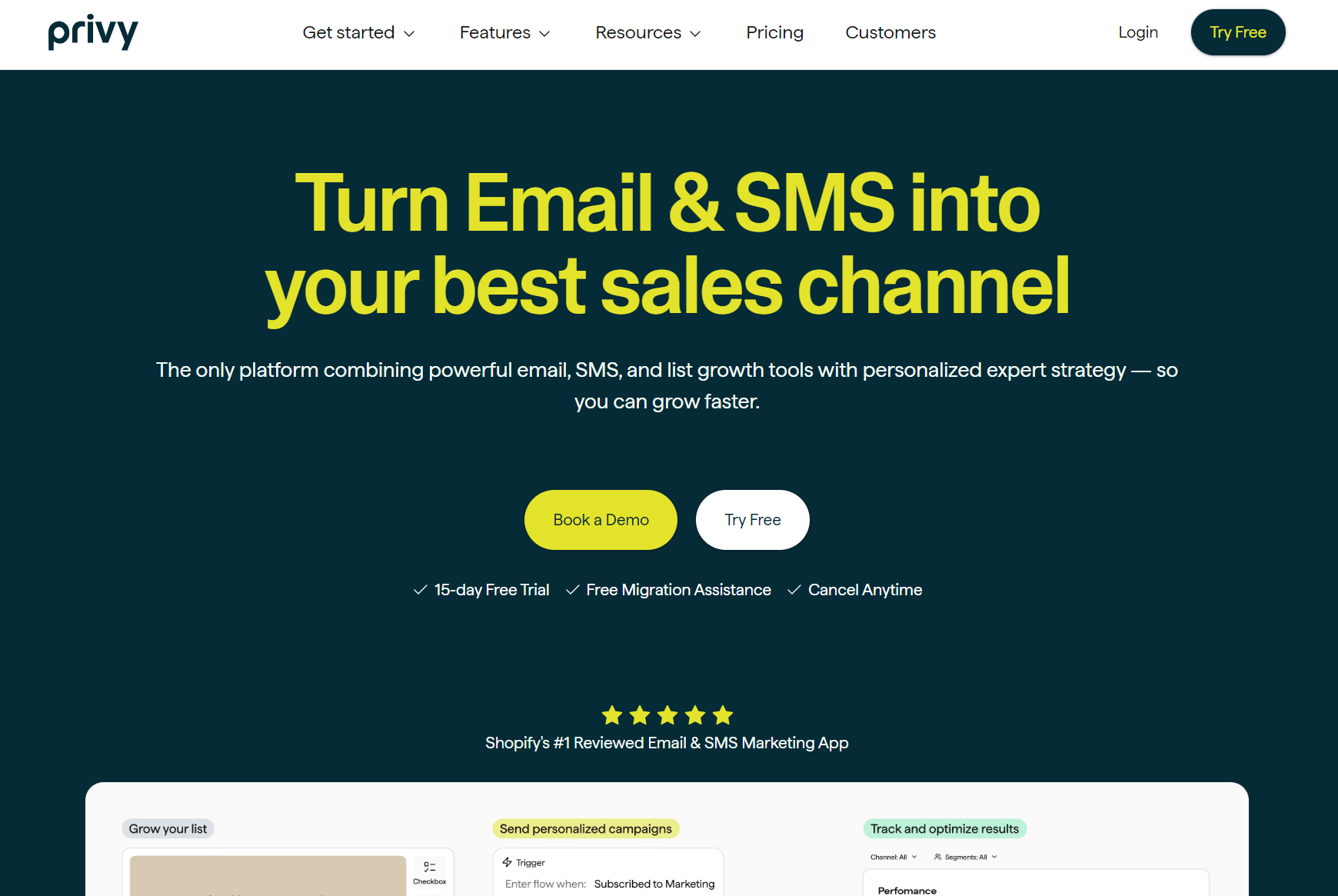
I recommend Privy if you want basic ecommerce email automations and don’t plan on needing complex triggers and filters from the data you collect.
Privy’s found a place in my email automation toolkit for abandoned cart recovery and purchase follow-ups, where its cart value filters and time delays cover the essentials.
One of the things I really like about Privy is its SMS capabilities being built in and not feeling like an afterthought. My flows can trigger an email and an SMS based on customer behavior, and thanks to a recent update, I can split flows by email or SMS events.
What works
What doesn’t work
Privy charges by what it calls “mailable” contacts, who are those who have opted into receiving your marketing messages. Those who haven’t opted in don’t count. It doesn’t have a free plan.
The table below shows Privy’s pricing from 1,500 to 5,000 contacts for its email plan. All plans tiers unlimited emails and 250 SMS credits:
| Contact count | Price |
|---|---|
| 1,500 | $30/month |
| 2,000 | $45/month |
| 3,000 | $60/month |
| 4,000 | $75/month |
| 5,000 | $90/month |
First, you need marketing automation software. It’s a non-negotiable. Shopify and other platforms do not handle enough automations to cover your customer journey.
Omnisend is for ecommerce marketing, and I use it in most of my stores. The only exception is for extremely basic flow requirements, such as a one-email welcome series and abandoned cart email, where something like Shopify Messages will do.
There are multiple email automations you can set up in Omnisend. The first one I always create is a welcome email automation because I can link it to my forms and create my first customer experience (customer signs up, then they get a welcome email).
This video takes only 60 seconds to show you how to create a welcome email flow in Omnisend:
My second email automation is an abandoned cart flow. It’s crucial because it recovers revenue and effectively serves as a welcome email to those who haven’t submitted a form, but did fill out their email address in the checkout email field.
The email marketing automation how-to guide below covers all the steps for creating an abandoned cart flow in Omnisend:
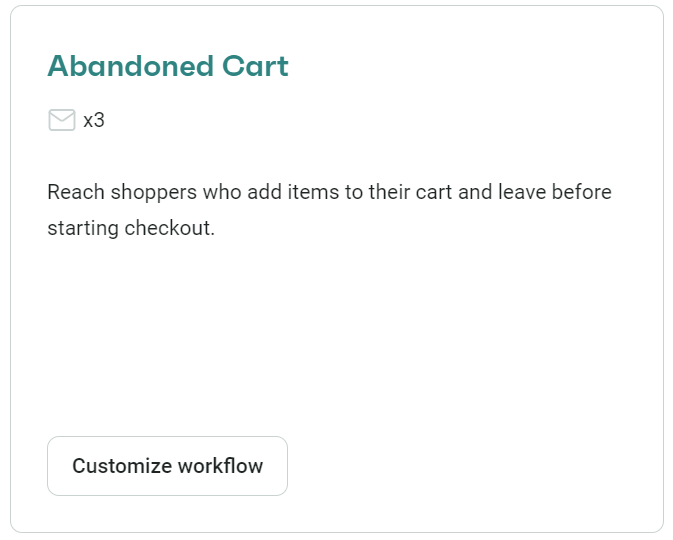
5. You will now enter Omnisend’s flow builder. The first highlighted item is the trigger, with the correct preset applied (added product to cart):
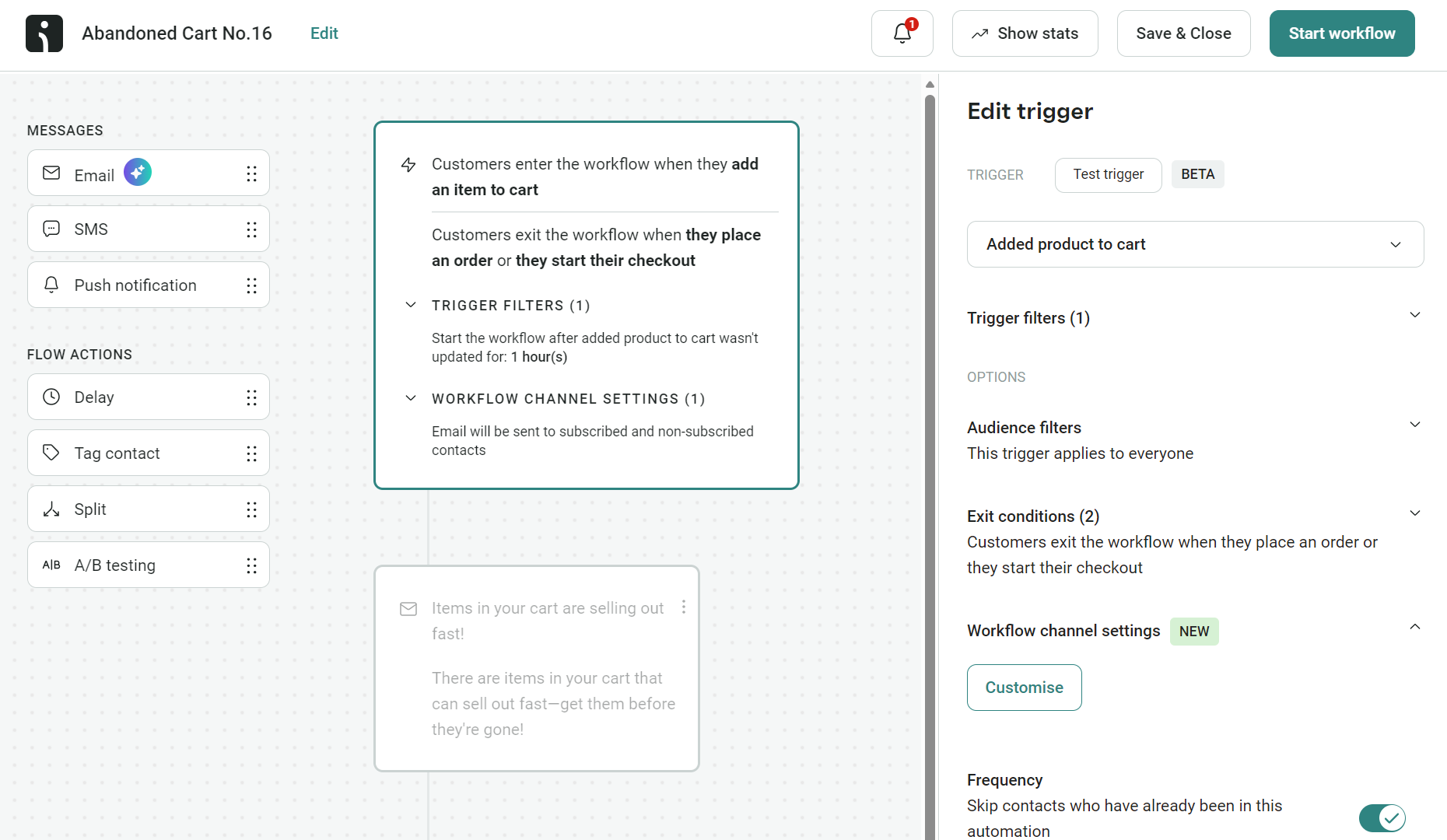
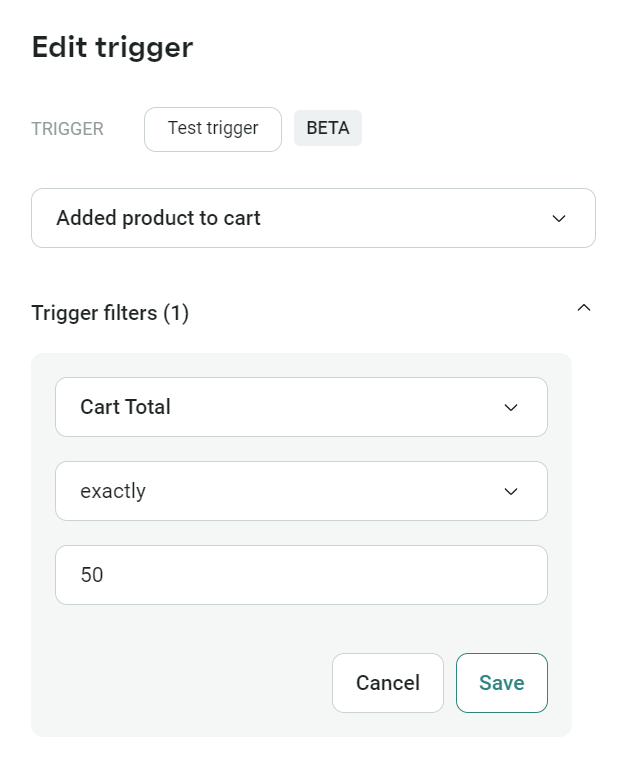
From here:
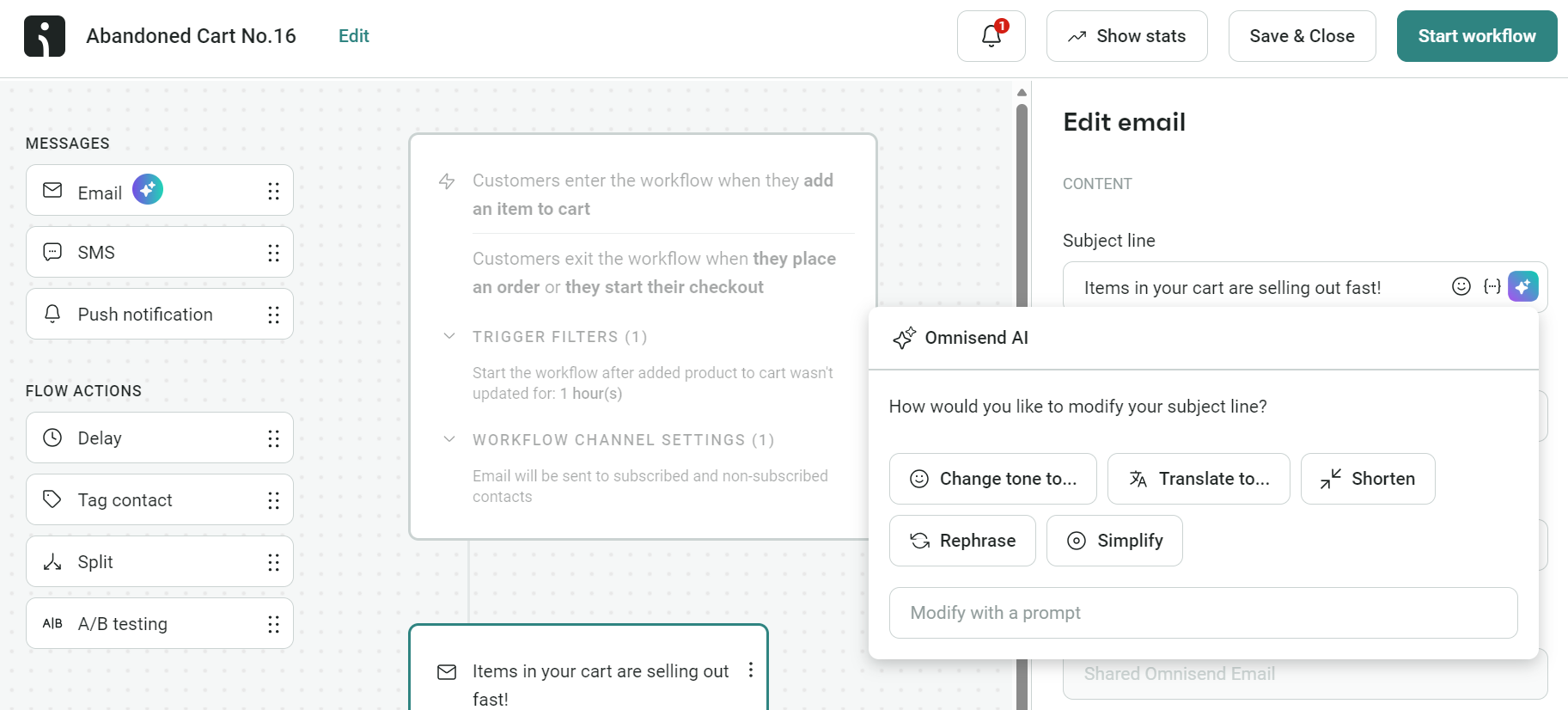
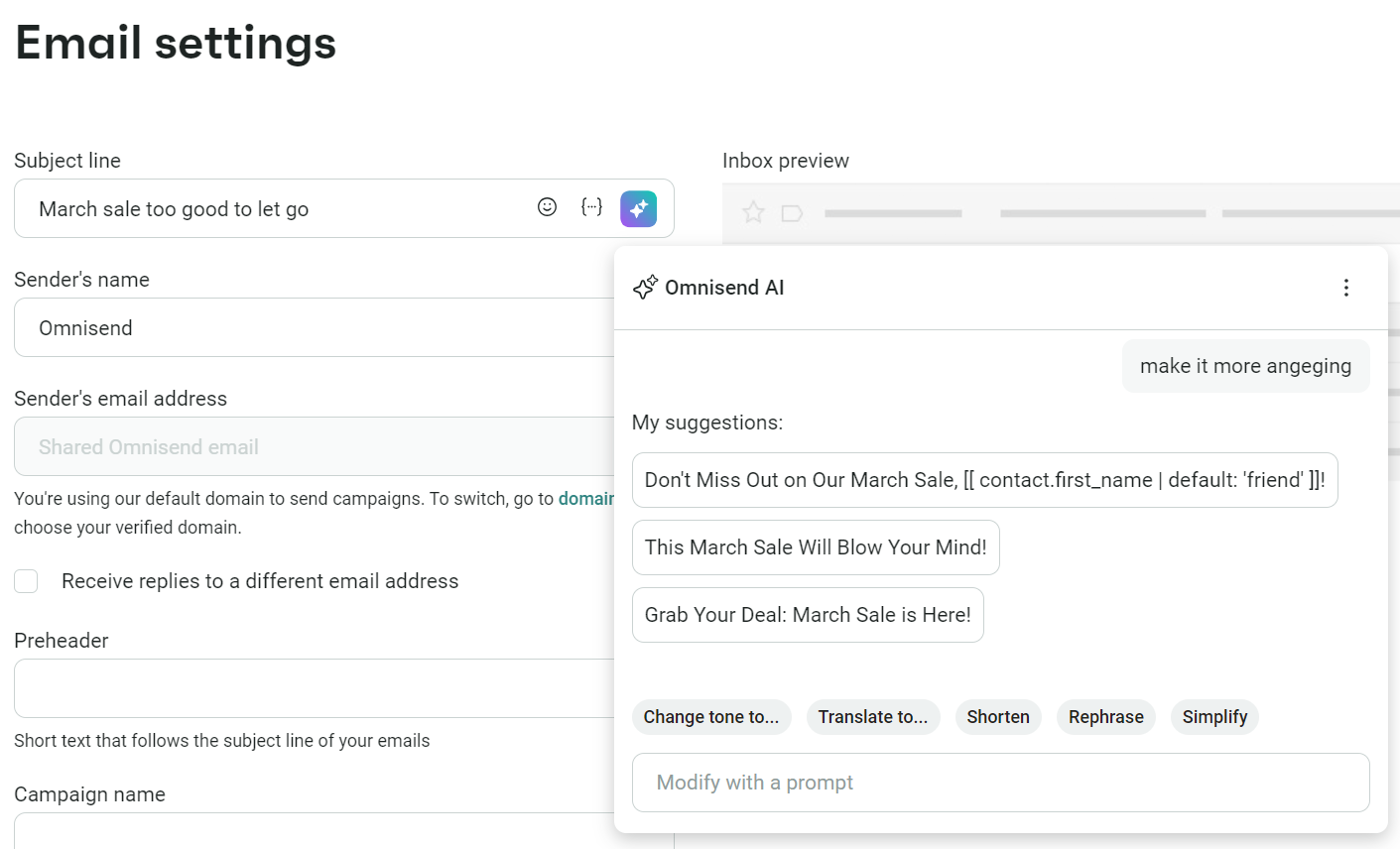
6. Click the Email element in your flow and create a subject line via the settings menu to the right. The AI icon within the field lets you create a subject line with minimal effort:
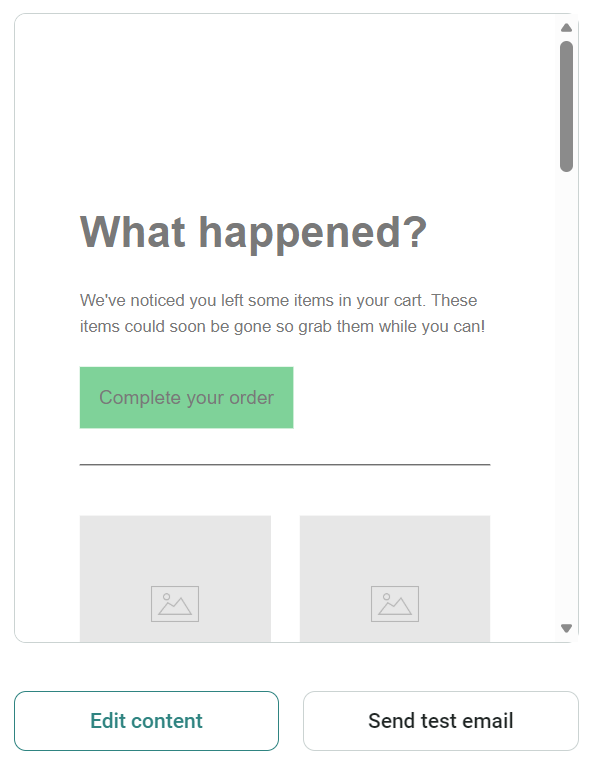
7. Once you’ve entered a subject line, scroll down to Edit content:
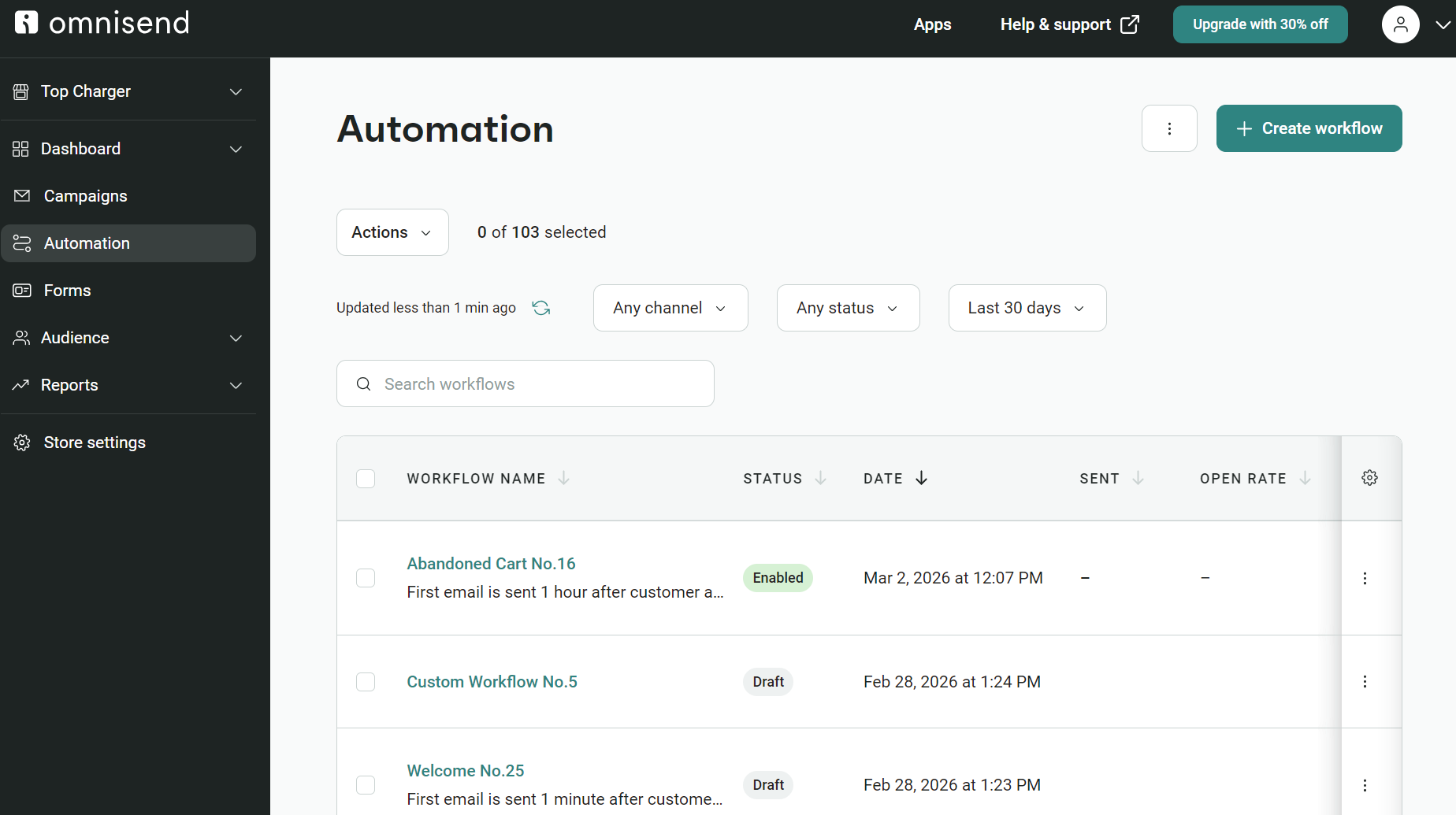
8. Click Start workflow to turn your abandoned cart email automation on. You’ll then get redirected to your Automation dashboard:
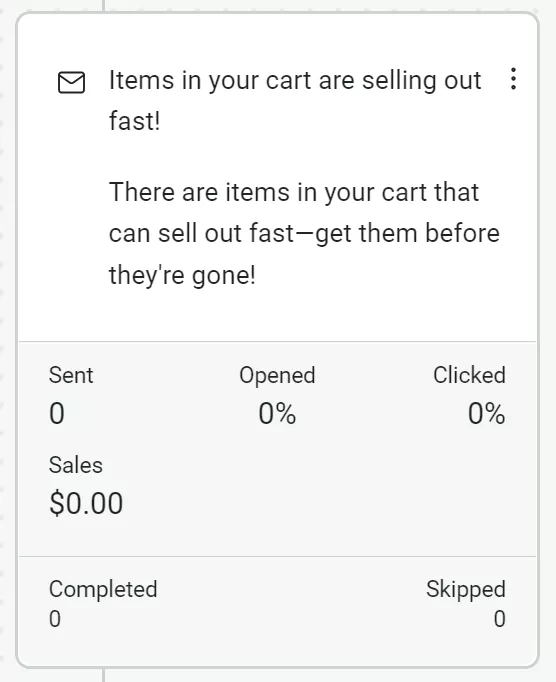
Pro tip: You can show the stats for any email in your automations by toggling the Show stats button in the flow builder. I find this is an extremely useful feature when I’m reusing email templates and need the best-performing one per automation:
Prefer an interactive guide? There’s an app that walks you through building your first abandoned cart automation. Log in to Omnisend and work with it in another tab for easy setup.
I use AI chatbots (Gemini, primarily) all the time to bounce ideas around and come up with new email automation ideas. Then, I use Omnisend’s AI features to improve my workflow and speed up the time to complete new segments, flows, and forms.
My point is that AI’s usefulness doesn’t end at the chatbot but also extends into the email tool you use, provided it offers AI features in the plan you pick.
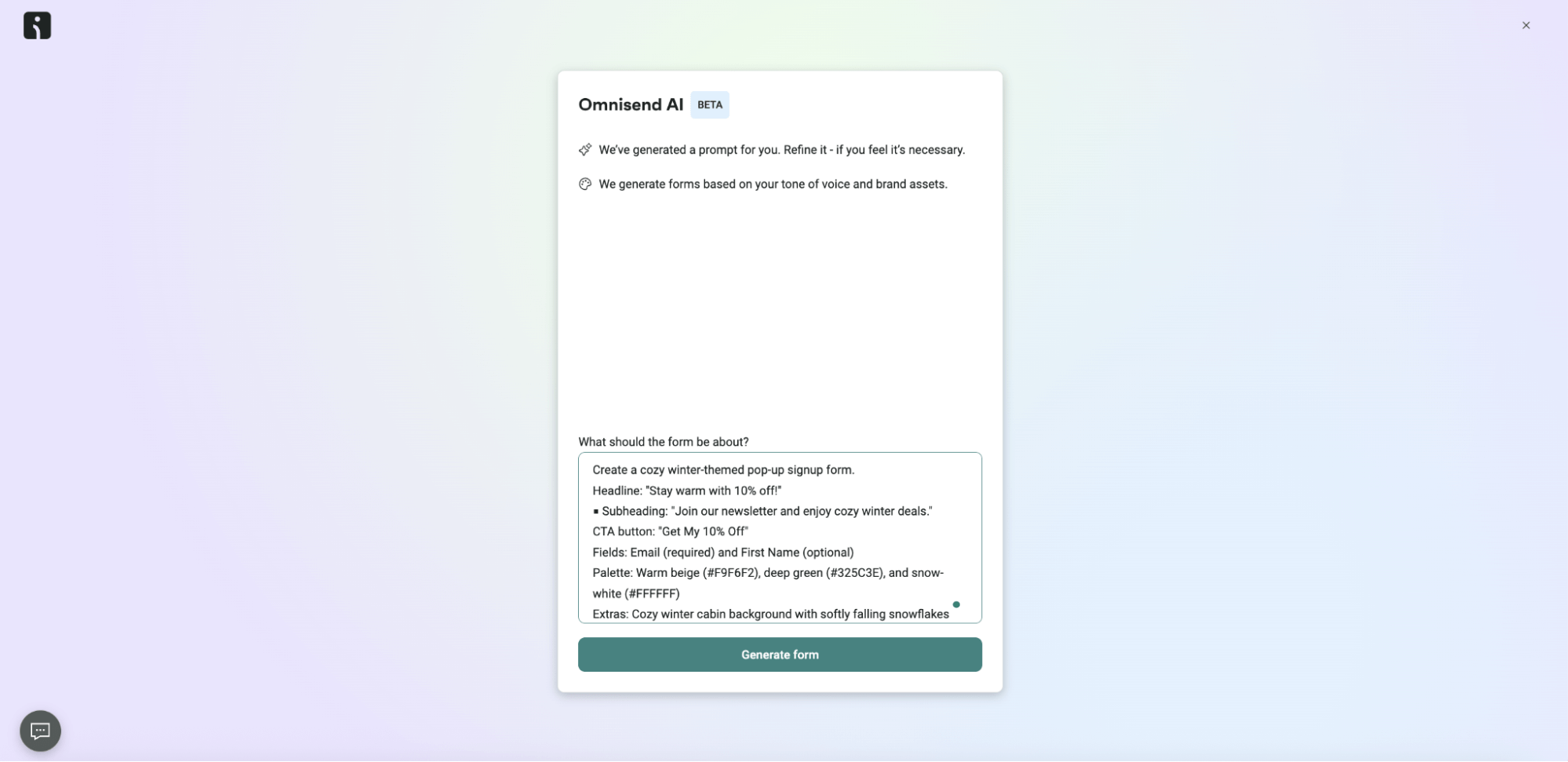
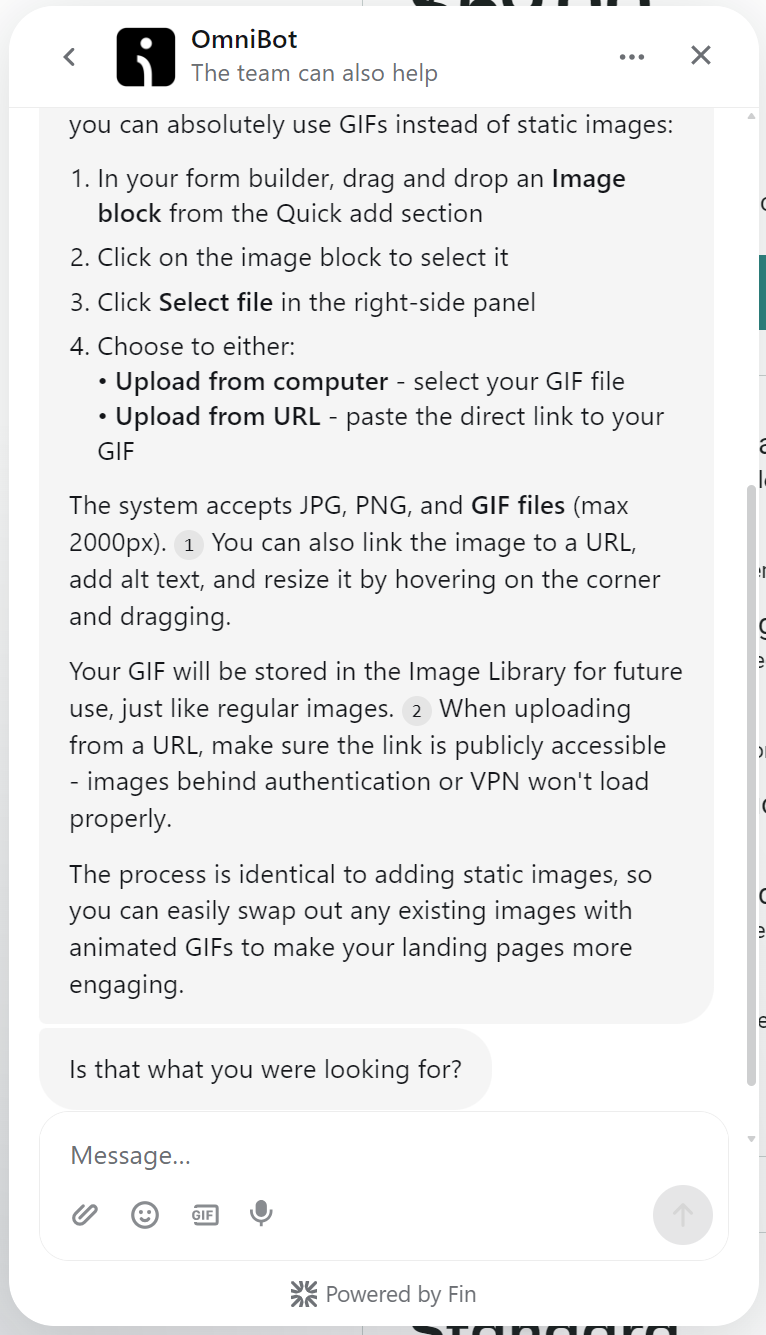
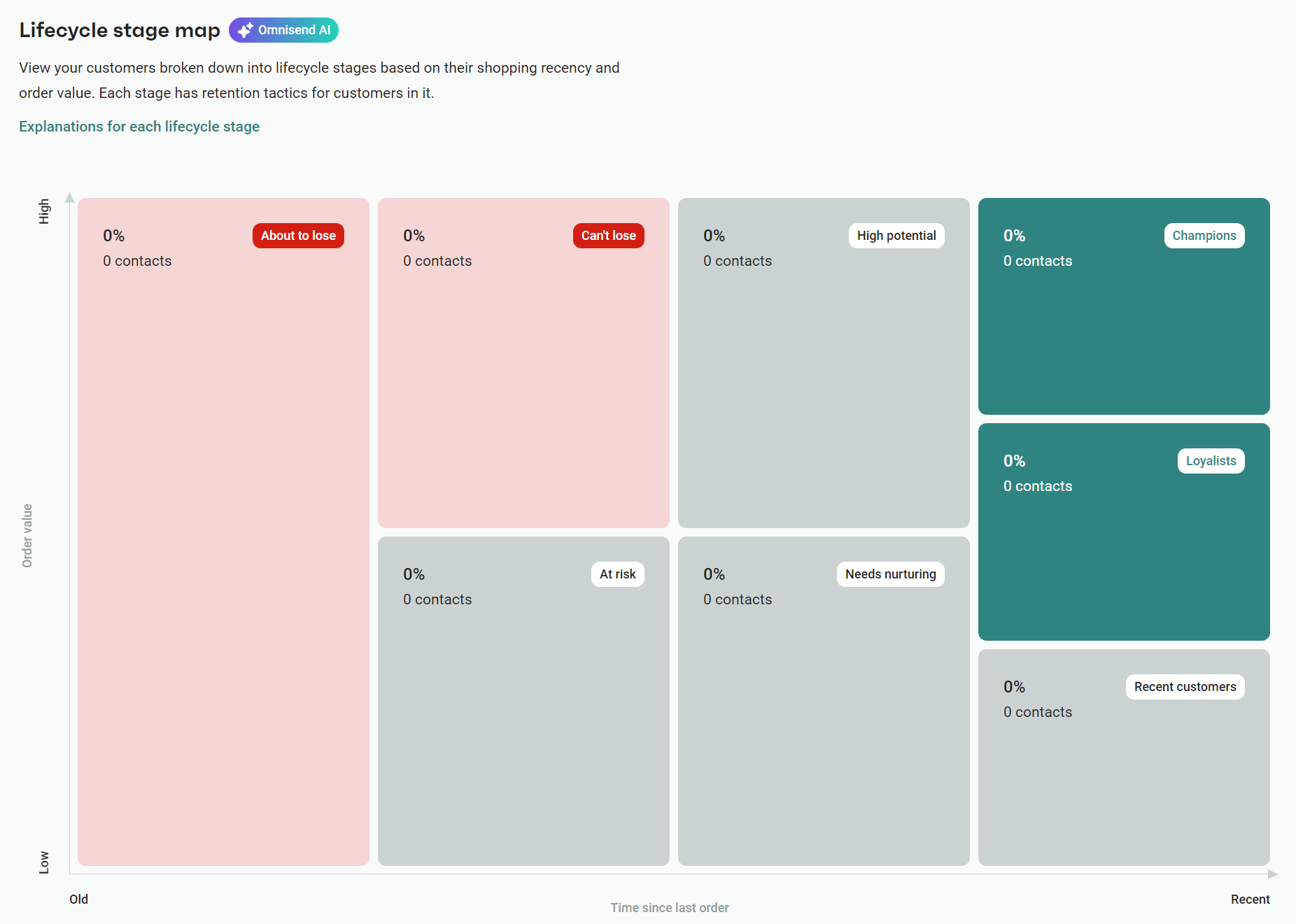
AI saves me time and helps me market products and reach customers more effectively. Here are my top use cases, each available in Omnisend:
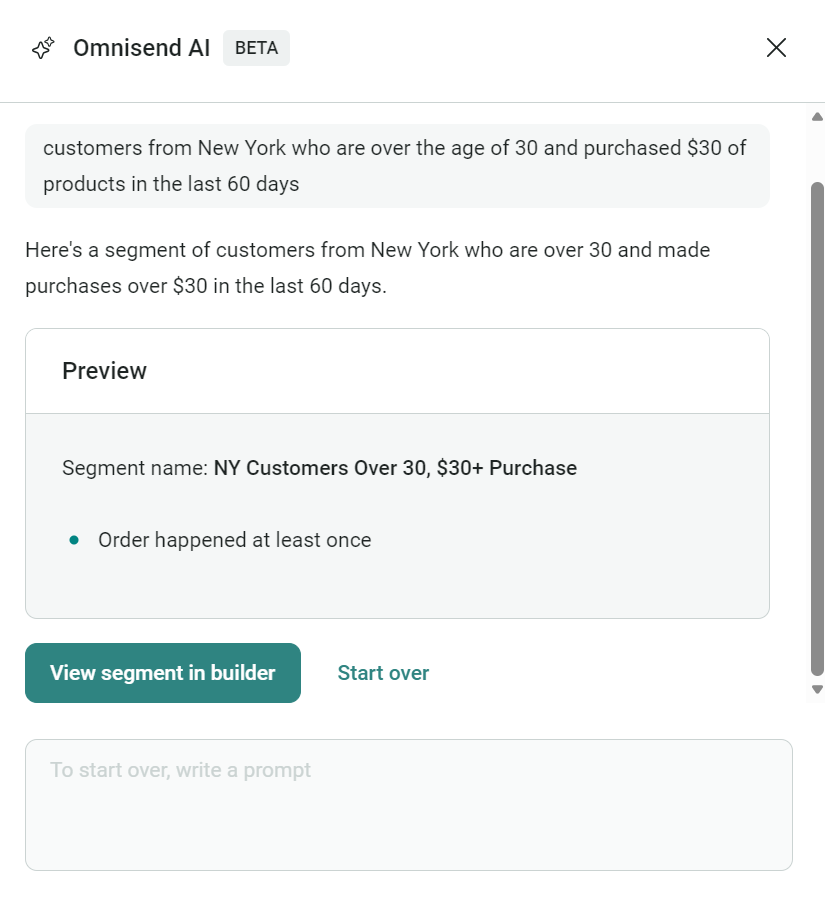
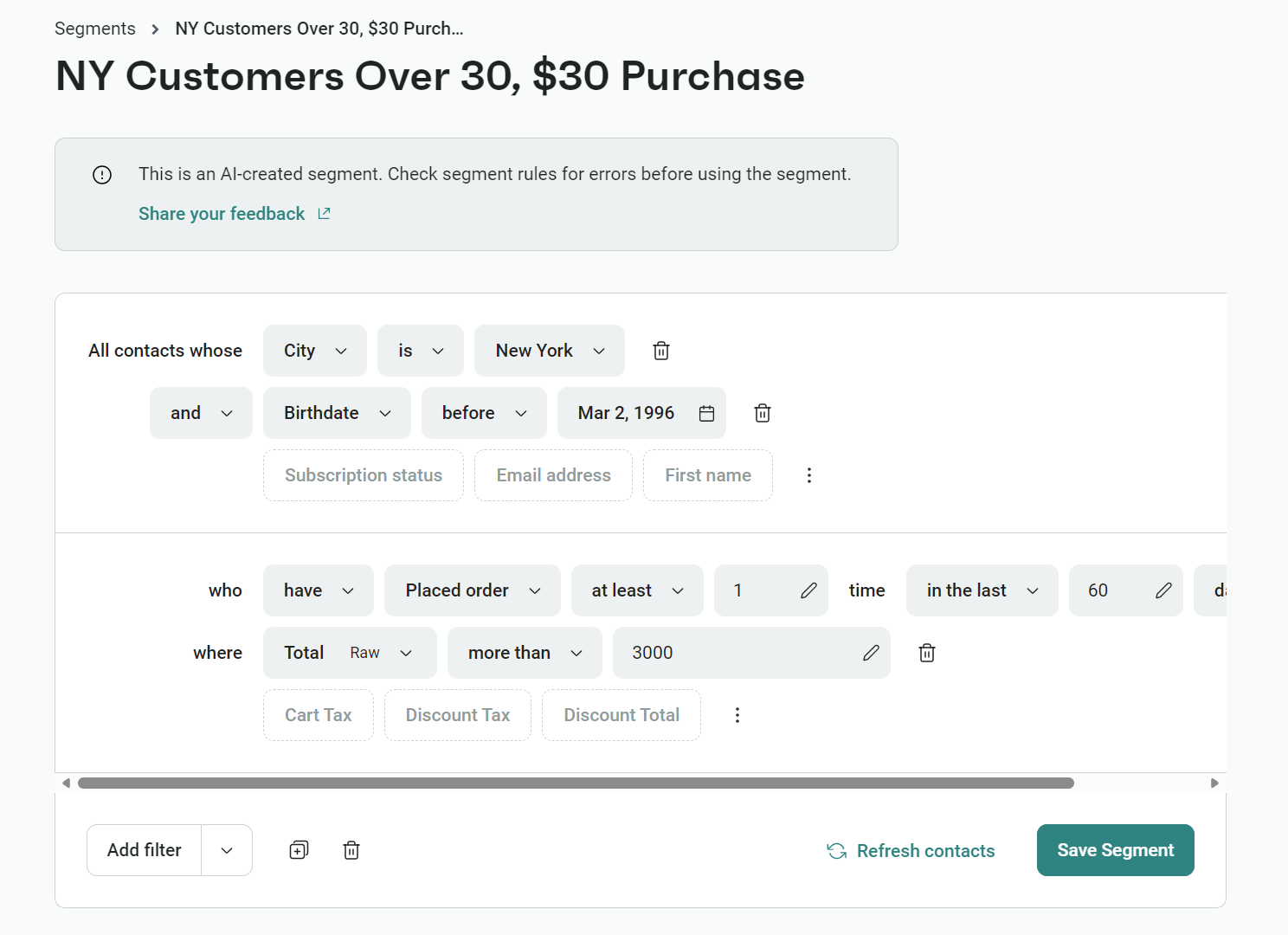
Look at the quality of the AI-generated segment, below, and how it has accurately done what I asked it to. It saves me so much time.
Of course, I don’t lean on AI email automation for everything. I still maintain human control over these elements because (frankly) I know better:
I’ve added seven automation best practices below based on my personal experiences with multiple email marketing automation platforms. Omnisend has additional coverage where it’s appropriate to provide examples in action:
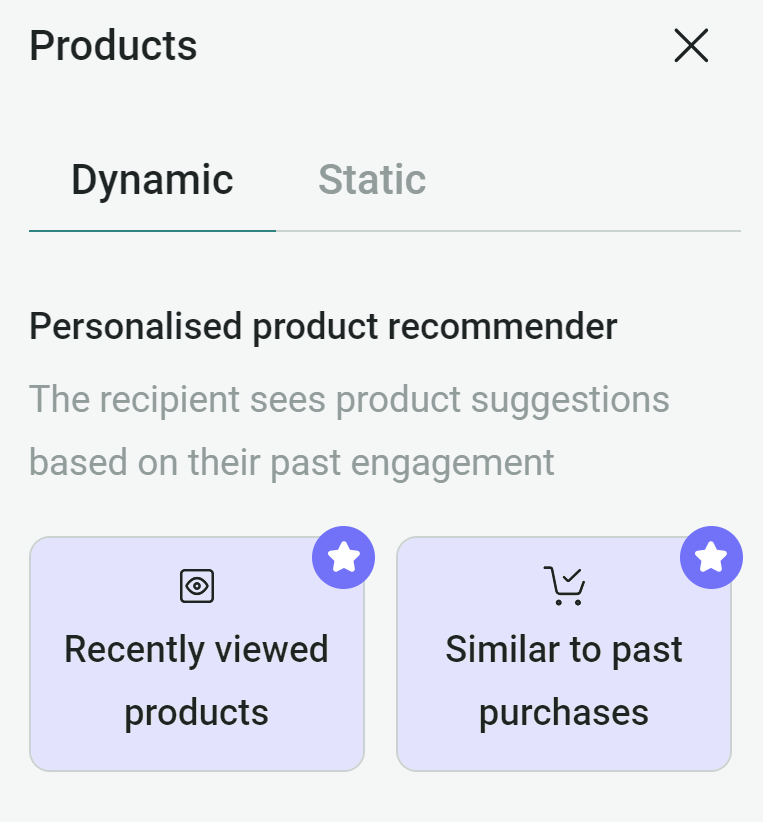
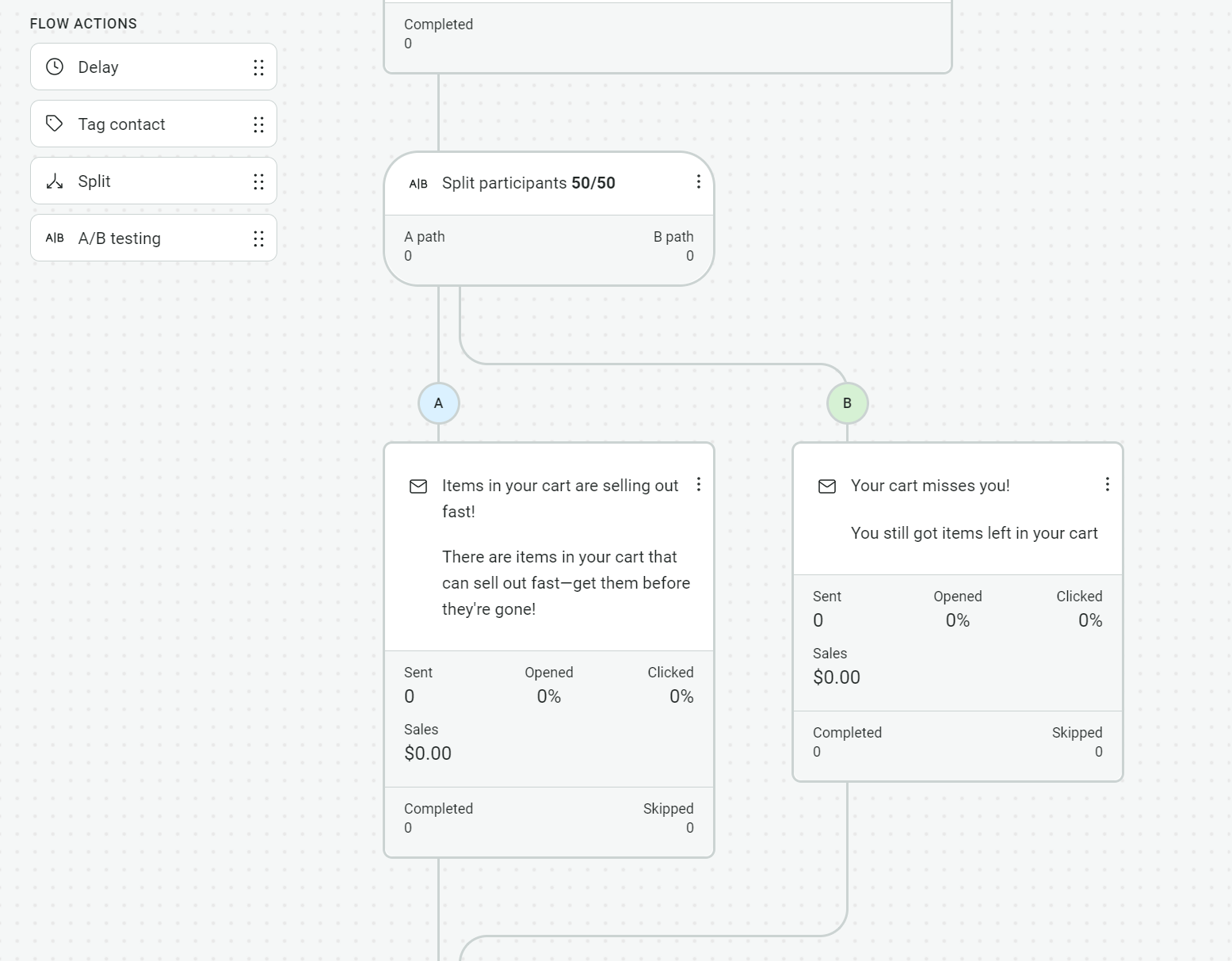
My favorite email automation examples get to the point with descriptive subject lines and content that does the same. The emails below are from real brands. You can use their ideas for inspiration to create high-converting templates the first time around.
Subject line: Smiles, welcome to the Lyka Pack!
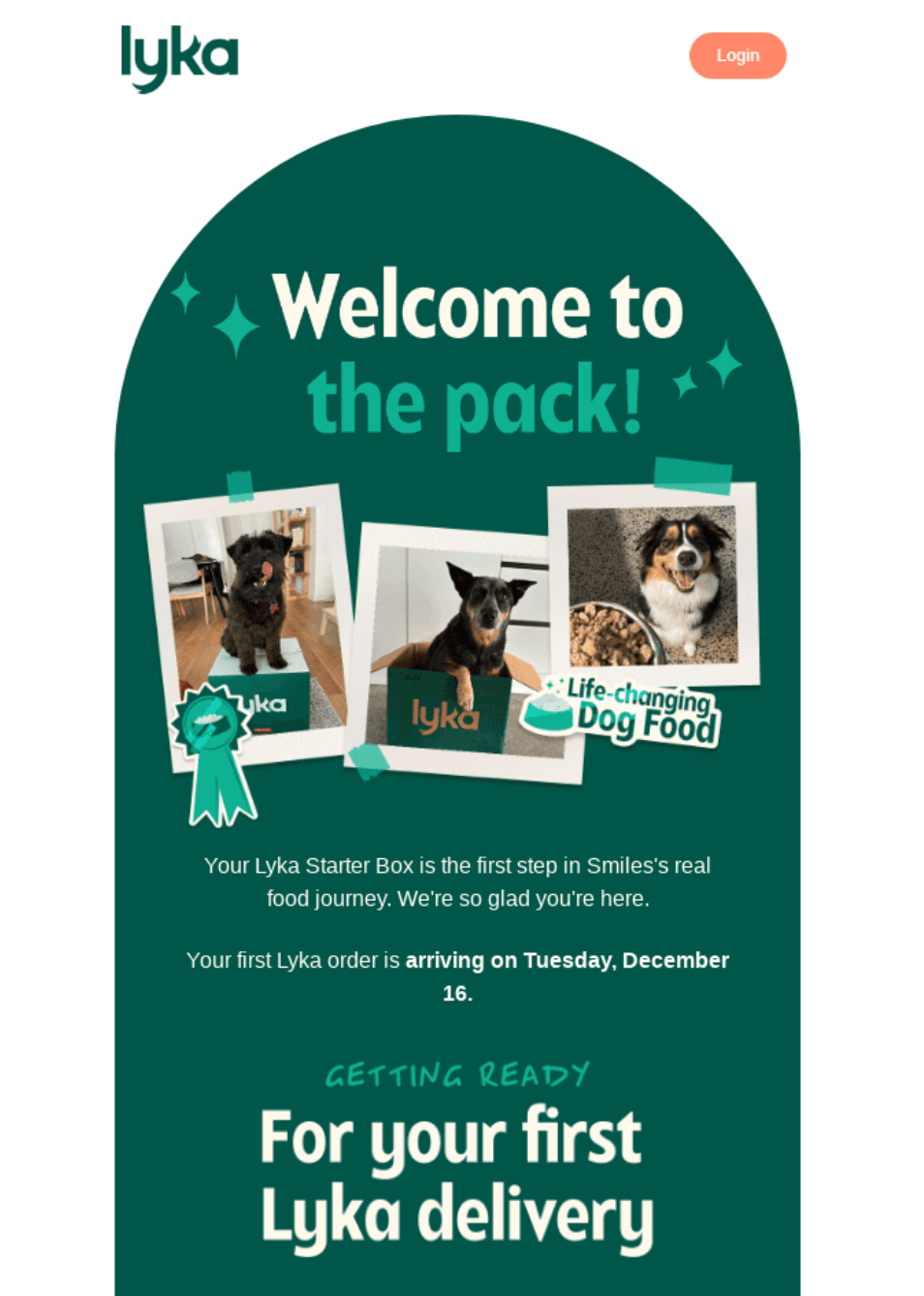
Lyka is an Australian dog food retailer targeting the pet health sub-market. Its welcome email triggers following an order. I love how it’s practical and not promotional, giving three numbered preparation steps before the first delivery and including the delivery date.
Something else I like, which I do as much as possible in my own automated emails, is linking to guides and support. In Lyka’s case, these build trust at a moment when the customer is most likely to have questions about switching their dog’s food.
Subject line: Forgot something?
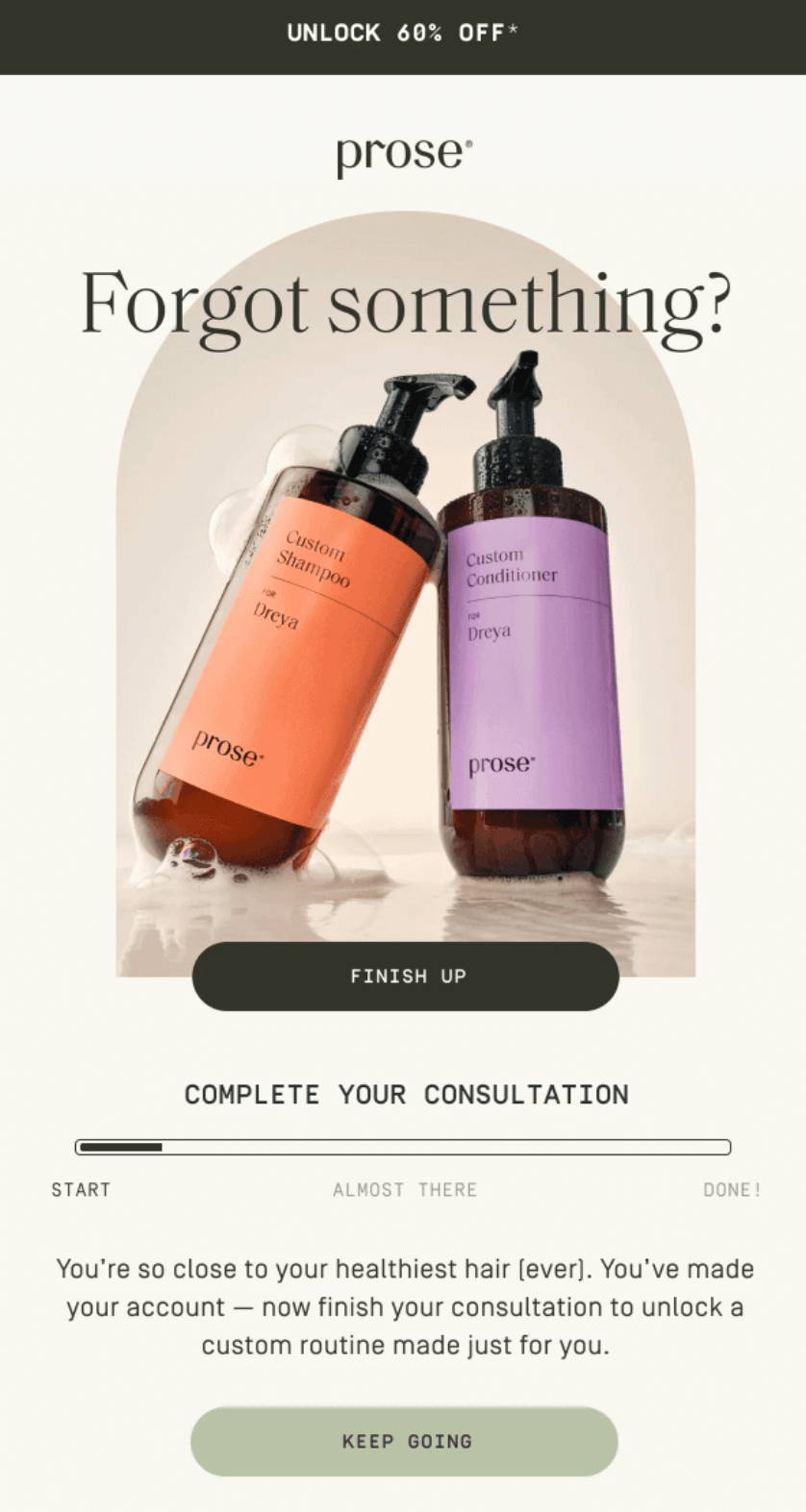
Prose is a custom haircare brand with a fantastic cart recovery email. It uses a progress bar showing how far the customer got in their consultation, creating a sense of unfinished business rather than just reminding them they left items behind.
It leads with completing the experience before the 60% discount, plus uses value props like free shipping and a satisfaction guarantee for pricing objections, something I recommend you do to win over even the most hesitant customers.
Subject line: Restocked: Relax Magnesium
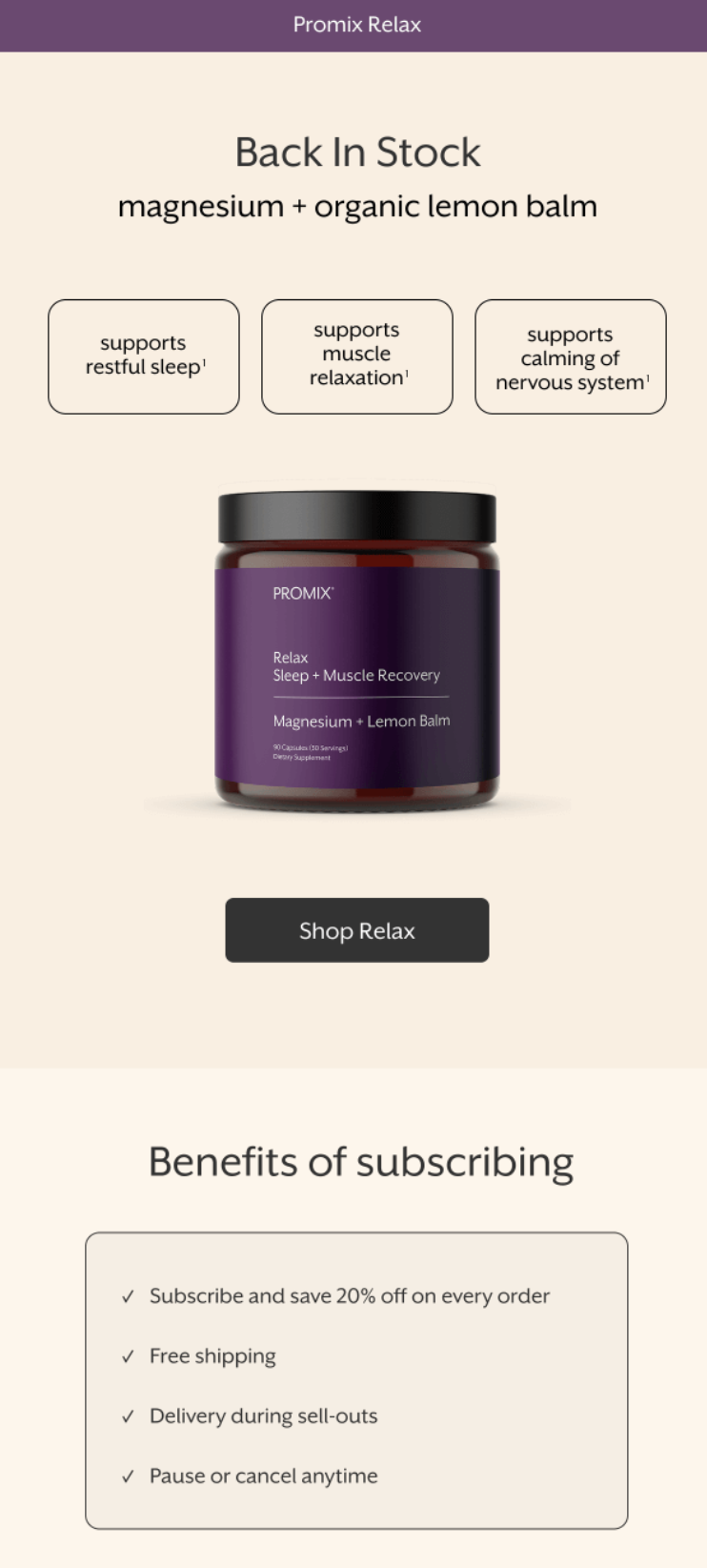
Supplement retailer Promix sends back-in-stock emails, which I’ve found have among the highest conversion rates of any automation. In fact, they delivered the highest conversion rates (6.46%) of any automation type in 2025.
Moving on to the email, it immediately tells the customer what’s available again and why it matters with three benefit tags.
The Truemed section is clever and something I might use in some of my emails to remind customers that they can use alternative payments. For most of my ecommerce stores, that would be mentioning Klarna or Afterpay.
Subject line: Tell us what you think about Going 💡🎉
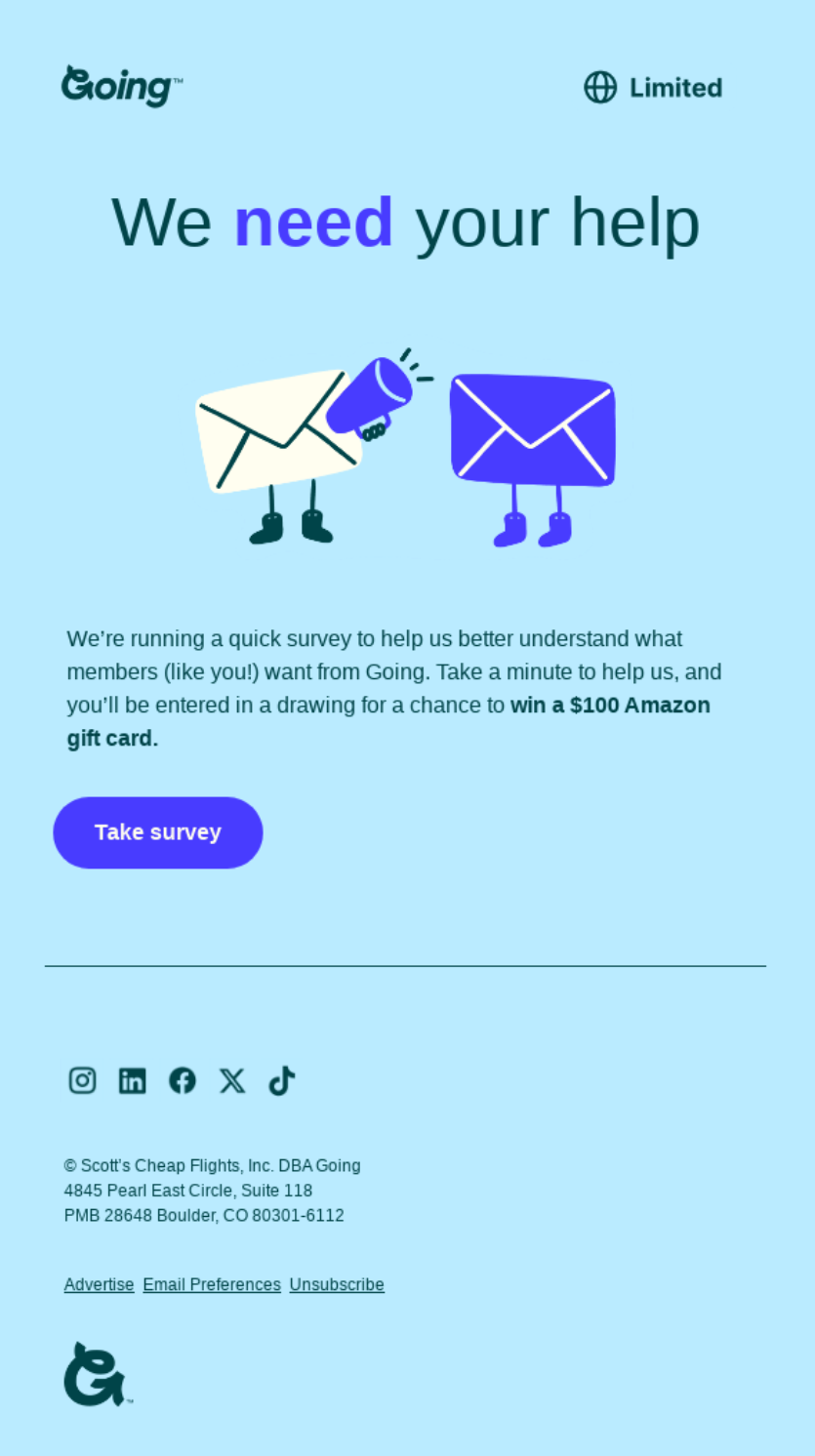
Going is a cheap flight membership service. Its survey email is direct, with a single ask and a single CTA to “Take survey.”
There’s an incentive on offer that sounds substantial to customers, but minimizes financial investment for Going (a $100 Amazon gift card). The copy is short and frames the survey as quick (“take a minute”) to encourage clicks.
Overall, I think it’s an excellent email automation example for keeping things simple with one heading, a description, and a CTA button.
Subject line: Come back to get your Custom Plan for up to 90% Off
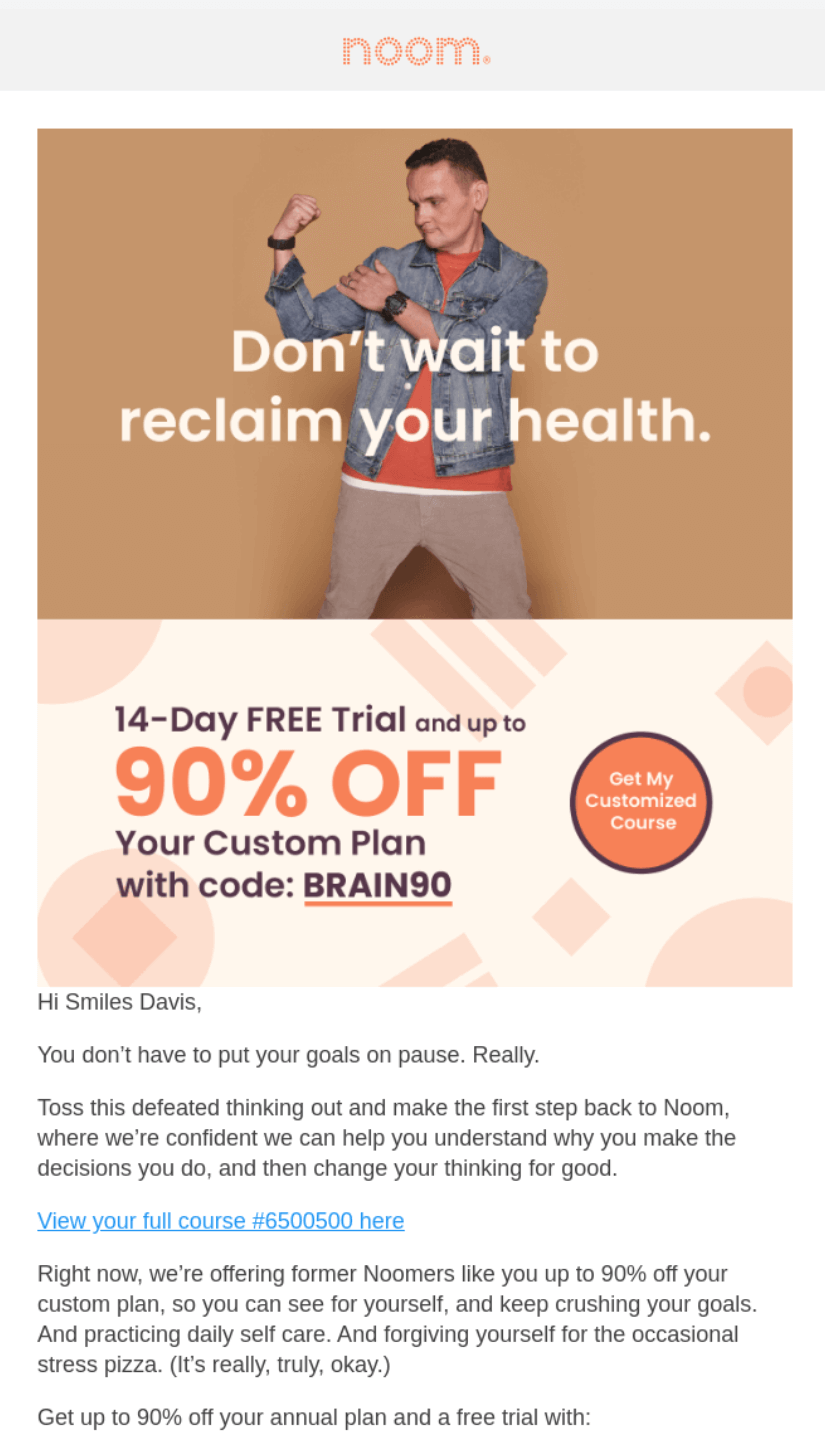
Noom’s win-back email targets lapsed customers with a heavy discount (up to 90% off) and a 14-day free trial, removing the two biggest barriers to returning.
Its copy acknowledges why people fall off without being judgmental, using a conversational tone (“the occasional stress pizza” line). I like how it links to the customer’s course and reminds them of the progress they’ve already made.
Email automation is 100% necessary to provide a good customer experience. I usually leave confirmations to my ecommerce platform and invest all efforts into revenue-generating flows like welcome emails and abandoned cart sequences.
A well-timed, contextual automated email arrives at high-intent and critical moments in your customer journey, such as when they’re at risk of unsubscribing. They also satisfy their contact preferences and match browsing activity with personalized content.
Your next step is to test a few email marketing automation platforms. My advice is to start with Omnisend, Sender, and Brevo:
All three email tools have free accounts to try. However, only Omnisend provides access to all standard features. Start there for the best value.
Quick sign up | No credit card required
It’s an app, plugin, or software integration for your ecommerce store that can trigger emails based on events, behavior, and segment activity.
They are standalone but complementary systems. A CRM is how you manage customers and contact information, typically within a tool such as Salesforce, or in email automation tools with CRM features, such as Klaviyo and Brevo.
The standout for ecommerce marketing email automation is Omnisend for its pre-built flows, 250+ email templates, AI segment builder, and customer breakdown report. Sender is the top automated emails tool if you need to send thousands of messages/month and don’t have complex customer journeys.
With email marketing automation software that connects to your ecommerce store and then triggers flows based on behavior, engagement, and other filters. I leave Shopify and most other ecommerce platforms to handle confirmation emails. The marketing automations are better off with a dedicated tool such as those in my list.
A welcome email or series after a customer subscribes to your form, a thank-you email following your customer’s purchase, and an anniversary email sent to customers who bought a gift this time last year.
Cover three flows first:
— Welcome email
— Abandoned cart email
— Thank-you email first
Brand your email templates with colors and fonts that match your store and add your logo. Send test emails to your address and view them in apps and browsers. With every new automation, consider how it benefits your customer experience. If it’s redundant or repetitive, such as a gratitude email immediately after an order confirmation, cut it.

TABLE OF CONTENTS
TABLE OF CONTENTS

What’s next



No fluff, no spam, no corporate filler. Just a friendly letter, twice a month.