Drive sales on autopilot with ecommerce-focused features
See FeaturesEmail automation is a game-changer, generating nearly 40% of email-driven revenue while making up only 3% of total sends, highlighting its efficiency in driving sales.

Setting up automated email flows allows brands to send timely, behavior-triggered messages that enhance customer experience and boost engagement without manual effort.
Utilizing a series of automated emails, rather than just single messages, significantly increases conversion rates by telling a cohesive story and nurturing customer relationships over time.
Choosing the right email automation tool is crucial; look for features like segmentation, multichannel capabilities, and ease of use to effectively support your marketing strategy.
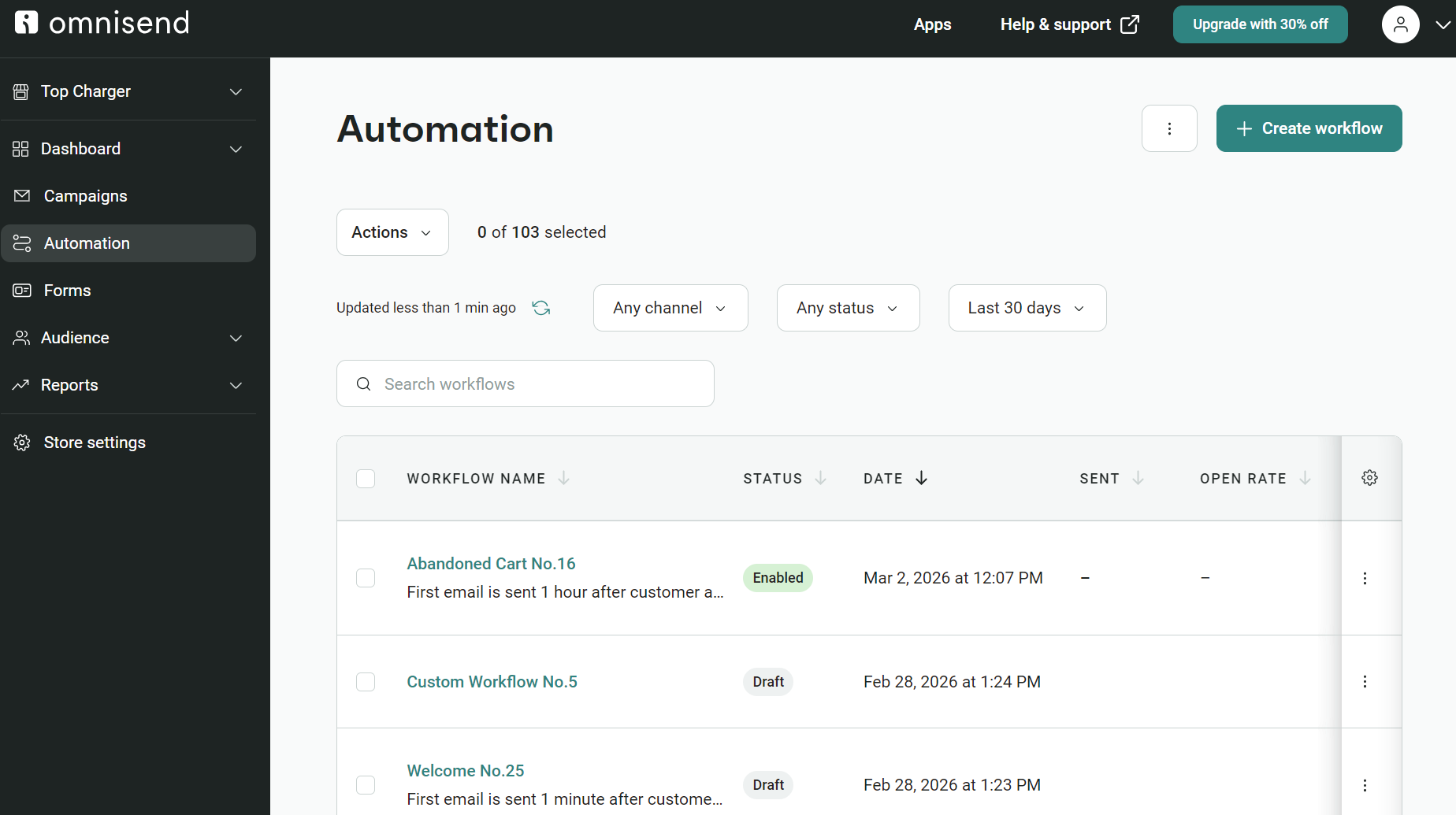
A customer abandons their cart. Half an hour later, an automated email brings them back, and the sale is saved. That’s just one scenario where email automation works, and there are dozens more throughout your customer journey.
There are moments where automated messages are essential, such as order confirmations, timely, such as back-in-stock alerts, and strategic, such as winback series.
In any case, automated emails arrive when your customers need or benefit from them, and your email marketing tool handles them all once you set up flows with appropriate triggers.
Is setting them up worth your while? A resounding yes. Omnisend’s preliminary data for Q1–Q3 2025 shows that automated emails accounted for nearly 40% of all email-driven revenue, despite making up only about 3% of total send volume.
In this 2026 edition of our email automation guide, we’ll cover the latest statistics, automation types, 15 real-world examples, setup steps, and tools you can use to get started.
Quick sign up | No credit card required
What is email automation?
Email automation (also called email marketing automation) is the sending of emails to your customers based on triggers you set in software, such as browsing behavior, purchase events, and segment activity.
Compared to email campaigns, which are scheduled or immediate, automations reach customers at unique moments in their journey and provide the cohesive experience you know from the likes of Amazon and other successful retailers. Unlike one-off newsletters or blasts, automated emails go out without manual effort each time — they’re sent automatically when customers take action.
Automated emails are a subset of marketing automation, which also includes SMS, push, and social channels. You need these additional automations, too, but email is by far your best opportunity to own your customer experience. It also delivers the highest ROI across the board, which is why email automation remains such a powerful lever for growth.
With Omnisend or another email automation tool, you can create flows to:
- Recover abandoned carts and reduce lost sales
- Welcome new subscribers and build relationships
- Re-engage inactive customers before they churn
- Confirm orders and keep customers informed
- Upsell and cross-sell based on purchase history
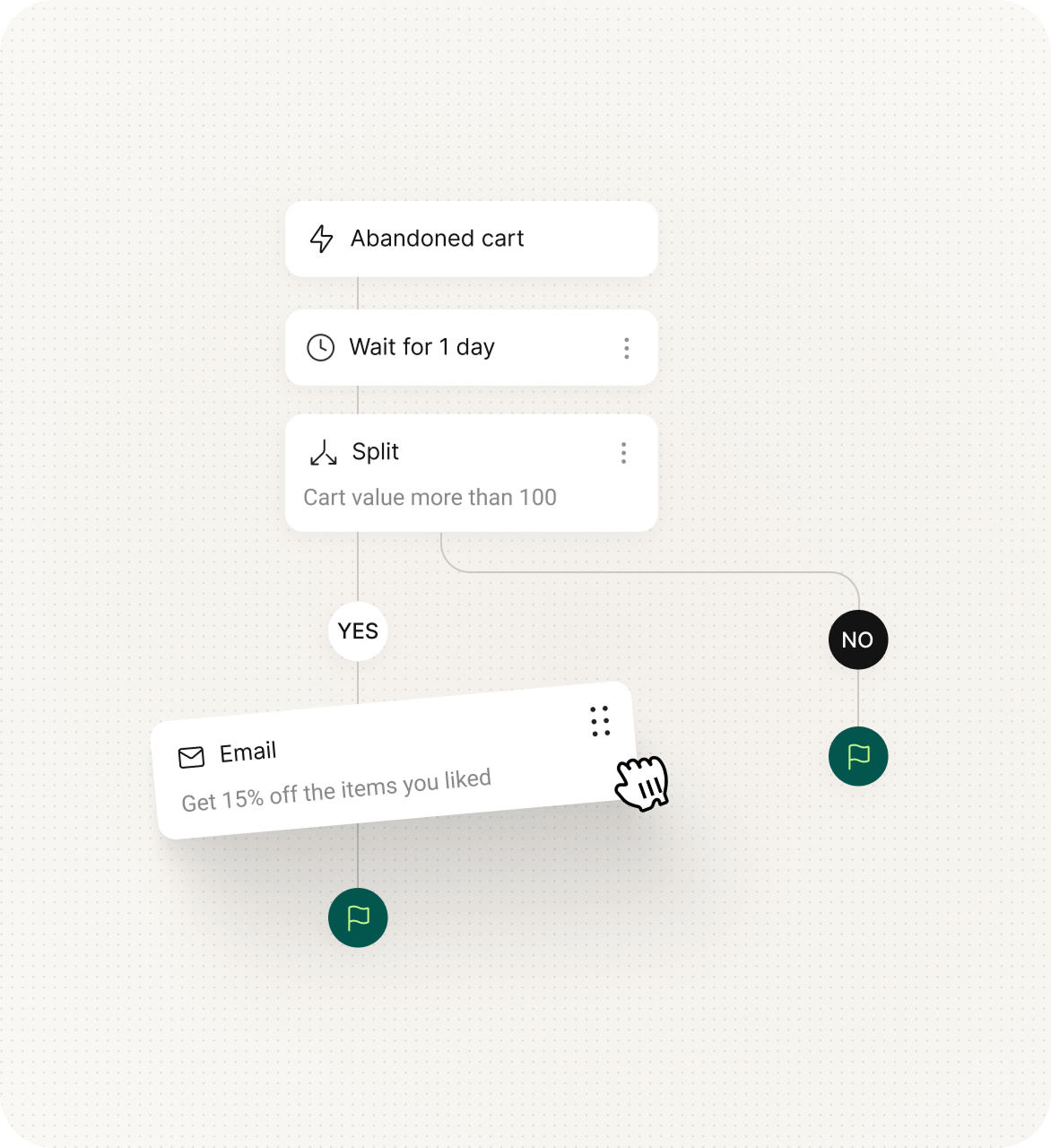
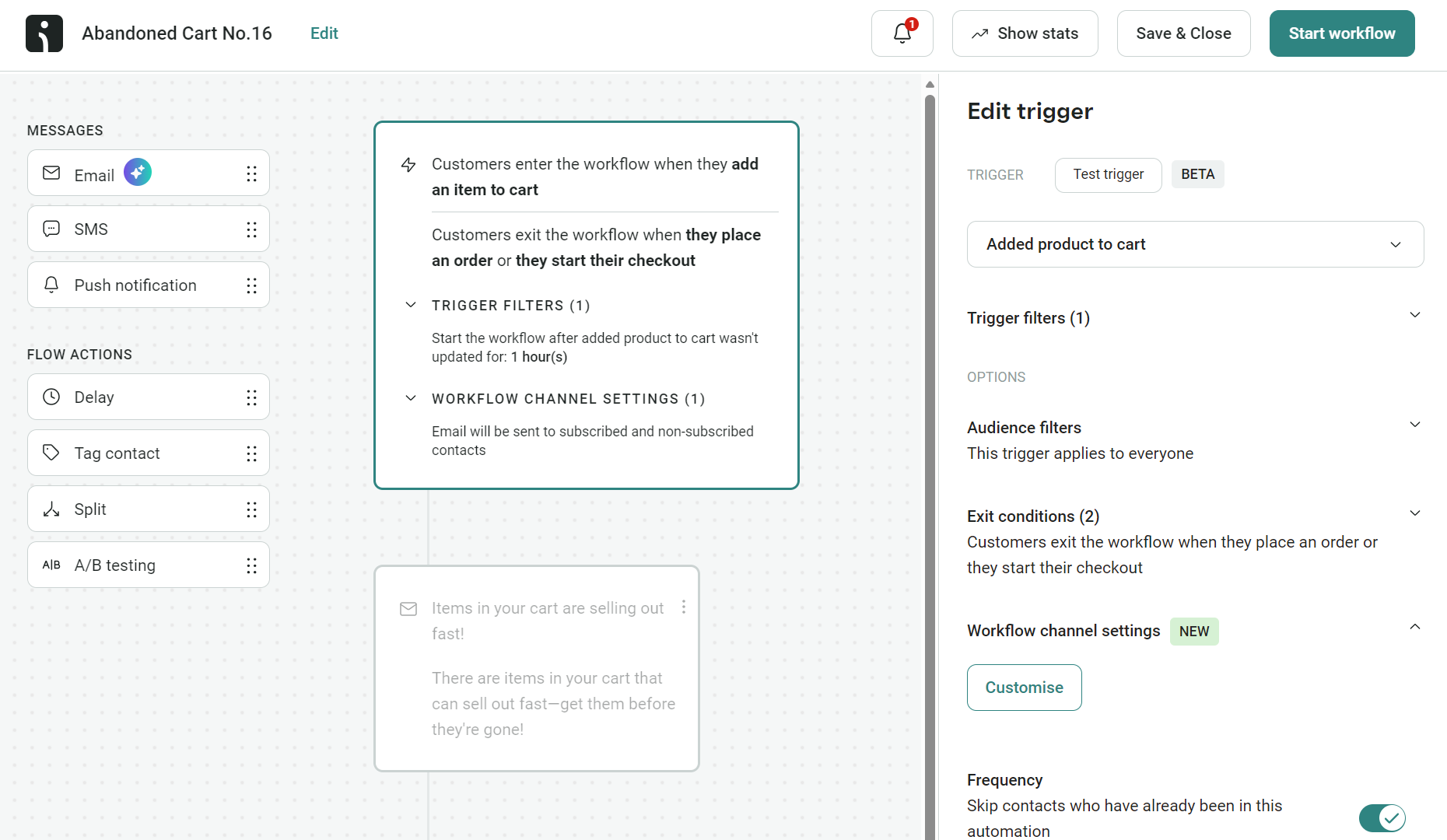
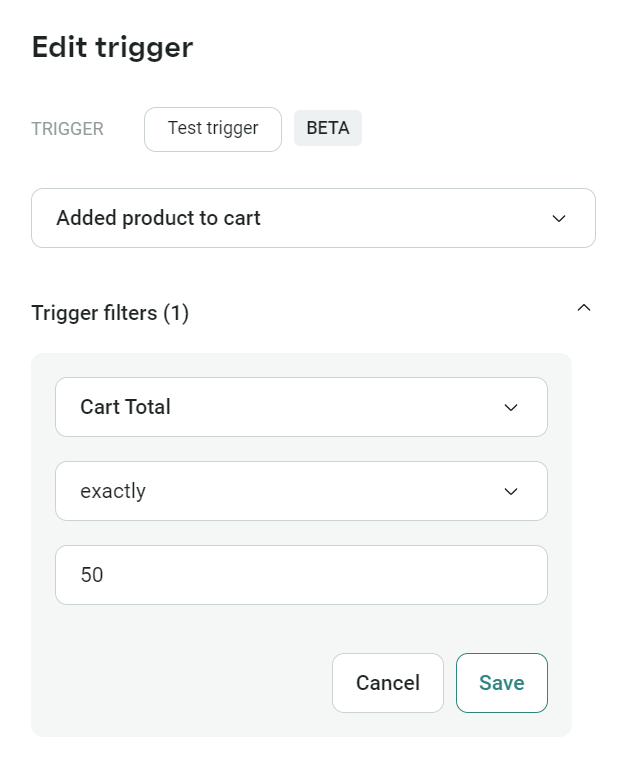
The image below shows an example flow for an abandoned cart automation, featuring triggers, a delay step, a conditional split based on cart value, and a follow-up discount email:

“Based on Omnisend’s internal data for Q1–Q3 2025, automated emails generated nearly 40% of all email-attributed revenue while accounting for roughly 3% of total send volume. The largest share of automated orders continues to come from three high-intent flows — abandoned cart, welcome, and browse abandonment — underscoring that timely, behavior-based messaging consistently outperforms one-off campaigns.”
— Evaldas Mockus, VP of Growth at Omnisend
Common types of email automation
We’ve compiled a list of email automations you can use in your customer journey, with performance metrics based on our internal preliminary Q1–Q3 2025 data. These include:
Acquisition/onboarding:
- Welcome emails: Say hello with introduction emails that warmly greet new subscribers. These have an extremely high open rate (34.1%) and a conversion rate that matches shipping confirmations at 2.08%.
- Education drip emails: Teach your customers with a sequence of helpful tips, tutorials, and product insights delivered over days or weeks. The payoff comes from better product adoption, not quick conversions.
Revenue recovery
- Abandoned cart emails: Shopping interrupted? These friendly reminders bring customers back to items they were interested in but didn’t purchase. We saw 36.8% open them and 1.69% complete their purchase.
- Abandoned checkout emails: These kick in one step earlier than cart abandonment to recover revenue lost at the final stage of checkout.
- Browse abandonment emails: You can trigger these for customers who submit their email address but leave without adding any products to their cart.
- Back-in-stock emails: Alert customers when products they wanted are available again. These timely notifications delivered a massive 6.41% conversion rate in our data, the highest of any automation, with a 57.3% open rate.
- Re-engagement emails: Wake up dormant relationships with these “we miss you” messages that entice inactive customers to return with fresh content or special deals. A 33.0% open and 0.53% conversion rate isn’t too shabby.
- Replenishment emails: Remind customers to re-order consumable or subscription products before they run out, based on typical usage cycles.
Transactional
- Order confirmation emails: Your customer gets all their order details automatically, confirming their transaction and assuring them you have their order. In our data, 55.9% opened these, and 1.59% converted.
- Shipping confirmation emails: These messages include the tracking number and carrier information, letting customers watch their package’s journey to their door. Opens hit 62.9% — the highest of any automation — with conversions at 2.08%.
Monetization
- Cross-sell and upsell emails: You’ll suggest other items your customers might love or premium versions of products they already enjoy. 42.3% opened these, but just 0.84% bought.
Engagement
- Milestone celebration email: For anniversaries, achievements, and other important moments. These build connections even when immediate sales aren’t the goal.
- Birthday greeting email: Send customers a personalized message with a discount or offer when their birthday arrives. These achieved an impressive 41.4% open rate.
Advocacy
- Feedback request emails: Ask customers what they think about their recent purchase or experience to collect reviews for your marketing campaigns. Half opened them (51.2%), and 0.97% converted.
Here are our Q1–Q3 2025 email automation benchmarks in a table, weighted by conversion rate:
| Automation type | % of active brands using it | Open rate | Conversion rate (orders/sent) |
|---|---|---|---|
| Back-in-stock | 1.5% | 57.3% | 6.41% |
| Welcome | 59.1% | 34.1% | 2.08% |
| Shipping confirmation | 4.5% | 62.9% | 2.08% |
| Abandoned cart | 59.7% | 36.8% | 1.69% |
| Order confirmation | 10.3% | 55.9% | 1.59% |
| Order follow-up | 5.8% | 48.2% | 1.06% |
| Customer feedback | 0.35% | 51.2% | 0.97% |
| Cross-sell | 2.6% | 42.3% | 0.84% |
| Product viewed | 16.7% | 42.2% | 0.80% |
| Birthday | 2.0% | 41.4% | 0.63% |
| Page viewed | 3.1% | 41.7% | 0.54% |
| Customer reactivation | 9.6% | 33.0% | 0.53% |
As you can see, back-in-stock, welcome, shipping confirmation, abandoned cart, and order confirmation emails had the highest conversion rates, with customer reactivation emails sitting at rock bottom (a byproduct of unengaged recipients).
Single email automations vs. email series: Which should you use?
Don’t stop at just one email. While setting up a single automated response — like a basic “Thanks for signing up” or a lone abandoned cart reminder — is better than nothing, because the real revenue lies in automated series. A single email is easily missed, archived, or ignored in a crowded inbox. A series, however, allows you to tell a story, handle objections, and build desire over time without requiring any extra manual work.
For example, instead of a standalone Welcome email, a three-part series lets you:
- Deliver immediate value (e.g., the discount code) right when they sign up
- Build brand affinity two days later by sharing your story or values
- Drive the sale four days later with social proof or best-sellers
Our performance data backs this up: multi-email first-purchase series consistently outperform single-email automations in orders per recipient. The same trend shows up in welcome flows — three-email series reliably generate far more orders than one-off welcome emails.
Pro Tip: When you’re building a series in Omnisend, always set Exit Conditions in your workflow. This way, if a customer converts after the first email, they automatically skip the rest of the promotional messages in that sequence. It keeps your automations relevant and prevents over-sending.
Automated emails vs. email campaigns vs. bulk emails vs. drip campaigns
Automated, bulk, and drip emails play different roles in your customer journey:
- Email automations trigger based on what people do or which segment they join, such as completing a purchase or leaving items in their cart
- Email campaigns include newsletters and sales events, and they go out when you decide. Announce a sale today, schedule a newsletter for Friday, whichever timing works.
- Bulk emails deliver one message, such as a new product drop, to thousands of people simultaneously and are a type of campaign
- Drip campaigns consist of multiple emails sent days or weeks apart, such as a welcome series that escalates offers over one, three, and five days
You will use all these email types across your marketing strategy, although automations and campaigns will make up most of your efforts.
In short, automations are your most personalized emails, while bulk and scheduled campaigns are better for broad announcements and promotions.
Here’s a table explaining how they work and differ in more detail:
| Aspect | Email automation | Email campaigns | Bulk emails | Drip campaigns |
|---|---|---|---|---|
| Definition | Triggered by user actions | Scheduled or one-time sends for marketing activities | Mass emails to a large audience | Pre-scheduled series over time |
| Personalization | High, tailored to individuals | Moderate, based on segment or timing | Low, one-size-fits-all | Moderate, based on segment or timing |
| Trigger-based | Yes, based on actions | No, sent manually or on schedule | No, sent manually | Yes, scheduled over time |
| Purpose | Nurture leads, engage users | Promote offers, share news, encourage action | Make a broad announcement | Educate or guide users |
| Use cases | Welcome, cart reminders | Product launches, sales, announcements | Newsletters, promotions | Onboarding, lead nurturing |
| Frequency | Automated, user-triggered | Single or periodic send | Single or periodic send | Automated, timed sequence |
| Engagement | High, due to relevance | Moderate, content-dependent | Moderate, content-dependent | Consistent engagement over time |
| Working example | Abandoned cart email | Holiday sale announcement | Newsletter | Three-week email sequence |
Additional reading
30+ email marketing campaign examples, types and tips
Email marketing automation tools (software and comparison)
The right email automation tool can make or break your strategy. Pricing, features, and complexity vary widely between platforms — some handle intricate workflows and multichannel journeys, while others simply blast emails to lists.
Your budget sets limits, but don’t ignore learning curves or whether the platform will scale with your list growth trajectory. Migrating thousands of contacts and rebuilding workflows across all platforms isn’t easy.
Does it connect with the tools you already use? Can you actually understand the reports? And when something breaks, will support be there to help?
Omnisend stands out here with one of the strongest free automation offerings. You can build unlimited flows, send up to 500 emails/month, and combine email and SMS inside the same automation. Many leading email automation tools now offer free plans or trials, but this is especially valuable for small and midsize businesses testing automation for the first time.
Best email marketing automation tools for 2026:
- Omnisend – ecommerce marketing for stores of all sizes
- Sender – mass sends and affordable email marketing
- Brevo – high-volume senders and budget-conscious businesses
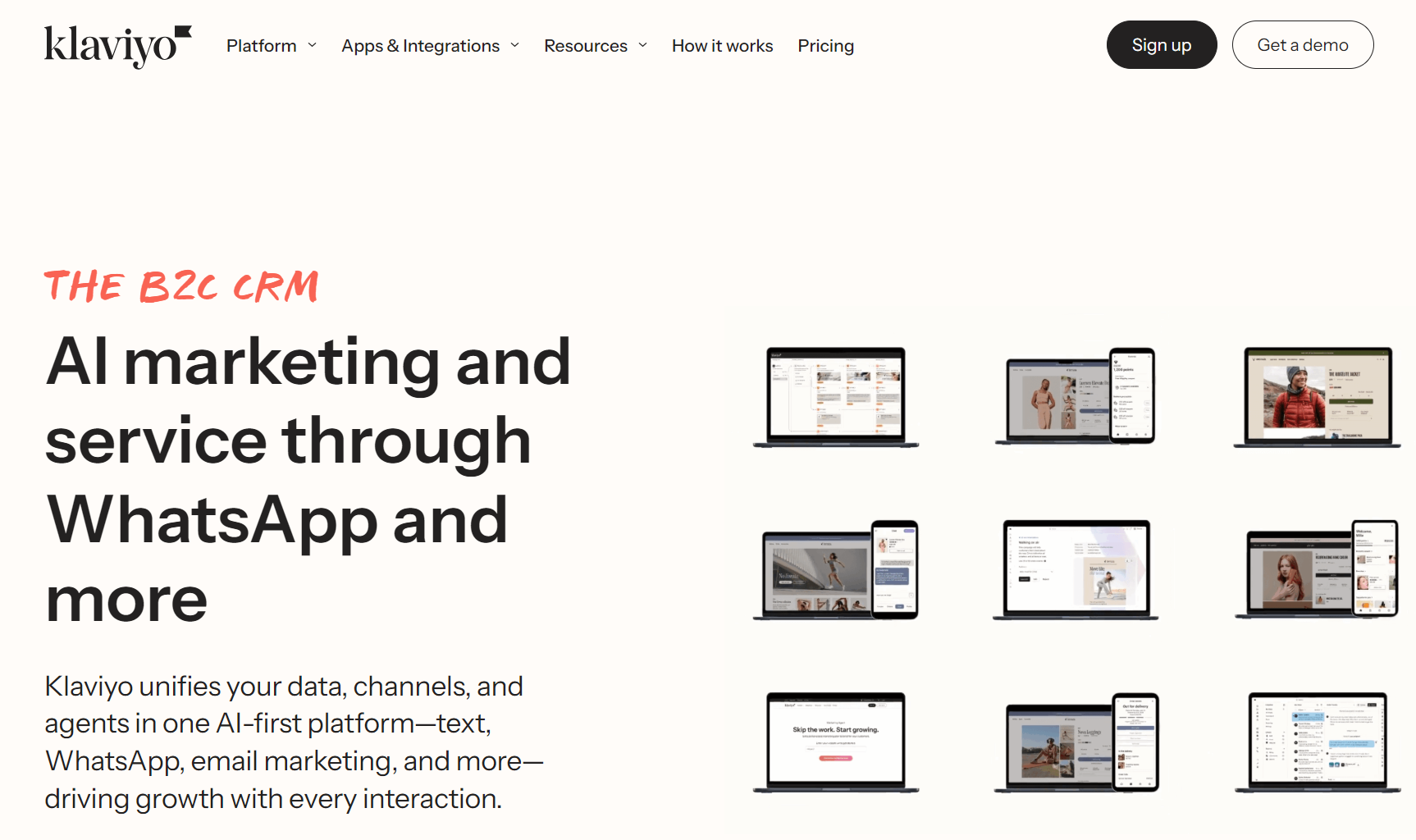
- Klaviyo – large ecommerce stores
- HubSpot – large enterprises looking for an “all-in-one” solution
- MailerLite – beginners, creators, and small businesses
- Kit – creators and bloggers
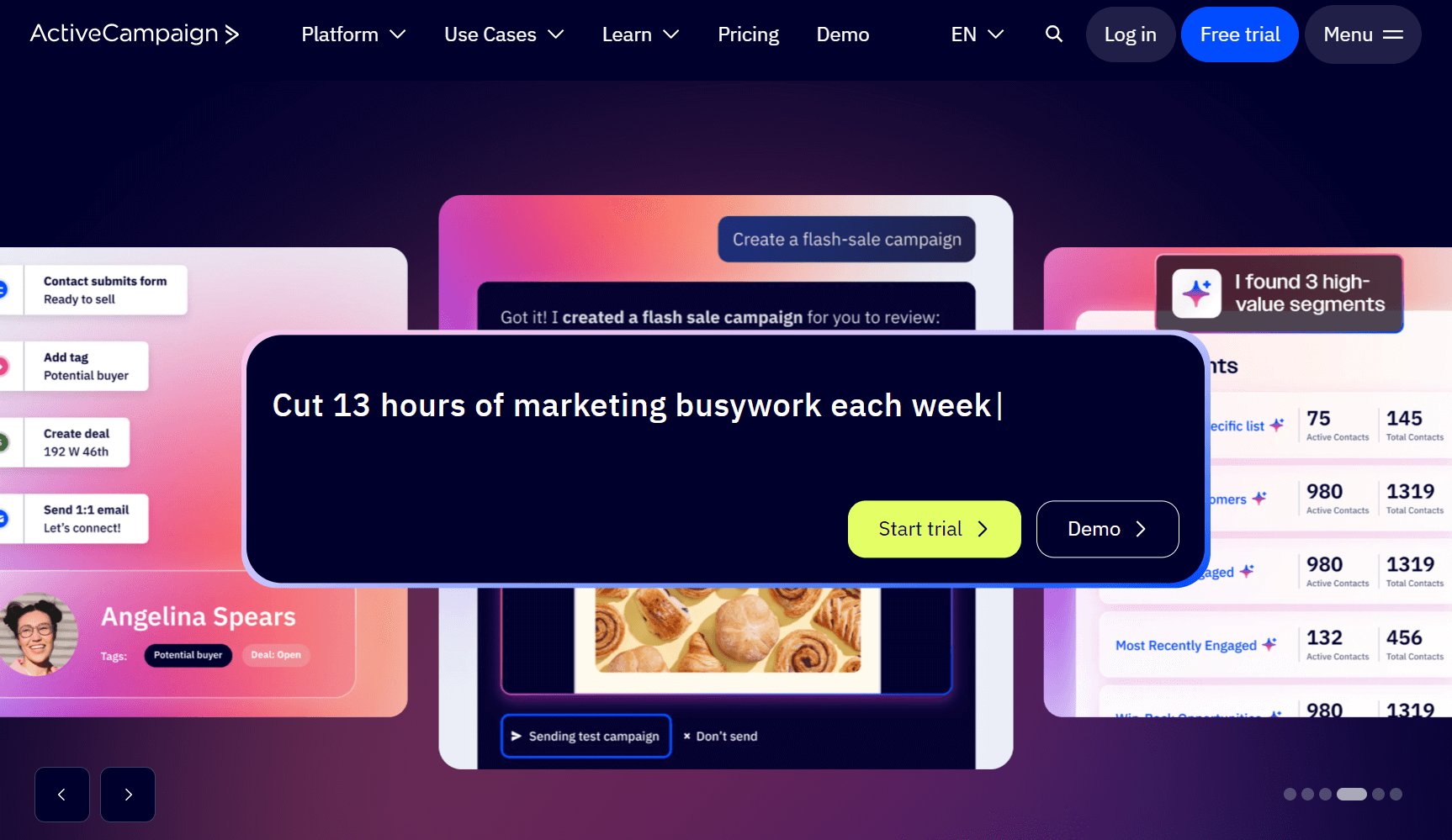
- ActiveCampaign – advanced B2B automation and Sales CRM
- GetResponse – webinar and marketing integration
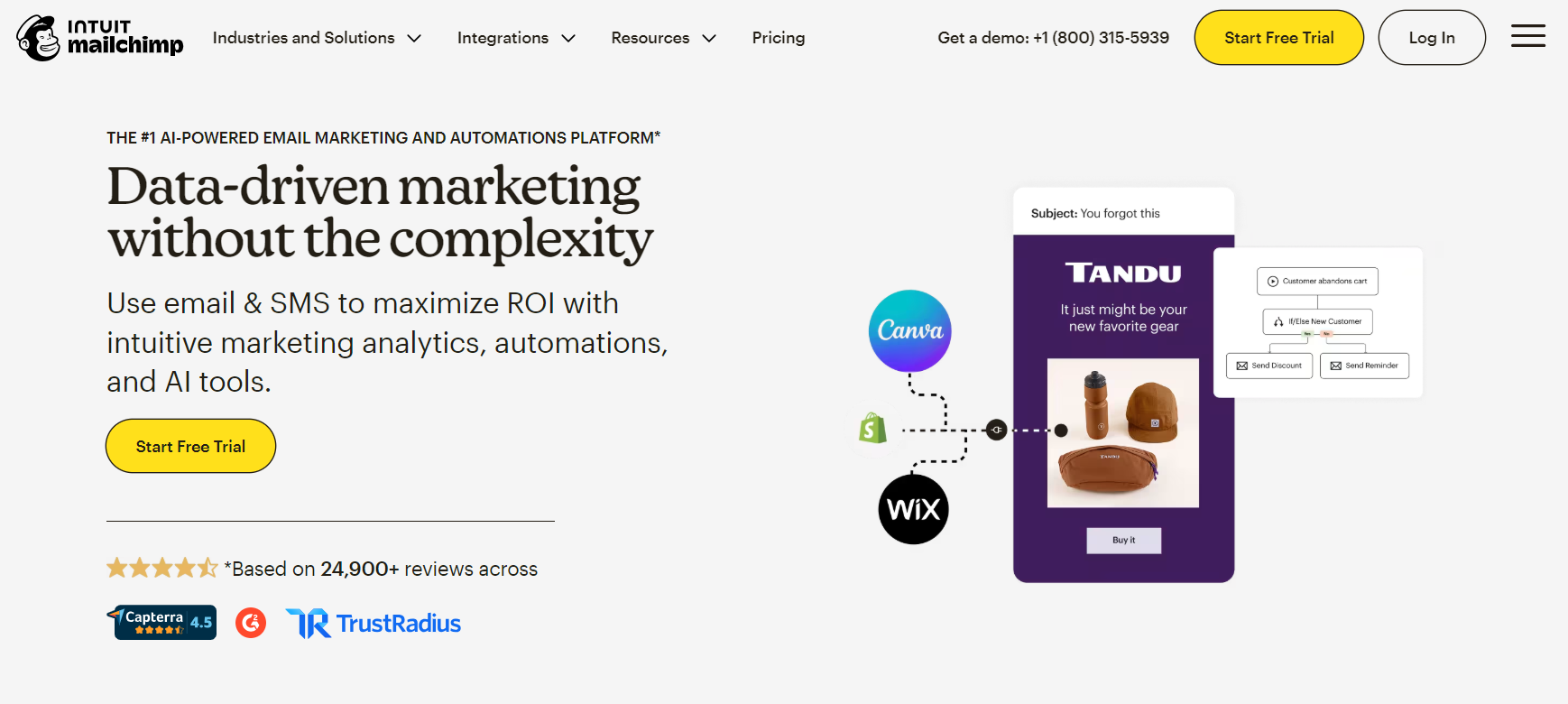
- Mailchimp – general use and maximum integrations
Compare the best platforms below:
| Email automation tool | Pricing (starting at) | Best for | USP | Key features | Free plan |
|---|---|---|---|---|---|
| Omnisend | $16/month | Ecommerce marketing for stores of all sizes | Omnichannel marketing across email, SMS, and push | Advanced segmentation, SMS integration, product recommendations, cross/omnichannel marketing, pre-built automation workflows | Yes, 250 contacts and 500 email sends/month |
| Sender | $10/month | Mass sends and affordable email marketing | Generous sending volumes for bulk campaigns | Drag-and-drop editor, automation workflows, newsletter templates, transactional emails | Yes, 2,500 contacts and 15,000 emails/month |
| Brevo | $9/month | Small- to medium-sized businesses | Optional sales automation with deals and pipelines | Transactional emails, SMS campaigns, in-depth analytics | Yes, 300 emails/day and 2,000 contacts |
| Klaviyo | $20/month | Large ecommerce stores | Granular flow and segment builders | 350+ integrations, generative AI, customer profiles with all-time data | Yes, 500 emails/month for 250 contacts |
| Moosend | $9/month | Small businesses seeking affordable options | AI tools that analyze audience behavior | Marketing automation workflows, landing pages, subscription forms, AI-powered product recommendations | No |
| HubSpot | $15/month/seat | Inbound marketing and CRM | Additional marketing tools, many of which are free | CRM integration, lead scoring and management, advanced workflow builder, multi-channel campaigns | No |
| Constant Contact | $12/month | Non-profits and small businesses | 1:1 onboarding across all paid plans | Drag-and-drop editor, real-time tracking, event management, social media marketing, and integration | No |
| MailerLite | $10/month | Startups and budget-conscious users | Website and landing page builders | Simple automation, landing pages, basic analytics, website builder | Yes, 12,000 emails/month to 500 subscribers |
| Kit | $39/month | Creators and bloggers | Content monetization features | Predictive sending, split automation, site tracking, CRM tools | Yes, unlimited email broadcasts to 10,000 subscribers |
| ActiveCampaign | $15/month | Advanced marketers and B2B companies | AI business goals and predictive sending | Predictive sending, split automation, site tracking, CRM tools | No |
| GetResponse | $19/month | Webinar and marketing integration | Unlimited autoresponders, free custom domain | Conversion funnels, landing pages, webinar marketing and hosting, autoresponders | Yes, 500 contacts and 2,500 emails/month |
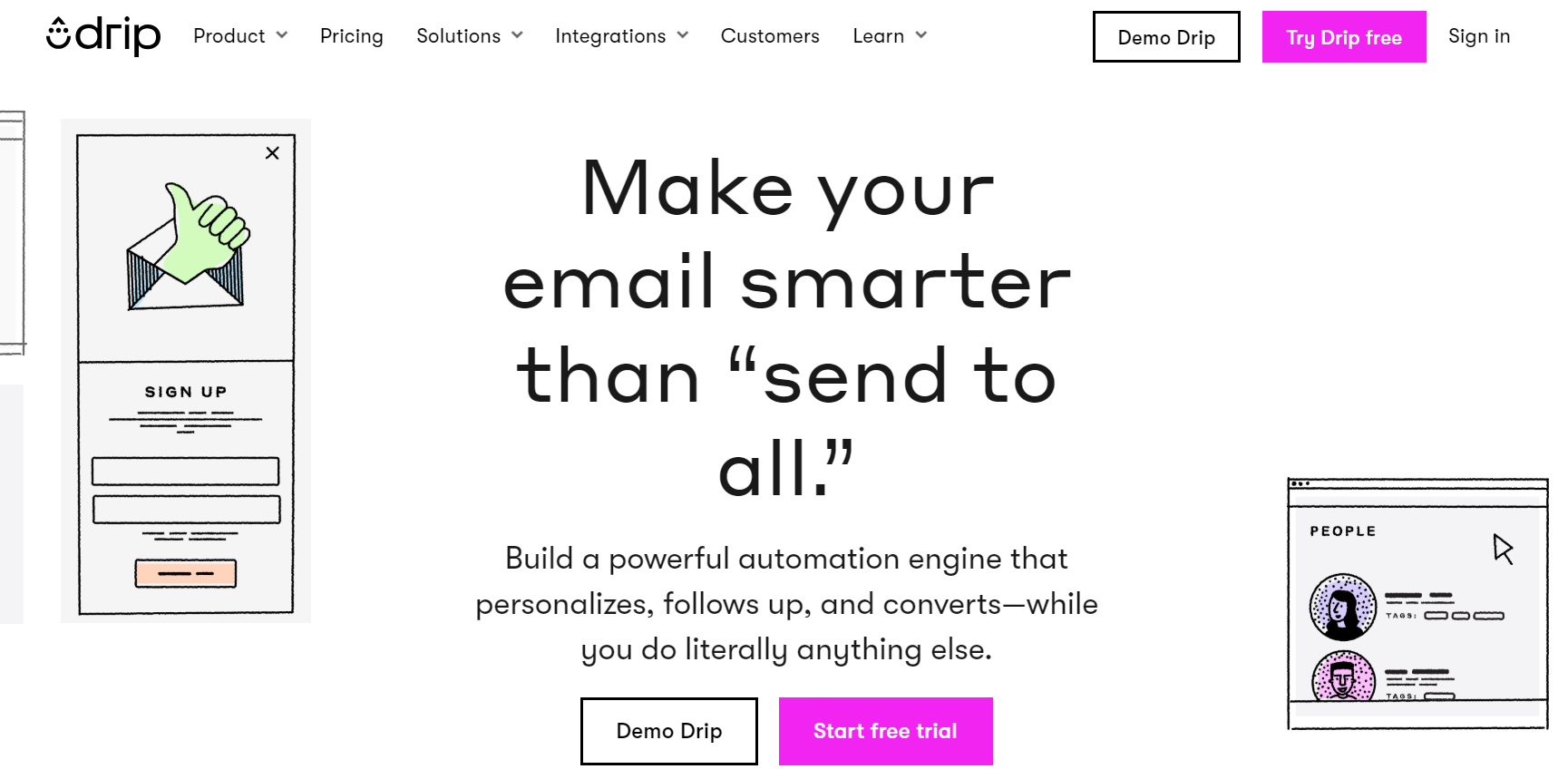
| Drip | $39/month | Ecommerce marketing and personalization | Unlimited email sends across all plans | Personalized workflows, revenue attribution, behavior-based automation | No |
| Mailchimp | $13/month | Beginners and service businesses | 250+ integrations | Easy-to-use templates, audience insights, A/B testing | Yes, 1,000 emails/month and 500 contacts |
| EmailOctopus | $10/month | Simple and affordable email marketing | Unlimited landing pages and forms | Affordable pricing, simple campaigns, integration with Amazon SES | Yes, 2,500 subscribers and 10,000 emails/month |
1. Omnisend – ecommerce marketing for stores of all sizes

Best for
Omnisend is an all-in-one email and SMS marketing automation platform built for ecommerce brands of any size. It’s known for powerful email automations — from cart recovery to product recommendations — while still being intuitive enough that you don’t need to be an expert to use it.
Competitive edge
Unlike Mailchimp, which restricts advanced automation to premium tiers, Omnisend includes its full automation library in all plans. Compared to Klaviyo, Omnisend is significantly faster to set up and often provides better value for SMS marketing. It also wins on “time to value” — you can have a revenue-generating abandoned cart sequence live in 15 minutes.
Pricing
- Free plan: Up to 250 contacts (500 emails/month) with all features included
- Standard: Starts at $16/month for 500 contacts (6,000 emails/month)
- Pro: Starts at $59/month for 2,500 contacts. Includes unlimited emails and free SMS credits equal to your monthly fee.
User ratings
Omnisend enjoys high user satisfaction with a G2 rating of ~4.6/5 and a Capterra rating of ~4.7/5.
User voice
Users frequently praise Omnisend’s intutiviness, rich ecommerce integrations, and helpful support resources. For example, one Capterra reviewer noted that “Omnisend lets us build our email marketing lists, automate communications and easily design newsletters. It works very well with Shopify and while prices have increased recently it still represents good value.”
Another user highlighted the platform’s educational approach, saying “what sets it apart is that it has many articles and tools to help those like myself learn more about marketing… Not to mention fast and helpful support that’s always there if you need help.” These comments underscore Omnisend’s reputation for being intuitive yet powerful, with strong customer service.
2. Sender – mass sends and affordable email marketing

Best for
Sender is ideal for small businesses or any sender on a budget who needs to send large volumes of emails. It’s a budget-friendly platform that doesn’t skimp on essential features for newsletters and simple automation.
Competitive edge
Sender’s “high volume, low cost” model is hard to beat. While Mailchimp charges hefty overage fees, Sender allows for massive sending limits on its paid plans without throttling. It’s the strongest option for brands that need to broadcast to large lists (50k+) without getting hammered by extra charges.
Pricing
Free plan: Generous limit of up to 2,500 subscribers and 15,000 emails/month
Standard: Starts from $10/month for increased limits and SMS features
Pay-As-You-Go: Unique prepaid credits for occasional bulk senders
Paid plans are very affordable – both with unlimited emails once on paid tiers. This makes Sender one of the most cost-effective solutions for small lists.
User ratings
Sender was rated 4.7 out of 5 on G2 and 4.7 on Capterra, indicating very high customer satisfaction. Users frequently mention responsive support and ease of use as major positives.
User voice
Customers consistently praise Sender’s ease of use and supportive customer service. As one G2 reviewer shared, “As a complete beginner, I accomplished more in a single day with Sender.net than I had in weeks elsewhere — it’s incredibly intuitive.” This highlights how quickly new users can get up to speed.
Another G2 user emphasized the quality of support, calling it “…outstanding, real people on chat that are helpful and knowledgeable.”
Such feedback suggests Sender lowers the learning curve for email marketing and backs users with responsive support – impressive strengths for a low-cost tool. Minor downsides (like fewer template designs or integrations) do exist, but overall users feel they get great value and simplicity with Sender.
3. Brevo – high-volume senders and budget-conscious businesses

Best for
Brevo is a great choice for companies that need email marketing automation software that can send large volumes of emails cost-efficiently while combining email, SMS, and basic CRM. It’s particularly suited for high-volume senders because Brevo’s pricing is based on email volume rather than contact count.
Competitive edge
Brevo is one of the few major platforms that charges by email volume, not contact count. You can store 100,000 contacts for free and only pay when you email them. This is a massive financial advantage over HubSpot or ActiveCampaign for low-frequency senders.
Pricing:
- Free: 300 emails/day limit. Unlimited contacts.
- Starter: Starts at $9/month. Up to 100k monthly email sends. Logo removal costs extra – $10.80/month.
- Standard: Starts at $18/month. Up to 1M monthly email sends. Unlimited multichannel marketing automation.
- Professional: Starts at $499/month. Up to 10M monthly email sends. 10 users included.
Brevo’s pricing is volume-based (emails per month) rather than subscriber-based, which can be cost-efficient for certain use cases.
User ratings
Brevo holds strong ratings of about 4.5/5 on G2 and 4.6/5 on Capterra, indicating generally positive feedback, though some advanced ecommerce features are less developed than in specialist tools.
User voice
In reviews, users often mention Brevo’s ease of use and multi-channel features, but also note limitations in lower-tier plans. For instance, one G2 reviewer appreciates Brevo’s simplicity but wished for more features without upgrading: “I wish I could get at least one landing page at a lower price. Having landing pages only be available for the top tier, which I can’t currently justify paying…”. This highlights a common critique that certain features (like landing pages and A/B testing) require higher plans.
On a positive note, organisations value Brevo’s personalization and automation capabilities. As another user explained, “It allows us to communicate with our diverse network of artists and supporters in a personalized, culturally sensitive way…”. In summary, Brevo is lauded for affordability and basic automation, though some growing businesses run into feature paywalls as they scale.
4. Klaviyo – large ecommerce stores

Best for
Klaviyo is an email marketing platform built for large ecommerce brands and online retailers. It excels in deep segmentation, personalization, and integration with ecommerce platforms (like Shopify) – making it great for businesses with sizable product catalogs and advanced targeting needs.
Competitive edge
Klaviyo’s strength is its data depth. It knows exactly what your customer bought, viewed, and clicked, and lets you trigger emails based on specific combinations of these behaviours. While Omnisend is both powerful and intuitive, Klaviyo is a bit deeper.
Pricing:
Free: Up to 250 contacts and 500 email sends/month
Email: Starts at $20/month (500 contacts)
Email+SMS plan is available from $35/month (for 251–500 contacts, includes 1,250 SMS credits)
Klaviyo can become one of the pricier options as you grow (no strict send limits, but higher subscriber counts raise the tier). Enterprise plans with custom pricing and enhanced support are available for very large brands.
User ratings
Despite the higher cost, Klaviyo maintains strong user ratings – around 4.5/5 on G2 and 4.6–4.7/5 on Capterra. Many users note that its feature depth and ecommerce focus align well with what they need.
User voice
Reviews frequently describe Klaviyo as an “email marketing powerhouse” for online stores. Users praise its advanced features – one Capterra review notes “It’s one of the best in the business for email marketing. Great analytics… a little clunky when you’re first learning, but easy once you are trained.” and also admits “It’s quite an expensive platform… especially [for] SMS marketing”.
This captures the typical sentiment: Klaviyo provides top-tier capabilities (from detailed analytics to powerful automation flows), albeit with a steep learning curve and cost. Another user review put it succinctly: “The interface to build emails is super easy to use – it has the best email builder of all platforms we have used… [but] now that they have gotten big, the platform is expensive.”.
In essence, Klaviyo is extremely powerful for ecommerce marketing and highly rated for its results, but new users should be aware of its premium pricing and the need to fully leverage its features to get ROI.
5. HubSpot – large enterprises looking for an “all-in-one” solution

Best for
HubSpot’s Marketing Hub is great for mid-to-large enterprises that want an all-in-one solution – combining email marketing with a built-in CRM, sales tools, and more. It’s essentially a full marketing suite, so companies looking to unify their marketing, sales, and customer data in one platform find HubSpot very attractive.
Competitive edge
HubsSpot’s advantage comes from its alignment between email and CRM. Because the email tool connects directly to the CRM, a sales rep knows exactly when a prospect opens a newsletter. In 2025, the new “Breeze” AI agents can autonomously research prospects and draft outreach – a capability that remains uncommon among similar tools.
Pricing:
- Starter: $15/month per seat. Includes 1,000 marketing contacts.
- Professional: Jumps to ~$890/month. Includes advanced automation and reporting.
- Onboarding Fee: Mandatory $3,000 fee for Professional plans
HubSpot’s pricing can be complex – costs scale with contacts and required features/seats. Bundled “suite” discounts exist for combining hubs (marketing, sales, service). Despite high top-tier prices, the entry-level is quite accessible ($15–$20), letting small teams start affordably and then grow into the richer functionality.
User ratings
HubSpot Marketing Hub is well-regarded, with typical ratings around 4.4/5 on G2 and 4.5/5 on Capterra. Users love its breadth of functionality, though some note the complexity and cost that come with it.
User voice
In user reviews, HubSpot’s user-friendly design and robust capabilities often get applause – alongside acknowledgments that mastering the whole platform takes effort. “The email builder is generally one of the easier ones to use,” according to one G2 reviewer, underscoring HubSpot’s intuitive drag-and-drop editors.
At the same time, others mention that the platform’s depth can present a learning curve: “…while the platform is powerful, it can take a bit of time to fully learn everything,” another reviewer added. This is understandable given HubSpot’s extensive feature set (email, CRM, automation workflows, landing pages, analytics and more).
In summary, HubSpot offers unparalleled integration and a rich feature set – it can replace several single-purpose tools – but new users should expect to invest time (and money at higher tiers) to get its full potential.
6. MailerLite – beginners, creators, and small businesses

Best for
MailerLite is a great tool for beginners, solo creators, and small businesses who need an easy-to-use email marketing tool with modern features. It provides a clean, simple interface and covers all the basics (email campaigns, automation, landing pages, websites) without overwhelming the user.
Competitive edge
MailerLite’s advantage comes from its deliverability and UX. It has a rigorous approval process that keeps spammers out, resulting in excellent inbox placement rates. It’s also significantly cheaper than Mailchimp while offering a better drag-and-drop editor.
Pricing:
- Free: Up to 500 subscribers and 12,000 emails/month
- Growing Business: Starts at $10/month (500 subs)
- Advanced: Starts at $20/month
User ratings
MailerLite garners very positive reviews – roughly 4.6/5 on G2 and 4.7/5 on Capterra on average – indicating users are highly satisfied, especially considering its price point.
User voice
Users often praise MailerLite’s intuitive interface and rich features given the cost. One reviewer highlights how it covers a lot of needs easily: “I love that I can schedule campaigns, automate message and product delivery, integrate with other tools that I use, and see my analytics easily.” This quote speaks to MailerLite’s strength in offering automation and integrations in a very user-friendly way.
People also appreciate the platform’s attractive templates and landing page builder, which are quite advanced for a tool aimed at small businesses. On the flip side, a common observation is that MailerLite isn’t as powerful in advanced automation or analytics – “better than Mailchimp’s automation, but not as advanced as ActiveCampaign’s,” as one expert review put it.
Overall, MailerLite is seen as a well-rounded, budget-friendly choice: it’s easy enough for novices yet capable enough (with landing pages, segmentation, even an AI writing assistant) to grow with a small business’s needs, all while being significantly more affordable than big-name platforms.
7. Kit – creators and bloggers

Best for
Content creators, bloggers, and independent creators are the core audience for Kit. Formerly known as ConvertKit, it’s specifically designed to help individual creators grow and monetise their audience – with features like signup forms, drip email sequences, and even paid newsletter subscriptions. Kit focuses on simplicity in email design and powerful automation centred on audience engagement rather than flashy templates.
Competitive edge
On of Kit’s advantages is its creator network. This recommendation engine allows creators to recommend each other, driving organic subscriber growth that other platforms cannot offer.
Pricing
- Newsletter (Free): Up to 10,000 subscribers (no email automation)
- Creator: Starts at $39/month (1,000 subscribers)
- Creator Pro: Starts at $79/month
Kit’s pricing is competitive given its creator-focused features, and it offers 14-day free trials on paid plans.
User ratings
ConvertKit/Kit is generally well-reviewed: around 4.4/5 on G2 and 4.7/5 on Capterra according to aggregated data. Users enjoy its creator-centric features and reliable deliverability, though some feel certain areas (e.g. design options) are basic for the cost.
User voice
User feedback on Kit often notes that it’s easy to get started and very effective for building an audience, but cautions about the cost if your audience isn’t yet generating income. One verified Capterra reviewer said, “You have to put in a lot of time upfront creating your email content, but once that’s done, ConvertKit runs automatically. I like that a lot!” – emphasizing the payoff of Kit’s automation for a creator with a library of content.
Another review, however, points out, “Still, after a certain point, it gets expensive if you are not monetizing your audience.” This sentiment is echoed on Reddit, where small creators noted the recent pricing “creep” (“$39 for just 1k subs is pretty steep… the gap between what these tools charge and what beginners actually earn… is getting wider.”).
In summary, Kit is lauded for its creator-friendly approach – minimalistic email creation, powerful funnels, and even the ability to sell digital products – which many find worth the premium. Just be aware that as your list grows, Kit’s costs can grow quickly too, so it’s best suited for those who plan to monetise or who need its creator-focused features to justify the investment.
8. ActiveCampaign – advanced B2B automation and sales CRM

Best for
ActiveCampaign is a top choice for businesses that need advanced marketing automation, especially B2B companies or any organisation that wants to tightly integrate email marketing with sales CRM. It’s known as one of the most powerful email marketing automation platforms – you can build complex customer journeys, scoring, and multi-channel triggers – making it ideal for growth-stage companies, SaaS businesses, or marketing teams that require sophisticated workflows.
Competitive edge
ActiveCampaign stands out for its logic-based automation builder, which lets you split-test whole workflows (not just single emails) and score leads based on how they engage. It basically fills the space between a standard email platform and a more advanced CRM like Salesforce.
Pricing:
- Starter: Starts at $19/month (1,000 contacts).
- Plus: Starts at $59/month. Required for landing pages and advanced automation.
- Pro: Starts at $89/month. Required for predictive sending.
The pricing might seem mid-range at low contacts, but it can get premium as you add contacts or require higher tiers. However, its functionality at those tiers is often compared to much pricier enterprise platforms, so many find it worth the investment.
User ratings
ActiveCampaign is widely acclaimed, holding about a 4.5/5 rating on G2 and Capterra in 2025. It has thousands of reviews due to its long presence in the market, with users particularly praising its automation capabilities.
User voice
Looking at user experiences, the automation and segmentation power is the headline feature. One G2 reviewer stated, “ActiveCampaign combines powerful email marketing, automation, and CRM into one platform. I really like how easy it is to build automated workflows and segment contacts…”, highlighting that despite its advanced capabilities, the workflow builder is intuitive for users to create complex sequences. This ease-of-building automation is a recurring theme in reviews and is often what sets ActiveCampaign apart.
On the other hand, some users mention a few drawbacks: the lack of a free tier, and that the interface can feel a bit dense or technical for beginners. As one review noted, “There are a lot of features, which can be overwhelming at first, and they don’t have a free plan.” (ActiveCampaign’s support is generally good but not 24/7 on lower plans, which a few users also point out.)
Overall, if a business needs advanced email automation that ties into sales pipelines – and is willing to invest time and/or money – ActiveCampaign is a great choice.
9. GetResponse – webinar and marketing integration

Best for
GetResponse is a well-rounded marketing platform often chosen by mid-sized businesses and enterprises that want email marketing plus extras like webinar hosting, landing pages, and marketing automation in one tool. It’s especially useful if webinars are part of your strategy (a unique feature it offers) or if you want an integrated solution for email campaigns, autoresponders, and even basic CRM features.
Competitive edge
GetResponse stands out for its funnel tools. Their conversion funnels pre-build the landing page, email sequence, and checkout page for you. It’s a “business in a box” for coaches and info-product sellers.
Pricing:
Free: Up to 500 contacts
Email Marketing: Starts at $19/month. Basic segmentation only.
Marketing Automation: Starts at $59/month. Required for event-based automation.
GetResponse frequently runs discounts or bundle deals, and notably it allows flexible add-ons (like paying extra for more webinar attendees or transactional emails via its Postmark service). Overall, its pricing is middle-of-the-road: not the cheapest, but considering it includes webinar hosting and funnels in higher plans, many find it a good value.
User ratings
GetResponse tends to have good but slightly mixed reviews: roughly 4.2–4.3/5 on Capterra and G2. Users often praise its variation of features and reliability, while noting that certain parts of the UI are a bit dated compared to newer tools.
User voice
One area where GetResponse shines in user feedback is customer support. Many reviews highlight responsive support and onboarding help. For example, a G2 reviewer shared, “The personal touch was fantastic, even creating little videos for me to specifically show me how to do what I couldn’t work out.” – a strong testament to GetResponse’s helpful support team.
Another user praised the platform’s evolution, saying “They not only have a modern interface… but they also have a highly responsive customer support team.”.
These quotes indicate that while GetResponse is an older player in the market, it remains user-focused and service-oriented, helping users utilise its many features (from AI email generators to conversion funnels). In summary, it’s a versatile platform with standout support, making it a solid choice for those who need more than just basic email sends.
10. Mailchimp – general use and maximum integrations

Best for
Mailchimp is often the go-to for general-purpose email marketing, especially for those who value a polished interface and tons of integrations. It’s suitable for a wide range of users – from small businesses to large companies – who need a reliable platform with features beyond email (ad management, postcards, etc.). Moreover, Mailchimp’s massive integration ecosystem (hundreds of apps) and brand recognition make it a great choice for many looking to connect their email marketing to other tools (e.g., ecommerce, CRM, social).
Competitive edge
Mailchimp’s strength lies in its ecosystem. Mailchimp integrates with more third-party apps than almost any other tool. However, in 2025, it is often viewed as the “safe” choice rather than the “best” choice due to rising costs.
Pricing:
- Free: 500 contacts, 1,000 sends/month
- Essentials: Free for 14 days then, starts at $13/month
- Standard: Starts at $20/month. It is important to mention that if limits are exceeded, Mailchimp applies automatic “overage” fees, which are among the most expensive on the market
- Premium: Starts at $350/month
Mailchimp’s pricing has risen over the years, and users often note that it can become expensive as your contact list grows or if you need features locked in higher plans.
User ratings
Mailchimp receives generally positive ratings (~4.3/5 on G2, 4.5/5 on Capterra). Users love its usability and design, though power-users sometimes criticize its limitations in automation compared to specialized tools.
User voice
User reviews frequently commend Mailchimp’s ease of use and design quality. According to one G2 reviewer, “It’s very easy and intuitive even for a new user to figure out how to build an email campaign.” Mailchimp’s email editor and templates are often described as among the best, allowing novices to create professional emails quickly.
Additionally, Mailchimp’s strength in integrations (from Shopify to WordPress to Salesforce) is a big plus – it can act as a central hub for marketing data. However, users voice frustrations about Mailchimp’s cost structure and feature gating. As another reviewer noted, “The constant upselling of premium features gets a little old… the pricing tiers jump up pretty drastically after a certain point.”. This reflects a common scenario: many start with Mailchimp’s free or basic plan, but as their needs grow (wanting automation, more audiences, etc.), they encounter steep price increases or must upgrade to get those capabilities.
In conclusion, Mailchimp is a great all-round platform with advances ease-of-use and integration capabilities – excellent for general use and for those who need a bit of everything. Just keep an eye on your needs and list size, as its tiered pricing and add-ons can make it pricey relative to some alternatives if you require advanced features or have a large audience.
How to choose email automation tools
Consider these factors when picking between email automation apps:
- Single versus multichannel automations: Some tools only handle email, while others handle additional channels, such as email and SMS, to reach customers in multiple places. Check out each tool’s channel support and whether you need to pay extra for access.
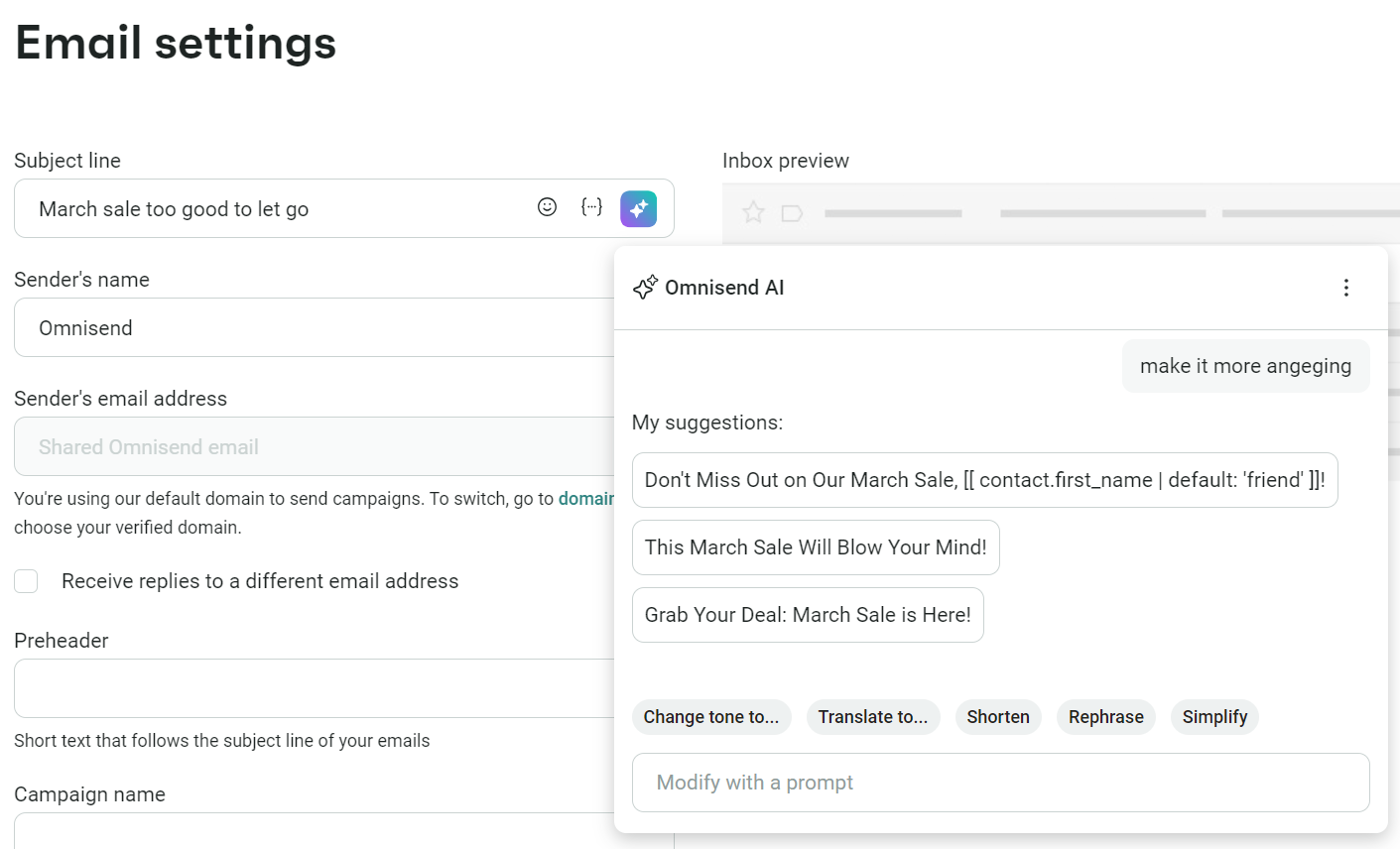
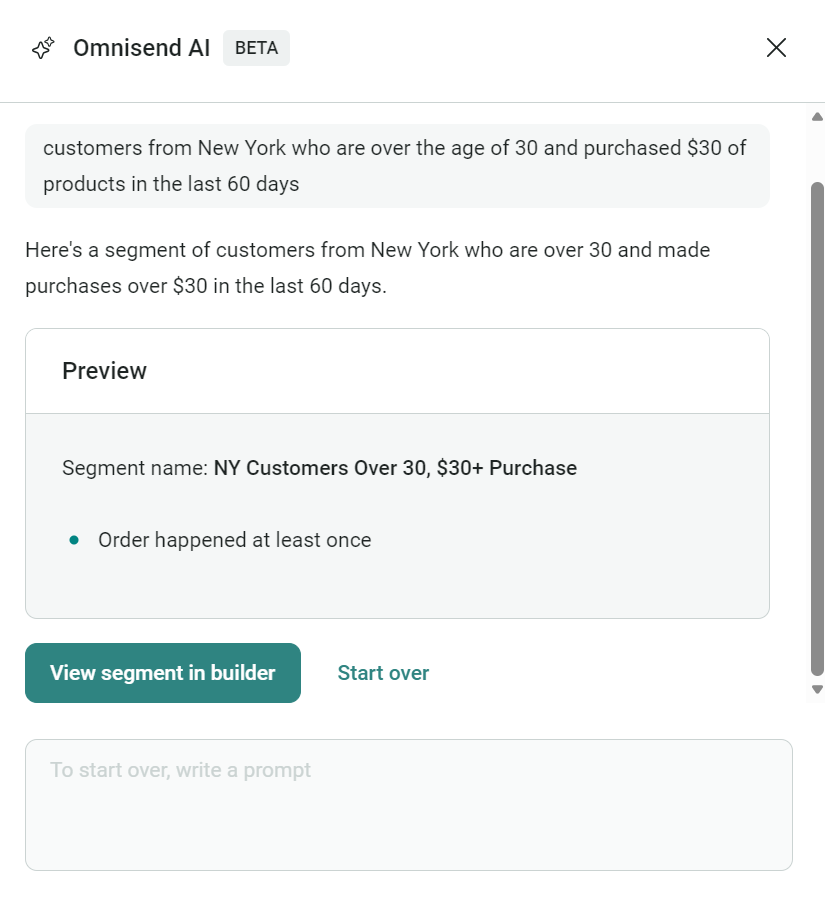
- Segmentation capabilities: Your tool should ideally have pre-built segments and an intuitive segment builder for custom configurations. Omnisend goes further with an AI segment builder, letting you group customers with prompts.
- Pricing variations: You’ll pay based on either the number of contacts or email send volume. Which suits you better? That depends on whether you have a large list or extensive sending requirements.
- Support levels: Email support is the bare minimum, and live chat is even better for troubleshooting and working your way around features.
- Ecommerce integrations: The best email apps have native apps for Shopify, WooCommerce, BigCommerce, Wix, and other platforms. If you have a custom build, you should look for API access.
- Integrations with additional apps: You probably have several apps integrated into your ecommerce store and marketing activities, such as Salesforce (a CRM) and Facebook Lead Ads. Tools with native apps for these will save you significant time.
- Ease of use: An intuitive interface and good onboarding resources can save you hours. Tools that are highly rated for usability make it easier to get up and running quickly — something many G2 and Capterra reviewers specifically point out when comparing email platforms.
The right email automation tool really depends on your stage and your goals. A smaller store that’s just getting started may value an intuitive interface and a generous free plan, while a growing brand might need more advanced automation and deeper CRM integrations. The key is to choose a platform that supports what you need today and won’t limit you as you scale.
How to automate emails effectively (step-by-step guide)
Automating emails requires the right approach to drive results. Here’s how to set up your email automation system properly:
- Choose an email marketing tool
- Set up IP pools (if applicable)
- Build and segment an email list
- Decide your automation workflows
- Edit/build your workflows
- Create email templates
- Implement dynamic personalization
- Add alternative messaging channels
- Secure deliverability and avoid spam filters
- Monitor results and optimize performance
1. Choose an email marketing tool
Building automations that improve your sales and customer experience starts with picking the right email automation software.
Don’t just pick the most popular option. Instead, evaluate how different marketing automation platforms help you reach people and build unique customer journeys.
Can it segment users the way you need? Does it handle transactional email? Will it connect with your tools? Does the analytics dashboard show metrics you care about?
Price matters, too, but cheaper isn’t better if you outgrow it in six months. Look for free forever plans (Omnisend offers one of these) and free trials, and match the tool to where your business is heading, not just where it stands today.
2. Set up IP pools (if applicable)
IP pools improve email deliverability, providing multiple highways for your messages instead of a single congested road. Without proper IP management, your carefully crafted emails might land in spam folders when sent at volume.
Many email platforms handle this invisibly, while others require manual configuration. If you send over 100,000 emails monthly, ask your provider about dedicated IPs — they’re worth the investment to protect your deliverability and maintain sender reputation.
3. Build and segment an email list
Segmentation is a best practice that stops you from sending product recommendations to people who have just bought, welcome emails to long-time customers, or win-back campaigns to active subscribers.
In other words, segments ensure your email marketing flows target the right people.
Collect subscriber information through signup forms on your website, landing pages, and social media. Then, divide your audience into meaningful groups based on the following:
- Behavior: Past purchases, browsing history, and email engagement
- Demographics: Age, location, and other relevant characteristics
- Purchase patterns: Frequency, average order value, and product preferences
- Engagement level: Active readers versus inactive subscribers
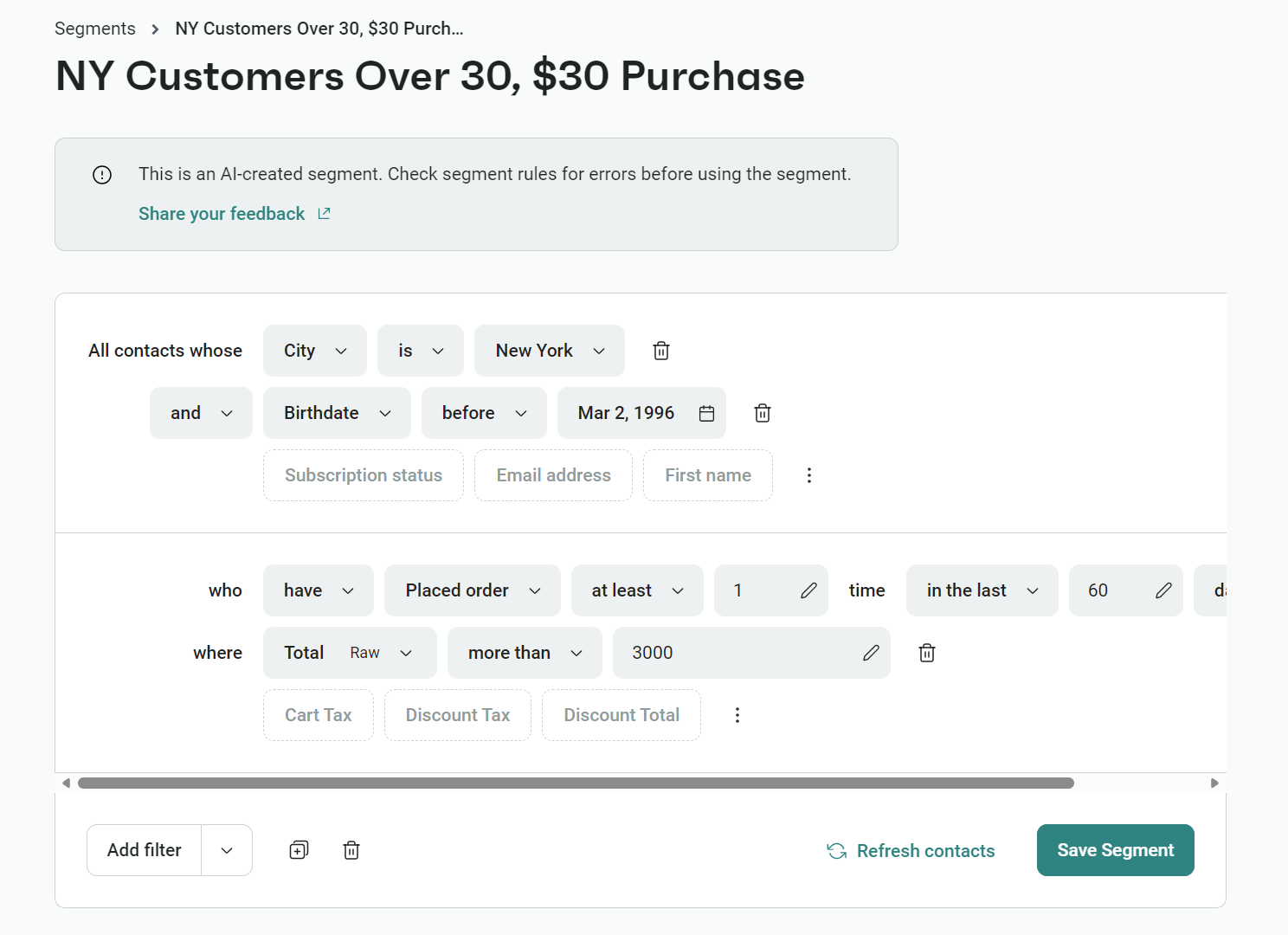
If you’re subscribing to your first email marketing tool and already have a contact list, upload your email list to the tool and use pre-built segments for a head start.
Omnisend has pre-built segments, or you can create them from scratch:

Learn more about segmentation:
Email segmentation: 7 proven strategies to get started
4. Decide your automation workflows
Your ecommerce email workflows should include sequences that mirror the natural customer journey. Start with welcome messages, continue through engagement and purchase stages, and extend to post-purchase follow-ups.
Omnisend has pre-built automations, including:
- Welcome: When someone joins your list
- Purchase: After completing an order
- Abandonment: When leaving items in a cart
- Behavioral: After viewing specific products
- Time-based: Birthdays or anniversaries
- Re-engagement: When inactive for a set period
- Back-in-stock alerts: Based on inventory updates
- Replenishment: When subscriptions are up for renewal
These automations have triggers, delays, messages, and exit conditions preconfigured. Here’s an example of a stock welcome series automation in Omnisend:

5. Edit/build your workflows
When building workflows, consider four critical elements:
- The quality of your email design and content
- Timing intervals between messages
- Branch points where customers might take different paths based on their behavior
- Exit conditions that remove people from sequences when appropriate
Consider drawing your flow on paper before building it, or use your email tool to create a basic sequence in its flow editor. Here’s an example in Omnisend:

Flow actions control what happens after a trigger activates your automation. These actions include sending emails, waiting periods, moving subscribers between segments, or ending sequences based on behavior.
Take a cart abandonment scenario. First, it nudges shoppers with a gentle reminder showing the forgotten items. If that doesn’t work, it can follow up a day later with a limited-time discount.
When customers take advantage of that offer, you can flag them in your system as responsive to deals to tailor future offers accordingly.
Once you’ve built your flow, testing it is best practice to ensure that your sequence arrives on time, with the right message, to your defined audience.
Watch this video to learn how to build automated emails in Omnisend:
6. Create email templates
Most email tools have editable, pre-built email templates. Edit these to represent your brand consistently and present content effectively. Focus on:
- Clear, concise copy that gets to the point
- Mobile-friendly images and layouts that work on all devices
- Personalization fields that insert subscriber information (according to Attentive, 96% of consumers say they’re likely to purchase when brands send personalized messages)
- Calls to action that direct readers on what to do next
- Visual elements that support your message without overwhelming it
- Accessibility, such as alt text for images and links to audio email versions
Branding your emails is necessary for a consistent customer experience. Remember that most of your subscribers will have signed up on your website, so seeing the same branding again in emails builds trust and encourages engagement.
The easiest way to ensure accurate branding for all your automations and campaigns is to add your brand style to Omnisend and let it automatically apply your logo, brand colors, and social media links to every email.
Want to build high-converting emails? Use these email design best practices for 2025.
7. Implement Dynamic Personalization
In practice, personalization means inserting placeholders (often called merge tags or dynamic fields) that your tool automatically replaces with each customer’s real data, like their name, city, or the product they left in their cart.
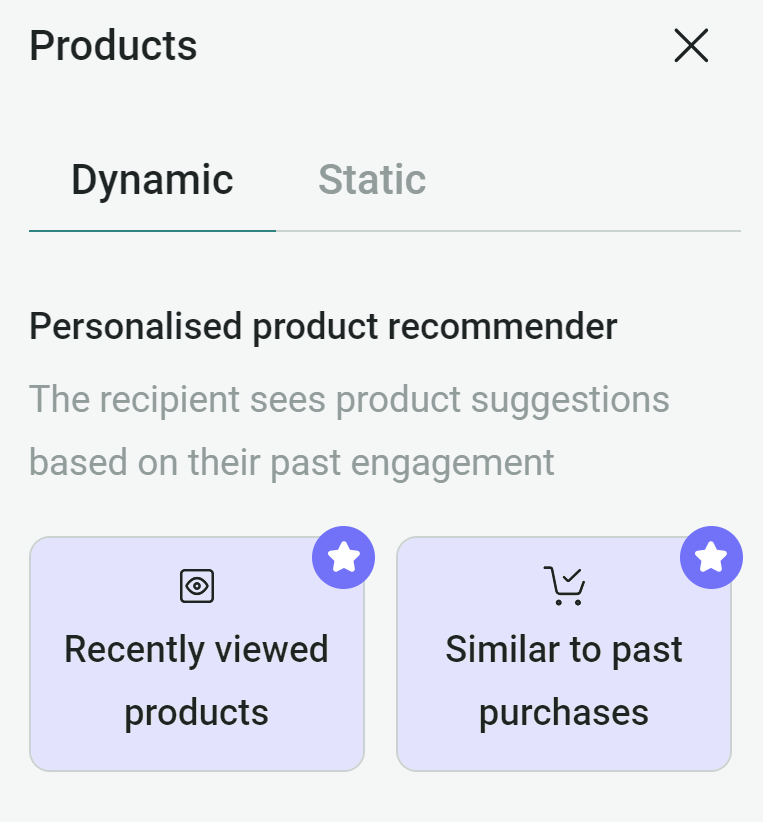
In Omnisend, personalization goes far beyond adding a first name. You can use real-time event data — like what a customer viewed, added to their cart, or bought — to automatically tailor the content of each email.
There are two main ways to do this: Variables (for text) and Dynamic Layouts (for lists of products).
1. Use variables for text
Omnisend uses liquid codes inside double brackets to pull data. You can insert these into subject lines or text blocks:
- Contact Data: Pulls from the user’s profile.
- [[ contact.first_name ]] → “John”
- [[ contact.city ]] → “New York”
- Event Data: Pulls from the specific trigger (only works in automations).
- [[ order.order_number ]] → “#10234”
- [[ order.total_price ]] → “$50.00”
Pro Tip: Always use a fallback so you don’t send blank spaces if data is missing.
- Use this: Hi [[ contact.first_name | default: “there” ]]
- Result: If they have a name, it says “Hi John.” If not, it says “Hi there.”
2. Use dynamic content layouts for product lists
This is the “real” automation power. It allows you to display a list of products (like an abandoned cart or receipt) that automatically adjusts to show exactly what the customer interacted with.
How to set it up:
- Drag & Drop: In your automation email, drag a Dynamic content layout block into the editor.
- Select Data Source: In the block settings, choose the list you want to display (e.g., event.line_items for cart items).
- Map the Fields: Inside the block, add your variables one time. Omnisend will “loop” (repeat) this block for every item in the cart.
- Image: Linked to [[ item.product.product_image_urls[0] ]]
- Text: [[ item.title ]] and [[ item.price ]]
Quick implementation checklist
- Check your trigger: Ensure you are using an event-based trigger (e.g., Placed Order, Abandoned Checkout) so the data is available.
- Use the right block: Use the Dynamic content layout block for product lists (Note: This block is not available in standard promotional Campaigns).
- Set the source: Ensure the block is connected to line_items.
- Test properly: Always use Omnisend’s Preview mode to simulate a real event/customer profile. Do not just send a test email to yourself, as the variables may appear blank without event data.
8. Add an alternative message channel
Complement your email automation with SMS or push notifications for time-sensitive information. These channels provide backup when emails aren’t opened and create a more complete communication approach that meets customers where they are.
Omnisend’s 2025 ecommerce marketing report found that US brands generated over $25 million in SMS sales alone in 2024.
Here are some scenarios where SMS and push notifications can assist your email strategy:
- SMS messaging: Urgent notifications like shipping updates, flash sales, appointment reminders, and limited-time offers where immediate attention is critical
- Push notifications: Website alerts for back-in-stock items, price drop notifications, and order status updates, where a quick tap can bring customers directly to the relevant page on your website or app
9. Secure deliverability and avoid spam filters
Even the best automations are useless if your emails never reach the inbox.
In 2024–2025, Google and Yahoo introduced stricter rules for bulk senders (typically those sending 5,000+ emails per day from one domain). So if you’re sending marketing emails at scale, you’ll need to follow their requirements – or risk having your emails throttled, filtered, or flagged as spam.
Here’s what that means in practice:
- Authenticate your domain with SPF, DKIM, and DMARC
- Keep spam complaints under 0.3%
- Provide one-click unsubscribe and honour it within two days
Let’s break these down into plain language.
1. Set up SPF, DKIM, and DMARC (in simple terms)
These three DNS records help inbox providers verify that you’re allowed to send from your domain — and stop bad actors from impersonating you.
SPF (Sender Policy Framework)
Think of SPF as a guest list for mail servers. It tells inbox providers:
“These servers are authorised to send emails from mydomain.com.”
ISPs check the SPF record to confirm the sending server is on that list.
DKIM (DomainKeys Identified Mail)
DKIM adds a digital signature to your messages. It proves:
- The email really came from your domain
- It wasn’t modified in transit
Inbox providers match the signature with the public key published in your DNS.
DMARC (Domain-based Message Authentication, Reporting & Conformance)
DMARC tells inboxes what to do if SPF or DKIM checks fail:
- p=none: Just monitor
- p=quarantine: Send suspicious emails to spam
- p=reject: Block them entirely
It also gives you visibility into who’s sending using your domain.
Note: Gmail and Yahoo now require a DMARC policy for bulk senders.
Most ESPs (including Omnisend) will generate SPF and DKIM records for you—you or your developer just need to add them to your DNS.
2. Respect the new Google/Yahoo rules
If you regularly send promotional emails to Gmail or Yahoo inboxes, make sure you:
- Have SPF, DKIM, and DMARC properly configured
- Keep your spam complaint rate well below 0.3% (aim for ≤0.1%)
- Include one-click unsubscribe in every promotional email
- Honor unsubscribe requests within two days
- Send from a domain with valid forward and reverse DNS, over a secure (TLS) connection
Your email platform and domain setup will handle most of this — but it’s your responsibility to send wanted emails to people who actually engage. That keeps complaints low and protects your deliverability.
3. Use list sunsetting to protect your sender reputation
One of the fastest ways to hurt your deliverability is to keep emailing disengaged contacts. It drives down open rates and increases spam complaints.
List sunsetting means:
- Identify subscribers who haven’t opened or clicked in 90–180 days
- Send a short re-engagement sequence:
- “Still want to hear from us?”
- Offer a preference centre or lower frequency option
- Make it easy to unsubscribe
- “Still want to hear from us?”
- If there’s no engagement, automatically suppress them from future campaigns and automations
In practice:
- Build a segment: “No opens OR clicks in the last 120 days”
- Send 2–3 re-engagement emails over 1–2 weeks
- Auto-move non-engagers to a suppressed or unmarketable list
Result: higher engagement, fewer spam complaints, and better inbox placement for your active subscribers.
So healthy deliverability doesn’t just protect your sender reputation — it also makes sure the automations you’ve built can actually reach customers, drive repeat purchases, and improve retention.
4. Avoid common spam triggers in your copy
Spam filters look at more than just language — but subject lines packed with spammy phrasing are a red flag. Avoid things like:
- “100% FREE!!!”, “Risk-free!!!”, “NO CREDIT CHECK”
- “Earn $$$ fast”, “Make money tonight”, “Get rich now”
- “Act NOW!!!”, “Once-in-a-lifetime!!!”, “Limited time ONLY!!!”
- Excessive ALL CAPS or punctuation (e.g., “READ THIS NOW!!!”)
Instead, be clear and specific about the value:
- “Get 10% off your first order”
- “New arrivals in your saved category”
- “Your order has shipped – track it here”
Also, avoid misleading subject lines — never use “Re:” or “Fwd:” unless it’s actually a reply or forward. Furhtermore, keep formatting clean:
- Balance images and text
- Use real contact details
- Always include a visible unsubscribe link
Final tip: engagement is the best spam filter
When you send relevant, personalised automations to people who expect them — and keep your list clean and authenticated — you’ll comply with 2025 deliverability rules and give your flows the best chance to land in the inbox.
10. Monitor results and optimize performance
Optimizing your customer journey with email automations is an ongoing process in which you’ll refine your subject lines, messaging, delays, triggers, and segments to eke out as much engagement as possible.
Your most effective changes will be those made in response to A/B tests, as well as open rates, click-through rates, conversions, revenue, and sales. Omnisend lets you track these metrics in reports, and you can use this data to:
- Adjust sending frequency and timing
- Refine audience targeting
- Improve underperforming content
- Test different subject lines and offers
- Remove friction in the customer journey
Review and update your automation sequences regularly to ensure they remain relevant and effective as your business and customer needs evolve.
Omnisend’s Advanced Reporting provides unified performance metrics across all channels, automatically identifies top-performing campaigns, and offers visualization tools to help you track trends.
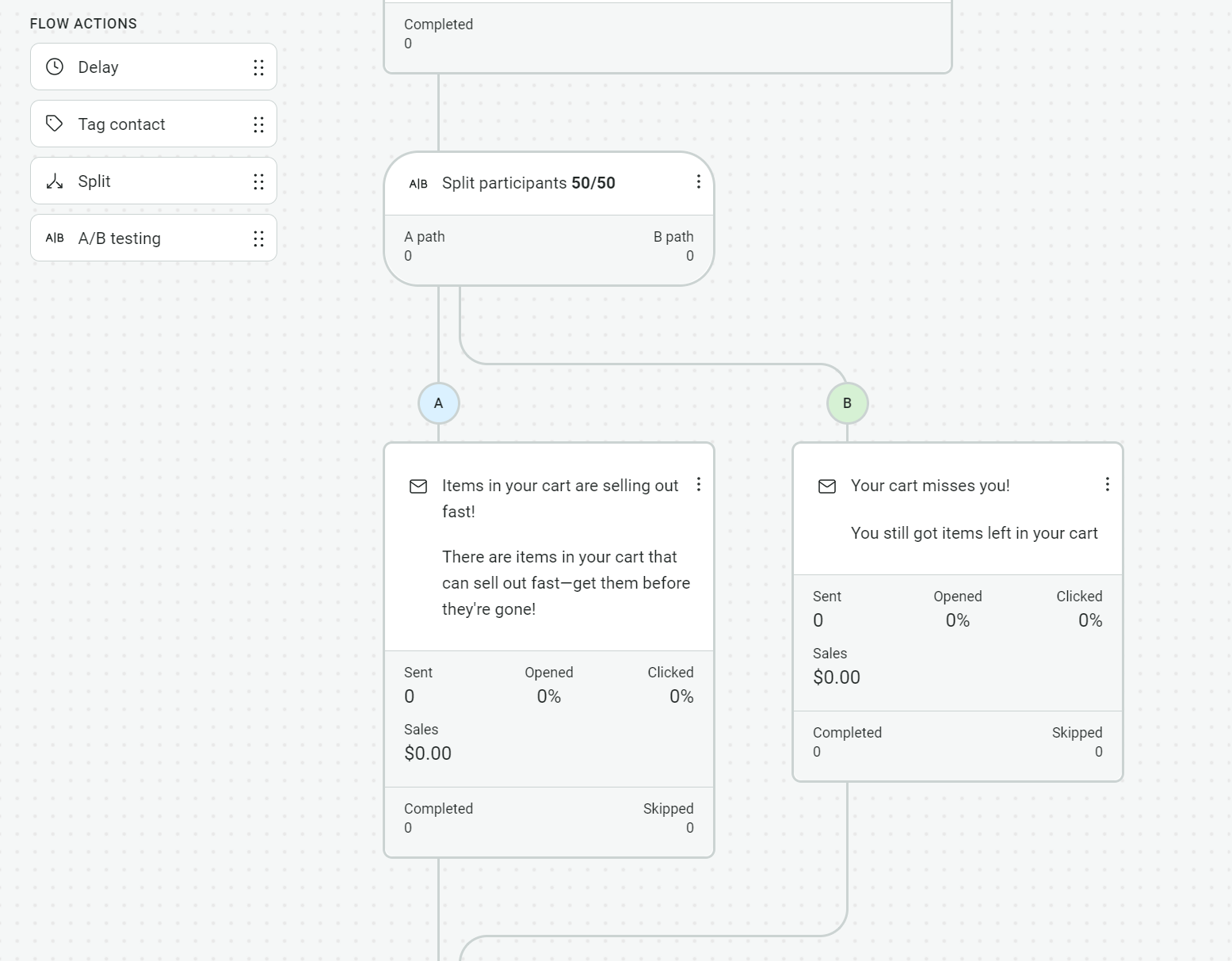
Additionally, you can run A/B tests on two automation versions to see which works best. You can split participants 50/50 (or a different ratio) and see the stats for each within the automation builder. Here’s an example:

Cleaning your list is another best practice to ensure your automations only reach active and engaged customers. Removing faulty and outdated emails helps you avoid spam traps, reduce wasted sends, and save money if you’re teetering close to an upgrade based on send volume.
Benefits of email automation
Omnisend’s latest research reveals that automated emails have higher open, click, and conversion rates than scheduled messages.
Why are automations superior? Because they trigger based on behavior to reach people when they are most likely to engage and buy.
Here are the benefits of email automation for your business:
- Get measurable results that improve over time: Between Q1–Q3 2025, automated emails accounted for nearly 40% of all email-driven revenue, despite making up only about 3% of total send volume
- Create conversations that scale: Our latest data shows that automated emails averaged a 39% open rate vs 25–29% for campaigns, and a 4.7% click rate vs 0.7–1.0% for campaigns
- Deliver when it matters: Your messages arrive when customers are most receptive, whether that’s moments after purchase, when items ship, or after browsing products
- Personalization opportunities: Build flows that trigger based on browse, purchase, and segment activity with unique messaging that improves your customer relationships
- Send based on what customers do, not just who they are: Behavior-triggered emails convert at higher rates, with one in three people who click on an automated message making a purchase compared to just one in 18 for scheduled messages
- Keep more customers in your ecosystem: Abandoned carts, welcome messages, and browse abandonment emails are responsible for 80% of all automated orders, bringing wandering customers back
- Build relationships on autopilot: Send birthday messages, milestone celebrations, and re-engagement sequences that nurture customer relationships without requiring daily attention from your team
- Win more sales and achieve a better ROI: Email automations arrive at the most relevant and opportune moments in your customer journey based on triggers you set, helping capture additional purchases and increasing customer lifetime value
Real results from email automation: Omnisend customer success stories
Check out these email automation success stories to inspire your efforts:
1. Bowy Made – baby essentials
Automations generate 70% of Bowy Made’s total revenue, with pre-purchase flows like product and browse abandonment driving five-figure returns in single months. The luxury baby brand maintains a 52% average open rate across automated emails and achieves a 30% return customer rate by timing messages around customer lifecycles instead of pushing discounts.
Read the Omnisend customer story: Bowy Made.
2. Dukier – dog accessories
Revenue from Omnisend grew 525% over three years for this Madrid-based dog accessories brand, climbing from €82,857 to €518,860:Automations deliver 55% of that revenue across five localized markets, maintaining a 48.4% open rate and 0.36% unsubscribe rate. Dukier’s behavior-based sequences consistently outperform generic campaigns in both average order value and conversion.
Read the Omnisend customer story: Dukier.
3. To’ak Chocolate – confectionery
To’ak Chocolate’s welcome series converts at 18% and generates revenue-per-email 3,466% higher than promotional messages. Automated emails account for just 2.1% of sends but produce 39% of email revenue. The luxury chocolate brand increased email-generated sales by 460% after building cart abandonment and welcome sequences that tell its origin story without discounting.
Read the Omnisend customer story: To’ak Chocolate.
Email automation examples
Check out these email automation examples to inspire your own:
1. Crocs — Automated order confirmation email
Subject line: We got your order. (You have great taste!)

Footwear retailer Crocs uses a conversational subject line (“You have great taste!”) to confirm orders and encourage customers to open the email.
Opening it reveals a thank you note and a progress bar showing “Order Confirmed” with blanked-out “Shipped” and “Delivered” steps, helping the customer see their order status at a glance. It then details the order with a payment summary.
The email’s simplistic design emphasizes information and clarity. It has a white background, black text, and a small logo at the top.
Key takeaways
- Make your order confirmations scannable
- Progress bars help customers visualize steps
- Include all information related to the order to reduce inquiries
2. Fitbit — Automated shipping confirmation email
Subject line: Today is the day! Your order has been shipped.

Fitness wearable brand Fitbit uses exciting writing in its shipping confirmation (“Today is the day!” “Are you smiling? You’re totally smiling.”) to create an enjoyable brand experience and set a positive tone ahead of delivery.
Its email uses a colorful background, floating product images, and a small header with a logo and store link to match its website branding. Customers can click a black tracking link and a shipping note confirming the shipment.
Key takeaways
- Shipping confirmations can be part of your brand experience
- Include tracking links and shipping method information
- Add your customer’s address to reduce anxiety over delivery
3. Starbucks — Automated birthday reward email
Subject line: Open on your birthday 🎁 (Actually, you can open now)

Starbucks sends automated birthday emails that treat its members in the lead-up to their birthdays with a free drink or food item redeemable only on their birthday.
Its subject line, “Open on your birthday 🎁 (Actually, you can open now),” uses a gift emoji to let the customer know its intent and builds anticipation with the suggestion to open.
The email design matches the Starbucks website, with a light green background and illustrations. It uses scarcity tactics to encourage action, with the heading “REDEEM ONLY ON 12/12,” and clarifies where they can find their coupon.
Key takeaways
- Rewarding customers encourages loyalty
- Appropriate emojis can increase open rates
- Clarify your offer and terms to promote action
4. Brew Tea Co — Automated abandoned cart email
Subject line: Your tea is right where you left it.

Tea retailer Brew Tea Co uses a simplistic email design and the words “Free of distractions and interruptions? You can pick up right where you left off below” to reduce friction following cart abandonment and get customers to continue shopping.
Its yellow background and white-boxed email content match the company’s website branding and put all eyes on the product. Headings like “We saved you some tea” and “HERE’S WHAT YOU LEFT BEHIND” provide reminders and pitch the email as helpful.
Key takeaways
- Abandoned cart reminders help recover revenue
- Eliminating friction makes these sequences feel helpful
- Include images of abandoned products to create familiarity
5. Bellroy — Automated welcome email
Subject line: You’re in! Welcome to the family

Carry goods brand Bellroy gives its welcome series a membership feel with the subject line “You’re in! Welcome to the family.” Opening the email welcomes the reader to Bellroy’s community and provides guidance and tips about the brand.
A video thumbnail opens a web page video for subscribers to find out more, or they can scroll the email to discover its Instagram account, mission, product designs, social and environmental policies, and samples of what’s to come.
The email is relatively long but effectively moves customers through a brand story, offering opportunities to shop with links to product categories.
Key takeaways
- Welcome emails can improve brand affinity
- Images and videos make your emails more interesting
- Pivoting from basic welcomes to a community approach uplifts loyalty
6. OluKai — Automated cross-sell email
Subject line: Did you see something you liked?

Premium footwear brand OluKai sends automated cross-sell emails based on browsing behavior. It segments subscribers by the products they view and then sends personalized recommendations to encourage purchases.
Its email references a product from a previous browsing session and includes a “Shop Now” CTA button. Below that, it lists “Other ‘Ohana Favorites” (additional products) with links.
The email’s heading, “One Step Away From Aloha,” suggests a seamless buying experience and reinforces the brand’s Hawaiian designs.
Key takeaways
- Trigger cross-sell emails based on browsing behavior to ensure proper targeting
- Referencing previous interactions builds relevance into your emails
- Personalized recommendations can introduce customers to products they love and buy
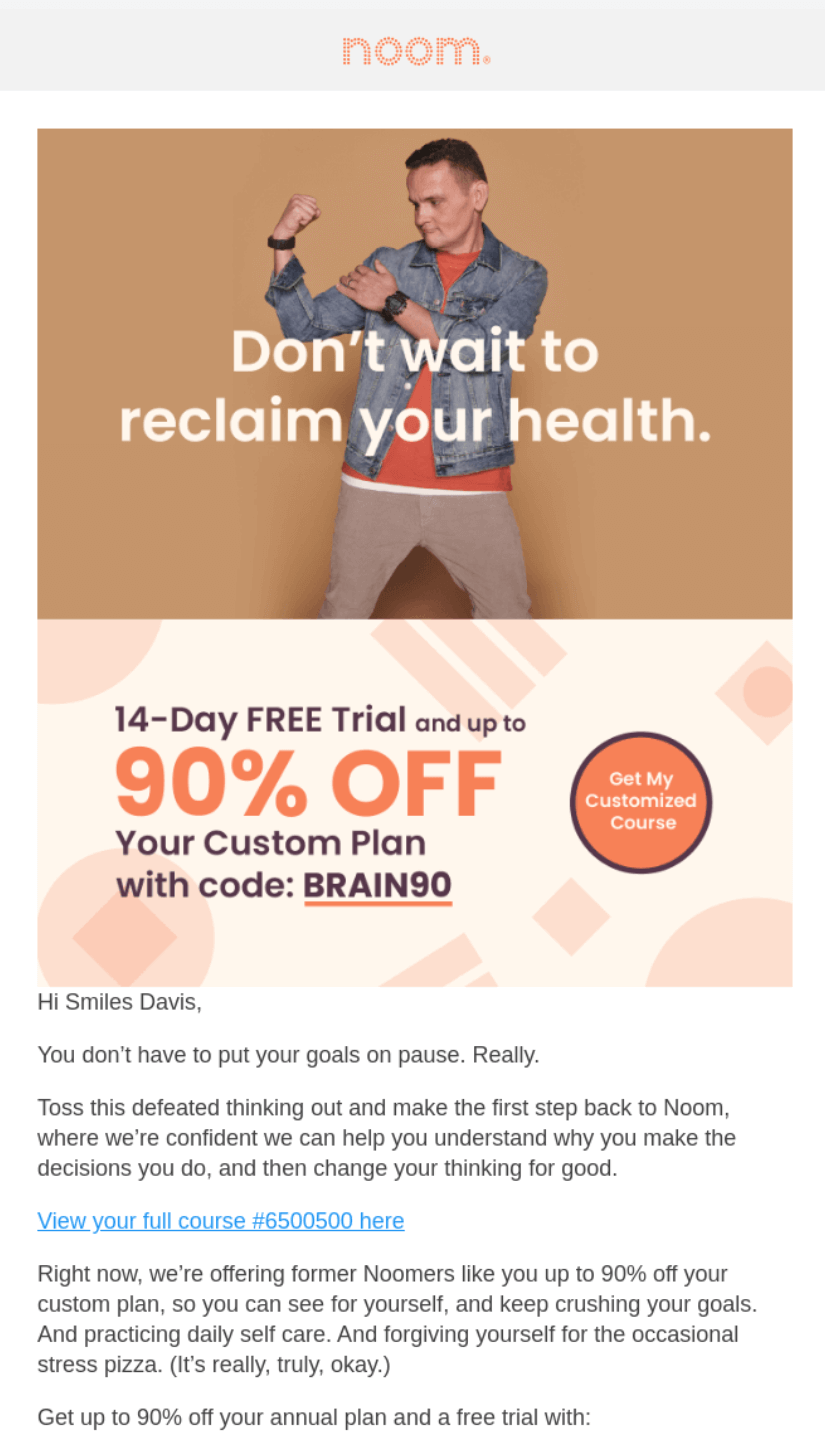
7. Cuisinart — Automated re-engagement email
Subject line: Pssst…we have a question for you.

Kitchen appliances retailer Cuisinart sends re-engagement emails asking subscribers whether they want to stay subscribed or unsubscribe.
Its subject line, “Pssst…we have a question for you,” keeps things neutral before the email opens to reveal a “No Hard Feelings” heading to reduce friction. Customers can then select “Stay” or “Leave” with one click or tap (ignoring the email also keeps them subscribed).
Although this automated email seems counterintuitive to keeping as many subscribers as possible, that’s the point — its purpose is to clean Cuisinart’s list and remove those who no longer want to receive communications. List cleaning can help you reduce costs and improve engagement.
Key takeaways
- Re-engagement emails help clean your list
- Reactivating dormant subscribers can lead to additional sales
- Help customers make their choice with links to unsubscribe or change their preferences
8. Peloton — Automated milestone celebration email
Subject line: This is MAJOR: You just joined the Century Club

Fitness appliance leader Peloton sends automated milestone emails celebrating different stages of its customer journey. The example above celebrates the “Century Club,” where customers participate in 100 fitness activities.
Everything about it builds a sense of achievement, from the subject line “This is MAJOR: You just joined the Century Club” to the heading “You just earned your place in the big leagues.”
Peloton’s milestone email aims to reinforce customer loyalty and encourage them to continue using its products. The same goal applies to emails celebrating annual subscriptions, usage statistics, and account upgrades.
Key takeaways
- Milestone emails help build loyalty and encourage product use
- Create names for your milestones so they are part of your brand experience
- Provide recaps in your emails to remind customers about their journey
9. Simpler Hair Color — Automated education drip email
Subject line: 🎨 Wish your hair color would last?

Hair and beard dye retailer Simpler Hair Color drips educational emails to its subscribers with tips directly related to product usage.
The email above includes tips to make your head and beard color last longer, with the enticing subject line “🎨 Wish your hair color would last?” Opening it reveals three tips, two of which include product links for shampoo and conditioner:

Key takeaways
- Dripping educational emails ensures optimal frequency
- Educational content helps customers understand products
- Turn your tips into shopping opportunities to increase sales
10. Best Day Brewing — Automated feedback request email
Subject line: Can We Ask You One Question? 🙏

Non-alcoholic craft beer retailer Best Day Brewing integrates Typeform into its automated feedback emails. This allows customers to rate their experience on a scale of 0 to 10. All the customer needs to do is click a number to provide feedback.
Feedback emails that collect only ratings are more likely to convert due to ease of use. The more numerous and complex the steps, the less receptive your customers will be to filling in your form and being part of your post-purchase workflow.
Key takeaways
- Make it as easy as possible for customers to rate their experience
- Clearly explain what your customer should rate (e.g., delivery)
- Consider integrating with Typeform to add interactive elements to emails
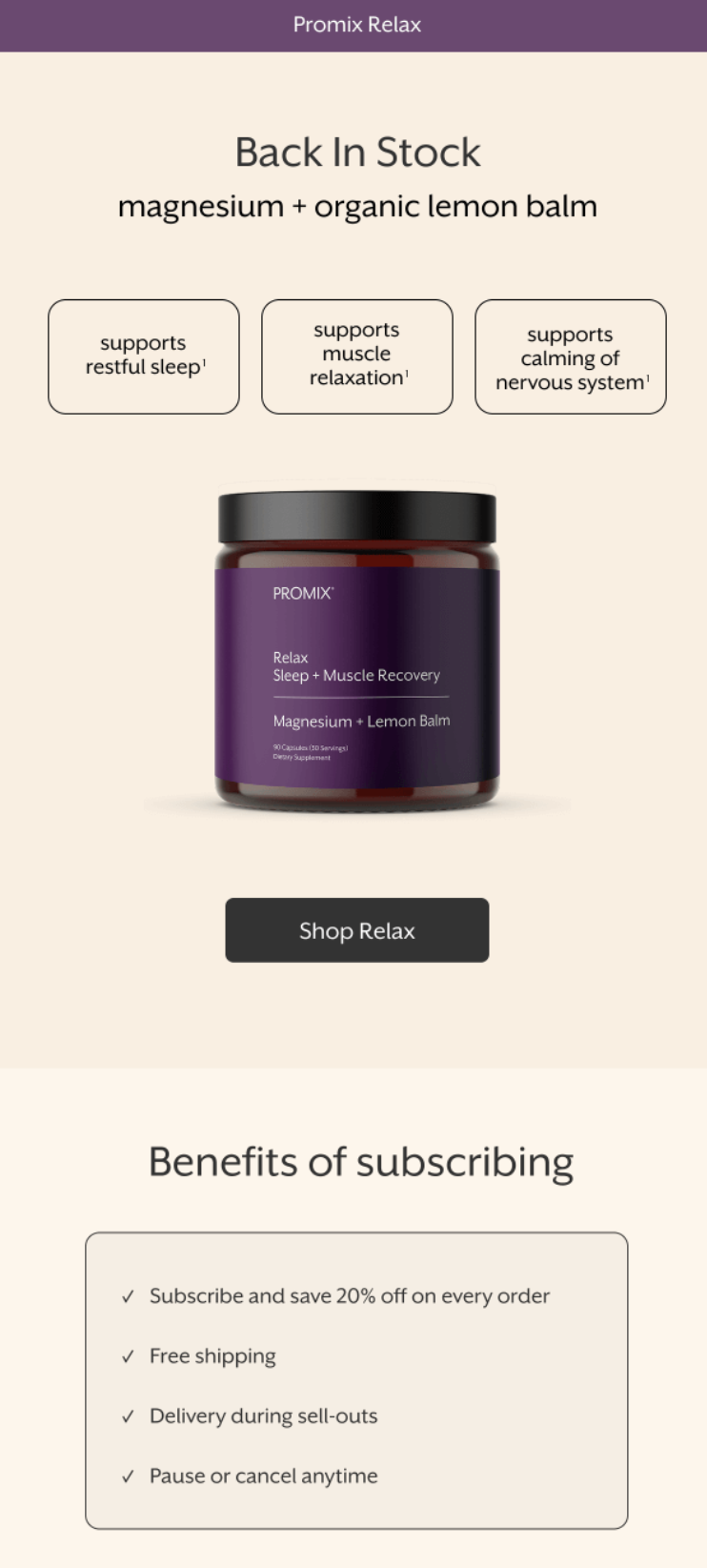
11. Better Booch — Automated back-in-stock email
Subject line: Back in Stock On All Your Favorites
Better Booch has a back-in-stock flow for customers who subscribe to restock alerts. Its email opens with “Back In Stock” in massive text above product imagery that fills the frame. The subject line says the same thing, so there’s no confusion between inbox and open:

Four products appear at the top, but the copy focuses on one flavor instead of describing all of them, with the back-in-stock item getting a product image and a customer review.
All those elements sit against a neutral background that not only keeps focus on the products but also matches Better Booch’s website for a cohesive customer experience.
Key takeaways
- Put your biggest message and product image at the top
- Feature one restocked item instead of listing everything available
- Add testimonials and star ratings below the offer to reinforce the decision
12. Chewy — automated browse abandonment email
Subject line: Your browsed items are order-ready
Pet accessories retailer Chewy has a browse abandonment series that brings passive customers back to its store.
Its “Take a second look” subject line addresses browsing activity without adding guilt or fake urgency. Opening the email reveals an on-brand French Bulldog photo that grabs attention before the headline even registers:

The first heading reads, “Like what you saw? Make it yours, er…theirs.” That self-correction from “yours” to “theirs” reminds pet owners they’re shopping for their animals.
A Missouri Tigers dog shirt appears below, matching what the recipient viewed, with star ratings beneath to build purchase confidence.
Key takeaways
- Stack trust signals to encourage shopping
- Use humor that connects to your audience’s mindset
- Show the product they browsed, not recommendations
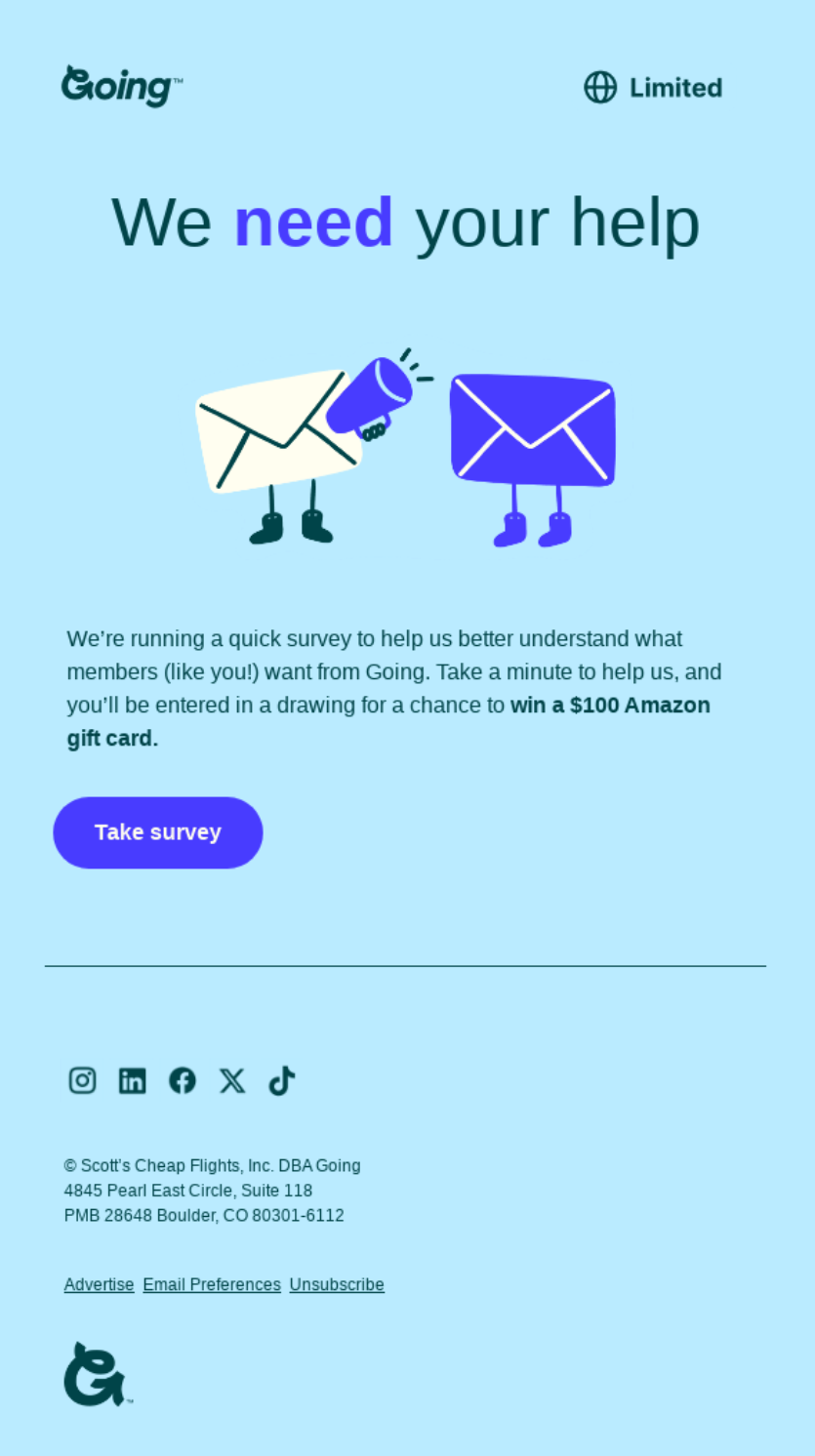
13. Shake Shack — automated survey request email
Subject line: You’ve got great taste. And now we need your help
Shake Shack’s “Got a few minutes? Your taste matters” headline speaks directly to subscribers without corporate stiffness. A burger photo fills the top half, immediately connecting the request to food rather than abstract feedback:

Explaining that fans will vote on new menu items turns the survey into something that feels collaborative instead of transactional. Phrasing like “your picks might just make the menu” creates investment in the outcome.
A single green CTA button (“CHECK OUT OUR SURVEY HERE”) sits below without competing elements. Brand colors stay consistent (green and white), keeping visual focus tight.
Key takeaways
- Frame surveys as opportunities to influence decisions, not chores
- Lead with product imagery to anchor the request
- Keep one CTA without additional links or distractions
14. Delta — automated booking confirmation email
Subject line: Your BNA > LIS Trip Details
Delta sends out booking confirmation emails following payment, ensuring its customers have flight details immediately when they need them most. “PREPARE FOR TAKEOFF” acknowledges the journey ahead instead of just rehashing the purchase:

Its flight information section includes a progress graphic with all flight numbers, boarding times, and destinations in a scannable format. Below that, there’s a tips section for flight timing, packing, and mobile check-in (perfect for curious customers).
Key takeaways
- Make booking details the first thing customers see
- Include pre-trip tips that reduce support inquiries
- Layer promotional content below transactional information, not mixed in
15. Huel — automated checkout abandonment email
Subject line: Oops… What did we do wrong?
Huel flips the standard checkout abandonment approach by asking why the customer left instead of pushing them to buy. “Can we do more?” appears over a photo of someone holding their product, setting a tone of curiosity rather than desperation:

The copy acknowledges the abandonment directly, “Just as we thought we had another Hueligan onboard, you stopped in your tracks.” A “Jump back in” CTA encourages shopping, but doesn’t dominate.
The focus shifts to feedback collection with “Tell us what we did wrong,” followed by clickable options for shipping cost, minimum order requirement, and website navigation issues.
Most brands use checkout abandonment emails to recover revenue immediately. Huel uses them to understand why it lost revenue in the first place.
Key takeaways
- Ask why customers abandoned instead of only pushing purchase
- Provide clickable feedback options to reduce response friction
- Use the abandonment data you collect to fix systemic conversion problems
Let email automation do the work for you
Email automations help you create complete customer experiences from signup to win-back without any manual effort beyond their initial build times.
Automated emails appear at such opportune moments that if you only ever built a welcome series and thank-you flow, your store would still be streets ahead of many established retailers who haven’t locked down their strategy.
Of course, these flow examples account for a mere fraction of the opportunities you have to appear in your customers’ inboxes with automations. Add SMS into your flows, and the revenue potential is extreme, to say the least.
Omnisend’s Q1–Q3 2025 data shows that open rates never dip below 33% for the most popular automations, with conversions peaking at 6.41% for back-in-stock flows.
If you want in, you need an email automation tool. That’s your next step to generate maximum sales, revenue, and ROI.
Quick sign up | No credit card required
FAQs
Email automation sends messages triggered by customer actions or segment changes. Purchase confirmations, cart reminders, and welcome sequences go out when someone buys, abandons, or subscribes. Omnisend’s Q1–Q3 2025 data shows automated emails generated nearly 40% of email revenue despite representing just 3% of sends.
Get an email platform and connect your store. Import your list and split it into segments. Templates exist in some tools for welcome sequences, cart recovery, and browse abandonment if you want shortcuts. Build from zero if templates don’t fit what you’re doing.
Email marketing is the overall strategy of using email to reach your audience. Inside that, you have two main types of sends: campaigns and automations. Campaigns are one-off or scheduled emails that you choose when to send, while automations send themselves based on customer behavior — like abandoning a cart or joining your list. In short: campaigns send when you decide, automations send when your customer’s actions trigger them.
For most small and midsize ecommerce businesses, Omnisend is one of the best choices because it offers advanced email marketing automation on a free plan, affordable paid tiers, and deep store integrations. Sender is a good option if you mainly need low-cost bulk sending, and MailerLite is great for beginners who want a simple interface. The best tool for your SMB comes down to budget, ease of use, and how deeply you need it to integrate with your store and other tools.
With an email tool offering a free plan. Omnisend offers unlimited workflows and lets you send 500 emails/month. Sender allows 2,500 contacts and 15,000 sends. Kit broadcasts to 10,000 subscribers without limits. EmailOctopus supports 2,500 subscribers and sends. However, only Omnisend lets you build complex automation flows in its free forever plan.
To keep automated emails out of spam, authenticate your domain (set up SPF, DKIM, and DMARC), only send to subscribers who opted in, and regularly remove inactive contacts. Avoid overly salesy subject lines packed with “FREE!!!” or “Earn $$$ fast,” and always include an easy one-click unsubscribe link. Following Gmail/Yahoo’s bulk-sender rules and sending content people actually want are the two biggest keys to staying in the inbox.
TABLE OF CONTENTS
TABLE OF CONTENTS
No fluff, no spam, no corporate filler. Just a friendly letter, twice a month.
OFFER