Omnisend AI


 OFFER
OFFER









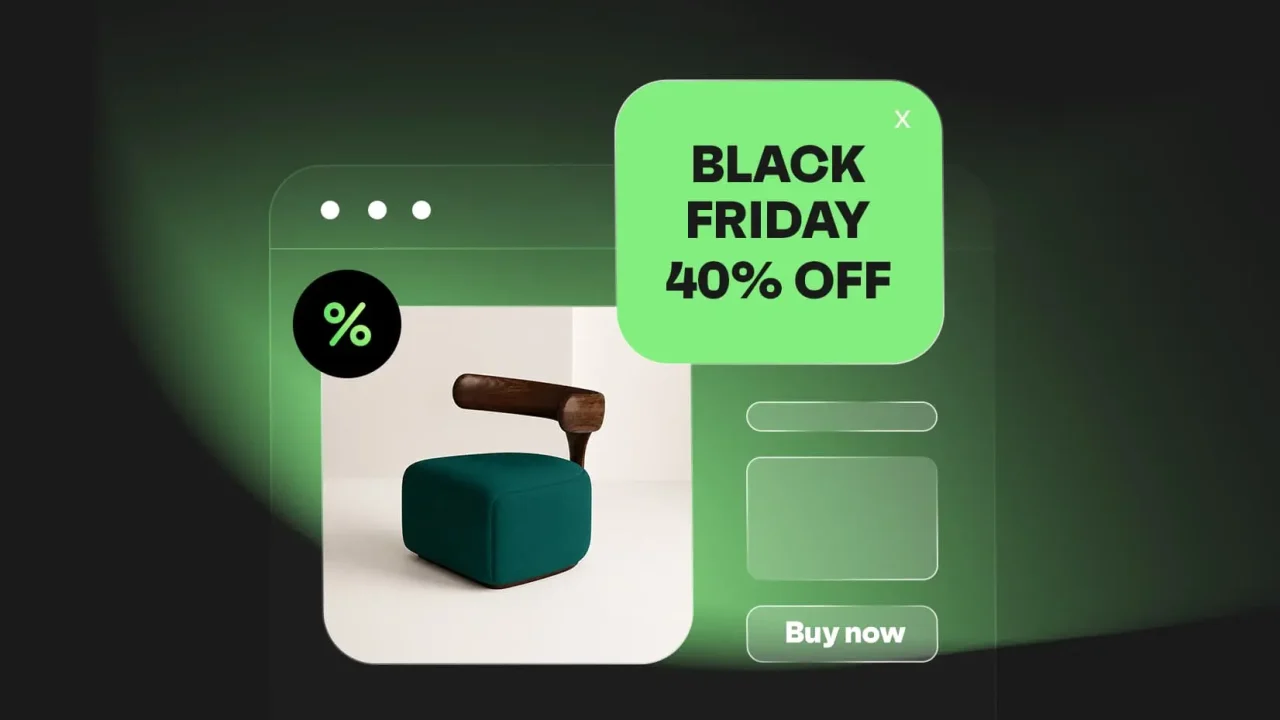

To succeed with Shopify Black Friday, you need to do more than offer discounts. Black Friday checklist includes optimizing your store, refreshing marketing tactics, and automating follow-ups. Choosing the right automation app can save you setup time so you can focus on increasing conversions.
You’ll learn proven Shopify Black Friday strategies to increase sales. You’ll also learn about the best Shopify automation apps to capture more buyers and practical store optimization tips. We’ll explain the common Black Friday mistakes to avoid in 2026.
Quick sign up | No credit card required
Why your Shopify store needs a Black Friday strategy
Shopify merchants generated $14.6 billion in sales over the BFCM weekend, up 27% from 2024. However, thousands of top Shopify stores compete for shoppers’ attention, so a cohesive strategy is a must.
With more than 81 million customers browsing Shopify stores, a Shopify Black Friday strategy helps you stand out and increase revenue. Here’s why it matters:
- Record-breaking demand: Millions of customers shop online during BFCM, based on Shopify Black Friday news. This season gives you a chance to reach new customers and increase sales.
- A competitive edge from early planning: A/B test your BFCM campaigns weeks in advance. You can also launch early promotions before customers’ inboxes get flooded with offers.
- A store built to improve shopping experiences: Fast-loading Shopify stores help increase sales. Optimize for mobile and offer a smooth checkout to reduce abandoned carts.
- Automation with Shopify Apps: Recover lost sales and increase average order value with automation. This means using Shopify apps to automate email and SMS campaigns.
- Value beyond Black Friday: A Shopify Black Friday strategy helps you turn first-time buyers into repeat customers. Automate follow-ups and personalize each customer’s experience to increase revenue.
Black Friday concentrates massive demand into one day. You’ll handle more orders, customer questions, and inventory decisions in 24 hours than in most weeks. Preparation determines whether you capture or lose those sales.

7 Shopify Black Friday strategies
Successful Shopify Black Friday campaigns rely on more than just discounts. The seven Black Friday ecommerce strategies below will help you optimize your store and increase engagement across different channels.
If you want detailed preparation tips, follow this Black Friday checklist.
1. Build your email and SMS list early
Build your email and SMS list weeks before Shopify Black Friday starts. Use sign-up forms and exit-intent pop-ups to collect subscribers with discounts, or use spin-to-win wheels to offer a chance to win a discount or prize.
Early-access campaigns work particularly well, promising subscribers first dibs on your best deals. Frame it as VIP treatment rather than just another promotion.
The pop-up below offers a limited-time Black Friday discount in return for the customer’s email:
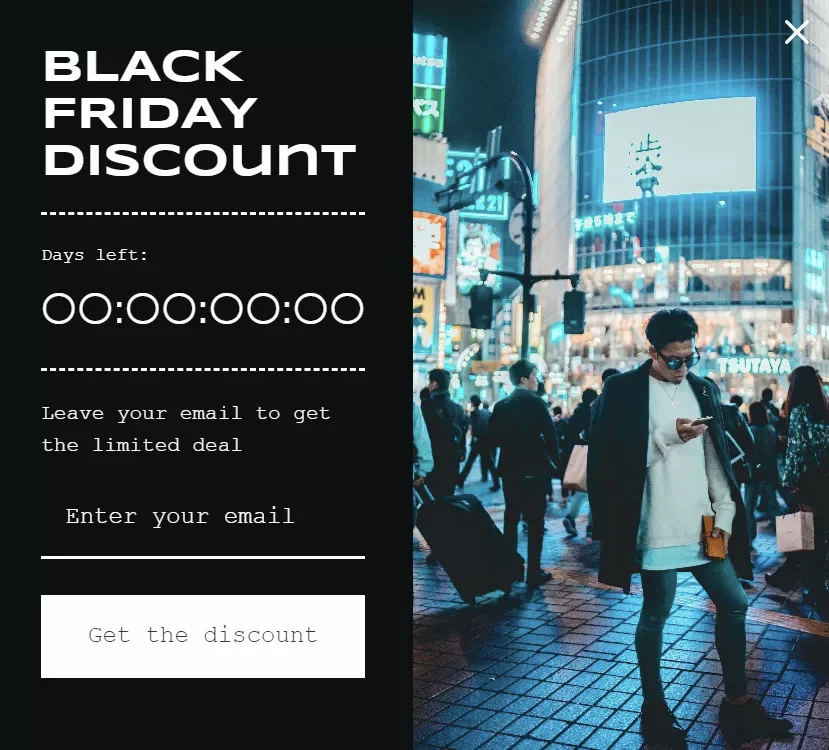
A warmed-up list outperforms cold advertising every time because your subscribers already know your brand and trust your products.
October and early November are ideal for building your list with lead magnets like gift guides, early sale previews, and tiered discounts based on sign-up timing.
Try out different pop-up triggers and offers to see what works best for your store. For example, people leaving product pages may find size guides helpful, while those leaving the homepage often respond well to percentage discounts.
You can also use Black Friday templates to quickly create forms and emails, even if you do not have design experience.
Your list becomes your most profitable asset when Black Friday arrives. You control the timing, message, and audience without competing for expensive ad space.
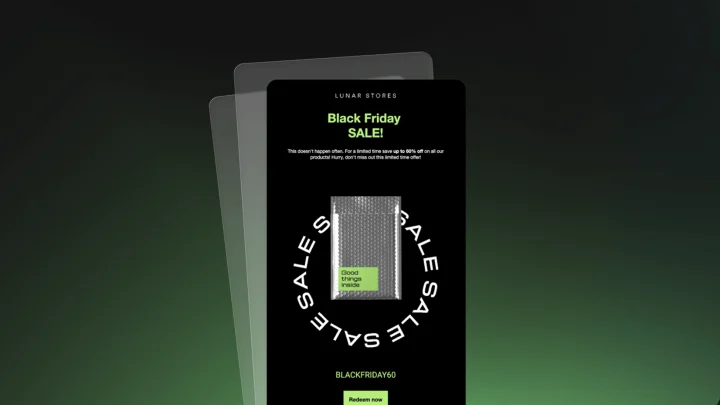
2. Send teaser campaigns
Build anticipation with strategic pre-sale messaging starting two weeks out. Share sneak peeks of featured products or hint at discount levels without revealing everything.
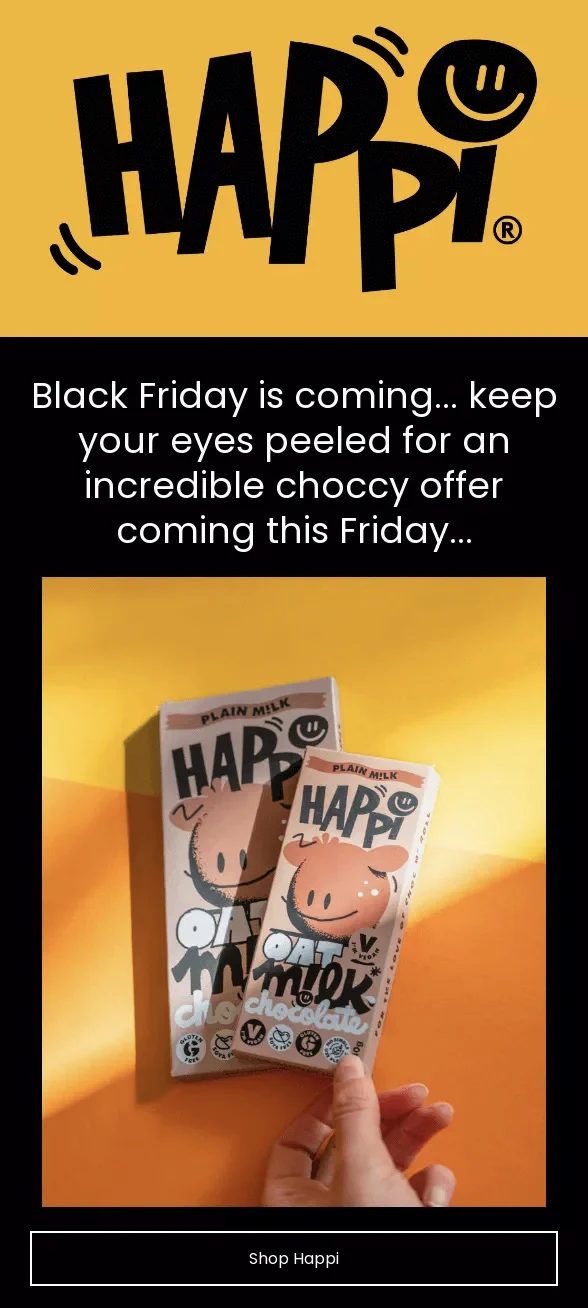
Happi Choc takes a sneak peek approach to its Black Friday teasers, asking customers to keep an eye out for offers on its chocolates:
If you have high-spending customers, create a VIP teaser series that rewards them with exclusive shopping windows before public sales begin.
For urgency, countdown timers in emails are fantastic for reinforcing deadlines, or you could say, “Early access ends in 12 hours.”
Create FOMO by telling shoppers you have limited stock of popular products. Show the real number of items left, if possible, and avoid fake scarcity.
Segment your audience by past purchases or preferences, such as whether they subscribed for deals or news. Send fashion buyers new-arrival updates and tech shoppers product specifications.
3. Use automated flows to recover lost sales
Set up abandoned cart sequences before traffic spikes hit. Use a three-email series. This includes a gentle reminder, an urgency message, and a last-chance discount.
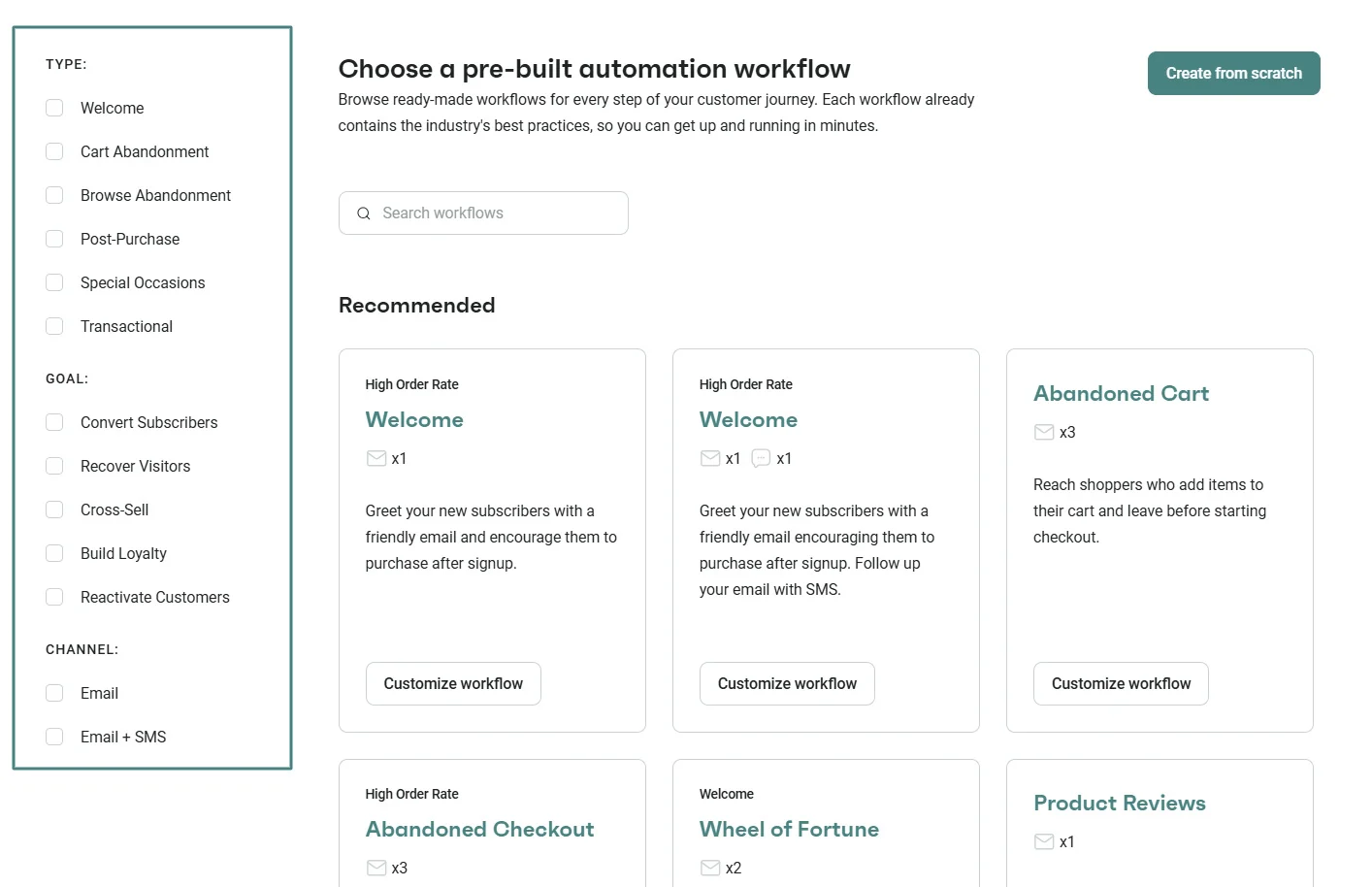
Omnisend provides pre-built automation flows to get your Shopify Black Friday strategy going. You can filter by type and goal to suit your customer journey:
Browse abandonment flows remind shoppers about products they viewed but didn’t add to their cart. These emails can show the product with social proof or limited-stock messages.
Recovery messages should match the type of abandonment. Cart reminders can be sent after an hour, while browse reminders can wait longer.
SMS can be used alongside email to send urgent messages. SMS can reach customers while they’re still interested in buying, and they can see the text sooner than emails.
Test different approaches for each flow type. Product recommendations might work for browsers, while free shipping converts cart abandoners.
Automation handles the heavy lifting when you’re managing peak traffic. Set the flows up early and let them capture sales while you focus on real-time Black Friday campaigns.
4. Segment and personalize offers
Give your VIP customers the best deals first. Base the discount level on how much they have spent overall or how often they buy.
Communicate differently with new and returning customers. New subscribers get welcome offers, while repeat customers get loyalty rewards or early access to offers.
High-value segments warrant premium treatment. Examples of that special treatment are one-on-one shopping appointments, product bundles, or faster shipping at no extra cost.
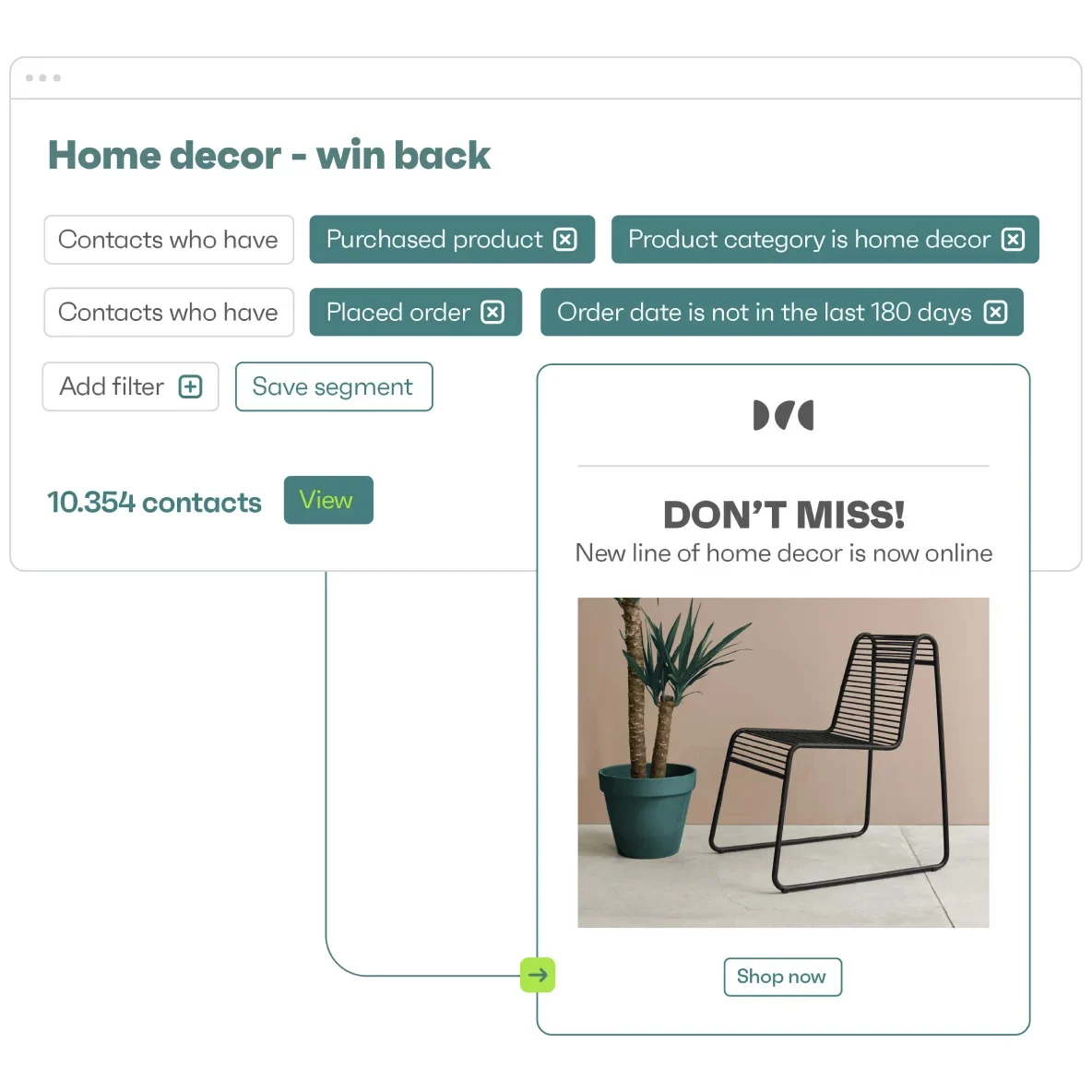
Here’s an example of a segment with customers who have purchased products or placed orders:
Segmenting customers by location helps make shipping deadlines and local preferences more relevant. For example, shoppers in California may need different delivery times than those in New York.
Using behavioral triggers lets you personalize for many customers at once. Big spenders see luxury products, bargain hunters get notified about sales, and people who like certain categories receive special collections.
Generic blasts waste opportunity when everyone gets the same message. Use your customer data wisely. Create messages based on what customers have bought or what products or pages they have viewed.
5. Combine multiple marketing channels
Omnisend lets you build multichannel automations with email, text message, and push notifications to reach customers at multiple moments.
For example, you could:
- Distribute morning emails with deals
- Send lunch-hour texts to remind customers about expiring offers
- Trigger push notifications in the evening to announce flash sales
Your website can also include information and offers. Announcement bars show shipping deadlines, while exit pop-ups offer discounts to visitors about to leave.
Social platforms offer unique engagement opportunities beyond your owned channels. Stories create 24-hour urgency windows, and live shopping events build real-time excitement.
One of the best Shopify Black Friday tips is to think beyond individual messages to the entire Black Friday journey.
For instance, email teases early access, SMS sends time-sensitive Black Friday discount codes, and your website answers the “why buy now” question with timers and stock alerts. Everything works together to encourage purchases.
6. Optimize your Shopify store for conversions
A high-converting store helps turn Shopify Black Friday traffic into sales. Before the rush begins, audit your store. For example, you can test your checkout by placing an order yourself.
Here are other improvements to make:
- Lead with the offer on your homepage: Feature BFCM deals and best sellers above the fold. Shoppers should see the value immediately.
- Improve your product pages: Make sure your pricing is clear, and product images aren’t blurry. Include stock levels and visible shipping cut-offs. This is especially important for Black Friday dropshipping, where supplier inventory and delivery times can change quickly.
- Optimize for mobile first: Most BFCM shoppers browse on phones. Build your store for mobile commerce with visible CTA buttons and fast load times.
- Simplify checkout with Shop Pay: This allows customers to save their email and payment method. They can then check out in one tap.
- Add urgency elements: This includes timers and announcement banners. Stock warnings are another method that motivates customers to purchase quickly.
7. Use Shopify apps strategically
Pick apps that solve a specific problem. For instance, an email marketing app can help recover abandoned carts automatically.
Here are the types of apps and what you should focus on for Shopify Black Friday:
- Marketing automation: Run email and SMS campaigns from one tool. This saves time because you don’t have to switch between different tools to create and update campaigns.
- Landing pages: Create a separate BFCM landing page for your offers. Make sure it matches the discounts and messaging in your ads and emails.
- Upselling and bundling: Offer related products or package items together. This gives shoppers more product options and helps increase order value.
- Reviews and social proof: Display customer reviews and ratings on your store. This helps new customers feel more confident about making purchases.
- Compatibility testing before Black Friday: Check if the apps work together on a test store. Fix any slowdowns before your sale begins.
Best apps for Shopify Black Friday
While Shopify can help you with storefront, product pages, checkout, and order management, the right apps will automate marketing and improve conversions.
You can also refine the shopping experience and increase average order value. The best pick depends on your goal. You may want to grow your email list, create landing pages, simplify checkout, or bundle products.
Start with the following Shopify apps:
- Omnisend — Email and SMS marketing
- PageFly — Landing pages
- Vitals — All-in-one sales app
- ReConvert — Checkout optimization
- Fast Bundle — Bundling and discounts
1. Omnisend — Email and SMS marketing
Shopify rating: 4.8 (2,933 reviews)
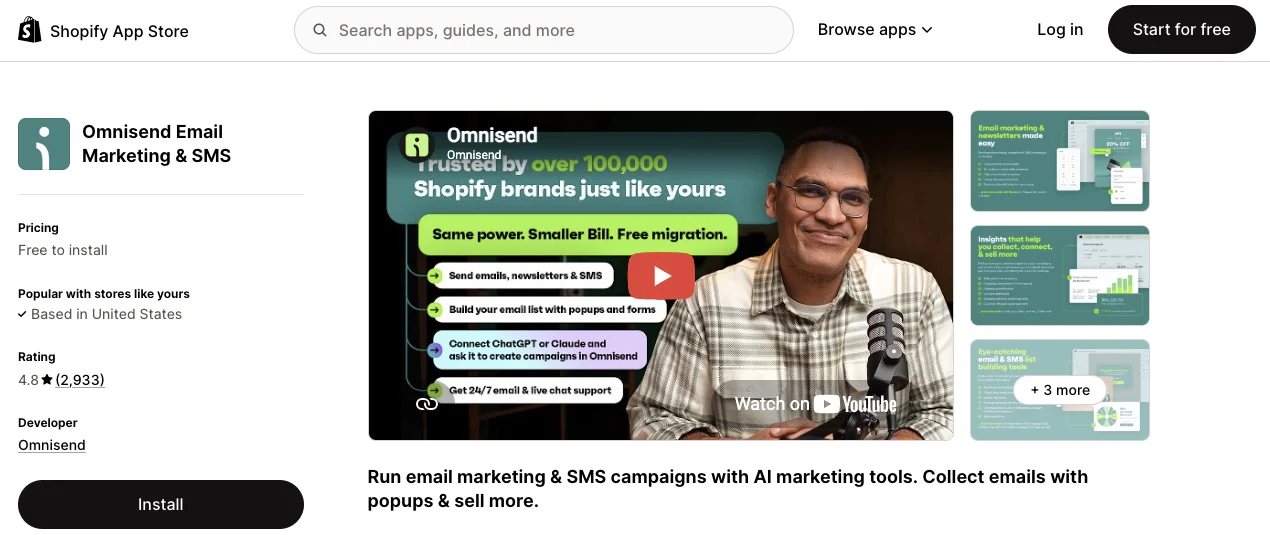
Best for: Growing ecommerce brands that want email and SMS marketing automation
Omnisend brings email and SMS marketing into your entire customer journey from sign-up to post-purchase. In addition to covering all the automations necessary for ecommerce, it lets you build one-time and scheduled campaigns.
Why it’s crucial for Black Friday
Omnisend delivers an average ROI of $79 for every $1 spent. This is one of the highest ROIs in marketing. Its Shopify app connects directly to your store.
This helps power product recommendations. It’s a stronger replacement for Shopify’s basic transactional emails.
You can use targeted pop-ups to get new subscribers and segment customers by behavior. You can launch multichannel campaigns, automate recovery messages, and monitor campaign results in real time.
Key features
- 15+ pre-set automation workflows including welcome, abandoned cart, and post-purchase, and more
- Omnisend AI helps you build segments faster and forecast customer lifetime value
- A/B test different Shopify Black Friday email subject lines or campaign content to see what works
- Forms AI helps you create sign-up forms
- Pre-built customizable BFCM email templates
- Global SMS marketing beyond the USA and UK
- Get 305+ integrations and 24/7 support even on the Free plan
Pricing
- Free: 250 contacts and 500 emails/month. Includes most ecommerce features.
- Standard: $16/month. 500 contacts and up to 6,000 emails/month.
- Pro: $59/month. 2,500 contacts and unlimited emails. Add SMS on this plan.

Rachel Riley expanded Black Friday into a month-long campaign with Omnisend, growing BFCM revenue 77% year over year across email and SMS. Its automations drove 46% of that revenue, showing how strategic timing and multichannel marketing pay off.
2. PageFly — Landing pages
Shopify rating: 4.9 (5,654 reviews)
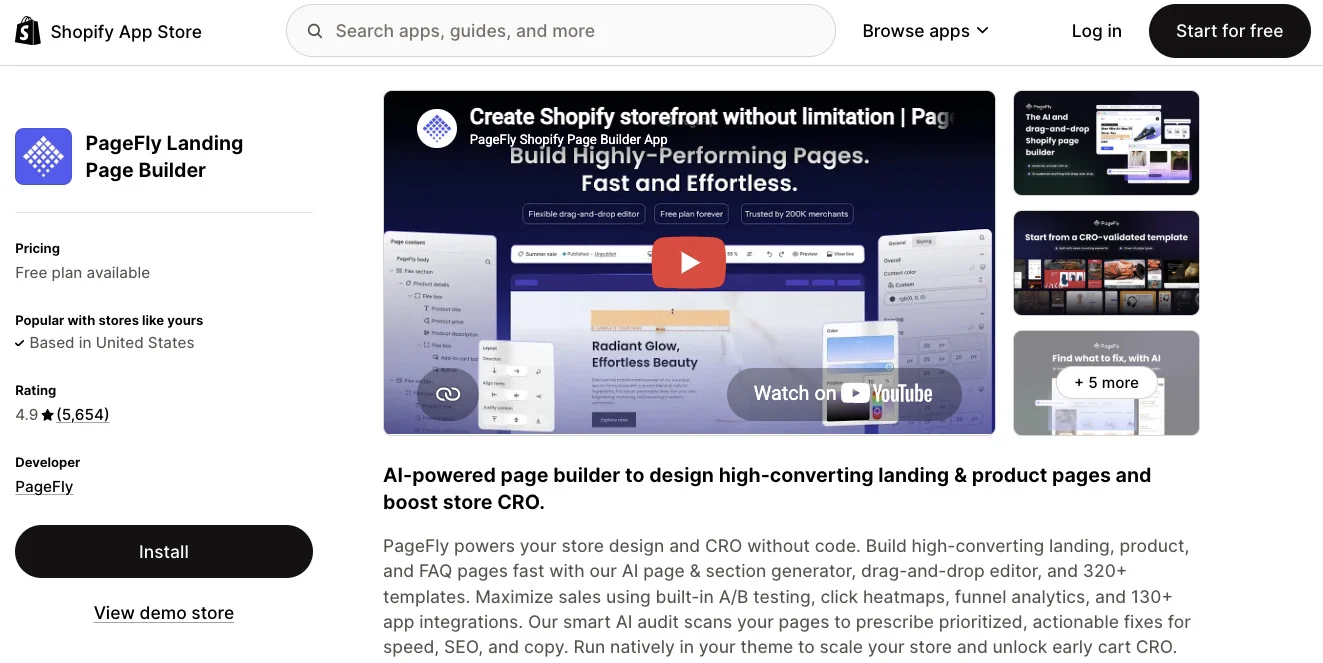
Best for: Merchants who want to build high-converting landing pages without code
PageFly is a drag-and-drop page builder for custom landing pages, product pages, and blog layouts. You build conversion-focused pages in a visual editor. No coding required.
Why it’s crucial for Black Friday
You need a dedicated landing page for Black Friday. Generic product pages rarely capture urgency or spotlight limited offers. PageFly’s A/B testing shows which headlines and layouts turn visitors into buyers.
Key features
- Smart AI can audit your landing page layouts so you can improve them faster
- Built-in A/B testing helps compare Shopify Black Friday page versions
- Over 320 templates for landing and product pages that are conversion-optimized
- Built-in countdown timers, trust badges, and urgency elements
- Drag-and-drop editor to place elements anywhere on your Black Friday Shopify landing page
Pricing
- Free: One published page or section
- Builder: $24/month for 5 pages or sections
- Optimize: $39/month for 20 pages or sections
- Accelerate: $99/month for unlimited pages or sections
- Power: $199/month for advanced conversion optimization
3. Vitals — All-in-one sales app
Shopify rating: 4.9 (2,786 reviews)
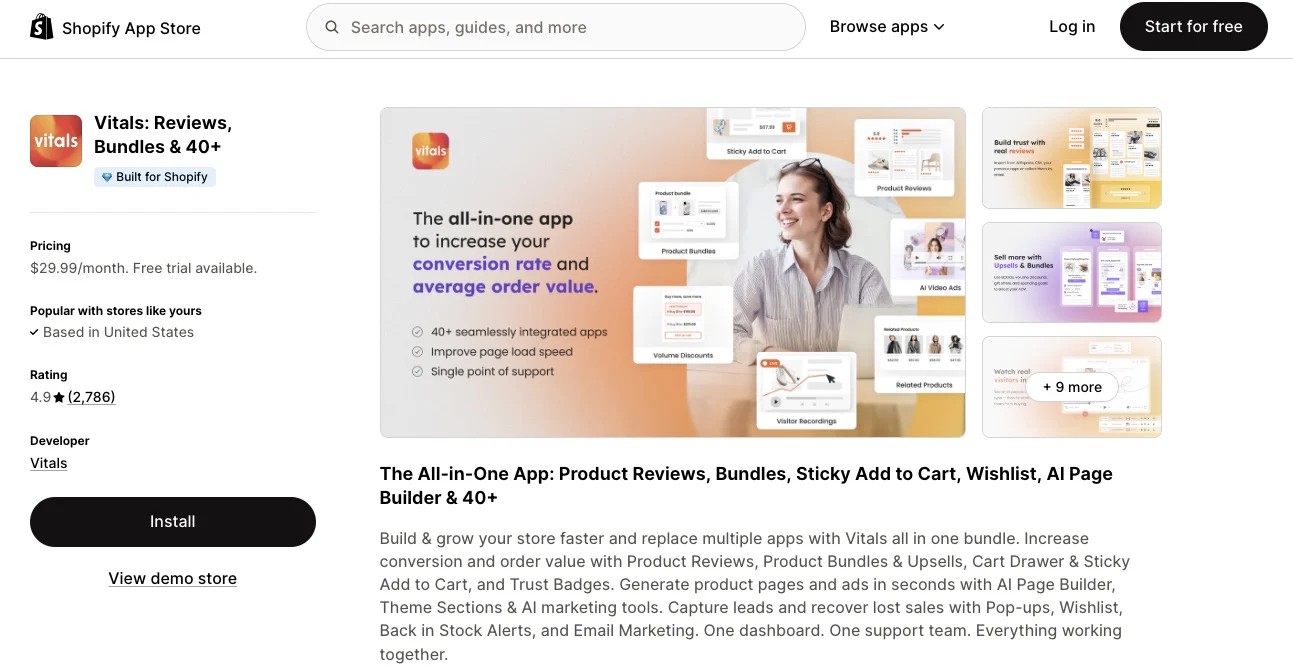
Best for: Shopify store owners who want to replace multiple plugins with a cost-effective toolkit
Vitals packs 40+ marketing tools into a single app, from product reviews and bundles to pop-ups and AI-powered content. Instead of juggling many apps, you get everything in one dashboard.
Why it’s crucial for Black Friday
Running many apps during Black Friday often leads to conflicts and slowdowns. Vitals consolidates your essential tools (upsells, urgency badges, stock counters, and currency converters) so they work together when traffic peaks.
Key features
- Import product reviews from CSV files, AliExpress, or other apps.
- Create product bundles with BOGO offers or volume discounts.
- Session recordings can help you understand which actions customers take on your website
- AI tools for generating product pages and ads in seconds
- 40+ customizable theme sections, wishlists, and Instagram feed
- Back-in-stock alerts for Black Friday marketing to recover lost sales
Pricing
- All-in-one: $29.99/month with a 7-day trial
4. ReConvert — Checkout optimization
Shopify rating: 4.8 (2,773 reviews)
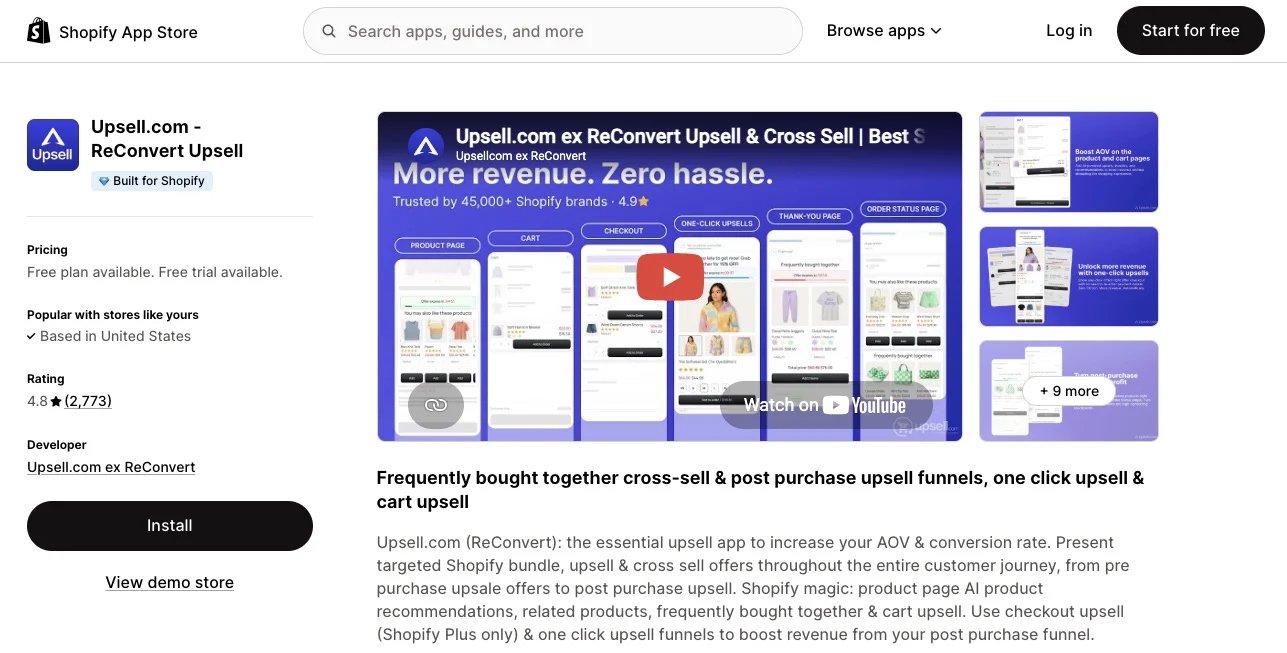
Best for: Growing brands that want to increase average order value through post-purchase upsells
ReConvert turns your thank-you page into a revenue generator. It helps with post-purchase upsells, cross-sells, and product recommendations. Order confirmations become fresh opportunities for another sale.
Why it’s crucial for Black Friday
Shoppers who just bought are your hottest leads. They have entered payment details and already trust your store. ReConvert captures that momentum with one-click upsells that need no extra checkout steps. This lifts order values when buyers are most receptive.
Key features
- Works on every Shopify plan, with checkout-level upsells available on Shopify Plus
- Drag-and-drop builder for thank-you page upsells
- One-click upsells after checkout with on-brand offers
- Order status page upsells encourage customers to buy more when they return for shipping updates
- A/B testing helps you uncover high-performing checkout upsells for Shopify Black Friday
Pricing
- Free: For development stores
- Upsell Basic: $4.99/month for up to 50 orders or $50 in upsell revenue
- Upsell Growth: $9.99/month for up to 100 orders or $100 in upsell revenue
- Upsell Business: $19.99/month for up to 200 orders or $200 in upsell revenue
Note: ReConvert charges increase as your monthly order volume and upsell revenue increase
5. Fast Bundle — Bundling and discounts
Shopify rating: 5 (2,981 reviews)
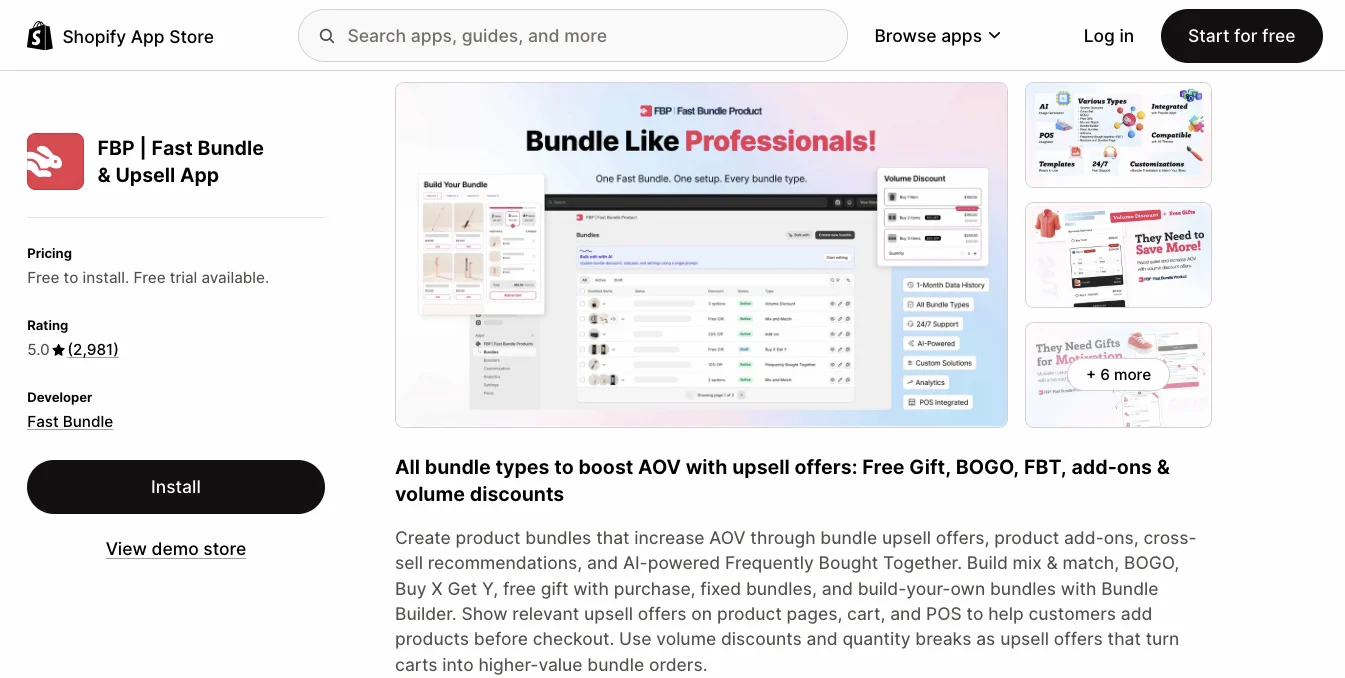
Best for: Shopify businesses that want to increase average order value with bundles and discounts
Fast Bundle lets you create almost any type of bundle. These include mix-and-match, buy X get Y, volume discounts, and custom bundle builders. You build offers that fit your products and your margins.
Why it’s crucial for Black Friday
Bundles add value without relying on price cuts alone. Fast Bundle supports different bundle offers. You can offer “buy three, save 20%” or “spend $100, get a gift” deals during sales periods.
Key features
- “Buy X get” bundles offer gifts or discounts when customers purchase specific products
- Frequently bought together shows customers similar products to the ones they are viewing
- Volume discounts give customers lower prices when they buy more items
- Mix-and-match bundles let customers choose their own product combinations
- Integrates with tools like PageFly and Appstle
Pricing
- Free: Includes all six bundle types
- Standard (up to 1K revenue): $19/month
- Standard (up to 3K revenue): $49/month
- Standard (up to 10K revenue): $139/month
- Enterprise: $299/month, limitless monthly bundle revenue
Common mistakes Shopify stores make on Black Friday
The following six mistakes can negatively affect your Shopify Black Friday revenue. Here’s how to avoid them:
- Waiting too long to prepare: Building a list and A/B testing may take weeks. If you’re running out of time, begin with simpler strategies such as mobile optimization and abandoned cart emails. More complex Shopify Black Friday strategies that involve customer data can come next.
- Relying only on discounts: During BFCM, consumers will largely be offered discounts such as “30% off.” Offer your members something exclusive or limited-time products. This helps you stand out.
- Ignoring mobile shoppers: Most customers browse on phones. Remove friction points like extra form fields or tiny CTA buttons. Test the whole flow on a real phone before launch.
- Installing too many Shopify apps: Too many apps can slow down your store or cause errors. If two Shopify apps try to control the checkout process, they can slow down checkout.
- Skipping store testing before launch: Always check that your discount codes or landing pages are working. Buy products from your store to test the checkout process.
- Ignoring post-purchase opportunities: Late shipping updates reduce trust. Silence after a sale is a wasted opportunity to build relationships with customers. Plan post-purchase flows in advance.
Conclusion
BFCM is one of the biggest revenue windows of the year for Shopify merchants. The stores that increase revenue use Shopify Black Friday strategies instead of relying on discounts alone.
Your Shopify store needs to load fast and work on mobile. The right apps should handle your automation and conversions.
Your marketing has to reach shoppers across email, SMS, and your storefront. Tools like Omnisend can help you automate this.
To increase Shopify Black Friday sales, start planning early. Test your store before traffic increases. Make sure customers can move from the first pop-up to checkout and the thank-you page without unnecessary steps.
Always include post-purchase flows in your strategy to increase repeat purchases.
Quick sign up | No credit card required
FAQ
How do I set up a Black Friday sale on Shopify?
Do I need special apps for Black Friday on Shopify?
How much should I discount for Black Friday on Shopify?
What’s the best way to promote Black Friday sales for my Shopify store?
Does Shopify do Black Friday sales?
You set the discounts and offers through Shopify’s admin, apps, and marketing tools. Then promote these offers to your customers.